
How to Download MyFans Videos in 2026: 5 Options Compared

Summary: This guide compares five ways to download MyFans videos for authorized offline viewing, from desktop software to screen recording. It explains StreamFab's Windows and Mac workflow, verified output limits, trial boundaries, troubleshooting, and phone transfer options.
If you're searching for how to download MyFans videos, the problem is not a hidden save button. MyFans video download methods differ in setup, maintenance, and output control. This guide compares five routes, then shows a Windows and Mac workflow for MyFans offline viewing.
The Short Answer: Access Comes First
A workable MyFans video download starts with authorized MyFans access to the title. A downloader, extension, script, online service, or recorder cannot create subscription or pay-per-view access that the account does not already have.
Use these methods for content you're authorized to access, where permitted by platform terms and applicable law. The practical choice is about workflow: desktop apps prioritize maintained controls, while extensions, scripts, online tools, and recording trade convenience against setup or output control.
Before You Start: Access and Account Basics
A MyFans viewer needs an account that can play the target post before any tool can save it. Confirm authorized MyFans access, available storage, and a supported Windows or Mac computer before starting.
The MyFans platform overview explains the service itself; for this workflow, the key point is that subscriptions and individual purchases determine what the account can view.

Use maintained software from its official publisher and keep account credentials out of unknown web forms.
Find more related info in the StreamFab copyright and usage guidelines
Compare Five MyFans Download Methods
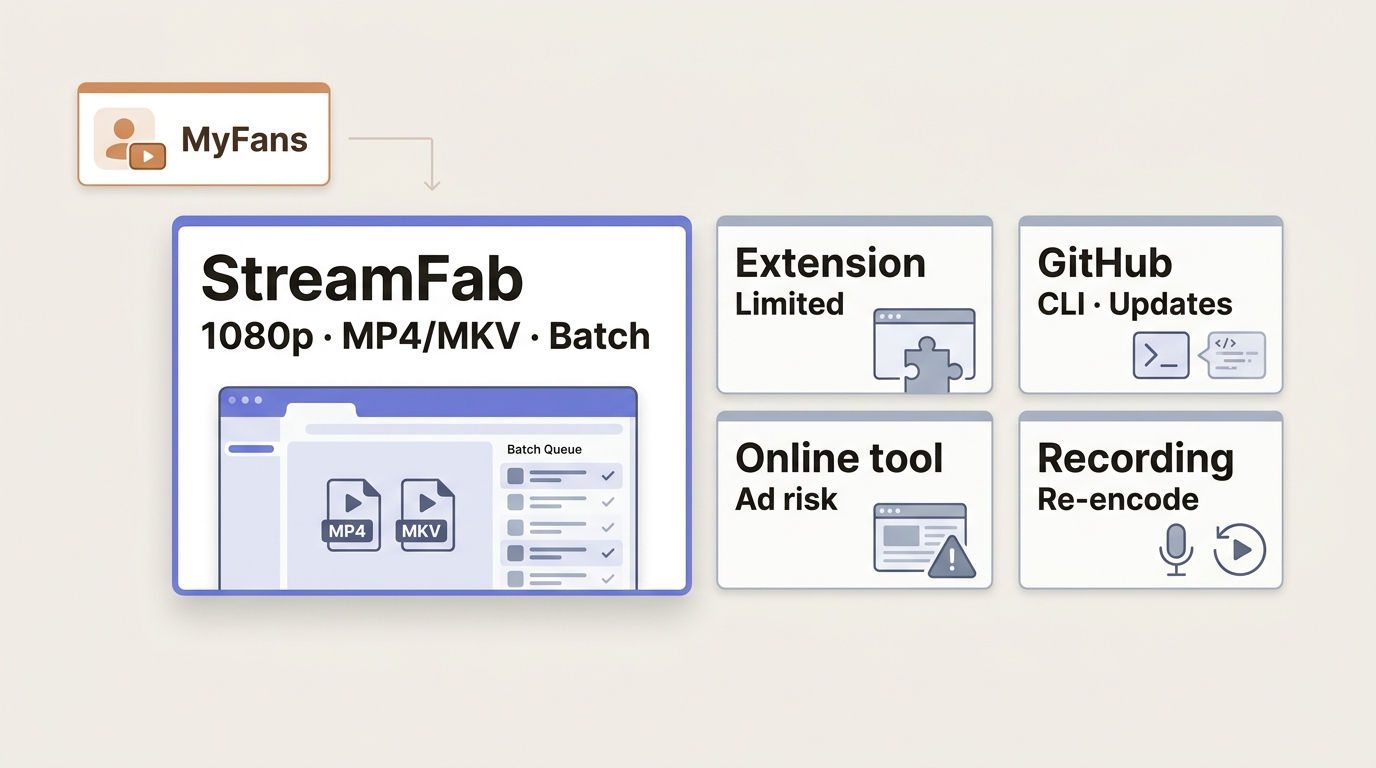
The five MyFans download methods solve different workflow problems. A MyFans browser extension is easy to add, while desktop software offers more file controls, and screen recording requires real-time playback.
A dedicated MyFans video downloader comparison should be judged by maintained access, batch needs, and useful output controls rather than broad claims.
| Method | Setup | Access needed | Reliability | Output control |
|---|---|---|---|---|
| Desktop GUI software | Install on Windows or Mac | Playable account content | Maintained app workflow | High |
| Browser extension | Add browser permission | Playable account content | May break after site changes | Limited |
| Open-source script | Command-line setup | Playable account content | Depends on active maintenance | Variable |
| Online downloader | Paste a page URL | Playable public or signed-in page | Inconsistent with protected pages | Low |
| Screen recording | Configure capture | Normal on-screen playback | Real-time and device-dependent | What appears on screen |

Without a download option, it becomes challenging to permanently preserve those videos;
My take: desktop software fits readers who value a maintained interface and batch workflows; it is less suitable for a phone-only or zero-install setup.
StreamFab for Local MyFans Copies
StreamFab myfans Downloader is a MyFans downloader for PC and Mac that uses a maintained MyFans desktop app workflow to save MyFans videos the account can already play. It favors local file control and batch handling over a phone-only experience.
Save videos from MyFans in up to lossless original 1080p resolution and keep them on your device in MP4/MKV format for personal offline viewing. Batch mode and auto-download scheduling are also supported.
What StreamFab Saves and Supports
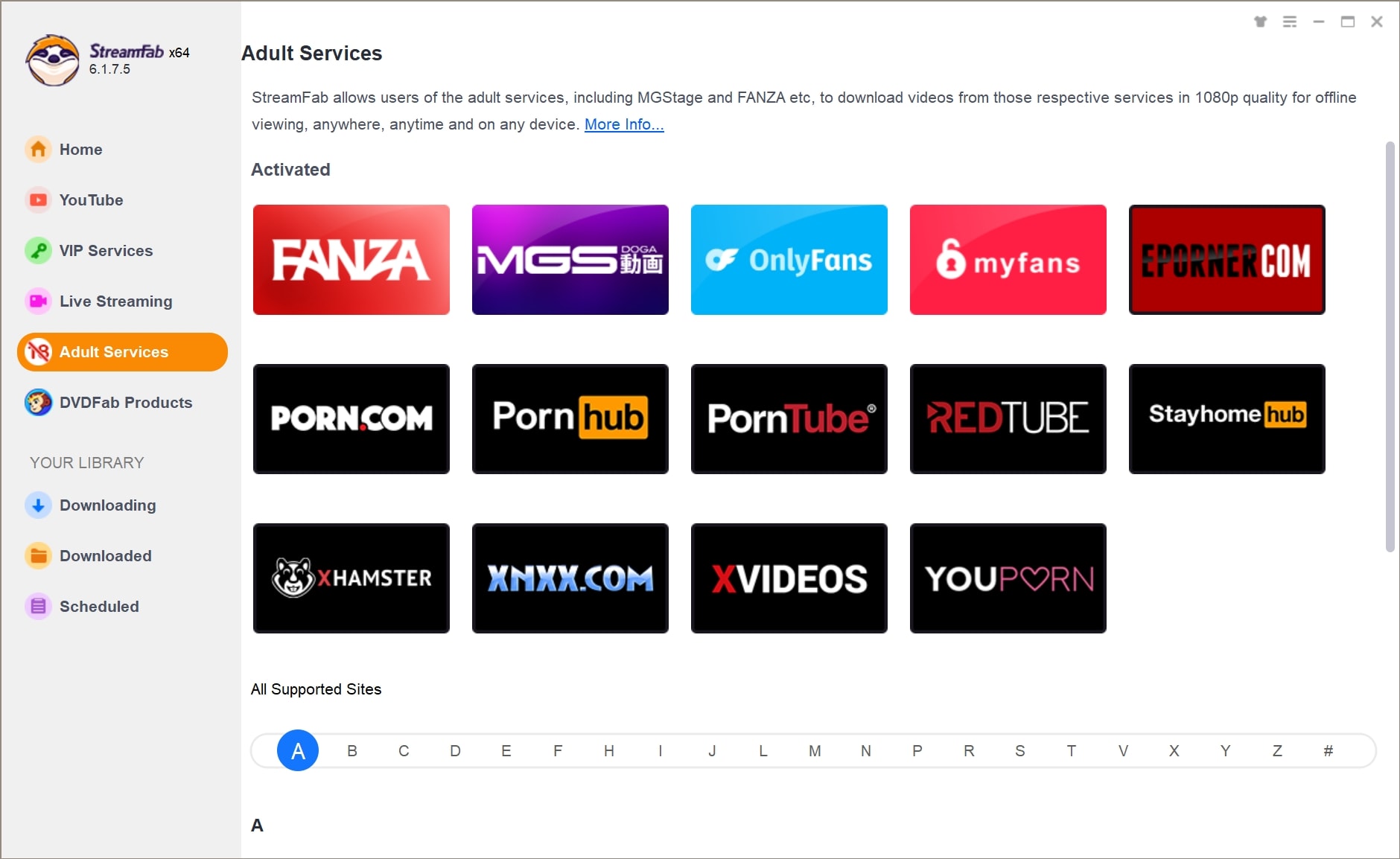
StreamFab creates MyFans MP4 files or MKV files for MyFans offline viewing, with video up to 1080p, H.264 video, and AAC 2.0 audio. It also supports batch and scheduled downloads on Windows and Mac.
- Save MyFans videos you can already play for personal offline viewing under applicable terms and law.
- Select video up to 1080p with H.264 and AAC 2.0 audio.
- Output MyFans MP4 files or MKV files for compatible local players.
- Queue multiple videos with batch downloads.
- Schedule downloads for newly available videos you can access.
- Use the built-in browser to sign in and locate authorized content.
I would choose this route when several authorized videos need the same output settings; for a single clip on a phone, the desktop setup adds friction.
3 Steps to Download MyFans Videos with StreamFab
For MyFans.jp downloads, start with StreamFab installed on Windows or Mac and confirm the target plays in your account. The three-step flow opens MyFans in the built-in browser, analyzes the selected post, and saves the chosen output.
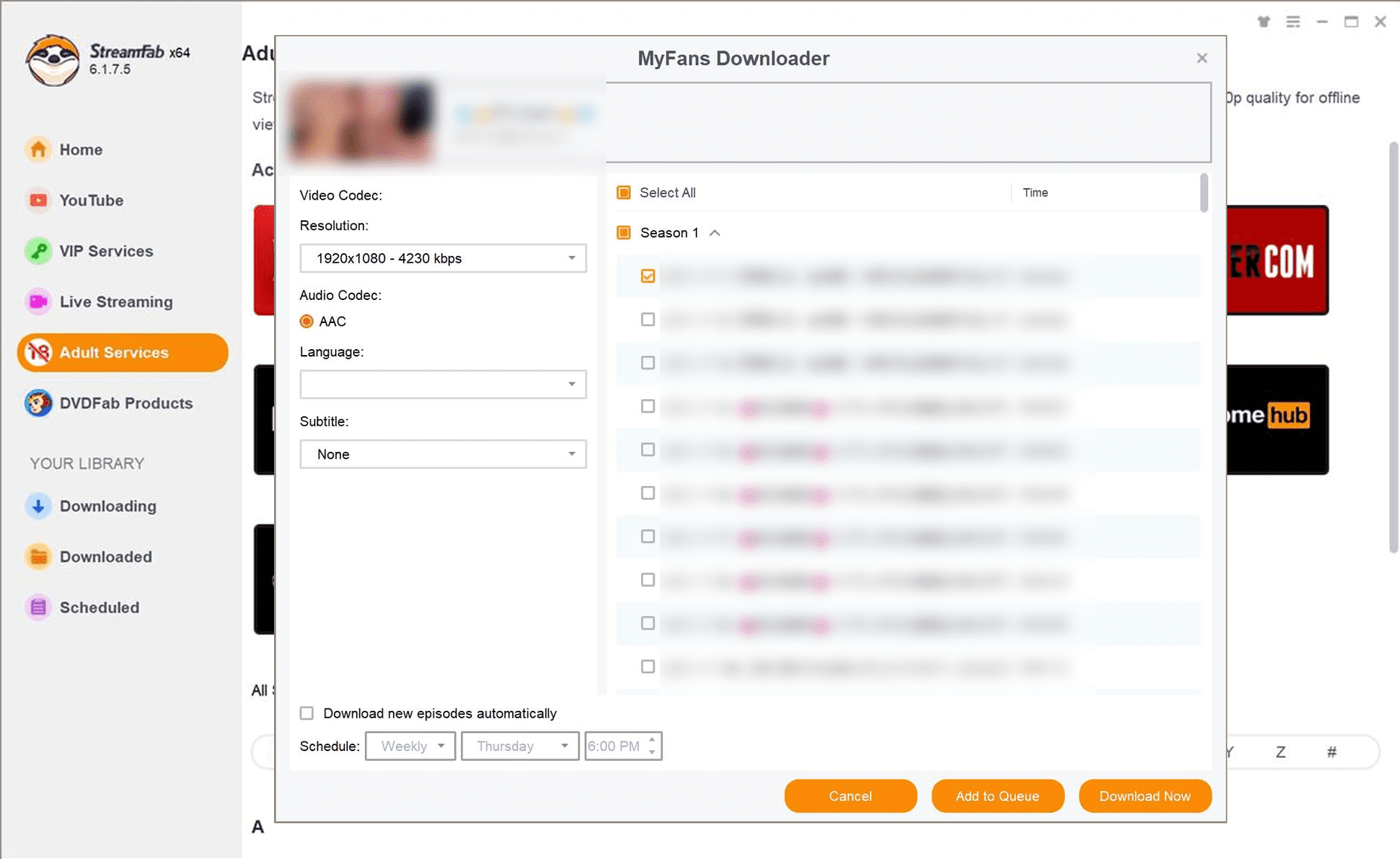
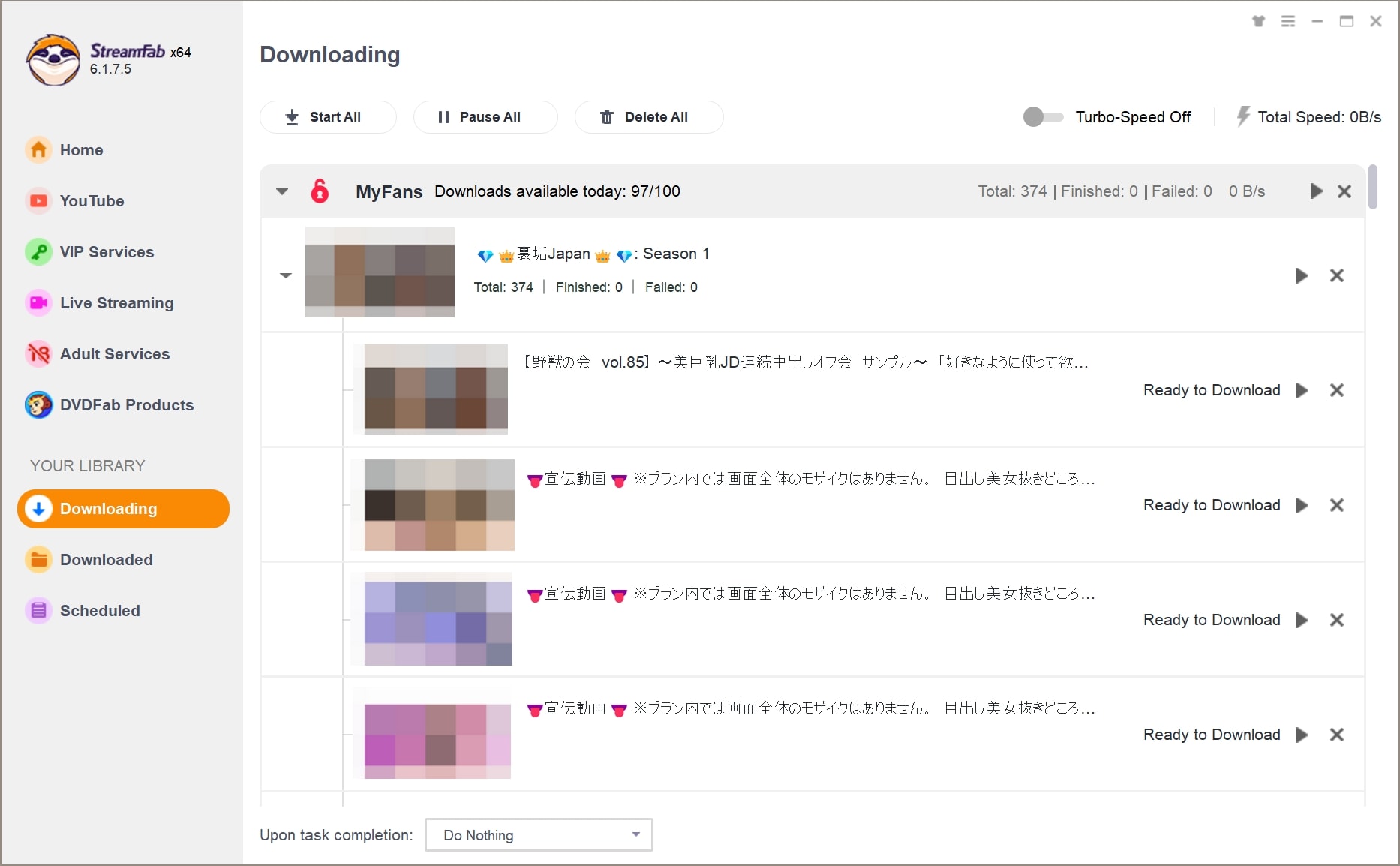

The main friction point is usually sign-in or page analysis, not the final save command. If the post will not play normally in the built-in browser, fix account access before retrying the download.
Trial, Device Fit, and Limits
The trial lets desktop users test the full workflow for 30 days, with up to three trial downloads per streaming service. The limit is count-based; output and workflow controls match the paid edition during the trial.

Not ideal for: phone-only users, zero-install workflows, or readers who need access to content their account cannot play.
When Login or Analysis Fails
A failed MyFans video download often starts before file creation: the account cannot play the post, the sign-in state expired, or page analysis did not complete. Separate those cases before reinstalling anything.
- Update StreamFab to the current build, then restart the app.
- Open MyFans again in the built-in browser and sign in from a fresh session.
- Confirm the same account can play the target post normally before analysis begins.
- If payment, subscription, or purchase access is incomplete, resolve that account issue before treating it as a downloader failure.
I start with normal playback because it separates account problems from analysis problems in one check. Repeated reinstalling before that check usually adds work without changing the cause.
Output and Workflow at a Glance
MyFans MP4 files make local playback easier to organize, but MyFans offline viewing adds storage and transfer steps that streaming does not. The right workflow depends on whether file control outweighs the maintenance of a desktop process.
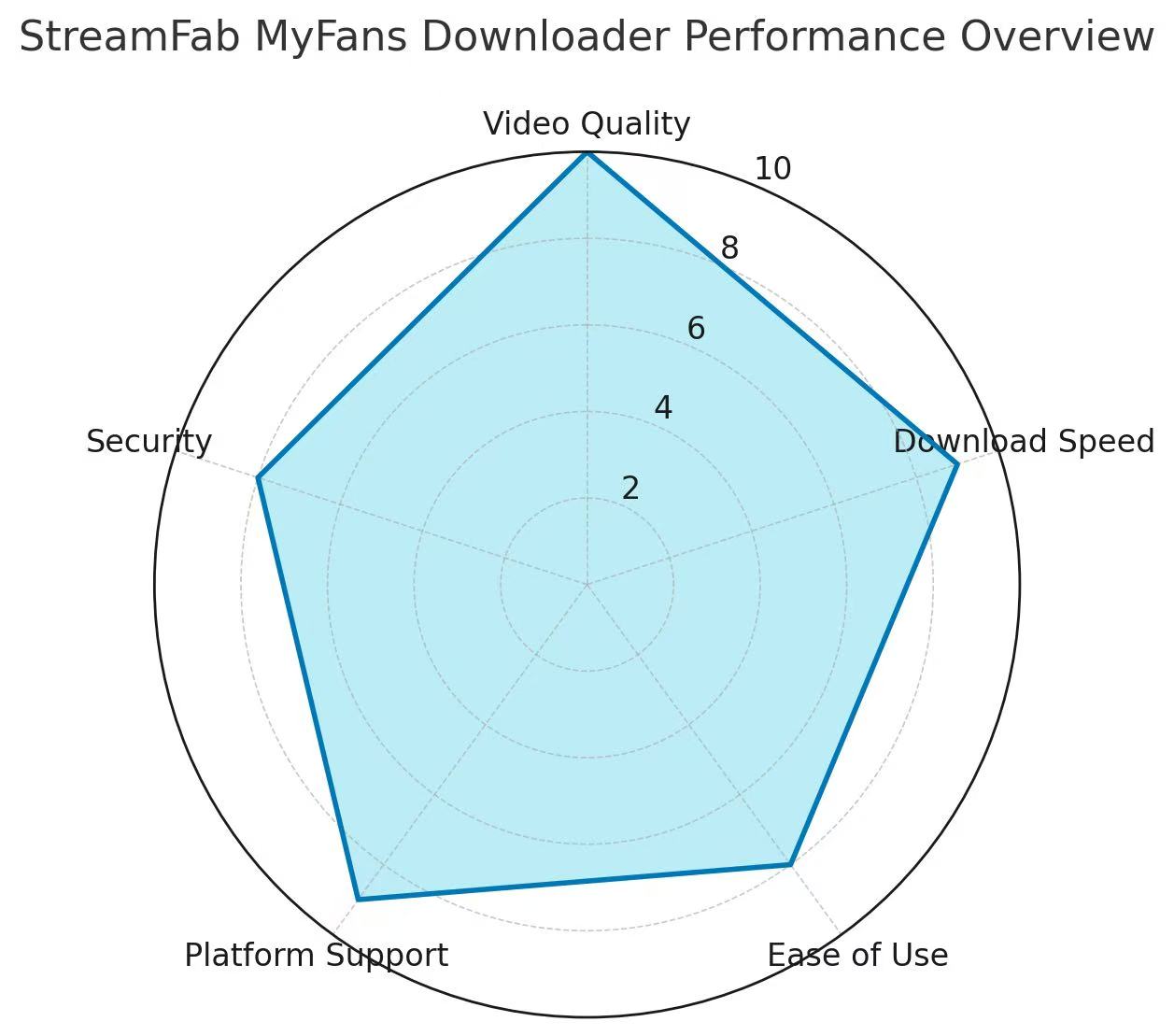
Verified Output Specifications
MyFans MP4 files are the most portable output in this workflow, while MKV suits viewers who prefer that container. The specification snapshot below covers compatibility and queue management.
- Systems: Windows and Mac
- Video: up to 1080p with H.264
- Audio: AAC 2.0
- Containers: MP4 or MKV
- Workflow: batch downloads and scheduled downloads
The practical upshot is straightforward: choose MP4 for broad device compatibility, use MKV when that container better matches your player, and reserve batch scheduling for multiple authorized posts.
Online Streaming and Local Playback
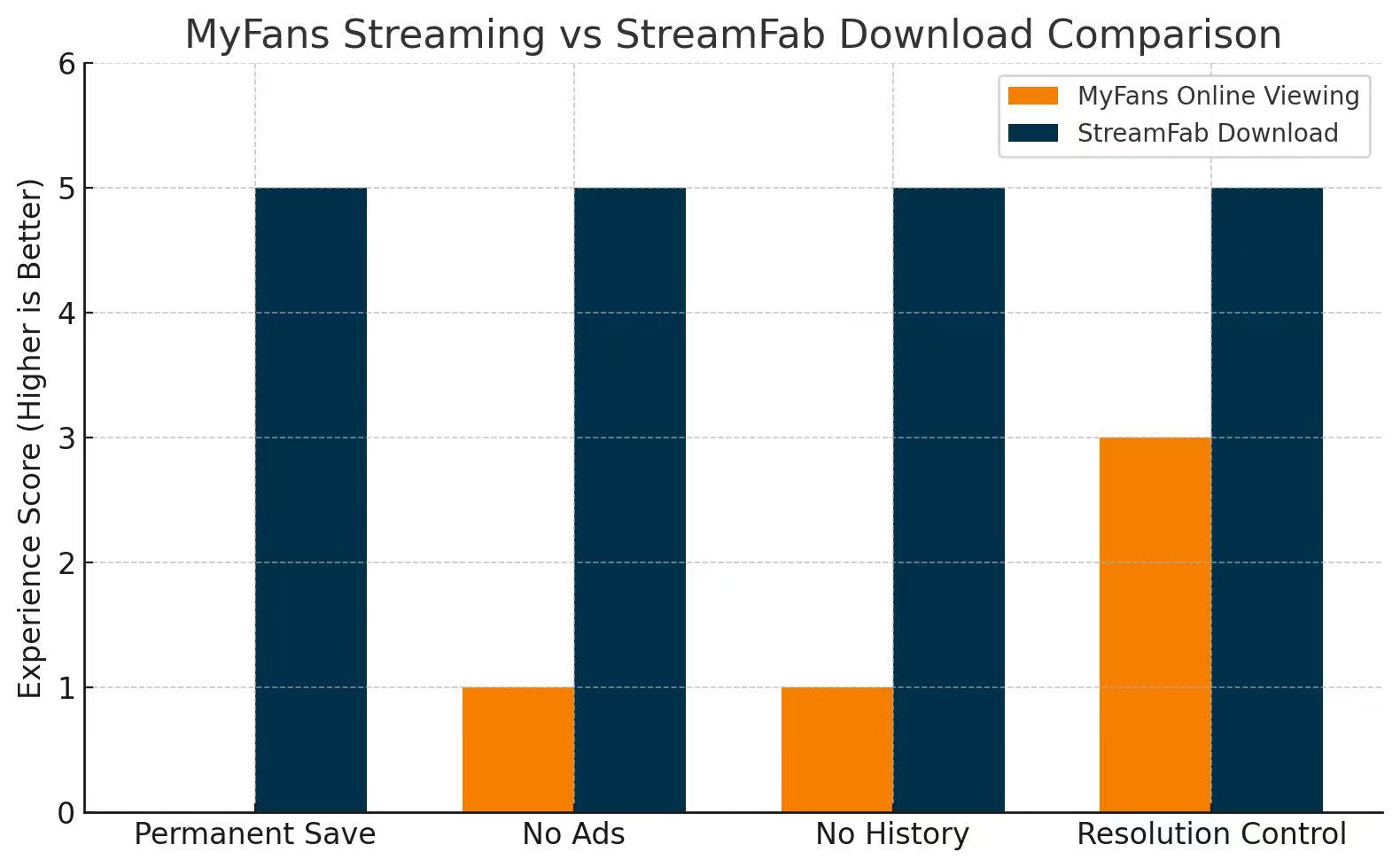
Online streaming keeps viewing inside MyFans; local playback adds file storage, device transfer, and player compatibility decisions. MyFans offline viewing is useful when connectivity is the constraint, while online playback is simpler when you do not need a managed file.
- Online streaming: no local storage management, but playback depends on account access and connectivity.
- Local playback: requires storage and a compatible player but gives the viewer direct control over file organization.
For occasional viewing, I would keep the workflow online. Local files make more sense when travel, unstable connectivity, or repeated playback justifies the extra storage and transfer steps.
Frequently Asked Questions
Can a Free Tool Unlock Unpurchased Videos?
No. A free tool does not grant subscription, purchase, or creator-level access. It can work only with content the account is already permitted to play, and any saved copy should remain within personal offline use allowed by the relevant terms and law.
Is There a MyFans Downloader APK?
StreamFab uses a Windows or Mac desktop workflow, not an iPhone or Android APK. Save an authorized video as MP4 or MKV on the computer first, then transfer the file to a phone with a compatible player.
Are Chrome Extensions Safer Than GitHub Tools?
Neither route is categorically safer. Extensions request browser permissions and may stop working after site updates; GitHub tools expose code and change history but can require technical setup and carry unresolved issues. Favor active maintenance, clear permissions, and expected sign-in behavior.
Can MP4 Files Move to iPhone or Android?
Yes. File compatibility is separate from direct mobile downloading. Use this short transfer path:
Conclusion
Match the method to your setup: desktop software for maintained batch controls, lighter tools for simpler but more variable workflows, or recording for real-time playback. For content you're authorized to access, where permitted by platform terms and applicable law, save local copies for personal offline viewing.


In this article, I tested and compared five popular MyFans video downloaders—StreamFab, StreamGaGa, BBFly, Y2Mate, and KeepStreams—to help you find the safest and most efficient solution.
By Erika Leen - Aug 18, 2026
MyFans is a Japanese fan-club platform where creators share exclusive posts, photos, videos, and member access. For US readers, the key point is that MyFans is not an adult-only service, although adult material can be one category, and its Japanese-language interface can make pricing, account controls, and payment steps harder to assess.
By Erika Leen - Aug 11, 2026