
5 Best Fansly Downloaders in 2026: What Still Works After the Fragmented-Stream

Summary: I tested and reviewed 5 of the most reliable Fansly downloaders to help subscribers enjoy their paid content securely, with no malware or legal risks.
Introduction: Verification and Corrections (2026)
The Fansly platform has matured significantly as of 2026, solidifying its place as the main alternative to OnlyFans with more granular creator controls: tiered subscription levels, advanced media locking, and stricter fragmented streaming that has changed what actually works on the download side. That last change is the reason I re-tested every tool in this article rather than refreshing the old list. If you'd rather skip installs entirely, a paste-URL online Fansly downloader exists too—but this guide focuses on the desktop and browser tools that survived my 2026 re-test.
Here's how the re-test worked:
- StreamFab: Remains the most reliable solution in 2026. It has recently updated its support to Fansly's latest protocol.
- Fansly Downloader Chrome Extension: Several generic extensions have been removed from the Chrome Web Store due to stricter Manifest V3 policies. The guide now emphasizes checking for "Manifest V3-compliant" versions to ensure continued functionality.
- Video DownloadHelper (Firefox): The 2026 version often requires the "Companion App" to merge video and audio tracks for high-resolution Fansly clips.
- YT Saver: Currently stable. The "Private Folder" feature remains its standout USP in 2026, which aligns well with Fansly users.
- Inspect Element: Increasingly difficult because Fansly now frequently fragments streams into small .ts or .m4s segments.
This article discusses tools and features that can improve your viewing experience on subscription platforms like Fansly and OnlyFans. Any software mentioned here must only be used for content you are legitimately authorized to access, and only in full compliance with local copyright laws and each platform’s terms of service. Do not use these tools to access locked posts you haven’t paid for, to circumvent technical protections, or to share or redistribute creators’ content.

Overview Compare of the 5 Fansly Downloaders
Here's the short answer: in 2026, Fansly's fragmented streaming has quietly killed most browser-based shortcuts, so my ranking below leans toward desktop tools that can rebuild those segments reliably. The table gives you the at-a-glance differences; the radar chart and detailed reviews follow.
| Tool | Resolution | Output format | Batch download | Device support | Price |
|---|---|---|---|---|---|
| StreamFab | Up to 2160p (4K) | MP4 / MKV | Yes (batch + scheduled) | Windows, Mac | Paid (free trial) |
| Fansly Downloader Chrome Extension | Up to 1080p (varies) | MP4 | No | Chrome (MV3-compliant build) | Free |
| Video DownloadHelper (Firefox) | Depends on detected stream | MP4 / others | No | Firefox (Windows, Mac, Linux) | Free (paid tier for conversions) |
| YT Saver | Up to 1080p | MP4 / MP3 | Yes | Windows, Mac | Paid — see official site (checked July 2026) |
| Inspect Element | Depends on source segments | Manual (.ts / .m4s) | No | Any browser | Free |
1. Radar Chart Comparison
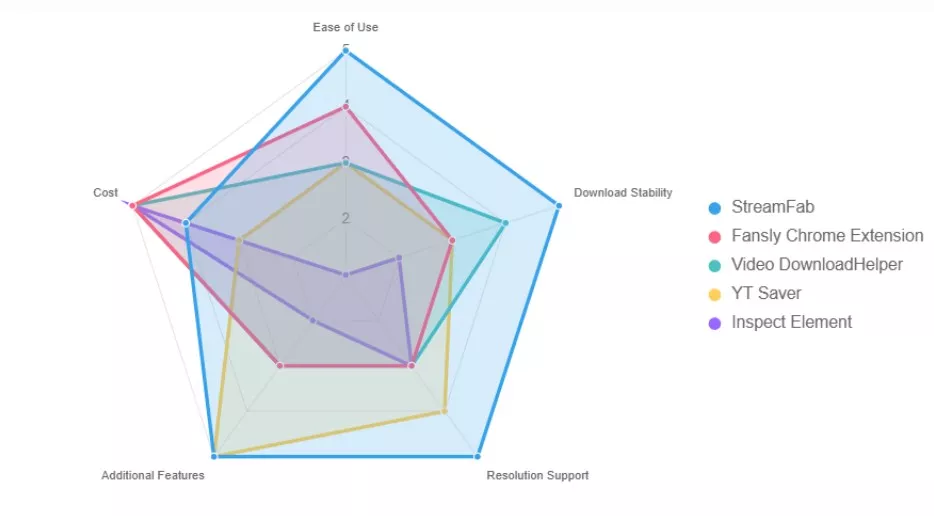
To visually demonstrate how these fansly downloaders perform, I created a radar chart comparing them across five key metrics: ease of use, download stability, resolution support, additional features, and cost.
The chart shows StreamFab leading on the four capability axes but trailing on cost, which is fair — it's paid software.
The Chrome extension, Firefox add-on, and inspect element scored full marks in terms of cost (they are free to use), but correspondingly, they lag behind in terms of quality and stability.
2. Why Do I Ensure the Safety of These Solutions?
A quick note on where I'm coming from: I subscribe to a dozen or so creators on Fansly, and I run every tool I test in a clean Windows 11 virtual machine before it goes near my main box. Privacy and security come first — everything else is noise.
The reason I test this hard is that the Fansly downloader niche is a magnet for shady sites. In 2023, several fake "Fansly / OnlyFans downloader" domains were reported spreading Trojan malware, and a recurring pattern with sketchy tools is asking you to log in through their interface, then quietly capturing your password or session cookie. That's why I only install from official sites and stay away from anything advertising itself as a Fansly "unlocker"—no legitimate tool can unlock posts you haven't paid for, and the sites making that promise are, in my experience, a common malware and credential-theft vector. The safe workflow is simple: save a local copy of content you already subscribe to, nothing more.
How I verified each tool's safety:
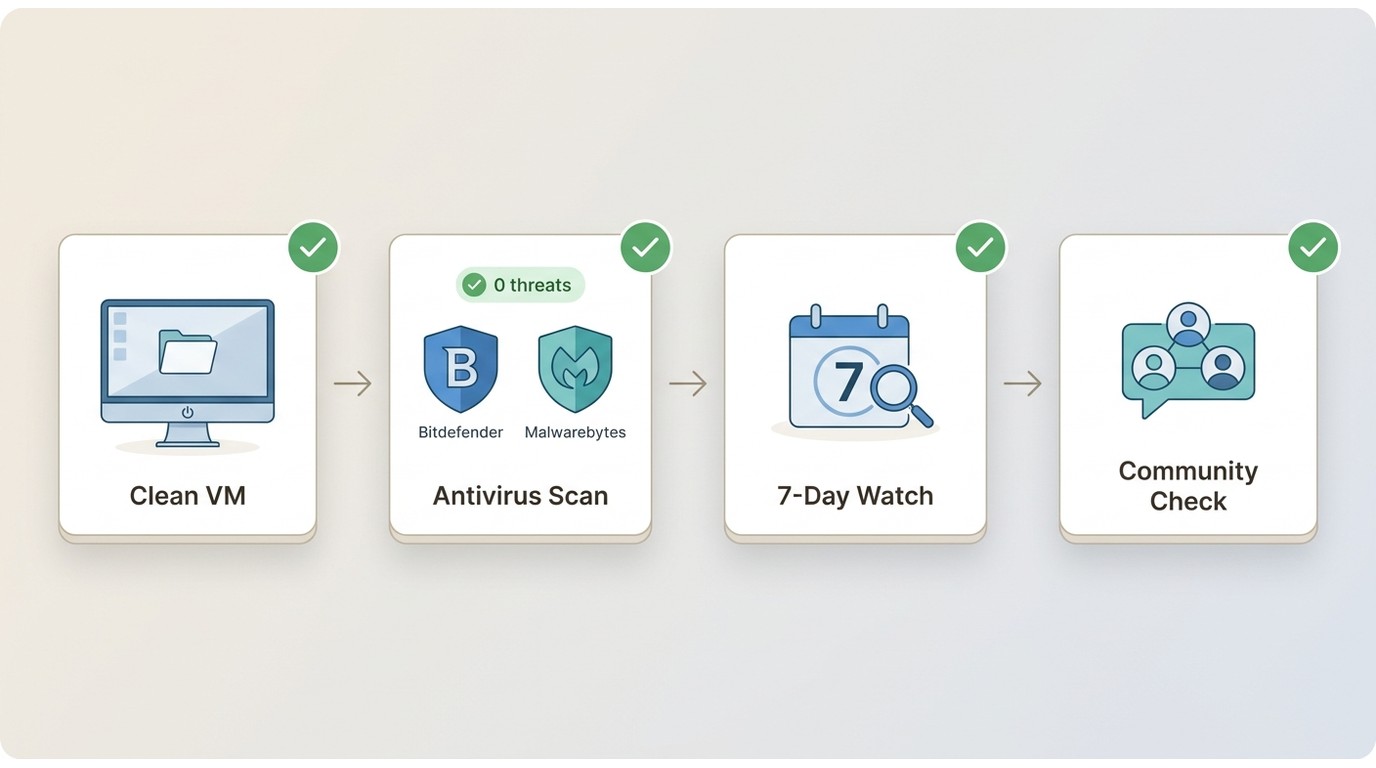
- Fresh Windows 11 box, clean as a whistle. I installed and ran each tool, watching for weird background processes, CPU flare-ups, or sneaky network chatter.
- Then full system scans with Bitdefender and Malwarebytes. Results: no threats, no PUPs, nothing spicy.
- For a week I watched for pop-ups, hijacked homepages, or bundled junk. Nada. No shady add-ons, no surprise toolbars—just quiet, well-behaved software.
- I cross-checked user reviews on several tech and user-feedback communities (including code-hosting and review platforms), especially looking for reports of hidden malware or privacy breaches.
Only tools that passed every one of these checks—clean install, stable performance, no tracking, and community consensus—made this list. If a downloader shows a single red flag (a webpage redirect, a bundled extra, anything off), I call it out in the review below.

So yes – you can trust these tools as long as you download them from official websites and use them only for personal viewing.
Detailed Review of the 5 Fansly Video Downloaders
Quick heads-up before we go any further: you need to be a paying Fansly subscriber to download anything. These tools aren’t for cracking paywalls or sneaking into locked posts you didn’t buy. I only use them after I subscribe—just stretching the value of content I’ve already paid for, not pirating. Adulting, not swashbuckling.
Think of these Fansly downloaders as a way to unlock offline viewing of content you legally have access to. So if you're a legitimate user who simply wants to enjoy the service you paid for, on your own terms, these tools can provide a safe and practical solution.
1. StreamFab: Automate Fansly Backups up to 4K MP4
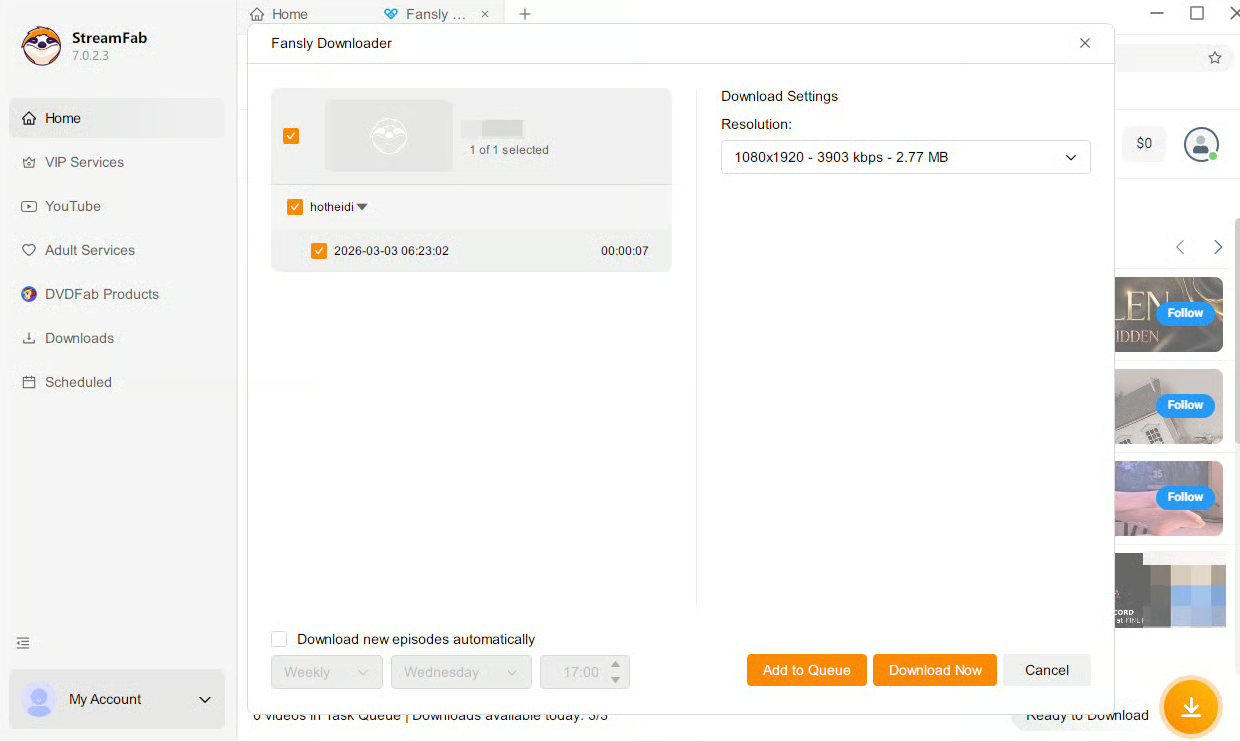
If you follow a dozen or more creators and want an organized offline archive, StreamFab is the option I keep coming back to. While other tools stumble on Fansly's fragmented streams, its built-in browser detects media automatically and queues it for local saving. In my 2026 retest, it processed supported titles at resolutions up to 2160p (4K) to MP4, with batch and scheduled queueing, and finished a dozen videos without a single failure—used, of course, only for content I'm authorized to access.
- Best for: subscribers with many creators who want batch, high-resolution offline backups on a desktop.
- Not ideal for mobile-only users or anyone unwilling to pay—StreamFab is paid software with a Windows/Mac focus and no mobile app.

Designed to manage and prepare content from Fansly for personal offline viewing, as long as you follow each platform’s rules and copyright laws.
- 100% safe and clean to use with an in-built browser.
- Supports accessing eligible content from different regions, subject to platform availability and licensing.
- Handles large numbers of tasks and resolutions up to 2160p for supported titles.
- MP4 output options for better compatibility across personal devices.
- Includes modules for various streaming services, which must only be used where offline viewing is permitted and in compliance with each service’s terms.
How to use StreamFab for adult platforms (overview)
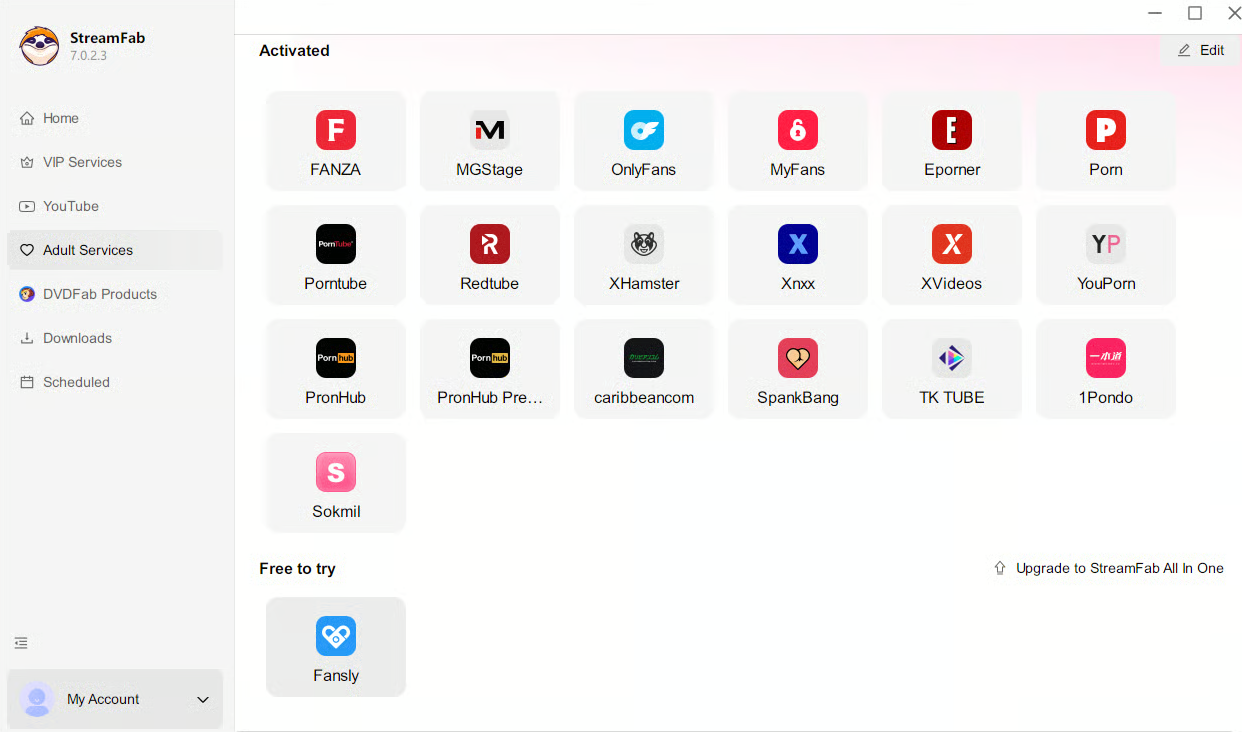
Choose the streaming service
Choose the appropriate module (such as Fansly) within StreamFab. You can navigate to the content you are authorized to view through the built-in browser or by using a valid URL, depending on how you normally access the service.
Customize the file
Play the video you want to download, then a pop-up window will ask for your video options. After customization, you can download it right now or add it to the queue.
2. Fansly Downloader Chrome Extension: Quick One-Click Save for Light Users
The Fansly Downloader Chrome Extension is the best fit for subscribers who need the occasional backup without installing standalone software.
One caveat that matters more in 2026 than it used to: several general-purpose downloader extensions have been delisted from the Chrome Web Store under stricter Manifest V3 policies. Before you rely on any extension, confirm the build is MV3-compliant and still maintained — a blanket recommendation isn't safe here. Even the MV3 versions tend to struggle with very long videos or high-bitrate 1080p streams.
- Best for: light, occasional saves in the browser you already use.
- Not ideal for: long clips, 1080p at high bitrate, or anything you want automated.
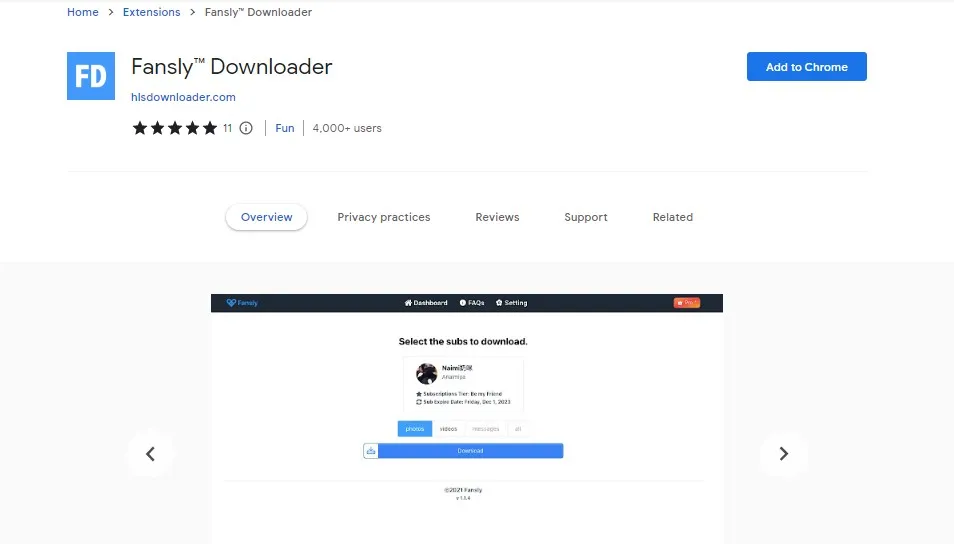
Step 1 – Install a compatible extension from the official store
Open your browser’s official extension store and install a reputable extension that supports handling Fansly media. Always check reviews and the developer’s information before installing.
Step 2 – Sign in to your Fansly account
Open Fansly in a new tab and sign in to your account as you normally would, making sure you only access content you’re entitled to view.
Step 3 – Manage eligible videos for offline viewing
When you play a video, the extension may present options such as viewing in higher available quality or preparing the clip for personal offline playback. Use these features only in accordance with Fansly’s rules and without redistributing the content.
3. Video DownloadHelper Firefox: Single Stream Detection for Fansly
Video DownloadHelper (Firefox) is one I've used for downloading videos from other video sites, and it also works on parts of Fansly videos. It's very good at identifying video streams, even capturing embedded content.
My one gripe: I have to manually pick the stream and filename each time, which means a few seconds of squinting at bitrates for every video. Its saving grace is the price and the low friction—the basic feature set is free.
- Best for: Firefox users who don't mind hand-picking a stream and want a free option.
- Not ideal for: anyone who wants batch downloads or a one-click flow.
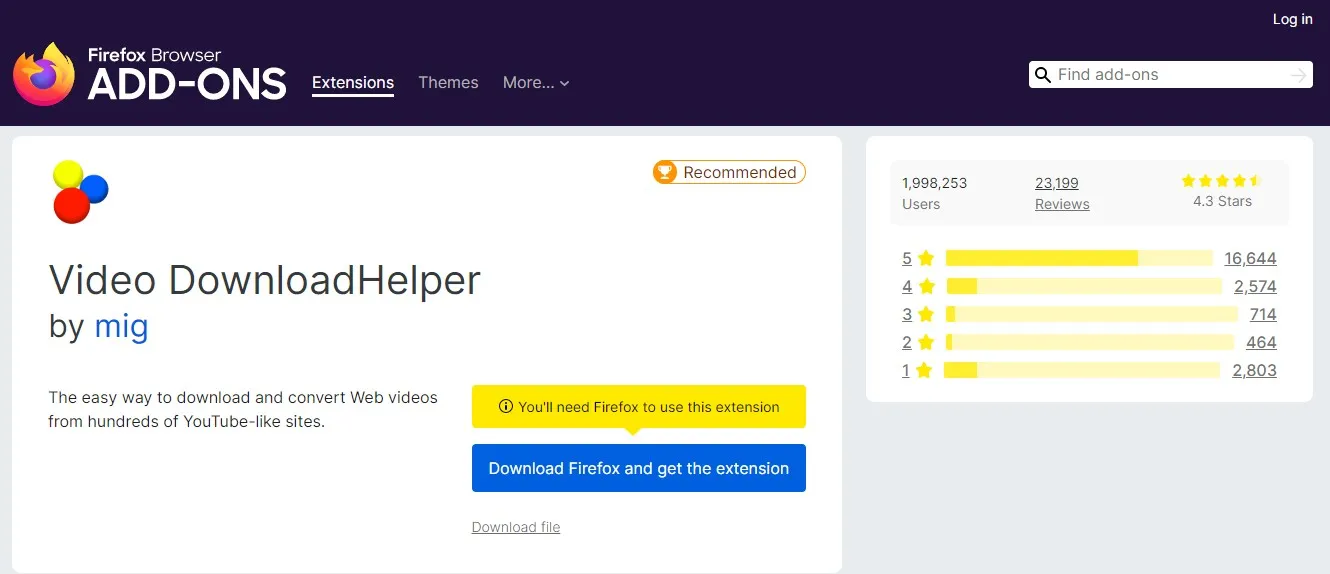
Step 1: Add the Video DownloadHelper extension to the Firefox browser, and you will see a small icon on the browser's tab bar.
Step 2: Head to Fansly.com and find and play the Fansly video you want to download.
Step 3: Next, while clicking on the icon on the tab bar, you will get multiple download options. Select your desired download option and save the Fansly video on your system.
4. YT Saver: Secure Your Fansly Content Offline with Password
When I tested YT Saver, my favorite features were its "Private Folder" and "Password Protection." My computer is shared, and this adds peace of mind. Furthermore, it allows you to save in MP4 or MP3 format, and you can customize the output path, resolution, and naming conventions—a feature that those with a keen eye for detail will appreciate. However, the interface is a bit old-fashioned, and it took a while to get used to it the first time.
YT Saver's download stability on Fansly isn't top-tier. I pulled 10 videos — 5 from my homepage and 5 from creator pages — and the creator-page attempts had a noticeably higher failure rate, with 2 out of 5 failing outright.
- Best for: shared PCs where the private folder and password protection genuinely help.
- Not ideal for: creator-page-heavy workflows where success rate matters most.
Step 1: After launching YT Saver, configure your preferred output format, resolution, and storage path in the download tab.
Step 2: Use the “Online” or browser option inside YT Saver to open Fansly and sign in to your account.
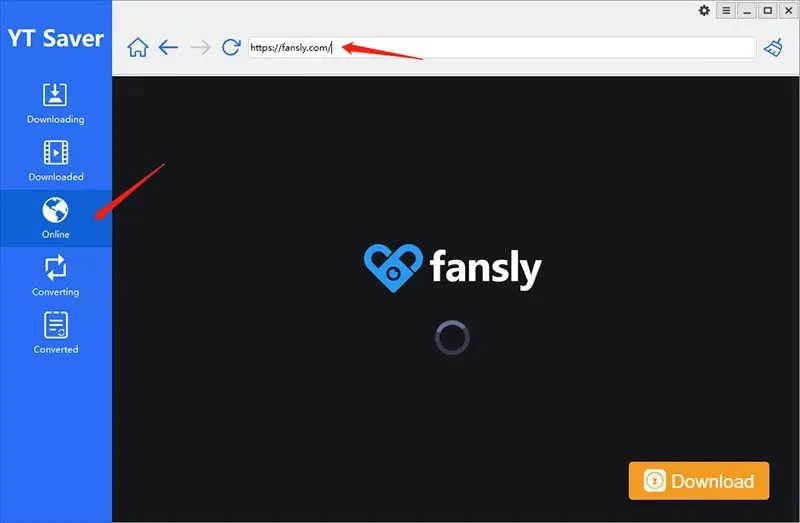
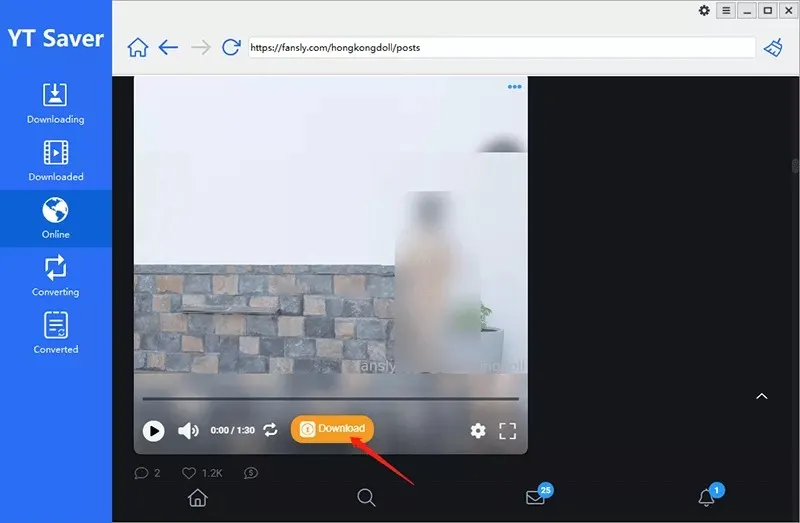
Step 3: Locate content you are allowed to view and use the program’s controls to add it to your download or processing queue for offline viewing.
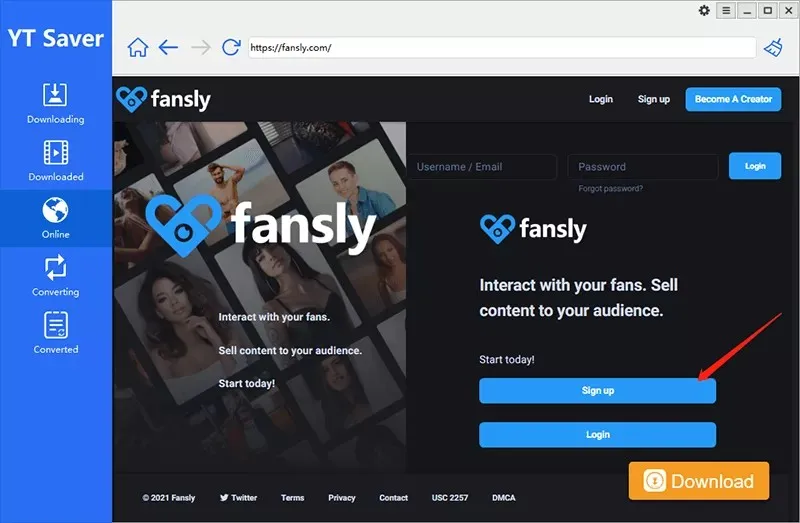
Step 4: Once tasks complete, you can find the resulting files in the designated folder and play them locally for your own private use. Do not share or redistribute them.
5. Inspect Element: Manual Method for Technical Fansly Users
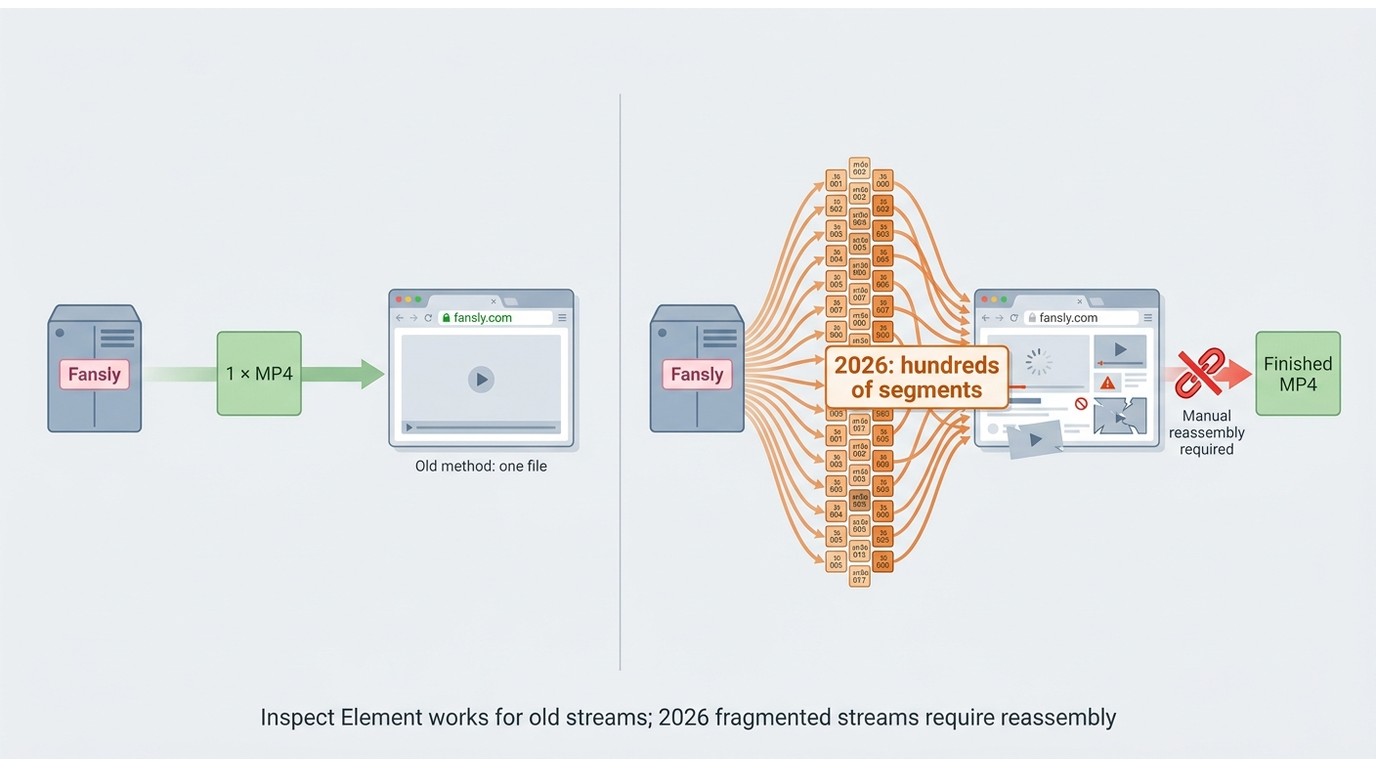
Once a popular no-install trick, Inspect Element is effectively broken as a routine workflow in 2026. Fansly now serves videos as hundreds of small .ts or .m4s segments, so getting a playable file usually means manually reconstructing them. I'm listing it to explain the underlying mechanics—not as a daily backup method.
- Best for: technical users who want to understand how fragmented streaming works.
- Not ideal for: routine offline backups.
Step 1: Once you open the Fansly website on your web browser, log into your Fansly account.
Step 2: Look for the Fansly video to download, and to get the full URL, you must click through the video page. Next, start the video, play it, and wait for a few seconds.
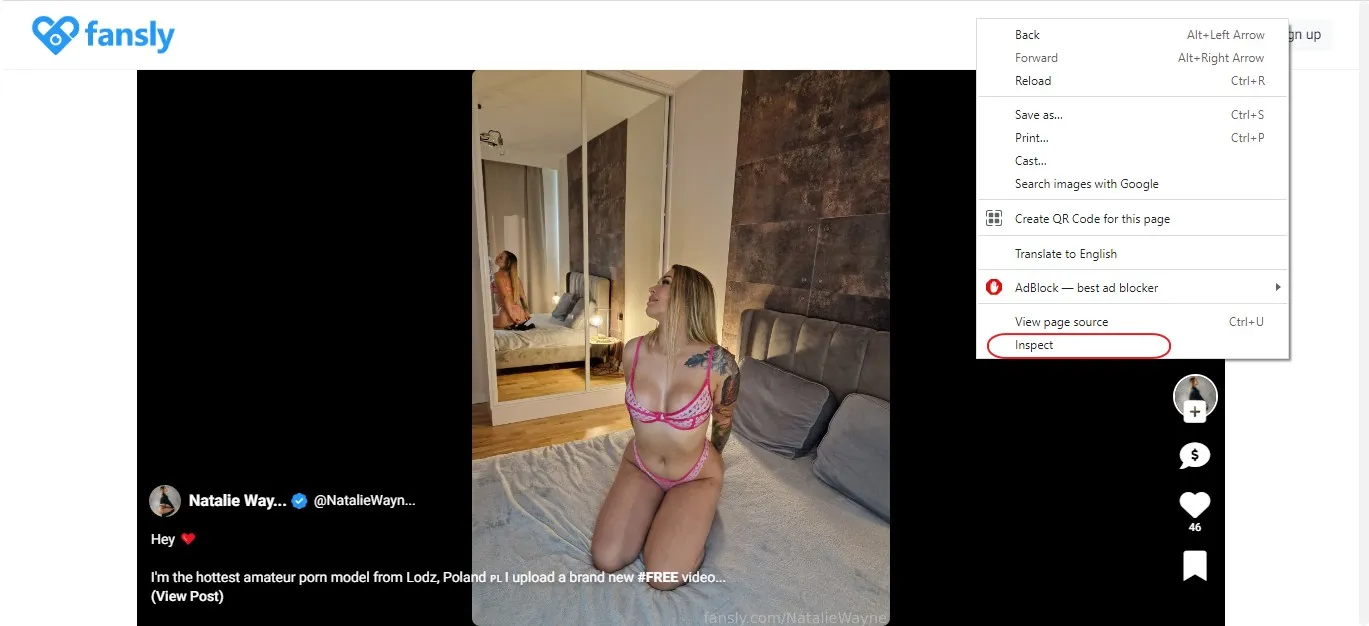
Step 3: Right-click on the blank space and go for the "Inspect" option. Then head to the top Menu bar and find the "Network" option. Next, write the MP4 in the below search box.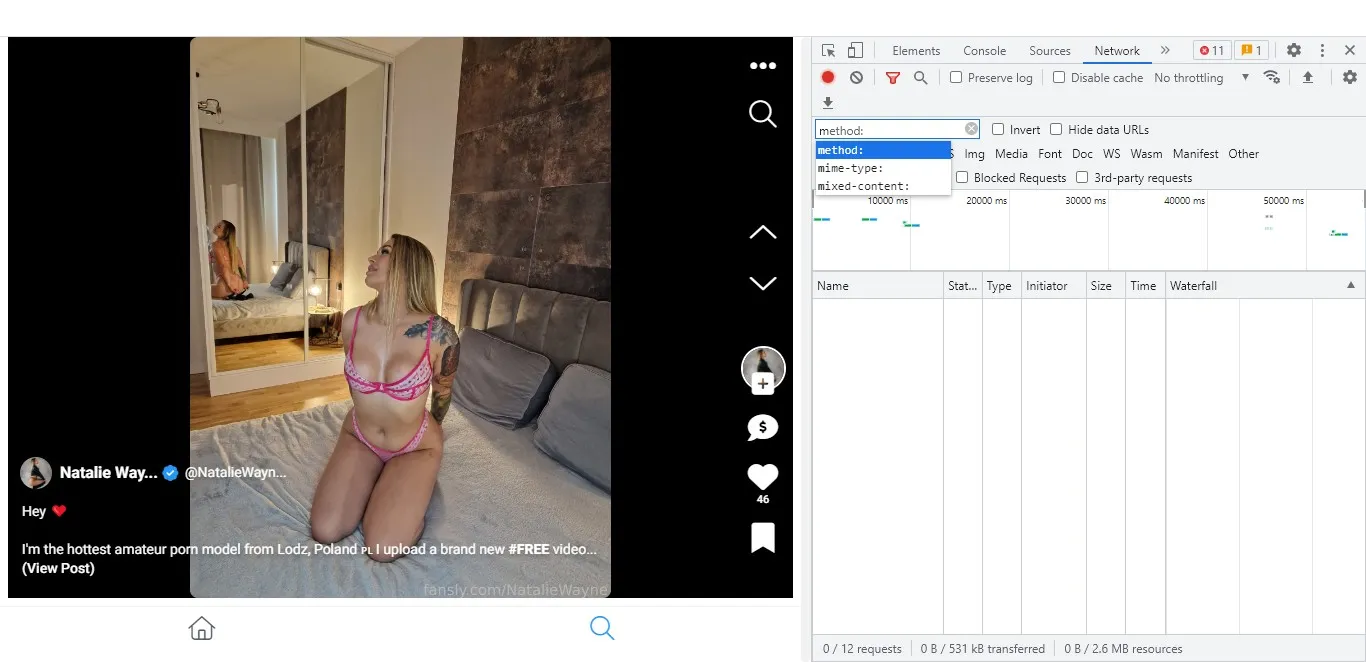
Step 4: If a video file appears, open its link in another tab; if what you see is a list of .ts/.m4s segments (the common case in 2026), you'll need dedicated software to stitch them back into a playable file—this is the point at which most non-technical readers should switch to one of the tools reviewed above.
FAQs
Can I download Fansly videos on my phone, Android or iPhone?
Fansly has no native download button in its app or mobile browsers — that applies to both Android and iPhone in 2026. The reliable path is to save a local copy on a computer and transfer the MP4 to your phone via cloud storage or USB. For a full mobile walkthrough, see our dedicated Android Fansly downloader guide.
Why do some videos fail to load even when using a Fansly downloader?
Fansly occasionally updates its media delivery protocols, moving toward more complex fragmented streams. If a download fails, it is usually because the tool needs an update to recognize the latest data segments. Additionally, ensure you have an active subscription to the creator.
These tools cannot access content behind a paywall that you haven't purchased. If the video still won't load, try clearing your browser cache or updating your downloader to the 2026 version.
Are free or open-source Fansly downloaders from GitHub safe to use in 2026?
Community tools can be perfectly fine, but they require a level of technical trust — most aren't signed with paid certificates, which sets off false-positive alerts in Windows Defender and similar tools. A concrete update worth knowing: current builds of the original Avnsx/fansly-downloader have restricted timeline downloads because of Fansly's ongoing rate-limiting, and active maintenance has moved to the fansly-downloader-ng fork.
If you'd rather not troubleshoot antivirus flags and forked repos, a verified desktop tool is the smoother route.
Can creators tell if I am making a local backup of their content?
Standard Fansly downloader tools operate by capturing the media stream as it plays in your browser, which typically appears as a normal "view" on the creator's analytics dashboard. Most tools do not send specific notifications to creators.
However, you should always use these tools responsibly for personal use only. Sharing or redistributing content is a violation of the platform's terms of service and can lead to account suspension.
Is It Legal to Download Fansly Videos?
One thing needs to be clear: These Fansly downloaders only work for content you've paid for. I'm a paid Fansly user, and I use these tools only to download videos I've legally accessed—for offline viewing during flights, poor network conditions, or private storage.
These tools are not designed to hack, bypass locked content, or infringe on creators' rights. They're intended to extend Fansly's premium offline access experience, not circumvent it. From this perspective, it is legal to use it for your person watching.
Conclusion
My throughline across this retest: in 2026, Fansly's fragmented streams have quietly disqualified most browser shortcuts, so the tools I trust are the ones that handle segment reassembly without asking me to babysit them. For my own archive of a dozen-plus creators, StreamFab is the most complete option within the limits of the platform's rules. Prefer something lighter? Video DownloadHelper or a maintained MV3 extension can handle the occasional save with less commitment.
Whatever you choose, always remember: stick to content you’ve legitimately paid for, follow Fansly’s terms of service, and never share or redistribute creators’ work.
This guide is part of our "Living Content" initiative. We commit to testing and re-verifying the content on a regular basis to account for software updates and Fansly shifts. On June 2026, we updated:
• Re-evaluated and verified the operational status of all 5 Fansly downloaders, including the latest updates, such as StreamFab's improved support to Fansly and YT Saver's enhanced private folder.
• Added a comprehensive FAQ section based on current 2026 user concerns regarding mobile downloads, batch archiving, and account safety.
• StreamFab has released VIP service for Fansly Downloader, we made relevant changes about the content in this article.
As the senior editor for this 2026 revision, I have personally overseen the testing and verification process for every tool mentioned in this article. I take full responsibility for the accuracy and timeliness of the information provided. - Marcia Hatcher
Mandatory Disclaimer:
All features and tools mentioned in this article must only be used for content you are legally authorized to access. Always follow the applicable copyright laws and the terms of service of each platform. These tools are not intended for bypassing technical protections, accessing locked content, or redistributing any material. Personal, lawful use only.
