
ClipGrab Review 2026: Is It Safe and Does It Still Work?

Summary: ClipGrab is still available, but its reliability is uneven in 2026 and its installer deserves care. My Windows test produced no completed downloads from ten YouTube URLs, but that result is a warning about this sample, not proof that every ClipGrab download fails.
Why ClipGrab Is Unreliable in 2026
Platform changes can make a lightweight downloader unreliable with specific URLs, services, or local dependencies. ClipGrab remains available as version 3.9.15, but maintenance is sparse enough that compatibility can vary after a platform-side change. That is why searches for ClipGrab not working and ClipGrab 403 errors remain common.
This ClipGrab review separates documented features from current behavior: the app’s formats and limits, a bounded April 2026 test, installer safety concerns, and the situations where a maintained alternative may make more sense.
- OS: Windows/Mac/Linux
- Price: FREE! But you can donate!
ClipGrab Features, Formats, and Limits
This review distinguishes ClipGrab’s documented capabilities from the limited Windows test described below. A feature listed by the app is not the same as a download that completes successfully after a platform changes.
Supported Sites, Formats, and Quality
| ClipGrab specification | Documented capability |
|---|---|
| Price model | Free, with optional donations |
| Desktop operating systems | Windows, macOS, and Linux |
| Common supported services | YouTube, Vimeo, Dailymotion, and other supported video sites |
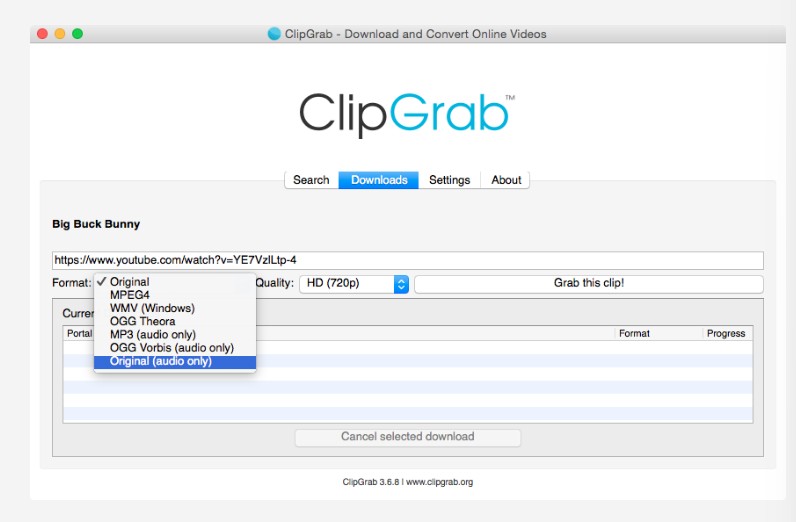
| Output formats | MP4, WMV, OGG, and MP3 |
| Audio conversion | MP3 conversion with ID3 tag options |
| Search and quality | Built-in search and source-dependent quality choices |
What Still Works
I installed ClipGrab 3.9.15 on a fresh Windows 11 machine in April 2026. The setup process and familiar interface still worked. The problem began when I moved from the feature list to actual downloads.
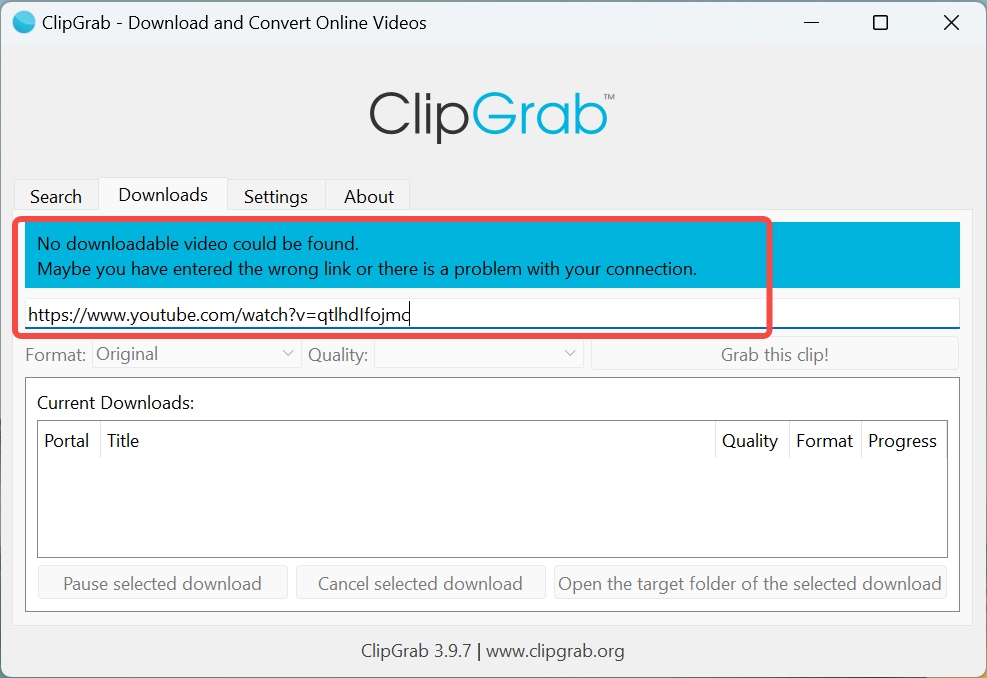
In this test, YouTube URLs did not parse, and the built-in search returned zero results for common keywords. Some attempts ended with 403 responses. For a broader explanation of why ClipGrab is not working, the likely causes include source-specific changes, dependency issues, and local configuration.
Below I break down exactly what failed and what (barely) functions.
- Free to use, without any payment!
- In-built browser allows users to search online
- Multiple formats and video quality is supported
- Add ID3 tags for MP3 downloading
- 403 error code appears frequently, indicating that access to the requested resource is forbidden
- Someone on Reddit said that it would bundle additional software and when I installed it myself I almost clicked on the "Additional Options" but luckily I canceled it.
- Lack of auto updates function
Using ClipGrab
The basic workflow remains simple: copy a permitted video URL, paste it into ClipGrab, choose an available format and quality, then start the download. Download the installer from the ClipGrab official website, review every installer option, and use the app only for content you own or are authorized to access where platform terms and applicable law permit it.
July 2026 Test Results
I tested ClipGrab on Windows 11 with ten direct YouTube video URLs on July, 2026. I expected each URL to reach the format-selection stage and produce the selected output. None completed: the keyword search returned blank results, some URLs remained on the “analyzing” screen, and completed analysis attempts ended with 403 responses.
| Test date | App and system | Sample | Expected result | Observed result |
|---|---|---|---|---|
| July, 2026 | ClipGrab 3.9.15 on Windows 11 | 10 direct YouTube video URLs | Format selection and completed download | 0 completed downloads; blank search results, stalled analysis, or 403 responses |
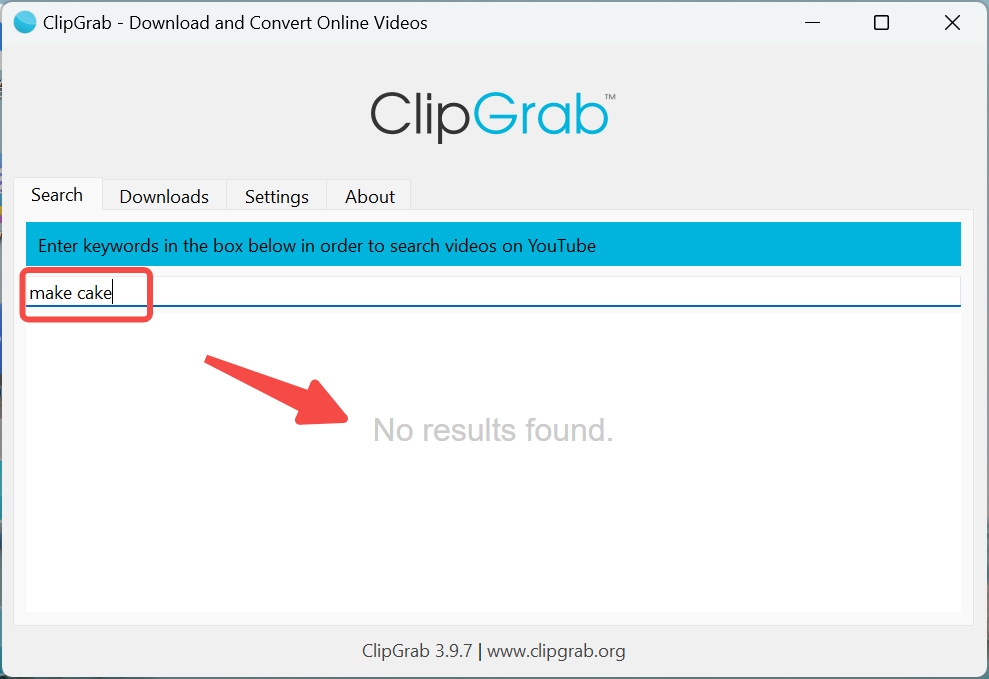
Updating to the current version did not change this sample’s outcome. My judgment is straightforward: a zero-success sample is a strong warning for a reliability-sensitive workflow, but it does not prove that every URL fails for every user.
What Users Report
Recent community reports describe installer warnings, Windows blocking, manual update discovery, dependency failures, site-specific download problems, and incorrect audio-language selection. The pattern supports the same practical conclusion as my test: ClipGrab may still work in some cases, but its reliability is difficult to predict.
Is ClipGrab Safe? Four Risks Explained
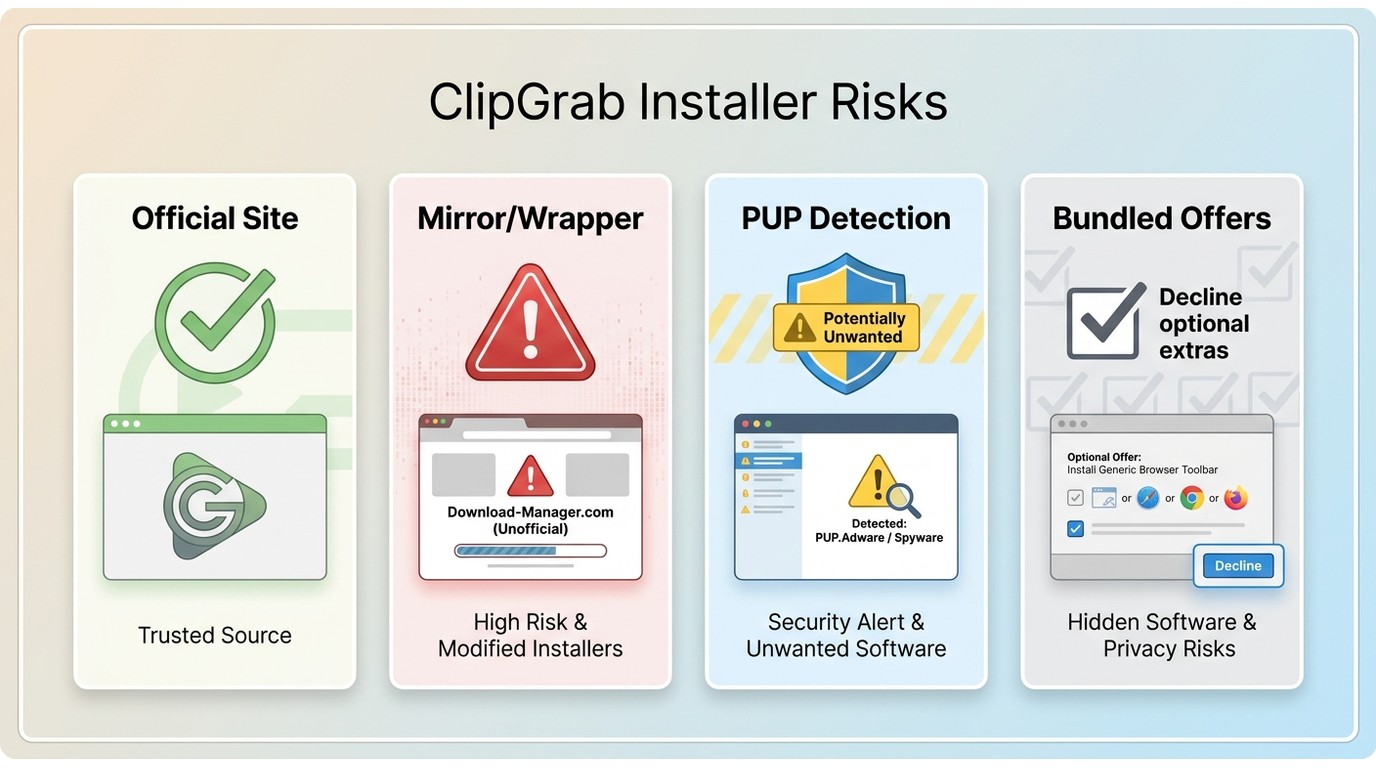
ClipGrab safety depends less on a sensational label and more on where the installer comes from, what it asks you to accept, and how your operating system responds. That distinction matters because an antivirus warning can indicate several different risks.
Virus, PUP, Bundles, and Mirrors
I downloaded the installer from the official ClipGrab website and reviewed a VirusTotal scan in April 2026. Security detections can point to PUP or bundled-offer concerns without proving that the core ClipGrab application is a virus.
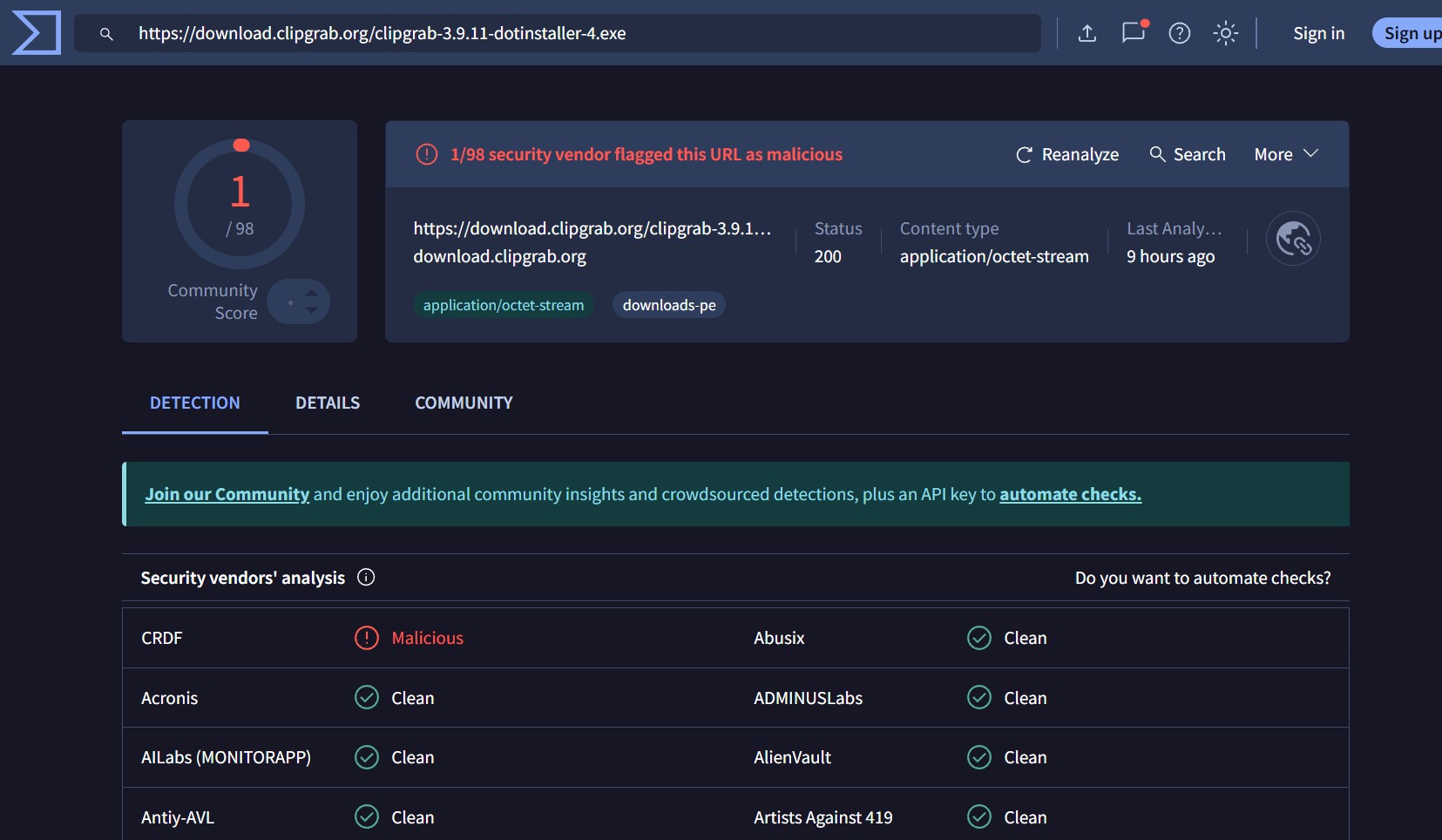
| Risk category | What it means | Practical takeaway |
|---|---|---|
| Confirmed malware | Security findings alone do not establish that the core ClipGrab app is malware. | Do not treat a detection label as proof without additional evidence. |
| PUP or PUA detections | Some security tools may flag potentially unwanted behavior or installer characteristics. | Read the detection category and avoid assumptions. |
| Optional installer offers | Bundled or optional choices can increase risk if accepted without review. | Decline anything you did not intentionally choose. |
| Unofficial mirrors or wrappers | Third-party download pages can alter, wrap, or misrepresent installers. | Use the official ClipGrab domain rather than a mirror. |
Warnings still deserve attention, especially when they involve an installer. My practical rule is to verify the source, read every option before continuing, and stop if the installer behavior does not match what you intended to install.
A video downloader requires deep system access. It interacts with network protocols and file systems. If the installer itself triggers security warnings, trusting the application becomes difficult.
Windows and Mac Differences
Windows users may encounter reputation or security prompts that require closer review of the download source and installer choices. macOS users should apply the same caution: use the official source, inspect permissions, and avoid unrelated apps using a similar name.
Legal and Permitted Use
Use video downloaders only for content you own or are authorized to access, where permitted by platform terms and applicable law. A free downloader does not change the rights attached to the video.
My recommendation is more limited: avoid relying on ClipGrab when a failed download, unclear installer choice, or inconsistent result would disrupt your workflow.
Compare the ClipGrab alternatives if you need a more maintained desktop workflow, but evaluate each option against your operating system, budget, and authorized-use needs.
StreamFab Alternative: Who It Suits

With this ClipGrab alternative, you can effortlessly download videos from YouTube and over 1000+ online video sites in 4K/8K quality without any limitations.
- Video quality: StreamFab supports up to 4K output, with quality depending on the source and service.
- Audio and subtitles: It supports available audio-language choices and subtitle downloads for supported services.
- Playlist workflow: It supports playlists and batch downloads, which matters when a one-video-at-a-time workflow becomes a bottleneck.
- Automation: It can follow supported channel or playlist updates and download new items automatically.
- Platform fit: It is a maintained desktop option for Windows and macOS, not a free Linux tool.
ClipGrab vs StreamFab
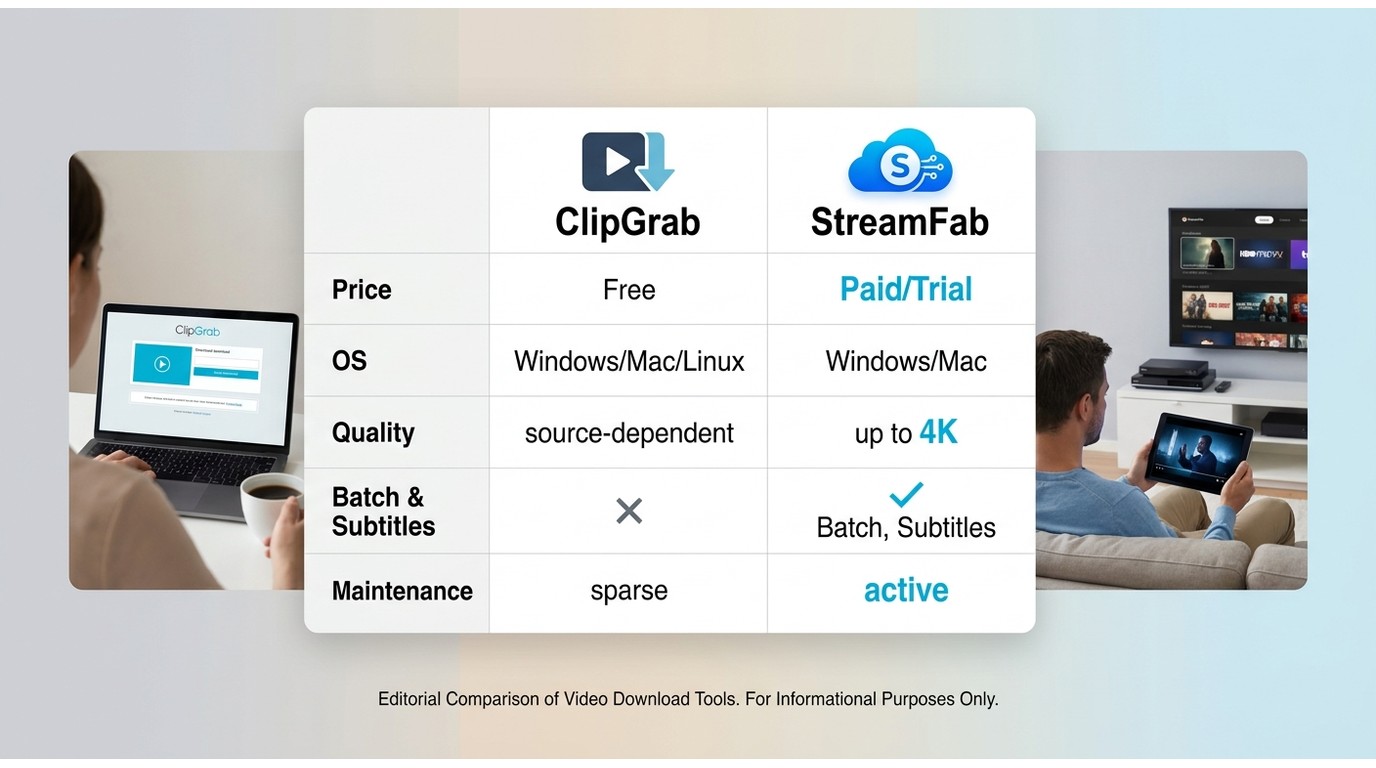
For personal offline viewing of content you are authorized to access, where platform terms and applicable law permit it, StreamFab is a desktop alternative built around batch workflows, subtitles, and managed downloads. It is not the right fit for someone who specifically needs a free Linux downloader.
My decision rule is simple: choose ClipGrab when a free, simple permitted download is enough and you can tolerate troubleshooting. Choose StreamFab when playlists, subtitles, batch workflows, and a maintained Windows or Mac application matter more than using a free Linux tool.
The ClipGrab result shown above is a documented April 2026 Windows sample, while the StreamFab entries below describe product capabilities rather than a matched success-rate test. Keeping those evidence types separate is the only useful comparison.
| Comparison point | StreamFab | ClipGrab |
|---|---|---|
| Price model | Paid plans with a 30-day trial | Free, donation-supported |
| Operating systems | Windows and macOS | Windows, macOS, and Linux |
| Current maintenance signal | Maintained desktop workflow | Version 3.9.15; compatibility may vary by source |
| Reliability evidence in this review | Capabilities listed; no matched success-rate test reported here | April 9, 2026 Windows 11 sample: 0 of 10 YouTube URLs completed |
| Sites and quality | Supported services include YouTube, Netflix, Amazon, Disney+, Hulu, Max, Apple TV+, and Paramount+; up to 4K where supported | YouTube, Vimeo, Dailymotion, and other supported sites; source-dependent quality |
| Formats, playlists, subtitles, and automation | MP4 and MKV; batch workflows, subtitles, and supported automatic downloads | MP4, WMV, OGG, and MP3; playlist, subtitle, and automation support are not established in this review |
| Best fit | Reliability-sensitive Windows or Mac users who need playlists, subtitles, or batch workflows | Simple, free permitted downloads when the app works |
| Not ideal for | Users seeking a free Linux tool | Workflows where a failed or delayed download is costly |
The four-step setup below is enough to start, while the detailed how to use StreamFab workflow covers its controls and output choices. Use it only for authorized personal offline viewing under the relevant platform terms and applicable law.
Using StreamFab
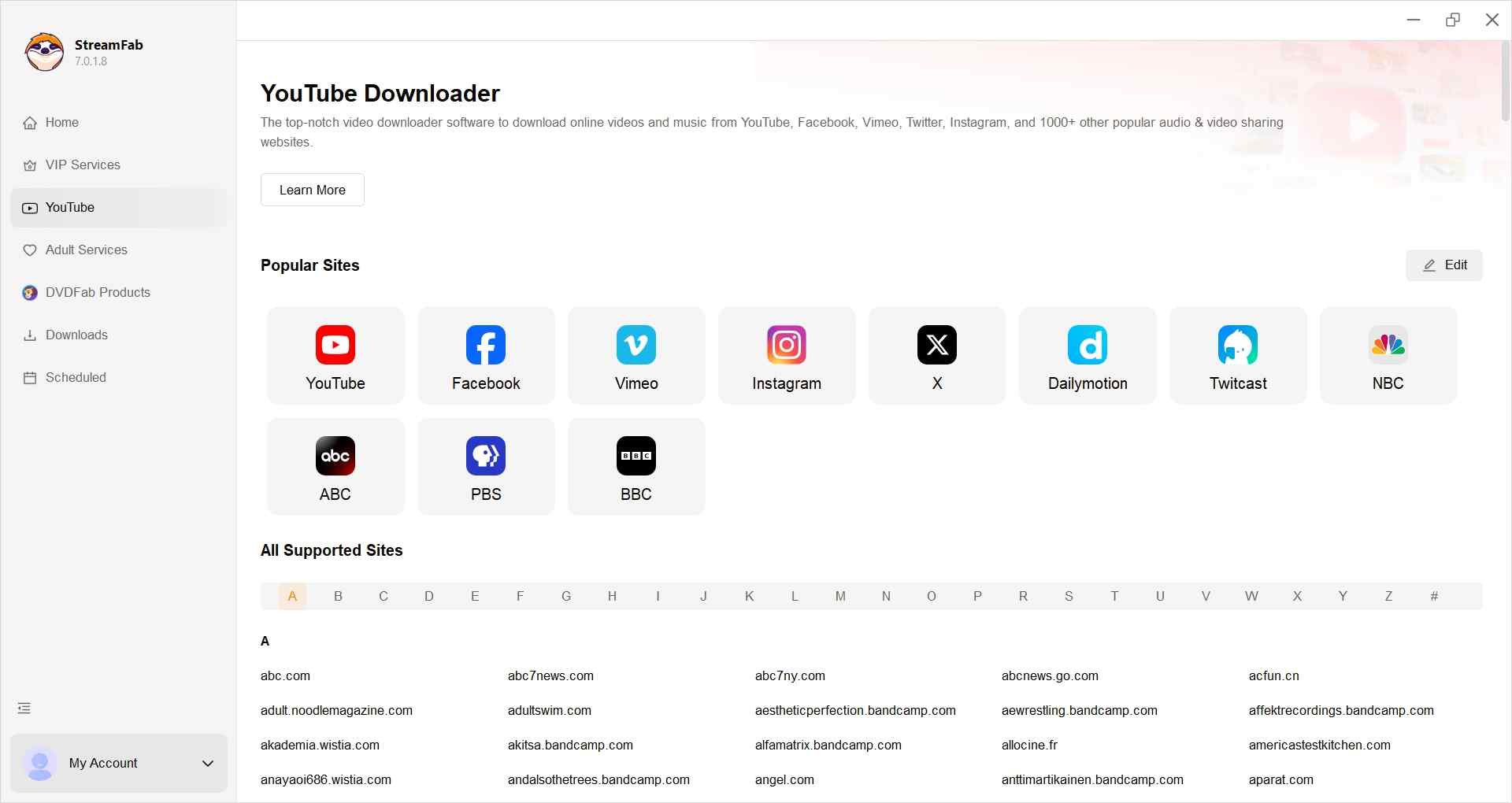
Choose the streaming service
Find the streaming service from the left column or simply copy the video URL and paste it on StreamFab.
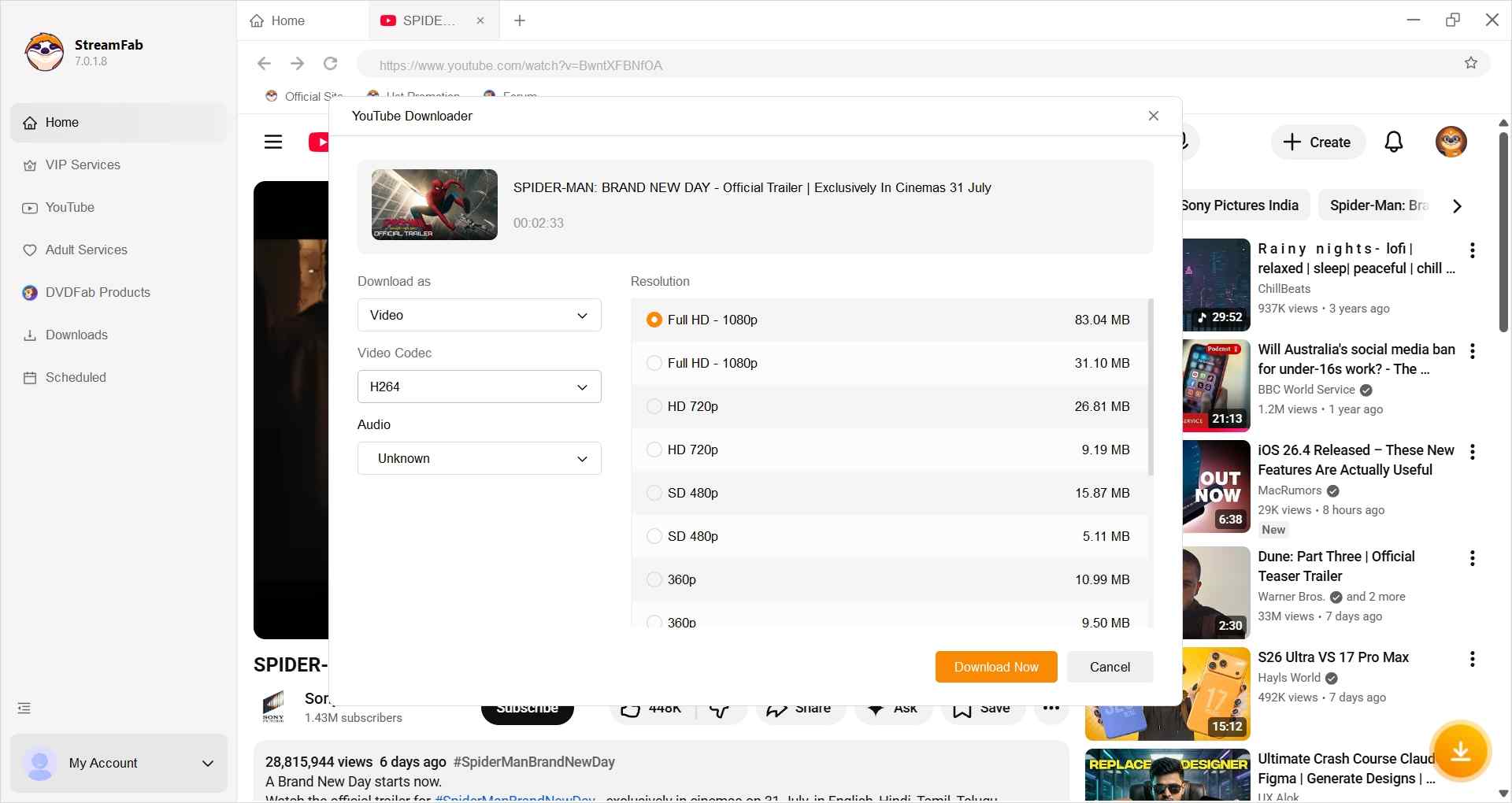
Customize the file
When you play the video, a pop-up window will ask for your video options. You can choose the video quality (depending on the original video file, up to 8k).
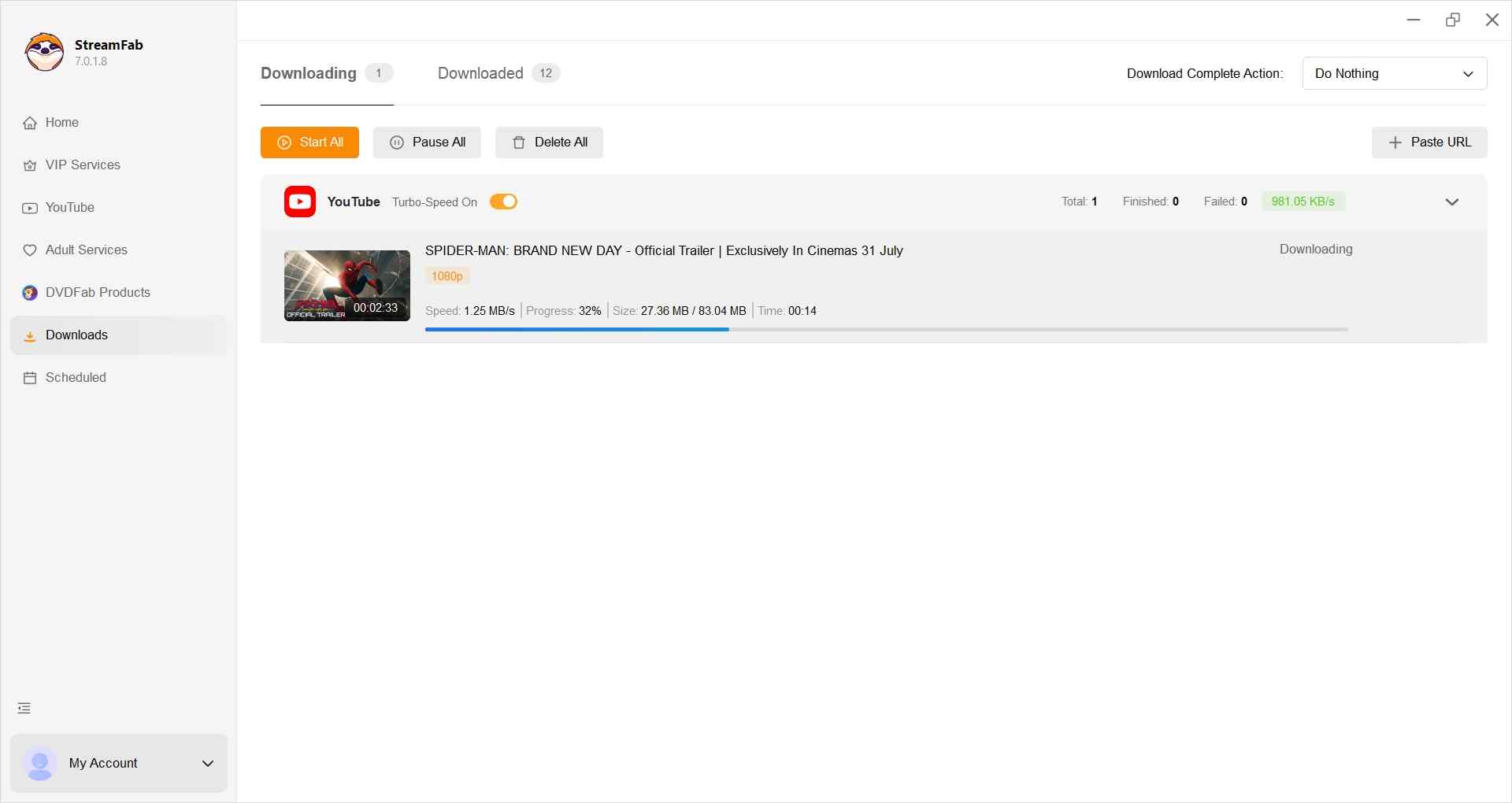
Click the download button
After customization, you can download it right now or add it to the queue.
FAQs
Where should I download ClipGrab safely?
Use the official ClipGrab domain rather than mirror sites, download wrappers, or similarly named apps. Review every installer option before continuing, because mirror and bundled-offer risk can be more important than the name of the application itself.
Why does ClipGrab quit or fail during analysis?
A 403 response, stalled analysis, or a dependency failure can result from a source-specific change, a URL type the app does not currently handle, or an outdated local component. The official update page lists version 3.9.15, but updating does not guarantee that every source or URL will work.
Does ClipGrab work on phones or tablets?
ClipGrab is a desktop application for Windows, macOS, and Linux. It is not a native iPhone, iPad, or Android app, so be cautious with unrelated mobile apps that use a similar name.
Is ClipGrab free, and what should I watch for?
ClipGrab is free and accepts optional donations. The tradeoff is that a zero-price tool may have less predictable maintenance and compatibility, so use the official installer, read optional choices carefully, and download only content you are authorized to access.
Conclusion
ClipGrab remains free and active, but I would not rely on it for a reliability-sensitive workflow. This April 2026 Windows test produced no completed downloads from ten YouTube URLs, and user reports continue to describe compatibility and installer concerns. That does not make every failure universal, but it is enough to change the decision when your time matters. Other services, including the 9xbuddy downloader, remain active but can also be inconsistent and may expose users to ads or redirects.
If you need playlists, subtitles, batch workflows, and a maintained Windows or Mac application for authorized personal offline viewing, StreamFab is the more suitable fit. If you need a free Linux tool or only occasional simple downloads, ClipGrab may still be worth trying with realistic expectations. My takeaway is practical: choose the workflow whose failure rate you can afford.
Update Log
July 2026 Update:
- Updated the article to reflect ClipGrab version 3.9.15 and mixed, source-dependent compatibility evidence
- Bounded the April 2026 Windows test to its ten-URL sample and documented the observed errors
- Reframed installer safety around malware, PUP or PUA detections, optional offers, and mirror risk
- Added focused answers on official downloads, analysis failures, mobile availability, and free installer expectations
- Revised the StreamFab comparison around operating system, workflow fit, and documented capabilities
- Updated internal links for ClipGrab troubleshooting, alternatives, and StreamFab setup
This article reflects the evidence available as of July 2026.

This MovPilot Amazon Downloader review found that its six-minute trial can confirm setup and sample output, but not the full-movie reliability most buyers need to judge before paying. I measured the trial, mapped common failure points, and used a same-device control test to put that gap in context.
By Erika Leen - Oct 27, 2026
In-depth pazu streamget review for June 2026 — testing DRM handshake stability, 4K limits, and whether StreamFab is the stronger all-in-one alternative.
By Erika Leen - Oct 20, 2026
CleverGet offers separate downloading and recording workflows for Windows and Mac, with different file options. Compare MPD limits, annual and lifetime licenses, and trial use before choosing a workflow. The review also covers StreamFab for recurring episode downloads and explains the personal-use boundaries for local copies.
By Erika Leen - Oct 14, 2026
AnyStream (RedFox AnyStream) shut down in June 2024 and remains gone in 2026. I tested every major replacement — here are the 5 best anystream alternatives, including free options, ranked by real-world performance.
By Erika Leen - Oct 12, 2026