
Get Better 5 ClipGrab Alternatives: GoodBye ClipGrab!

Summary: The best ClipGrab alternative depends on your platform and how often you download, StreamFab covers heavy Windows/Mac use, 4K Video Downloader Plus fits region and VR needs, and ClipConverter CC handles the rare no-install grab. If ClipGrab throws a parsing error every time you try to save a YouTube video, you're not doing anything wrong, the app itself has fallen behind, and by 2026 waiting on an official fix stopped feeling realistic.
Table of Contents
Below I explain why ClipGrab keeps failing, the criteria I used to judge a replacement, the five tools ranked by how they performed, and which pick fits Windows, Mac, the browser, or your phone.
Why Switch From ClipGrab in 2026
Switch when the failures repeat faster than the app gets fixed. ClipGrab still works for the occasional download, but the reliability has slipped, and most of the complaints I ran into trace back to the same handful of issues.
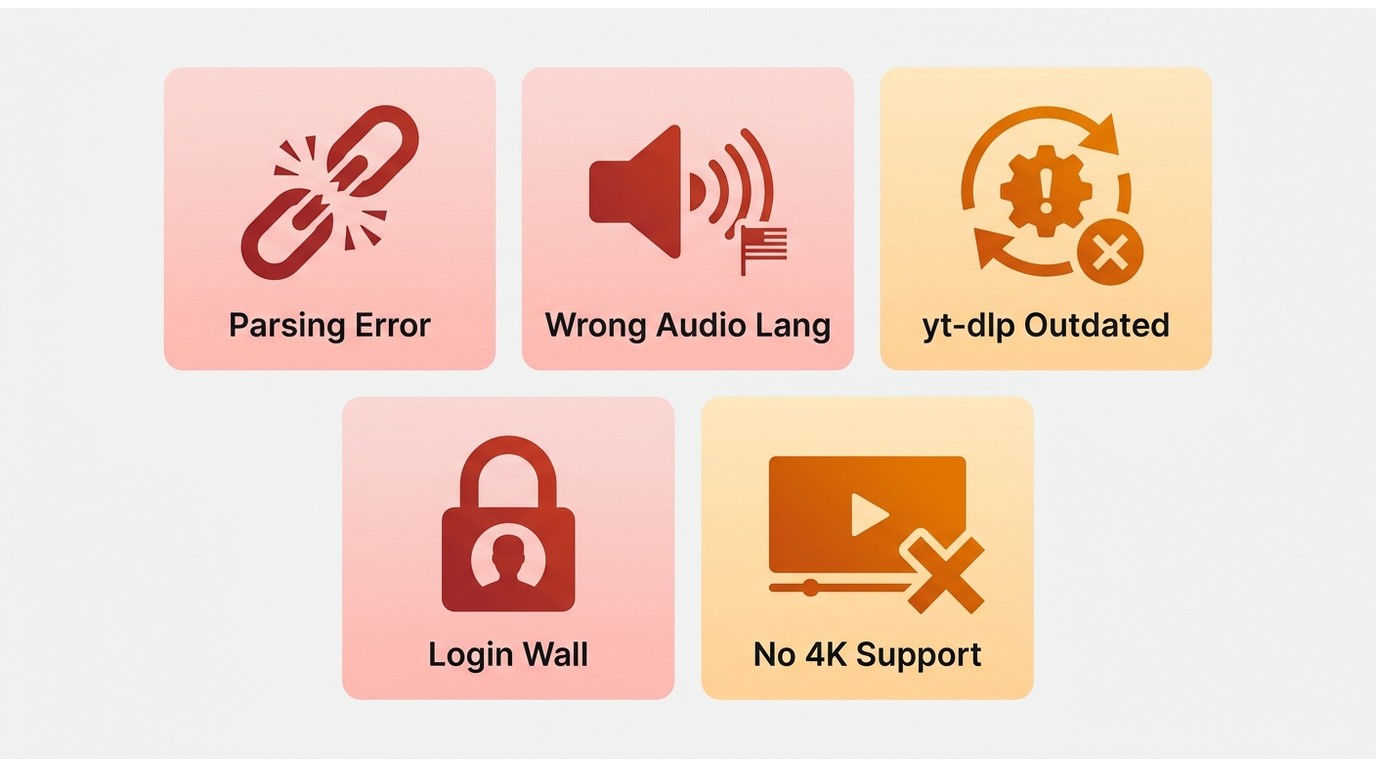
- Parsing failures after YouTube changes. When a platform tweaks how it serves video, ClipGrab's extractor falls out of sync until someone updates it, so a link that worked last week suddenly errors out.
- Wrong-language audio. I've had downloads come back with a random dubbed track even though the English audio was selected, because there's no clear way to pick the audio track before saving.
- The yt-dlp update dependency. ClipGrab leans on a backend that needs regular updates, and when that update step fails, on Windows 11 (build 24H2) I've watched it return a "host not found"-style error and refuse to parse anything at all.
- Age-restricted sign-in errors. Restricted videos bounce back with a sign-in error because the app can't authenticate the way the site now expects.
- General inconsistency. Even routine downloads succeed one day and stall the next, which is the part that finally wore me down.
Here's my rule of thumb: if you're comfortable tinkering and only download now and then, it's worth trying to repair ClipGrab with an up-to-date ClipGrab troubleshooting walkthrough before you replace it. But if you rely on downloads weekly and keep landing on the same errors, that's the point where switching saves more time than another round of fixes, and my full ClipGrab review gets into where the app still holds up and where it doesn't.
What Makes a Good ClipGrab Alternative
The tools that survived my shortlist all cleared the same bar, and it's a useful checklist whether or not you pick one of mine. These are the criteria I actually weighed:
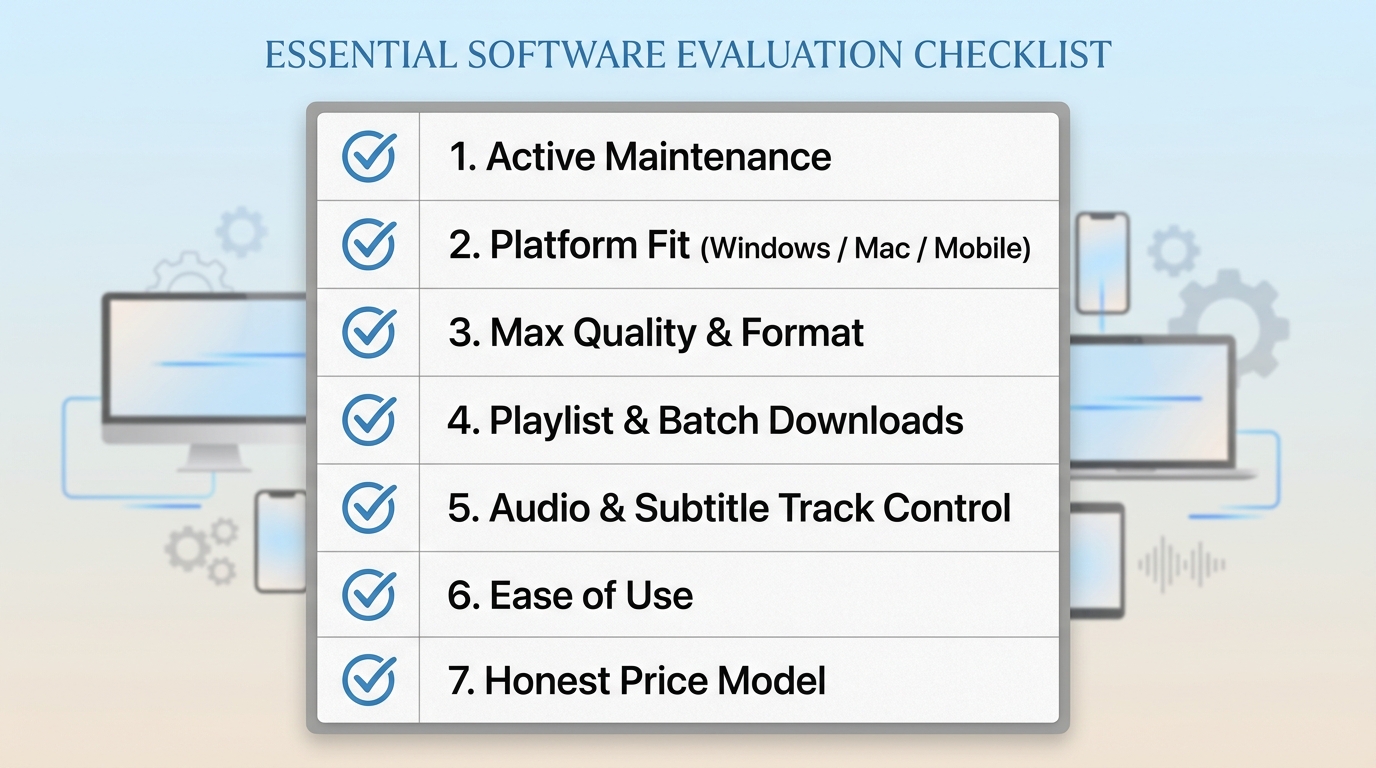
- Current reliability and active maintenance. The single most important factor, and the one ClipGrab fails. A downloader is only as good as its last update, so I favored tools that ship fixes soon after platforms change.
- Platform fit. Native Windows and Mac support (including Apple Silicon), plus whether there's an online or mobile path if you can't install software.
- Max quality and format. How high the resolution goes and whether you get usable containers like MP4 or MKV.
- Playlist and batch downloads. Whether you can queue a whole playlist or schedule overnight jobs instead of babysitting one file at a time.
- Explicit audio and subtitle-track control. The direct fix for ClipGrab's wrong-language problem, you want to choose the English track and the subtitles before the download starts.
- Ease of use. A clear graphical app beats an opaque error box, especially for anyone who doesn't want to touch a command line.
- Price model. Free ad-supported browser tools, freemium desktop apps, and paid apps with a free trial each make sense for different budgets; I care that the model is honest, not that it's free.
If I had to rank one criterion above the rest for the typical ClipGrab refugee, it's active maintenance, because everything else is worthless the moment the tool stops keeping up with the sites you use. The picks and comparison below reflect how each tool performed against this list as of July 2026.
TOP 5 ClipGrab Alternatives Tested
There are dozens of options when you search for a replacement, so I tested the ones that come up most often and kept the five that gave a stable downloading experience.
Note: All the information about ClipGrab alternatives is verified as valid according to our in-person test. We reject AI-generated content and devote ourselves to providing truthful messages.
I ran each of the five through the same downloads to surface the real differences. Use the table for a quick overview, then jump to the write-up for whichever tool interests you.
| StreamFab | 4K Video Downloader Plus | VideoProc | ByClick | ClipConverter CC | |
|---|---|---|---|---|---|
| Supported website | 1000+ | 100+ | Not mentioned | 40+ | YouTube only |
| Output quality | 4K/8K | 4K/8K | 720P/1080P | 4K | 480P |
| YouTube playlist download | YES | YES | YES | YES | NO |
| Auto-download new video | YES | NO | NO | YES | NO |
During my testing, I focused on three things:
- Download success rate, meaning how often it errored out;
- Video and audio quality, including the top resolution and whether I could choose the audio track;
- Ease of use, from install to interface to how often the tool gets updated.
Before the walkthroughs, one prerequisite for every tool below: install from the official site, sign in with your own authorized account, and keep what you save to content you're allowed to access for personal offline viewing. I'll go in order, starting with StreamFab, the one I'd hand to most people leaving ClipGrab.
StreamFab YouTube Downloader
StreamFab YouTube Downloader is a Windows and Mac desktop app that saves a local copy of videos you're authorized to access, for personal offline viewing where each platform's terms and applicable law allow it. That framing matters, because unlike ClipGrab it isn't fighting the site, it records the stream you can already play and writes it to a clean file.
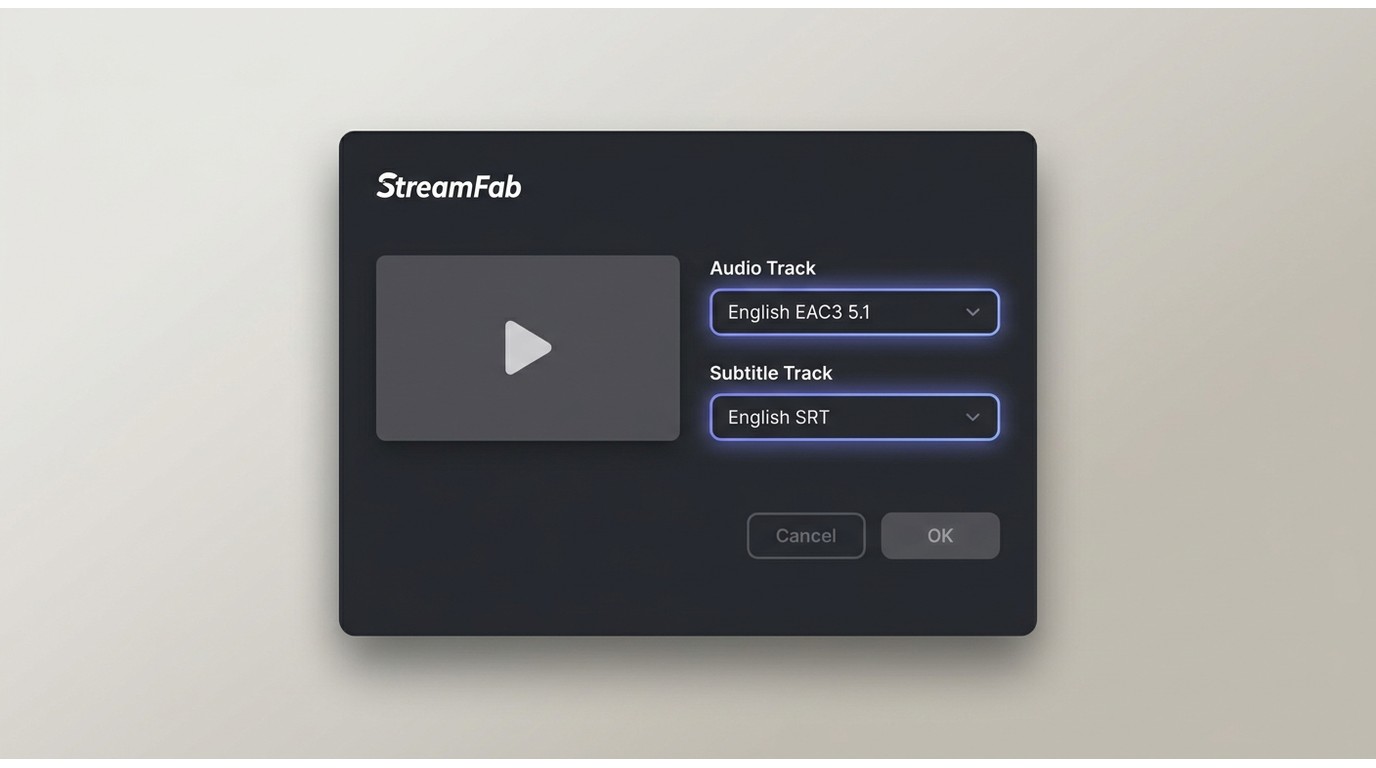
In practice it pulls from 1,000+ video sites, keeps the original multichannel audio (up to EAC3 5.1) instead of flattening everything to stereo, and writes titles and episode metadata into the file. Subtitles come out as separate SRT files or muxed into MKV. On a 2024 MacBook Air (M3, macOS 15) I lined up a full playlist before bed and every file was finished by morning, no parsing errors, which is exactly the babysitting ClipGrab never let me skip. It also solves the wrong-language issue outright, because you pick the audio and subtitle track before the download runs.
- Safe, clean installer verified by 80M+ users.
- Supported more sites than ClipGrab, 1000+ online video sites, not limited to ClipGrab
- Save YouTube HDR and VR 360° videos
- Download YouTube playlist in batch mode to save your time
- Schedule mode to download YouTube newly released videos automatically
- Download videos in up to 4k/8K resolution & EAC3 5.1 or AAC 2.0 audio track.
Best for people who download often and want the highest quality with hands-off batch and scheduled grabs. Not ideal for anyone who only saves a clip once in a blue moon and would rather not pay for a desktop app, the free trial keeps the full feature set (batch, top resolution, subtitle-track picking) but caps you at 3 downloads per supported service, so you can put it head-to-head with ClipGrab on your own files before deciding. Current trial terms are posted on the official site.
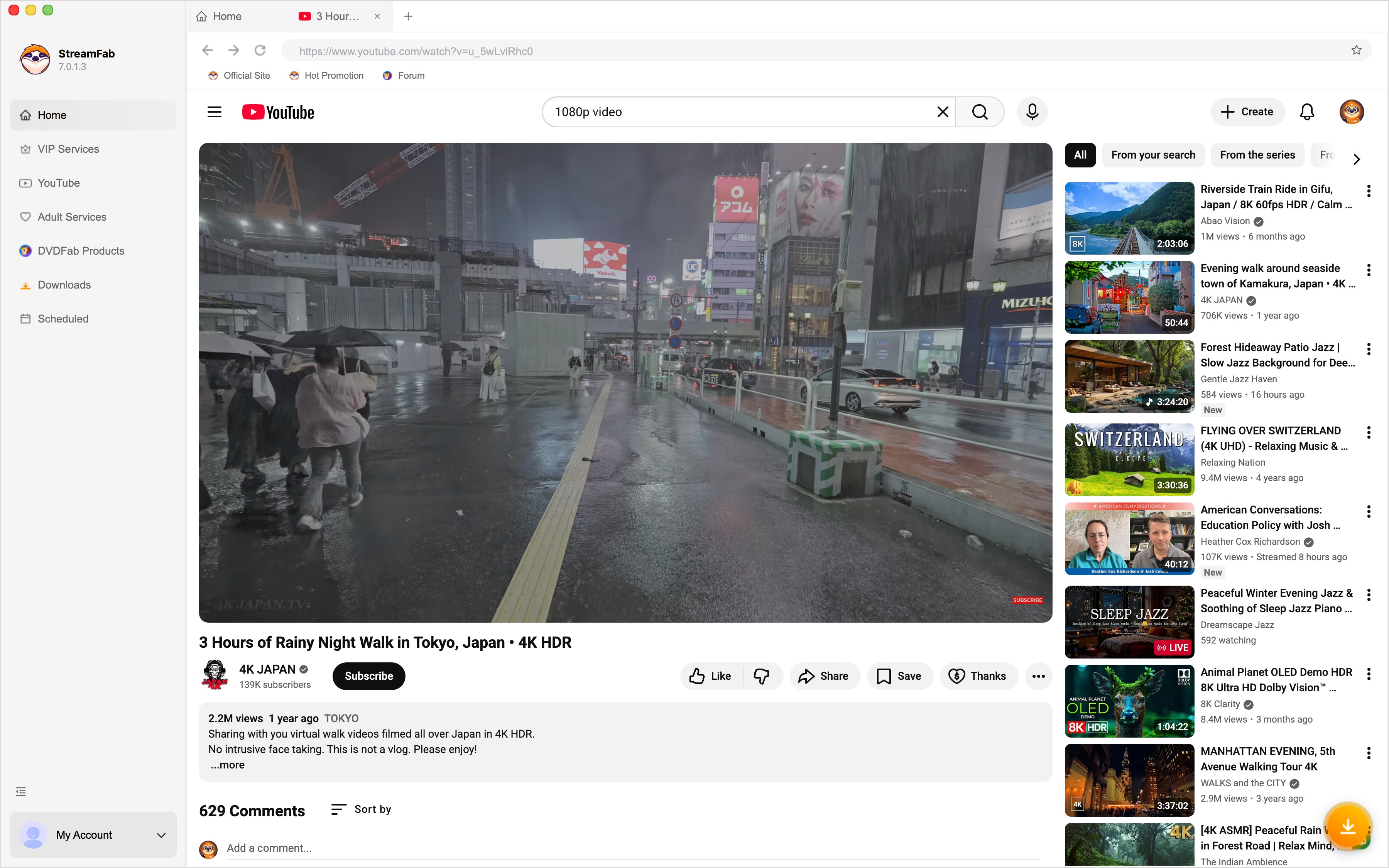
Install StreamFab downloader on your device and open the interface.
Find the streaming service from the left column or simply copy the video URL and paste it on StreamFab.
When you play the video, a pop-up window will ask for your video options. You can choose the video quality (depending on the original video file, up to 8k).
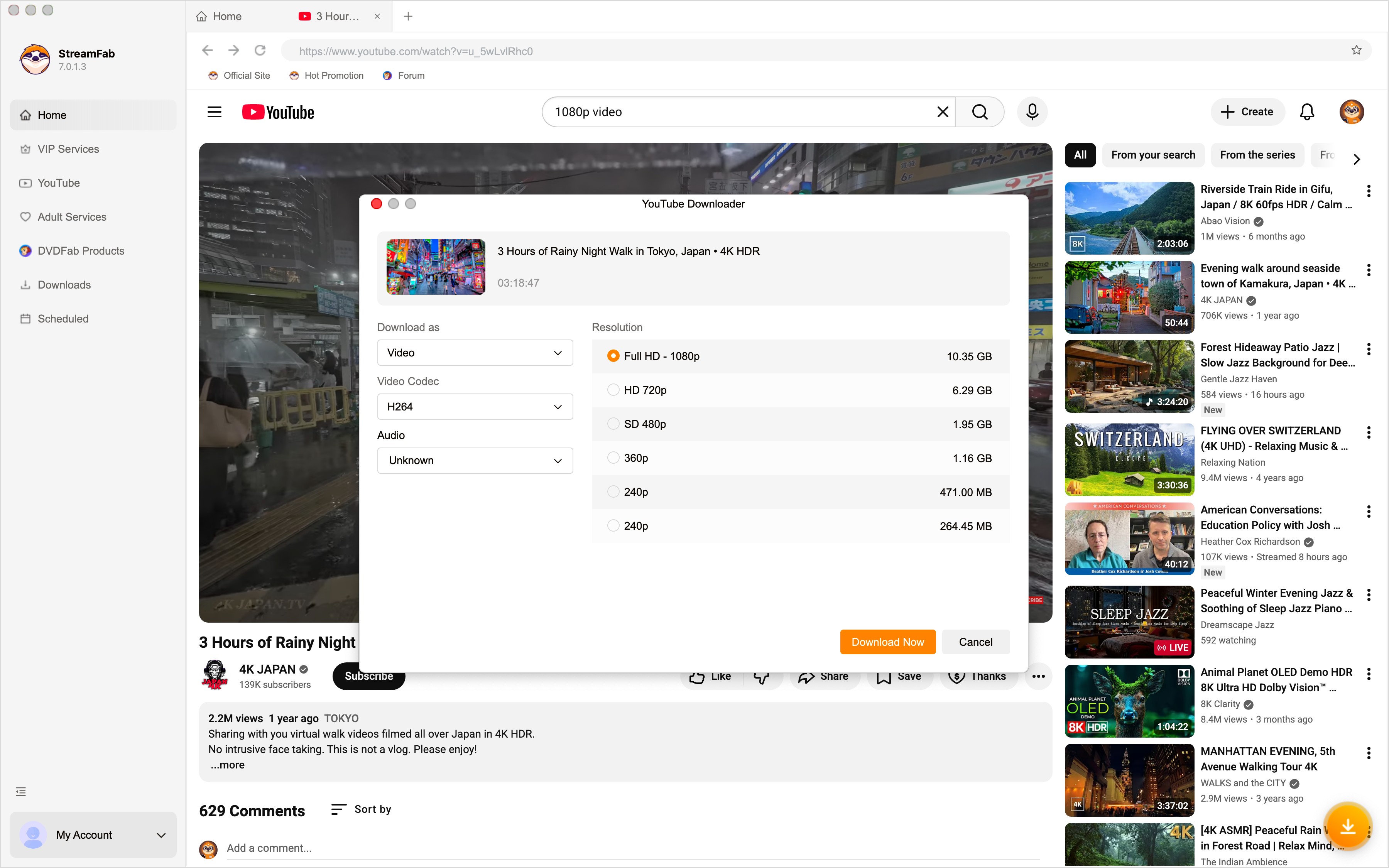
After customization, you can download it right now or add it to the queue.
4K Video Downloader Plus
The reason 4K Video Downloader Plus lands second is its built-in proxy option, which routes the connection through another server when a video won't load on your current one. Whether you're allowed to use it that way depends on the platform's terms and the licensing rules where you are, so keep it inside your own authorized access.
It also grabs 3D and 360° VR clips from YouTube, which most tools skip. Note the name: the current 2026 product is 4K Video Downloader Plus, with active builds for Windows, macOS, and Ubuntu, not the older "4K Download" branding you'll still see floating around.
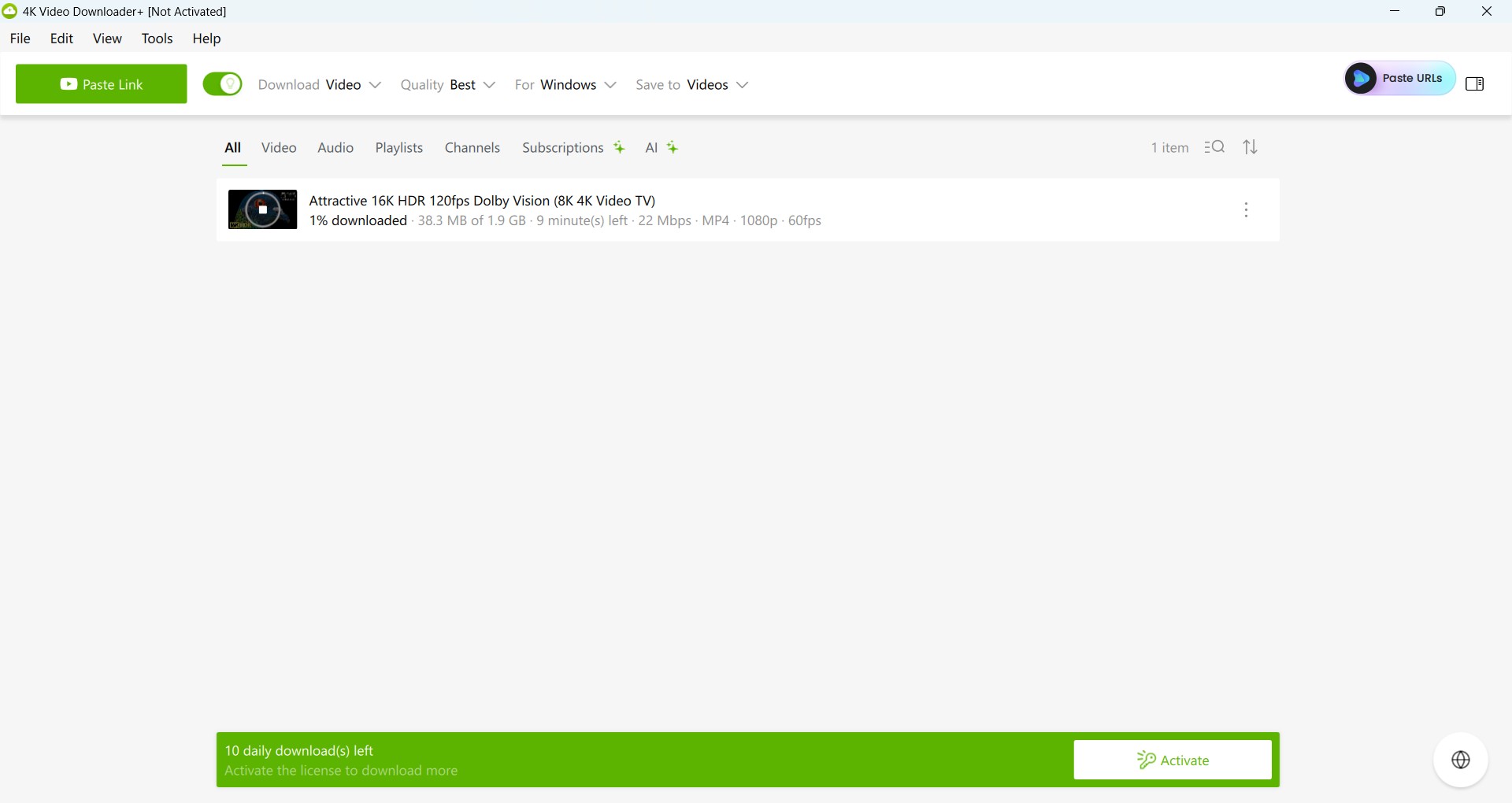
On the plus side, it downloads from 100+ sites, handles playlists automatically, works around regional blocks, and saves those 3D and VR videos. The catch is a narrower site list than the broadest tools here, and pulling YouTube audio to MP3 pushes you toward a separate paid product. Testing on the same MacBook, it ran natively on Apple Silicon and saved a clip in one pass without complaint.
Best for viewers who care about VR, 3D, or reaching region-locked content. Not ideal for anyone who needs the widest platform coverage or wants MP3 extraction bundled in.
VideoProc Converter
VideoProc Converter is billed as a converter but ships with a downloader baked in. If you already use it for editing, treating it as your ClipGrab replacement is the path of least resistance, no second app to learn.
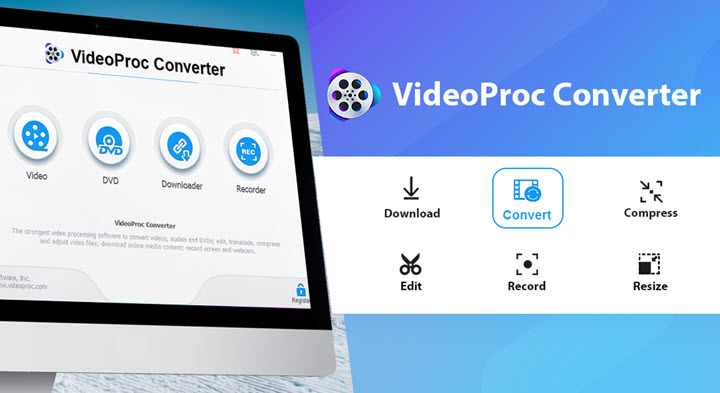
In my testing the download step was smooth on common sites and parsed a touch faster than ClipGrab, and once a file lands you can crop, re-encode, or merge clips right there, something ClipGrab never did. The trade-off is a quality ceiling of 720p/1080p, noticeably below the 4K/8K the top picks reach, and it won't auto-grab newly posted videos.
Best for people who already edit video and want download plus conversion in one place. Not ideal for anyone chasing 4K or a set-and-forget auto-download.
By Click Downloader
By Click Downloader came up constantly while I searched, so I installed it. Its appeal is obvious: a simple interface and genuinely easy operation. Start a YouTube video and it pops up offering to save it, one click and you're done, which is friendlier than ClipGrab's workflow.
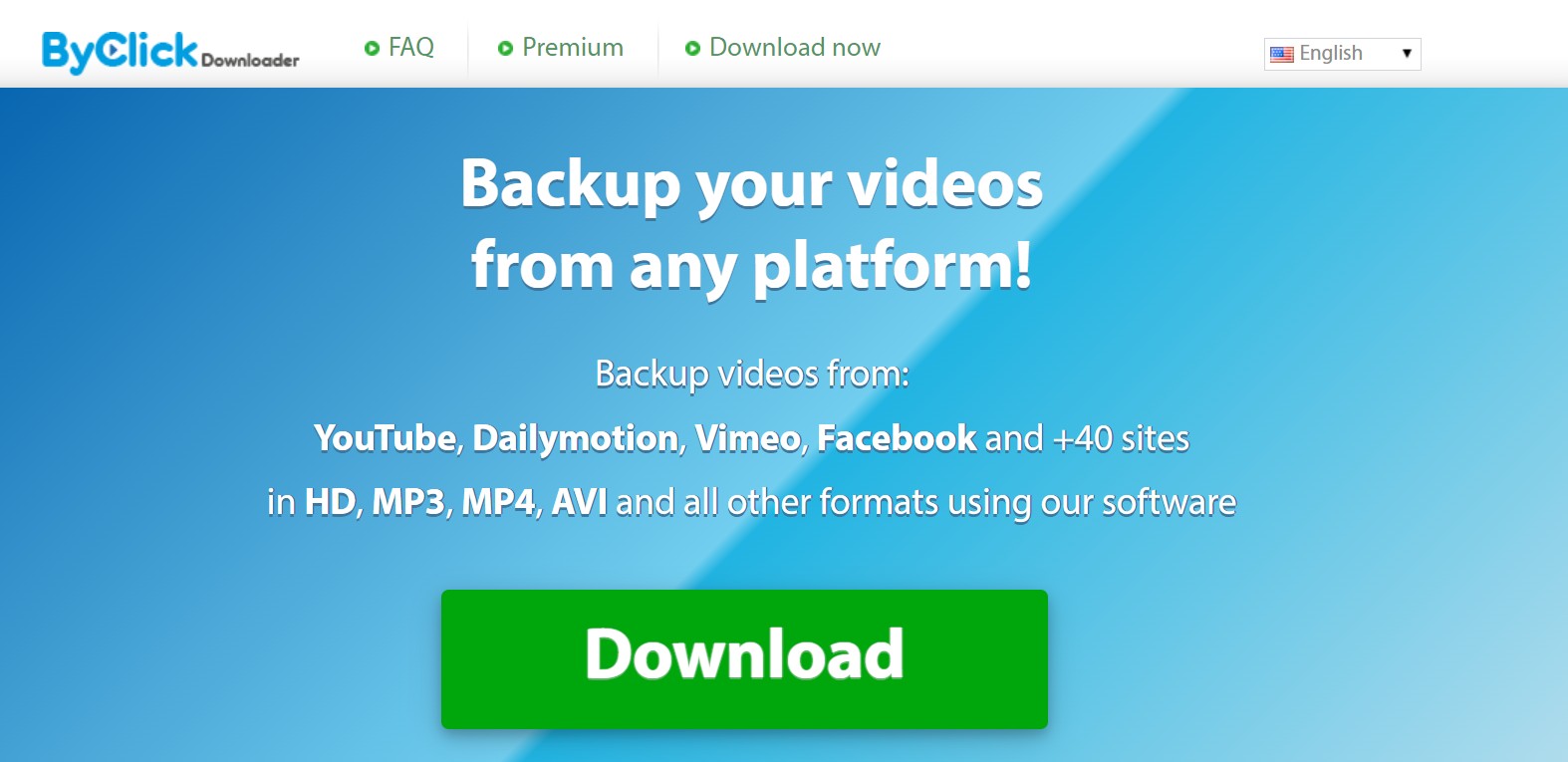
It pulls from 40+ sites, downloads playlists, saves subtitles, and handles common formats like MP4, AVI, and FLV. What holds it back is support: the customer service is thin, and when something breaks you can wait a long time for a fix, which is the same trap that soured me on ClipGrab.
Best for casual users on a tighter budget who value one-click simplicity. Not ideal for anyone who needs responsive support or the highest output quality.
ClipConverter CC
If you want a completely browser-based option, ClipConverter CC is one of the better-known names, and it's the closest thing here to a ClipGrab online replacement.
It converts videos from YouTube, Facebook, and Vimeo to MP4 or MP3 right in the browser with nothing to install, which is undeniably convenient.
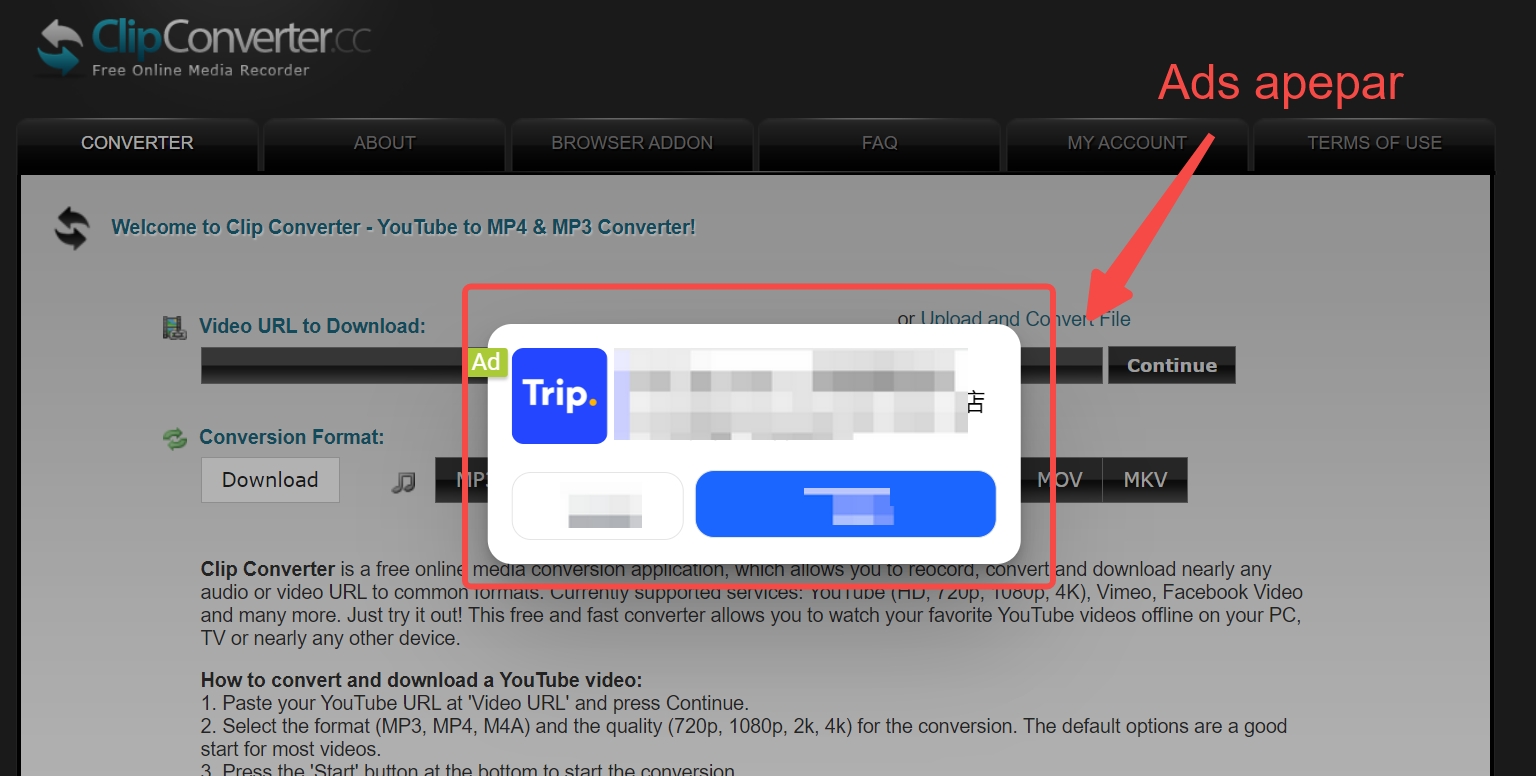
It's free and supports 20+ languages, but that free comes with ads and the usual risks that follow them. Honestly, the pop-ups and flashing banners nearly made me give up a couple of times, and that kind of ad load is exactly where malware and phishing prompts tend to sneak in, so tread carefully.
Best for the rare, occasional download when you can't or won't install anything. Not ideal for anyone who cares about speed, security, or downloading more than once in a great while.

Best ClipGrab Alternative for Your Platform
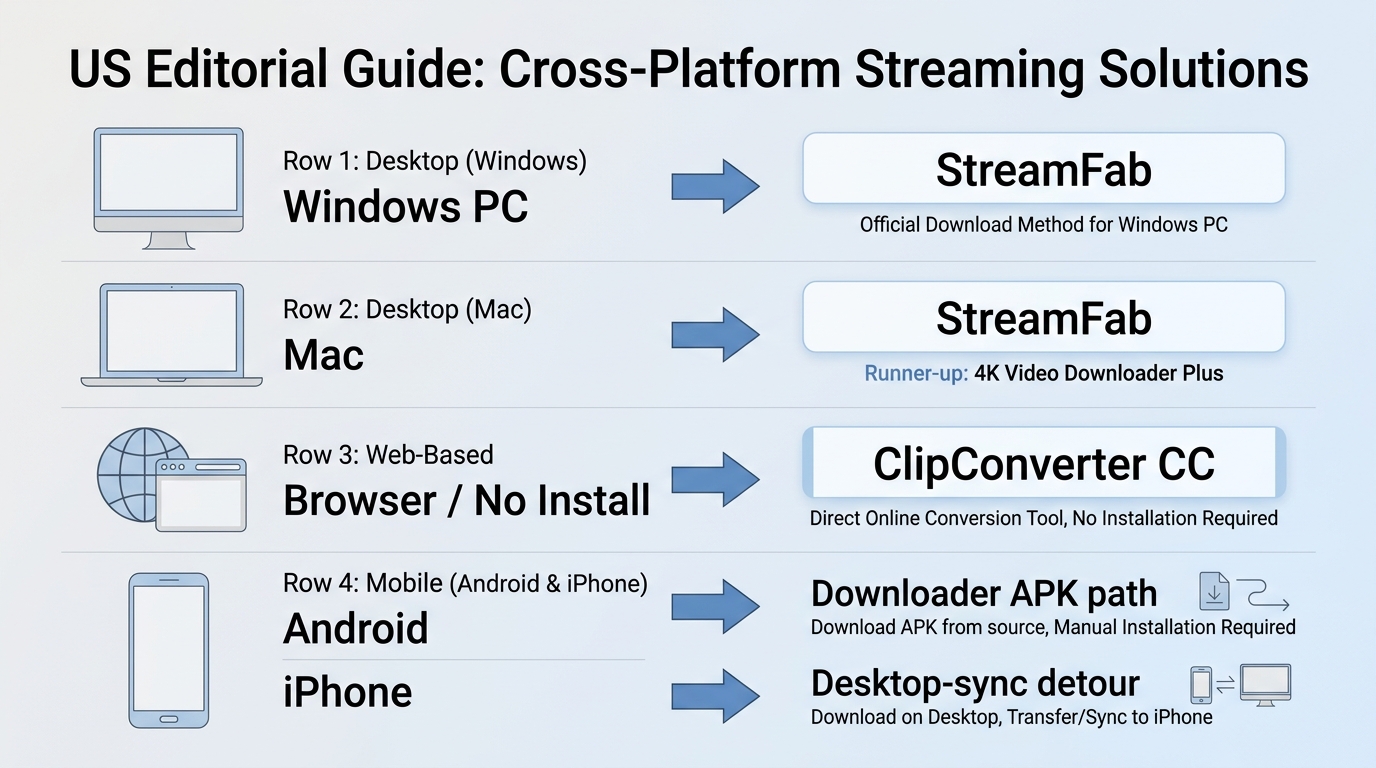
The right pick depends on where you download. Here's the short version for each platform so you don't have to reread the whole list.
On Windows and Mac
For a desktop workhorse on either OS, StreamFab is my pick, it runs natively on Windows and on Apple Silicon Macs, so there's no Rosetta workaround and no separate build to chase down.
If you're specifically after a ClipGrab alternative for Mac and lean toward VR or region-locked content, 4K Video Downloader Plus is the runner-up, since it's also native on macOS. Either one clears the reliability bar that ClipGrab keeps missing.
Online With No Install
If installing software isn't an option, a ClipGrab online workflow through ClipConverter CC does the job in a browser tab. Just accept the trade-offs: capped quality, slower speeds, and an ad-heavy page. It's fine for a one-off, but I wouldn't route regular downloads through it.
On Android and iPhone
Mobile is where the two operating systems genuinely diverge. On Android, you can install a dedicated downloader APK from a trusted source and save straight to the device. On iPhone, iOS sandboxing blocks that approach, so the realistic route is to download on a Windows or Mac computer and sync the file over, or use a reputable web-based flow.
Beyond that split, the advice is the same for both, so there's no separate playbook to learn. There are ClipGrab alternatives for Android that work well; iOS just needs the desktop detour.
Are ClipGrab Alternatives Safe and Legal?
The software side is usually fine if you install from official sources; the legal side depends on what you save, whether you're authorized to access it, the platform's terms, and the copyright rules where you live. The risk with tools like these rarely comes from the app itself, it comes from how you get it and how you use it.
- Download from the official site. Grabbing an installer from a random portal is how you end up with bundled adware or potentially unwanted programs riding along. Go straight to the maker's page.
- Watch for look-alike mirror sites. "Free download" clones of popular tools are common, and they're a frequent source of the malware and PUP reports users mention. A slightly-off domain name is a red flag.
- Keep it to personal use. Saving a local copy of content you're authorized to access, for your own offline viewing where the platform's terms and applicable law allow, is the sensible lane. Redistributing or selling what you save is not.
None of this is meant to scare you off, it's the same basic hygiene you'd apply to any download. Stick to official sources and your own account, keep saved files to personal offline viewing, and these tools are a solid step up from a ClipGrab install that keeps breaking.
Frequently Asked Questions
Is there a completely free ClipGrab alternative?
Yes, but with trade-offs. Browser tools like ClipConverter CC are free and need no install, though they cap quality and lean hard on ads. Maintained desktop apps take a different route: StreamFab, for instance, downloads YouTube at 720p at no cost, and paid plans unlock higher resolution and batch jobs. If "free" is non-negotiable, expect limits; if you download often, a paid app usually pays for itself in saved time.
Can a ClipGrab alternative download age-restricted YouTube videos?
Only by signing in to your own authorized account inside the app's built-in browser. Even then, some age- or region-restricted titles may stay unavailable, and no downloader can promise access to every video. Treat any tool claiming otherwise with suspicion.
Will switching fix ClipGrab's wrong-language audio downloads?
It will if you choose a tool with explicit audio-track and subtitle-track selection. That lets you pick the English track before the download starts instead of gambling on whatever ClipGrab defaults to. StreamFab and the other maintained desktop apps here give you that control up front.
What do Reddit users recommend as ClipGrab alternatives?
In the threads I've read, the recurring advice is to skip command-line yt-dlp and go with a simple, actively maintained graphical app from a trusted installer, the same profile of apps like ClipGrab that people liked in the first place. The other constant caution in those discussions is about malware from unofficial download sites, which lines up with the safety notes above. Sample size is limited, so treat it as common sentiment, not a community-wide verdict.
Conclusion
After several days of running the same downloads through all five, here's my honest read on who each one suits:
- StreamFab is the most complete option in my runs, with batch and scheduled downloads, frequent updates, and consistently few failed jobs across the sessions I tested. It's the one I'd recommend as a long-term replacement, just know it's a paid desktop app, so it's overkill if you download twice a year.
- 4K Video Downloader Plus earns its spot on VR, 3D, and proxy access, though its site coverage is narrower.
- VideoProc Converter makes sense if you're already editing video and want downloading in the same app.
- By Click Downloader is easy and handles playlists, but the weak support is a real drawback.
- ClipConverter CC is free and install-free, best kept for the occasional emergency given the ads, slow speeds, and security risks.
So there's no single winner for everyone, there's a right pick for your situation. If you want a stable daily driver, start with StreamFab; if you have a specific need like VR clips or in-app editing, 4K Video Downloader Plus or VideoProc fit better; and if you only download once in a while, a free option is enough. Either way, the good news is that ClipGrab's slump doesn't leave you stuck, there are genuinely better alternatives to ClipGrab now.

This MovPilot Amazon Downloader review found that its six-minute trial can confirm setup and sample output, but not the full-movie reliability most buyers need to judge before paying. I measured the trial, mapped common failure points, and used a same-device control test to put that gap in context.
By Erika Leen - Oct 27, 2026
In-depth pazu streamget review for June 2026 — testing DRM handshake stability, 4K limits, and whether StreamFab is the stronger all-in-one alternative.
By Erika Leen - Oct 20, 2026
CleverGet offers separate downloading and recording workflows for Windows and Mac, with different file options. Compare MPD limits, annual and lifetime licenses, and trial use before choosing a workflow. The review also covers StreamFab for recurring episode downloads and explains the personal-use boundaries for local copies.
By Erika Leen - Oct 14, 2026
AnyStream (RedFox AnyStream) shut down in June 2024 and remains gone in 2026. I tested every major replacement — here are the 5 best anystream alternatives, including free options, ranked by real-world performance.
By Erika Leen - Oct 12, 2026