
Get MyFans Downloads: With Full Control and No Viewing Limits

Summary: To repeatedly watch your favorite dirty or naughty video in your relaxing & refreshing offline watch, knowing the option of MyFans video download will be the smartest solution.
Table of Contents
Before we begin: this article discusses MyFans and video download methods, so it’s meant for readers 18 years or older.
I’ll walk you through some tools and techniques (including StreamFab) purely for learning. I don’t support piracy or unauthorized sharing of paid content. Please obey your local laws and MyFans’s terms.
For your protection: download tools only from official or trusted sources, run a scan on the installer before opening it, and always keep your antivirus and system updated.
Introduction
As one of those digital entertainment nerds who are always itching for freedom and a sprinkle of quirkiness, I want to rant (but also share) about something both thrilling and, let’s be real, a tad annoying: how on earth do you actually save those MyFans videos and pictures that give your pulse a kick?
MyFans Platform: A Captivating World of Online Passion
MyFans is a rapidly rising subscription-based platform that not only focuses on adult content but also showcases a variety of sultry masterpieces, gorgeous models, and social media icons. Every talented creator on the platform has their own unique fan club, where they share carefully crafted photos and videos that inspire fans to subscribe as a way of showing support for their beloved content.

Download MyFans Videos Restrictions: A Slightly Frustrating Hurdle
Although MyFans offers users a dazzling online visual feast, it’s important to note that the platform enforces strict content protection measures. For reasons of copyright and streaming security, the official website does not provide a direct download function. This means that:

Without a download option, it becomes challenging to permanently preserve those heart-pounding videos;
Online playback may be accompanied by unexpected ads, pop-ups, and traces in your browsing history.
Because of these limitations, when you find yourself unable to conveniently keep your favorite videos and photos for later, you may turn to third-party tools that help you save the content you can already view so you can watch it smoothly offline. Up next, I’ll introduce you to a tool that focuses on making your legally accessible MyFans content easier to enjoy in offline mode—StreamFab MyFans Downloader.
How to Save MyFans Videos for Personal Offline Viewing
The StreamFab MyFans Downloader is designed to help you save the MyFans videos you can already watch so you can enjoy them later in offline mode on your own devices. As someone who adores free digital entertainment but hates the nuisance of ads and pop-ups, discovering this tool truly made my day.
Save videos from MyFans in up to lossless original 1080P resolution and keep them on your device in MP4/MKV format for personal offline viewing. Batch mode saving is also supported.
- Save MyFans videos you can already view so you can enjoy ad-free personal offline playback, while still following your account’s regional availability and viewing rights.
- Get audio-visual satisfaction up to original lossless 1080P resolution
- Save your MayFans video files in MP4, MP3 & MKV formats so you can watch or listen to them smoothly across your own compatible devices.
- Auto-download upcoming videos of your favorite MyFans models or profile
- With 10X GPU acceleration, you can save multiple MyFans videos in batches for efficient offline viewing.
- Use the built-in browsing option to locate the video inside the StreamFab

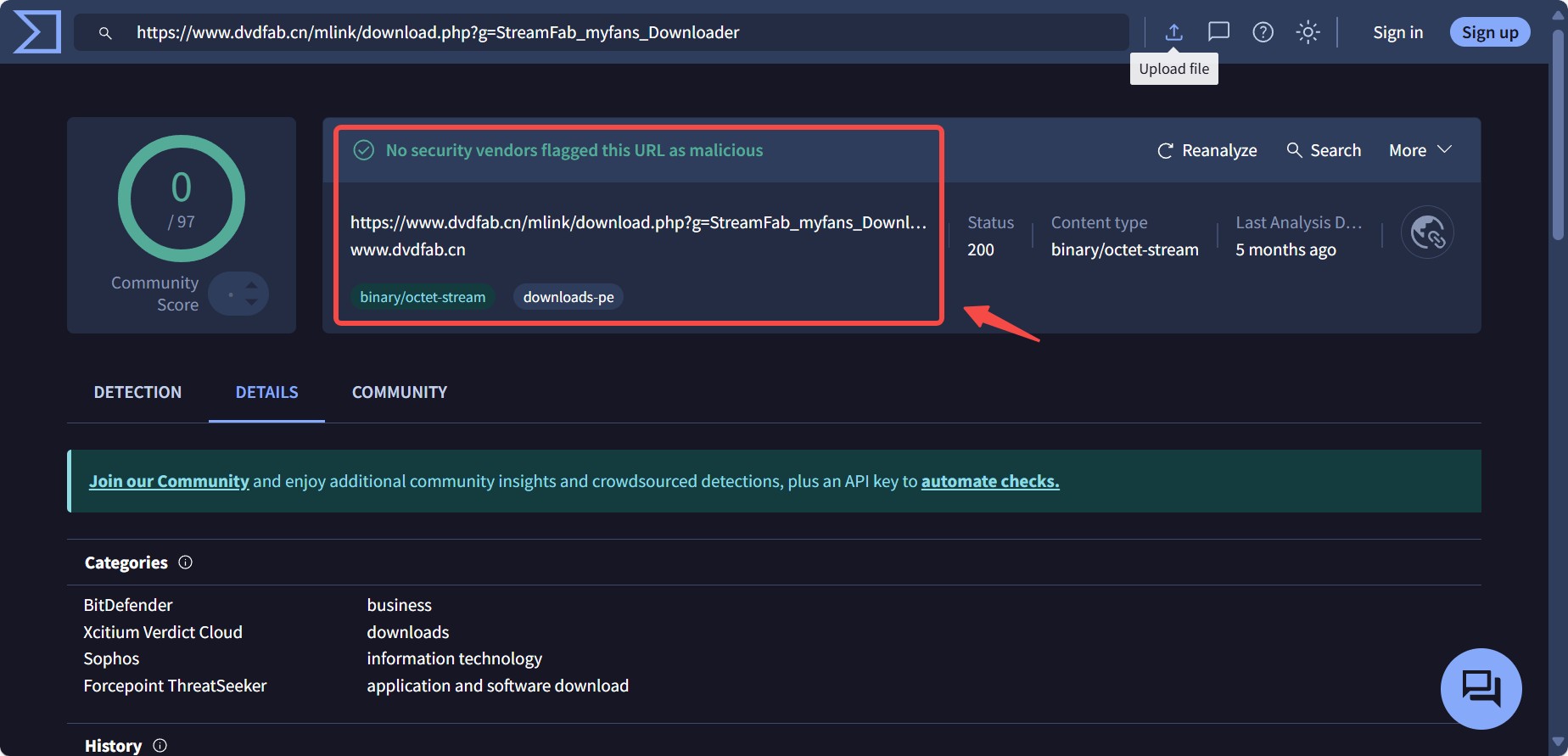
I checked the StreamFab MyFans Downloader with VirusTotal — no red flags so far. But just a heads-up: MyFans may use protections or restrictions, so tools that aren’t official or have been modified might fail or act weird. Use the version from StreamFab’s official site whenever possible.
Easy Steps to Download MyFans Videos
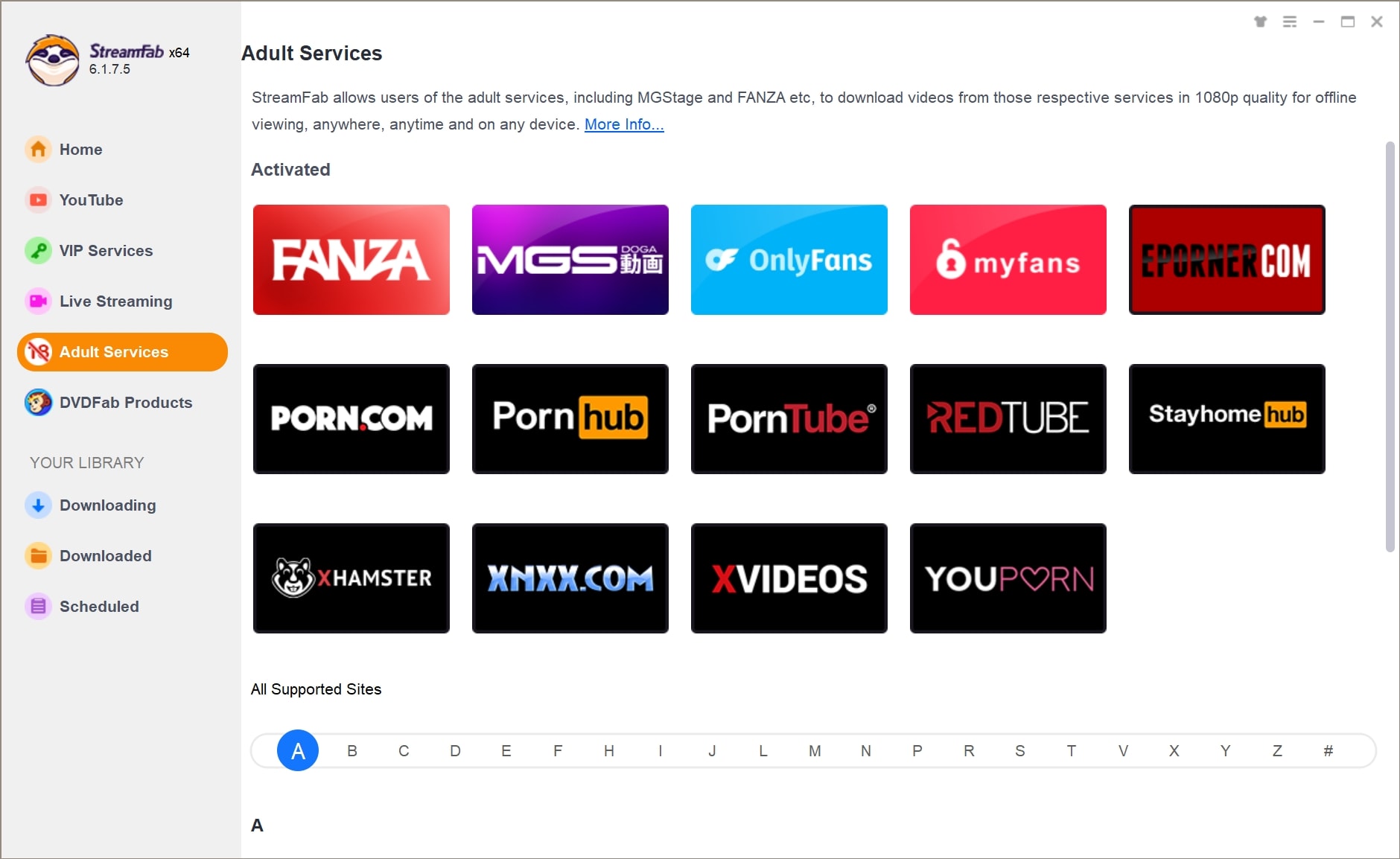
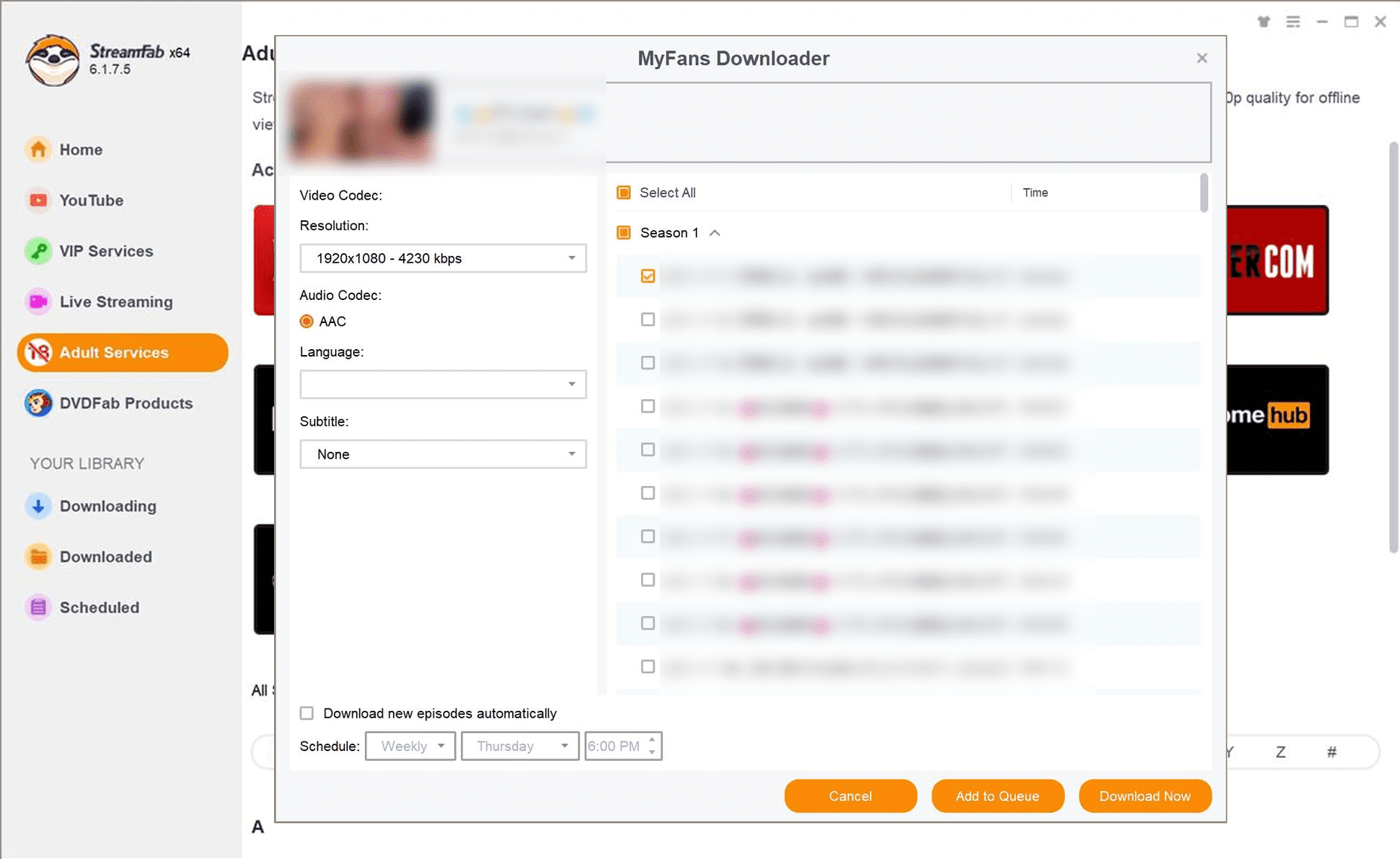
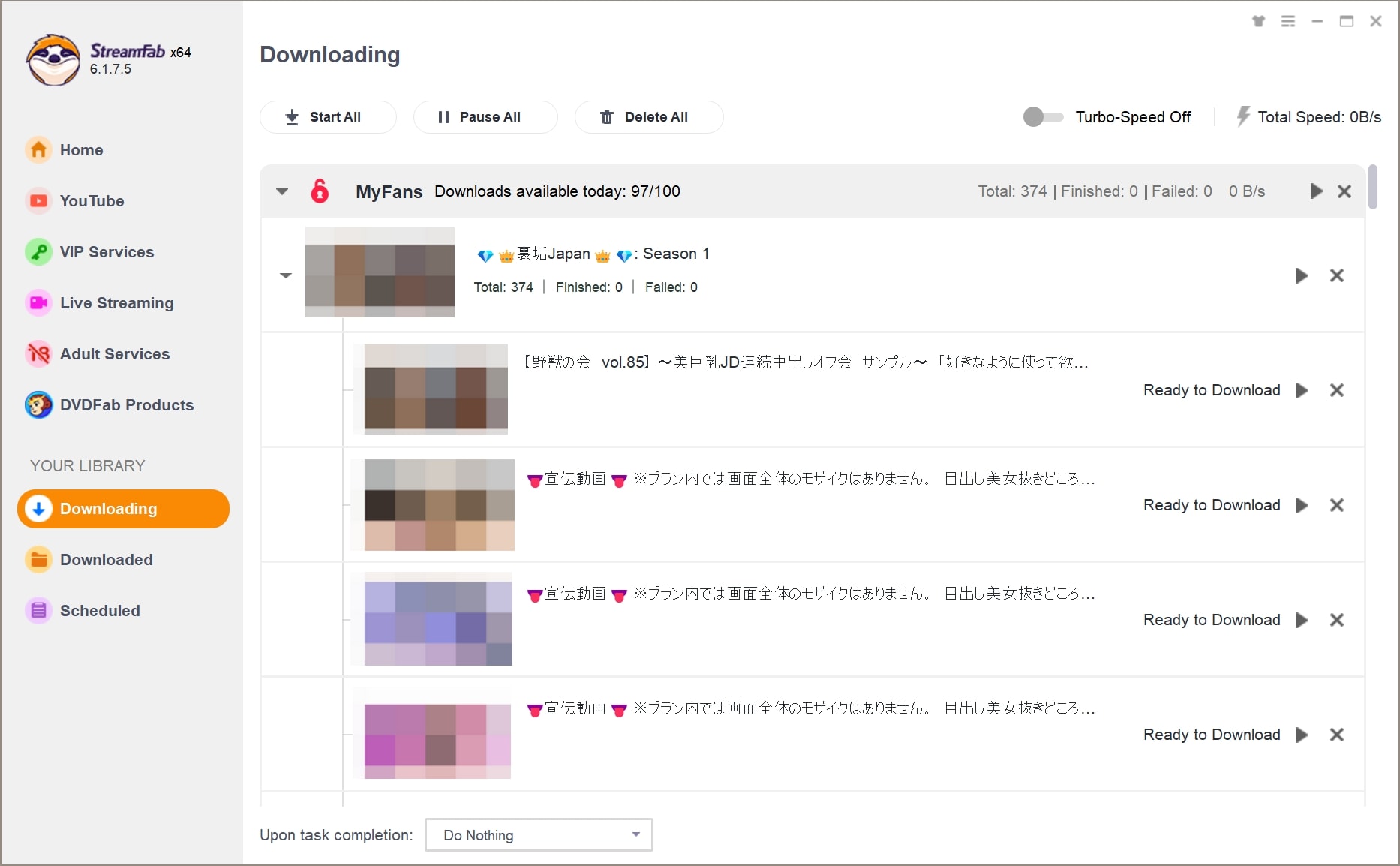
More tips: best myfans downloaders | best Fansly downloaders
Visual Data
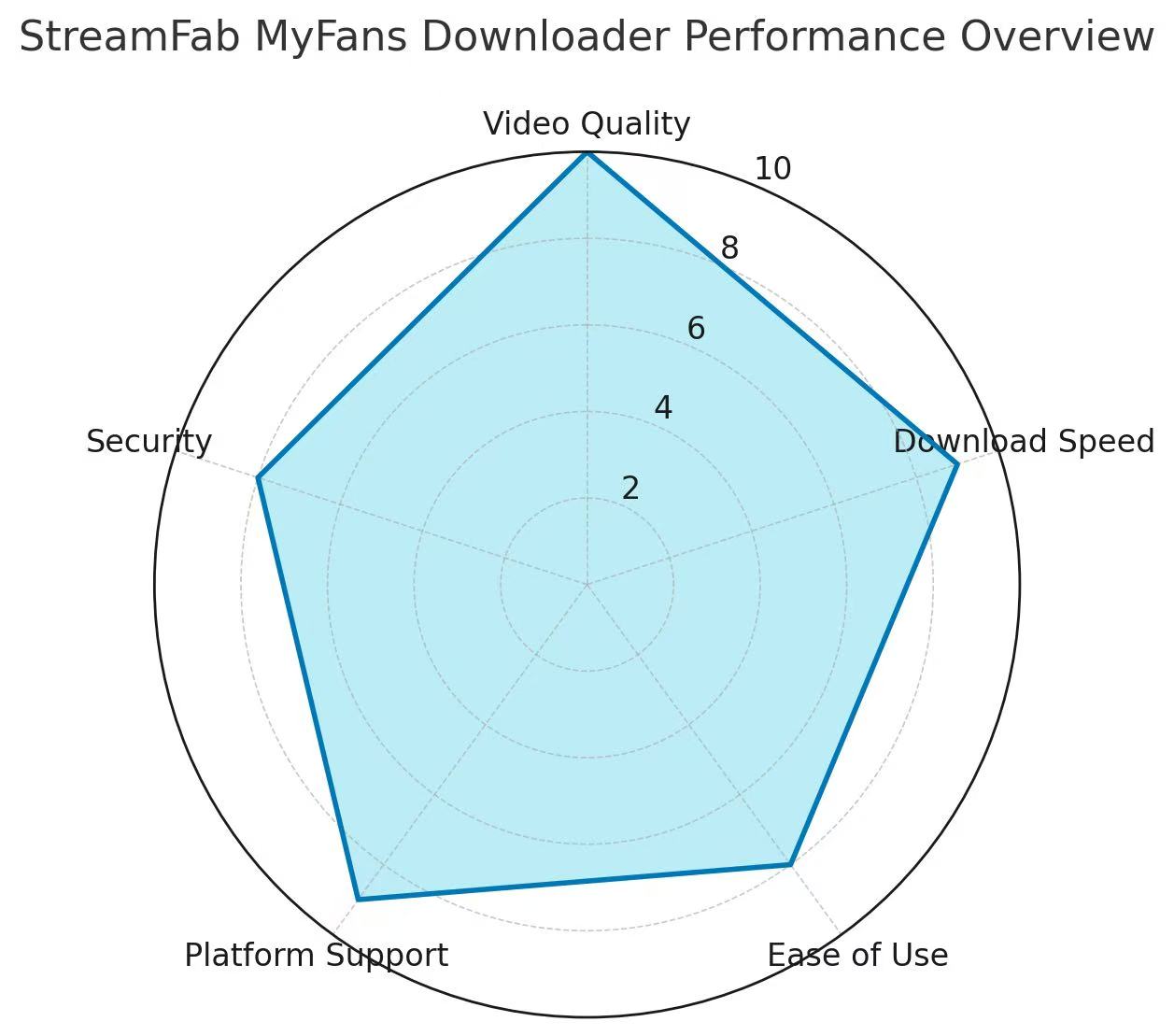
📈 Chart 1: Comprehensive Performance Score of StreamFab MyFans Downloader
To gain a deeper understanding of the overall performance of this download wizard, it might be a good idea to take a look at its radar chart scores in several core performance dimensions. Whether it's picture quality, speed or security, StreamFab has almost reached professional level, fulfilling all your fantasies about saving MyFans content.
📊 Chart 2: Comparison of Online Playback and Offline Download Experiences of MyFans
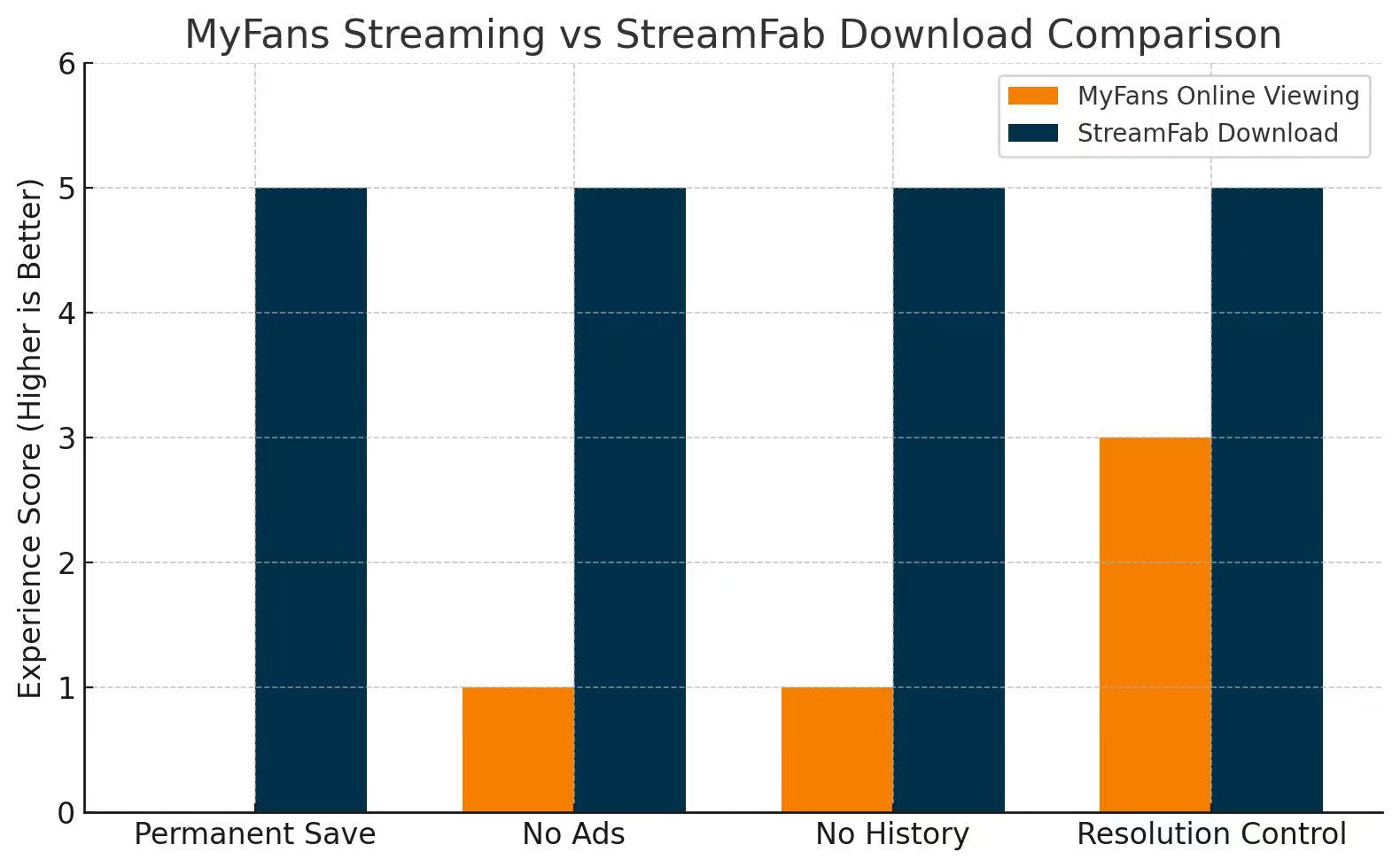
From the graph, we can see that although MyFans has acceptable online playback visual effects, it falls short in terms of saveability, ad interference, privacy protection, and custom clarity. However, StreamFab Downloader's offline experience has achieved excellent scores in every aspect, allowing for a much more flexible, private viewing experience.
FAQs
While streaming MyFans videos online, you may have encountered specific challenges such as annoying ads, disturbing pop-ups, unwanted website link promotion, etc. In that case, saving MyFans videos with a trusted and reputed MyFans video tool like StreamFab MyFans Downloader can be a convenient option, as long as you only keep content you are legally authorized to watch and follow local laws and MyFans’s terms. It lets you enjoy ad-reduced or ad-free playback of your saved MyFans videos on your own devices for personal viewing, without always needing a stable internet connection.
Honestly, there’s no handy way to just download MyFans videos onto your phone. But you can actually use StreamFab MyFans Downloader on your Windows or Mac computer, get the videos there, and then move them onto your phone, tablet, TV, or wherever else you want to watch. Not perfect, but it works.
One more thing to note: MyFans may change content access rules or encryption over time. Sometimes, downloaders stop working when platforms introduce new protections — always use tools that are maintained and trustworthy.
Conclusion
If your one-time visit to the MyFans website is not enough for your erotic pleasure, it might be worth saving the MyFans videos you can legally access on your computer for long-term personal offline entertainment during your valid subscription period. So, your one-time investment in the StreamFab MyFans Downloader will allow you to explore MyFans and other 1000+ streaming sites’ videos more flexibly in your offline world, while still respecting local laws and each platform’s terms of use.
And, just to remind you: since this article talks about MyFans, it’s meant for those 18 and older — please proceed responsibly.Always respect creators’ rights — don’t download or share paid content without permission. For your safety, only grab tools from the official or reputable sources (StreamFab’s official site is preferred), scan installers first, and keep your antivirus and system updated. Because MyFans often applies content protections or restrictions, unofficial or modified tools may fail or break unexpectedly — avoid those.
This software is intended only for personal backup and offline viewing of streaming content that you have legally subscribed to or purchased. Using it for commercial purposes or for any form of unauthorized redistribution or public sharing of saved content is strictly prohibited.
