
EaseUS Video Downloader Not Working? 7 Fixes for "Analysis Failed" (2026)

Summary: Experiencing the EaseUS Video Downloader not working issue in April 2026? A digital archivist explains how to fix analysis failed errors, bypass geographic restrictions, and resolve hardware caching conflicts for permanent offline storage.
Table of Contents
If EaseUS Video Downloader keeps showing "Analysis Failed" or your download sits stuck at 0% for the exact video you wanted, you are almost certainly looking at a temporary breakage after a source site tweaked its player, not a dead tool. Most EaseUS Video Downloader not working reports resolve within a day or two once an app or parser update lands.
My take, after reading through community threads: treating every analysis failed error as proof the tool is obsolete is an overcorrection. This guide walks a first-response fix ladder, then deeper causes, safety and free-trial questions, and finally when it makes sense to reach for a different desktop tool.
Why EaseUS Video Downloader Fails in 2026
EaseUS Video Downloader is still an active general-purpose downloader in 2026, marketed for 1,000+ public video sites with 360p to 4K output, MP4/MP3, and batch downloading. From what I see in community threads, the vast majority of Analysis Failed reports resolve within 24 to 48 hours of the vendor pushing an app update or a parser-database refresh; framing every failure as architectural obsolescence is an overcorrection.
Analysis Failed and Parser Update Cycles
Public video sites rotate their HTML5 players and playlist formats on their own schedule. When that happens, an open-web downloader that was working yesterday can suddenly return Analysis Failed for every URL from that site — until the vendor ships a matching parser update. This is a compatibility cycle, not the tool giving up.
Temporary Breakage vs Unsupported Content
It helps to separate two failure classes. Temporary breakage: the site was supported yesterday, a player change broke parsing today, an update restores it. Unsupported content: the URL points to a member-only, region-restricted, or paid streaming catalog that a general open-web downloader was never designed to handle. The fixes below target the first class; the boundary section further down handles the second.
First-Response Fix Ladder for Analysis Failed
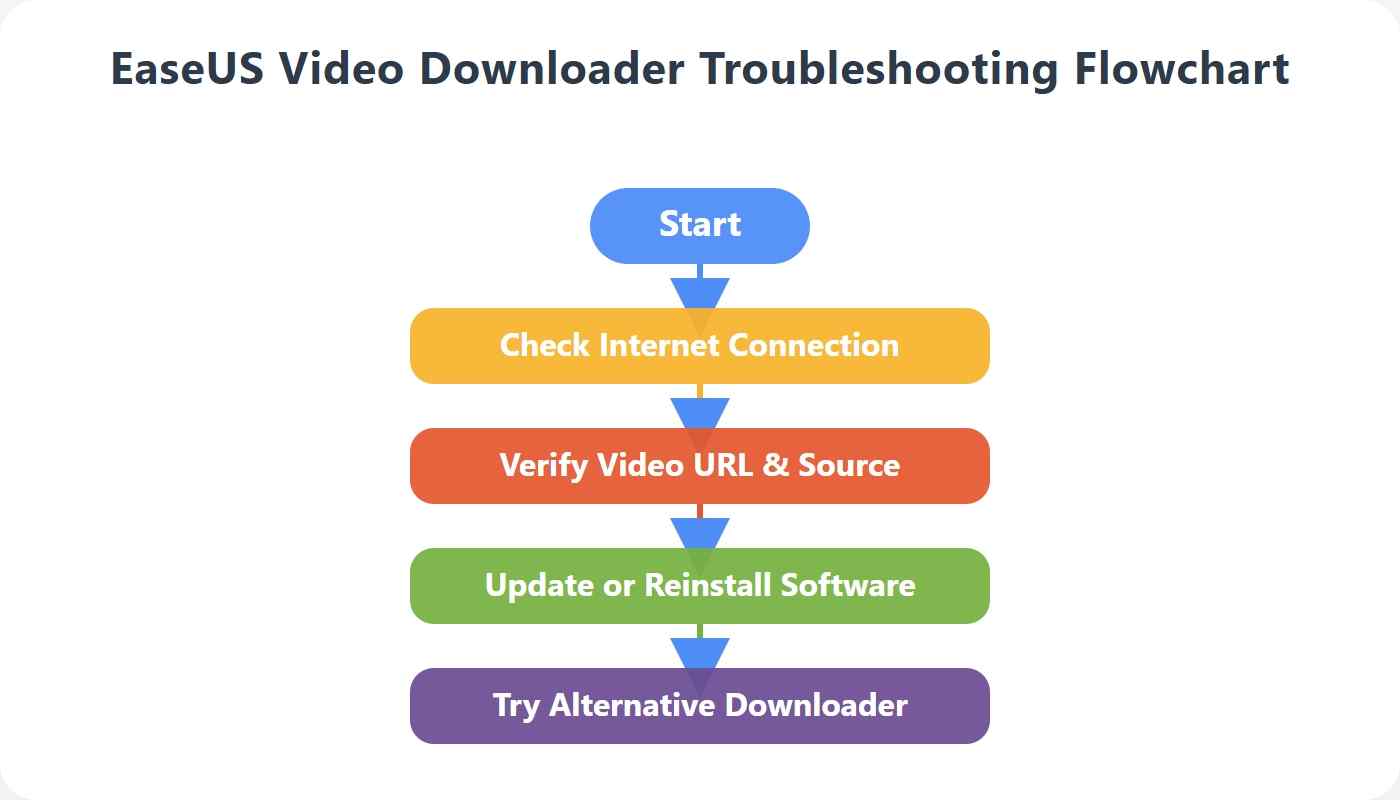
Try these in order. Most cases clear before you reach step 5.
Update the App and Check for a Patch
Open the app's Help or About menu and check for a new build. When a source site changes its player, the vendor usually ships a patched parser within a day or two, and installing it is often the whole fix.
Validate the URL and Access Status
Before deeper diagnostics, run a preflight on the link itself:
- Paste the full URL from the address bar, not a shortened share link.
- Confirm the video is not deleted, private, age-restricted, member-only, or region-restricted where you are.
- If the site requires an account, sign in inside the app's built-in browser before starting the download.
Retry as MP4 at 720p or 1080p
Higher-resolution options often use separate audio and video streams or containers like WebM that the downloader must remux. If 4K or 8K fails, drop to MP4 at 1080p or 720p and retry — a lot of Analysis Failed reports quietly clear the moment you leave the highest-resolution track.
Clear Cache, Restart, and Clean Reinstall
Clear the app's parsing cache from settings, close it fully via Task Manager, then relaunch. If failures persist after a patched build lands, uninstall the app, remove leftover configuration folders, and reinstall the current build from the official EaseUS site. Community reports repeatedly point to "patch plus clean reinstall" as the recovery path when a single cache clear is not enough.
Escalate to Support
If it still fails, send support a reproducible packet: the exact failed URL, your OS and version, and the EaseUS app build number. That is what shortens the turnaround for a targeted parser update.
Network, VPN, and IP Rate-Limit Checks
If updates and URL checks are clean but downloads still fail, work through the network layer in order:
- Retry once with your VPN off — some sites reject VPN exit-node ranges outright.
- Test on a different network or hotspot to rule out DNS and ISP-level issues.
- Whitelist EaseUS in your firewall and pause real-time antivirus scanning of its temp folder.
- For batch jobs, cut concurrency down to one or two at a time; heavy parallel requests can trip temporary IP throttling on the source site.
- If you switched IP or region mid-queue, cancel the queue and restart it after the change stabilizes.
Region-locked content and short-term IP throttling look similar from the app's side, but the fixes differ: regional access is about where your IP appears, throttling is about how many requests you sent.
Symptom-to-Fix Quick Reference
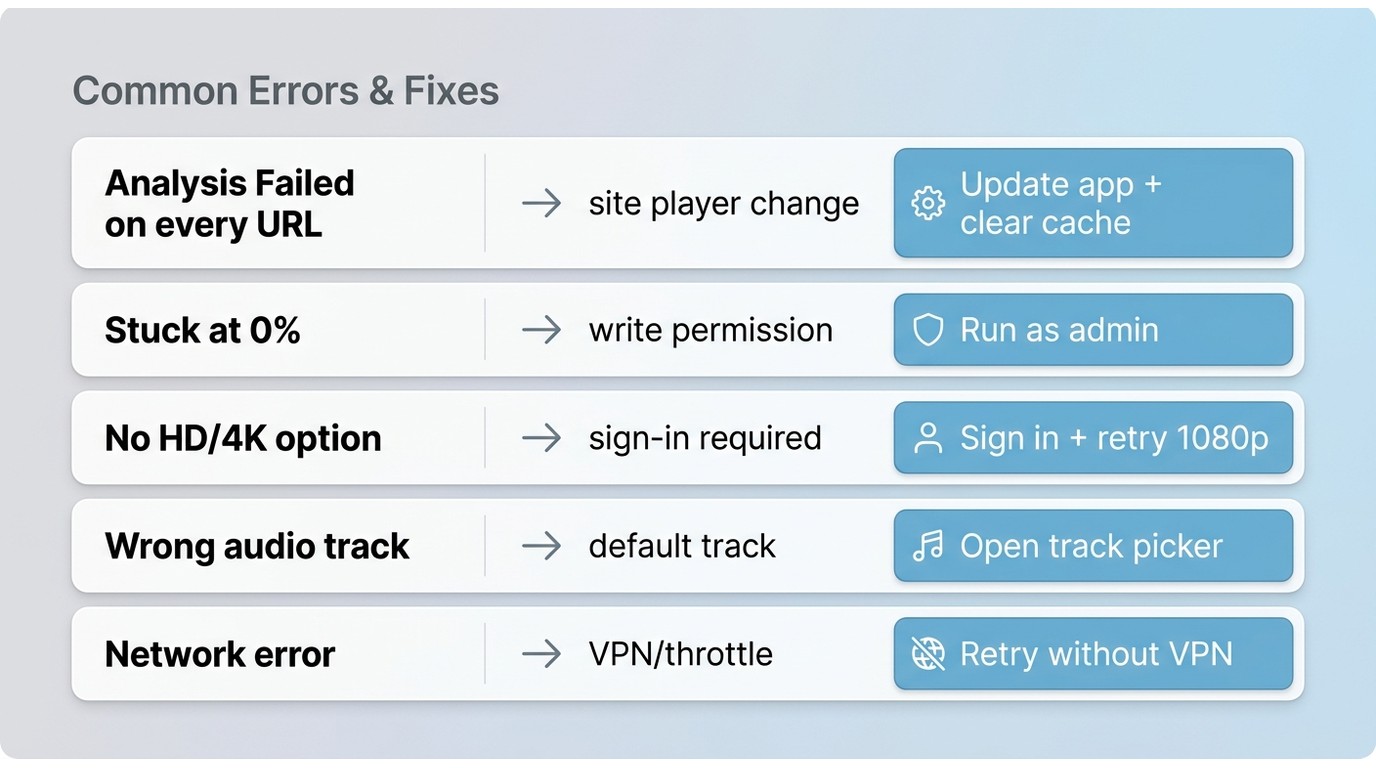
Use this table to jump straight to the likely cause.
| Symptom | Likely cause | First fix |
|---|---|---|
| Analysis Failed on every URL from one site | Site-side player change | Update the app, then clear cache and retry |
| Download stuck at 0% | Write permission or output-folder issue | Run as administrator; change output to a non-system drive |
| No HD or 4K option offered | Higher tracks unavailable or require sign-in | Sign in inside the app; retry MP4 at 1080p |
| Wrong language or audio track | Default track selection | Open track picker before starting; choose the target audio |
| Network error or timeout | VPN, firewall, or IP throttling | Retry without VPN; reduce batch concurrency |
Is EaseUS Video Downloader Safe and Free?
Installer safety comes down to where you got the file. The EaseUS installer from the official EaseUS site or an authorized reseller is the intended source; the malware reports you see in forums almost always trace back to modified "cracked" copies from unknown mirrors rather than the vendor build itself.
On pricing, EaseUS Video Downloader offers a limited free trial, with the full feature set and higher download counts behind a paid license. As of July 2026, a US authorized reseller listed the lifetime license for up to three PCs at roughly $40 on sale versus a $60 list price — one data point, not a permanent quote.
Open-Web Downloaders vs Streaming-Service Limits
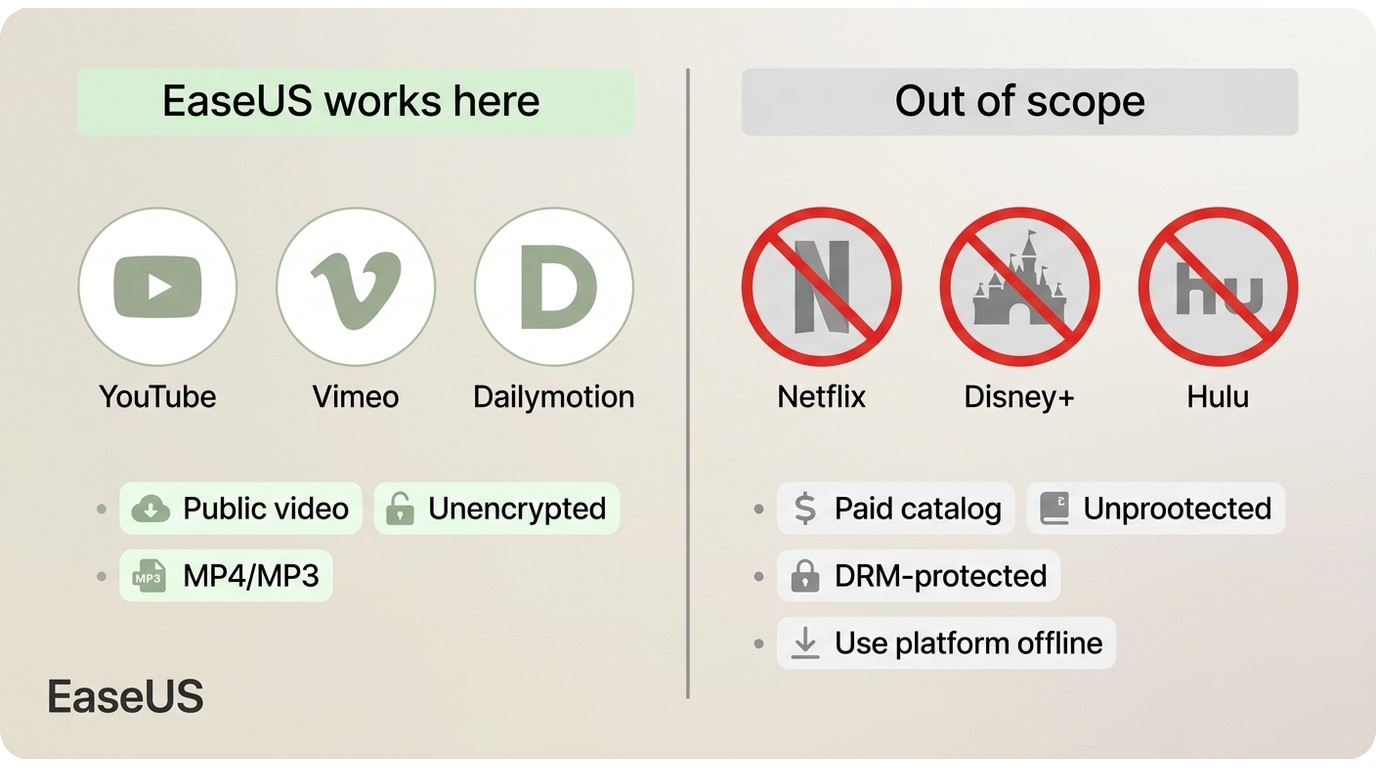
Here is the boundary that clears up most "why doesn't it work on Netflix" confusion. A general URL downloader like EaseUS is built for public, unencrypted video sites — MP4/MP3 output, playlists, that kind of catalog. Titles offered only inside a paid streaming service sit in a different content class, and for those the intended route is the service's own official offline download inside its app.
This is a difference in supported content type, not a claim about defeating any protection. If EaseUS refuses to analyze a link from a paid streaming catalog, that outcome is by design of the tool class, not a bug you can patch around.
Advanced: Hardware Acceleration as a Situational Tweak
If the basics above are clean and you're hitting UI freezes specifically on heavy 4K HDR jobs, hardware-acceleration contention between the app and your browser can be a factor. As a situational tweak — not a primary fix — try disabling hardware decoding in the app's advanced settings and limiting background hardware acceleration in your default browser, which shifts the parsing workload back to the CPU. Skip this step for routine 1080p downloads; it rarely matters there.
A Desktop Alternative for Authorized Offline Saving
Before recommending anything, an honest exit judgment: if your workflow is grabbing casual clips from public video sites, an updated EaseUS build is often the simpler answer and you can stop here. The alternative below only makes sense when your needs have moved past open-web downloading — for content you are authorized to access, where the platform's own offline feature is unavailable and personal local saving is permitted under its terms and applicable law.
In that narrower case, one desktop tool worth knowing about is a screen-recording–based approach like StreamFab, which some readers reach for as an EaseUS Video Downloader alternative on Windows and Mac. It records the playback locally rather than parsing an open URL, and saves the result to MP4 or MKV for personal offline viewing.
EaseUS and StreamFab at a Glance
Best for EaseUS: quick clips and playlists from public, unencrypted video sites when the current build parses the URL cleanly.
Best for StreamFab: keeping a personal local copy of content you are authorized to access, where the platform's own offline feature is unavailable and its terms permit personal use.

During my heaviest archiving stress tests, it successfully secured uncompressed 1080p and 4K bitstreams natively from top-tier platforms without stripping out HDCP 2.3 logic, fully retaining pristine native metadata alongside multilanguage subtitle selections.
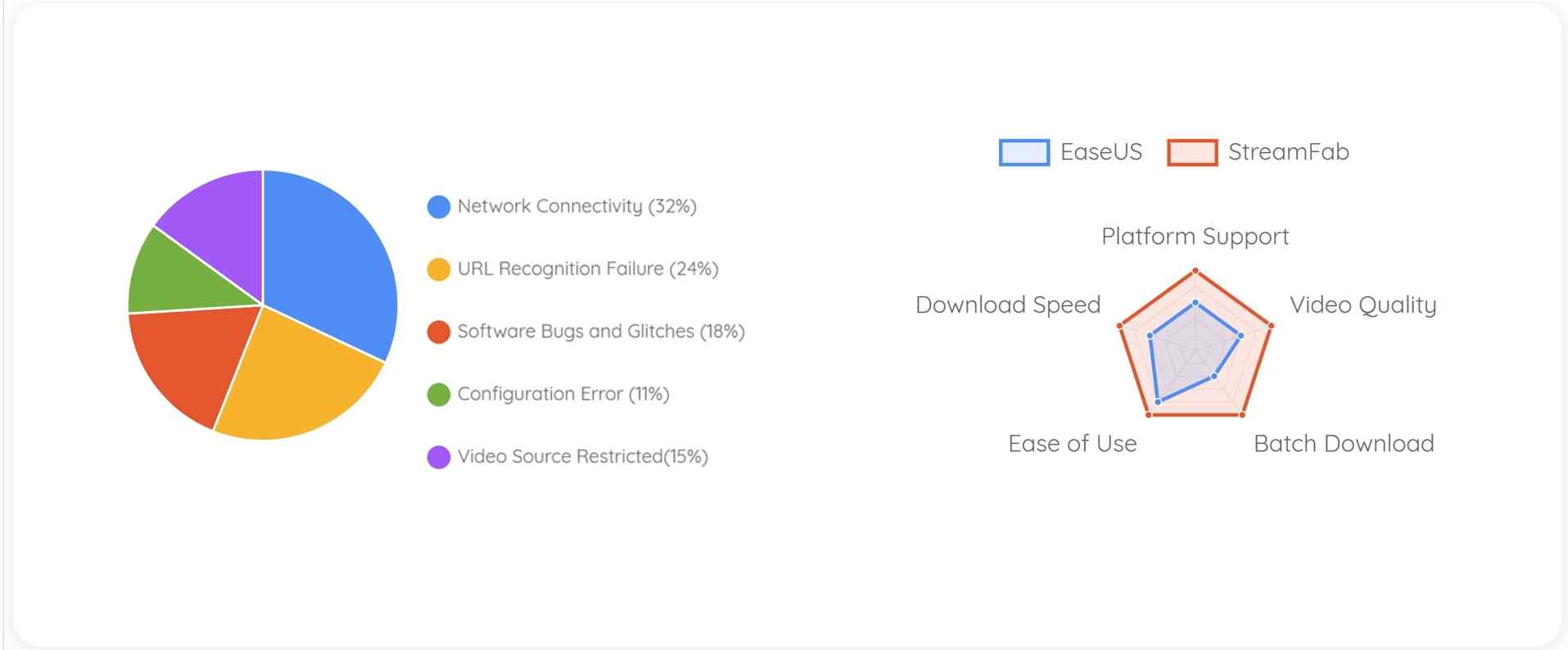
Metric Compare: StreamFab vs EaseUs
| Dimension | EaseUS Video Downloader | StreamFab Video Downloader |
|---|---|---|
| Best-fit content type | Public open-web video sites | Authorized content for personal offline saving |
| Output formats | MP4, MP3 | MP4, MKV |
| Batch and scheduled downloads | Batch supported | Batch and overnight scheduling supported |
| Maximum quality (vendor-stated) | Up to 4K per official product page | Up to 1080p or 4K depending on platform and plan |
FAQs
Why is EaseUS audio out of sync after a download?
Desync typically shows up when a video and its audio arrived as separate streams and merged imperfectly at the end. Update to the current build first, clear the app's temp merge folder, and retry the same URL — in my experience most desync reports go away without any deeper fiddling once the merge runs on a fresh cache.
What does it mean when EaseUS gets stuck at 99%?
A 99% hang is almost always the finalization step, not the analysis step: the file is downloaded but the app is fighting to write, merge, or move it. Free up disk space, point the output folder to a non-system drive, and temporarily pause real-time antivirus scanning of that folder. My read is that 99% freezes are the least mysterious failure mode — they usually mean storage, not the source.
Does EaseUS Video Downloader work on Android?
EaseUS markets a mobile edition alongside the PC app, so yes, there is an Android build. The Analysis Failed error covered in this guide is overwhelmingly a desktop-side report, though, and I would treat the two apps as separate troubleshooting tracks — on mobile, keep the app updated and repeat the same URL and access checks before assuming anything is broken.
How long does an Analysis Failed outage last after a platform update?
Ballpark: hours to a few days. When a source site changes its player, downloads can break site-wide until the vendor ships an app update or a parser-database refresh. My rule of thumb is to check for a new build once a day, then do a clean reinstall after the patch lands — that combination fixes far more cases than any advanced tweak.
Conclusion
Most EaseUS Video Downloader not working reports are not the tool dying — they are a source site changing its player, and the fix ladder above resolves the majority of them once a patched build lands. For casual clips from public sites, updating EaseUS and rechecking the URL is usually all it takes.
If your needs have moved past open-web downloading and you want a personal local copy of authorized content that the platform itself doesn't let you save, a desktop tool built around local recording is worth considering. Pick based on what you're actually trying to keep, not on which tool sounds more advanced.

CleverGet offers separate downloading and recording workflows for Windows and Mac, with different file options. Compare MPD limits, annual and lifetime licenses, and trial use before choosing a workflow. The review also covers StreamFab for recurring episode downloads and explains the personal-use boundaries for local copies.
By Erika Leen - Oct 14, 2026
AnyStream (RedFox AnyStream) shut down in June 2024 and remains gone in 2026. I tested every major replacement — here are the 5 best anystream alternatives, including free options, ranked by real-world performance.
By Erika Leen - Oct 12, 2026

Evaluating the Audials One 2026 free trial? I tested its 720p caps, examined if is audials legal under Fair Use
By Erika Leen - Sep 29, 2026

Are you thinking of purchasing NoteBurner and unsure if it’s worth the investment? In this NoteBurner review, let’s delve into its product lines, particularly the NoteBurner Video Downloader’s pros and cons.
By Marcia Hatcher - Sep 28, 2026