
4 MovPilot Alternatives in 2026: Free Paths, Current Limits, and Best Fits

Summary: Explore a comprehensive list of alternative software to MovPilot. Learn about their features, pricing, and user reviews to make an informed decision based on 2026 DRM standards.
Introduction
When MovPilot downloads stall, run slowly, or stop fitting your service and quality needs, an alternative to MovPilot may be the practical next step. This guide checks the current 2026 status signals, compares four alternatives, covers legitimate trial and local-file paths, and explains when a downloader or recorder fits better.
The short answer is to check your account, service compatibility, and app version first. If the same problem continues, compare alternatives by supported services, output quality, plan terms, and whether you need batch offline viewing or real-time recording.
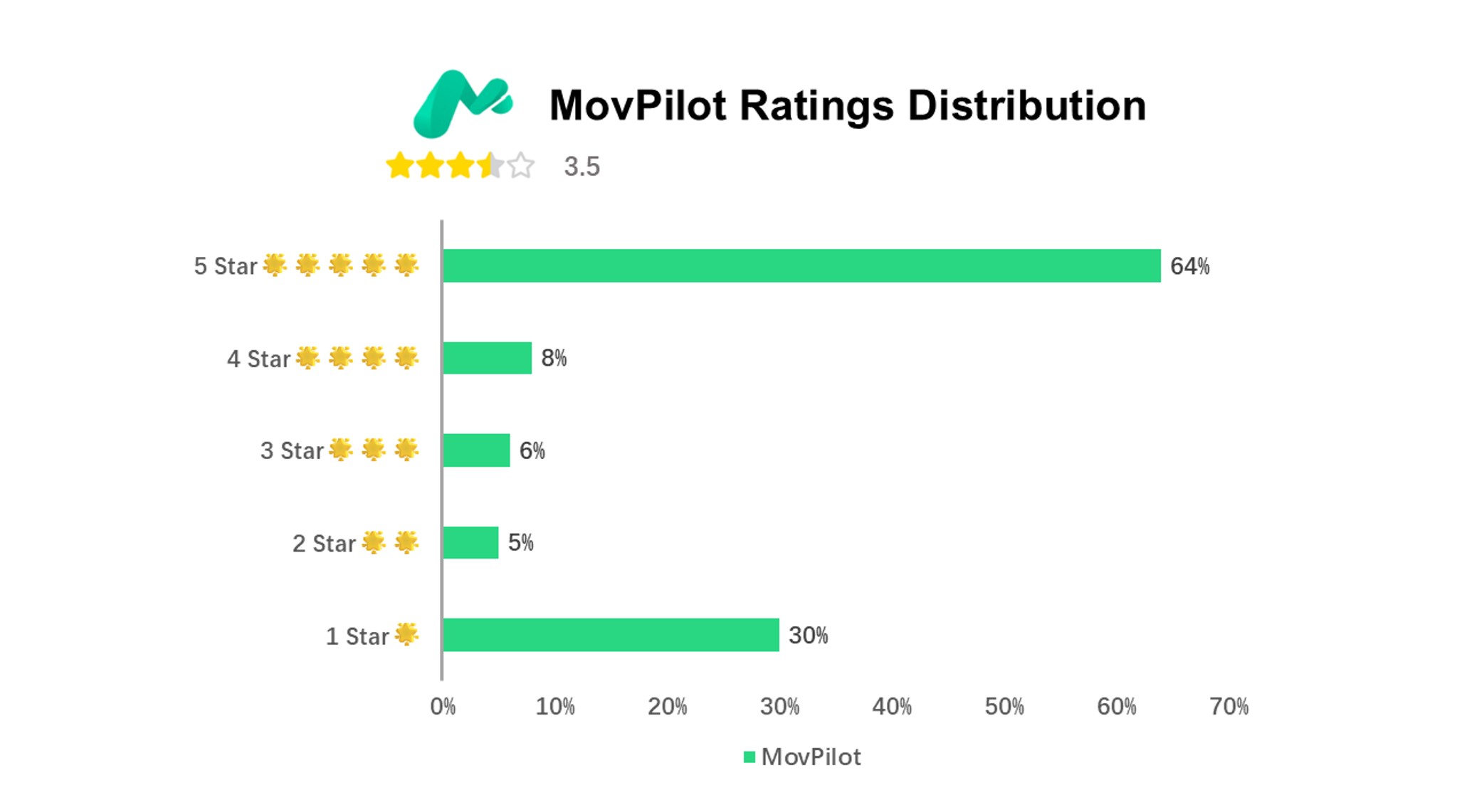
- **What to Check:** Compare current service support, output needs, plan terms, and authorized use before switching. **Practical Context:** This guide focuses on desktop alternatives and the trade-offs that matter when downloads stall or run slowly.
- Use official installers and keep saved content within your authorized access, applicable law, and platform terms. We've personally used every MovPilot alternative on this list. What you're reading is based on what we actually found. If you use our findings, just give us a shout-out.
- Disclaimer: The tools discussed in this guide are strictly for personal fair use. Archiving legally purchased or subscribed content is a personal right, but distributing or bypassing DRM for piracy is strictly prohibited.
MovPilot’s 2026 Status and Switching Signals
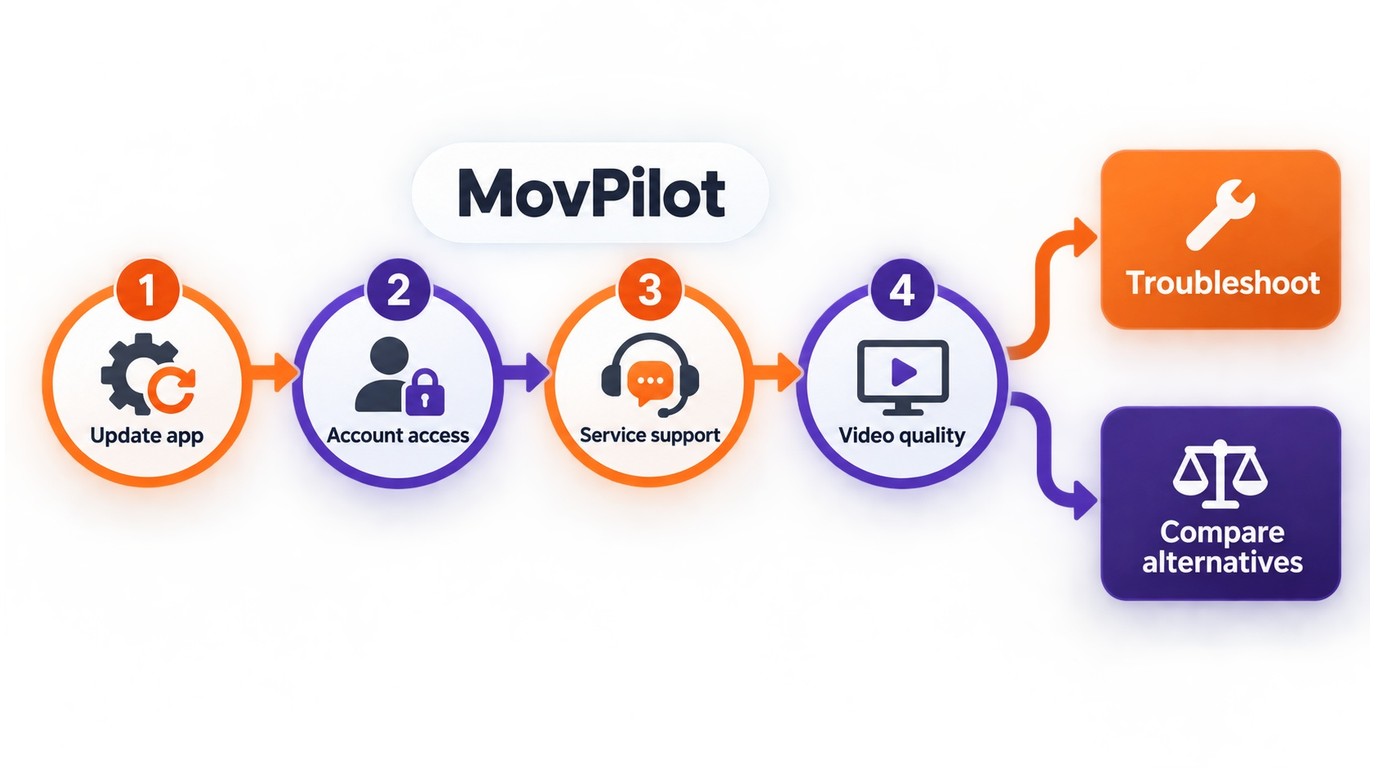
Current search results and community discussions continue to emphasize MovPilot not working, stuck downloads, and slow episode transfers. These are user-reported signals rather than a measured failure rate, so the right response is diagnosis before replacement.
Start by updating MovPilot, checking that your account can access the selected service, and confirming that the service and video quality you want are supported. If downloads remain stuck or slow after those checks, switching makes sense when another tool better matches your services, output requirements, or batch workflow. My rule is simple: one reproducible compatibility problem is worth troubleshooting; repeated interruptions across the same workflow justify comparing a different option.
For a broader look at the product’s current strengths and limitations, see the MovPilot Review before choosing a replacement.
Top 4 MovPilot Alternatives in 2026
StreamFab Video Downloader
For a focused comparison of movpilot vs StreamFab, StreamFab is a desktop option built around a local-file workflow for content you are authorized to access, where permitted by platform terms and applicable law. The official StreamFab page lists 60+ downloader modules, coverage of 1,000+ sites, and support for up to 8K on supported services. Where supported, it can retain 4K, HDR10, or Dolby Vision metadata.
Pulls down lossless video from over 60 paid services and 1000+ other sites. It covers way more ground than Movpilot and delivers better quality for a fairer price.
- Covers 60+ downloader modules and 1,000+ sites, with up to 8K on supported services.
- Saves files as standard MP4s or MKVs, so they'll play on anything.
- Handles ad-supported plan content according to the service and tool support.
- Includes scheduled downloads for episodes and other queued content.
- Lets you save subtitles as separate SRT files or bake them right into the video.
StreamFab is best for subscribers who need broad service coverage, higher stated output options, and a desktop workflow for organizing authorized local files. It is not ideal when you only need a quick screen recording, a single local file converted, or a service that is not currently supported. Compatibility can change by service and version, so use the official download and trial information, along with the StreamFab troubleshooting guidance, to check your setup before committing.
For content you are authorized to access, StreamFab can provide a desktop local-file workflow where permitted by platform terms and applicable law; compatibility varies by service and version.
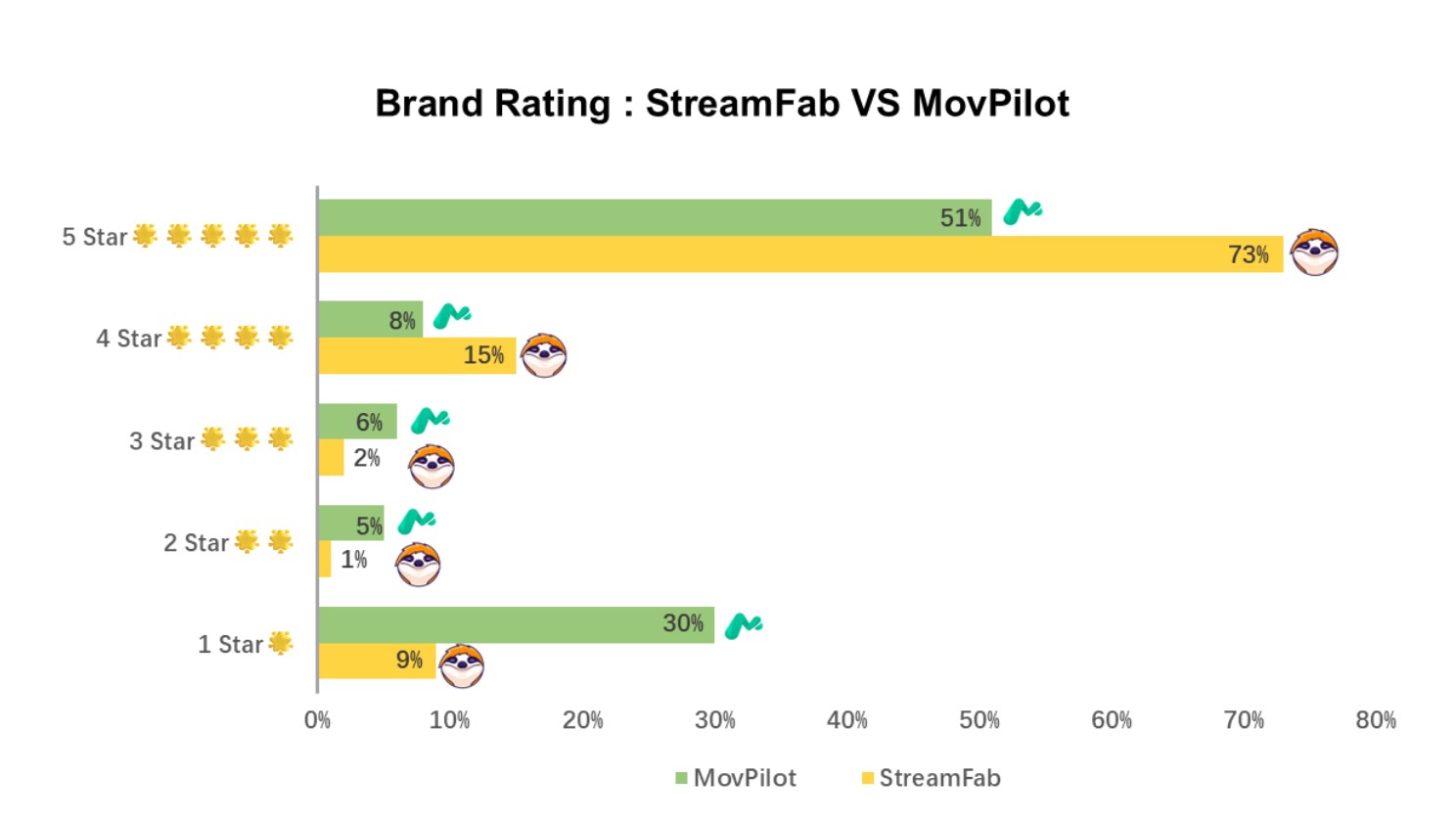
Practical note: Keep your operating system, graphics drivers, and StreamFab version current when using scheduled or batch workflows. If a service changes its compatibility requirements, consult the latest update and troubleshooting guidance.


StreamFab fits readers who prioritize service coverage, available high-quality output, and batch or scheduled local-file workflows. StreamFab supports batch downloads and high-quality output for local-file workflows.
StreamGaGa
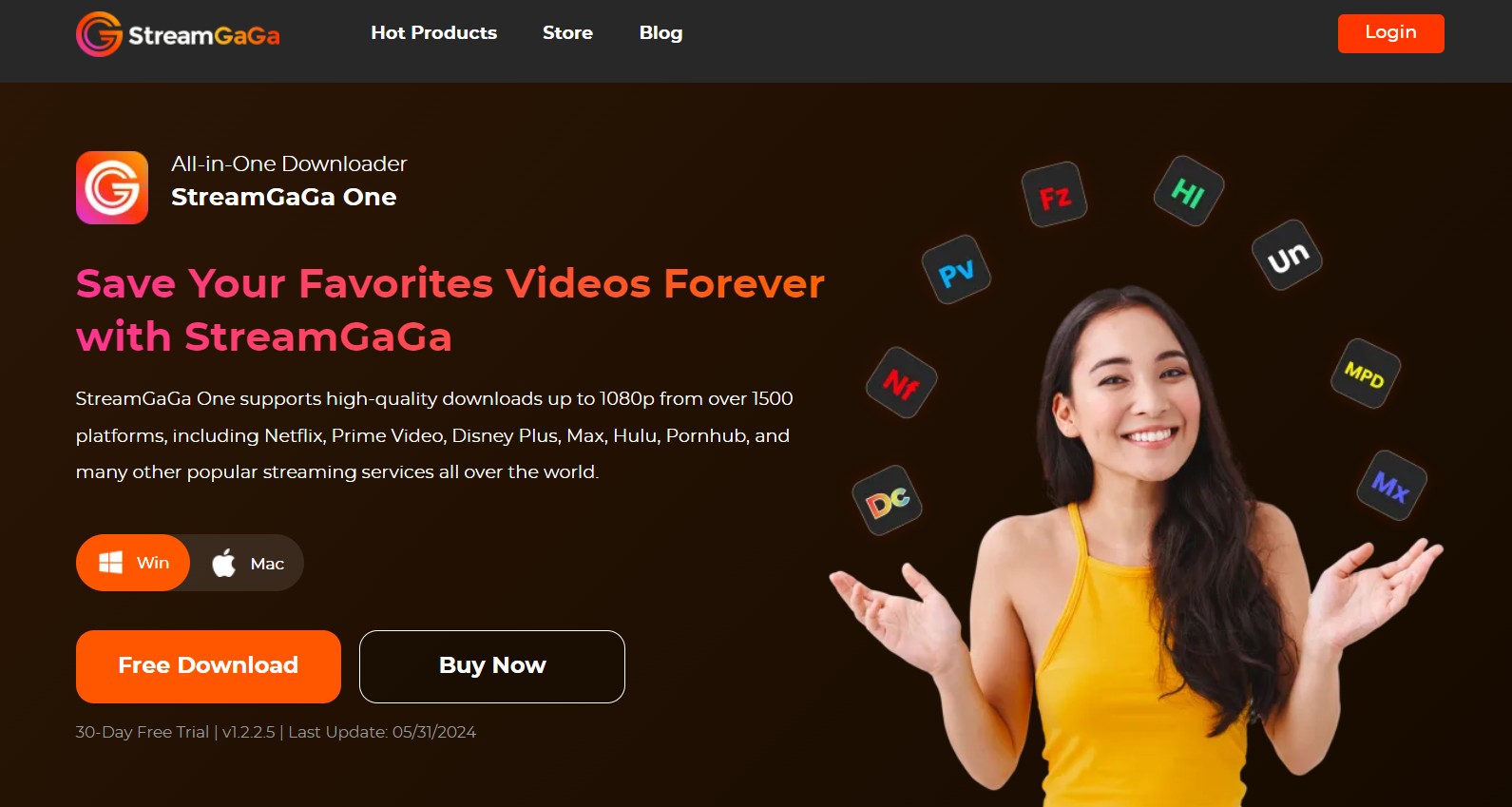
Its official US-facing site advertises 1080p and 4K downloads from more than 1,500 platforms.
The store lists plans from $79.90 as of September 2026. StreamGaGa is best for buyers who want broad advertised coverage and a short-term or monthly path. It is not ideal if your decision depends on a verified speed advantage, a specific unsupported service, or a confirmed long-term update path.

Community Feedback
- 👍The Good: A shorter-term plan can make sense when you want to evaluate fit before committing to a longer workflow.
- 👎The Bad: “The lifetime plan is too expensive, and updates for some of the less common sites aren’t as timely as competitors.”
CleverGet
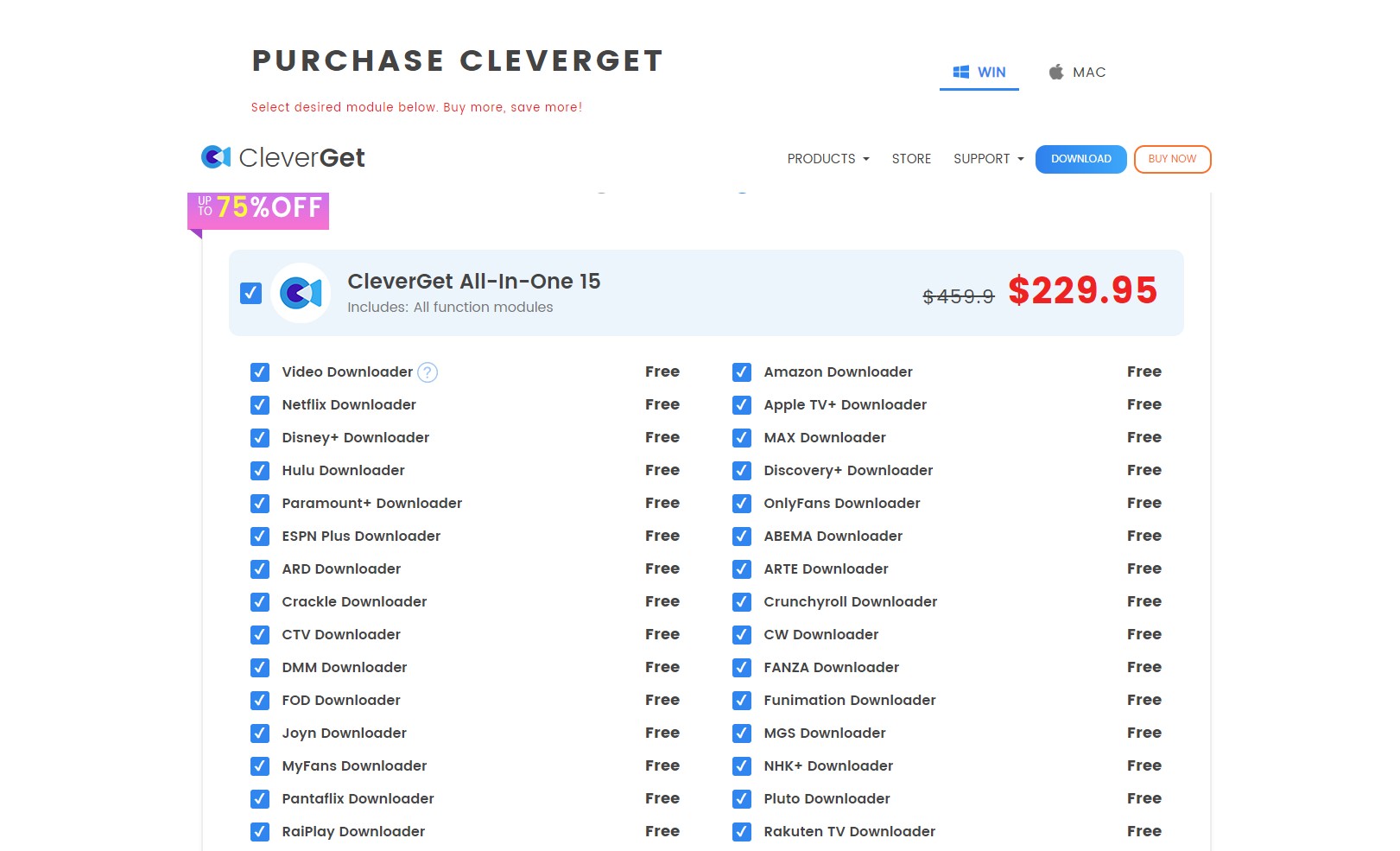
CleverGet may fit readers whose preferred services remain supported, but its official purchase page warns that Netflix downloads are temporarily unavailable after a recent DRM upgrade, as of September 2026.
That limitation makes CleverGet a conditional alternative rather than a general replacement for MovPilot. It is best for occasional use with a service listed as supported at the time of purchase. It is not ideal if Netflix is your primary requirement or if you need a broad replacement without checking current service availability first.

PlayOn Home and Cloud
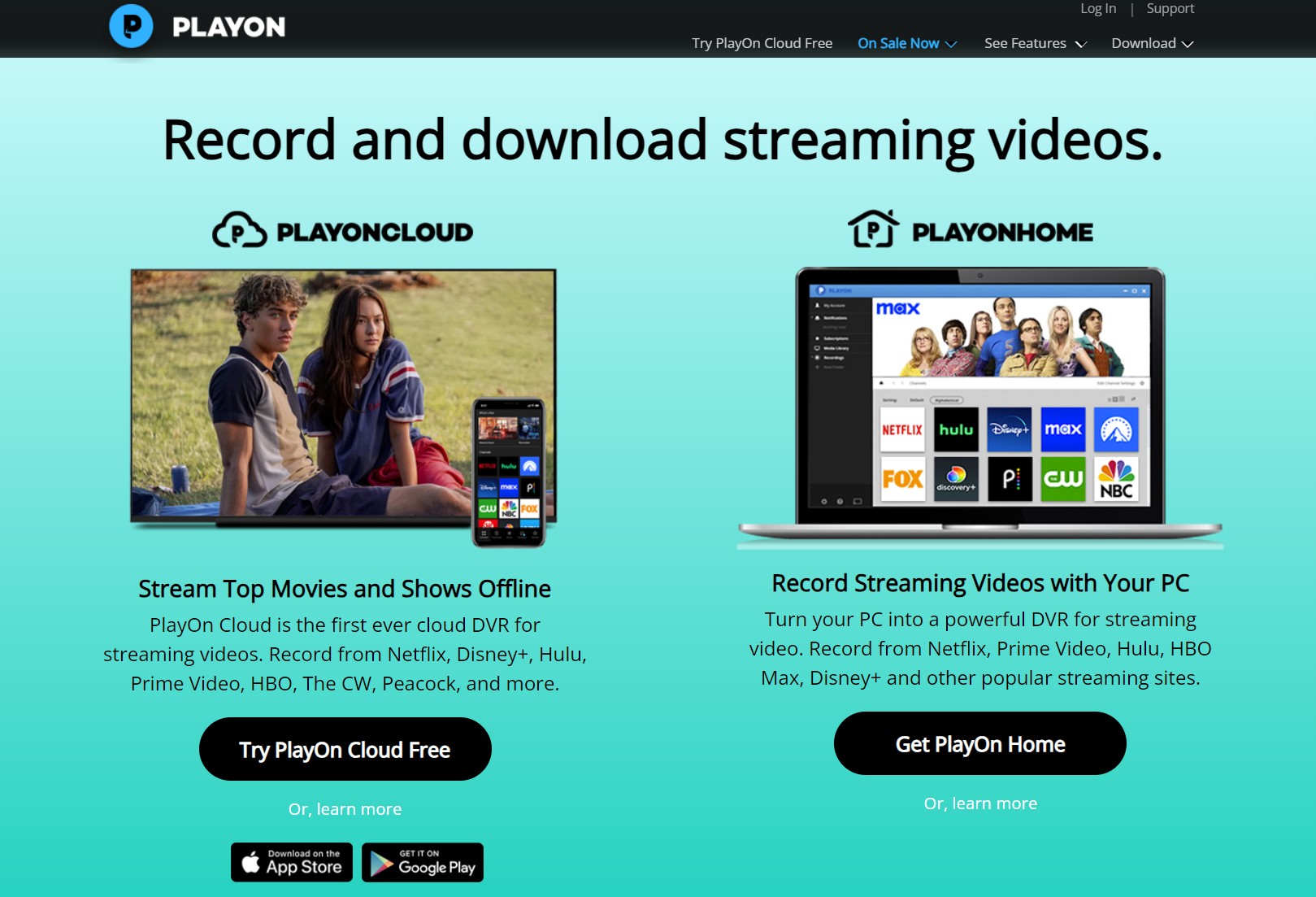
PlayOn review is a recorder and DVR rather than a direct downloader. Its PlayOn Home and PlayOn Cloud products use different workflows, so the better fit depends on whether you want local recording or a cloud-based option. Because recording happens in real time, the process takes roughly as long as the video itself.
PlayOn Home is listed at $19.99 for the first year, then $39.99 per year, or $14.97 quarterly as of September 2026. PlayOn Cloud uses a credit and storage model, so recurring recording needs should be weighed against available credits and cloud capacity.
PlayOn is best for viewers who want a recorder or DVR workflow for supported services, including cases where a direct downloader is not the right match. It is not ideal for batch-saving a full season quickly, where real-time recording adds substantial waiting time.
Community Feedback (from Channels Community)
- 👍The Good: “It can record live streams or special content that other downloaders don’t support, so it works as a last resort.”
- 👎The Bad: “It can record live streams or special content that other downloaders don’t support, so it works as a last resort.”
Free and Trial Paths for Budget Buyers
A legitimate low-cost path starts with an official trial, an open-source tool for files you already have, or a local-file workflow. StreamFab offers a 30-day trial for each streaming service, with three trial downloads per service; YouTube 720p downloads do not use trial credits.
Open-source media tools can help organize or convert authorized local files, but they do not provide access to subscription catalogs. If you searched for a “MovPilot crack,” do not use modified builds: they are not a legitimate path to subscription content and can create security and compatibility problems. Use an official installer or trial instead.
Keep the boundaries clear: use an account and service you are authorized to access, save only content you are authorized to use, do not redistribute saved files, follow applicable law and the platform’s terms, and account for limits that depend on the service, file source, and specific use case.
MovPilot Alternatives Compared
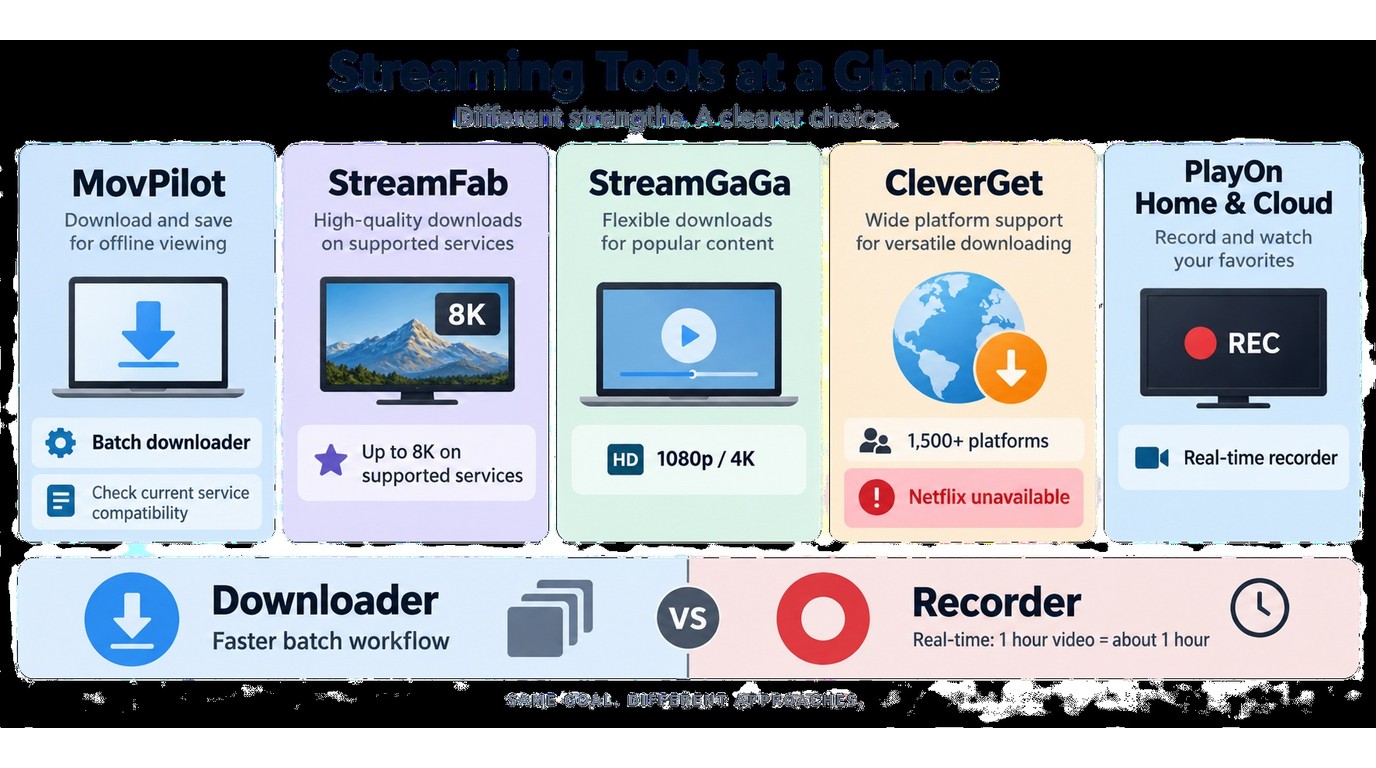
To help you compare the current options at a glance, this chart summarizes their listed pricing, workflow, stated quality, service scope, and practical fit.
| Option | Current price and term | Method | Stated quality and scope | Best fit |
|---|---|---|---|---|
| StreamFab | Batch downloads, subtitles, high-quality output | Desktop local-file workflow | Up to 8K where supported; 1,000+ sites | Broad desktop coverage |
| MovPilot | Not listed | Video downloader | Not listed | Existing users who remain supported |
| StreamGaGa | From $79.90 | Video downloader | 1080p/4K; 1,500+ platforms | Short-term or monthly use |
| CleverGet | Not listed | Video downloader | Netflix downloads temporarily unavailable | Supported non-Netflix services |
| PlayOn Home and Cloud | Home: $19.99 first year; Cloud: credit-based | Real-time recorder/DVR | Service and storage limits vary | Recording or DVR workflows |
Downloader or Recorder: Which Fits?
The right choice depends on whether you need a local-file workflow or a real-time recording. Use the matrix below to match the method to your viewing plan and supported service.
| Factor | Downloader | Recorder | Better fit |
|---|---|---|---|
| Method | Creates a local video file | Records playback in real time | Local file: downloader |
| Time required | Batch workflows may queue episodes | Runs for the video's playback length | Large queues: downloader |
| Output quality | Available with supported service and plan | Available playback and recording settings | Higher source quality: compare available settings |
| Audio sync | Handled within the saved file workflow | Tracks playback and system load | Less real-time dependence: downloader |
| Service scope | Supported service and plan | Supported playback and recording | Unsupported source: recorder may fit |
For content you are authorized to access, a recorder can still make sense for a live or otherwise unsupported source, while a downloader generally fits batch offline viewing better when the service and plan support that workflow. I use that distinction as the practical tie-breaker: choose the method that matches the source before comparing extra features.
FAQs
How can I fix MovPilot getting stuck at 20% during Widevine processing?
Is looking for a MovPilot crack worth the risk?
Is there a legitimate free alternative to MovPilot?
Yes, for authorized local files and limited evaluation. An official trial can cover supported services for 30 days, with three trial downloads per service. Open-source tools can organize or convert files you already have the right to use, but they do not provide access to subscription catalogs.
What should I try when MovPilot is stuck or downloads slowly?
Update MovPilot, confirm that your account and selected service are supported, and retry with one title. If the same problem continues, compare current service coverage, output options, and batch support in another tool before switching your regular workflow.
Can PlayOn replace a downloader for full movies or seasons?
PlayOn can record a full movie or season when the relevant Home or Cloud workflow supports it, but recording runs in real time. A downloader generally fits a large batch better when the service supports queued local-file downloads.
Conclusion
Choose a tool based on supported services, output needs, plan terms, and an authorized local-file workflow; StreamFab is one practical desktop option with broad stated coverage. An alternative to MovPilot makes sense when the service you use is no longer supported reliably, downloads remain stuck after basic checks, or the output does not meet your needs.
StreamFab fits readers who want broad desktop coverage and higher-resolution options where supported. StreamGaGa is worth considering for a lower-cost or shorter-term downloader plan, CleverGet is relevant only for services it currently supports, and PlayOn Home or Cloud suits a real-time recorder or DVR workflow. Use official installers and keep saved content within your authorized access and applicable platform terms.

How to cancel PlayOn subscription? Will you get a refund after cancelling? This guide tells you everything you need to know about cancelling PlayOn subscriptions.
By Nicole Lopez - Sep 15, 2026
Looking for a definitive RecordFab review in 2026? We test hardware acceleration and Widevine L1 decryption to answer: if RecordFab is good for DRM video saving? Dive into our expert digital archiving guide.
By Erika Leen - Sep 8, 2026
Read our in-depth Audials One 2026 premium review to see how it handles new DRM updates. We compare Audials One 2025 vs 2026, explore recording black screens, and reveal the ultimate stream downloading alternative.
By Erika Leen - Sep 8, 2026

This revised TunePat Netflix Video Downloader review separates Netflix’s official, expiring device downloads from desktop files, then checks TunePat’s Windows/macOS workflow, output, batch behavior, ad-supported plans, limits, pricing, and trial value. A compact TunePat vs StreamFab matrix closes with scenario-based fit guidance.
By Marcia Hatcher - Sep 7, 2026