TuneFab Review: Features, License Options, and Alternatives in 2026

Summary: TuneFab’s Amazon downloader suits a focused desktop routine, while VideOne covers multiple services. Compare their workflows, license structures, and output checks with StreamFab, then use the numbered setup and maintenance steps for authorized personal offline viewing.
Table of Contents
TuneFab Video Downloader Verdict for 2026
TuneFab video downloader makes the clearest sense for an Amazon-focused routine, but a successful download is not the same as a dependable season queue. My take: choose by the titles and workflow you need. This TuneFab review covers product scope, reliability, license options, and a desktop alternative.
TuneFab Products and Platform Coverage
TuneFab Amazon Downloader targets one service; TuneFab VideOne brings multiple services into one desktop app. Both use a built-in browser. You sign in to your streaming account inside the app, then choose the title and output settings.
TuneFab Amazon Video Downloader
The Amazon video downloader focuses on Amazon Prime Video, with MP4, MKV, and MOV output and a stated ceiling of 1080p. Choose content your account is authorized to access. I would choose TuneFab Amazon Downloader for a focused Amazon routine: the single-service scope keeps the workflow straightforward.
TuneFab VideOne
TuneFab VideOne is the multi-platform video downloader in the lineup, covering services including Netflix, Amazon Prime Video, Disney+, and Hulu. It suits you if your viewing spans several services. The built-in browser remains the starting point, so each service needs its own authorized account session.
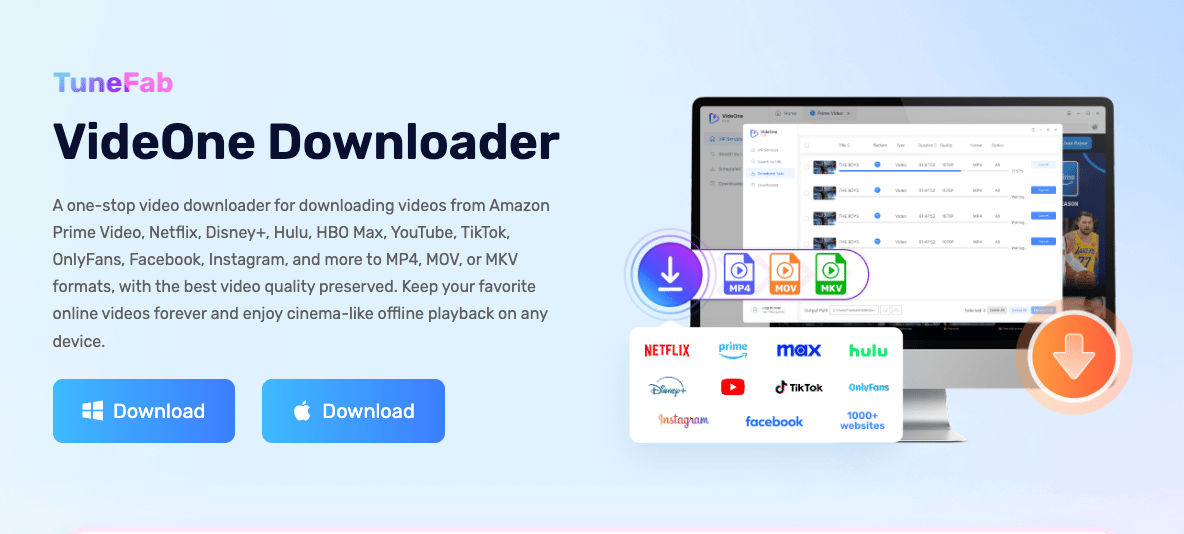
A single-service app such as the one examined in the Tunelf Netflix Downloader review fits a narrower Netflix workflow. Service coverage matters more than a familiar-looking interface.
Desktop, Browser, and Mobile Fit
TuneFab's reviewed video products are desktop-focused. A video downloader for Chrome works inside your browser instead of providing the same desktop service workflow. Extension support for a web page does not establish support for a subscription streaming service.
A mobile video downloader serves a different device workflow. For offline viewing on a phone, start with the streaming app's own download option where offered; its files stay managed inside that app. Open-source tools also require a supported site and more hands-on setup, rather than automatically matching a desktop app's service coverage.
TuneFab Test Results: Quality and Reliability
Video downloader reliability matters most when you move from one title to a queue. A finished file, a complete batch, and the selected resolution are separate outcomes. Inspect each one before relying on a season download.
Speed and Batch Performance
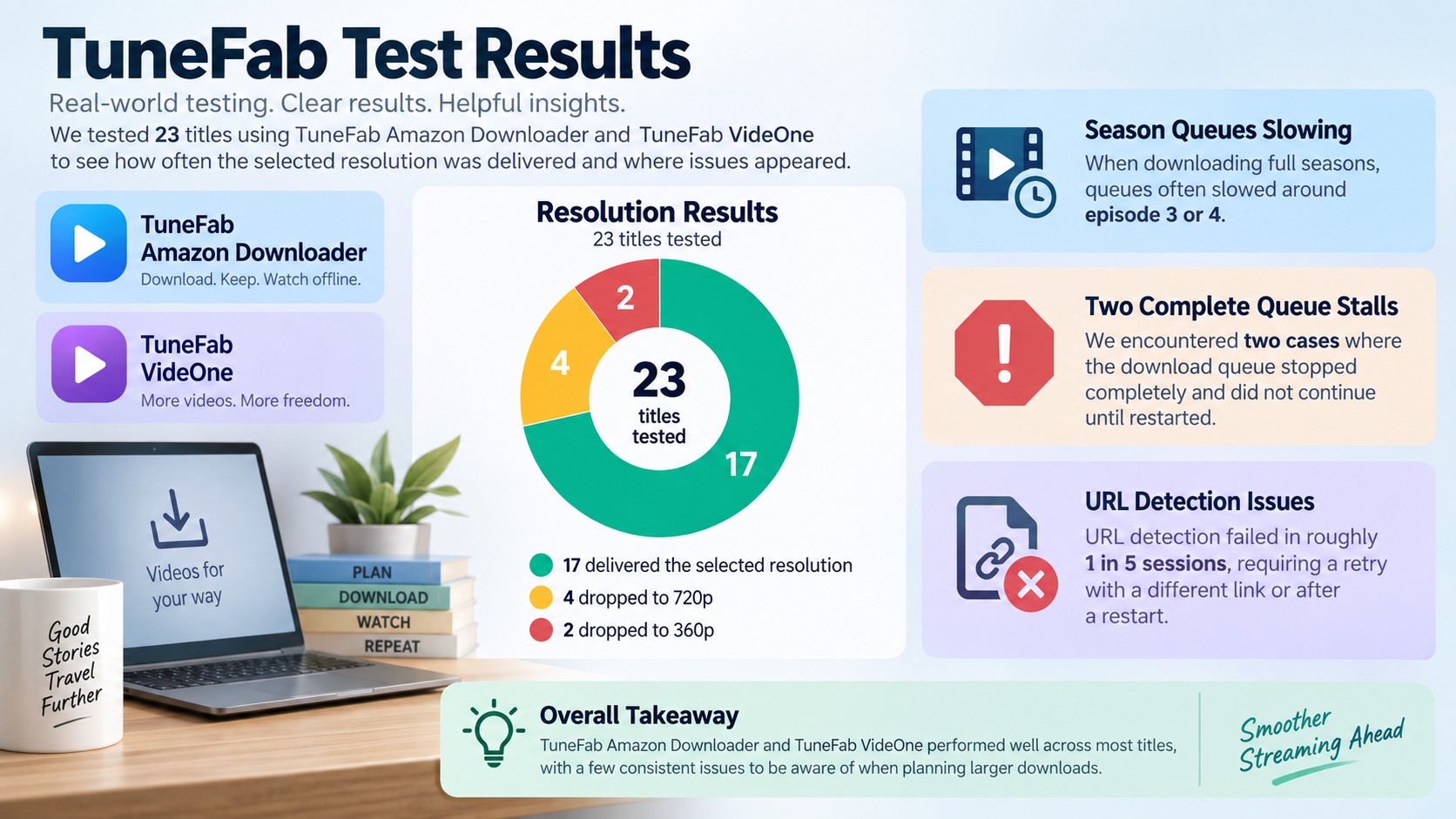
TuneFab markets "5X faster" download rates. In single-title testing on my 100Mbps connection, a 90-minute film at 720p took around 8 minutes — reasonable. The claim starts falling apart with batched season downloads. Queue a full 10-episode season at 1080p and processing slows noticeably by episodes 3 or 4.
On two separate occasions, the download queue stalled entirely and required a manual restart. That's not a "5X faster" experience — it's a tool that performs well in isolation and degrades under load.
Resolution Consistency
1080p is technically available but not guaranteed. Of the 23 titles I tested, 17 downloaded at the selected quality without issue. Six defaulted to lower resolutions — 720p in four cases, 360p in two — with no error message. The 360p outputs were genuinely unusable on anything larger than a laptop screen. If consistent 1080p is a requirement, run the free trial on your specific target titles before committing to a license.
URL Parsing and Recovery
URL parsing failures. Roughly one in five sessions, the built-in browser failed to detect a download target after navigation. The fix was always the same: refresh and try again. Simple, but it happened consistently enough across both products and platforms to count as a structural issue rather than an Edge case.
Subtitle and Format Options
TuneFab offers selectable soft subtitles, hardcoded subtitles, and external subtitle files. Hardcoded text stays visible; selectable tracks let you switch it off. Choose the language before downloading and open the saved file in your intended player to confirm the text displays correctly.
MP4 is a practical starting point for everyday playback. MKV suits a workflow built around selectable tracks, while external subtitles need to travel with the video file. I would check the subtitle behavior on a title you actually watch, rather than judge it from the settings menu alone.
How TuneFab Downloads Work
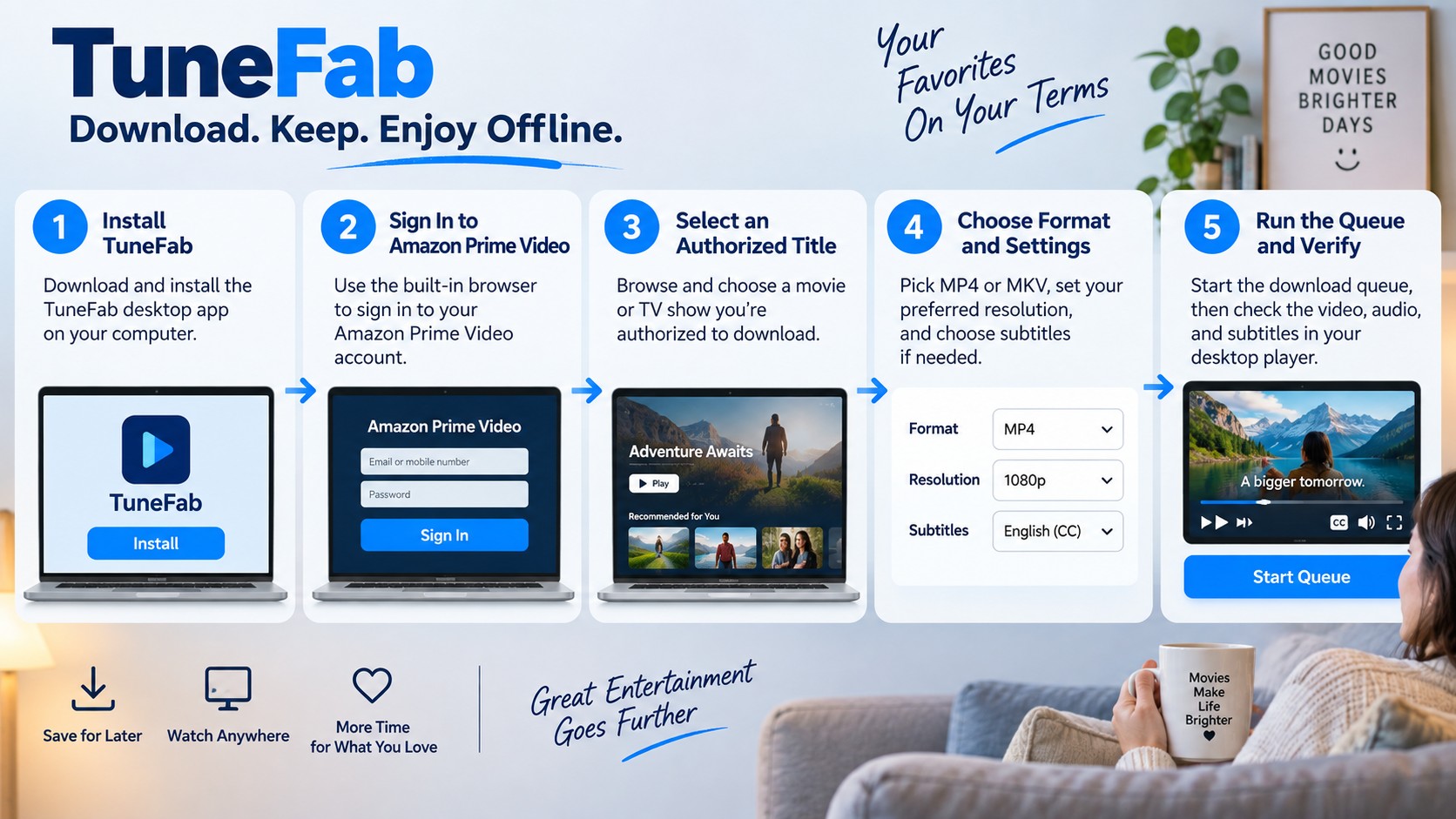
TuneFab uses its built-in browser to select streaming titles and queue local output. Start with an active service subscription, authorized content, and enough storage. The workflow below is for personal offline viewing where permitted by platform terms and applicable law.
- Install the official TuneFab desktop app for your computer. Open the product that supports your streaming service.
- Sign in to that service inside the supported browser interface. Confirm that the title plays under your account.
- Choose a movie or episode you are authorized to access. Wait for the app to recognize the title.
- Select the offered format, resolution, audio language, and subtitle mode. Set an output folder you will recognize.
- Start the queue to save a local copy for personal offline viewing. Monitor completion, then open the file and inspect its picture, sound, and subtitles before adding a larger batch.
TuneFab Safety, Terms, and Account Use
Video downloader safety starts with the installer and the account you sign into. Use the official installer and keep the app updated. Streaming terms govern permitted use; a working download button is not permission to copy or distribute a title.
U.S. Personal-Use Boundaries
- Use authorized access, including an active subscription when the service requires one.
- Save content you are authorized to access and copy.
- Do not redistribute saved videos.
- Follow applicable U.S. law and the streaming platform's terms.
- Assess permission for your specific use case; personal viewing alone does not settle it.
What the Spotify Incident Does and Does Not Show
The TuneFab Spotify incident concerns its music converter, not a video-only product sample. Account-suspension complaints in the original discussion describe Spotify experiences. Treat those as music-product context rather than a prediction for an Amazon or Netflix session.
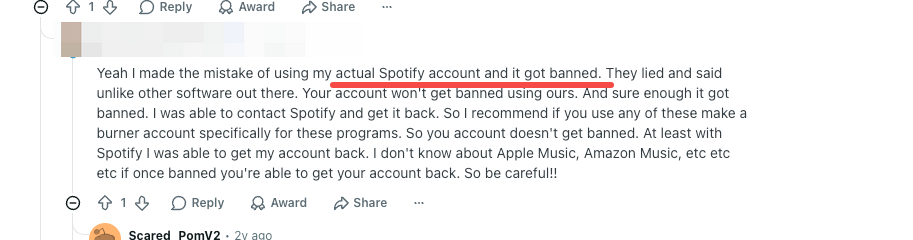
Music conversion and video downloading are separate workflows. For an account warning, stop the affected session and follow the streaming service's account-recovery instructions. For app compatibility problems, use TuneFab's update notes and troubleshooting guidance.
TuneFab License Options, Trial, and Support Signals
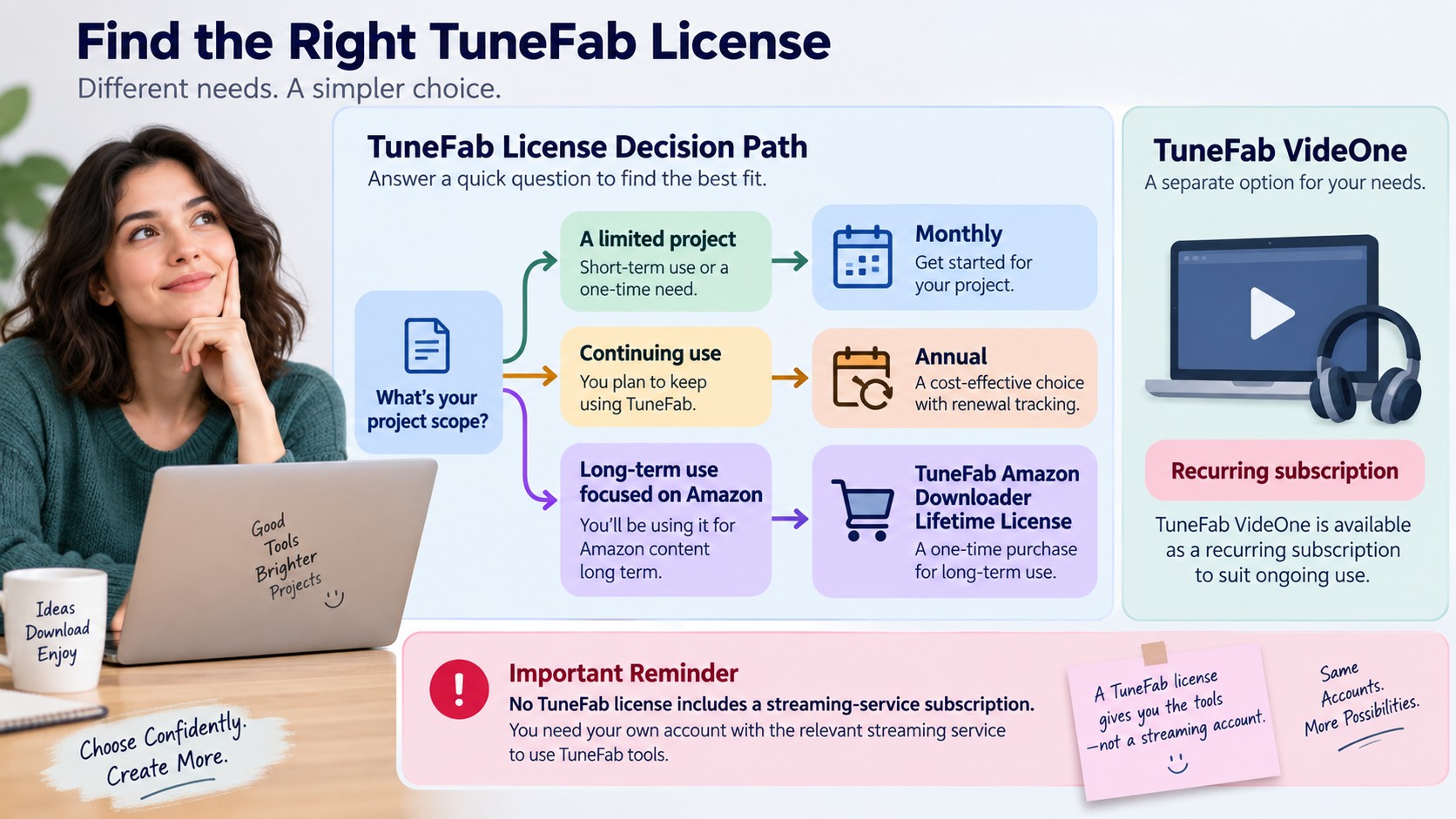
TuneFab's monthly, annual, and lifetime license structures cover different commitments. The Amazon product offers those three choices; VideOne's subscription options involve recurring renewal. A TuneFab free trial is the place to inspect the interface and the output your intended titles produce.
- Monthly: a shorter subscription commitment for a limited project.
- Annual: a longer subscription period with renewal to track.
- Lifetime: a one-time software license rather than a recurring subscription; it does not include a streaming-service subscription.
Keep the product name, license term, renewal date, and cancellation instructions with your receipt. Refund eligibility is a separate purchase condition. Read the refund policy attached to the selected license and retain the order number for any request.
Multi-service products such as TunePat also call for matching the license scope to your actual viewing routine. Count the services you use before paying for a broader bundle.
Current Trustpilot Snapshot
TuneFab has a Trustpilot snapshot of 4.0 out of 5 from 1,012 reviews, as of September 2026. That is a brand-wide rating, including music-product experiences, rather than a score for the video downloader alone.
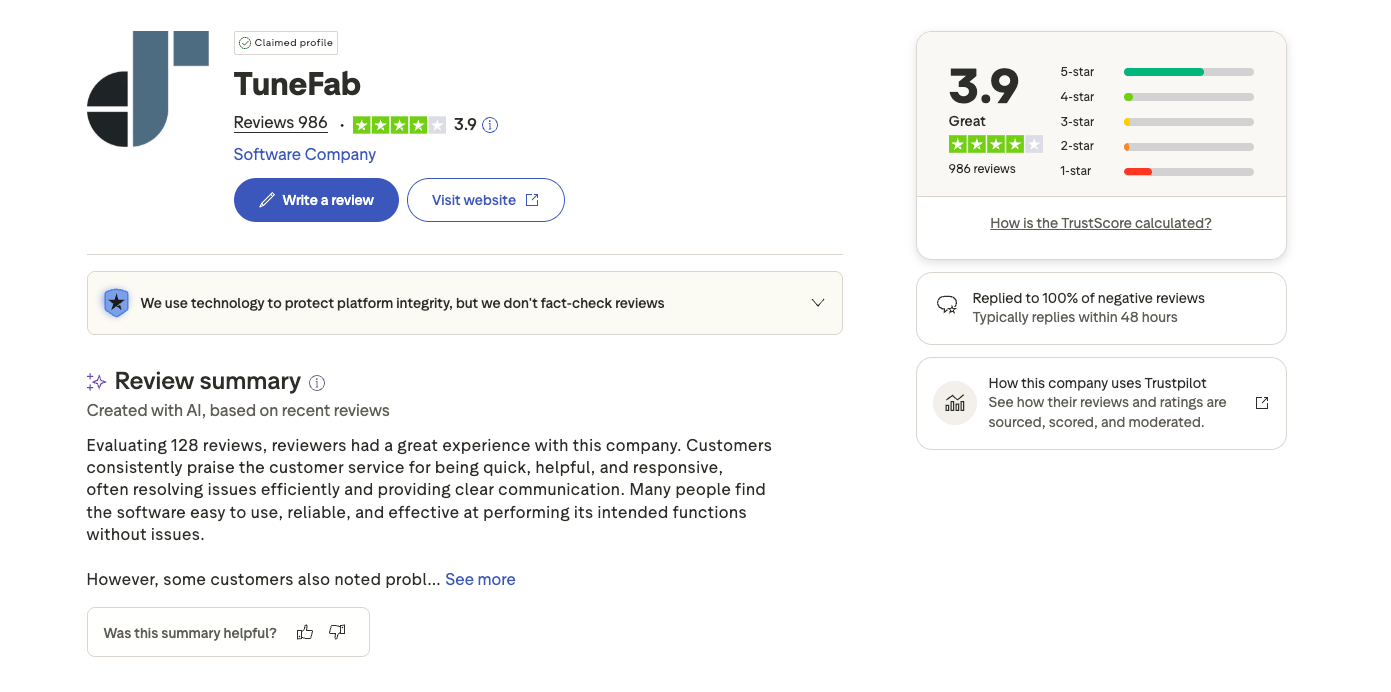
Product names make customer feedback more useful. A complaint about an Apple Music conversion or a Spotify account does not describe a VideOne download. For a video purchase, look for the specific app, service, operating system, and support outcome in the review.
TuneFab vs. StreamFab for Different Workflows
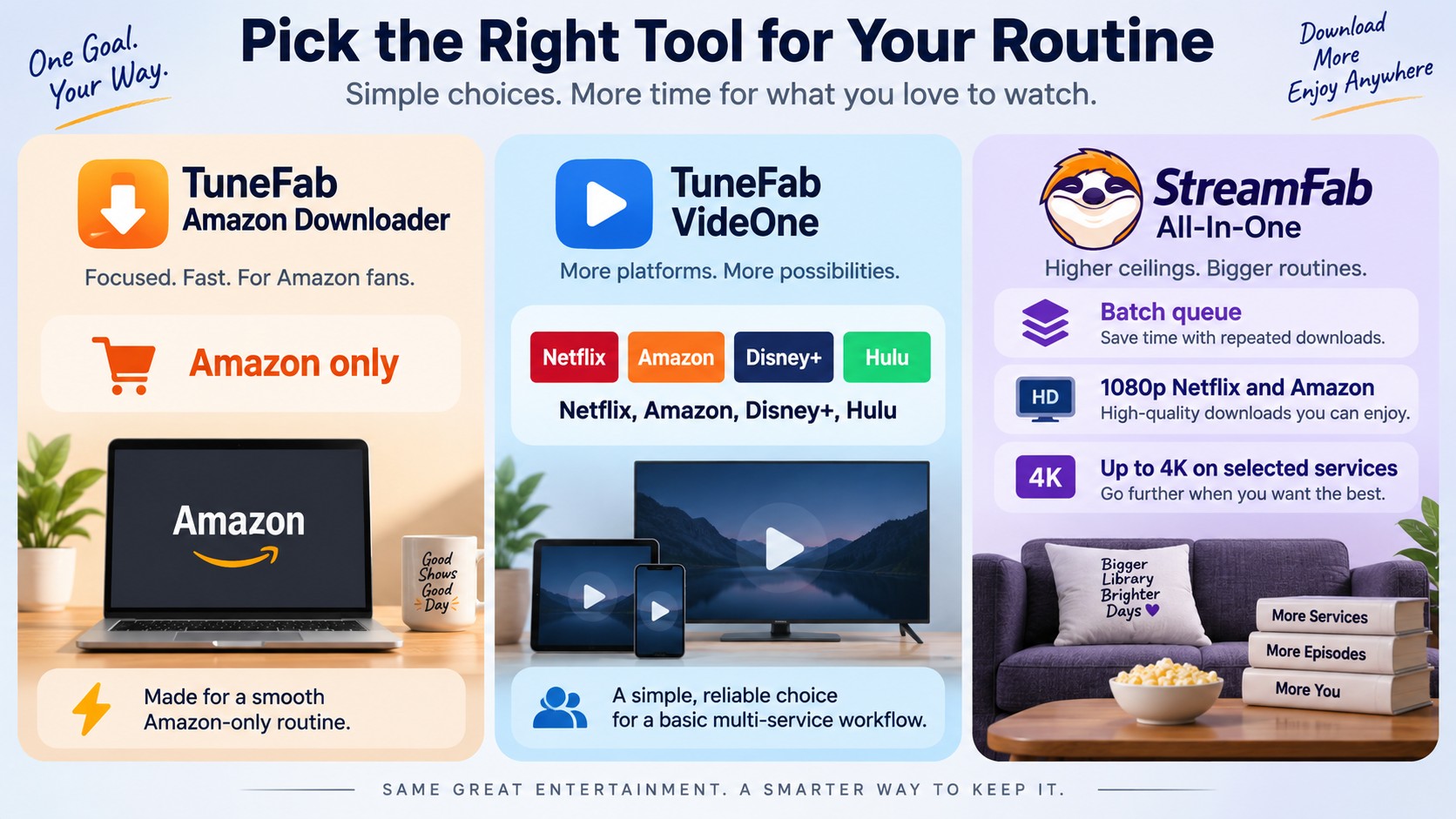
StreamFab is a TuneFab alternative for Windows and Mac. StreamFab All-In-One saves MP4 or MKV files with batch downloading and subtitle selection, a useful fit when you want to manage a queue and play the output in a compatible media player.
StreamFab is a third-party option relative to official streaming-app downloads, for personal offline viewing of content you're authorized to access, where permitted by platform terms and applicable law. Official app downloads remain managed inside their respective apps.
A streaming video downloader comparison helps distinguish a single-service routine from a multi-service desktop queue. For repeated downloads across services, I favor a workflow that keeps format and subtitle choices together with the batch controls.
Feature Comparison
| Product | Service scope | Selection workflow | Output | License structure |
|---|---|---|---|---|
| TuneFab Amazon Video Downloader | Amazon Prime Video | Built-in browser; title or batch | MP4, MKV, MOV; subtitle options | Monthly, annual, lifetime |
| TuneFab VideOne | Multiple streaming services | Built-in browser; title or batch | Video files; subtitle selection | Subscription |
| StreamFab All-In-One | Netflix, Amazon, Disney+, and more | Built-in browser; batch queue | MP4, MKV; external or embedded subtitles | Lifetime available |
StreamFab's platform ceilings include 1080p for Netflix and Amazon, and up to 4K for Disney+, Hulu, HBO Max, Apple TV+, and Paramount+. Your subscription and the title's available stream set the usable quality; the free trial lets you inspect the output for your titles.
StreamFab brings MP4/MKV output, batch controls, and subtitle selection into the same desktop workflow. Start with the free Windows download to set up a queue on your PC.
The free Mac download provides the macOS path. You can compare license options on the StreamFab product page.
TuneFab Pros and Cons
TuneFab's strengths are a built-in browser and a choice between an Amazon-focused product and VideOne. Its trade-off is the need to inspect queue completion and delivered output instead of treating a selected setting as a finished result. Use a small trial queue to assess that workflow.
The Amazon product is best suited to a focused Prime Video routine. A desktop queue is not ideal for phone-only viewing; the streaming app's own offline mode is the simpler starting point there.
Keeping a Downloader Working
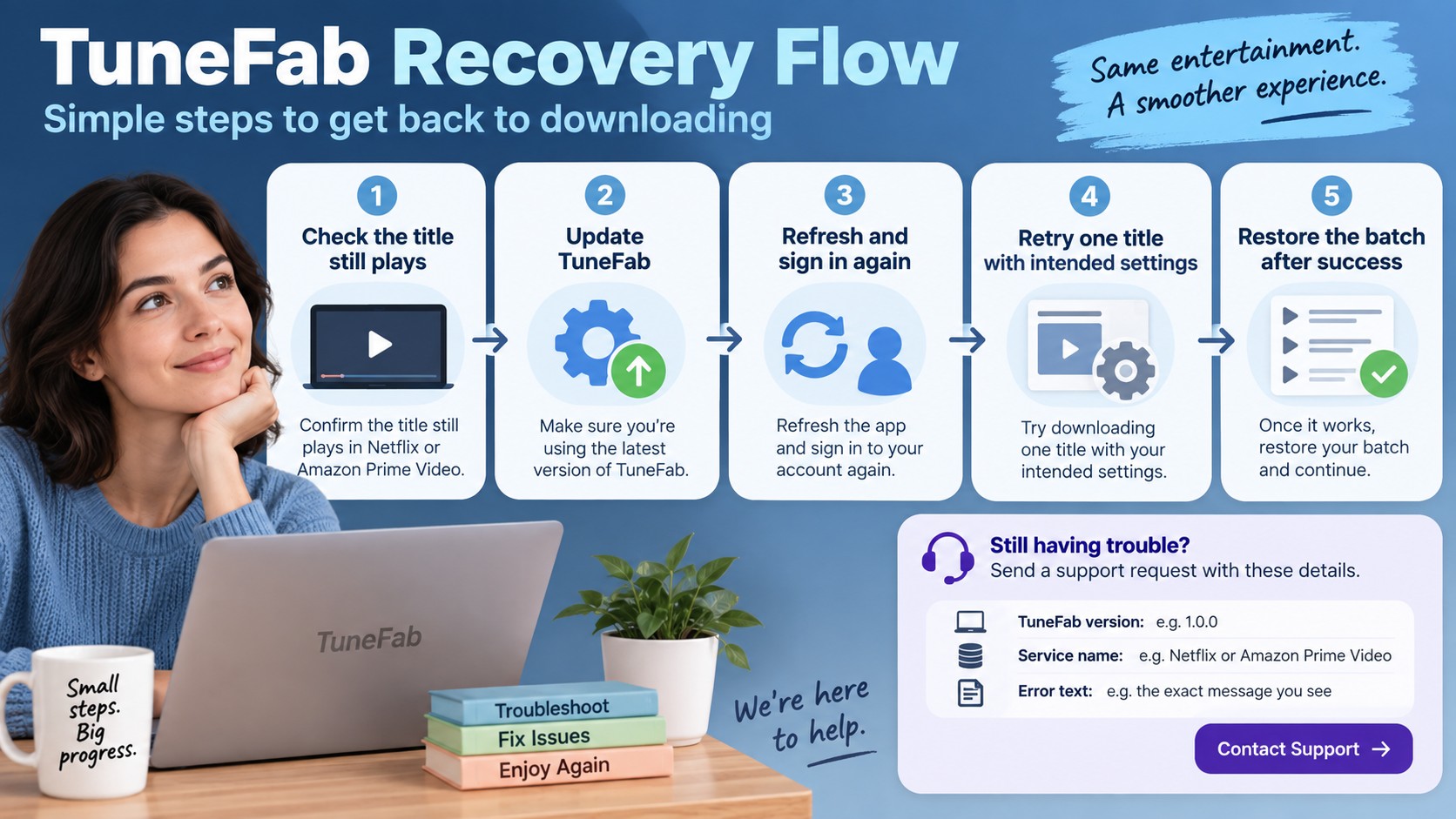
Video downloader maintenance is part of a repeatable desktop workflow. Platform updates can change sign-in or title detection. A controlled retry gives you more information than repeatedly restarting a full season queue.
- Confirm the title still plays in the service under your account. Resolve an expired session or subscription issue first.
- Install the current app update and read its release notes for the affected service.
- Refresh a failed title page, then sign in again if the session has expired.
- Retry one title with the intended output settings before restoring the batch.
- Use the vendor's troubleshooting guide for the displayed error. Retain the app version, service name, and error text for a support request.
I value a repeatable recovery path more than one successful file. It tells you what to do when the next queue fails and keeps a large batch from becoming a series of identical retries.
FAQs
Can TuneFab Video Downloader get my Amazon account suspended?
What's the difference between TuneFab Amazon Downloader and TuneFab VideOne?
Does TuneFab offer a real free trial for video downloads?
What's the best alternative to TuneFab for multi-platform video downloads?
Conclusion
Is TuneFab worth it? Its Amazon product has a clear role in a focused desktop routine. For multi-service queues with format and subtitle controls, StreamFab All-In-One is a practical desktop choice.

Evaluating the Audials One 2026 free trial? I tested its 720p caps, examined if is audials legal under Fair Use
By Erika Leen - Sep 29, 2026
Are you thinking of purchasing NoteBurner and unsure if it’s worth the investment? In this NoteBurner review, let’s delve into its product lines, particularly the NoteBurner Video Downloader’s pros and cons.
By Marcia Hatcher - Sep 28, 2026
Read our in-depth Audials review for 2026. Is Audials safe and legal for Amazon Prime? Discover actual test results, Widevine DRM fixes, and better alternatives.
By Erika Leen - Sep 28, 2026
Experiencing PlayOn Amazon not working issues like black screens, audio sync failures, or Error 201? Discover why 2026 Widevine DRM updates break screen recording and how to fix them for high-quality offline playback.
By Erika Leen - Sep 24, 2026