
How to Download Netflix on a Laptop in 2026: Windows, Mac & Chromebook

Can You Download Netflix on a Laptop?
Netflix laptop downloads depend on the app available for your operating system, not your laptop's storage capacity. Supported Chromebooks can use Netflix's in-app downloads, while current Windows laptops and MacBooks do not show an official Netflix download button. That distinction matters most when you need Netflix offline for travel.
| Laptop type | Official Netflix downloads |
|---|---|
| Chromebook with Google Play | Yes, in the Netflix Android app |
| Windows 10/11 laptop | No, the current app is streaming-focused |
| MacBook / macOS | No official Netflix download app |
For travelers and commuters, a missing Netflix download button can turn a laptop into a streaming-only device at the worst possible time. This guide explains the current Chromebook, Windows, and Mac decision path, including what works officially and what local-file option may fit authorized personal offline viewing.
Why Netflix Downloads Vary by Laptop
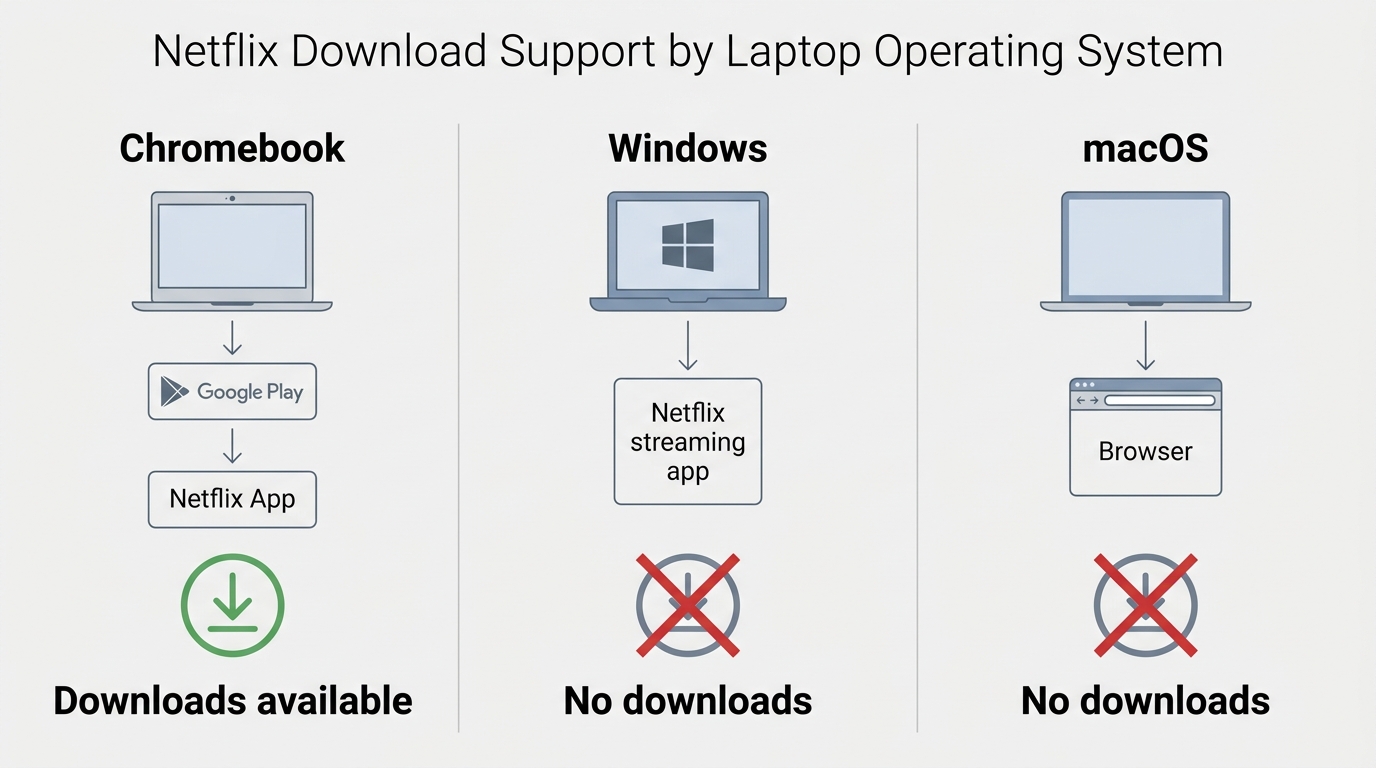
The difference comes down to the Netflix app available on each operating system. A laptop can have plenty of storage, but official downloads require a Netflix app that supports them.

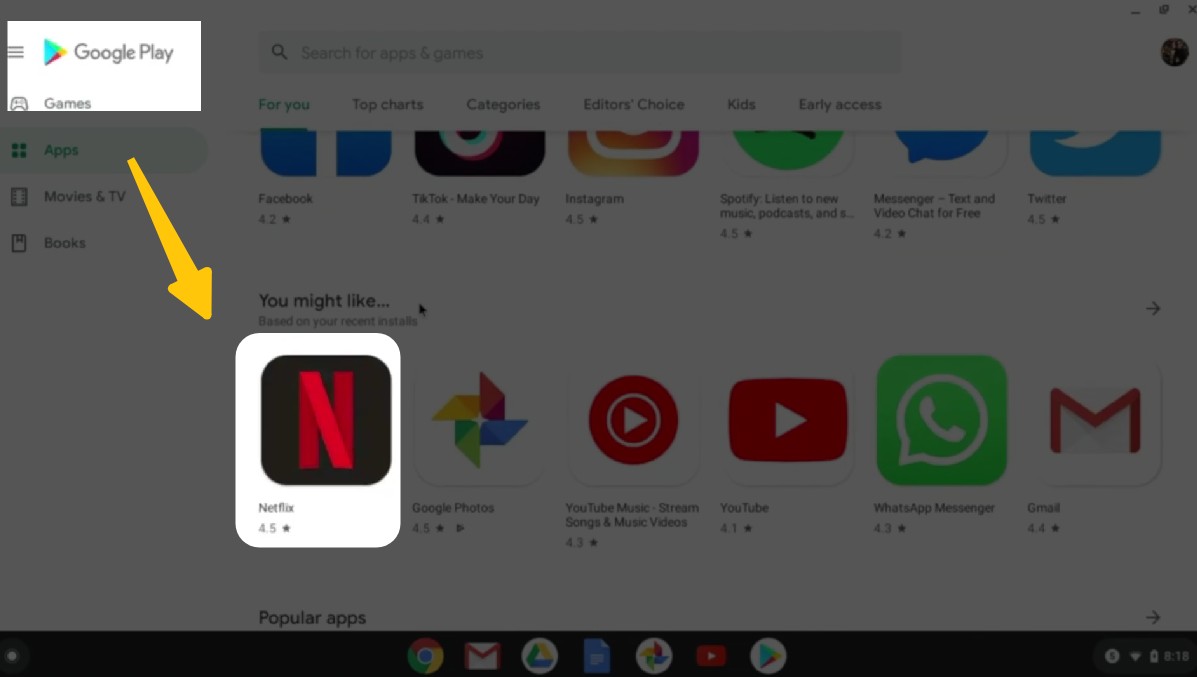
1. Chromebooks With Google Play Downloads
At first glance, it seems strange: Windows and macOS laptops can't download Netflix, but some Chromebooks can. They're all laptops, right?
The key difference: Chromebooks don't run a desktop Netflix app. They run the Android version of Netflix.
Most modern Chromebooks support the Google Play Store, which means the Netflix app running on them is the same Android version you'd use on a phone or tablet. Even though the device looks like a laptop, Netflix treats it as a mobile device — and mobile devices get the download feature.
This is why Chromebook users (with Google Play support) can use Netflix's official app to watch Netflix offline, while Windows and macOS users cannot use Netflix's official in-app downloads.

Older education models or enterprise-managed Chromebooks may not allow Android;
To check if your Chromebook supports Netflix downloads, go to "Settings >> Apps >> Google Play Store"
2. Windows App Is Streaming-Only
The current Netflix experience on Windows is streaming-focused and does not provide official offline downloads. Older instructions for the UWP (Universal Windows Platform) app describe a historical version, not a durable workaround for Netflix downloads on Windows.
Here's a comparison of the old Windows app vs. the current one:
| Windows app generation | Download status | Current relevance |
|---|---|---|
| Older UWP app | Previously supported downloads | Historical only |
| Current Windows app | No official downloads | Streaming-focused |
For Windows users, the practical conclusion is simple: official download availability depends on the app, not on the laptop itself.
3. MacBooks Lack Official Downloads
Netflix does not provide a macOS app with official offline downloads. If you need laptop playback for a trip, the practical question is not how to install Netflix on a MacBook, but which Netflix movie download option for MacBook fits your authorized viewing needs.
Working Netflix Download Options by Laptop
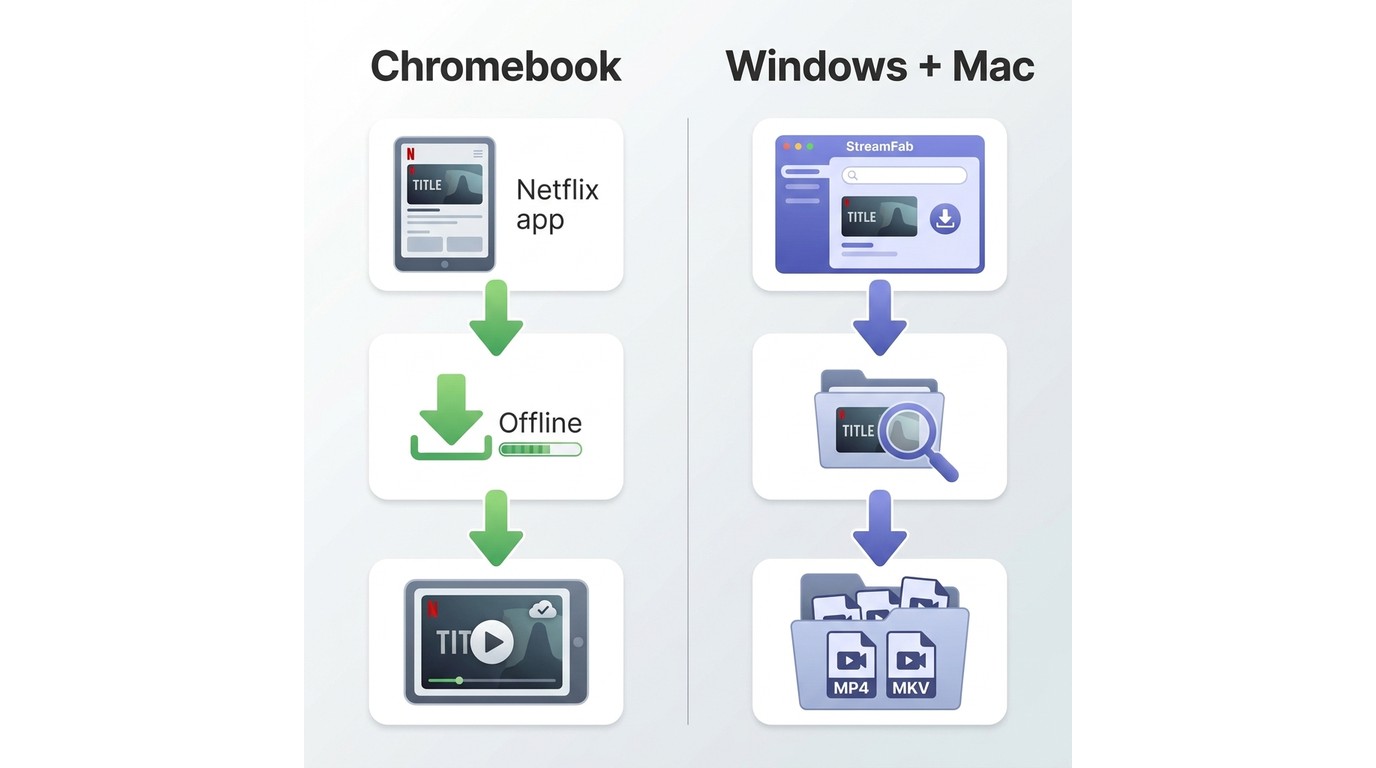
There are two distinct laptop workflows: official in-app downloads on supported Chromebooks, and a local-file workflow for authorized personal offline viewing on Windows and Mac.

Choose the workflow based on your laptop's official Netflix app support and the kind of offline playback you need.
1. Official Downloads on Supported Chromebooks
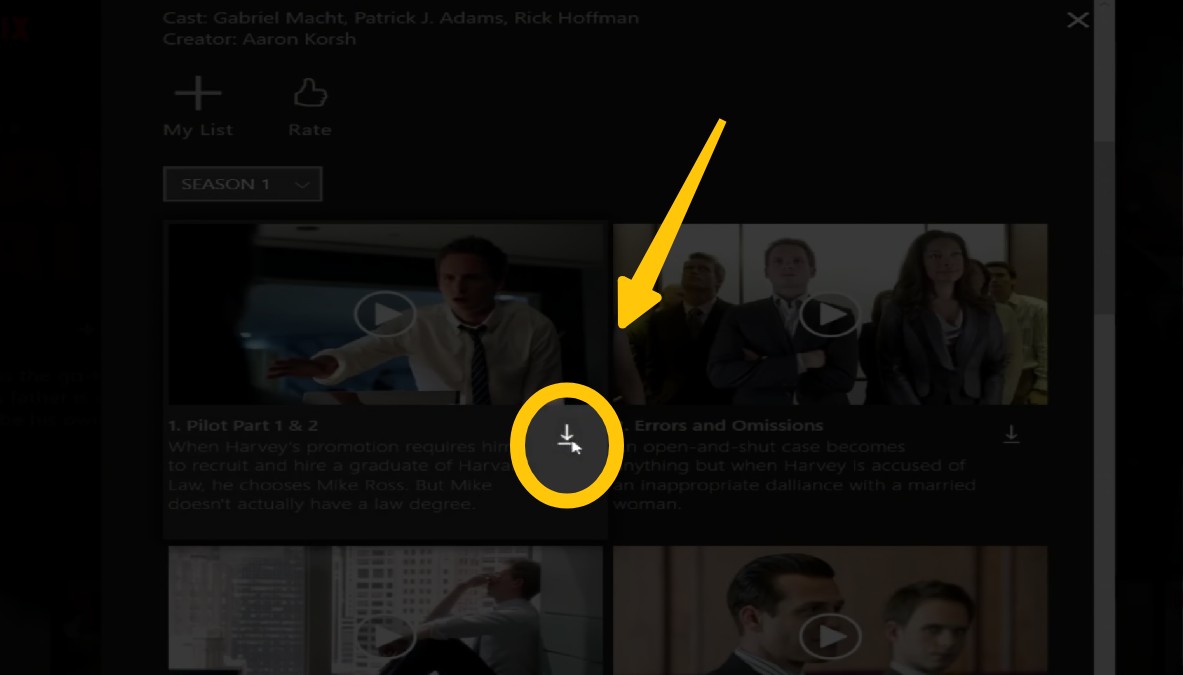
Before downloading, look for the Download icon on a title or browse the Netflix app's downloadable-titles area. Licensing can make individual movies or episodes unavailable even on a supported device.
If your Chromebook supports the Google Play Store, the Netflix Android app can download eligible movies and series for in-app offline viewing. This route is best for readers who already own a compatible Chromebook and are comfortable with app-managed storage and title-specific limits.
2. A Local-File Option for Windows and Mac
For content you're authorized to access, where permitted by platform terms and applicable law, StreamFab Netflix Downloader is a desktop local-file option for personal offline viewing on Windows and Mac. It uses screen-recording technology to create the local file. It is separate from Netflix's official Chromebook download feature and is not intended for redistribution.
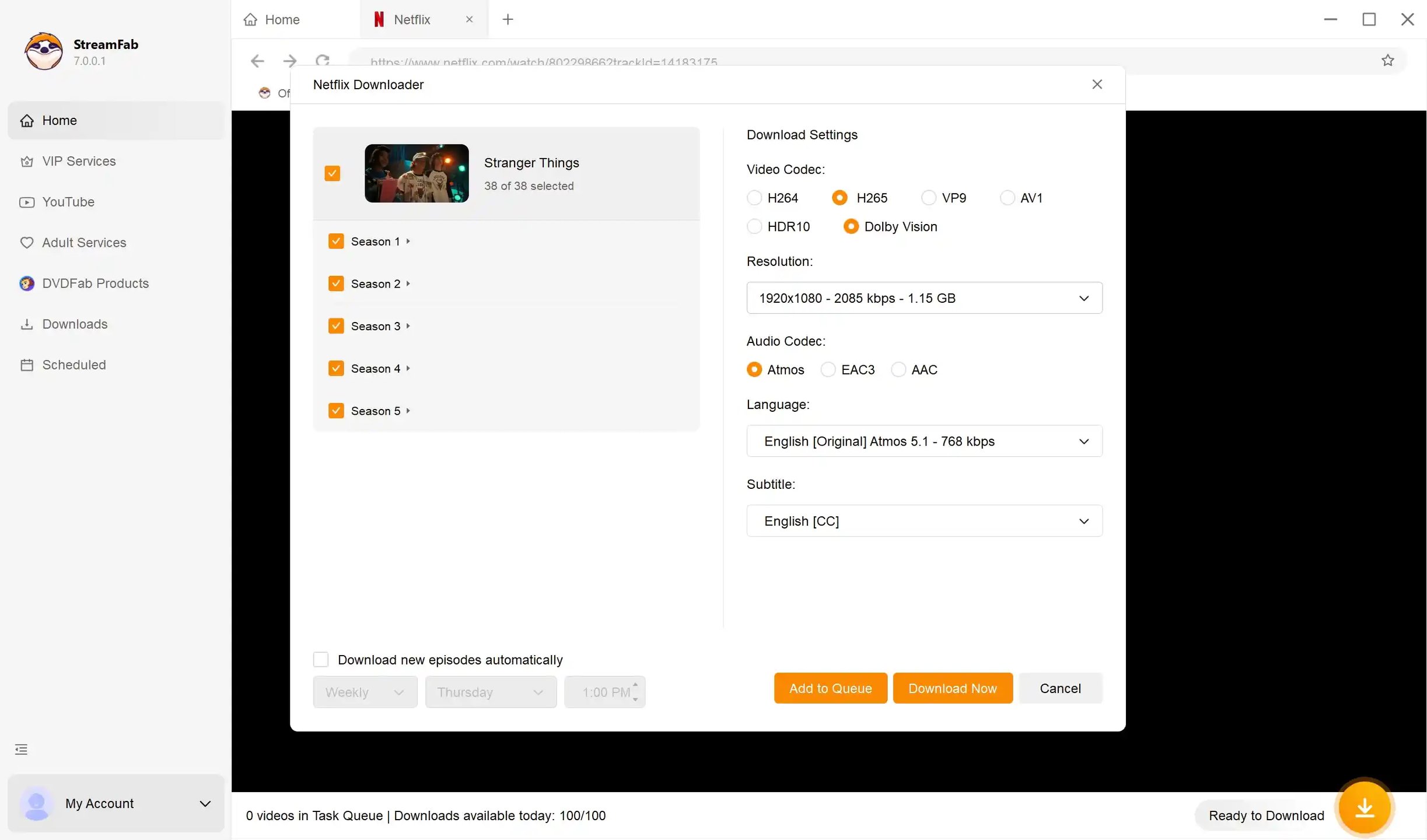
StreamFab Netflix Downloader supports Netflix output up to 1080p in MP4 or MKV, with available multi-channel audio, subtitle choices, and batch or scheduled downloads. It suits Windows and Mac travelers who need a local-file workflow, but not readers looking for a free official Netflix app or a mobile-only option.
Readers comparing desktop Netflix video downloader options should weigh file format, subtitle needs, and their intended personal viewing setup.
Runs smoothly on Windows and Mac, with consistently reliable Netflix video downloads in 1080p resolution with HDR10, Dolby Vision, and Dolby Atmos audio support.
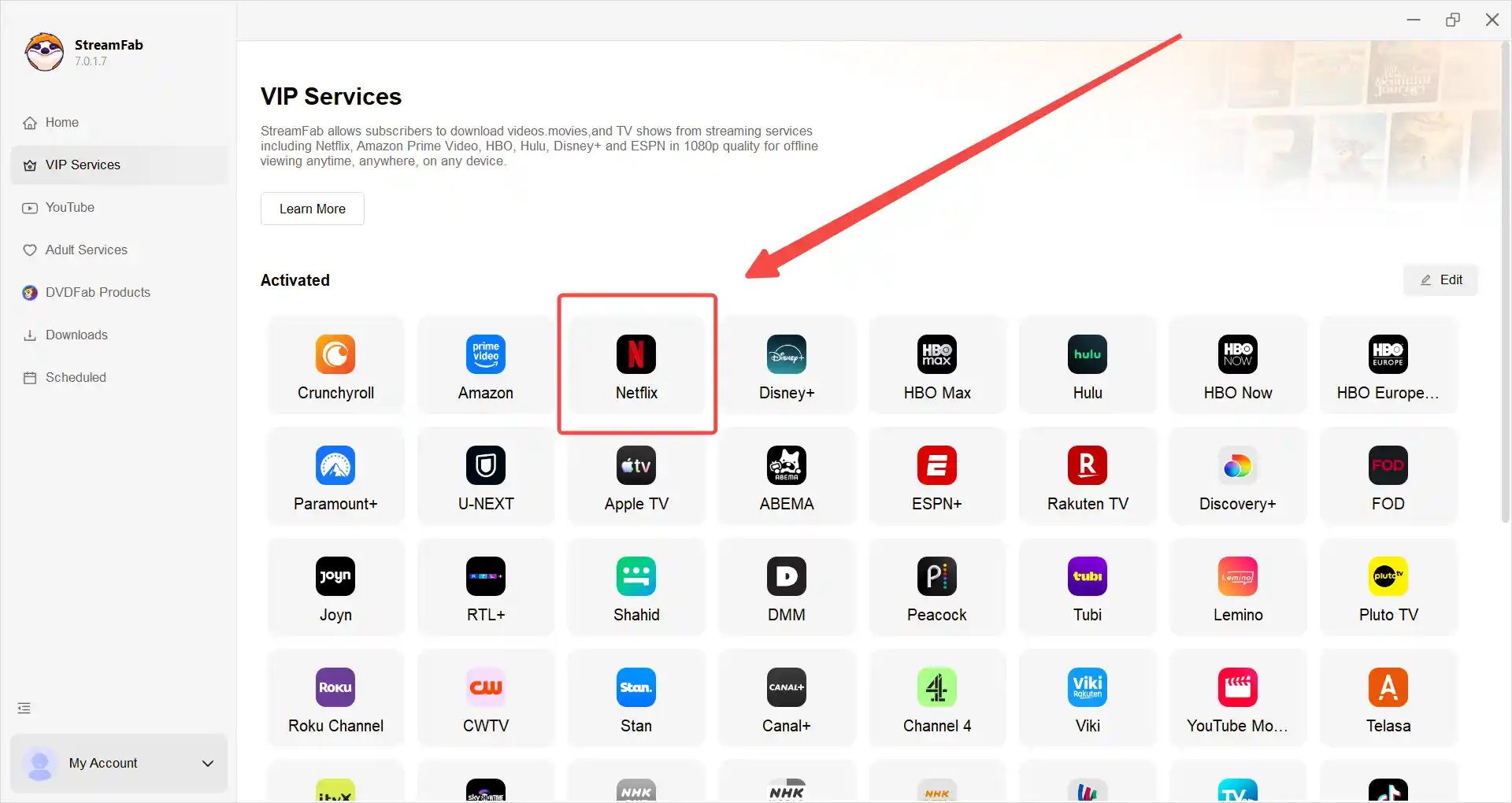
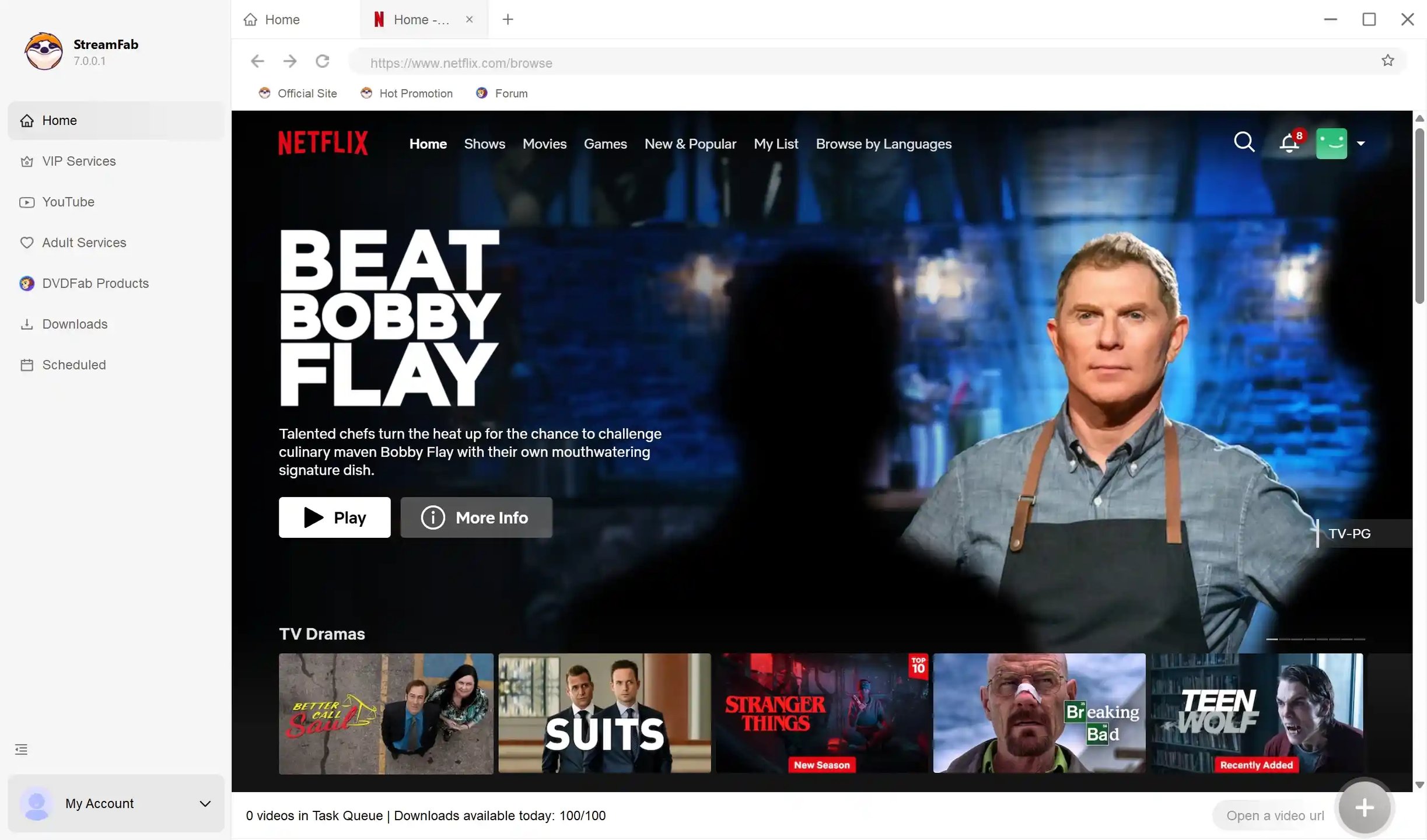
The workflow begins by signing in with an active Netflix subscription, selecting an eligible title, and choosing the available file settings before saving it for personal offline viewing.
Personal-use reminder
Use local files only for content you are authorized to access, where permitted by platform terms and applicable law. Do not redistribute files.
3. Official Downloads vs. a Local-File Workflow
These options solve different laptop problems: Chromebook downloads stay within Netflix's app, while the Windows and Mac workflow creates a local file for authorized personal offline viewing.
| Consideration | Official Chromebook downloads | StreamFab local-file workflow |
|---|---|---|
| Laptop availability | Chromebook with Google Play | Windows and Mac |
| Storage and playback | Managed in Netflix app | Local MP4 or MKV file |
| Video Quality | Depends on Netflix app and plan | Up to 1080p |
| Audio and subtitles | Netflix app options | Available audio and subtitle choices |
| Best fit | Official in-app viewing | Authorized personal offline playback |
If you already have a supported Chromebook, the official Netflix app is the simpler choice. For Windows and Mac, a local-file workflow makes more sense when authorized offline playback and file format options matter more than using Netflix's in-app download system.
Netflix Download Limits and Expiration
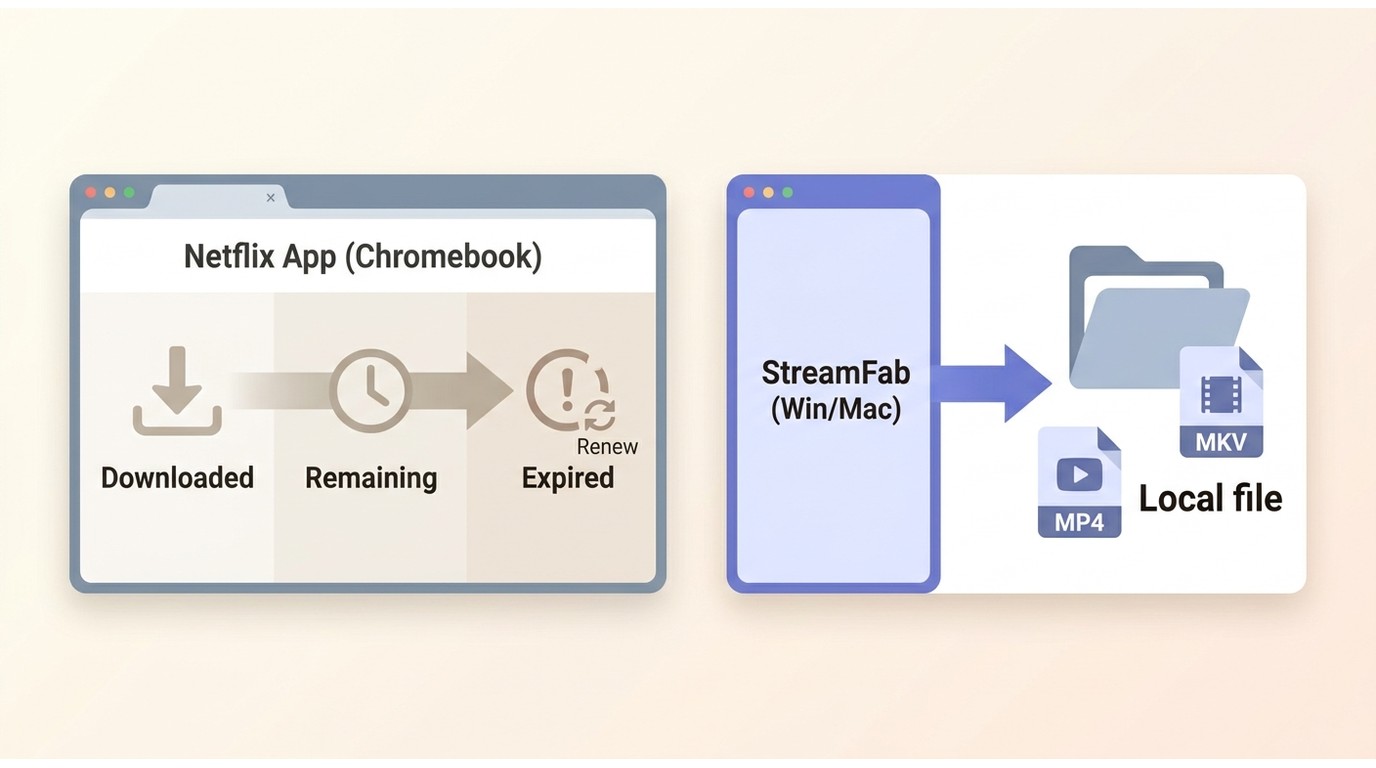
Netflix's official in-app download rules apply to supported Chromebook downloads. Netflix download limits, expiration, and renewal can vary by title and licensing.
| Official download factor | What to expect |
|---|---|
| Title availability | Licensing may limit downloads |
| Expiration timer | Shown in the Netflix app |
| Renewal | May vary by title and license |
| Device eligibility | Requires a supported Netflix app |
For official downloads, follow the time remaining shown in the Netflix app. Licensing can affect when a title expires and whether it can be renewed; see how long Netflix downloads last for the title-specific details.
Chromebook downloads remain inside Netflix's app. A local-file workflow on Windows or Mac uses MP4 or MKV files for authorized personal offline viewing, subject to the applicable service terms and law.
FAQs
Choosing the Right Laptop Workflow
The deciding factor is the Netflix app available for your operating system, not the amount of storage on your laptop.
For official downloads: choose a Chromebook that supports Google Play and use the Netflix Android app for eligible titles.
For Windows or Mac: a desktop local-file workflow can fit authorized personal offline viewing.
My practical rule is straightforward: use Netflix's in-app workflow when you already have a supported Chromebook, or choose a local-file option when Windows or Mac offline playback and file-format flexibility are the priority.
Update Log
As of August 2026, supported Chromebooks can use Netflix's official in-app downloads, while current Windows laptops and MacBooks do not provide official Netflix downloads.
- Official download availability depends on the Netflix app available for the laptop operating system.
- Netflix download expiration and renewal can vary by title and licensing.
- StreamFab Netflix Downloader supports Windows and macOS local-file workflows with Netflix output up to 1080p.

Protected Netflix video can appear black in Discord screen shares. Set up a synchronized watch party with Teleparty and use Discord for voice chat, with eligible access for each participant. Learn how personal offline playback differs and how to troubleshoot ordinary, unprotected screen sharing.
By Nicole Lopez - Sep 28, 2026
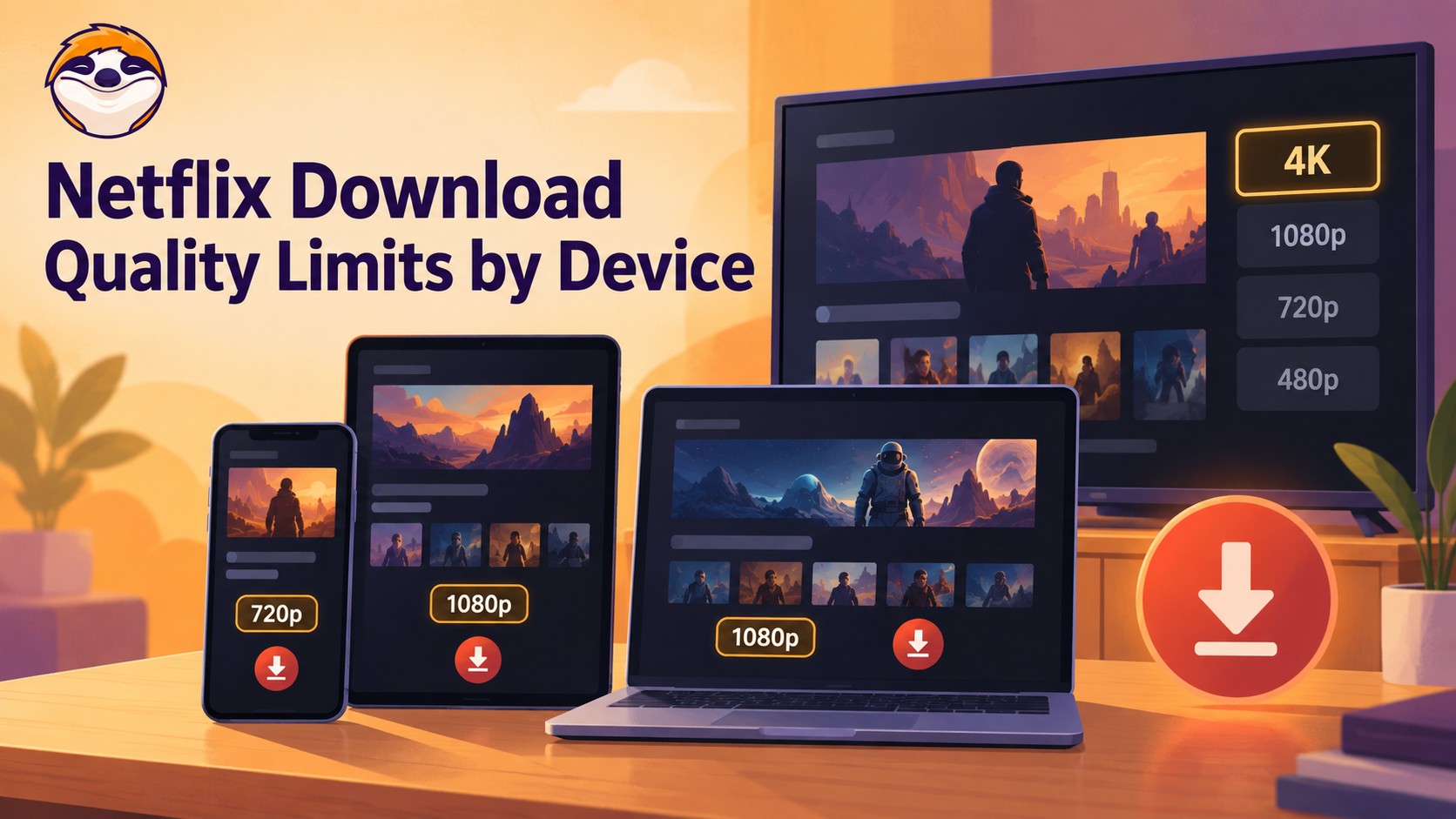
Netflix streams eligible titles in 4K, but official offline downloads stop at up to 1080p and are unavailable on Windows and Mac. Compare supported devices, check title eligibility, and understand how app-managed downloads differ from local MP4 or MKV files for personal offline viewing.
By Jacob Harrison - Sep 24, 2026
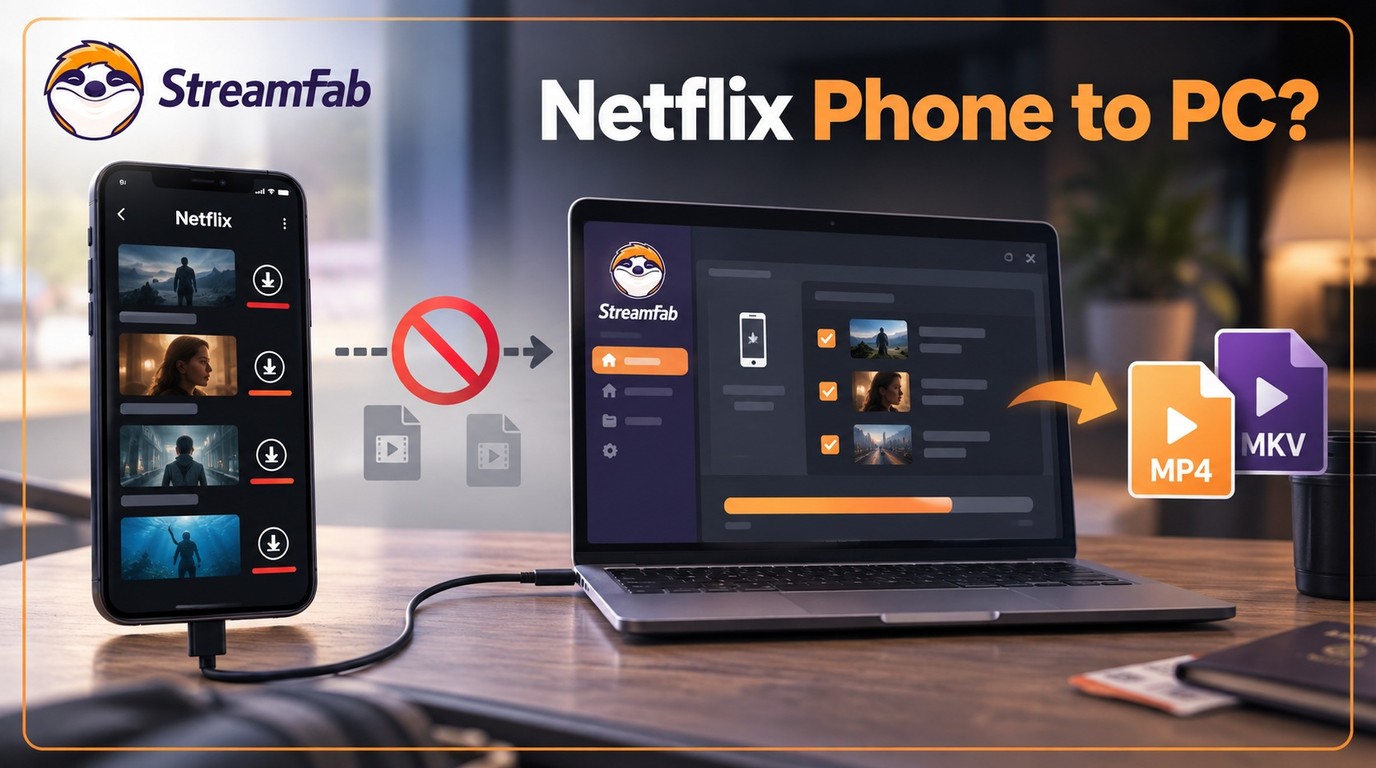
Can I transfer Netflix downloads from phone to computer? No direct method exists due to strict DRM, but you can convert them to MP4 for permanent cross-device offline viewing.
By Jacob Harrison - Sep 16, 2026
Netflix does not provide a native download path for macOS, but Mac users still have practical offline routes. This guide compares official iPhone and iPad downloads, cloud recording, and a desktop MP4/MKV workflow, with device requirements, measured StreamFab results, BlueStacks caveats, and troubleshooting steps.
By Marcia Hatcher - Sep 3, 2026