
Is Philo Free With Amazon Prime? Plans and Fire TV Explained

Summary: This guide provides detailed infomation about is philo free with amazon prime video, including recent pricing updates, subscription details, and how to use Philo via Amazon Prime.
Table of Contents
What Philo Is and Where Amazon Fits
If you searched whether Philo is free with Amazon Prime, you probably ran into the same tangle I did: Prime membership, Prime Video Channels, the Fire TV app, and Amazon app-store billing all wear similar labels but mean different things. Short answer first, then the price and offline pieces below.
Philo is a standalone subscription service with 70+ live entertainment channels and a large on-demand catalog, and it runs in web browsers, on phones, on smart TVs, and on Amazon Fire TV. For light viewers who only want entertainment channels and don't need local broadcast networks, Philo's pricing is honestly reasonable — the confusion is purely on Amazon's ecosystem labeling side.
Amazon Prime Video is a separate service with its own included catalog for Prime members. It does host some third-party add-ons as Prime Video Channels — and if you use those, you can download Channel videos on Amazon Prime through the Prime Video app — but Philo is not one of them. That distinction is where most of the confusion starts.
Philo Is Not Free With Amazon Prime
No — Philo is not included with Amazon Prime. Prime membership covers Prime Video's own catalog and Amazon's shipping and reading perks. Philo is a separate service you pay for on its own, and it is not sold as a Prime Video Channel.
Where people get tripped up: Philo has a standalone app on Fire TV, so it shows up inside your Amazon device experience. In some flows, an app subscription can also be billed through Amazon's app store. Neither of those makes Philo part of Prime — the catalog access and the billing route are two different questions.
Prime, Fire TV, and Amazon Billing Compared
Four labels, four different answers. This is the matrix I wish someone had handed me when I first tried to sort out the Philo–Amazon relationship:
- Included with Amazon Prime: No.
- Available as a Prime Video Channel: No — Philo is not sold inside Prime Video Channels.
- Standalone Philo app on Fire TV: Yes.
- Amazon app-store billing possible: Yes, in supported flows — the charge shows up on your Amazon account rather than directly on Philo.
Philo Plans, Prices, and Free Options
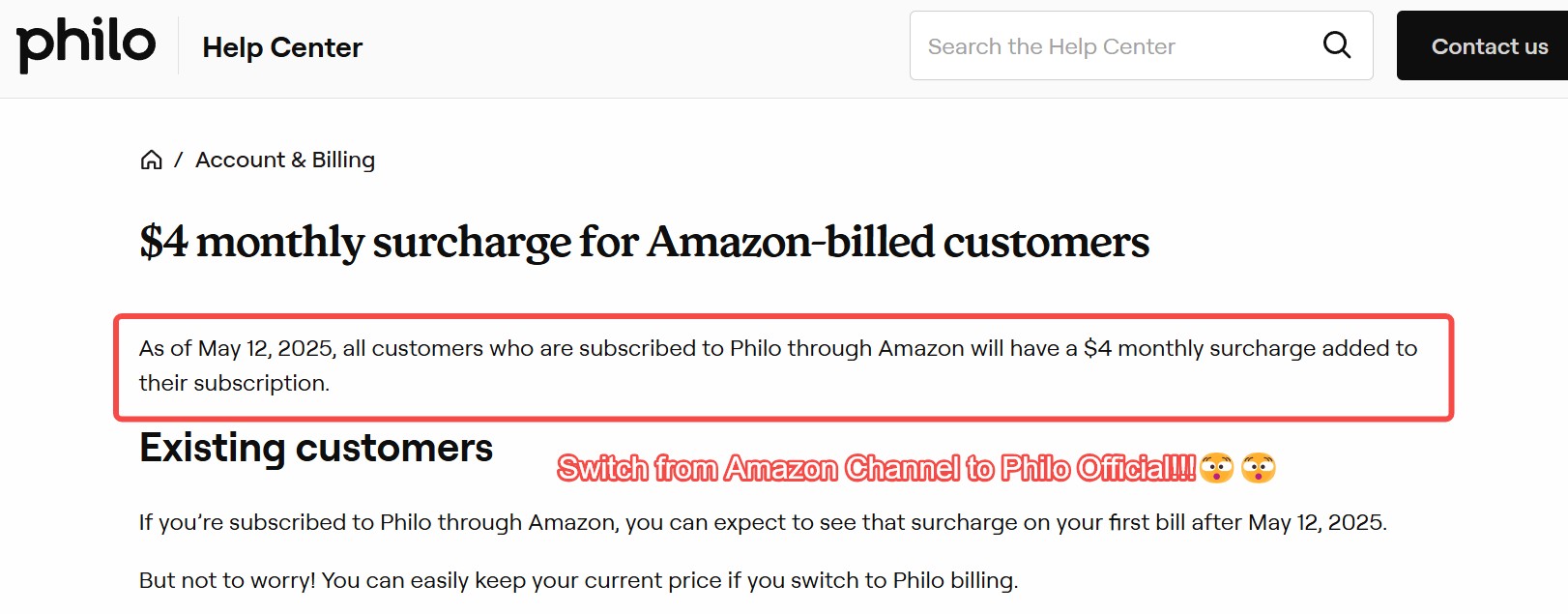
Philo restructured its lineup, so the old single-plan story is outdated. As of August 2026, here's the current shape (none of these are included with Prime):
| Plan | Monthly Price (as of August 2026) | Best For |
|---|---|---|
| Free Channels | $0 | Ad-supported sampler — no Prime membership needed |
| Essential | $25 | 70+ live channels + on-demand; 7-day trial for eligible new subscribers |
| Bundle+ | $33 | Essential lineup plus added premium content |
| Included with Amazon Prime | No — on any tier | Prime membership does not cover Philo |
Philo on Fire TV and Smart TVs
On Fire TV, Philo lives as a standalone app — you install it from the Amazon Appstore and sign in with your Philo account. It is not a Prime Video Channel, so you won't find it inside the Prime Video app's channel list.
One practical friction worth flagging: Amazon's universal guide integration doesn't always mirror what you get by opening the Philo app directly. Some users report live TV entries not launching correctly from the Fire TV guide. If Philo behaves oddly from the system guide, open the Philo app first — that's the path I'd default to on Fire TV, and it sidesteps most of the reported quirks.
Philo DVR Is Not an Offline Download
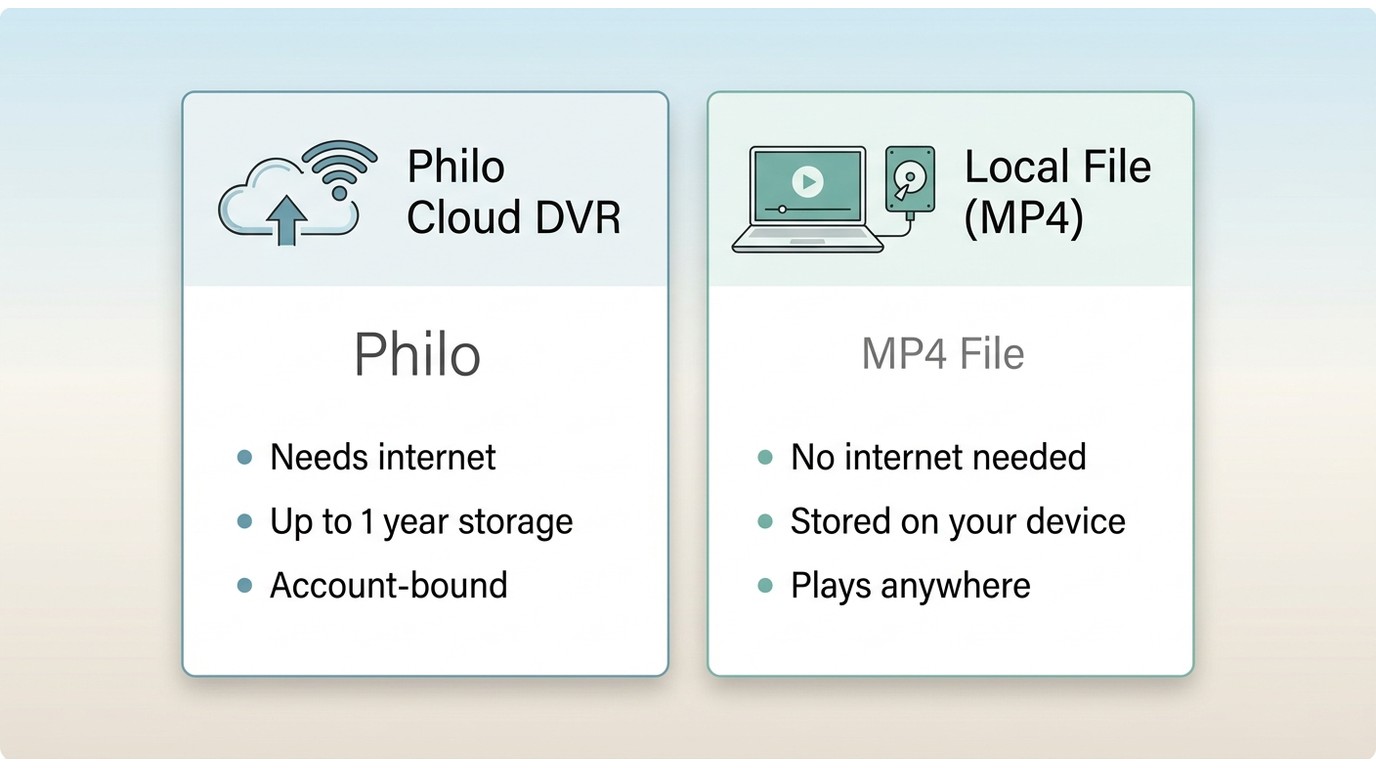
Here's the honest starting point: Philo does not offer native offline downloads. Its cloud DVR lets you record shows and rewatch them for up to a year, but those recordings are still streamed from your account and need an internet connection to play. If you thought DVR meant a file on your device, that's the mismatch worth clearing up before anything else.
- Cloud DVR: account-bound, streamed on playback, needs internet. Great for routine time-shifting inside the Philo app.
- Local file on a computer: plays without internet, lives on your own drive. Useful for flights, commutes, or spotty Wi-Fi. Not something Philo itself provides.
When a Local-File Workflow Fits
For content you're authorized to access, where permitted by platform terms and applicable law, a desktop tool can save a local copy for personal offline viewing. This route makes sense if you regularly watch on planes or unstable connections; it's overkill if you only need to catch up at home, where the DVR handles it.
Save Authorized Titles With StreamFab
StreamFab is a desktop app for Windows and Mac that saves a local MP4 or MKV of authorized content, keeping the original multichannel audio track instead of downmixing it — which is the part that actually matters when you're watching later on a decent set of speakers rather than airplane earbuds. Output quality is subject to the source and your plan.

Download Philo movies or shows from Amazon Prime channels in 1080p or from Philo official website without quality loss and save as compatible MP4 format files.
- Save authorized Philo content to a local file for personal offline viewing on Windows or Mac.
- Output up to 1080p with EAC3 5.1 or AAC 2.0 audio preserved from the source.
- H.264 or H.265 encoding to balance quality against disk space.
- MP4 or MKV output — plays in standard media players without a dedicated client.
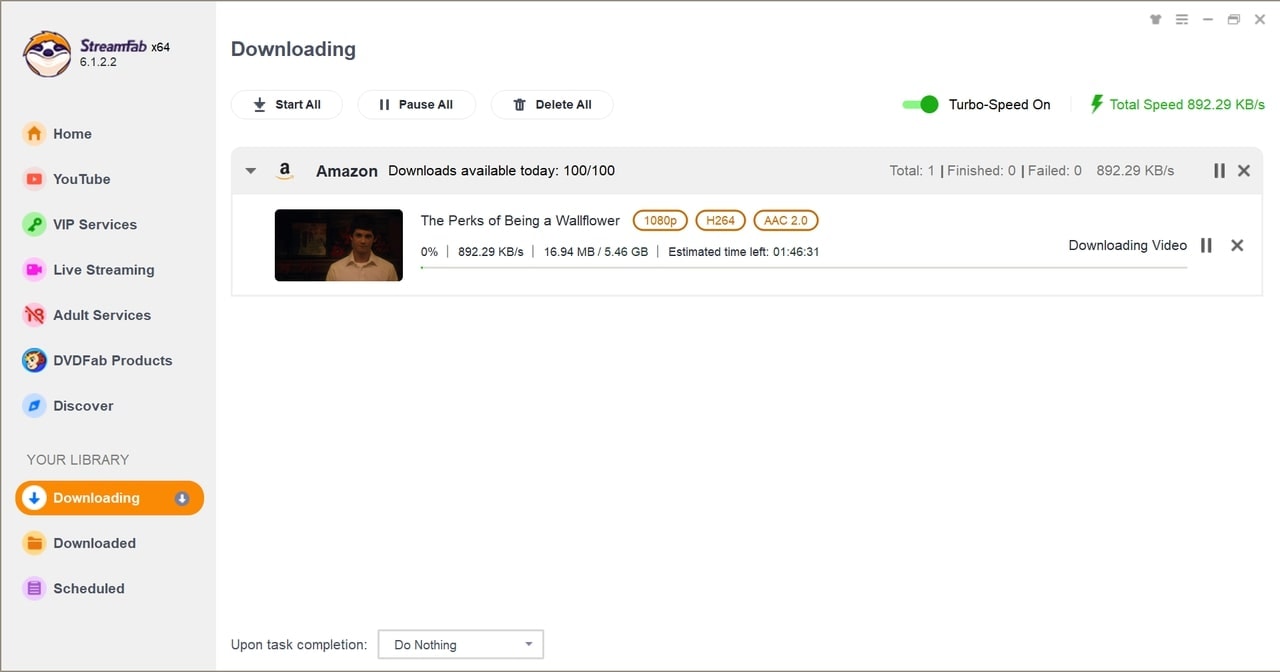
- Batch and scheduled downloads for handling multiple episodes in one queue.
How to Use StreamFab for Philo
Step 1: Launch StreamFab, open the VIP Services panel on the left, and either pick Philo from the site list or paste the Philo URL into the search bar. Sign in with your own Philo account and open the title you're authorized to watch.
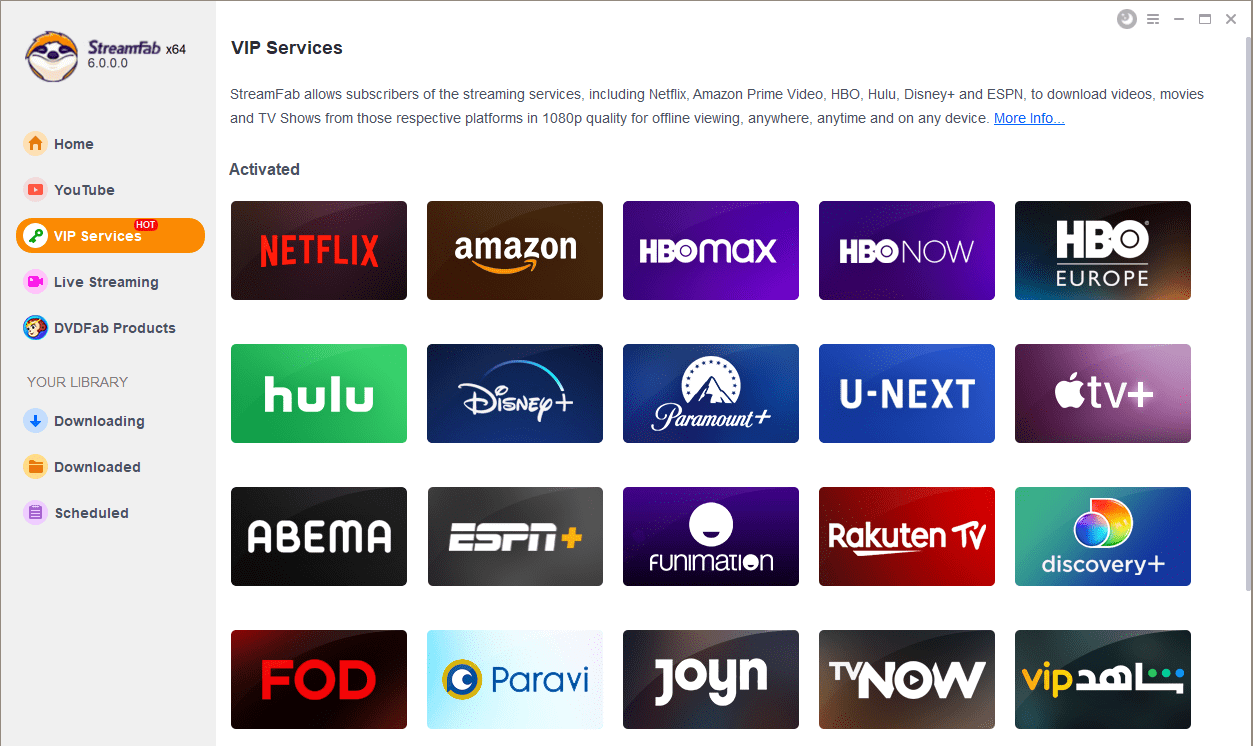
Step 2: Play the title. StreamFab analyzes the stream and opens a settings dialog where you pick the format (MP4 or MKV), resolution, and audio track.
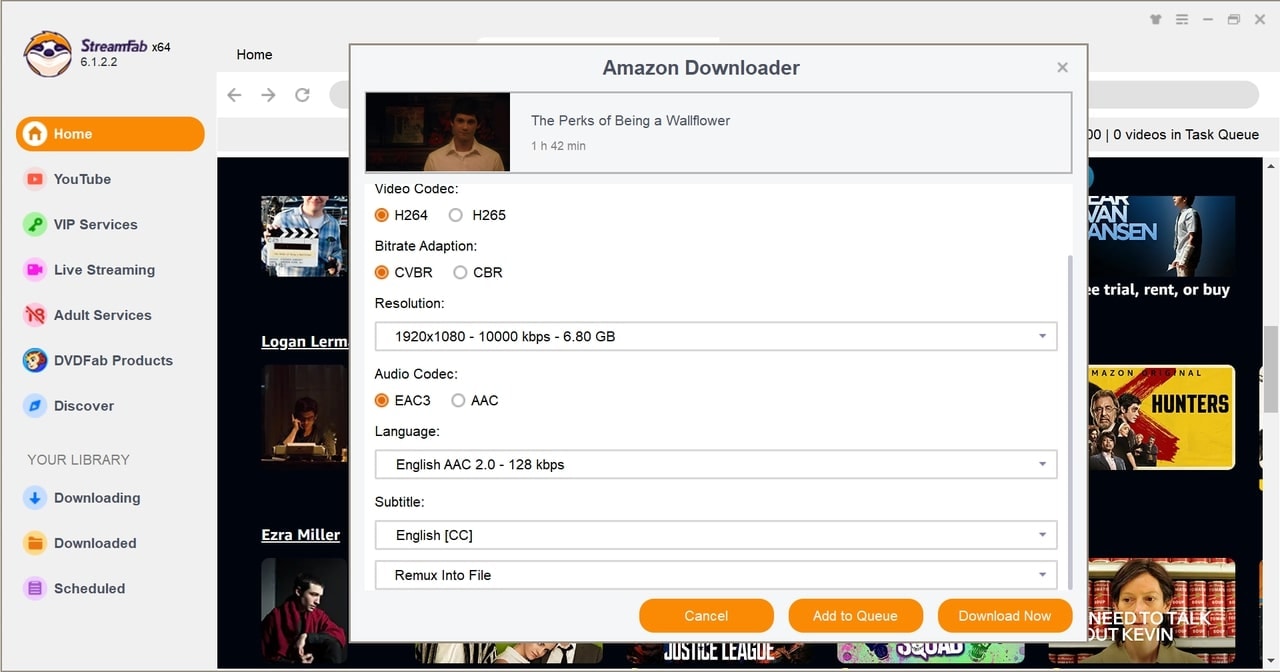
Step 3: Choose Download Now to start immediately or send it to the Download queue to batch several episodes overnight.
Frequently Asked Questions
Conclusion
Amazon Prime doesn't include Philo — you pay for Philo separately regardless of which billing route you pick. What actually changes your experience is the tier and the offline question, not the Amazon label.
My take after sorting through the labels: if your viewing sits squarely in entertainment channels and you don't rely on local broadcast networks, Essential at $25/month is one of the more honestly priced live-TV options on the market right now. Free Channels is worth turning on just to see the sampler catalog. And if you routinely watch on planes or shaky Wi-Fi, pair the subscription with a desktop local-file workflow — the cloud DVR handles home use, but it won't help you offline.

Learn how to fix Amazon Prime Video offline playback errors in 2026. Discover official download rules, device limits, DRM handshake issues for a stable offline experience.
By Jacob Harrison - Sep 28, 2026

Choose among ten Prime Video movie picks, from documentaries and courtroom drama to action comedy and science fiction. Compare access labels and named rating signals, then match a film to your mood. The guide also explains membership offers, catalog changes, and personal offline-viewing options.
By Nicole Lopez - Sep 24, 2026
Running into Error Code 0.6 on Prime Video can ruin movie night, but it’s usually fixable. This guide walks through quick checks, explains the cause, and shares device-specific fixes.
By Nicole Lopez - Sep 23, 2026
Yes, you can directly download Amazon Prime video on Mac through the official macOS app (subject to a strict 30-day limit) or utilize third-party downloders to export permanent local MP4 files. Explore my 2026 technical tests to avoid blackout restrictions.
By Erika Leen - Aug 26, 2026