
Kigo Disney Plus Downloader Review: 720p Cap vs 4K (2026)

Summary: Disney+'s official downloads work inside supported mobile apps, but their viewing window and app-bound storage push some subscribers to search for a desktop way to download Disney Plus movies. This Disney Plus downloader review weighs Kigo's 720p limit against a Disney Plus 4K downloader route, then gives a clear purchase verdict.
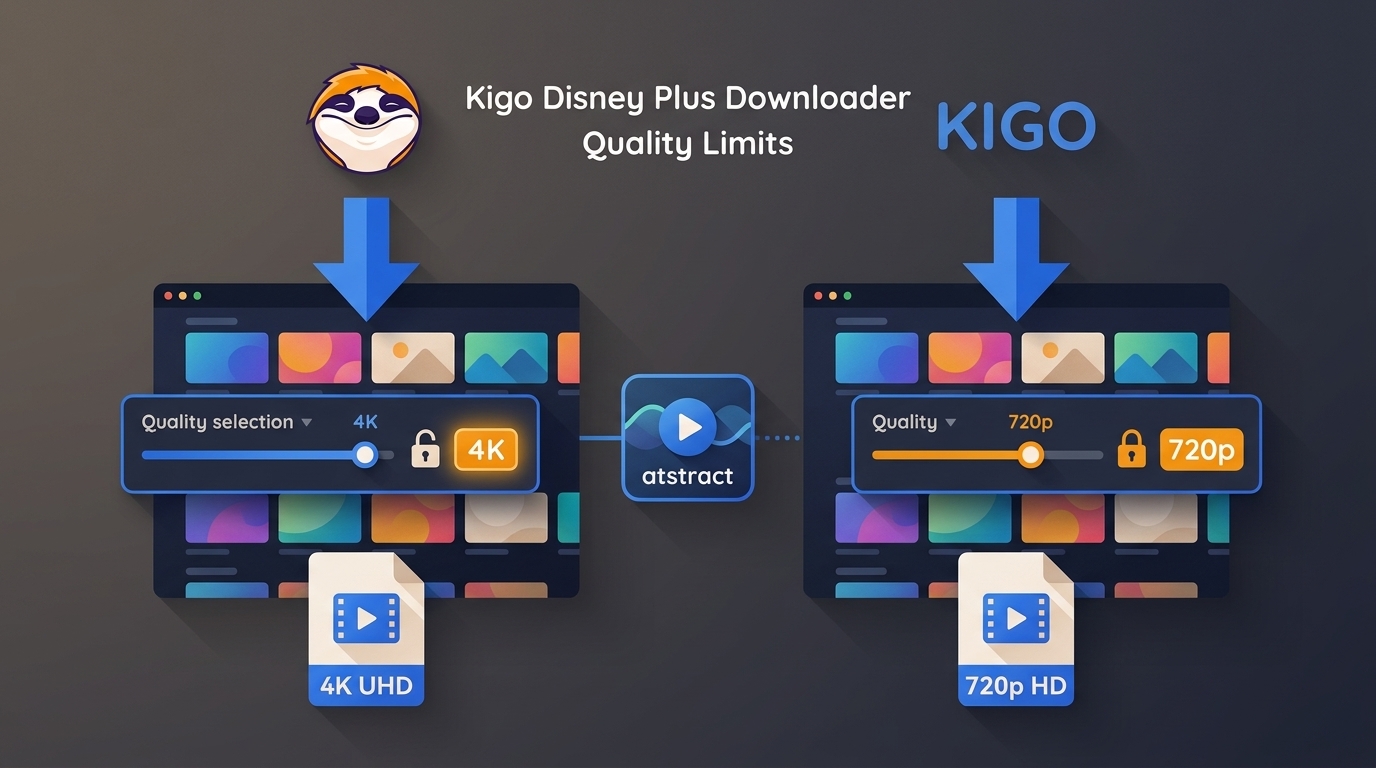
Table of Contents
The quick takeaway: Kigo is workable for EN/JP accounts that need straightforward MP4 or MKV files, but the account-region lock, lack of movie batch download, and 720p ceiling make it a narrow fit.
Read the copyright and usage guidelines before saving authorized content for personal offline viewing.
What Is Kigo Disney Plus Downloader?
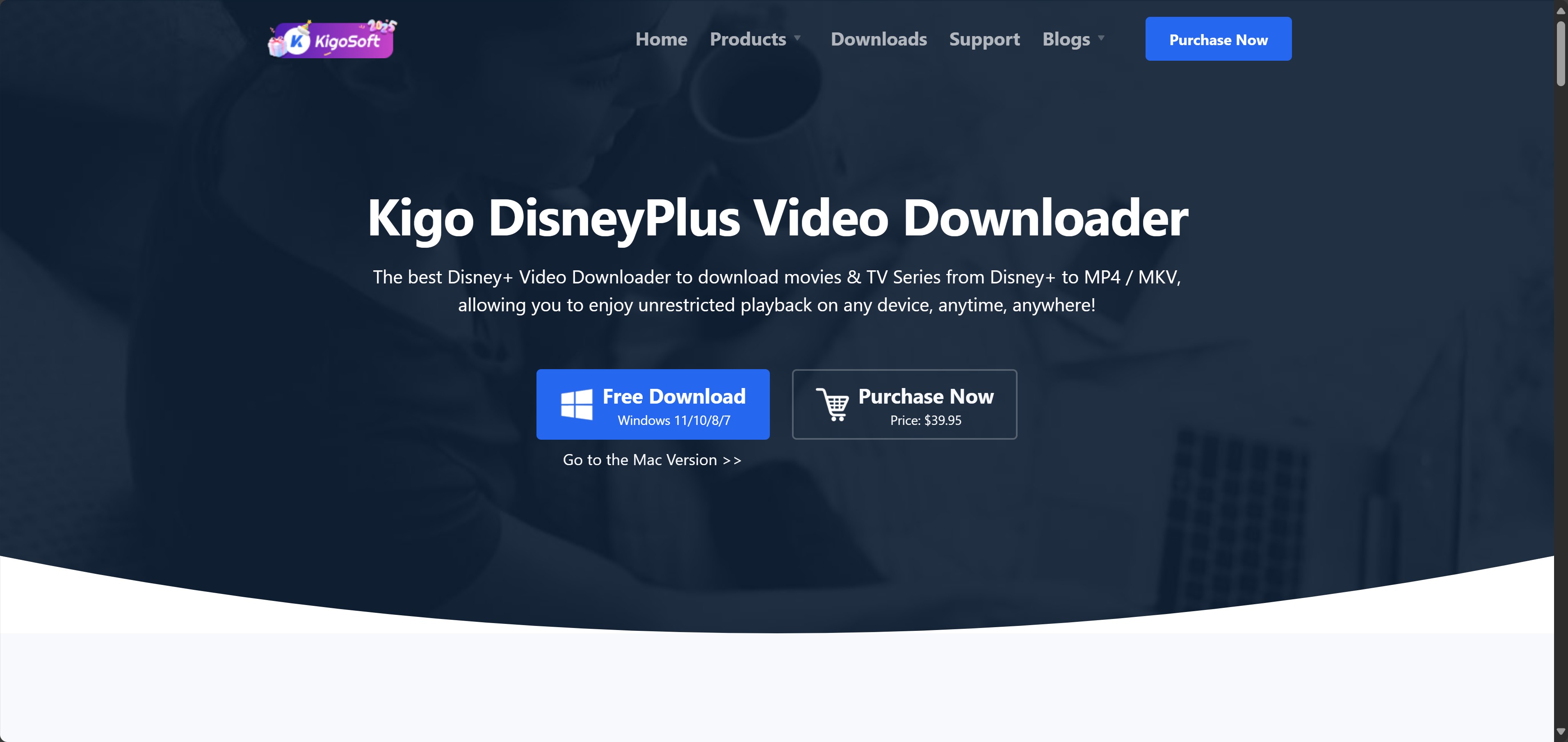
Kigo Disney Plus Downloader is a Windows and Mac desktop app for saving Disney+ titles as local MP4 or MKV files. It targets viewers who want offline viewing outside the Disney+ mobile app, while requiring a valid Disney+ account for access.
The app combines search, playback analysis, format selection, and download controls in one interface. Its Disney+ edition is narrower than the company's general downloader line, so this review focuses on the limits that matter before purchase.
A step-by-step guide to downloading movies on Disney+ can help readers compare the official workflow with desktop options.
Why Disney+'s Built-in Downloads Fall Short
The Disney Plus download limit is not just a count: official downloads remain inside supported mobile apps and require periodic account validation. That makes them convenient for short trips, but less flexible for laptop playback or a personally organized media library.
- Unplayed downloads generally remain available for about 30 days.
- Once playback starts, a title may need to be finished within about 48 hours.
- Availability can be limited by title, account, region, and supported device.
- An internet connection is periodically required to validate the account and licenses.
These rules explain why people look beyond the native app. They do not eliminate the need for an active subscription or permission to access the content.
Kigo Disney Plus Downloader at a Glance
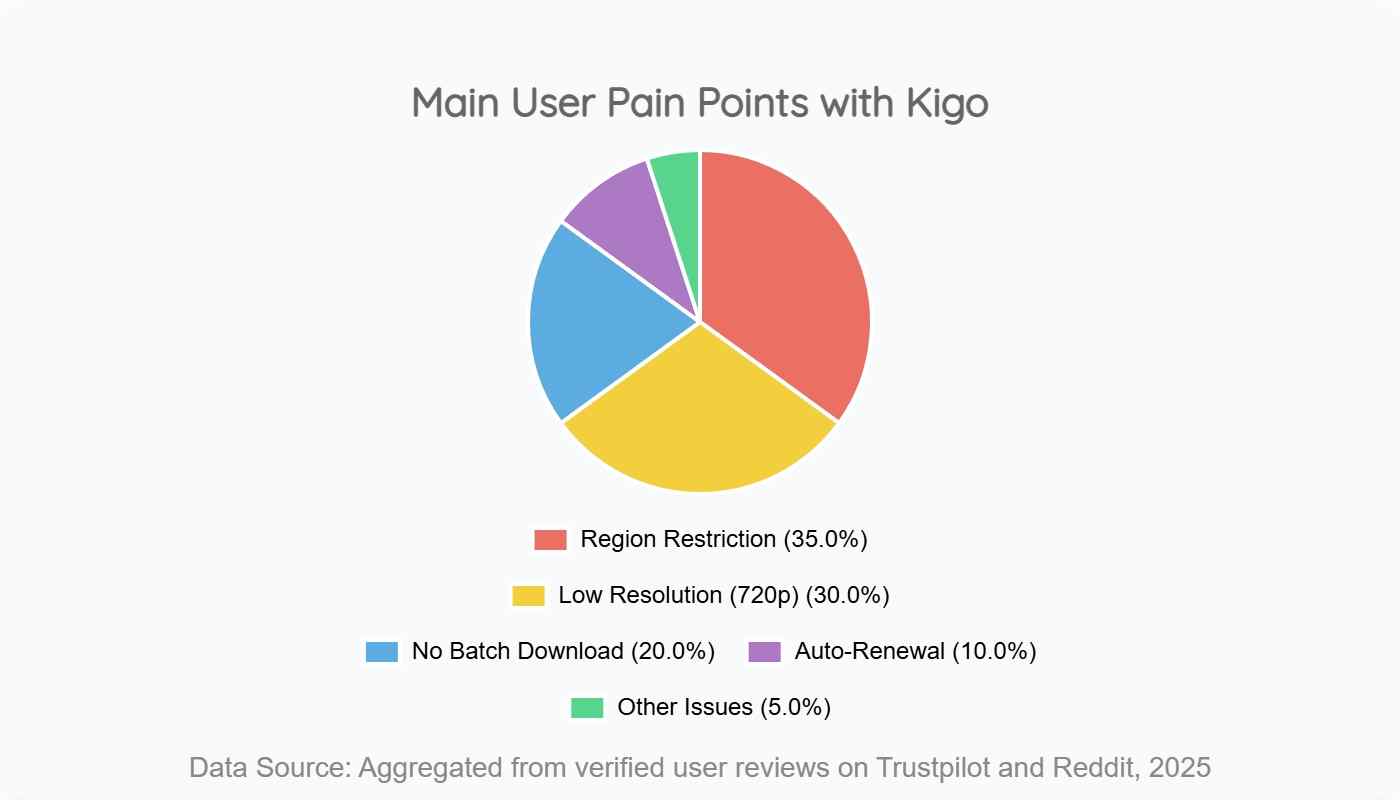
Kigo's central tradeoff is simple: it offers common file formats and useful audio options, but its 720p resolution ceiling and EN/JP account restriction reduce its value for a broader US audience.
| Specification | Kigo Disney Plus Downloader |
|---|---|
| Maximum resolution | 720p |
| Audio | 5.1 audio and Audio Description support |
| Output formats | MP4 / MKV output |
| Subtitles and accessibility | Subtitles and Audio Description supported |
| Operating systems | Windows and Mac |
| Account region | EN/JP accounts only |
| Movie batch download | Not supported |
| Plans | Trial, subscription, and lifetime options; subscriptions use auto-renewal |

Where Kigo Performs Well
Kigo covers the basics well enough for a limited use case: EN/JP accounts, 720p output, and one-at-a-time movie downloads. Its strongest points are format flexibility, accessibility audio, and a built-in browser.
Smooth, buffer-free offline playback
Once a title is saved successfully, offline viewing no longer depends on the current connection. That is useful during travel or in places where streaming quality fluctuates, although the result still depends on a completed download and a compatible player.
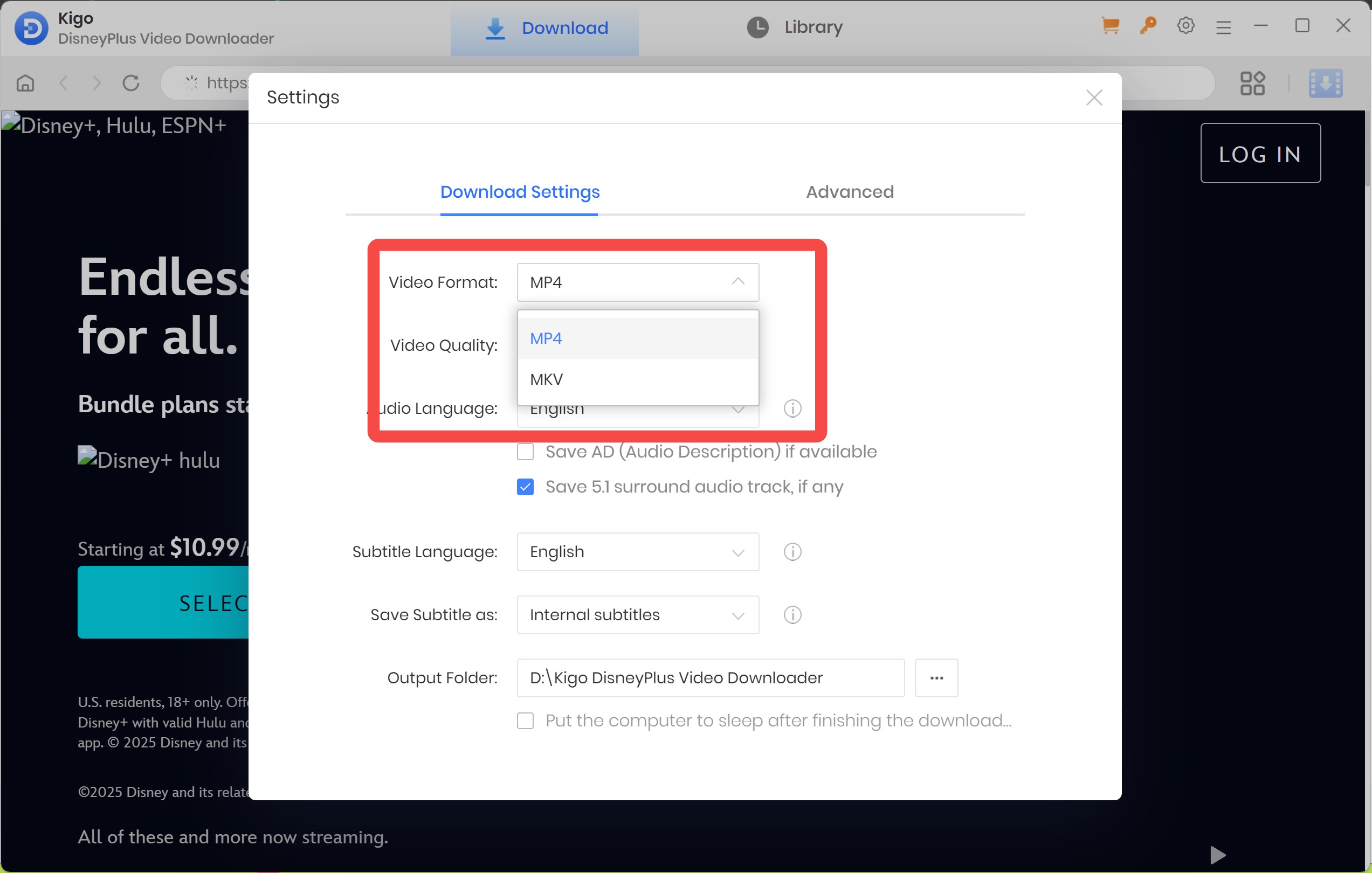
MP4 and MKV output for any player
MP4 and MKV output makes the files easier to organize and play across common desktop media apps. This is a practical advantage over app-managed downloads, which stay inside the Disney+ interface.
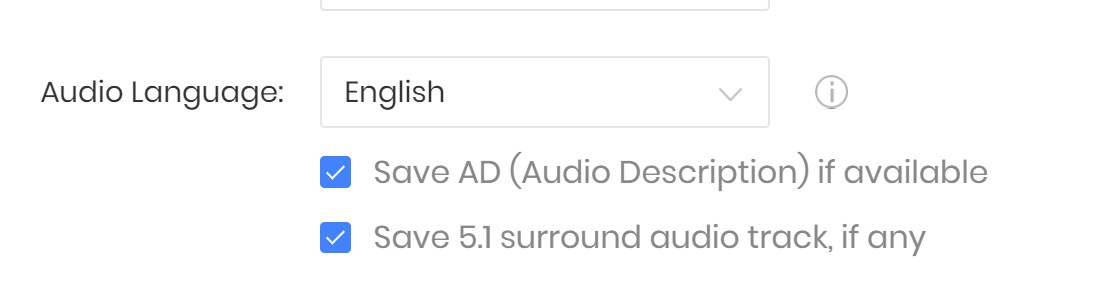
5.1 audio and audio descriptions
Kigo can retain 5.1 audio and Audio Description where the selected title provides them. The latter matters for accessibility and is a more meaningful distinction than a long list of minor settings.
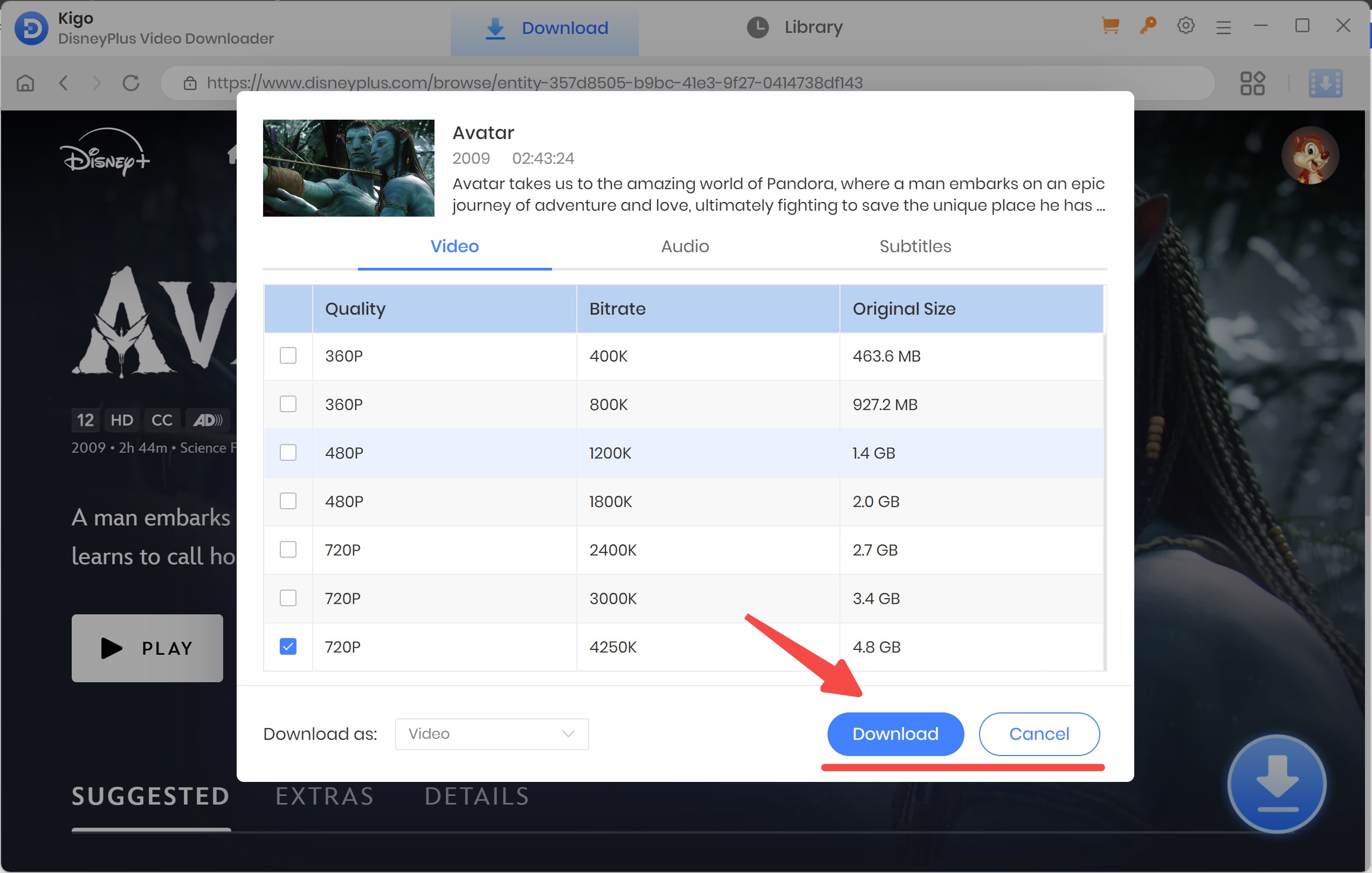
Built-in browser for search and download
The built-in browser keeps title search and download setup in one window. That reduces repetitive URL copying, though it does not offset the app's region and resolution restrictions.
Where Kigo Falls Short
Kigo's drawbacks affect both eligibility and output quality. For a US buyer, the account-region restriction should be checked before any feature comparison because it may decide whether the app is usable at all.
EN/JP-only account region lock
Kigo supports Disney+ accounts associated with its English and Japanese regions. Accounts outside those supported regions may not work, making the product a poor fit for travelers or people whose billing region does not match.

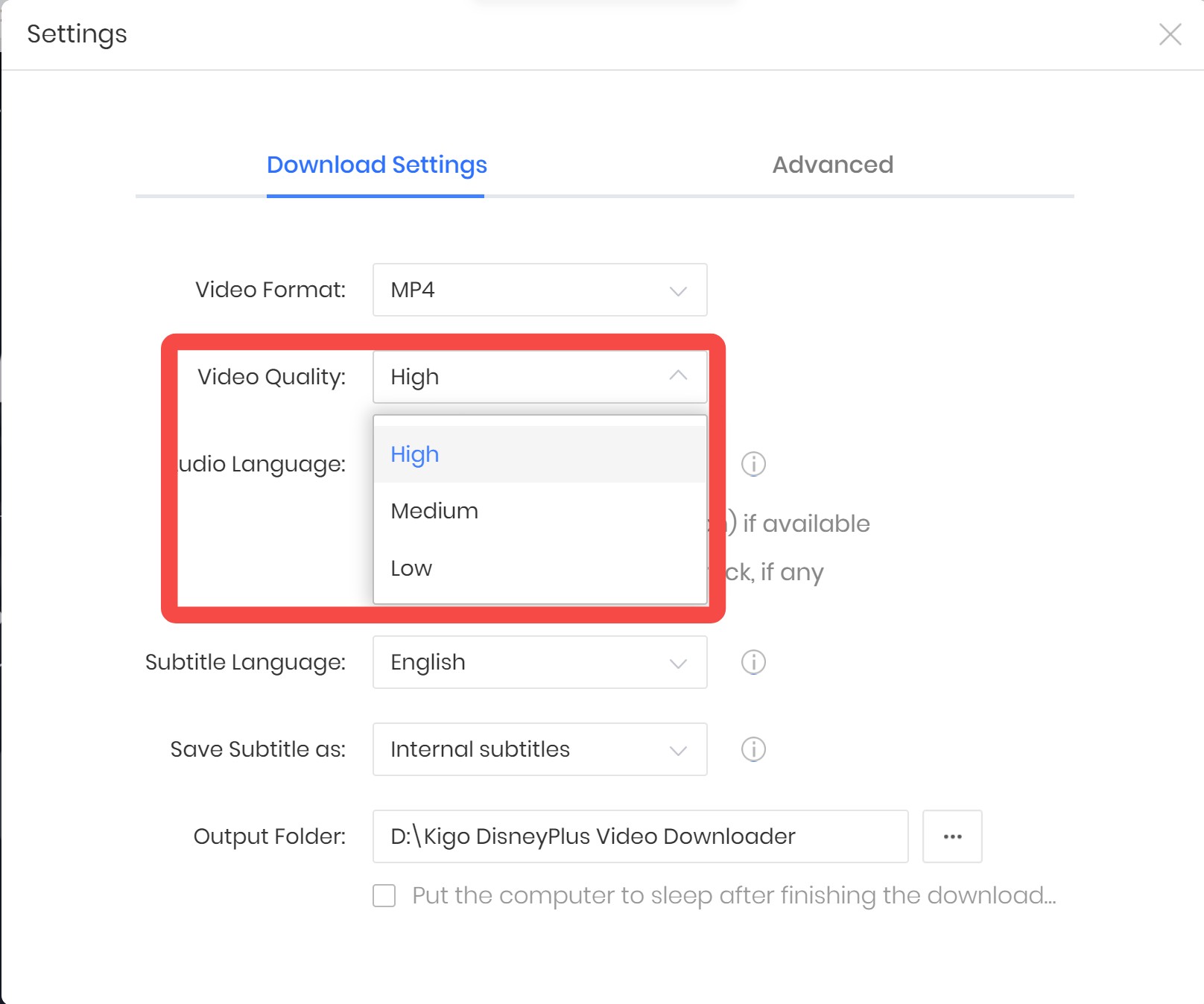
720p resolution ceiling
Kigo's maximum 720p resolution is the decisive weakness for a large TV or 4K monitor. The interface uses broad quality labels, so the product page and settings can make the ceiling less obvious than buyers may expect.
A Disney+ screen recording explanation provides useful context for why captured or saved output quality can differ from the platform's playback quality.
No batch download for movies
Kigo does not provide a movie batch download queue. Saving one or two movies is manageable, but a larger list requires repeating the same setup for each title.
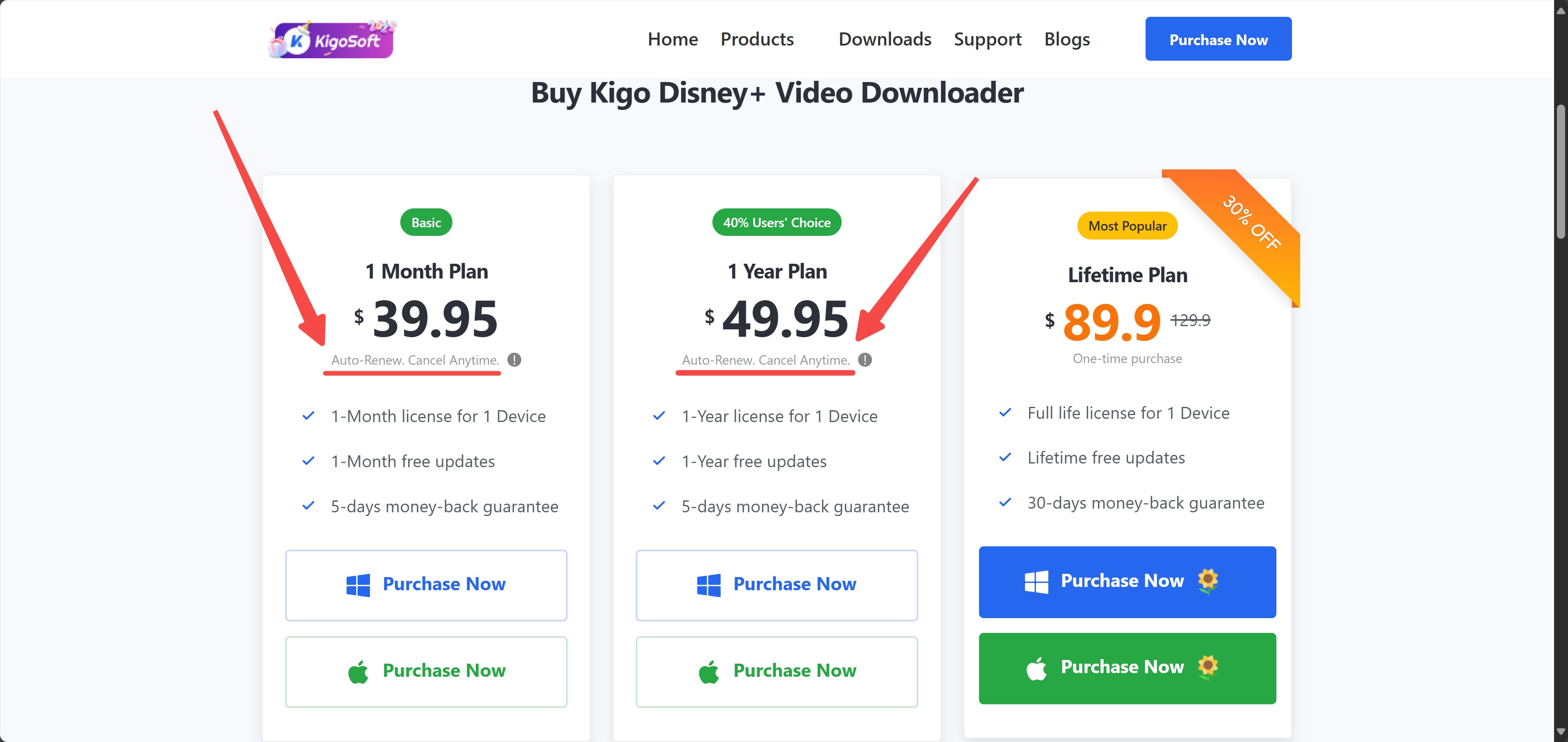
Auto-renewing subscription
Kigo's subscription plans renew automatically unless the buyer cancels them manually. The renewal notice can be easy to overlook, so the sensible purchase habit is to review the account setting immediately after checkout.
Reliability when Disney+ updates its DRM
Desktop Disney+ tools can temporarily lose analysis capability when Disney+ changes its site or playback delivery. The useful reliability measure is the vendor's patch cadence, not a claim that the app will work unchanged indefinitely.
For anyone saving a full season, an interruption halfway through the queue is more costly than a missing convenience feature. Maintenance history and support responsiveness therefore deserve weight in the buying decision.
Downloading Disney+ Movies with Kigo: Steps
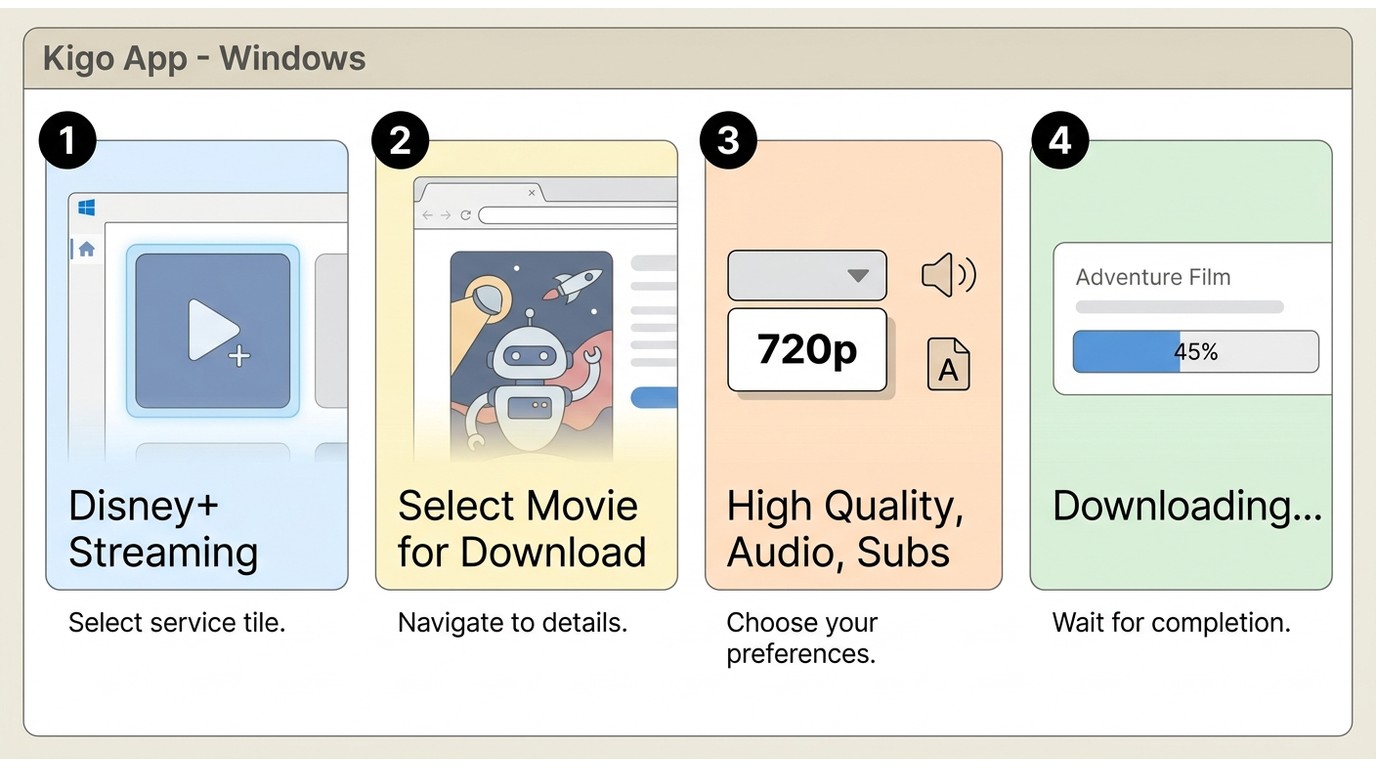
Before starting, install Kigo on a supported Windows or Mac computer, prepare an active Disney+ account in a supported region, confirm available storage, and choose whether MP4 or MKV better fits the intended player.
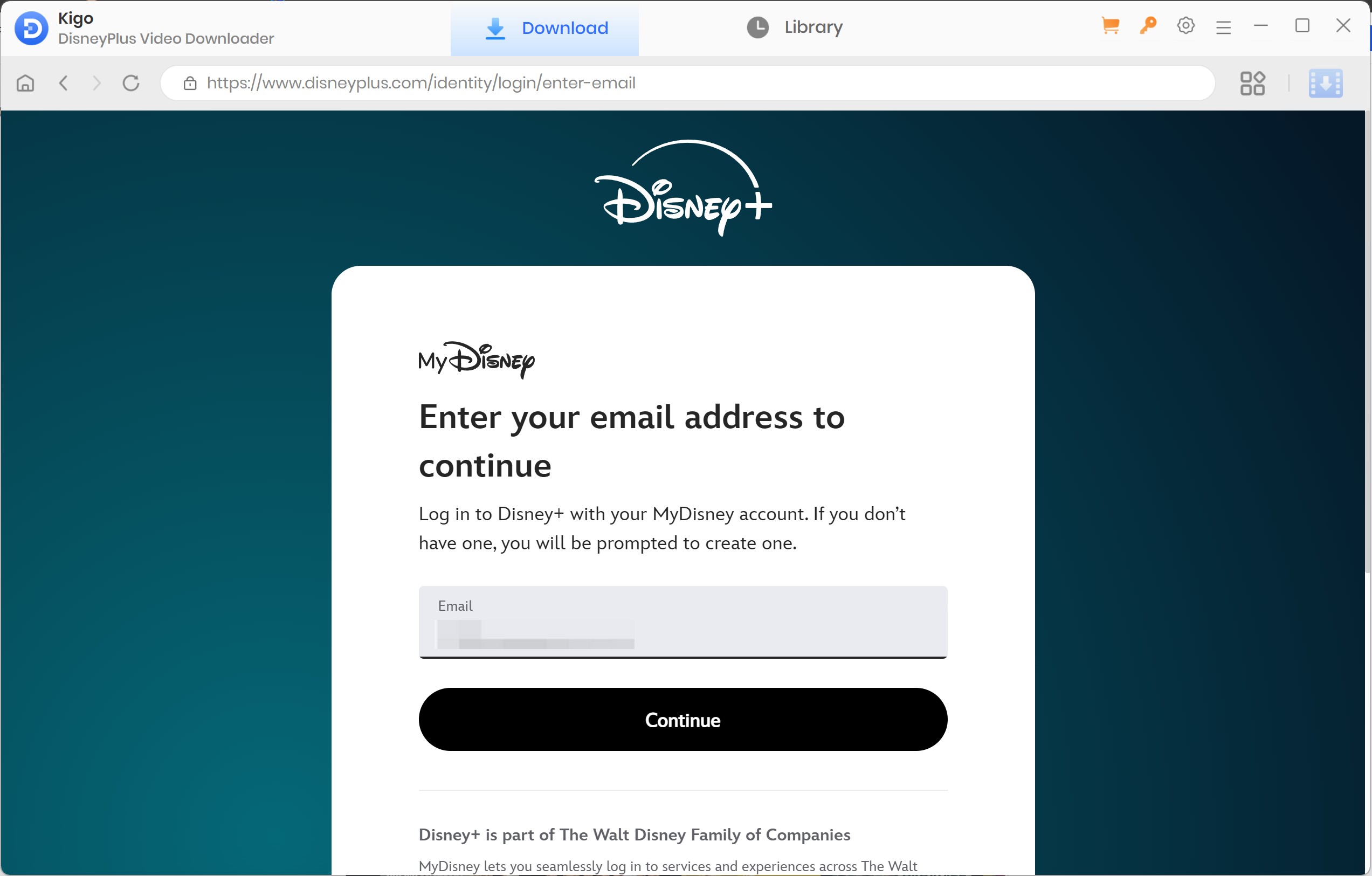
Installation and Login: Install Kigo Disney Plus Downloader on your PC, start it, and log in to your Disney+ accounts with available subscriptions.
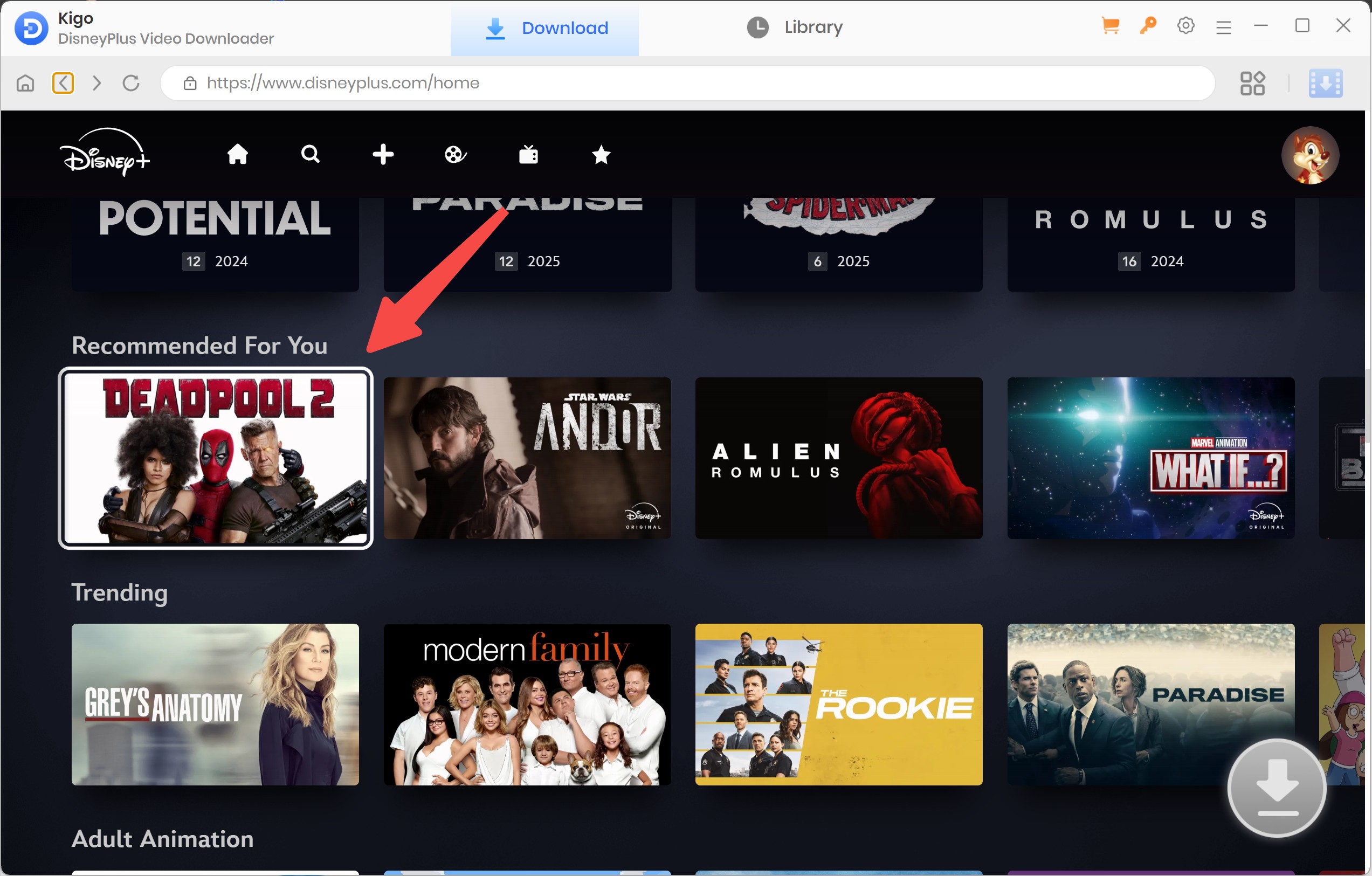
Content Searching: Use the search function of Disney+ to find the movies you want to save to your PC and enter the info page.
Analysis and Settings: The software will analyze the available streams. You can then adjust the output settings according to your preference.
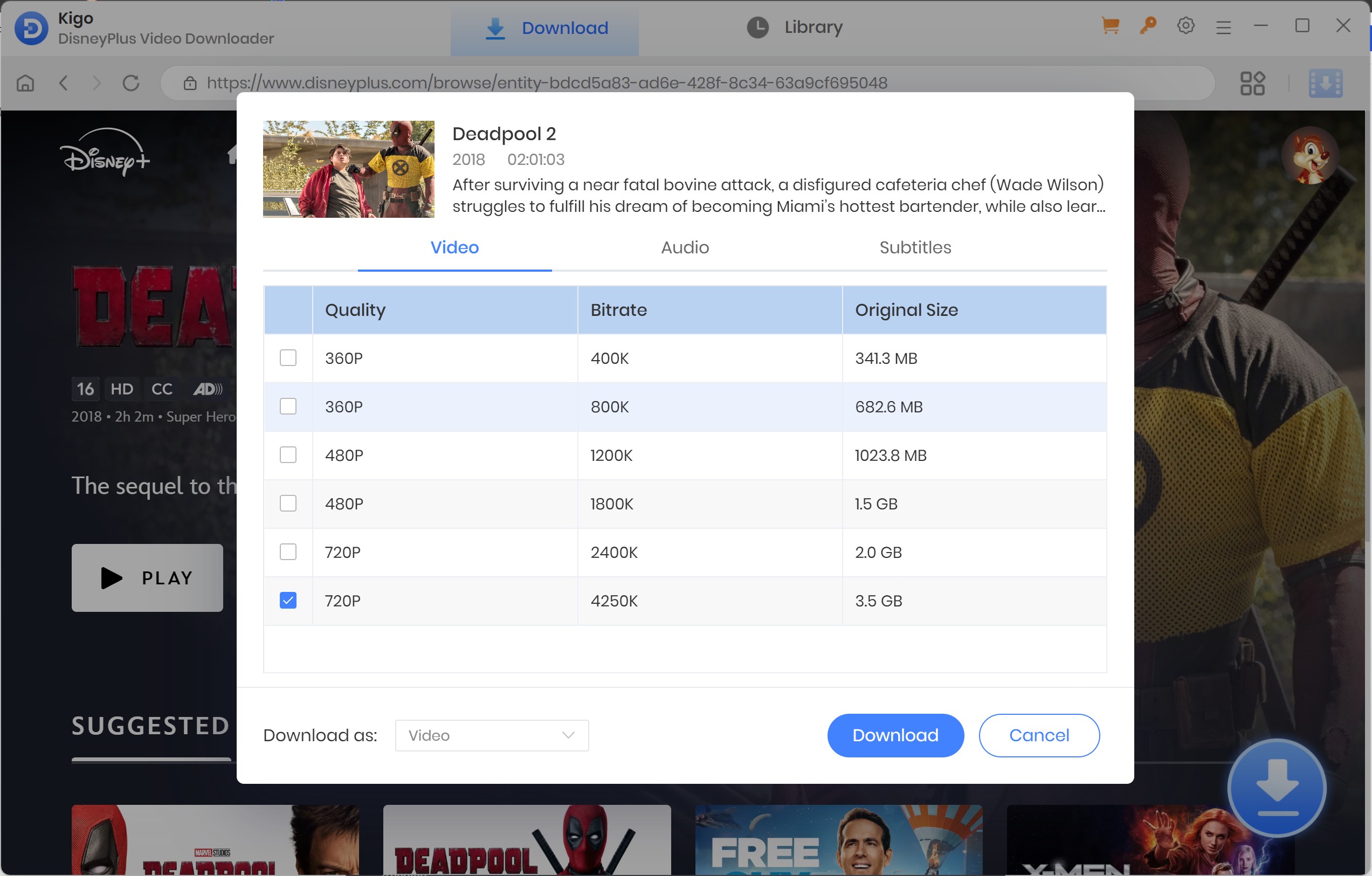
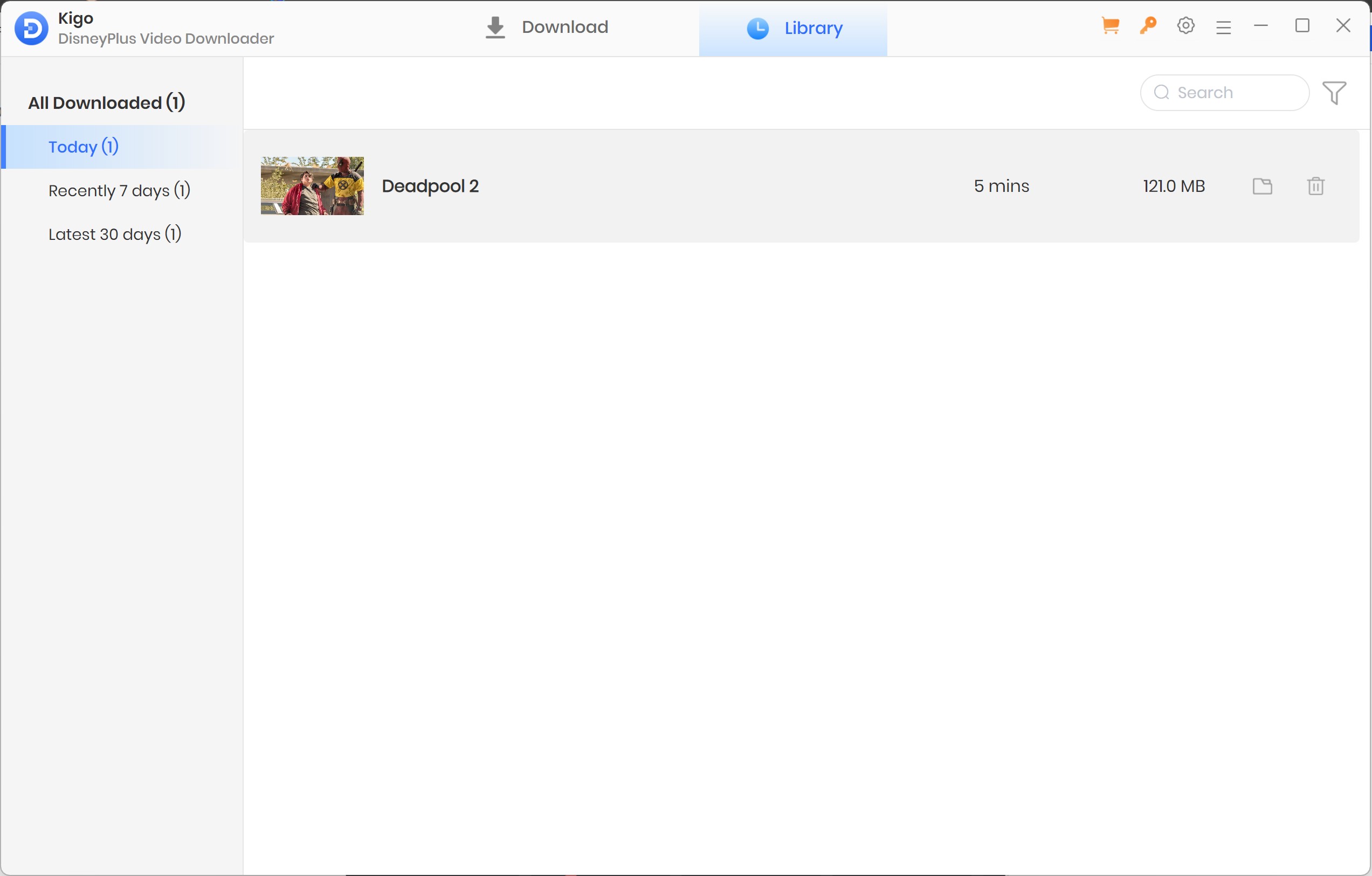
Start the Process: Initiate the download to save the content to your local library for offline access.
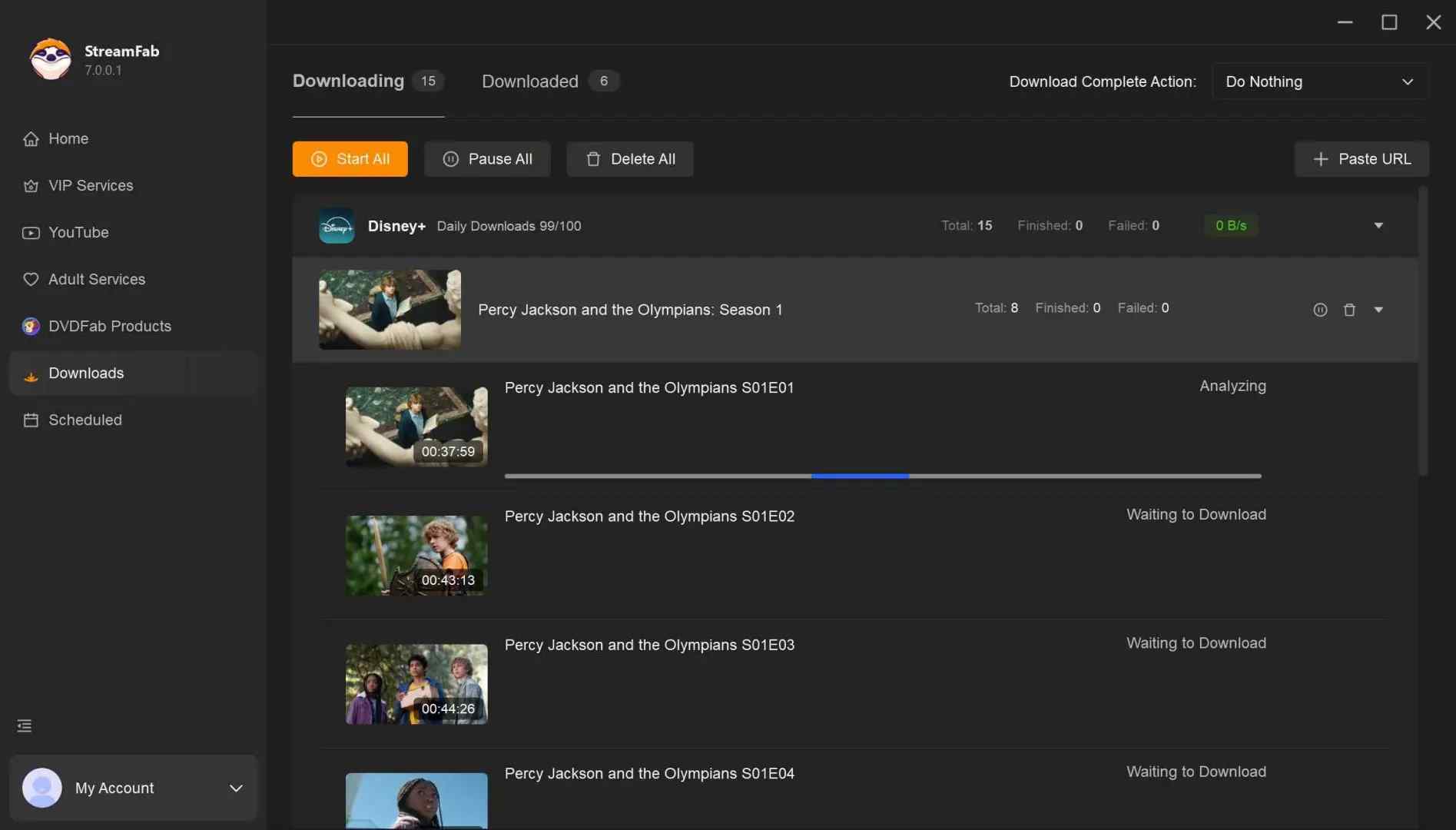
StreamFab for 4K Disney+ Downloads
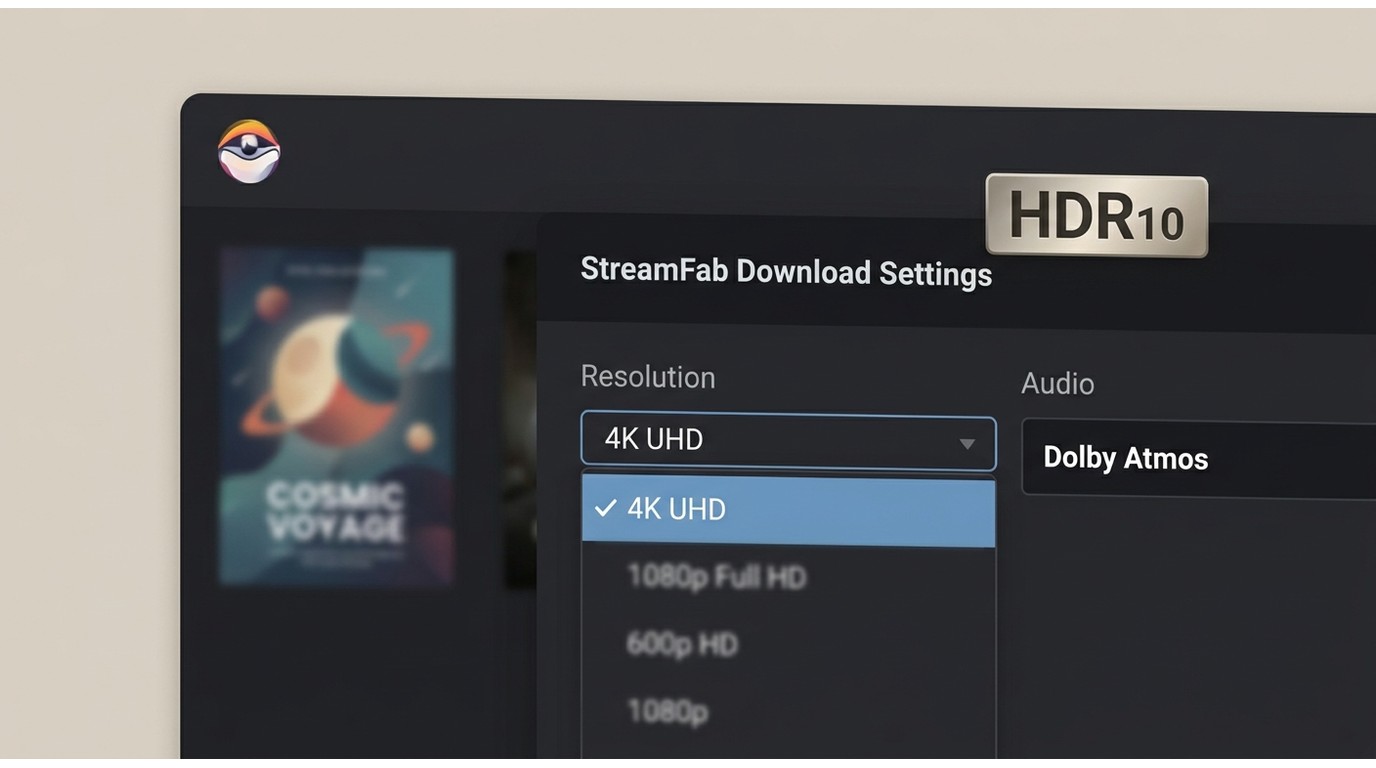
For content you're authorized to access, where permitted by platform terms and applicable law, StreamFab Disney Plus Downloader is a desktop alternative when official downloads are unavailable on Windows or Mac. It supports up to 4K, depending on the title and plan, with HDR10 or Dolby Vision and Dolby Atmos or EAC3 5.1 audio.
The relevant advantages over Kigo are limited to three: higher available resolution, season-oriented batch and scheduled processing, and MP4/MKV files with selectable subtitles and metadata. Its place among Disney+ downloader options should still be judged against the viewer's screen, library size, and budget.
Best for: Windows or Mac viewers who have authorized access, value 4K/HDR when available, and need to process multiple episodes. Not ideal for: someone satisfied with Disney+'s mobile downloads or anyone who needs an iOS-only workflow.

- Download Disney Plus movies on laptop without ads for an unlimited period
- Download 4K movies and shows from Disney+ with HDR10 and Dolby Vision support
- Dolby Atmos / EAC-3 5.1 audio available for choice
- Archive Disney Plus to MP4 or MKV saving for flexible access to downloads on any device
- Download Disney+ movies with subtitles & metadata
- Scheduled newly released Disney Plus movies will be automatically downloaded
- Auto-download the recently published movies or series on Disney+
- Batch download TV episodes and use hardware acceleration for better efficiency
Kigo vs StreamFab at a glance
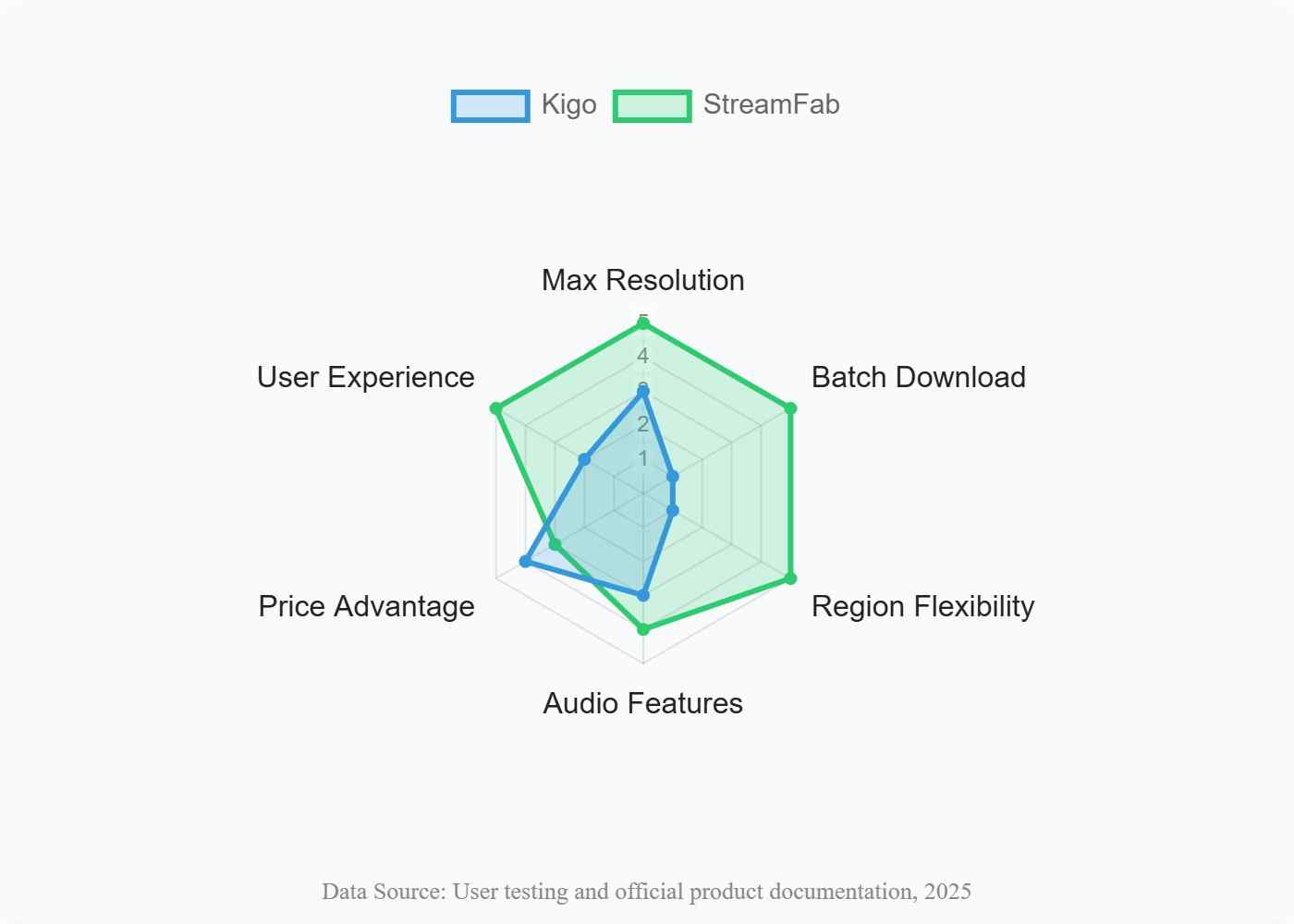
The comparison favors StreamFab for resolution and batch workflows, while Kigo remains simpler for a narrow 720p, one-title-at-a-time use case.
| Product | Max Resolution | Audio | Batch Download | Regional Support | Output Formats | Price |
|---|---|---|---|---|---|---|
| Kigo | 720p | 5.1 and Audio Description | No movie batch queue | EN/JP accounts only | MP4, MKV | Paid options; subscriptions auto-renew |
| StreamFab | Up to 4K | Dolby Atmos, EAC3 5.1, AAC 2.0 | Yes, with scheduled processing | Availability depends on service access and region | MP4, MKV | Paid options with a limited free trial |
Downloading Disney+ in 4K with StreamFab: Steps
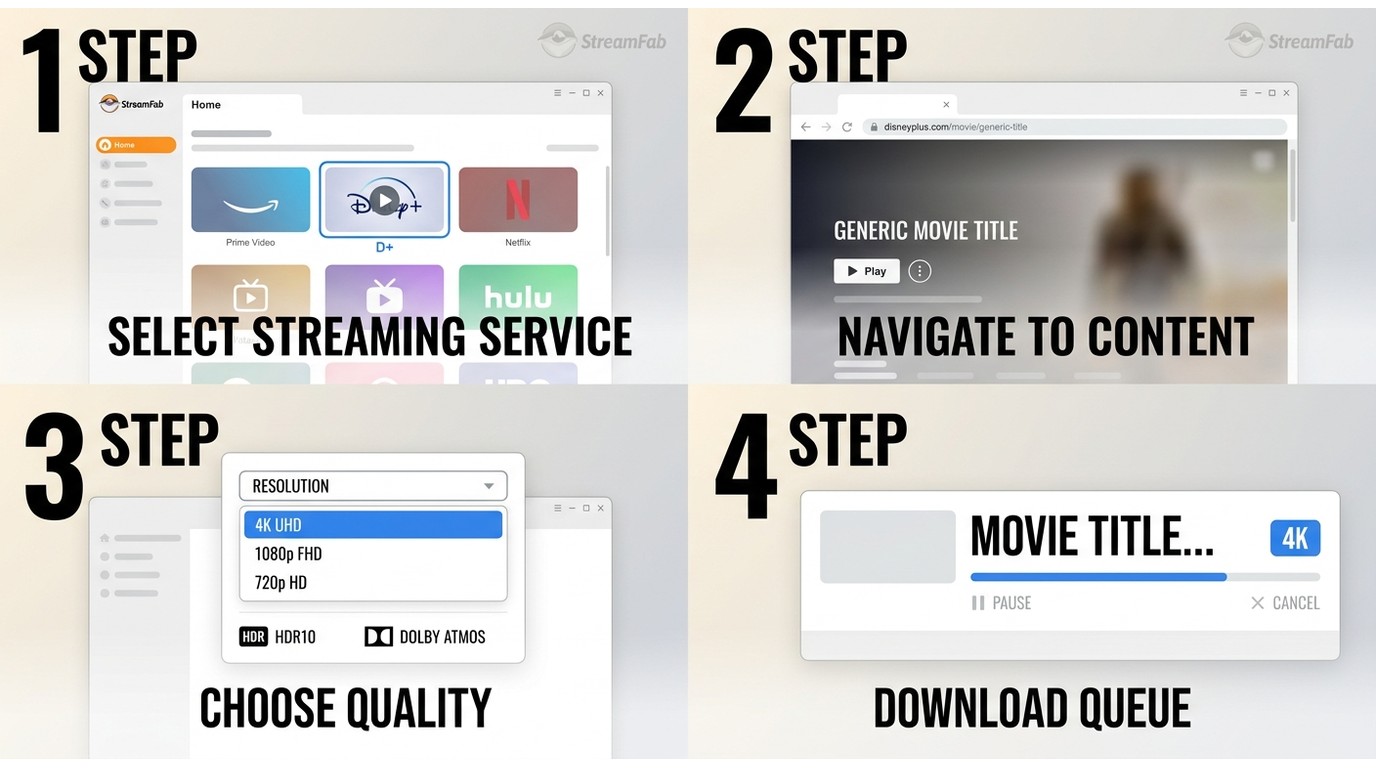
Use a supported Windows or Mac computer, an active Disney+ subscription, enough storage for high-resolution files, and a display workflow that can benefit from HDR or multichannel audio.
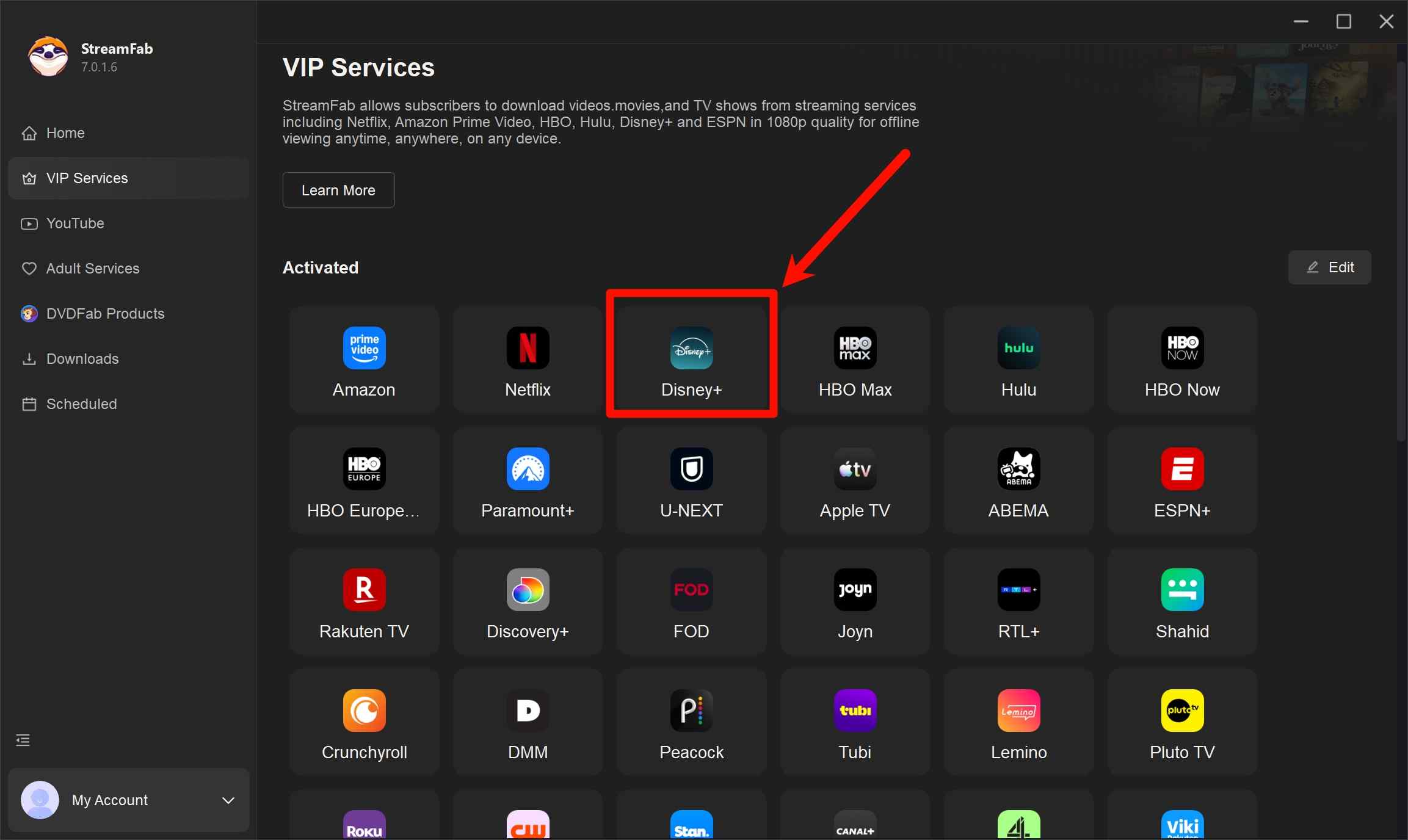
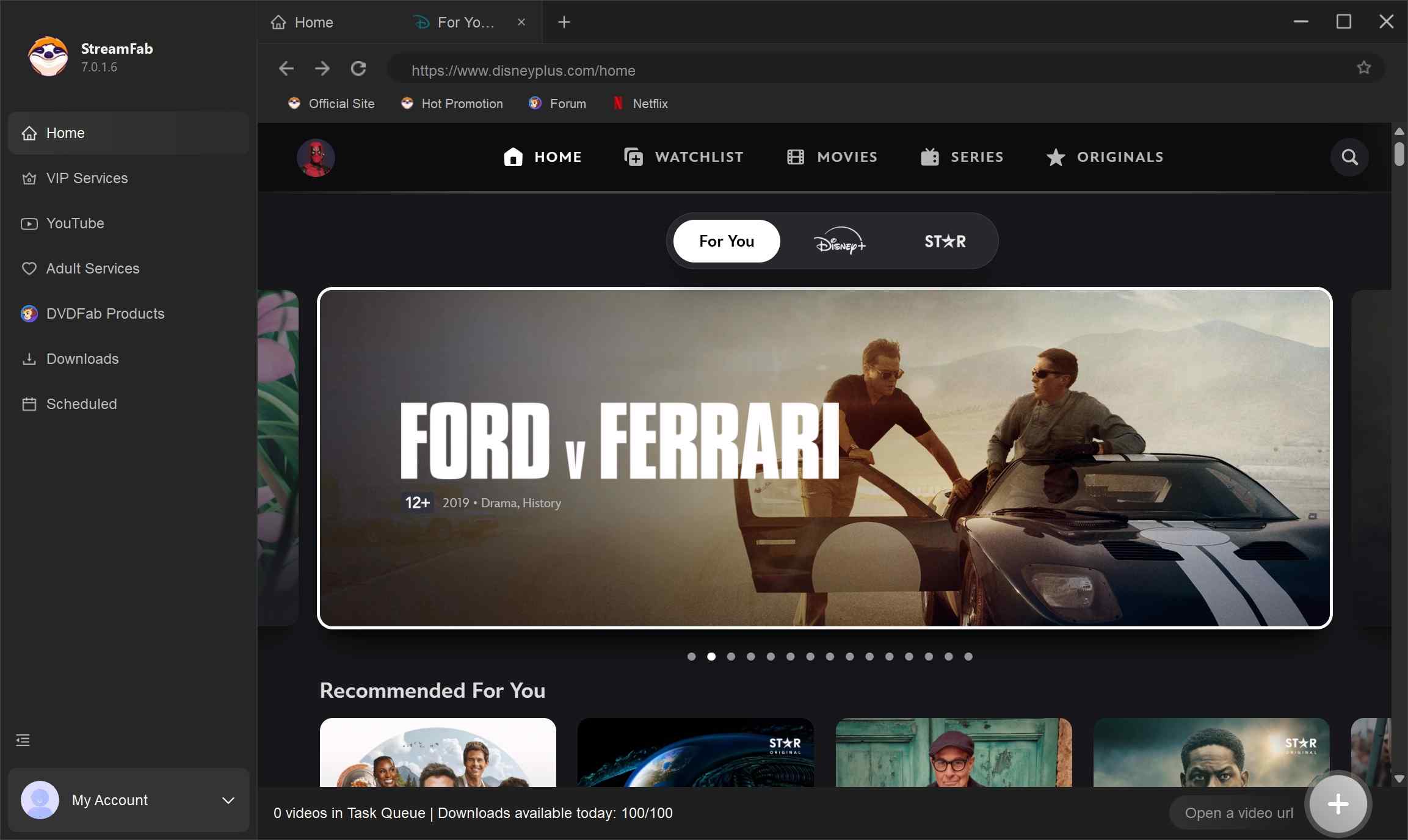
Browse Content: Sign in to your Disney Plus account within the built-in browser and locate the title you wish to keep offline.
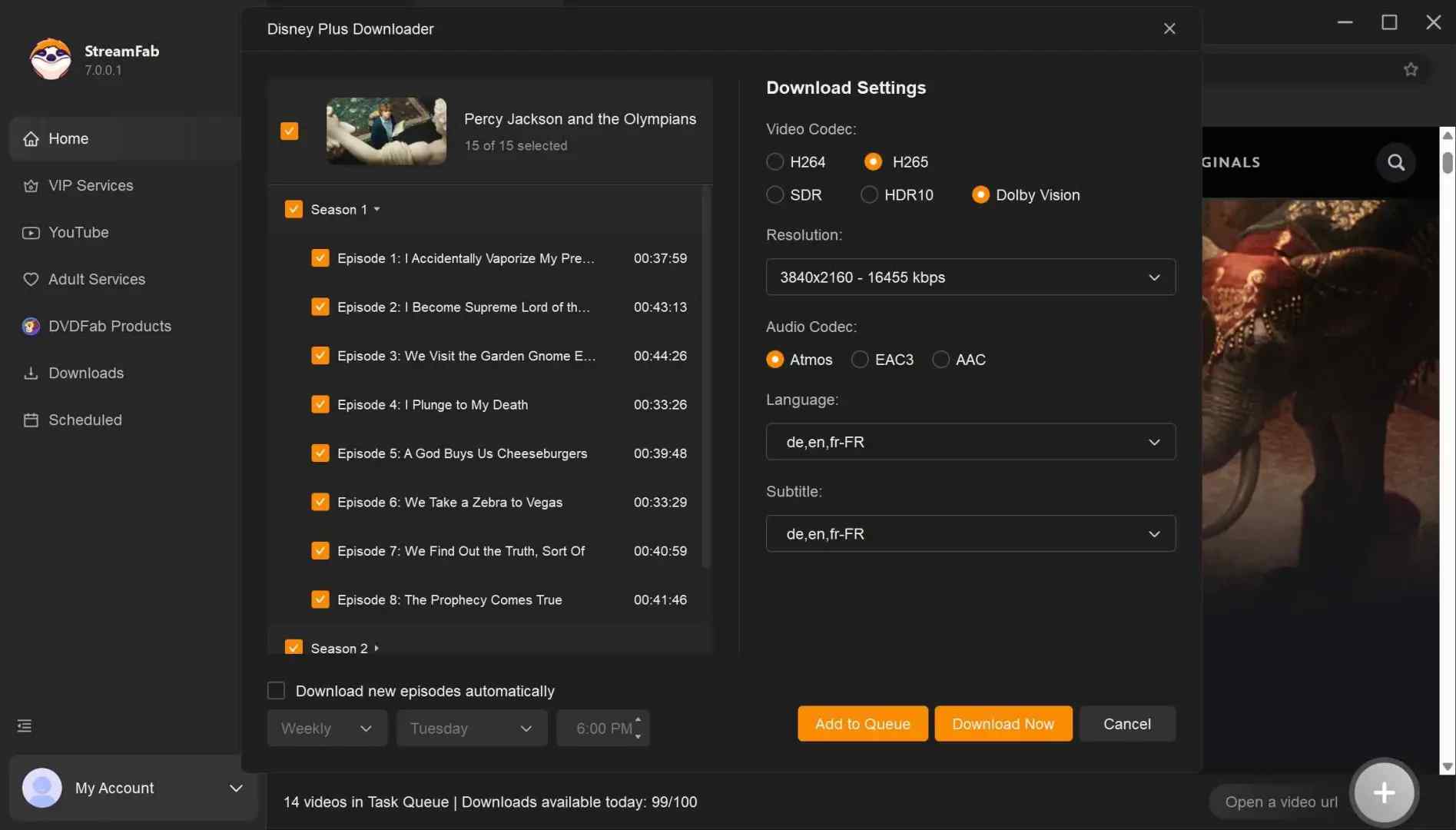
Customize Options: Adjust your preferred video quality, subtitles, and audio tracks, then proceed to the download phase.
Local Storage: Once processed, the video will be saved to your device, allowing you to watch it offline for personal use.
FAQs
Can Kigo download Disney+ movies in 1080p or 4K?
No. Kigo tops out at 720p. If the title and subscription make a higher-resolution stream available, StreamFab supports up to 4K with HDR10 or Dolby Vision, plus Dolby Atmos audio.
Is Kigo Disney Plus Downloader safe and legal to use?
Kigo is commercial desktop software. Use it for personal offline viewing of content you are authorized to access, and follow Disney+'s terms, copyright rules, and applicable local law. Do not share or commercially distribute saved copies.
Do Disney+ downloaders keep working after Disney updates its site?
Not necessarily without interruption. A site or playback change can temporarily affect title analysis, so the vendor's maintenance cadence and support response are important parts of any Disney Plus downloader review.
How do I stop Kigo's auto-renewal?
Open the Kigo account or billing portal, locate the active subscription, and turn off renewal. Do this soon after purchase if you want the current term without another automatic charge.
Is there a free way to download Disney+ movies?
Disney+'s official mobile download feature is included with eligible access, but the files remain app-managed. Kigo offers a limited preview, while StreamFab provides a limited free trial with three videos per supported service during the 30-day trial period.
Conclusion
Kigo has real strengths: MP4/MKV output, 5.1 audio with Audio Description, and a built-in browser. Its 720p ceiling, EN/JP account restriction, lack of movie batch download, and auto-renewal make it difficult to recommend broadly.
Kigo fits a buyer who accepts those boundaries and downloads occasional titles. StreamFab is the stronger scenario-based recommendation for authorized Windows or Mac viewing when available 4K/HDR, multichannel audio, and queue processing matter more than a minimal workflow.
This article is updated when product capabilities or account policies materially change.
Latest update (Aug 2026):
- Replaced unverified price figures with plan-type guidance
- Confirmed the Kigo review's 720p maximum-resolution finding
- Clarified the stated EN/JP account-region restriction
- Aligned the StreamFab comparison with up-to-4K HDR capability
- Rebuilt the FAQ around resolution, compliance, reliability, renewal, and trials
- Cleared unsupported testing claims and absolute recommendations
Product availability and service behavior can change over time.
Note: Use download or recording tools only for personal offline viewing of streaming content you are authorized to access. Commercial use and unauthorized distribution are prohibited. Follow each service's terms and the copyright laws that apply where you live.

CleverGet offers separate downloading and recording workflows for Windows and Mac, with different file options. Compare MPD limits, annual and lifetime licenses, and trial use before choosing a workflow. The review also covers StreamFab for recurring episode downloads and explains the personal-use boundaries for local copies.
By Erika Leen - Oct 14, 2026
AnyStream (RedFox AnyStream) shut down in June 2024 and remains gone in 2026. I tested every major replacement — here are the 5 best anystream alternatives, including free options, ranked by real-world performance.
By Erika Leen - Oct 12, 2026

Evaluating the Audials One 2026 free trial? I tested its 720p caps, examined if is audials legal under Fair Use
By Erika Leen - Sep 29, 2026

Are you thinking of purchasing NoteBurner and unsure if it’s worth the investment? In this NoteBurner review, let’s delve into its product lines, particularly the NoteBurner Video Downloader’s pros and cons.
By Marcia Hatcher - Sep 28, 2026