
12 Best Legal Free Movie Streaming Sites in the US (2026)

Summary: A legal free movie streaming site in the US should have a licensed catalog, a clear ad-supported or library-backed business model, and an official app or domain. This guide compares 12 services by signup friction, ads, viewing style, and the way rotating catalogs affect what is available today.
Table of Contents
Subscription costs, forced registration, heavy ad breaks, and fast-changing catalogs make free streaming harder to compare than it should be. I’d start with the licensed US shortlist below, then use the Filipino section when regional catalog access matters.
For a title that disappears from one service, an availability finder can help avoid the familiar “no valid sources are available for this video” message before you spend time searching.
Legal Free Movie Sites Compared
This comparison focuses on eight core US free-streaming services. Availability and account rules were checked as of July 2026; catalogs can rotate quickly, so use JustWatch or the provider’s official page to confirm a specific title. The four Filipino services covered later bring the article’s total to 12.
| Service | Legal access model | Account and ads | Viewing model | Best for |
|---|---|---|---|---|
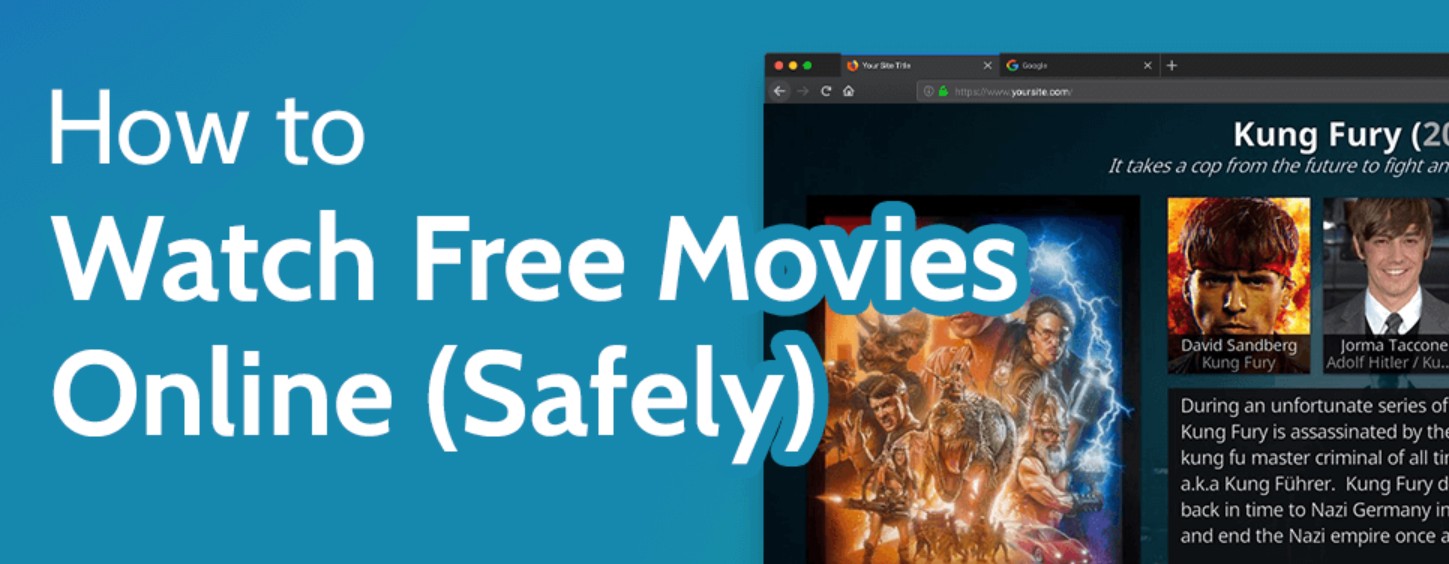
| Tubi | Licensed ad-supported streaming | Account optional; ads | On-demand | Broad movie browsing |
| Fandango at Home | Licensed free catalog | No sign-in for free viewing; ads | On-demand | Low-friction movie watching |
| Plex | Licensed ad-supported streaming | Account optional; ads | On-demand and live TV | Movies plus personal-media users |
| Pluto TV | Licensed FAST service | Account optional; ads | Live channels and on-demand | Channel-surfing viewers |
| The Roku Channel | Licensed ad-supported streaming | Account may be needed on some devices; ads | On-demand and live TV | Roku households and casual viewing |
| Kanopy | Library-card streaming | Library account required; typically no commercial ads | On-demand | Library users seeking curated films |
| Hoopla | Library-card streaming | Library account required; typically no commercial ads | On-demand | Library users with borrowing access |
| Sling Freestream | Licensed FAST service | Account optional; ads | Live channels and on-demand | Free live-TV variety |
Free Filipino Movie Sites and Vivamax Alternatives
For viewers looking for a full Tagalog movie or other Filipino programming, use official services rather than familiar-looking copycat domains. Vivamax, iWantTFC, Bilibili, and WeTV have different catalog, ad, signup, and regional-access tradeoffs, so they work best as a focused supplement to the US shortlist rather than a replacement for it.
Vivamax: What Free Access Really Includes
Vivamax is primarily a paid service, not a general-purpose free movie site. Promotional access or free selections can change, so treat a Vivamax free movie site search as a prompt to check the current official catalog and regional availability. It is a sensible choice for viewers who specifically want its Filipino exclusives; readers who mainly want broad free US movies will usually get more value from Tubi, Pluto TV, or Plex.
iWantTFC, Bilibili, and WeTV
iWantTFC is useful for official Filipino TV and movie programming, while Bilibili can suit viewers exploring creator and studio uploads. Both can involve ads, account prompts, or region-specific availability. WeTV broadens the mix with Asian programming, but free access may be limited by title and market. For free Filipino movie sites, the practical choice is the service whose official catalog has the title you want, not whichever name makes the biggest free-content promise.
WeTV can be a useful bridge for Chinese, Thai, and Filipino cinema in one place. Its official offline options and title availability vary by service and market; readers considering a local workflow can review the supported WeTV download options without assuming that every title has the same access terms.
US Free Streaming Services by Viewing Model
US free streaming services fall into three useful groups: on-demand catalogs, live FAST channels, and library-card services. Choosing by viewing model is more reliable than chasing a single “best” app, especially when a free catalog rotates without much warning.
Tubi, Fandango at Home, and Plex On Demand
Tubi is the broadest starting point for ad-tolerant on-demand viewers. Fandango at Home is especially convenient when you want to start its free catalog without signing in, while Plex combines free movies with live channels and personal-media tools. These are best for browsing a movie on demand; they are not ideal if commercial breaks are a deal-breaker or if you need a specific title on a specific day.
Pluto TV, The Roku Channel, Kanopy, and Hoopla
Pluto TV and Sling Freestream fit viewers who prefer a live-channel experience, while The Roku Channel blends live and on-demand options. Kanopy and Hoopla are the stronger fit for eligible library-card users who want a curated catalog with fewer commercial interruptions. Paid services such as Hulu and Amazon Prime Video have separate official offline rules, covered in guides for downloading Hulu shows and downloading Amazon Prime videos; regional catalog seekers may also find the overview of legal Myanmar movie sites useful.
YouTube can also surface official ad-supported movies, although availability varies by title. Its permitted offline features differ from local files, as explained in this guide to downloading videos on YouTube. TVer is a separate option for Japanese broadcasts, with viewing Windows and supported TVer download options determined by the service.
Legal and Safe Streaming Checks
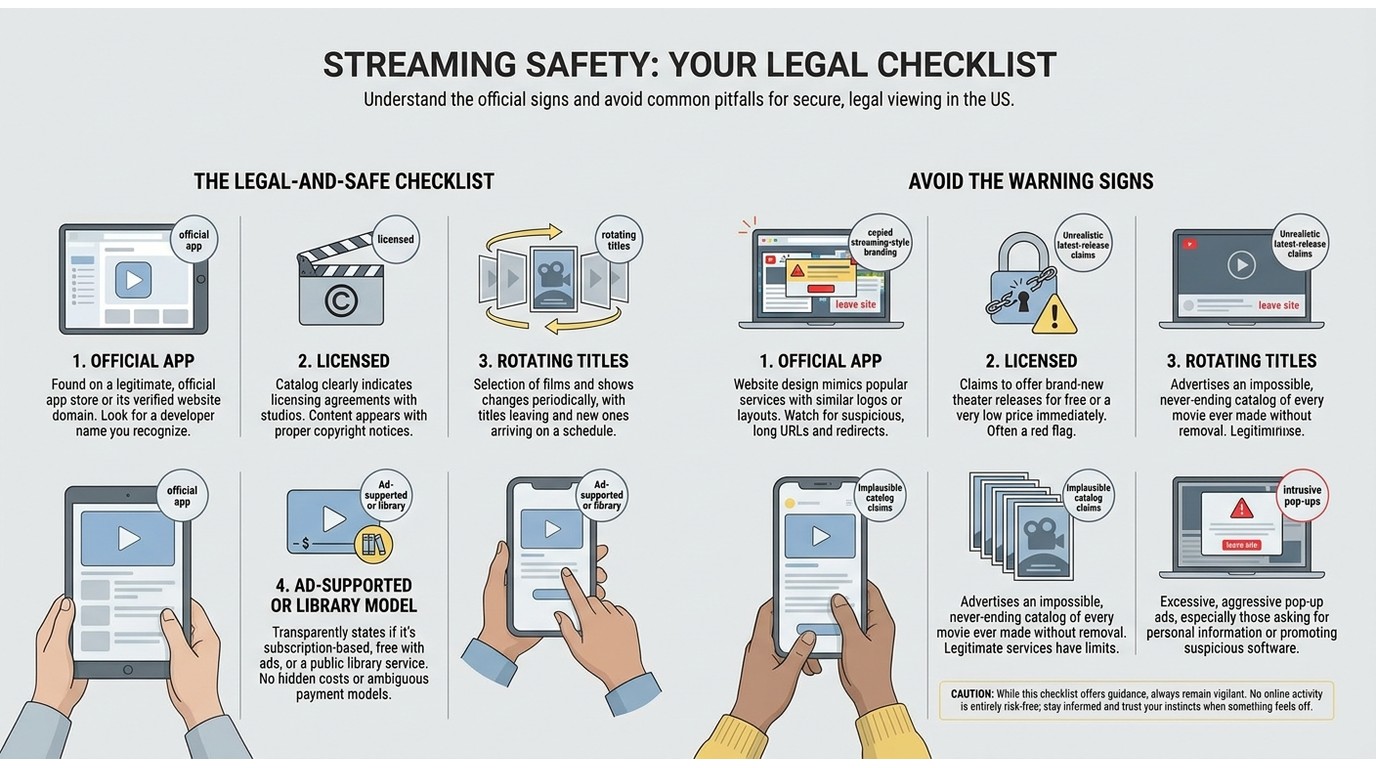
Before pressing play, check four things: the service identifies its owner, explains its ad-supported or library-backed model, appears on an official app store or official domain, and makes realistic catalog claims.
A familiar-looking name is not enough. In my view, an official service domain or app listing is a far stronger trust signal than a site offering every current release with aggressive pop-ups. Avoid copied domains, unclear ownership, malware prompts, and catalogs that sound implausibly broad. If you are looking for a particular movie, use JustWatch to locate a current provider, then open that provider’s official page.
Streaming, Offline Downloads, and Local Files
Offline viewing has four different models: licensed streaming, official in-app downloads, public-domain or creator-authorized file downloads, and desktop local-file workflows. Official downloads can be license-bound, while reusable local files depend on what you are permitted to access and save. For most viewers, ordinary streaming is enough; a local-file workflow makes more sense when authorized offline viewing is a real need.
Why Some Recordings Show a Black Screen
Protected playback and hardware acceleration can produce a blank capture in some environments, which is why screen recording protected videos may behave differently from ordinary browser recording. The cause and any permitted remedy vary by service, device, and playback setup.
StreamFab for Authorized Offline Viewing
For content you’re authorized to access, where permitted by platform terms and applicable law, StreamFab is a desktop option for personal offline viewing on Windows and Mac. It can save supported content as MP4 or MKV, retain available audio and subtitle choices, and handle batch or scheduled processing for multi-episode viewing.
It is best suited to users who need a local-file workflow; it is not the right fit for someone who simply wants instant free streaming or a service the app does not support. Its broader positioning among streaming video downloaders is covered separately.

Extract and decrypt 1080P/4K streams from over 1,000+ DRM-protected platforms globally, including Vivamax, Amazon, Hulu, and regional Free Movie hubs. Save permanently as unprotected MP4/MKV files.
Update your archiving workflow with a 30-day free trial today.
Official app downloads and local files are not the same thing: the former remain managed by the service, while a local-file workflow can offer broader playback flexibility within the limits described above. The wider considerations behind downloading streaming videos belong in the dedicated guide. Where supported, StreamFab offers MP4 or MKV output, subtitle options, audio-track selection, and batch processing.
Official Downloads vs. Local-File Workflows
| Method | Authorization and access | File and quality behavior | Best fit |
|---|---|---|---|
| Official in-app download | Managed by the streaming service | License-bound offline playback | Travel and temporary offline viewing |
| Public-domain or creator-provided file | Directly authorized by the rights holder | Portable file; format varies | Reusable downloads with clear permission |
| Desktop local-file workflow | For supported content you may access and save | MP4 or MKV; source-dependent quality | Personal offline viewing with flexible playback |
Three Steps for Authorized Offline Viewing
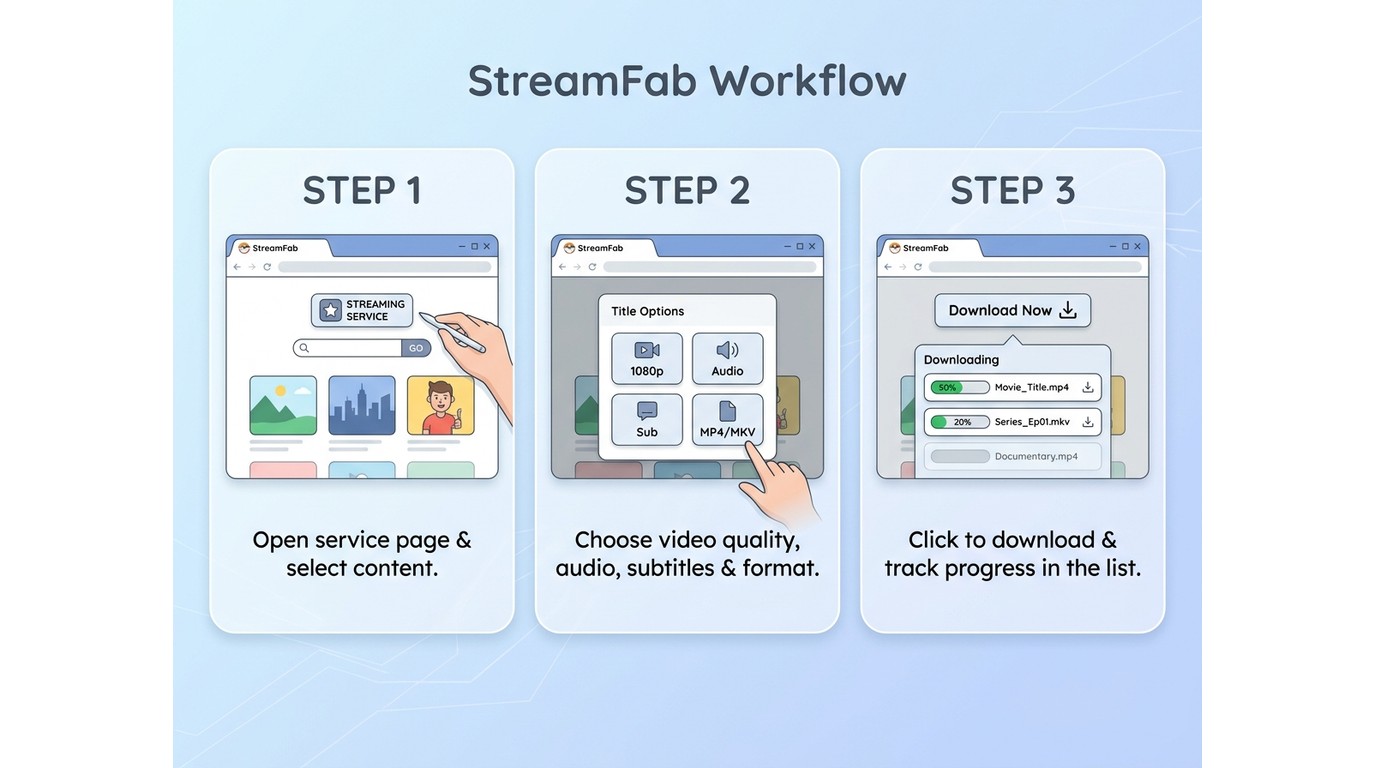
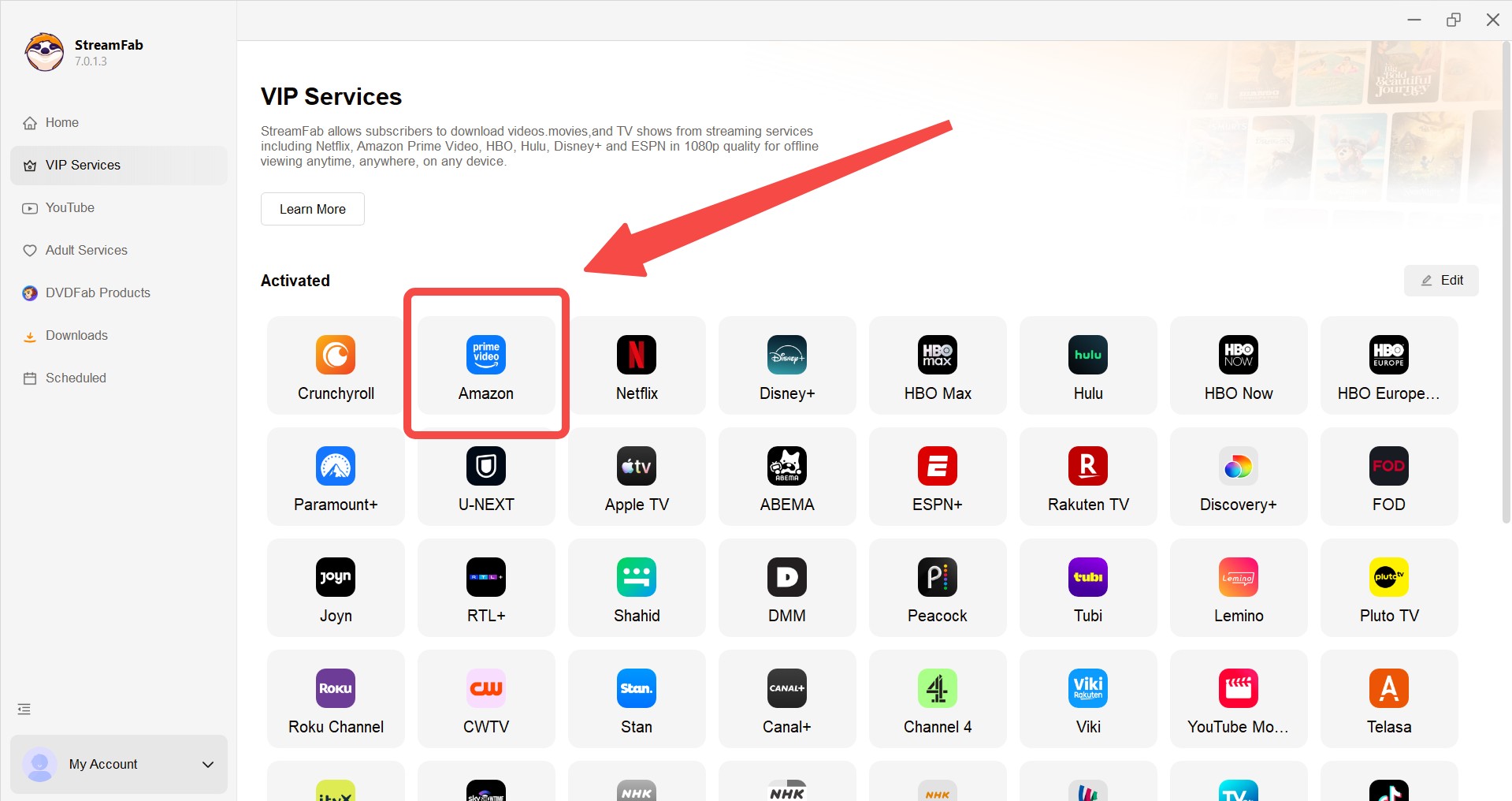
Step 1: Use this workflow only for supported titles you can legitimately access. Launch StreamFab, then open the supported service containing the video you want to watch offline.
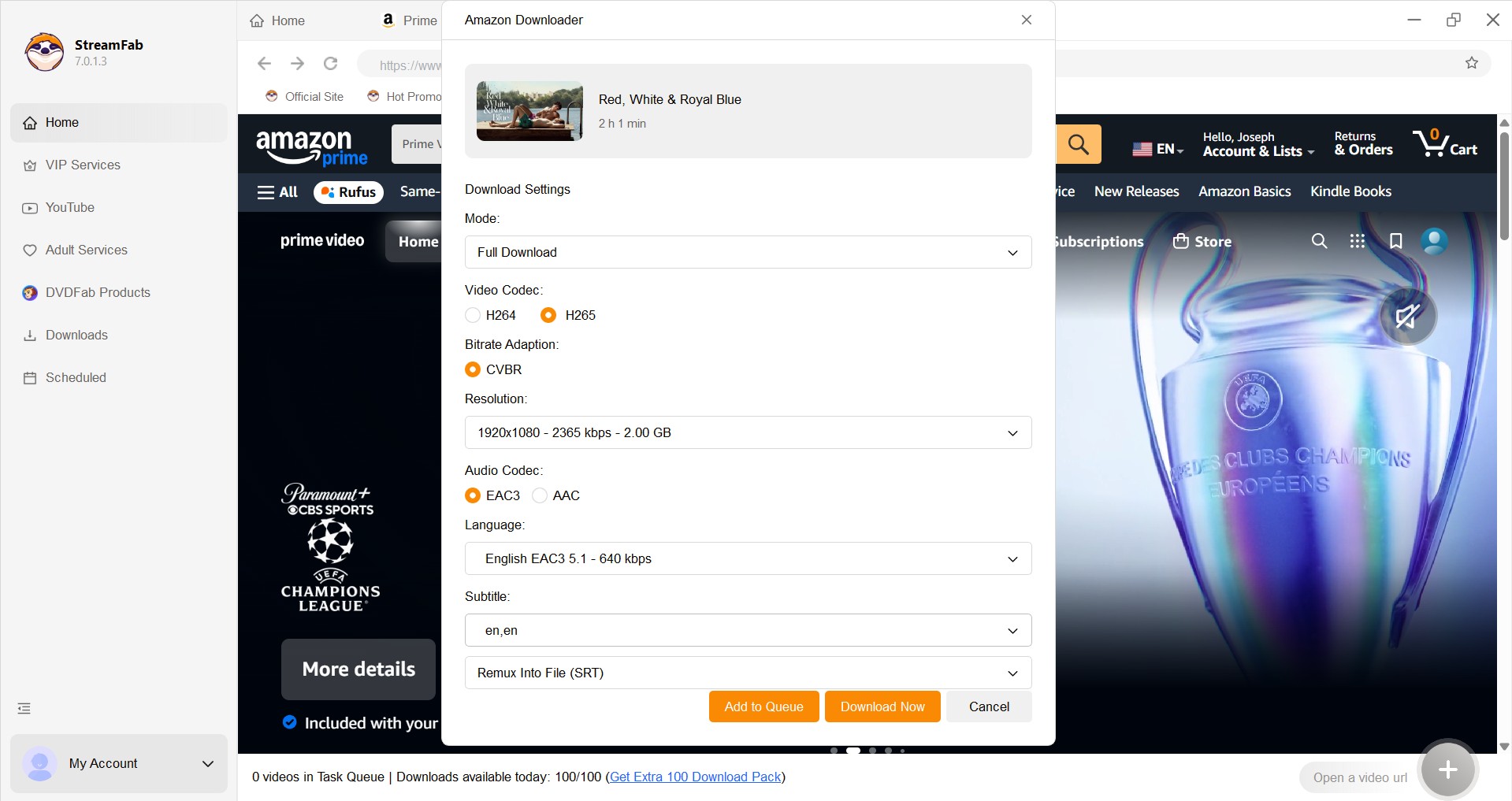
Step 2: Open the title and start playback. When the options window appears, choose available settings such as subtitle language, audio track, and resolution. If audio selection is your priority, see how to download audio tracks for movies.
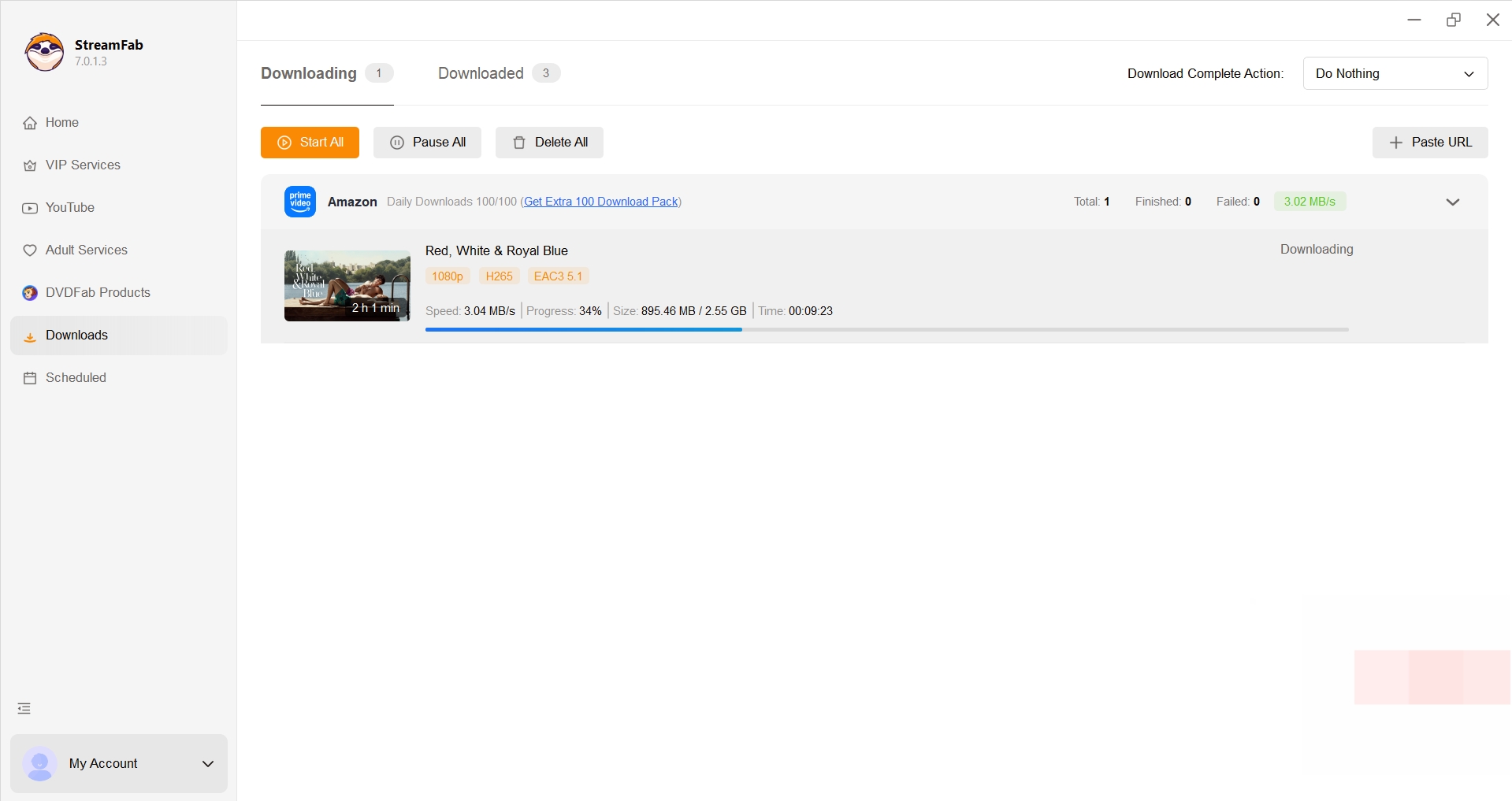
Step 3: Select “Download Now,” then monitor progress under “Downloading.” Playback options and file behavior can vary with the supported service and selected format.
Not for: This workflow is not a substitute for checking regional availability, service support, or the conditions that apply to a title. If you only want a quick free movie tonight, start with the legal streaming shortlist instead.
Readers evaluating the desktop workflow can review the product’s StreamFab review, practical StreamFab setup guidance, and the article addressing StreamFab safety.
Frequently Asked Questions
Can JustWatch help me find movies that are free right now?
Yes. JustWatch is an availability finder, not the streaming host. Filter for free offers, select a title, and then open the listed provider’s official page. That extra step matters because free catalogs rotate frequently.
Can I legally save a free movie as an MP4?
That depends on the source and the permission granted. Public-domain works and creator-authorized downloads may be offered as files, while official app downloads are generally managed inside the service. A desktop local-file workflow should be used only for supported content you are permitted to save for personal viewing.
Conclusion
Choose an official ad-supported service such as Tubi, Plex, Pluto TV, The Roku Channel, or Sling Freestream when broad free access matters most. Choose Kanopy or Hoopla when you have library access and want a more curated option with fewer commercial interruptions. For Filipino programming, check the regional services in this guide against their current official catalogs.
My recommendation is simple: start with the official free service that matches your tolerance for ads, account setup, and live versus on-demand viewing. Treat local-file workflows as a secondary option for supported content you may save for personal offline use, and keep the service’s access conditions in mind.
Use licensed services and authorized downloads responsibly. Do not upload, share, or use copyrighted content commercially without the rights holder’s permission.


Are you looking for the best ways to screen recorded protected videos? This comprehensive guide has covered 3 great ones: StreamFab Video Downloader, RecordFab, and FonePaw Screen Recorder.
By Marcia Hatcher - Oct 23, 2026

Choose a K-drama download route that fits your viewing device and subtitle needs. Compare official app and browser offline viewing with authorized local MP4/MKV files, then follow the Netflix or desktop workflow. Platform notes and six FAQs clarify eligibility, expiry, formats, and licensing.
By Erika Leen - Oct 21, 2026
Tested 7 Chrome video downloader extensions in 2026 after Manifest V3 forced updates. Find which free and paid extensions still capture YouTube, Vimeo & streaming video without audio loss.
By Marcia Hatcher - Oct 21, 2026
Facing the HTML5 video file not found error on iPhone Safari or getting error code 4? Discover advanced 2026 solutions to bypass CDN blocks, HEVC codec issues, and secure your media library for seamless offline playback.
By Nicole Lopez - Oct 20, 2026