
Pazu Cannot Download Video? 9 Fixes and a 4K-Ready Alternative (2026)

Summary: If Pazu cannot download video, start by checking your license, trial status, login, and security software before assuming the app is broken. This guide covers the most common Pazu Video Downloader not working errors, then explains when a desktop alternative may make more sense for offline viewing.
Table of Contents
The practical order is simple: confirm access first, update and sign in again, then check your network, firewall, storage, and output settings. If recurring platform changes keep interrupting downloads, compare the alternative section before committing more time to troubleshooting.
Frequent Pazu Cannot Download Errors and Fixes
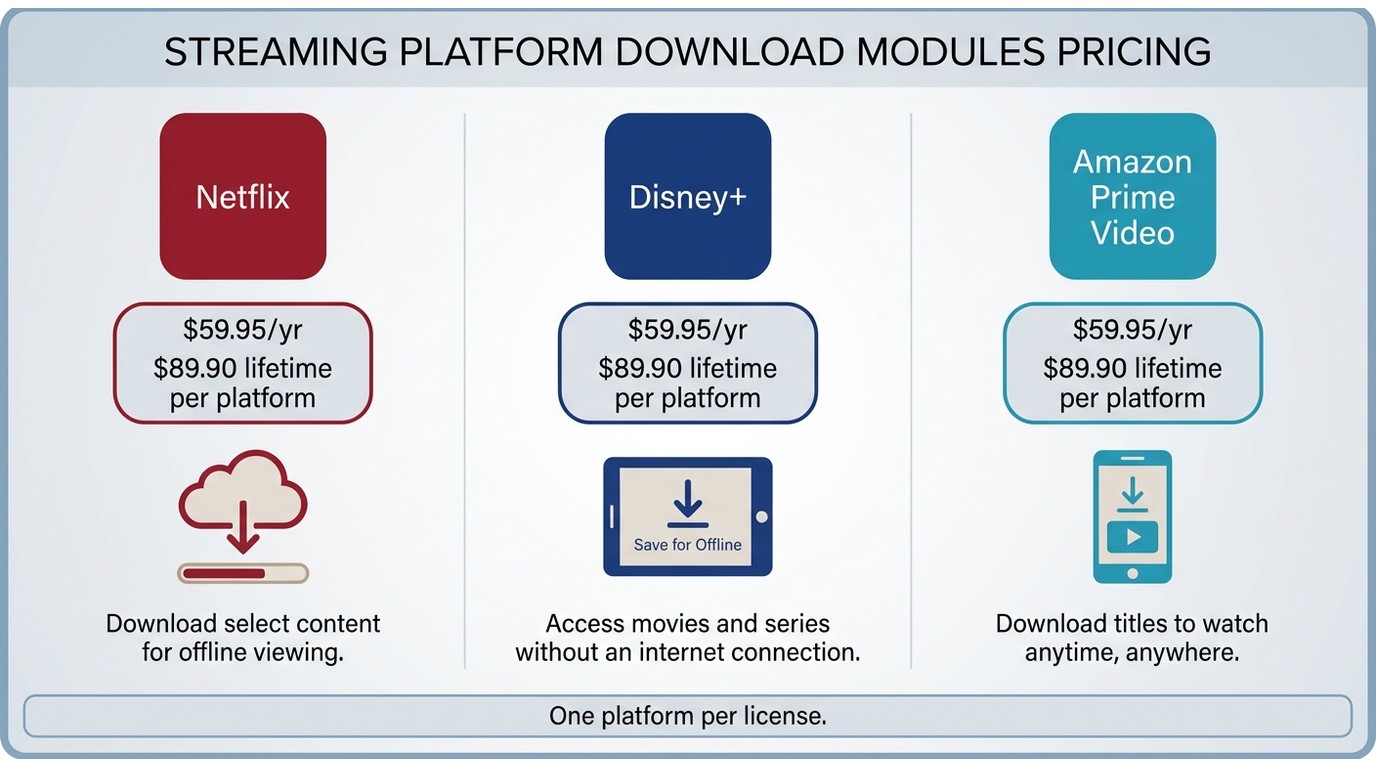
Pazu Video Downloader is divided into several dedicated modules for different streaming services, such as Netflix, Disney+, and Amazon Prime Video. While it offers a straightforward UI and a $59.95 per-year plan or an $89.90 lifetime single-platform license (as of July 2026), each module can have its own unique issues, and many common problems affect all versions.
Based on both my personal experience and feedback from other users, here are some of the most frequent system-wide problems you may encounter with Pazu Video Downloader, along with the practical solutions I found actually work.
1. First, Check Your License or Free Trial
A trial limit or inactive license can look like a technical failure. Pazu's free trial may limit each download to the first few minutes, while an expired or lapsed paid license can prevent new download jobs. Confirm that you have an active paid license before spending time on deeper troubleshooting.
2. Update Pazu, Then Log In Again
Update Pazu before signing in again. If it still fails to log into your streaming account or remains stuck at authentication, the issue may appear as an error message or a perpetual loading screen.
- Update Pazu, then double-check whether your streaming service works correctly in a standard web browser.
- Try logging out, clearing saved cookies or login cache in Pazu, and then sign in again.
- Try turning off your VPN or switching servers. Streaming platforms have aggressively blacklisted VPN IPs in 2025 and 2026, which often blocks the downloader from authenticating.
3. Download Starts but Freezes or Fails
Sometimes a download freezes partway through, or the file fails and leaves an incomplete video on your hard drive.
- Update your Pazu Video Downloader to the latest patch. Platform-side changes can cause mid-download failures on older versions.
- Download only one video at a time instead of running multiple intensive batch downloads simultaneously.
- Restart your device and ensure your destination hard drive has ample free space.
4. Firewall or Antivirus Is Blocking Pazu
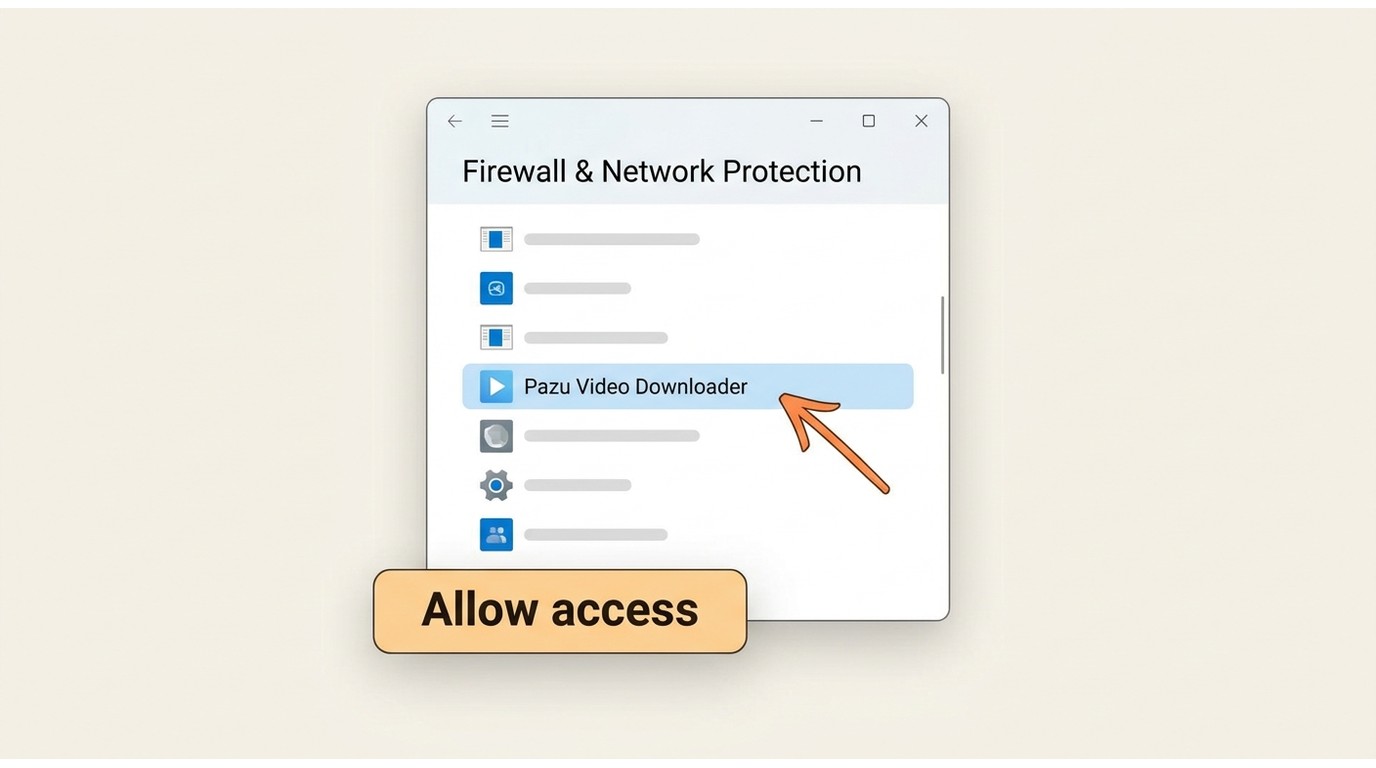
Security software can block Pazu's connection to a streaming platform. Temporarily allow Pazu through your firewall or add it as an exception in your antivirus software, then retry the download. Re-enable any protection you disabled after checking whether it was the cause.
5. Pazu Cannot Analyze the Video Link
Sometimes Pazu fails to resolve the link. You paste a URL or type a movie name and it returns a "cannot analyze" error for certain platforms.
- Make sure your streaming service is officially supported and hasn’t recently overhauled its site structure.
- Instead of searching via the built-in bar, manually copy and paste the direct video URL from your browser.
- Log into the streaming service natively inside Pazu's built-in browser and play the video for a few seconds to trigger the analysis prompt.
6. Network, VPN, or Proxy Problems
Pazu is sensitive to unstable connections and proxy setups. You may see blank screens, failed logins, or repeated disconnects.
- Test your connection by streaming videos directly in your browser.
- Disable all VPNs, custom DNS configurations, or ad-blockers when using Pazu.
- Restart your router or switch to a more stable, hardwired Ethernet connection if possible.
7. The App Crashes or Runs Slowly
Sometimes Pazu Video Downloader slows to a crawl, stops responding, or the download bar freezes.
- Close all unnecessary background applications to free up RAM and CPU overhead.
- Clear the cache and data for Pazu in your system settings.
- Perform a clean reinstall of Pazu Video Downloader and reboot your computer.
8. Platform Updates Break Downloads or Force 540p
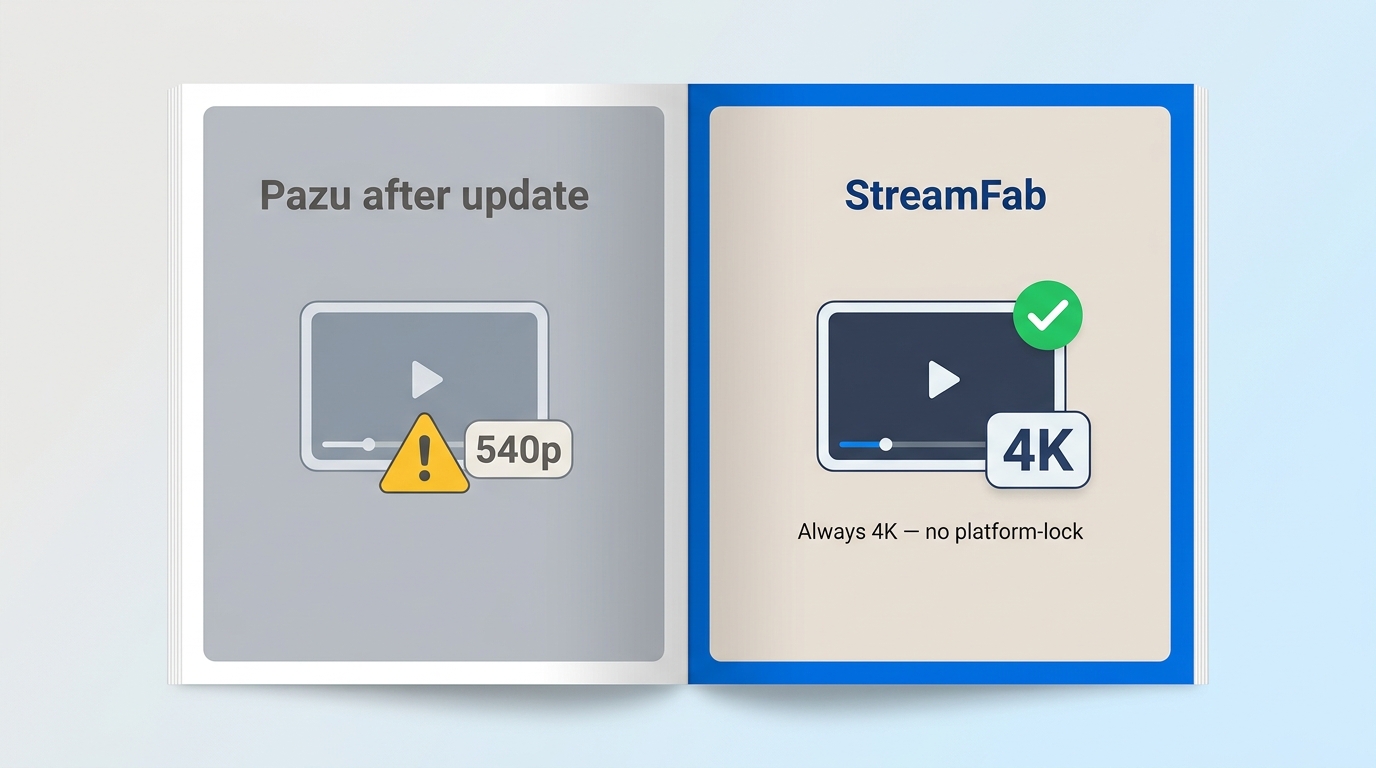
Major platform-side changes can interrupt download tools. As discussed in this Pazu Video Downloader review, Pazu may take time to release a patch after a major change, which can lead to failed downloads, 540p output, or an effective 1080p cap. When picture quality matters, a tool that responds quickly to platform changes is the more practical choice.
- If a problem appears immediately after a streaming service update, you simply have to wait for the next Pazu patch. Check their support page or community forums.
- Consider switching to a more actively updated alternative if the issue persists for weeks after a platform-side change.
9. Download Finishes but the File Is Oversized
A completed download can still be wrong if the file is far larger than expected or the bitrate does not match the selected setting. This can be more noticeable when a VPN is active. Turn off the VPN, choose a reasonable bitrate again, and download the episode once more to confirm that the file size looks right.
If you’re experiencing any of these problems, try the corresponding solution above. In my case, some issues could be fixed—but as Pazu became less stable and slower with updates, especially when dealing with Netflix, as noted in the Pazu Netflix video downloader review, I ultimately opted for a more reliable, frequently updated alternative.
Choose a Reliable Alternative to Pazu
If Pazu continues to fail after the checks above, changing tools can be more productive than repeatedly retrying the same job. For Windows and Mac users who need local files for personal offline viewing, StreamFab is one practical workaround.
1. StreamFab Video Downloader (Version 7)
StreamFab is a personal-backup tool for saving local copies of content you are authorized to access for offline viewing, subject to platform terms and applicable law. It is best suited to frequent offline viewers who need up to 4K output where the platform and plan allow it, plus batch downloads and broad service support. It is less suitable for someone who uses one platform only occasionally.

What impressed me most was that it covers a massive 60+ VIP streaming services, and its decryption team pushes out updates multiple times a month to restore high-quality video whenever streaming platforms change their code.
- Supports major streaming services, including Netflix, Disney+, Amazon Prime Video, Hulu, Paramount+, and Max.
- Supports up to 4K where the platform and subscription plan allow it, with MP4 or MKV output and platform-dependent HDR and multichannel audio options.
- Choose video quality, audio language, subtitles, and metadata settings for supported services.
- Batch/scheduled downloads: Easily queue up entire seasons or set downloads to run automatically—no manual clicking for every single episode.
- Platform support and availability may change; check StreamFab's official site for current status.
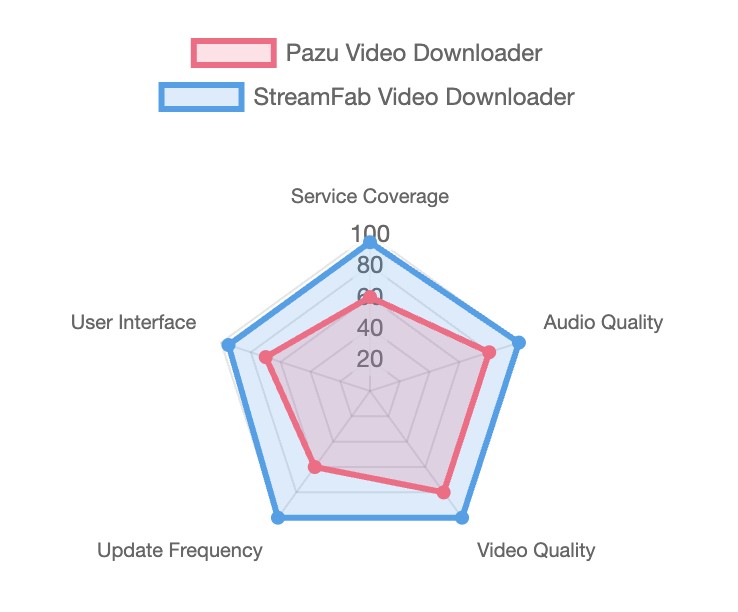
2. StreamFab vs Pazu at a Glance
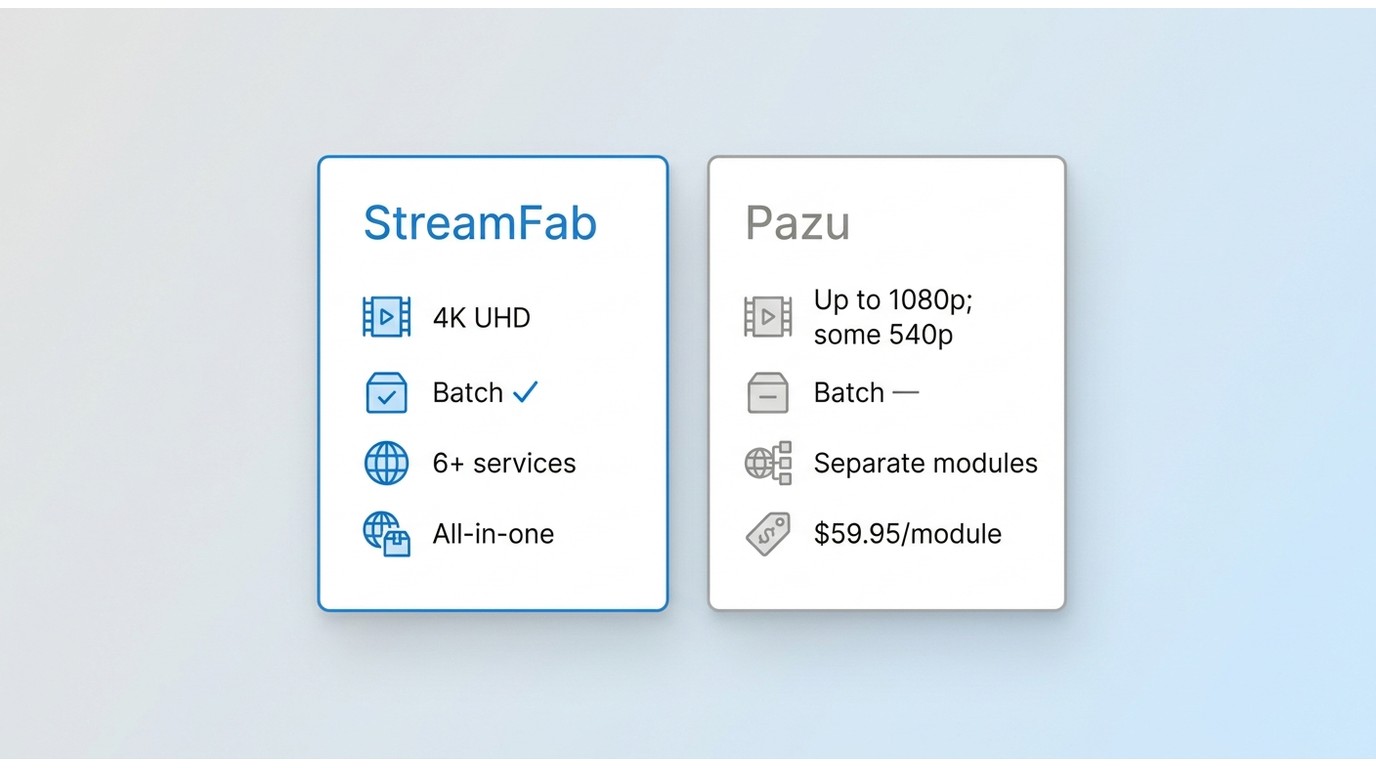
| Category | StreamFab | Pazu Video Downloader |
|---|---|---|
| Maximum resolution | Up to 4K where the platform and subscription plan allow | Up to 1080p; platform changes may result in 540p output |
| Batch and scheduled downloads | Available | Not listed as a core option |
| Platform coverage | Supports major services including Netflix, Disney+, Amazon Prime Video, Hulu, Max, Apple TV+, and Paramount+ | Uses dedicated modules for selected streaming services |
| Update response | Ongoing product updates for supported services | May require a patch after major platform-side changes |
| Price | 30-day trial available; pricing varies by license | $59.95 per year or $89.90 lifetime for one platform |
3. Downloading with StreamFab, Step by Step
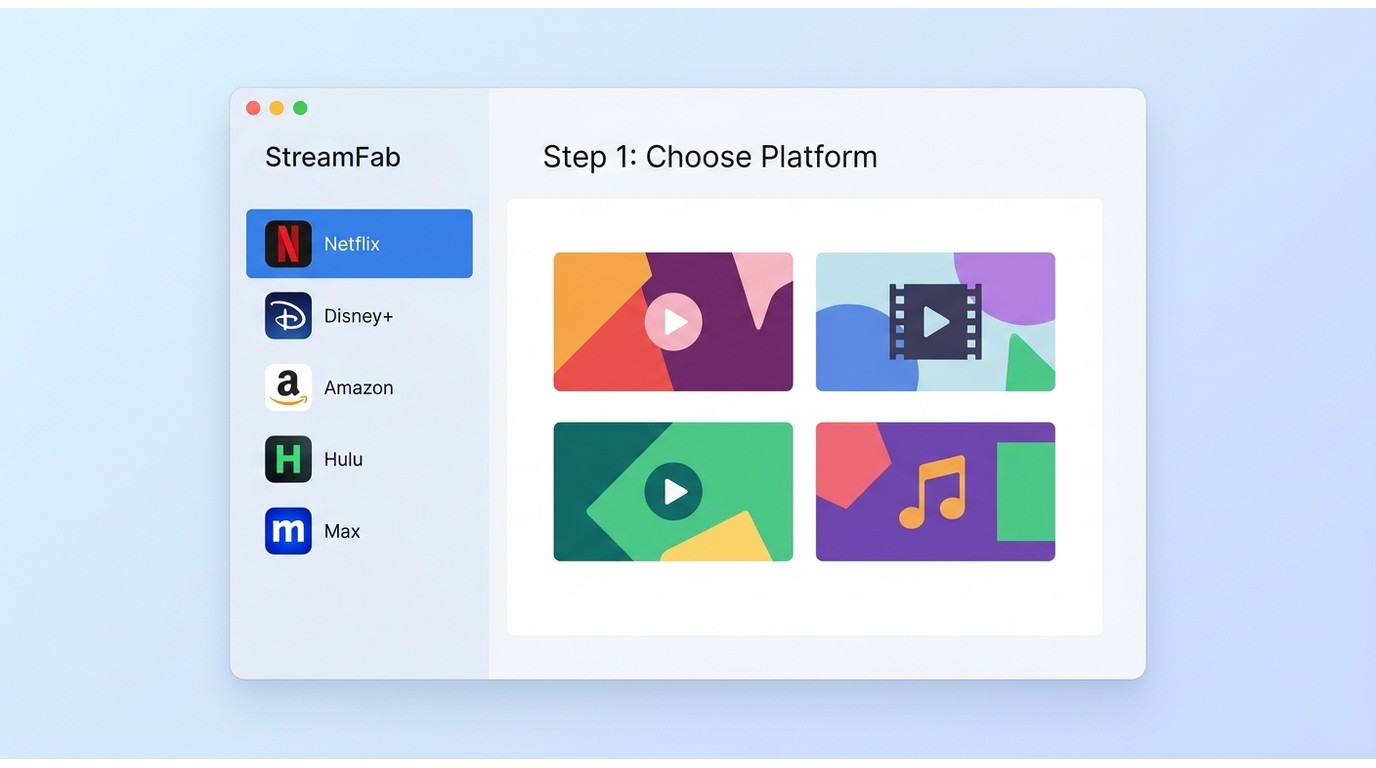
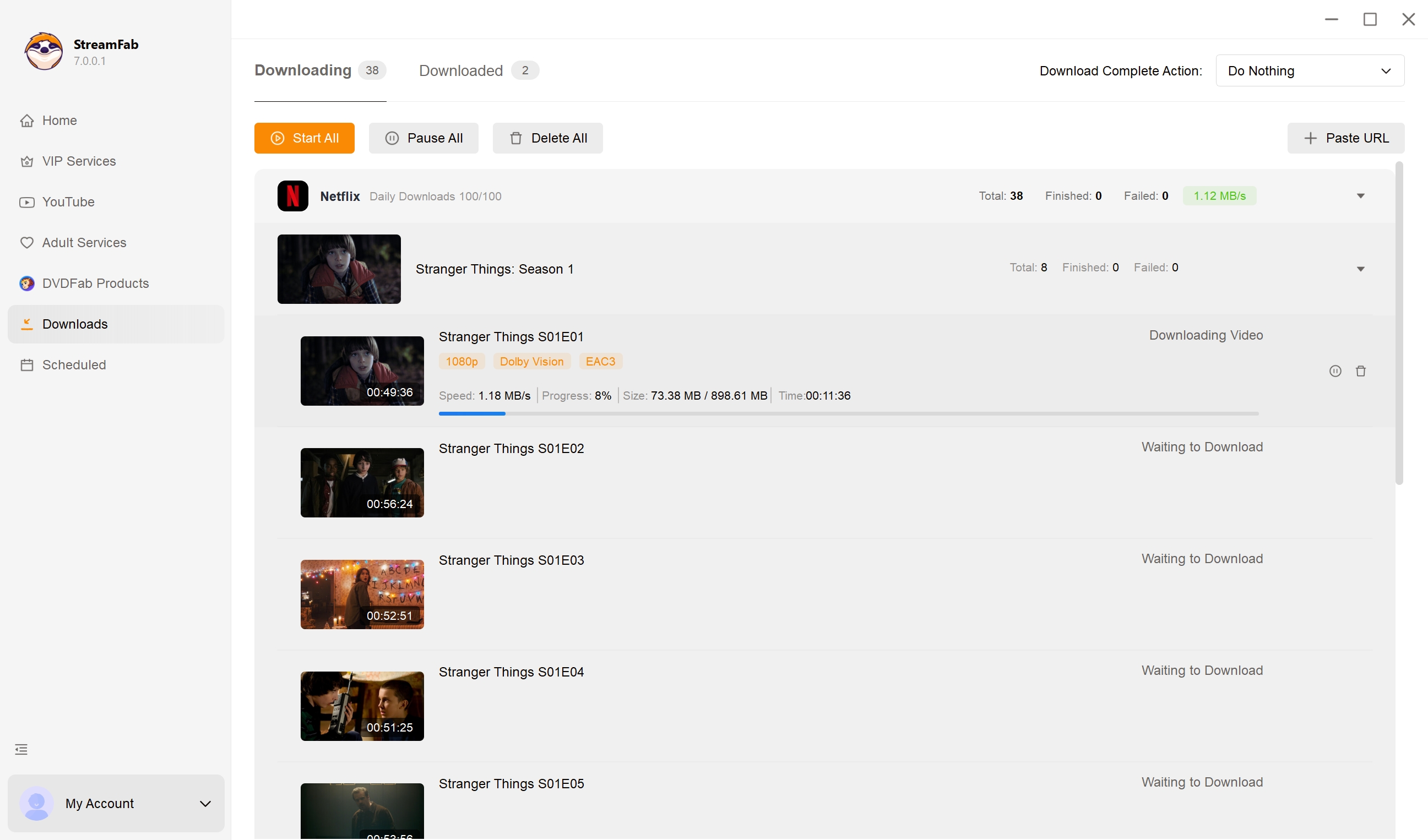
Before you start, make sure you are on Windows or Mac with a valid subscription to the streaming service, enough free disk space for the episodes you plan to save, and a stable internet connection. For the full workflow, including queuing entire seasons for overnight batch download, see the guide on how to use StreamFab on Windows or Mac.
Step 1 – Download & Install
Get StreamFab from the official site (choose Windows or Mac). Install and launch the application.
Step 2 - Choose Your Streaming Platform
On the left-hand VIP Services menu, you can choose from dozens of supported platforms. Log into your account and navigate to the show or movie you want to watch. Alternatively, you can copy and paste the direct media link into StreamFab's home page URL bar.
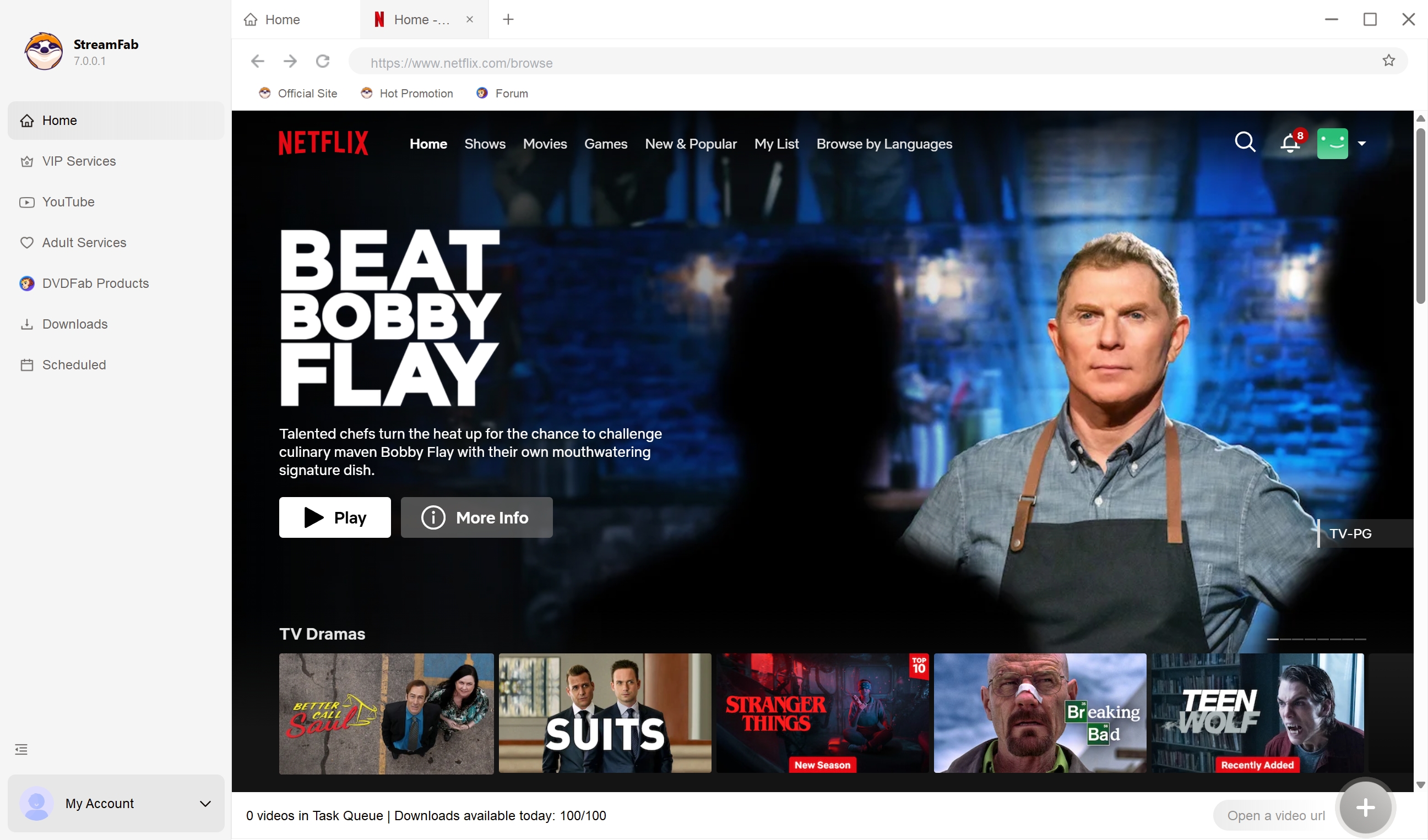
Step 3 – Choose Your Quality Settings
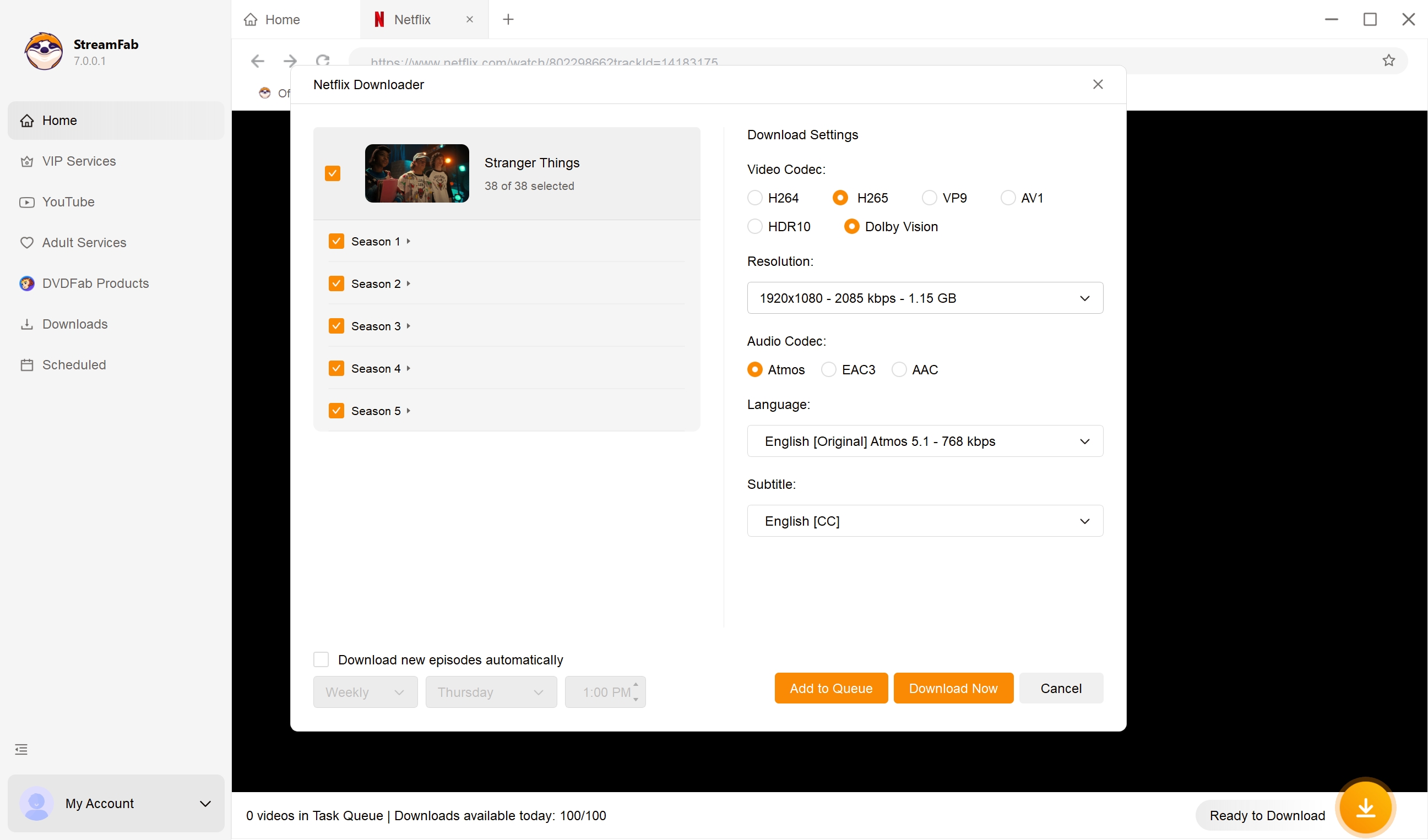
When you open the video page, StreamFab will automatically analyze the URL. A pop-up window will appear allowing you to select your preferred video resolution, audio track language, subtitle format (remuxed or SRT), and how many episodes you want to queue.
Step 4 – Download
Once you are done configuring your preferences, click "Download Now" to start immediately, or "Add to Queue" to download it later. When the task finishes, keep the local copy for personal offline viewing on your own devices, for content you are authorized to access.
StreamFab vs Pazu at a Glance
4. Personal Backups and U.S. Copyright Basics
For U.S. viewers, the safest practical boundary is to keep local copies for personal offline viewing of content you have a valid paid right to access.
Platform terms, copyright rules, and available features can differ by service and location. Official in-app downloads remain managed by the streaming platform and are different from a standard MP4 or MKV file saved on a computer.
Maintain an active subscription for the content you access, use copies privately, and do not redistribute, sell, or publicly share files. These limits keep the focus on personal viewing rather than replacing the streaming service's access terms.
FAQs
1. Is Pazu Video Downloader Safe?
Use the official PazuSoft installer rather than copies hosted on unfamiliar download sites. Review the installer details and your device's security prompts before installation, especially when downloading any desktop software.
2. How Do I Cancel My Pazu Subscription Due to Download Issues?
The primary official method is to email their customer support directly at team@pazusoft.com . Be aware: Recent user reviews on platforms like Trustpilot have noted that their after-sales support can be slow to respond, making the cancellation and refund process more difficult than it should be. Keep a record of your emails.
3. Is my Pazu "cannot download" error caused by a free trial or an expired license?
Often, yes. A free trial caps each job to the first few minutes, and an expired or lapsed paid license blocks new downloads outright. Confirm you have an active paid license before spending time on deeper technical fixes.
4. Can I still download in 4K when Pazu is limited to 1080p?
Pazu caps at 1080p and can drop to 540p after a major platform-side change. A desktop alternative such as StreamFab saves up to 4K where the platform and subscription plan allow it.
5. What is the best Pazu alternative to avoid consistent errors?
StreamFab is a practical alternative for viewers who need broad supported-service coverage, batch and scheduled downloads, and platform-dependent 4K output. It supports major services and offers MP4 or MKV output with available subtitle and audio-track settings.
Conclusion
When Pazu cannot download video, rule out license limits, login problems, security software, network settings, storage, and platform-side changes before switching tools. If errors or resolution drops continue, StreamFab is a practical Windows and Mac alternative for authorized personal offline viewing, particularly for people who value batch downloads and platform-dependent 4K output.

AnyStream (RedFox AnyStream) shut down in June 2024 and remains gone in 2026. I tested every major replacement — here are the 5 best anystream alternatives, including free options, ranked by real-world performance.
By Erika Leen - Oct 12, 2026

Evaluating the Audials One 2026 free trial? I tested its 720p caps, examined if is audials legal under Fair Use
By Erika Leen - Sep 29, 2026

Are you thinking of purchasing NoteBurner and unsure if it’s worth the investment? In this NoteBurner review, let’s delve into its product lines, particularly the NoteBurner Video Downloader’s pros and cons.
By Marcia Hatcher - Sep 28, 2026

Read our in-depth Audials review for 2026. Is Audials safe and legal for Amazon Prime? Discover actual test results, Widevine DRM fixes, and better alternatives.
By Erika Leen - Sep 28, 2026