
Pazu Netflix Video Downloader Review: Tested Limits in 2026

Summary: Downloading your favorite Netflix library permanently for your flexible offline watch is not a big deal anymore. Try the Pazu Netflix video downloader to enjoy Netflix streaming with ultimate customizations.
Table of Contents
Here’s the short answer: Pazu Netflix Downloader gives Windows and Mac users a desktop workflow for saving authorized Netflix titles as local files, but its six-minute trial, one-computer license, and documented output results make it worth evaluating carefully before you buy.
Netflix currently lists official downloads for Android phones and tablets, iPhone and iPad, Amazon Fire tablets, and Chromebooks, not Windows or Mac desktop apps. Ad-supported plans are limited to 15 downloads per device per calendar month. Pazu is a third-party desktop tool relative to Netflix’s official download feature, and any local-file workflow should be limited to content you are authorized to access where applicable law and Netflix’s terms permit it.

Why you can trust my review?
I personally tested Pazu Netflix Downloader. All strengths and weaknesses here are based on real use, not just specs.
The hardware and network below describe the MediaInfo sample used in this review. Results can differ by title, software version, Netflix plan, device, and connection:
- Location: New York, USA (Testing US Netflix Library)
- Network: Verizon Fios 200 Mbps
- Hardware: Lenovo ThinkPad X1 Carbon (Windows 11 Pro, Intel i7)
- Software Version: Pazu Video Downloader (documented earlier build); current official StreamGet release: 3.2.2, released August 19, 2026
- Test Subject: Stranger Things S4E1 - 1080p Goal
Basic Information About Pazu Netflix Downloader
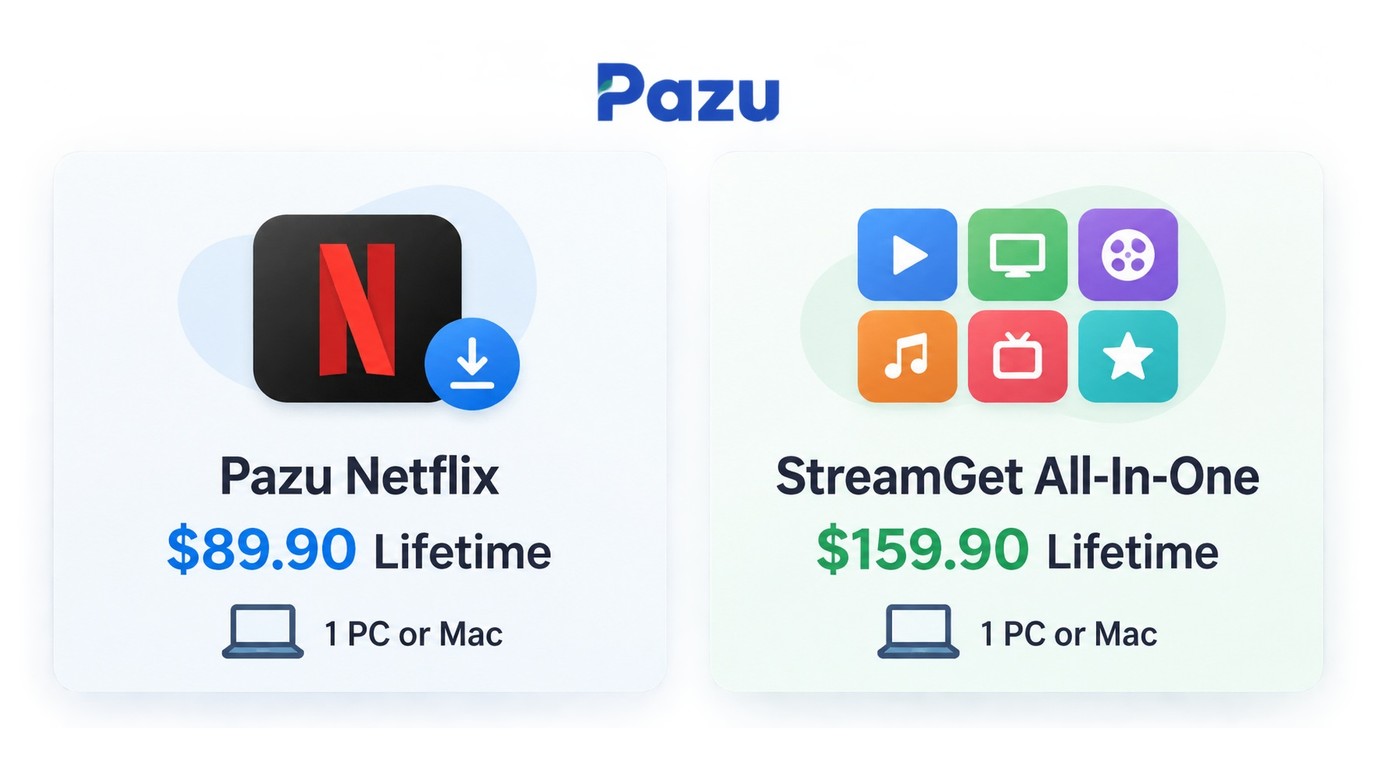
Pazu Netflix Video Downloader is Pazu’s Netflix-specific desktop module. Pazu also sells Pazu StreamGet All-In-One for multiple supported streaming services. You can also refer to the complete Pazu Video Downloader review for an in-depth look at all available modules and comparisons.
- Operation systems: Win & Mac
- Netflix Downloader: $89.90 lifetime for one PC or Mac
- StreamGet All-In-One: $159.90 lifetime for one PC or Mac
Prices and license scope are as of September 2026.
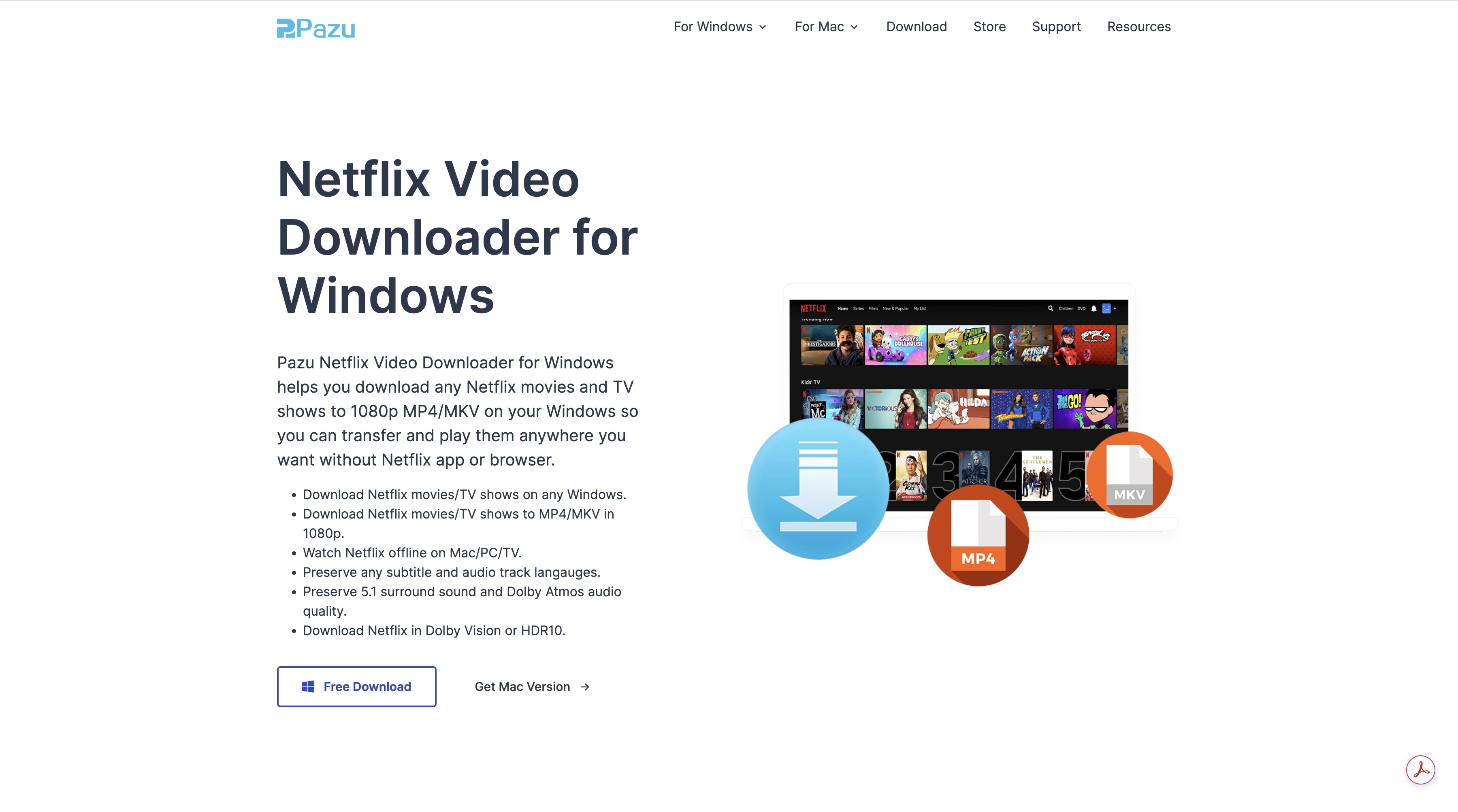
- Available for Windows and Mac.
- Advertised MP4/MKV output at up to 1080p.
- Play saved videos on compatible computers, TVs, phones, and tablets.
- Select available subtitle and audio-track languages.
- Pazu advertises 5.1 surround sound and Dolby Atmos support.
- Pazu advertises Dolby Vision and HDR10 support.
Pazu Netflix Video Downloader Review: Tried and Tested by Me
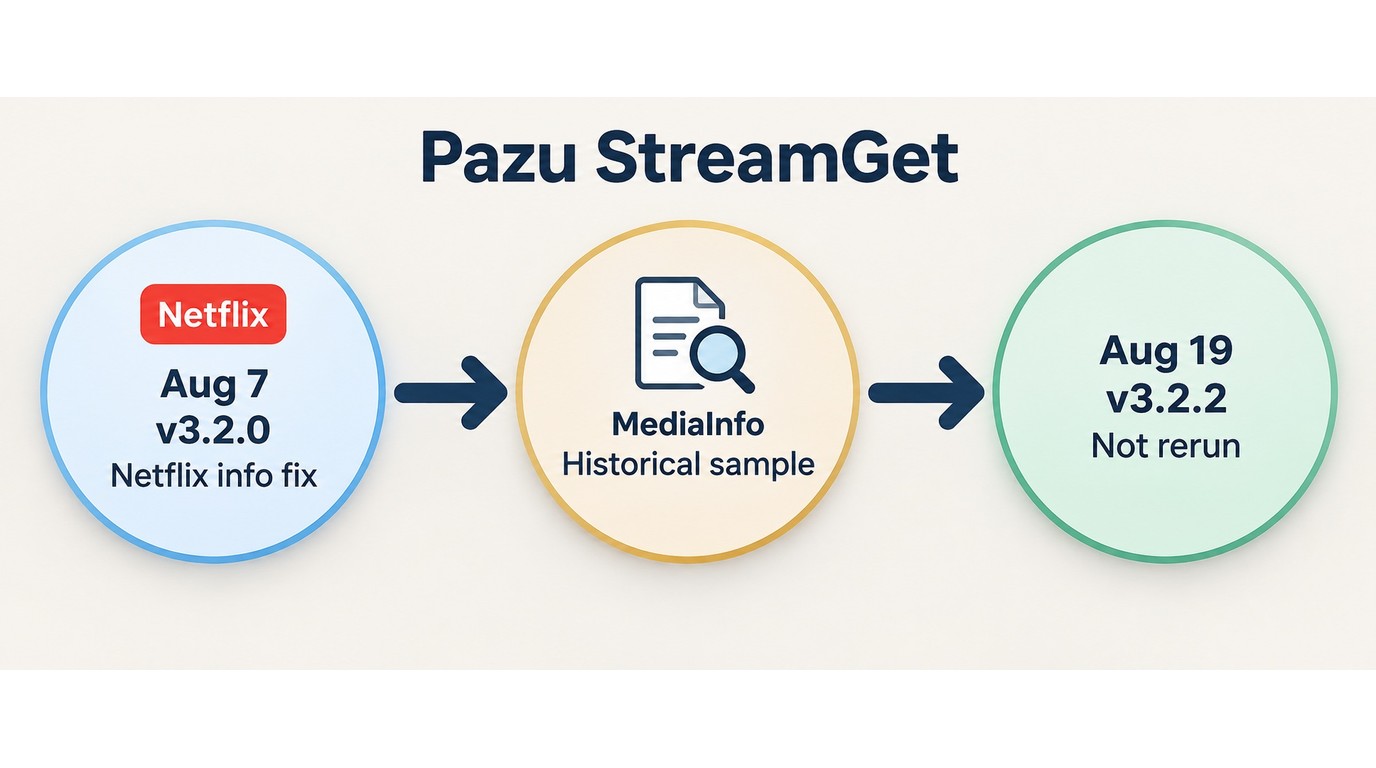
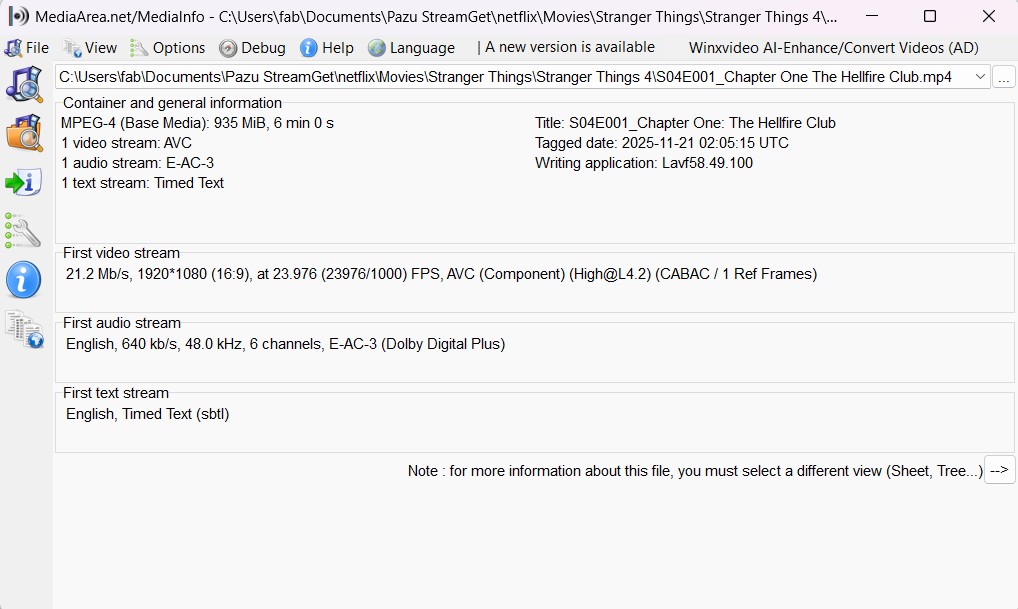
Most reviews of the Pazu Downloader stop at the advertised 1080p specification. I first checked current release activity: Pazu’s official release notes list StreamGet 3.2.2, released on August 19, 2026, after version 3.2.0 added a Netflix video-information fix on August 7, 2026. The MediaInfo screenshot below comes from the documented Stranger Things Season 4, Episode 1 sample used in this review. Because that sample was not rerun on version 3.2.2, I treat it as a dated output example rather than a universal current-build result.
1080p, HDR, Dolby Vision, and Atmos Results
In the documented sample, MediaInfo reported an E-AC-3 5.1 track at 640 kb/s rather than a Dolby Atmos track. This result describes the tested title and output sample, not every title or future Pazu release.
Pazu advertises output at up to 1080p with Dolby Vision or HDR10, but the documented Stranger Things file was SDR. If HDR or Atmos is central to your setup, use the trial to inspect a representative title in MediaInfo before purchasing.
Pazu’s feature list reads like a fantasy novel. They promise a cinematic feast with Dolby Vision and Atmos, but they serve up a microwave dinner: flat SDR video and standard 5.1 audio. Slapping a "Dolby Atmos" sticker on a standard surround track doesn't make it premium; it makes it false advertising.
Download Speed and Trial Limits
Pazu’s evaluation download is limited to the first 6 minutes. That is enough to inspect the login flow, format selection, and a short output sample, but it cannot establish full-title stability or current-version download speed. For a useful comparison, run the same representative title under the same network conditions and record both elapsed time and MediaInfo results.
Codec, Bitrate, and File Size
A large output file does not automatically indicate better picture quality or inefficient processing. Use MediaInfo to compare the video codec, bitrate, resolution, frame rate, duration, and audio format before judging the result.
For storage planning, compare files from the same episode and quality setting. MP4 or MKV identifies the container, while the codec and bitrate show whether the extra space carries additional picture or sound data.
Pazu StreamGet and MovPilot: What Is Verified
Pazu StreamGet is Pazu's All-In-One product family, while Pazu Netflix Downloader is its Netflix-specific module.
MovPilot is a separate, active product with a broadly similar built-in-browser workflow, while the full MovPilot review examines that product beyond this focused comparison. Similar interface layouts or trial prompts do not establish shared ownership, shared code, or a white-label relationship.
For buyers, the verifiable distinction is product scope: Pazu sells a Netflix-only module as well as the broader Pazu StreamGet All-In-One package.
- Netflix-only option: Intended for one streaming service and licensed for one PC or Mac.
- StreamGet All-In-One: Covers Pazu's broader group of supported streaming services under a separate license.
Similar interfaces can help you compare workflows, but they do not prove that two products share ownership or underlying code.
Features vs. Reality: Pros, Limits, and Value
- 1080p Output: Pazu advertises Netflix downloads at up to 1080p, giving desktop users a local offline-viewing option for authorized content.
- MP4/MKV Output: Files can be saved as MP4 or MKV for playback on compatible phones, tablets, computers, TVs, and media players.Netflix movies to USB
- Built-in Browser: You don't need the Netflix app installed. You can browse and download directly inside the Pazu interface, which is very convenient.
- Language Selection: Pazu provides audio-track and subtitle selection, and the measured sample retained E-AC-3 5.1 audio.
- HDR and Atmos Results: Pazu advertises Dolby Vision, HDR10, and Dolby Atmos support, while the output sample documented above contained SDR video and E-AC-3 5.1 audio.
- File-Size Evidence: A large file does not prove better quality; compare its codec, bitrate, resolution, frame rate, audio format, and duration in MediaInfo.
- Automation Scope: The workflow shown here supports adding downloads to a queue, but it does not show a scheduled recurring task.
- Six-Minute Trial: The evaluation limit is enough to inspect the workflow and a short output sample, but not full-title stability.

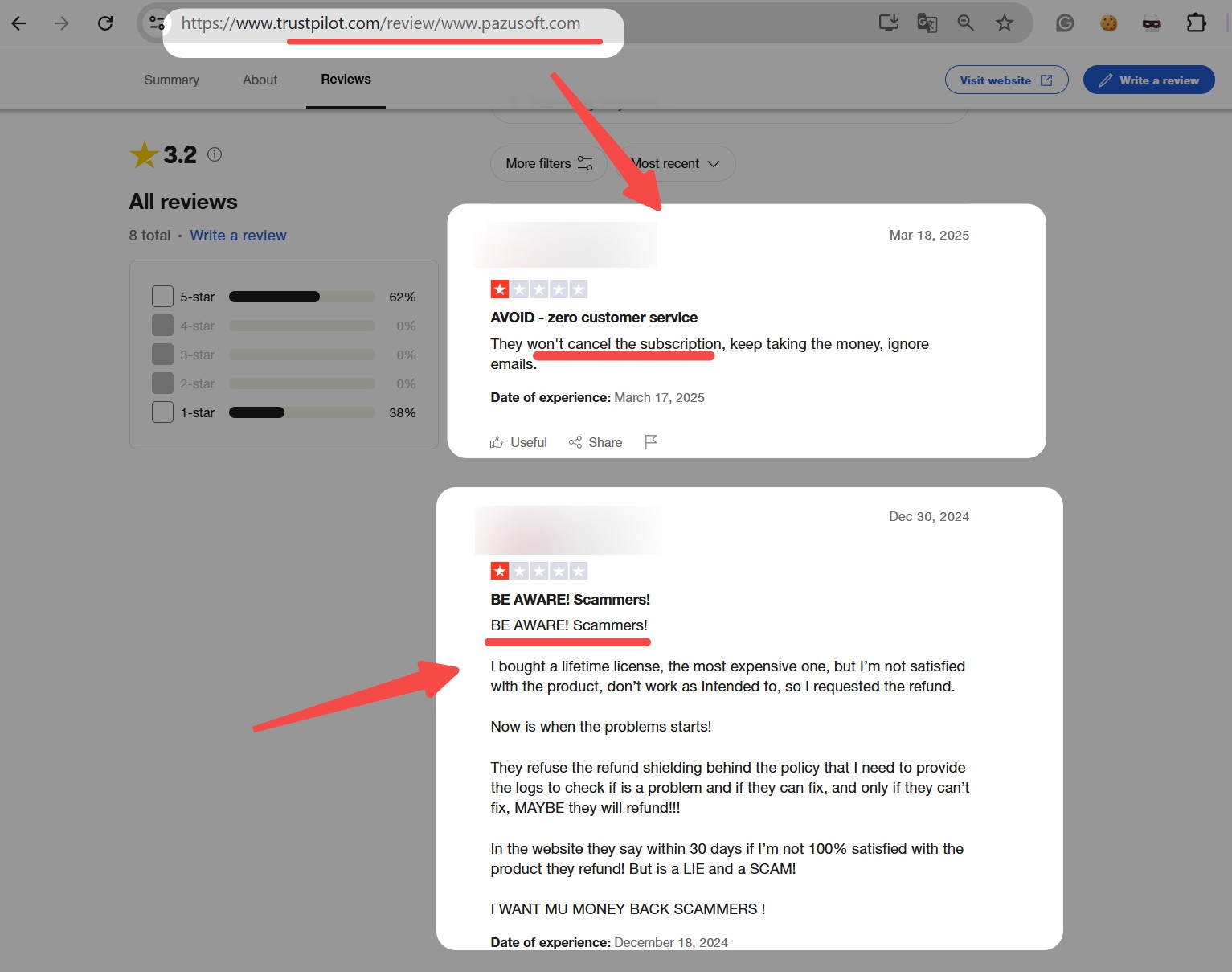
Pazusoft's Trustpilot profile showed a 2.8/5 rating from 15 reviews on September 14, 2026, and the profile covers the Pazusoft brand rather than only Pazu Netflix Downloader. Pazu's official refund policy uses conditional eligibility windows and exclusions rather than an unconditional refund guarantee. With a 15-review sample covering the whole brand, I would treat the score as a caution signal, not a verdict on this module alone. Pazu video cannot download
Current Price and Purchase Verdict
Pazu lists its Netflix Downloader lifetime license at $89.90 for one PC or Mac. My verdict is more specific than a simple yes or no: it fits buyers who want a Netflix-only desktop tool, but the six-minute trial, one-computer scope, conditional refund terms, and quality results above should factor into the purchase.
Note: Pazu's single-service license keeps the purchase focused on Netflix. Buyers who need deeper automation, broader output controls, or support for multiple streaming services should compare those requirements before choosing a plan.
Pazu Netflix Video Downloader Setup
The features I shared above—and the issues I encountered—are based on both my personal experience and feedback from other users. Given the mixed reviews and range of functions, I strongly recommend that new users try out the free trial of Pazu Netflix Downloader before deciding whether to purchase the full version. This way, you can see firsthand if it meets your needs for Netflix video downloading.
If you’d like to give it a try, here’s exactly how to use Pazu Netflix Downloader to download Netflix movies on laptops:
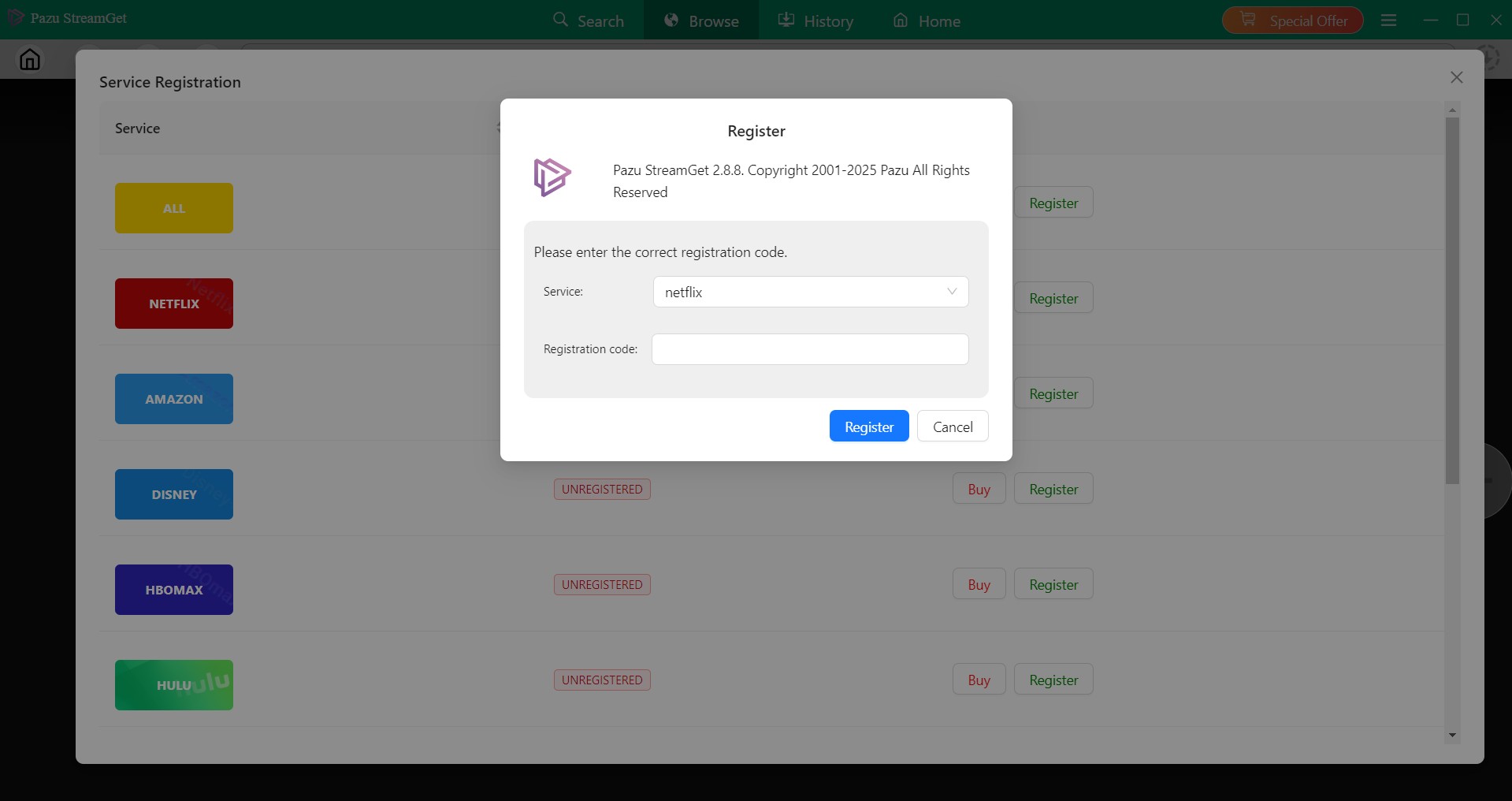
If you bought the full version of Pazu Downloader, enter your registration code. Otherwise, continue with the limited evaluation version.
Find the Netflix icon, and log in to your Netflix account.
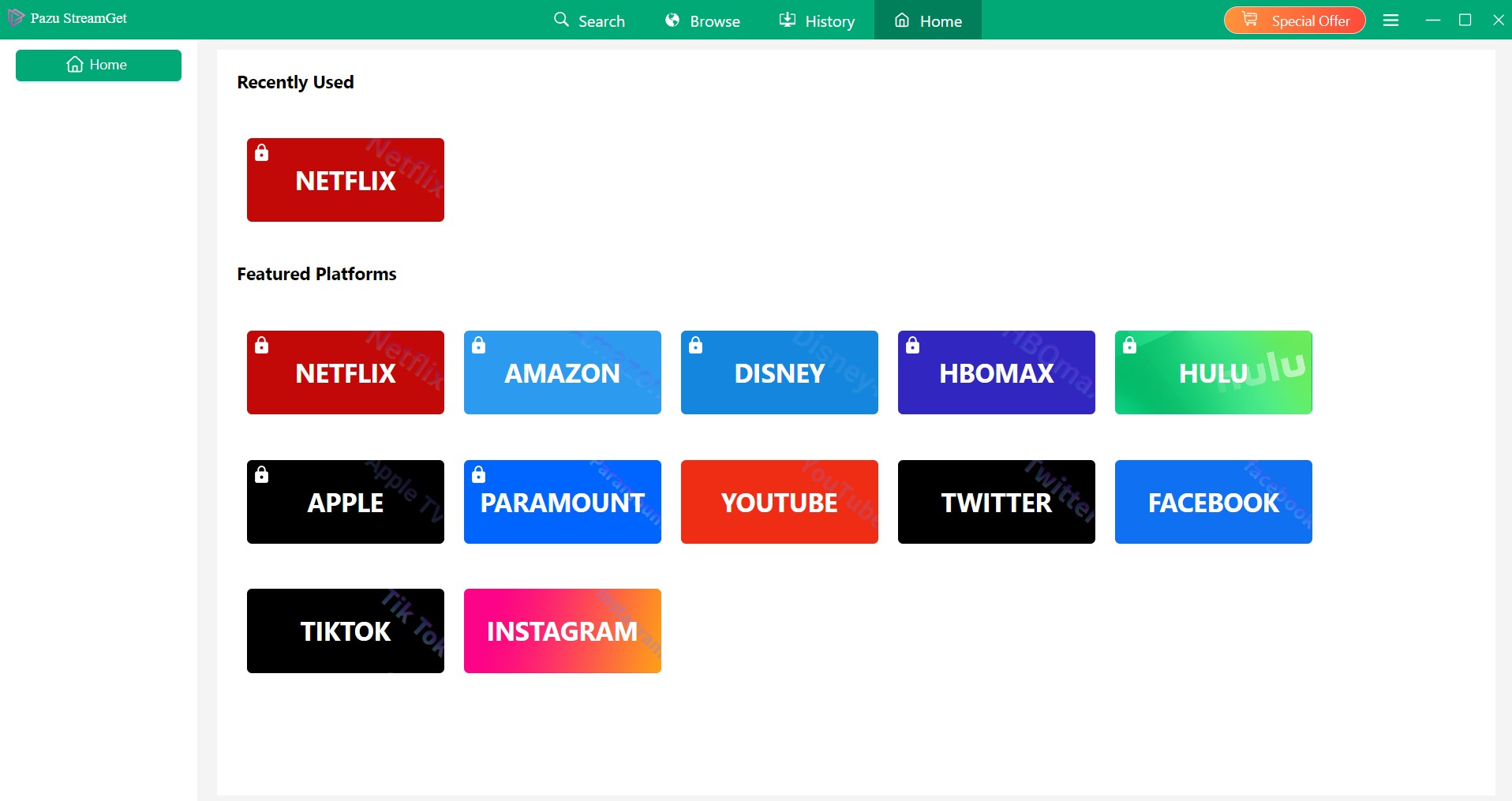
Search for the movies you want. You can also copy and paste your video URL directly into the address bar on the Homepage.
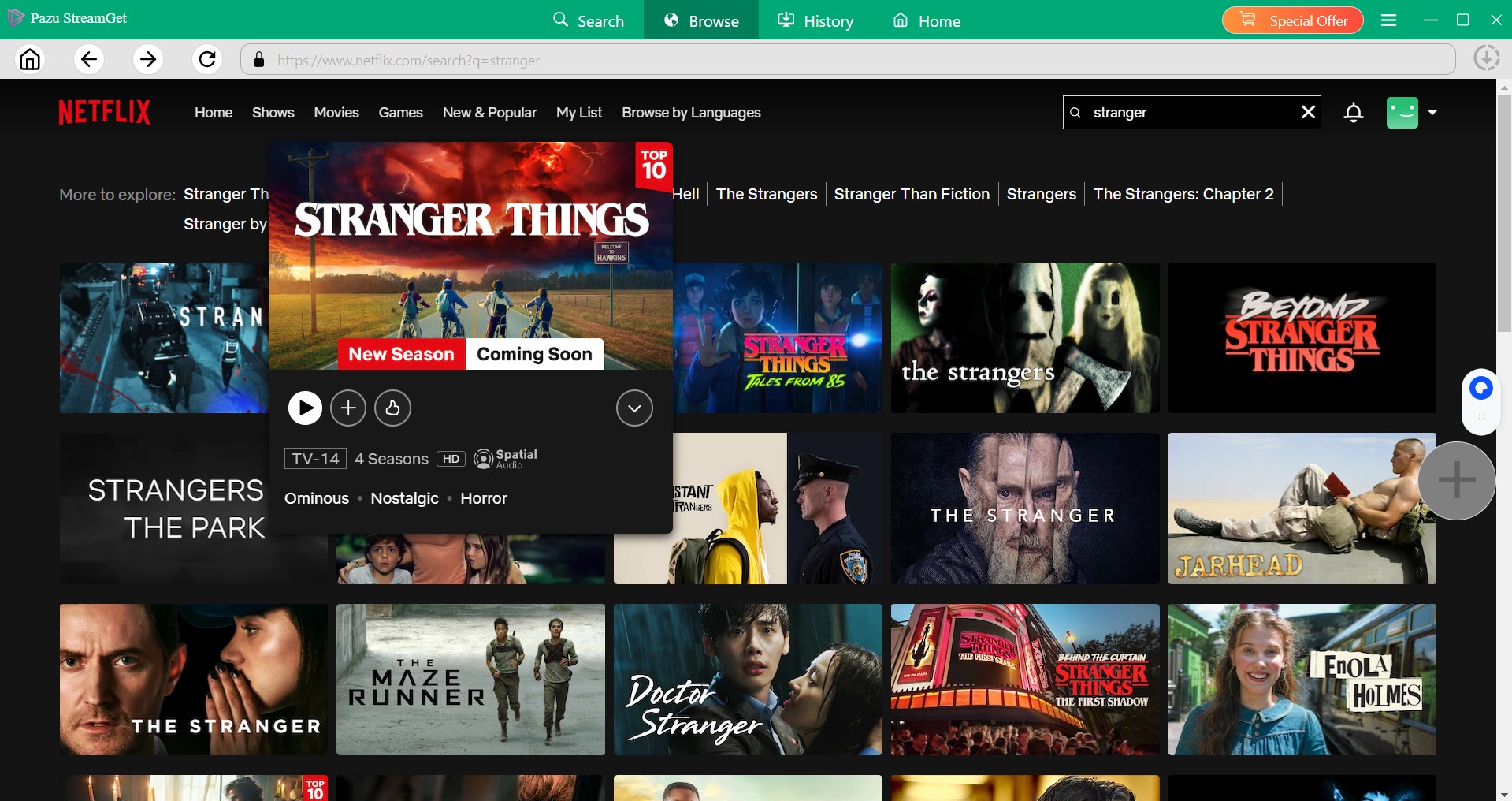
Then a pop-up window will ask for your video options. You can choose the resolution, audio and subtitle language. For series or shows, you can select multiple episodes in one go, or you can select them individually.
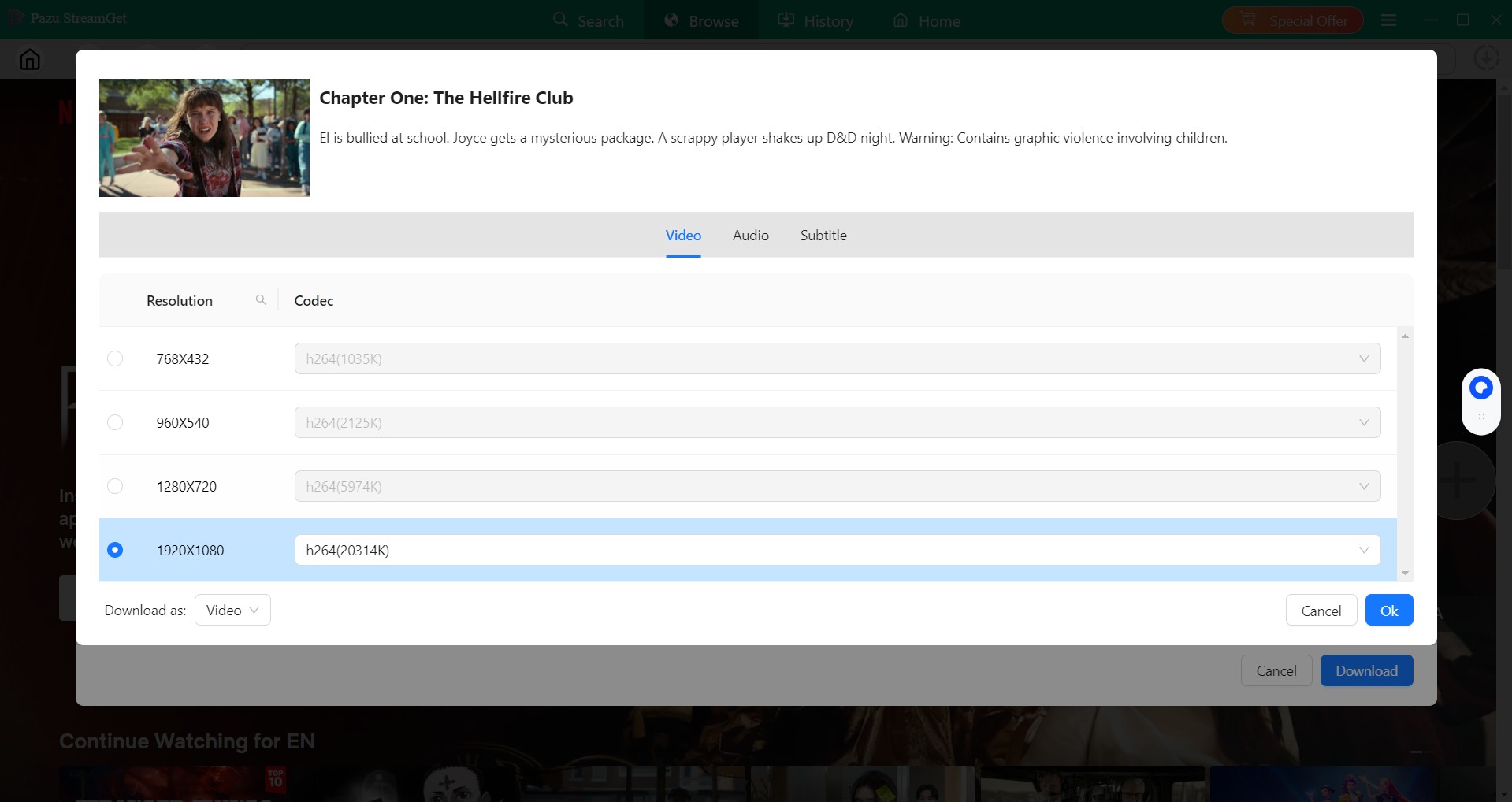
After customization, you can download it right now or add it to the queue for later downloading.
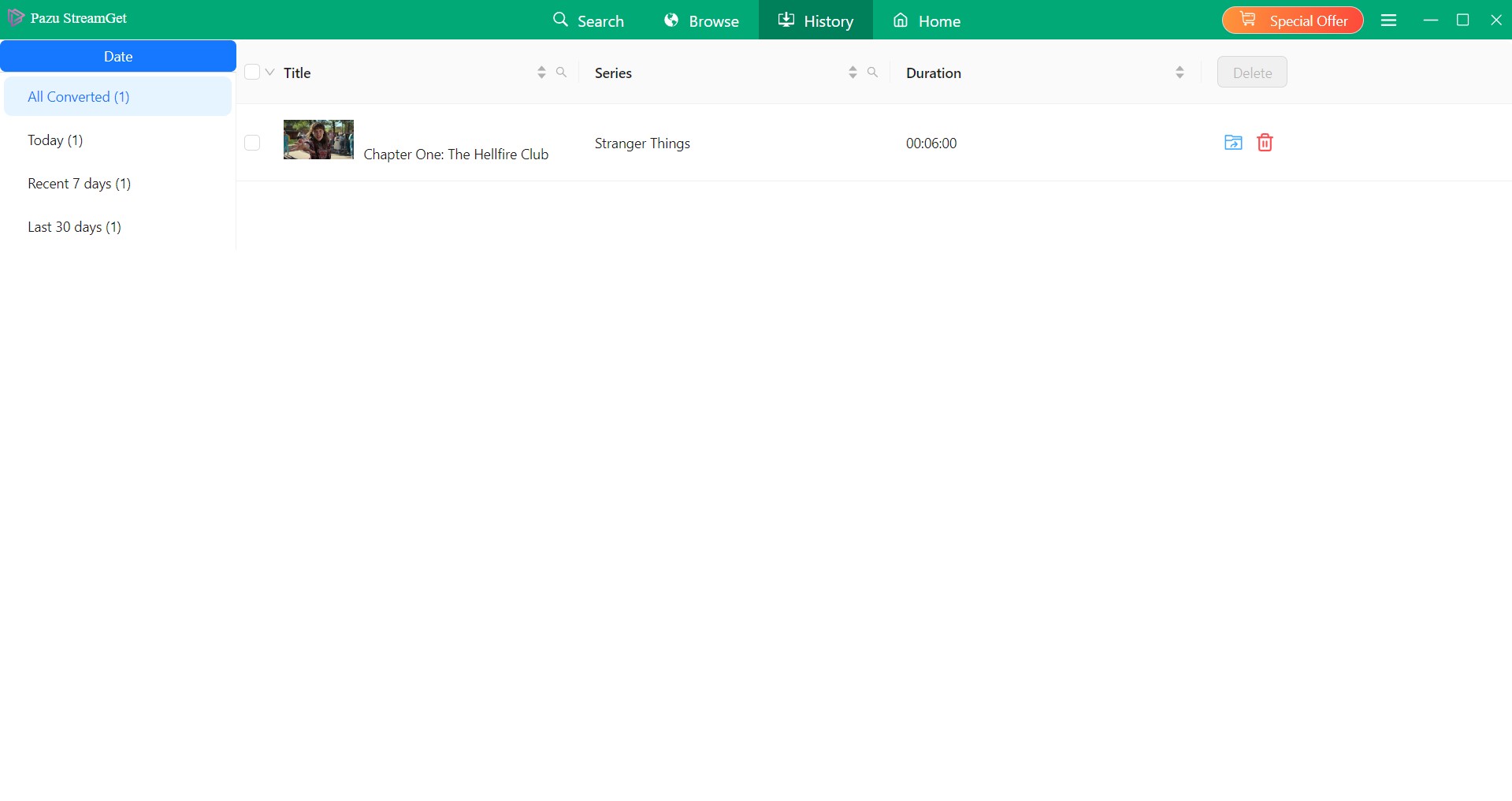
For installer safety, download Pazu Netflix Downloader from its official website and avoid modified copies or files from unofficial sources, which may expose your device or account data to unnecessary risk.
Avoid Unofficial Pazu Installers
Pazu’s price and six-minute trial may tempt some users to look for unofficial installers.
Use the installer published on Pazu’s official website. One community report described an unofficial copy that stopped at 10% and behaved like the trial version, but that single experience does not establish how every unofficial copy will behave.
If the official build enters a recurring Pazu video cannot download loop, use Pazu’s update and support channels rather than replacing it with a modified executable.
Pazu vs. StreamFab Netflix Downloader
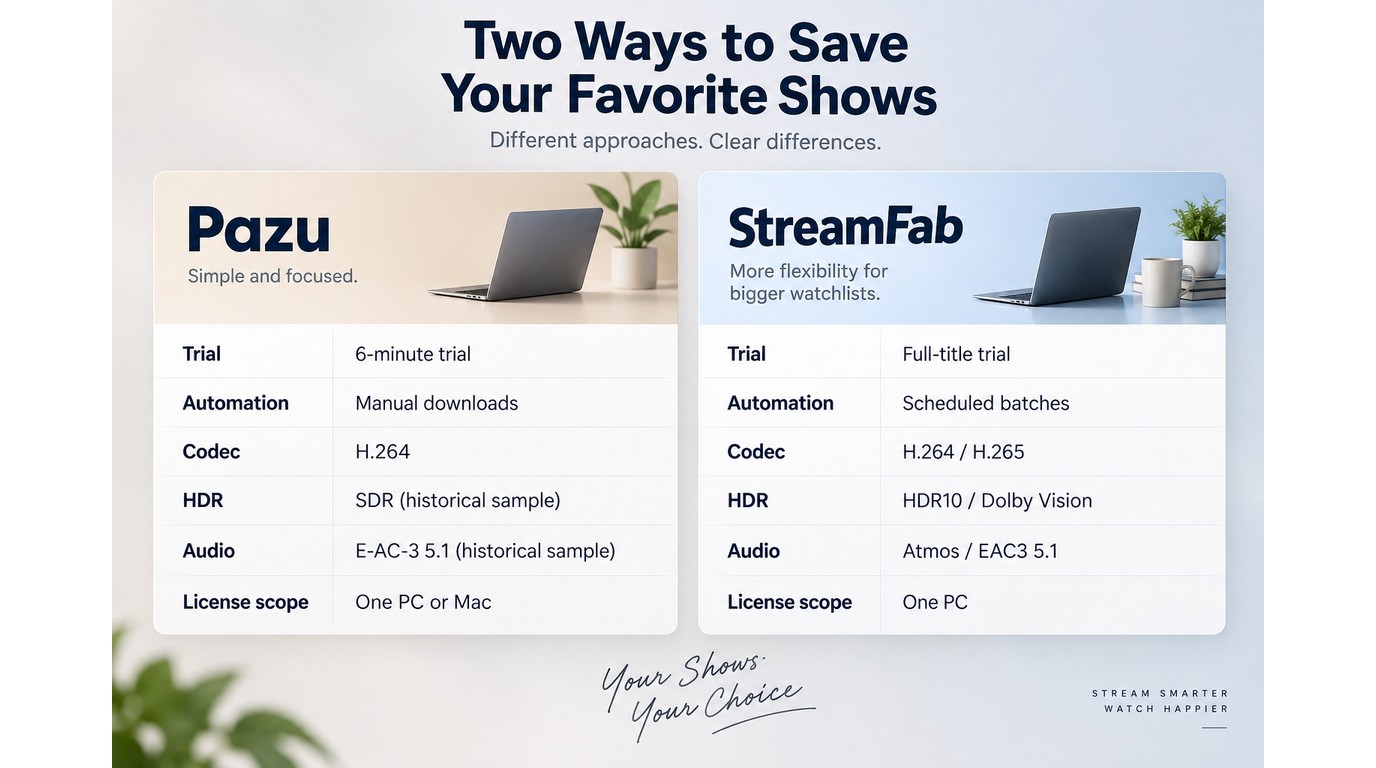
If HDR, multichannel audio, automation, and output controls carry more weight in your decision, StreamFab Netflix Downloader is one practical desktop alternative to compare with Pazu. It supports authorized personal offline viewing on Windows and Mac, including workflows for users who want to download Netflix HDR movies within the limits of their active subscription, applicable law, and Netflix’s terms.
StreamFab Netflix Downloader at a Glance
StreamFab Netflix Downloader is a Windows and Mac desktop app that records supported Netflix videos at up to 1080p and saves them as MP4 or MKV files. Available output options include H.264 or H.265 video, HDR10 or Dolby Vision, and Dolby Atmos, EAC3 5.1, or AAC 2.0 audio. It operates separately from Netflix’s official download feature and is intended for authorized personal offline use with an active Netflix subscription.

Save authorized Netflix titles through a Windows or Mac desktop workflow, then transfer compatible MP4 or MKV files to a USB drive for playback on supported devices.
- Video and audio: Save supported titles at up to 1080p with HDR10 or Dolby Vision and select Dolby Atmos, EAC3 5.1, or AAC 2.0 audio when available.
- Output control: Choose MP4 or MKV with H.264 or H.265 based on playback and storage needs.
- Automation: Add multiple episodes to the queue and use scheduled saving for supported series.
- MP4 generally offers broader device compatibility, while MKV can hold multiple media tracks in one container.
- The desktop application supports Windows and Mac; iOS is not supported.
- An active Netflix subscription is required to access and save eligible titles.
- Use saved content only for authorized personal viewing and do not redistribute it.

Pazu vs. StreamFab: Key Differences
Pazu offers a simpler Netflix-only purchase, while StreamFab provides a deeper full-title trial and more automation and output controls. The useful choice depends on which of those differences solves your actual offline-viewing workflow.
| Decision point | Pazu Netflix Downloader | StreamFab Netflix Downloader | Best fit |
|---|---|---|---|
| Purchase scope | $89.90 lifetime; 1 PC or Mac | Netflix module for Windows or Mac | Pazu: lower listed entry price |
| Trial depth | First six minutes | 30 days; 3 full videos per service | StreamFab: full-title evaluation |
| Video and audio | Observed sample: SDR, E-AC-3 5.1 | Measured: 1080p, HDR10, Atmos/DD+5.1 | Results from documented samples |
| Formats and codecs | MP4/MKV; codec depends on output | MP4/MKV; H.264 or H.265 | StreamFab: more codec control |
| Batch workflow | Multi-episode selection | Batch queue and scheduling | StreamFab: recurring series |
The StreamFab quality result comes from a June 2026 sample of Love, Death & Robots Season 4, Episode 3 on macOS with a 24 Mbps connection; the output was 1080p with HDR10 and Dolby Atmos/DD+5.1.
My fit judgment is straightforward: choose Pazu if a Netflix-only lifetime license for one computer matches your needs. Choose StreamFab if full-title trial depth, scheduled batches, codec selection, HDR, and multichannel audio are more important to your library.
StreamFab Workflow Snapshot
The workflow uses the VIP Services panel and automatic title detection; the StreamFab Netflix Downloader guide shows the same interface and output controls in more detail.
Open StreamFab Netflix Downloader on a Windows PC or Mac, then select VIP Services from the left panel. Use an active Netflix subscription and select only content you are authorized to access.
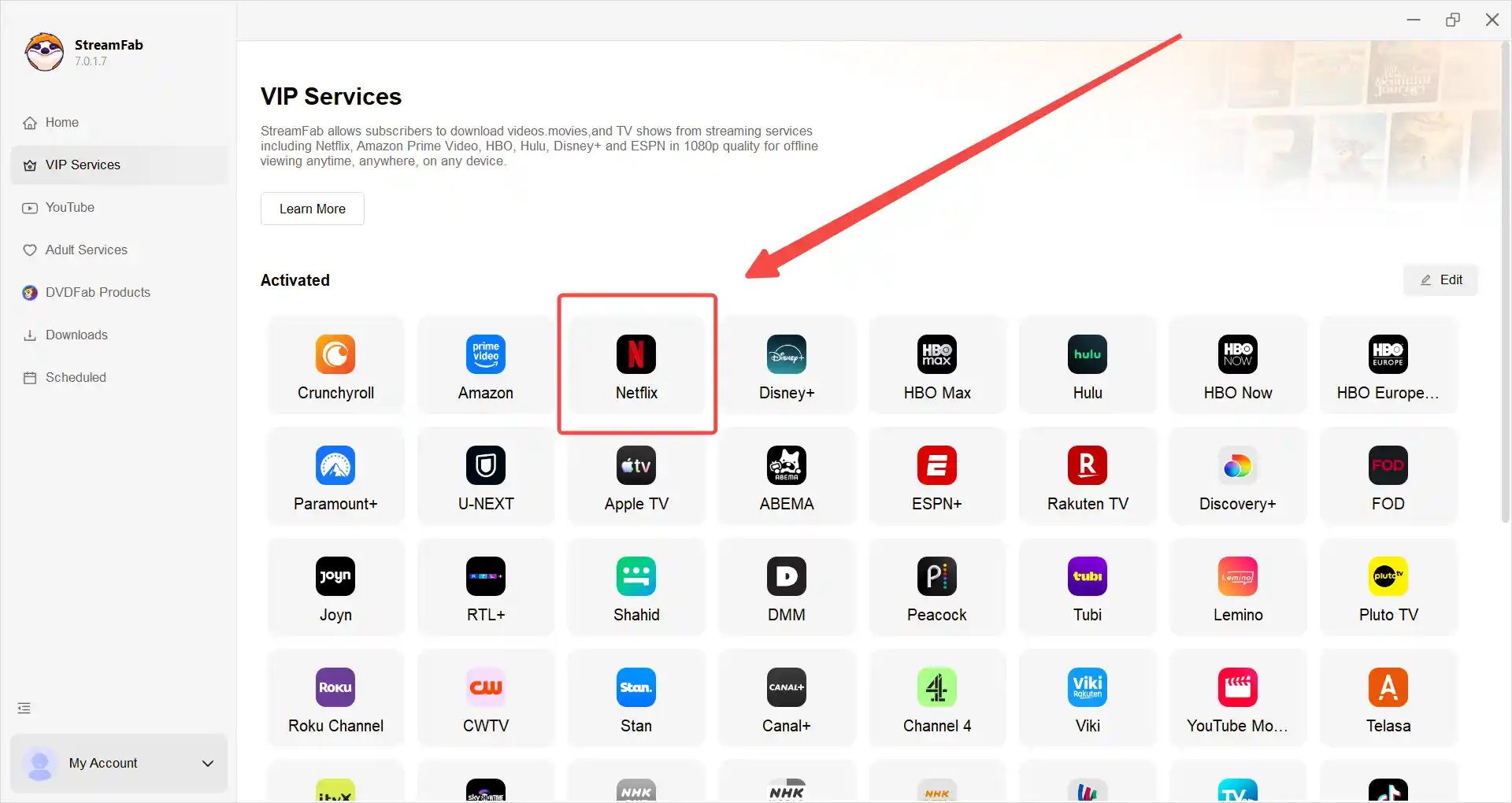
Select Netflix from the service list, sign in, and play the movie or episode you want to save.
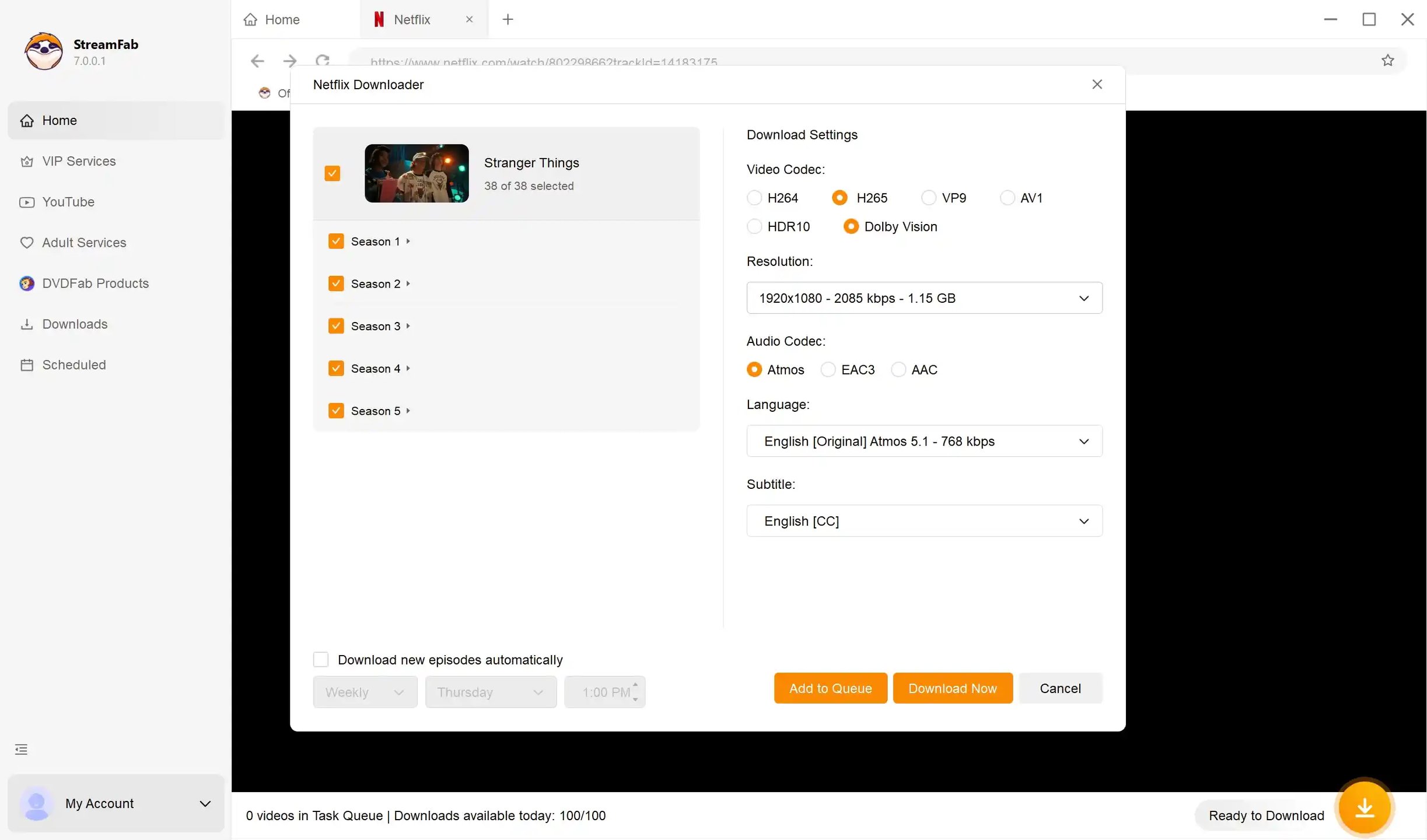
After StreamFab detects the video, choose the available format, quality, audio, and subtitle options, then select “Download” to add it to the saving workflow.
Authorized Use and Platform Limits
StreamFab uses screen-recording and stream-recording technology to support personal offline viewing; it does not provide a way to avoid Netflix subscription requirements or alter access controls.
Use Pazu or StreamFab only with a valid Netflix subscription and only for content you are authorized to access.
Keep saved videos within personal-use boundaries, do not redistribute them, and follow applicable law, Netflix’s platform terms, and the StreamFab copyright and usage guidelines.
These boundaries apply to both tools, and the legal specifics depend on the content, location, and intended use.
FAQ
What makes a Netflix downloader reliable?
Look for recent release activity, full-title output checks, confirmed resolution and codec details, a trial that reflects the actual workflow, clear license scope, responsive support, and written refund terms. A feature list alone does not show whether the software works consistently with the current Netflix service.
Is Pazu free, or is its trial limited?
Pazu is paid software. Its evaluation version saves the first six minutes of a video, which is enough to inspect the workflow and a short output sample but not enough to assess full-movie or full-season stability.
Does Pazu offer an official portable edition?
Pazu’s official product pages identify Windows and Mac installers with a one-computer license. They do not identify an official portable edition, so use the installer distributed through Pazu’s official site.
Does a larger file mean better video quality?
No. Compare resolution, codec, bitrate, frame rate, HDR metadata, and audio format with a tool such as MediaInfo. A larger file may contain more picture or sound data, but it may also reflect a higher bitrate or less efficient encoding.
Conclusion
Pazu’s current release activity addresses Netflix compatibility, but the purchase decision still hinges on its Netflix-only license, six-minute evaluation, and whether the documented output matches your setup.
Pazu is a reasonable fit if you want a Netflix-only desktop product with a simpler single-service purchase. StreamFab Netflix Downloader is the stronger fit when batch processing, scheduled downloads, MP4 or MKV output controls, and support for HDR10, Dolby Vision, Dolby Atmos, or EAC3 5.1 are central to your workflow. My recommendation is to choose by those practical requirements rather than by file size or marketing claims alone.

AnyStream (RedFox AnyStream) shut down in June 2024 and remains gone in 2026. I tested every major replacement — here are the 5 best anystream alternatives, including free options, ranked by real-world performance.
By Erika Leen - Oct 12, 2026

Evaluating the Audials One 2026 free trial? I tested its 720p caps, examined if is audials legal under Fair Use
By Erika Leen - Sep 29, 2026

Are you thinking of purchasing NoteBurner and unsure if it’s worth the investment? In this NoteBurner review, let’s delve into its product lines, particularly the NoteBurner Video Downloader’s pros and cons.
By Marcia Hatcher - Sep 28, 2026

Read our in-depth Audials review for 2026. Is Audials safe and legal for Amazon Prime? Discover actual test results, Widevine DRM fixes, and better alternatives.
By Erika Leen - Sep 28, 2026