
OnlyFans Downloaders Tested in 2026: PC, Browser, Mobile

Summary: This comparison separates active desktop and browser workflows from open-source projects and mobile options whose OnlyFans coverage is unverified or unavailable. It focuses on authorized personal offline viewing, current media scope, maintenance signals, and the practical trade-offs between batch organization and occasional saves.
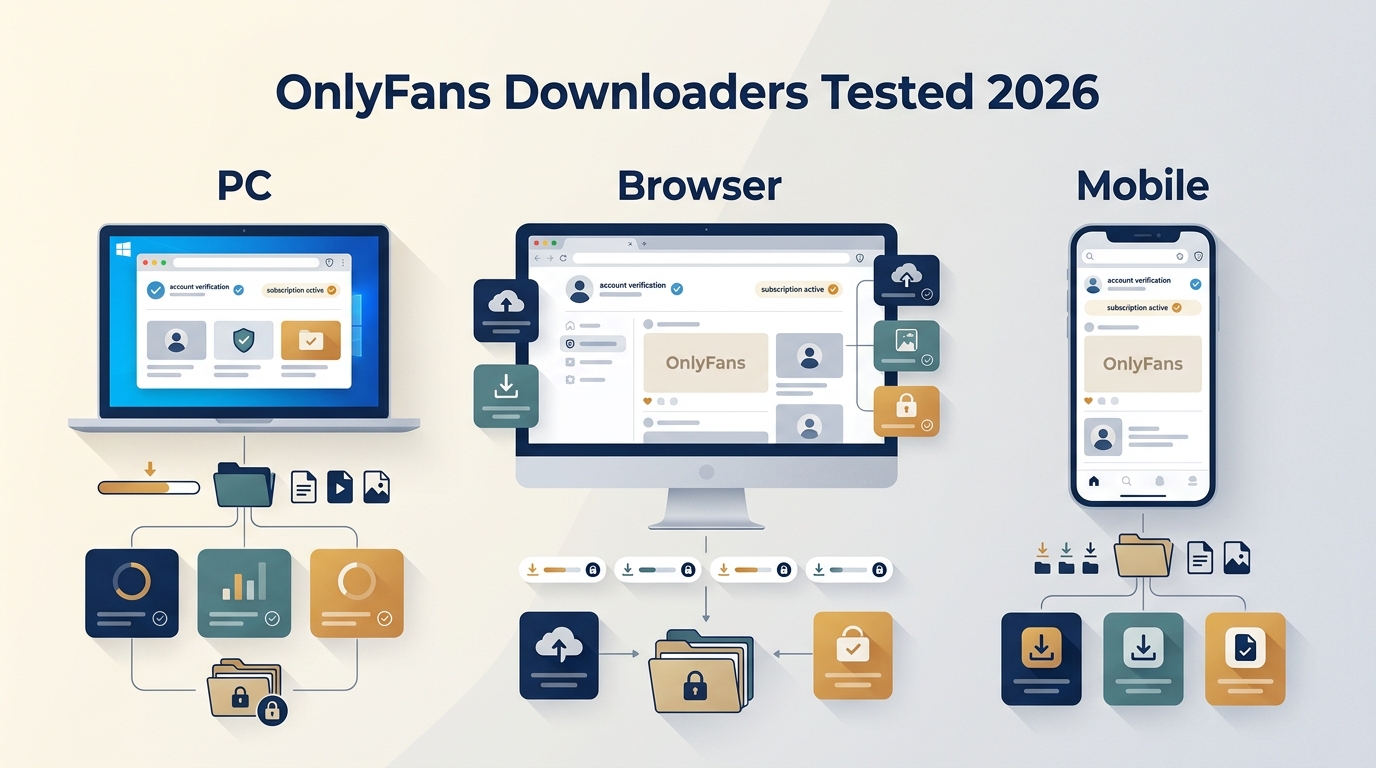
OnlyFans does not offer a universal download button for most videos.For personal offline viewing during an active authorization, choose a desktop workflow for larger libraries,
- Legality & safety you need to know FIRST
- Desktop tools are usually the most stable choice for batch saving and library management.
- Browser extensions are convenient for one-off saves but typically have more limits.
- On mobile devices, the video download app may be helpful sometimes, but it’s slow and probably won’t work for some platform-side playback restrictions.
OnlyFans Has No Universal Download Button
Searching for an OnlyFans downloader starts with a simple need: save a video you can already play for personal offline viewing. An OnlyFans video downloader may handle ordinary feed posts yet fail on newer protected media or messages, so the right choice depends on current scope, device, and maintenance.
I compare desktop, browser, open-source, and mobile paths here. For the actual saving steps, the OnlyFans content saving guide handles the operation details while this page stays focused on selection.

We compare desktop tools, browser options, open-source projects, Android compatibility, and iPhone availability. The focus is current status, media scope, and workflow fit, not a step-by-step installation list.
Are These OnlyFans Downloaders Legal & Safe to Use?
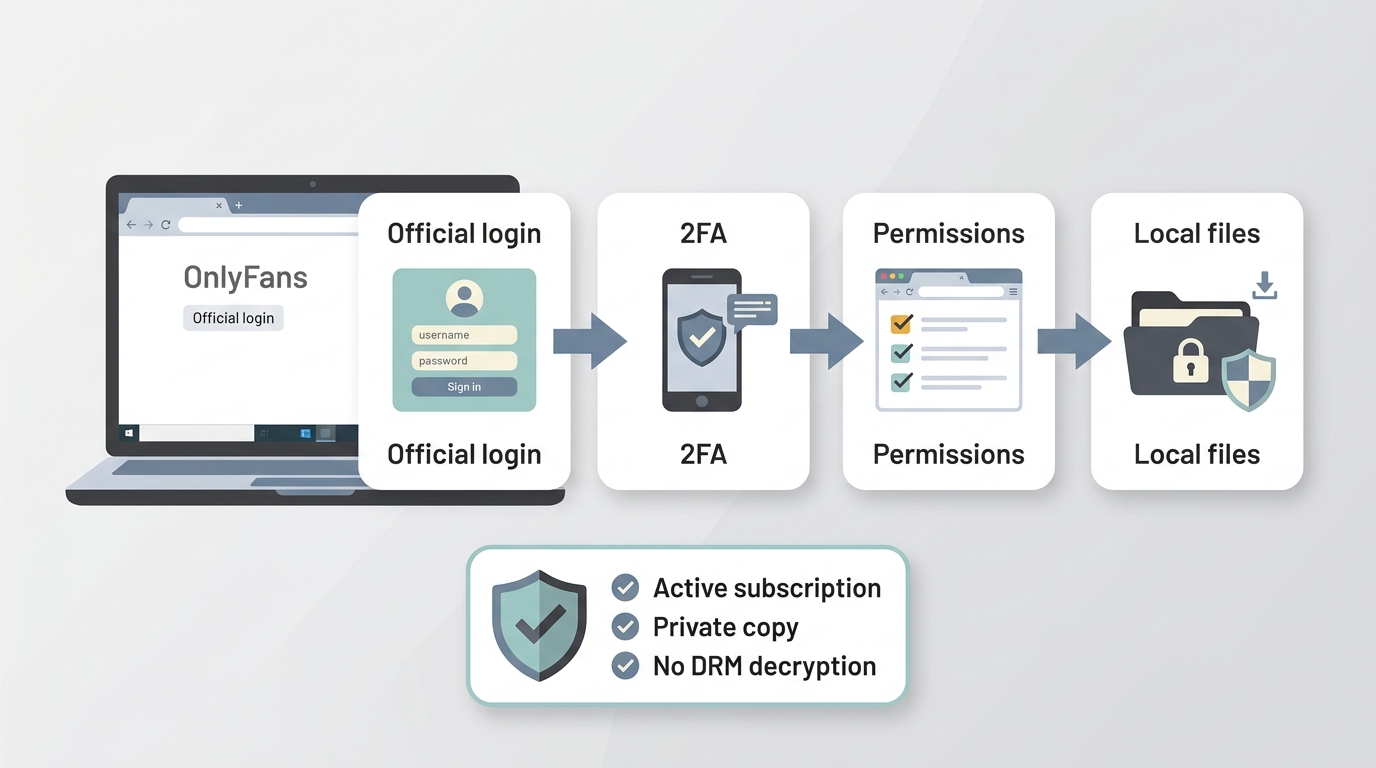
This guide is for adults 18+ using content they are authorized to access for personal use. Follow OnlyFans terms, applicable law, and any limits attached to the subscription or creator relationship; do not share or redistribute someone else’s material.
For content you're authorized to access, where permitted by platform terms and applicable law, StreamFab OnlyFans Downloader is the promoted desktop option in this comparison. Its workflow keeps credentials, browsing history, and subscription details on the local device. It is not ideal for readers who want a browser-only, one-off save with no desktop installation.
Use the official login flow, keep account credentials on your own device, enable 2FA where available, and review extension permissions before granting access. Readers comparing a separate screen recording workflow should apply the same authorization and account-safety boundaries.

- Credential Harvesting: Does the extension ask you to log in to OnlyFans through their popup? Never enter your password directly into a third-party extension window. Sideloading Risks (APKs): Installing an "OnlyFans Downloader APK" from outside the Google Play Store bypasses security screenings. Malicious APKs can contain keyloggers that steal your login info.
- Permissions: Check if the Chrome extension requires "Read and change all your data on all websites." This is a major red flag.
Mobile APKs and browser extensions can look convenient, but permissions and session handling matter. Keep credentials on your own device, use 2FA where available, and treat every option as a personal-use workflow for content you can already access.
OnlyFans Download Options Tested in 2026
Start with the media type you need, not the longest feature list. The status notes below share one check date, as of August 2026, and separate active products, compatibility-unverified tools, and unavailable apps.
- Desktop, larger authorized libraries: StreamFab OnlyFans Downloader
- Desktop, simpler one-off workflow: CleverGet OnlyFans Downloader
- Browser plus companion app: StreamFab OnlyFans Downloader for Browser
- Browser, occasional saves: Locoloader extension
- Android, compatibility unverified: AHASave
- iPhone, availability warning: MyMedia
Desktop workflows usually make the most sense when you need batch organization or repeatable personal archiving. Browser and mobile paths trade setup time for narrower media coverage.

StreamFab OnlyFans Downloader for Desktop

For content you're authorized to access, where permitted by platform terms and applicable law, StreamFab OnlyFans Downloader for Desktop supports batch queues, scheduled checks, subtitles, MP4/MKV output, and 1080p or 720p choices on Windows and macOS. Credentials, browsing history, and subscription details remain on the local device.
Status: The official desktop product page is active and maintained. Pricing varies by plan and region; the 30-day trial includes 3 video downloads per service. Platform changes can still affect individual media types.

A desktop workflow for organized OnlyFans offline viewing during an active subscription.
- Desktop workflow for larger authorized libraries.
- Batch queues for multiple items from a creator.
- Library organization by creator or collection.
- Scheduled checks for newly available authorized posts.
- MP4/MKV output for common players.
- The 30-day trial allows 3 video downloads per service; not ideal for a single occasional save or a no-install preference.
How to Use StreamFab OnlyFans Downloader
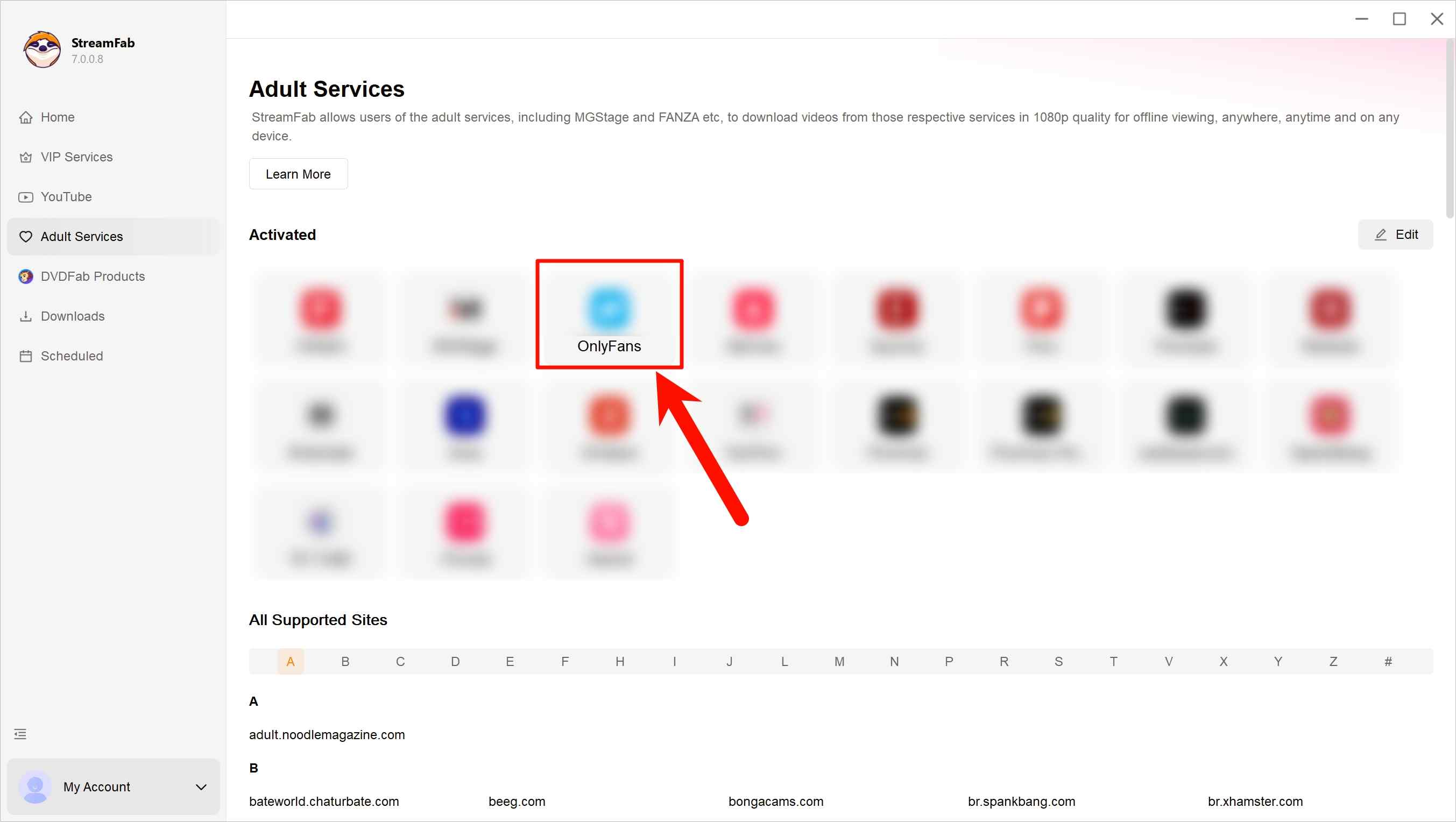
Sign in to your OnlyFans account inside StreamFab and browse to the creator or videos you’re legitimately subscribed to. Open the content you want to manage for offline viewing.
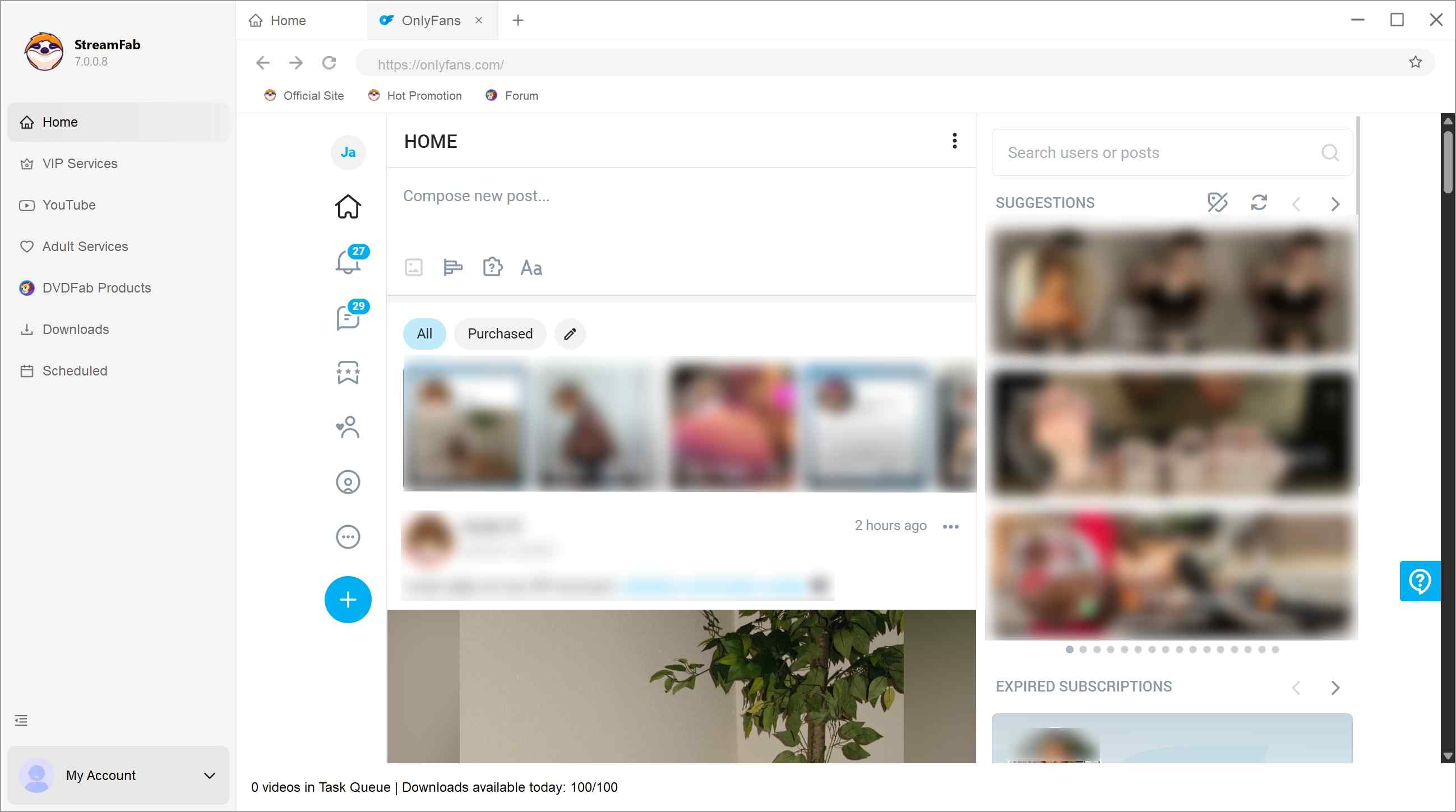
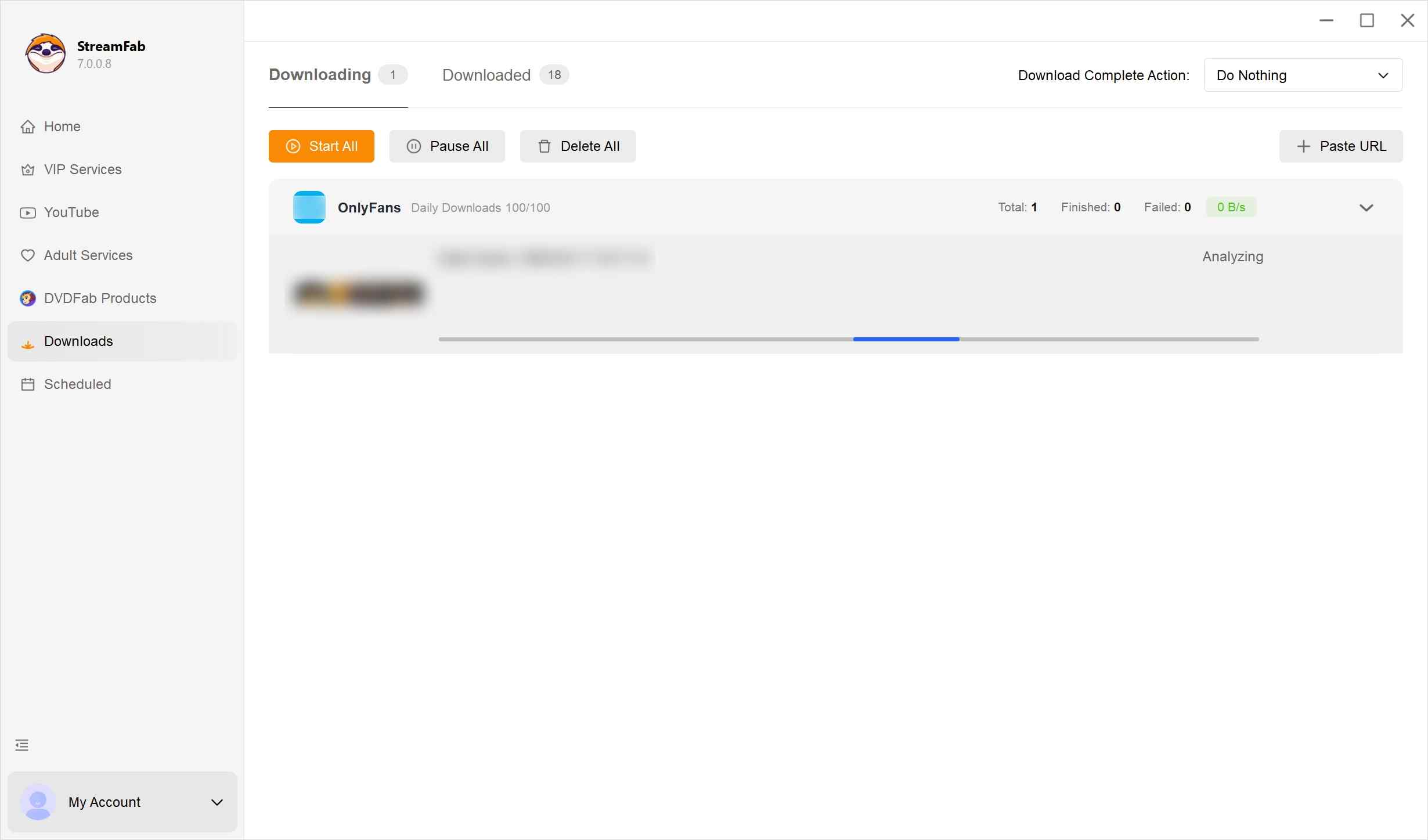
When playback starts, StreamFab will analyze the available videos. You can select a single video or multiple items from the same creator, then choose output preferences such as format, quality, and audio.
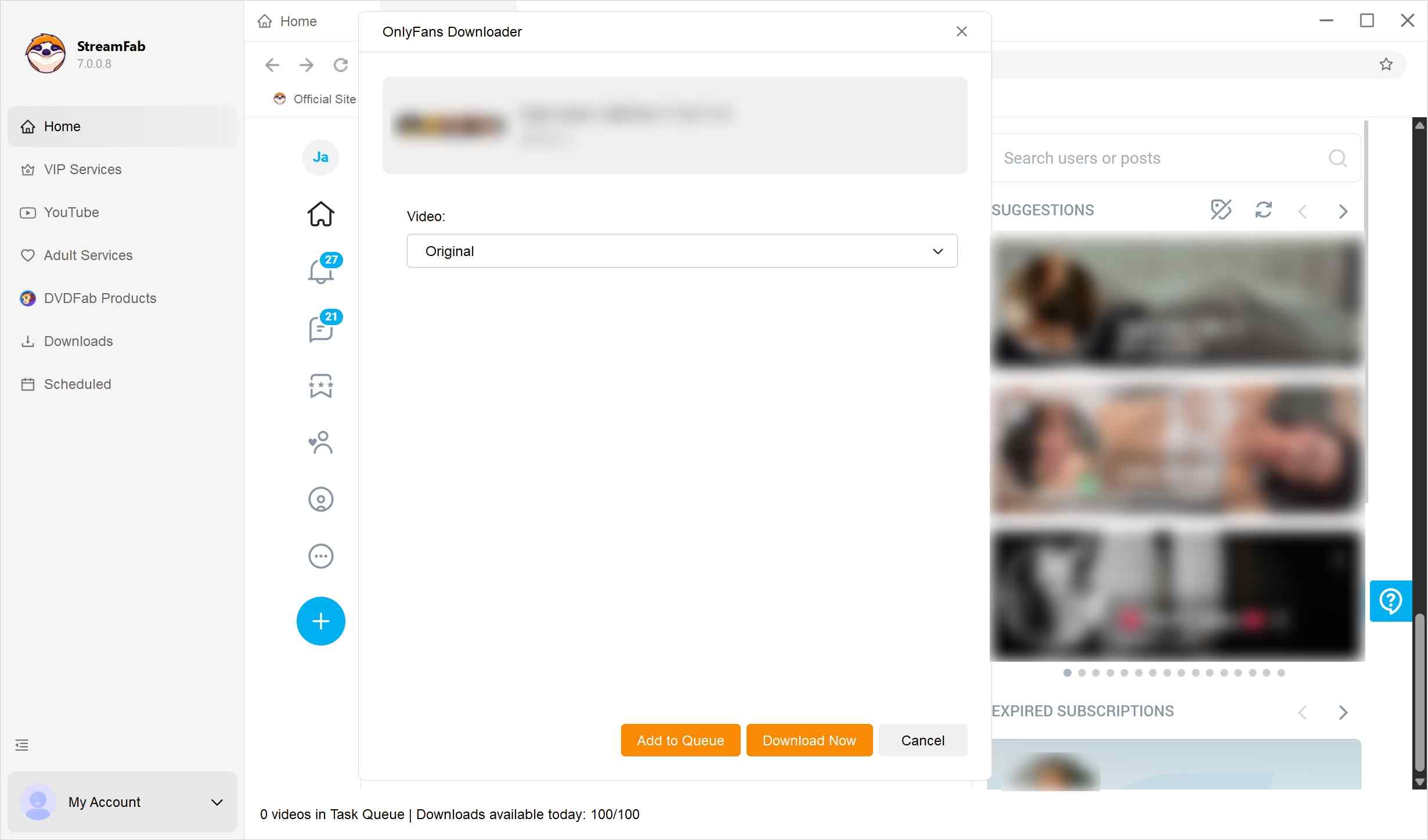
*Optionally, you can use the schedule feature to have newly released content added to your offline-viewing queue automatically, where allowed by the platform.
Confirm your settings and let StreamFab process the selected videos. They will be added to your task list and prepared for personal offline viewing.
CleverGet OnlyFans Downloader for Desktop
CleverGet remains an active desktop alternative with a straightforward workflow for playable creator-page posts and common video exports. Bulk, scheduling, and message-media coverage remain unconfirmed, so choose it for the simpler documented workflow.

Status: The official product page is active, while maintenance still depends on vendor updates after platform changes. It suits a simpler desktop workflow; it is not ideal when verified bulk, scheduling, or message-media coverage is the deciding requirement.
- Straightforward desktop interface.
- Common MP4/MKV export.
- Windows and macOS support.
- No confirmed scheduling or bulk scope.
- Platform updates can interrupt analysis until a vendor update arrives.
- Not ideal for verified message-media or library-management needs.
How to Use CleverGet OnlyFans Downloader
Grab the installation program from their official website. Run it and install CleverGet OnlyFans Downloader. Then, open it up.

Log in to OnlyFans inside CleverGet. Poke around, and find a creator or videos that you’re allowed to see.

Pick your preferred video quality and format, fiddle with audio stuff if you like, then confirm. CleverGet makes offline files just for your private, secret watching.

StreamFab OnlyFans Downloader for Browser
StreamFab OnlyFans Downloader for Browser currently lists AAC 2.0 stereo, 1080p and 720p choices, MP4/MKV output, and subtitle support. It works with the companion CoApp, so this is a browser-led workflow rather than an extension-only install. Readers searching for an OnlyFans Chrome extension should account for that extra desktop dependency.

Status: The official browser page is active, but browser workflows remain sensitive to site changes. It fits readers who prefer a browser-led setup; it is not ideal if a single lightweight extension with no companion app is required.
- Browser-led workflow with companion CoApp.
- 1080p and 720p choices where available.
- AAC 2.0 stereo output.
- MP4/MKV files and subtitle support.
- Platform changes can affect browser workflows.
- Not ideal for readers who want no companion app.
How to Use StreamFab OnlyFans Downloader for Browser
Add the StreamFab OnlyFans Downloader extension to your browser (such as Chrome or Edge). Once added, pin it to your toolbar for easy access.
Upon first launch, the extension will prompt you to download and install the CoApp. This small background module is essential—it handles the heavy lifting that browsers can't do alone, such as merging high-definition video and 5.1 audio streams.
Log in to your OnlyFans account in your browser and go to any creator's profile. When you play a video, the extension will detect the stream. Click the StreamFab icon to select your preferred resolution (up to 1080p) and format, then hit "Download" to save the file directly to your computer.
Locoloader Browser Option
The Locoloader OnlyFans Downloader page remains active as a browser option. Readers searching for an OnlyFans Chrome extension should treat current resolution, message-media coverage, rate limits, and browser-store availability as separate questions, not as automatic guarantees from an active page.

Locoloader suits a few one-off items when avoiding a desktop install matters. It is not ideal for bulk or maintenance-sensitive workflows because its media scope and limits can change with platform updates.
- Browser setup for occasional items.
- No separate desktop app is required.
- Useful when a simple one-off workflow is enough.
- Current media scope and rate limits need checking.
- Message-media support is not established here.
- Availability can change after platform updates.
- Not ideal for bulk or maintenance-sensitive workflows.
How to Use Locoloader OnlyFans Extension
First, add Locoloader OnlyFans to your Chrome extension or Firefox add-on.
- For Chrome: https://github.com/locoloader/chrome-extension/blob/main/README.md
- For Firefox: https://addons.mozilla.org/en-US/firefox/addon/locoloader/
Install it, then hop over to OnlyFans, log in, and pick a creator you’re subscribed to. If you see a video that catches your eye, right-click and copy its URL.

Locoloader will automatically detect video URLs and prompt you to download them. Free users may download up to two videos every six hours; to access additional content, a subscription is required.

Open-source OnlyFans downloader projects are part of the current evaluation set, but they can require technical setup, local session or cookie handling, active maintenance, and troubleshooting after site changes. A repository is not equivalent to supported commercial software; choose this path only if you can maintain it.
Open-Source Options and Maintenance Risk
Open-source options can suit technically comfortable readers who want local control over setup and session data. Their media coverage, update cadence, and troubleshooting burden vary by project, so they are not a drop-in substitute for a supported desktop workflow.
Best for: readers who can inspect permissions, maintain dependencies, and respond when OnlyFans changes its delivery. Not ideal for anyone who needs a managed bulk workflow or a predictable support channel.
Status: Project availability and maintenance vary by repository; active upkeep is required after platform changes.
AhaSave for Android: Compatibility Unverified
AhaSave is a generic Android video downloader, and its official product page does not verify OnlyFans-specific compatibility. That makes it an OnlyFans downloader mobile candidate, not a confirmed platform workflow. Its built-in browser may suit short sessions, but protected or message media remain unverified. For device-specific context, the Android OnlyFans saving guide covers the broader mobile path.
Status: The generic Android product page is active, while OnlyFans-specific media support remains unverified.

- Android-first workflow.
- Direct phone storage.
- Built-in browser.
- Generic app controls such as password locking.
- OnlyFans compatibility is unverified.
- Protected and message media are unverified.
- Mobile apps can be sensitive to platform changes.
- Free-tier terms may include ads.
How to Use AhaSave OnlyFans Downloader on Android
First, grab AhaSave from Google Play and get it onto the phone (only accept the necessary permissions).
Open AhaSave, use its built-in browser to visit OnlyFans, and sign in to your account to view content you are allowed to access.
When eligible videos are detected, AhaSave can create MP4 files stored on your phone for personal, private viewing.

MyMedia for iPhone: Availability Warning
MyMedia’s own product page says it is not available in the App Store, so it should not be treated as an installable iPhone recommendation. Do not follow old instructions to install it or assume it handles ordinary OnlyFans video posts. The iPhone path belongs in the availability-warning category, not alongside active app recommendations.
Status: Unavailable in the App Store, with no current maintenance path established for this workflow.

- Availability warning for direct-file workflows.
- iPhone file-manager concept.
- Manual Files handling may suit already-downloadable files.
- Not available in the App Store.
- No verified OnlyFans workflow.
- Not ideal for current platform-specific or bulk needs.
How to Use the iPhone Screen Recorder with OnlyFans
Install MyMedia from the App Store, open it, and use the built-in browser to sign in to OnlyFans. Navigate to content you are authorized to view.
If a post provides a direct downloadable file link/button, tap it and choose Download to save the file inside MyMedia.
In MyMedia, review the saved file and export it to the iOS Files app for private offline viewing. If no direct download option is available, use iOS Screen Recording instead.
Compare OnlyFans Downloader Capabilities
The matrix separates current status, delivery method, media scope, and output. A regular-video label does not prove support for protected OnlyFans media, PPV, or messages; readers who need that distinction can use the protected-media troubleshooting guide.
| Option | Current status | Device and delivery | Verified media scope | Output and quality |
|---|---|---|---|---|
| StreamFab desktop | Active page; current signal | Windows/macOS desktop | Regular video; bulk; subtitles; messages not confirmed | MP4/MKV; 1080p/720p |
| CleverGet | Active page; scope varies | Windows/macOS desktop | Regular video documented; bulk/messages not confirmed | Common formats; quality varies |
| StreamFab browser | Active page; CoApp required | Chrome/Edge + companion app | Regular video; AAC 2.0 stereo; messages not confirmed | MP4/MKV; 1080p/720p |
| Locoloader | Active page; maintenance-sensitive | Browser | Occasional regular video; messages/bulk unverified | Output scope unverified |
| Open-source options | Availability varies | Self-managed desktop/browser | Media scope and sessions vary | Depends on project |
| Mobile app options | AhaSave unverified; MyMedia unavailable | Android/iPhone | Platform-specific scope unverified | Depends on app and source |
*All tools in this article are for your personal use ONLY.
For larger authorized libraries, the practical question is whether the workflow supports repeatable queues; the bulk OnlyFans downloader guide covers that narrower use case. Current availability and clearly documented media support matter more than a long feature list.
FAQs
Which Option Fits Your Workflow?
My practical take is simple: match the tool to the amount of organization and media certainty you need, then stop at the first option that meets both.
- Choose a supported desktop workflow for larger authorized libraries, batch queues, or scheduled checks.
- Choose a browser option for occasional saves when its current media scope and companion-app requirements fit.
- Treat open-source and mobile options as conditional paths because maintenance or platform compatibility may be unverified.
StreamFab desktop is a sensible fit for readers managing a larger personal library, but it is not ideal for a one-off save or anyone who refuses desktop installation. An unavailable iPhone app should not be presented as equivalent to an active desktop or browser option.
For adults (18+) using content they are authorized to access, follow OnlyFans terms and applicable law. Keep saved copies for personal use only; do not share or redistribute creators’ material. No promise of continued access after authorization changes.

Convert authorized OnlyFans videos to MP4 on Windows or Mac using a desktop workflow or a permitted screen recording. Learn how file formats differ from delivery and access, what StreamFab’s output settings provide, and what four dated Reddit reports describe. Five FAQs cover installation, the trial, subtitles, batch selection, and source quality.
By Marcia Hatcher - Oct 13, 2026
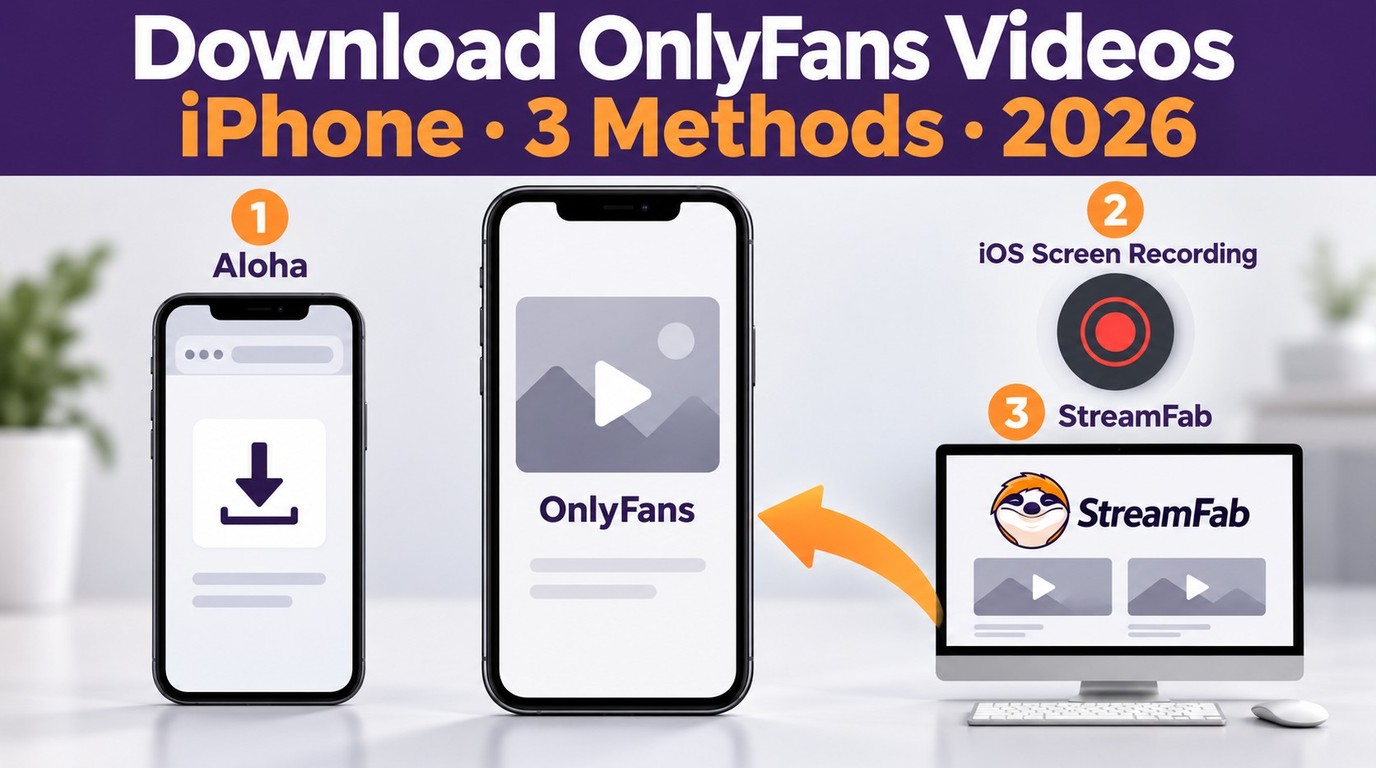
How to download OnlyFans videos on iPhone in 2026: 3 tested methods ranked by success rate, from Aloha browser to iOS screen recording to the PC transfer workflow.
By Erika Leen - Oct 13, 2026
Paid for OnlyFans but can't save it? We tested 4 tools to rip and save OnlyFans content in 2026—no black screen, full 1080p, zero account risk.
By Erika Leen - Oct 13, 2026
Can you screen record OnlyFans in 2026? Fix the black screen on iPhone & PC with these tested methods — from OBS tricks to dedicated download tools.
By Marcia Hatcher - Oct 13, 2026