
MovPilot vs. StreamFab (2026): Price, Quality, and Reliability Compared

Summary: If you are comparing MovPilot vs. StreamFab, the useful answer is not a generic winner: your decision comes down to price, the services you actually use, saved-file options, and current reliability. My take is simple: MovPilot can suit a narrower workflow, while StreamFab is built for broader local-file and batch-download needs.

Table of Contents
Quick Verdict: MovPilot vs. StreamFab
- StreamFab: A better fit for users who need broad service coverage, MP4 or MKV files, multiple audio and subtitle options, and batch workflows.
- MovPilot: A practical fit when its supported services cover your viewing and you prefer a simpler, narrower workflow.
- Key Difference: StreamFab emphasizes broader local-file, batch, and scheduling options; actual results still vary by service, title, plan, and current compatibility.
Use either product only for content you are authorized to access, where permitted by StreamFab copyright and usage guidelines. Personal offline viewing is the appropriate use case.
MovPilot vs. StreamFab: Features and Real-World Results
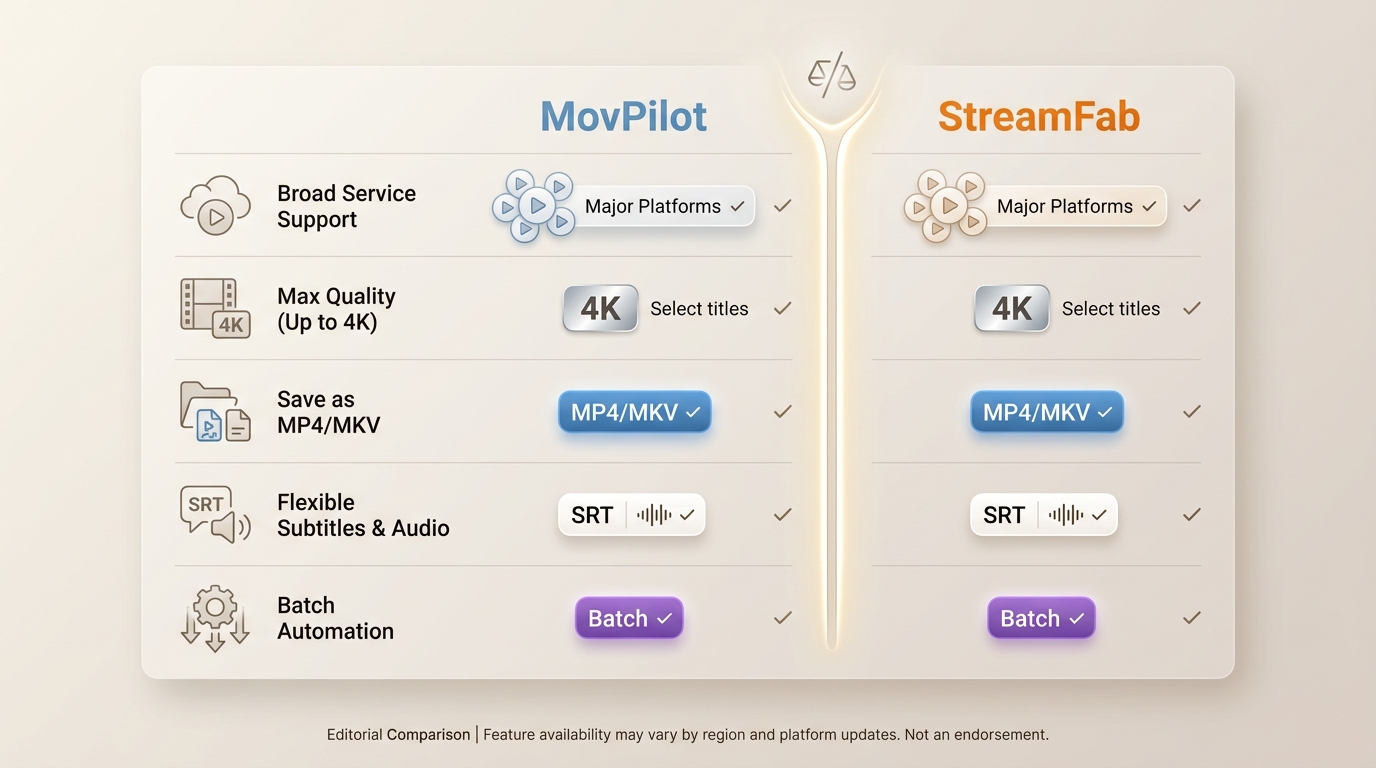
| Decision point | MovPilot Video Downloader | StreamFab Video Downloader |
|---|---|---|
| Plan structure | Product-specific paid plans; trial use is limited to the first 6 minutes of each video | Monthly, annual, and lifetime options; a 30-day trial includes 3 videos per supported service |
| Supported services | Major streaming services, including Netflix, Prime Video, Disney+, Max, Hulu, Paramount+, Apple TV+, YouTube, and social-video tools | Netflix, Prime Video, Disney+, Hulu, Max, Apple TV+, YouTube, Paramount+, U-NEXT, Abema, and other supported services |
| Selected OTT output | Up to 1080p where the service, title, and current compatibility allow it | Up to 4K where the service, title, subscription plan, and current compatibility allow it |
| Saved-file options | MP4 or MKV output; available audio and subtitle choices depend on the service | MP4 or MKV output with selectable audio languages, downloaded subtitles, and metadata support |
| Windows and Mac | Available for Windows and Mac | Available for Windows and Mac |
| HDR and color | Availability depends on the service and title | Availability depends on the service, title, subscription plan, and current compatibility |
| Batch and scheduling | Check the relevant module for current batch and automation availability | Whole-season batch selection, scheduled tasks, and new-episode monitoring are available |
| What the trial can verify | It can verify analysis and a short output sample, but not full-file completion | It can verify full-file completion, playback, audio, subtitles, and service-specific output for 3 videos per service (as of Aug 2026) |
Supported Streaming Services
MovPilot's current catalog goes beyond five or six major services. It includes Netflix, Prime Video, Disney+, Max, Hulu, Paramount+, Apple TV+, YouTube, and social-video tools. That narrower catalog can still be sufficient when the services you use are already covered and you do not need a broader workflow.
StreamFab supports a wider range of streaming and video services, including Netflix, Prime Video, Disney+, Hulu, Max, Apple TV+, YouTube, U-NEXT, Abema, and Paramount+. Its broader coverage matters when one household uses several services; it matters less when MovPilot already supports every service in your routine. Its catalog also includes specialized creator-platform modules, such as its OnlyFans video downloader, though that use case sits outside this two-product comparison.
Video, Audio, Subtitles, and Saved Files
Resolution alone does not prove picture quality. MovPilot can offer up to 1080p on supported services, while StreamFab can reach up to 4K on selected OTT titles. In both cases, the actual result depends on the service, title, subscription plan, and current compatibility. Check HDR or color output separately when that matters, because a higher resolution does not rule out a color or brightness shift.
Both products can save MP4 or MKV files, but local-file flexibility becomes more valuable when you need playback outside an official app. StreamFab supports selectable audio languages, downloaded subtitles, and metadata writing; subtitles can be saved separately or included with the file when the service supports those options. For content you're authorized to access, where permitted by platform terms and applicable law, StreamFab offers a local-file workflow for personal offline viewing. It is not a fit for anyone seeking a free browser extension or a redistribution workflow.
Pricing, Plans, Refunds, and Free Trials
The practical trial difference is clear: MovPilot's trial is limited to the first 6 minutes of each video, so it can show whether analysis starts but cannot confirm full-file completion. StreamFab's 30-day trial allows 3 videos per supported service with paid-version functions, so users can check a complete file, playback, available audio tracks, subtitles, and service-specific output before purchasing.
StreamFab offers monthly, annual, and lifetime options. Its monthly subscription has a 7-day unconditional refund period; annual and lifetime purchases have a 14-day conditional refund policy for duplicate purchases, mistaken purchases, unresolved technical issues, or billing errors. This comparison does not state a MovPilot refund period or device allowance because no current verified value is available here.
Reliability Tests and Known Limits
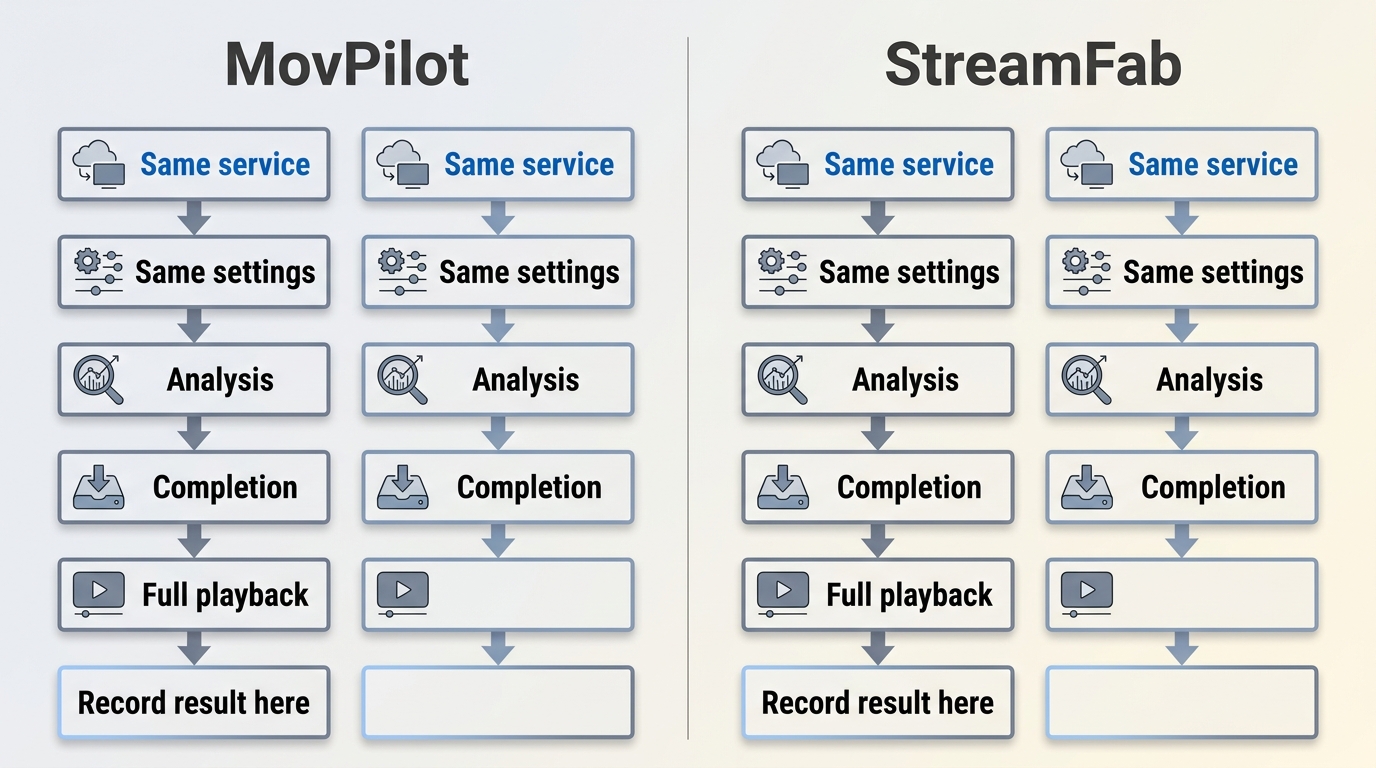
Reliability should be evaluated service by service, not from a headline speed claim. A useful comparison records the service, title, operating system, selected quality, analysis result, completion result, full-file playback, audio and subtitle checks, and retest date. StreamFab released Windows version 7.0.4.1 on July 23, 2026, and Mac version 7.0.4.0 on July 21, 2026, which provides a dated signal of active maintenance but does not guarantee results on every service.
Known failure patterns across streaming tools include crashes near completion, files marked complete but truncated, temporary module failures after site changes, HDR color shifts, and delayed episode detection. I would treat a dated retest result as more useful than an unqualified reliability or speed claim. Supported devices and service availability may change; verify current status on the official site.
MovPilot vs. StreamFab: Ratings and Support
Current Ratings and Review Context
Trustpilot labels both brands at 4 stars, with MovPilot on Trustpilot showing 235 reviews and StreamFab on Trustpilot showing 741 reviews as of Aug 2026. Review totals and ratings change continuously, so they are useful context rather than a measure of output quality or current service reliability.
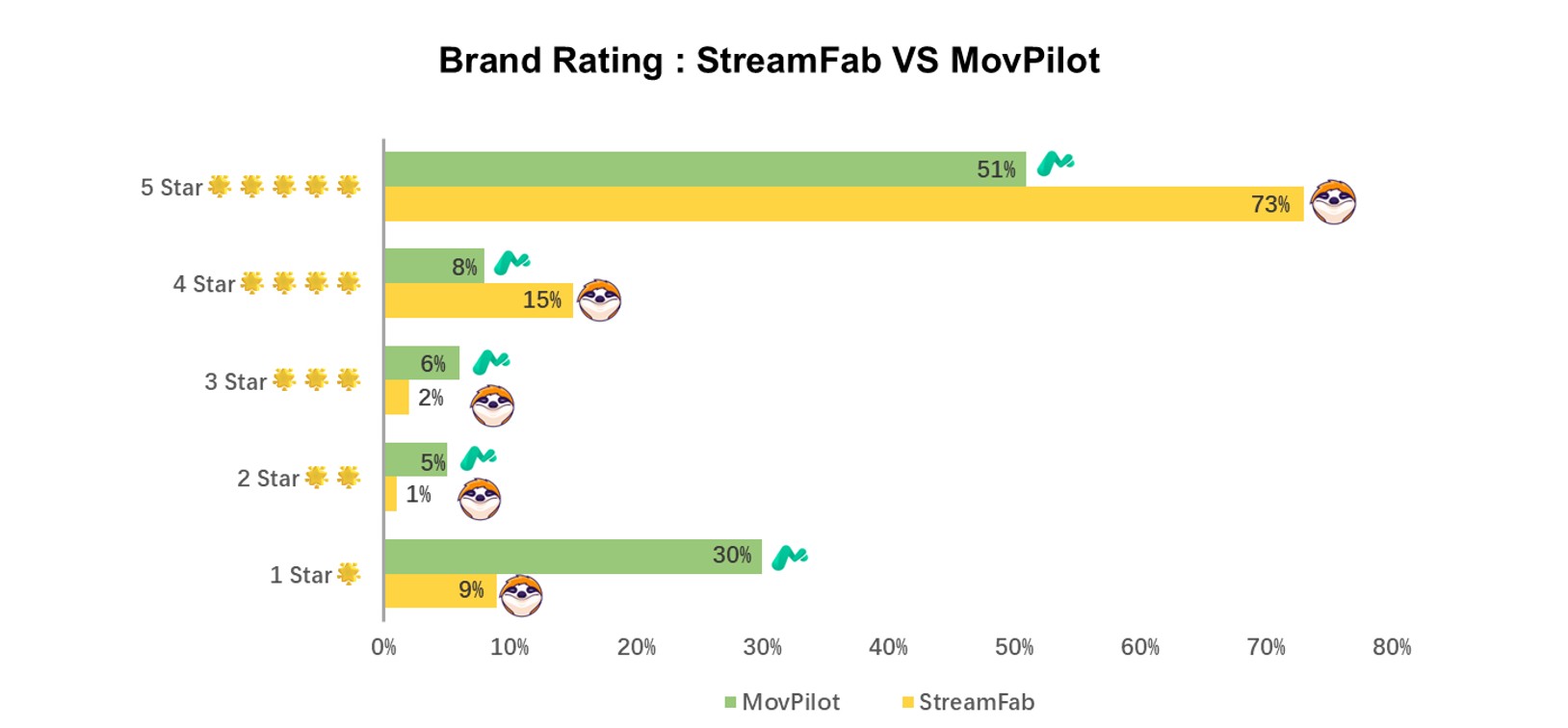
The charts below are retained as historical visual material, not as current rating evidence. A larger review sample can add context, but it does not establish market share, file quality, or a universal product preference.
Review Patterns and Sample Limits
Star ratings compress very different experiences into one number. Read recent reviews for patterns such as installation help, billing questions, service-specific failures, download completion, and response time, while remembering that individual reports cannot prove how either product will perform for every service or title.
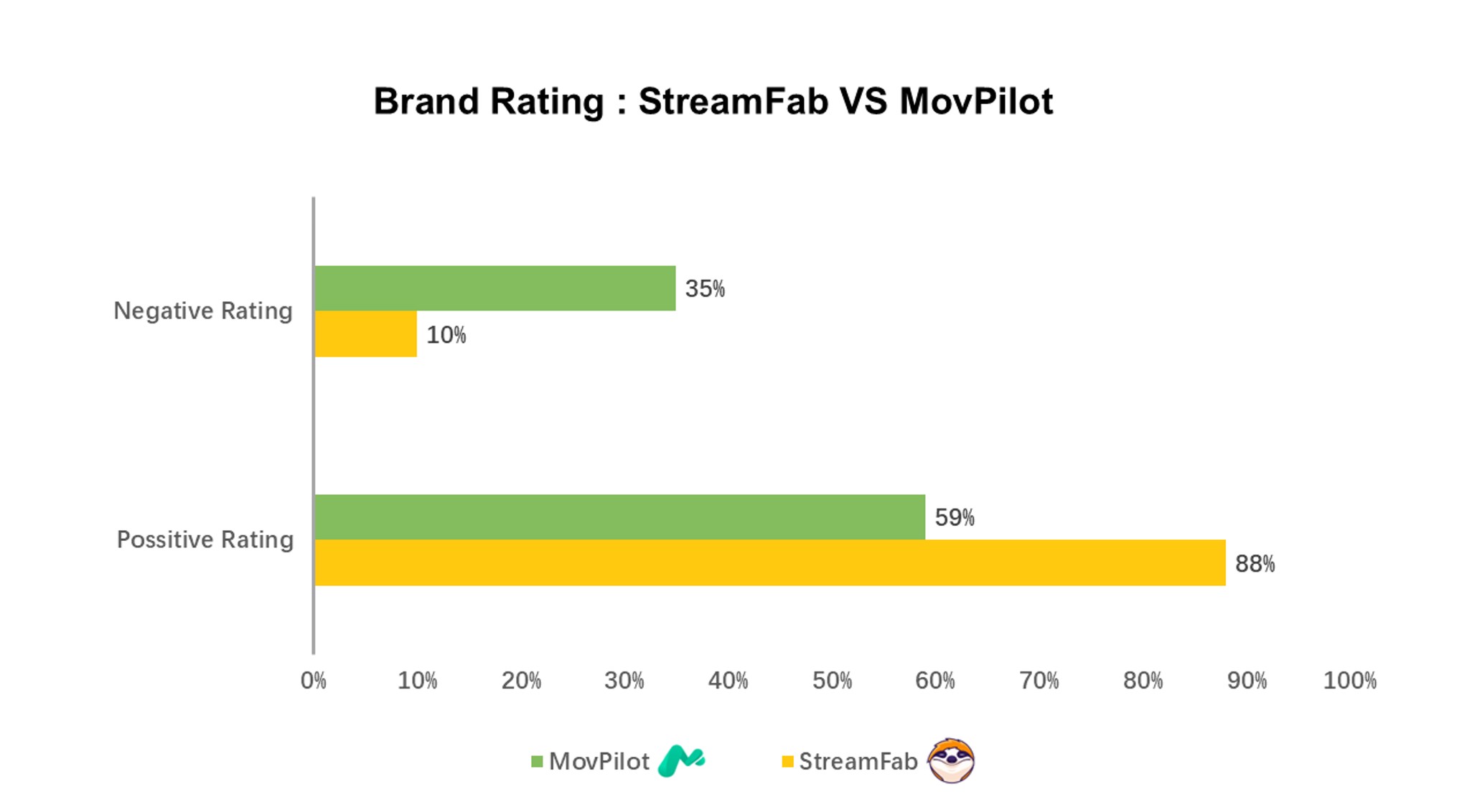
- • StreamFab has a larger Aug 2026 review sample, which provides broader customer context but does not establish file quality or reliability.
- • MovPilot has a current review sample of 235 reviews, so recent comments remain important when judging service-specific issues.
- • Compare recent comments about the services and workflow you actually use, rather than relying on a derived sentiment percentage.
- • A rating should supplement, not replace, a full-file trial and current compatibility check.
Use a MovPilot review or recent customer comments as supporting context, not as a substitute for checking your required services, trial output, and current compatibility.
Customer Support and Update Cadence
Customer support and product reliability are related but not identical. The more decision-useful evidence is whether a vendor documents current releases, responds to a service-specific problem, and provides a workable trial or refund route when a required service does not perform as expected.
- Release activity: StreamFab published Windows version 7.0.4.1 on July 23, 2026, and Mac version 7.0.4.0 on July 21, 2026.
- Trial evidence: Its trial can test complete files, available audio tracks, subtitles, and playback before purchase.
- What to evaluate: Look for service-specific fixes and a clear response path, rather than treating positive review language as proof of reliability.
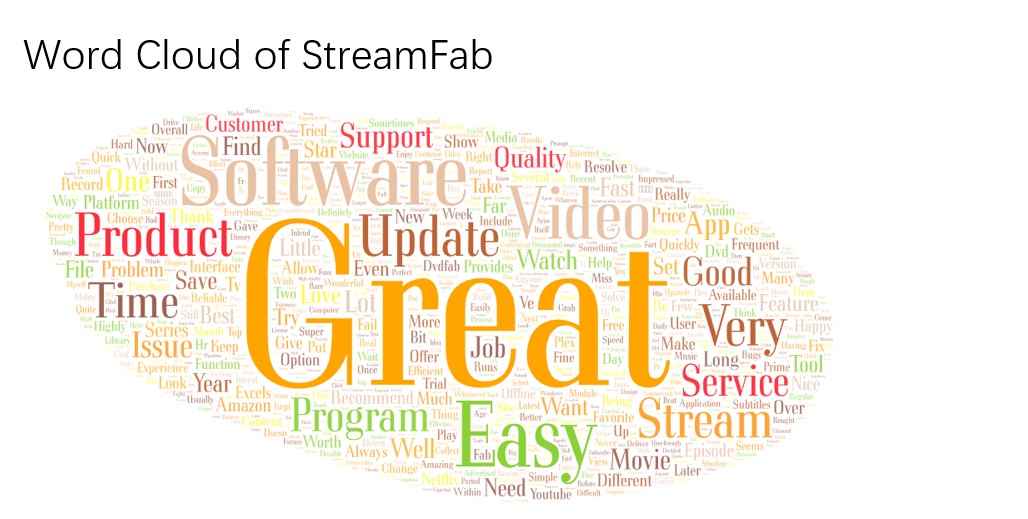
For MovPilot, focus on whether its current module for your required service is supported, whether the short trial is enough for your evaluation, and what purchase support is available for the plan you are considering.
- Catalog fit: Confirm that your required streaming services are included before comparing higher-end output options.
- Trial fit: A short sample can validate analysis and initial output, but it cannot establish full-file completion or long-session stability.
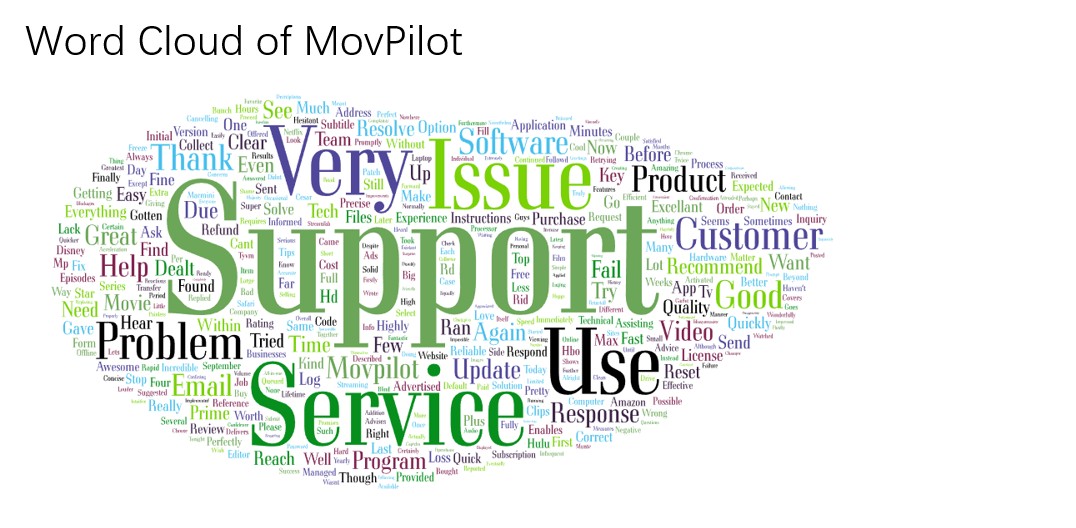

Both StreamFab and MovPilot can fit a supported-service workflow, but the more useful distinction is whether the trial, local-file options, and current module status match the services you actually use.
Which Downloader Fits You Better?
Choose MovPilot if: its current catalog covers the streaming services you use and you prefer a simpler workflow. It is not ideal if you need to validate full-file completion during a trial, manage a broader service mix, or depend on batch and scheduled tasks.
Choose StreamFab if: you need broader service coverage, MP4 or MKV local files, selectable audio languages, subtitle options, and batch workflows. It is not ideal if your main priority is a free browser extension, redistribution, or the lowest possible upfront cost. For readers comparing other MovPilot alternatives, confirm the same service-specific output and trial limits before switching.

- Download streaming video accompanied by EAC3 5.1 audio tracks from 480p to 8K video quality
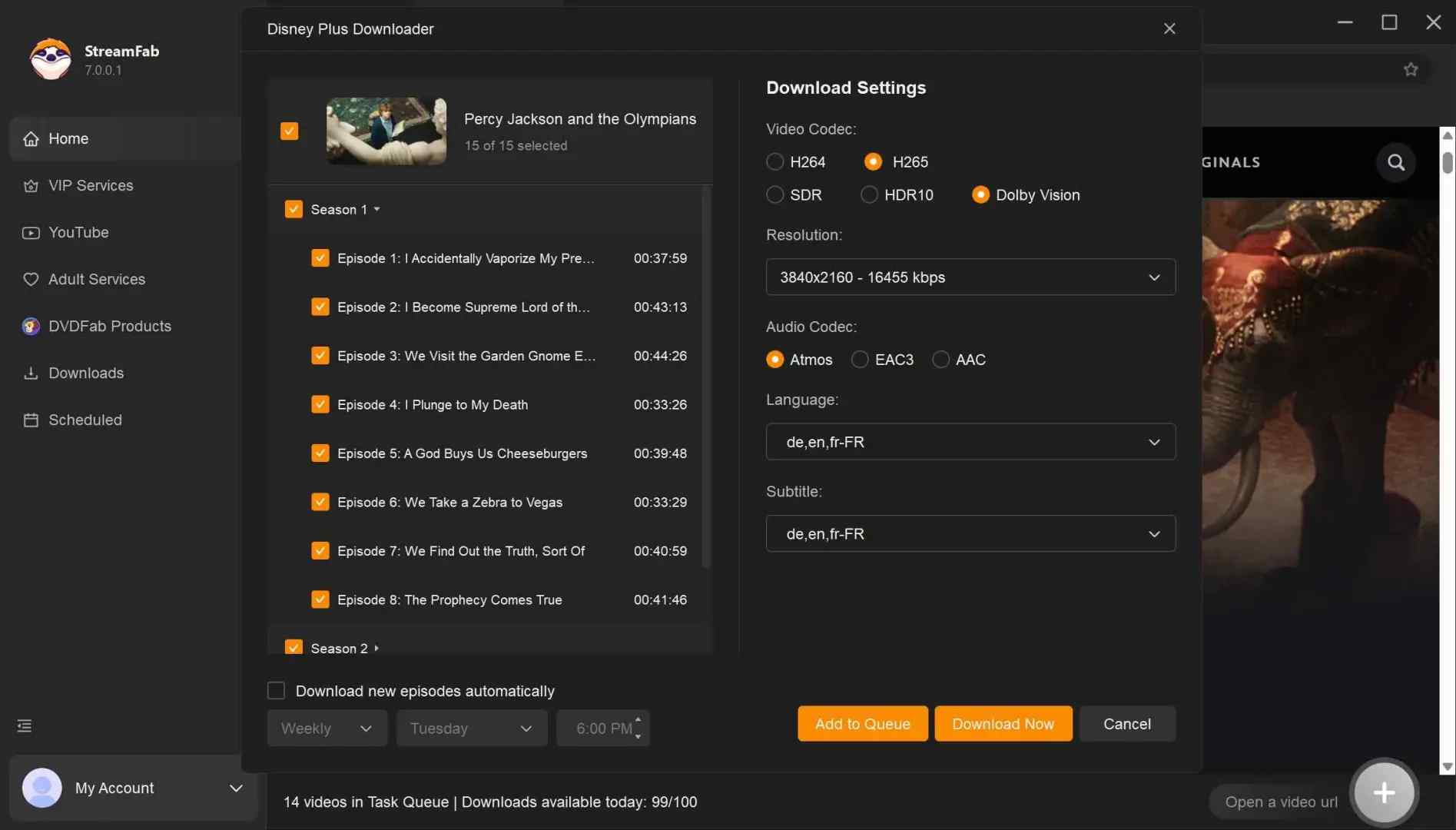
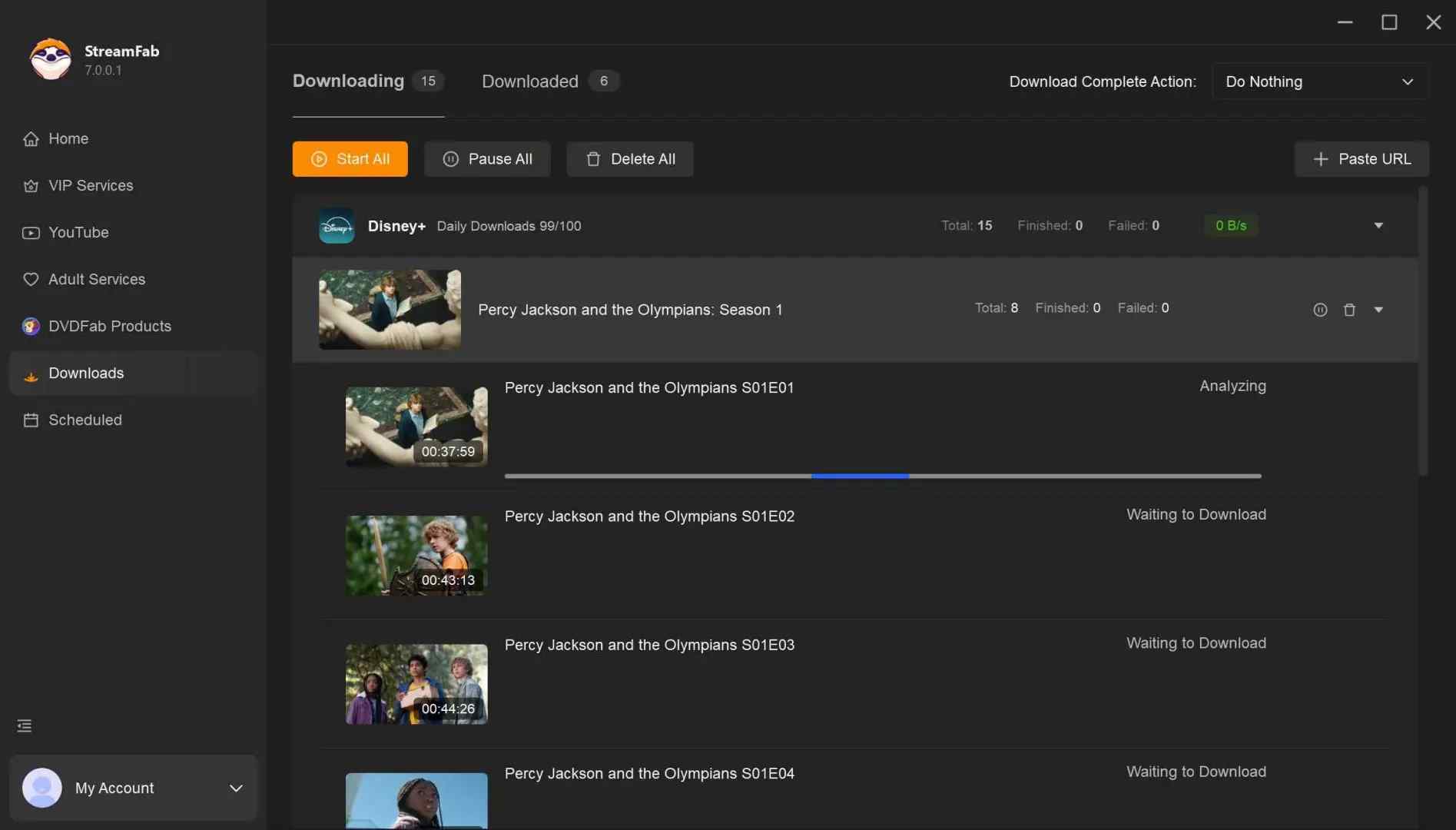
- Download multiple episodes or entire seasons and Optimize efficiency with batch download functionality
- You can seamlessly remux subtitles into the video to suit your preferences and download subtitles as SRT files.
- Download videos in MP4, MP3, and MKV formats, ensuring playback on various devices
- Eliminating ads during the download process improves your downloading experience, ensuring consistent usability.
- Avail of a rapid 10x turbo-fast download speed to save time and speed up the download process
StreamFab Setup Overview
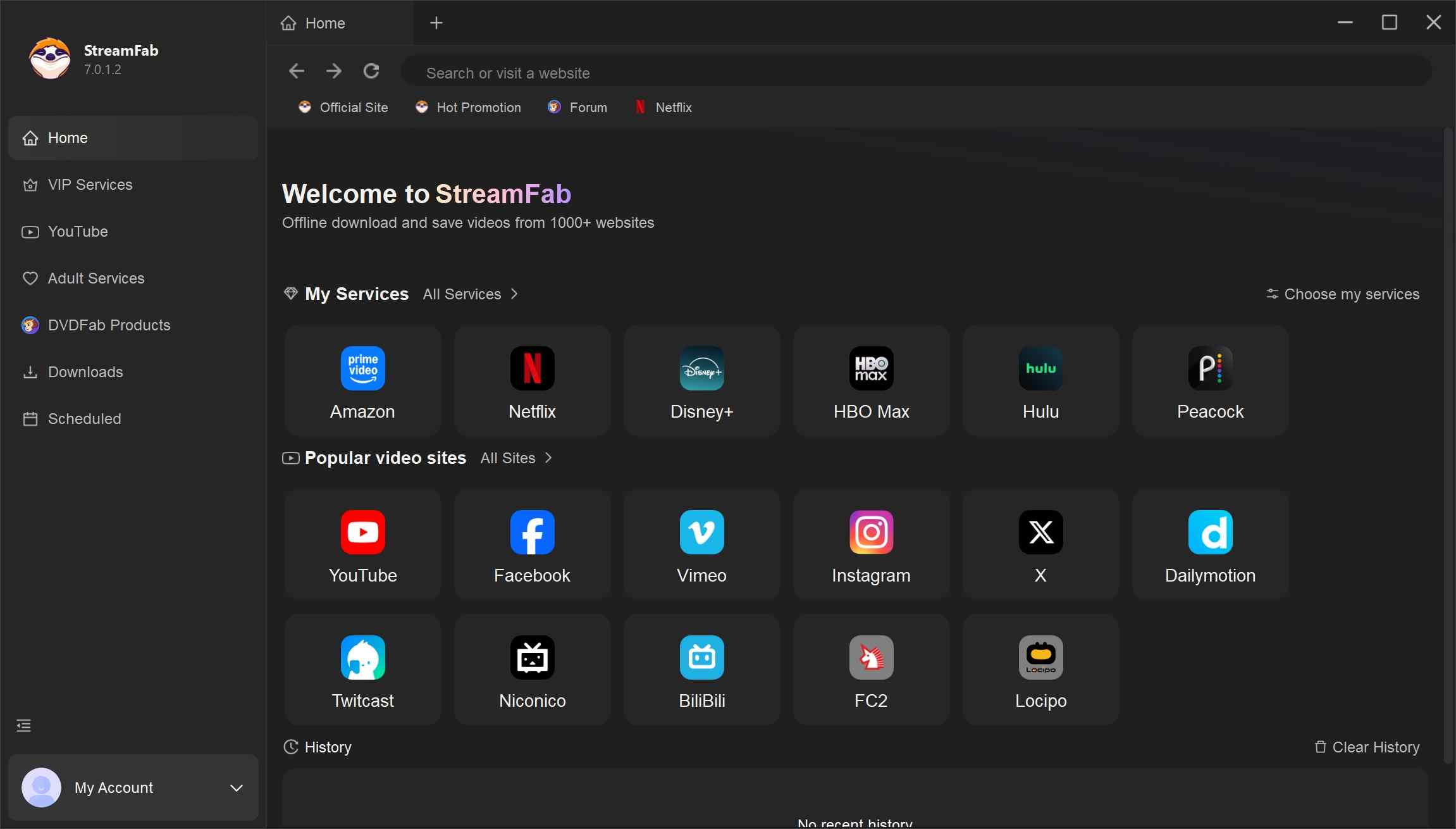
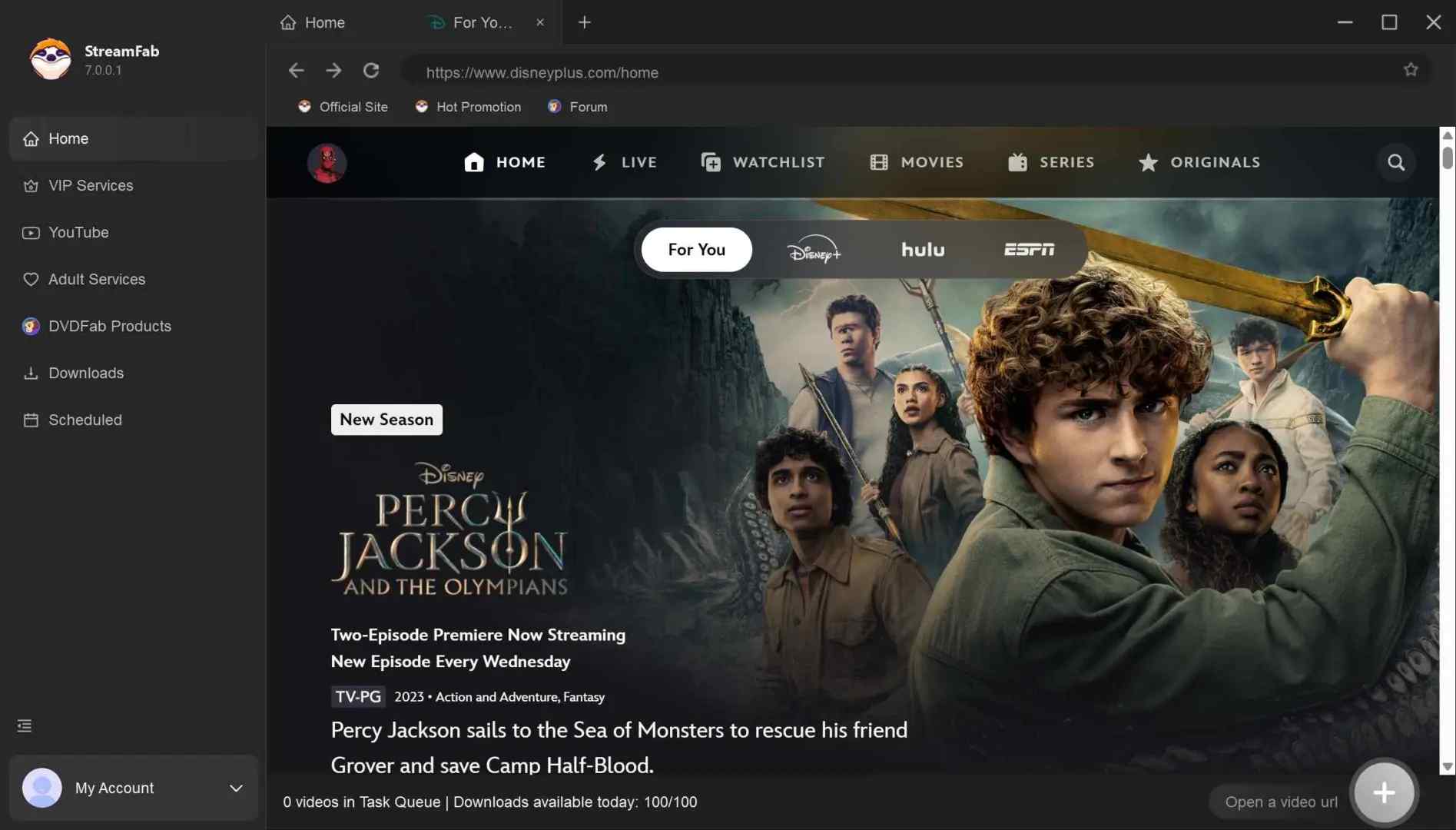
StreamFab uses an in-app browser workflow: choose a supported service, sign in to an account with authorized access, select the title, then review video, audio, subtitle, and file options before starting. The StreamFab setup guide explains those selections in more detail.
For automation, distinguish whole-season selection, batch queueing, scheduled tasks, and new-episode monitoring. These features can reduce manual work, but detection timing varies by service and may be delayed. In my view, automation is useful only when the relevant service is currently detecting releases reliably.
Frequently Asked Questions
1. Can I fully test MovPilot or StreamFab before paying?
MovPilot's trial is limited to the first 6 minutes of each video, so it can help you confirm analysis and a short output sample but not full-file completion. StreamFab's 30-day trial allows 3 videos per supported service, making it possible to check a complete file, playback, available audio tracks, subtitles, and service-specific output before you pay.
2. Which downloader is more reliable when a streaming site changes?
Neither product can guarantee reliable results after every service change. Check dated release activity, then test the service and title you need for complete playback rather than relying on a generic reliability ranking. This comparison does not use creator-platform workflows as a reliability benchmark; separate guidance on saving OnlyFans content addresses that different use case.
3. Could using either downloader affect my streaming account?
No downloader can guarantee that an account will never be restricted. Software safety, platform terms, account behavior, and copyright considerations are separate issues. Use these tools only for content you are authorized to access, where permitted, and keep use personal; StreamFab's copyright and usage guidelines explain that boundary in more detail.
4. Do scheduled downloads detect new episodes immediately?
Scheduled tasks and new-episode monitoring can reduce manual work, but they do not guarantee immediate detection. Timing varies by service, and a new episode may appear later than expected. Treat automation as a convenience feature and confirm current detection behavior for the service you follow.
Conclusion
Choose MovPilot when its current catalog covers your services and a simpler workflow is enough. Choose StreamFab when broader coverage, full-file trial checks, flexible MP4 or MKV output, audio and subtitle choices, and batch workflows justify the higher level of product complexity.
For broad service coverage, StreamFab is my evidence-based pick, but I would still make the purchase decision only after confirming your required service, trial output, and current module reliability. That is more useful than declaring a universal winner.
Use saved content only for personal offline viewing when you have authorized access and where permitted by platform terms and applicable law. Do not use saved files for commercial purposes or redistribution.

In this May 2026 technical deep dive, we explore how StreamFab Max Downloader handles daily download restrictions, bypasses modern DRM for true 4K quality, and prevents hardware acceleration conflicts for digital archivists.
By Erika Leen - Sep 8, 2026

A balanced StreamFab Amazon Downloader review covering current version details, safety considerations, MP4/MKV output, trial terms.
By Erika Leen - Aug 26, 2026

We will conduct a thorough evaluation of the features and cost-effectiveness of the Streamfab Netflix Downloader. I trust that this review will provide you with a more comprehensive understanding of the Streamfab Netflix Downloader prior to making a purchase.
By Erika Leen - Aug 19, 2026
This guide compares best StreamFab alternatives, FlixGrab+, CleverGet V26, MovPilot, and Audials One 2026, plus a separate Linux and open-source route. It explains operating-system fit, workflows, trials, automation, and update reliability so readers can choose without treating every tool as equivalent.
By Nicole Lopez - Aug 7, 2026