
StreamFab Netflix Downloader Guide: 1080p, Limits, and Verdict (2026)

Summary: We will conduct a thorough evaluation of the features and cost-effectiveness of the Streamfab Netflix Downloader. I trust that this review will provide you with a more comprehensive understanding of the Streamfab Netflix Downloader prior to making a purchase.
Table of Contents
StreamFab Netflix Downloader gives Windows and Mac users a local MP4 or MKV option for Netflix titles they are authorized to access, but its Netflix output tops out at 1080p and varies by title. The verdict hinges on portability versus Netflix’s simpler app-managed mobile downloads.

Netflix Downloads on PC and Mac in 2026
Netflix offline downloads are still available on supported mobile devices, but Netflix removed offline downloads from its Windows app in July 2024.
What the Netflix App Still Supports
Netflix’s official download feature is designed for offline viewing inside the Netflix app on compatible mobile devices. Those downloads are managed by the app and subject to Netflix’s device, availability, and expiration rules. Supported devices and availability may change, so confirm the current status on Netflix’s official site.
Where a Desktop Local-File Workflow Fits
StreamFab Netflix Downloader is a desktop tool for content you are authorized to access, where permitted by platform terms and applicable law. It saves files in MP4 or MKV formats rather than creating app-managed downloads. In my view, Netflix’s own option is the lower-friction choice for a short trip, while local formats make more sense when playback flexibility on a Windows or Mac computer matters.
StreamFab 4K Claims and 1080p Reality
Note: Please use downloading software only for content you own or are legally entitled to access for personal, non-commercial offline viewing. Strictly abide by local copyright laws and Netflix’s Terms of Use.

Engineered for high-volume content administrators, managing supported Netflix media reliably. It utilizes native DRM handshake procedures to preserve pure digital assets locally without GPU-intensive re-rendering.
- Up to 1080p Output: Available resolution varies by title, plan, codec, and service conditions.
- Local MP4 or MKV Files: Choose a portable format for supported Windows or Mac playback workflows.
- Batch and Scheduled Downloads: Queue available episodes or schedule recurring download tasks.
- Responsible Use: Use content you are authorized to access under applicable terms and law.
- Ad-Supported Plan Notes: Ad handling can vary by title and service conditions.
What Up to 1080p Means
StreamFab Netflix Downloader supports output up to 1080p, but not guaranteed 4K Netflix downloads. That ceiling is meaningful for desktop viewing, but it is a ceiling rather than a promise for every title.
Why Resolution Varies by Title
Actual output can vary by title, codec, subscription plan, and current service conditions. For a 4K Netflix downloader comparison focused on title availability and output expectations, see this guide to downloading 4K Netflix movies. I would judge the available file details, not the Netflix plan badge alone, before deciding whether the result meets your needs.
Output Formats, Audio, Subtitles, and HDR
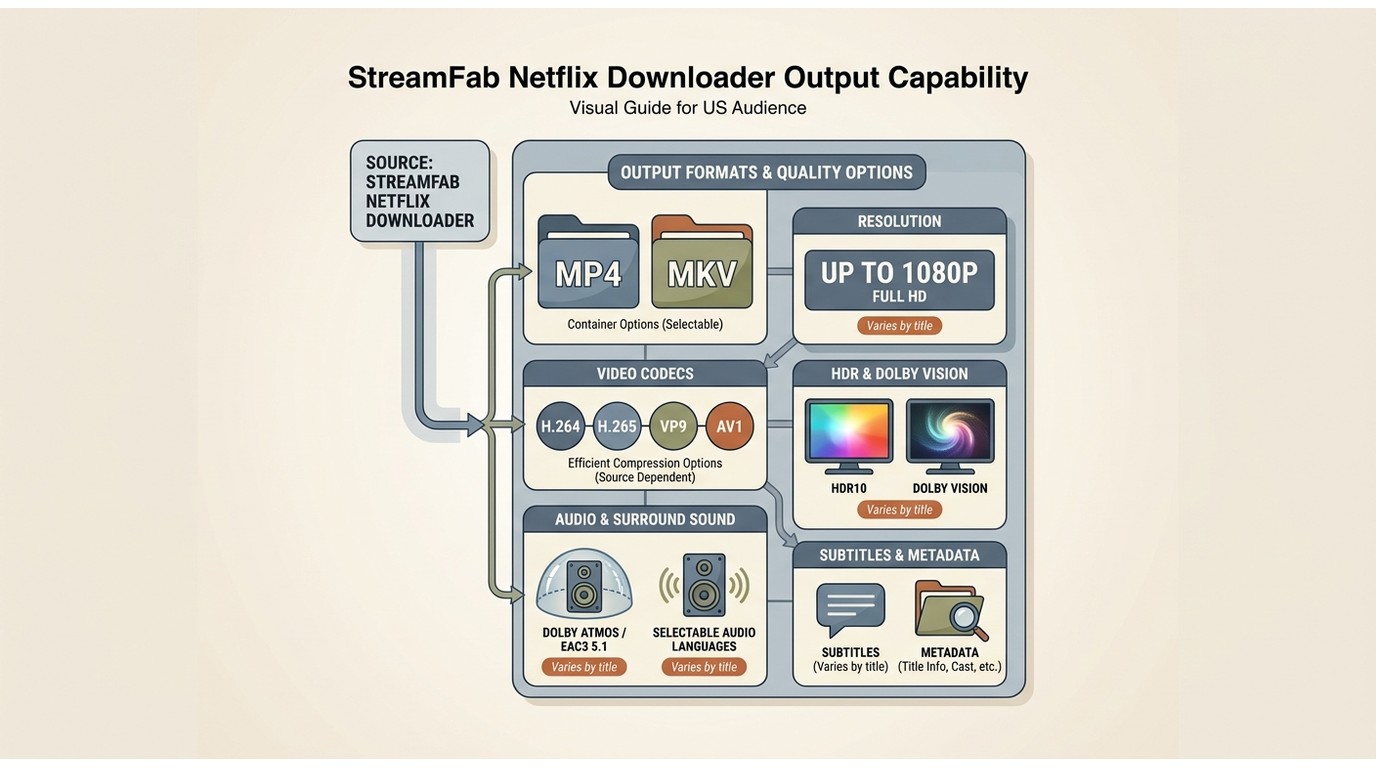
A Scannable Output Matrix
StreamFab Netflix Downloader for Windows and Mac can save available Netflix titles as MP4 or MKV files with H.264, H.265, VP9, or AV1 video depending on the title. Available options can include HDR10 or Dolby Vision, Dolby Atmos, EAC3 5.1, selectable audio languages, subtitles, and metadata. The StreamFab output video quality settings help you match the file to your screen, storage, and playback needs.
| Output detail | What is available | Why it matters |
|---|---|---|
| Container | MP4 or MKV | Portable local playback |
| Video | Up to 1080p | Varies by title |
| Codec | H.264, H.265, VP9, AV1 | Service-dependent |
| HDR | HDR10 or Dolby Vision | Available titles only |
| Audio and subtitles | Tracks, subtitles, metadata | Language flexibility |
This format flexibility is useful when you need local playback choices, but it is not the right fit if you require guaranteed 4K for every Netflix title.
Download Limits, Safety, and Responsible Use
The Current Daily Limit
As of August 2026, StreamFab documents a 100-download daily limit for each supported streaming service. A download that stops below that number is a troubleshooting case, not proof that the documented limit changed.
Terms, Copyright, and Account Uncertainty
Use StreamFab only for content you are authorized to access, where permitted by Netflix’s terms and applicable law. StreamFab safety and legal considerations include separate questions about software use, platform terms, copyright, and account restrictions. Official Netflix downloads remain the lower-friction option when their supported-device and expiration limits work for you.
Downloading and Screen Recording Compared
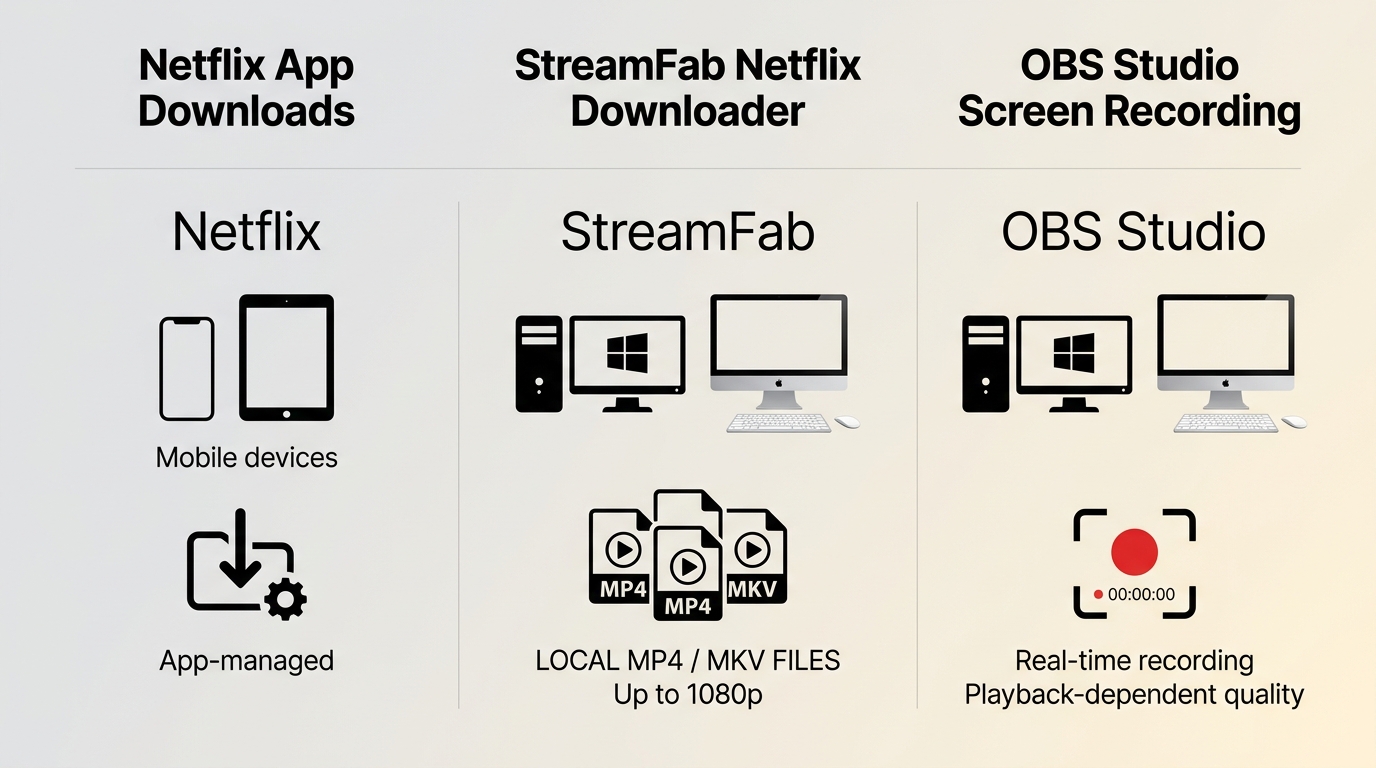
Quality, Time, and Resource Tradeoffs
Netflix official downloads, StreamFab, and OBS Studio solve different offline-viewing problems. StreamFab is a desktop local-file workflow, while OBS is an active screen-recording tool rather than a direct-download alternative.
| Method | Windows/Mac availability | Output type | Typical quality | Best fit |
|---|---|---|---|---|
| Netflix official downloads | Supported mobile devices | App-managed download | Netflix-managed | Simple travel viewing |
| StreamFab | Windows and Mac | MP4 or MKV | Up to 1080p | Local-format flexibility |
| OBS Studio | Windows and Mac | Screen recording | Playback-dependent | Active recording workflow |
For repeat desktop use, direct saving can be more convenient than monitoring a real-time recording. OBS still has a place when a recording workflow is specifically what you need.
 Query from Reddit User: How can I distinguish between genuine downloaders and those mimicking hardware acceleration via re-encode?
 Practical distinction: A local-file saving workflow and a real-time screen-recording workflow use different time, hardware, and playback approaches. Compare the output format and the steps required rather than relying on acceleration labels alone.
The practical differences between local saving and screen recording are clearer in this explanation of downloading versus recording video.
Performance, Reliability, and User Feedback
What the Rating Does and Does Not Prove
StreamFab reviews on Trustpilot showed a 4.5/5 rating from 755 reviews as of August 2026. That is a useful signal about overall customer sentiment, but it does not establish the same resolution or reliability for every Netflix title.
Analyzing, Resolution, and Limit Failures
When StreamFab stays on analyzing, start by updating the app and confirming that you can sign in and play the title in its built-in browser, then use the representative-title check in the trial section before rebuilding a larger queue. For broader diagnostics, use these StreamFab not working fixes.
Protected-content messages, unexpected stops, and lower-than-expected resolution need separate diagnosis because title availability and service conditions can differ. The available StreamFab error codes can help identify the next troubleshooting step.
The strongest practical signal is whether the selected format and resolution are available for the title you want. The largest uncertainty remains title-level availability.
Selected Customer Feedback
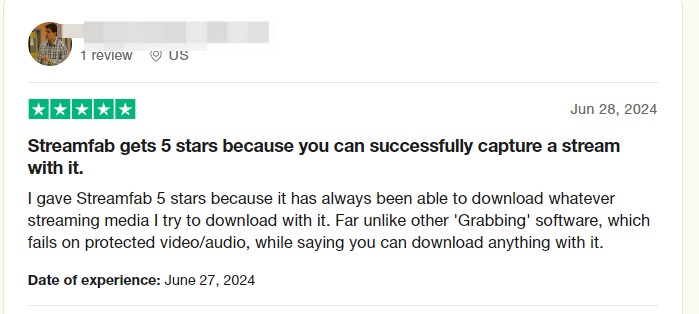
This individual review is one customer experience, not a guarantee that every Netflix title will produce the same result.
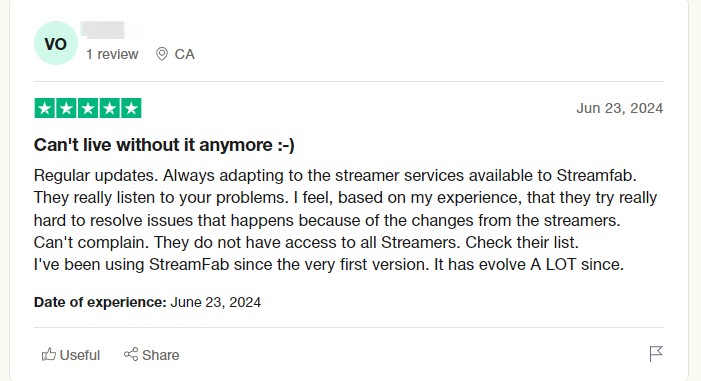
Long-term customer feedback can reveal recurring usability issues, but it should be weighed alongside current title compatibility and support outcomes.
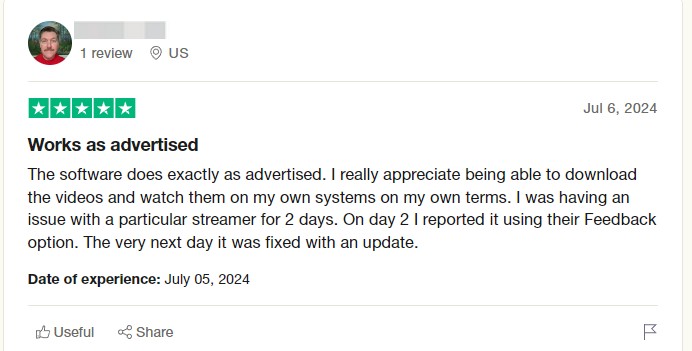
Use the review as one data point, then compare its claims with the output details available for the Netflix title you intend to save.
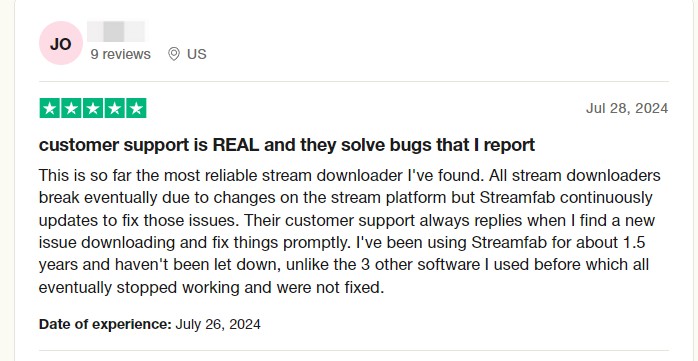
Streaming services can change title behavior and availability, so a current version and a one-title test are more useful than assuming a past result will repeat.
Plans, Trial, License, and Refunds
What to Check Before Paying
StreamFab offers a 30-day trial with three video downloads per supported streaming service. Trial features match the paid version, including available resolution, batch handling, subtitles, and MP4 or MKV output, but the download allowance is limited. Monthly subscriptions include a seven-day unconditional refund window, while annual and lifetime purchases have a 14-day conditional refund policy.
Start with one representative title if you need to confirm title compatibility, resolution, and playback on your own setup. Repeat desktop users who need local-format flexibility may find the paid workflow more suitable after that check.
Using StreamFab in Five Steps
Before you start, install the correct Windows or Mac version, keep an active Netflix subscription, and make sure the title plays normally in Netflix. The five-step workflow is simple: 1) open StreamFab, 2) choose the Netflix service, 3) sign in through the built-in browser, 4) select a title and available output settings, and 5) download it now or add it to the queue. The general how-to-use StreamFab workflow explains the shared setup controls in more detail.
StreamFab can handle ad-supported Netflix plans where the service and title support the workflow, but ad behavior can vary by title and current service conditions.
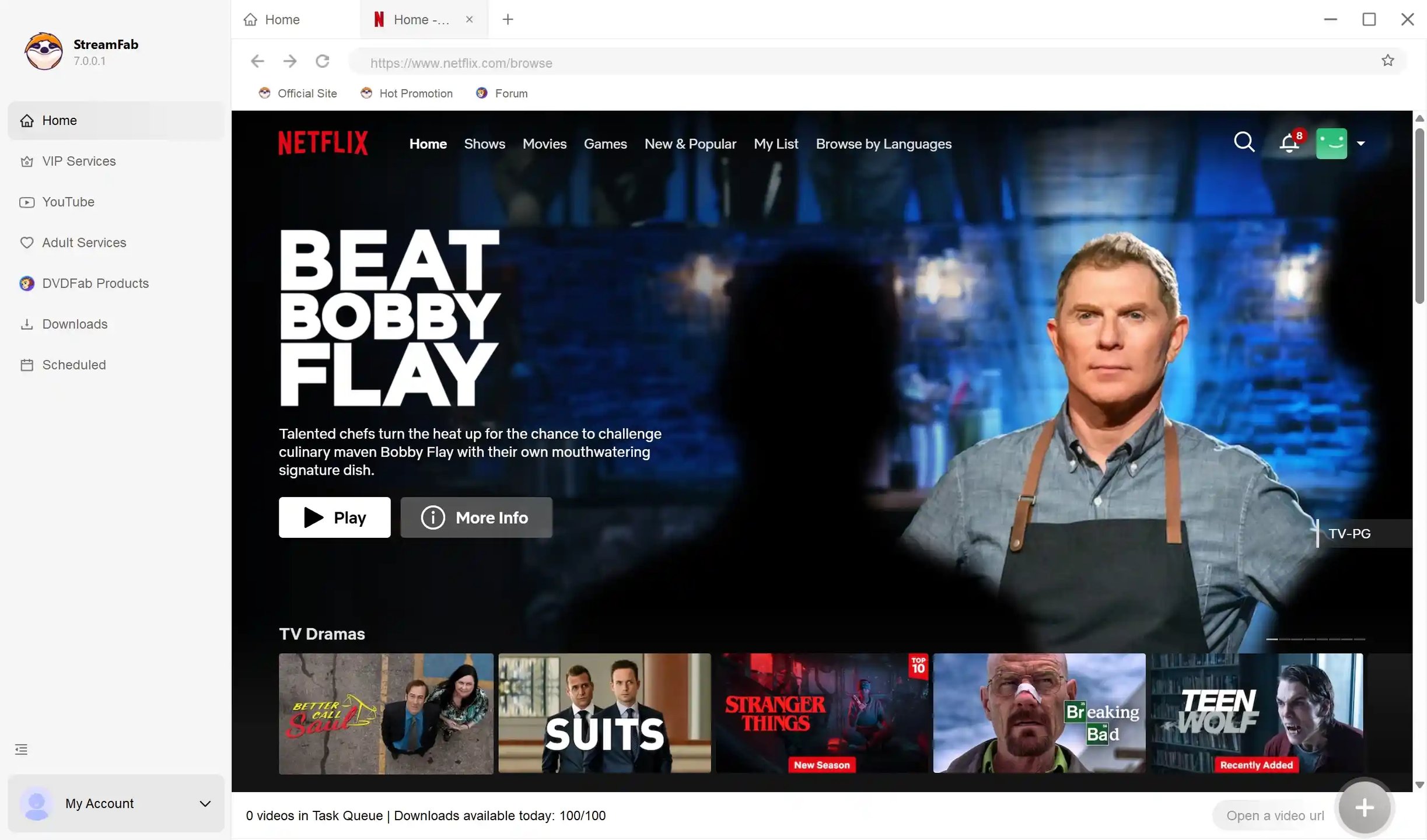
Upon launching the application, authenticate your credentials within the isolated browser environment. This browser natively spoofs user agents to prevent flag-triggering.
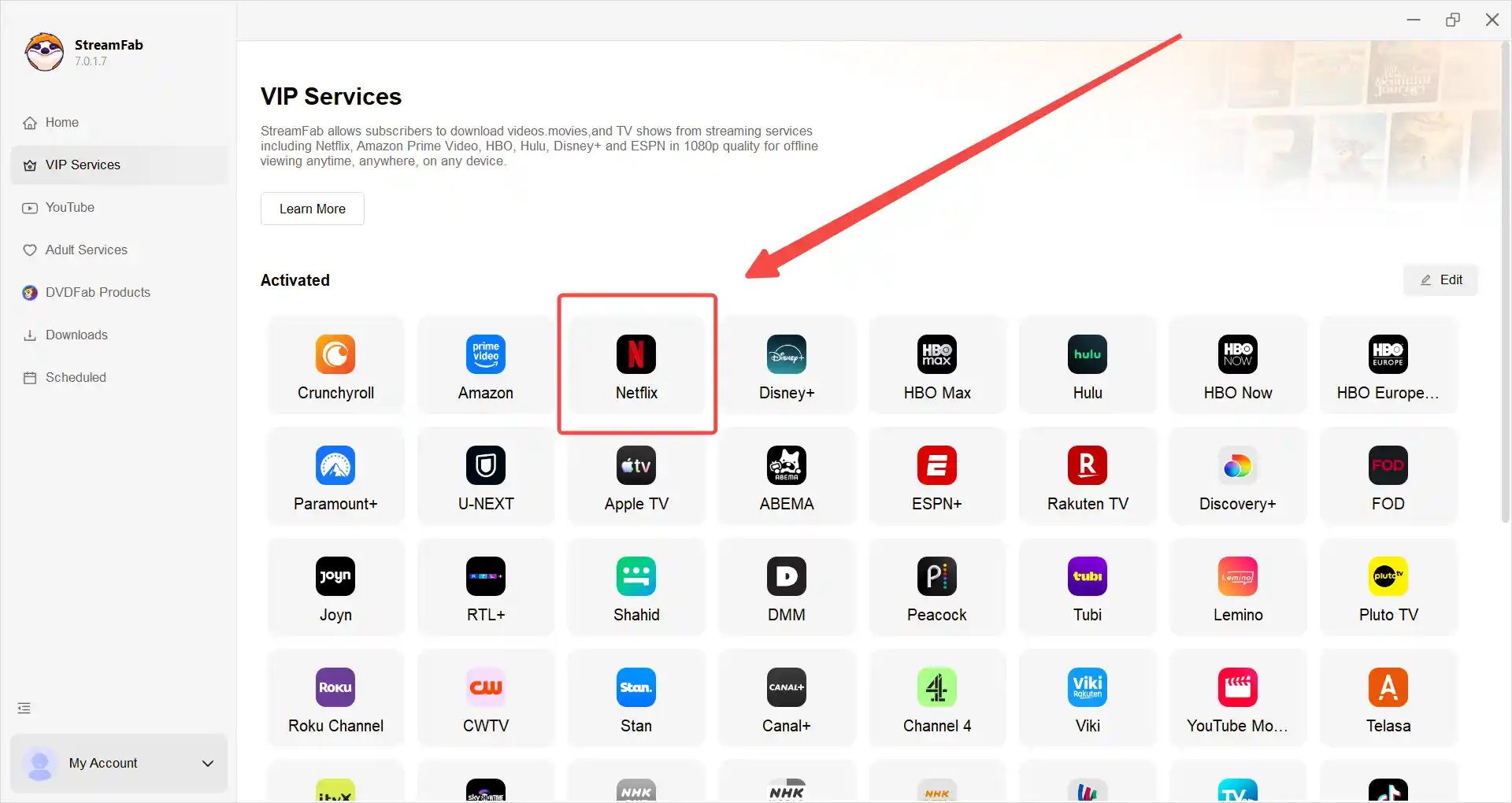
Access your target media. Important: If you use a VPN for geoblocking, ensure your VPN protocol is set to WireGuard or OpenVPN UDP to minimize SSL handshake delays during catalog browsing.
The engine automatically parses available bitrates and audio tracks. Notice how it grabs 5.1 EAC3 audio flawlessly.
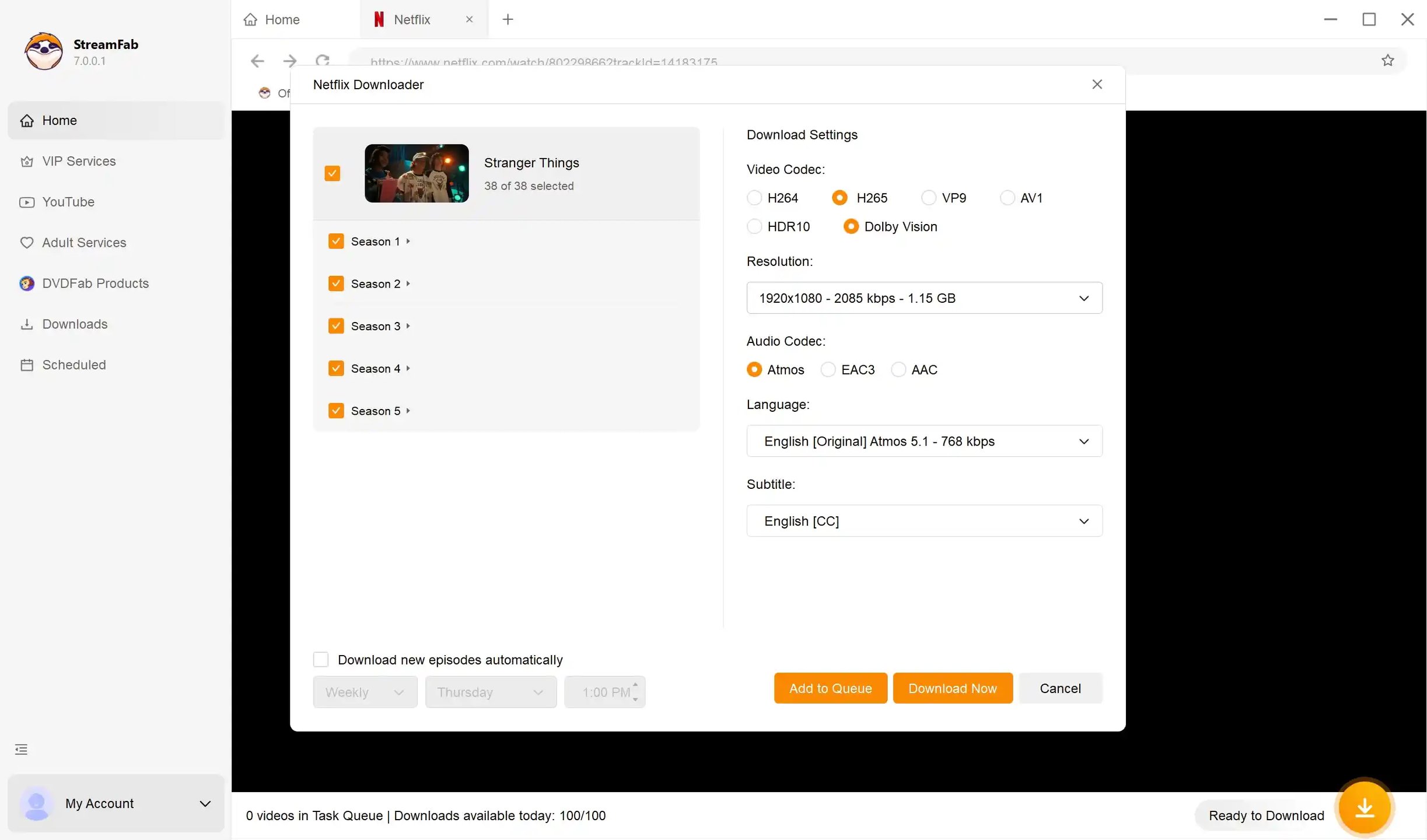
After customization, you may immediately click "Download" or "Add to Queue" for later downloading.
FAQs About StreamFab for Netflix
Is the Local Download Quota a Risk to My Account?
How Do I Resolve Background Service Initialization Failures?
Does it Fully Retain Multi-Language Meta-data & Posters?
Can I Download 4K Netflix Movies with StreamFab?
Conclusion: Is StreamFab the Right Fit?
StreamFab Netflix Downloader is a practical option for Windows or Mac users who need selectable local formats, batch handling, and repeat offline use for content they are authorized to access. It is not the right fit for anyone who requires guaranteed 4K on every title, prefers a mobile-only workflow, or is satisfied with Netflix’s official app-managed downloads.
My recommendation is to use the trial terms above as the decision point. If the available resolution, audio, subtitles, and MP4 or MKV output fit your desktop workflow, then the paid version is easier to evaluate on real needs rather than broad product claims.

StreamFab 7 marks the first major update in nearly three years. This review looks beyond surface-level changes and examines what actually matters in everyday use based on real testing, community feedback
By Erika Leen - Sep 28, 2026
Choose between StreamFab’s local file workflow, Audials’ Windows recording and editing, and PlayOn’s local or cloud recording. Compare queue behavior, picture quality, audio and subtitles, and recurring costs, with a repeatable way to check one authorized title before building an offline library.
By Marcia Hatcher - Sep 28, 2026
This article is an official response to users asking regarding the safety and legality of StreamFab. Written by StreamFab team, it moves beyond simple assurances to provide a transparent technical and legal analysis.
By Nicole Lopez - Sep 24, 2026
Wondering what is StreamFab? I tested the StreamFab YouTube Downloader Pro for YouTube TV offline access, 8K AV1 hardware acceleration, and batch archiving limits. See the 2026 real-world benchmark and learn how to avoid API throttling.
By Erika Leen - Sep 24, 2026