
StreamFab Max Downloader Review 2026: 4K Availability and Limits

Summary: In this May 2026 technical deep dive, we explore how StreamFab Max Downloader handles daily download restrictions, bypasses modern DRM for true 4K quality, and prevents hardware acceleration conflicts for digital archivists.
Table of Contents
The quick takeaway: this StreamFab Max Downloader review is most useful for Windows and Mac users who need portable local files for authorized HBO Max offline viewing. It is less suitable for mobile-only viewers or anyone expecting every title to be available in 4K without occasional version-related interruptions.
Max already offers official in-app downloads for temporary offline viewing on supported mobile devices. StreamFab Max Downloader takes a different desktop-oriented route for readers who want MP4 or MKV files for compatible local playback, media servers, or USB storage. This review covers quality expectations, download limits, trial access, and the current workflow.
StreamFab Max Downloader is a desktop option for content you are authorized to access, where permitted by platform terms and applicable law. It requires an active, legitimate Max subscription and is intended for personal offline viewing.
For a broader look at watching HBO Max offline on a laptop, compare the official mobile experience with the desktop workflow before choosing a method.
StreamFab Max Verdict and Quality Limits
StreamFab Max Downloader supports up to 4K on supported titles, but the result depends on the title, Max plan, region, source stream, and current software compatibility. Its practical value is file portability: supported titles can be saved as MP4 or MKV for compatible local playback.
Supported-title 4K, HDR, and audio
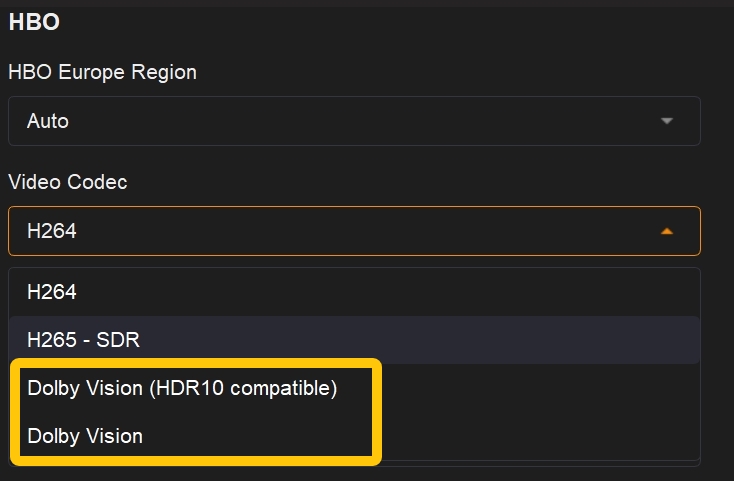
Max 4K downloads should be treated as title-specific, not as a blanket promise. Supported titles may offer up to 4K, H.264 or H.265 video, HDR10 or Dolby Vision, and source-dependent audio options including Dolby Atmos, EAC3 5.1, or AAC 2.0.
My practical rule is simple: evaluate the title shown in the analysis window rather than buying around a universal 4K claim. A title that offers 1080p can still be the right choice if the playback device, storage space, or display does not benefit from a larger file.
Formats and playback destinations
StreamFab Max Downloader can save supported titles as MP4 or MKV, with available H.264 or H.265 video, source-dependent audio, and embedded or separate subtitle choices. Those files can fit local workflows in VLC, Plex, Jellyfin, USB storage, or a compatible TV. MP4 is usually the easier compatibility choice; MKV can be more flexible for track-heavy libraries.
Do not assume the same quality ceiling applies across services: the StreamFab Netflix Downloader guide covers Netflix downloads up to 1080p, while supported Max titles may offer up to 4K.
Download Limits and Batch Controls
The StreamFab download limit is a workload control, not necessarily a sign that the software has failed. It is designed to manage authorized-account activity, but it does not determine how Max may apply its own terms or enforcement.
Quota policy and account considerations
StreamFab applies a limit of 100 downloads per day and 700 downloads per week for each supported streaming service. These vendor safeguards help control workload and account activity, but they cannot predict provider rate limits, warnings, suspension, or other enforcement.
Batch queues and interval limits
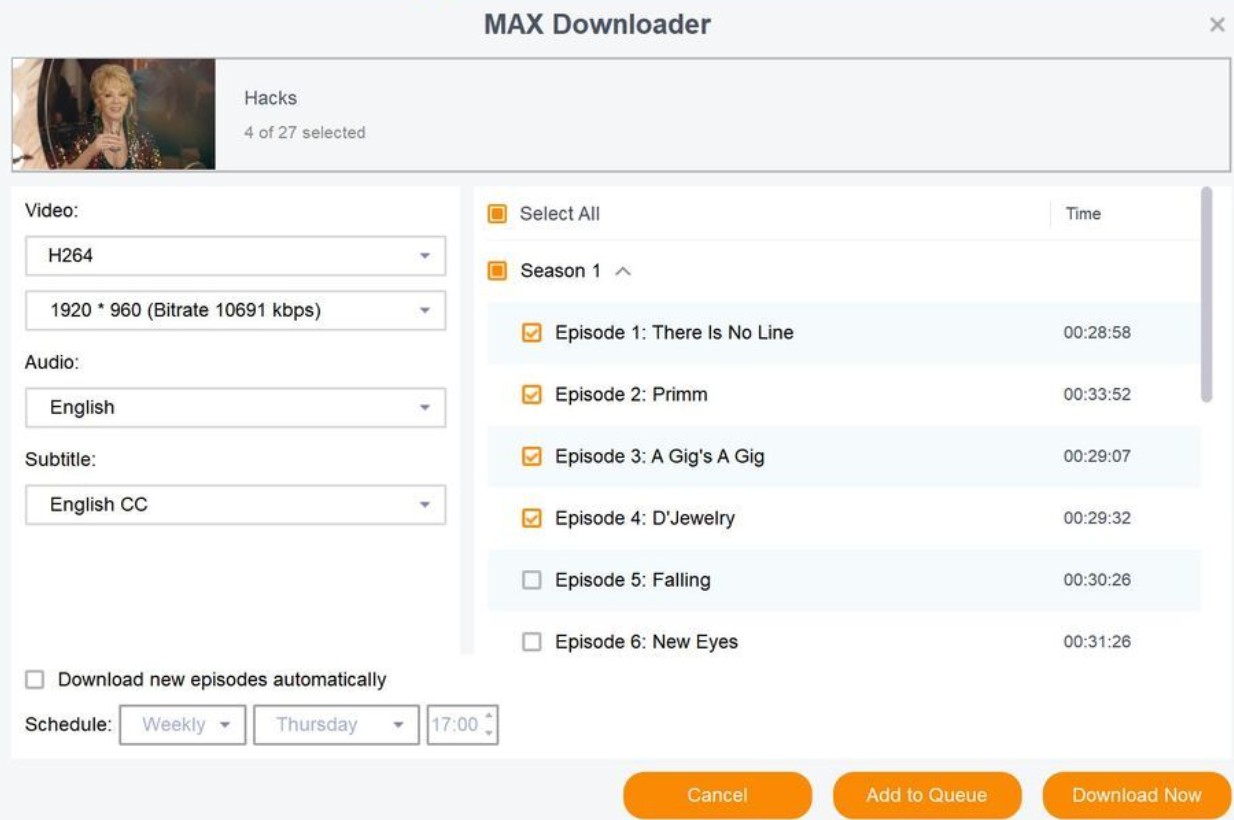
Batch queues and scheduled tasks are useful when you are working through episodic content, especially when you can see remaining quota before adding more titles. Queue size and interval settings may need adjustment after a Max or StreamFab change, so this is not ideal for anyone expecting unattended success after every service update.
My preference is to start with a short queue, confirm the title analysis and output settings, then expand the batch. That adds a small check up front, but it is more logical than discovering a failed overnight queue in the morning.
Pricing, Trial, and System Requirements
The purchase decision starts with whether you actually need a desktop local-file workflow. The free trial allows three full video downloads per streaming service and includes the paid workflow’s core capabilities within that quantity limit. StreamFab Max Downloader supports Windows and macOS.
As of August 2026, license options and product availability can vary. The trial is a sensible fit for checking whether your usual Max titles analyze correctly, whether your preferred resolution appears, and whether MP4 or MKV fits your playback setup before committing.
Readers who need coverage beyond Max can compare the broader StreamFab All-in-One downloader lineup. Those weighing purchase timing can also review StreamFab discount options.
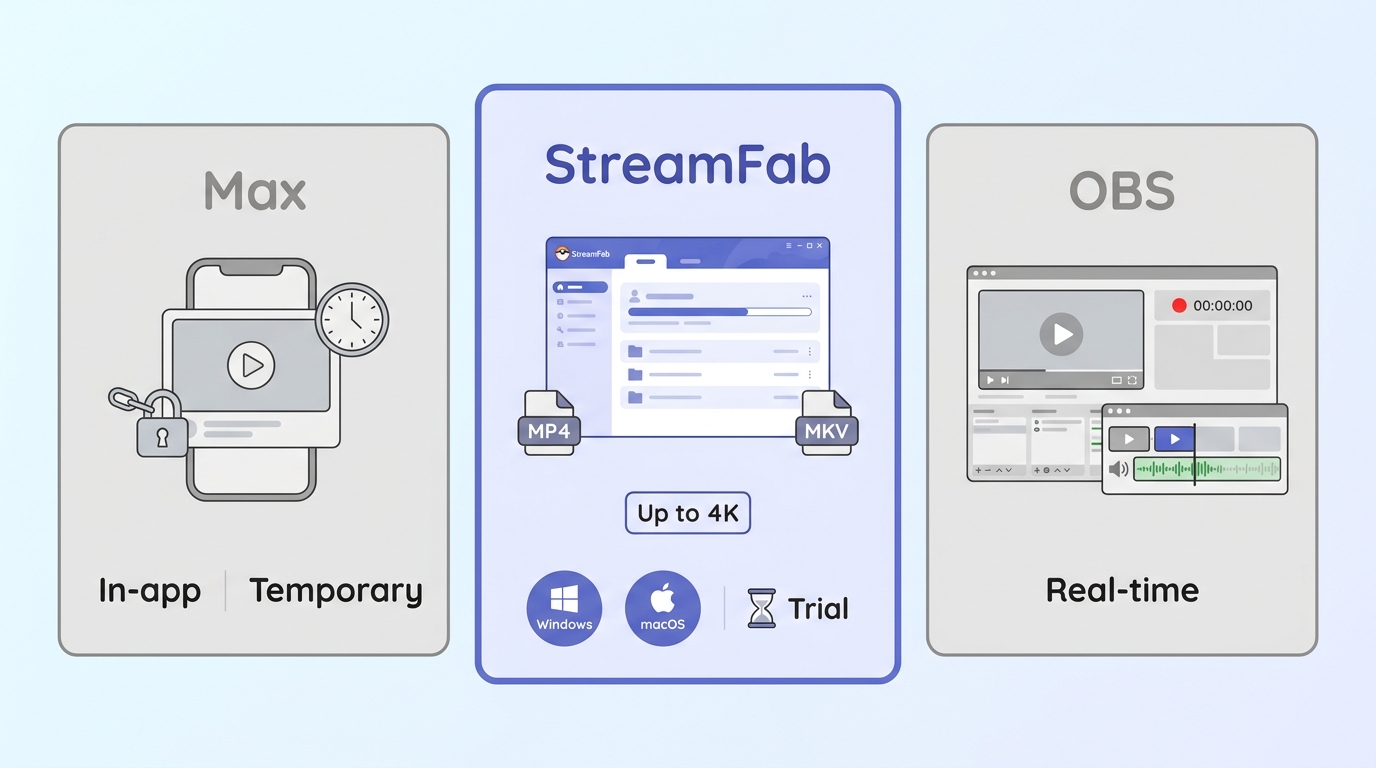
Official app and desktop workflow compared
| Method | Best use | Device or file | Quality limit | Key caveat |
|---|---|---|---|---|
| Official Max downloads | Temporary mobile viewing | Supported mobile devices | Plan and title dependent | Managed in the Max app |
| StreamFab Max Downloader | Desktop local playback | MP4 or MKV files | Up to 4K on supported titles | Windows or Mac required |
| Screen recording | Real-time capture needs | Video file | Playback-dependent | Requires real-time playback |
Choose the official app for straightforward mobile viewing. Choose the desktop workflow when portable local files and compatible media-server playback matter more than mobile convenience. Screen recording remains a separate real-time option, not a substitute for either workflow.
Max Download Workflow
Before starting, use a Windows or Mac computer, an active Max subscription, and a title you are authorized to access. The workflow below is for personal offline viewing where permitted by platform terms and applicable law.
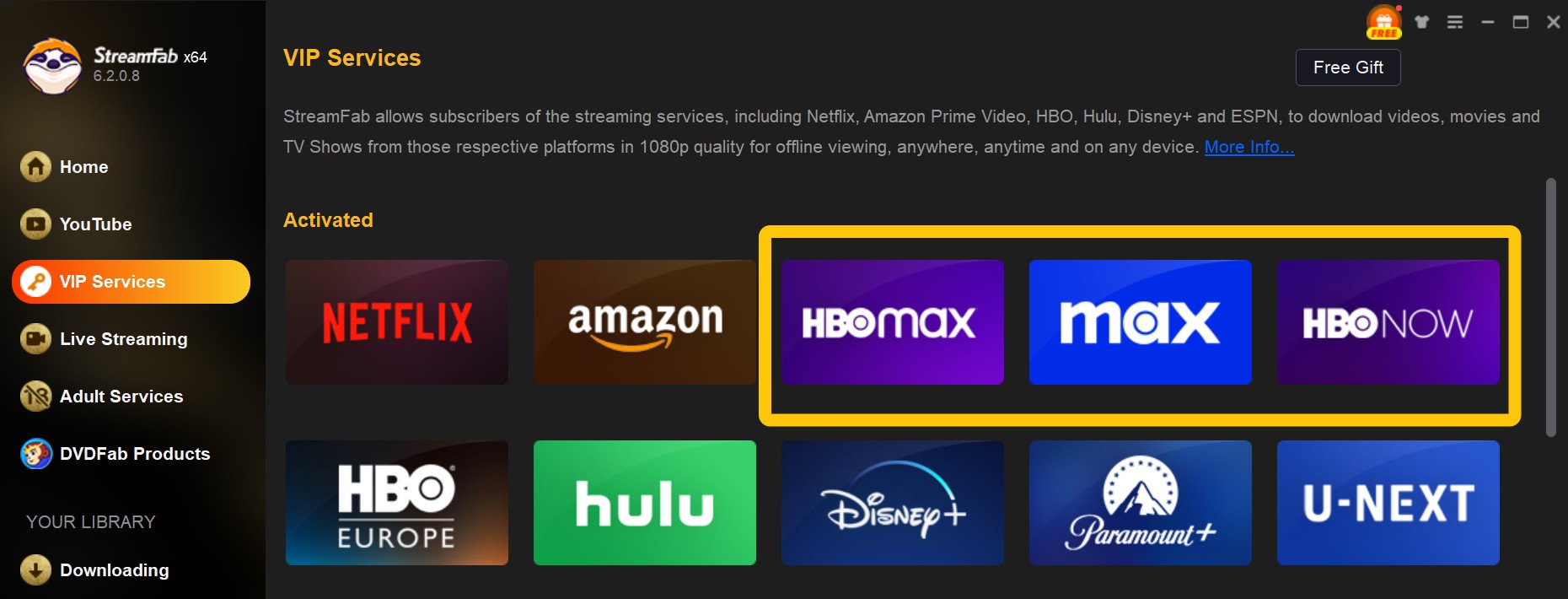
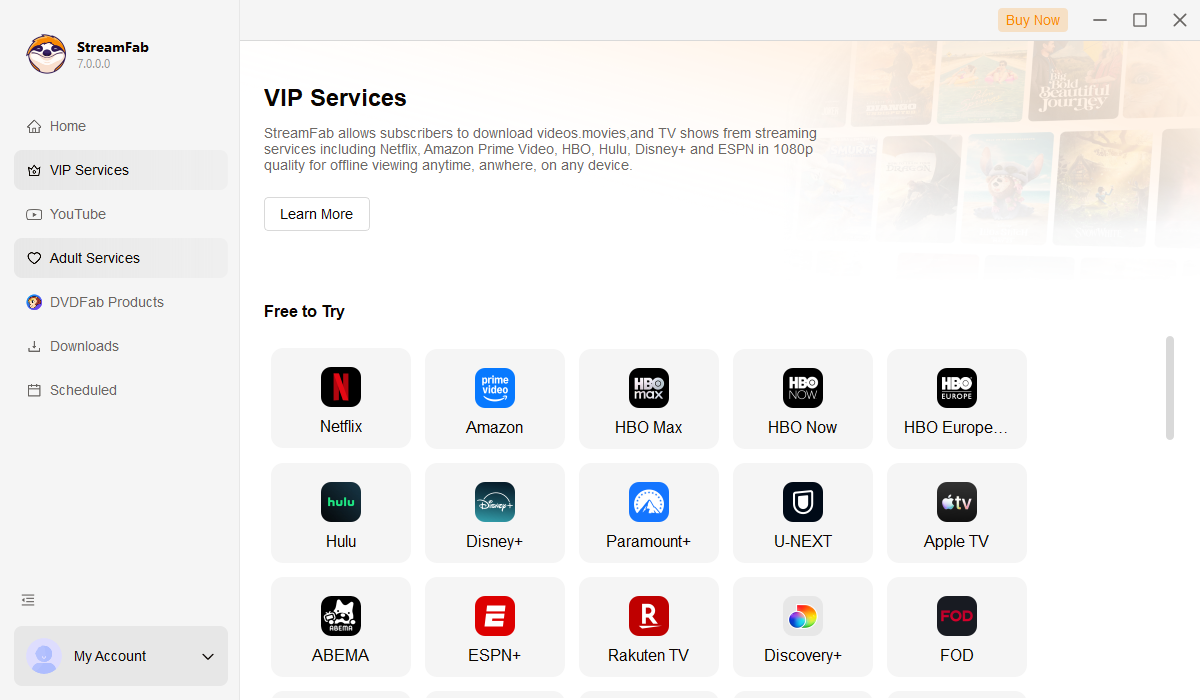
Step 1: Launch your preferred client (grab the Free Trial for Windows or Free Trial for Mac if you are just starting). Navigate to "VIP Services" and launch the embedded Max module.
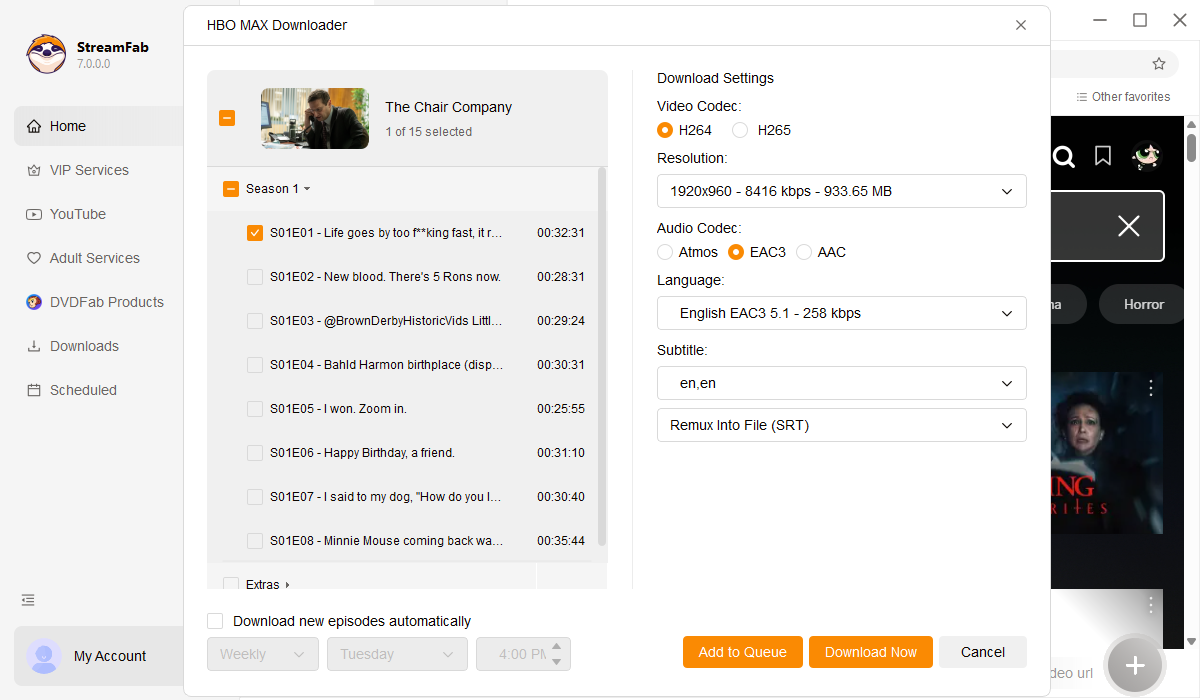
Step 2: Sign in, open the Max title you want to save, and wait for the analysis options. Select the available resolution, H.264 or H.265 video option, audio language, and embedded or separate subtitles. Availability can vary by title.
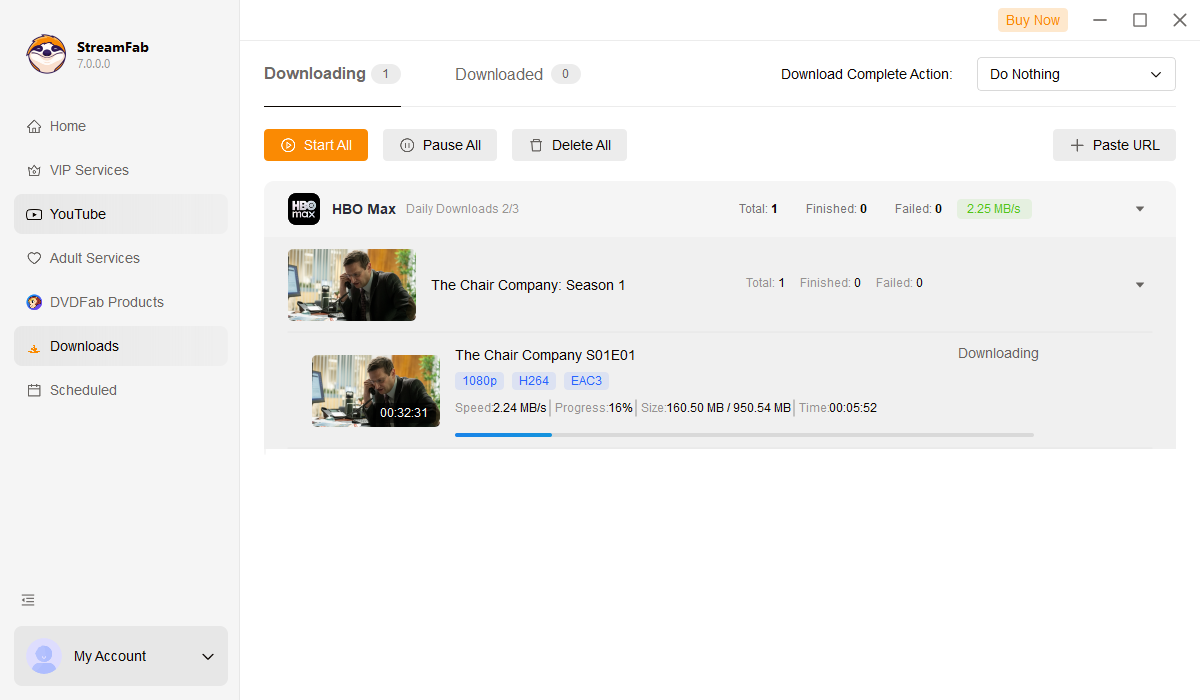
Step 3: Click "Download Now" and monitor the task list. When the task finishes, open the output directory shown in Settings and test the MP4 or MKV file in your intended player.
Current-version troubleshooting
If Max analysis fails, first confirm that the title is available in your region and restart StreamFab before trying again. Service-side changes can temporarily affect title analysis, so version status, title availability, and the exact error behavior should be checked separately.
If a task stalls or analysis loops, temporarily disabling Hardware Acceleration is one conditional troubleshooting step. For broader StreamFab not working troubleshooting, use the error details and logs to narrow down the cause. A dim image in VLC or QuickTime can also be an HDR or Dolby Vision playback compatibility issue rather than a download-resolution failure.
I would check title availability and the current app version before changing GPU settings. That order isolates the most common moving parts without treating one workaround as a universal fix.
Practical Questions About StreamFab Max
These quick answers cover playback, access, file location, and sign-in considerations for the desktop workflow.
Why does streamfab hbo max downloader show offline errors?
Does the daily quota reset strictly?
How to fix audio sync issues after recent CDM updates?
Where can I get specialized support if an extraction fails?
Who StreamFab Max Suits
StreamFab Max Downloader is a practical fit for Windows and Mac users who value portable MP4 or MKV files, supported-title quality options, batch queues, and playback through compatible local media setups. The trial makes sense if you want to confirm that your usual titles, player, and storage workflow line up.
Skip it if you are mobile-only, need guaranteed 4K for every Max title, or do not want to deal with version-dependent interruptions after service changes. The product’s value is not a blanket quality promise; it is a desktop local-file option for a specific, authorized viewing workflow.

Staring at an error code and wondering what StreamFab is actually telling you? In July 2026, I mapped every code against the real failure it represents — here's the reference guide that skips the corporate jargon and tells you exactly what to do in under 2 minutes.
By Erika Leen - Oct 12, 2026
StreamFab 7 marks the first major update in nearly three years. This review looks beyond surface-level changes and examines what actually matters in everyday use based on real testing, community feedback
By Erika Leen - Sep 28, 2026
Choose between StreamFab’s local file workflow, Audials’ Windows recording and editing, and PlayOn’s local or cloud recording. Compare queue behavior, picture quality, audio and subtitles, and recurring costs, with a repeatable way to check one authorized title before building an offline library.
By Marcia Hatcher - Sep 28, 2026
This article is an official response to users asking regarding the safety and legality of StreamFab. Written by StreamFab team, it moves beyond simple assurances to provide a transparent technical and legal analysis.
By Nicole Lopez - Sep 24, 2026