
TunePat Review 2026: A Balanced Look at Safety, Pricing, and Speed

Summary: A useful TunePat review has to answer a harder question than whether the software can save a video: does it remain dependable when streaming services change? TunePat covers the core offline-viewing workflow, but uneven service support, limited trial visibility, and patch delays make the right choice depend on what and how often you watch.
Table of Contents
This review separates installer safety from customer sentiment, checks the pricing claims, compares TunePat with official download limits, and closes with a practical TunePat vs StreamFab decision framework.
TunePat Review Verdict: Score, Best For, Skip If
TunePat is legitimate software with useful single-service downloaders, but its value is less convincing for people who need broad coverage or consistently fast fixes after a platform update.

👉 My advice:
Overall take: 7.2/10. TunePat handles core MP4/MKV downloads well, but reliability and value vary by service. Best for: viewers focused on one supported platform. Skip it if: you need wider platform coverage, faster update cycles, or a convincing free trial. Reviewed as of July 2026.
✅ Use it for personal study and offline viewing;
❌ Avoid distributing or commercial use;
✅ When collecting music/OSTs, always use official channels.
- Best for: someone who mainly uses one supported service and values subtitles, selectable audio, and local MP4 or MKV output.
- Skip it if: you switch among many services, expect the All-in-One package to match every single-service tool, or want a free downloader.
- Bottom line: TunePat is a reasonable focused purchase, not an automatic recommendation for every streaming setup.
What Does TunePat Offer in 2026?
TunePat video products come in single-platform editions and the broader VideoGo package, so the first decision is whether you need one service or several.
The single-service line includes tools for major streaming platforms. VideoGo combines multiple services in one interface; readers comparing that bundle can use the dedicated TunePat VideoGo All-in-One review for the longer product breakdown.
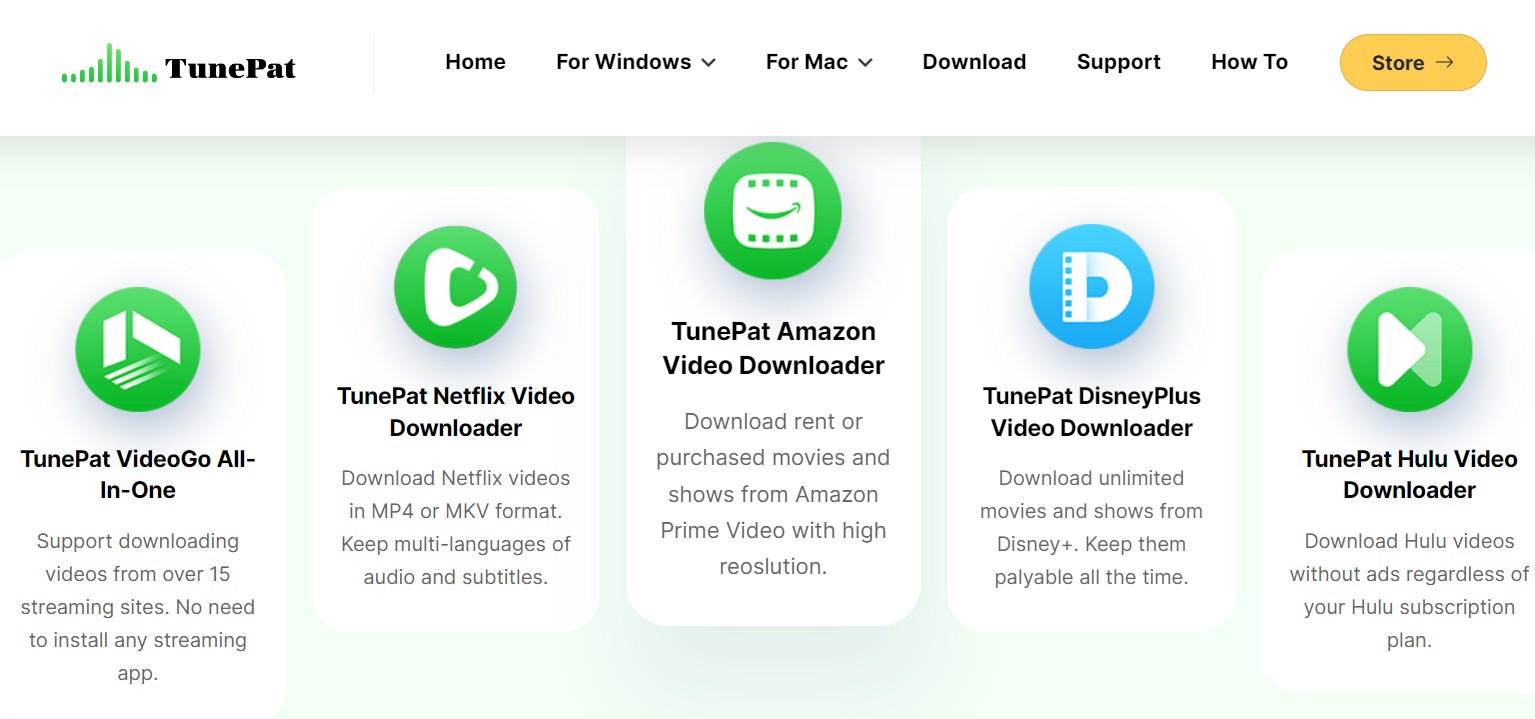
- Single-platform tools: a clearer fit when most viewing happens on one service.
- TunePat Video All in One: more convenient for a mixed library, though community feedback cited in the original review points to slower or less consistent operation than some dedicated editions.
- Common output: standard MP4 and MKV files with subtitle and audio choices where the service and title support them.
The practical advantage is file portability. The tradeoff is that supported resolution and reliability can change by platform instead of behaving like one fixed specification across the entire TunePat video downloader line.
TunePat vs Official Platform Limits (2026 Update)
TunePat can offer more file control than official offline modes, but the verified ceiling is service-specific and may temporarily fall to 720p after streaming-platform changes until a compatible update arrives.
| Platform | Official download limitation | Max verified resolution | Format (MP4/MKV) | Audio (5.1 where verified) | Subtitles | Fallback note |
|---|---|---|---|---|---|---|
| Netflix | App-managed downloads with title, device, and availability limits | Up to 1080p on supported titles | MP4 or MKV | Available on supported titles | Selectable | Some updates can cause a temporary 720p fallback |
| Disney+ | Official downloads stay inside supported apps and regions | Varies by title and current support | MP4 or MKV | Available where supported | Selectable | Resolution may fall while compatibility is being restored |
| Amazon Prime Video | Availability and device rules differ by title | Varies by title and current support | MP4 or MKV | Available where supported | Selectable | Service changes can affect output until an update arrives |
| Hulu | Not every title or plan includes official downloads | Varies by title and current support | MP4 or MKV | Not consistently verified | Selectable where available | Temporary compatibility gaps can occur |
| Max (HBO) | Official availability depends on plan, title, and device | Varies by title and current support | MP4 or MKV | Not consistently verified | Selectable where available | Community reports describe slower recovery on some changes |
| Paramount+ | Official downloads remain within supported apps | Varies by title and current support | MP4 or MKV | Not consistently verified | Selectable where available | A service update can temporarily reduce compatibility |
For Netflix-specific behavior, the detailed TunePat Netflix Video Downloader review is the more useful next step. The table uses the review date stated in the verdict card and does not treat a blanket 1080p claim as universal.
TunePat Pricing: Is It Worthy?
TunePat is paid software, and the value depends on whether one service is enough or whether the broader package genuinely saves you from buying separate tools.
| Product type | Dated fallback listing | How to interpret it |
|---|---|---|
| Single-platform video downloader | $69.90–$79.90 lifetime | Figures retained from the prior article, not a verified current US checkout price |
| VideoGo All-in-One | $149.90 lifetime | A dated reference point; monthly, annual, and lifetime listings also remain in third-party directories |
The official US checkout did not provide a verifiable current video-product price in the supplied evidence. That makes the old figures useful only as fallbacks, not proof that TunePat now sells lifetime plans exclusively.
Is TunePat free? No. A limited trial is available, but reports indicate that it does not demonstrate subtitle handling particularly well. A supported current build number was not supplied, so assigning a version here would create false precision.
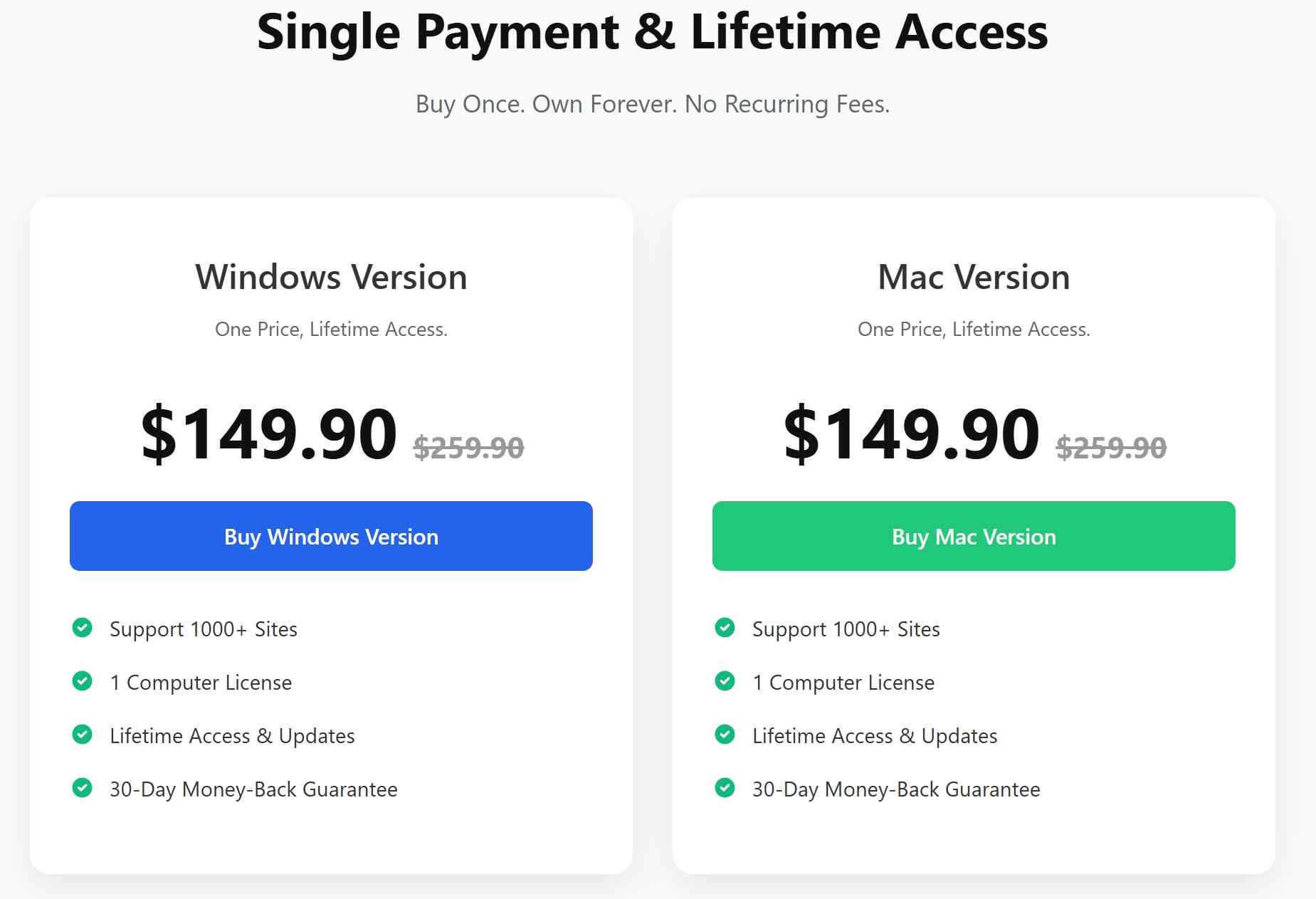
For a single service, TunePat can make financial sense if the trial proves the exact title, subtitle, and audio workflow you need. The All-in-One package needs a higher bar because its convenience matters only when its supported services perform consistently.
TunePat Safety Check: Clean Install but Real Limitations Exist
TunePat appears safe to install when obtained from its official website, but installer cleanliness does not prove that every download will work or that customer support will resolve every case.
The original review's official-site installer produced no local malware flags. Trustpilot showed 4.5/5 from 405 reviews for www.tunepat.com as of July 2026, based on a live search snippet that was not independently re-verified. That rating reflects customer sentiment, not a malware audit.
For video products, heavy automated downloading may occasionally trigger account limits or flags because streaming services enforce their own per-account rules. Use TunePat only for personal offline viewing of content you are authorized to access, where platform terms and applicable law permit.
Reliability is a separate concern: platform changes can temporarily cause login, analysis, resolution, or download failures while a patch is pending. Readers facing Netflix errors can follow the focused TunePat Netflix not-working guide instead of treating an update delay as an installer-security problem.
TunePat Reality Check: 3 Things I Liked vs 3 Deal-Breakers
The strongest TunePat qualities are simple setup, portable output, and useful subtitle controls. The main drawbacks are inconsistent speed, patch-dependent reliability, and a trial that may not prove the complete workflow before purchase.
- Straightforward setup: The interface keeps service selection and output settings easy to find
- Subtitle and audio choices: Useful for multilingual titles when the service exposes those tracks
- Portable output: MP4 and MKV files work across common local playback setups
- Uneven service performance: Speed and resolution can vary after platform changes
- Limited trial visibility: The trial may not demonstrate subtitle handling well enough
- Patch-dependent reliability: Compatibility can dip until TunePat releases an update
A balanced TunePat reviews summary is therefore straightforward: the basics are credible, but the buying decision should be based on the exact service and titles you use, not the broadest product-page claim.
Best Alternative: Why StreamFab Beats TunePat on Speed & Platform Support
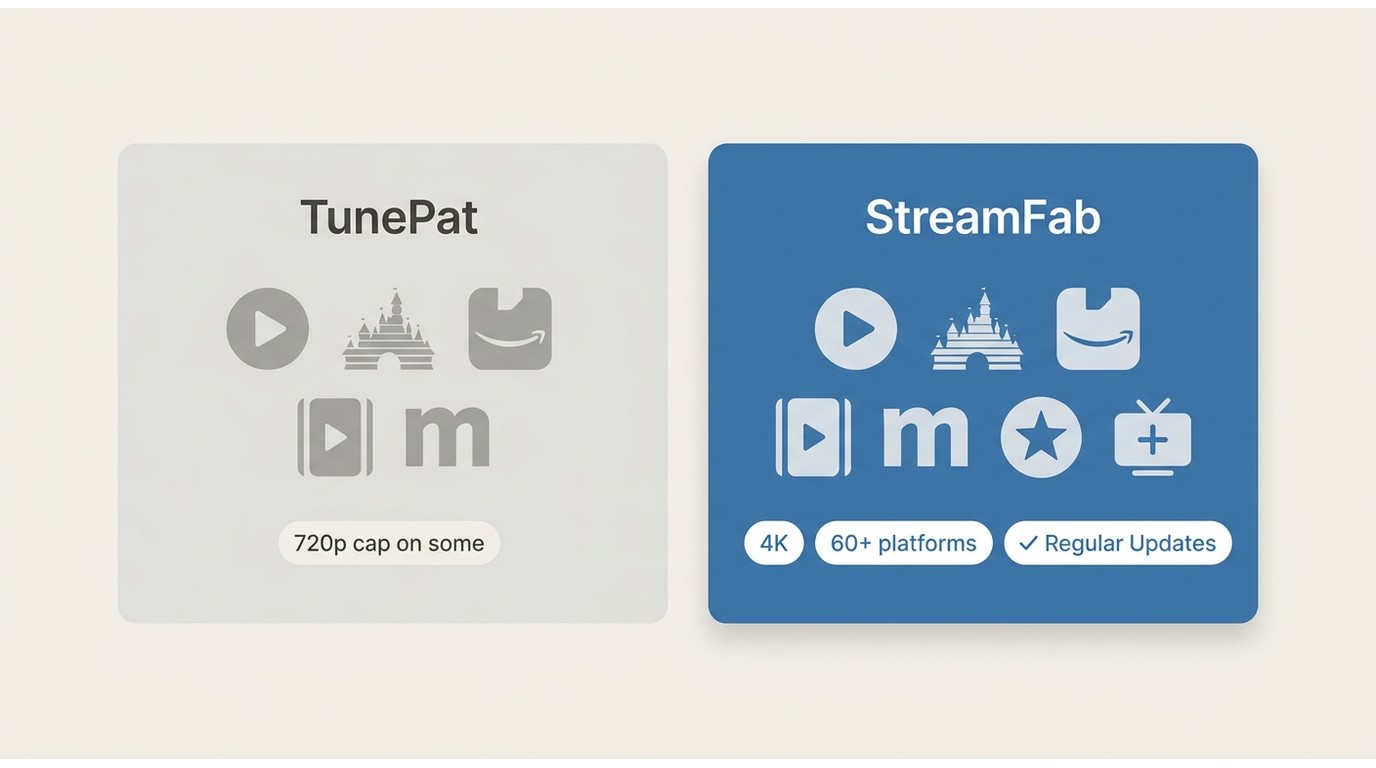
StreamFab is the stronger desktop alternative for people who use several services and prioritize broader coverage plus frequent compatibility updates.

If TunePat leaves you frustrated, StreamFab Video Downloader offers a solid alternative. It covers 60+ streaming sources—Netflix, Peacock, ITVX, OnlyFans, and many others—giving you far more content options.
For personal offline viewing of content you are authorized to access, where platform terms and applicable law permit, StreamFab All-In-One runs on Windows and macOS and supports MP4/MKV output, selectable subtitles and audio, batch downloads, and platform-dependent resolution up to 4K.
Its wider service coverage and regular engine updates make it a better fit when a single platform tool would be too narrow. Update cadence does not guarantee uninterrupted operation, but it is a meaningful reliability criterion when streaming services change.
Best for: viewers who move among multiple supported services, want one desktop workflow, and value broader format, subtitle, and audio control.
Not ideal for: someone who needs just one service, wants a free tool, or uses only iOS.

TunePat vs StreamFab: Choose Based on Your Viewing Habits
The TunePat vs StreamFab choice comes down to platform coverage, output ceiling, update cadence, and how much software you actually need.
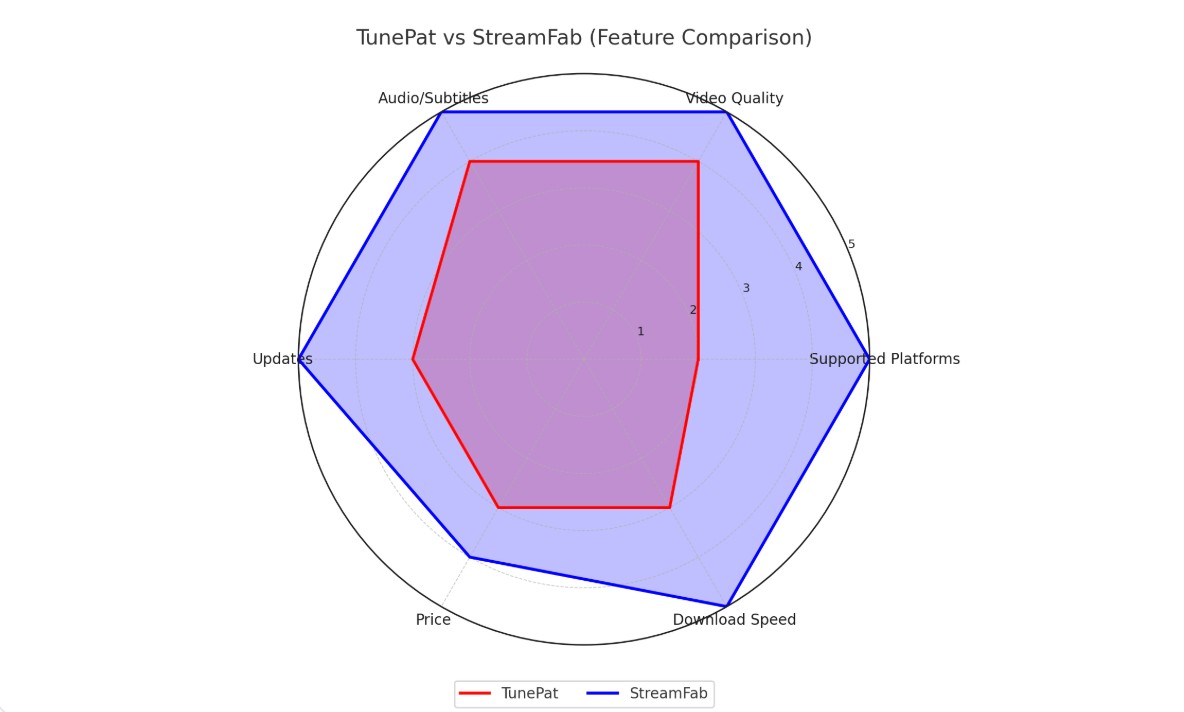
| Scenario | Recommended fit | Reason | Limitation to accept |
|---|---|---|---|
| Mainly one supported streaming service | TunePat single-platform tool | Focused interface and core 1080p, subtitle, and 5.1-audio support where verified | Compatibility and output may dip after service changes |
| Several supported services | StreamFab All-In-One | Wider platform coverage and more frequent updates | More capability than a one-service viewer may need |
| Need a free downloader | Neither paid suite | Evaluate official offline modes or lawful tools for unprotected media | Major subscription services impose app and content restrictions |
The original chart should be read as a scoped comparison, not proof that one product leads in every category. TunePat remains competitive on core single-service basics; StreamFab has the clearer advantage for mixed-platform use and update cadence. The existing TunePat alternatives comparison covers additional choices.
FAQs
Does TunePat save Netflix videos as 1080p MP4 or MKV?
It can output MP4 or MKV and can reach 1080p on supported Netflix titles, but resolution may temporarily fall to 720p after a platform change until compatibility is restored.
Can I move TunePat downloads to a TV, tablet, or NAS?
Standard MP4 and MKV files can be moved to compatible local playback devices and storage for authorized personal offline viewing. Playback support still depends on the chosen format, device, and service conditions.
Why can TunePat VideoGo All-in-One feel slower than a single-platform tool?
Community feedback cited in the original article describes slower speeds and more failures in the broader package. A single-platform edition may be the cleaner fit when one service accounts for most viewing.
Can I request a refund if TunePat does not work for me?
TunePat states a 30-day money-back policy for most products, usually subject to conditions such as an unresolved technical issue. Use the trial first and document any support case; this review does not assume an unverified auto-renewal rule.
Conclusion
This TunePat review finds a credible option for focused, single-service use, especially when MP4/MKV output, subtitles, and audio selection matter. StreamFab is the better fit for viewers who need broader service coverage and a faster update cadence, while neither product is right for someone seeking a free tool.
Update Log
July 2026: refreshed the verdict, service-by-service limitations, pricing caveats, installer-safety analysis, trial guidance, comparison criteria, and compliance language.

Evaluating the Audials One 2026 free trial? I tested its 720p caps, examined if is audials legal under Fair Use
By Erika Leen - Sep 29, 2026
Are you thinking of purchasing NoteBurner and unsure if it’s worth the investment? In this NoteBurner review, let’s delve into its product lines, particularly the NoteBurner Video Downloader’s pros and cons.
By Marcia Hatcher - Sep 28, 2026

Read our in-depth Audials review for 2026. Is Audials safe and legal for Amazon Prime? Discover actual test results, Widevine DRM fixes, and better alternatives.
By Erika Leen - Sep 28, 2026
TuneFab’s Amazon downloader suits a focused desktop routine, while VideOne covers multiple services. Compare their workflows, license structures, and output checks with StreamFab, then use the numbered setup and maintenance steps for authorized personal offline viewing.
By Erika Leen - Sep 24, 2026