
Flixicam vs TunePat Downloader: Who is the Winner in 2026?

Summary: If you are comparing FlixiCam vs TunePat, you have probably already hit the frustration that sends most people looking for a streaming video downloader: a season you saved inside the Netflix or Prime Video app expires after 30 days, the file will not move to another device, and every tool promises "HD" without proving it. Both apps aim squarely at that problem, and on the surface they look almost identical.
Table of Contents
This comparison sorts out what actually differs. I will cover a quick verdict by use case, how the two were tested, their real quality and format behavior, per-service reliability, 2026 pricing and licensing, the safety and legality questions readers ask, and where StreamFab fits as a broader alternative.
FlixiCam vs TunePat: Quick Verdict by Use Case
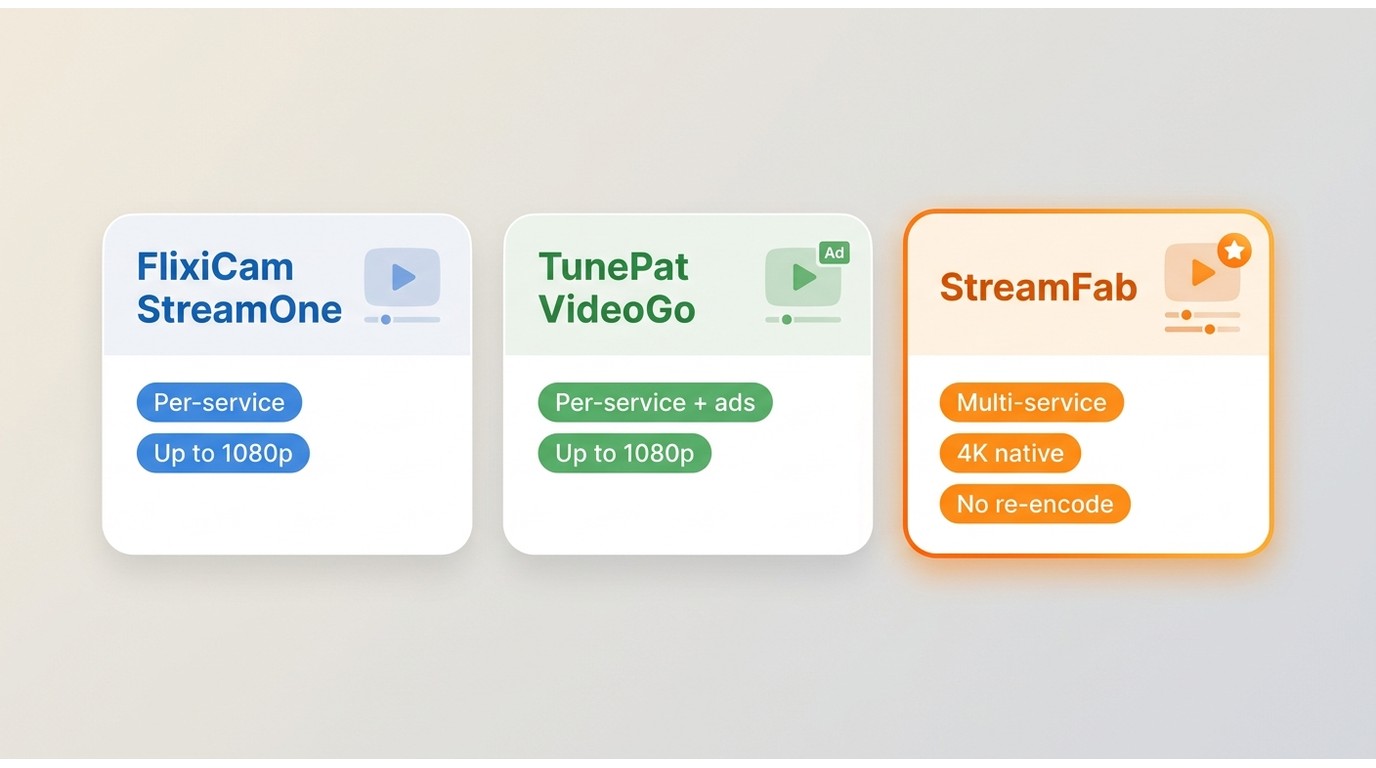
Here is the short version. FlixiCam StreamOne suits people who want one downloader for a broad, multi-service catalog on Windows or Mac, while TunePat VideoGo All-In-One appeals to anyone who values its per-service downloaders and built-in ad handling.
If you need higher resolution than 1080p, a single all-in-one workflow, or coverage that spans many platforms, StreamFab is the stronger fit. In my view, what should drive this choice is reliability on the services you actually use and whether a tool saves a native file rather than a re-encoded copy, not a headline "5X" speed number that no vendor can guarantee.
Our Testing Method and What We Checked
Reliability here means something specific: a full title downloads without truncation, the saved file is a native download rather than a re-encoded copy, audio tracks and subtitles stay intact, and recovery happens within a reasonable window after a service updates its DRM. We looked at behavior across Netflix, Prime Video, Disney+ and HBO Max, checked whether each app is still actively maintained, and noted how output formats and quality held up.
These results reflect a point in time. A downloader that works cleanly today can stumble the week a platform changes its protection, then recover once the vendor ships a compatibility fix, so treat every verdict below as a current snapshot, not a fixed guarantee.
FlixiCam StreamOne: Features, Limits, Reliability
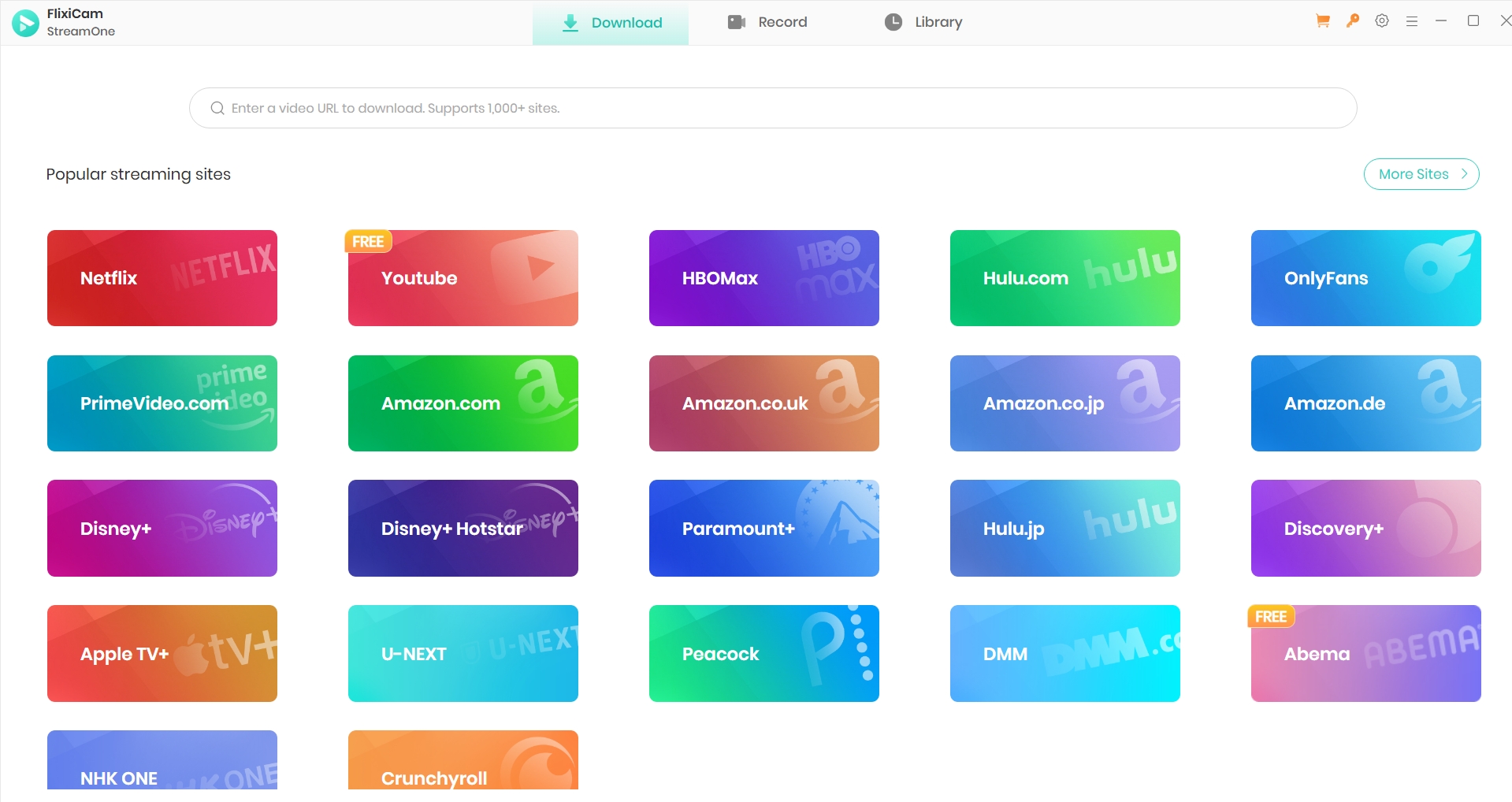
FlixiCam's current all-in-one product is StreamOne, and its official page markets support for 1,000+ sites (as of July 2026), so it is fair to treat it as a broad multi-service downloader rather than a Netflix-only tool. Naming the exact SKU matters, because it keeps this a like-for-like comparison with TunePat's all-in-one edition. In practice it saves premium OTT titles at up to 1080p on Windows and Mac, with MP4 or MKV output and batch downloads.
The honest limits: premium services top out around 1080p, with no dependable 4K, HDR or Dolby Vision, and Windows and Mac are sold as separate licenses. For a deeper single-product walkthrough, the full FlixiCam Netflix Video Downloader review covers setup and day-to-day use.
Key Features
- Supports Various Streaming Platforms: FlixiCam's all-in-one product, StreamOne, is marketed as supporting 1,000+ sites, including Netflix, Amazon Prime, Disney+, and Paramount+.
- HD Quality Downloading: FlixiCam supports video downloading up to 1080p on premium services, keeping a clear, watchable picture.
- User-Friendly Interface: It has an easy-to-use interface, letting you save videos from streaming platforms such as Netflix without any difficulty.
- Reliable Full-Length Downloads: Downloads run in the background so a long episode or a full season can complete in one pass, rather than promising a fixed speed multiplier.
- Batch Mode: Batch Mode lets you download multiple videos at once, saving time.
- Supports Multiple Formats: FlixiCam outputs MP4 or MKV, so you can move saved video from one device to another easily.
Pros and Cons
- Simple and easy-to-use interface.
- Supports 1080p and 5.1 audio.
- Bulk download of entire series.
- MP4/MKV formats for cross-device playback.
- Relatively affordable pricing for basic plans.
- You need an active subscription and must sign in to the source service; it does not replace a paid plan.
- 4K/HDR support is not available.
- Reliability can dip right after a streaming service updates its DRM, until a compatibility fix ships in a later app update.
- Windows and Mac licenses must be purchased separately.
Best for and Not Ideal for
Best for viewers who want a single, approachable downloader for a wide catalog on Windows or Mac and are happy with 1080p. Not ideal for anyone who needs 4K or HDR, or who wants one license to cover both operating systems.
TunePat VideoGo: Features, Limits, Reliability
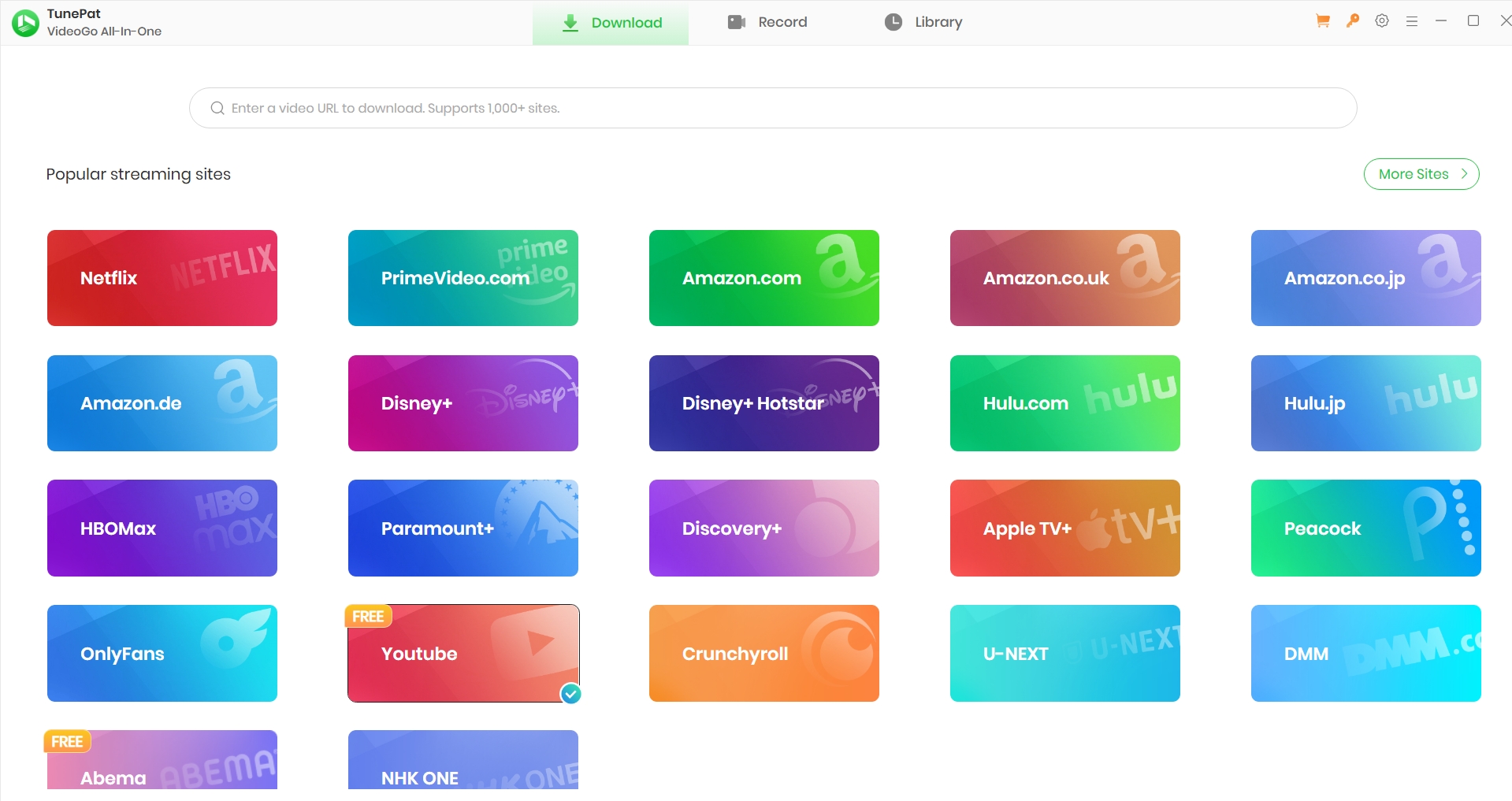
TunePat's all-in-one edition is VideoGo All-In-One, and its product center also lists service-specific downloaders, with up to 8K for YouTube. It saves titles you can already reach after a normal sign-in, for personal offline viewing of content you are authorized to access, where each platform's terms and applicable law allow. Output is MP4 or MKV, original audio tracks and subtitles are preserved, and ad-supported titles have ads stripped during download depending on the service.
The limits mirror FlixiCam's: premium services are generally capped near 1080p, and the free trial only saves the first few minutes of a title. A complete feature-by-feature TunePat review breaks down each module in more depth.
Key Features
- Original Quality Preserved: TunePat saves at the source resolution, up to full 1080p, without quietly downgrading the file.
- Flexible Output Options: You can save videos as MP4 or MKV, whichever fits your device.
- Multilingual Audio and Subtitles: It preserves the original audio tracks and subtitles, so you can switch languages after downloading.
- Batch Downloading: Queue several titles at once and let the batch run unattended, instead of downloading one by one.
- Automatic Ad Removal: It strips ads from ad-supported titles during download, depending on the service and plan.
- Easy to Use: The interface is clean, so even first-time users can get going in a few minutes.
Pros and Cons
- Saves Amazon Prime titles you can already access after a normal sign-in, for personal offline viewing.
- Starts downloads quickly once you are signed in to your own account.
- Keeps the original quality, multilingual audio, and subtitles.
- Works with Netflix, Prime Video, HBO Max and other major services, though reliability varies by service.
- Batch mode saves a lot of time.
- The interface is straightforward to use.
- The free trial is limited; to unlock all features you have to buy the full version.
- Built-in search results can be inaccurate.
Best for and Not Ideal for
Best for viewers who like a per-service lineup and want ad handling baked in. Not ideal for anyone expecting 4K output or a single cross-platform license.
Are FlixiCam and TunePat the Same Software?
Treat the popular claim that they are literally the same app as plausible but unproven. The two share a near-identical interface and workflow, and they sit in the same rebrand family of streaming downloaders, which is why the comparison so often ends in a coin toss. But no authoritative source confirms an identical codebase, so stating it as fact overreaches.
What is verifiable are the differences. FlixiCam and TunePat ship under distinct SKUs, StreamOne versus VideoGo All-In-One, maintain separate product lines and update logs, and make different platform-coverage claims. The FlixiCam and TunePat vendor pages present them as separate products. My take: decide on tested reliability and the SKU that matches your services, not on an assumed shared origin.
Full Compare: Quality, Formats, Audio and Subtitles
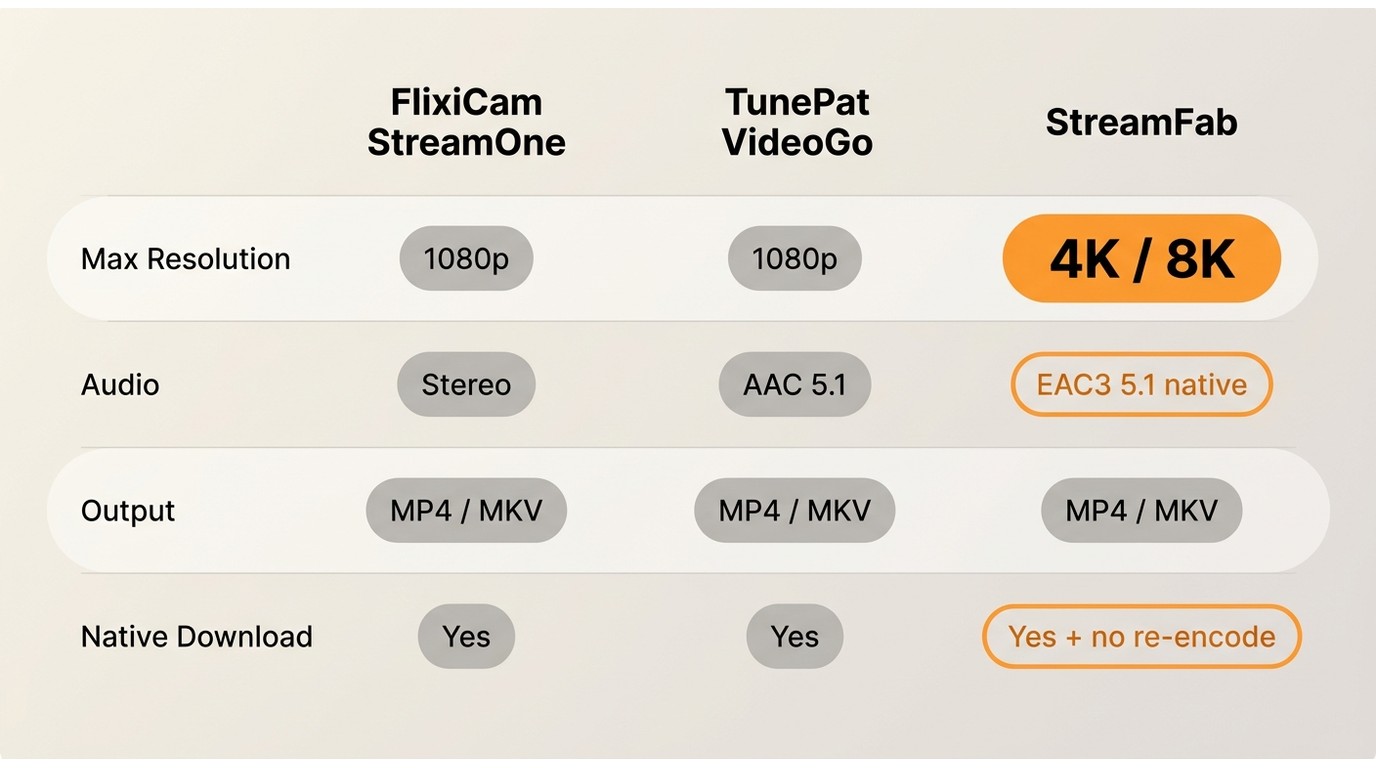
On paper the two match: up to 1080p, MP4 or MKV output, multi-language audio and subtitles, and batch downloads. The table below lines them up against StreamFab so you can see where a broader tool pulls ahead.
| Feature | FlixiCam StreamOne | TunePat VideoGo |
|---|---|---|
| Maximum Resolution | Up to 1080p | Up to 1080p |
| Multi-language Subs/Audio | Supported | Supported |
| File Format | MP4/MKV | MP4/MKV |
| Batch Download | Supported | Supported |
| Ad Removal | Not Available | Available (service dependent) |
| Platform Coverage | Netflix, Prime Video, Disney+, HBO Max, and more | Netflix, Prime Video, HBO Max, and more |
| Pricing (Lifetime) | About $149.90 | ~$119.90/yr or $149.90 lifetime (confirm on official page) |
| License | Separate for Win/Mac | Separate for Win/Mac |
The distinction that matters most is native download versus re-encode. Many low-tier tools re-encode a lower-quality copy and label it "HD," so a resolution number alone tells you little. It is worth checking the actual bitrate and whether the output is a native download rather than a transcode, which is exactly why the matrix reports native-vs-re-encode status instead of a bare checkmark.
For MP4 and MKV output, all three keep files that play on ordinary devices, but audio depth and HDR are where they separate: FlixiCam and TunePat stay near stereo-to-5.1 at 1080p, while StreamFab can retain native multi-channel audio and reach higher resolutions on the platforms that support it.
Service-by-Service Reliability and User Evidence
Reliability is service-specific, not universal, and the honest answer is that no third-party downloader behaves identically across every platform.
Based on community reports from early 2025, one TunePat user found Netflix, Prime Video and Disney+ downloading well, while HBO Max subtitles came out truncated and Apple's service temporarily failed. That pattern is typical: a tool can be solid on three services and flaky on a fourth in the same week.
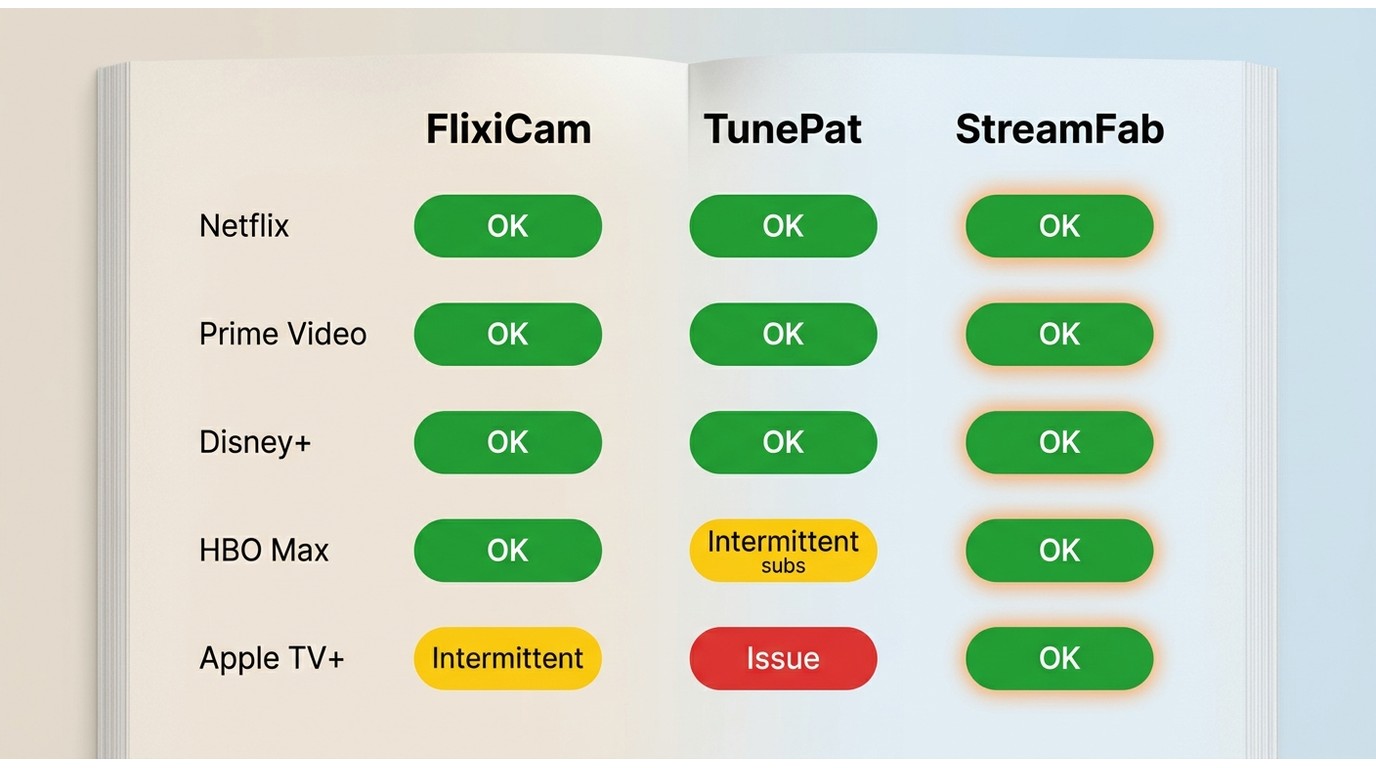
Because these tools depend on each platform's protection, a service update can break downloads until the vendor ships a fix. If FlixiCam throws an error mid-download, the usual causes are a recent DRM change, a network or proxy hiccup, or a sign-in problem.
The FlixiCam not working troubleshooting guide walks through the fixes. My rule of thumb: judge a downloader on the specific services you use, and re-check after any major platform update.
Pricing, Licenses and Refunds in 2026
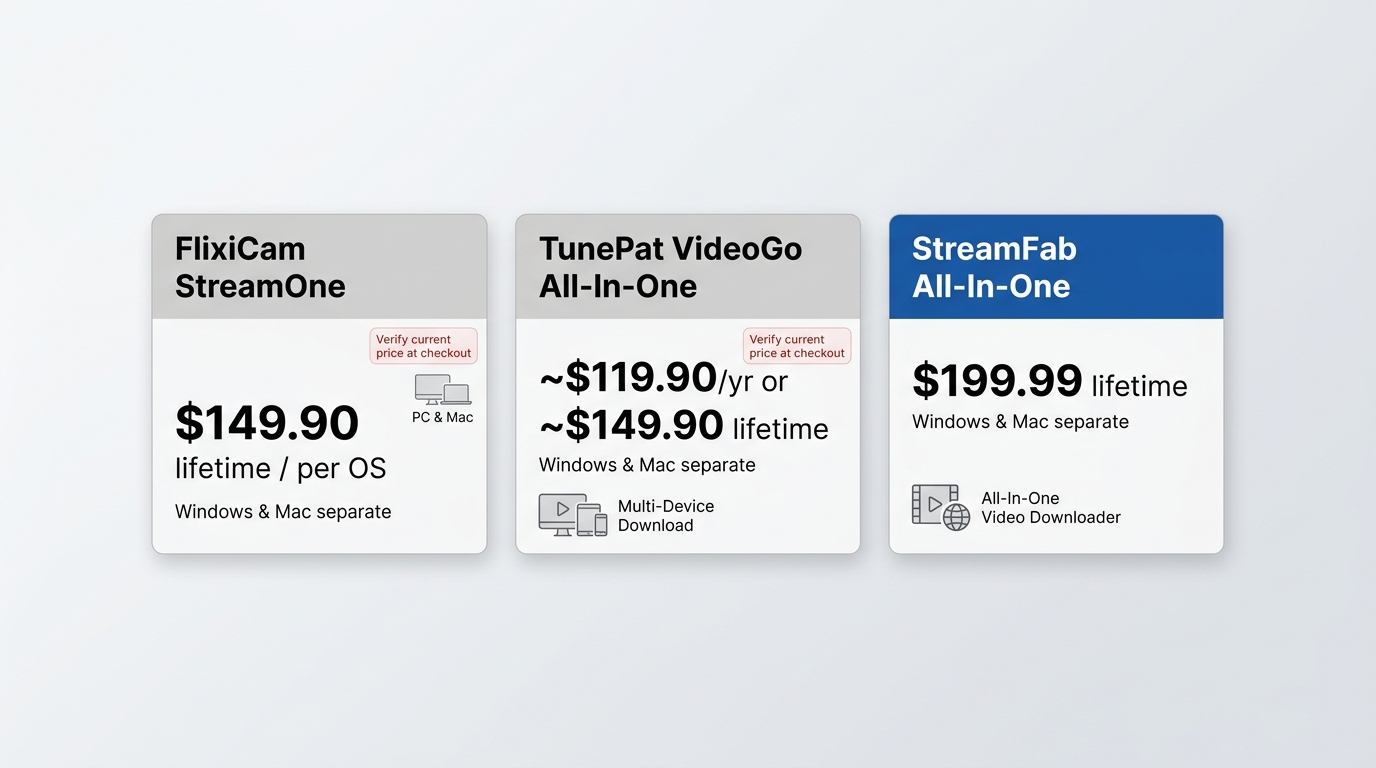
FlixiCam StreamOne lists at about $149.90 for a lifetime license as of July 2026, and Windows and Mac have historically been sold as separate licenses, so confirm the exact SKU on the official order page before you buy. Older, lower figures that still circulate online do not match the current official listing.
TunePat VideoGo All-In-One is harder to pin down: current sources conflict between roughly $119.90 per year and $149.90 lifetime, so treat that as a range to confirm on the official order page rather than a fixed price. TunePat's trial is a useful decision point in itself, since it downloads only the first few minutes of a title, with full subtitles, which lets you check real output quality before paying. Refund Windows also vary by vendor and plan, another reason to read the current terms at checkout.
Safety, Legality and Account Risk
Both FlixiCam and TunePat are legitimate, actively maintained products, so the software itself is safe to install from the official source. Legality is a separate question from the tool: whether your specific use is allowed depends on your authorization to the content and each service's terms, alongside applicable US law. Keep downloads to titles you can already access under an active subscription, for personal offline viewing.
A few practical risks are worth naming. You sign in with your real streaming credentials, so use the official installer and keep the app updated, and no third-party downloader is risk-free, since a platform can change its rules at any time. For a closer look at how StreamFab handles installer integrity and privacy, its StreamFab safety audit goes into detail.
StreamFab: A Broader Alternative
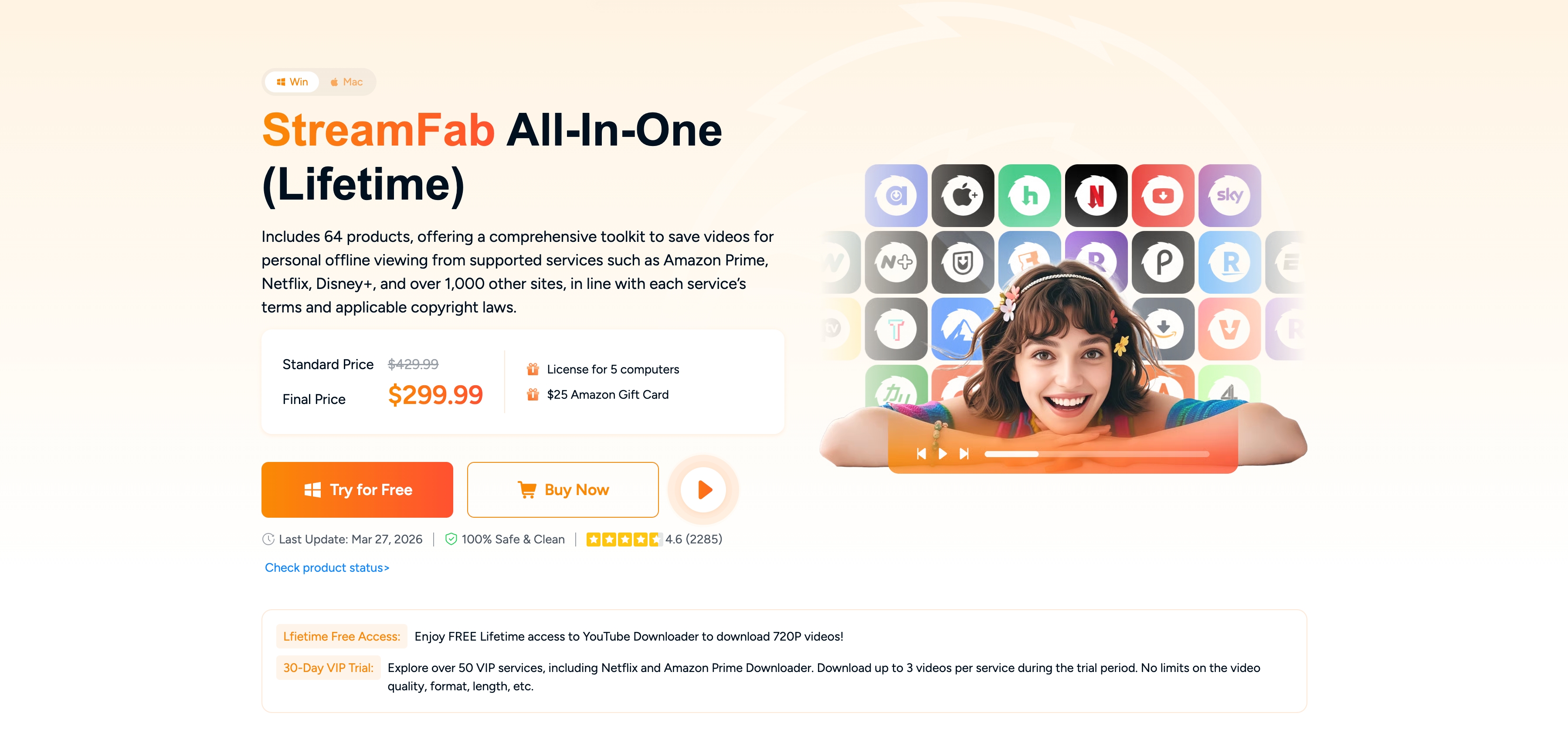
If neither single-service tool fits, StreamFab All-In-One is the broader all-in-one option. It saves a local copy for personal offline viewing of content you are authorized to access, where each platform's terms and applicable law allow, and playback of the saved file depends on your device environment and each service's future specifications.
Where it pulls ahead of the 1080p-capped tools: it can reach up to 4K or 8K depending on the platform, retains native multi-channel audio such as EAC3 5.1 instead of downmixing to stereo, outputs MP4 or MKV for any player, and handles batch plus scheduled overnight downloads across a wide range of services.
It is not the cheapest pick, though; a lifetime license costs more than the single-service tools, so it makes the most sense when you are saving from several platforms rather than one. You can reach it through the StreamFab Video Downloader page, and the hands-on StreamFab Review covers the workflow in detail.
- Supports 60+ streaming platforms, including Netflix, Hulu, Disney+, and HBO Max.
- Intuitive interface that suits non-technical users.
- Supports downloading up to 4K/8K (platform dependent) in MP4 and MKV format.
- Compatible with devices like Windows and macOS.
- Saves a local copy for personal offline viewing of content you are authorized to access, where the service's terms and applicable law allow.
- It removes ads from ad-supported titles during download so playback runs without interruption.
- Supports multilingual audio and subtitles.
- StreamFab All-In-One offers a lifetime license aimed at heavy users; check the official StreamFab site for current pricing.
FAQ
Is TunePat legit and safe to use?
Yes. TunePat is a real, actively maintained product, and installing it from the official source is safe. Whether your particular use is allowed is the separate part: keep downloads to content you are authorized to access under each platform's terms, and remember no third-party downloader is completely risk-free.
Do FlixiCam and TunePat need separate Windows and Mac licenses?
Historically, yes. Both have sold Windows and Mac as separate licenses, so one purchase may not cover both machines. Scope can differ by plan, so match the SKU to the operating system you actually use before checking out.
Can FlixiCam or TunePat download in 4K or HDR?
Not reliably. Both are generally capped around 1080p on premium services, with no dependable 4K, HDR or Dolby Vision. StreamFab reaches up to 4K, and 8K on some platforms, when the source supports it, if higher resolution is your priority.
Which downloader is the most reliable across streaming services?
There is no single winner, because reliability is service-specific. The service-by-service section above shows one tool can be strong on Netflix and Disney+ yet weak on HBO Max subtitles, and results shift after platform updates, so pick based on the services you use most.
Conclusion
Skip the assumption that FlixiCam and TunePat are one and the same. The claim is unproven, and the choice is better made on verified differences: the SKU, the product line, and how each performs on the services you care about. FlixiCam StreamOne is the easy pick for a broad 1080p catalog on Windows or Mac; TunePat VideoGo suits viewers who prefer its per-service downloaders and ad handling.
If your needs run wider, higher resolution, native multi-channel audio, or one workflow across many platforms, StreamFab is the more capable all-in-one, not the only option but the broader one. What should really drive your decision is reliability on your specific services and whether the output is a true native file, rather than a marketing number on a box.

CleverGet offers separate downloading and recording workflows for Windows and Mac, with different file options. Compare MPD limits, annual and lifetime licenses, and trial use before choosing a workflow. The review also covers StreamFab for recurring episode downloads and explains the personal-use boundaries for local copies.
By Erika Leen - Oct 14, 2026
AnyStream (RedFox AnyStream) shut down in June 2024 and remains gone in 2026. I tested every major replacement — here are the 5 best anystream alternatives, including free options, ranked by real-world performance.
By Erika Leen - Oct 12, 2026

Evaluating the Audials One 2026 free trial? I tested its 720p caps, examined if is audials legal under Fair Use
By Erika Leen - Sep 29, 2026

Are you thinking of purchasing NoteBurner and unsure if it’s worth the investment? In this NoteBurner review, let’s delve into its product lines, particularly the NoteBurner Video Downloader’s pros and cons.
By Marcia Hatcher - Sep 28, 2026