
5 Best TunePat Alternatives for True 4K Streaming Downloads (2026, Tested)

Summary: If TunePat is stalling on "Download Failed" after a Netflix security update or capping your saves at 1080p when the source is clearly 4K, you need a downloader on a newer engine.
Table of Contents
TunePat itself is still generally well rated (Trustpilot around 4.4 "Excellent" across roughly 405 reviews, as of Aug 2026), but reputation isn't the problem — capability is. Below I walk through what actually matters when picking a TunePat alternative in 2026, why the older tool struggles with today's DRM, and the five video downloaders I trust for personal offline backups.
A quick note on scope: this is about video streaming (Netflix, Disney+, Prime Video and friends), not music converters. I lean on TunePat review (including Tunepat's 1080p ceiling and post-update instability) as the switching trigger, then compare each alternative on the same criteria so you can scan the table and pick one.

What Makes a Reliable TunePat Alternative in 2026
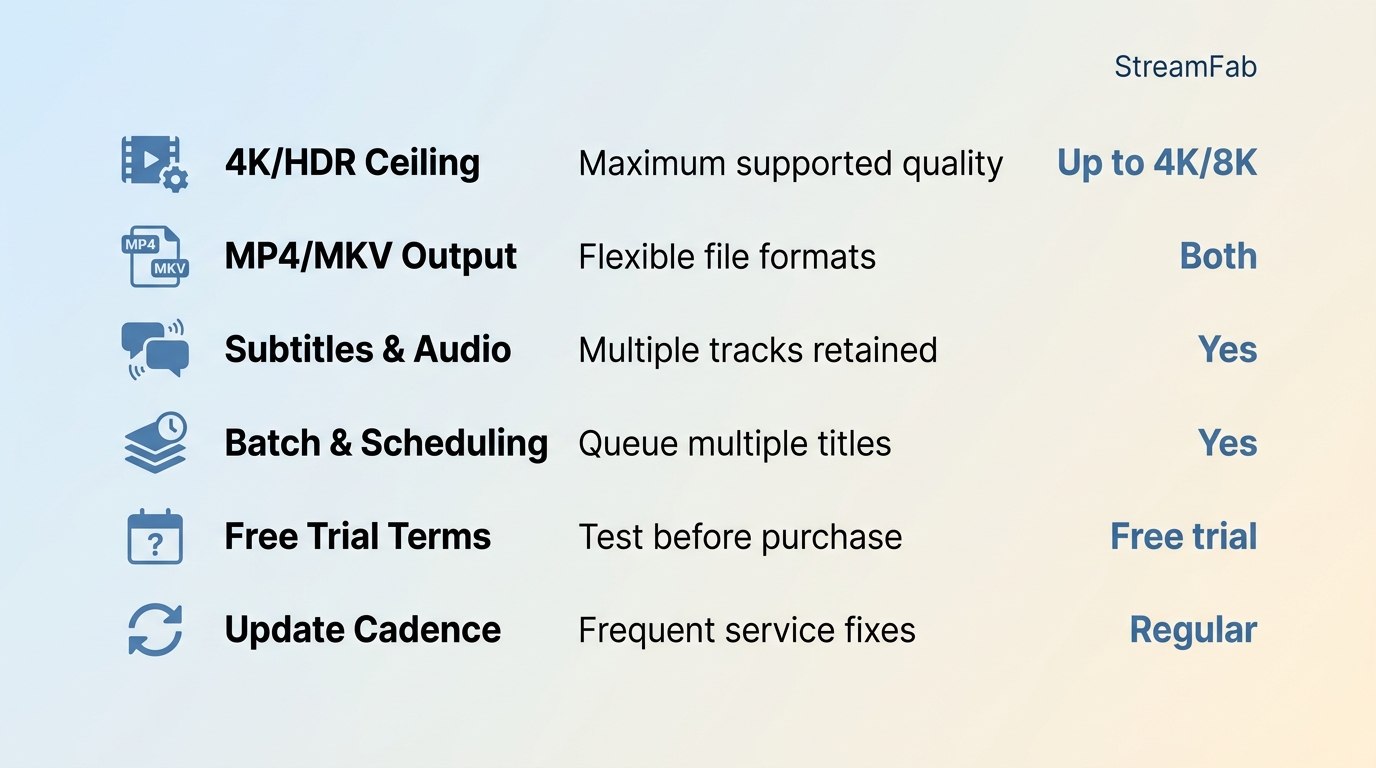
Before you commit to any tool, run each candidate past the same short checklist. In my experience the resolution ceiling and update cadence matter most — a downloader that shipped a fix within a week of the last Netflix DRM rotation is worth more than one with a longer feature list.
- Real resolution and HDR ceiling: does it genuinely output true 4K (and 8K where the source supports it) with HDR10 or Dolby Vision, or does it quietly fall back to 1080p SDR?
- Output format: MP4 and MKV are the safe bets — they play on any device without a proprietary client.
- Subtitles and audio tracks: can you pick multiple languages, keep 5.1 audio, and export SRT? A single stereo track and burned-in subs is a downgrade.
- Batch and scheduling: whole-season queues and overnight scheduling turn a 10-hour chore into a set-and-forget job.
- Free-trial terms: most reputable tools offer a limited trial (a handful of videos per service), not unlimited free downloads. Be wary of anything advertising the opposite.
- Update cadence: streaming services rotate their DRM keys often. The tools worth paying for patch quickly; the ones that don't will show "Download Failed" for weeks.
Why TunePat Struggles With 4K and DRM in 2026
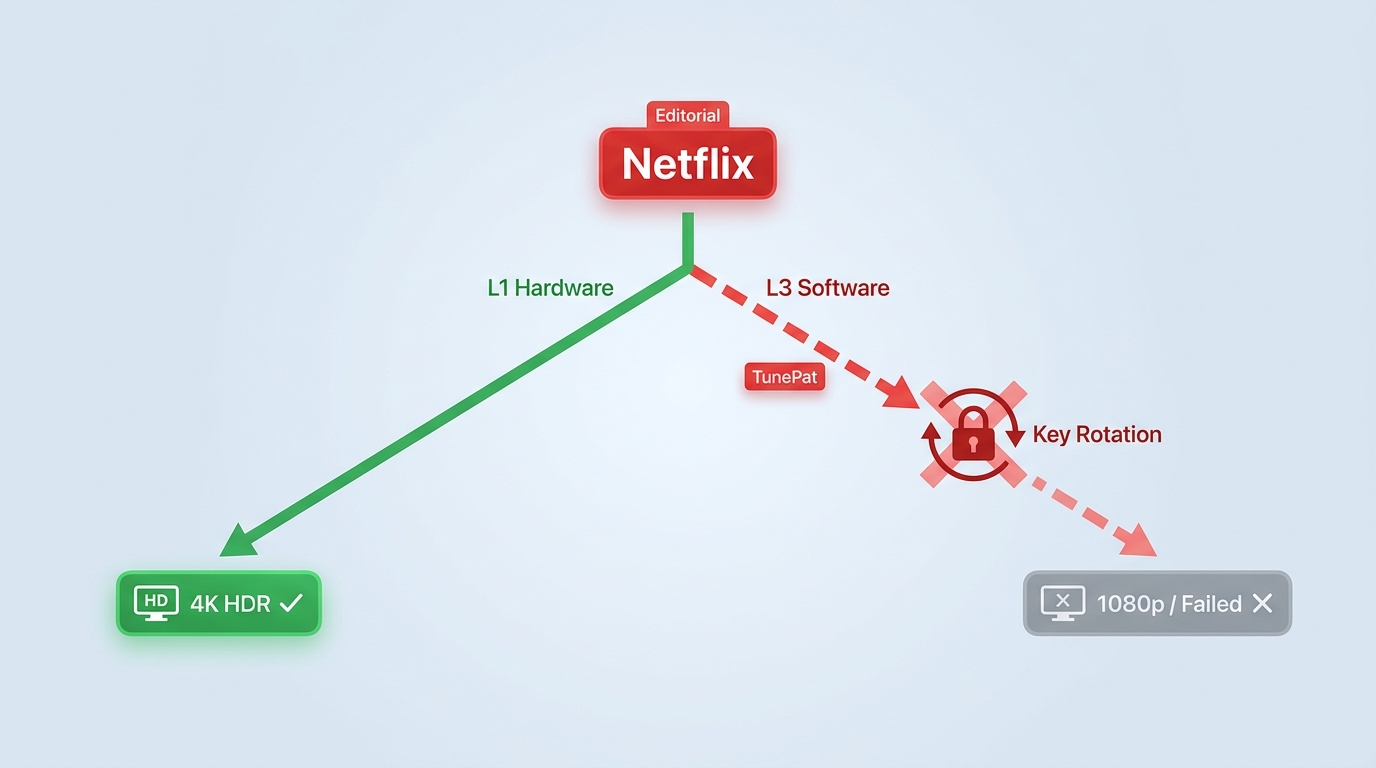
The short version: most premium streaming services protect their video with Widevine, Google's DRM system. Widevine has two practical security tiers. L1 is hardware-backed and required for true 4K/HDR playback; L3 runs in software and is what most third-party downloaders can reach. Services rotate the content decryption module (CDM) keys tied to L3 fairly often, and every rotation forces downloaders built on the older path to either fail outright or quietly fall back to a 1080p SDR copy — which is exactly the pattern TunePat users have been reporting after recent Netflix updates.
Downloaders with an actively maintained engine ship a fix within days of each rotation, which is why the same title that returns "Download Failed" in one tool saves cleanly in another. It's also why any "true 4K" claim from a downloader is worth checking against a recent build, not a year-old review.
One framing point before the list: everything below assumes you're saving a personal offline copy of content you're authorized to access, within the terms of the platform you subscribe to and applicable law in your region. That's the lane these tools are built for.
Top 5 TunePat Alternatives to Download Streaming Video (2026)
Before we delve into the five alternative tools, let’s take a look at a comparison chart to visually demonstrate their popularity in the market.
1. StreamFab Video Downloader: True 4K and 8K With Scheduled Batch Saves
If you want your local files to match the source, StreamFab is the one I keep coming back to. It outputs true 4K (up to 8K where the source supports it) with HDR10 or Dolby Vision on platforms like Disney+, Hulu, HBO Max, Apple TV+ and Paramount+, and 1080p on Netflix and Prime Video — the platform ceilings, not an arbitrary 1080p cap. Files come out as MP4 or MKV with multi-language subtitles and up to Dolby Atmos or EAC3 5.1 audio preserved, so nothing plays back sounding flatter than the stream you paid for.
The feature I actually use every week is the scheduled whole-season batch queue: point it at a series, pick the audio and subtitle tracks once, and let it run overnight. When I need a walkthrough for a specific service, the step-by-step Netflix save flow is the one I hand to friends. StreamFab saves a local copy for personal offline viewing of content you're authorized to access, where permitted by platform terms and applicable law — it isn't a way to keep watching after canceling your subscription.
Best for: viewers who want true 4K/HDR, multi-platform coverage, and hands-off overnight batch saving.
Not ideal for: anyone looking for a one-off free grab — StreamFab offers a limited free trial per service, not unlimited free downloads.

- It covers 60+ streaming platforms and over 1,000 websites, including the big names like Netflix and HBO Max.
- Supports real 4K and 8K downloads with HDR10 or Dolby Vision—a huge step up from TunePat’s limitations.
- I can pull down a full 2-hour movie in under 20 minutes without the "fake progress bars" other tools use.
- You can schedule it to automatically grab new episodes the second they drop.

My experience
The scheduled batch queue is what sold me. I pointed it at a whole season of a Disney+ show, picked audio tracks and subtitles once, and let it run overnight — everything came back in sync and neatly organized in the morning.
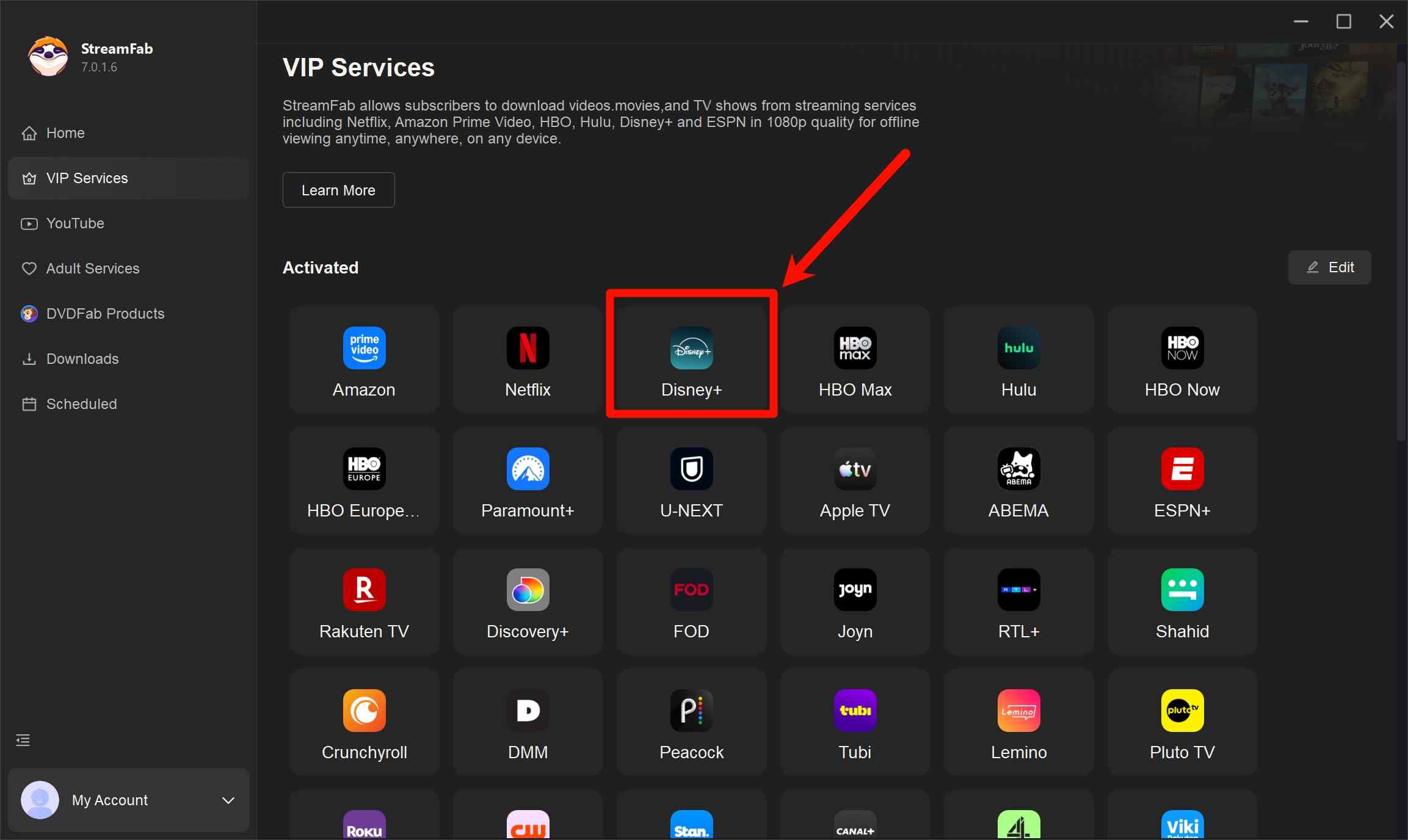
Open the built-in browser inside StreamFab, select your streaming platform, and sign in.
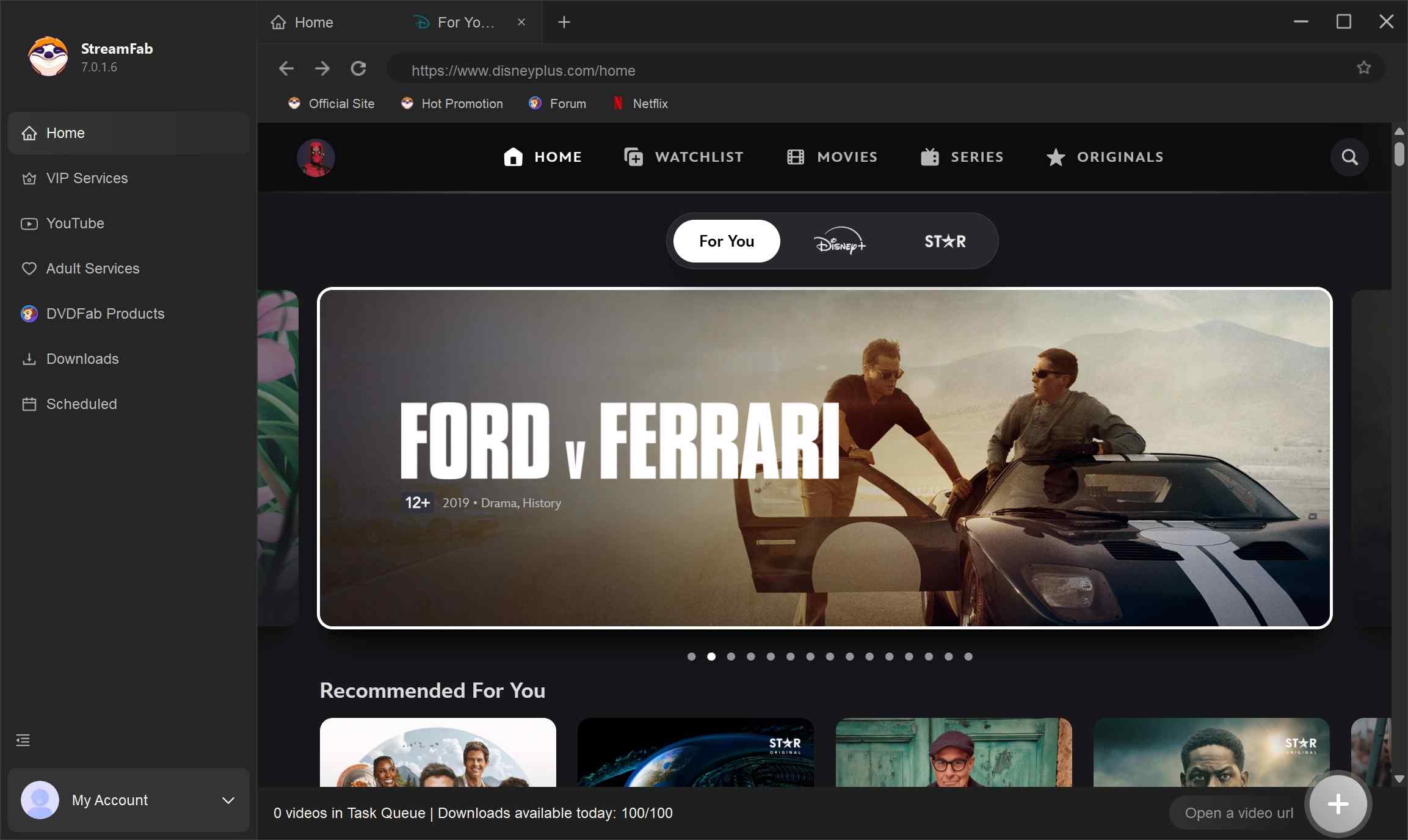
Find or search for the show/movie you want to download.
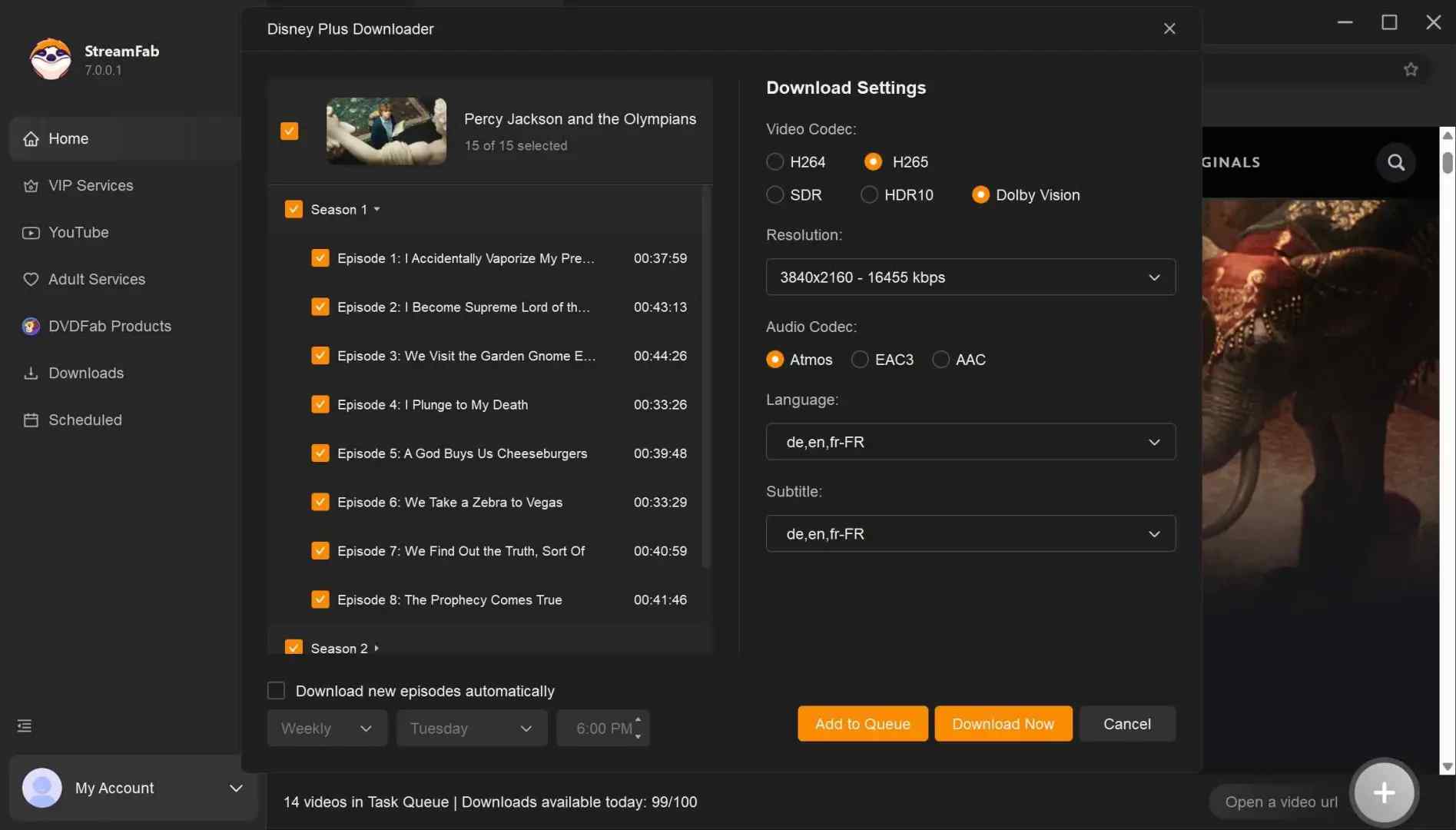
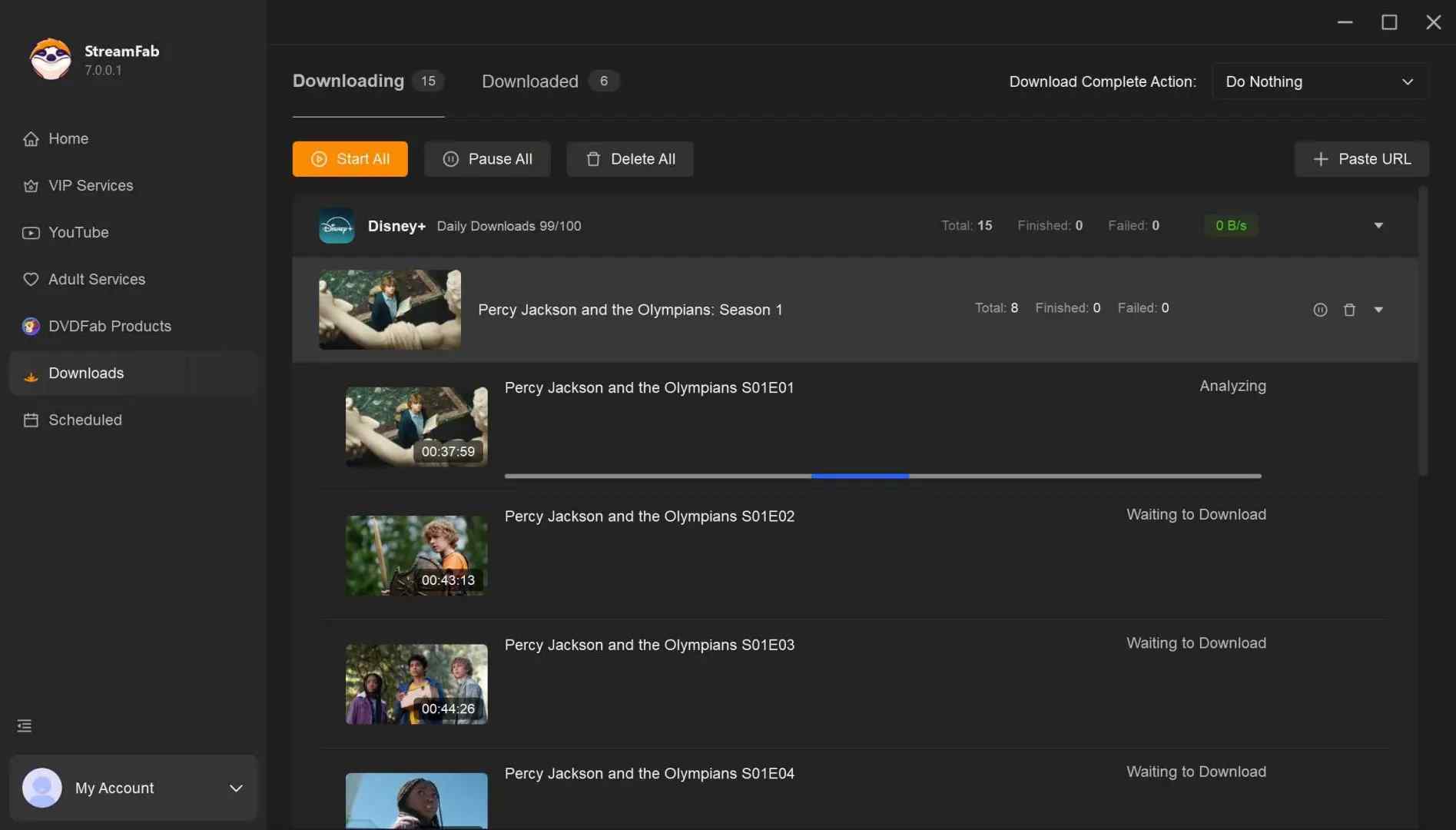
Pick your format, video/audio/subtitle options, and hit “Download.” StreamFab lets you queue and batch downloads and even schedule them to run at night.
2. KeepStreams One: Access Global Content on a Budget
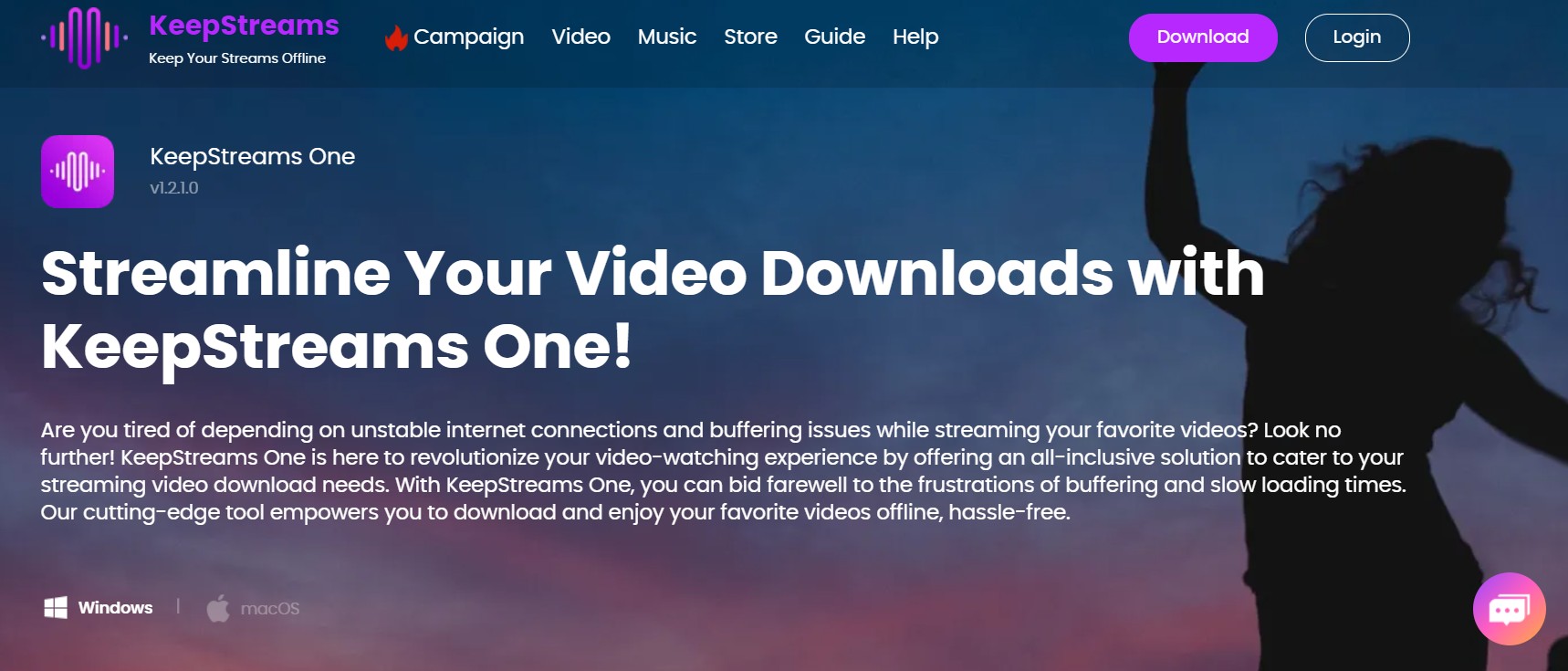
If you’re managing media across different regions, KeepStreams One is a solid contender. It’s designed for stability, especially if your internet connection isn't the most reliable.
Global Reach: It offers 40+ products available in over 150 countries.
Reliable 1080p: While it might not hit 8K like StreamFab, the 1080p quality is crisp and reliable across Hulu, Prime, and Netflix.
Fast Processing: It handles downloads at a respectably high speed.
Budget-Friendly: Plans start as low as $7.99 per month.
My Hands-On Experience
The interface is clean and gets straight to the point. I found the MP4 output options incredibly straightforward for moving files over to my tablet for a flight.
Install KeepStreams One on your windows or Mac system from the official website.
Open Keepstreams, and pick the service and log in to your account within the Keepstream client.
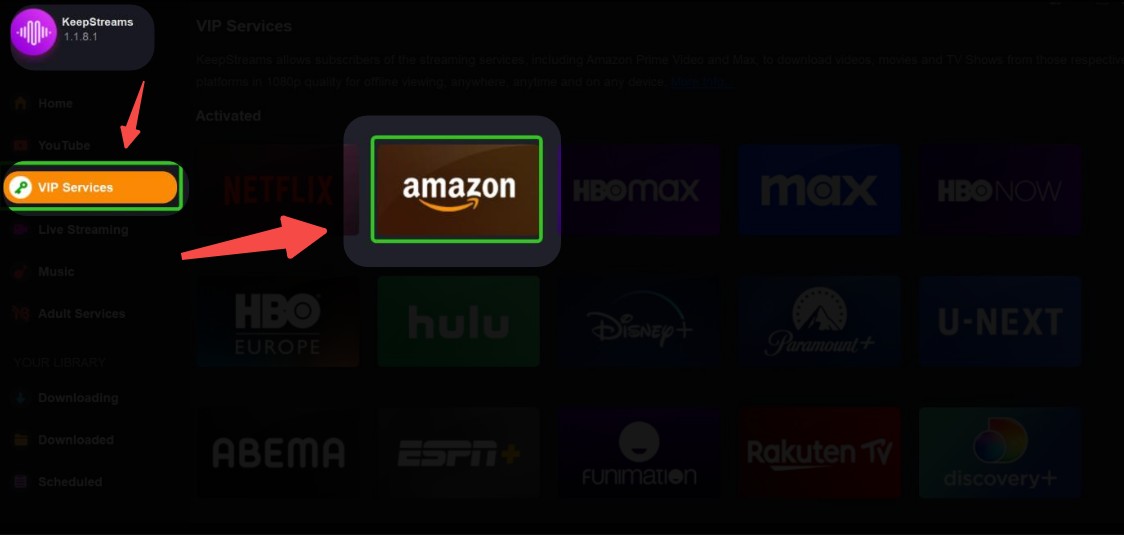
Find the video to be downloaded via searching by keywords or pasting URL.
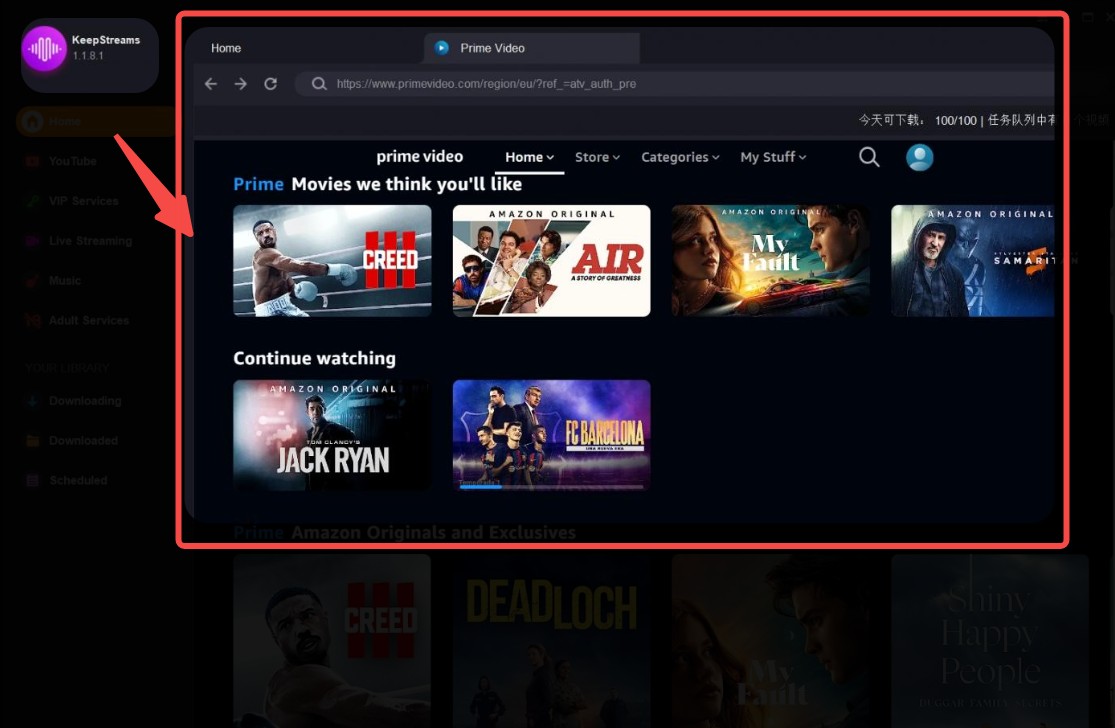
Choose the output video and audio options, and confirm Download or Add to queue.
3. Audials One 2026: Use AI Recording for Universal Compatibility
Audials One 2026 (formerly Audials Movie) has evolved into a powerhouse. Because it uses high-end screen recording and AI-driven capture, it works on almost any site—even the ones that usually block traditional downloaders.
Universal Recording: It captures whatever plays on your screen, so it can reach services that other downloaders can't.
Ad Handling: It can trim ads from recordings, though results vary by service and plan tier.
Video Remastering: Includes tools for video editing and audio customization after the capture is done.
Modern Formats: Supports 4K, MP4, and HEVC output.
My Hands-On Experience
Setup takes a bit longer, but the AI-powered recording is impressive. You have to let the movie play through in full, but the software does all the heavy lifting of ad-removal and subtitle syncing in the background.
Install Audials and launch it on your device, choose the service, for example, Amazon.
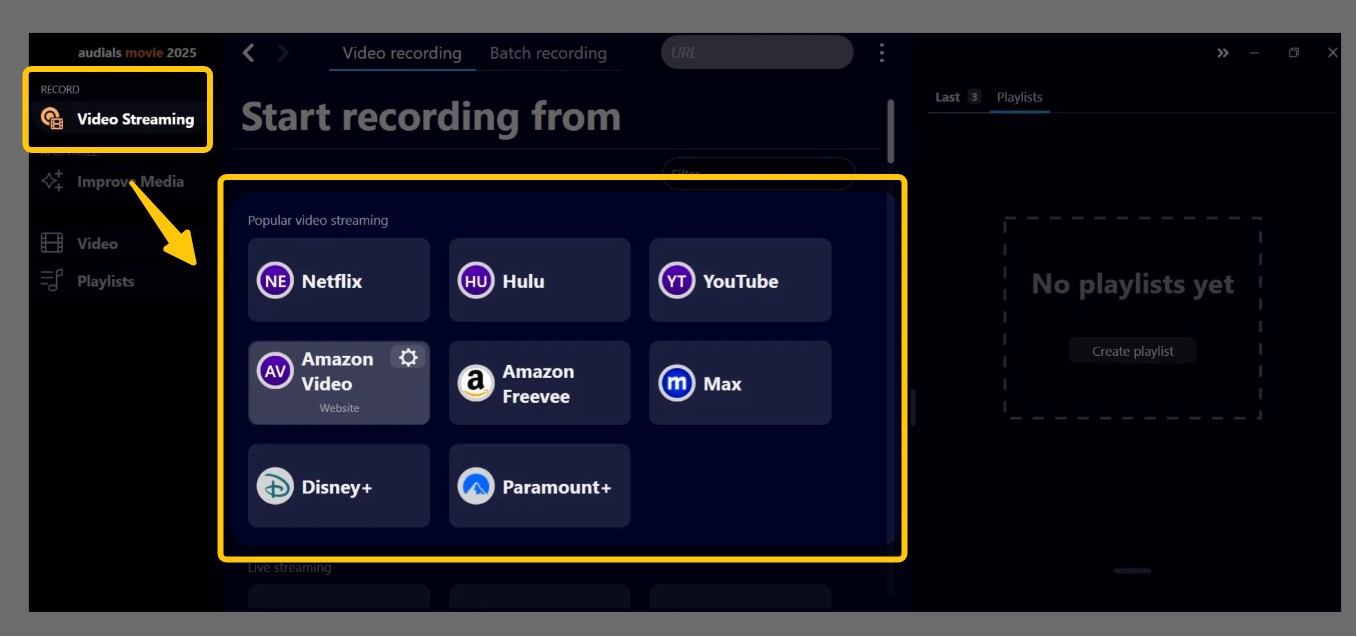
Choose the recording settings, for example, speed, quality, audio, subtitle, etc. then, start playback via the Audials browser; it will recognize the streams and begin recordings automatically.
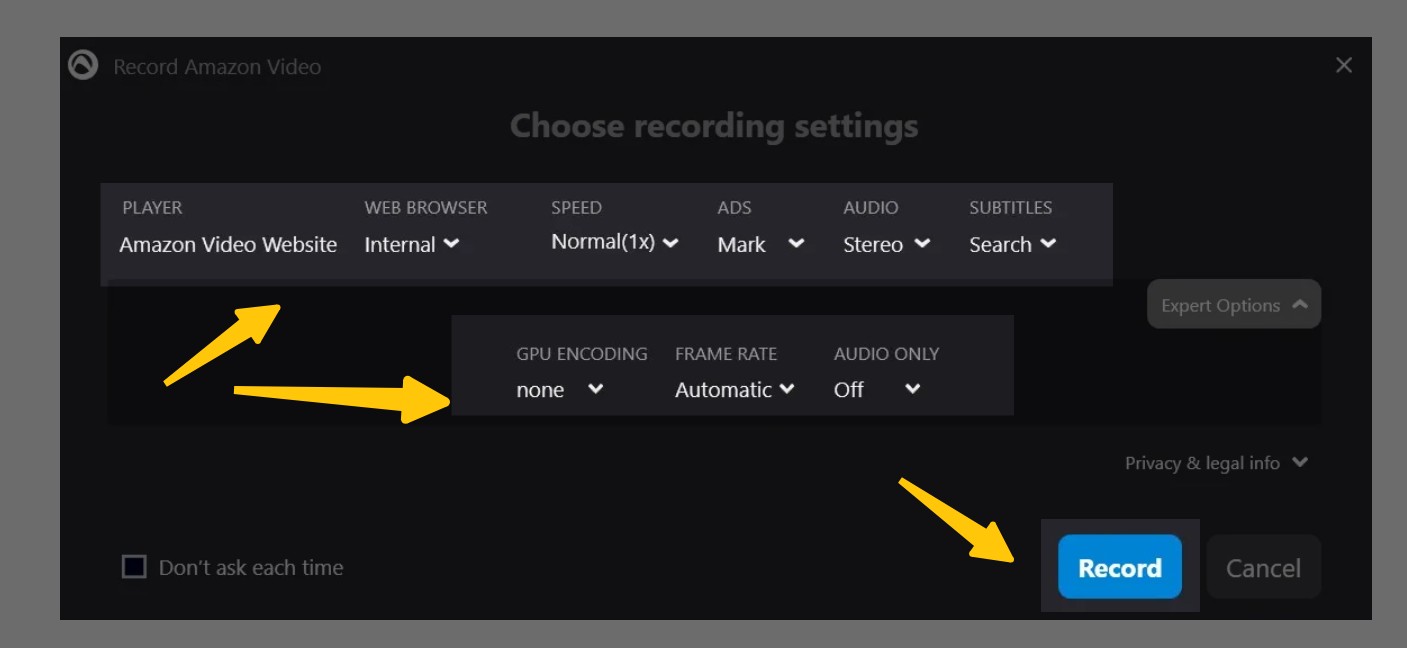
When the recording finishes, your video will be saved on the local device, just like what Tunepat achieved.
4. VideoProc Converter AI: Edit and Upscale Your Backups
VideoProc Converter AI is the odd one out on this list, and worth being honest about: it downloads from 1,000+ open sites like YouTube (playlists included) and specializes in editing plus AI upscaling — it is not a DRM-protected streaming downloader for Netflix, Disney+ or Prime Video. If you already have local copies and want to polish, trim or upscale them, it earns its place.
Best for: post-processing, AI upscaling and grabbing content from open sites like YouTube.
Not ideal for: pulling protected streams from the major subscription platforms — pair it with one of the downloaders above instead.
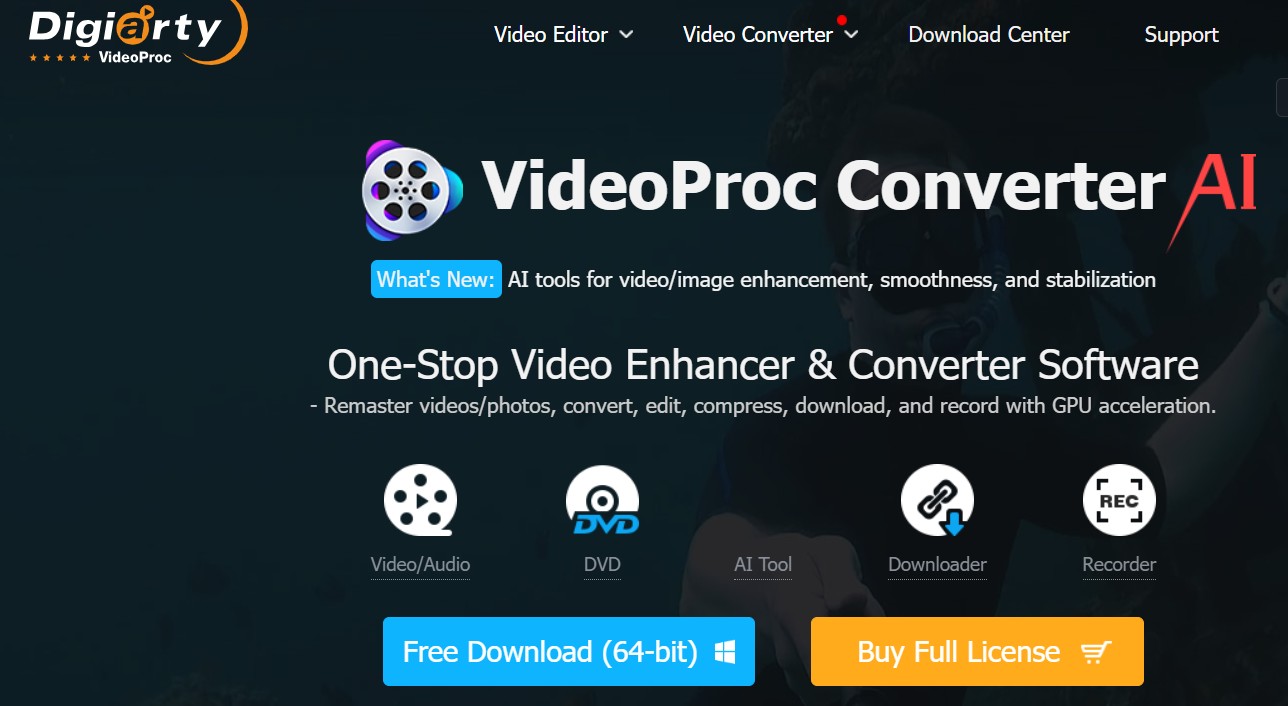
Full Suite Editing: Cut, merge, split, and remove noise from your clips.
Massive Site Support: Works with over 1,000 popular sites and 2,000+ niche platforms.
YouTube Master: Handles batch downloads for entire playlists with ease.
Format Flexibility: Perfect for converting files to work on specific devices like iPhones or GoPro.
My Hands-On Experience
It’s fantastic for YouTube or open platforms. I used the built-in editor to trim the boring parts of some lectures and reformatted a few older movies to look decent on my mobile screen.
Download and open VideoProc, go to the Download tab in the interface.
Paste the URL of the video you want to download (playlist is also supported), and then choose the output options for video, format, etc.
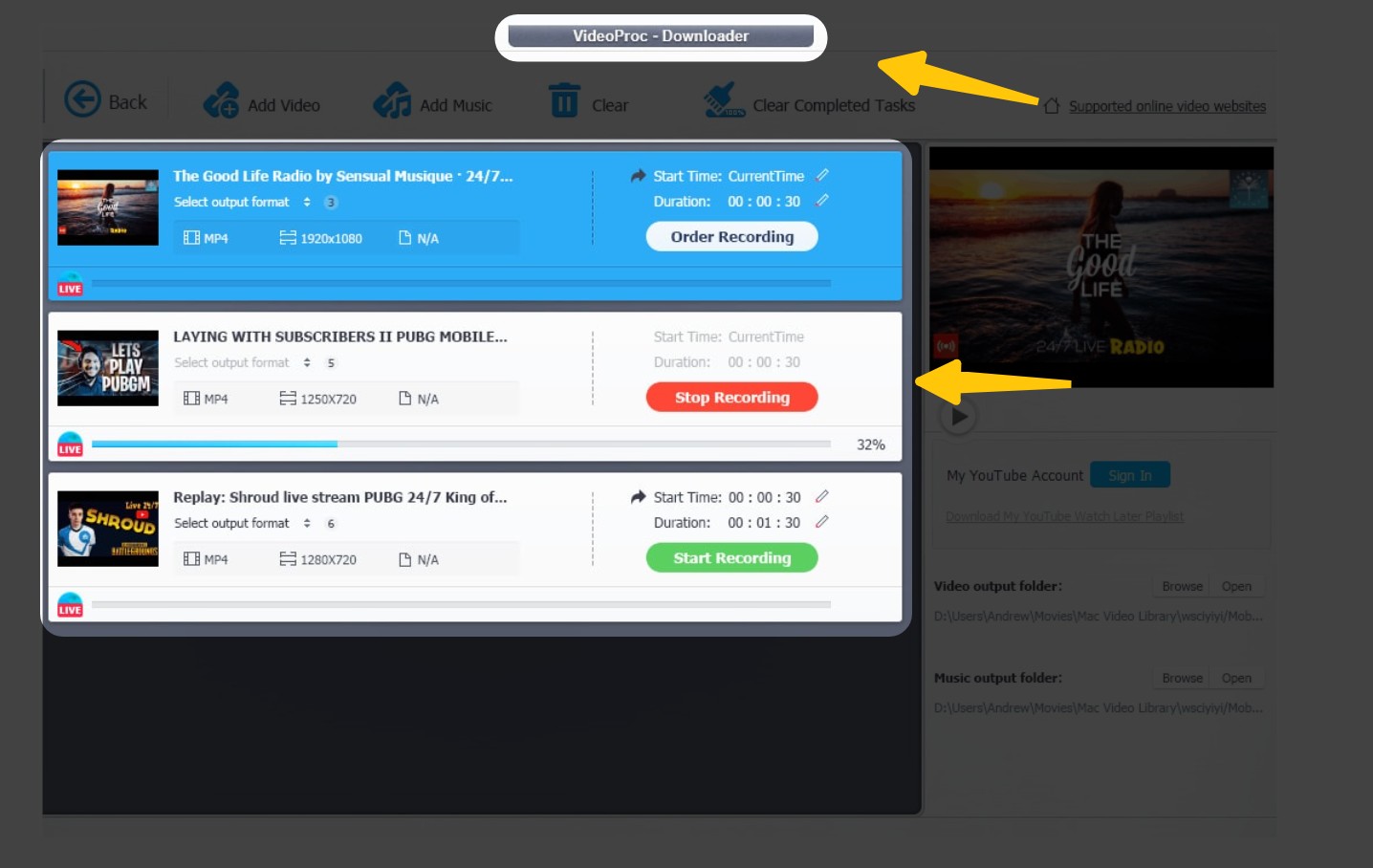
Confirm download, and then wait for a second, the video will be on your device.
5. CleverGet: Extract High Resolution Video with Minimal Effort
CleverGet is all about simplicity. If you just want to paste a link and get a file, this is the one.
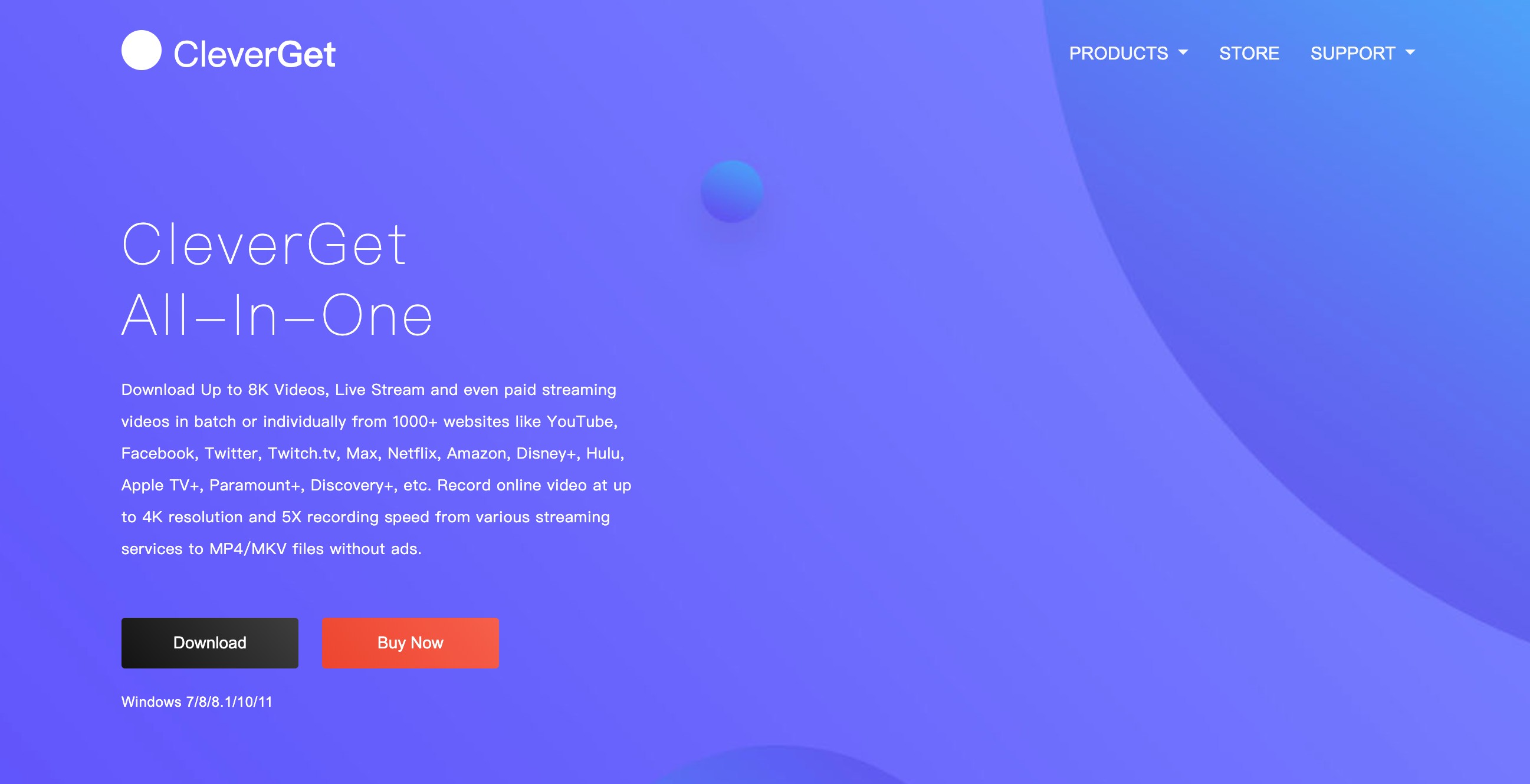
Broad Platform Support: Handles Netflix, Disney+, HBO Max, and more.
User-Friendly: Very easy to navigate, even for beginners.
4K Success: While it usually hits 1080p, it can successfully pull 4K for many titles.
Clean Captures: No weird glitches with subtitles or audio tracks.
My Hands-On Experience
I was pleasantly surprised by how fast the URL analysis is. It digs around for the video you want and gives you the options without forcing you to sit through a clunky screen recording session.
Download and install CleverGet from the official website (supports Windows and Mac).
Open the software and paste the URL of the streaming video into the input field, or log in to the platform using the built-in browser.
The software does the heavy lifting by analyzing the video for you. After that, you just pick your preferred resolution, audio, and whether you want subtitles.
Hit “Download,” grab a coffee, and when it’s done, your file will be chilling in whatever folder you picked.
Quick Comparison: Resolution, Format, Batch and Price
Here's the same five tools side by side on the criteria from the checklist above. Prices are current as of Aug 2026.
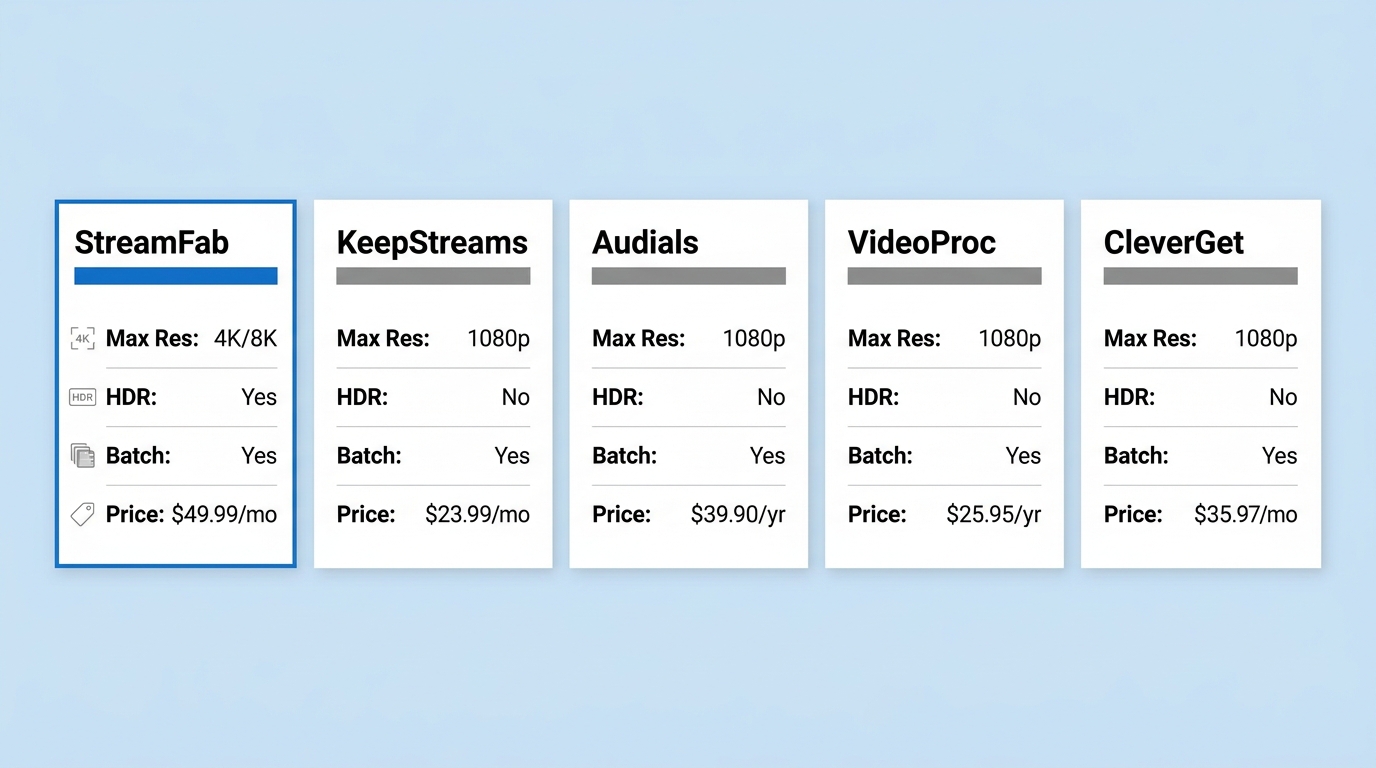
| Tool | Max resolution | HDR | Output | Subtitles & audio | Batch / whole-season | Scheduling | Platform breadth | Price |
|---|---|---|---|---|---|---|---|---|
| StreamFab | Up to 4K/8K (platform-dependent) | HDR10, Dolby Vision | MP4, MKV | Multi-language subs (SRT/embedded); up to Dolby Atmos / EAC3 5.1 | Yes, whole seasons | Yes, overnight schedule | 60+ streaming platforms, 1,000+ sites | Free trial (limited downloads per service); paid plans on official site |
| KeepStreams One | Up to 1080p | No | MP4 | Multi-language subs; stereo/5.1 depending on source | Yes | Limited | Netflix, Prime, Hulu, Disney+ and more | From about $7.99/month |
| Audials One 2026 | Up to 4K via screen recording | Limited (recording-dependent) | MP4, HEVC | Subtitle sync during capture; stereo main path | Sequential recording | No | Any service that plays on screen | Paid; free trial available |
| VideoProc Converter AI | 1080p from open sites | No | MP4 and 400+ conversion targets | Editor for subs and audio; AI upscaling | Playlist batch (open sites) | No | 1,000+ open sites (YouTube etc.); not DRM streaming | Paid; free version with limits |
| CleverGet | Up to 1080p, 4K on some titles | Limited | MP4 | Subtitles and audio tracks preserved | Yes | No | Netflix, Disney+, HBO Max and more | Per-module pricing on official site |
- If you care about resolution ceiling, batch downloads, and update cadence after DRM changes, I'd start withStreamFab. It covers the widest range of platforms and holds up best after security rotations — a good fit for viewers who want true 4K/HDR and hands-off overnight saves.
- Audials One 2026's screen-recording approach reaches services that traditional downloaders can't, which makes it a useful backup when a platform isn't supported anywhere else.
- As for CleverGet and VideoProc Converter AI: CleverGet is the paste-and-go option, and VideoProc is the editor/upscaler for open-site content — pair it with one of the downloaders above rather than expecting it to pull protected streams.
TunePat Alternatives FAQ
Is there a free TunePat alternative?
Not really — at least not without trade-offs. Most reputable video downloaders (StreamFab, KeepStreams, CleverGet) offer a free trial with a limited number of downloads per streaming service rather than unlimited free saves. Audials One 2026 has a free trial for its screen-recording path if you're happy to record in real time. Anything advertising "completely free forever" downloads of Netflix or Disney+ deserves a very skeptical look.
Is TunePat legal to use in 2026?
The honest answer is: it depends on how you use it. For content you're authorized to access on your own subscription, saving a personal offline copy is generally treated as personal use in many regions — but each streaming platform's terms of service and your local copyright law are what actually govern the practice. Redistributing, sharing accounts, or using saved files commercially is where things go wrong, regardless of the tool.
Why does TunePat keep showing Download Failed in 2026?
Streaming services rotate the Widevine CDM keys behind their DRM on their own schedule, and tools built on the older L3 software path either fail outright or drop to 1080p SDR after each rotation. That's the pattern I see in TunePat user reports: it works, then a Netflix update lands and it doesn't, until the vendor pushes a fix. Downloaders on newer engines patch within days and keep working through the cycle.
Are these TunePat alternatives safe to use with my account?
They run locally on your computer and only see the content your own subscription already unlocks. Two rules keep the risk low: keep the saved files for your personal offline use, and never share your streaming login credentials with the tool's community forums or a shared install. If you follow those, your account exposure is essentially the same as watching in a browser.
Conclusion: Which TunePat Alternative to Pick
Circling back to the checklist: if resolution ceiling, HDR fidelity, whole-season batch and update cadence are what you care about, StreamFab is the pick I keep landing on for personal offline backups. It handles the platform ceilings honestly (up to 4K/8K where the source allows, 1080p on Netflix and Prime), keeps MP4/MKV output universal, and — the point that matters most — patches quickly after DRM rotations, so "Download Failed" stops being a weekly ritual.
KeepStreams One is the sensible budget alternative if 1080p is enough. Audials One 2026 is the safety net when the target platform isn't officially supported anywhere else. CleverGet suits paste-and-go users, and VideoProc Converter AI is the post-processing companion, not a replacement for a DRM streaming downloader. Pick by the criteria that match your library — none of them is right for everyone.
This guide is a living document. I revisit it as the streaming DRM landscape shifts so the recommendations stay relevant. Key Updates in Aug 2026
Product Status: Refreshed the lineup and criteria for the Aug 2026 market. Updated Audials Movie references to Audials One 2026.
Repositioning: Clarified VideoProc Converter AI as an editor/upscaler and open-site downloader, not a DRM streaming downloader.
Structure: Added a selection-criteria section and a plain-English explainer on why TunePat struggles with 4K and DRM in 2026.
Compliance: Reframed safety and legality guidance around personal offline use within platform terms and applicable law.
Every recommendation here is scoped to personal offline backups of content you're authorized to access. Where a data point could shift, the article notes the as-of date once so you know what to re-check.


Evaluating the Audials One 2026 free trial? I tested its 720p caps, examined if is audials legal under Fair Use
By Erika Leen - Sep 29, 2026

Are you thinking of purchasing NoteBurner and unsure if it’s worth the investment? In this NoteBurner review, let’s delve into its product lines, particularly the NoteBurner Video Downloader’s pros and cons.
By Marcia Hatcher - Sep 28, 2026

Read our in-depth Audials review for 2026. Is Audials safe and legal for Amazon Prime? Discover actual test results, Widevine DRM fixes, and better alternatives.
By Erika Leen - Sep 28, 2026
TuneFab’s Amazon downloader suits a focused desktop routine, while VideOne covers multiple services. Compare their workflows, license structures, and output checks with StreamFab, then use the numbered setup and maintenance steps for authorized personal offline viewing.
By Erika Leen - Sep 24, 2026