
Tunepat Videogo All-in-One Review: 2026 Updated Analysis

Summary: This honest review shares a real user’s experience with TunePat VideoGo All-in-One, highlighting its strengths—such as broad streaming platform support and ease of use—alongside its downsides, like limited video quality and occasional glitches. Scroll down to get more details.
TunePat VideoGo All-In-One at a Glance
The quick takeaway: this TunePat VideoGo All-In-One review finds that its value depends less on broad service claims than on the quality available for your services, reliability in your workflow, and the current license terms. A broader TunePat review can help if you are comparing the brand beyond VideoGo.
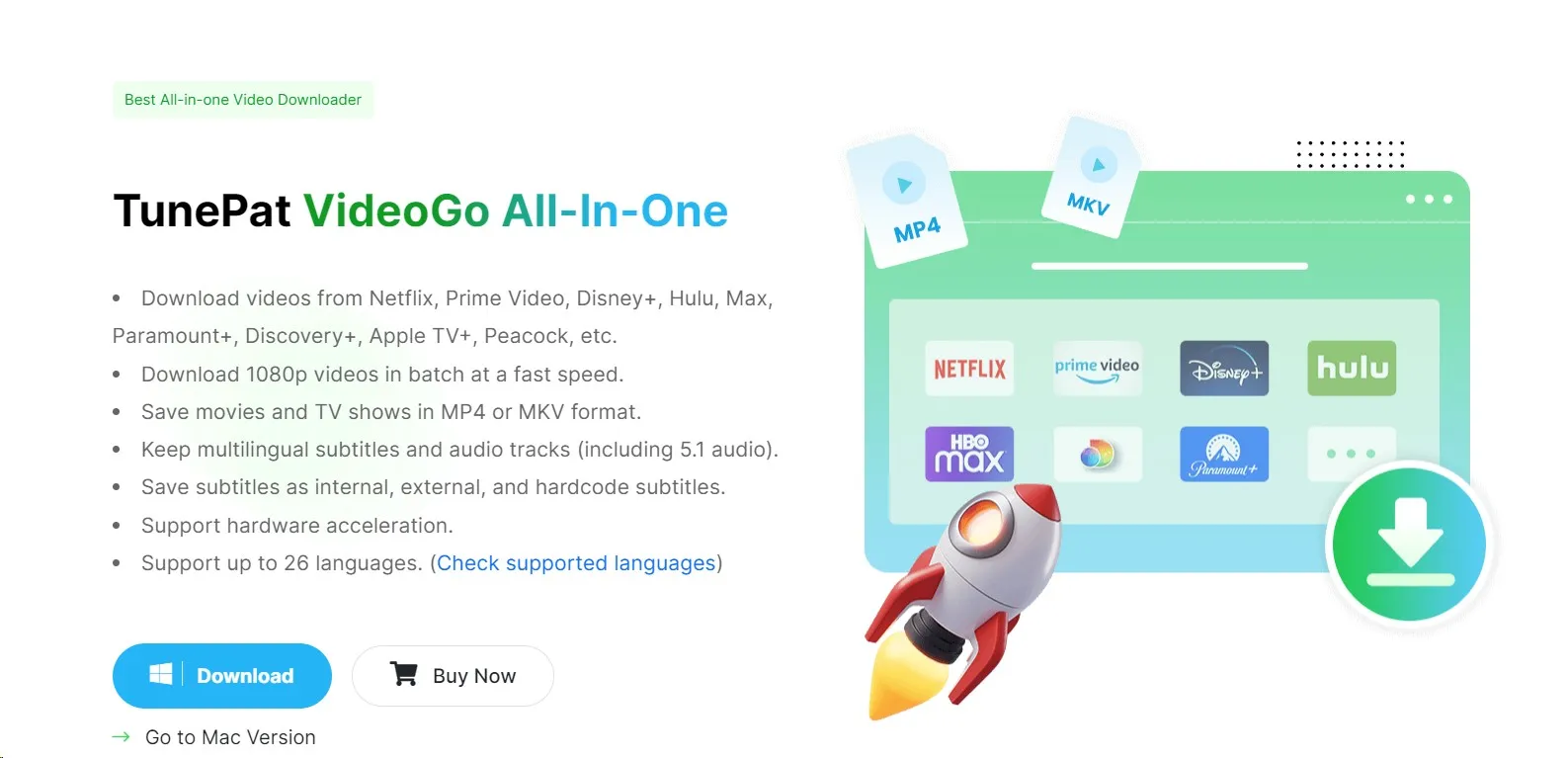
This review focuses on the details that are hardest to verify from product pages: TunePat supported services, service-specific video quality, output options, reliability considerations, and whether the license structure fits your use. The sections below separate advertised specifications from practical buying criteria and compare VideoGo with official in-app downloads and StreamFab where that comparison is useful.
Specifications and Supported Services
As of July 2026, TunePat advertises up to 8K output for YouTube, generally up to 1080p for subscription streaming services, 5.1 audio, and MP4 or MKV output. Supported services and device availability may change, so the matrix below focuses on the limits that matter when choosing an offline-viewing workflow.
| Service or feature | Advertised capability | Important limit |
|---|---|---|
| YouTube | Up to 8K output | Available quality depends on the source video and selected settings. |
| Netflix, Disney+, Hulu, Prime Video, Max, Paramount+, and Discovery+ | Generally up to 1080p for subscription streaming services | Do not assume the same resolution, HDR result, or audio option across every service. |
| Apple TV+ | Not listed as supported | Choose another option if Apple TV+ is central to your viewing needs. |
| Output containers | MP4 or MKV | Playback still depends on your TV, tablet, codec, audio, and subtitle support. |
| Audio and subtitles | 5.1 audio and multiple audio or subtitle selections are advertised | Availability varies by title and service. |
| Operating systems | Desktop availability | Supported operating systems may change; see TunePat's official site for current compatibility. |
For large-screen viewing, the practical limitation is not the headline resolution alone: service-specific HDR, audio, and playback compatibility determine whether a file looks and sounds close to the source experience.
TunePat VideoGo Performance and Limits
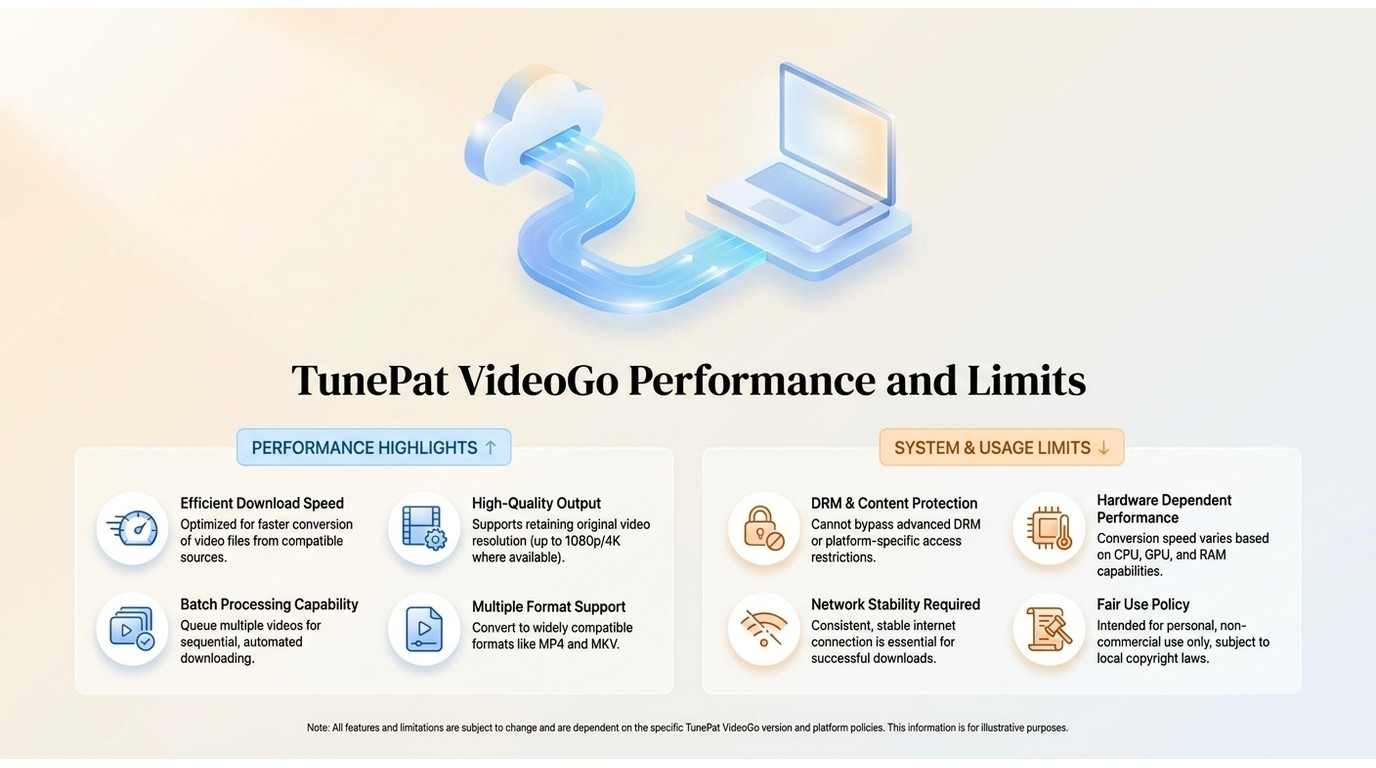
The practical question is whether VideoGo handles the services and settings you actually use. Resolution claims matter, but stable title analysis, repeatable output creation, and successful playback are the checks that should carry more weight in a purchase decision.
For a reproducible evaluation, record the operating system, VideoGo version, active service account, title, selected quality, retry count, output-file details, and playback result on the device you plan to use. Check a known supported title first, then confirm that the completed MP4 or MKV file plays with the selected audio and subtitle settings.
Everyday Strengths
TunePat VideoGo covers Netflix, Disney+, Hulu, Prime Video, Max, Paramount+, and Discovery+ in one interface. Its MP4 and MKV options can be useful for personal offline viewing across compatible devices when your access and the service rules allow it.
- High Compatibility: The software offers MP4 or MKV output. Playback depends on the selected codec, audio format, subtitle mode, and the destination device.
- Standard Quality: TunePat advertises up to 8K for YouTube and generally up to 1080p for subscription streaming services; actual availability varies by service and title.
- Audio Flexibility: You can preserve multiple subtitle languages and original audio tracks, which is essential for viewers who prefer foreign language content with accurate translations.
Quality, Reliability, and Review Evidence
For viewers using a large TV or a multichannel setup, the important limitation is that subscription-service output is generally advertised up to 1080p rather than as a service-wide 4K or HDR promise. Reported TunePat Netflix analysis failures also make it sensible to test the exact service and titles you rely on before purchasing.
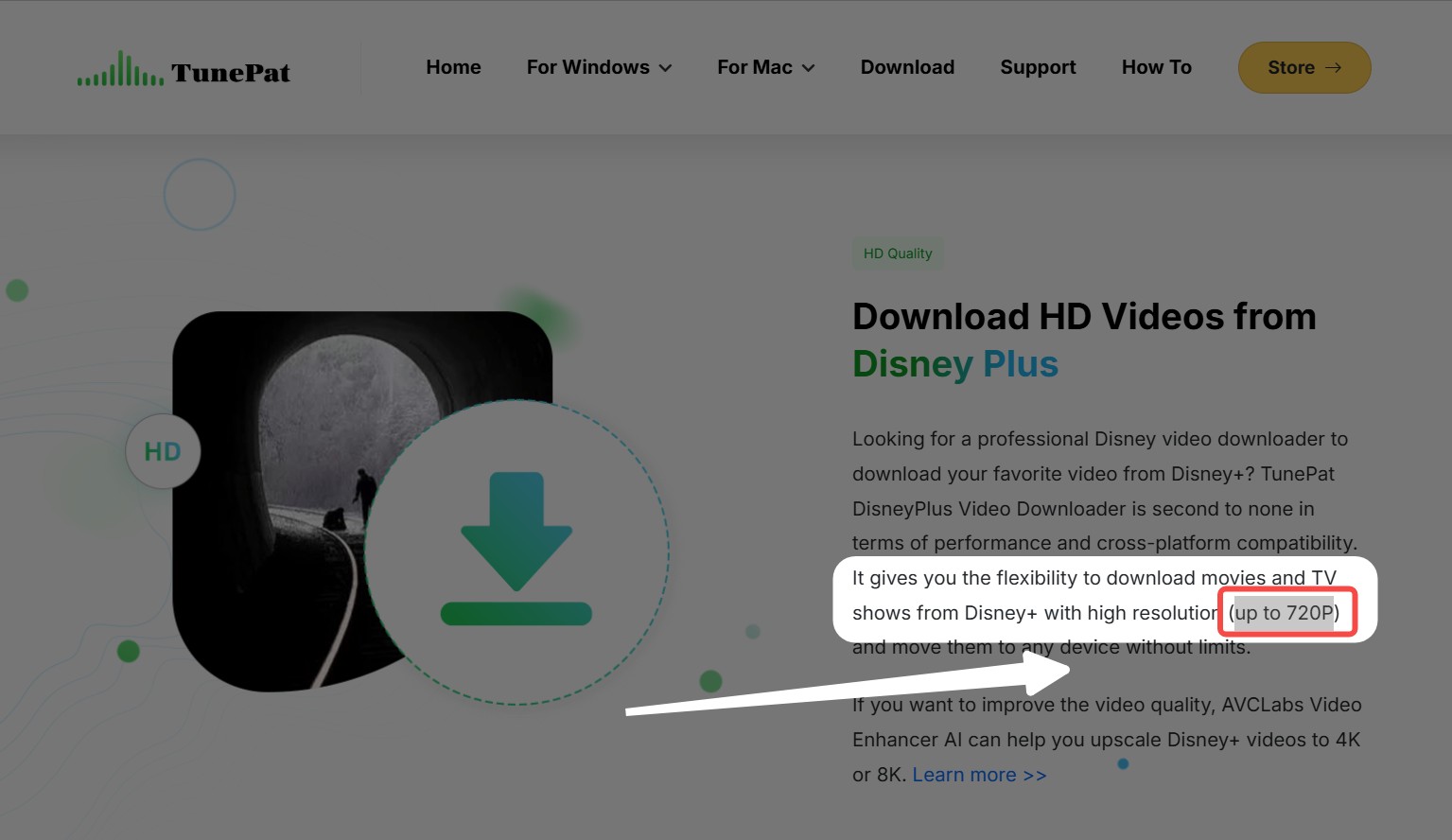
- Service-Specific Limits: TunePat advertises generally up to 1080p for subscription streaming services. HDR, audio, and resolution availability should be checked by service and title.
- Reliability Checks: Streaming-service changes can interrupt title analysis or output creation, so retrying a known supported title and checking playback are practical pre-purchase checks.
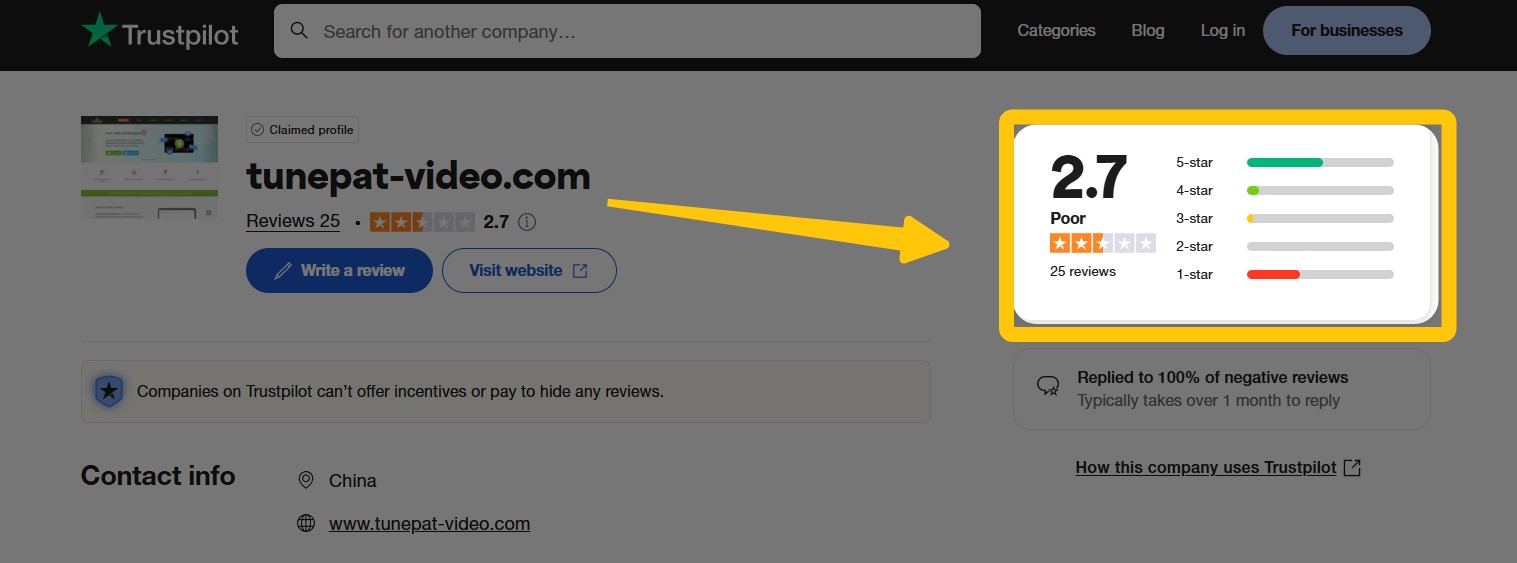
- Public Review Context: A US search snippet for TunePat's Trustpilot profile described a 4-star rating based on 29 reviews.
- Trustpilot: The exact decimal rating was not directly available, so this is context rather than a reliability verdict.

Who TunePat Fits Best
TunePat may suit viewers who need occasional MP4 or MKV files at standard streaming resolutions and are willing to validate their chosen services first. It is less suitable when a purchase depends on verified HDR, service-wide 4K, Apple TV+ support, or consistently successful batch workflows. In my view, stable, repeatable workflows matter more than an advertised maximum resolution in this category.
- Support 7 major VIP streaming services
- Offers MP4/MKV formats and multiple subtitles
- Advertises up to 8K for YouTube and generally up to 1080p for subscription streaming services
- Multi-language audio and subtitle support
- Occasional bugs and stability issues
- No service-wide HDR or 4K expectation for subscription streaming services
- Reliability should be assessed with your own services, titles, and playback devices
Using TunePat VideoGo All-In-One
TunePat offers a free trial. Its current limits can change, but the trial is useful for checking whether the app installs correctly, analyzes a supported title, applies your selected settings, creates an output file, and plays that file on your intended device.
The five steps below show the basic workflow for evaluating those points in a trial:
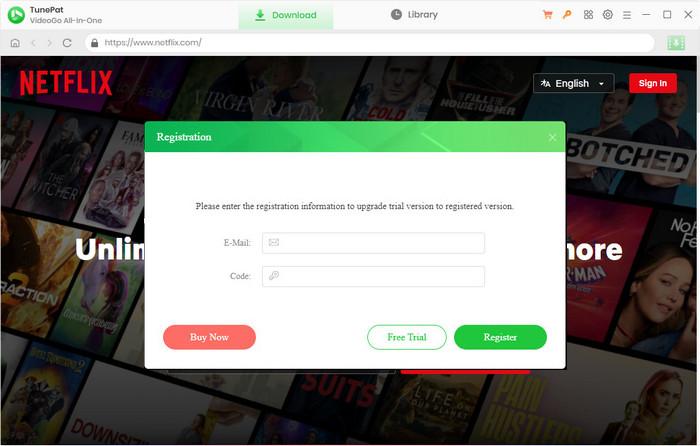
Step 1: Download the program from its official site and launch it on your PC. Now click on the Key Icon available at the top right corner. Enter the registration Email and Code, and click on the Register button.
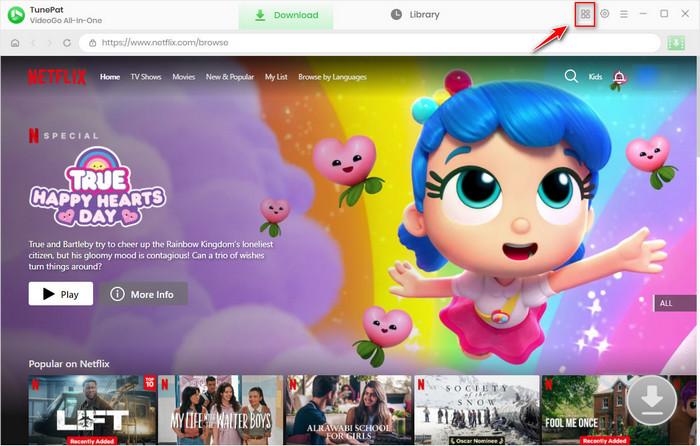
Step 2: Now click on the four-square icon on the top right corner and select the streaming site from which you want to download videos.
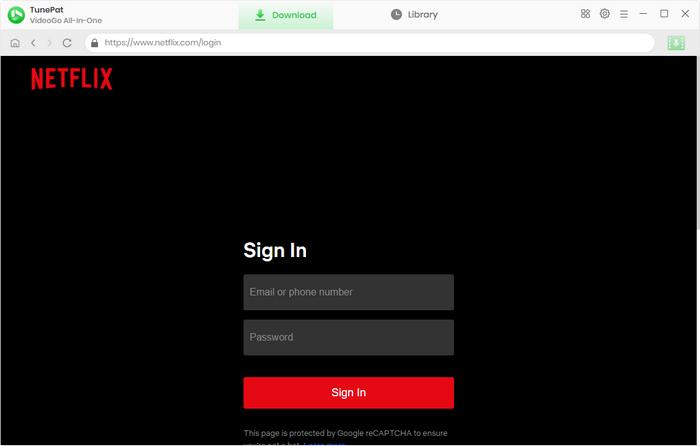
Step 3: For Example, we will select Netflix. The program will restart and connect to Netflix. Log in to your Netflix Account.
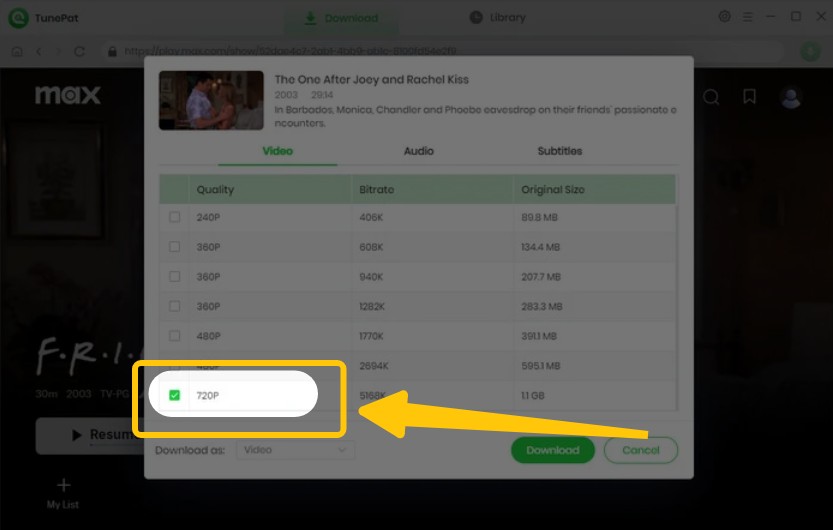
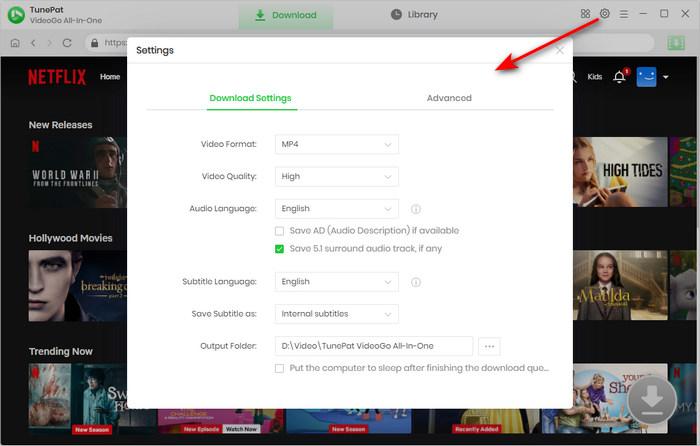
Step 4: Click on the Settings button to launch the settings window. Choose MP4/MKV format, video quality, audio language, and more.
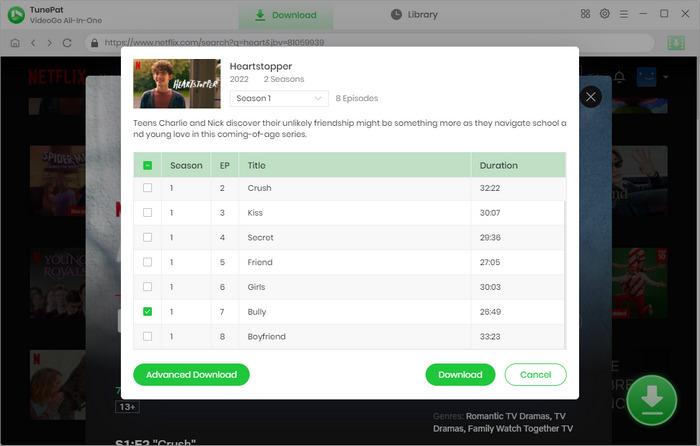
Step 5: Open the program and find the Movie or TV Show you want to download. You can search for it if needed. Once you find the video, there is a green downward arrow icon. Click on this. Then, click the Download button to start downloading your video.
Is TunePat VideoGo Worth Its Price
TunePat VideoGo's value depends on the current US license terms, the number of devices you need, and whether its supported services meet your quality expectations. Available 2026 price references conflict, so this review does not treat one amount as a universal current price.
Even if the specifications fit your needs, value still comes down to how often you will use the tool and how much tolerance you have for service-specific limits. Compare the license basis, the services you use most, output portability, and whether batch or scheduled workflows are important before treating any downloader as a long-term fit.
For occasional viewing, TunePat can be reasonable if its trial confirms the services, settings, and playback you need. Buyers who need broader workflow options can compare TunePat alternatives using the same criteria instead of relying on a single advertised specification.
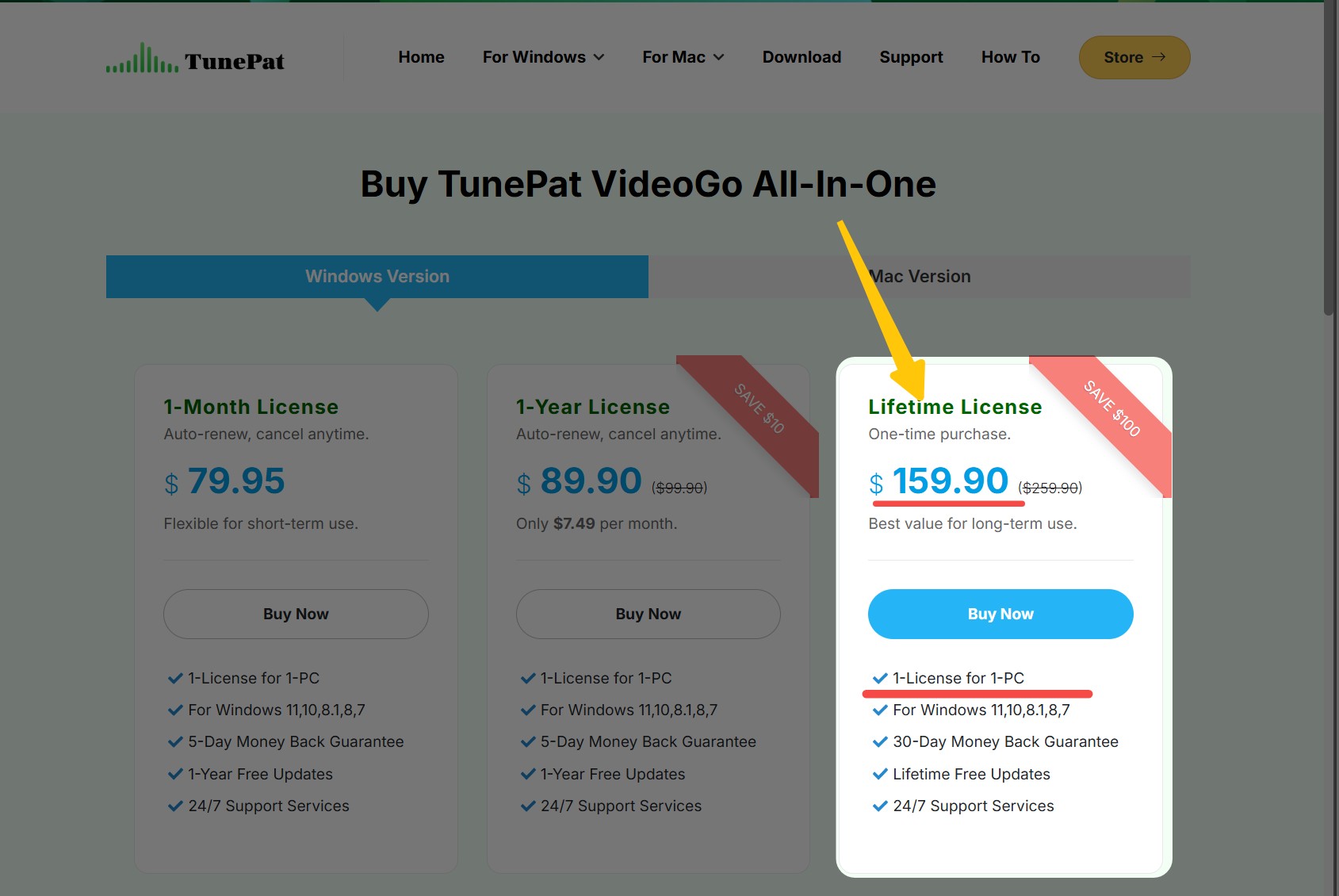
A trustworthy purchase comparison should also consider current support status, service-specific quality, trial conditions, and the output files you can actually play. Those broader criteria are covered in this best streaming video downloader review.
When StreamFab Fits Better
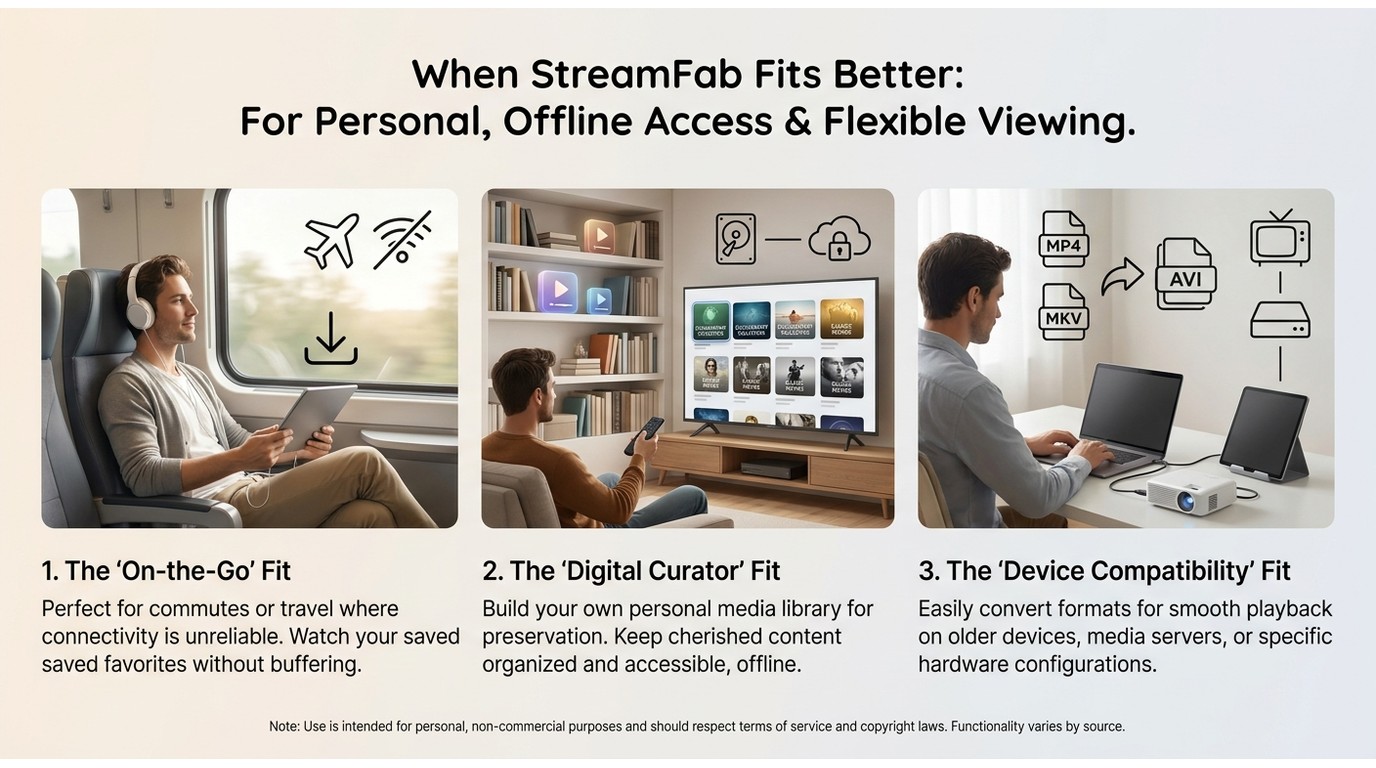
Note: For a quick, side-by-side look at how StreamFab and TunePat differ in coverage, quality, and automation, watch this companion video: “Best for Collectors? StreamFab vs TunePat (2026 Review & Comparison)”.
For content you are authorized to access, where permitted by platform terms and applicable law, StreamFab All-In-One is a desktop alternative to official in-app downloads for personal offline viewing. It may fit readers whose decision depends on portable MP4 or MKV files, batch processing, scheduled workflows, and service-specific quality options.
Its quality ceiling is service-specific: Netflix and Amazon support up to 1080p, while Disney+, Hulu, Max, Apple TV+, and Paramount+ can support up to 4K. HDR10, Dolby Vision, Dolby Atmos, audio choices, and subtitles depend on the service and title.

StreamFab supports a broader set of listed services and adds batch and scheduled workflows, but its fit still depends on the services and output settings you need.
More info: StreamFab 2026: A Deep Technical Review After the StreamFab 7 Release
| Decision factor | TunePat VideoGo All-In-One | StreamFab All-In-One |
|---|---|---|
| Service coverage | Netflix, Disney+, Hulu, Prime Video, Max, Paramount+, Discovery+, and YouTube; Apple TV+ is not listed | Netflix, Amazon, Disney+, Hulu, Max, Apple TV+, Paramount+, YouTube, and other supported services |
| Maximum quality | YouTube up to 8K; subscription streaming services generally up to 1080p | Netflix and Amazon up to 1080p; Disney+, Hulu, Max, Apple TV+, and Paramount+ up to 4K |
| Formats and audio | MP4/MKV; 5.1 audio advertised where available | MP4/MKV; HDR and multichannel audio where supported by the service and title |
| Automation | Batch support; scheduling is not confirmed here | Batch and scheduled workflows |
| Best fit | Occasional viewing when the selected services and settings work in the trial | Desktop workflows that need portable files and automation across supported services |
| Not ideal for | Readers needing Apple TV+, service-wide 4K, or verified HDR across subscription services | Readers who only need occasional official-app downloads or do not need desktop automation |
| Trial and license basis | Trial available; current US license terms vary | License options and current terms vary |
Best for: readers who need desktop automation and whose chosen services benefit from StreamFab's portable MP4 or MKV output and service-specific quality options.
Not ideal for: readers who only need occasional in-app downloads, prefer a platform-managed offline library, or do not need batch and scheduled workflows.
Official in-app downloads remain the simplest choice when you want a platform-managed offline option and do not need portable files or desktop automation. The better route depends on your services, quality requirements, workflow, and current license terms, not on a universal winner.
FAQs
Conclusion
In short, in 2026, TunePat VideoGo is worth considering when its trial confirms the services, quality settings, and playback devices you actually use. Its fit depends on service coverage, verifiable output quality, your tolerance for reliability checks, and whether your workflow needs go beyond official in-app downloads.
Looking back at my experience with both TunePat VideoGo All-in-One, I believe I can give an honest assessment for anyone searching for the best video downloader in 2026. TunePat VideoGo All-in-One does offer decent coverage of streaming services and provides a straightforward way to download videos for offline viewing. However, there are too many compromises: the download quality isn’t always as high as the platforms’ native streaming, and occasional crashes and slow analysis can be frustrating.
If you need verified HDR, broader service coverage, portable files with automation, or a more demanding large-screen workflow, compare the available options by those needs. If your requirements are simpler and the trial works with your chosen services, TunePat may be enough without turning this decision into a search for one universal best tool.
Key factors covered:
- Price evidence, license terms, and trial conditions can affect the value of any desktop downloader.
- Resolution, HDR, audio, and subtitle availability vary by service, title, device, and selected settings.
- The comparison focuses on service coverage, portable output, playback compatibility, reliability checks, and workflow needs.
- Official in-app downloads and desktop tools suit different offline-viewing workflows; neither is a universal fit.
Use local copies only for content you are authorized to access, where permitted by platform terms and applicable law, and for personal offline viewing.


Evaluating the Audials One 2026 free trial? I tested its 720p caps, examined if is audials legal under Fair Use
By Erika Leen - Sep 29, 2026

Are you thinking of purchasing NoteBurner and unsure if it’s worth the investment? In this NoteBurner review, let’s delve into its product lines, particularly the NoteBurner Video Downloader’s pros and cons.
By Marcia Hatcher - Sep 28, 2026

Read our in-depth Audials review for 2026. Is Audials safe and legal for Amazon Prime? Discover actual test results, Widevine DRM fixes, and better alternatives.
By Erika Leen - Sep 28, 2026
TuneFab’s Amazon downloader suits a focused desktop routine, while VideOne covers multiple services. Compare their workflows, license structures, and output checks with StreamFab, then use the numbered setup and maintenance steps for authorized personal offline viewing.
By Erika Leen - Sep 24, 2026