
VideoProc Review 2026: AI Safety, Output Quality, and Value

Summary: VideoProc Converter AI is worth considering if you want one desktop app for local conversion, compression, light editing, recording, public-URL downloads, and selective AI enhancement. This VideoProc review focuses on safety, output trade-offs, pricing, and the workflows it does not replace.
Table of Contents
VideoProc Converter AI is most useful when one desktop workflow needs to cover conversion, compression, basic editing, screen recording, public-URL downloads, and selective AI enhancement. The key decision is not the feature count: it is whether you are processing local footage or need a separate workflow for authorized streaming offline viewing.
VideoProc Converter AI Review: Evidence-Based Verdict
VideoProc Converter AI combines conversion, compression, trimming, recording, public-URL downloads, and AI enhancement in one desktop interface. That makes it a sensible fit for creators and home users who want fewer separate utilities. My practical take is that its value is strongest for local media work; people who need deep editing controls, highly specialized restoration, or a separate authorized streaming workflow should evaluate a specialist tool instead.
Quick decision cue: convert when a codec, size, or device requirement must change; rewrap when compatible video and audio streams only need a different container; use AI enhancement selectively when the source has enough detail for the model to improve.
Is VideoProc Converter AI Safe?
VideoProc Converter AI safety is best understood as a qualified privacy question, not a blanket guarantee. Its AI tools are designed for desktop processing, but public materials do not amount to an independent, comprehensive audit of every possible data flow, including update checks, licensing, or optional online services.
For sensitive footage, review the app's current privacy documentation, avoid enabling services you do not need, and test the workflow with a non-sensitive clip first. That is a more useful standard than treating a limited network observation as proof of complete privacy.

VideoProc Pricing and Free-Trial Limits
VideoProc's free trial is not governed by one universal output-length rule. Limits can vary by module, including export count, duration, resolution, and watermarking, so a short trial run should focus on the exact conversion, recording, download, or AI task you plan to use.
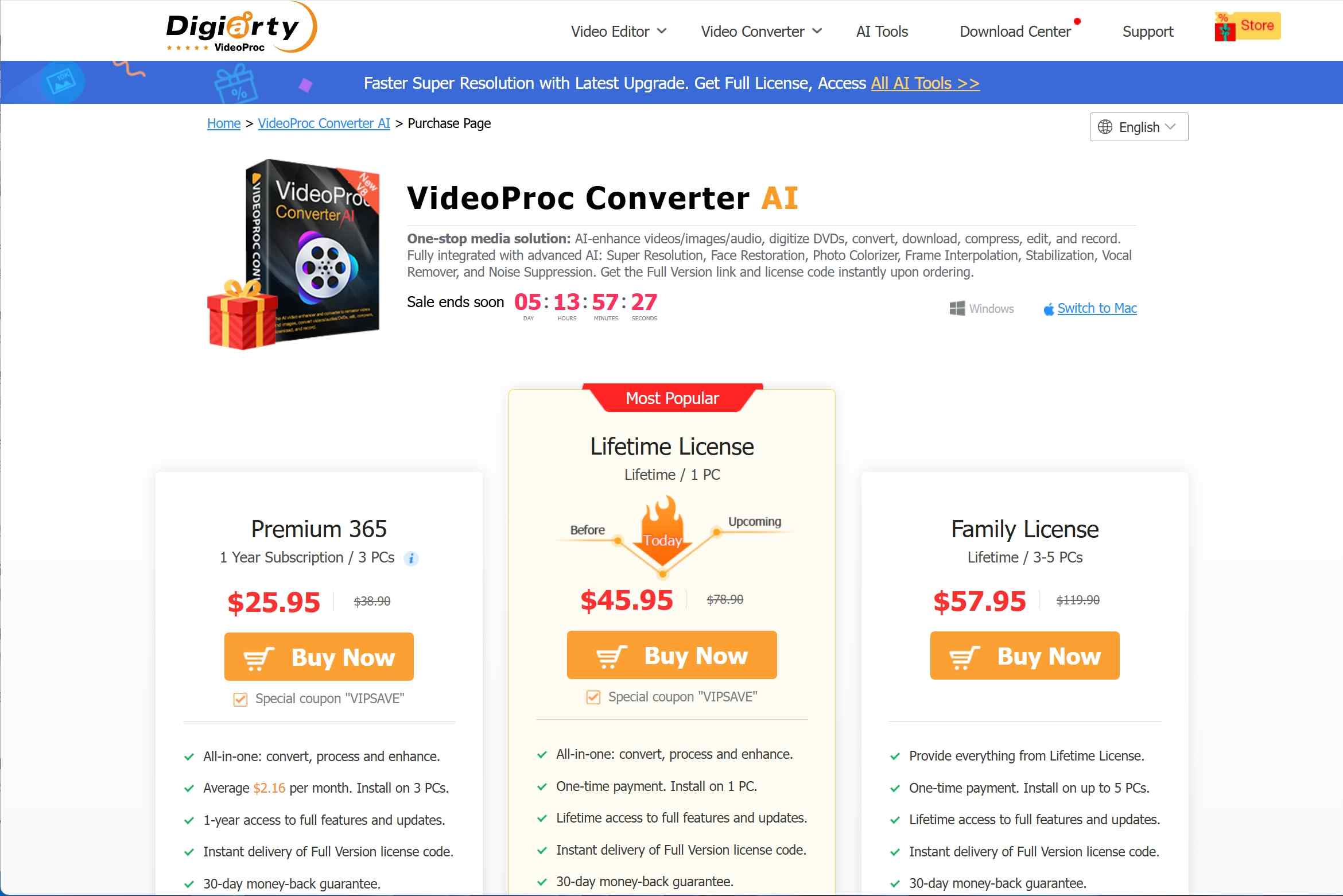
As of July 2026, VideoProc lists Premium 365 at $34.95 for up to three PCs, a Lifetime License at $54.95 for one PC, and a Family License at $79.95 for three to five PCs. Premium 365 renews annually. The trial is most useful for people with a representative short project; users evaluating long exports or repeated AI jobs may reach a module-specific limit before they can judge the full workflow.
| Plan | Price | Device allowance | Term |
|---|---|---|---|
| Premium 365 | $34.95 | Up to 3 PCs | Annual renewal |
| Lifetime License | $54.95 | 1 PC | Lifetime license |
| Family License | $79.95 | 3 to 5 PCs | Lifetime license |
How to Evaluate GPU Performance and AI Quality
GPU acceleration can reduce processing time, but AI results vary sharply by source resolution, selected model, enhancement settings, and the available GPU path. A meaningful quality check should record the source resolution, model, scale factor, denoise or sharpening settings, hardware path, elapsed time, output size, grain retention, text clarity, color shifts, interpolation artifacts, and audio sync.
In practice, speed is not the same as quality. AI enhancement can help clean 720p or 1080p footage with usable detail, but very soft sources and long-form projects can expose unstable texture, softened text, or an output time that outweighs the improvement. I would run a short representative clip before committing an entire project, especially when the source is low resolution or variable-frame-rate.
YouTube Downloads: Scope and Reliability
VideoProc's download feature is best treated as a public-URL parsing tool, not as a universal acquisition workflow. Downloading, converting, recording, and platform-managed offline viewing are different jobs, and service changes can affect URL parsing, available quality, audio handling, and whether a link is recognized at all.
URL Parsing, Quality, and Failure Conditions
For public videos, results can depend on the URL, the source's available streams, and changes made by the hosting service. Common failure conditions include an unrecognized link, a lower available quality than expected, separate audio and video streams, or a parsing error after a platform update. Treat a successful short test with your own target source as more useful than any undocumented success-rate claim.
Independent User Reviews and Ratings
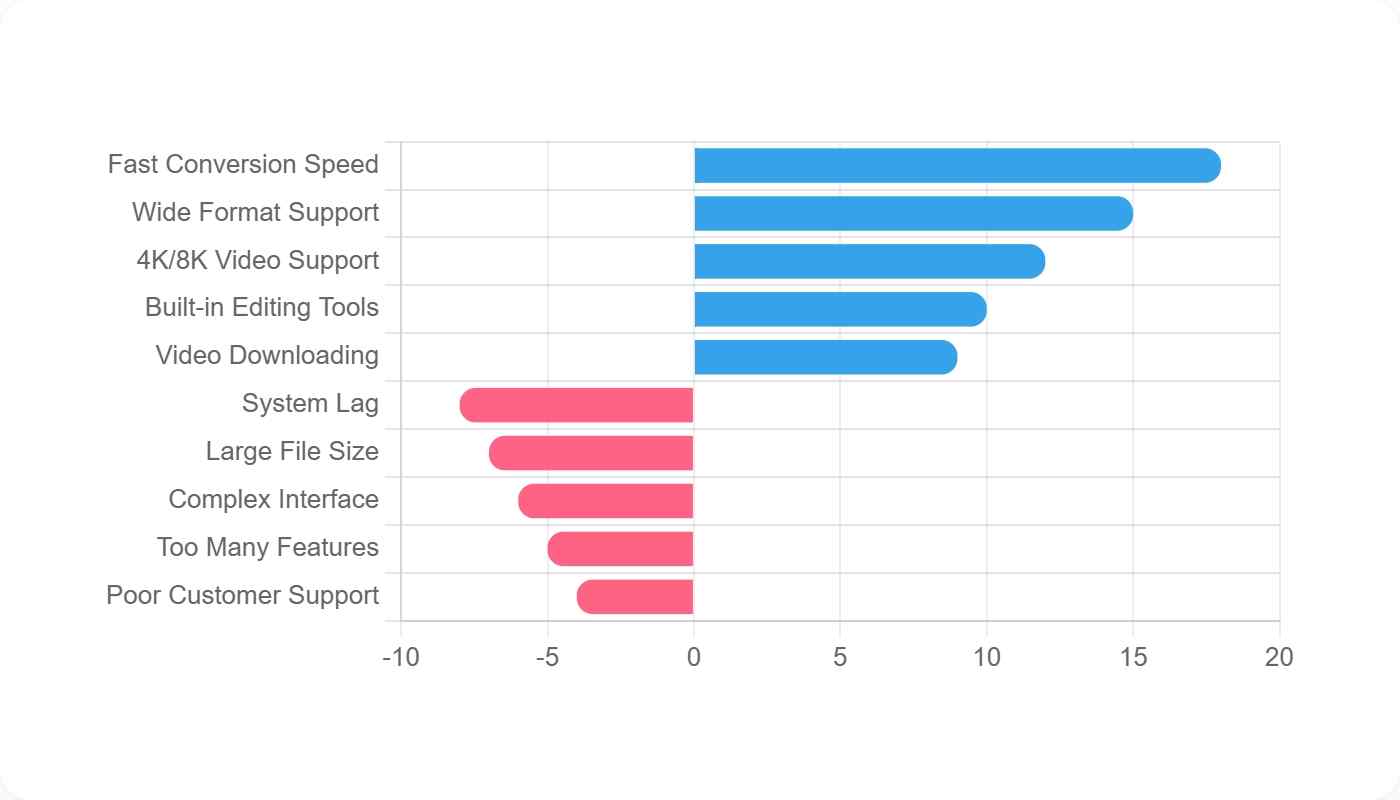
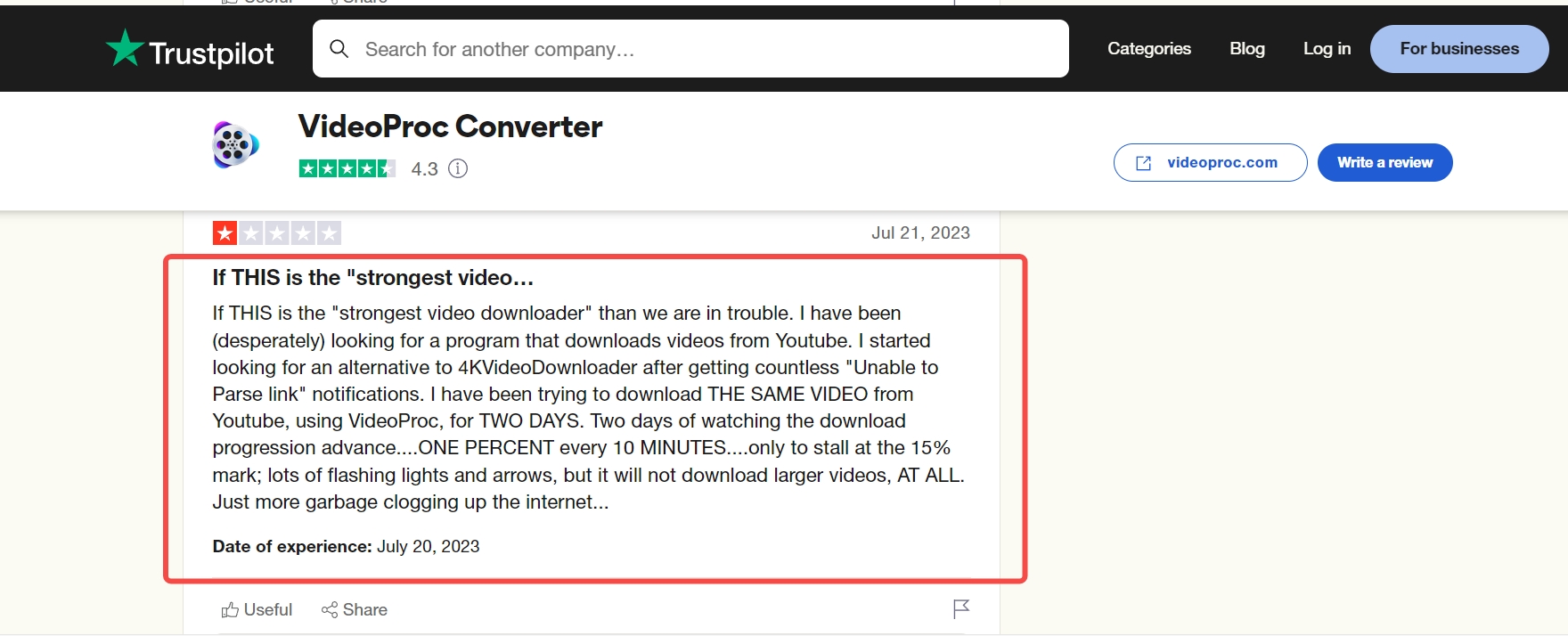
Independent sentiment is useful when it is treated as a signal, not a verdict. Snapshot taken in July 2026: Trustpilot live snippets showed 501 reviews and a broad four-star range, but did not support a publishable exact score. Capterra and Software Advice are structured review platforms, while Reddit and forum posts provide workflow-specific community feedback. None can establish a universal performance result, but together they surface recurring questions about trial limits, updates, AI expectations, and hardware compatibility.

Different users have different demands and tastes. Evidence confidence varies by source: structured review platforms summarize broad customer sentiment, while Reddit and forum posts describe individual workflows. Trial limits, update-related issues, AI expectations, and hardware compatibility are useful decision signals, not proof of a universal outcome.
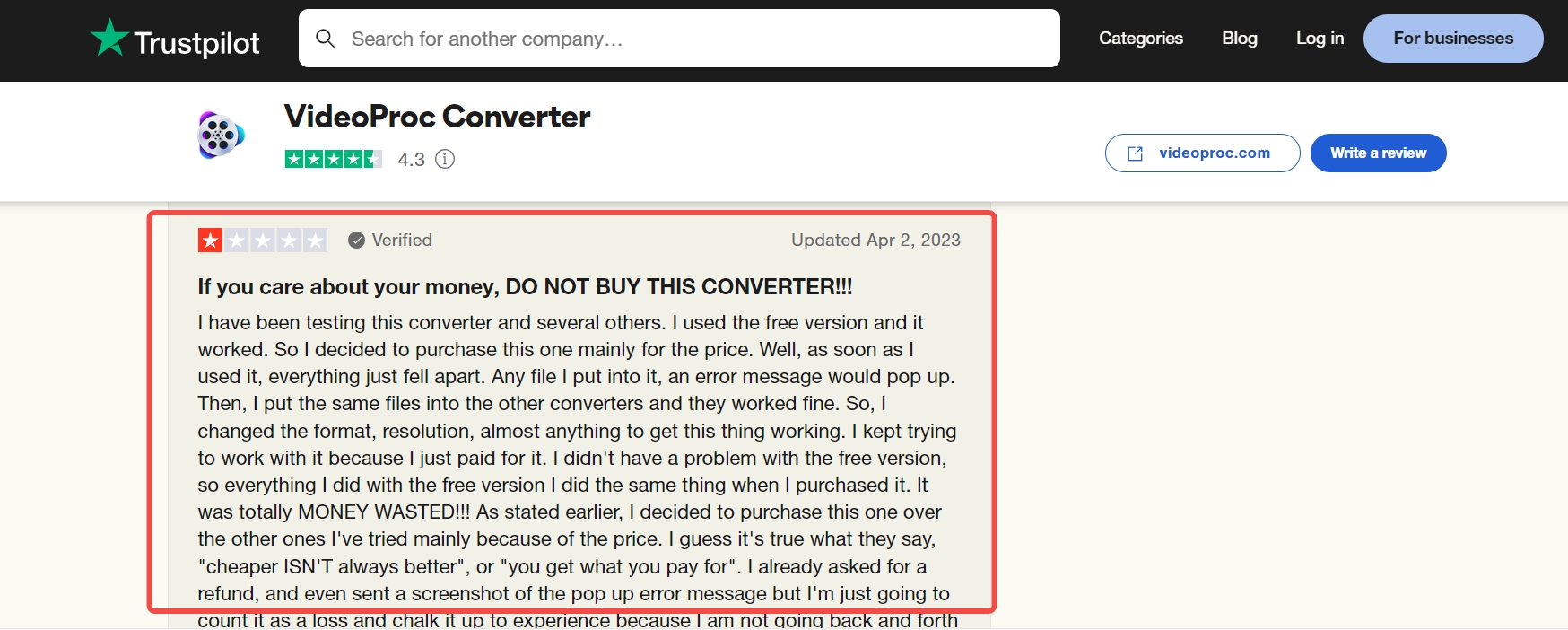
The actionable complaints are the ones that match your own workflow: whether the trial can test your project, whether your hardware exposes the AI controls you need, and whether public URLs parse reliably. Broad praise or frustration without those details is too weak to generalize from.
VideoProc vs StreamFab: Different Jobs
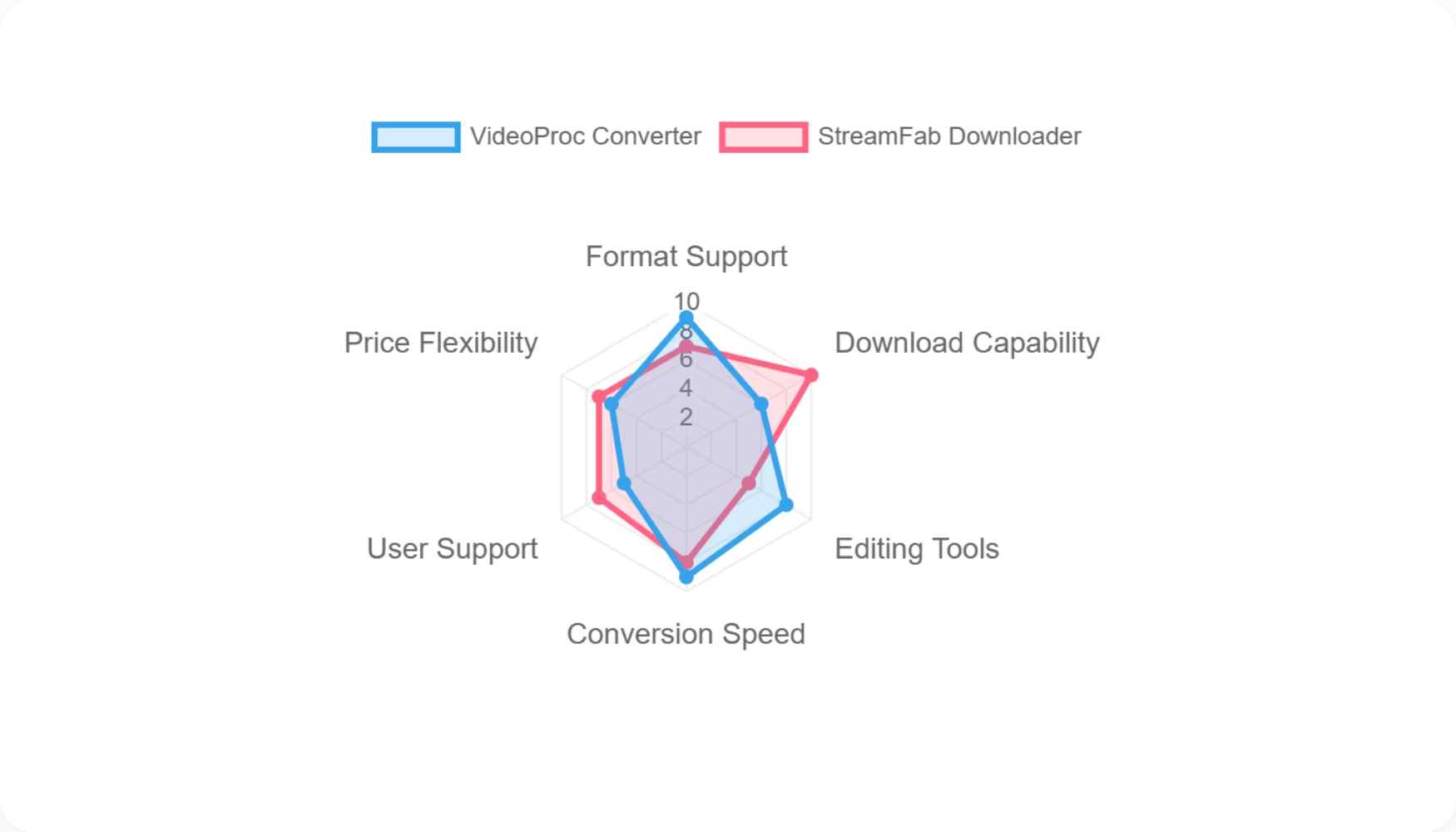
VideoProc Converter AI and StreamFab serve different primary jobs. VideoProc centers on local media processing and public-URL tools, while StreamFab provides a separate desktop workflow for saving authorized streaming content for personal offline viewing where permitted by platform terms and applicable law. StreamFab is the publisher's product, so the comparison below focuses on task fit and limitations for both tools.
| Task-fit comparison | VideoProc Converter AI | StreamFab All-In-One |
|---|---|---|
| Primary job | Local conversion, compression, editing, recording, AI enhancement, and public-URL tools | Authorized streaming offline-viewing workflow where permitted |
| Workflow and output | Processes local files; supports common conversion outputs | Desktop saving workflow; MP4 or MKV output |
| Quality, audio, and subtitles | Depends on source, conversion settings, and selected AI model | Quality depends on platform and plan; audio, subtitles, and metadata options are available |
| Best fit and limits | Best for local media projects; not ideal for specialized restoration or streaming-focused needs | Best for supported authorized offline viewing; not for local conversion, simple editing, or AI enhancement |
When a Dedicated Downloader Fits
For content you’re authorized to access, where permitted by platform terms and applicable law, StreamFab can fit when official downloads or VideoProc's public-URL workflow do not meet a personal offline-viewing need.
Its relevant strengths here are MP4 or MKV output, audio and subtitle choices, metadata support, and batch or scheduled processing. Readers comparing broader VideoProc alternatives should keep the underlying task in view: it is not a replacement for VideoProc's local conversion or AI enhancement tools.
- Directly interfaces with DRM protocols to download from 60+ OTTs and 1000+ sites.
- Maintains the original 1:1 bitstream with H.265 codecs and EAC3 5.1 audio.
- Downloads metadata automatically, which is perfect for Plex or Emby server scraping.
Choosing the Right Workflow
Choose this separate workflow only when authorized personal offline viewing is the actual need.
The detailed how to use StreamFab workflow belongs in its dedicated guide; this review is focused on deciding whether VideoProc's local-media toolset is the better match.
Step 1: Installation and Environment Setup
Launch the client. The built-in browser engine automatically handles the necessary widevine certificate requirements without exposing your main desktop browser to unnecessary extensions.
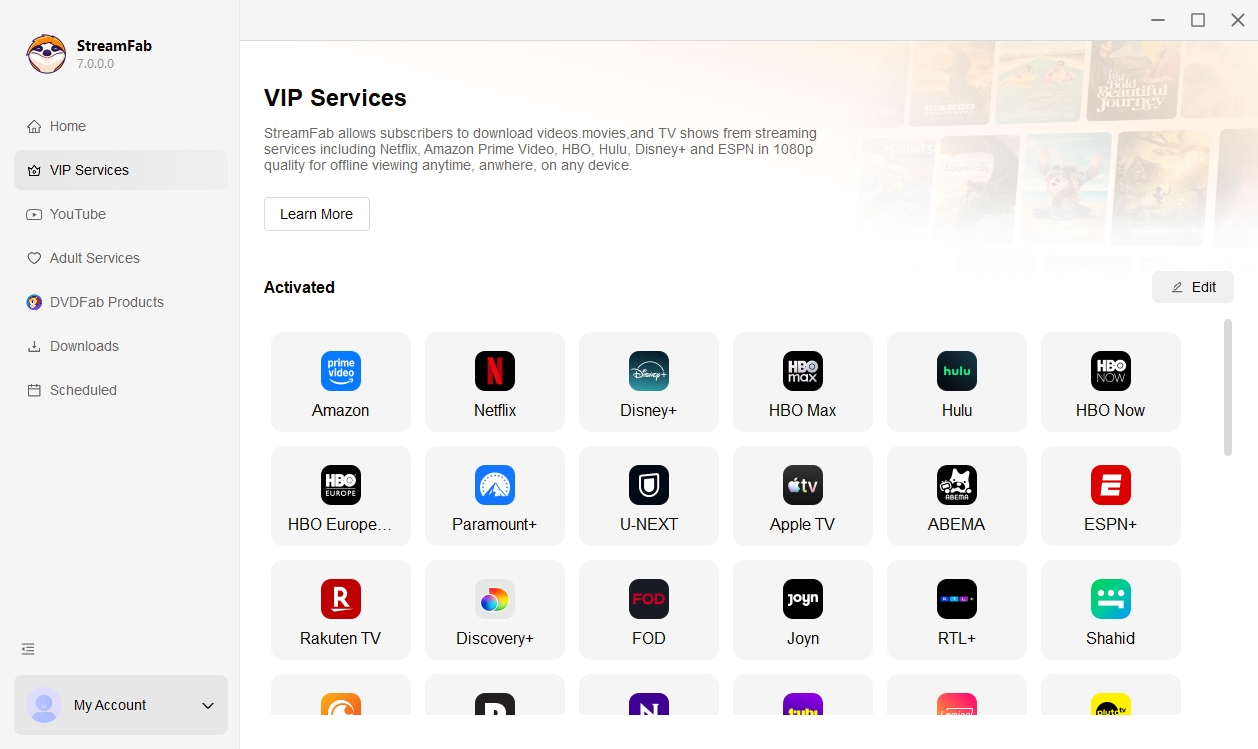
Step 2: Access the Target Stream
Navigate to the streaming service within the integrated UI. This bypasses typical geoblocking issues associated with external URL pasting.

Step 3: Protocol Analysis and Customization
Once the video starts playing, the engine intercepts the DRM handshake. A prompt allows you to select native resolutions, independent audio tracks, and extractable subtitles.
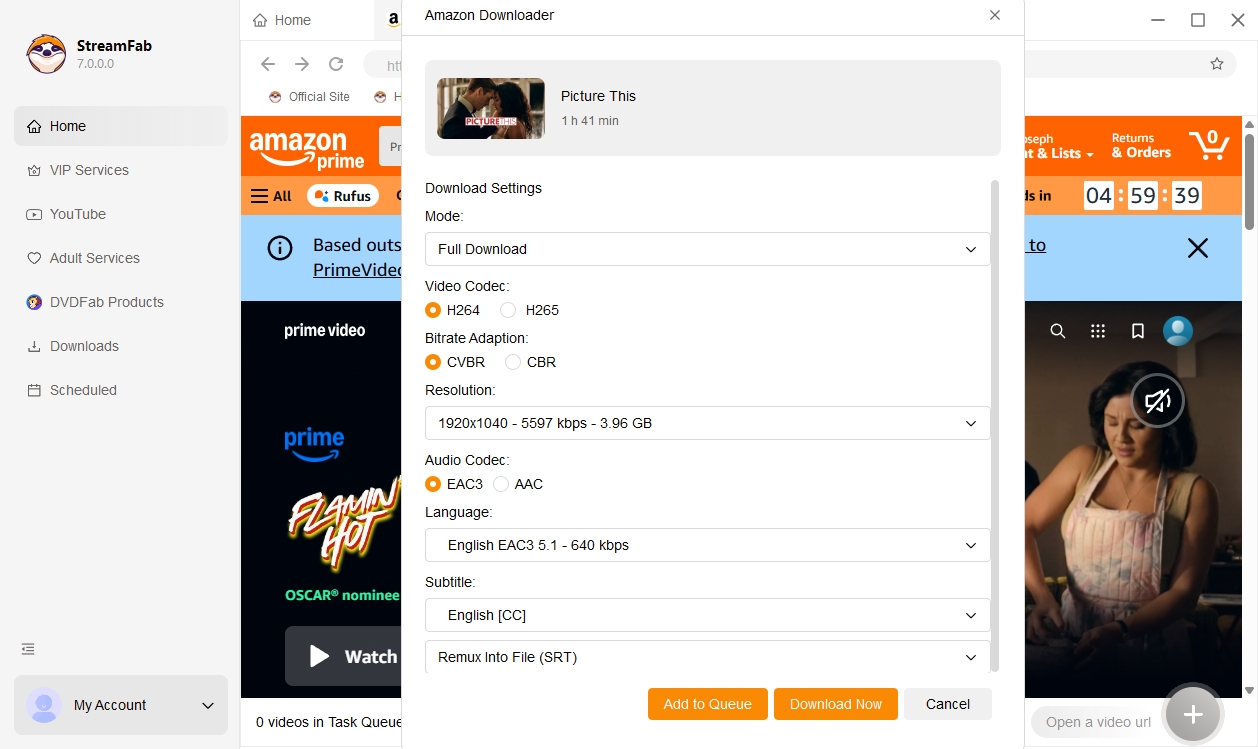
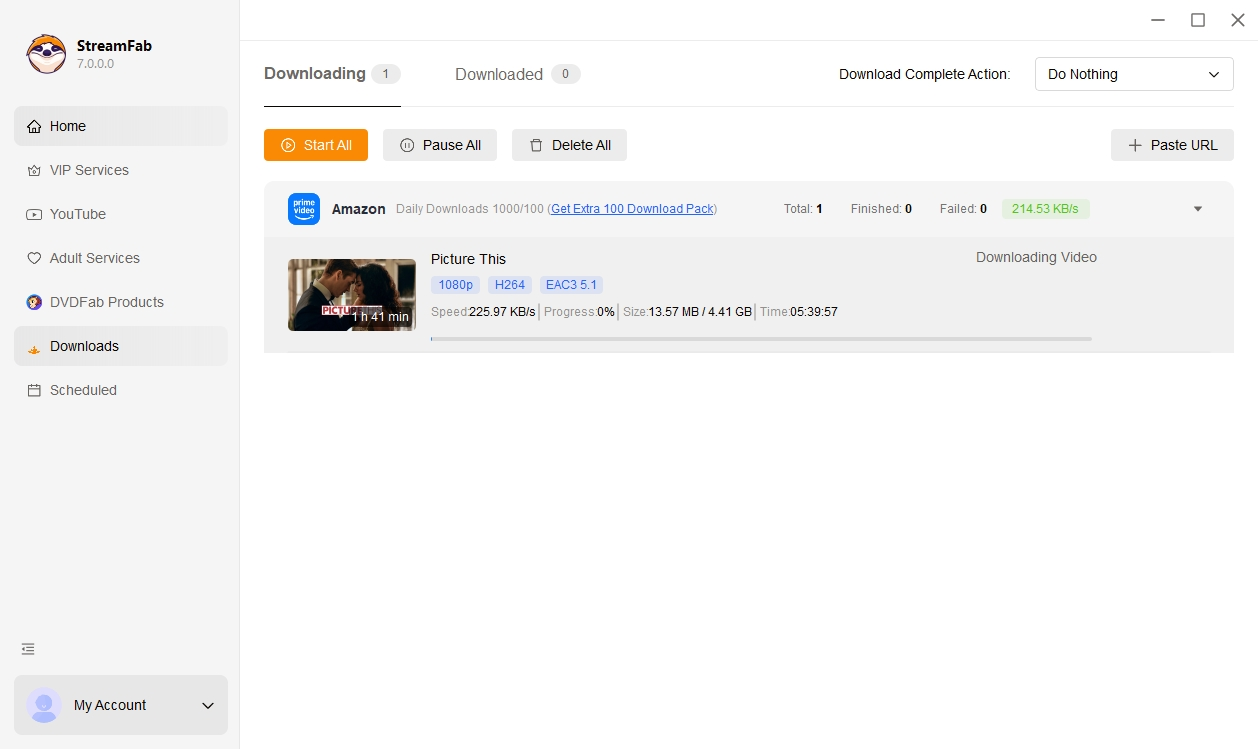
Step 4: Execute Raw Download
Click download. The software securely pulls the encrypted packets and decrypts them locally into a clean MP4/MKV container, ready for your media server.
FAQ
Why are VideoProc AI scale controls unavailable on some PCs?
Unavailable controls can depend on the selected model, source file, supported configuration, GPU, driver, or current app version. Start by checking the selected AI model and source, then update the app and graphics driver. Not every system supports every option.
Does VideoProc Converter AI have an Android app?
VideoProc Converter AI is a desktop media workflow. Supported devices and availability may change, so confirm the current system requirements on VideoProc's official site rather than relying on third-party mobile listings.
When is lossless rewrapping better than converting a video?
Rewrapping is the better choice when the existing video and audio codecs already work on the target device and only the container needs to change. Convert when you need a different codec, smaller file size, broader device support, or an editing-friendly format.
Is long-form AI upscaling worth the processing time?
It can be worthwhile for footage with meaningful detail and lasting value, but it is less compelling when the source is extremely soft or the visual gain is subtle. Run a representative short clip first and compare clarity, artifacts, audio sync, output size, and runtime before processing an entire series.
Conclusion
VideoProc offers an approachable all-in-one desktop workflow for conversion, compression, light editing, recording, public-URL tools, and selective AI enhancement. But AI results depend heavily on source quality and hardware, trial limits vary by module, and long-form enhancement can demand more time than the improvement justifies.
Best for: users who primarily process local media and want fewer separate utilities. Not ideal for: severely degraded footage that needs specialist restoration, long AI jobs with limited tolerance for runtime, or readers whose primary need is authorized streaming offline viewing rather than local media work.
The decision rule is straightforward: choose VideoProc when local conversion and selective AI enhancement are the core job. Consider a separate desktop workflow such as StreamFab only when authorized personal offline viewing from supported streaming services is the actual task.
Use boundary: Use offline-viewing tools only for content you are authorized to access, where permitted by platform terms and applicable law. Do not redistribute copyrighted material.

Videoder now refers to multiple packages, so identity comes before any safety verdict. This guide checks the publisher, package ID, version, permissions, source, and update signals, then explains current feature limits and compares desktop, browser, Android, and authorized paid-streaming alternatives. It also clarifies why older YouTube instructions should not be treated as current.
By Nicole Lopez - Sep 4, 2026
Audials One does not offer a native macOS desktop release. This guide separates the Intel Windows-VM route from Apple Silicon limits, explains why Audials Play is for radio and podcasts, and maps native Mac choices for streaming video, ordinary screen capture, and MP4/MKV offline files. It also gives a restrained StreamFab fit judgment for authorized personal viewing.
By Erika Leen - Sep 3, 2026
As a Mac user with a need to download online videos, I explored Videoduke, and shared my reviews and opinions about this software in this article.
By Nicole Lopez - Sep 3, 2026
This guide maps eight VideoProc alternatives to the job they are meant to replace, from local conversion and AI enhancement to editing, recording, and authorized service-aware downloads. It also covers HandBrake, FFmpeg, and Video2X, explains restoration limits, and provides a compact workflow matrix and FAQ for choosing a practical fit.
By Marcia Hatcher - Sep 3, 2026