
Is WinX YouTube Downloader Outdated in 2026? Review, Analysis Failed Fixes &

Summary: If WinX YouTube Downloader suddenly shows an analysis failed error or is not working anymore, it is no longer a dependable choice for current YouTube streams. This review explains its status, practical fixes, safety considerations, and a maintained alternative for authorized personal offline viewing.
Table of Contents
Is WinX YouTube Downloader Still Worth It in 2026?
WinX was built as a lightweight Windows downloader from Digiarty Software, but its aging parser, 1080p ceiling, and limited controls make it a poor fit for many current videos.
The issue is less about the basic paste-a-link workflow and more about whether the software can still interpret today’s delivery formats consistently.
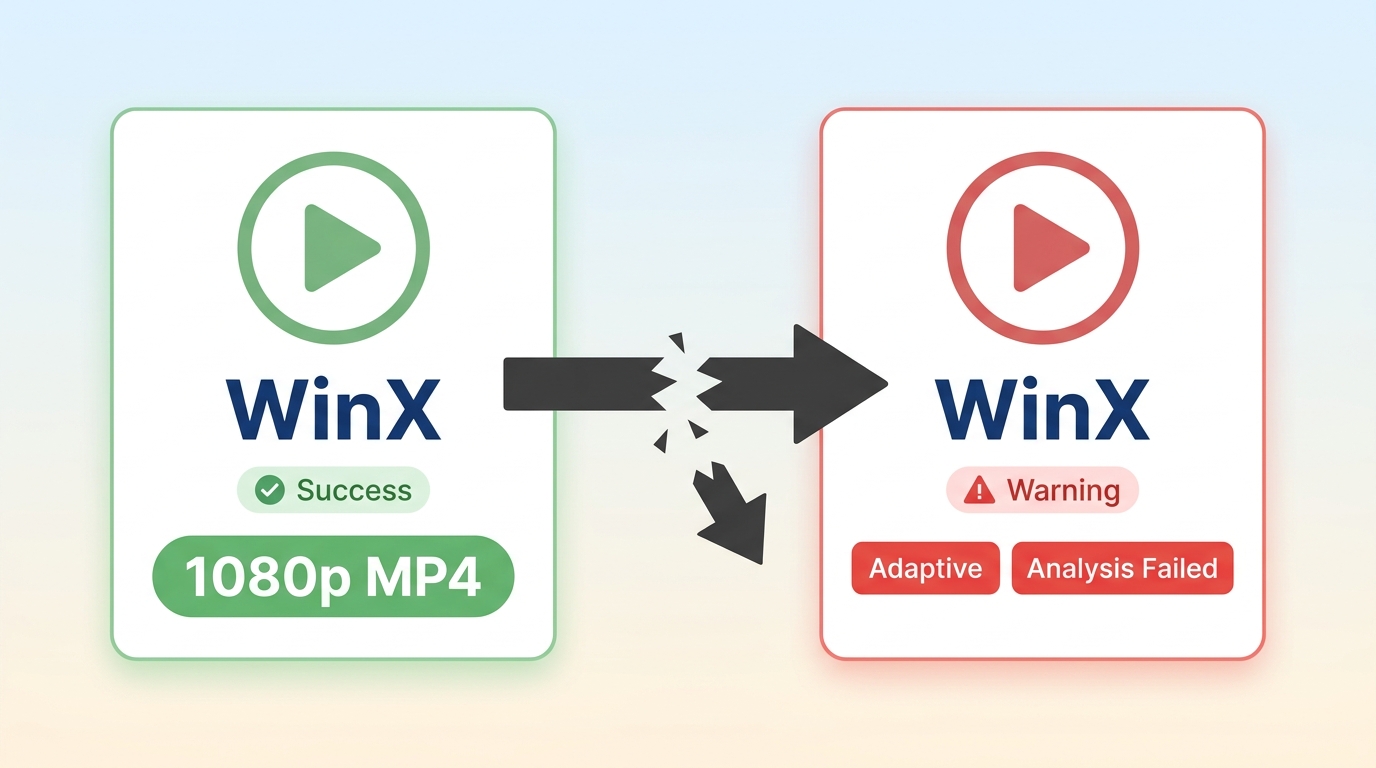
Note: As of Aug 2026, WinX YouTube Downloader is no longer listed on the official WinXDVD page. Digiarty has shifted attention to Winxvideo AI, while WinX remains available only through third-party download portals.
Is WinX Still Available? Digiarty and Winxvideo AI
WinX YouTube Downloader can still be found through third-party download portals, but Digiarty Software no longer officially distributes or actively maintains it. The WinX official website now directs attention to Winxvideo AI instead, so a WinX download generally means installing a legacy build rather than a current product.
That distinction matters: an old installer may open and handle a few simple links, yet it has no active update path when YouTube changes how videos are delivered.
WinX Features, Specs and Real-World Limits
Features and Specs
The first time I tried WinX YouTube Downloader, I just wanted to see how easily it could save a YouTube video. The process was basic enough: paste in the video URL, and it would parse the link and download the file to my computer. On paper, it supports a handful of formats—MP4, WebM, FLV, and even 3GP—with resolutions capped at 1080p.
Its limits are equally clear. WinX does not offer audio-track switching, subtitle selection, batch downloading, or automatic downloads, so it is limited to a basic one-link-at-a-time workflow.
| WinX capability | What to expect |
|---|---|
| Maximum resolution | Up to 1080p |
| Supported sites | 300+ sites |
| Platform | Windows legacy desktop software |
| Output formats | MP4, WebM, FLV, and 3GP |
| Controls not included | No audio-track switching, subtitle selection, batch download, or auto-download |
For a 2026 user, these limits mean WinX may still handle an occasional simple clip, but it is not designed for higher-resolution viewing, playlists, multilingual media, or recurring downloads.
Pros and Cons From Hands-On Testing
For most US users, an unmaintained downloader is no longer a sensible default when YouTube changes can break its core workflow without warning.
Modern YouTube videos often use adaptive delivery formats that an unmaintained parser may fail to handle correctly. The result can be an analysis error, an incomplete file, or a black screen during playback.
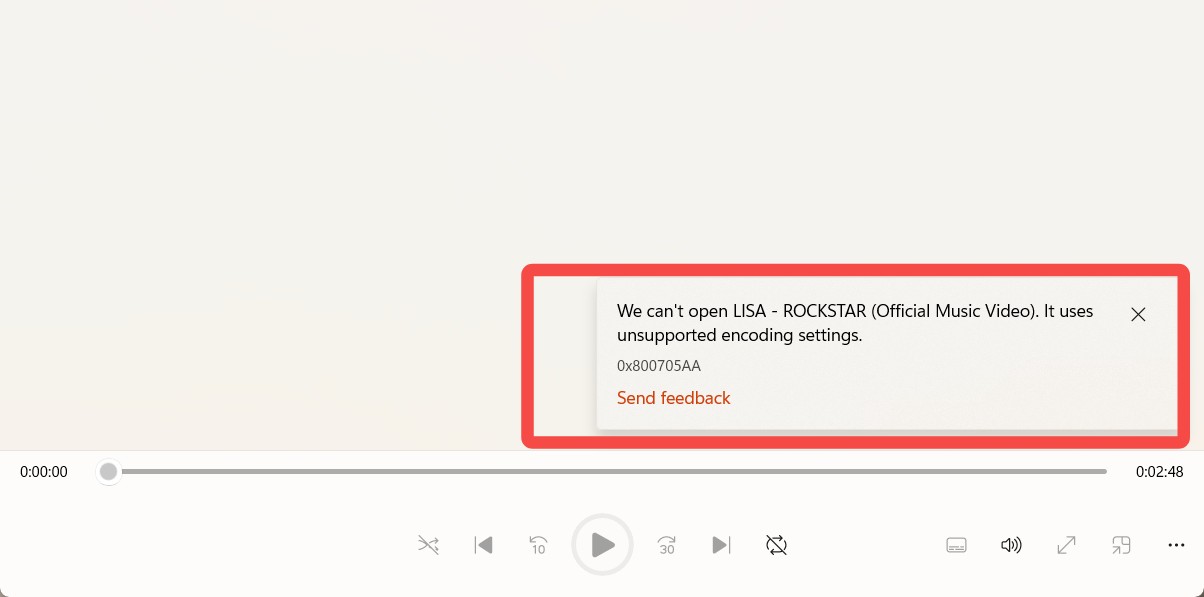
The downloading process is also time-consuming. The download speed is quite low, and it does not support downloading videos in batches, not to mention other modern features. The video and audio quality is also unsatisfactory, compared with other YouTube downloaders. I guess this software is on the verge of becoming completely obsolete.
- The process is very intuitive, with virtually no learning curve.
- The software itself takes up very little space and won't slow down your computer.
- The URL analysis is quite fast, and it recognizes links almost instantly after you paste them.
- Download speeds are very slow, and it takes ages to download a single video.
- The maximum video quality is only 1080p; it cannot download YouTube videos in 4K.
- Batch downloading isn't supported; you can only download one video at a time.
- Frequent instability occurs, with the download sometimes failing despite showing a successful download status.
- The legacy parser may fail on modern adaptive streams, causing analysis errors, incomplete files, or black-screen playback.
- No longer officially supported by the developer, posing potential security risks.
Why WinX Fails: Analysis Failed Causes and Fixes
What Triggers Analysis Failed Errors
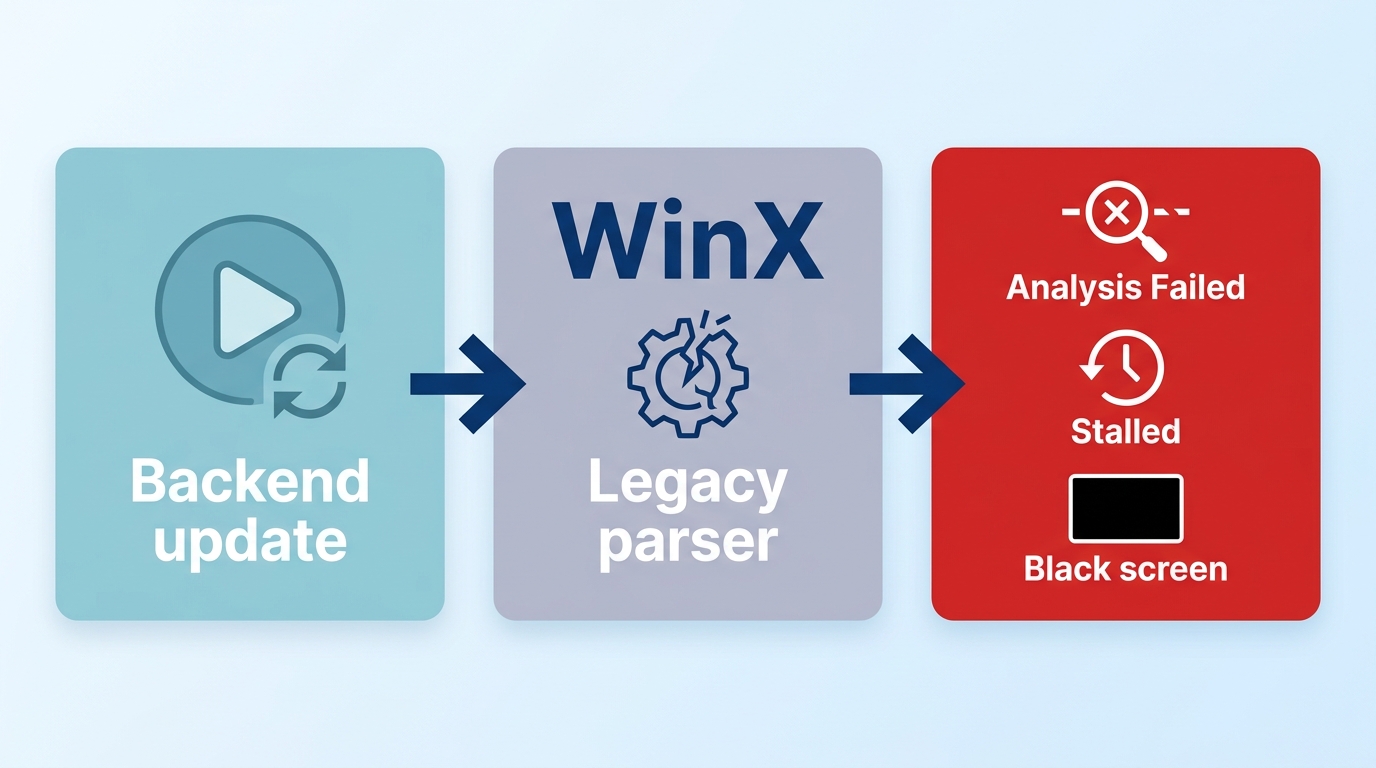
WinX YouTube Downloader analysis failed errors became more common as YouTube changed its backend, JavaScript, and adaptive-stream delivery during 2025 and 2026. Page-parsing downloaders depend on recognizing those moving parts, so an engine that is no longer maintained can stop interpreting current streams reliably.
YouTube also updates its delivery systems regularly and can limit heavy request patterns. Reports from longtime users describe downloads stalling near completion with no active feedback channel, while long streams are particularly likely to expose the limits of older software.
Fixes to Try Before Giving Up
- Reinstall the latest WinX build you can obtain from a reputable source.
- Try a different video and a lower resolution to rule out a format-specific failure.
- Check your network connection and disable any proxy configuration that may interrupt requests.
- Retry after clearing the current task rather than repeatedly resuming a stalled job.
- If parsing continues to fail, move to an actively maintained desktop engine.
These steps are reasonable for a one-off attempt, but repeated analysis failures are usually a sign to stop troubleshooting a legacy downloader.
Is WinX Safe, Free and Legal to Use?
The main safety concern is not the original WinX application itself, but installing old copies from third-party portals. Legacy installers may lack security updates or include unwanted bundled software, so avoid unfamiliar download pages and suspicious installers.
WinX was historically offered as freeware, but its lack of maintenance is the tradeoff. Whether saving a video is permitted also depends on the content, your rights to access it, YouTube’s Terms of Service, and applicable law. Keep any local copy to personal use of content you are authorized to access.
Trying WinX Yourself: The Download Steps
If you still choose to try a legacy WinX download, the basic process is straightforward:
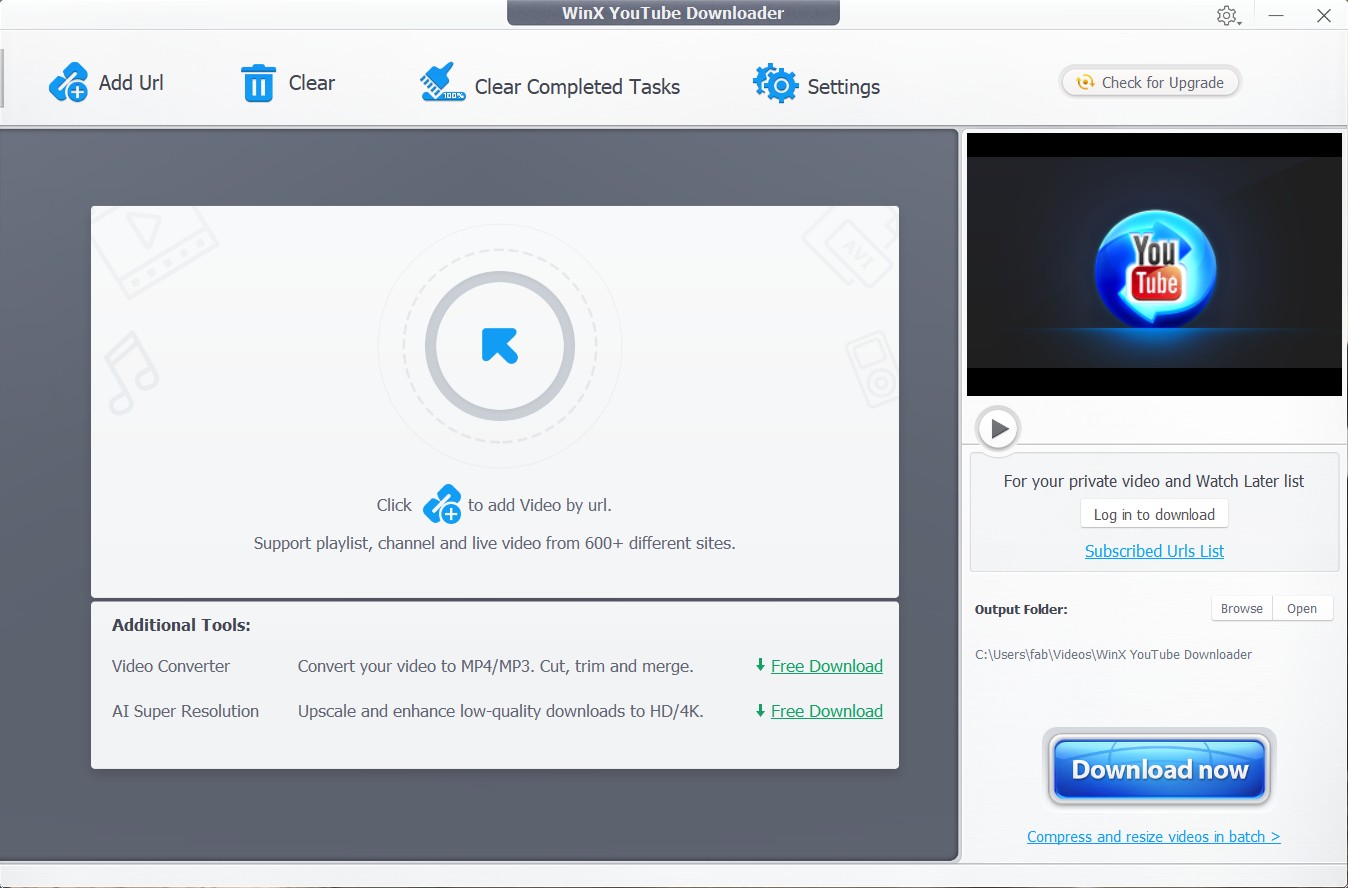
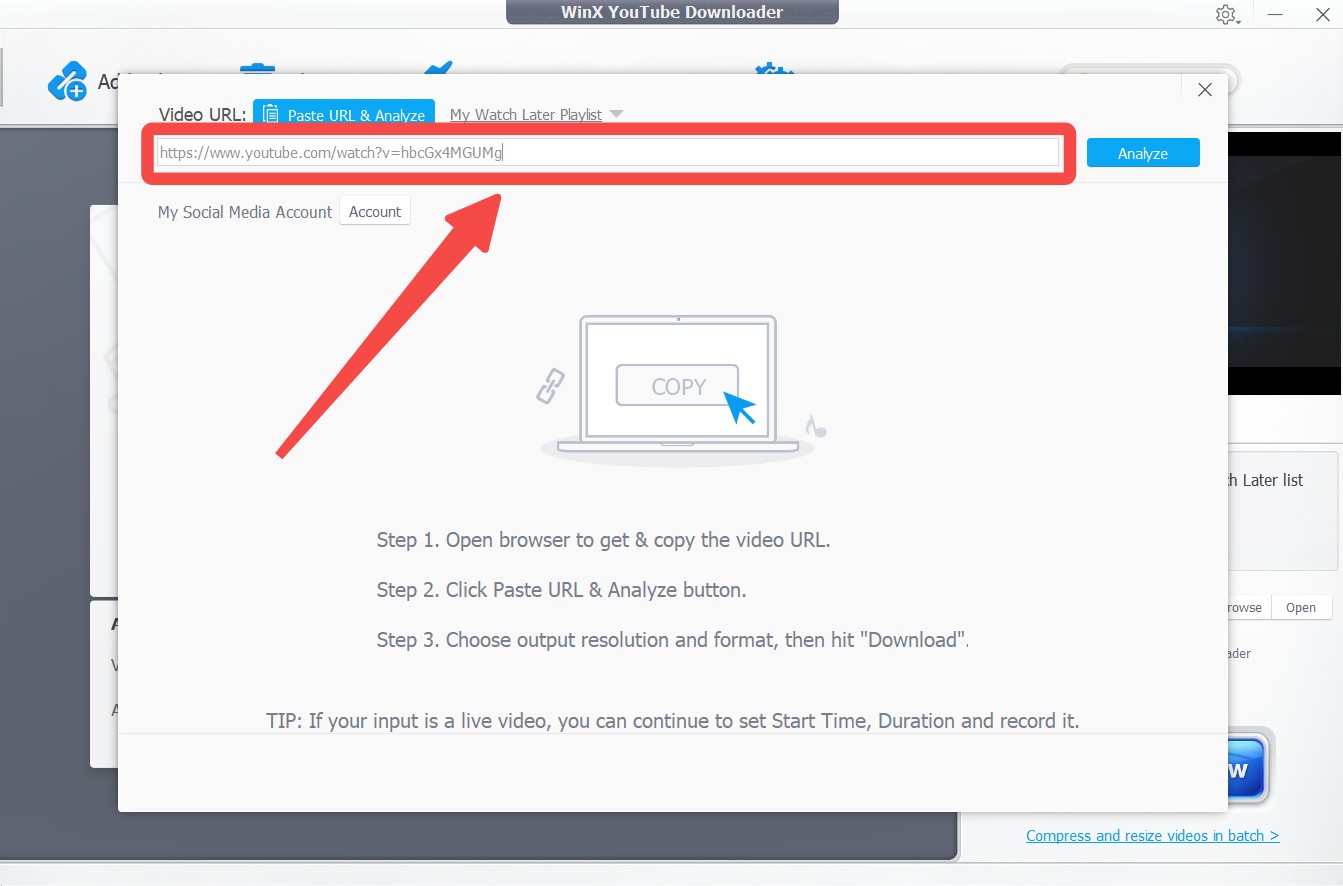
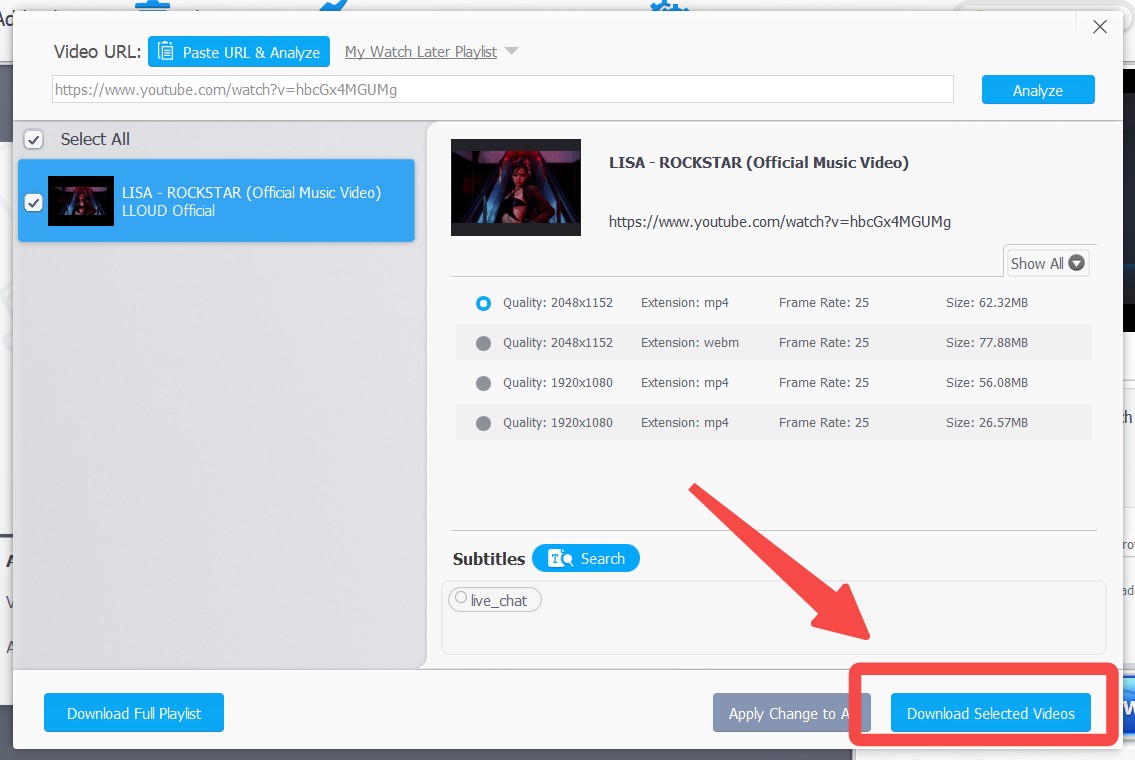
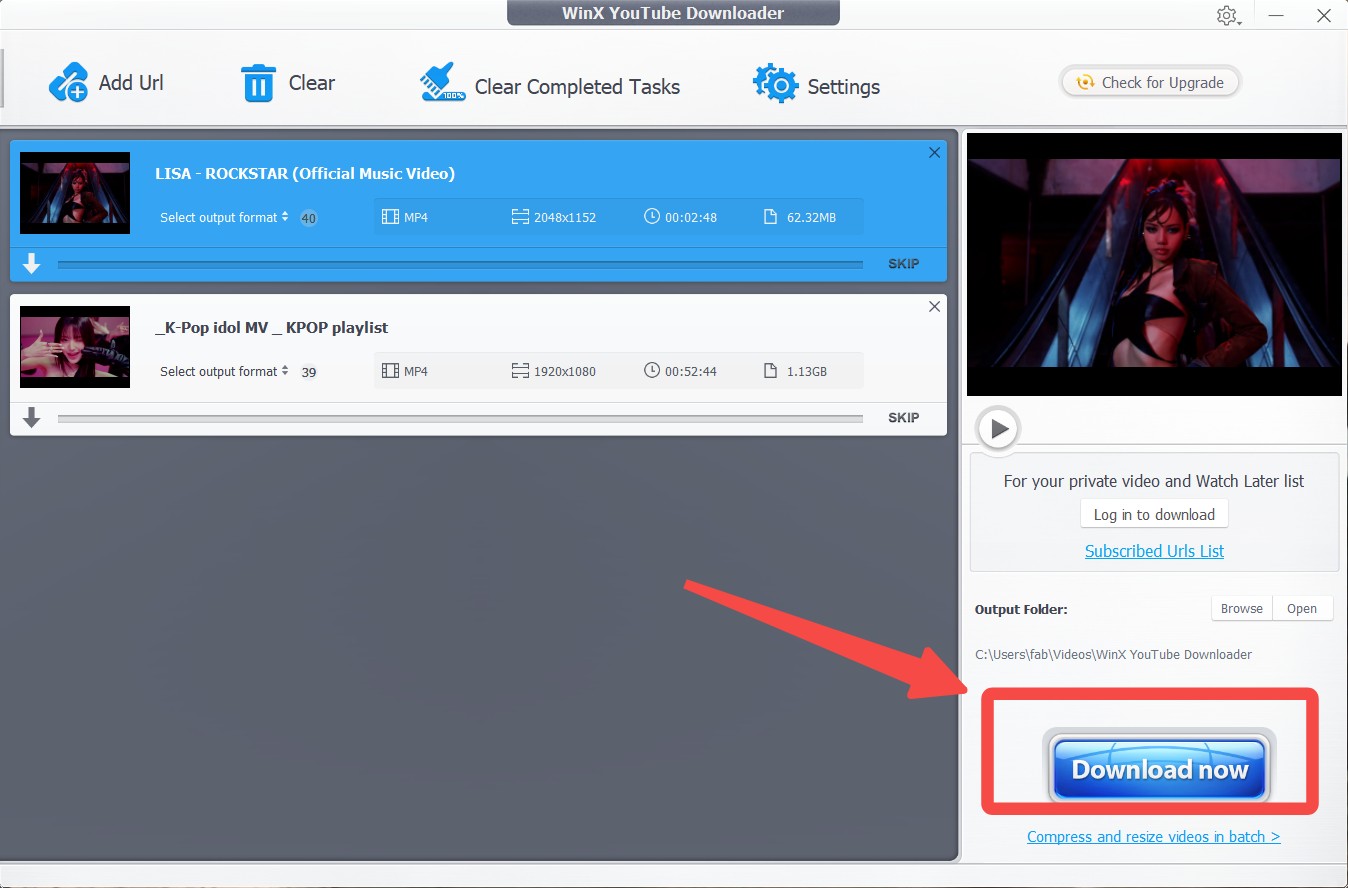
The workflow is simple, but slow tasks, limited quality, and parsing errors can make it unreliable. It is best treated as a legacy option for a simple Windows download rather than a long-term workflow.
StreamFab YouTube Downloader Pro: A Maintained Alternative
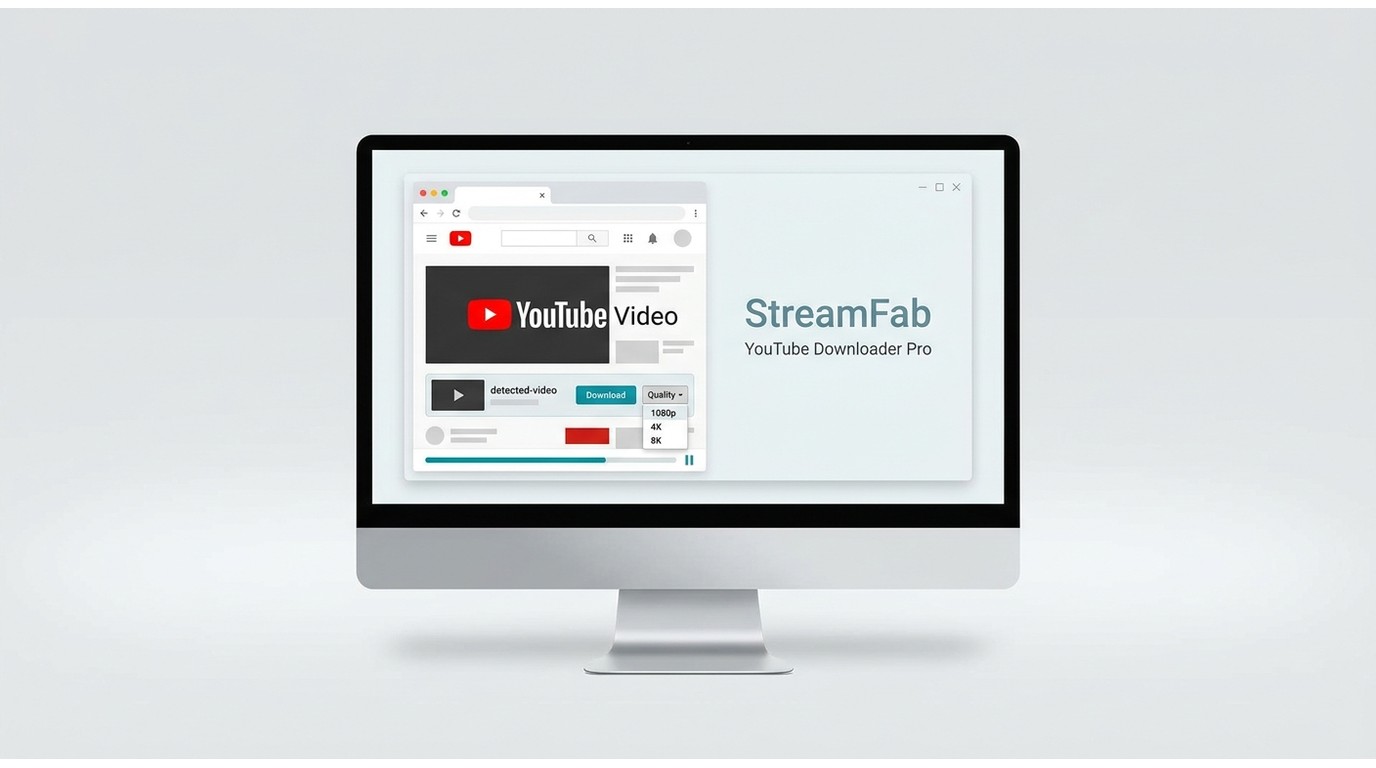
For content you are authorized to access, where permitted by platform terms and applicable law, StreamFab YouTube Downloader Pro is one practical desktop alternative when WinX can no longer parse a download. Its actively maintained engine is designed for current YouTube streams, including HLS, HTML5, and adaptive playback formats.
WinX vs. StreamFab: What Actually Differs
The StreamFab YouTube Downloader guide covers a Windows and Mac desktop app that can save playlists, detect new content, and handle batch downloads. It supports video output up to 8K in MP4, MKV, or FLV, plus M4A and 320 kbps MP3 audio options, depending on the source.
Best for: regular YouTube viewers who want higher-resolution downloads, playlists, or batch management on Windows or Mac.
Not ideal for: someone who needs one occasional 720p clip and prefers not to install desktop software.
For higher-resolution video, StreamFab supports downloads up to 8K, compared with WinX’s 1080p ceiling. It can also save authorized YouTube Movies content for personal offline viewing where permitted.
For other functional differences, I have summarized a comparison table as follows:
| WinX YouTube | StreamFab YouTube | |
|---|---|---|
| Actively maintained | ❌ | ✅ |
| Download playlist | ❌ | ✅ |
| Auto download | ❌ | ✅ |
| Video quality | Up to 1080p | Up to 8K |
| Supported websites | 300+ | 1000+ |
| Turbo speed download | ❌ | ✅ |
Downloading With StreamFab in Three Steps
When I first tried StreamFab YouTube Downloader Pro, the whole process was much smoother than WinX. It has its own built-in browser, so there's no need to switch back and forth between web pages. The steps are roughly as follows:
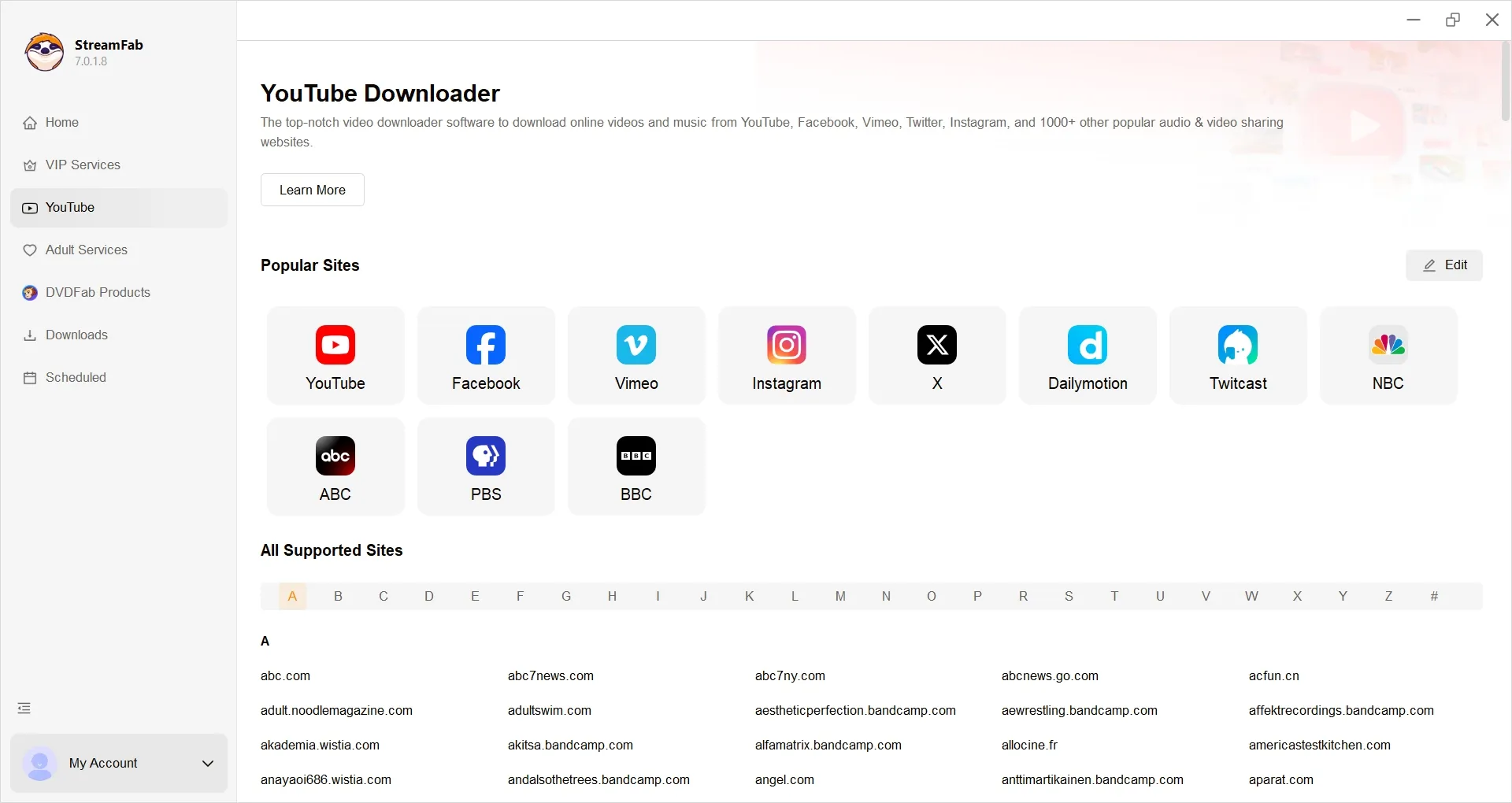
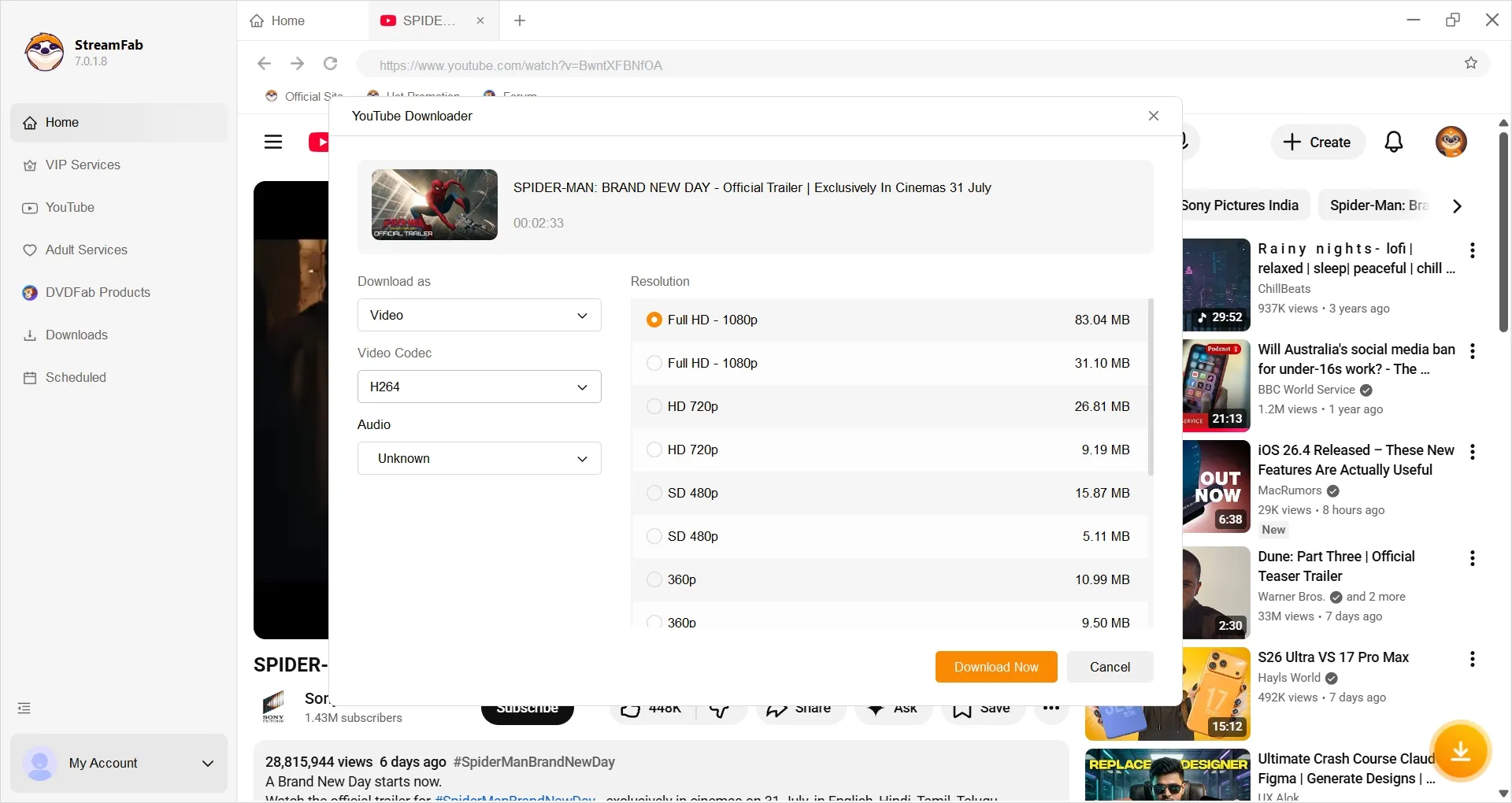
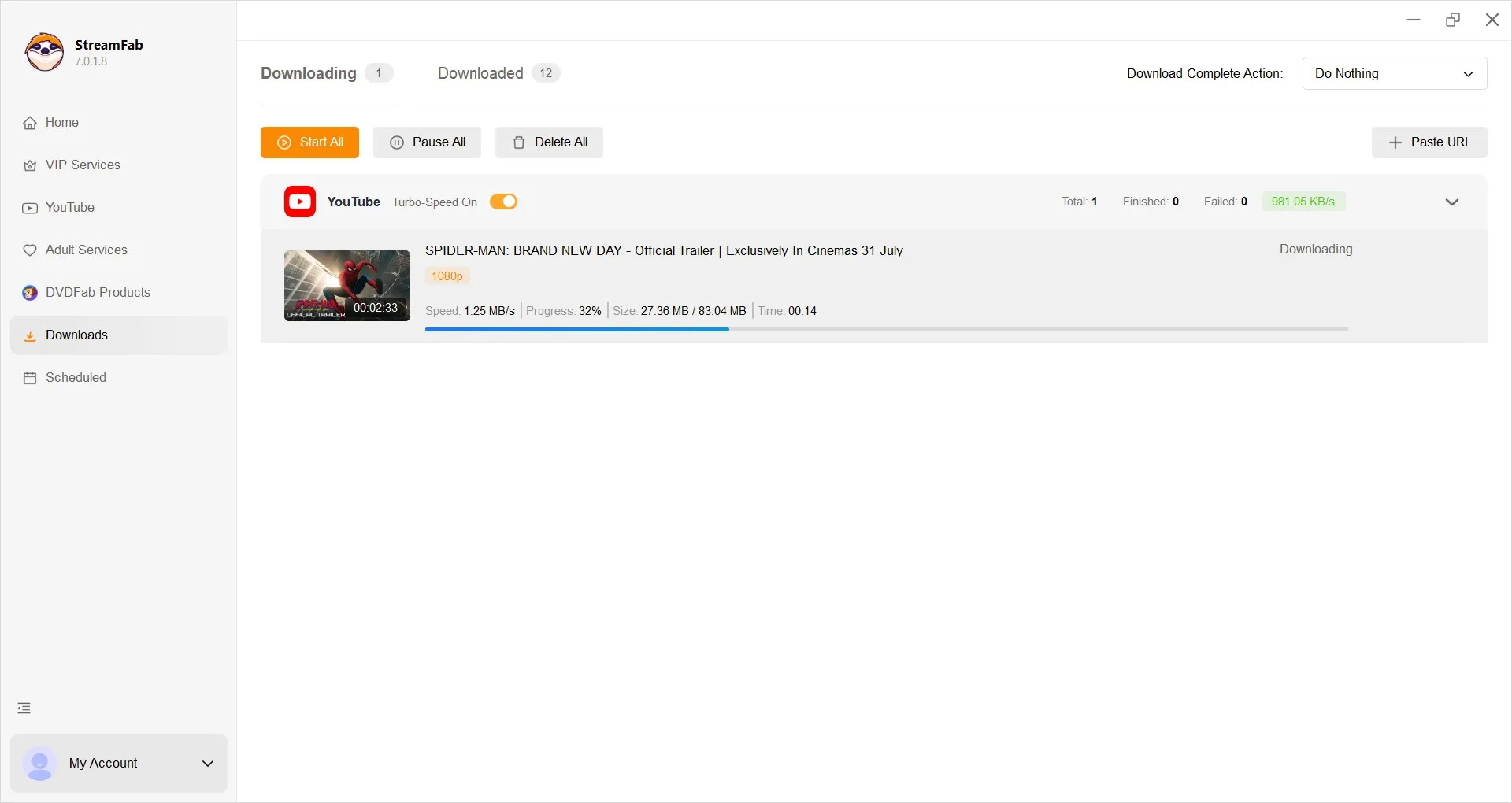
What really stood out to me was the speed. Compared to WinX, it’s noticeably faster, and it doesn’t choke when I queue up multiple videos at once. I even tested the auto-download feature for updated YouTube content, and it saved me from having to repeat the same copy-paste routine over and over.
Bonus: StreamFab for Browser (Chrome/Edge Extension)
If you don’t want another full desktop downloader just to save a few playlists, a video downloader for Chrome extensions can feel much lighter. That’s where StreamFab for Browser comes in: it runs as a Chrome/Edge extension, but offloads the heavy lifting to a local CoApp component for stable parsing and downloading.

Lightweight and secure method to detect and download videos from YouTube and other 1000+ sites directly from your web browser, without video and audio quality loss.
Since the extensions share a very similar workflow, I will just show you how to use a video download extension on Chrome as an example right here.
- Integrates with the StreamFab engine, so it’s more stable for long or adaptive streams (HLS, HTML5 players).
- Detects multiple videos on the page and lets you pick what to save.
- Interface is cleaner than many third-party plugins stuffed with ads.
- Up to 8K UHD with HDR quality output
- Supports common and 360° VR YouTube video downloads
- Requires installing an extra desktop component, which may feel heavier than “pure” extensions.

If you often download from the same several streaming sites and don’t mind installing a helper app, StreamFab for Browser is the most “guided” option in this list.
FAQ
Do any YouTube downloaders still work reliably in 2026?
Yes, but reliability depends heavily on active maintenance. Tools that continue updating their parsing engine can adapt to YouTube delivery changes, while unmaintained page parsers such as WinX increasingly run into analysis failed errors or incomplete downloads.
Can WinX finish very long, multi-hour downloads?
It may finish a simple long download, but multi-hour streams are where older tools are more likely to stall, fail near completion, or lose the task after an interruption. For long recordings, a maintained engine with batch and playlist controls is the more practical choice.
Does WinX support Android or mobile devices?
No. WinX is a legacy Windows desktop application and does not offer an Android APK or iOS app. If you need a file on a mobile device, you would download it on a desktop computer first and then transfer it.
Conclusion
WinX is still workable for an occasional low-resolution clip on a Windows PC if you accept that parsing failures may occur. Its bigger drawback is the lack of active maintenance: once YouTube changes its delivery system, there is little reason to expect a legacy build to recover.
For regular downloads, higher-resolution output, playlists, and batch processing, StreamFab YouTube Downloader Pro is the more current option for Windows and Mac. When choosing among maintained tools, the fit matters more than a blanket ranking; this best streaming video downloader review can help compare broader use cases.
The practical choice is simple: use WinX only when a basic legacy workflow is enough, and move to a maintained alternative when reliable parsing and higher-quality options matter. Keep any saved content within your authorized personal-use rights.

AnyStream (RedFox AnyStream) shut down in June 2024 and remains gone in 2026. I tested every major replacement — here are the 5 best anystream alternatives, including free options, ranked by real-world performance.
By Erika Leen - Oct 12, 2026

Evaluating the Audials One 2026 free trial? I tested its 720p caps, examined if is audials legal under Fair Use
By Erika Leen - Sep 29, 2026

Are you thinking of purchasing NoteBurner and unsure if it’s worth the investment? In this NoteBurner review, let’s delve into its product lines, particularly the NoteBurner Video Downloader’s pros and cons.
By Marcia Hatcher - Sep 28, 2026

Read our in-depth Audials review for 2026. Is Audials safe and legal for Amazon Prime? Discover actual test results, Widevine DRM fixes, and better alternatives.
By Erika Leen - Sep 28, 2026