



Tag left
40% OFF
Tag right
StreamFab YouTube Downloader Pro
YouTube Downloader Pro
  • YouTube Downloader
  • YouTube to MP3
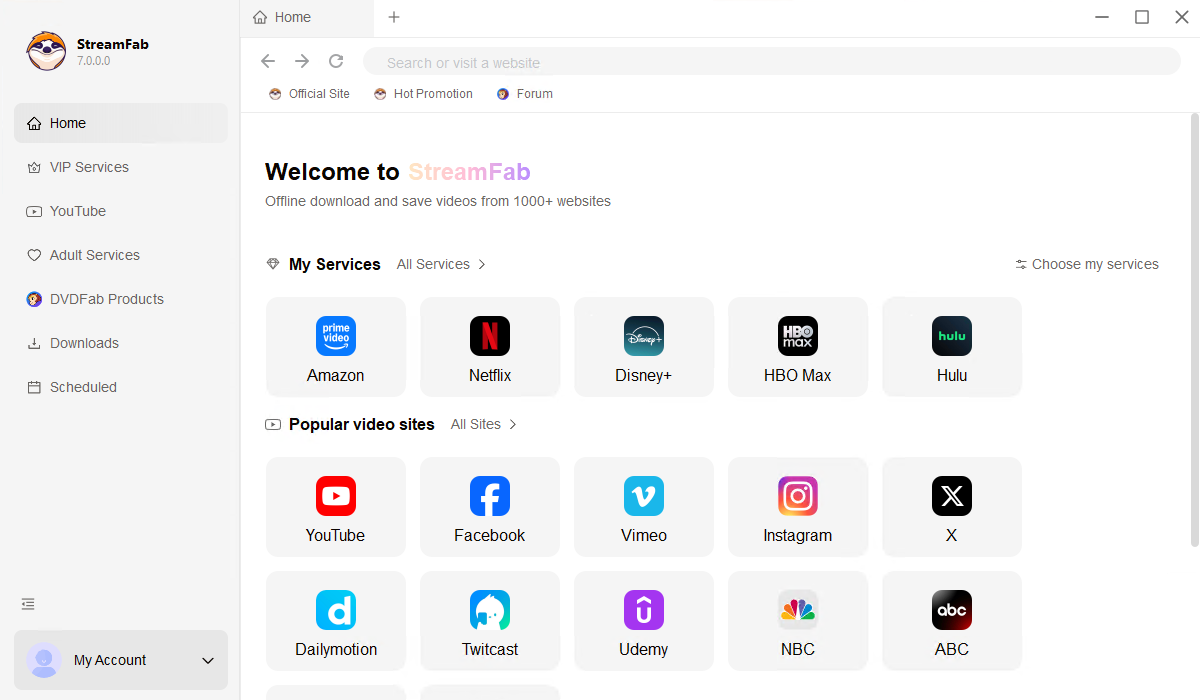
  • Download from YouTube and 1000+non-encryption M3U8 sites.
  • Download videos with a resolution of up to original lossless 8K.
  • Download audio/music at up to 320 kbps.
  • Download YouTube videos in mp3 audio format.
  • Support batch-mode and playlist download for YouTube.
  • Auto-download from subscribed channel or playlist.
$59.99
$99.99
Buy Now
Tag left
40% OFF
Tag right
StreamFab YouTube Downloader Ultimate
YouTube Downloader Ultimate
  • YouTube Downloader
  • YouTube to MP3
  • YouTube Movies Downloader
  • Includes all features of YouTube Downloader Pro.
  • Additional support to download films and episodes from YouTube Movies.
$119.99
$199.99
Buy Now

StreamFab: Have for Binge-Watching Fantasy!

Engineering That Goes Beyond Simple Downloads

Codec Choice, Format Flexibility, and Full Metadata Preservation

The problem with free online YouTube downloaders is they give you no control. You get whatever format they decide, at whatever quality they choose, often heavily compressed H.264 at 720p or lower, with generic file names and zero metadata. StreamFab takes the opposite approach. It puts you in the driver's seat: choose between H264, VP9, or AV1 codecs depending on your device and quality needs. Pick MP4, MKV, or MP3 as your output format. Download in anything from 480p all the way up to 8K, depending on source availability.

And unlike free tools that strip away all the context, StreamFab preserves complete YouTube metadata: title, description, upload date, and view count, so your local library stays as organized as the platform itself. The difference is not subtle. Free tools save you a click today and cost you quality, flexibility, and organization tomorrow. StreamFab is built for people who treat their media library as something worth keeping.

*StreamFab now also supports YouTube Movies, the paid video-on-demand service on YouTube. If you're interested, take a look at the YouTube Movies Downloader for more details.

youtube video downloader feature 1
Detect M3U8 videos

The Stability and Security of a Professional-Grade Tool

A downloader you rely on daily needs to be more than functional. It needs to be dependable. StreamFab is developed by the DVDFab team, a video software company with over 20 years of engineering experience, trusted by tens of millions of users worldwide, and featured by technology publications, including PCMag and TechRadar. The product team provides weekly engine updates to maintain compatibility with YouTube's evolving delivery infrastructure, so you are never left stranded by a platform change.

We design StreamFab exclusively for creating personal offline backup copies of content you have legitimate access to. We do not encourage redistribution or unauthorized use of downloaded materials. Every download runs through a built-in private browser that keeps your account credentials and browsing history strictly local, and no data is transmitted to external servers.

*With StreamFab YouTube Downloader Pro, videos from other unencrypted M3U8 sites can be downloaded, not just limited to YouTube.

youtube video downloader

Enjoy Flexible Outputing with StreamFab Now

8K & 320kbs

Losslessly Download from YouTube in up to 8K video and 320kbs Audio

YouTube itself serves content in a range of resolutions, from 360p for quick mobile viewing all the way up to 8K for the highest-end displays. The challenge is preserving that same quality in a local file. Most free downloaders re-encode the stream, applying additional compression that introduces artifacts, like blockiness in dark scenes, washed-out colors, and lost detail in fast motion. StreamFab does not re-encode. It captures the original stream at its native bitrate and resolution, then packages it into a standard container file. The result is a bit-for-bit accurate copy of what YouTube's servers delivered: no quality loss, no compression artifacts, and no surprises.

With audio, you get the same treatment: select from 96 kbps up to 320 kbps across formats, including AAC, Opus, and MP3. At 320 kbps, the audio fidelity approaches CD quality, preserving the full frequency range of music content from the sub-bass of a hip-hop track to the overtones of an acoustic recording. This is a significant difference from free downloaders that cap audio at 128 kbps AAC, cutting the high-frequency detail that gives vocals and instruments their texture. Whether you are saving music videos, lecture series, or podcasts, the audio quality in your local copy matches exactly what YouTube streamed.

*Optional resolutions and audio quality vary depending on the source video.

youtube video downloader feature 1
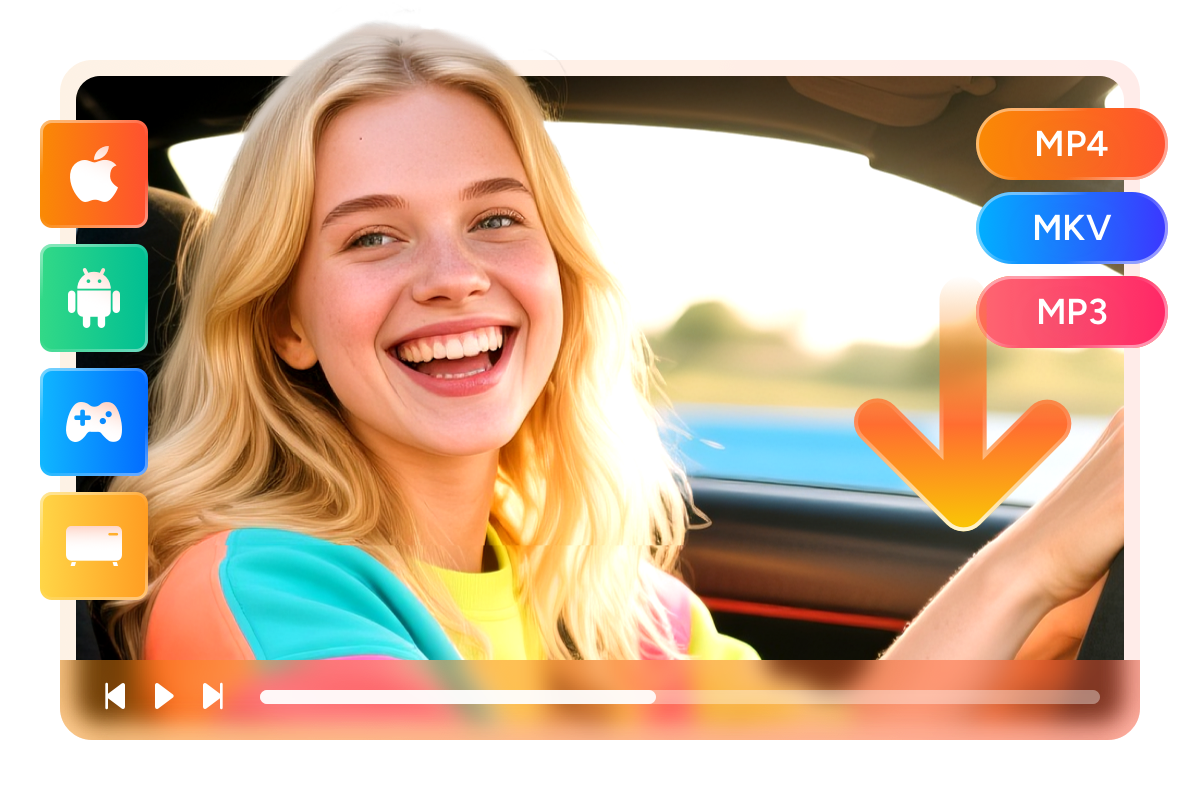
Save videos in MP4/MKV/MP3

Download YouTube Video to PC in MP4, MKV, and MP3 Formats

Not all devices handle all video formats equally. Your iPhone might play MP4 files natively but stall on an MKV. Your smart TV might handle both but refuse a niche container. This is why StreamFab offers MP4, MKV, and MP3 as output options rather than locking you into a single format. MP4 is the universal standard. It works on virtually every device, from smartphones and tablets to gaming consoles and smart TVs. MKV gives you more flexibility with multiple audio tracks and subtitle streams embedded in a single file, ideal for archiving.

MP3 is there when you only need the audio from music, interviews, or spoken-word content, saving significant storage space while keeping full playback compatibility. Instead of converting files after downloading (which costs time and quality), you pick the right format upfront and StreamFab handles the rest.

youtube video downloader feature 2
Flexible Video Codec

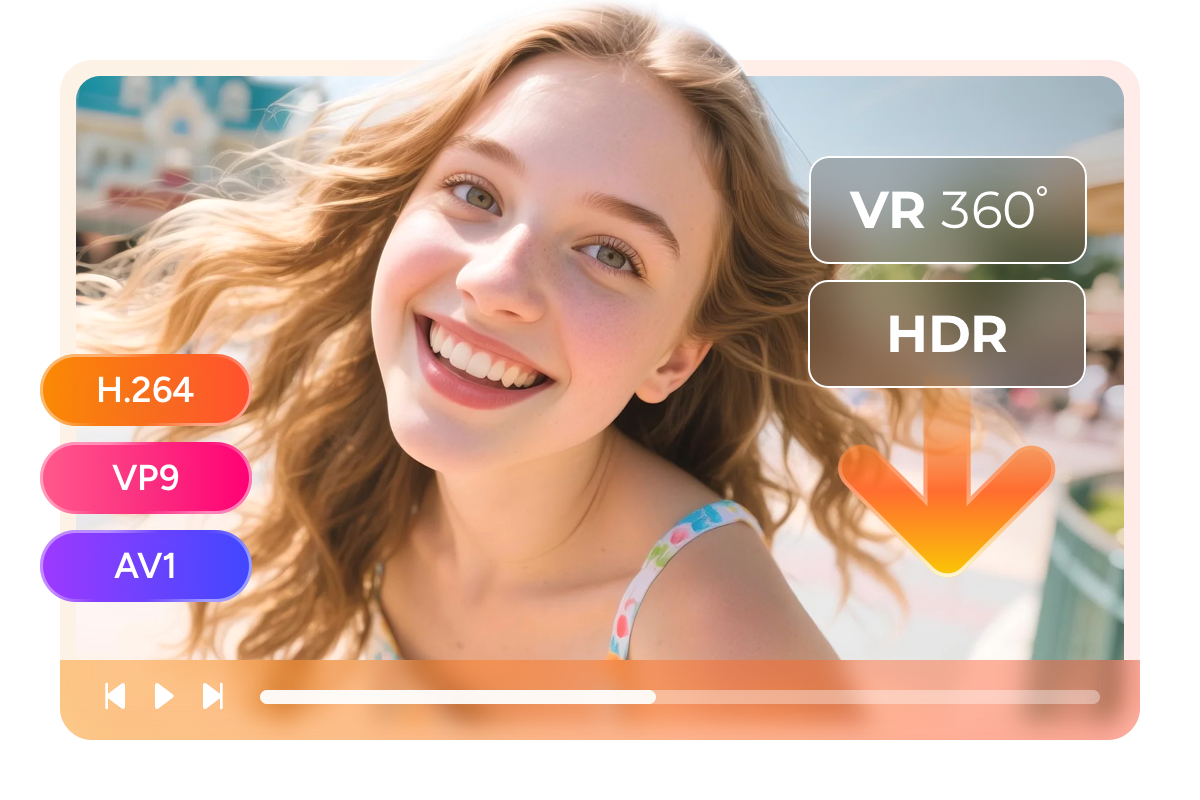
Flexible Video Codec to Choose from H264, VP9, AV1 When Downloading YouTube Videos

YouTube has been progressively moving beyond H.264 to more efficient codecs like VP9 and AV1. VP9 delivers roughly 30-50% better compression than H.264 at the same quality level, meaning smaller file sizes without visual degradation. AV1, the newest entrant, pushes that further up to 30% better than VP9, but requires newer hardware or software decoding. StreamFab gives you the choice rather than making it for you.

If you need maximum device compatibility (older laptops, game consoles, and early-gen smart TVs), H.264 is the safe bet. If you are building a space-efficient archive for modern devices, VP9 or AV1 saves significant storage. The same flexibility applies to special content types: StreamFab preserves HDR metadata and supports VR 360° videos, ensuring that even YouTube's most advanced formats remain intact in your local copy.

youtube video downloader feature 3
Download subtitles

Download selected audios and subtitles

YouTube videos often include subtitles in multiple languages: auto-generated captions, community contributions, or creator-uploaded scripts. The problem is that YouTube's official app only keeps these subtitles available while you are online. Download them through most third-party tools, and you either get no subtitles at all or a hard-coded burn-in that cannot be turned off.

StreamFab detects all available subtitle tracks and lets you download them individually as SRT files (editable, searchable, transferable) or remux them directly into the MKV container. You can take one language, all languages, or none; the choice is yours. For language learners, researchers, or anyone who watches foreign-language content, this turns YouTube from a streaming platform into a permanent, subtitled media archive.

youtube video downloader feature 5

Perfect Downloading Experience You Get

Auto-Download Subscriptions

Auto-Download Subscriptions

Automatically download the newly updated videos from the YouTube Channels you've subscribed to.
Download Entire YouTube Playlist

Download Entire YouTube Playlist

Download an entire playlist at one go, without the need to download each single video under that playlist one after another.
Multi-Task Download

Multi-Task Download

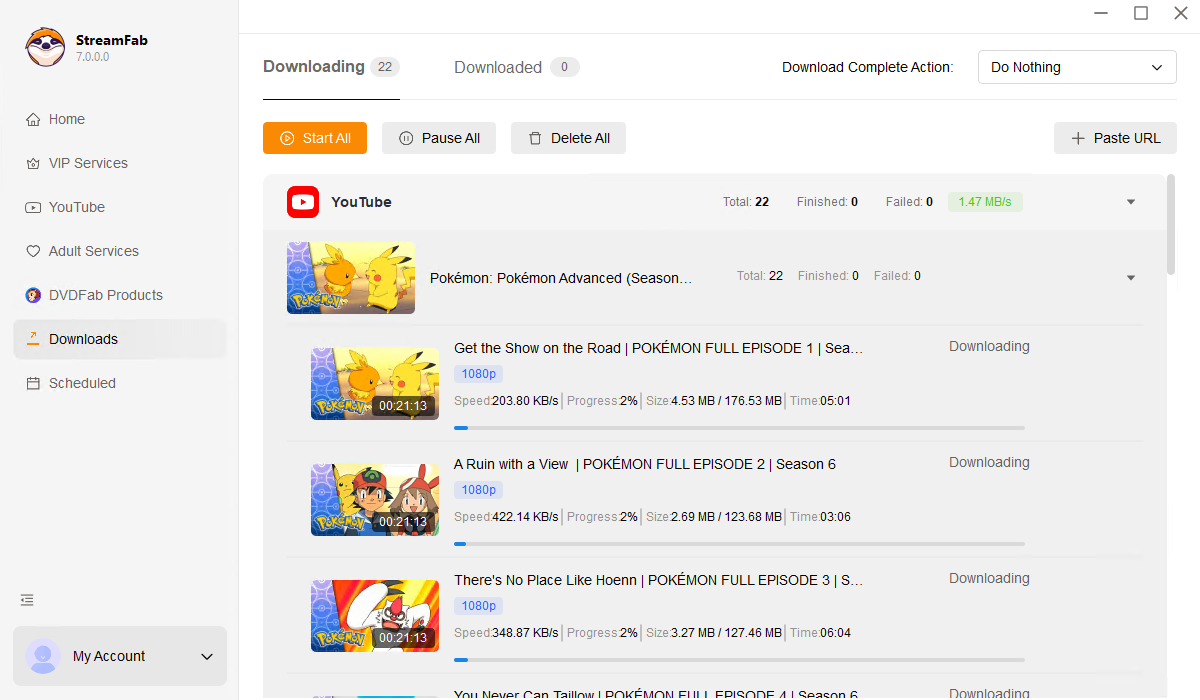
Instead of downloading YouTube videos/audio individually, StreamFab performs up to 5 download tasks simultaneously to save your time.

Download videos at superfast speed

Download YouTube videos on your computer at blazing-fast speed to save your time.

Start the Amazing Video Downloading with StreamFab

Download Metadata

Complete YouTube Video Metadata Preservation

One of the most overlooked features of a good downloader is what it does with the information around the video. Free tools typically save the file with a generic name like "videoplayback.mp4" and discard everything else: title, description, upload date, tags, view count, and category. When your library grows past a few dozen files, this becomes chaotic.

StreamFab extracts and embeds the complete metadata set from every YouTube video it downloads. Your files arrive named by their actual title, tagged with the upload date and description, and categorized by source platform. A library of hundreds of downloaded videos remains as browsable and searchable as the YouTube interface itself but entirely offline and permanent.

Download Metadata

Compare Free and Paid Versions

Free
Standard
Pro
40% OFF
Ultimate
$19.99
Buy Now
$59.99
$99.99
Buy Now
$119.99
$199.99
Buy Now
Download YouTube Videos
Download video up to 8K
Up to 720p
Download from other 1000+ sites
Download Playlist
1 playlist for trial
Turbo-Speed Download
5 files for trial
Multi-Task Download
5 files for trial
Download Metadata
Auto-Download Subscriptions
Download YouTube video to MP3
Download MP3 up to 320kbps
Download from YouTube Movies

Free to Choose Youtube Video Downloader or Youtube Music Downloader

Download online music and songs from over 1000 websites to high quality MP3 tracks for offline playback on any compatible devices.

$49.99

Download online videos from YouTube, Facebook, Instagram, Vimeo, and 1000+ other video-sharing sites. Multitasks and playlist downloads are also supported.

$49.99

Download movies and TV shows from YouTube Movies and save them as 1080p MP4/MKV format

$99.99
StreamFab YouTube Downloader module selection
Step 1. Launch StreamFab and Select YouTube

Install and open StreamFab, then click the YouTube Downloader icon in the left panel. You can browse YouTube directly in the built-in browser or paste a video, playlist, or channel URL into the address bar.

Step 2. Customize Your Download Settings

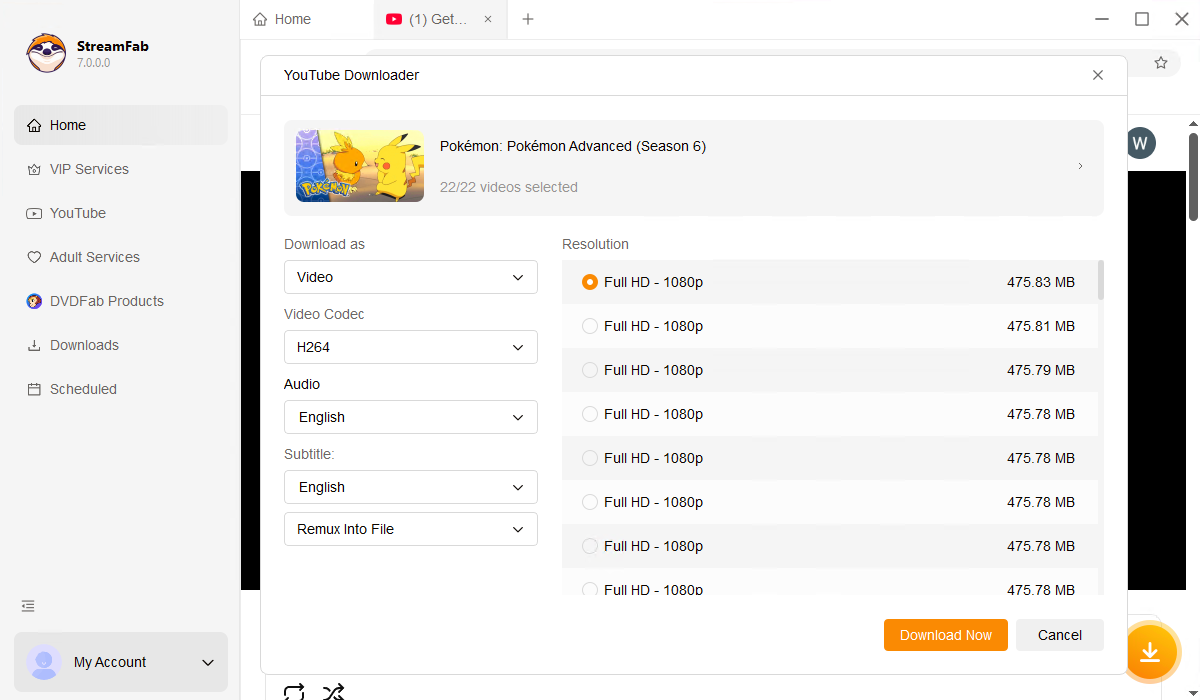
Play the video you want to save. StreamFab will automatically detect it and present a customization panel where you can choose resolution (up to 8K), output format (MP4/MKV/MP3), video codec (H264/VP9/AV1), audio bitrate, and subtitle preferences.

Step 3. Download and Enjoy YouTube Videos Offline

Click the Download Now button to start immediately, or add the video to the download queue for batch processing. StreamFab supports up to 5 simultaneous downloads, so you can build your offline library quickly and efficiently.

System Requirements

Icon
Windows 11/10 (32/64 bit)
Intel i3 or above
4GB of RAM or above
40GB of free hard disk space or above
Live Internet connection required

Related Articles

  • Detailed Review of StreamFab YouTube Downloader | 2025 NEW
    Detailed Review of StreamFab YouTube Downloader | 2025 NEW

    StreamFab YouTube Downloader Pro is the only software in the industry that allows you to download the latest videos in stunning 1080p quality. Equipped with state-of-the-art technology, it offers unparalleled download capacity. In this article, we comprehensively elucidate how to utilize StreamFab YouTube Downloader Pro ford ownloading videos.

    By Erika Leen - Dec 5, 2025
  • TOP 10 Best YouTube Playlist Downloader Review [Win & Mac]
    TOP 10 Best YouTube Playlist Downloader Review [Win & Mac]

    Here's a list of the top ten YouTube playlist downloaders for Windows and Mac, along with their salient features, so you can choose the best YouTube playlist downloader.

    By Erika Leen - Dec 26, 2025
  • ARD Mediathek Downloader: Encryption & Ads-Free Video Downloads
    ARD Mediathek Downloader: Encryption & Ads-Free Video Downloads

    If you want to save Germany's most remarkable news, documentaries, or regional programming, the ARD Mediathek downloader is the smartest option. It allows you to save the entire ARD library for your relaxing offline watch.

    By Erika Leen - Mar 26, 2026