
Comprehensive Review of Top 4K Video Downloaders in 2026

Summary: In short, the right 4K video downloader is the one that matches your source, operating system, and free-limit needs while preserving native 2160p when the source provides it.
What a 4K Video Downloader Can Handle
A 4K video downloader saves an available video stream for offline use, but source access determines the result. A tool cannot create native 2160p output when the service, account, title, or selected stream does not provide it.
The category covers several different jobs: a YouTube playlist downloader, an OTT video downloader, a general-site desktop app, or an editor that also retrieves public web video. Browser extensions are a separate, narrower workflow, and the dedicated Chrome video downloader extension comparison covers those lightweight options without treating them as direct substitutes for desktop software.
Before starting, confirm four prerequisites: authorized access to the source, an available 2160p stream, enough storage for large files, and a supported desktop operating system. Mobile searches such as 4K video downloader iPhone or 4K video downloader Android often lead to more limited App Store, browser, or transfer-based workflows.
Web services have a different privacy and reliability profile from installed software; the SaveTheVideo review illustrates why an installer-free workflow is not automatically the better fit.
Confirm that the source offers a 2160p stream and that your account is authorized to play it.
- Use a supported desktop system and keep security software enabled.
- Reserve enough storage for large 4K files, playlists, and subtitle or audio tracks.
- Choose by source category first: OTT, YouTube and social video, modular services, or editing and conversion.
Top 5 4K Video Downloaders in 2026
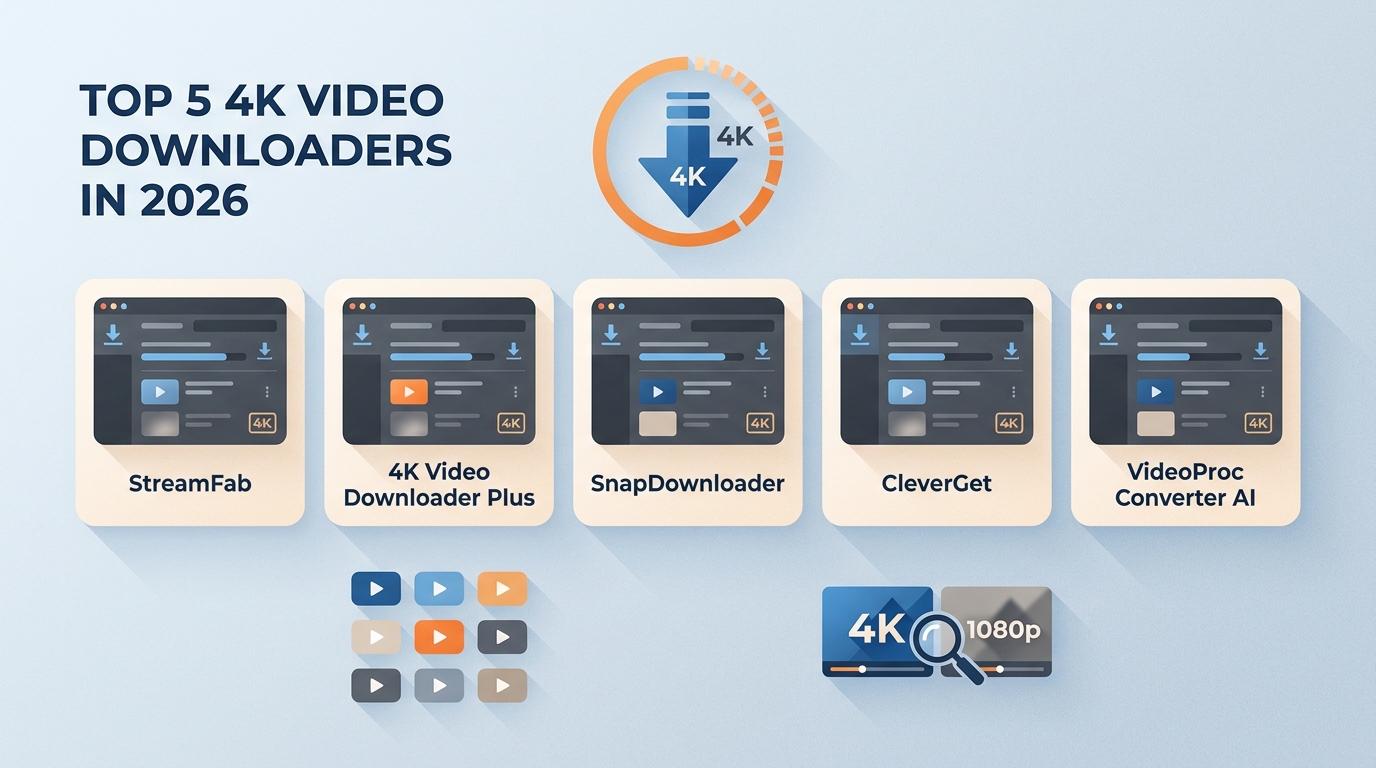
The best 4K video downloader depends on the source and the intended workflow. These picks are assessed by current official availability, source categories, native-resolution verification, formats, playlist or batch behavior, subtitles and audio, free or trial limits, and operating systems.
Editorially, native output and active maintenance matter more than an “up to 8K” headline. A large advertised cap says little about whether a specific source exposes 2160p, whether the app can access that stream, or whether the saved file retains the expected audio and subtitle options.

Choose by source and workflow, not by the largest resolution number.
- OTT plus general-site desktop workflow: StreamFab Video Downloader
- YouTube and supported social playlists: 4K Video Downloader Plus
- Straightforward desktop playlist jobs: SnapDownloader
- Service-specific modular workflow: CleverGet
- Downloading plus editing and conversion: IVideoProc Converter AI
1. StreamFab Video Downloader
StreamFab All-In-One is the OTT-capable fit in this group. For personal offline viewing of content you are authorized to access, where permitted by platform terms and applicable law, it provides a Windows and macOS workflow for saving local MP4 or MKV copies.
Quality is service- and plan-specific, with a verified ceiling of up to 4K on supported services and plans rather than a blanket promise for every title. Relevant workflow options include audio-track and subtitle selection, metadata, batch processing, scheduling, and service-dependent ad handling.
It is suited to readers who need OTT plus general-site coverage. It is not a sensible purchase for a single free social clip, where a lighter tool may be enough. The StreamFab downloader page lists the current service modules and desktop options.
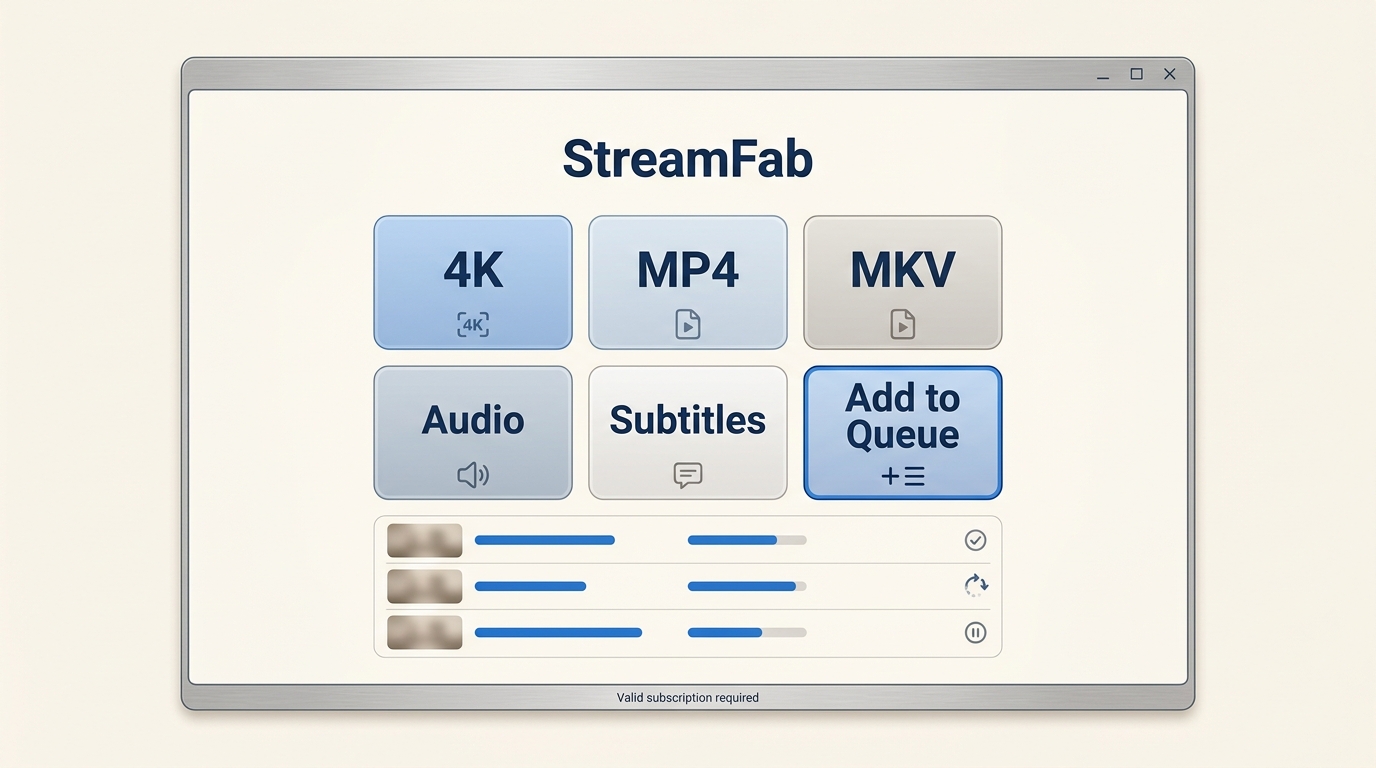
- Output quality is service- and plan-specific, with up to 4K on supported services and plans.
- Save in MP4 or MKV with available audio tracks and subtitle options.
- Batch processing and scheduling support longer queues and episodic workflows.
- Metadata can be written to saved files for easier library organization.
- Ad handling depends on the supported service and module.
- A valid subscription and authorized source access remain prerequisites.
Install and launch StreamFab
Download and install the app, then open it on your device.
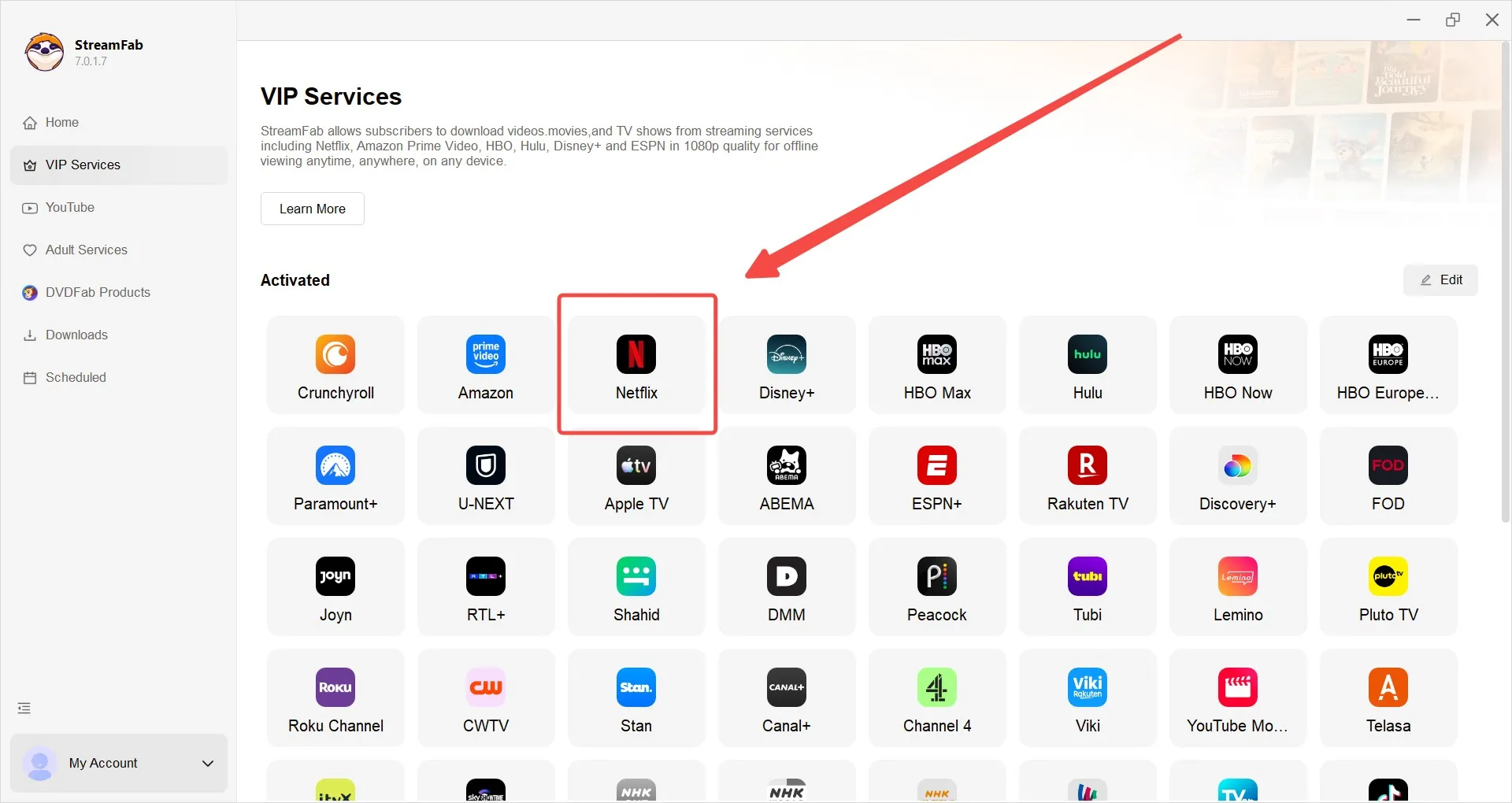
Open a site or paste a URL
Go to VIP Services or YouTube on the left sidebar, or paste a video/playlist URL in the address bar.
Choose quality, audio, and subtitles
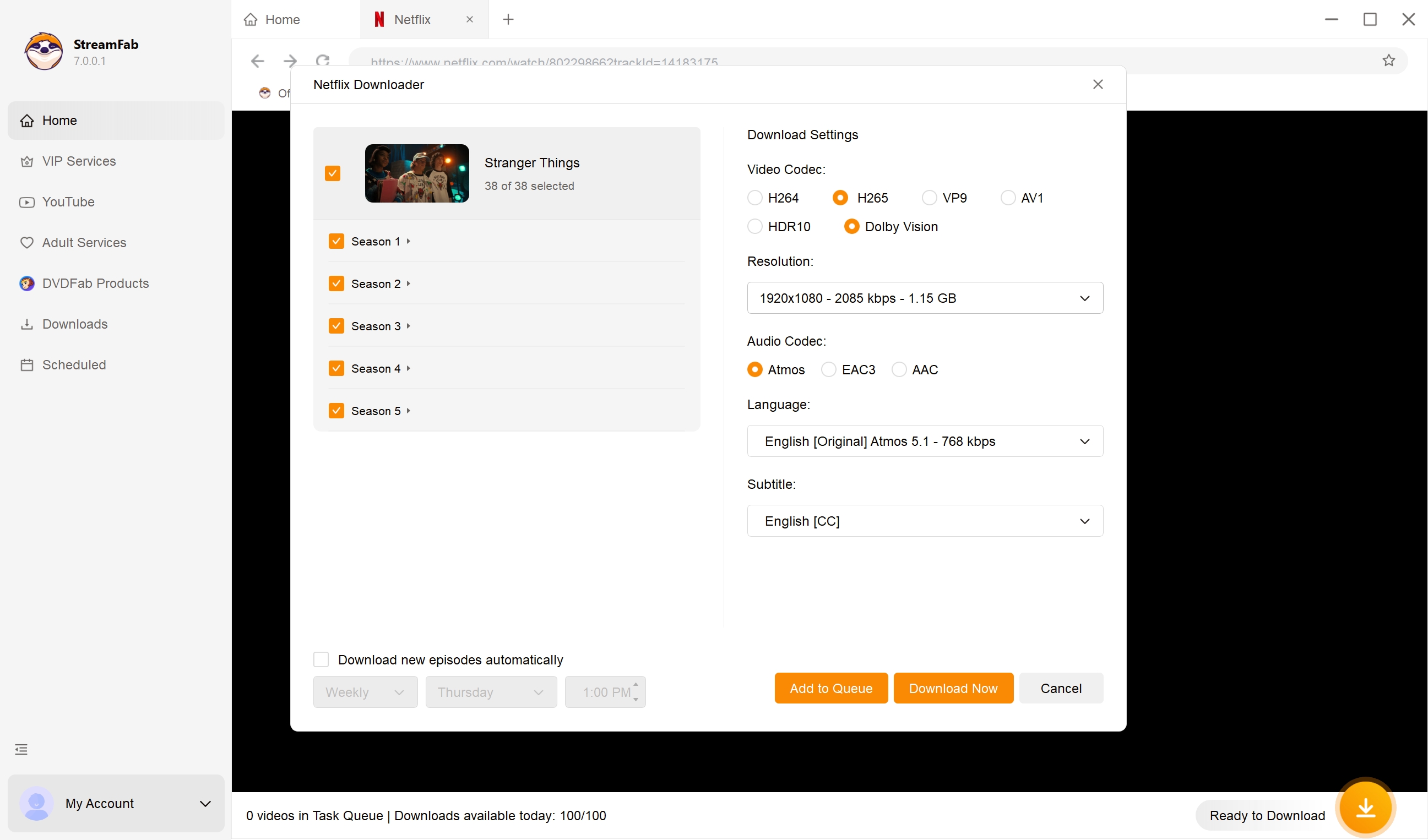
Play the video to trigger the options dialog. Select 4K/8K, audio language and channels, and subtitle language.
Download now or add to queue
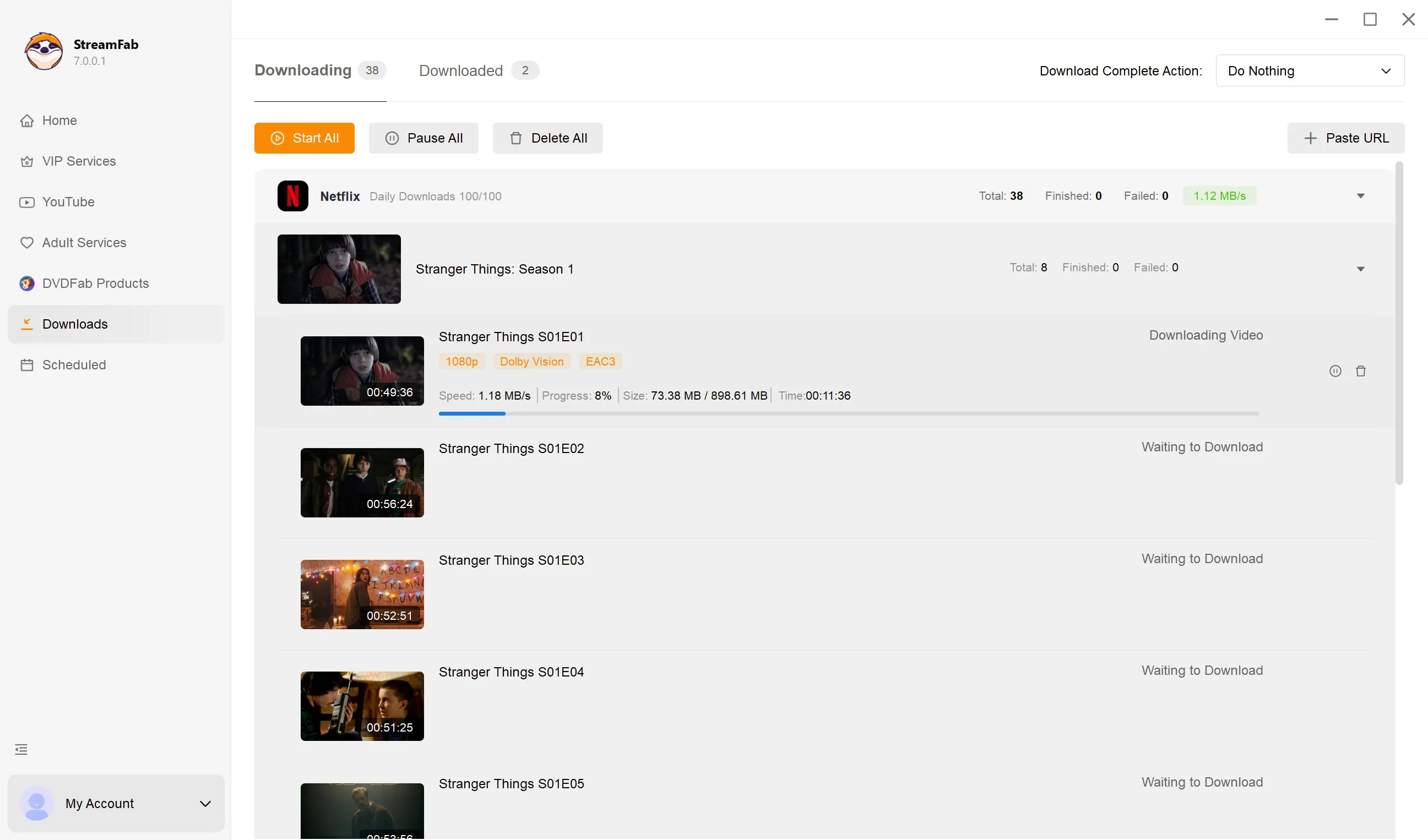
Start immediately or batch multiple items for background downloads.
2. 4K Video Downloader Plus
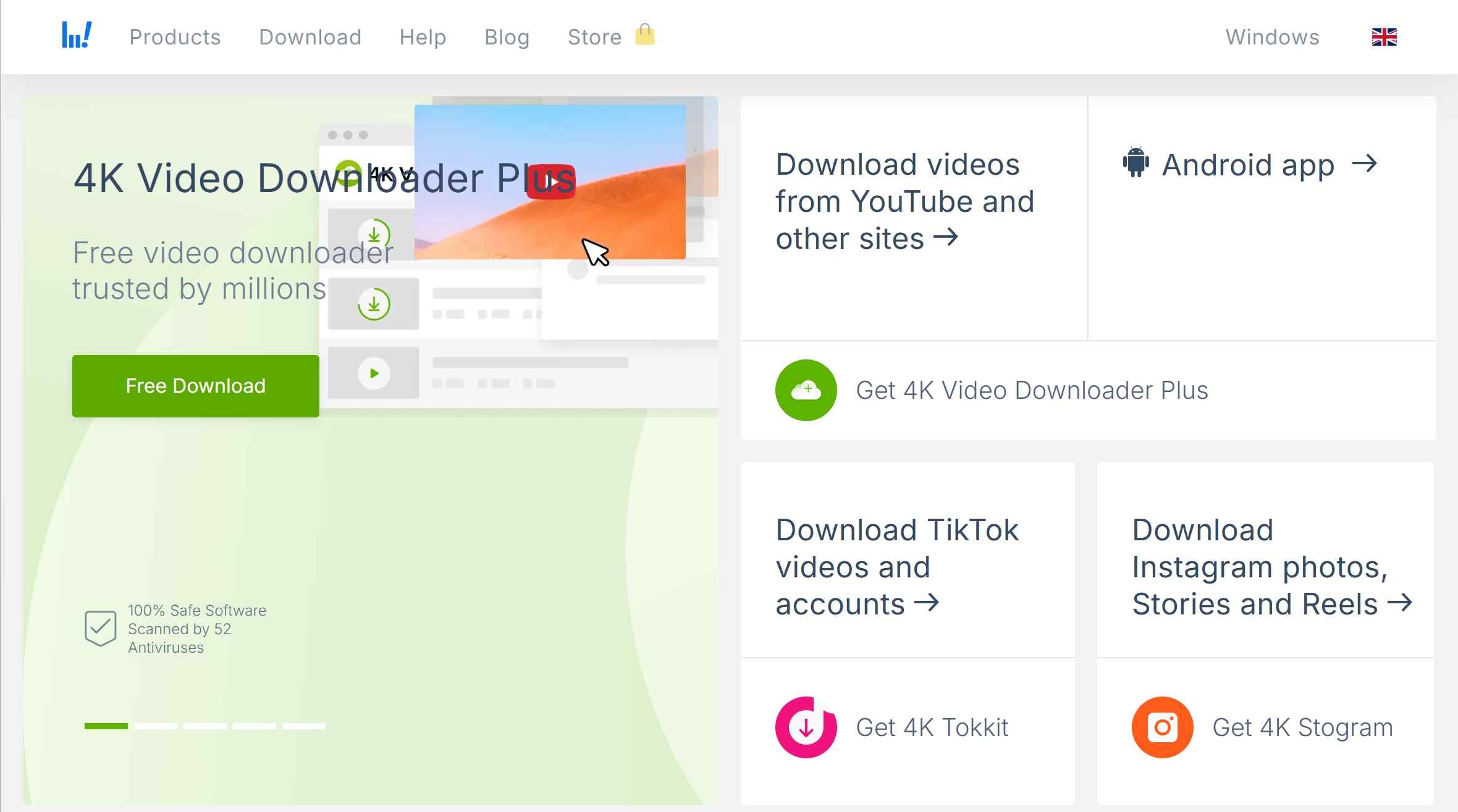
4K Video Downloader Plus is an actively maintained app for YouTube and supported social-video sources. It is separate from the legacy 4K Video Downloader build, so versions, limits, and license terms should not be combined.
Its main fit is playlist, channel, subtitle, and audio retrieval on Windows, macOS, and Linux, with an Android version also offered. It is less suitable when the job centers on subscription OTT services. The 4K Video Downloader Plus review covers the named product’s safety checks, limits, and user-facing tradeoffs in more depth.
- The maintained Plus app is separate from the legacy 4K Video Downloader build.
- It targets YouTube and supported social-video sources, including playlists and channels.
- Available outputs include video, subtitles, audio tracks, and MP3 extraction where supported.
- Advertised 4K or 8K capability still depends on the source offering that resolution.
- The app supports Windows, macOS, Linux, and Android; iOS is not listed as a desktop-equivalent workflow.
- The Starter tier is free with quantity limits, and new users can try premium features for seven days.
3. SnapDownloader
SnapDownloader is a Windows and macOS option for supported online video sites, with playlist and multi-item workflows plus common video and audio formats. Its 48-hour trial is useful for checking whether a specific public source works before choosing a paid plan.
It fits readers who want a conventional desktop YouTube playlist downloader without an OTT-first feature set. It is not the right match for platform-managed subscription downloads. The SnapDownloader review examines its workflow and current limitations.
- It runs on Windows and macOS and offers a 48-hour trial without a mobile app.
- It supports playlists and multiple-item queues on compatible online video sites.
- Resolution availability depends on the source rather than the app headline alone.
- Output choices include common video and audio formats such as MP4, MKV, MP3, and M4A.
- It is best matched to supported social and public-video sources, not an OTT-centered workflow.
4. CleverGet
CleverGet is a modular desktop suite, so source, resolution, format, and platform claims need to be checked for the relevant module rather than applied to the whole suite. That distinction matters more than the suite’s overall site-count marketing.
It fits readers who have confirmed that a specific CleverGet module covers their service. It is less attractive when the required module, free allowance, or operating-system support is unclear. The CleverGet review explains the module-by-module tradeoffs.
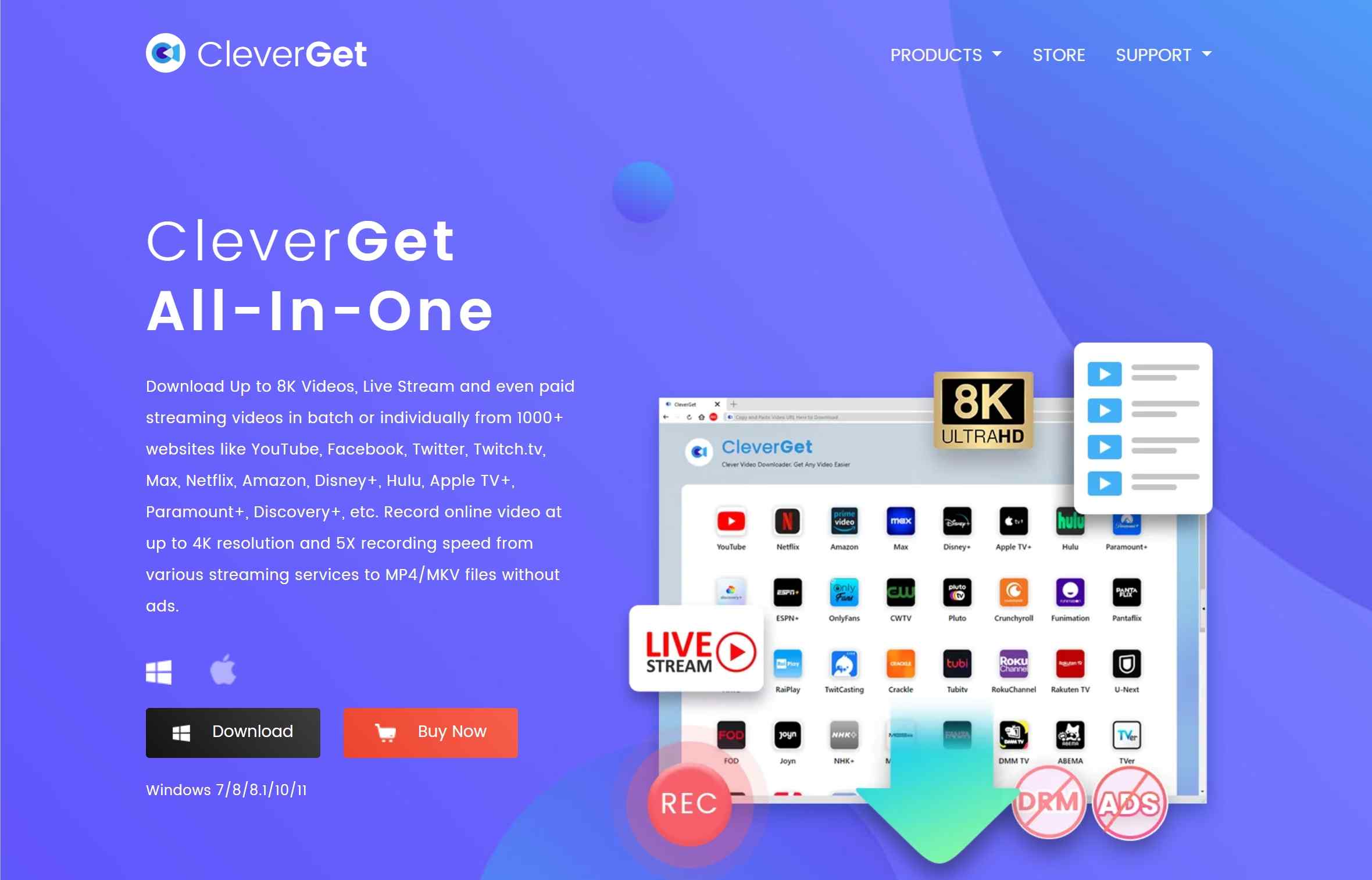
- CleverGet is a suite of service-specific modules rather than one universal capability set.
- Confirm the relevant module’s supported source, resolution, output format, and system before buying.
- Some modules support batch workflows, but the exact behavior varies by service.
- MP4, MKV, or WEBM availability depends on the selected module and source.
5. VideoProc Converter AI
VideoProc Converter AI combines public-web downloading with editing, conversion, compression, and AI upscaling. Its clearest fit is a workflow where the downloaded video will also be trimmed, converted, repaired, or resized.
AI upscaling can increase output dimensions, but it does not prove that the source was downloaded in native 4K or 8K. Readers focused strictly on true 4K downloads should inspect the original stream and saved-file metadata before treating an enhanced file as native. The VideoProc Converter AI review covers its broader editing toolkit.
- It combines supported public-web downloads with conversion, compression, editing, and repair tools.
- AI upscaling changes output dimensions; it is not evidence of a native 2160p source download.
- The free download workflow is capped at 1080p, while several editing features limit source length or export count.
- It is a practical fit when post-download editing matters as much as retrieval.
- Batch conversion is available for multi-file editing workflows.
Free Limits and Current Pricing
A free 4K video downloader rarely means unrestricted playlists, every source, and native 2160p in one package. The table separates trial length, free caps, license model, and current US pricing where an official vendor page presents a usable figure.
| Detail | StreamFab | 4K Video Downloader Plus | SnapDownloader | CleverGet | VideoProc Converter AI |
|---|---|---|---|---|---|
| Free limit or trial | Free trial with feature limits | Starter is free with quantity limits; seven-day premium trial | 48-hour trial | Suite page does not publish a numeric free cap | Downloads up to 1080p; conversion sources under five minutes; selected AI tools allow five exports |
Paid model | Package-based desktop licenses | Annual Lite plus one-time Personal and Pro licenses | Monthly, annual, Personal, and Family plans | One-year or lifetime 1-PC suite license | Annual, 1-device lifetime, or 5-device Family license |
Current US price | No fixed package price stated here | Starter $0; paid US checkout amount varies by storefront | $7.99 monthly; $29.99 annual; $39.99 Personal; $69.99 Family | $164.95 one year; $249.95 lifetime | $34.95 first year; $54.95 lifetime; $79.95 Family |
Verified device count | Windows and macOS support; license device count varies by package | Paid device count depends on plan | Personal 1 device; Family 3 devices | 1 PC | Lifetime 1 device; Family up to 5 devices |
What payment changes | Unlocks the purchased service modules and plan features | Expands beyond Starter quantity limits and unlocks premium features | Continues use beyond the trial under the selected billing plan | Unlocks the purchased suite term for one PC | Removes listed free-edition export and duration limits |
Availability and pricing note | Terms shown in this table are as of July 2026 | Plus is maintained separately from the legacy 4K Video Downloader build | Desktop-focused trial and paid-plan options | Availability and license terms depend on the selected module | Free-edition caps apply before a paid license is selected |
The practical takeaway is to test the exact source first. A low monthly price can be economical for a short project, while a one-time license makes more sense only when the app’s supported sources and maintenance record match repeated use.
Compare Limits, Sites, and Platforms
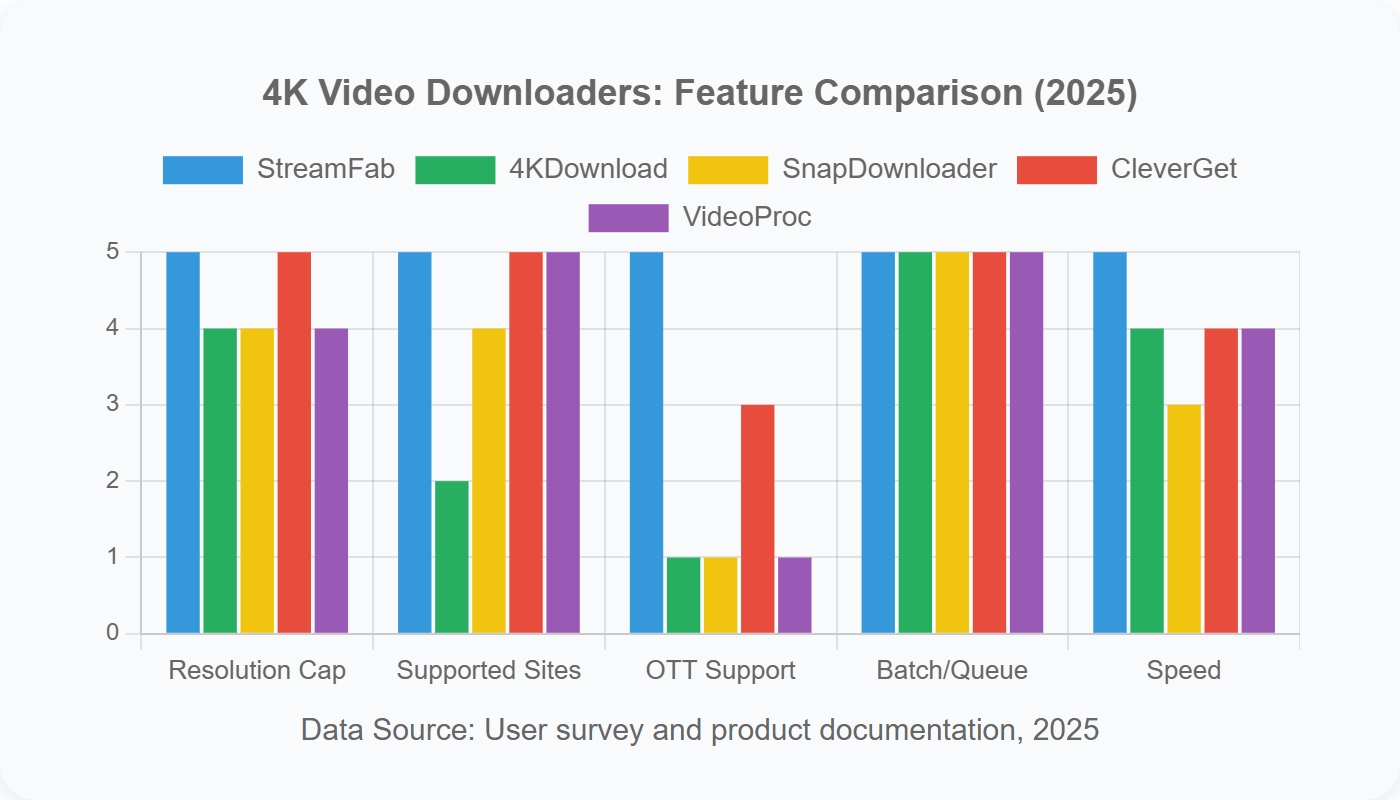
Supported-source categories and operating systems should be compared separately. A large site count does not establish OTT access, mobile support, playlist behavior, or native 4K availability.
The decision order is simple: confirm the source category, confirm the source exposes 2160p, check the desktop system, then compare free limits and workflow. In editorial terms, source fit and native output are more useful than the largest advertised site count.
Supported Sites and Operating Systems
StreamFab is the OTT-oriented Windows and macOS choice; 4K Video Downloader Plus and SnapDownloader lean toward YouTube and social-video jobs; CleverGet depends on the selected module; VideoProc adds editing and conversion. None of those categories implies universal support.
| Tool | Source fit, native-quality boundary, and maintenance signal | Systems, formats, workflow, and free or trial limit |
|---|---|---|
| StreamFab All-In-One | Authorized OTT plus general sites; up to 4K on supported services and plans; active service modules | Windows and macOS; MP4/MKV; batch, scheduling, audio, subtitles, metadata; free trial with feature limits; no Linux, Android, or iOS app |
| 4K Video Downloader Plus | YouTube and supported social sites; resolution depends on the source; maintained Plus app is separate from the legacy build | Windows, macOS, Linux, and Android; video, subtitles, and audio; playlists and channels; Starter has quantity limits; no iOS workflow |
| SnapDownloader | Supported public and social-video sites; resolution depends on the source; desktop-focused product | Windows and macOS; MP4, MKV, MP3, and M4A; playlists and queues; 48-hour trial; no Linux, Android, or iOS app |
| CleverGet | Source coverage and resolution vary by service-specific module; module availability is the maintenance check | Windows and macOS; module-dependent MP4, MKV, or WEBM and batch behavior; free allowance varies; no Linux, Android, or iOS app |
| VideoProc Converter AI | Public-web retrieval; AI enlargement is separate from native source quality; maintained editing and conversion workflow | Windows and macOS; downloading, editing, conversion, compression, and upscaling; free downloads capped at 1080p; no Linux, Android, or iOS app |
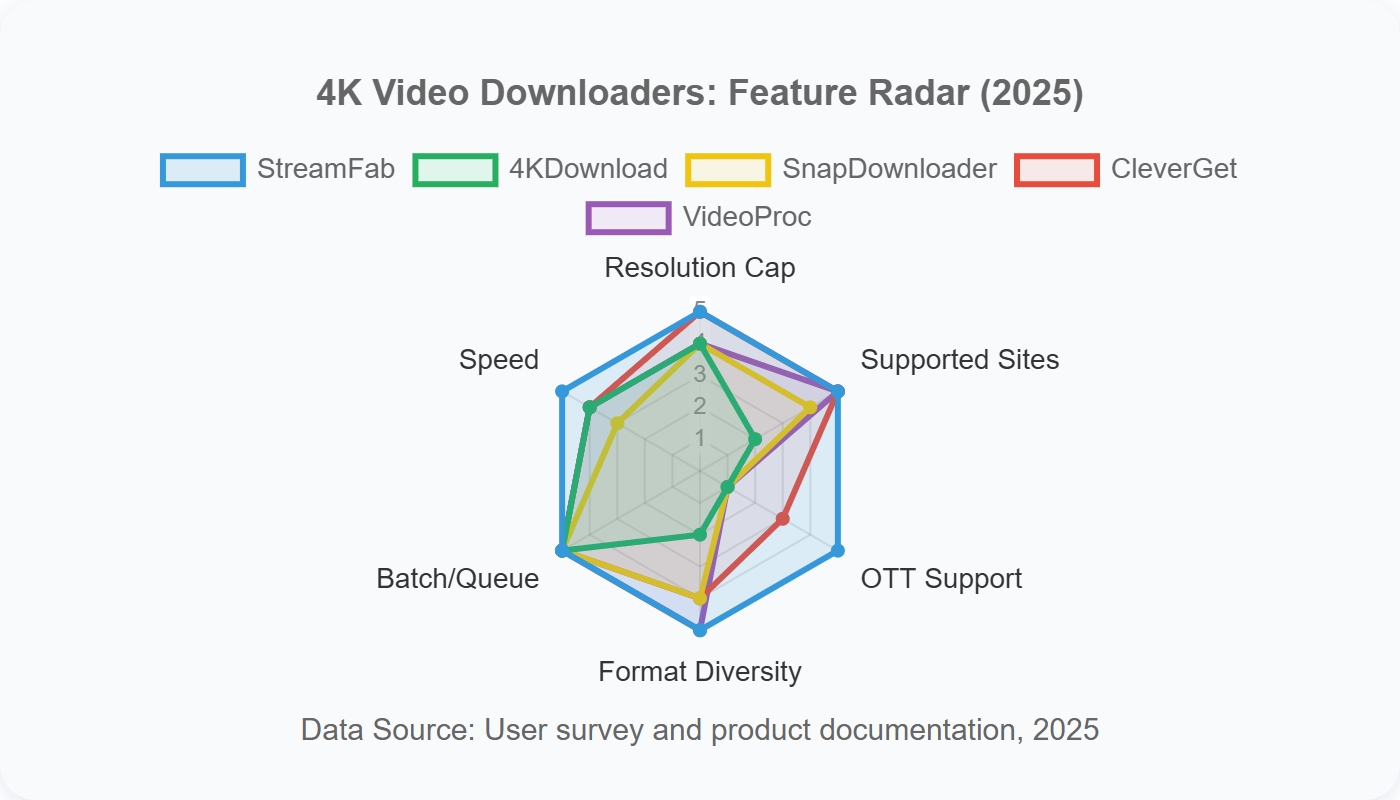
Real 4K Verification Criteria
A real 4K check starts with the source and ends with the saved file. The output should report 3840 × 2160 in file metadata, and the result should come from a native source stream rather than a later resize.
A claim of “up to 8K” does not guarantee native 2160p output on every site. VideoProc’s AI enlargement is also a post-processing step, while a downloader’s native result depends on the stream that the source makes available.
- Confirm that the title or public video actually offers a 2160p stream to the authorized account.
- Download a short sample using the intended quality, audio, and subtitle selections.
- Inspect file properties with a metadata tool and confirm 3840 × 2160 dimensions, codec, bitrate, HDR metadata, audio tracks, and subtitle mode.
- Play the file in the intended player and check codec, HDR, and audio compatibility.
- Compare the source duration and expected storage need before starting a full playlist or batch.
Troubleshooting 4K Download Failures
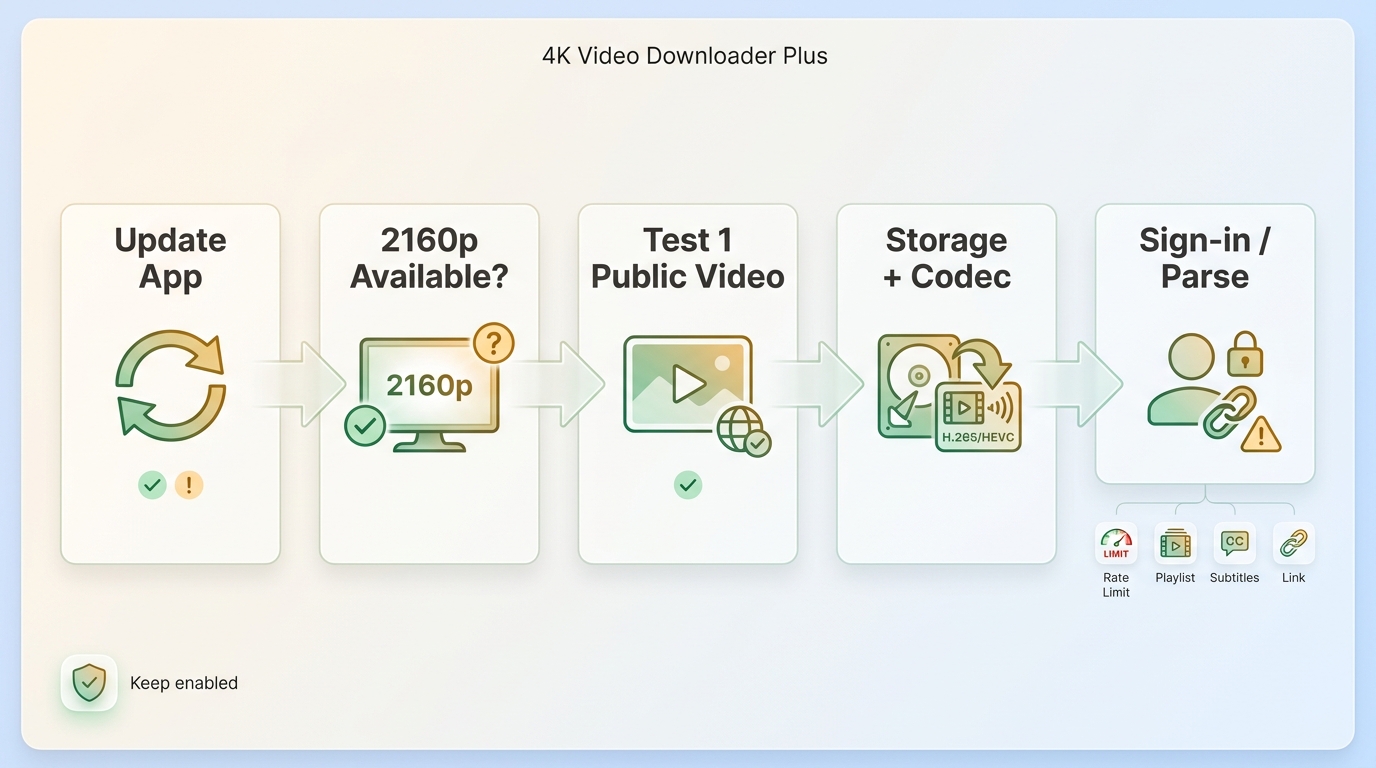
If a 4K downloader is not working, keep security software enabled and start with the least disruptive checks. Update the app, verify that the source offers 2160p, and test one public video that does not require an account before changing account or network settings.
This order narrows the cause without creating a second problem. Current failures often come from source changes, sign-in or bot checks, account or IP rate limits, interrupted playlists, missing subtitle selections, codec incompatibility, or insufficient storage.
- Update the downloader from its official vendor page and restart it.
- Open the source normally and confirm that 2160p is available to the account.
- Test a short public video, then compare the result with the account-required source.
- Recheck playlist URLs, selected subtitle tracks, output codec, and available drive space.
- Pause repeated retries if account or IP rate limits appear, then resume later.
For a parse-link error, follow the 4K Video Downloader parse-link troubleshooting steps after updating the app and recopying the canonical video URL. Do not disable Windows Defender, firewall protection, or other security tools as a troubleshooting shortcut.
FAQs
Can an iPhone download 4K videos without a desktop app?
Sometimes, but iOS workflows are narrower than desktop tools and depend on the source, App Store rules, browser behavior, and storage. A desktop download followed by an authorized transfer is often more predictable than expecting every source to save native 4K directly on an iPhone.
Can a free plan download a full 4K playlist?
Not necessarily. Playlist support and 4K downloader free limits vary by product, and the source must expose a 2160p stream. Check the limits table before assuming a free tier will finish an entire playlist.
Does 8K support guarantee native 4K on every site?
No. A headline resolution is an upper capability, not a per-site promise. True 4K downloads depend on native source resolution and accessible streams; AI-upscaled dimensions do not establish a native 4K download.
What makes a video downloader safer to install?
Use the official vendor site or a verified store listing, inspect the publisher and digital signature, scan the installer, decline bundled offers, and avoid entering a primary account unless the workflow genuinely requires it. The named-product review above provides a deeper 4K downloader safety discussion.
Conclusion
Choose by source type, native output, operating system, free limits, and workflow. No single 4K video download software option fits every reader.
- Choose StreamFab All-In-One for authorized OTT plus general-site desktop workflows; it is not ideal for a free one-off social clip.
- Choose 4K Video Downloader Plus or SnapDownloader for supported YouTube, social-video, playlist, and channel jobs.
- Choose CleverGet when the relevant service module and its limits have been confirmed.
- Choose VideoProc Converter AI when editing, conversion, or resizing is part of the same project.
The most defensible “best 4K video downloader” decision is the one that matches the actual source, preserves native quality when available, and keeps its limits clear before a long batch begins.

Downloading your favorite Netflix library permanently for your flexible offline watch is not a big deal anymore. Try the Pazu Netflix video downloader to enjoy Netflix streaming with ultimate customizations.
By Erika Leen - Sep 18, 2026
This review exposes the gap between Video Downloader Plus's marketing and its actual performance. Technical tests confirm the extension cannot process encrypted HLS streams found on major sites. Furthermore, the review critiques the lack of a free trial, forcing users to pay blindly for functionality that may not work on complex websites.
By Jacob Harrison - Sep 15, 2026
Explore a comprehensive list of alternative software to MovPilot. Learn about their features, pricing, and user reviews to make an informed decision based on 2026 DRM standards.
By Erika Leen - Sep 15, 2026
How to cancel PlayOn subscription? Will you get a refund after cancelling? This guide tells you everything you need to know about cancelling PlayOn subscriptions.
By Nicole Lopez - Sep 15, 2026