
Can You Transfer Netflix Downloads from Phone to Computer in 2026?

Summary: Can I transfer Netflix downloads from phone to computer? No direct method exists due to strict DRM, but you can convert them to MP4 for permanent cross-device offline viewing.
Trying to transfer Netflix downloads from a phone to a computer usually starts with a failed copy attempt. The direct answer is no: Netflix downloads stay inside the app on the device that saved them, so the cache will not sync across devices or become a playable computer file.
This guide explains why copying Netflix downloads fails, which official options let you watch on a computer, and when an authorized desktop workflow makes sense for creating manageable portable files.
Transfer Netflix Downloads from Phone to Computer: Why It Fails
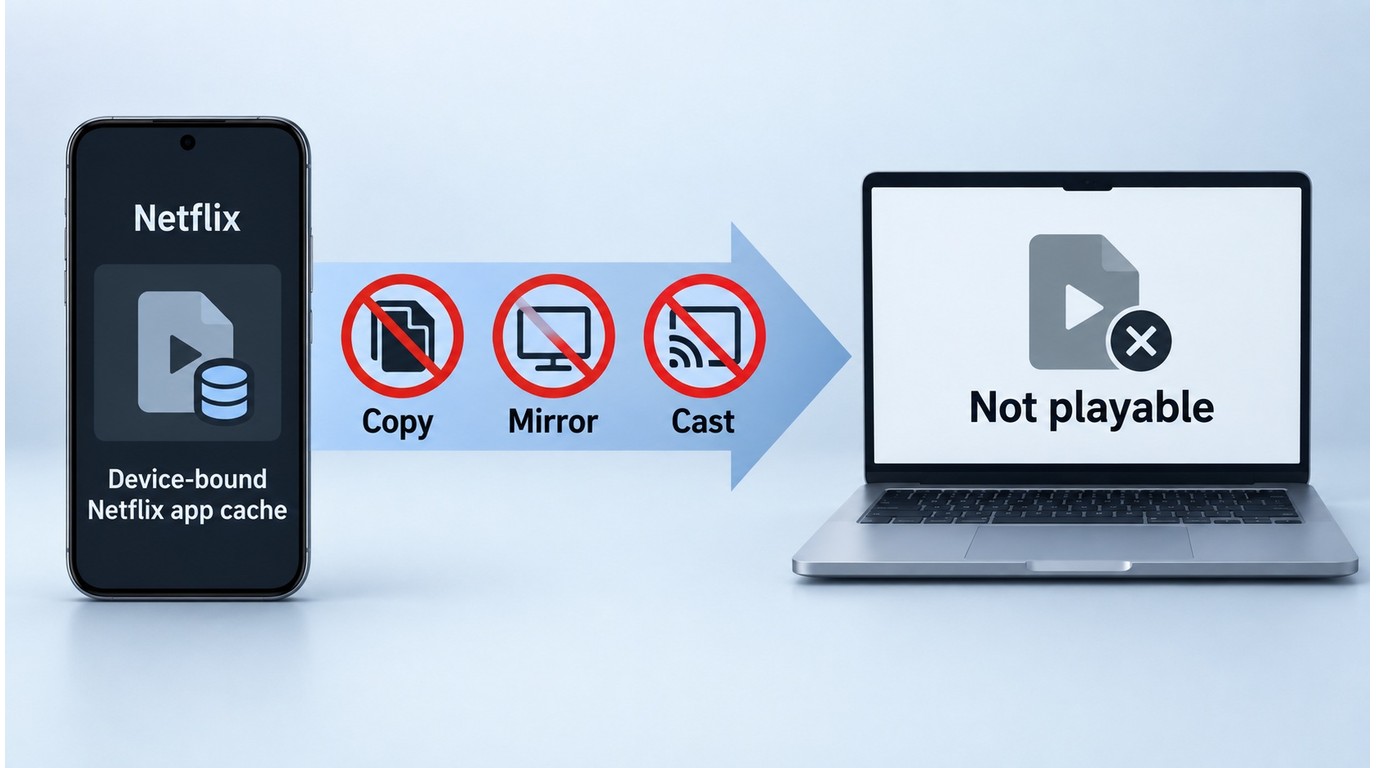
You cannot transfer Netflix downloads from a phone to a computer by dragging and dropping the app's cached files. The downloads stay associated with the device and the signed-in Netflix app, so copying the cache does not produce a playable video file. Signing in to the same account on another device does not make those Netflix downloads sync across devices.
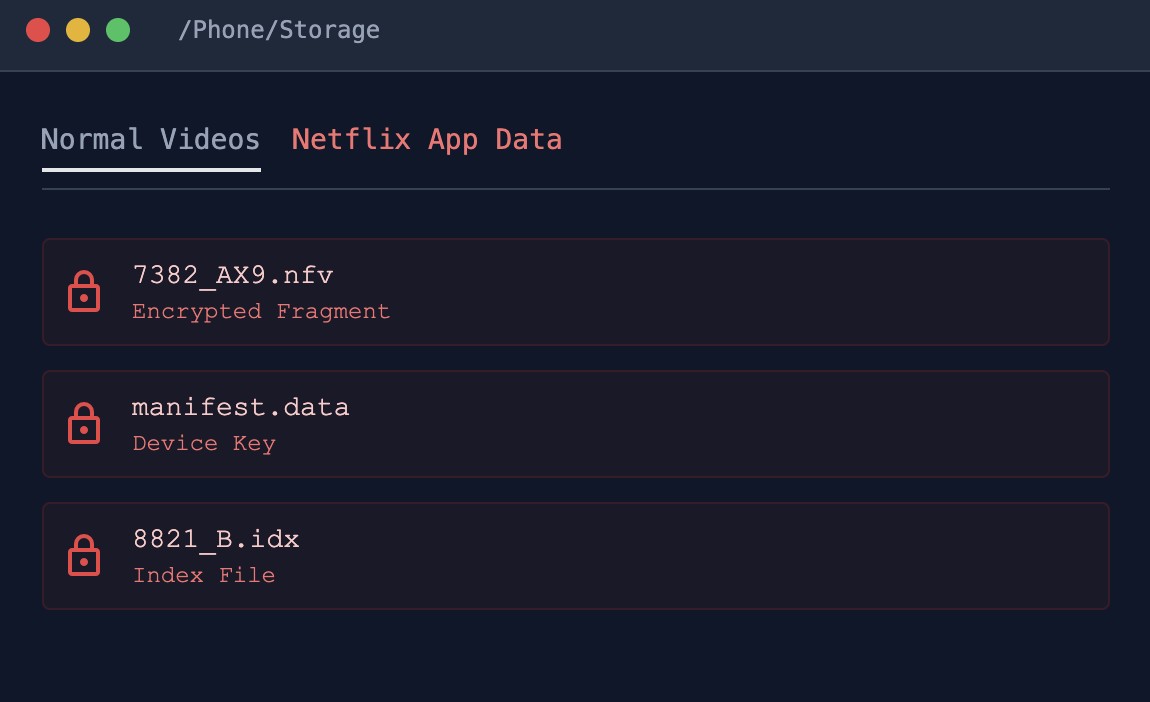
As of September 2026, Netflix lists Android phones and tablets, iPhone and iPad, Amazon Fire tablets, and supported Chromebooks as offline-download devices. Windows PCs and Macs are not on that list, although they can still be used for supported Netflix streaming experiences.
Screen recording, screen mirroring, and casting are different from transferring a downloaded file. Mirroring or protected playback may display a black screen, while casting is a viewing method rather than a way to copy the phone's saved download to a computer.
None of these methods turns the phone cache into permanent or unrestricted storage. Defeating technical protections or redistributing copyrighted video can violate platform terms and applicable law, so use authorized viewing and file-saving options instead.
Use Netflix downloads and locally saved copies only with authorized access, for personal offline viewing, and in accordance with platform terms and applicable law. Do not redistribute or monetize copyrighted content.
Official Ways to Watch on a Computer
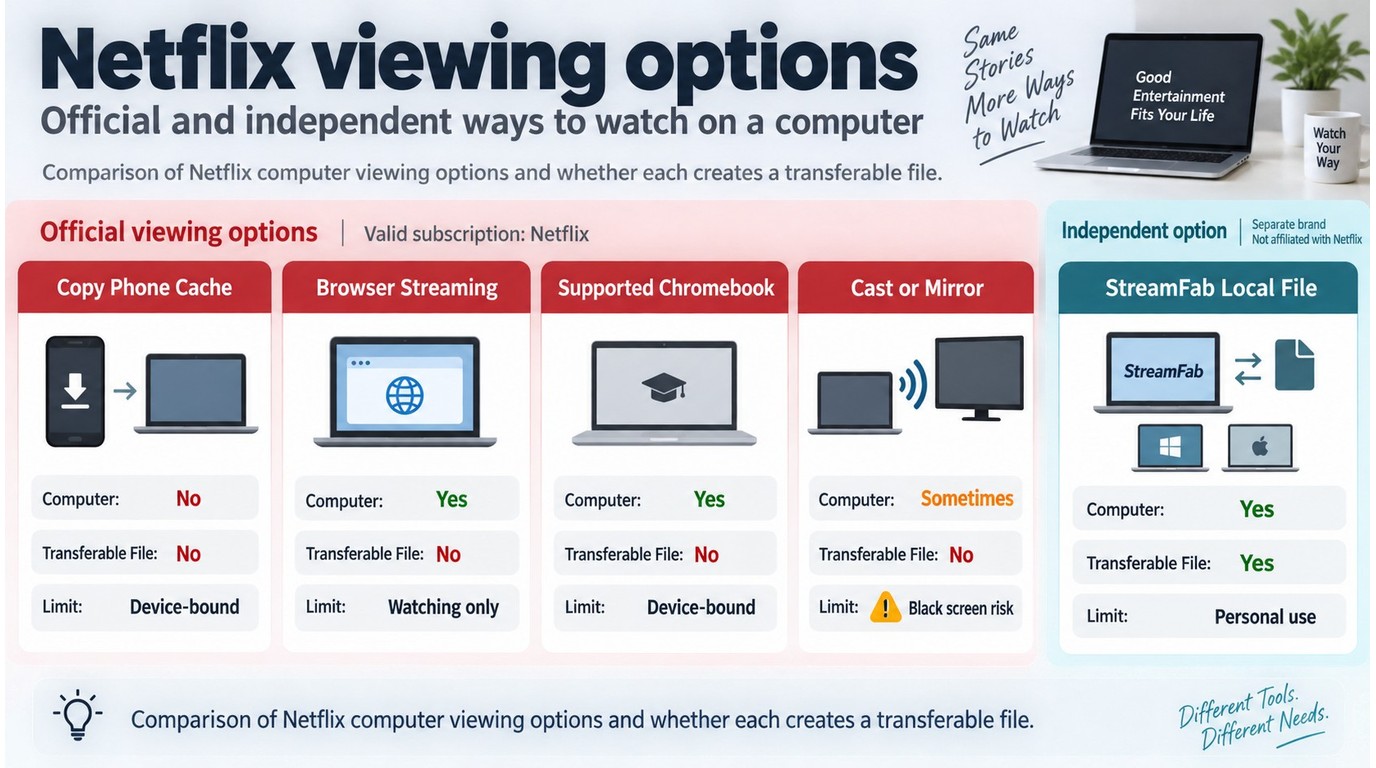
Most readers who only need to watch on a computer should use an official viewing path before considering portable files. Windows PCs and Macs support Netflix streaming, but they are not listed as offline-download devices; the reason Netflix does not provide offline downloads on Windows is covered in more detail separately.
| Option | Works on a Computer | Creates a Transferable File | Main Limitation |
|---|---|---|---|
| Copy phone app cache | No | No | Remains app- and device-bound |
| Stream in a browser | Yes | No | Watching only |
| Download on a supported device | Supported Chromebook only | No | Stays inside Netflix |
| Cast or mirror | Sometimes | No | May show a black screen |
| Create an authorized local file | Windows and Mac | Yes | Personal use; terms apply |
A Desktop Workflow for Portable Netflix Files
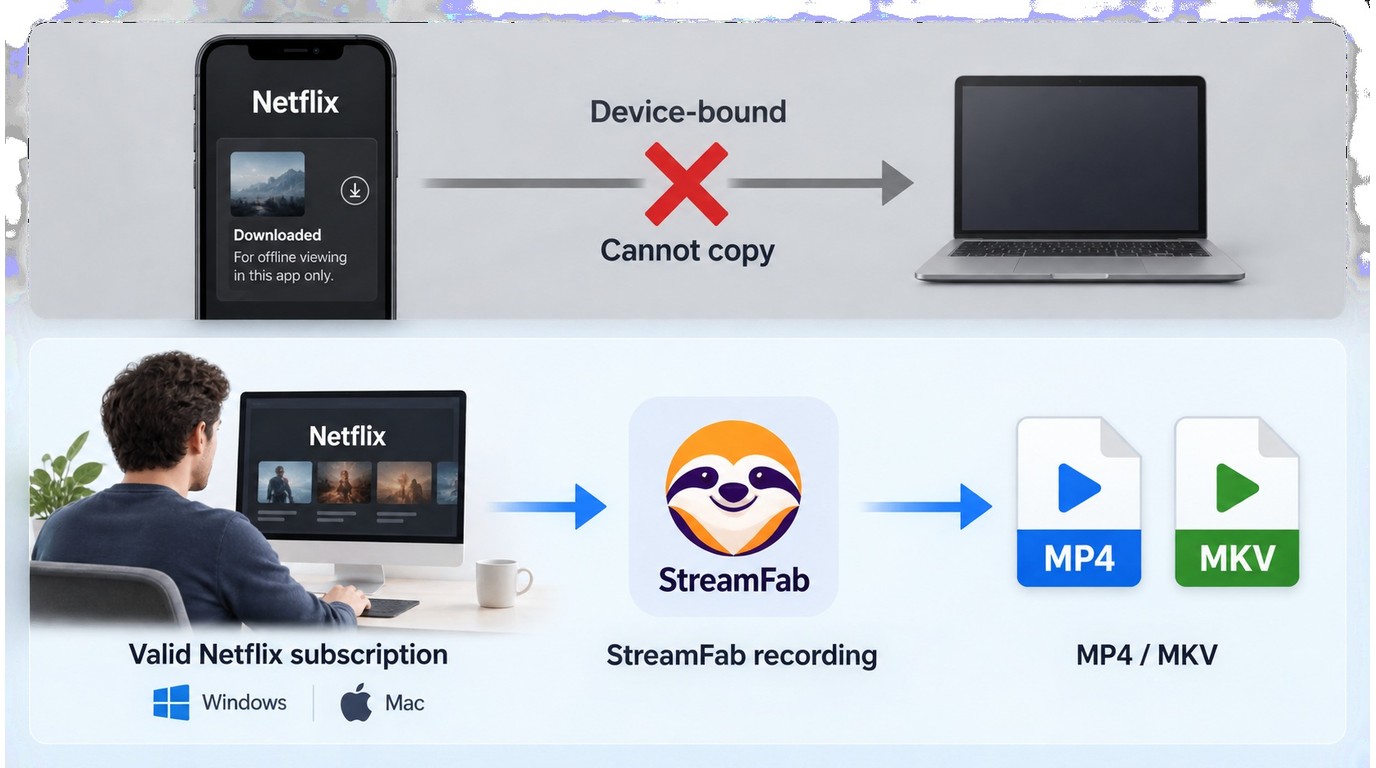
The phone's existing Netflix app download is not moved or converted. Instead, a desktop workflow creates a separate local file on the computer for content you are authorized to access through an active Netflix subscription, subject to Netflix's terms and applicable law. Keep that file for personal offline viewing and do not redistribute it; whether a specific use is permitted depends on the content and circumstances. For readers who only need to watch rather than manage files, the official ways to watch Netflix offline are the simpler starting point.
StreamFab Netflix Downloader for Local Files
StreamFab Netflix Downloader is a Windows and Mac desktop alternative to Netflix's device-bound app downloads. It uses screen-recording and stream-recording technology to create a new local file for authorized personal offline viewing. A Netflix-to-MP4 workflow favors broad playback compatibility, while MKV is better suited to libraries that need multiple audio or subtitle tracks in one container.
Runs on Windows and Mac and saves authorized content as MP4 or MKV files at up to 1080p, with EAC3 5.1 audio available when provided by the selected title and plan.
- MP4: Choose it when broad playback support is the priority.
- MKV: Choose it when you want multiple tracks in one container.
- Video codecs: H.264, H.265, VP9, and AV1 are available.
- Quality: Output supports up to 1080p Full HD, including HDR10 or Dolby Vision where available.
- Audio: Options include Dolby Atmos, EAC3 5.1, AAC 2.0, and multiple languages.
- Subtitles: Save subtitles as embedded tracks or external SRT files.
- Best fit: This workflow suits readers managing local files; occasional viewers should start with official viewing options.
Build a Portable Library on Your Computer
Here is how to create a new local file on a Windows computer rather than attempting to move the phone's existing Netflix app download:
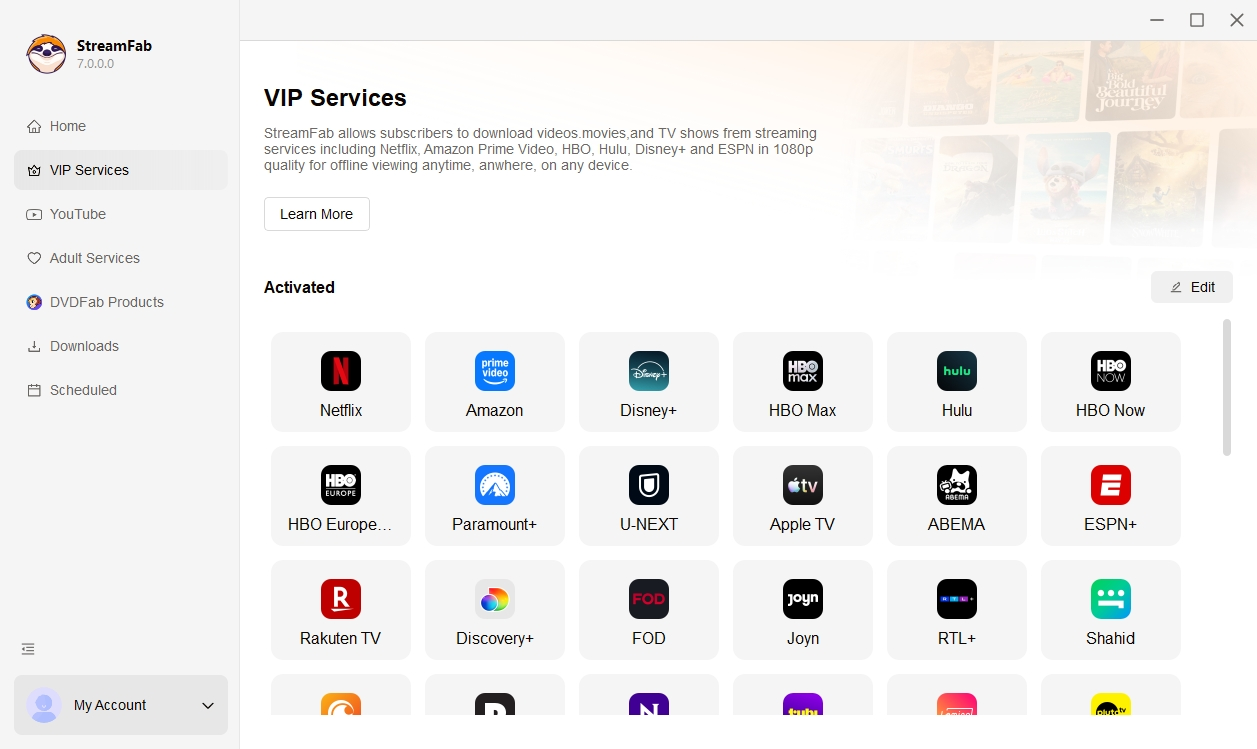
First, open the built-in browser and sign in with the active Netflix subscription that provides authorized access to the title.
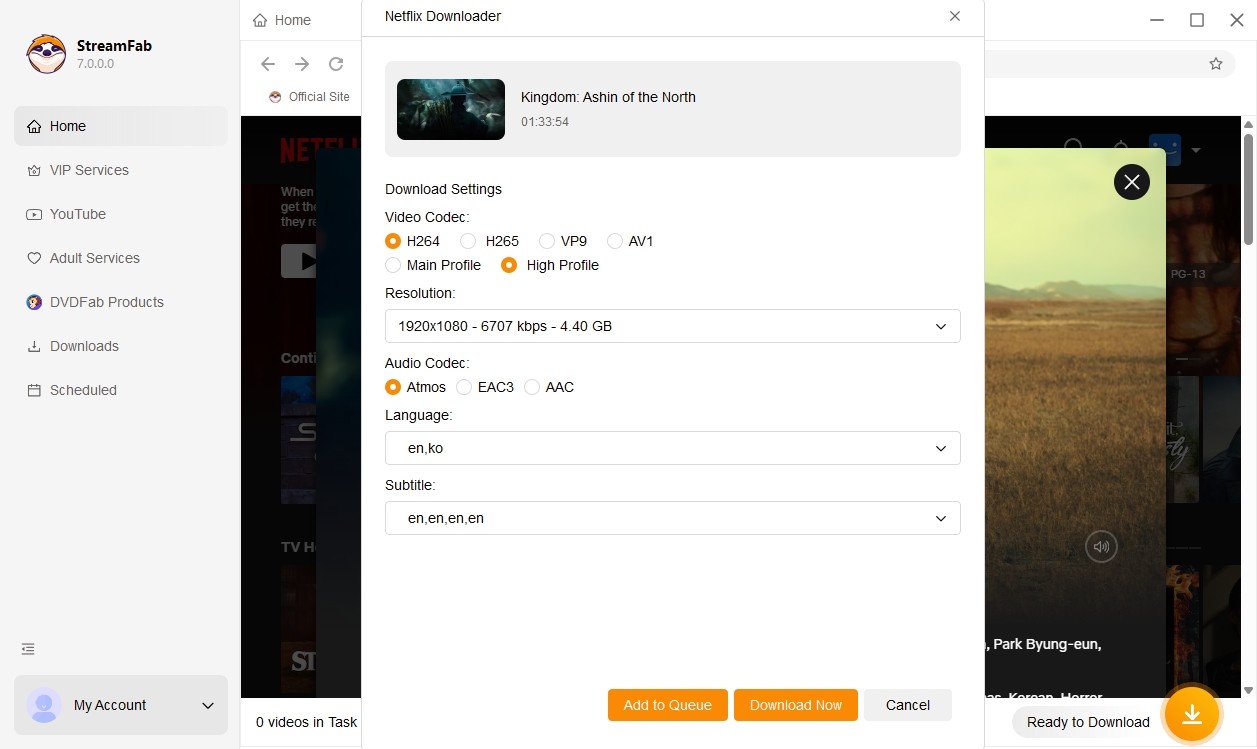
Play the target title. StreamFab opens a configuration window for the available output settings. Choose MP4 when broad playback is the priority or MKV when multiple tracks matter more.
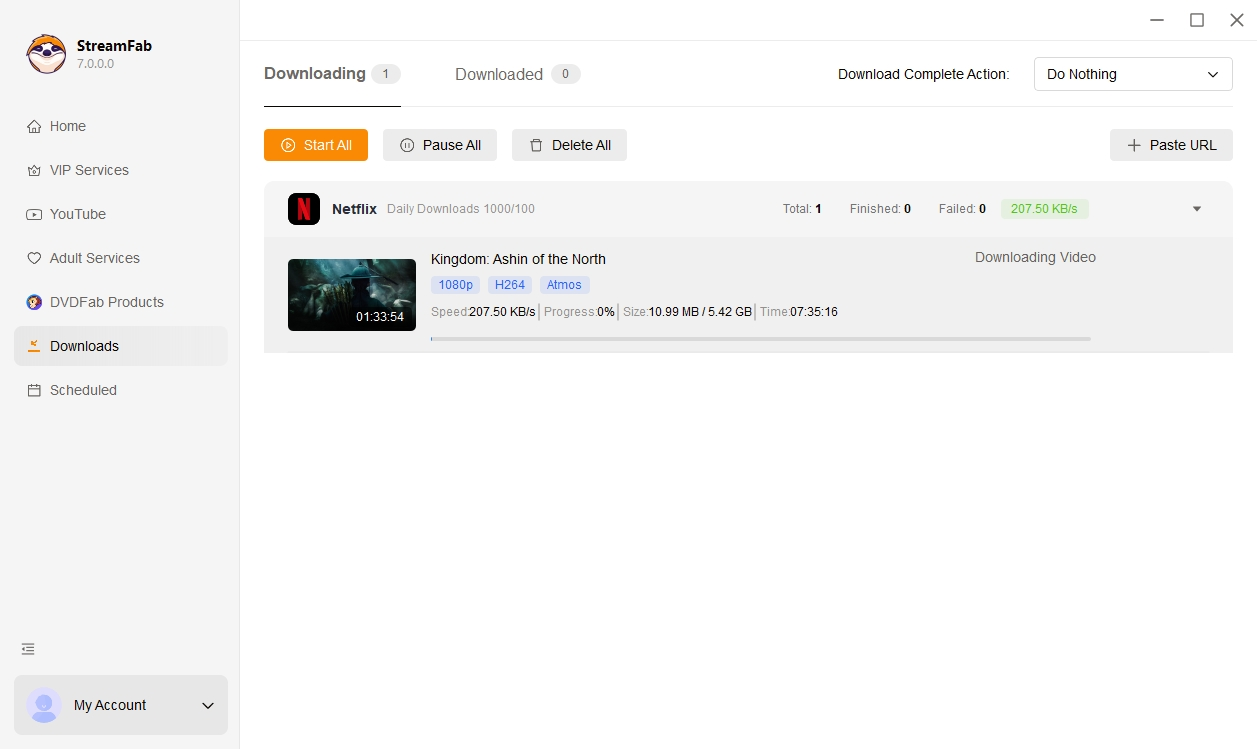
If you are exploring how to download Netflix shows on a tablet by transferring a newly created local file from a PC, use the batch feature to queue the authorized episodes you need and process them in the background.
Operational note: If processing stalls, use the current StreamFab version and follow the product's update or troubleshooting guidance. Keep batch use within the configured download quotas.
Moving MP4s: Phone Gallery & External Drives
The phone's existing Netflix app download stays on that device. The steps below apply only to a separate MP4 file created on the computer for authorized personal use.
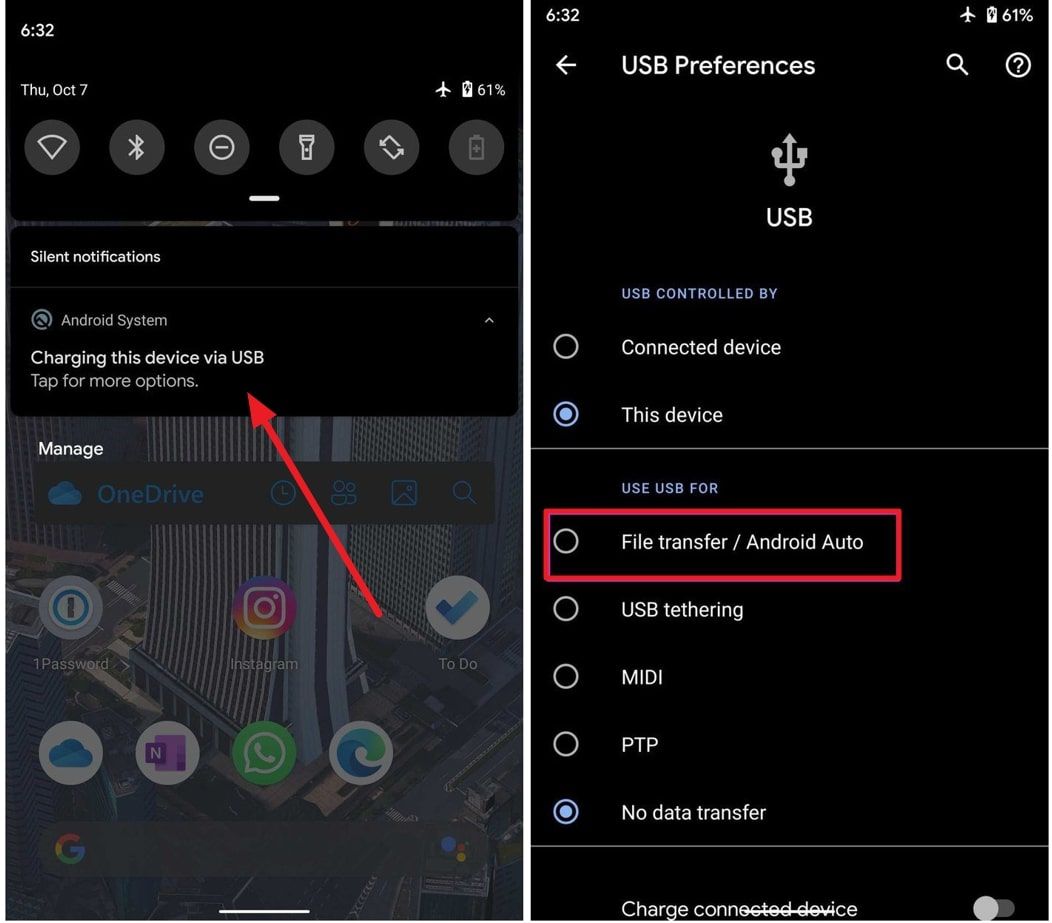
To copy the new local file to a phone, connect an Android device by USB-C and select MTP/File Transfer, or connect an iPhone and use iTunes or Finder.
On Android, copy the MP4 files into the device's "Movies" directory, then open them with a compatible media player such as VLC.
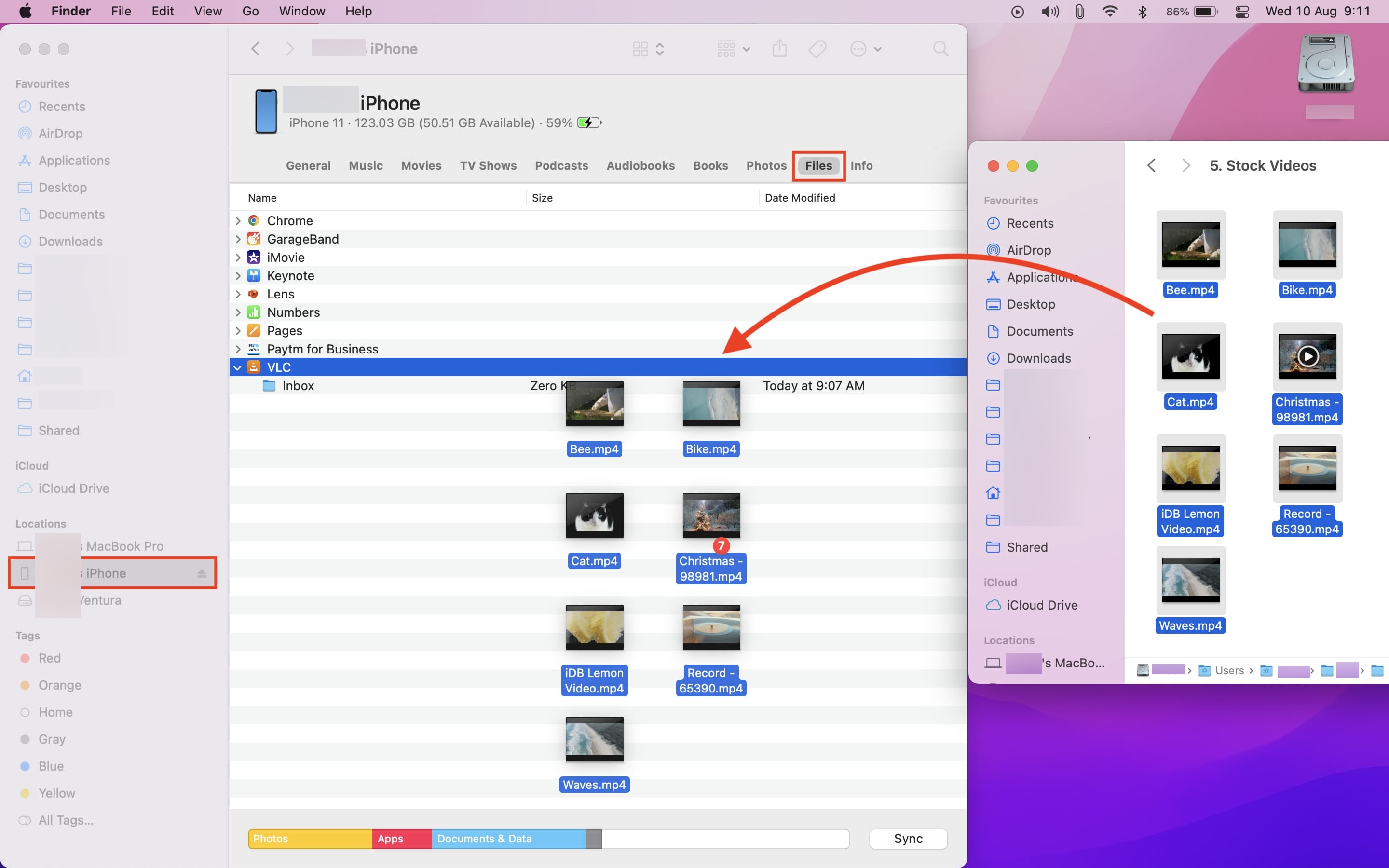
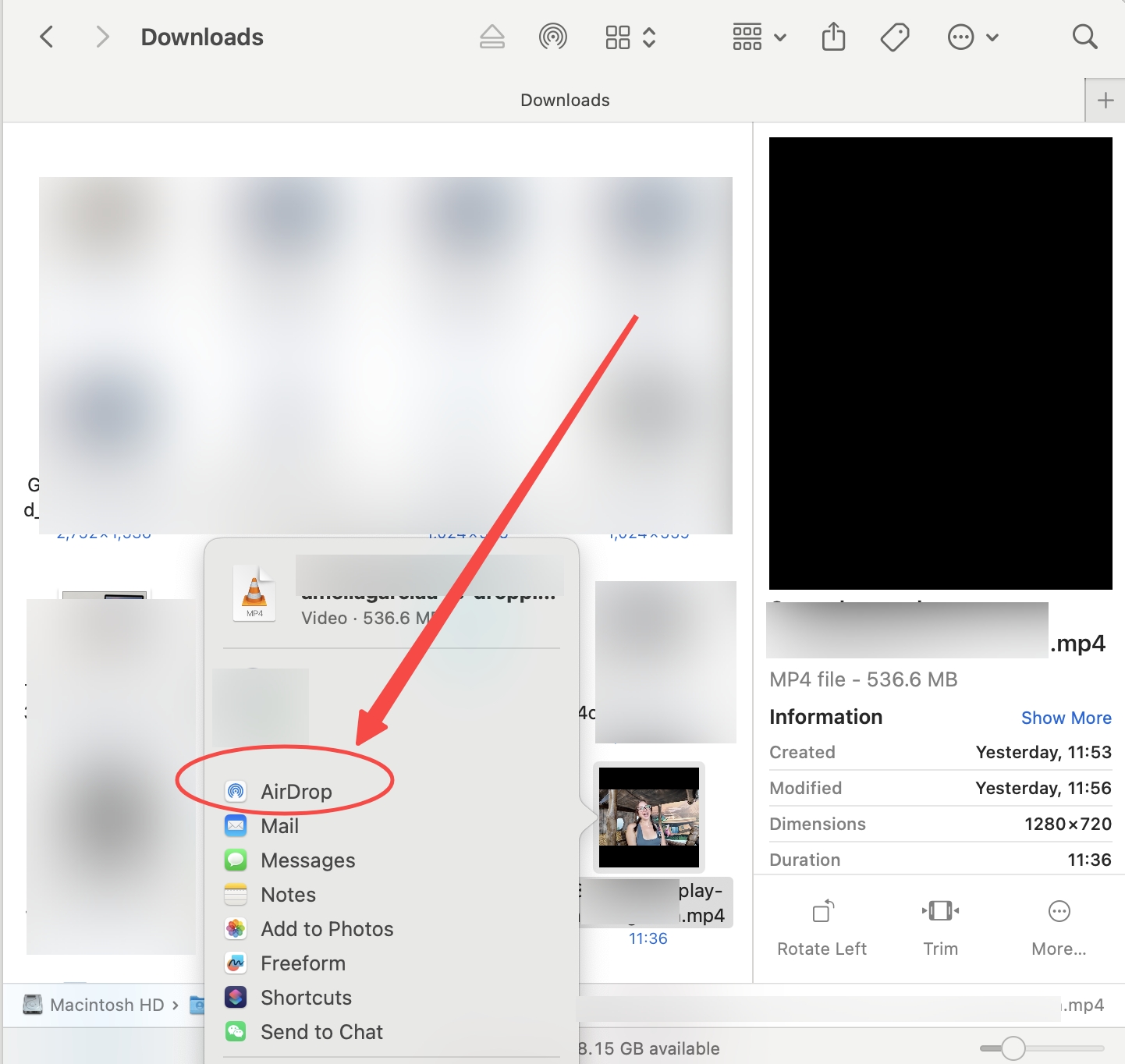
For Apple devices, AirDrop is a convenient wireless option. Right-click the `.MP4` file on your Mac, select AirDrop, and send it to your iPhone, where you can save it in the Files app.
For a Netflix movies to USB transfer, connect an exFAT-formatted flash drive and copy the newly created MP4 files. exFAT works with many current computers and media devices, although playback still depends on the device's codec support.
For remote access, upload authorized local files to private cloud storage such as Google Drive or transfer them through an FTP server, while keeping access limited to personal use.
FAQ
Can I move Netflix downloads to an SD card?
Moving or copying an app download to removable storage does not turn it into a portable video file. It remains tied to the Netflix app and the device that downloaded it.
Can I share a Netflix download with another account?
No. Netflix app downloads are not shareable video files, and copying their cached data does not make them available to another account or device.
How do I clear a Netflix download-device limit error?
Remove downloads from a device you no longer use through the Netflix app or your account's device management controls, then try downloading on the supported device again.
Is there a free way to transfer a phone download to a computer?
A free file-copy method will not make an existing Netflix app download playable on a computer. Browser streaming and supported casting or mirroring options can help you watch, but they do not transfer the saved file.
Conclusion
If you only want to watch Netflix on a computer, use a supported browser experience first. A Netflix app download already stored on your phone does not become playable on the computer when copied, and casting or mirroring is a viewing option rather than a file transfer.
For content you're authorized to access, where permitted by platform terms and applicable law, StreamFab provides a Windows and Mac workflow for saving a local copy for personal offline viewing; saved files must not be redistributed. Whether it fits a specific title and use case depends on your access rights and the service terms, and the 30-day trial is available from the official StreamFab Netflix Downloader page.

Protected Netflix video can appear black in Discord screen shares. Set up a synchronized watch party with Teleparty and use Discord for voice chat, with eligible access for each participant. Learn how personal offline playback differs and how to troubleshoot ordinary, unprotected screen sharing.
By Nicole Lopez - Sep 28, 2026
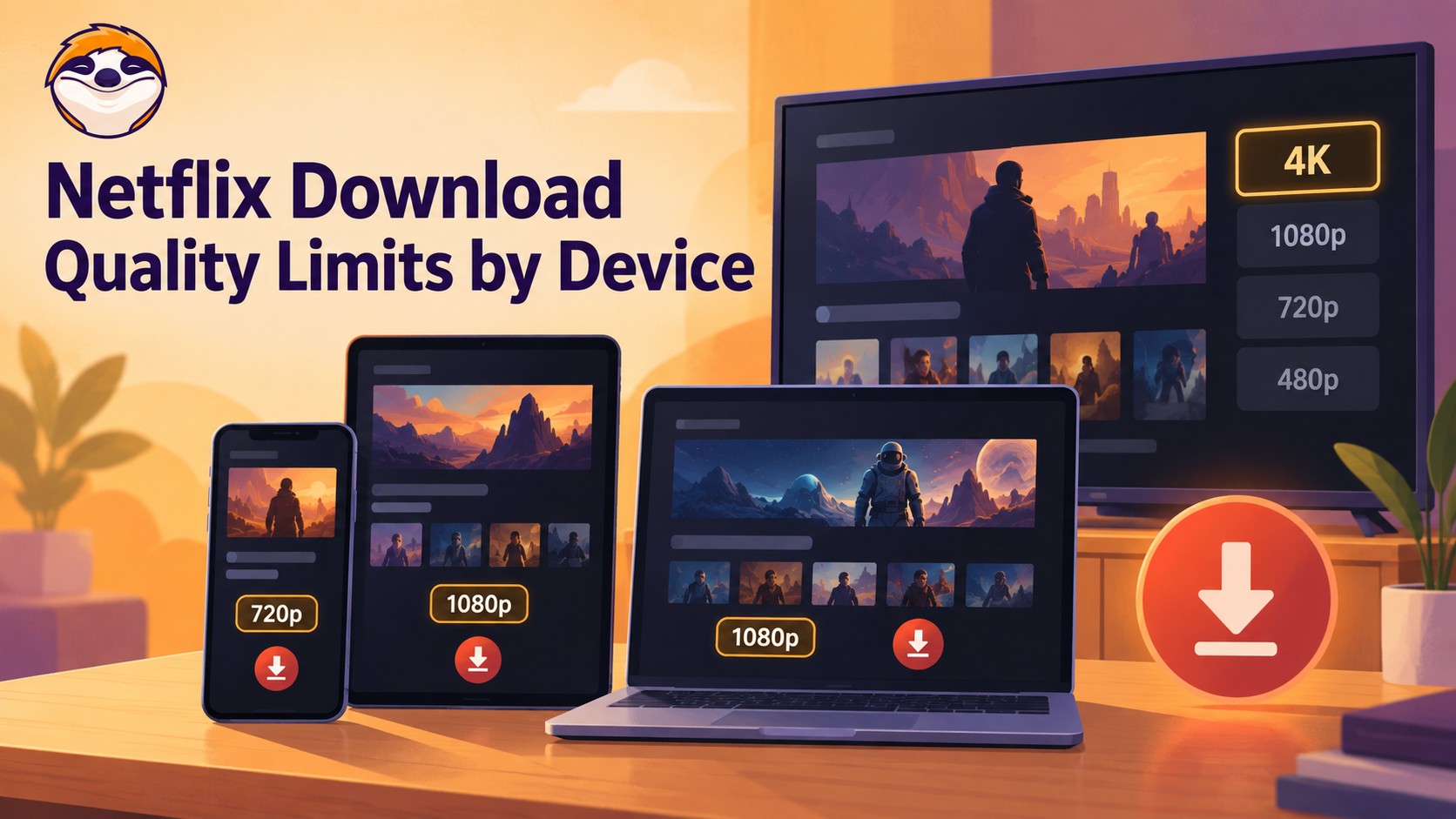
Netflix streams eligible titles in 4K, but official offline downloads stop at up to 1080p and are unavailable on Windows and Mac. Compare supported devices, check title eligibility, and understand how app-managed downloads differ from local MP4 or MKV files for personal offline viewing.
By Jacob Harrison - Sep 24, 2026
Netflix does not provide a native download path for macOS, but Mac users still have practical offline routes. This guide compares official iPhone and iPad downloads, cloud recording, and a desktop MP4/MKV workflow, with device requirements, measured StreamFab results, BlueStacks caveats, and troubleshooting steps.
By Marcia Hatcher - Sep 3, 2026
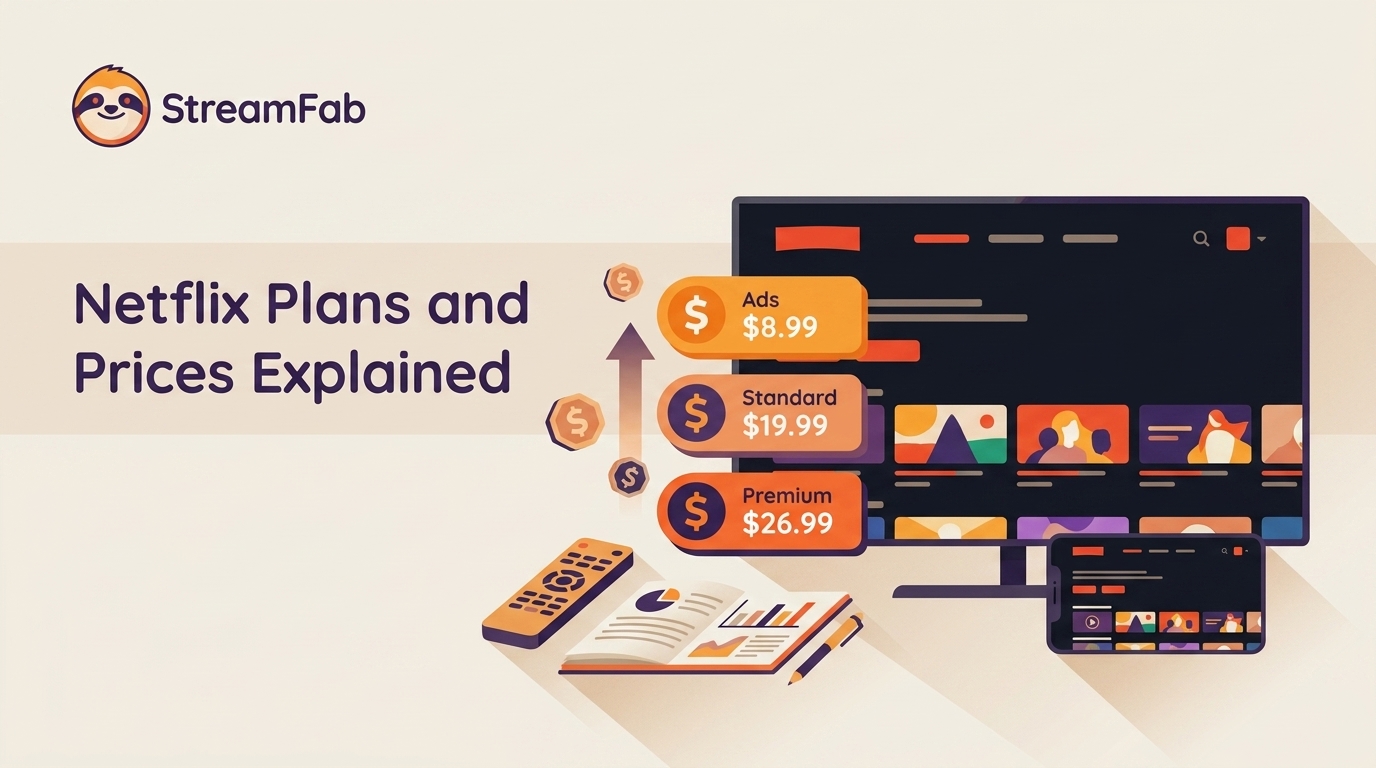
Netflix raised all three US plan prices in March 2026. This guide compares old and current rates, explains billing timing and add-ons, and helps you choose whether to keep, downgrade, rotate, or cancel based on actual use.
By Erika Leen - Aug 26, 2026