
RecordFab Review 2026: 6 Things to Know Before Buying

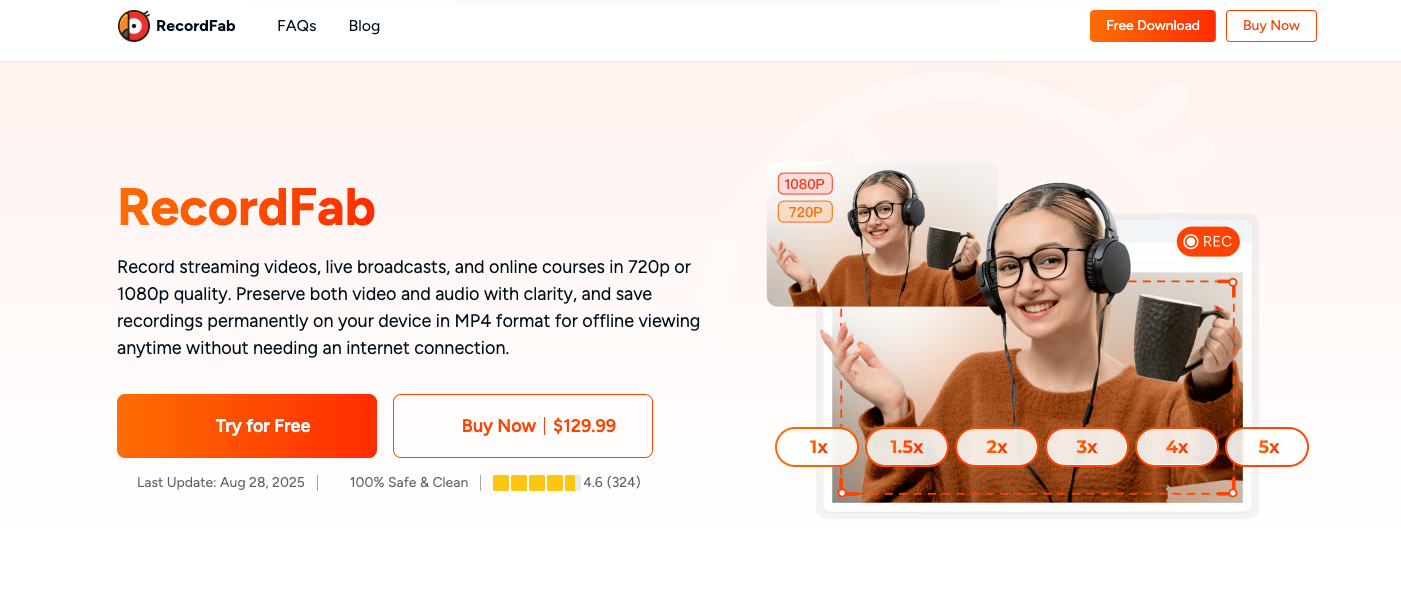
Summary: Looking for a definitive RecordFab review in 2026? We test hardware acceleration and Widevine L1 decryption to answer: if RecordFab is good for DRM video saving? Dive into our expert digital archiving guide.
Table of Contents
Here’s the short answer: RecordFab is a Windows-only streaming video recorder for authorized personal offline viewing, while StreamFab suits a download-first workflow. This RecordFab review covers the decisions that matter before buying, including formats, speed, supported services, setup, and practical limits.
Use boundary: Use recording tools only for content you are authorized to access, where permitted by platform terms and applicable law. Keep recordings for personal offline viewing and do not redistribute them.
RecordFab Review: Verdict and Specs
RecordFab is a streaming video recorder that captures supported playback into a local file. The practical question is not whether one workflow wins universally, but whether you need record-to-file flexibility or a download-first workflow. For a Windows user who needs the former, RecordFab is a sensible fit; it is not the right purchase for someone who needs native Mac or Linux support.
Key Specs and System Requirements
As of August 2026, RecordFab is a Windows streaming-video recorder with MP4 and MKV output, speeds up to 5x on selected sites, and an official 500+ site claim; it has no native Mac or Linux version. RecordFab outputs AAC 2.0 audio and supports recording up to 1080p. RecordFab’s official site lists support for 500+ sites, although available services, live versus on-demand behavior, and speed options can differ by site.
What RecordFab Does
Unlike a general desktop recorder, RecordFab centers the streaming playback workflow inside its app and saves the result as an MP4 or MKV file. That can reduce desktop clutter during a recording, but file quality and audio sync still depend on the service, selected settings, and system setup.
Hardware Acceleration Considerations
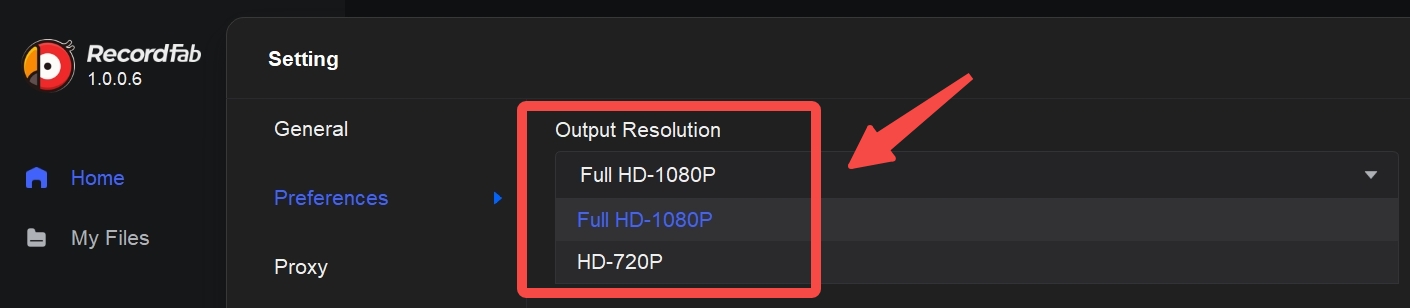
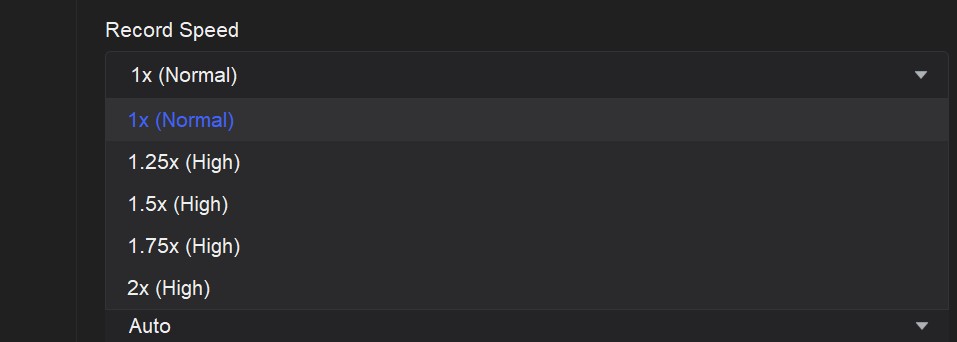
Hardware acceleration can reduce the encoding load on a supported Windows PC, but results vary with the GPU, driver version, service, resolution, and recording speed. RecordFab offers recording speeds from 1x up to 5x on selected sites; the available speed depends on the service and current product support. I would start at 1x when reliability matters, then increase speed only after checking a short recording for dropped frames and audio-sync issues.
StreamFab vs RecordFab: Which Fits Your Workflow?
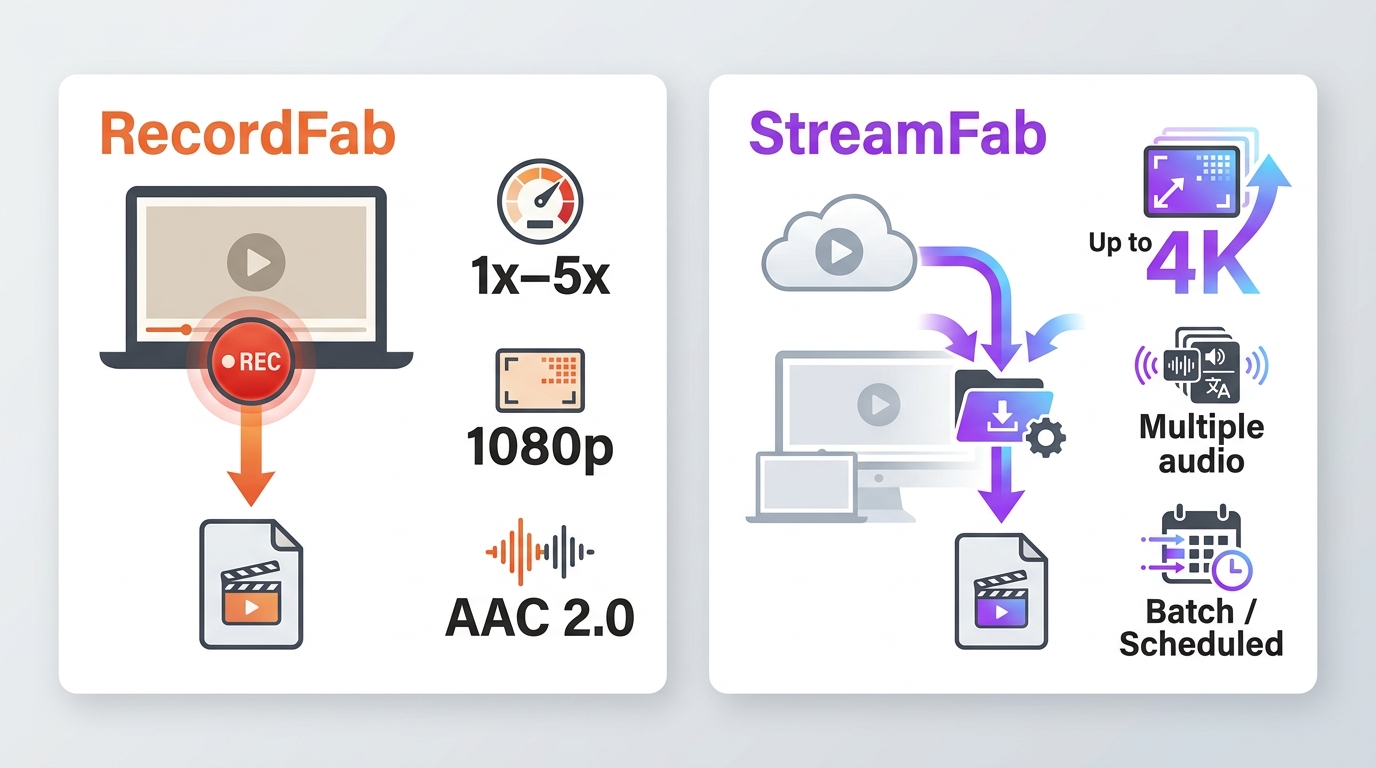
For content you’re authorized to access, where permitted by platform terms and applicable law, RecordFab is a record-to-file option and StreamFab is a download-first option. StreamFab and RecordFab are products in the DVDFab software ecosystem, so this comparison focuses on workflow fit rather than declaring a universal winner. RecordFab can be a practical record-to-file fallback when a direct download is unavailable, but compatibility remains site- and version-dependent. StreamFab may suit users who prioritize a download-first workflow, while it is not ideal for readers who need a Windows-only recording process.
Recorder vs Downloader
RecordFab records supported playback to a local file, so the video runs while the recording is made. StreamFab uses a download-first workflow, which can be a better fit when you want to save supported titles without recording in real time. Compatibility for either workflow can change with the service and product version.
A fuller StreamFab review is useful if your decision depends on its broader download workflow rather than RecordFab’s recording model.
Speed, Quality, Audio, and Formats
RecordFab supports MP4 and MKV output; its verified audio context is AAC 2.0, and recording speed can reach 5x on selected sites. StreamFab supports MP4 and MKV output, with higher resolution and audio options depending on the supported service and subscription plan. For users wanting to convert a Twitch clip to MP4, RecordFab can fit a straightforward record-to-file workflow.
If you are comparing download-first tools across services, see our guide to the best streaming video downloader review for broader category trade-offs.
| Factor | RecordFab | StreamFab |
|---|---|---|
| Workflow | Records playback to file | Download-first workflow |
| Speed | 1x–5x on selected sites | Service-dependent |
| Maximum resolution | Up to 1080p | Up to 4K |
| Audio and subtitles | AAC 2.0 audio | Multiple audio and subtitle options |
| Output formats | MP4, MKV | MP4, MKV |
| System support | Windows | Windows, Mac |
My decision rule is simple: choose RecordFab when a Windows record-to-file workflow matches the service you use; choose a download-first option when resolution, audio choices, or Mac support carry more weight.
Practical tip: Keep RecordFab and your GPU driver current. If an accelerated recording drops frames, retry at 1x before increasing the speed again.
Using RecordFab Step by Step
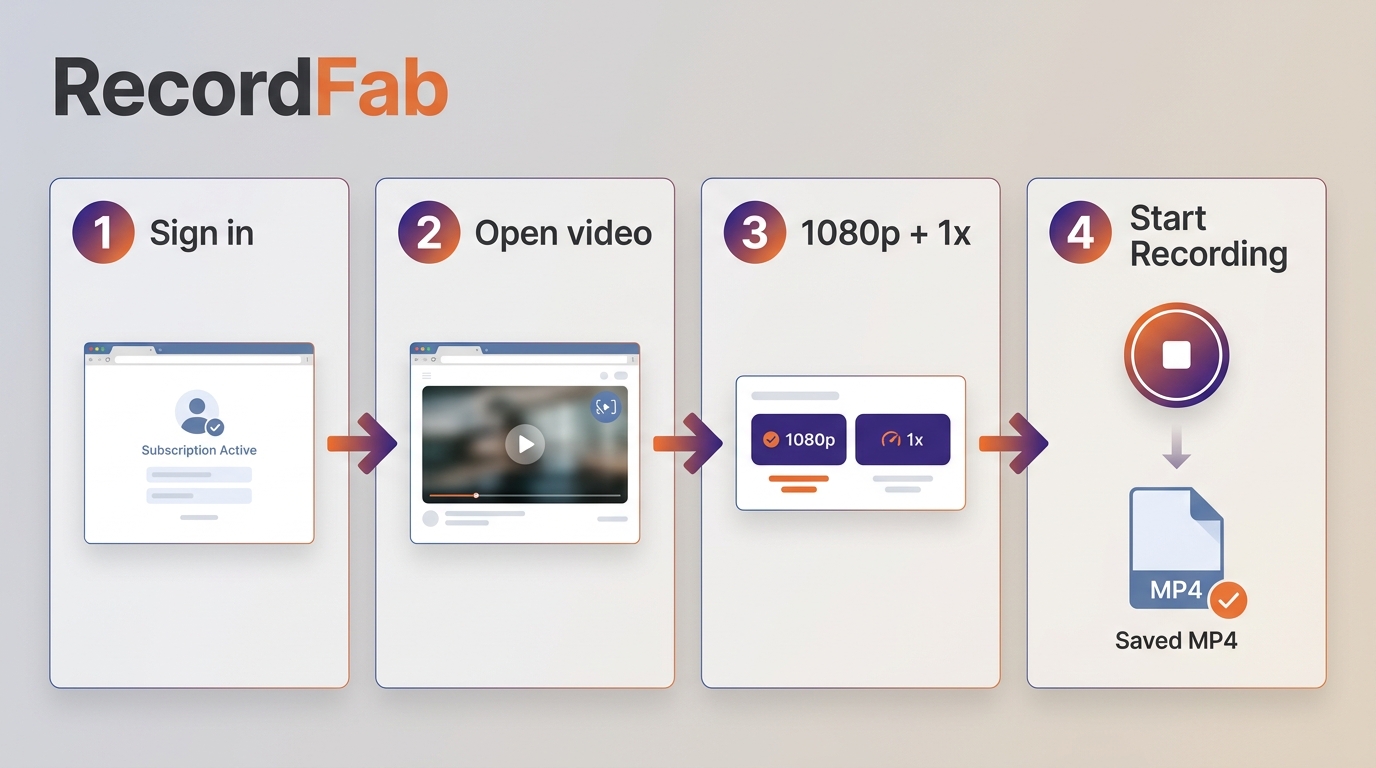
For personal offline viewing of content you are authorized to access, sign in to a supported service inside RecordFab and open the video you want to record. Let the app detect playback, choose an available resolution and speed, then start recording. Save the local MP4 or MKV file and check playback and audio sync before recording a longer title.
Platform Compatibility and Common Fixes
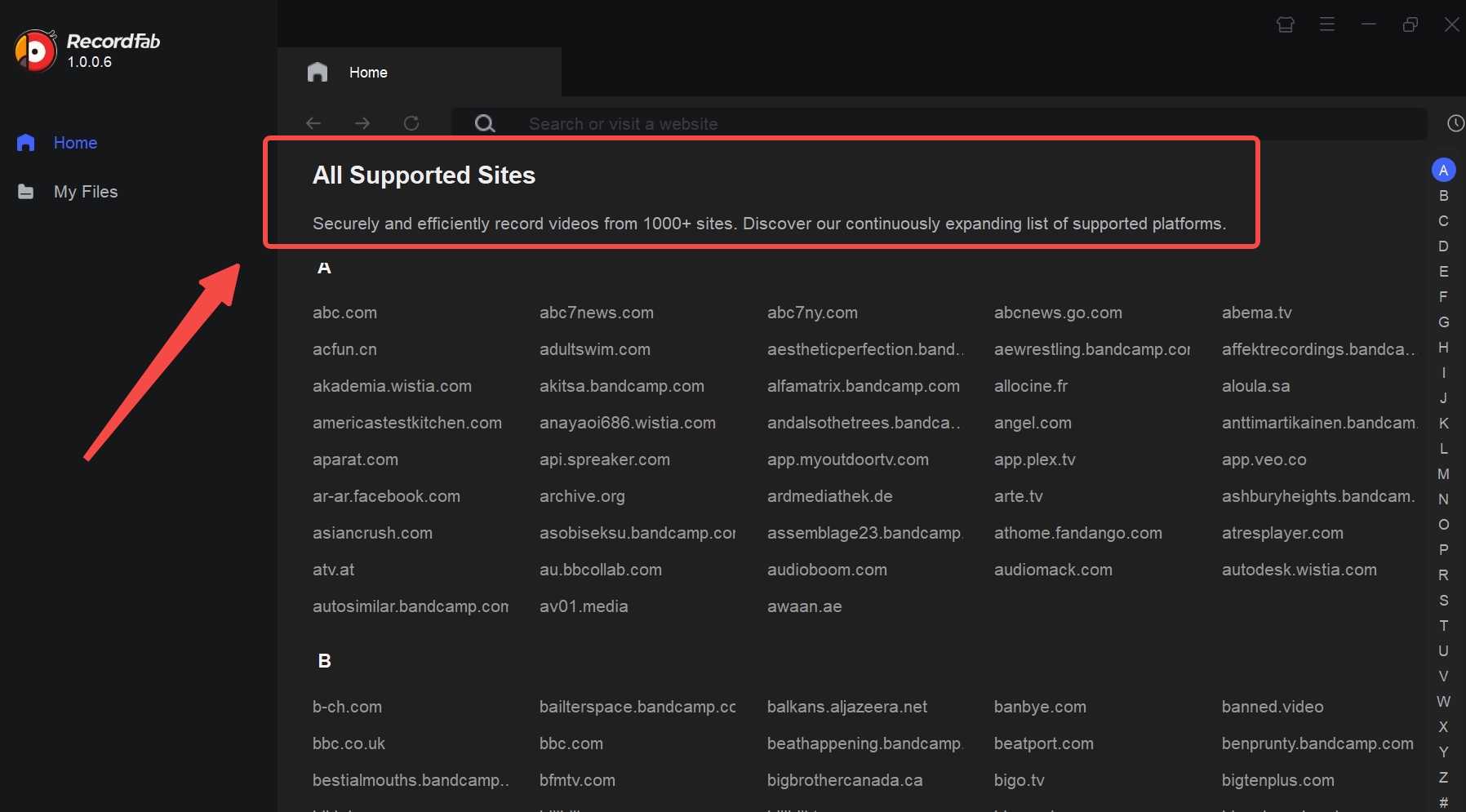
RecordFab’s official site lists support for 500+ sites, within a Windows-only scope. Treat that number as a compatibility starting point, not a guarantee for every title: live and on-demand playback can behave differently, and available recording speeds vary by service.
Service and OS Limits
RecordFab has no native Mac or Linux version. Before starting a long recording, confirm that the service plays normally in RecordFab on your Windows system and that the resolution and speed you want are available for that site.
RecordFab Troubleshooting: Common Recording Problems
| Symptom | What to try first |
|---|---|
| Playback will not start | Confirm supported Windows playback and update RecordFab |
| Video is not detected | Restart RecordFab and reload the title |
| Dropped frames | Update the GPU driver, then retry at 1x |
| Audio drifts out of sync | Make a short test recording at 1x |
| Accelerated recording fails | Retry at 1x, then choose a lower speed |
FAQs
Is RecordFab safe for personal offline viewing?
For RecordFab safety, use it only for content you are authorized to access, where permitted by platform terms and applicable law. Keep recordings for personal offline viewing and do not share or redistribute them.
Can RecordFab relay a recording through RTMP or HLS?
RecordFab is designed to record playback into a local file. It is not a real-time RTMP or HLS relay workflow.
Is RecordFab still being maintained?
For RecordFab support status, a May 2026 release note is a dated signal of ongoing product maintenance. Site compatibility can still vary, so an updated app and a short test recording are the practical starting points when a service changes.
Is RecordFab a good replacement for a free screen recorder?
As a free recorder alternative, a general-purpose recorder can be enough for ordinary desktop recording. RecordFab is better suited to supported in-app streaming capture on Windows when you need its service-focused workflow.
Final Conclusion
RecordFab is a Windows record-to-file option whose results depend on the service, product version, selected speed, and system setup. It suits Windows users who need local recordings from supported services in MP4 or MKV. Users who prioritize faster downloads, higher-fidelity audio, Mac or Linux support, or real-time relay should choose a workflow built for those needs instead.

Downloading your favorite Netflix library permanently for your flexible offline watch is not a big deal anymore. Try the Pazu Netflix video downloader to enjoy Netflix streaming with ultimate customizations.
By Erika Leen - Sep 18, 2026
This review exposes the gap between Video Downloader Plus's marketing and its actual performance. Technical tests confirm the extension cannot process encrypted HLS streams found on major sites. Furthermore, the review critiques the lack of a free trial, forcing users to pay blindly for functionality that may not work on complex websites.
By Jacob Harrison - Sep 15, 2026
Explore a comprehensive list of alternative software to MovPilot. Learn about their features, pricing, and user reviews to make an informed decision based on 2026 DRM standards.
By Erika Leen - Sep 15, 2026
How to cancel PlayOn subscription? Will you get a refund after cancelling? This guide tells you everything you need to know about cancelling PlayOn subscriptions.
By Nicole Lopez - Sep 15, 2026