StreamFab Amazon Downloader Review 2026: Price, Safety & Verdict

{{Directory}}
Current Version and Capability Snapshot
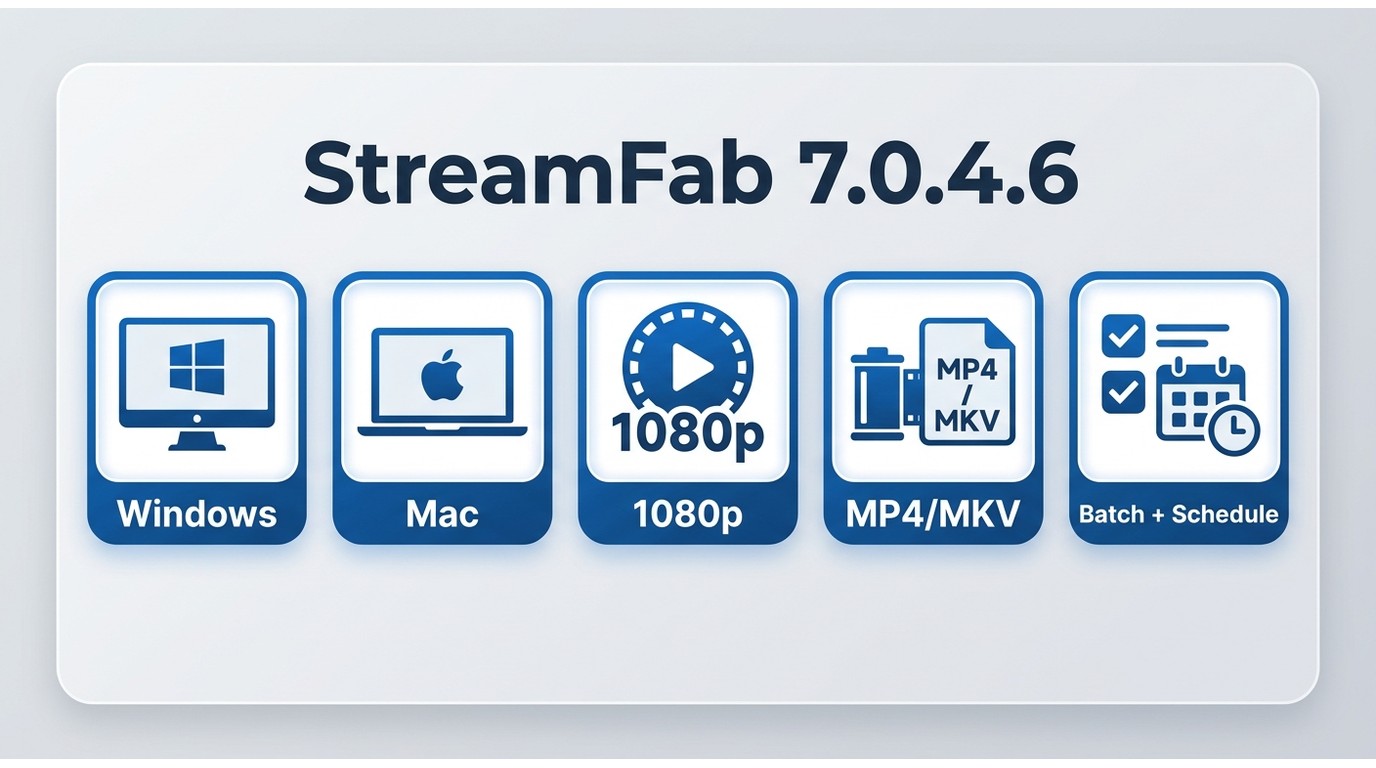
The quick takeaway: this StreamFab Amazon Downloader review is most useful if Prime Video’s in-app downloads do not provide the file controls you need. For authorized personal offline viewing, StreamFab supports local MP4 or MKV output, while the official app remains the better fit when its managed downloads already work for your devices.
The current official listing shows version 7.0.4.6, released August 21, 2026. This review covers the verified output options, trial terms, safety considerations, and the tradeoff between local-file flexibility and a service-dependent workflow. I would not treat one successful session as proof of long-term reliability because streaming-service changes can alter results without much warning.
| Current review checkpoint | What it means |
|---|---|
| Listed build | Version 7.0.4.6 |
| Release date | August 21, 2026 |
| Supported desktop systems | Windows and Mac |
| Maximum output | Up to 1080p |
| File formats | MP4 or MKV |
| Batch tasks | Batch and scheduled downloads |
Current listing reviewed in August 2026. Prime Video availability, licensing, and download behavior vary by region and title.
Amazon Download Quality and File Options
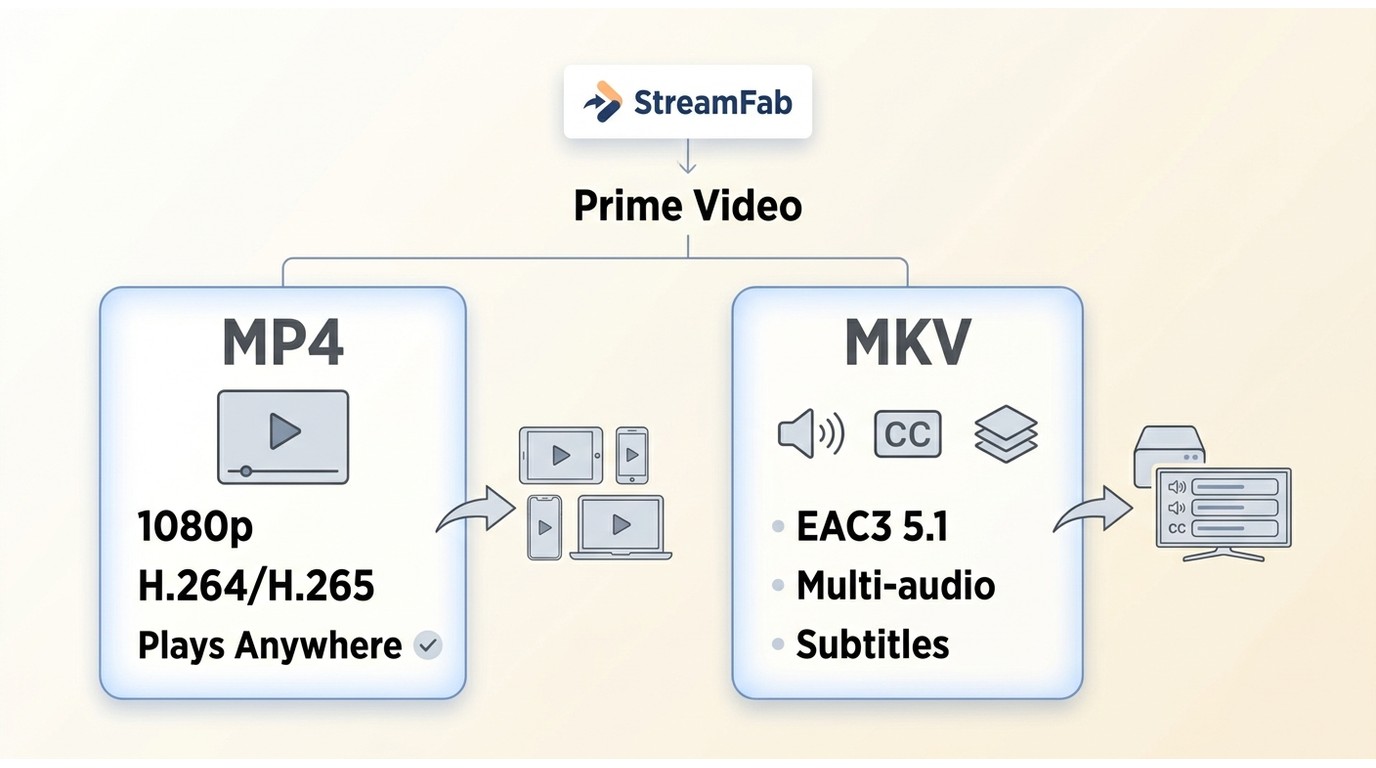
For content you’re authorized to access, where permitted by platform terms and applicable law, StreamFab Amazon Downloader provides a local-file workflow for personal offline viewing in MP4 or MKV. It is a desktop app for Windows and Mac that supports up to 1080p output, H.264 or H.265 video, and EAC3 5.1 or AAC 2.0 audio. It can suit viewers who need file and playback options beyond the Prime Video app, but it is not ideal if in-app downloads already cover your devices and viewing habits.

- The first one to download the latest TV shows and movies as premium 1080p MP4 videos
- Auto-download newly-released episodes if it is a TV show
- Choose your preferred video codec between H.264 and H.265
- Accessible to the free trial of all downloaders, including Netflix,Disney+ and more
Core Capabilities
| File option | Available setting | Best fit |
|---|---|---|
| Resolution | Up to 1080p | Compatible display |
| Video codec | H.264 or H.265 | Compatibility or efficiency |
| Audio | EAC3 5.1 or AAC 2.0 | Preferred track support |
| Subtitles | Embedded or SRT | Language flexibility |
| Format | MP4 or MKV | Player or media library |
| Batch tasks | Batch and scheduled | Series or planned viewing |
MP4 is the practical choice when broad player compatibility matters. MKV makes more sense when you want to keep multiple audio tracks and subtitles together, although some TVs and older players handle it less consistently. Either format can be moved to an external drive like another local file for authorized personal offline viewing.
Download Quota and Practical Limits
StreamFab applies product usage limits:
- Daily limit: 100 downloads per streaming service
- Weekly limit: 700 downloads per streaming service
The daily and weekly limits are product usage controls, not a guarantee against Amazon warnings or enforcement. In my view, lower-volume use is the more sensible approach, but it does not remove platform risk.
Pricing and Plans
StreamFab offers monthly, annual, and lifetime licensing options for its Amazon Downloader module. Current pricing is displayed on the official product page.
Value Analysis
Best for: Viewers who regularly need authorized local files, want MP4 or MKV output, and can accept that service updates may interrupt a workflow.
Not ideal for: Occasional mobile viewers whose existing Prime Video app downloads already meet their needs.
Free Trial
StreamFab includes a 30-day trial with three video downloads per supported streaming service. Trial downloads include the same core options as the paid version, so use them to check a complete title, your preferred audio track, subtitles, and playback on your intended device.
Safety, Account Risk, and Legal Boundaries
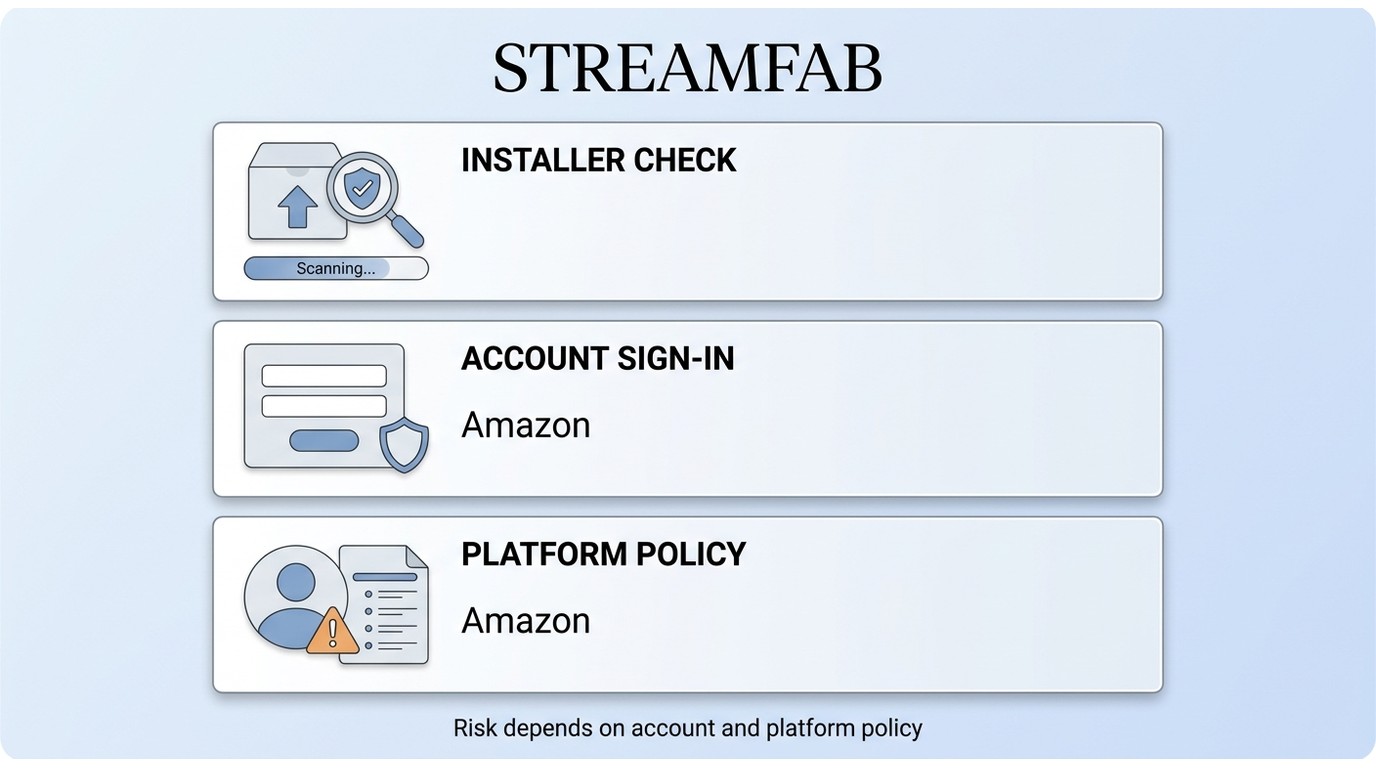
Safety has three separate parts here: installer security, credential handling, and Amazon account-enforcement risk. A clean installer scan does not answer the other two questions.
Malware and Installer Checks
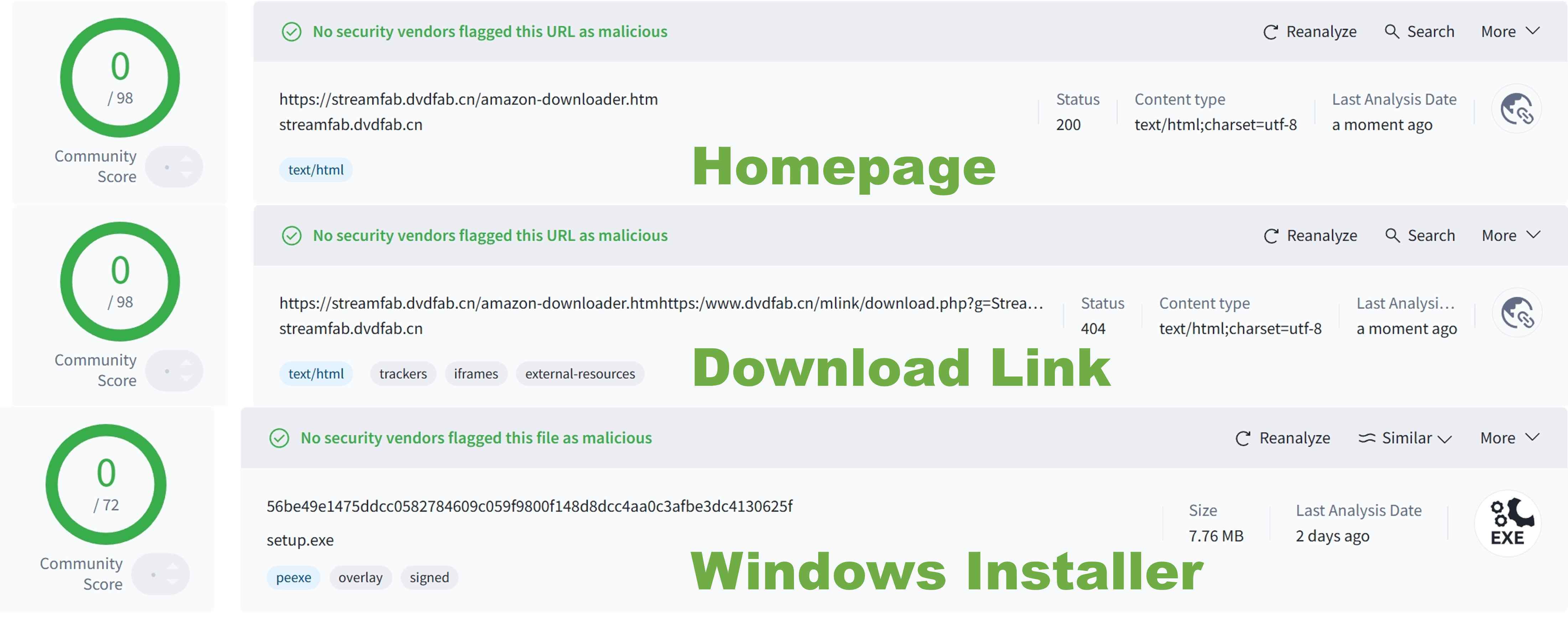
A security scan can help assess the installer, but it cannot prove that a product is risk-free. For a fuller breakdown of installation and privacy considerations, review StreamFab safety considerations before signing in with a streaming account.
Credentials and Amazon Account Risk
Use a trusted device, keep your Amazon credentials private, and understand that a product quota cannot prevent account warnings or enforcement. Amazon warning emails and account-security considerations require their own assessment, as explained in this overview of Amazon Prime Video warning emails and StreamFab security updates.
Personal-Use Boundaries
Use the local-file workflow only for content you are authorized to access, where permitted by platform terms and applicable law, and keep files for personal offline viewing. Do not share, sell, or distribute files.
How to Download Amazon Prime Videos with StreamFab 7
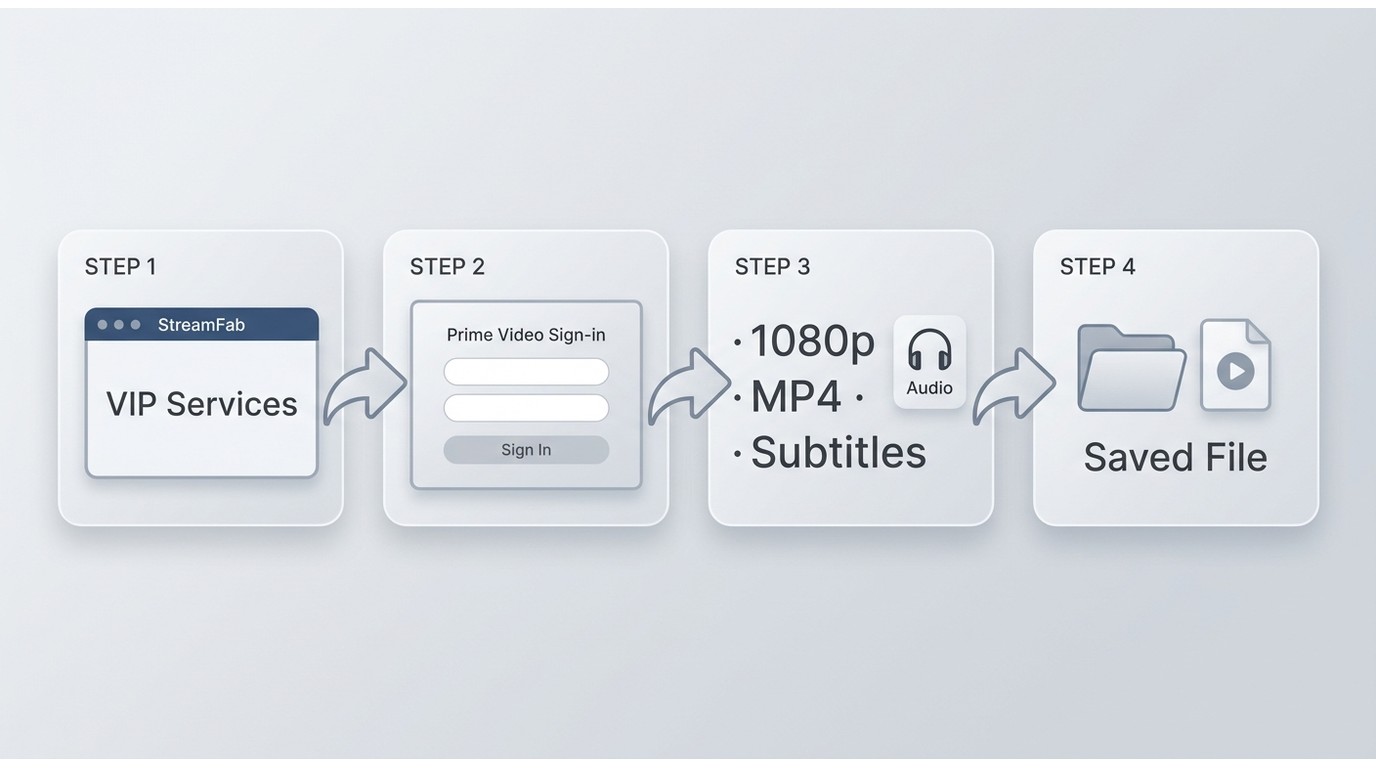
Before you begin, make sure you have an active Prime Video subscription, authorization to access the title, enough free disk space, and a Windows or Mac computer. The v7 interface then streamlines the download process to four steps:
Step 1: Launch and Select Amazon Module
Open StreamFab and click "VIP Services" in the left panel. Select the Amazon Downloader module.

Step 2: Sign In to Your Amazon Account
Use the built-in browser to log in to your Amazon Prime account. Keep your credentials private and use a trusted device when signing in.

Step 3: Configure Download Settings
Before downloading, set your preferences. Choose a dedicated temporary folder rather than a drive root or a folder containing unrelated files; this simple setup choice reduces the chance of mixing temporary data with files you need.
- Resolution: 1080p (default) or lower for smaller files
- Audio: EAC3 5.1 or AAC 2.0
- Subtitles: Embed in video or save as separate SRT files
- Format: MP4 (universal) or MKV (better for media servers)

Step 4: Start Download
Navigate to your video and click play. StreamFab detects the stream and displays a download panel. Click "Download Now" to begin—or add to queue for batch processing.

Completion time depends on the title, your connection, device performance, and current service behavior.
StreamFab vs. the Official Prime Video App
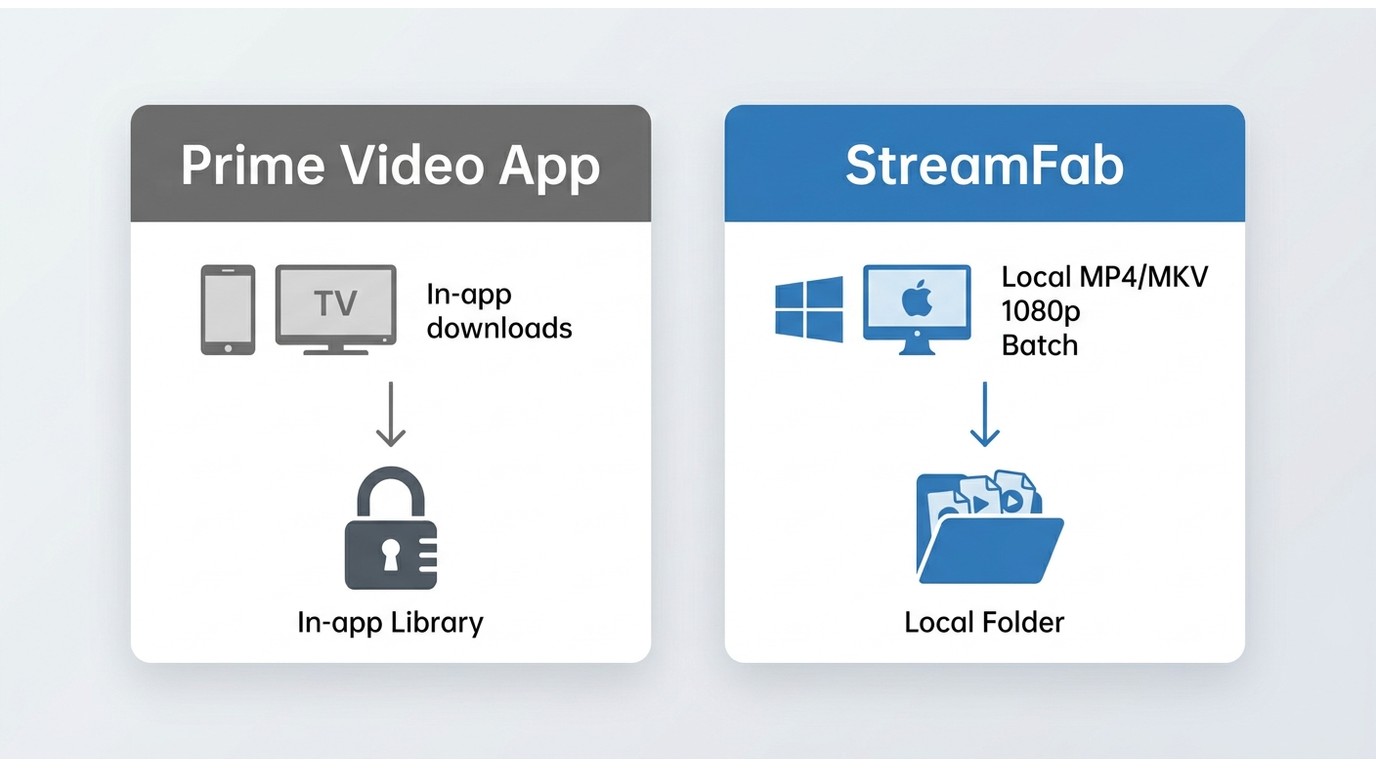
The official Prime Video app and StreamFab serve different offline-viewing workflows.
| Decision point | Prime Video app | StreamFab Amazon Downloader |
|---|---|---|
| Offline devices | Fire, iOS, Android, Mac, Windows | Windows and Mac |
| Playback type | Managed in-app download | Local MP4 or MKV file |
| Portability | Stays in the app | Move for personal offline viewing |
| Output control | App-managed | Format, audio, subtitles |
| Batch use | App workflow | Batch and scheduled tasks |
| Key limitation | Service-managed access | Service changes may affect results |
Bottom line: Choose the official app when its in-app downloads fit your devices. Choose StreamFab when authorized local MP4 or MKV files and output controls are the deciding needs.
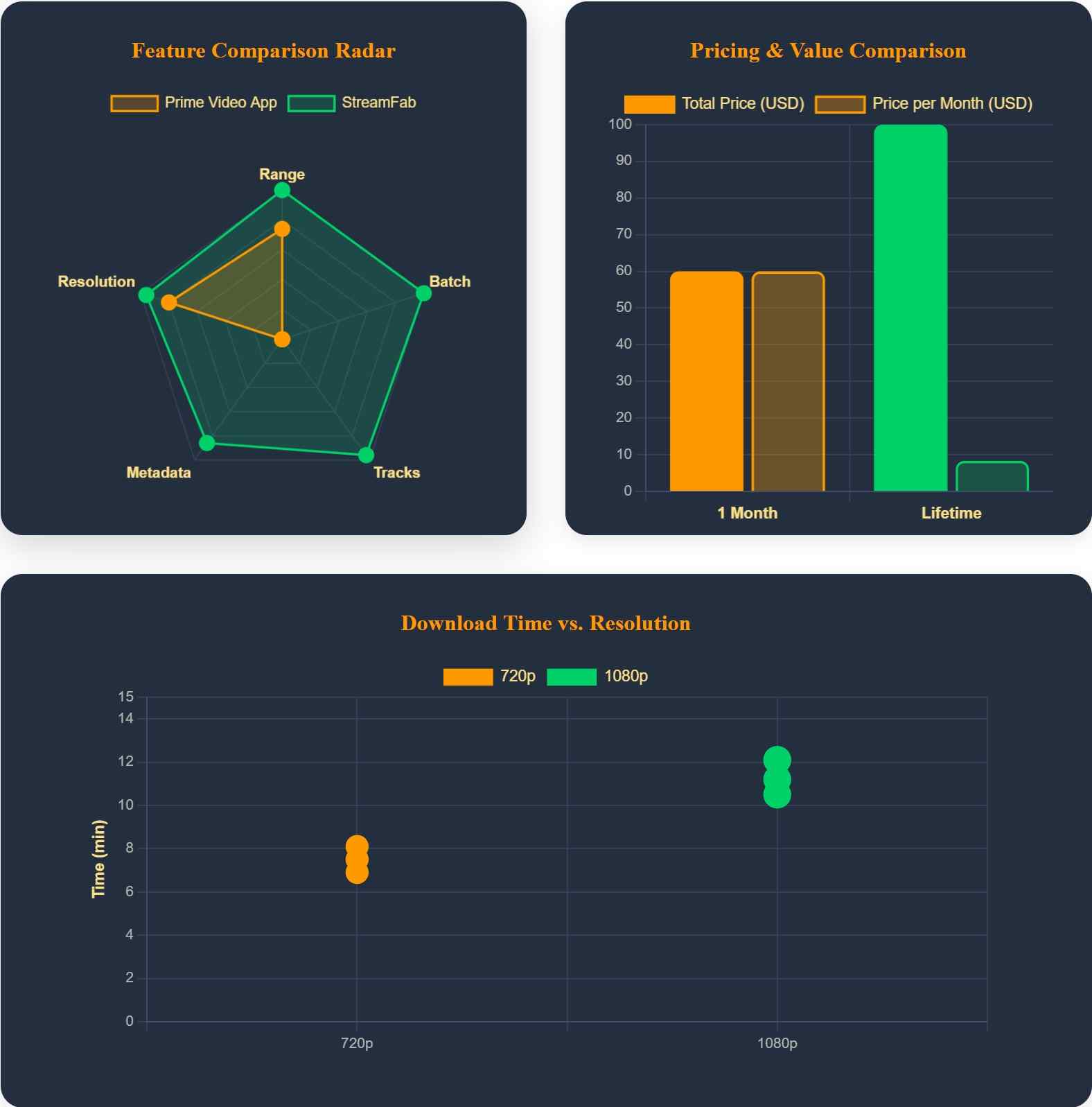
StreamFab vs. NoteBurner and TunePat
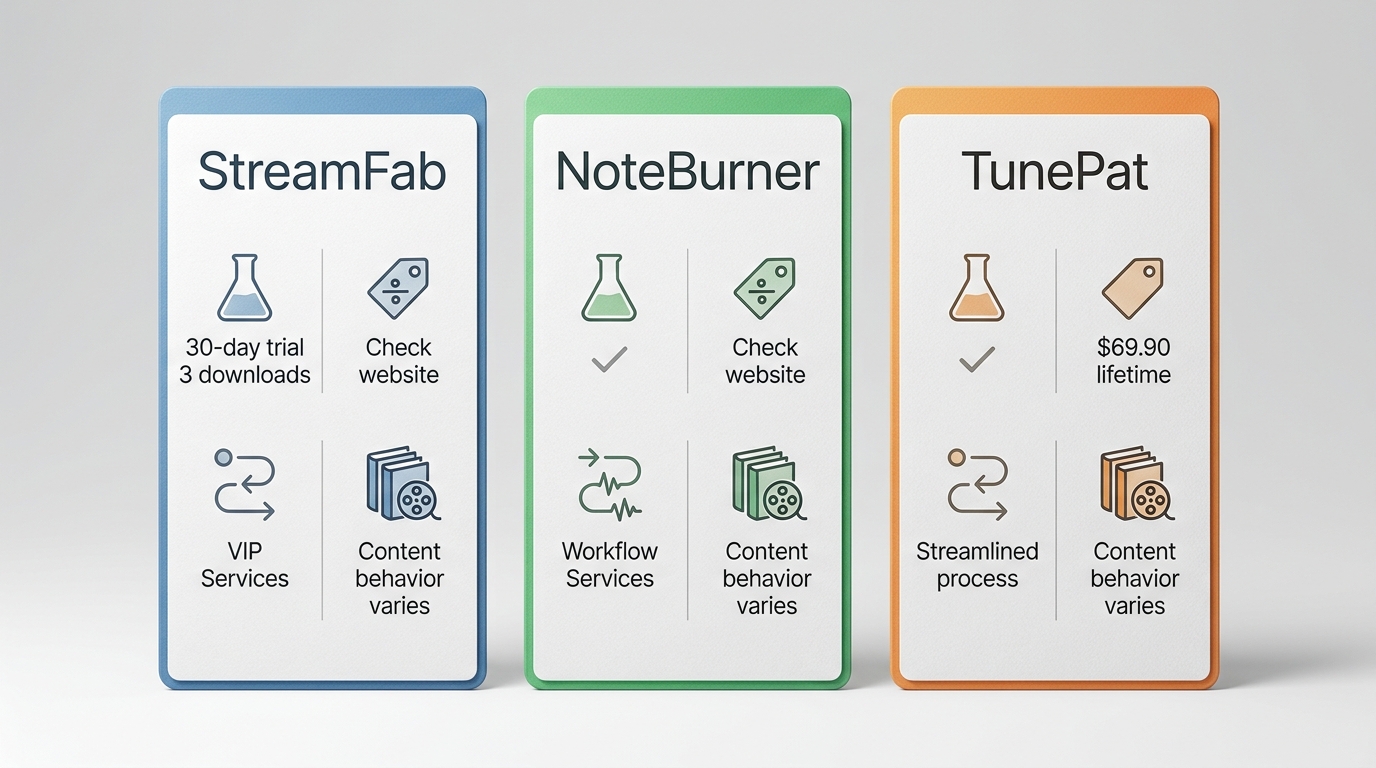
These products target similar local-file workflows, but current offers and service compatibility can differ. TunePat lists a $69.90 lifetime license in the United States as of August 2026.
Key Differences
- StreamFab: A fit when you want a 30-day trial with three downloads per supported service, plus MP4 or MKV output controls.
- NoteBurner: Consider it if its current workflow, pricing, and supported-title behavior fit your needs.
- TunePat: Consider it if its current license structure and title support are the better match.
For detailed comparisons, see our NoteBurner review and TunePat review.
Troubleshooting: Common Issues & Fixes
1. Unable to Process Certain Prime Titles
Some titles have regional or licensing restrictions that prevent downloading. Check:
- Your Amazon account region matches the content's availability zone
- The title is actually available for download (some live content isn't)
- You are using the build currently listed on the official Amazon Downloader page
2. Download in Wrong Language
Audio language issues usually stem from settings mismatch:
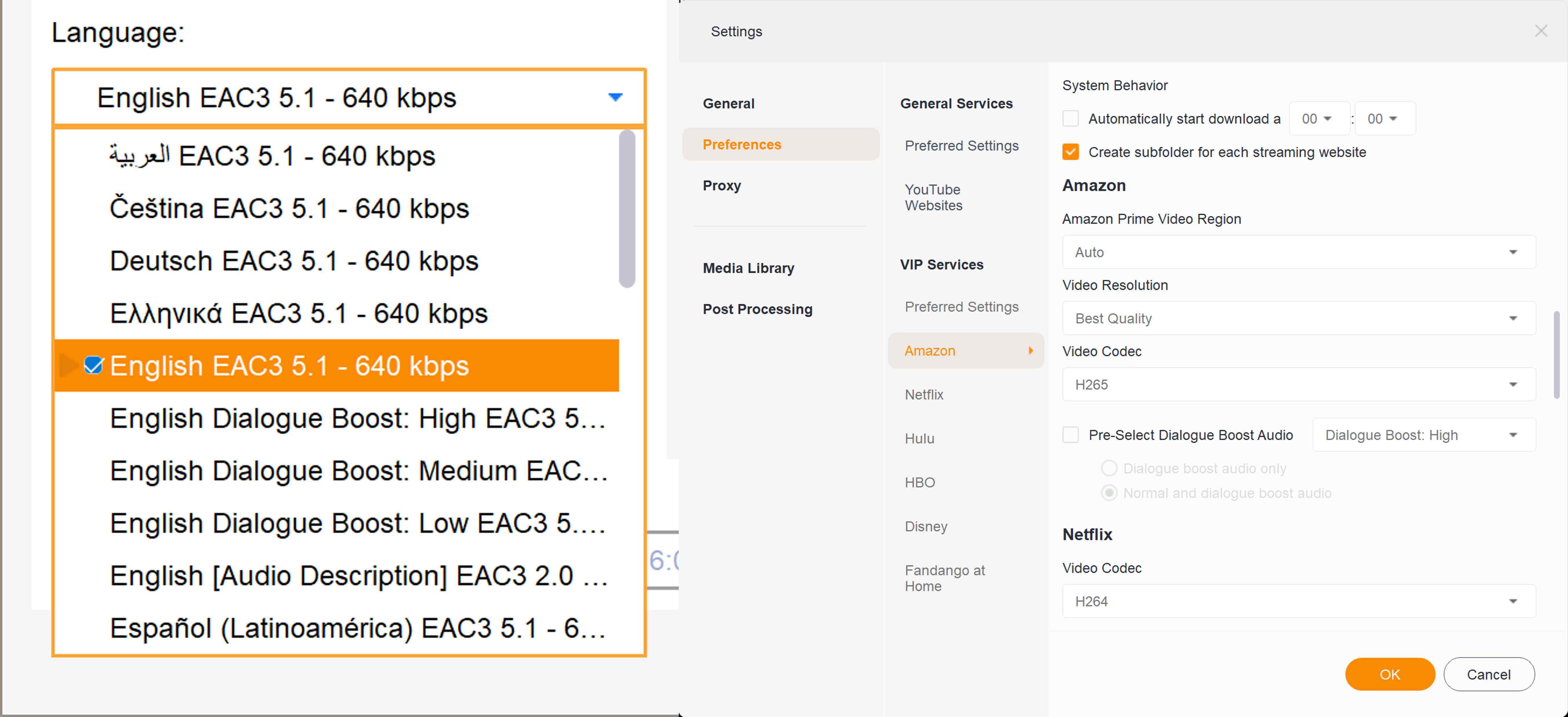
- Check StreamFab's audio language preferences before downloading
- Verify your Amazon account's default language settings
- For multi-language downloads, select all desired tracks in the download panel
3. Low Resolution Output
If downloads are below 1080p:
- The source content may only be available in lower resolution
- Check your StreamFab resolution settings (Settings → General → Video)
- Ensure your internet connection is stable during the download
For broader failures beyond Amazon-specific title, language, or resolution issues, the StreamFab troubleshooting guide covers common application-level fixes.
StreamFab Amazon Downloader FAQs
Is StreamFab Amazon Downloader safe to use with my Amazon account?
What's the difference between the $54.99 monthly and $99.99 lifetime plans?
Why does StreamFab have a 100 downloads/day limit?
Can I download Amazon Channel content (Paramount+, Discovery+)?
Does StreamFab work on Mac?
What's the refund policy?
Update Log
- August 2026: The official listing shows StreamFab Amazon Downloader version 7.0.4.6. Prime Video app offline-download support includes Fire tablets, iOS, Android, macOS, and Windows 10/11. TunePat lists a $69.90 U.S. lifetime license.
- November 2025: Original publication.
Conclusion: Who Should Buy StreamFab?
StreamFab Amazon Downloader is most useful for people who need authorized local MP4 or MKV files, want audio and subtitle controls, and understand that service changes can affect reliability.
Best for: Frequent offline viewers who need more file flexibility than the official Prime Video app provides.
Stay with the official app if: You primarily watch on supported devices and its managed downloads already fit your routine.
My deciding factor would be simple: pay for StreamFab only if local-file control solves a recurring viewing problem. The trial is the right place to confirm that the current workflow works with your preferred titles before you commit.

We will conduct a thorough evaluation of the features and cost-effectiveness of the Streamfab Netflix Downloader. I trust that this review will provide you with a more comprehensive understanding of the Streamfab Netflix Downloader prior to making a purchase.
By Erika Leen - Aug 19, 2026
This guide compares best StreamFab alternatives, FlixGrab+, CleverGet V26, MovPilot, and Audials One 2026, plus a separate Linux and open-source route. It explains operating-system fit, workflows, trials, automation, and update reliability so readers can choose without treating every tool as equivalent.
By Nicole Lopez - Aug 7, 2026
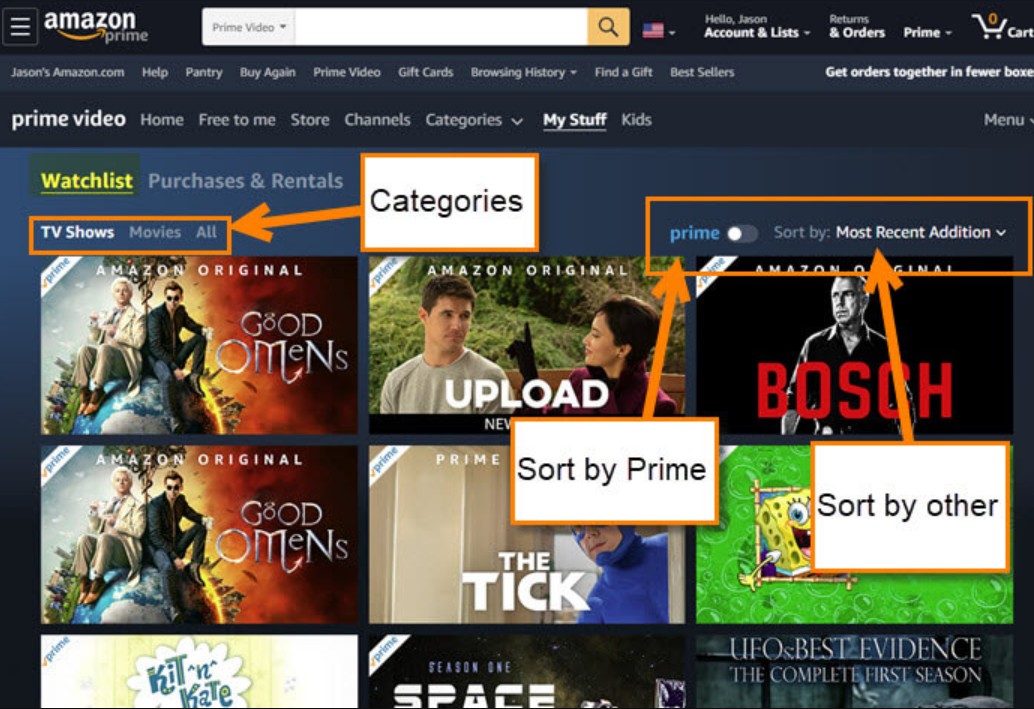
Watchlist lets you save shows and movies for later, but it doesn't support offline viewing. This guide explains how to manage your list efficiently and enjoy your content anytime, even without internet.
By Erika Leen - Aug 7, 2026
If you are comparing MovPilot vs. StreamFab, the useful answer is not a generic winner: your decision comes down to price, the services you actually use, saved-file options, and current reliability. My take is simple: MovPilot can suit a narrower workflow, while StreamFab is built for broader local-file and batch-download needs.
By Erika Leen - Aug 5, 2026