NoteBurner Amazon Video Downloader Review 2026: Test Speed & Quality

Summary: This review focus on whether NoteBurner remains a viable solution. I have analyzed its latest version against current Amazon video standards, measuring actual bitrate performance and batch-processing efficiency.
Table of Contents
- Quick Answer:
- The quick takeaway: NoteBurner Amazon Video Downloader is a desktop option for authorized personal offline viewing when you want MP4 or MKV files rather than app-managed Amazon Video offline downloads.
- At $89.90, it makes the most sense for occasional 1080p use on one computer; its published 2.3.x performance results are historical until version 3.0.2 receives a like-for-like retest.
NoteBurner Verdict at a Glance
If you are searching for a NoteBurner Amazon Video Downloader review because Amazon Video to MP4 portability matters more than app-based offline viewing, start with the file workflow, not the feature list. A live listing reports Windows version 3.0.2, released in July 2026; the 2.3.x observations published below should be read as historical until that build is retested under the same conditions.
This review separates Amazon’s official offline option from local MP4/MKV output, then covers price, license scope, account-safety considerations, historical quality observations, and the narrower cases where a NoteBurner Video Downloader review may be useful for a broader product comparison.

Official Downloads vs Local MP4/MKV Files
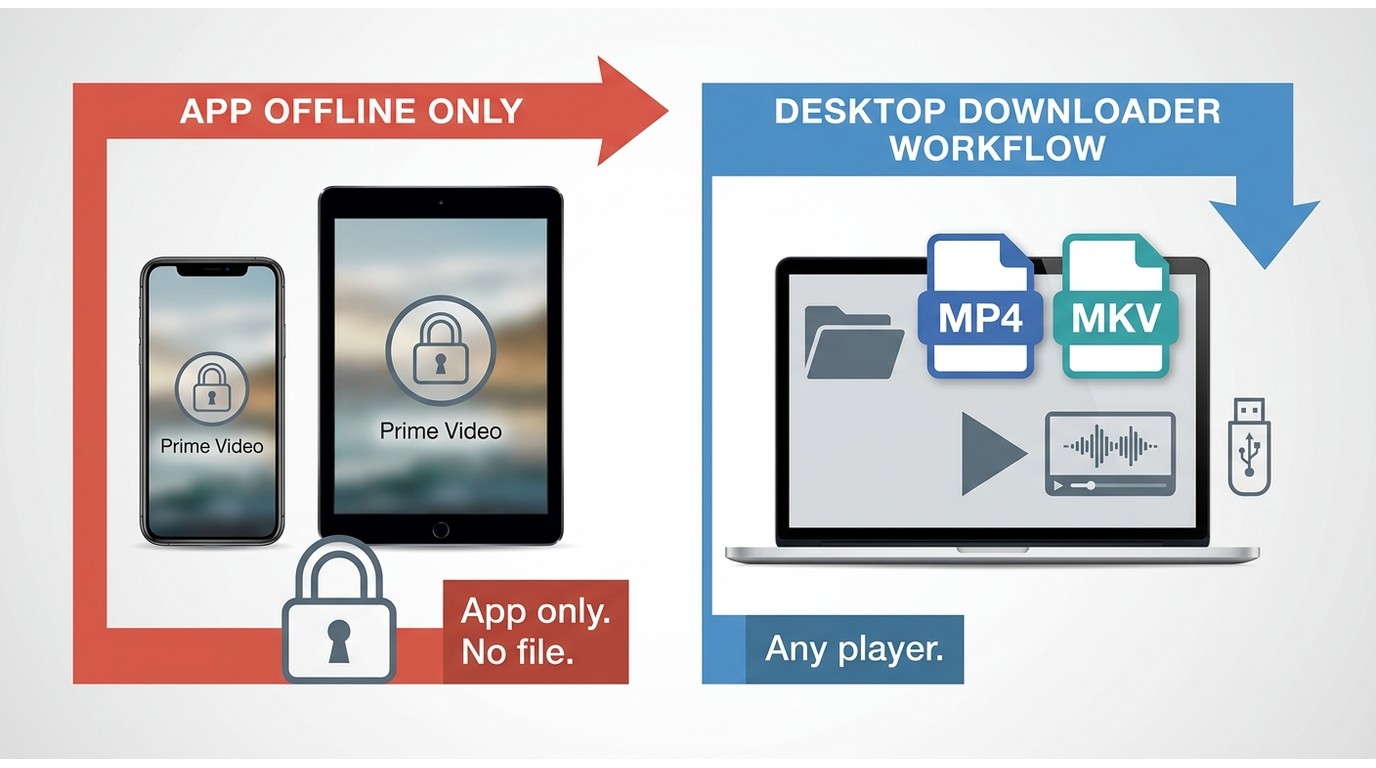
Prerequisite: use either route only with an active Amazon subscription and for authorized personal viewing, subject to Prime Video’s terms and applicable law. The important distinction is where the download lives and how it can be played.
- Choose official Prime Video downloads when you want the simplest offline option inside supported Prime Video apps. Playback remains managed by the app, so it is not a normal MP4 or MKV file for another player or a USB drive.
- Choose a local-file workflow when you need MP4 or MKV output for authorized personal offline viewing on a compatible computer or player. Local files are more portable, but service support and device compatibility may change.
- Choose based on your routine. For phone or tablet viewing with minimal setup, the official app is usually the cleaner fit. For desktop playback and file-format control, a dedicated desktop tool may be more practical.
My practical rule is simple: app-managed downloads suit convenience, while local files suit people who need a specific playback workflow. Neither choice replaces the need to follow the platform’s terms and local rules.
Basic Information of NoteBurner Amazon Video Downloader
1. Price, Trial, and Platform License
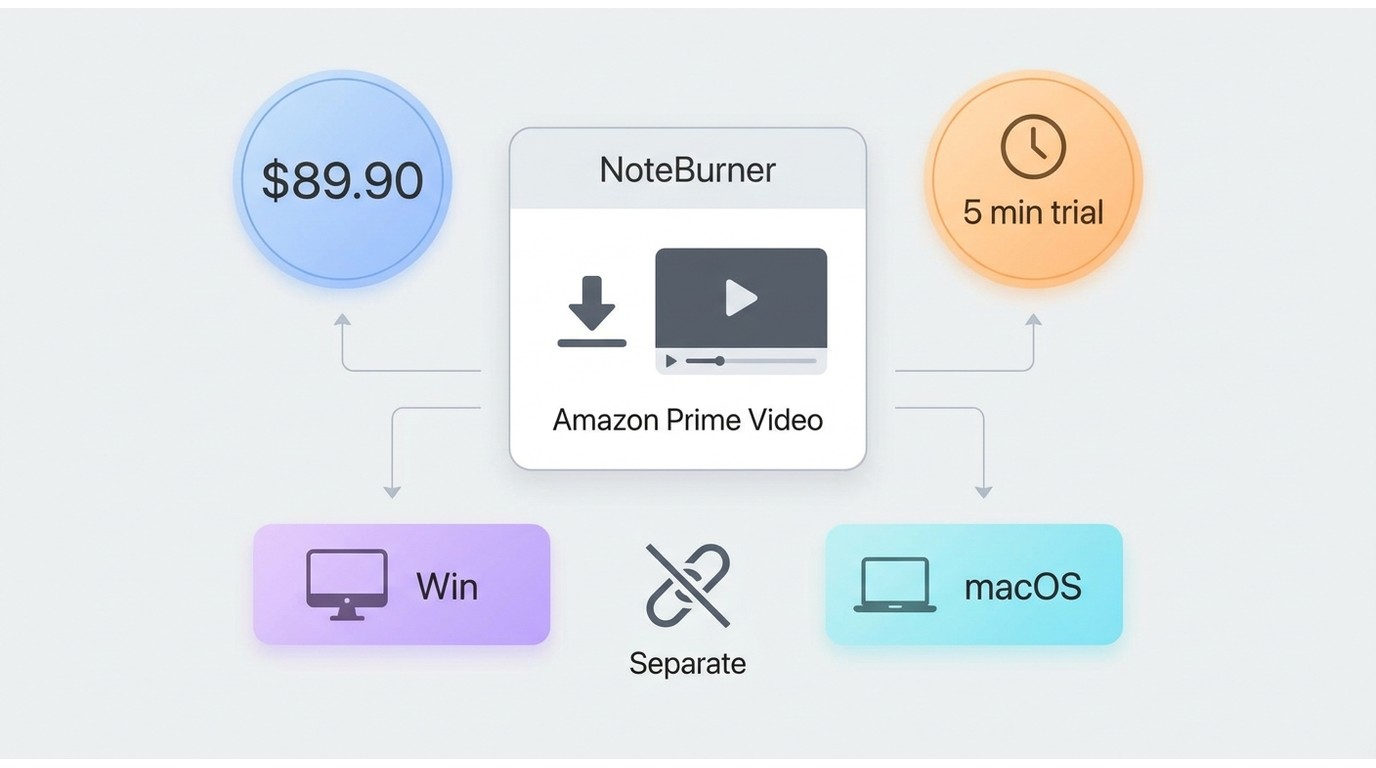
NoteBurner has a trial, but it downloads only the first five minutes of each video. That makes it useful for checking the interface and output settings, not for judging full-episode or season workflow performance. A full license is required for complete videos:
| Product | Price (as of July 2026) | License scope | Refund |
|---|---|---|---|
| NoteBurner Amazon Video Downloader | $89.90 | One platform license | 30-Day Money-Back Guarantee |
Warning: Subscriptions auto-renew by default. If you only need it for a one-time project, cancel NoteBurner subscription immediately via their settings or email support to avoid unexpected charges.
2. Safety, Login, and Personal-Use Limits
A URL scan of the homepage and download link did not show phishing links or scam ads in this review, although one engine flagged a BScope.Trojan.ProxyChanger warning. A single detection does not establish that software is malicious, but it is a reasonable reason to pause, review the installer carefully, and compare a NoteBurner alternative if account trust is your deciding factor.
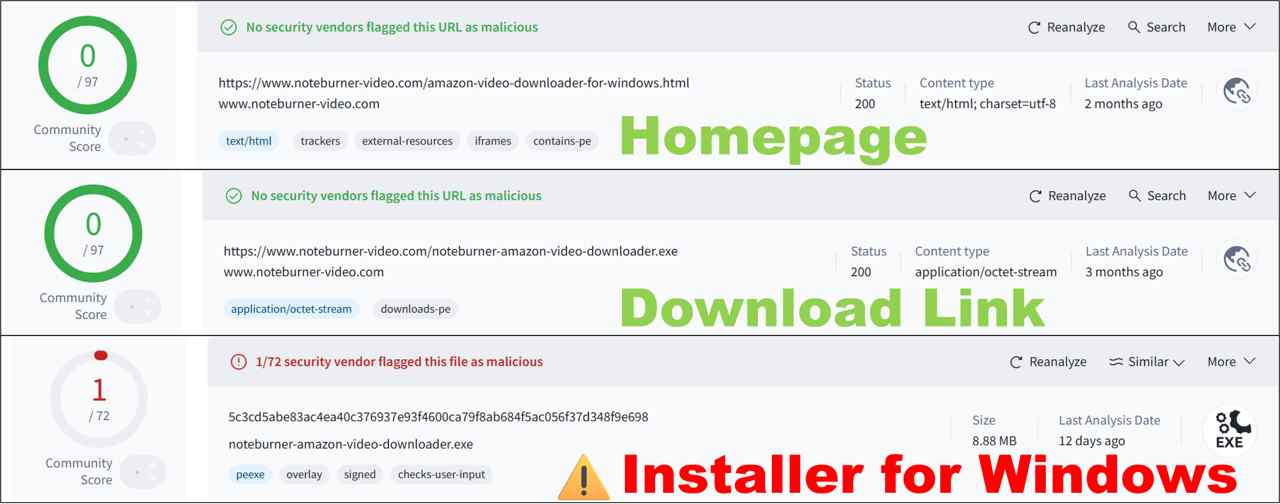
The larger trust question is login handling. Use the official vendor download page, protect the Amazon account with a unique password and multi-factor authentication, and avoid sharing saved files. Community concerns tend to focus on embedded logins and update reliability, not proof that every warning equals malware. Use local-file software only for content you are authorized to access for personal viewing, where permitted by platform terms and applicable law.

- ✅ For personal learning use only
- ✅ Not for external distribution or commercial use
- ✅ For music/video collections, try to obtain official OSTs, Blu-rays, or albums
- ✅ If troubleshooting is needed, clear cached data and remove invalid files before retrying.
NoteBurner Performance Review: Historical 2.3.x Results
The published observations below came from a five-minute trial sample, not a current-build full-season retest. That distinction matters: the settings and output details are still useful context, but they cannot establish July 2026 speed, concurrency, or reliability for version 3.0.2.
- OS: Windows 11 (RAM 16 GB, usable 13.8 GB)
- CPU: AMD Ryzen 7 5800U + Radeon Graphics
- Network: Wi-Fi 5G
- Historical NoteBurner version:2.3.4; version 3.0.2 was not retested
- Amazon plan: Amazon US (Standard with Ads)
- Test title: Reacher Season 1 Episode 1
- Trial sample length:First 5 minutes of the video
- Type: Subscription-based content
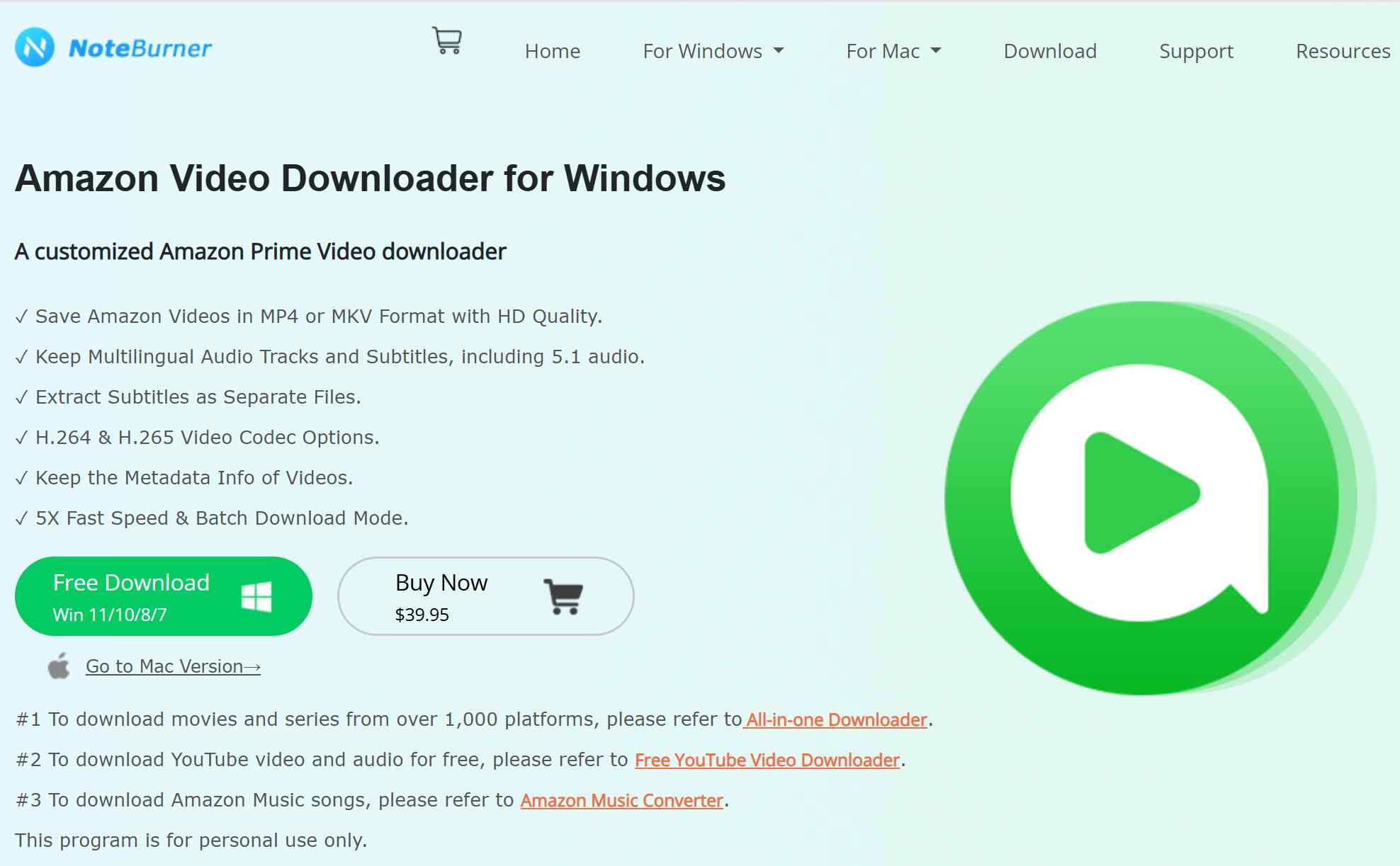
- Save Amazon Videos in MP4 or MKV Format with HD Quality.
- Keep Multilingual Audio Tracks and Subtitles, including 5.1 audio.
- Extract Subtitles as Separate Files.
- H.264 & H.265 Video Codec Options.
- Keep the Metadata Info of Videos.
- Batch download mode is advertised.
1. Output Quality: 1080p Quality, Audio, and Subtitles
In the historical 2.3.4 Windows trial sample of Reacher Season 1, Episode 1, H.265 output reached 2586 kb/s and H.264 reached 3129 kb/s. The sample used the Amazon US Standard with Ads plan and covered only the first five minutes, so these figures should not be treated as a current 3.0.2 result or as proof of source fidelity.
For an occasional viewer, 1080p availability, selectable codecs, and subtitle options may matter more than a bitrate comparison. For a quality-focused library builder, I would wait for a documented current-build test that records resolution, file size, audio channels, subtitle mode, and identical source settings.
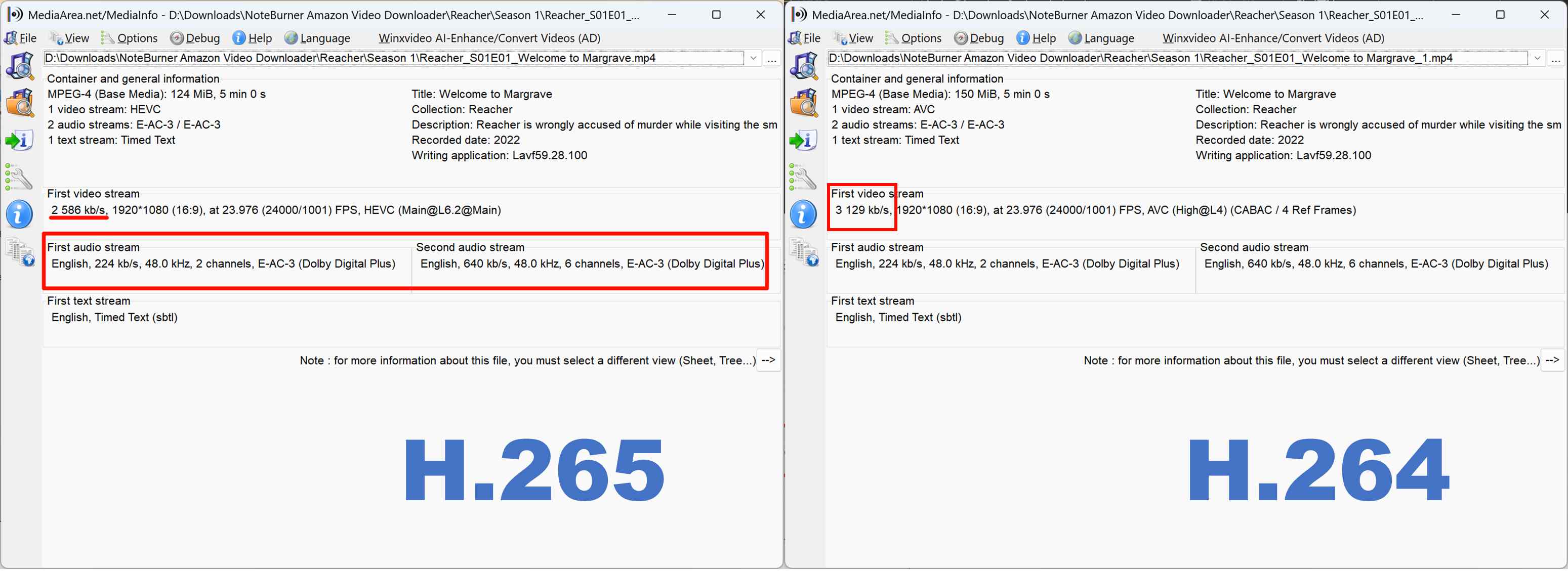
In the historical interface, audio-track choices required attention before starting a job. If sound quality is important, confirm the selected audio option and subtitle mode before downloading rather than assuming the default matches your preference.
2. Speed: Speed, Queue Behavior, and Stability
The historical 2.3.4 trial sample averaged about 2 MB/s, with peaks near 6 MB/s, and completed its five-minute clip in about one minute. Those figures describe one short trial sample, not full-episode, full-season, or version 3.0.2 performance.
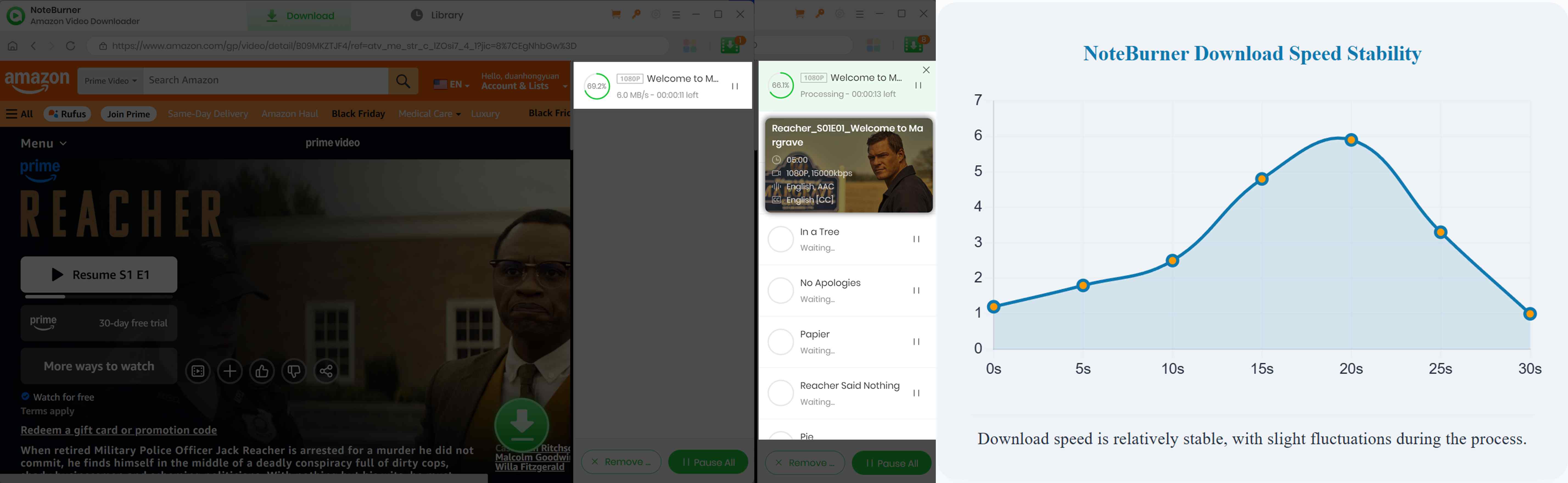
The short trial observation did not include enough full episodes to verify whether batch jobs ran concurrently or queued one after another. The build did complete the sampled clip without a system crash, but that is not a reliability verdict. If you run into parsing or transfer failures, the dedicated NoteBurner cannot download troubleshooting page covers practical checks.
3.User-Friendly Interface: Guided Setup for New Users
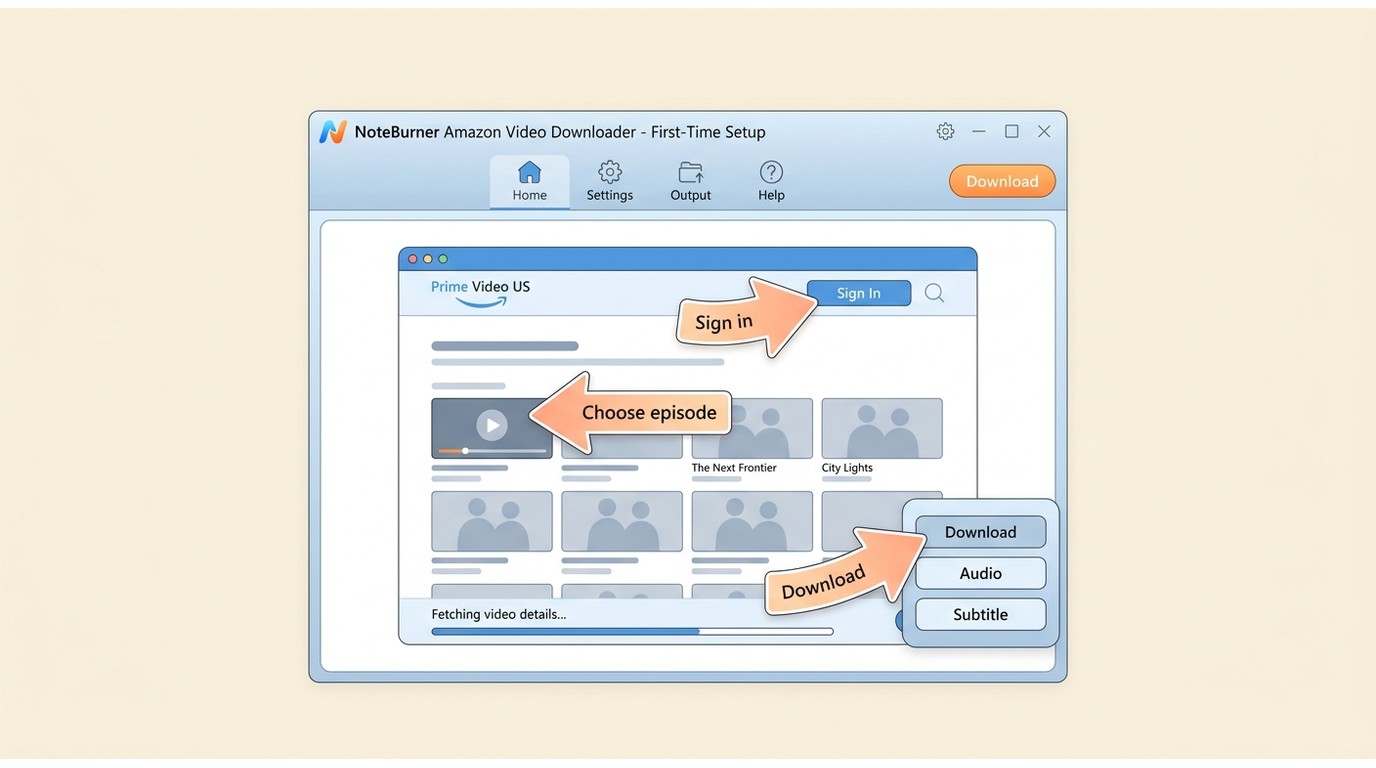
NoteBurner’s interface is simple and straightforward. The guided prompts lower the friction for first-time desktop users, although repeated pop-ups and manual selections are less appealing for an unattended season workflow.
Also, when you open it for the first time, it will automatically redirect you to the corresponding region’s Prime Video page based on your network environment, and then floating arrows will guide you through each step of the download process. If you missed its built-in tutorial or forgot the detailed steps, you can refer to the tutorial I wrote:
After running the NoteBurner Amazon Video Downloader, as a first-time user, you must select the region and sign in to your Amazon Prime account.
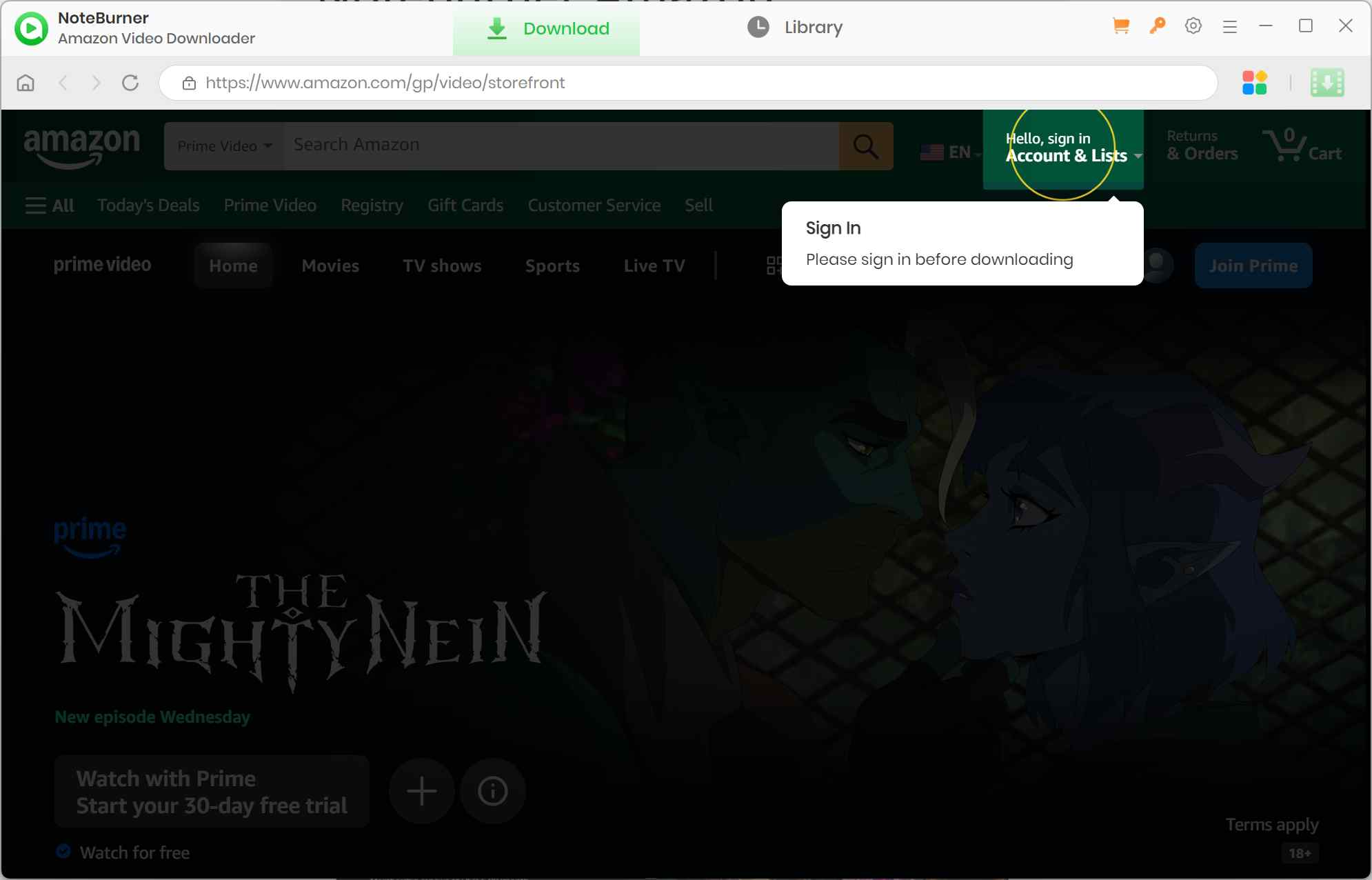
Using the built-in browser of NoteBurner Amazon Video Downloader, you can search for your desired video, and the NoteBurner tool will show you the related results.
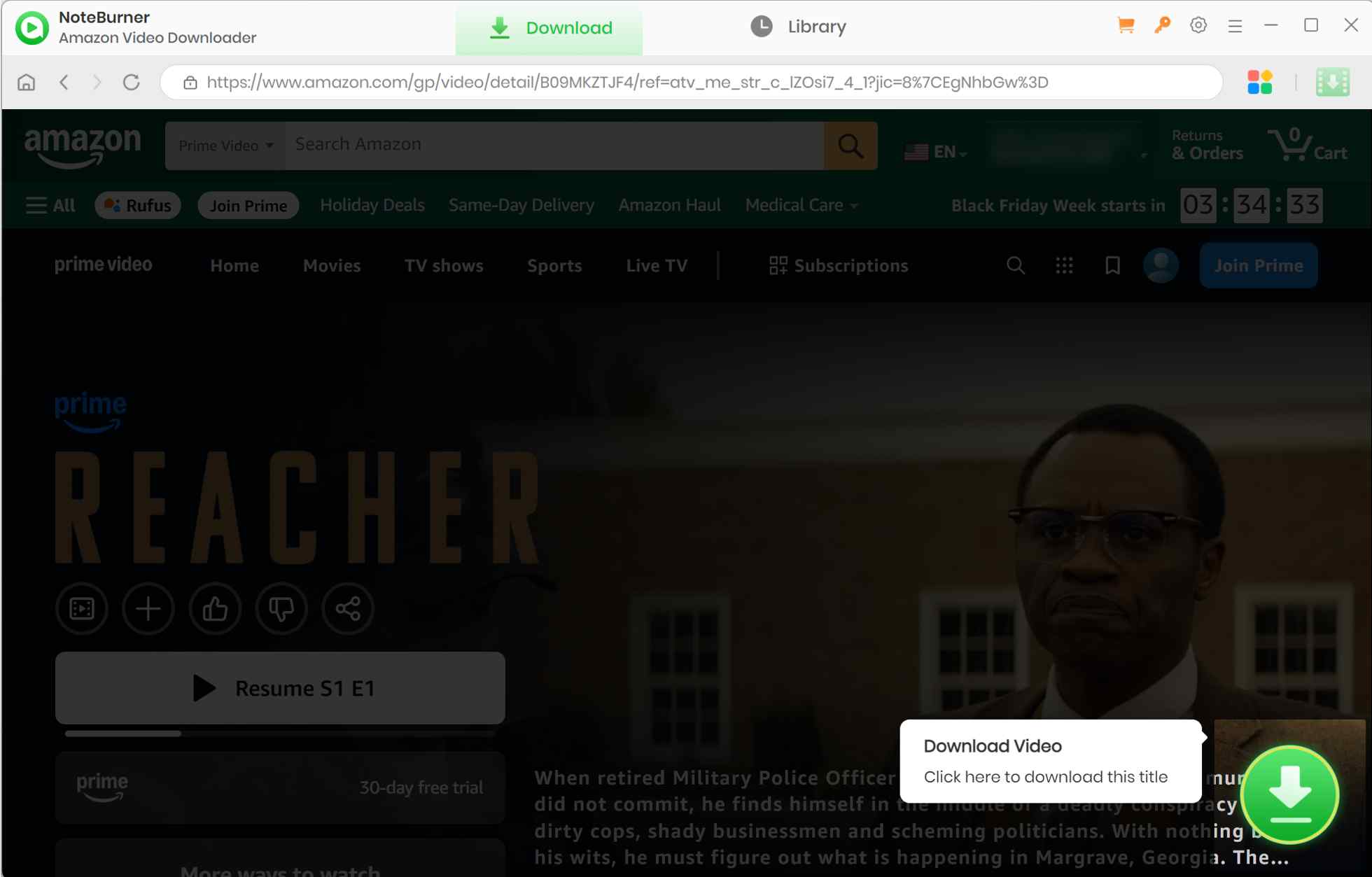
Using the video thumbnail, head to the details page of your selected video > click the green download arrow sign > for the “Advanced Download” option for the resolution, audio quality, and subtitles.
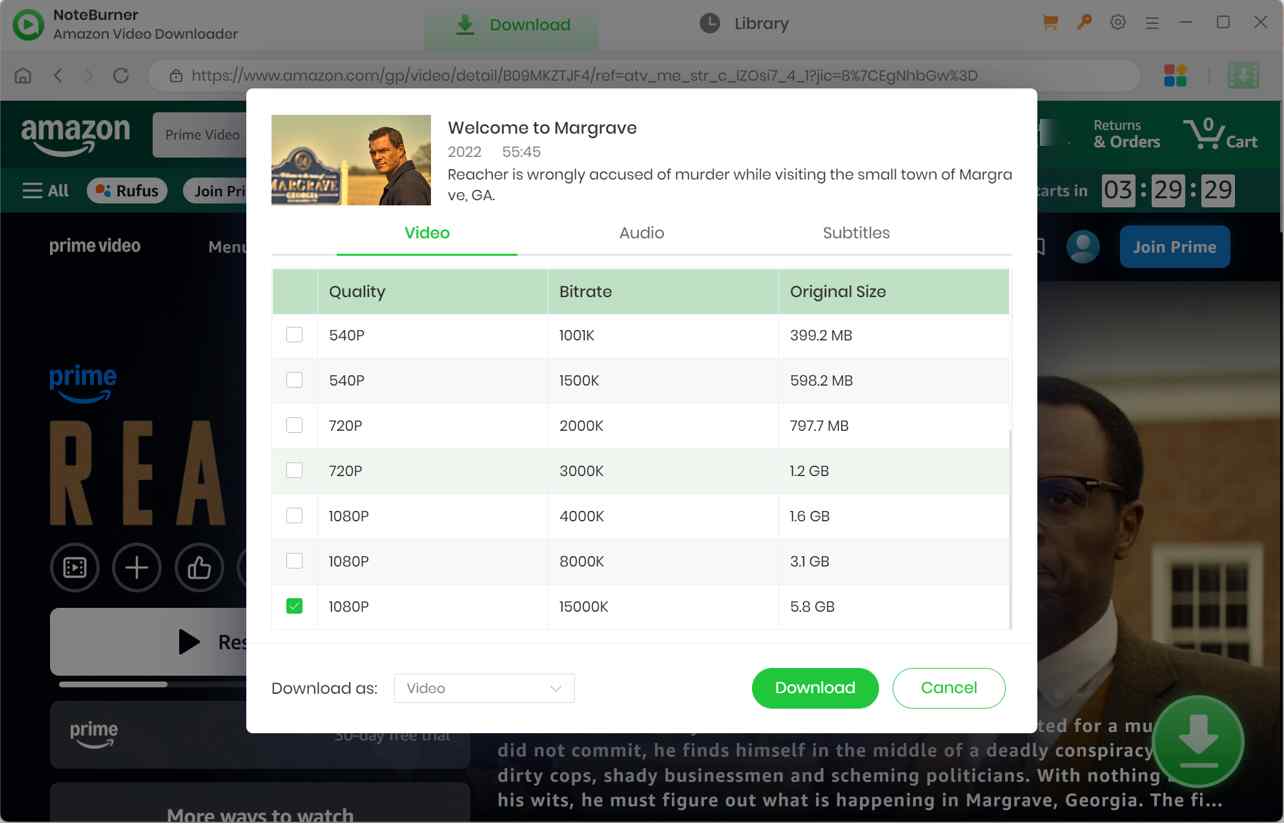
Then again, hit the “Download” option to save your selected video to your chosen output folder. There will be 2 or 3 pop-ups asking if you want to change the codecs or audio quality. That's up to you. Anyway, you can get your downloads in the “Library” section, finally.
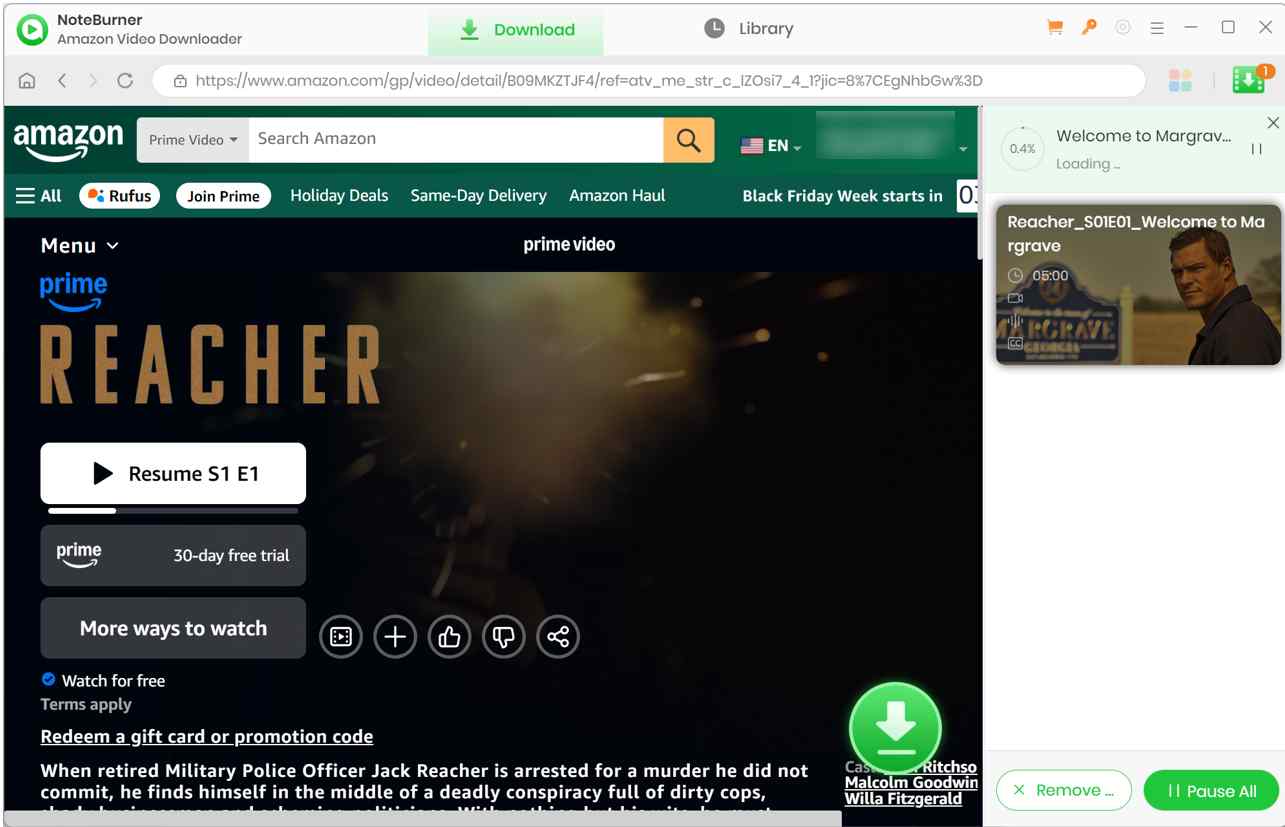
The historical five-minute trial sample shows that NoteBurner handles the basic desktop workflow, but it cannot establish current-version quality, batch behavior, or season-scale reliability. I would wait for a like-for-like version 3.0.2 retest before treating the older observations as a purchase verdict.
StreamFab Comparison and Best-Fit Users
StreamFab Amazon Video Downloader is a desktop alternative for authorized personal offline viewing where permitted by platform terms and applicable law. It is worth considering when MP4/MKV output, scheduled new-episode saving, and batch workflow matter more than NoteBurner’s guided beginner experience.

A desktop alternative for authorized personal offline viewing when local-file workflow and scheduling options matter.
For a fuller product-specific assessment, the StreamFab Amazon Downloader Review covers its Amazon workflow in more depth. In this comparison, the relevant differences are output control, audio and subtitle selection, batch scheduling, and the type of user each product serves.

- Output formats: MP4 and MKV output supports standard desktop-player workflows.
- Resolution and codecs: Up to 1080p with H.264 or H.265 output, depending on the selected source and settings.
- Scheduled workflow: Batch jobs and scheduled new-episode saving are supported.
- Audio and subtitles: Audio-language selection and downloadable subtitles are supported, including EAC3 5.1 where available.
- Generous Free Trial: You get 3 full-length downloads with all quality options available, compared to NoteBurner's 5-minute limit.
1. Verified Specs and Workflow Differences
The table below separates app-managed Prime Video offline downloads from desktop local-file workflows. It uses published product specifications and historical NoteBurner observations, not a same-title current-build performance race.
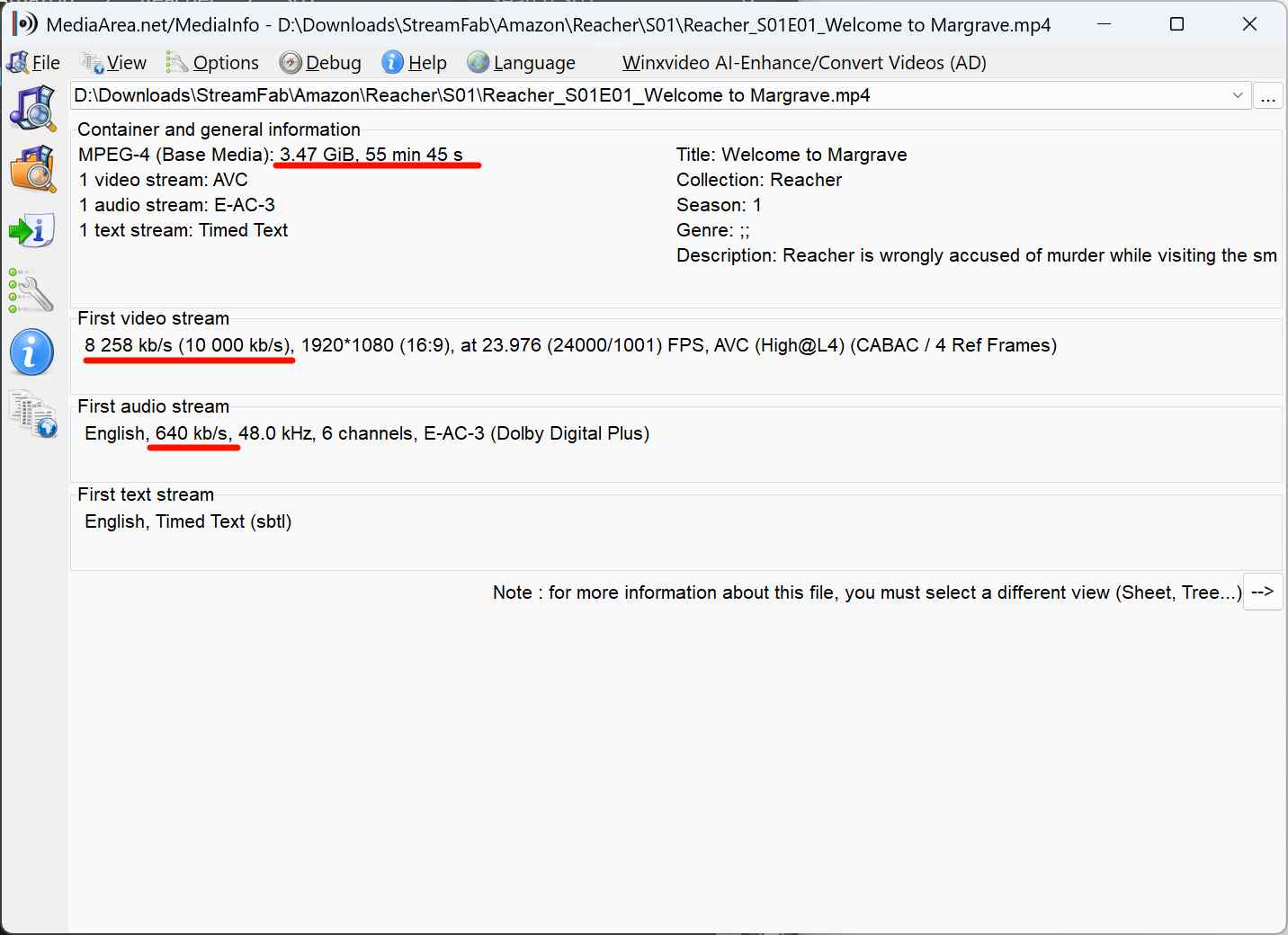
NoteBurner fits a first-time desktop user who values guided setup and occasional 1080p output on one platform. It is not ideal for someone who needs independently verified current-build batch behavior. StreamFab fits a desktop local-file workflow that prioritizes scheduling, selectable audio, subtitles, and MP4/MKV output; it is not ideal if you simply want Amazon’s app-managed offline viewing on a mobile device.
| Decision point | Prime Video official downloads | NoteBurner Amazon Video Downloader |
|---|---|---|
| Playback location | Supported Prime Video app | Desktop local-file workflow |
| Portable MP4/MKV output | No; app-managed downloads | Yes; MP4/MKV |
| Resolution and codecs | App-managed; no portable codec choice | Up to 1080p; H.264/H.265 |
| Audio and subtitles | Managed inside the app | Multilingual audio, subtitles, and separate subtitle files |
| Batch or scheduling | App download controls | Batch advertised; 2.3.x concurrency not verified here |
| Trial or access limit | Active Prime Video access required | Trial downloads the first 5 minutes of each video |
| Price and system scope | Included with eligible Prime Video access on supported devices | $89.90; Windows or macOS platform-specific license |
| Best fit / not ideal for | Best for convenient app viewing; not ideal for USB or another player | Best for occasional desktop MP4/MKV use; not ideal for current-build automation claims without a retest |
Important Note: All tools mentioned are for authorized personal offline viewing only. Use an active subscription where required, and do not distribute or share saved files.
2. When StreamFab Fits Better
If StreamFab’s workflow better matches your needs, the basic process is to sign in with an active Amazon subscription, select an authorized title, choose output preferences, and save it for personal offline viewing. The detailed how to use StreamFab instructions belong in the dedicated guide rather than this NoteBurner review.
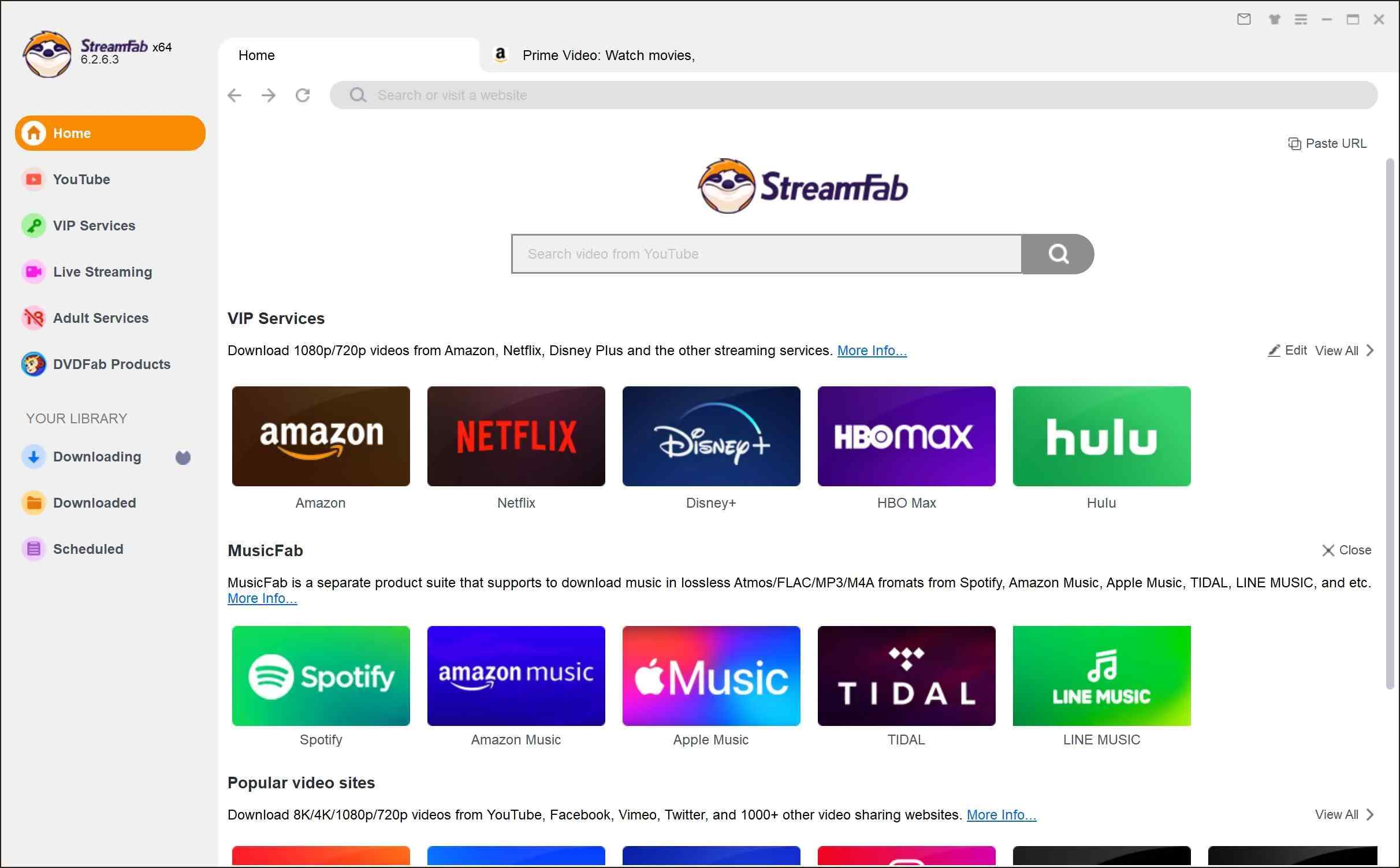
Choose the Amazon Prime Video website while scrolling through the website list on the right side. Log in to your subscribed Amazon account and find the video you want to watch offline.
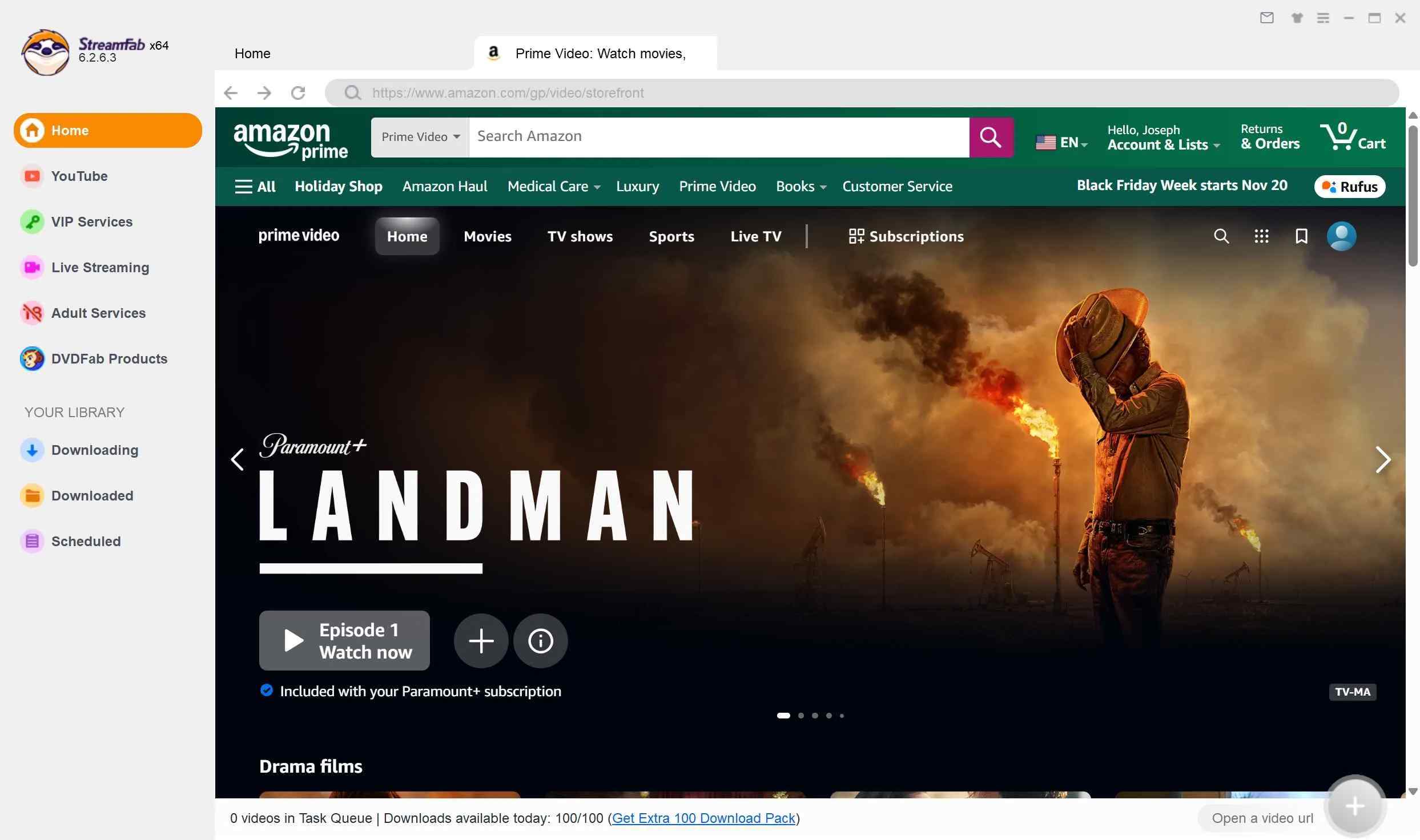
Then play your selected video, and once you get a pop-up window for customization, select quality, format, subtitles, etc, depending on your preference.
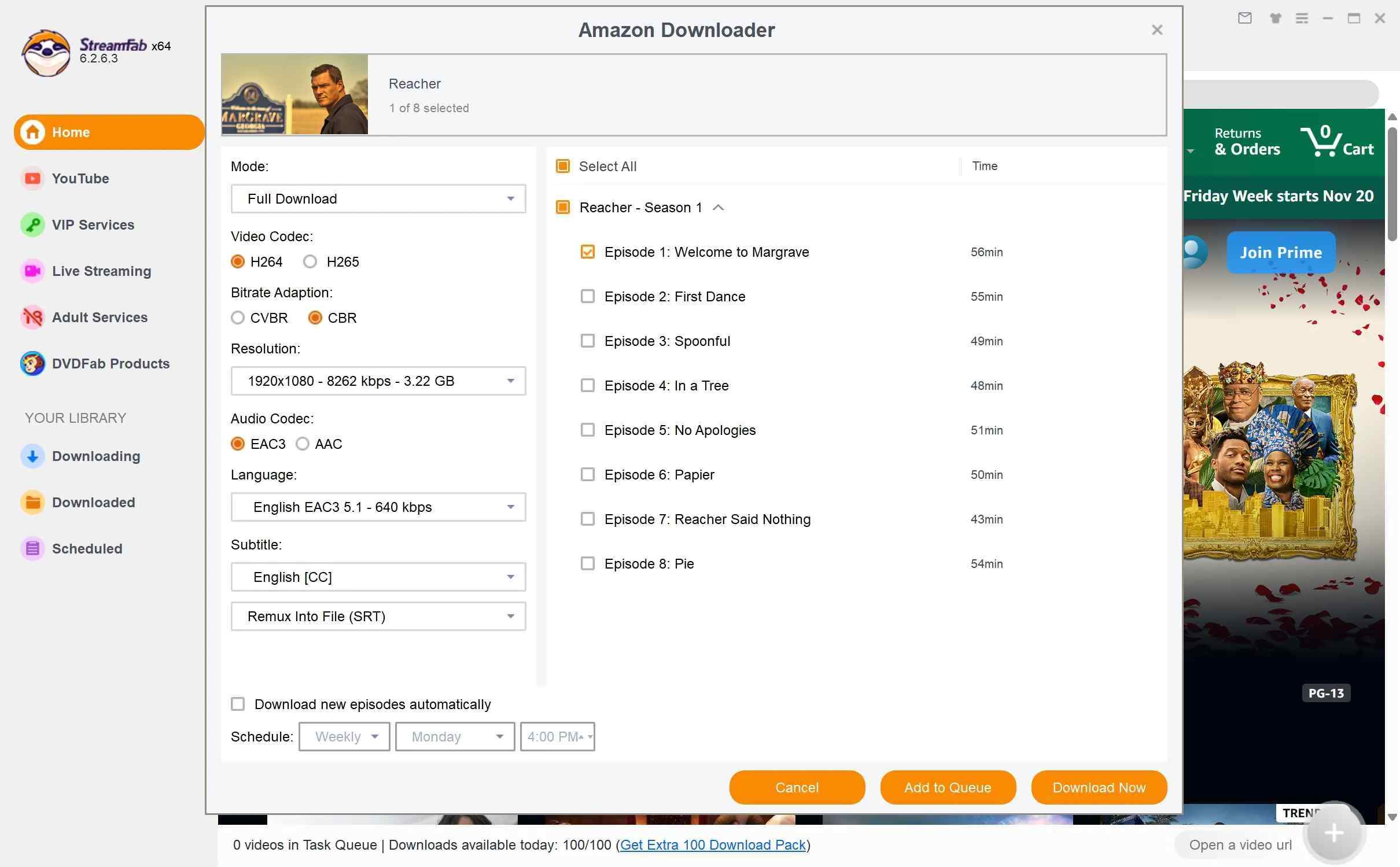
After that, go for the “Download” option to finish your selected Amazon video downloading process.
Frequently Asked Questions
What should I try if NoteBurner stops parsing Prime Video?
Start by confirming that you are using the current build, then refresh the embedded Prime Video session and sign in again if needed. Storage space, the selected output path, and cached session data are also sensible checks, but no single cause explains every parsing or transfer failure.
If the problem continues, use NoteBurner’s error-specific troubleshooting guidance and record the exact message, version, and output setting before contacting support.
Does NoteBurner offer an Android app?
No. The reviewed NoteBurner Amazon downloader is a Windows and macOS desktop product, not an Android app. For offline viewing on a phone or tablet, Amazon’s official Prime Video app is the relevant app-based option.
Can NoteBurner save Amazon Prime Video in 4K?
NoteBurner’s advertised maximum output is 1080p. The reviewed product specifications do not show 4K output support, so readers who specifically need 4K should not treat this tool as a 4K workflow.
Final Verdict
NoteBurner Amazon Video Downloader is a reasonable fit for light, occasional desktop use if you value a guided interface, need up to 1080p output, and are comfortable choosing a Windows or Mac license. Its five-minute trial is enough to inspect the workflow, but not enough to validate season-scale speed or batch behavior.
Skip NoteBurner if current-build automation, independently documented performance, or more advanced scheduling is central to your workflow; the historical 2.3.x observations here do not answer those questions for version 3.0.2. In that narrower desktop scenario, StreamFab Amazon Downloader is a relevant fit to compare for MP4/MKV output, scheduled saving, audio selection, and subtitles. Use either local-file workflow only for authorized personal viewing, where permitted by platform terms and applicable law.
- NoteBurner is a desktop product for Windows or macOS, with a platform-specific license.
- The listed lifetime price is $89.90.
- The trial downloads the first five minutes of each video.
- Published 2.3.x speed and batch observations are historical, not a version 3.0.2 benchmark.
- Choose the official Prime Video app for app-managed offline viewing, or a local-file workflow when compatible MP4/MKV playback is the practical need.


Evaluating the Audials One 2026 free trial? I tested its 720p caps, examined if is audials legal under Fair Use
By Erika Leen - Sep 29, 2026

Are you thinking of purchasing NoteBurner and unsure if it’s worth the investment? In this NoteBurner review, let’s delve into its product lines, particularly the NoteBurner Video Downloader’s pros and cons.
By Marcia Hatcher - Sep 28, 2026

Read our in-depth Audials review for 2026. Is Audials safe and legal for Amazon Prime? Discover actual test results, Widevine DRM fixes, and better alternatives.
By Erika Leen - Sep 28, 2026
TuneFab’s Amazon downloader suits a focused desktop routine, while VideOne covers multiple services. Compare their workflows, license structures, and output checks with StreamFab, then use the numbered setup and maintenance steps for authorized personal offline viewing.
By Erika Leen - Sep 24, 2026