
StreamFab DRM MPD Downloader: 4 Steps to MP4 or MKV

Summary: Have you ever bought StreamFab DRM MPD Downloader but did not find the product on the surface of StreamFab screen and don't know how to use it? Now this article will tell you how to use it.
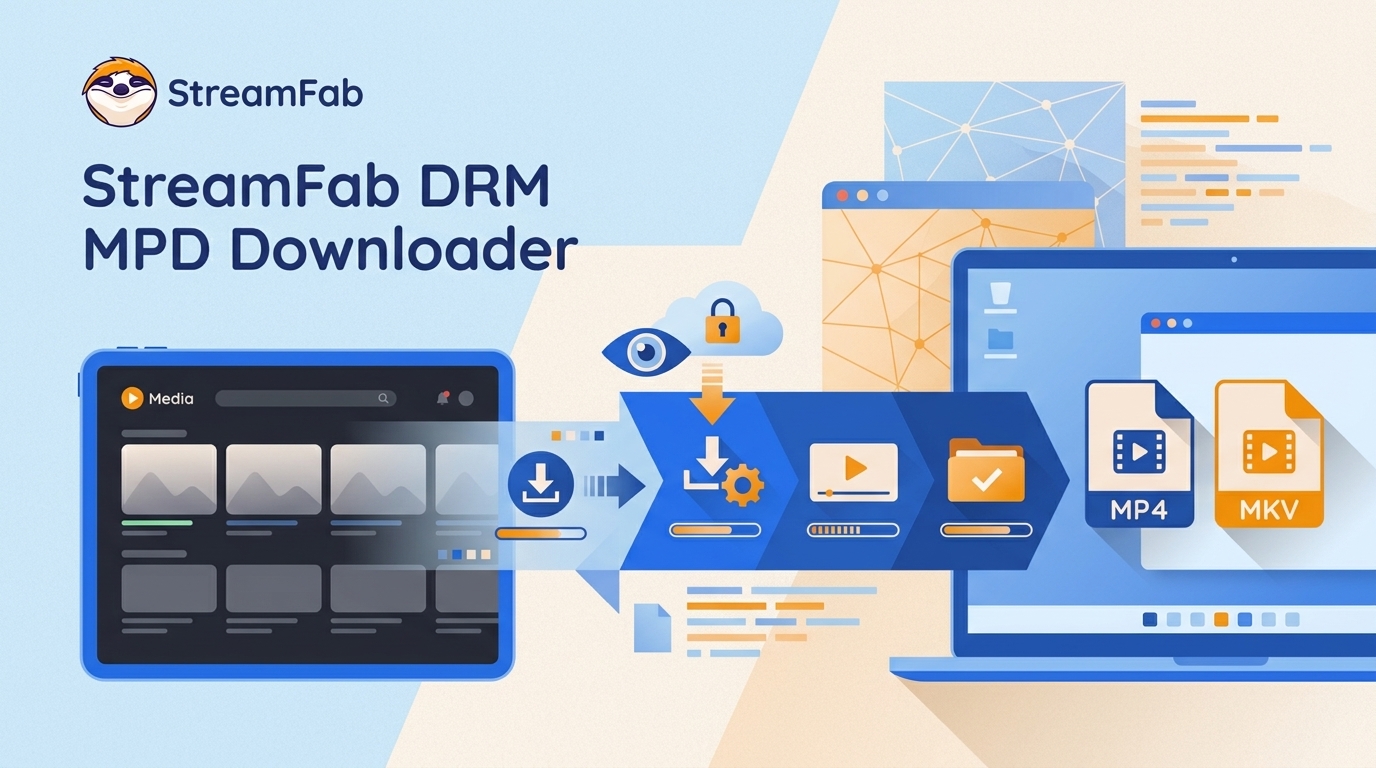
Why Protected MPD Downloads Fail
An MPD downloader can identify a manifest without producing a playable local file, especially when a source is protected. This guide separates ordinary and protected MPD streams, then explains an authorized desktop workflow for personal offline viewing when you have a valid subscription and local rules permit private copying.
The key point is simple: detecting an MPD manifest does not guarantee a usable offline video file.
StreamFab DRM MPD Downloader is a Windows and macOS desktop workflow for compatible MPD-based video pages that your signed-in account is already authorized to watch. It uses screen-recording technology for personal offline viewing where permitted by platform terms and applicable law, rather than changing a service’s access controls.
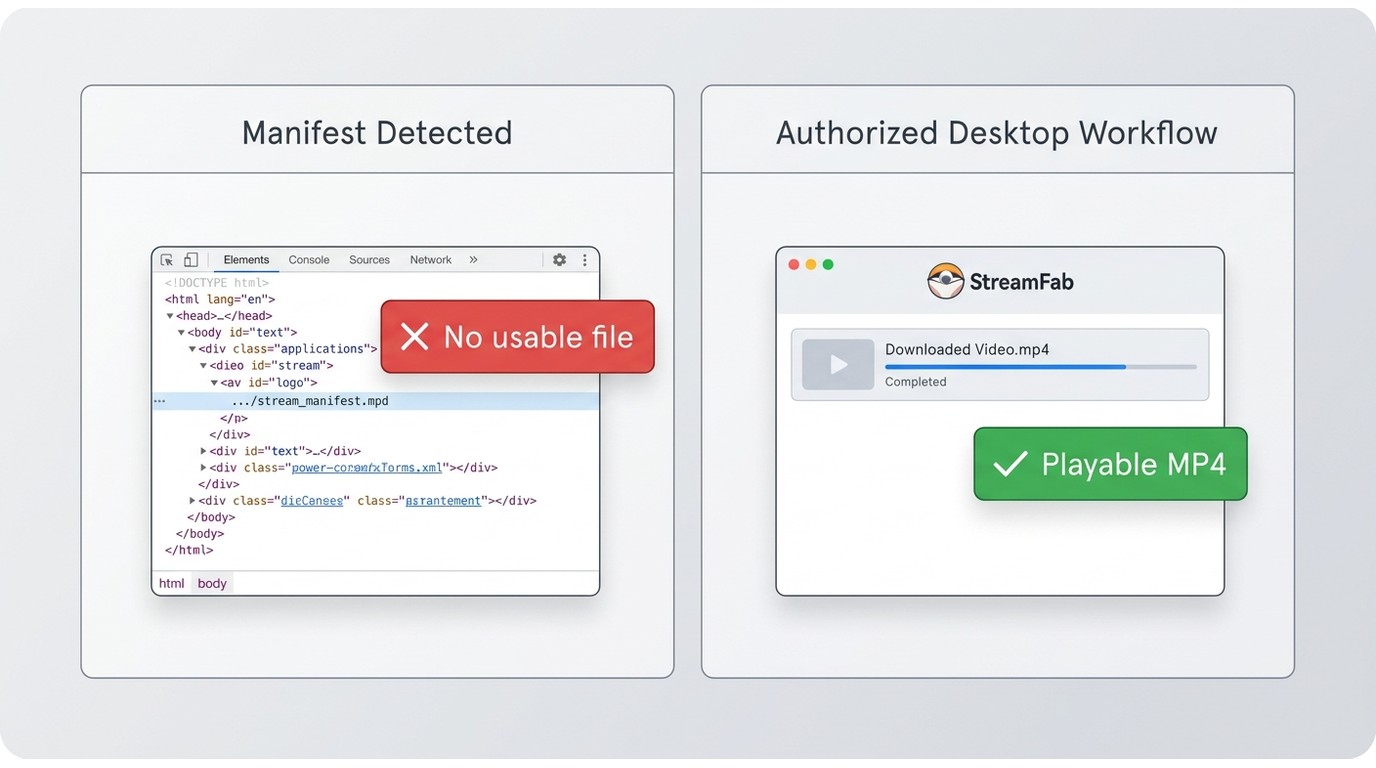

What StreamFab DRM MPD Downloader Does
As of July 2026, StreamFab DRM MPD Downloader saves compatible MPD videos from authorized video pages as MP4 or MKV files. The Windows and macOS module supports up to 1080p where available, available audio-language and subtitle selections, and batch tasks; output quality, available settings, and compatibility depend on the source, account, region, and current app support.
It is best suited to readers who want a guided desktop workflow for eligible protected sources. It is less suitable for Android-only viewing, occasional ordinary MPD files, unsupported sites, or users who are comfortable managing technical open-source workflows.

- Maximum resolution: 1080p HD
- Audio quality: Up to 5.1 surround sound
- Subtitles: Embedded or external SRT files
- Speed: 2x faster than real-time with hardware acceleration
- Output formats: MP4, MKV, AVI
Protected vs. Unprotected MPD Streams
MPEG-DASH is a streaming format that uses an MPD manifest to describe available video and audio. M3U8 is a different streaming-manifest format, so it may call for a different module or workflow. A site using MPEG-DASH does not mean that every title, account, or region will be supported.
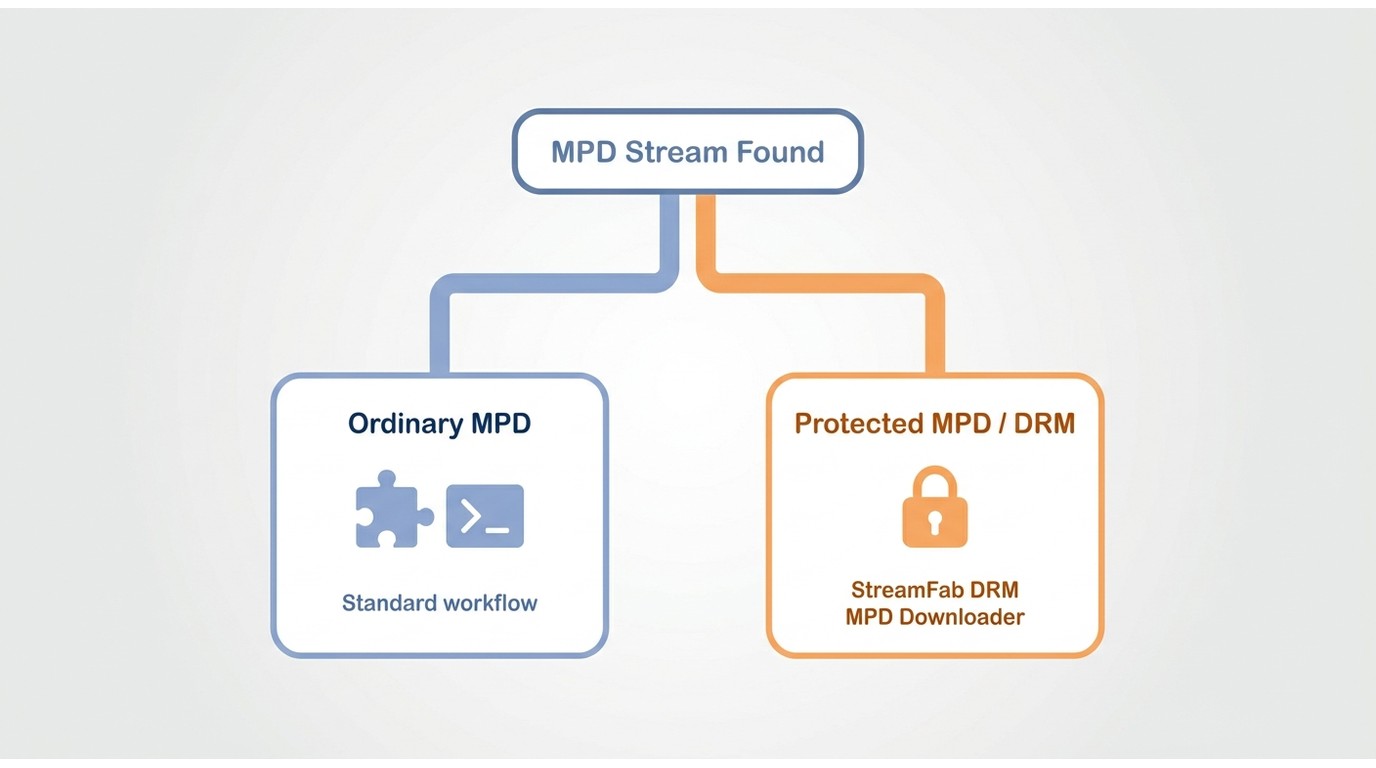
| What you find | What a manifest detector may show | Practical next step |
|---|---|---|
| Ordinary MPD stream | A manifest and selectable media options | A browser extension or standard command-line utility may be sufficient when it creates a usable file. |
| Protected MPD stream | A manifest may still be visible, but that alone does not establish a supported local workflow | Use the platform’s official offline option, or a compatible authorized desktop workflow for personal viewing where permitted. |
Checking the stream format and the selected module before starting is the most reliable way to avoid choosing the wrong workflow. Login status, cookies, account entitlement, region, site changes, and current support can all affect detection.
Because site implementations and support can change, confirm the format and module available for the specific video page. For service-specific instructions, this guide explains how to download MagentaTV videos through its relevant workflow.

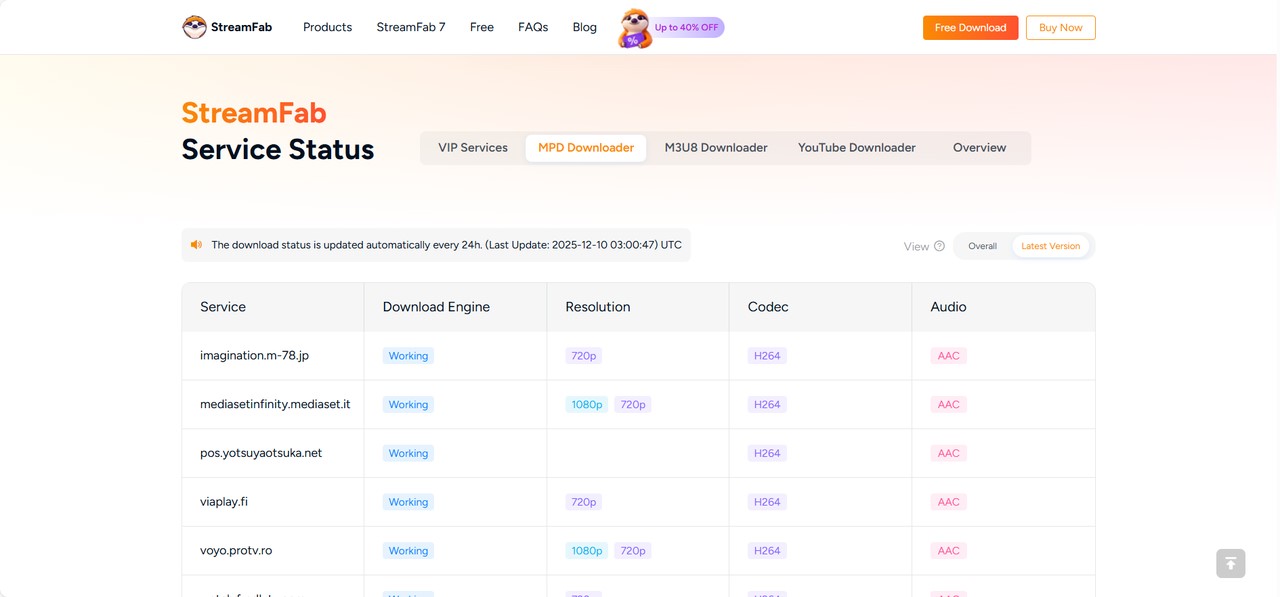
For current compatibility information on StreamFab DRM MPD Downloader, use the product status page linked here.StreamFab download status page, where you can find the support sites, resolutions, audio, etc.
Use StreamFab DRM MPD Downloader
Before you begin, use a Windows or macOS computer, update StreamFab, and sign in to the account authorized for the video page. These steps apply to compatible MPD-based sources for personal, non-commercial offline viewing where permitted.
Step 1. Install or update StreamFab on your Windows PC or Mac, sign in with the account authorized for the source, and remain on the main interface.
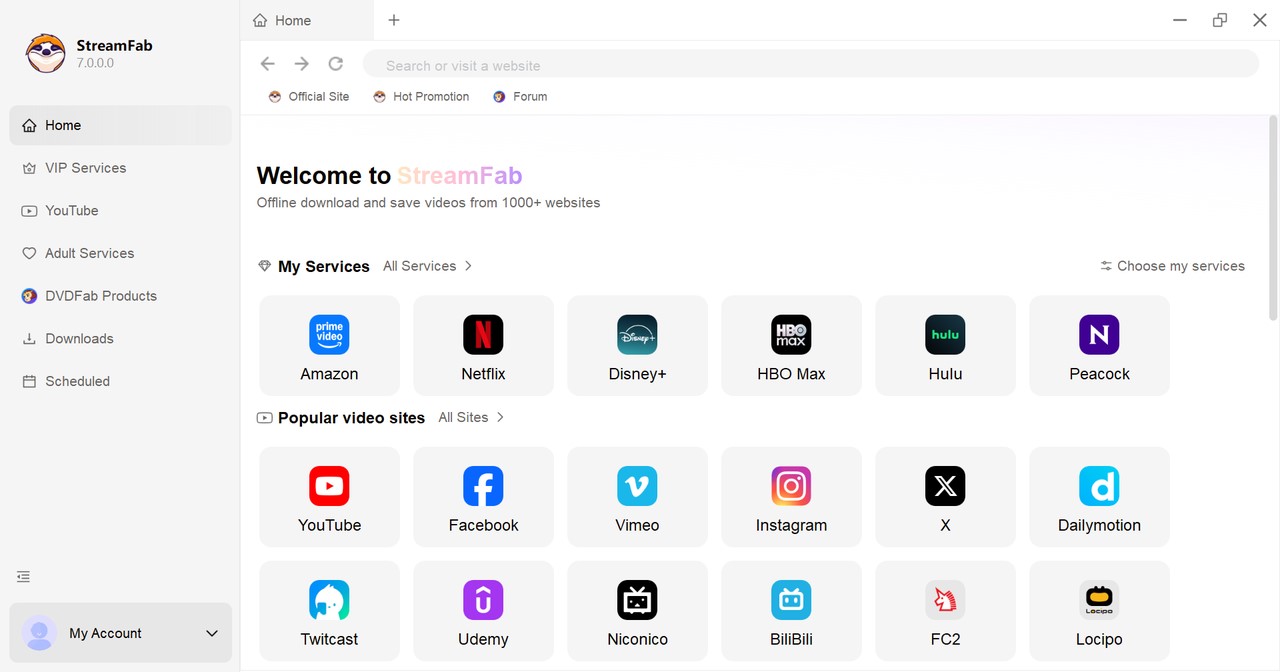
Step 2. Click All Sites / All Services, open the authorized video page in the built-in browser, and play a title you can already watch. If the page is compatible, select the Download icon marked “MPD” and confirm that the DRM MPD module is selected.
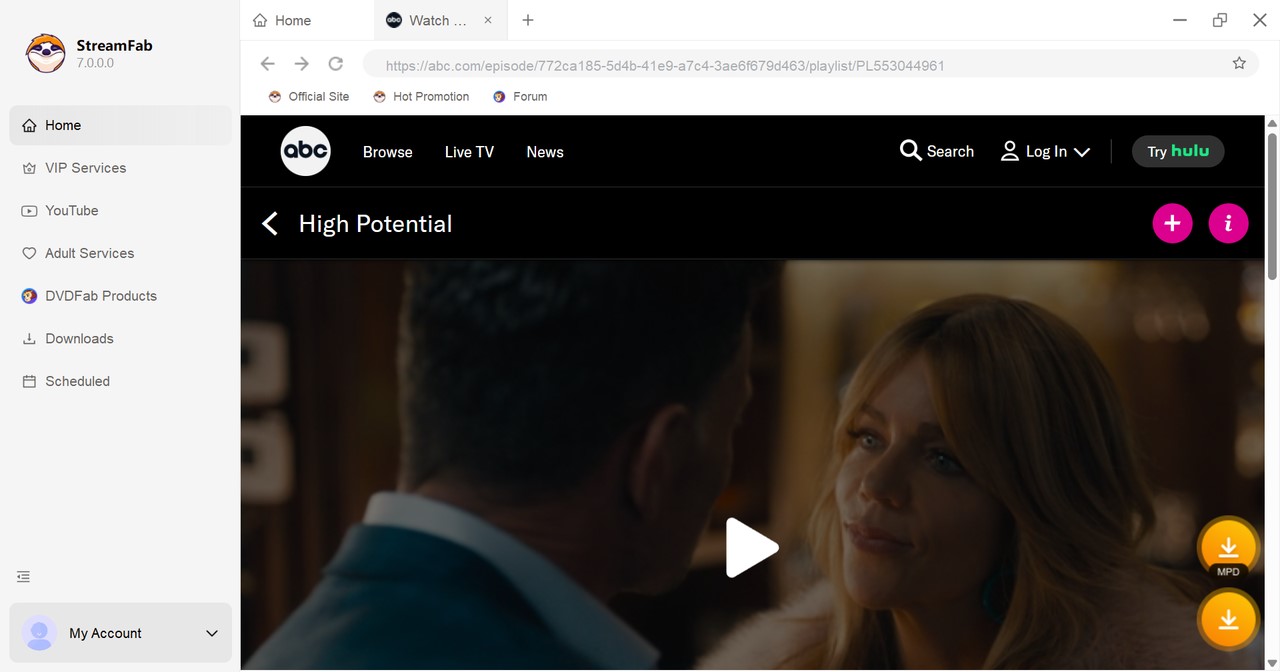
Note: A gray icon, no settings prompt, or a message that opens another module is a compatibility or module-selection signal. It does not establish that every MPD source is supported.
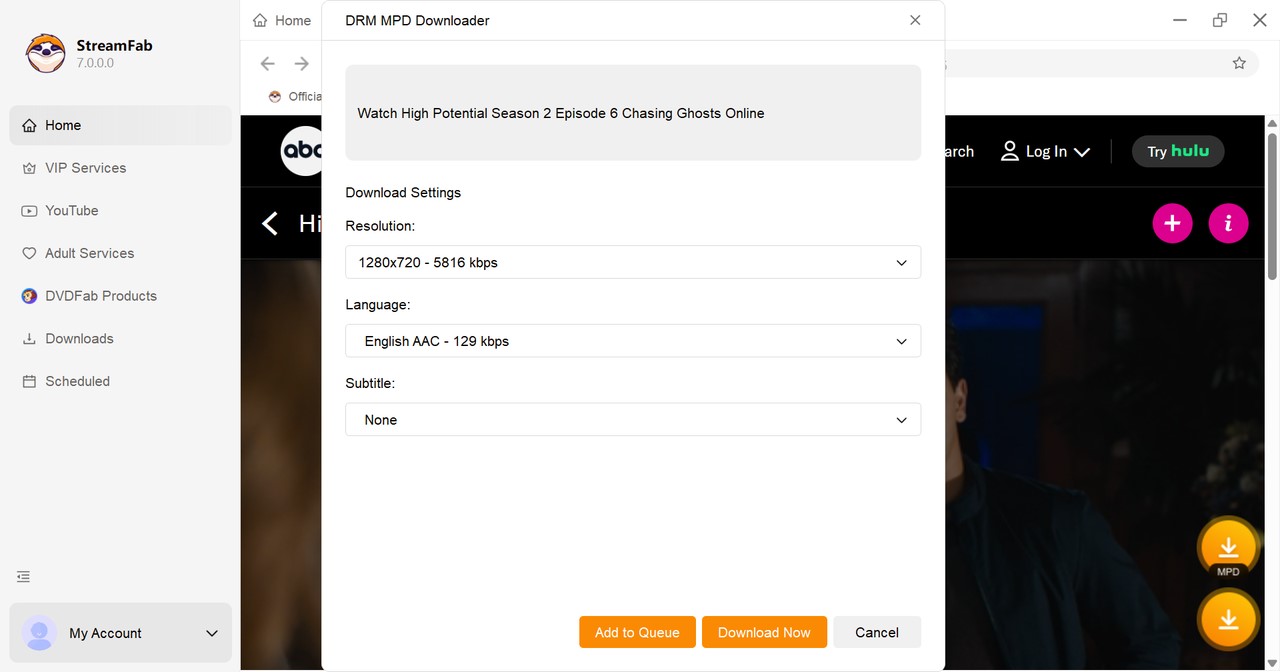
Step 3. When the settings window appears, choose from the video, audio-language, and subtitle options available for that source, then confirm the task.
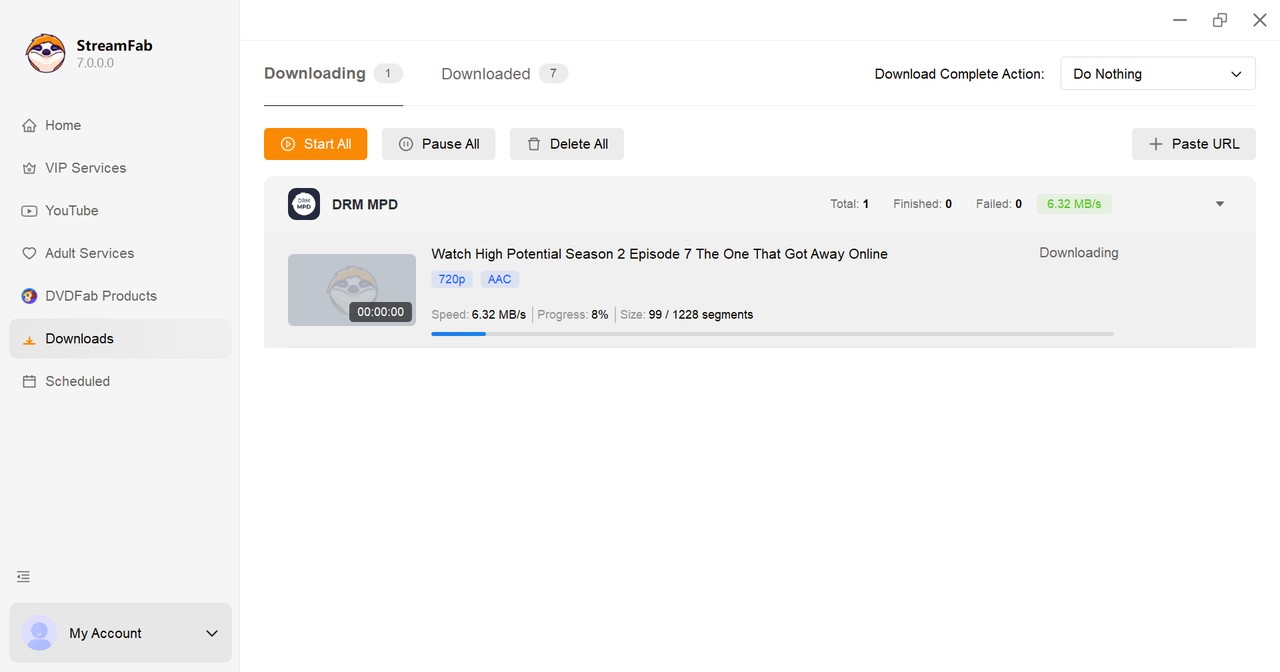
Step 4. Open Downloads on the left to monitor the task and review completed items. If analysis fails, the task stops early, or settings never appear, use the troubleshooting checks below before retrying.
Free MPD Tools or StreamFab?
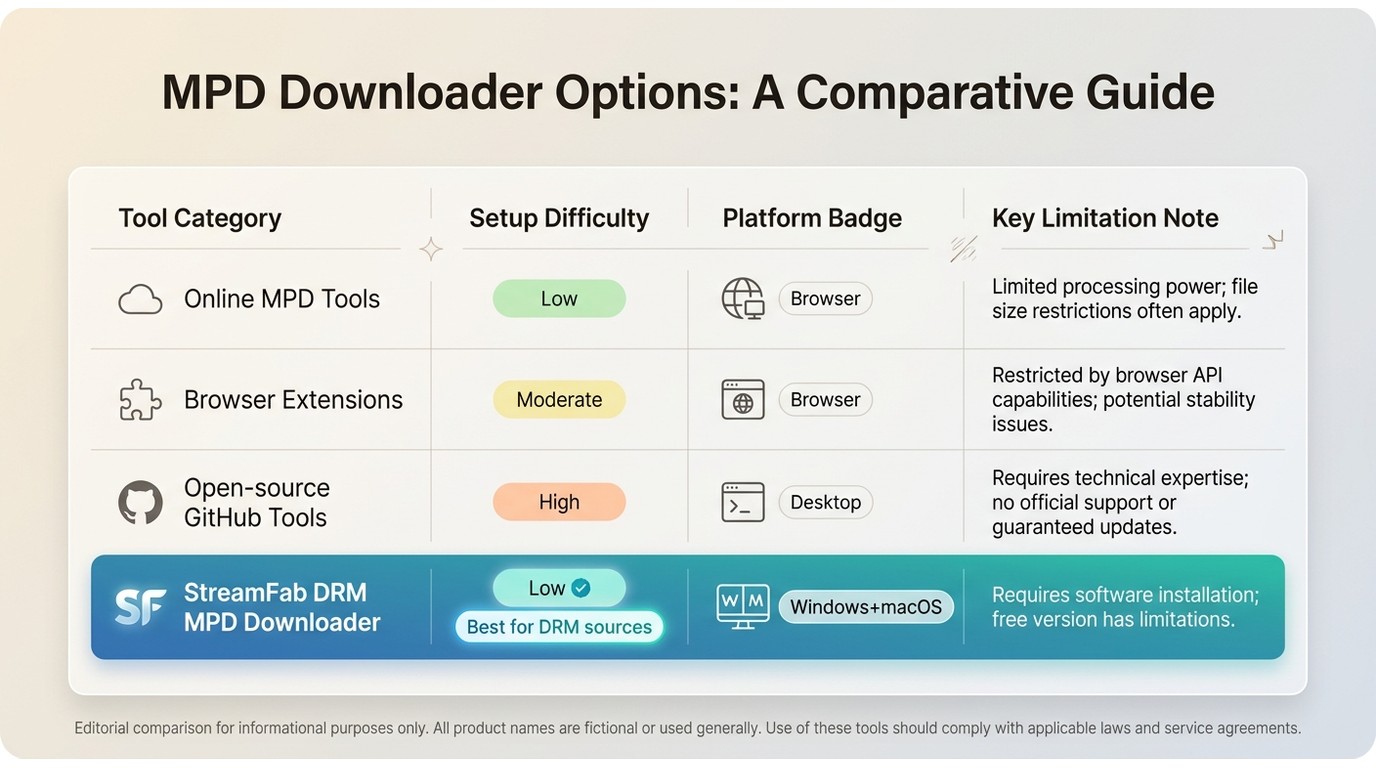
MPD tools differ more in setup and intended use than in a single universal capability. A manifest alone does not prove that an online service, extension, or open-source utility will provide a usable result for a protected source.
| Tool type | Best fit | Setup | Availability | Main limitation |
|---|---|---|---|---|
| Online MPD tools | Quick checks and ordinary public files | Low | Browser-based | A detected manifest does not establish support for a protected source. |
| Browser extensions | Simple browser-based downloads where supported | Low to moderate | Desktop browsers | Site behavior and extension support can change. |
| Open-source GitHub tools | Technically confident users handling ordinary MPD files | Moderate to high | Depends on the project | Requires technical setup and source-specific troubleshooting. |
| StreamFab DRM MPD Downloader | Guided desktop workflow for compatible authorized sources | Low | Windows and macOS | Not an Android workflow; compatibility remains source-dependent. |
StreamFab offers a 30-day trial with three video downloads per supported streaming service, subject to the current trial terms. Readers considering browser-based options can compare video downloader for Chrome extensions by their supported sites and setup requirements, while readers weighing broader desktop options can review StreamFab alternatives.
- You need a guided Windows or macOS workflow for compatible authorized MPD sources
- You want MP4 or MKV output with available audio and subtitle options
- You regularly manage eligible videos and value batch tasks
- You understand that source support and output options can vary
- You need an Android-only workflow
- You only need ordinary, unprotected MPD files occasionally
- You rely on sites that are not currently supported
FAQs
These quick answers cover account boundaries, tool types, and device availability. For failed detection or incomplete tasks, see the troubleshooting section that follows.
Why doesn’t DRM MPD Downloader appear as a separate module?
The DRM MPD Downloader is built into the main StreamFab program and doesn’t require a separate installer. Simply update to the latest version of StreamFab, sign in with the account that owns the DRM MPD license, and then use it via All Sites / All Services or by pasting a supported video page URL into the main search bar.
Can StreamFab DRM MPD Downloader change region or account restrictions?
No. DRM MPD Downloader cannot change any region restrictions, subscription limits, or account permissions. It only works with compatible MPD-based streams that you can already watch through official channels with your own account.
Is there a free or online DRM MPD downloader?
Some free tools and online services can detect or handle ordinary MPD manifests. Whether they produce a usable file for a protected authorized source depends on the specific service, source, and workflow.
Can a GitHub MPD tool save protected streams?
Open-source MPD utilities vary widely. They can be useful for ordinary DASH files, but protected sources may require a supported, authorized workflow and more technical troubleshooting.
Does StreamFab DRM MPD Downloader work on Android?
No. DRM MPD Downloader is a Windows and macOS desktop module. Compatible MP4 or MKV files can be transferred to a compatible device for personal viewing where permitted.
Fix Detection and Incomplete Downloads
No Download Settings Appear
Update the app, confirm that you are signed in to the authorized account, reopen the video page in the built-in browser, and make sure the DRM MPD module is selected. Also confirm that the title is currently available in your region and that the source is listed as supported.
The Download Stops Early
Check available storage, retry the analysis, confirm the selected title or episode, and try the task again after updating the app. If the same symptom continues, the checks in the StreamFab not working guide can help identify broader login, update, and source-specific issues.
The Wrong Module Opens
Verify that the page uses an MPD workflow rather than another streaming format, then return to All Sites / All Services and select the appropriate module. Repeated retries are reasonable after a login, storage, or app-update change; a repeatable module or detection failure is better handled through support.
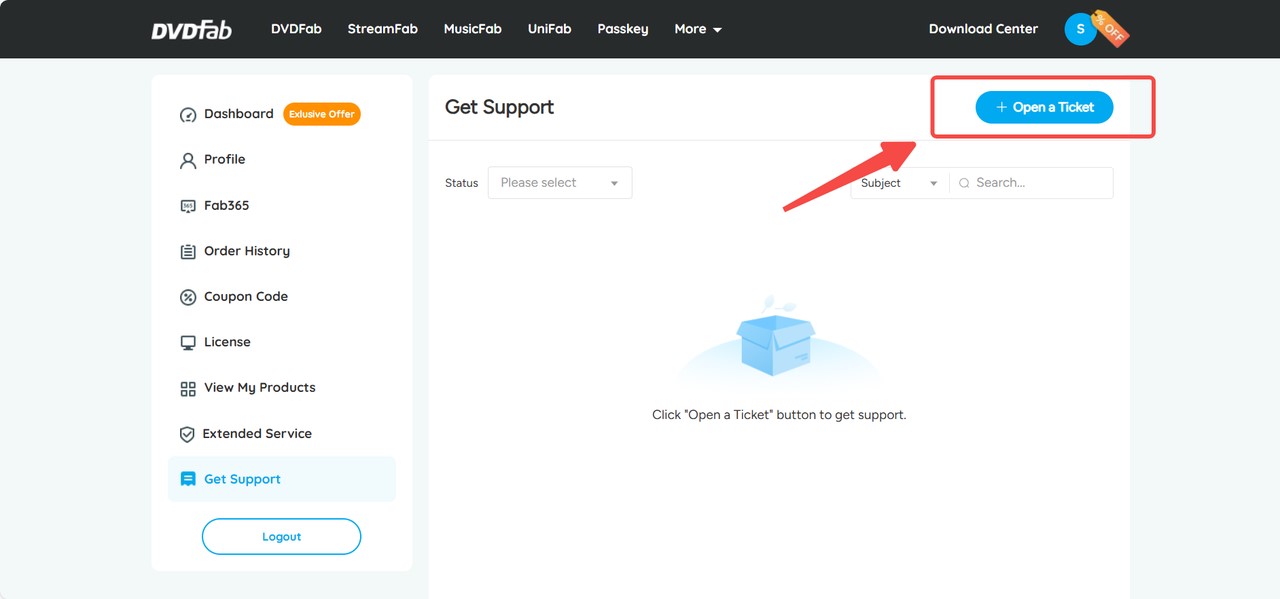
If these checks do not resolve a repeatable problem, open a StreamFab support ticket with enough detail for the issue to be reproduced.
Open a Support Ticket
Please log in to Member Center with your account, check the Ticket section, and click "Open a Ticket".
Include Useful Diagnostic Details
Include your StreamFab version, operating system, source site, video URL or title, selected quality, a screenshot, any available log, and the exact error message. You can also send these details to service@dvdfab.cn.
Conclusion
StreamFab DRM MPD Downloader is a practical desktop option for authorized users who want a guided workflow for compatible MPD sources, MP4 or MKV output, available audio and subtitle choices, and batch convenience.
It is not the right fit for Android-only use, occasional ordinary MPD downloads, unsupported sites, or readers who prefer technical open-source tools. A detected manifest is a starting point, not a guarantee of a compatible personal offline-viewing workflow.
Update Logs and Test Notes

- Updated the article for StreamFab version 7.0.4.1, dated July 23, 2026
- Clarified the difference between ordinary and protected MPD workflows
- Added tool-type comparisons and symptom-led troubleshooting
- Updated the FAQ and personal-use guidance
For a reproducible test note, record the app version, operating system, source site, selected output, and observed result. Results can vary by source, account, region, and current support.

Staring at an error code and wondering what StreamFab is actually telling you? In July 2026, I mapped every code against the real failure it represents — here's the reference guide that skips the corporate jargon and tells you exactly what to do in under 2 minutes.
By Erika Leen - Oct 12, 2026
StreamFab 7 marks the first major update in nearly three years. This review looks beyond surface-level changes and examines what actually matters in everyday use based on real testing, community feedback
By Erika Leen - Sep 28, 2026
Choose between StreamFab’s local file workflow, Audials’ Windows recording and editing, and PlayOn’s local or cloud recording. Compare queue behavior, picture quality, audio and subtitles, and recurring costs, with a repeatable way to check one authorized title before building an offline library.
By Marcia Hatcher - Sep 28, 2026

This article is an official response to users asking regarding the safety and legality of StreamFab. Written by StreamFab team, it moves beyond simple assurances to provide a transparent technical and legal analysis.
By Nicole Lopez - Sep 24, 2026