
Download Netflix HDR Movies on a Laptop: 2026 Options

Summary: If you want to download Netflix HDR movies on a laptop, first separate HDR streaming from official offline downloads: Netflix’s Windows app does not support downloads, while supported mobile devices still offer app-bound offline viewing as of August 2026. This guide explains the device limits, HDR setup checks, local-file options, and the verification steps that matter after saving an eligible title.
HDR10, HDR10+, and Dolby Vision availability varies by title, device, plan, and region.
- Official Netflix downloads remain available on supported mobile devices, enable HDR on Netflix while the Windows app does not support downloads.
- For laptop HDR streaming, check your display,
- Premium plan eligibility,
- connection, drivers, and app or browser support before troubleshooting the catalog.
- A desktop local-file workflow can suit authorized personal offline viewing download Netflix HDR movies when you need available MP4 or MKV playback options.
Netflix HDR Device and Playback Reality
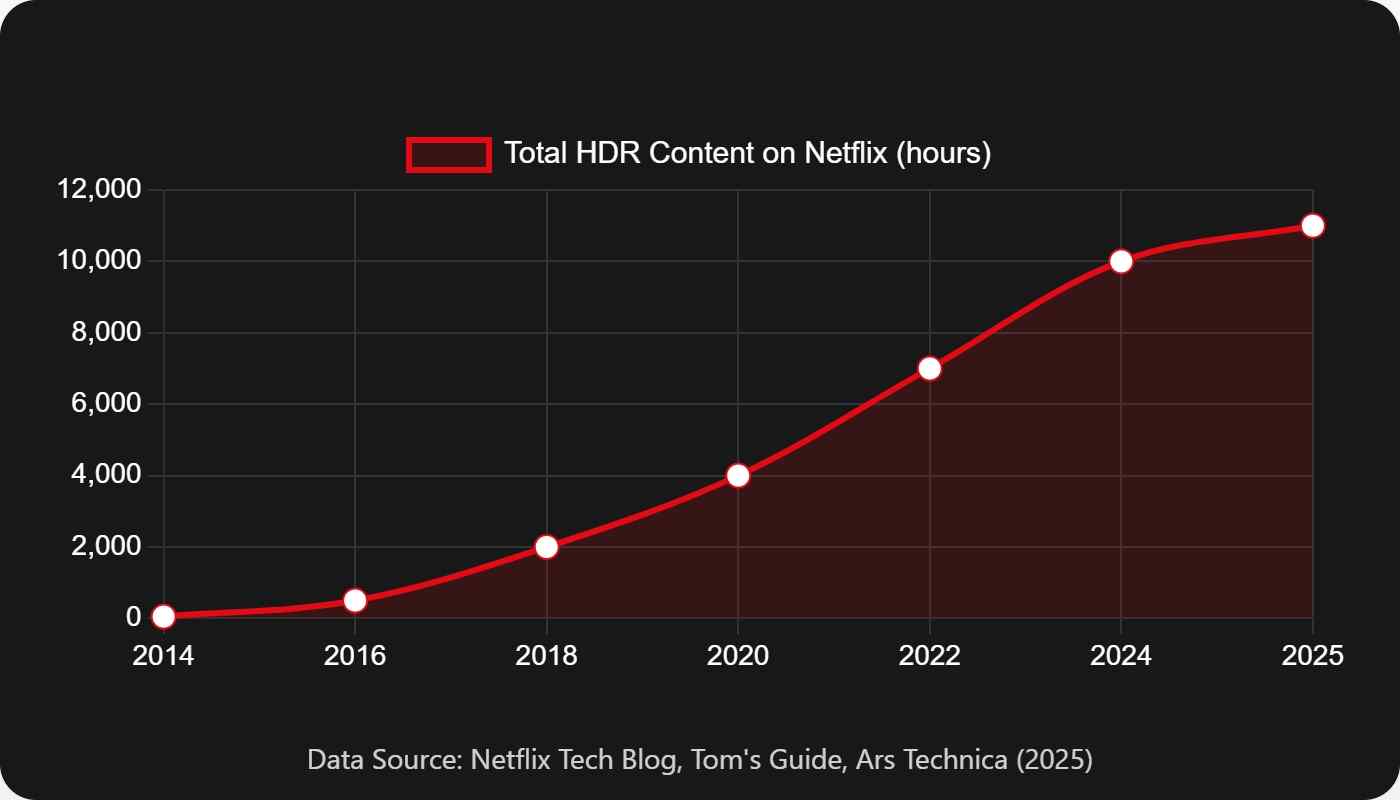
Recently, ultra-high-definition content has gained significant popularity, and the number of HDR films on Netflix is steadily on the rise. To explore the selection of Netflix titles that support HDR, simply enter the keyword "HDR" in the search bar and browse the results.
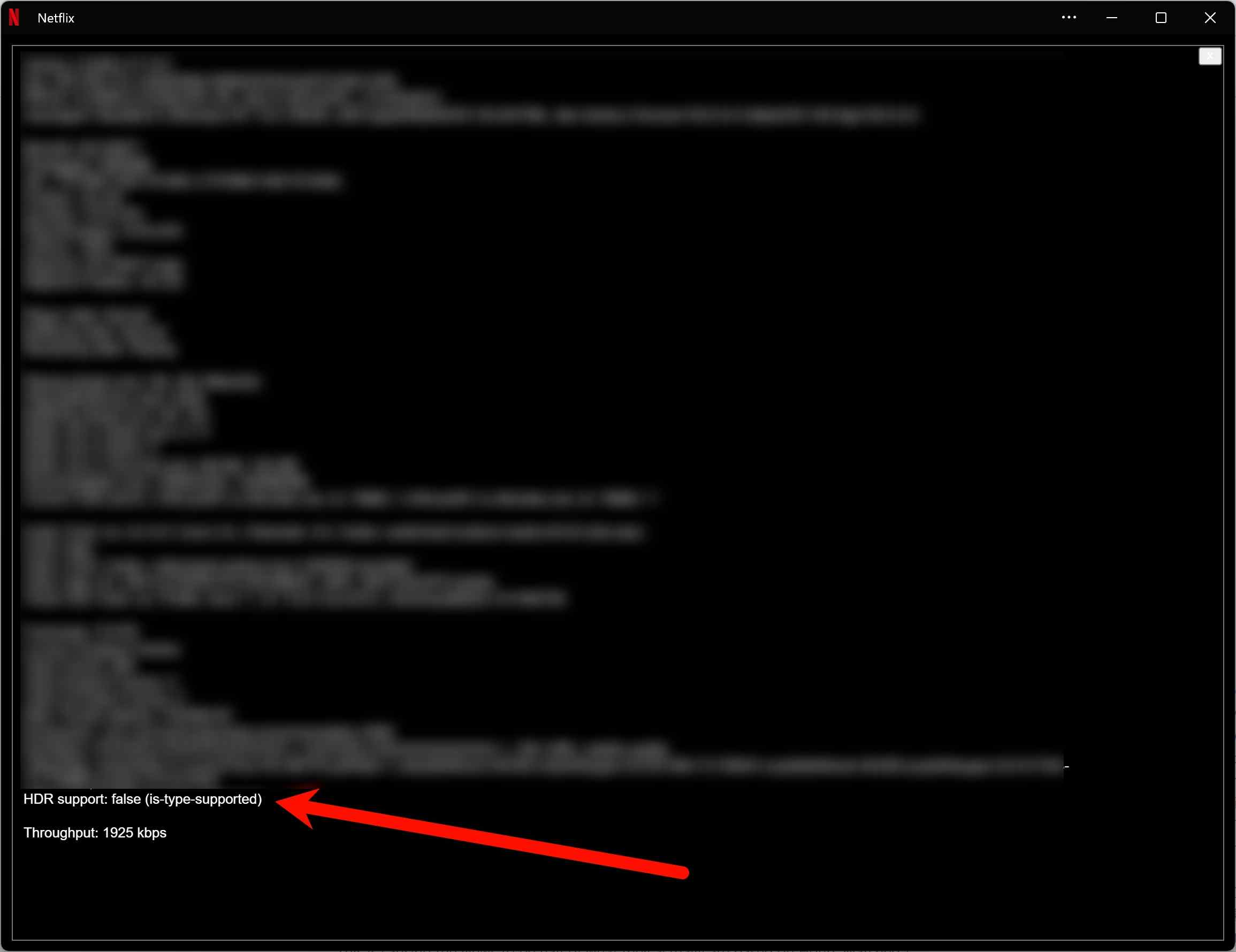
Netflix HDR content on a laptop depends on the full playback chain: an eligible plan and title, an HDR-capable display, a compatible connection, supported software, and current graphics support. Before choosing any offline workflow, confirm whether your device can actually display HDR correctly. For Windows-specific offline limits, see why Netflix does not support downloads on Windows.
- Plan and title requirement: Netflix Premium and an HDR-eligible title are generally required.
- Display requirement: Use a device and display that support the HDR format offered for the title.
- Connection requirement: External displays need a compatible HDMI cable, port, and display path.
- Network bandwidth: Netflix recommends 15 Mbps or higher for UHD 4K playback.
- Settings requirement: Enable HDR in the device settings and use a supported Netflix app or browser.
*Official Windows app downloads are unavailable;download 4K Netflix moviessupported mobile devices can still use Netflix’s app-based downloads.
Mobile Downloads and Laptop Limits
Netflix’s official downloads are designed for supported mobile devices and remain tied to the Netflix app. The Netflix app for Windows no longer supports downloads, so laptop users should not assume that HDR streaming capability also means official offline access. In practical terms, confirming this device distinction first prevents a lot of wasted HDR troubleshooting.
| Symptom | Likely cause | What to check |
|---|---|---|
| No HDR badge | Plan or title is ineligible | Confirm Premium and title details |
| HDR looks unavailable | Display HDR is off | Enable HDR in display settings |
| External screen falls back | Connection is incompatible | Check cable, port, and display path |
| Playback is inconsistent | Drivers or HEVC support are outdated | Update graphics drivers and Windows |
| HDR works in one app only | Browser or app support differs | Try a supported Netflix playback option |
| Second monitor causes issues | Mixed-display configuration | Disconnect or align display settings |
Configuration problems are usually more likely than a missing HDR catalog, so work through the playback chain before changing plans or devices.
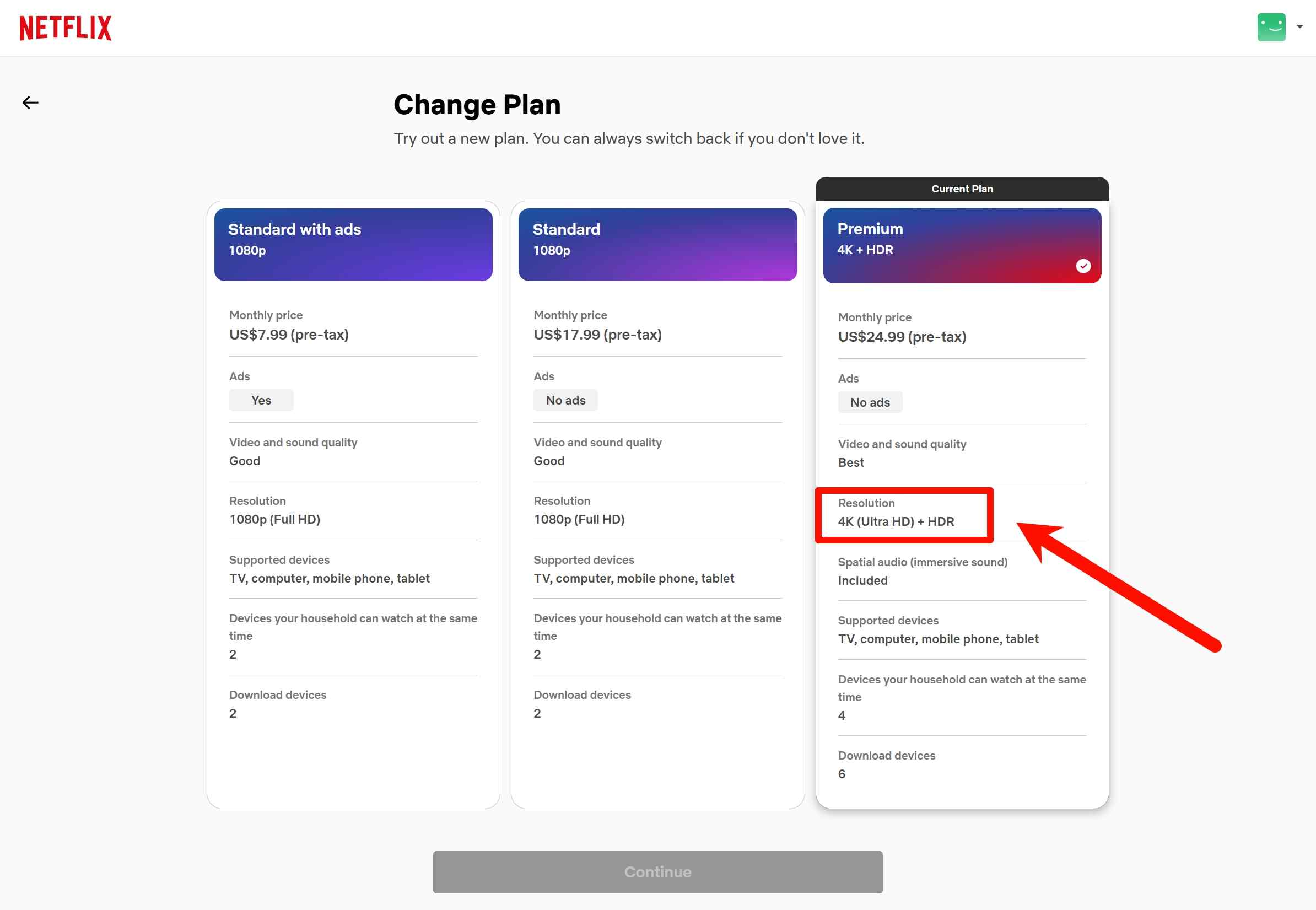
Before proceeding further, make sure your subscription tier is actually capable of processing advanced dynamic ranges. Only premium members receive dynamic bandwidth allowances.
Finding True HDR Metadata
To find Netflix HDR content, search Netflix for “HDR” and check the badges on each title page, such as HDR, HDR10+, or Dolby Vision. The badge identifies what the title may offer, but the actual result still depends on the compatible plan, display, connection, and playback software.
Netflix recommends 15 Mbps or higher for UHD 4K playback. Connection speed matters, but it is not a standalone HDR switch; title eligibility, display support, and the playback environment also determine whether HDR is available.

Set the Playback Settings to HDR
To access the Netflix official website on your computer or smartphone, navigate to the "Account Information" menu and select "Playback Settings." This will bring up a screen where you can customize your playback options. There are four available settings: "Auto," "Low," "Medium," and "High." The HDR playback requires "High".
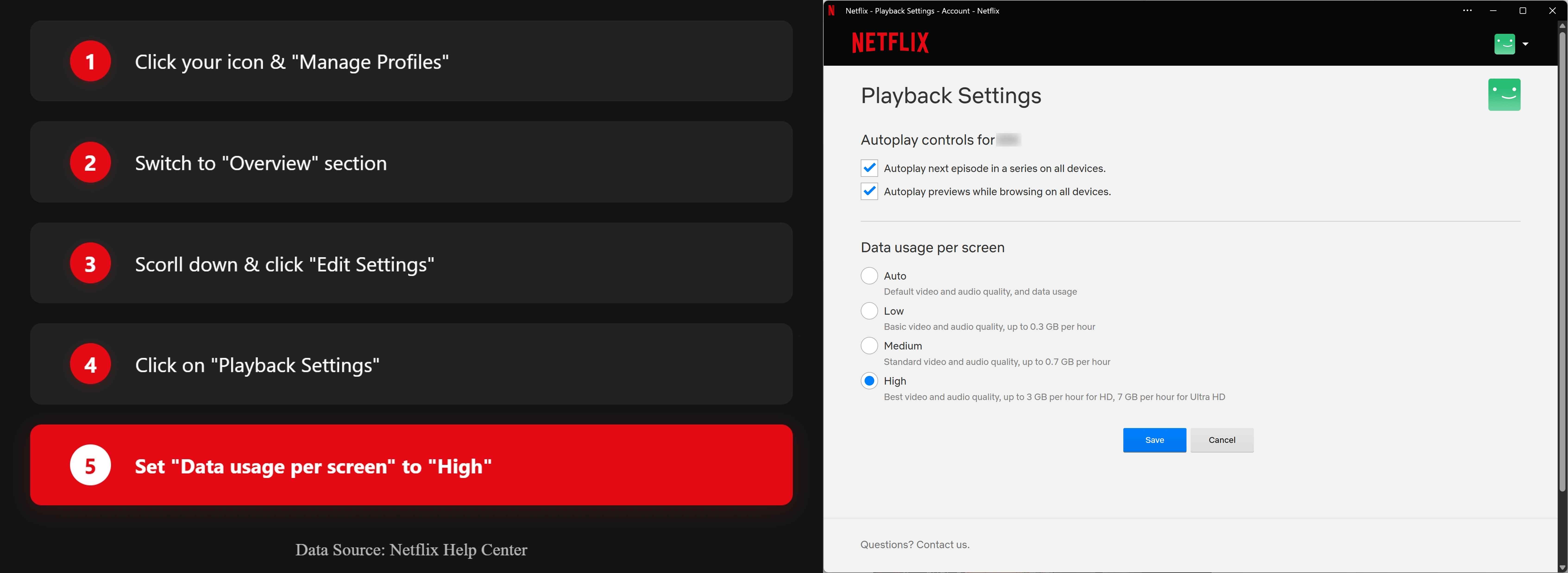
- On the title page, look for HDR/Dolby Vision/HDR10+ badges.
- Open the TV/player info panel to confirm HDR is engaged.
- Set data usage to “High/Auto” and update apps/firmware.
Download Netflix HDR Movies on a Laptop
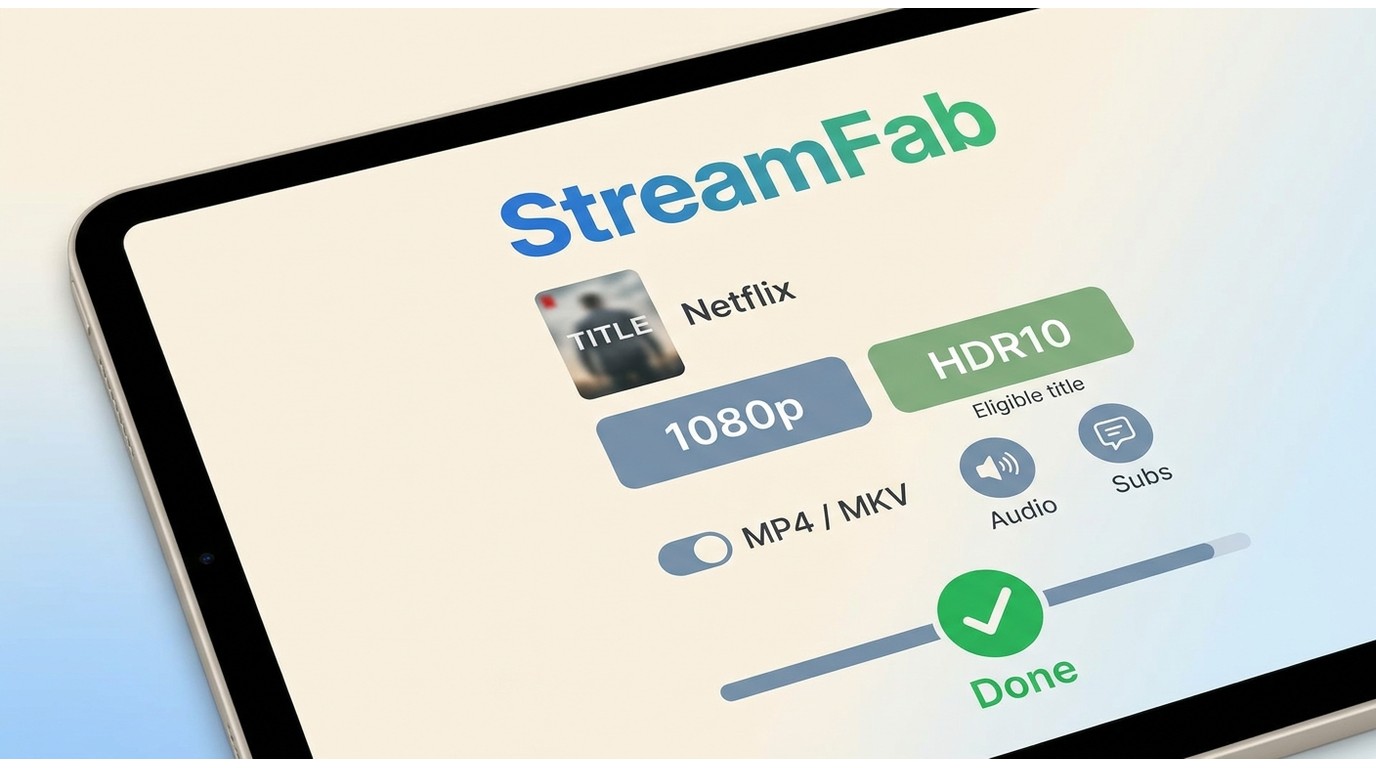
For content you’re authorized to access, where permitted by platform terms and applicable law, there are distinct offline-viewing paths. Official Netflix mobile downloads are app-bound; screen recording has its own quality and usability limitations; and a desktop local-file workflow can provide available file-format and track choices. If your priority is 4K rather than HDR compatibility, the requirements differ, as explained in this Netflix 4K movie download guide.
StreamFab Netflix Downloader: Fit and Limits
StreamFab Netflix Downloader is a desktop local-file workflow, distinct from Netflix’s official app downloads, for authorized personal offline viewing where permitted by platform terms and applicable law. On Windows and Mac, it can save eligible Netflix titles at up to 1080p in MP4 or MKV, with available HDR, audio, and subtitle options depending on the title, region, plan, and supported output. It fits readers who need local files and track selection; readers satisfied with simple app-bound mobile viewing may prefer Netflix’s official downloads. For background on Netflix content protection and offline viewing, keep the platform’s terms in view.

- Download Netflix movies in 1080p with HDR10/Dolby Vision.
- Support Dolby Atmos/EAC3 5.1 audio effect.
- Save Netflix HDR content in a compatible MP4/MKV format.
- Auto-download newly released Netflix videos at a set time.
- Bulk download multiple episodes from your favorite shows.
- Preserve subtitles & metadata together with the titles.
Note: Please follow applicable terms and use downloads for personal and fair use only.
| Category | Netflix official mobile downloads | StreamFab desktop local-file workflow |
|---|---|---|
| Supported devices | Supported mobile devices | Windows and Mac |
| Download quality | Managed by the Netflix app | Up to 1080p for eligible titles |
| HDR availability | Title and device dependent | Available where source and output support it |
| File access | App-bound viewing | MP4 or MKV local files |
| Expiration behavior | Varies by title and license | Playback depends on file and player support |
| Playback location | Netflix app on supported devices | Compatible players and media libraries |
Personal-Use and Platform Boundaries
Use a local-file workflow only for content you are authorized to access, for personal offline viewing, where permitted by Netflix’s terms and applicable law. Do not share or use saved content commercially. The StreamFab Copyright & Usage Guidelines outline the same personal-use focus.
Official mobile downloads remain the straightforward choice when app-based viewing meets your needs. A desktop workflow is a more specific fit when your authorized use case calls for locally playable files or available track selection.
Save HDR Titles as MP4 or MKV

I've found that downloading Netflix movies on a laptop Follow the on-screen steps: 1) open Netflix in the desktop app, 2) sign in to an authorized account and select an eligible title, and 3) choose the available video quality, MP4 or MKV container, audio tracks, and subtitles before adding the title to the queue.
Access the Parsing Environment
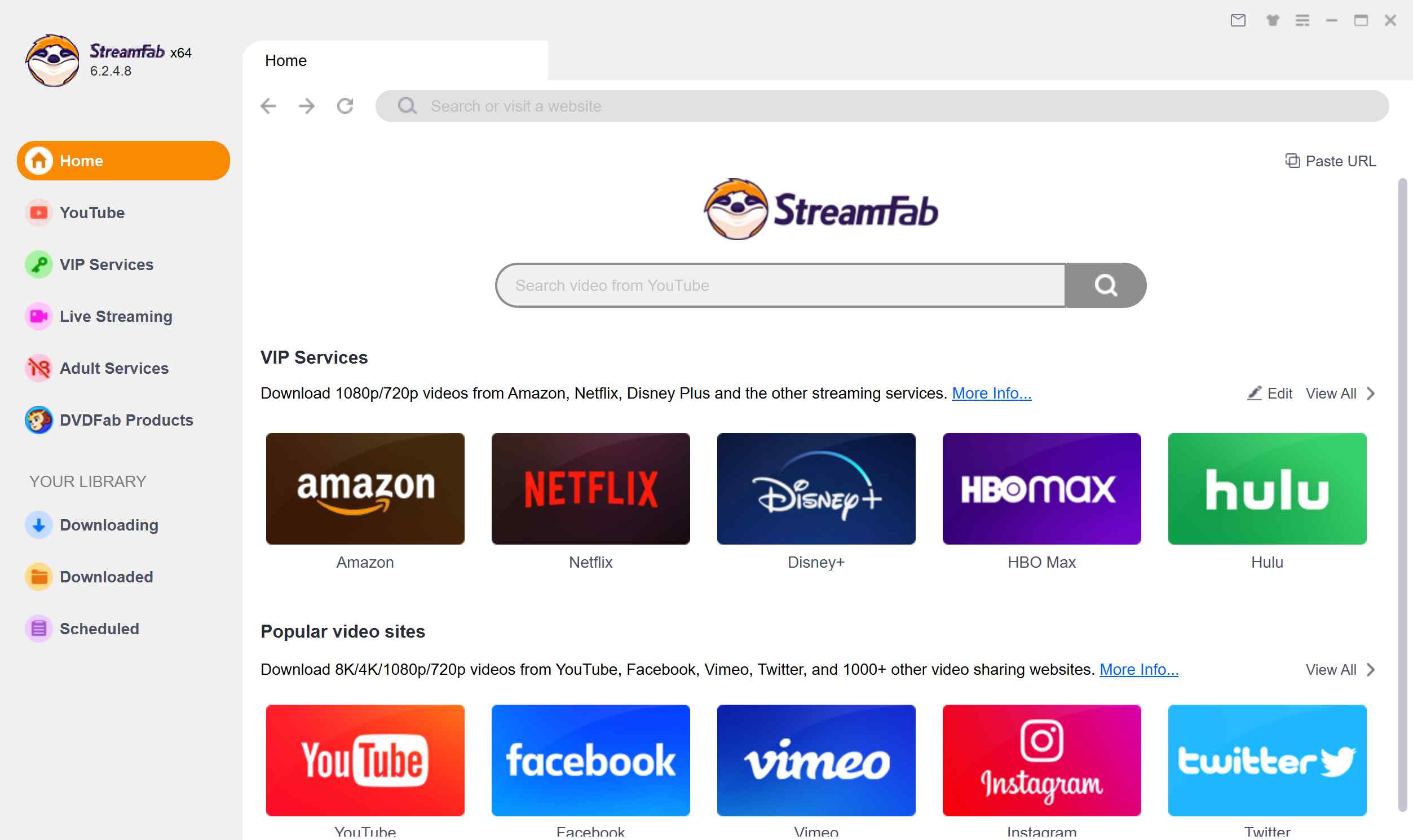
Authentication Phase
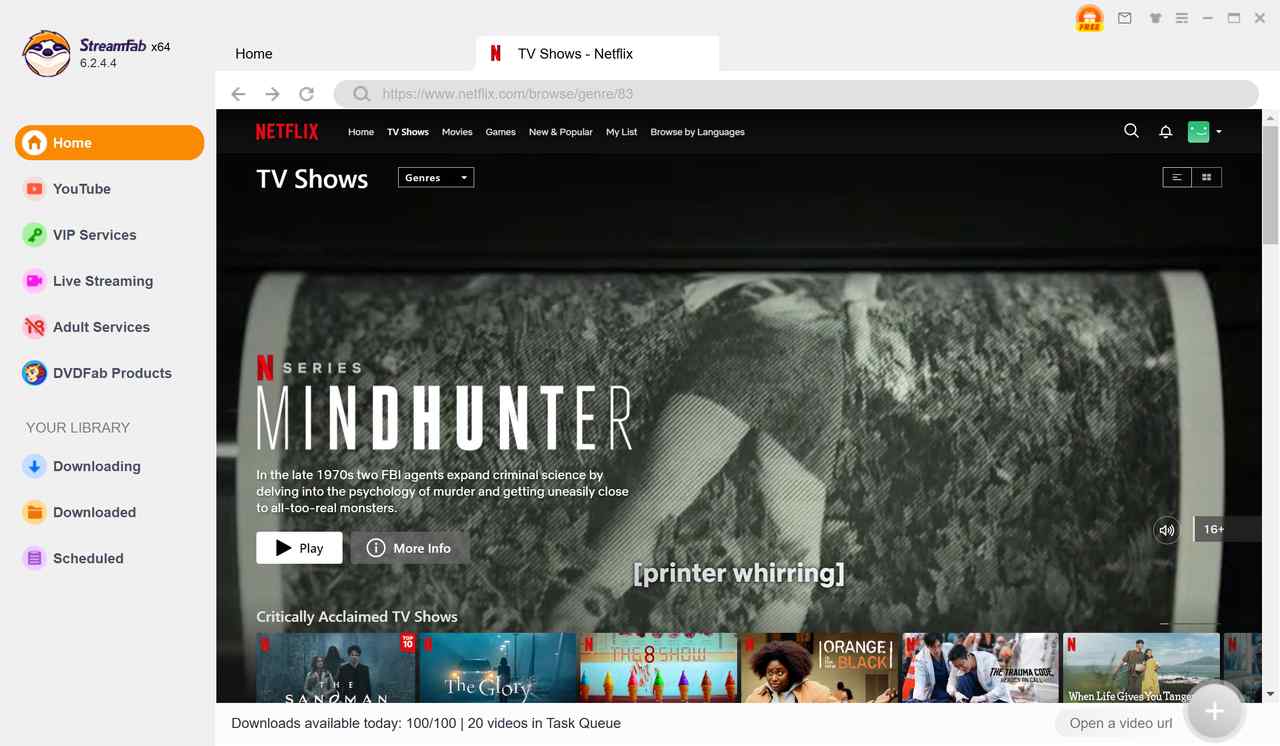
Configure the Injection:
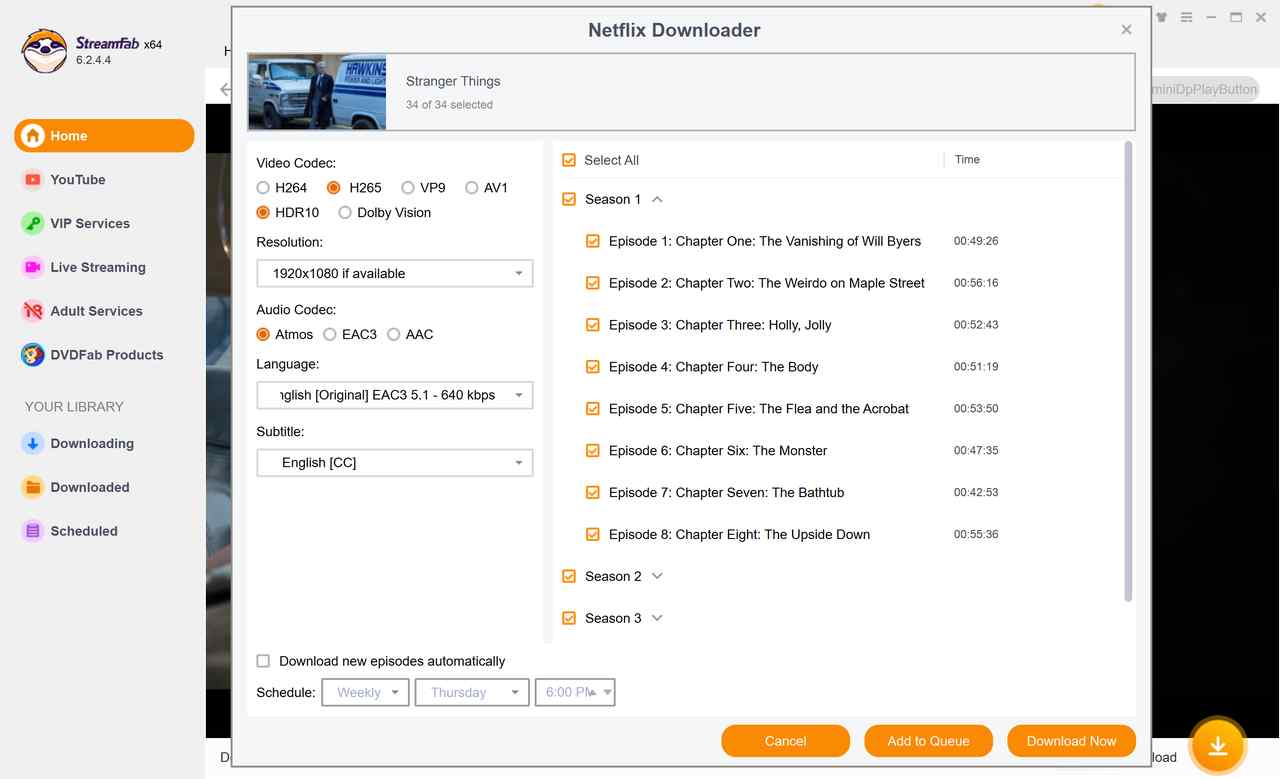

Choose the container for your player: Netflix to MP4 is generally the broader-compatibility choice for devices and common players, while MKV is often a better fit for multi-track libraries. After saving, check the file’s resolution, HDR10 or Dolby Vision metadata when available, audio track, subtitles, and actual playback on the device you plan to use. An eligible title may fall back to the best available combination rather than retaining every available HDR or track option.
Netflix HDR Playback and File Verification
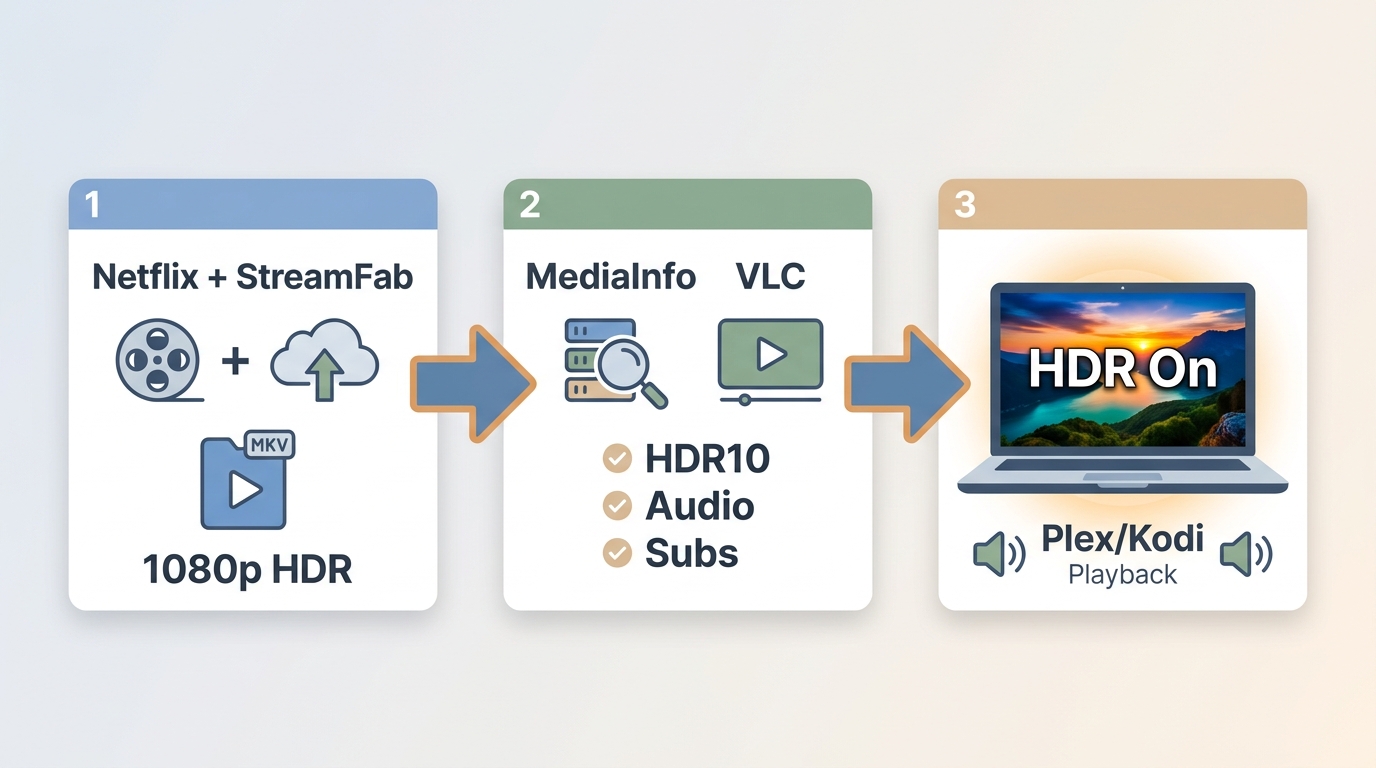
After saving an eligible title, verify the file rather than relying on a dark scene or a title badge alone. Check the video metadata for the available HDR format and resolution, then confirm that your display enters HDR mode during playback.
Next, verify the intended audio track, subtitle behavior, codec support, and player settings. Plex, Kodi, and other media players can handle local files differently depending on the client device and display chain.
A metadata and playback check is more reliable than judging HDR solely by visual impressions, especially when a player falls back to SDR, stereo audio, or a different subtitle track.
Netflix HDR Download FAQs
Which Netflix plan supports HDR streaming?
How to Fix washed-out colors after HDR download?
Do Netflix standard plans support HEVC downloads?
Can I queue a full HDR season for overnight downloading?
Batch and scheduled queues can make eligible season downloads more convenient. Availability still depends on the title, account access, and the product’s daily or weekly limits.
Will a saved HDR file work in Plex or Kodi?
MP4 and MKV can fit a Plex or Kodi library, but HDR playback still depends on the file metadata, codec, client hardware, display support, and player settings.
Conclusion
Start by confirming whether official mobile downloads are enough for your viewing needs. If an authorized Windows or Mac use case requires MP4 or MKV files and available track selection, review the supported Netflix downloader options and verify the final file on your intended player. The most useful decision is the one that matches your device, display, and playback needs.

Netflix app downloads stay on supported mobile devices and Chromebooks. Compare nine desktop and recording options by output, trial depth, and episode handling, with practical guidance on 1080p claims, playback compatibility, clips, and gallery imports.
By Erika Leen - Oct 20, 2026
Netflix app downloads stay on supported devices, while MP4/MKV files require a separate, authorized workflow. Compare official downloads, StreamFab output up to 1080p, and Audials One recording, then follow the existing steps. The FAQs clarify app-cache limits, 4K streaming versus file output, and paid software versus a trial.
By Erika Leen - Oct 13, 2026

Star Trek was removed from Netflix across most regions in January 2026. As of July 2026, here's the complete streaming guide — Paramount+, Pluto TV, regional options — plus how to save what you can from Netflix before your local window expires.
By Nicole Lopez - Oct 13, 2026
Netflix's HDCP protection gives you a black screen with every standard screen recorder. In July 2026, I tested four tools — here's which ones bypass it on PC and mobile, and why StreamFab is the zero-risk alternative when recording quality matters.
By Erika Leen - Oct 12, 2026