
Wondershare UniConverter Won’t Download Videos: 7 Fixes

Summary: If UniConverter download failed while you were trying to save a YouTube MP4 or another video, start with the simple checks before assuming the site is the problem. A failed download can come from an outdated build, browser or network conditions, an unsupported video type, a missing feature in the Mac App Store build, or a temporary platform change. The practical path is to rule out local issues first, identify cases UniConverter does not support, and then decide whether another desktop workflow fits your authorized offline-viewing needs.
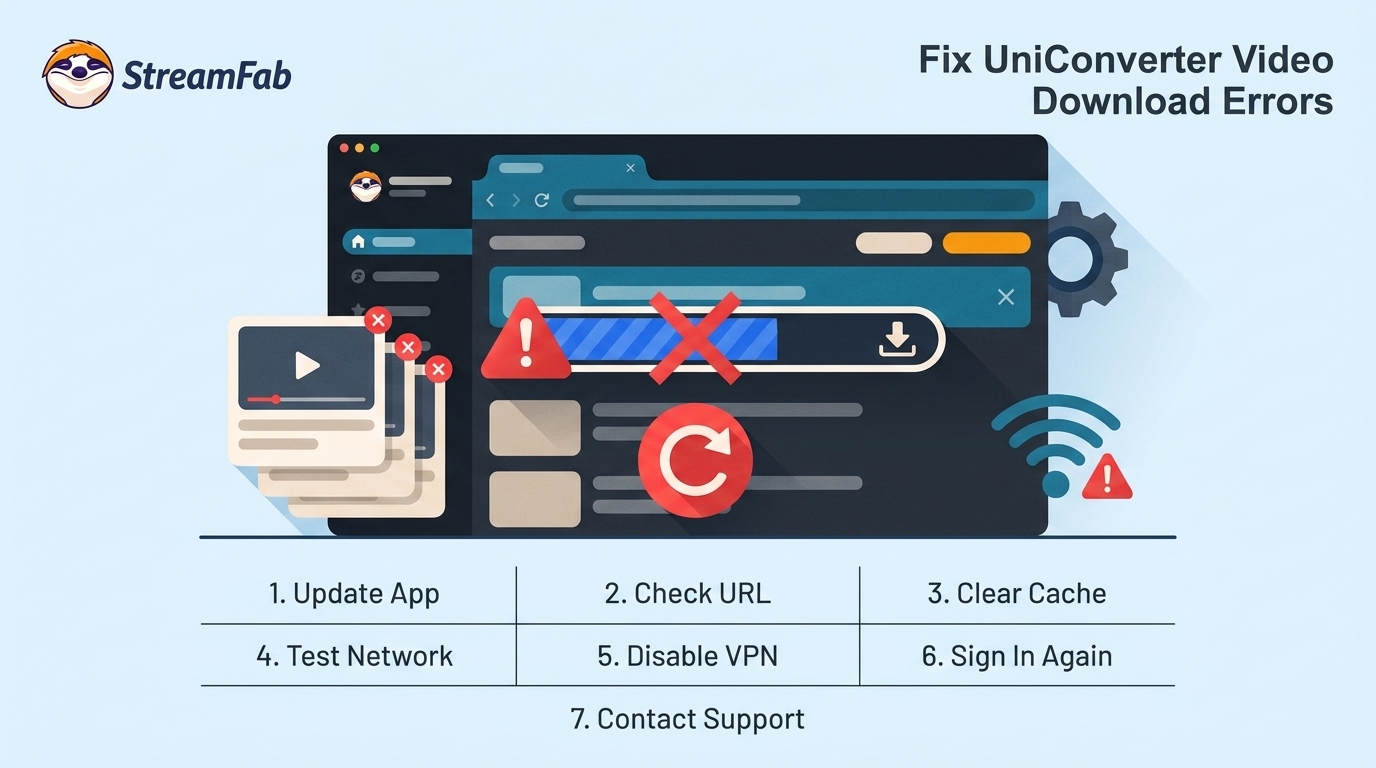
Table of Contents
Start with the basic checks below before changing tools: how to download YouTube videos with Wondershare Uniconverter. Some failures are format, service, or temporary compatibility limits rather than a problem with your computer.
Why UniConverter Downloads Fail
Start With These Basic Fixes
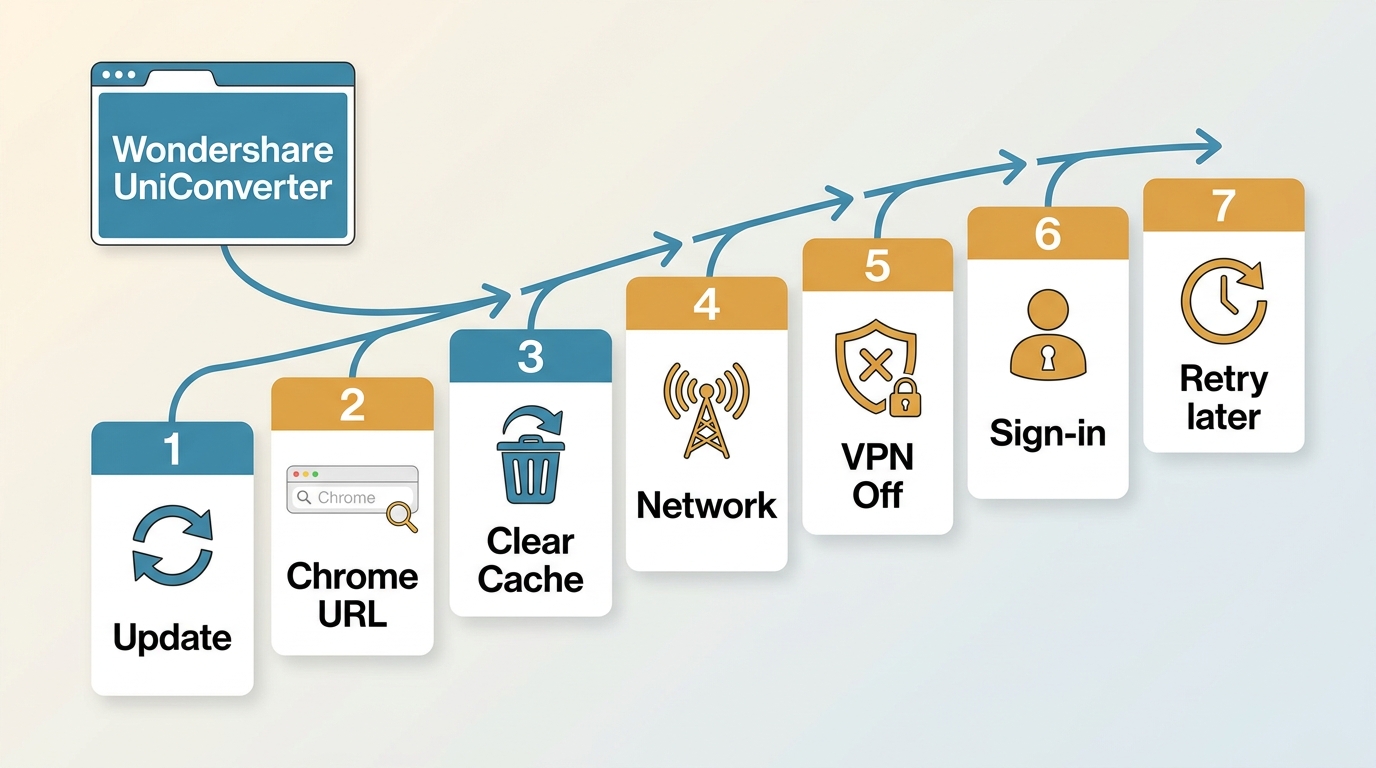
Before changing settings at random, work through these seven checks in order:
- Update or reinstall UniConverter. Start with the current build, especially if the failure began after a platform change.
- Open the video URL in Chrome. Confirm that the page itself loads and plays with your authorized access.
- Clear browser cache and cookies. Stale site data can affect embedded browser sessions.
- Check the connection. Retry on a stable network before treating the error as an app defect.
- Temporarily disable extensions, firewall rules, antivirus scanning, or a VPN. Re-enable protections after this diagnostic check.
- Test your YouTube sign-in state. Signing out or back in is a community-reported diagnostic, not a guaranteed fix.
- Retry later if several tools fail. A simultaneous failure can point to a temporary platform-side compatibility issue.
In my view, these reversible checks belong ahead of protocol theories because they separate a fixable local issue from a limitation you cannot solve by changing one more setting.
Error wording can help narrow the next step, but it rarely proves one technical cause on its own. Check the symptom, then use the least disruptive diagnostic first.
Match the Error to the Cause
If you see no videos have been downloaded please see the errors in the status column, first confirm that the URL opens in Chrome, then update UniConverter and retry without VPN or security-software interference.
For YouTube-specific parsing issues, this UniConverter YouTube download troubleshooting resource covers the most common analysis and URL-recognition checks.
AllMyTube and Legacy Licenses
If AllMyTube not working is the issue, note that its official guide remains available, but the documentation appears dated and its current maintenance status is uncertain.
Also distinguish current UniConverter 17 from older UniConverter 16, v15, or v12 installations: a lifetime license for an earlier major version may not activate a newer major release. Update eligibility and activation status should be resolved before treating an older installation as a download-engine failure.
On Mac, check the app build before changing network settings. Community reports indicate that a missing Downloader tab may be associated with the Mac App Store version and its store-policy limitations.
When Local Fixes Will Not Help
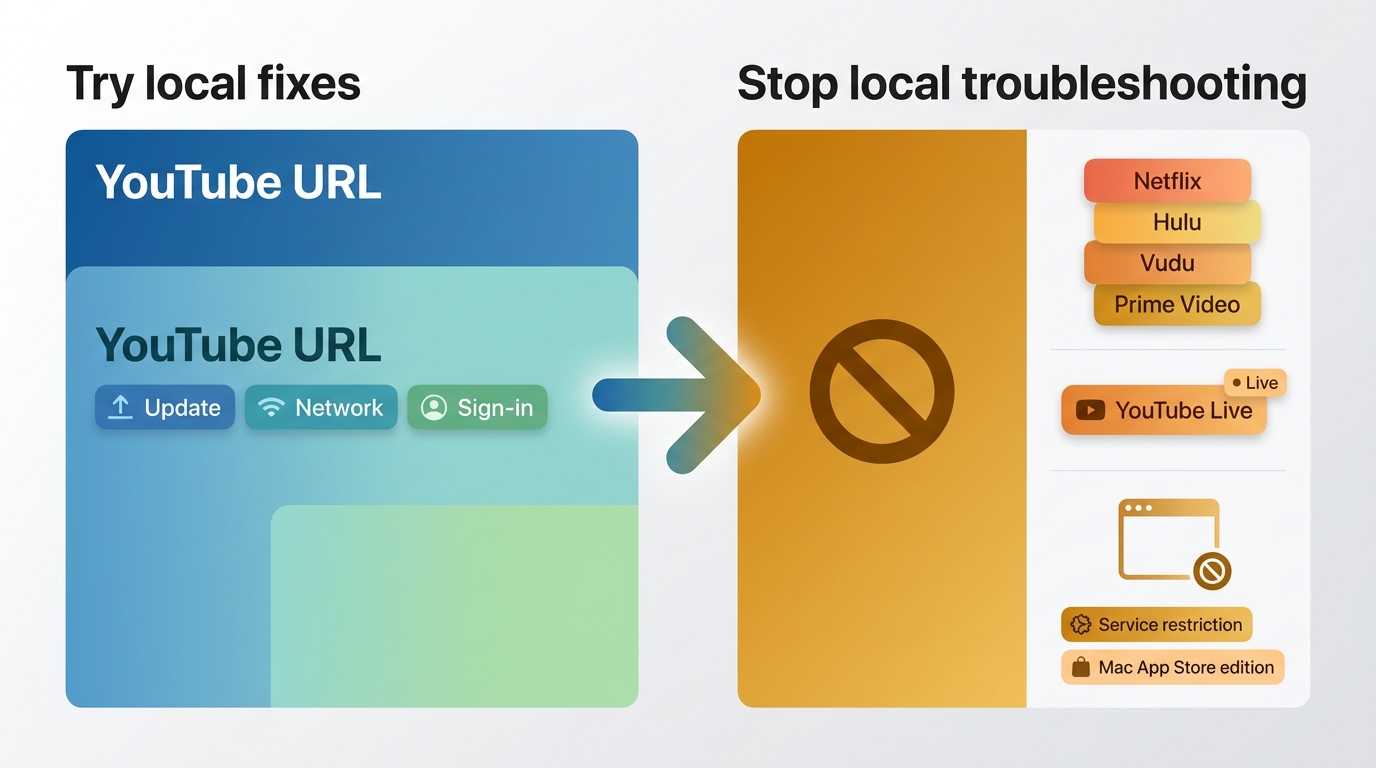
Not every failure is local. Some services, video types, and app editions fall outside UniConverter's supported scope, so repeating browser or network checks will not change the result.
| Case | What it means for troubleshooting |
|---|---|
| Netflix, Hulu, Vudu, and Amazon Prime Video | Treat these as unsupported or protected-service cases rather than ordinary URL errors. |
| YouTube Premium and YouTube Live | Availability can differ by video type; YouTube Live is not a reliable case for ordinary downloader troubleshooting. |
| Heavily protected content | Local settings cannot resolve an official service limitation. |
| Mac App Store build | A missing Downloader tab may reflect the app edition, according to community reports. |
For content you are authorized to access, use tools only in line with platform terms and applicable law.
Unsupported Services and Live Video
If a service, live stream, or protected title is outside the product's supported scope, stop changing local settings and use the platform's own viewing options instead. Login state can be worth checking for a supported YouTube page, but it does not turn an unsupported service or live-video case into a supported one.
MP4, 1080p, Audio, and Subtitles
This is the right section when UniConverter recognizes the URL but the requested YouTube MP4 download or 1080p option fails. Try the available MP4 option first, then retry at a lower resolution if the higher option is unavailable.
Higher resolutions may use separate audio and video streams, so check the audio merge or sync settings if the file has no sound. If subtitles matter, confirm that a subtitle option is selected before adding the task. These output checks will not fix an unsupported service.
YouTube Changes and Temporary Failures
For a YouTube download failed or analysis failed YouTube message, update or reinstall UniConverter before trying anything more involved. If the same HTTP 403, analysis error, or intermittent failure appears across several downloaders, retrying later or waiting for a software update may be more productive than changing local settings.
In my experience covering streaming tools, simultaneous cross-tool failures are stronger evidence of a platform-side change than of one UniConverter installation failing on its own.
When a Dedicated Downloader Fits
Consider a dedicated downloader only after ordinary fixes have failed and the video is within the tool's supported service scope. If UniConverter only needs an update, or you only need to convert local files, switching tools adds work without solving a real gap.
If you need a local-file workflow for authorized personal offline viewing, compare dedicated options by supported services, output formats, subtitle handling, and batch needs. A best streaming video downloader review can help frame those criteria without turning a single error into a reason to replace every tool.
Use any local-file workflow only for content you are authorized to access, for personal use, and in accordance with platform terms and applicable law.
Choose an Alternative by Your Failure
A dedicated option is most relevant when the issue is an unsupported service or a recurring need for local files, not when a browser-cache reset resolves the error. StreamFab is a desktop alternative to the official platform download feature for authorized personal offline viewing, subject to each service's terms and applicable law. Its Windows and Mac app supports MP4 and MKV output, available subtitles, selectable audio languages, and batch workflows for supported services.
That fit is narrower than it sounds: it is not the right choice for local conversion alone, for unsupported content, or for a UniConverter issue that the basic checks already solve.
UniConverter and StreamFab Compared
UniConverter remains suited to local conversion and ordinary web-video tasks that its current build supports. StreamFab is aimed at Windows and Mac users who need supported streaming content saved as local MP4 or MKV files for authorized personal offline viewing.
The symptom-to-next-step table below is more useful than a speed claim: it tells you when to troubleshoot, when to stop, and when a dedicated workflow may fit.StreamFab Fit and Limitations
StreamFab can suit a supported-service workflow that needs local MP4 or MKV files, subtitles, audio-language selection, or batch tasks. It is not a universal repair for UniConverter errors, and it is unnecessary when the original task is simply converting a file already on your computer.

This is a downloader that can grab high-quality videos from, like, 1,000+ streaming sites. It has features like getting rid of ads and fast downloads. It also works on both Windows and Mac.
- Use it when a supported service and authorized local-file workflow matter more than local file conversion.
- It is not needed when updating UniConverter or changing browser settings resolves the failure.
- Available output options include MP4 and MKV, with resolution and HDR availability depending on the service and plan.
- It supports batch tasks, selectable audio languages, and subtitles for supported services.
- Supported services and availability may change; check the current status on the official site.
A Short StreamFab Workflow
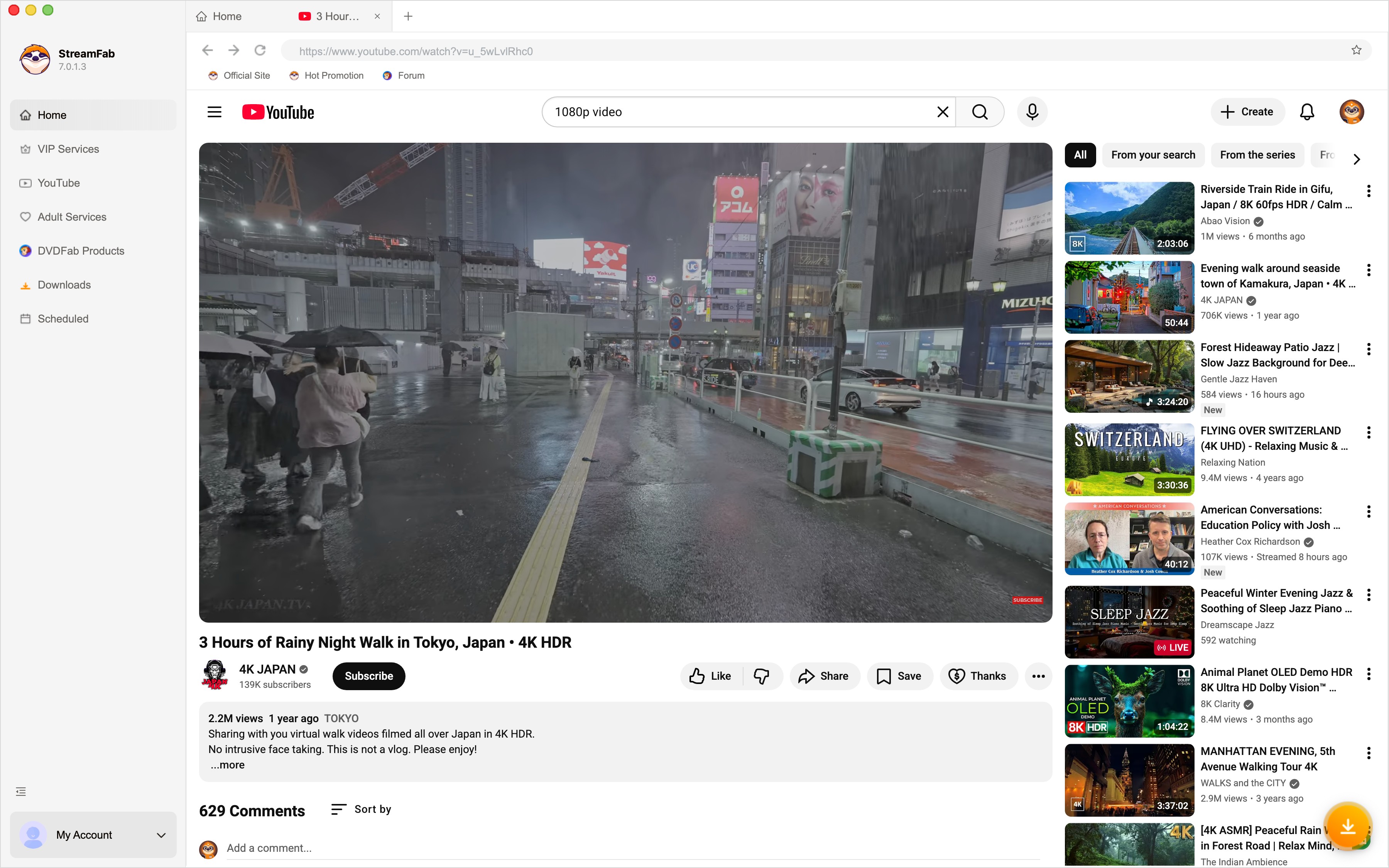
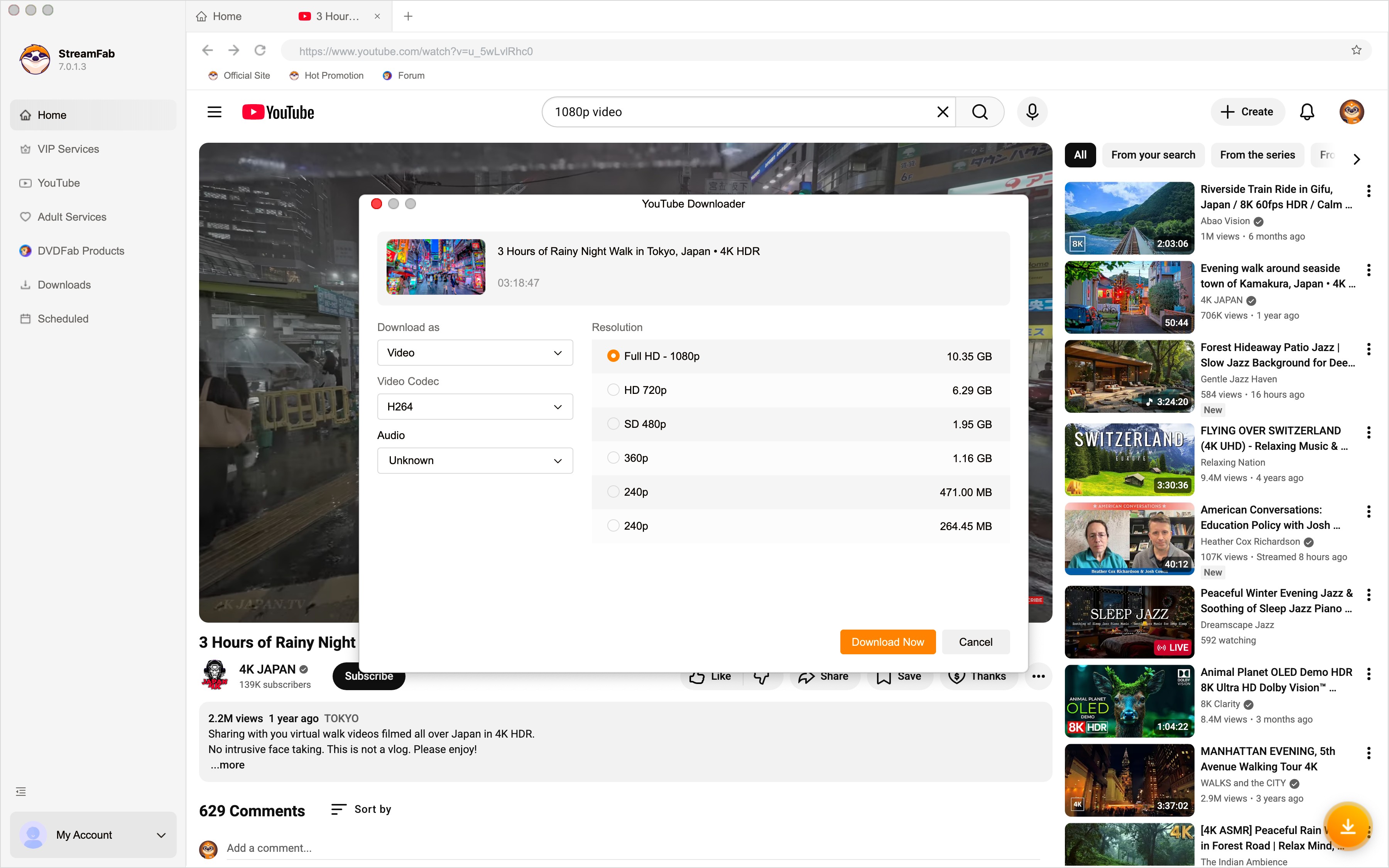
Open the authorized video in the built-in browser, choose from the available output options, and add the task to the queue. The full how to use StreamFab workflow explains the available settings in more detail.
StreamFab offers a 30-day trial with three video downloads per streaming service, as of July 2026; trial features match the paid version, while download quantity is limited. If you are comparing purchase options, you can also get StreamFab discount.
FAQ
Can a VPN cause UniConverter downloads to fail?
A VPN can affect routing or IP reputation, so test the same URL once without it. Treat the result as a diagnostic, not a universal fix: if the download still fails on a stable connection with a current app, move on to service support and temporary compatibility checks.
Can changing my YouTube sign-in state fix an analysis error?
It can be worth trying after you update UniConverter, because session state can affect a request. Sign out or sign back in only as a community-reported diagnostic, and do not expect it to resolve unsupported videos or a widespread platform-side issue.
Why do several video downloaders fail at the same time?
When several tools show the same intermittent failure, analysis error, or HTTP 403, the common factor may be a platform-side change, rate limit, or compatibility incident. Confirm that your own app is current, then wait and retry rather than repeatedly changing local settings.
When should I wait for a software update instead of changing settings?
Wait when UniConverter is current, the basic browser and network checks pass, and current failures appear across multiple tools. That pattern makes a temporary compatibility incident more likely than a setting you can fix locally.
Conclusion
Start with the ordinary fixes: update UniConverter, verify the URL in Chrome, clear browser data, and rule out VPN or security-software interference. Stop troubleshooting when the service or video type is unsupported, and wait when several tools show the same temporary error.
My practical takeaway is simple: choose a dedicated desktop alternative only when its supported services and output options match a genuine authorized offline-viewing need, not because one local setting failed.


Evaluating the Audials One 2026 free trial? I tested its 720p caps, examined if is audials legal under Fair Use
By Erika Leen - Sep 29, 2026

Are you thinking of purchasing NoteBurner and unsure if it’s worth the investment? In this NoteBurner review, let’s delve into its product lines, particularly the NoteBurner Video Downloader’s pros and cons.
By Marcia Hatcher - Sep 28, 2026

Read our in-depth Audials review for 2026. Is Audials safe and legal for Amazon Prime? Discover actual test results, Widevine DRM fixes, and better alternatives.
By Erika Leen - Sep 28, 2026
TuneFab’s Amazon downloader suits a focused desktop routine, while VideOne covers multiple services. Compare their workflows, license structures, and output checks with StreamFab, then use the numbered setup and maintenance steps for authorized personal offline viewing.
By Erika Leen - Sep 24, 2026