
YT Saver Review: Is It Safe, Legit, and Worth It?

Summary: YT Saver may fit simple copy-and-paste social-video downloads, but its broad vendor claims outpace the retained independent evidence available for this review. This guide separates installer safety, legal use, plan terms, reproducibility gaps, and alternatives so readers can choose by workflow instead of marketing.
Table of Contents
If you are reading a YT Saver review because you want a quick answer to “is YT Saver safe,” the practical verdict is cautious: use the official installer for simple social-video downloads, but weigh its documented capabilities, license terms, and legal permission before paying.
This review separates the buyer questions that often get blurred together: installer safety, actual YT Saver features, reproducible performance evidence, YT Saver pricing, and alternatives for different source sites and workflows.
YT Saver Review: Verdict, Pros, and Cons
YT Saver appears to be an active downloader with a straightforward URL workflow, but its broad vendor claims are better treated as claims until a dated, repeatable test confirms them.
- Pros: A familiar copy-and-paste workflow, desktop and Android availability claimed by the vendor, and multiple advertised output formats.
- Cons: Limited retained independent test evidence, unclear current trial allowances, and plan terms that need more detail on renewal and refunds.
- Best for: People who want a graphical tool for straightforward social-video conversion and prefer not to use a command line.
- Not ideal for: Buyers who need independently verified performance data, transparent support evidence, or a clearly documented contract before purchase.
My judgment is use-case specific: the interface and advertised format range make YT Saver plausible for simple jobs, while the evidence gap makes a broad reliability verdict premature.
Software Safety and Official Installers
Video downloader safety starts with installer provenance, but an official download alone cannot prove that a program is risk-free or appropriate for every account and use case.
Download YT Saver only from its official site, check the publisher details and digital signature when available, and scan the installer before running it. Treat any unofficial YT Saver premium package or mobile installer as a separate, unverified file rather than evidence about the official client.
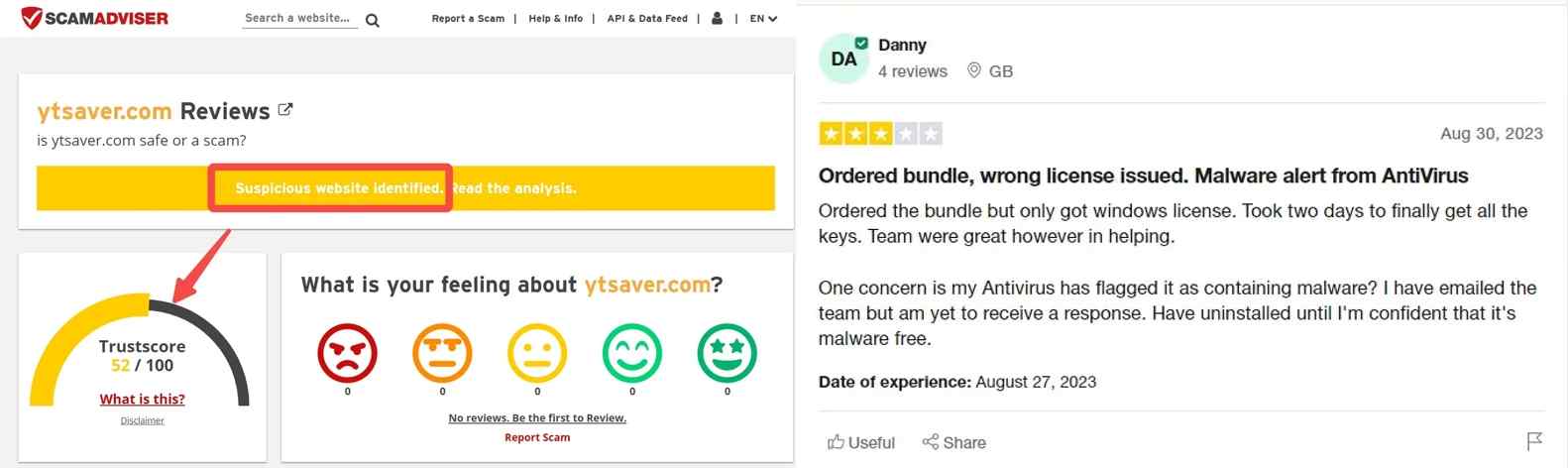
A live US search snippet in July 2026 showed a four-star Trustpilot label and 876 reviews. That snippet does not establish an exact decimal score or a universal user verdict.
Legal Use and Account Risks
Software security, copyright permission, platform terms, and account enforcement are separate questions; a clean installer does not grant permission to download a video.
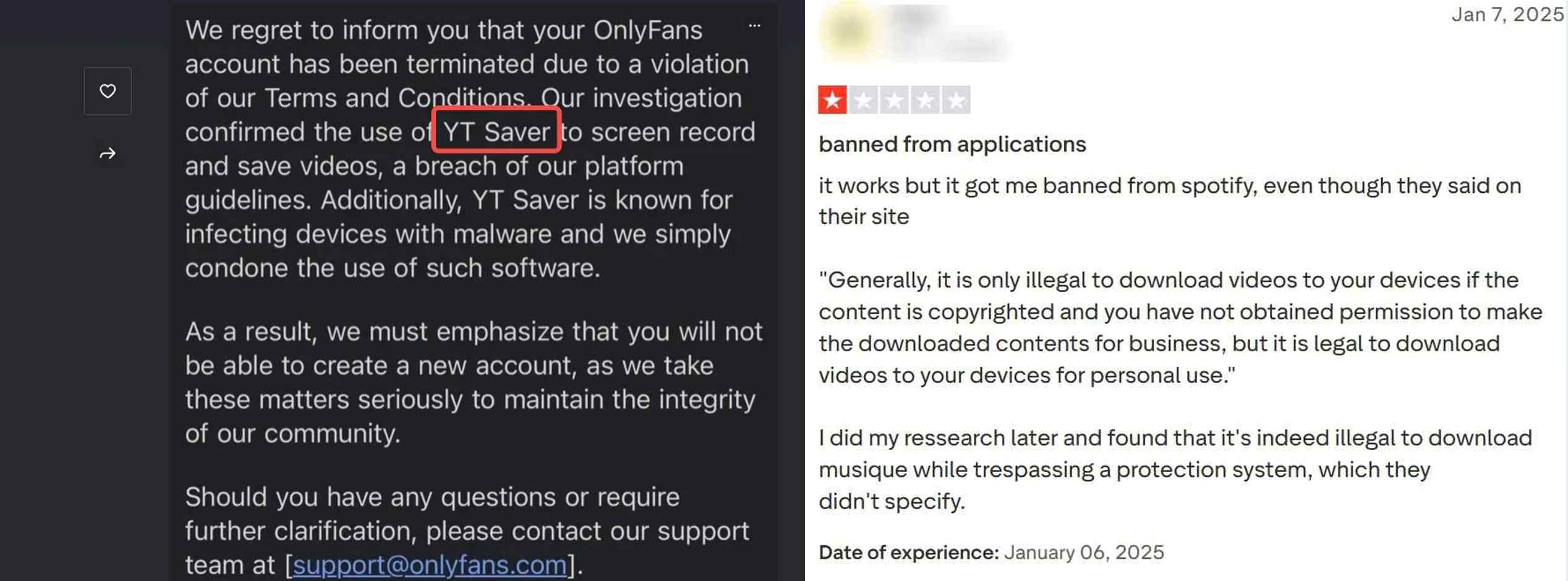
YT Saver Reddit reviews contain mixed reports about reliability, installer alerts, and account concerns. Community comments can flag issues worth checking, but they do not prove that every user will receive the same result or that one technical cause explains every failure.
Use download tools only for content you are authorized to access and for purposes allowed by copyright law and the relevant service terms. For adults 18+, the same boundary applies to account-based services discussed in the YT Saver for OnlyFans guide; service-specific context is not evidence of a universal account outcome.
Features, Limits, and Reproducible Tests
YT Saver features look broad on the official site, but this review separates advertised capabilities from results supported by retained, repeatable evidence.
Supported Sites, Formats, and Devices
The vendor advertises broad site coverage, Windows, macOS, and YT Saver Android support, plus common video and audio formats; source-specific availability can still differ.
| Capability | Current evidence | Practical limit |
|---|---|---|
| Sites and services | Broad video and social-site support is a vendor claim | Check the exact URL type in a repeatable test before relying on it |
| Formats | MP4, MP3, MKV, and AAC are advertised | Available combinations may depend on the source |
| Operating systems | Windows, macOS, and Android are advertised | Interface and feature parity were not independently reproduced here |
| Playlists and channels | Playlist, channel, and batch workflows are advertised | Large-queue reliability needs a retained test log |
| Subtitles | Subtitle downloads are advertised for supported sources | Language and format availability depend on the source |
| Maximum resolution | Up to 8K is an official claim | The source video, plan, and available stream determine the result |
| YT Saver free trial | A limited trial is advertised | The current download, playlist, and format allowance was not confirmed |
The useful takeaway is simple: a feature list shows what to test, not what every URL will deliver.
Speed, Quality, and Reliability Results
No retained instrumented run supports a current speed, resolution, CPU, or GPU verdict, so this section reports the evidence boundary instead of inventing a benchmark.
The YT Saver site remains online, while the newest visible official release signal is version 9.1.0 dated October 25, 2024. That dated signal does not prove a continuing 2026 update cadence.
If a URL stalls during analysis, the focused YT Saver not working guide covers troubleshooting without turning an analysis loop into an unsupported architecture claim.
| Reproducibility field | Retained evidence for this review |
|---|---|
| App version | Newest visible official release signal: version 9.1.0 |
| Installer origin | Official YT Saver site |
| Test date | No dated instrumented run was retained |
| URL type | No repeatable test case was retained |
| Output and resolution | Not scored without a saved file and media inspection |
| Elapsed time | Not recorded |
| CPU and GPU use | Not recorded with a reproducible monitor capture |
| Result | No independent performance result assigned |
| Retained proof | No run log, file sample, checksum, or timestamped monitor capture is available for this claim |
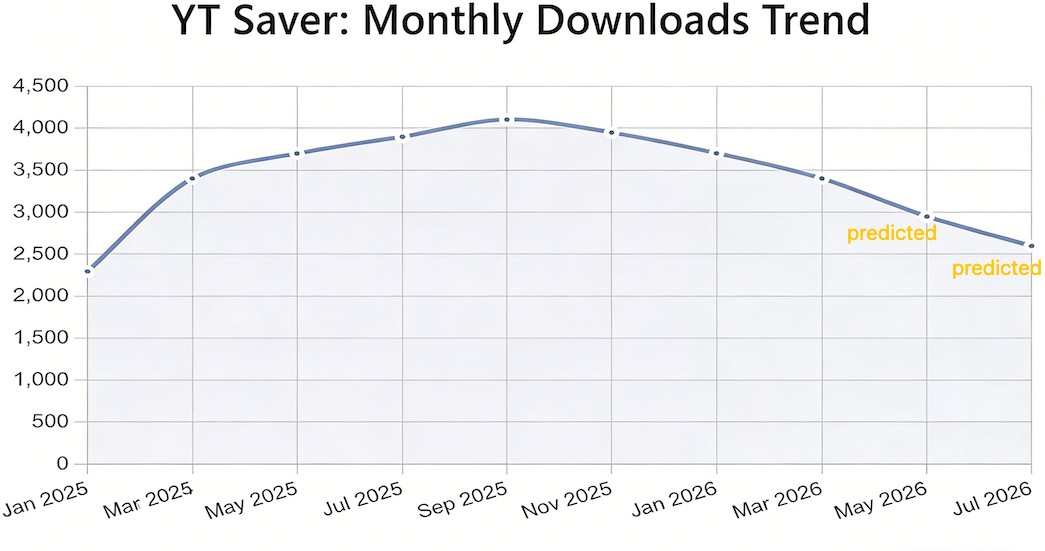
A Task Manager image without a matching version, URL, elapsed time, and saved output cannot support a general CPU or reliability conclusion.
Using YT Saver: The Basic Workflow
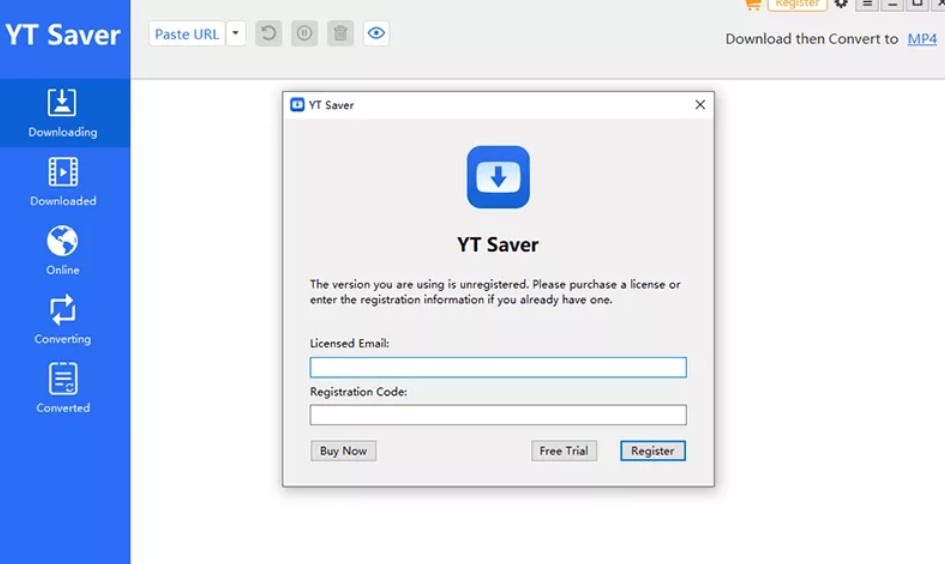
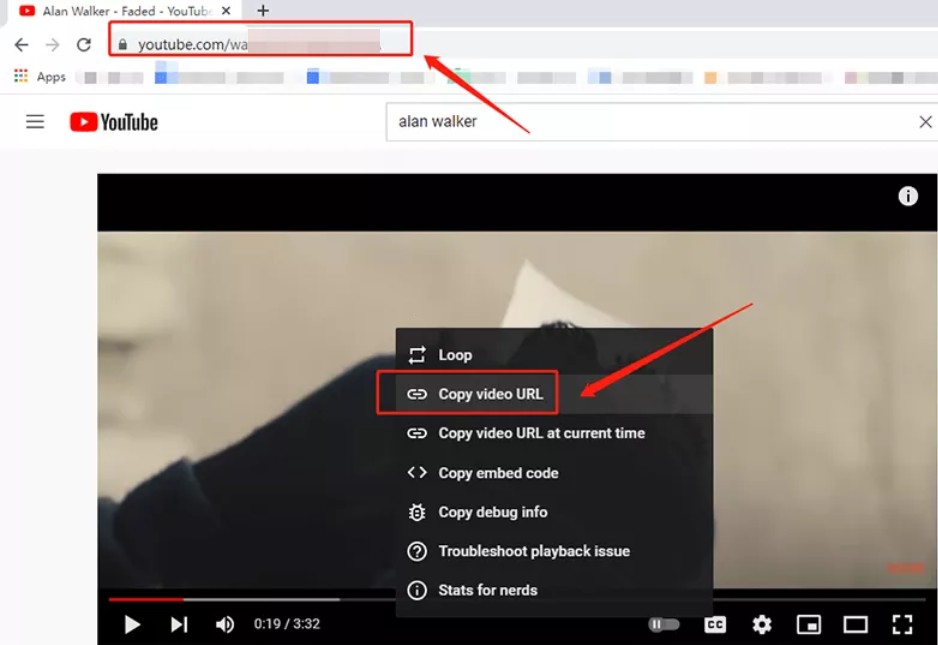
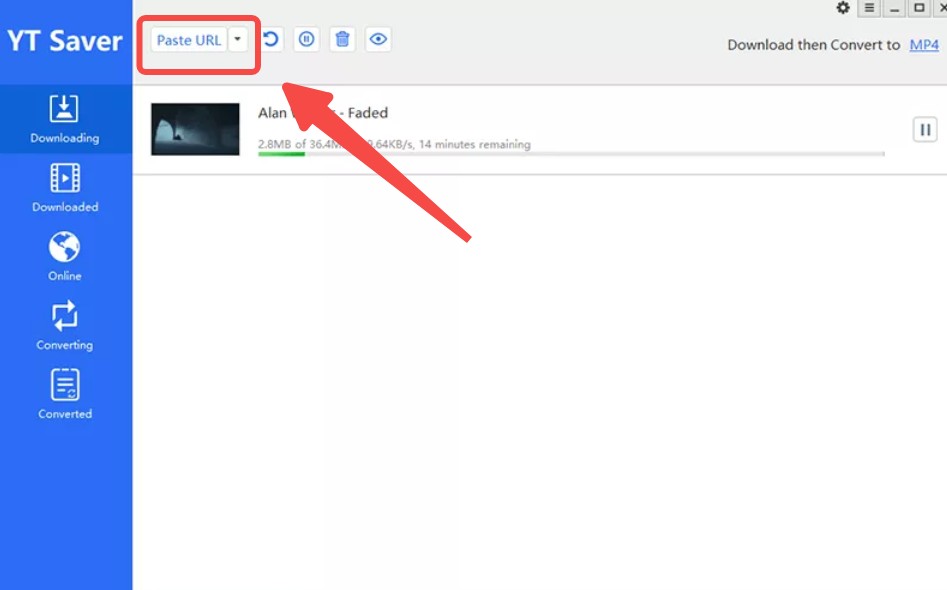
The YT Saver workflow is a four-step copy-and-paste process: install the official app, add a supported URL, choose available output settings, and start the task.
Plans, Trial Limits, and License Terms
YT Saver pricing is easy to scan, but the YT Saver license, renewal, refund, and trial terms are not equally detailed in the available official plan summary.
As of July 2026, YT Saver's official-domain review lists the three US plan figures below; the same summary does not establish renewal timing or refund eligibility.
| Plan or term | Published detail | Buyer takeaway |
|---|---|---|
| Monthly | $29.95 | Recurring-term details were not stated in the available plan summary |
| Yearly | $39.95 | Renewal timing and cancellation mechanics were not stated |
| Lifetime | $49.95 | The license label does not guarantee future source-site availability |
| YT Saver free trial | Limited trial advertised | The current allowance was not confirmed |
| YT Saver premium license | Paid use is advertised beyond the trial | Device count and transfer rules were not stated |
| Refund terms | Not stated in the available official plan summary | Do not assume eligibility or a fixed window |

YT Saver Alternatives by Use Case
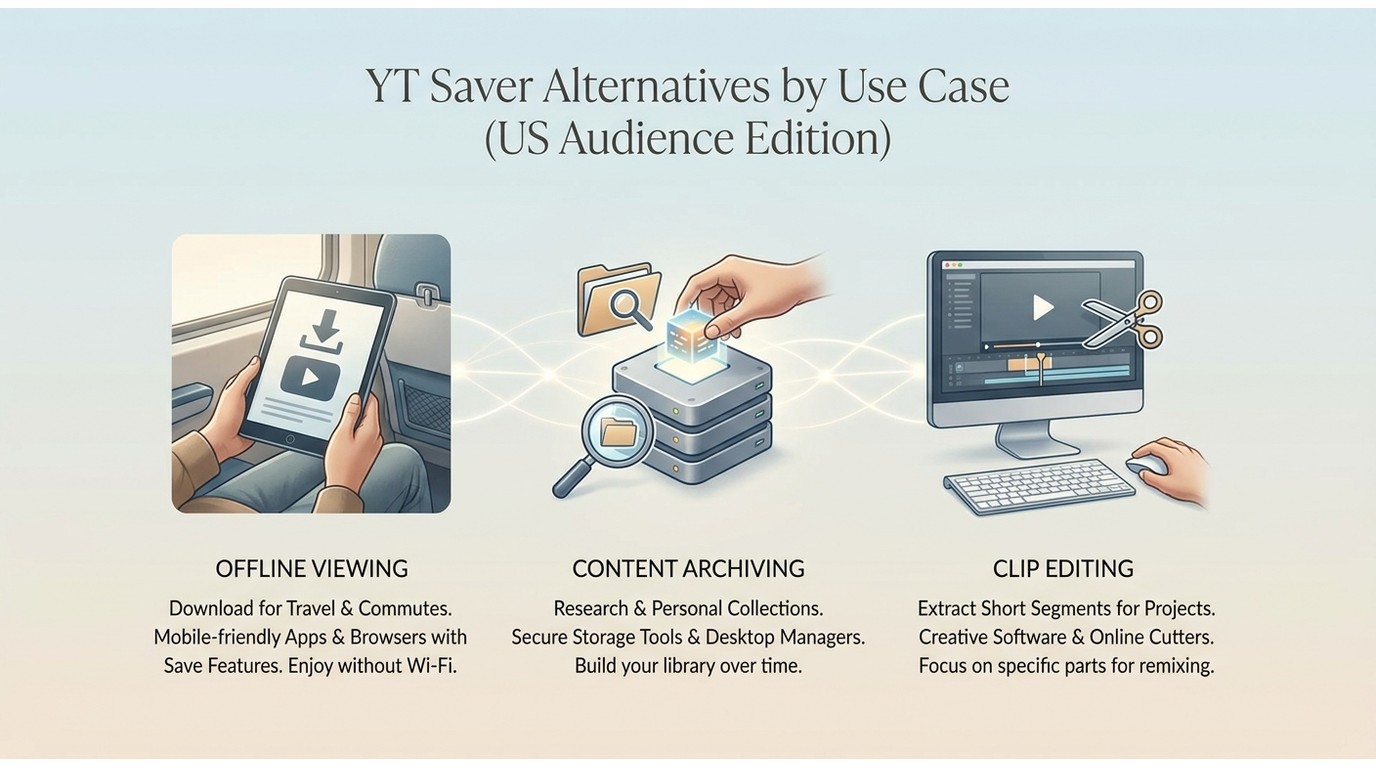
A useful YouTube downloader comparison starts with the source site and workflow, because no single option fits copy-and-paste users, command-line users, and supported streaming-service workflows equally well.
YT Saver, StreamFab, and Other Options
YT Saver alternatives make sense when its evidence, interface, source coverage, or contract terms do not match your needs; the decision should follow the use case rather than a universal ranking.
YT Saver may suit simple social-video conversion, yt-dlp may suit command-line automation, and GUI-focused candidates such as 4K Video Downloader or SnapDownloader merit a current feature check before purchase.
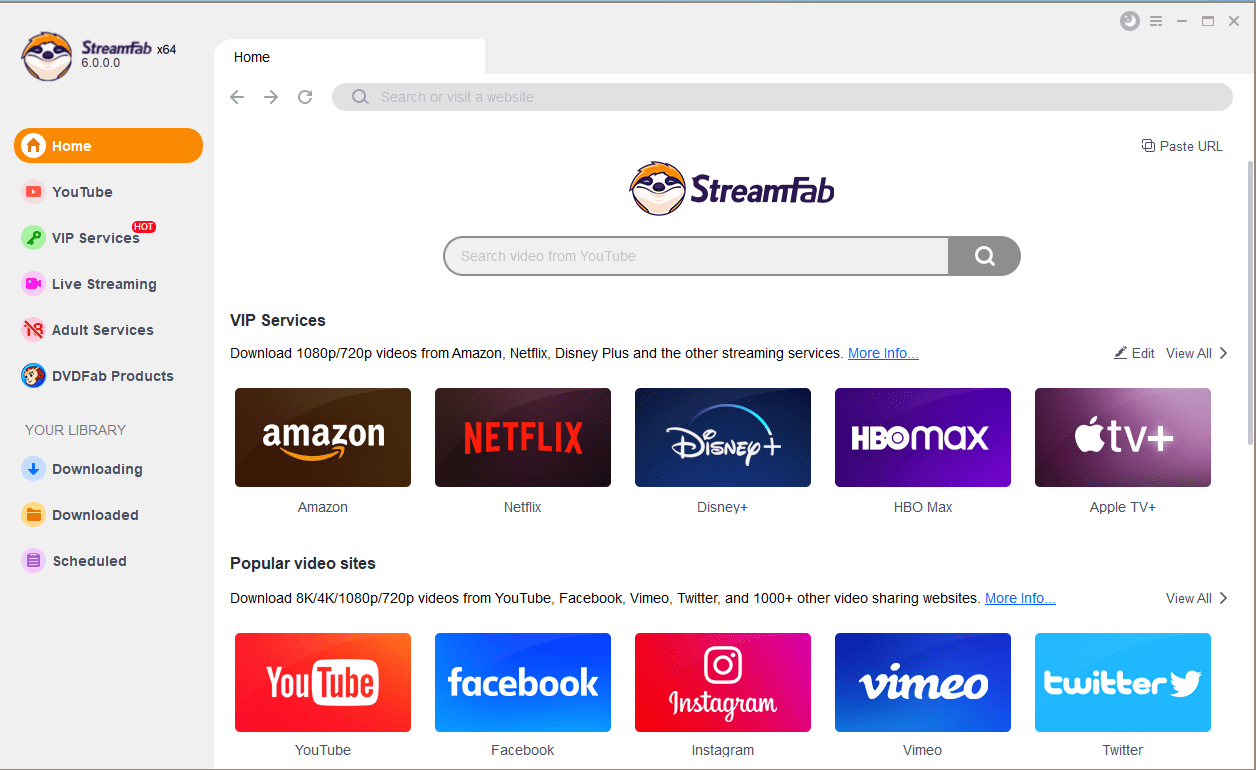
For content you're authorized to access, where permitted by platform terms and applicable law, StreamFab provides a desktop local-file workflow for personal offline viewing on supported services.
StreamFab is a Windows and macOS desktop app that outputs MP4 or MKV, supports batch and scheduled episode downloads, and can reach up to 4K on supported services and plans. It is not ideal for readers seeking a free, open-source, or mobile-only option.

Instead of the "screen recording" or "raw scraping" traps, StreamFab integrates an underlying browser that authenticates legitimately, fetching the actual media file natively. You get true 4K resolution, EAC3 5.1/Atmos audio, and hardware-accelerated processing that utilizes your GPU.
StreamFab Local-File Workflow
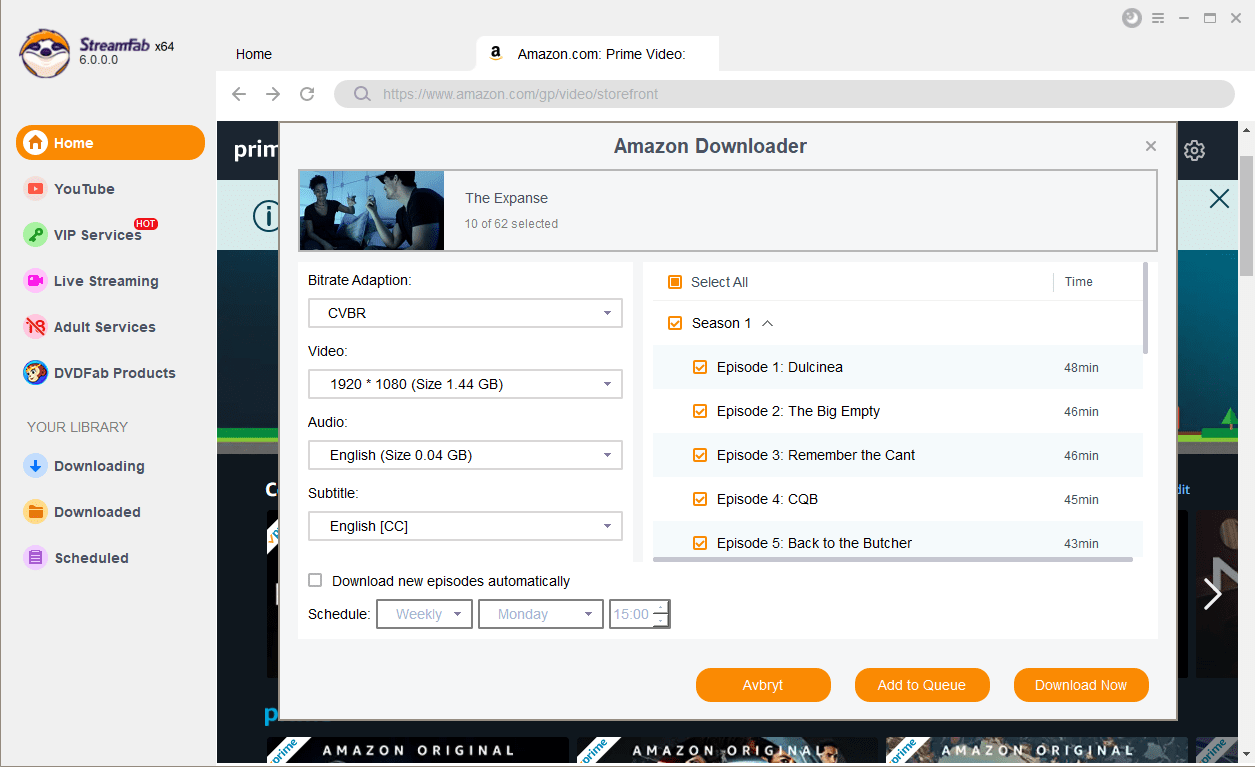
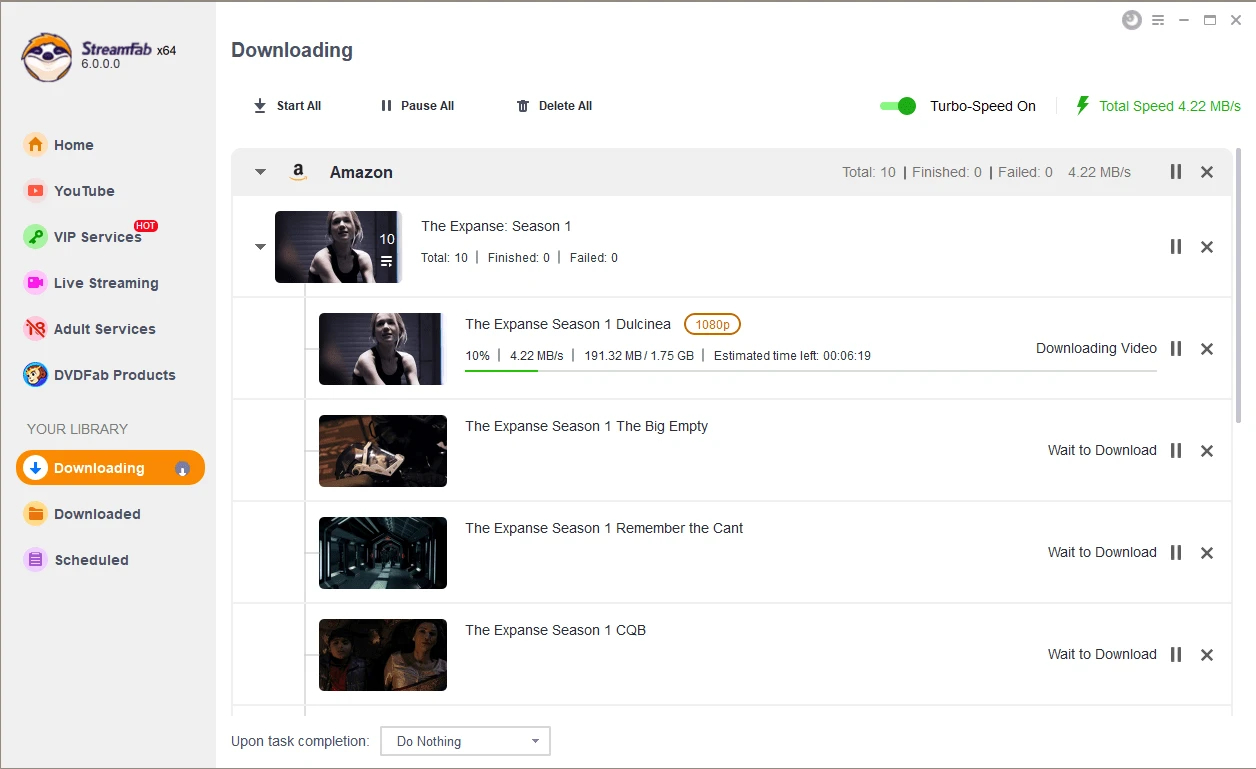
The short StreamFab example below uses Amazon consistently and keeps the full tutorial on the dedicated guide.
In this Amazon example, the same how to use StreamFab sequence applies: open the Amazon module, sign in to an authorized account, select a title and output, then start the task.
Compare: StreamFab vs. YT Saver
The technical divide is staggering. While legacy tools scrape the top layer of the web player (often capturing overlapping UI elements or suffering from frame drops), StreamFab accesses the streaming files directly utilizing authorized keys. This prevents the platform from recognizing the download as an anomaly, virtually eliminating ban risks while providing pristine metadata scraping (NFO files, Plex-ready poster walls).
| Technical Metric (2026) | YT Saver | StreamFab |
|---|---|---|
| Processing Engine | CPU Software Encoding | GPU Hardware Acceleration |
| 4K Decryption Speed | High Latency / Often Downgrades | Native CDN Bandwidth (Max Speed) |
| Anti-Ban Technology | Basic IP Masking (High Risk) | Native Browser Token Handshake (Safe) |
| DRM Protocol Adapting | Fails on Widevine L1 | Full Widevine / FairPlay Support |
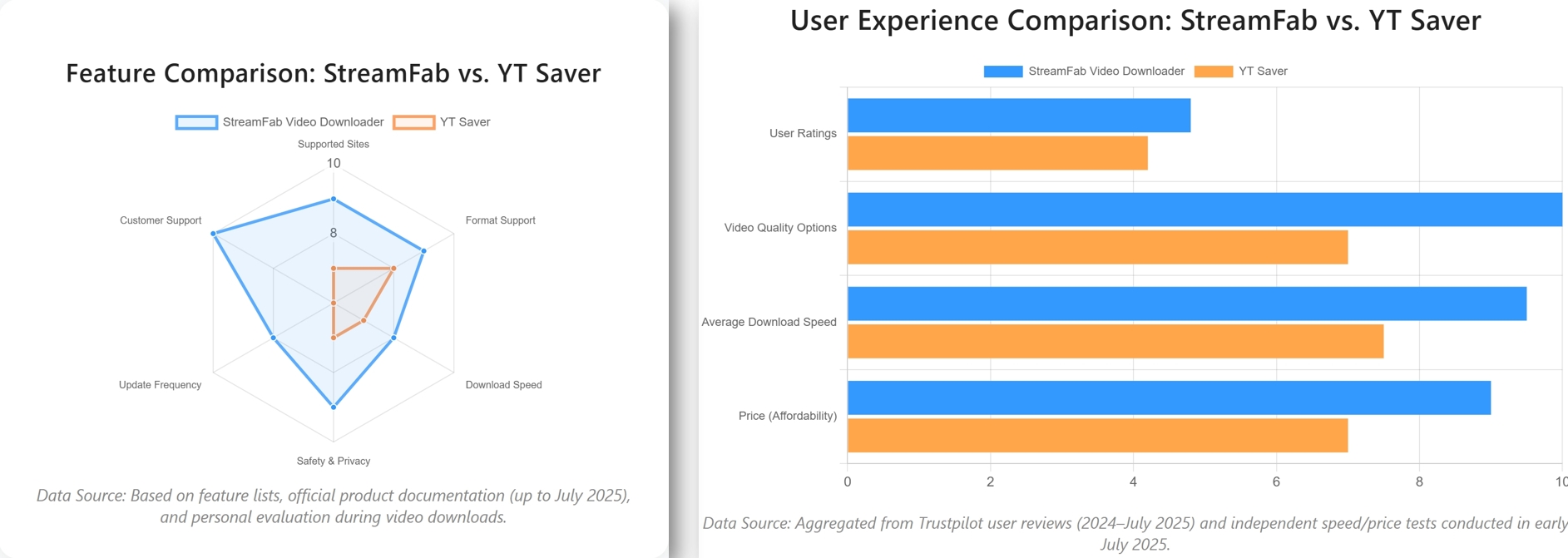
For a reliable archivist run, here is how the StreamFab native pipeline looks during a bulk test:
Frequently Asked Questions
Conclusion
YT Saver may fit readers who want a graphical copy-and-paste tool for straightforward social-video downloads and accept that current independent performance evidence is limited.
I would not label it a scam, nor would I treat every advertised capability as independently proven. The evidence supports a cautious trial-first decision, with the exact URL type, installer provenance, license terms, and saved output carrying more weight than marketing language.
Choose yt-dlp for command-line control, compare GUI alternatives for public-video workflows, and consider StreamFab when authorized supported-service downloads, MP4 or MKV output, and batch or scheduled desktop tasks match the job.


Evaluating the Audials One 2026 free trial? I tested its 720p caps, examined if is audials legal under Fair Use
By Erika Leen - Sep 29, 2026

Are you thinking of purchasing NoteBurner and unsure if it’s worth the investment? In this NoteBurner review, let’s delve into its product lines, particularly the NoteBurner Video Downloader’s pros and cons.
By Marcia Hatcher - Sep 28, 2026

Read our in-depth Audials review for 2026. Is Audials safe and legal for Amazon Prime? Discover actual test results, Widevine DRM fixes, and better alternatives.
By Erika Leen - Sep 28, 2026
TuneFab’s Amazon downloader suits a focused desktop routine, while VideOne covers multiple services. Compare their workflows, license structures, and output checks with StreamFab, then use the numbered setup and maintenance steps for authorized personal offline viewing.
By Erika Leen - Sep 24, 2026