
YT Saver OnlyFans Review: Safe Personal Backup Solution? (2026 Update)

Summary: What is YT Saver OnlyFans Downloader? Does it really works? Is it a worthy choice? This latest YT Saver OnlyFans review tests it detailly and provides an overview of it to help you make a smart choice.
YT Saver may fit occasional, manual OnlyFans backups for content you are authorized to access, but it is not a low-friction choice for recurring queues. The key purchase risks are automatic renewal, sensitive account-session handling, and compatibility changes. This YT Saver OnlyFans review covers pricing, errors, and workflow fit.
YT Saver OnlyFans at a Glance
YT Saver is a desktop app for Windows and Mac. It can be used to save OnlyFans video content already available through your authenticated account for personal offline viewing. Paid access does not transfer ownership or permission to redistribute content. Output quality cannot exceed the source quality available in your authenticated session.
YT Saver may fit occasional manual saves when you already have authorized access, but its workflow, renewal terms, and compatibility history deserve review before purchase.
- • What matters most: Installer safety, credential handling, billing transparency, license scope, and lawful use are separate questions.
- • Workflow fit: YT Saver centers on manual URL entry, which can suit smaller saving tasks.
- • Access boundary: Use local copies only for content you are authorized to access.
- • Key takeaway: A long feature list matters less than a workflow you can maintain when platform behavior changes.
Is YT Saver Safe and Legit?
Short answer: YT Saver may suit an authorized personal backup workflow, but a safe installer alone does not settle whether the overall purchase is safe. For an 18+ platform such as OnlyFans, assess the installer, authenticated-session handling, billing terms, license scope, and intended use separately. The official purchase terms provide one concrete billing fact: monthly and annual licenses renew automatically.
Installer, Credentials, and Privacy
Use an installer obtained from the publisher’s official distribution channel, and treat your OnlyFans sign-in session as sensitive account data. YT Saver’s built-in browser requires an authenticated session to access content already available to that account. That practical requirement makes credential handling a separate concern from whether the app installs successfully.
Billing, Licensing, and Legal Limits
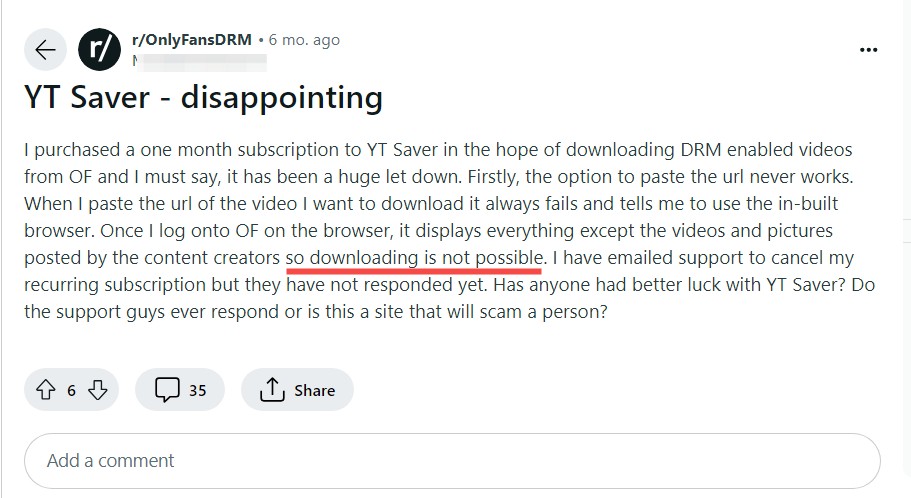
Community complaints about billing or license continuity are anecdotal. The official purchase terms establish automatic renewal for monthly and annual licenses, but renewal terms do not answer whether a license will remain compatible with future platform changes. Treat billing terms, license scope, and ongoing compatibility as separate purchase questions. Paid access permits personal viewing, but it does not transfer ownership or broader rights to the content.
Do not share, redistribute, or use local copies beyond the rights granted by OnlyFans, the creator, and applicable law. This is general information, not legal advice.

But, it's always a good idea to review the StreamFab copyright and usage guidelines Treat account access and local files as sensitive, and keep any saved material within your personal-use scope.
Features, Limits, and Device Fit
YT Saver is relevant for subscribed posts, paid message videos, profile media, and other items that remain available in your authorized account session. Unavailable posts, expired access, or content outside your account scope are not valid use cases. Its workflow relies on manually adding multiple URLs, which is workable for occasional saves but adds friction for recurring tasks.
| Method | Device and skill fit | Authorized content scope | Workflow style | Main limitation |
|---|---|---|---|---|
| YT Saver desktop app | Windows or Mac; beginner-friendly | Accessible account content | Manual multiple-URL entry | More hands-on upkeep |
| StreamFab desktop app | Windows or Mac; no-code | Accessible account content | Batch downloads and subscription following | Desktop-only workflow |
| Browser extension | Desktop browser; simple setup | Accessible browser content | In-browser tasks | Can need frequent maintenance |
| CLI or open-source workflow | Technical desktop users | Accessible account content | Command-driven | Higher setup burden |
My practical take: YT Saver is the clearer fit for a small, manual queue. A comparison of verified OnlyFans downloaders can help narrow broader desktop-app options when recurring tasks are the priority.
- Save videos and message clips already available in your authorized account
- Local OnlyFans videos to MP4 copies for personal offline viewing where permitted
- Paste multiple OnlyFans video URLs for manual batch processing
- A password-protected folder may help protect sensitive local files
- Each batch requires manual URL entry; content is not detected automatically.
- Compatibility changes can interrupt a previously working workflow (details below)
When an authorized post or message video does not process, the symptom can reflect unavailable content, an expired session, an outdated app build, or a temporary compatibility change. The symptom alone does not identify one confirmed cause.
YT Saver Pricing and Renewal Terms
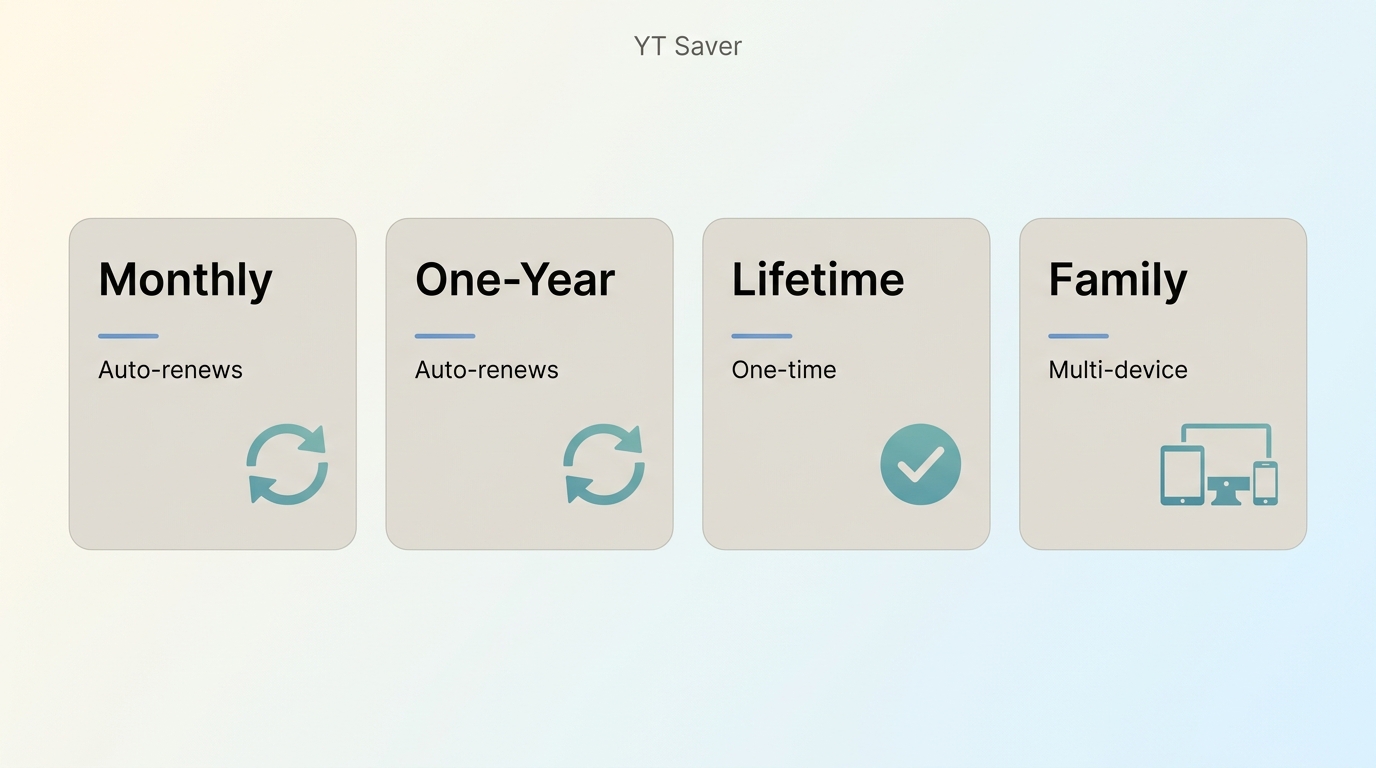
YT Saver lists monthly, one-year, lifetime, and family license categories. Monthly and annual licenses renew automatically, while lifetime and family labels describe different license scopes. Promotional totals and tax treatment can vary by operating system, promotion, and location (as of August 2026).
For occasional use, compare the renewal commitment as carefully as the initial promotional total. A family license is more relevant when several household devices need access, while a recurring plan requires attention to its renewal terms.
*Note: Output quality depends on the source quality available in your authorized account session. Higher general-product resolution claims do not guarantee the same result for an OnlyFans backup.
Using YT Saver on OnlyFans
Before starting, sign in through the built-in browser with an authenticated account. Use the workflow only for content available through that account and within the platform’s terms, creator rights, and applicable law. YT Saver can suit beginners handling a short queue; users comparing recurring workflows can also evaluate bulk OnlyFans downloaders:
Launch YT Saver OnlyFans Downloader on your device, select 'Online,' and enter the OnlyFans website.
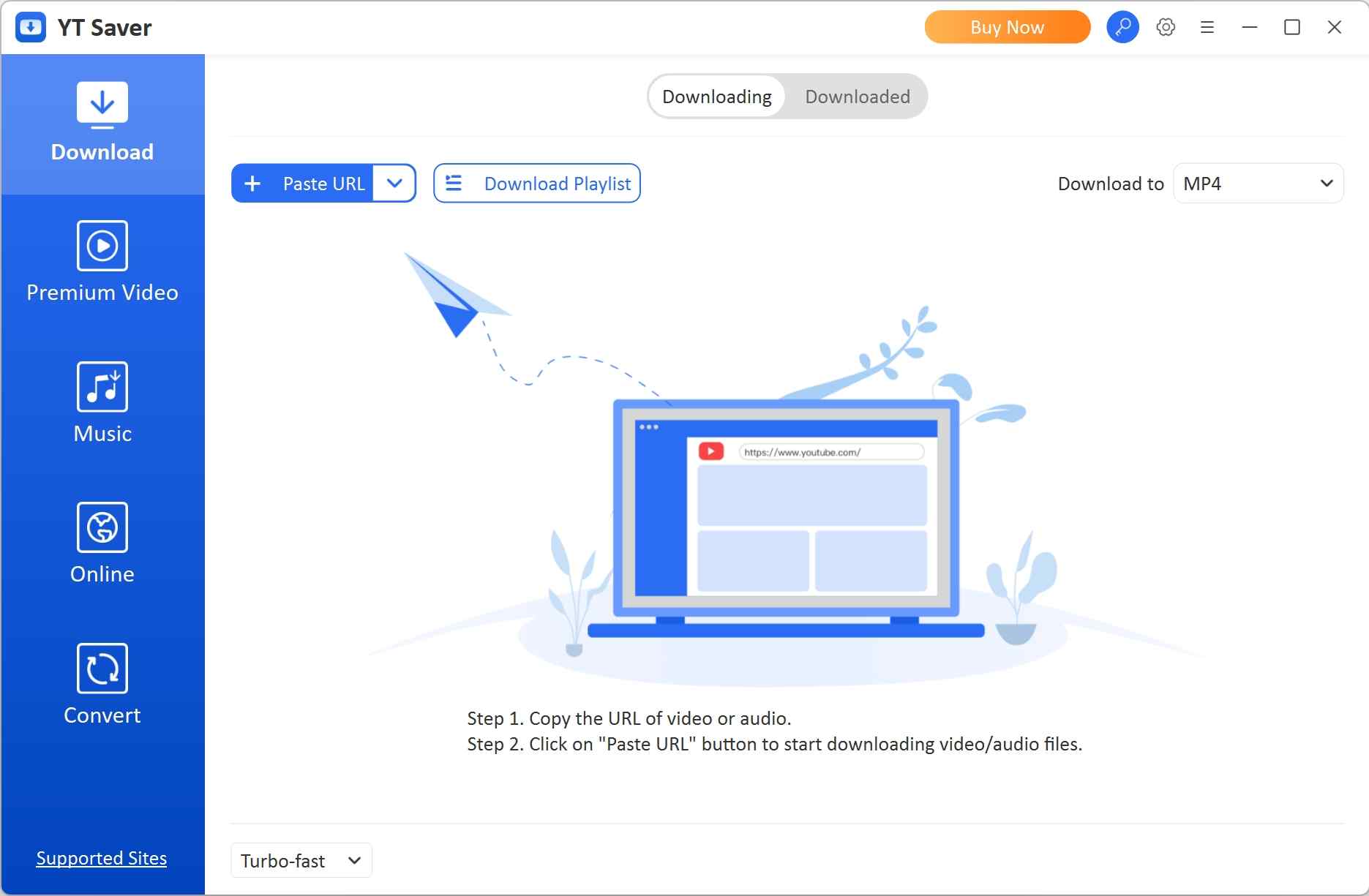
Log in to your OnlyFans account and select the OnlyFans video you want to download. You will see an orange download button on the screen.
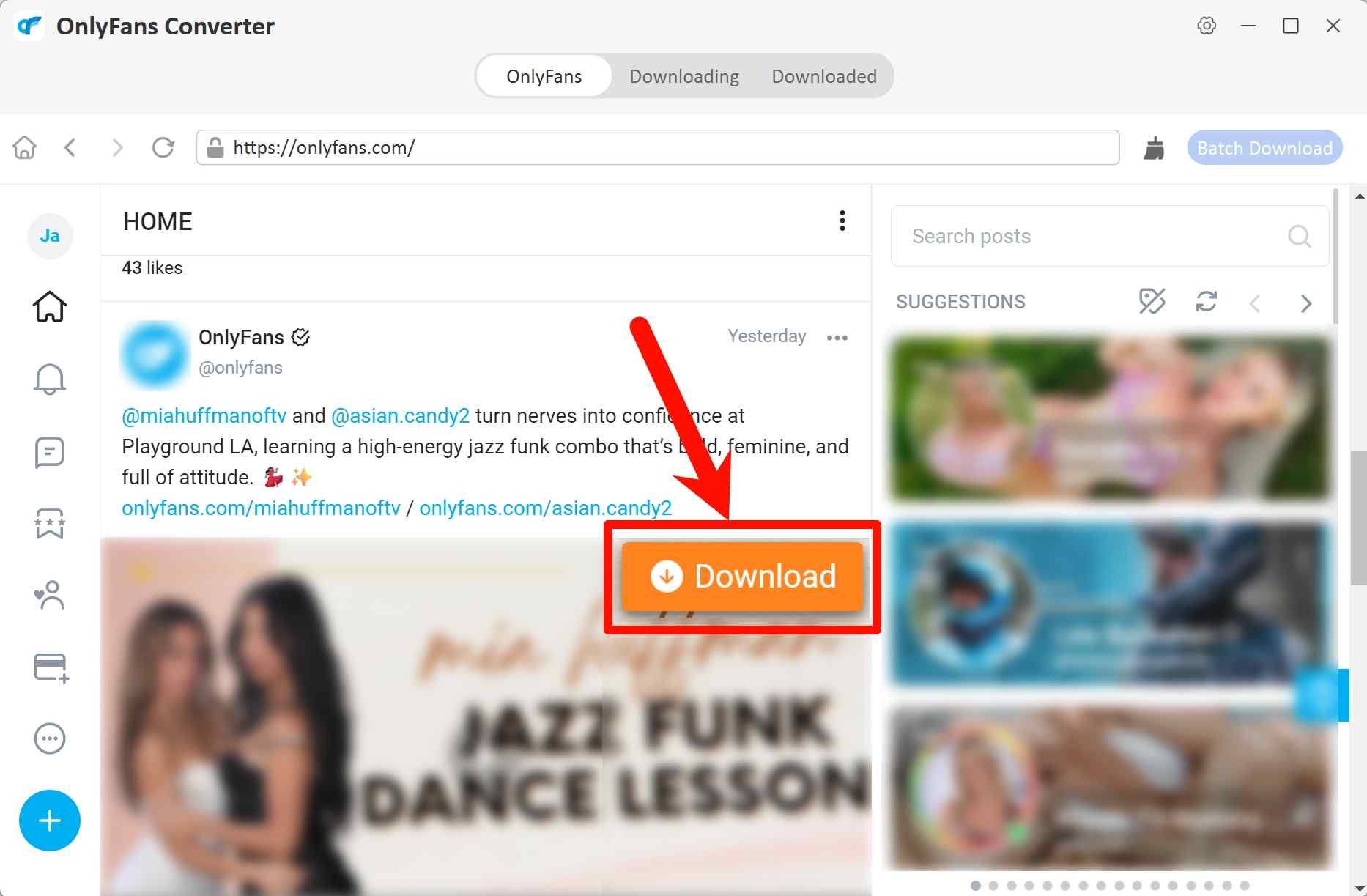
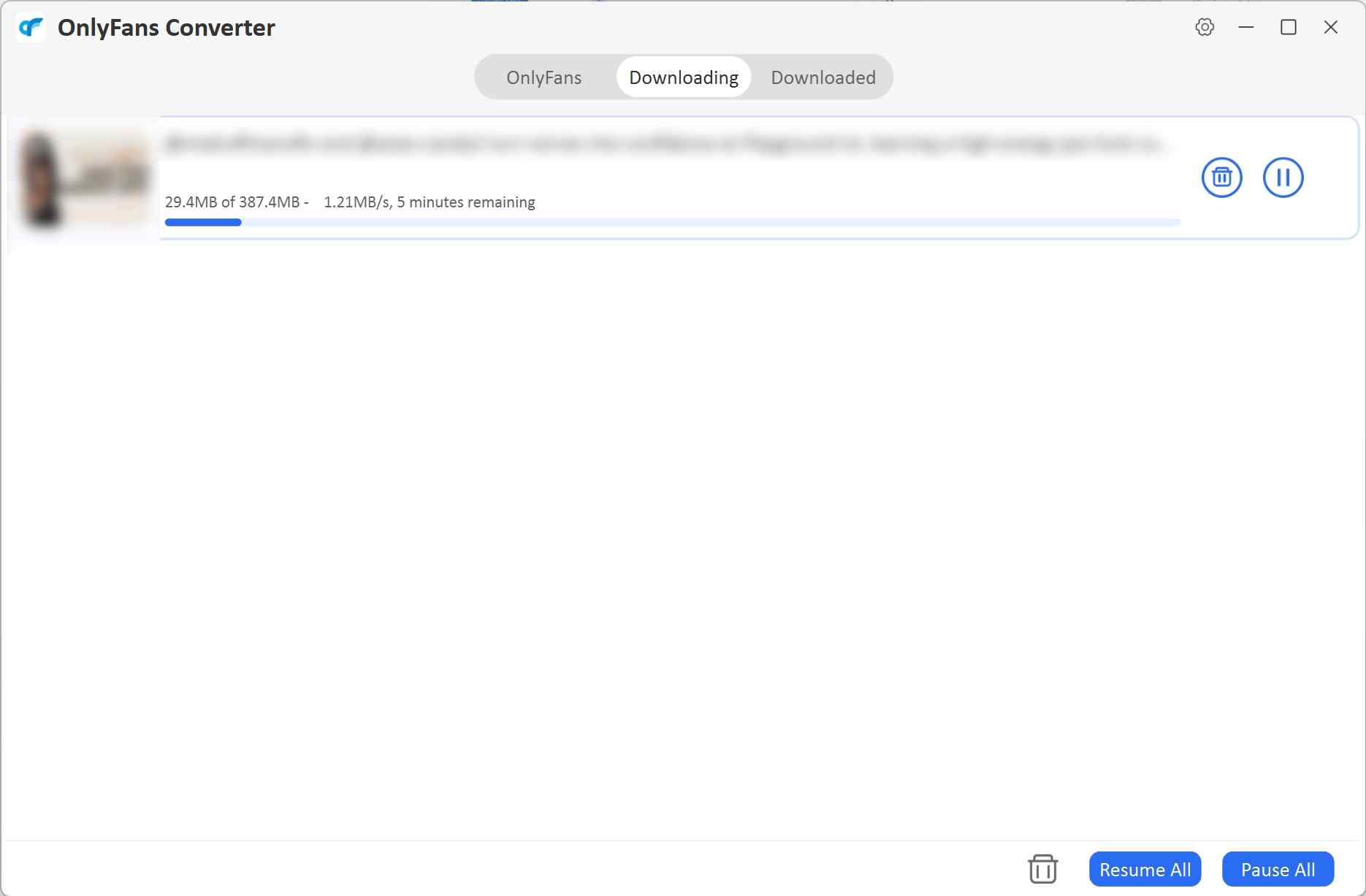
Click it, and the OnlyFans video will be downloaded on your device soon.
Note for Mobile Users: If you prefer to manage your media directly on your smartphone, you can follow this specialized guide to save OnlyFans content on Android devices seamlessly.
Fixing YT Saver OnlyFans Errors
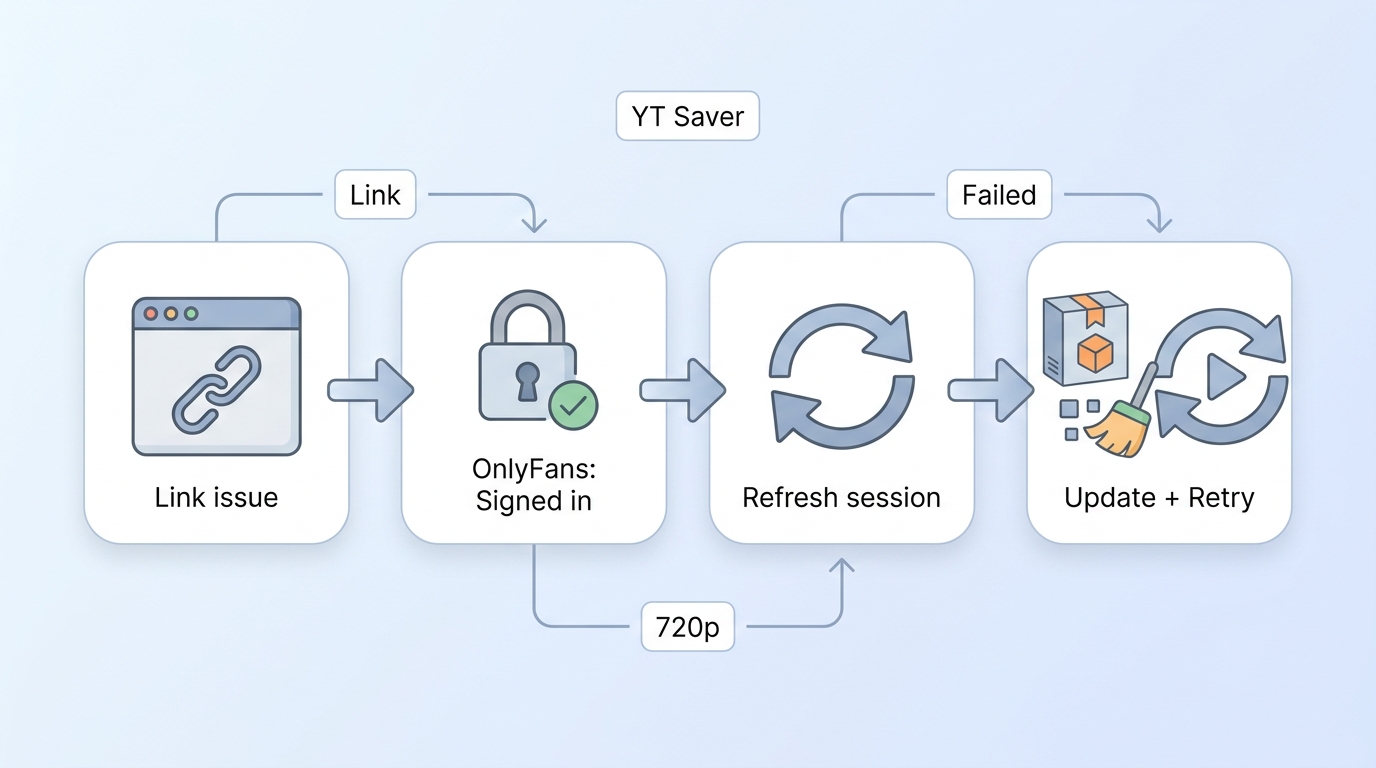
When YT Saver is not working with an OnlyFans link, first confirm that the post still opens in your authorized account. Then refresh the authenticated session, update the app, clear the built-in browser state, and retry. Repeated intermittent failures matter more than a long feature list when you need a recurring backup workflow.
| Scenario | Possible Cause | Recommended Action |
|---|---|---|
| "Analyzing" status takes too long or gets stuck | The post may be unavailable, your authenticated session may have expired, or the app may need an update. | Confirm that the post is still accessible in your account, refresh the authenticated session, then update the app before retrying. |
| Video resolution capped at 720p (Expected 1080p) | The available source quality in the current authenticated session may be lower than expected. | Sign out and re-login to your OnlyFans account within the YT Saver built-in browser to refresh the access token. |
| "Download Failed" immediately after starting | An expired session, an outdated build, unavailable content, or a temporary compatibility change can produce this symptom. | 1. Clear the built-in browser cache. 2. Check if a new compatibility update is available on the official site. |
| Audio/Video out of sync in backup files | The saved file or the selected output setting may not match the source stream cleanly. | Try another supported output setting and retry the save. If the issue continues, compare the result with the source playback before treating it as a format-specific problem. |
YT Saver vs StreamFab: Who Fits Each?
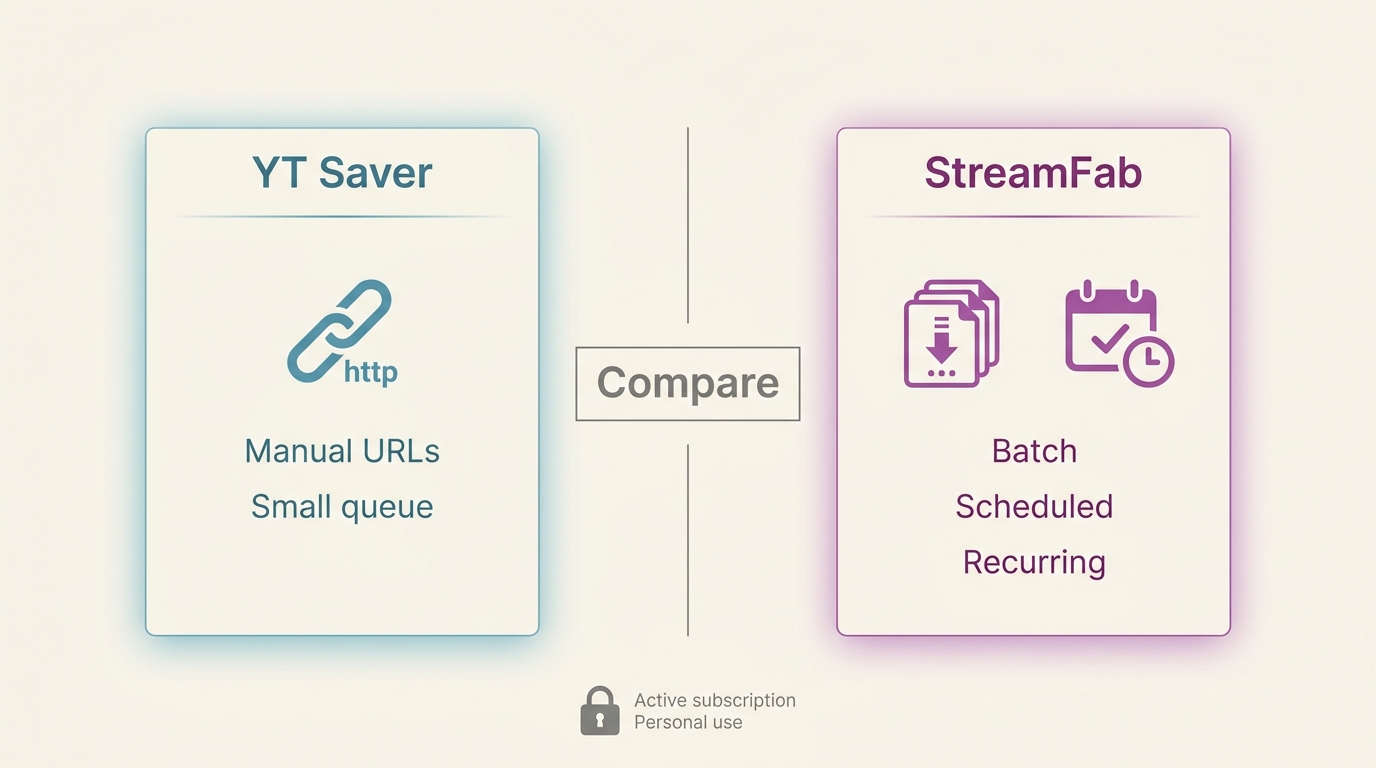
YT Saver and StreamFab serve different desktop workflows. YT Saver fits occasional manual URL entry. For content you are authorized to access, where permitted by platform terms and applicable law, StreamFab OnlyFans Downloader is a Windows and Mac desktop app that saves videos at up to 1080p in MP4 or MKV with AAC 2.0 audio, batch downloads, subtitles, and subscription following. It may fit recurring no-code workflows that benefit from batch downloads and subscription following. Neither workflow is appropriate for unpaid, unavailable, or otherwise unauthorized content.

- Create local copies of OnlyFans videos and OnlyFans message videos that you can already access in your account so you can watch them offline for personal use.
- Download OnlyFans videos in the original lossless 1080P MP4/MKV format.
- Auto-detect and bulk download OnlyFans videos from Collections and Creators' profiles.
- Download newly released videos from your subscribed creator automatically during your valid subscription period.
| Feature | YT Saver (Standard) | StreamFab (Advanced) |
|---|---|---|
| Workflow management | Manual URL entry | Batch downloads and subscription following |
| Max Resolution | Source-session dependent | Up to 1080p |
| Batch processing | Manual URL selection | Batch downloads supported |
| Primary use case | Occasional manual saves | Recurring no-code batch tasks |
| Best fit | Smaller manual queues | Recurring desktop tasks |
| Choose based on workflow frequency and authorized access, not star ratings. Neither option is for content you cannot access lawfully. | ||
Browser-based workflows, including OnlyFans video downloaders for Chrome, may suit occasional in-browser tasks, while StreamFab is a desktop option for users who prefer batch downloads and subscription following.
Install the StreamFab OnlyFans Downloader, open it, and then choose the ‘OnlyFans’ service.
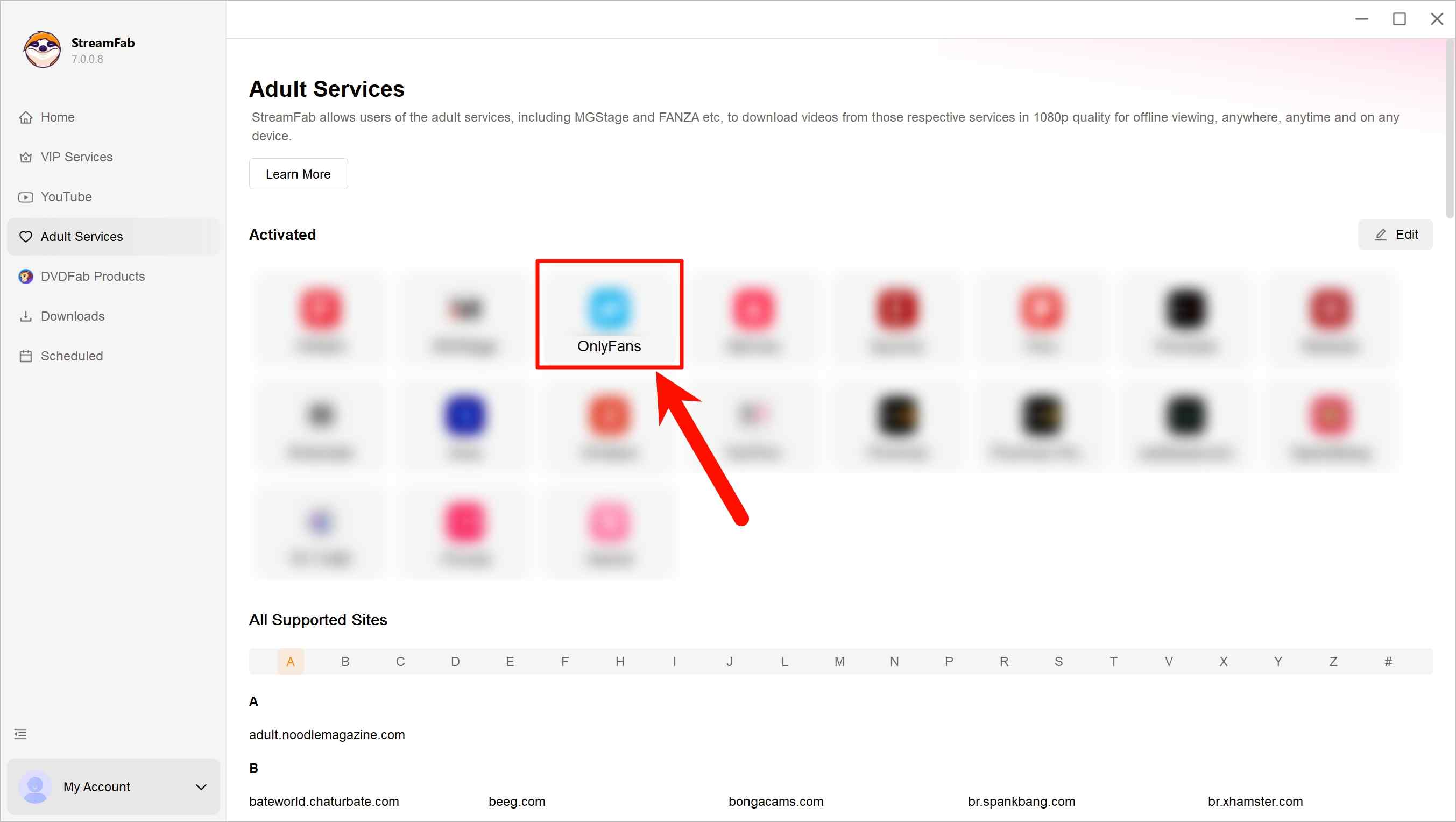
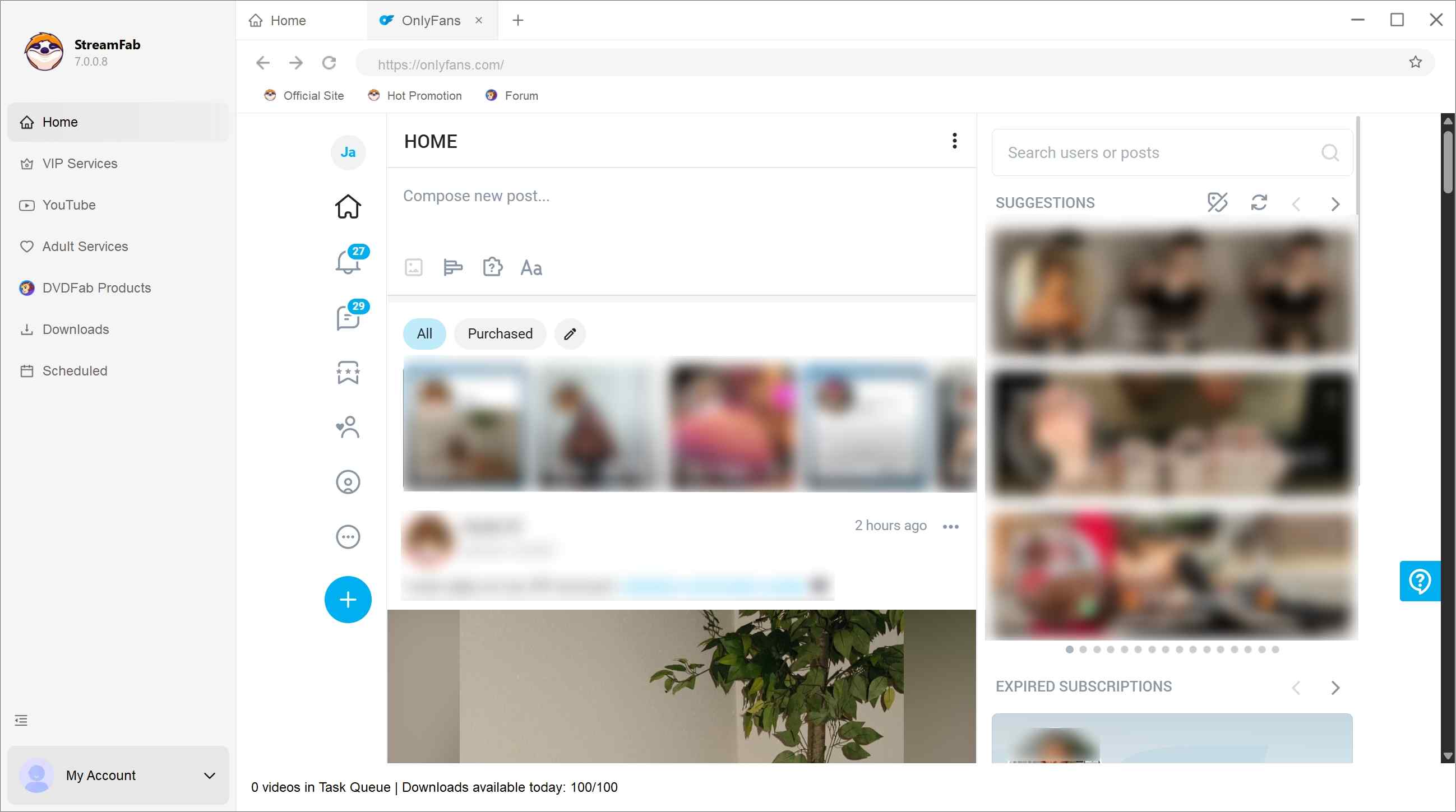
Sign in to OnlyFans within the built-in browser and find whichever video you’re hoping to download.
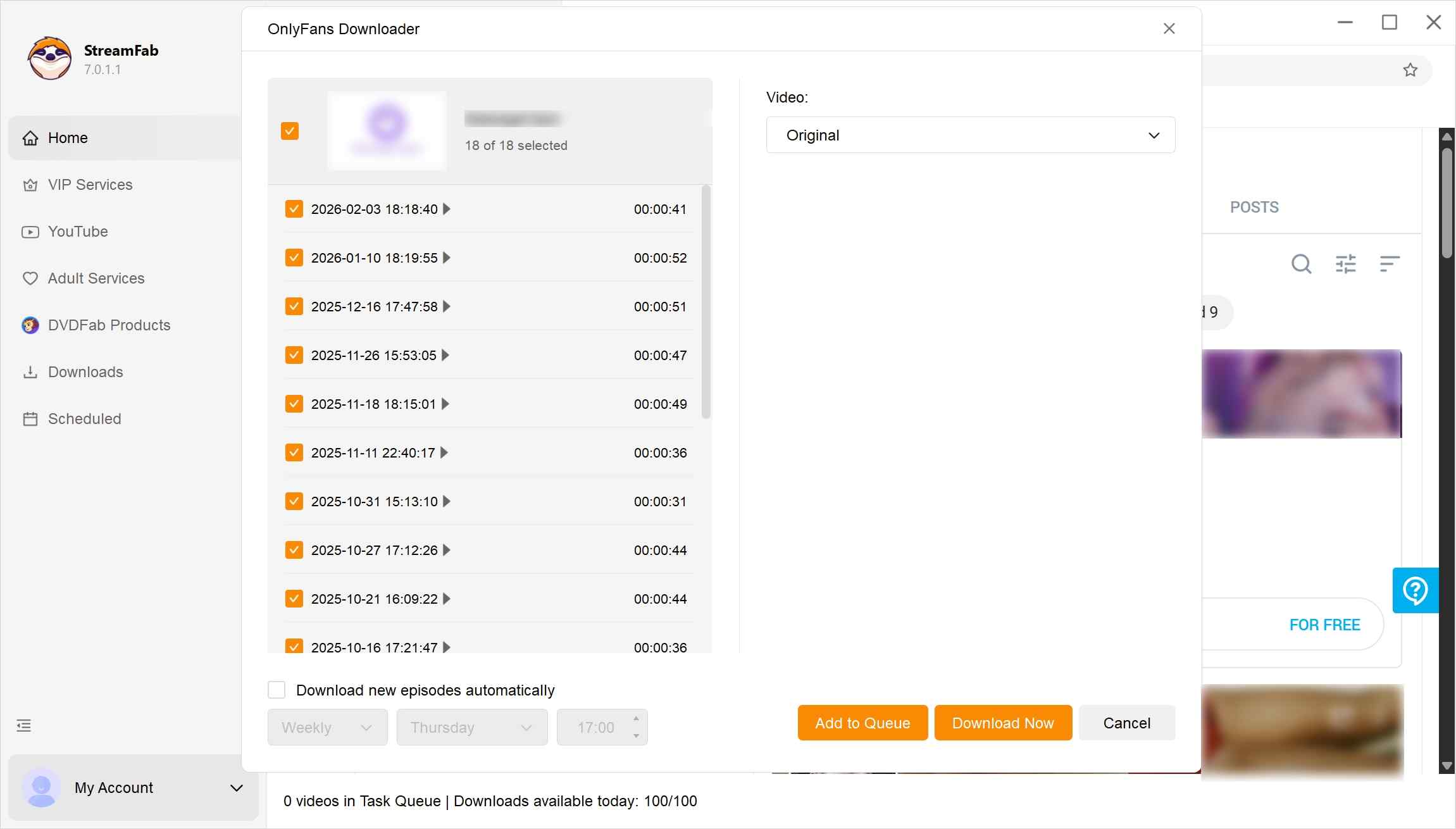
Once you start the video, StreamFab will pretty much jump in, check it out on its own, and then ask you how you’d like the output to be.
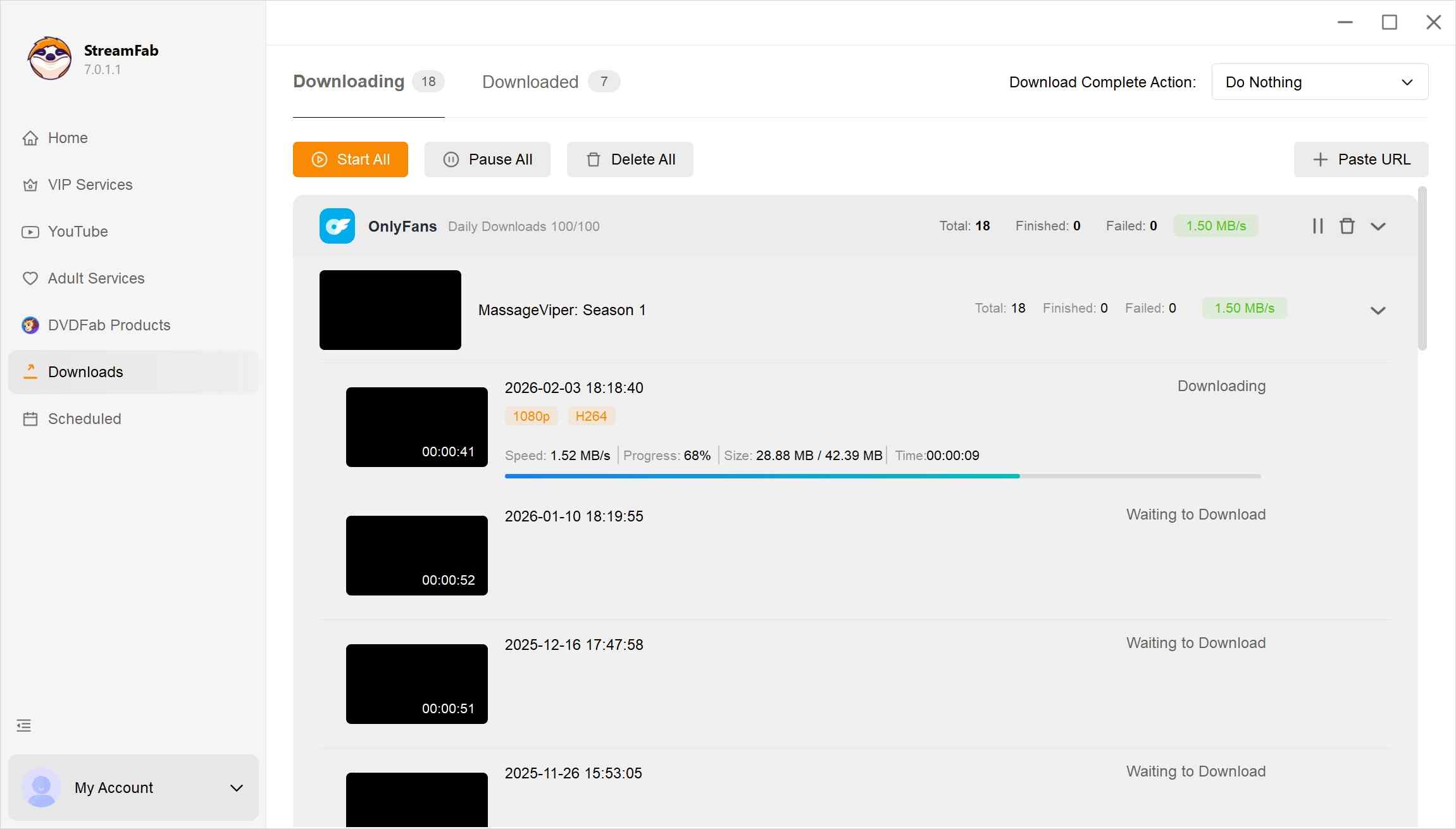
Just hit 'Download,' and before you know it, maybe after a yawn or two, the video lands right on your device.

For those who prefer using traditional browsers for occasional tasks, you can still explore how to save OnlyFans videos on Firefox.
FAQs
Why is YT Saver stuck on 'Analyzing' for OnlyFans links?
An analyzing error can result from unavailable content, an expired authenticated session, an outdated app build, or a temporary compatibility change. First confirm the post still opens in your account, then refresh your session, update the app, clear the built-in browser state, and retry.
Can I save OnlyFans videos in 1080p with YT Saver?
It may save a video in 1080p when that quality is available in your authorized session. Output resolution depends on the available source quality and should not be treated as an unconditional guarantee.
Can I back up OnlyFans videos directly to my iPhone via YT Saver?
No. YT Saver is a desktop workflow for Windows and Mac, not an iPhone app. Because iOS handles local media differently, users who need a mobile workflow can follow the practical steps for downloading OnlyFans videos on iPhone while keeping account access and creator rights in mind.
Can OnlyFans creators see when you save a video?
Do not assume saving activity is invisible. Platform activity may be logged, so keep any local copy limited to content you are authorized to access and follow OnlyFans terms, creator rights, and applicable law.
Conclusion
YT Saver may fit budget-conscious users who save an occasional, authorized item and do not mind manual URL entry. StreamFab may fit recurring no-code desktop workflows that benefit from batch downloads and subscription following. My bottom line is simple: weigh access boundaries, renewal clarity, and ongoing compatibility more heavily than a long feature list. Neither workflow is for unpaid, unavailable, or otherwise unauthorized content.


I tried to re-watch a DM video from a creator I was subscribed to on my Android phone while offline — and got a black screen the entire time, no matter what I tried. Turns out OnlyFans uses DRM and playback-layer protection that blocks standard screen recording on Android. After testing three dedicated Android tools and a desktop workflow across dozens of videos I had legitimate access to, here are the methods that actually work in 2026 — with no black screen and no quality loss.
By Erika Leen - Oct 14, 2026
Convert authorized OnlyFans videos to MP4 on Windows or Mac using a desktop workflow or a permitted screen recording. Learn how file formats differ from delivery and access, what StreamFab’s output settings provide, and what four dated Reddit reports describe. Five FAQs cover installation, the trial, subtitles, batch selection, and source quality.
By Marcia Hatcher - Oct 13, 2026
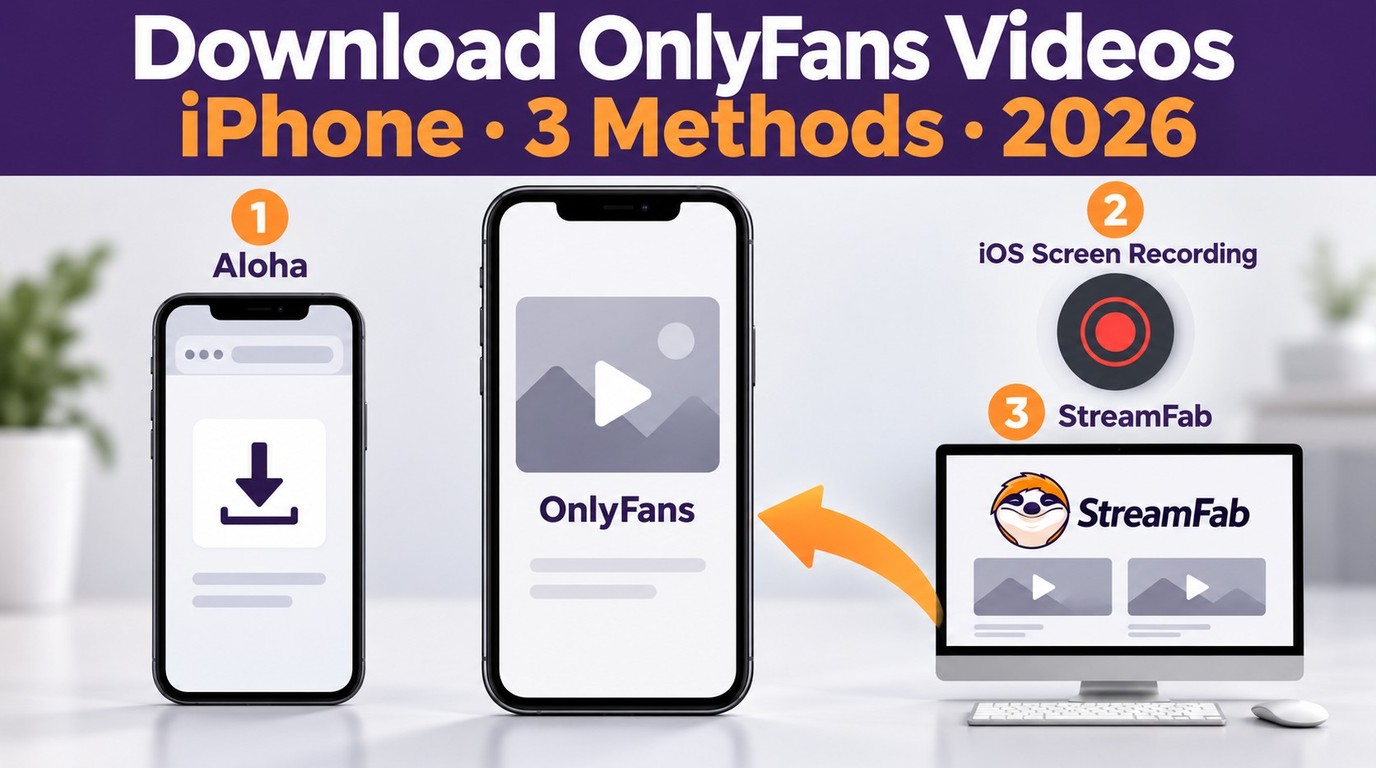
How to download OnlyFans videos on iPhone in 2026: 3 tested methods ranked by success rate, from Aloha browser to iOS screen recording to the PC transfer workflow.
By Erika Leen - Oct 13, 2026
Paid for OnlyFans but can't save it? We tested 4 tools to rip and save OnlyFans content in 2026—no black screen, full 1080p, zero account risk.
By Erika Leen - Oct 13, 2026