TOP Verified OnlyFans Downloaders 2026: PC, Extensions, Mobile

Summary: When using OnlyFans downloaders, personally, the safety, download quality, and speed matter a lot for me. These OnlyFans video downloaders listed in this article satisfy my standard. For further information, please scroll down to continue reading.
OnlyFans doesn’t provide a universal download option for most videos. If you want smoother playback, privacy-friendly viewing, or a personal backup during an active subscription, a desktop downloader, a browser extension, or screen recording can help, each with trade-offs.
- Legality & safety you need to know FIRST
- Desktop tools are usually the most stable choice for batch saving and library management.
- Browser extensions are convenient for one-off saves but typically have more limits.
- On mobile devices, the video download app may be helpful sometimes, but it’s slow and probably won’t work for some platform-side playback restrictions.
Introduction: OnlyFans Lacks a Download Feature
OnlyFans keeps expanding, but a consistent "Download" button is still missing. Whether you are on Android, iPhone, or using Chrome, the need is the same: you want to watch the content you paid for without buffering, even when you are offline or traveling.

Unlike other technical guides, we focus here on accessibility and platform variety. We will review:
- Browser Extensions: For quick, no-install saving on Chrome/Firefox.
- Mobile Apps (APKs/iOS): How to save directly to your phone.
- Desktop Tools: For when you need a safer, more stable backup.
Are These OnlyFans Downloaders Legal & Safe to Use?
This guide is for adults (18+) and for personal use only. You must follow local copyright laws and OnlyFans’ Terms of Service. Even if you pay for access, all the tools recommended in this article are only applicable to content legally obtained through valid subscriptions. They are for local archiving of content that is legally accessed by individuals only and not for redistribution or commercial use.
Only save content you can already play in your own account during a valid subscription. Treat them as a private backup. Meanwhile, you'd better avoid random “online download websites” and unofficial APKs and prefer official vendor pages, reputable stores, or well-known open-source repos. For your account safety, please use a strong password, enable 2FA if available, and avoid extensions with excessive permissions.

- Credential Harvesting: Does the extension ask you to log in to OnlyFans through their popup? Never enter your password directly into a third-party extension window. Sideloading Risks (APKs): Installing an "OnlyFans Downloader APK" from outside the Google Play Store bypasses security screenings. Malicious APKs can contain keyloggers that steal your login info.
- Permissions: Check if the Chrome extension requires "Read and change all your data on all websites." This is a major red flag.
- OnlyFans video downloader APK or Chrome extensions for mobile users for quick access is attracting. While these tools look convenient, they carry significant risks that established desktop software usually avoids. If you are planning to use a mobile APK or a browser plugin, evaluate them against these criteria to avoid account theft:
TOP 5 Best OnlyFans Video Downloaders 2026
If you want a fast recommendation:
- PC/Mac (best overall workflow): StreamFab OnlyFans Downloader
- PC/Mac (simpler alternative): CleverGet OnlyFans Downloader
- Chrome/Firefox (no-install approach): Locoloader extension
- Android (mobile saves): AHASave
- iPhone (common download): MyMedia
Thanks to the robust hardware support of PCs, the OnlyFans downloader on PC devices is the most stable among all options. Therefore, I prioritize the introduction of the PC version of the OnlyFans video downloader.

1. StreamFab OnlyFans Downloader (for PC)

If you’re constantly keeping tabs on a handful of creators, StreamFab is honestly kind of a lifesaver. You get this super organized personal library, batch-queue downloads, and can even schedule things, but only while your subscription’s active. Not too shabby if you ask me.

A desktop workflow for organized OnlyFans offline viewing during an active subscription.
- Desktop workflow is typically more stable than mobile-only approaches for larger libraries.
- Supports selecting multiple items from the same creator for a single queue.
- Library-friendly organization (e.g., grouping by creator/collections).
- Optional scheduled queues can monitor creators you follow and add newly available posts to your task list (for content you are authorized to view).
- Saves to common formats (e.g., MP4/MKV) for broad device compatibility.
- The trial includes only 3 full video downloads. Although all features are available for trying during the trial, continued downloading needs a purchase.
How to Use StreamFab OnlyFans Downloader
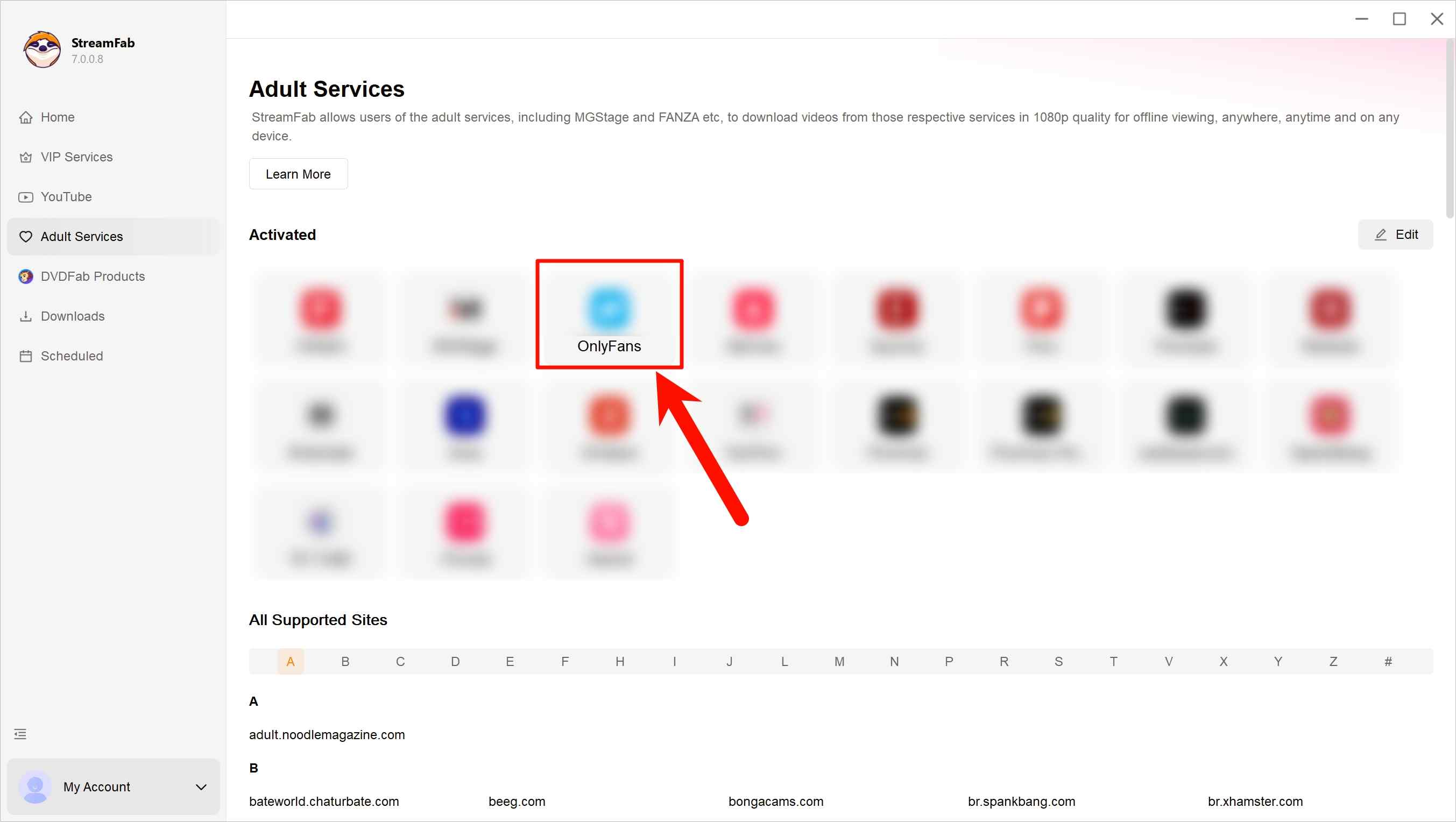
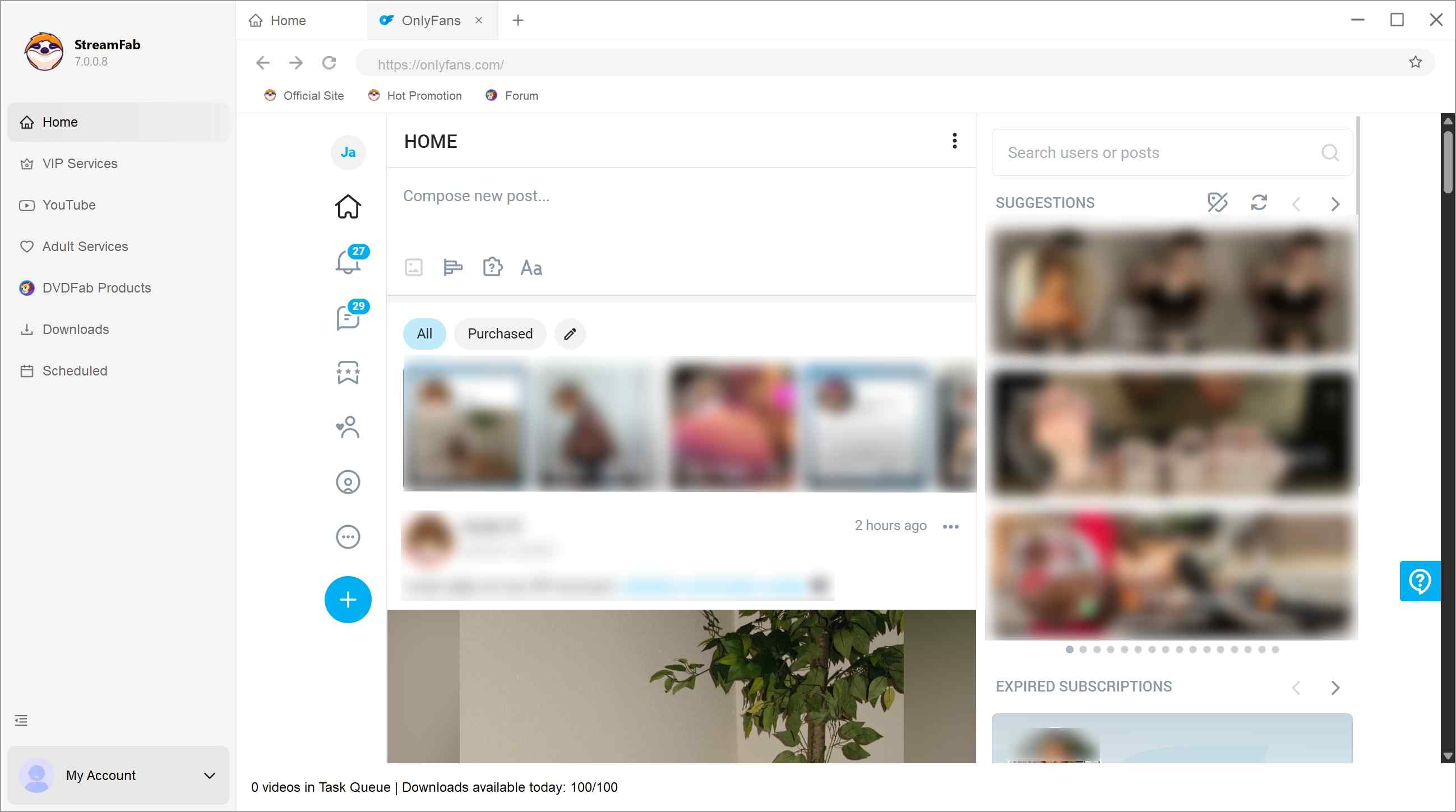
Sign in to your OnlyFans account inside StreamFab and browse to the creator or videos you’re legitimately subscribed to. Open the content you want to manage for offline viewing.
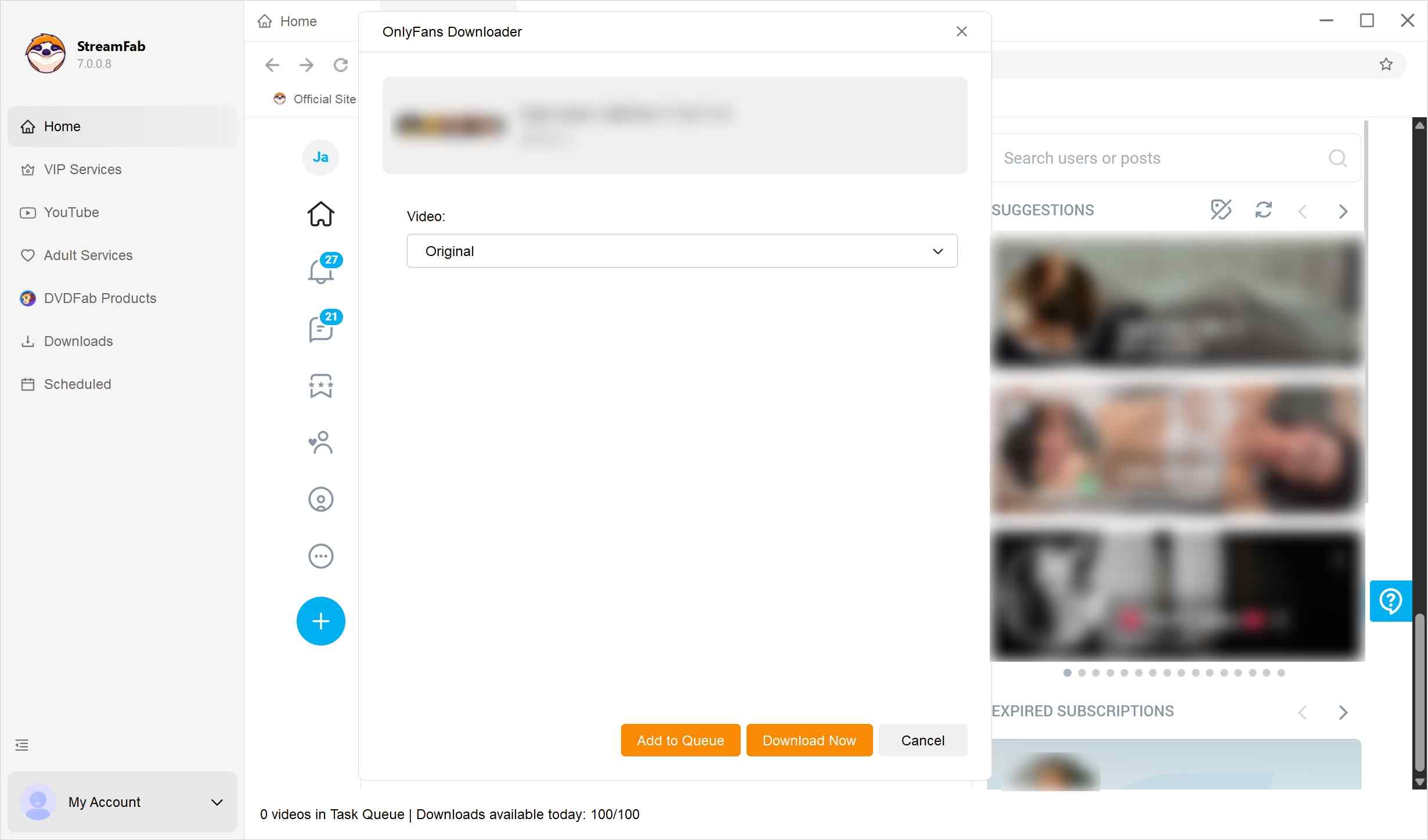
When playback starts, StreamFab will analyze the available videos. You can select a single video or multiple items from the same creator, then choose output preferences such as format, quality, and audio.
*Optionally, you can use the schedule feature to have newly released content added to your offline-viewing queue automatically, where allowed by the platform.
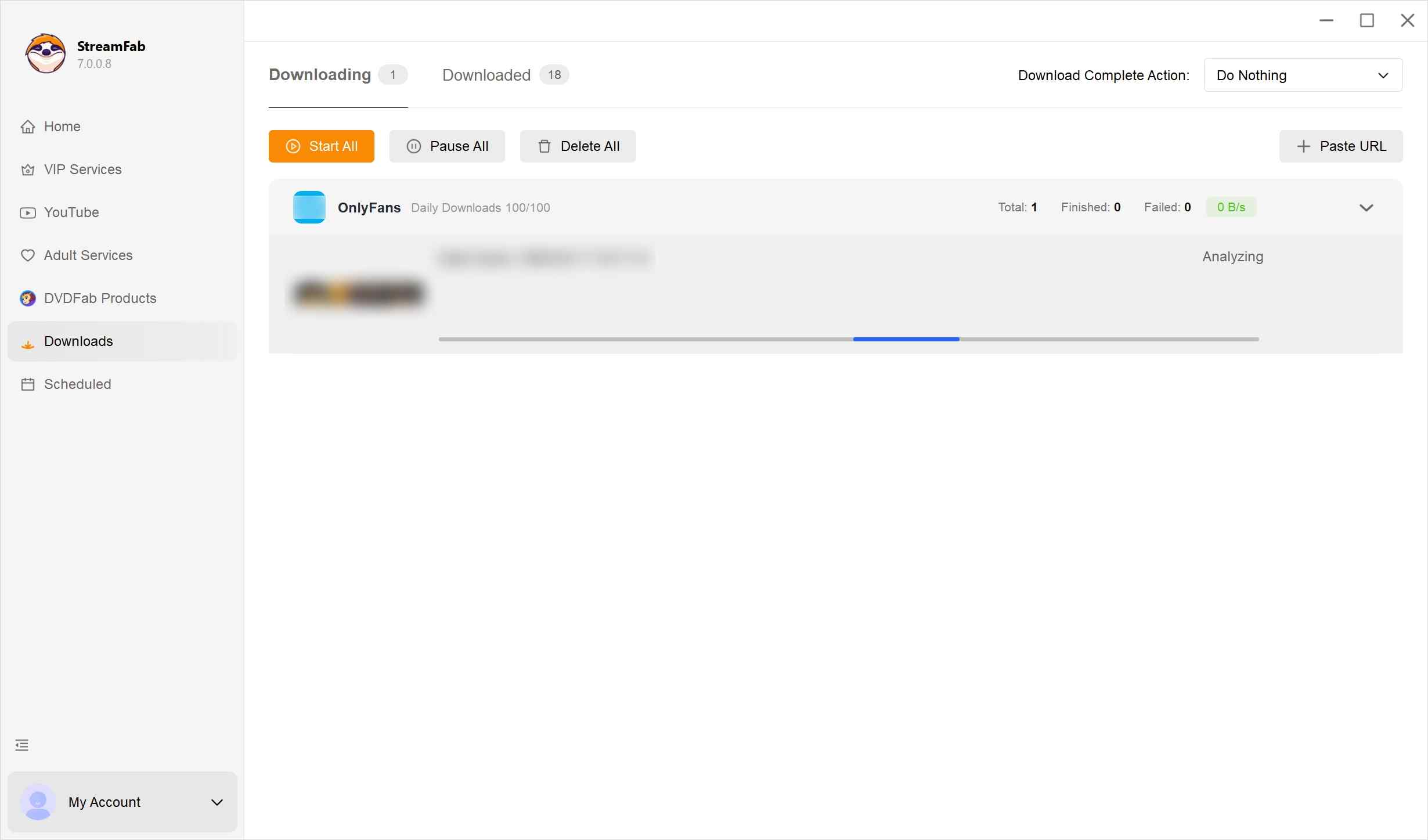
Confirm your settings and let StreamFab process the selected videos. They will be added to your task list and prepared for personal offline viewing.
2. CleverGet OnlyFans Downloader (for PC)
CleverGet OnlyFans Downloader is another straightforward desktop option with fewer management features. It's also a viable tool for downloading videos from the homepage of OnlyFans creators, offering a quality of 1080p. The operation is relatively straightforward, making it suitable for beginners.

Its pricing is comparable to that of StreamFab; however, it lacks the features for batch downloading and scheduled automatic downloads.
- Beginner-friendly interface for saving playable posts from creator pages.
- Exports to common formats (MP4/MKV).
- Support both Windows and macOS.
- Automation feature is more limited than higher-end desktop tools.
- After platform-side updates, analysis can fail until the vendor updates.
- Not ideal if your main need is message media workflows or managing a large library.
How to Use CleverGet OnlyFans Downloader
Grab the installation program from their official website. Run it and install CleverGet OnlyFans Downloader. Then, open it up.

Log in to OnlyFans inside CleverGet. Poke around, and find a creator or videos that you’re allowed to see.

Pick your preferred video quality and format, fiddle with audio stuff if you like, then confirm. CleverGet makes offline files just for your private, secret watching.

3. Locoloader OnlyFans Downloader Extension (for Chrome & Firefox)
Using untrusted extensions may increase account and security risks. Stick to reputable tools and avoid anything that asks for credentials outside the official login flow. If you want a safer lane, Locoloader OnlyFans Downloader is the calmer choice, and it's a browser-based approach for people who prefer not to install a desktop app.

The biggest perk with Locoloader is pure convenience—you don’t install anything. Click, add, done. But yeah, trade-offs: it tops out at 720p, no bulk downloads, and it won’t pull videos from messages. If you’re fine with singles and “good enough” quality, cool; otherwise, I hit walls fast.
- Quick setup inside your browser.
- No separate desktop application is required.
- Works well for a few items in a session.
- Quality and success rate can be more limited than desktop clients.
- Typically, it does not support message media workflows.
- Some versions impose free-tier rate limits.
- Unavailable for app-level-limited media on OnlyFans.
How to Use Locoloader OnlyFans Extension:
First, add Locoloader OnlyFans to your Chrome extension or Firefox add-on.
- For Chrome: https://github.com/locoloader/chrome-extension/blob/main/README.md
- For Firefox: https://addons.mozilla.org/en-US/firefox/addon/locoloader/
Install it, then hop over to OnlyFans, log in, and pick a creator you’re subscribed to. If you see a video that catches your eye, right-click and copy its URL.

Locoloader will automatically detect video URLs and prompt you to download them. Free users may download up to two videos every six hours; to access additional content, a subscription is required.

- Nowadays, you see less and less available OnlyFans or just video download extensions on Chrome. That is mainly because the policies on Chrome are more and more tightened. Moreover, the security of these extensions themselves varies considerably. To be honest, one should either use well-known Chrome extensions with large user bases that have passed security testing or explore whether Firefox offers superior alternatives.
4. AhaSave OnlyFans Downloader (for Android)
AhaSave is a mobile-first option for Android users who want quick local saves. It works, no desktop hoops. If you can live with in-app ads, it’s free; if they drive you bananas, there’s a paid upgrade for an ad-free ride. Your choice: convenience now or quiet later.

- Can lock downloads with a password
- Often available via mainstream app stores (generally safer than random APK sites).
- Saves directly to your phone for quick offline playback.
- Simple workflow with an in-app browser.
- Mobile apps are more likely to be affected by platform-side changes.
- No support for message- or platform-side-restricted OnlyFans videos.
- Usually lacks batch management and scheduling.
- Free tier may include ads.
How to Use AhaSave OnlyFans Downloader on Android
First, grab AhaSave from Google Play and get it onto the phone (only accept the necessary permissions).
Open AhaSave, use its built-in browser to visit OnlyFans, and sign in to your account to view content you are allowed to access.
When eligible videos are detected, AhaSave can create MP4 files stored on your phone for personal, private viewing.

5. MyMedia: File Manager & Save (for iOS)
MyMedia is a simple iOS file manager with an in-app browser. It can save content when the page offers a direct file download link or button. For most OnlyFans video posts that stream in-app without a download option, MyMedia may not be able to save the video; in those cases, iOS screen recording is the safer fallback for personal offline viewing.

- Lightweight iOS file manager with an in-app browser.
- Works well for common OnlyFans videos.
- Keeps files organized in one place (rename, move, export to Files).
- Not work for most OnlyFans video posts that are app-level-restricted.
- No batch workflow or scheduling like desktop tools.
- Speed and file availability depend on the page/source.
How to Use the iPhone Screen Recorder with OnlyFans
Install MyMedia from the App Store, open it, and use the built-in browser to sign in to OnlyFans. Navigate to content you are authorized to view.
If a post provides a direct downloadable file link/button, tap it and choose Download to save the file inside MyMedia.
In MyMedia, review the saved file and export it to the iOS Files app for private offline viewing. If no direct download option is available, use iOS Screen Recording instead.
Comparison Between the Best 5 OnlyFans Downloaders
Based on our hands-on checks, all the OnlyFans Downloaders are tested and reviewed by me on 01.30.2026. Features of downloading OnlyFans videos are verified as valid info.
| 🏅StreamFab | CleverGet | Locoloader | AhaSave | MyMedia | |
|---|---|---|---|---|---|
|
OS |
PC (Win/Mac) |
PC (Win/Mac) |
Chrome/Firefox |
Android |
Android & iPhone |
|
Resolution |
1080p/720p |
1080p/720p |
720p/480p |
720p |
720p/480p |
|
Audio |
AAC 2.0 |
AAC 2.0 |
AAC 2.0 |
AAC 2.0 |
AAC 2.0 |
|
Format |
MP4, MP3, MKV |
MP4, MKV |
MP4 |
MP4 |
MP4 |
|
Speed |
9~12 MB/s |
4~6 MB/s |
3~6 MB/s |
5~8 MB/s |
3~5 MB/s |
|
Playback Stability |
High |
Medium |
Low |
Low |
Low |
|
Message Video Saving |
✓ |
✕ |
✕ |
✕ |
✕ |
|
Auto-download |
✓ |
✕ |
✕ |
✕ |
✕ |
|
Bulk Download |
✓ |
✕ |
✕ |
✕ |
✕ |
*All tools in this article are for your personal use ONLY.
Don't want to read all the specs? Follow this simple decision path to find your match:
-
path A: I am on a PC or Mac (Recommended for Safety)
- Do you need to save multiple videos or manage a full library?
→ StreamFab OnlyFans Downloader (Best for Bulk/DRM) - Do you just need one specific clip occasionally?
→ CleverGet (Best for Singles)
- Do you need to save multiple videos or manage a full library?
-
Path B: I am using a Web Browser (Chrome/Firefox)
- Do you refuse to install any software?
→ Locoloader Extension (Best for No-Install)
- Do you refuse to install any software?
- Path C: I am on a Smartphone
FAQs
Some desktop tools, like StreamFab, include workflows for saving message media you can view in your account. If this is what matters most, pick a desktop app that specifically says it supports that. But be realistic: platform updates can mess things up at any time.
There are lots of tools that offer free trials or limited versions. As far as I think, you may start simple: just use a common video download app or a trusted extension. Upgrade only if you’re sure you need fancier features like batch organizing or scheduling. No sense in making it harder than it is.
Many web-based download pages are a phishing/malware risk: aggressive redirects, fake buttons, and credential requests. If account safety matters, don’t enter your login details on unknown sites. I strongly suggest you consider options in the article above, which are tested by our team and passed the security check.
As for screen recording OnlyFans, this method is both time-consuming and laborious, not to mention that the end result is likely to be nothing more than a black screen or an audio-only file. Compared to tools such as downloaders, it hardly qualifies as a viable option; hence, it is omitted.
Conclusion
If you only need an occasional clip, use the lightest-weight option (extension or iPhone recording). If you’re building a personal library and want reliable offline viewing during travel or unstable connectivity, a desktop downloader with batch management (StreamFab OnlyFans Downloader) is usually the most practical workflow.
All tools and features described in this article are intended only for content you are legally authorized to access. You must follow local laws and the Terms of Service of OnlyFans and any other platform. Do not use any tool to access locked content you have not paid for, and do not share, repost, or redistribute creators’ material. Personal, lawful use only. Adults (18+) only. Delete any saved files after viewing.
