
How to Screen Record OnlyFans in 2026: 4 Methods for iPhone, Android & PC

Summary: Can you screen record OnlyFans in 2026? Fix the black screen on iPhone & PC with these tested methods — from OBS tricks to dedicated download tools.
⚠️ Adults 18+ only. Access and save only content you are authorized to use, and respect creator rights.
OnlyFans users trying to screen record OnlyFans videos may see a black screen or black frame on iPhone or desktop because some content restricts capture. The practical options are permitted desktop recording, built-in mobile recording where capture is allowed, or an authorized on-demand local-file workflow, with separate answers on notifications and permission.
If screen recording produced a black frame, start by confirming that you have permission to capture the content, then choose the workflow that fits your device and viewing needs.
- Compare the available recording and local-file workflows ➡️ see all 4 methods and their practical limits here.
- Wondering whether OnlyFans sends a recording alert? ➡️ read the notification answer and its limits here.
- Have a specific question about permission or iPhone recording? Jump to the FAQ section.
⚠️ Use an authorized account, save only content you have permission to copy, and do not redistribute creator material.
Screen Record OnlyFans Videos: 4 Methods in 2026
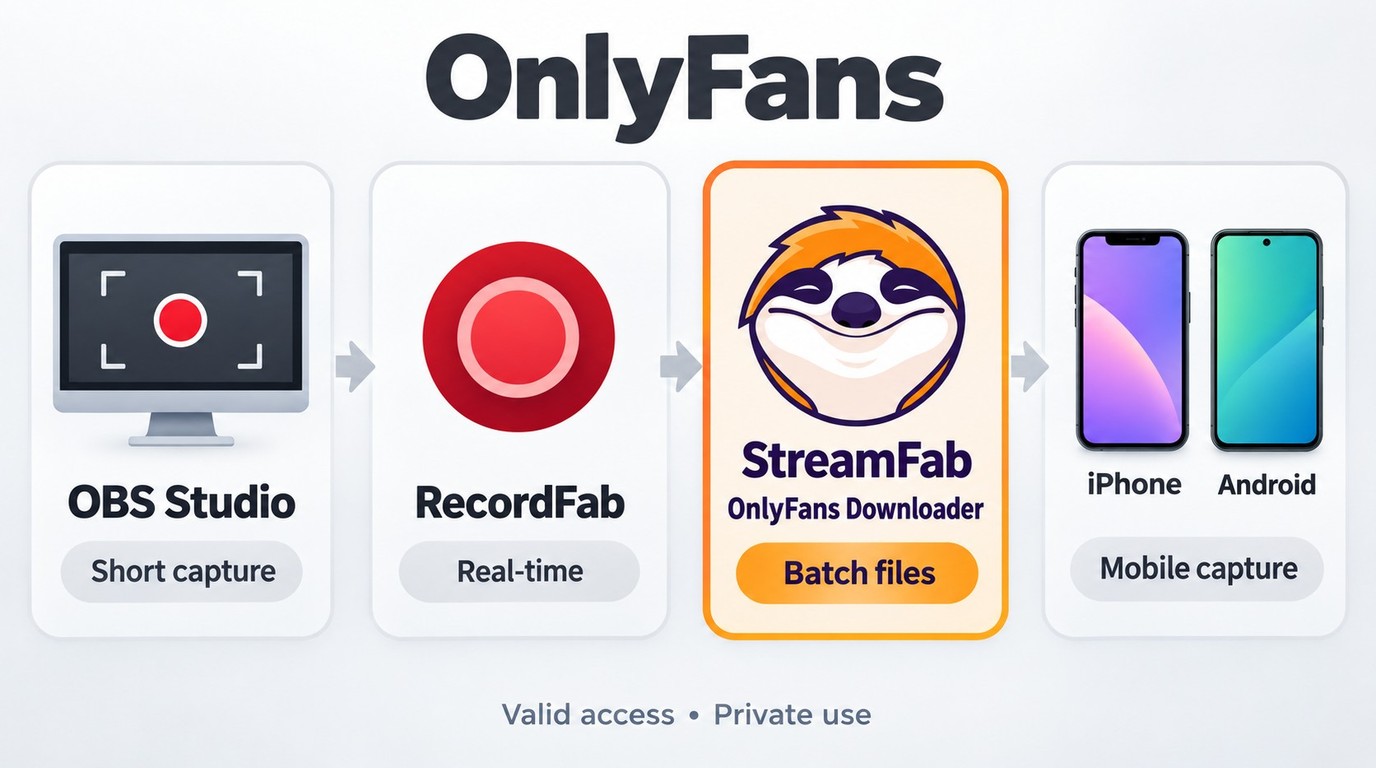
Depending on your specific needs (whether recording a single short clip or batch backing up a collection), we have organized the following four approaches. Please always remember: Use an authorized account, capture or save only content you have permission to copy, do not redistribute it, and follow applicable law and platform terms.
Scenario 1: Generic Screen Recorders (Only for non-DRM content)

OBS and built-in screen recorders can capture content when recording is permitted and the video output is available to the recorder. They require the video to play while recording, and a black frame or audio-only file should be treated as an incomplete capture rather than a finished backup.

For content you are authorized to record and that permits capture, you can use a standard tool such as OBS Studio.
Using OBS Studio:
- Step 1: Open OBS. In the "Sources" box at the bottom, click the + icon and choose Window Capture.
- Step 2: Select your browser window from the dropdown list and confirm that the permitted video appears in the preview.
- Step 3: Click Start Recording on the right panel, then play the authorized video from the beginning.
- Step 4: When playback ends, click Stop Recording and check the saved file for both video and audio.

Quick Alternatives:
- Windows Game Bar: Press Win + G and hit the record button.
- Mac QuickTime: Open QuickTime > File > New Screen Recording.
- Understanding OnlyFans DRM errors can help explain why a permitted recording may contain black video or audio only, but capture restrictions should not be treated as a setting to defeat.
Scenario 2: RecordFab for Windows Recording
If a built-in recorder does not fit the session, RecordFab provides a Windows recording workflow for supported streaming video.

- Records supported streaming sessions on Windows for authorized personal use.
- Saves recordings as MP4 files with available 720p or 1080p output settings.
- Reduces pop-up interference during supported recording sessions.
- Uses a built-in browser for supported streaming sites.
- Supports background recording for compatible sessions.


RecordFab is intended for supported streaming sessions on Windows and saves recordings as MP4 files with 720p or 1080p output settings. For permitted live or real-time sessions, it records the content as it plays rather than creating an on-demand batch file.
RecordFab currently supports Windows. For Mac users, as well as those seeking a bulk OnlyFans downloader for authorized on-demand videos, the next section covers a separate local-file workflow.
Scenario 3: StreamFab Saves MP4/MKV Files in Batches
Screen recording and an on-demand local-file workflow address different needs. StreamFab OnlyFans Downloader is a Windows and Mac desktop option for personal offline backup of on-demand content that you are authorized to access and copy, where permitted by platform terms and applicable law. It uses stream-recording technology rather than a decryption workflow and does not provide instructions for defeating capture restrictions. Its MP4/MKV output gives authorized local copies a standard container format, while OnlyFans MP4 file guidance explains format handling within the broader process to save OnlyFans content for local viewing.

Authorized on-demand workflow: Supports batch selection and local MP4/MKV output for accessible videos, rather than recording each item in real time.
- Local MP4/MKV Files: Save accessible videos you are authorized to copy for personal offline viewing.
- Batch Selection: Select multiple authorized creator videos or specific items from Collections in one task.
- Verified Output Specs: On Windows and macOS, save available source quality at up to 1080p, with a 720p option when available, in MP4 or MKV with H.264 video and AAC 2.0 audio.
- Scheduled Tasks: Set tasks to check for accessible new videos from creators you follow.
- The StreamFab OnlyFans Downloader review explains its supported features, compatibility, and support options in more detail.
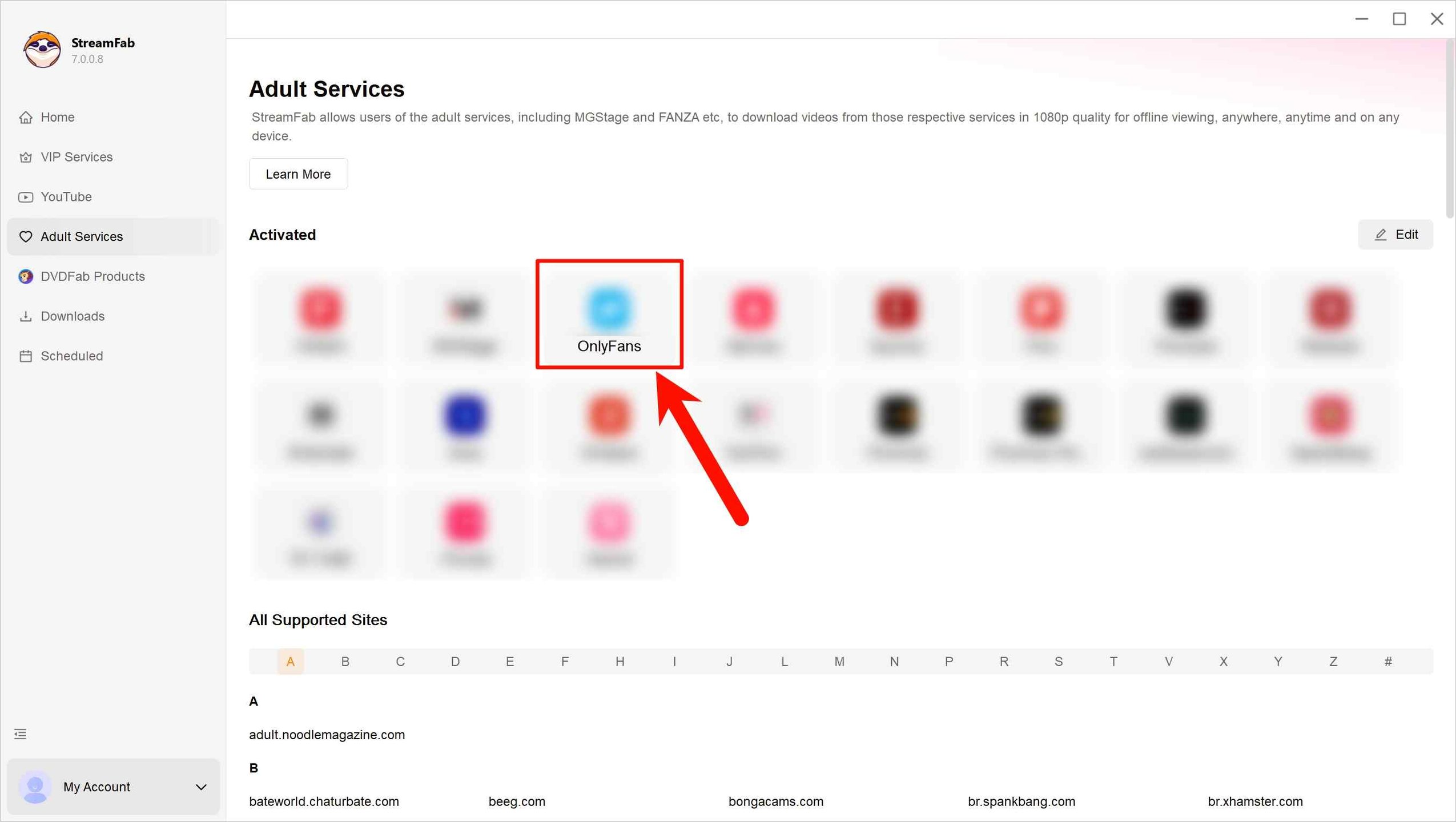
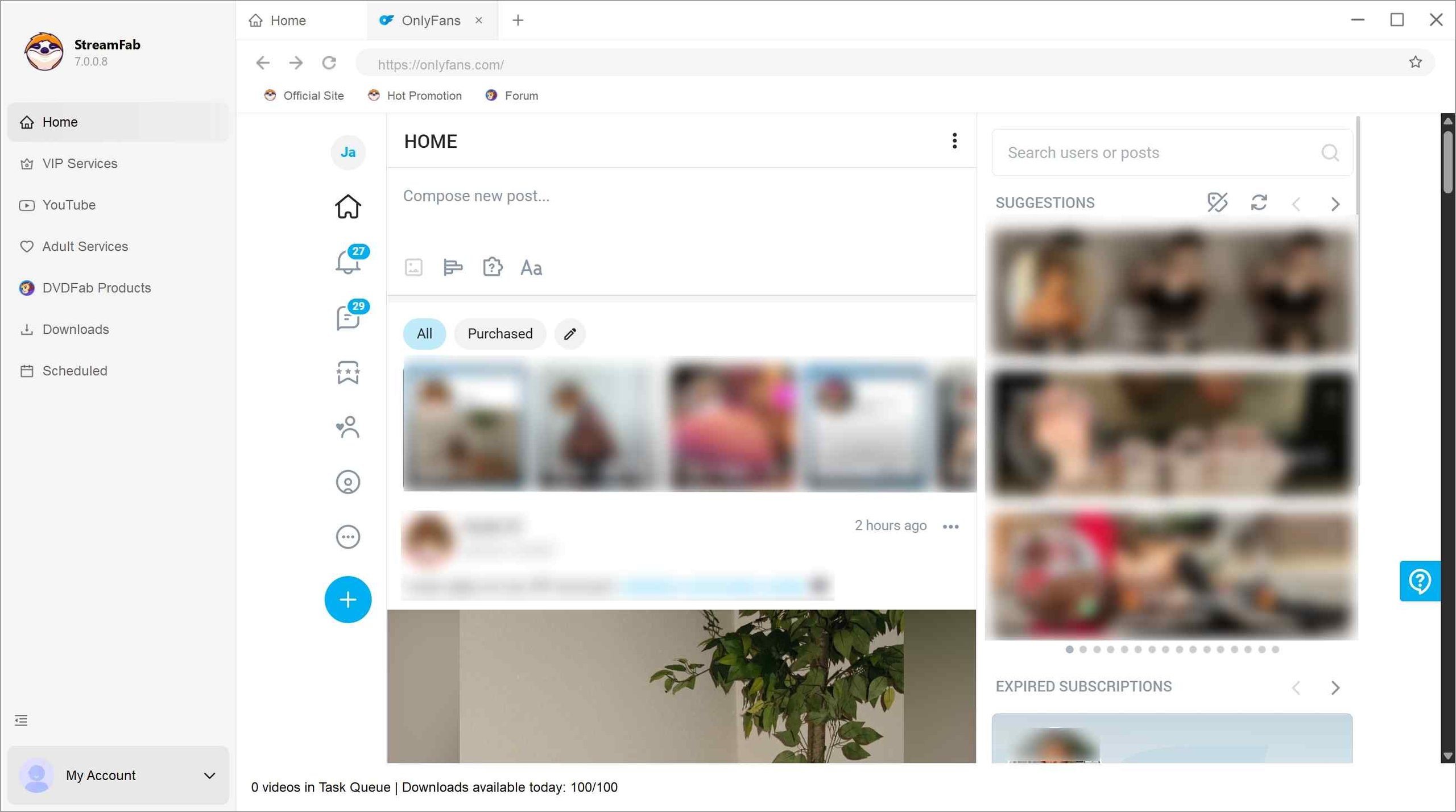
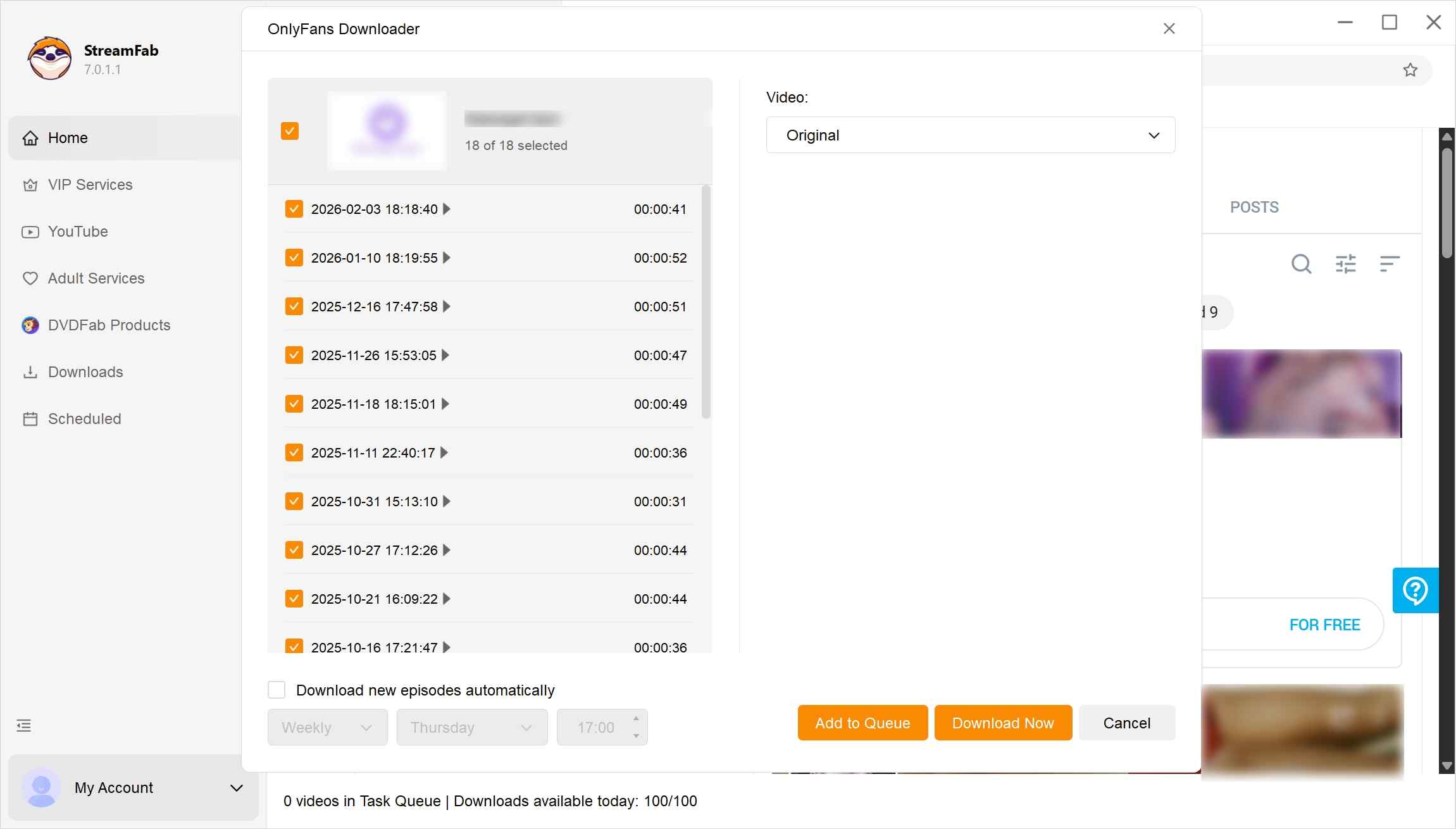
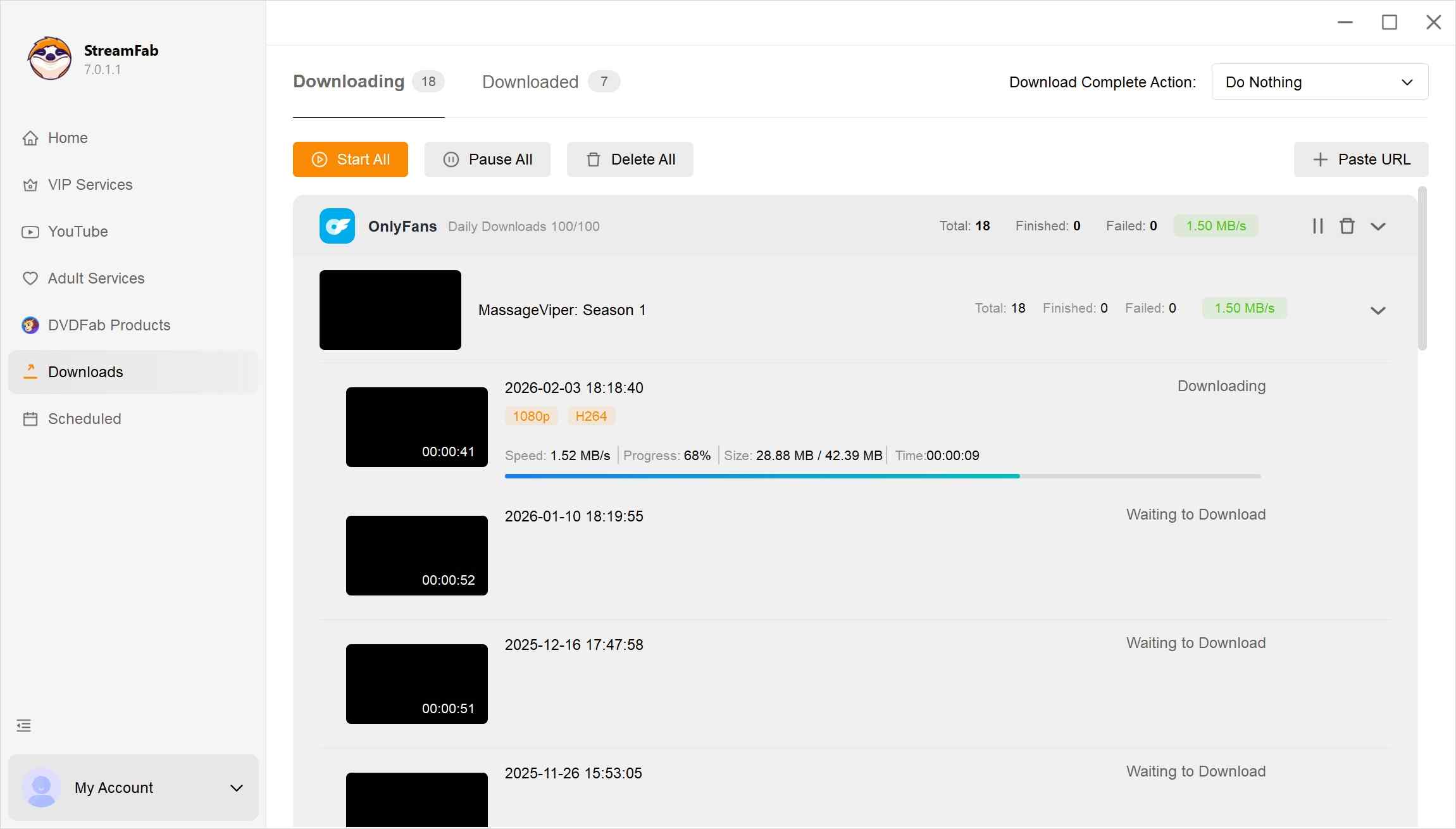
For authorized on-demand videos, StreamFab OnlyFans Downloader supports batch downloading of OnlyFans purchases that you have permission to copy. Multiple accessible videos can be selected in one task, which is more practical than recording each item separately when building a permitted personal offline collection.
A built-in recorder suits a short authorized clip, while RecordFab records supported live or real-time Windows sessions as they play. StreamFab OnlyFans Downloader fits accessible on-demand videos that benefit from batch selection and scheduled follow-up; it is not a live-stream recorder. If an authorized on-demand video does not analyze, check the StreamFab update log or contact support, and use the 30-day trial to confirm the workflow with that video.
Scenario 4: Screen Record OnlyFans on iPhone and Android
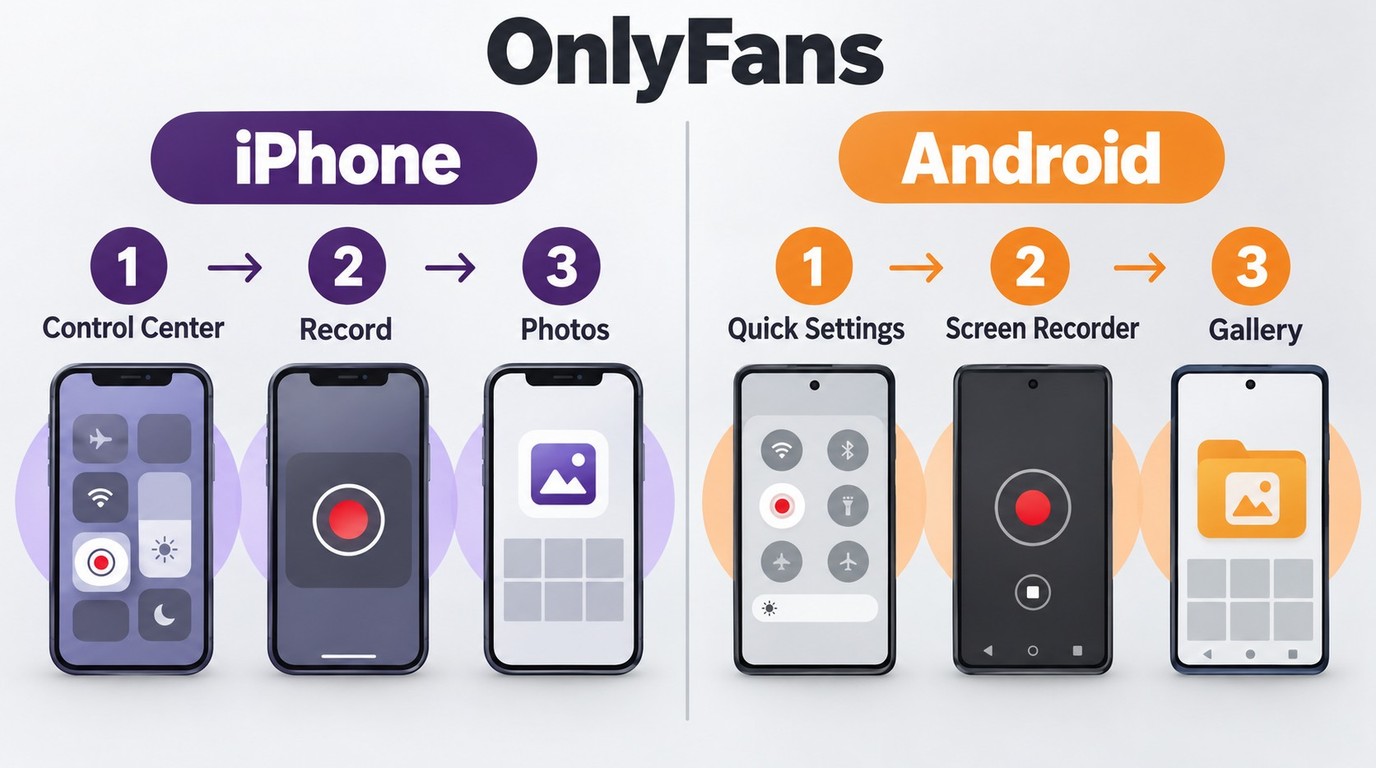
Built-in recording on iPhone or Android is different from using a browser extension. Mobile capture depends on the app and content, while extensions require additional scrutiny because they may request access to browsing data or account pages.
Browser extensions may request broad access to site data, so review their permissions before installing one.
- Update Risk: An extension’s behavior can change after an update; remove it if its permissions or behavior change unexpectedly.
- Privacy Theft: Check plugin permissions. If it requests to "read and change all your data on the websites you visit," uninstall it immediately.
- Account Security: Never enter your OnlyFans username and password in a pop-up window generated by a third-party plugin.
- Recommendation: Only test such tools in an independent browser profile, and it is suggested to remove them immediately after use.

Some apps restrict audio or video recording on iPhone, and screen recording cannot run at the same time as screen mirroring. A black frame or audio-only result means the capture was incomplete. On Android, the built-in Screen Recorder is available from Quick Settings, but capture availability still depends on the app and content.
For authorized local viewing, you can transfer OnlyFans videos to an iPhone after saving a permitted copy on your computer, using iCloud, a USB cable, or the device's supported file-transfer method.
Comparison of OnlyFans Screen Record Methods
These methods use different workflows, so the practical choice depends on the device, whether the session must be captured in real time, and the type of output you need.
| Method | OS | Workflow | Output | Best fit |
|---|---|---|---|---|
| Built-in Recorders | Windows, Mac, iPhone, Android | Real-time capture | Recorder-specific | Short permitted clips |
| OBS Studio | Windows, Mac, Linux | Real-time capture | Configurable recordings | Permitted desktop sessions |
| RecordFab | Windows | Stream recording | MP4; 720p or 1080p | Supported permitted sessions |
| StreamFab OnlyFans Downloader | Windows, Mac | Batch on-demand files | MP4/MKV; up to 1080p | Authorized offline collections |

Note: The image illustrates how real-time recording and an on-demand file workflow can produce different container details.
- StreamFab: Supports MP4 or MKV output at up to 1080p for accessible on-demand videos.
- RecordFab: Saves Windows recordings as MP4 files with 720p or 1080p output settings.
Reddit Reports on OnlyFans Screen Recording, Including iPhone
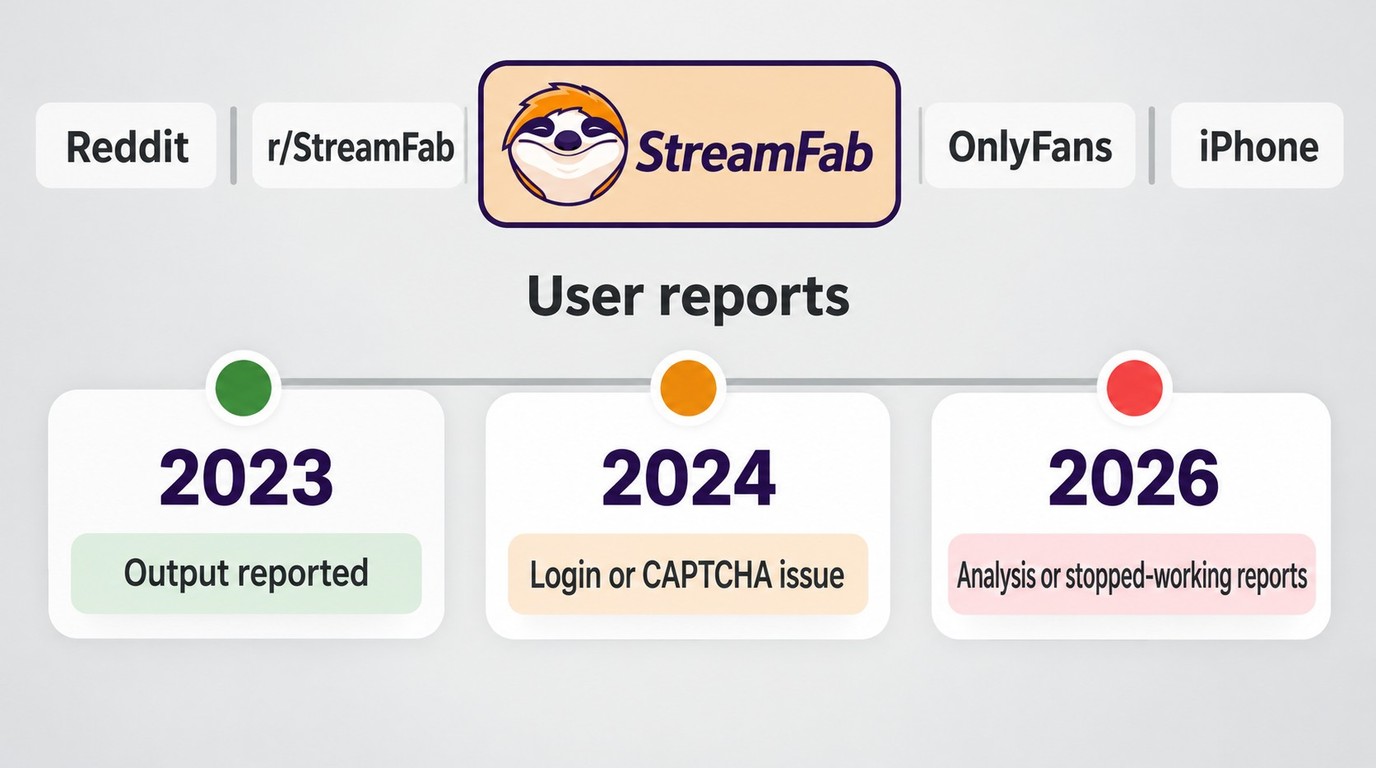
Individual reports show that compatibility can work in one version or session and fail in another. A 2026 Trustpilot review described the general StreamFab experience as "Easy to use and product delivers exactly as advertised"; this was a broad product comment, not evidence about the OnlyFans module. A 2023 r/StreamFab commenter reported, "I've just tested and so far no problems with the output video".
The more recent OnlyFans-specific reports are mixed. In July 2026, an r/StreamFab user wrote, "I've used Streafab successfully for months on OnlyFans until this weekend." When a previously working workflow stops, review the StreamFab update log and contact support if the current version still fails with an authorized video. In September 2026, another r/StreamFab user reported, "I can't get StreamFab to analyze a page on Onlyfans and pull any videos." Check the update log and use the 30-day trial with an authorized video; if page analysis still fails, contact StreamFab support. An April 2024 r/StreamFab commenter described a separate login issue: "I cannot log into Onlyfans in StreamFab or YT; I keep getting the are you a computer prompt puzzle." For login or CAPTCHA problems, review the update log and contact support rather than repeatedly attempting to sign in.
A September 2026 general screen-recording discussion on Reddit asked, "can u disable hardware acceleration in iPhone browser". This was a device-confusion signal, not an OnlyFans recording test; iPhone capture depends on the app and content, and it cannot run at the same time as screen mirroring.
Is It Legal & Safe to Screen Record OnlyFans?
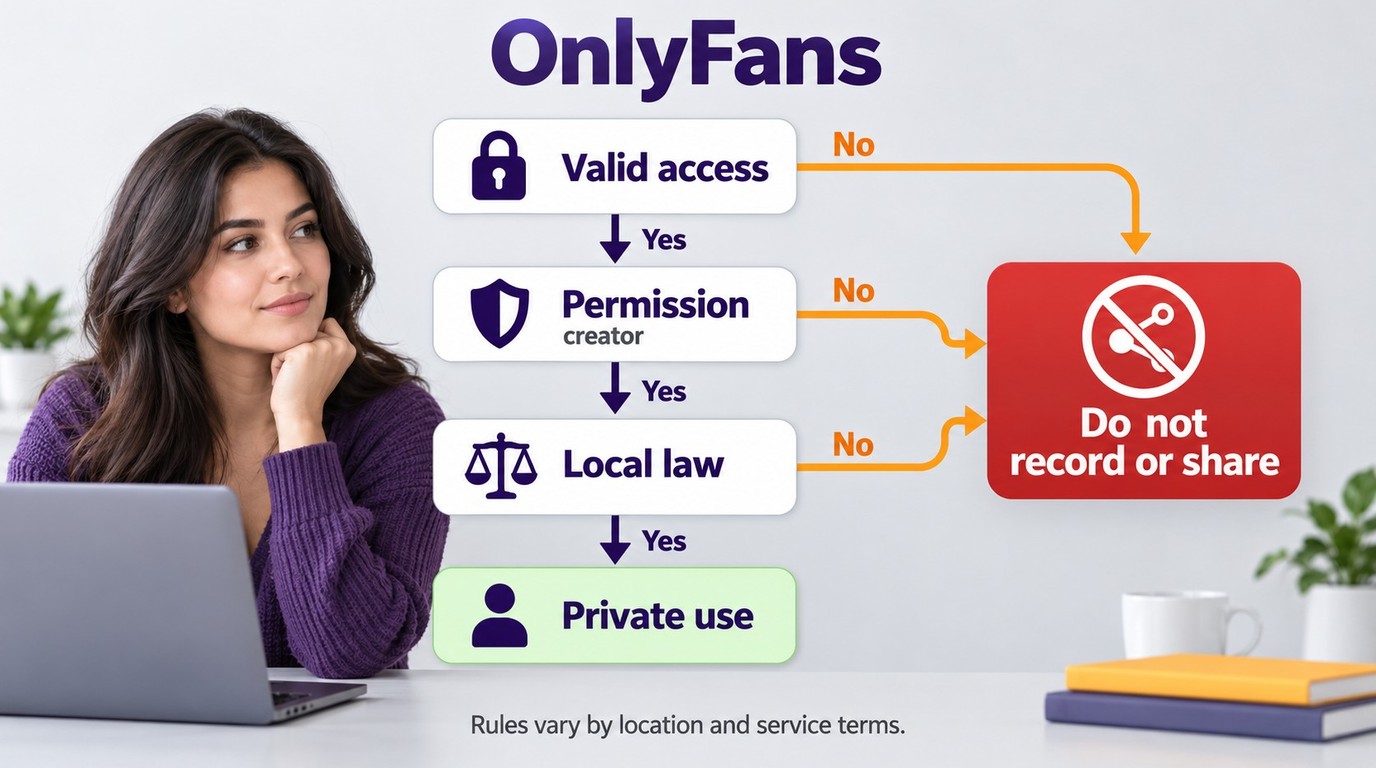

Okay, here is the deal regarding safety. The golden rule for using these tools effectively is to stick to "Personal Use Only." OnlyFans is a platform designed to support creators, and your subscription covers your own viewing access.
Think of recording like making a personal digital backup for your own offline library. As long as the content stays on your local hard drive and strictly within your personal possession, you are operating within the boundaries of fair respect. The best approach to utilize any recorder is to make sure you have a valid, active membership and to regard the files as a private collection that only you can see. That's all there is to it.
For detailed copyright, fair-use, and personal-backup rules when using StreamFab products, please refer to streamfab copyright and usage guidelines.
FAQs: 5 Questions About OnlyFans Screen Recording
Why is the screen black when recording OnlyFans on iPhone?
Some apps restrict audio or video capture on iPhone, so a black frame or audio-only result means the recording is incomplete rather than successfully saved. Screen Recording also cannot run at the same time as screen mirroring.
If you have permission to capture the video and recording is allowed, open Control Center, start Screen Recording, play the content, then stop the recording. A completed capture appears in Photos; if the app blocks it, use a viewing or saving option permitted by the creator and platform instead.
Does paying for OnlyFans let me record or share videos?
As noted in the legal section, the OnlyFans content licence provides access rather than ownership and can end with the subscription. Payment alone does not grant permission to copy or redistribute content, and noncommercial use is not automatically fair use under US copyright law. Record or save content only when you are authorized to access and copy it, do not redistribute it, and follow the permissions that apply to your use case, platform terms, and applicable law.
Should I record a live session or download on-demand videos?
Screen recording captures a permitted live session as it plays, while StreamFab OnlyFans Downloader provides batch selection and scheduled tasks for accessible on-demand videos on Windows and Mac. Choose recording for a permitted live session and the on-demand workflow when batch selection or scheduled follow-up fits accessible videos; StreamFab OnlyFans Downloader is not a live-stream recorder. The permission rule remains unchanged for both workflows: use an authorized account and save locally only content you are authorized to view and copy. Neither workflow authorizes DRM removal or promises permanent, unrestricted saving. Attempts to remove access controls or copy content without permission may be unlawful and should not be used.
Does OnlyFans know if I screen record a video?
According to Adult Model Protection's creator-protection guide, users report no routine creator capture alert as of October 2026, but this is not an official platform guarantee. Restrictions on audio or video capture affect the recording itself; a black or audio-only recording is not a creator notification. A lack of a routine alert also does not prevent redistributed material from being discovered later. The OnlyFans content licence governs access and permission to use the content, so capture only material you are authorized to access and copy, and do not redistribute it.
Can I screen record OnlyFans videos on my iPhone?
Yes, if you have permission to capture the video and the app allows recording. Open Control Center, tap Screen Recording, play the permitted video, then stop the recording and open Photos. Some apps restrict audio or video capture, and Screen Recording cannot run at the same time as screen mirroring. StreamFab OnlyFans Downloader is a Windows and Mac desktop application, not an iPhone recording app.
Final Thought
Recording and an authorized on-demand file workflow serve different needs. RecordFab captures a permitted session as it plays, while StreamFab OnlyFans Downloader supports batch selection and scheduled tasks for accessible on-demand videos.
Choose based on whether the content is live or on demand, then use the selected workflow only for content you are authorized to access and copy under the platform terms and applicable law.
Note: This software is intended for personal offline backups of content you are authorized to access and copy. Keep saved files private, do not redistribute them, and maintain a valid subscription when accessing the original platform content.
Looking for more guides? Check out:

Convert authorized OnlyFans videos to MP4 on Windows or Mac using a desktop workflow or a permitted screen recording. Learn how file formats differ from delivery and access, what StreamFab’s output settings provide, and what four dated Reddit reports describe. Five FAQs cover installation, the trial, subtitles, batch selection, and source quality.
By Marcia Hatcher - Oct 13, 2026
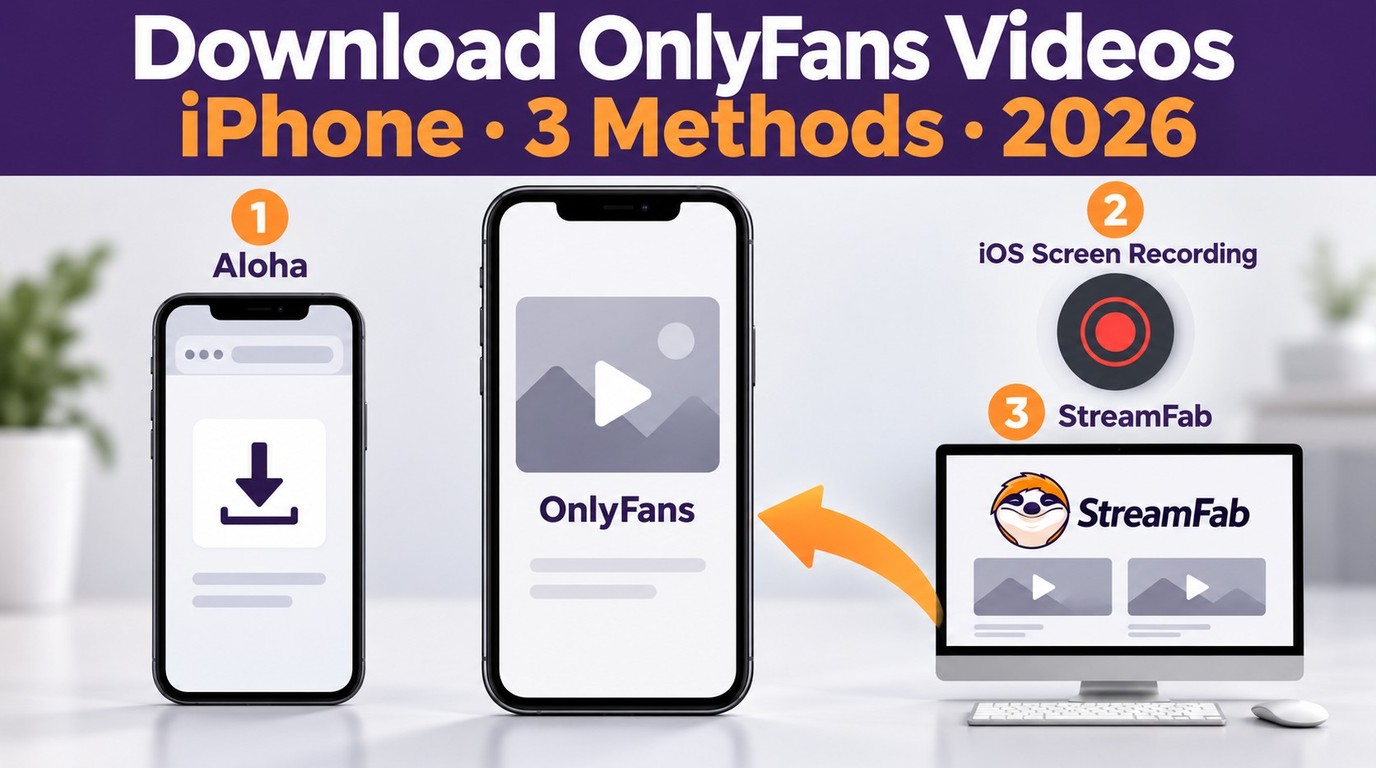
How to download OnlyFans videos on iPhone in 2026: 3 tested methods ranked by success rate, from Aloha browser to iOS screen recording to the PC transfer workflow.
By Erika Leen - Oct 13, 2026
Paid for OnlyFans but can't save it? We tested 4 tools to rip and save OnlyFans content in 2026—no black screen, full 1080p, zero account risk.
By Erika Leen - Oct 13, 2026
6 free and paid OnlyFans Chrome extensions tested for DRM support and reliability. Find which ones work in 2026—plus a desktop tool that handles protected content every time.
By Erika Leen - Oct 13, 2026