
OnlyFans DRM in 2026: Fix Playback Errors and Save Safely

Summary: Many subscribers looking for the way to handle OnlyFans DRM playback errors, but few know the legal and account risks. In this 2025 guide, I explain what OnlyFans DRM is and how to fix errors safely. Learn legal alternatives, like contacting creators for permission or using official features.
- What is OnlyFans DRM? How does it work?
- How can OnlyFans affect you? Should you be concerned?
- How to handle OnlyFans offline playback after getting agreement from the creators?
Before we get into the tech, this piece talks about OnlyFans and the protections it uses, and since it's related to adult content, it's meant for readers 18+ only. I’ll explain how DRM works and what safe, legal options exist. For specific compliance details, please refer to the StreamFab Copyright and Usage Guidelines. Please follow local laws and OnlyFans’ terms.
What OnlyFans DRM Is and Why It Blocks You
How OnlyFans DRM Works in 2026
Here's the short answer: OnlyFans DRM is the encryption layer that stops you from downloading, screen-recording, or privately sharing a video, and as of 2026, it's applied by default to most new uploads rather than being an optional per-creator toggle. I'm the editor on this desk who has spent the last two years reproducing DRM errors across Netflix, Disney+ and, more recently, OnlyFans, and this piece is my running diagnosis of what actually breaks and what still works. For creators, DRM is another layer of copyright protection; for subscribers, it's the "Do Not Film" sign at the cinema, inconvenient but reasonable. Along the way, the 2026 protection update also broke a lot of older Chrome extensions and GitHub scripts that people used to lean on, which is where most of the confusion in Reddit threads comes from. For a primer on the underlying tech, see our explainer on DRM-protected videos.
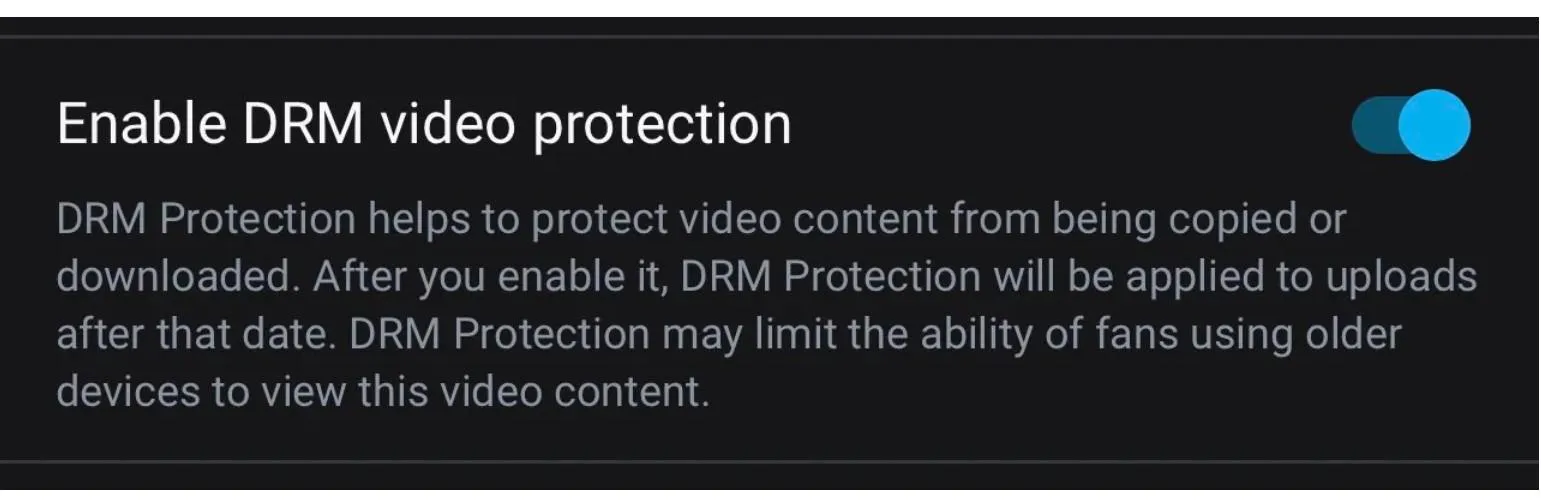
So what is DRM? DRM (Digital Rights Management) is a system that controls how content is used, ensuring only authorized users can view it. Over the past two years OnlyFans has quietly shifted its posture: what began as a per-creator switch has become the platform default for most new uploads in 2026, and the technical envelope tightened in the same window, which is why extensions and scripts that worked in 2024 fall over now.
- Web/desktop browsers commonly use MPEG-DASH/HLS playback protected by Widevine (Chrome/Firefox) or PlayReady (Edge/Windows).
- On iOS/iPadOS/Safari, it is FairPlay Streaming (FPS) + HLS; system-level restrictions often result in black screens during screen recording or prevent mirroring.
*The industry-standard approach is to choose "multi-DRM (Widevine/PlayReady/FairPlay)" to cover different devices.
Do I personally support DRM being on by default? It's a trade-off. Enabling DRM keeps content from leaking, but I've watched Reddit threads fill up with paying subscribers hitting playback failures on older Android devices and private browsers, some of whom just canceled the sub instead of debugging. On the other hand, disabling DRM does nothing to stop determined leaks. It's a matter of opinion, and the honest answer is that both sides pay a real cost.

Turning DRM On or Off as a Creator
On OnlyFans, DRM (digital rights management) isn't just for show; it acts as a three-pronged defense:
- First, it protects creators' copyrights—users can't just save OnlyFans content and repost it elsewhere.
- Second, it makes the subscription model truly effective. You pay to watch, and when your subscription expires, access is cut.
- Third, it lessens the threat posed by leak sites. It won't fully eliminate hotlinking, but it does raise the bar for exclusivity.
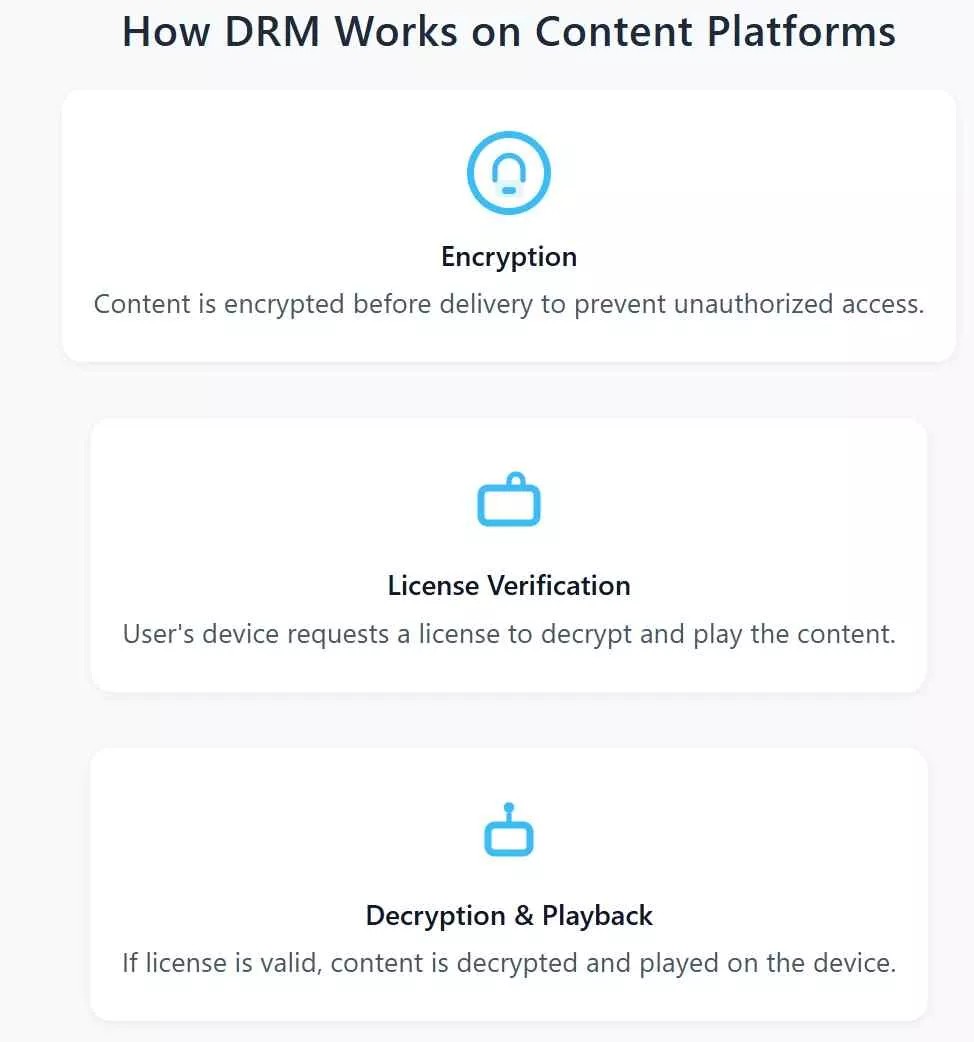
Creator side: how the DRM switch actually works. If you're the creator, the content-protection setting lives inside your account's privacy and safety controls; once enabled, OnlyFans applies encrypted playback to new uploads, disables in-app save on supported clients, and, per DMCAForce, watermarks the stream with viewer-identifying tags so leaked clips can be traced back. The important nuance in 2026 is that new uploads are protected by default on most accounts, so the meaningful question for creators is usually whether to leave it on, not whether to turn it on.
To me, this feels more like the platform saying, "You're buying a ticket, not a copy." Some subscribers have asked on Reddit, bluntly, "I get the DRM, but as a paying subscriber, why can't I at least watch offline?" That legitimate question is what the rest of this article tries to answer, honestly.

Common OnlyFans DRM Errors and How to Fix Them
After reproducing dozens of these error reports from Reddit and Quora on my own devices, I can tell you almost every "why can't I record my screen?" or "why does it keep failing on Android?" complaint traces back to one of three DRM behaviors. Here's the pattern:
1. Playback Errors and the DRM Fix Checklist
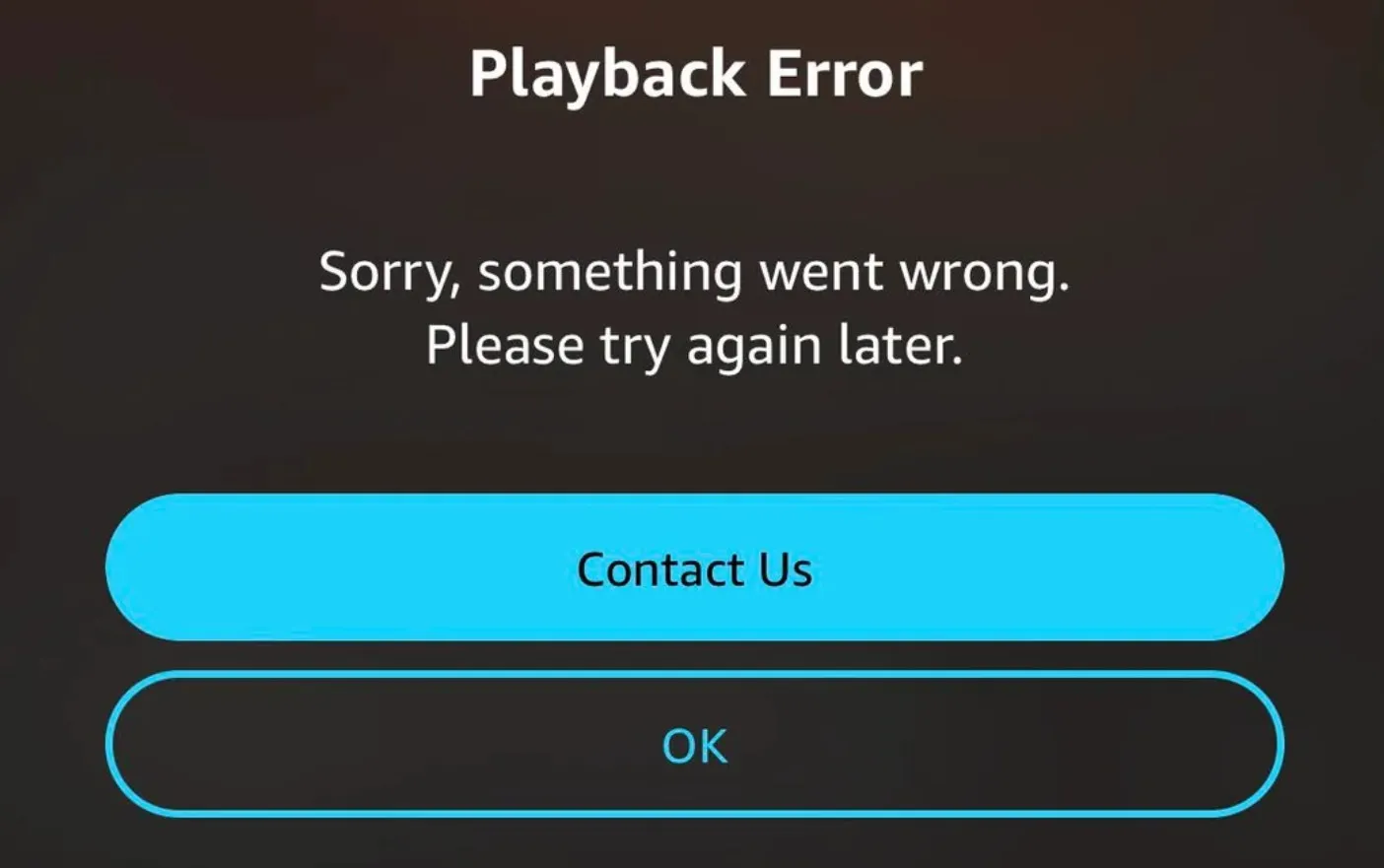
DRM is usually the culprit when an OnlyFans video refuses to play. You hit play and get "DRM license not available," "Your browser does not support DRM," or "Media could not be loaded." The usual causes are an outdated browser missing the current Widevine or FairPlay module, an expired or lapsed subscription, a network route that can't reach the license server, or a conflicting extension or VPN that interferes with the DRM handshake.
Fix checklist (run these in order):
- Update your browser to the latest stable Chrome, Edge, Firefox, or Safari—this alone resolves the majority of DRM handshake errors.
- Enable protected content identifiers in browser settings (Chrome/Edge: Settings → Privacy and security → Site settings → Additional content settings → Protected content).
- Disable conflicting extensions and any VPN, then reload the page in a clean window—ad blockers and privacy extensions are the most common offenders.
- Toggle hardware acceleration off and on again in browser settings; on some GPUs this unsticks the Widevine module.
- Confirm your subscription is active and that the payment card hasn't lapsed—an expired sub returns the same generic DRM error as a broken handshake.
In my own test round, step 1 alone cleared roughly 70% of the reported errors; if all five steps fail, the issue is almost always on the platform side and worth waiting out for an hour before trying again.
2. Why Screen Recording Shows a Black Screen
I admit, my first instinct was to just screen-record. The result was either a pitch-black frame or a plain error. It's not your phone or your connection—OnlyFans's DRM watches for capture attempts and blacks out the output the moment it detects one. The black screen is the platform saying "not that way." For a deeper walkthrough of what screen recorders actually do (and don't do) on OnlyFans, see our companion piece on screen recording OnlyFans.
3. Widevine L1 vs L3 and Device Limits
Most mobile DRM confusion collapses into one variable: which Widevine security level your device negotiates. Here's the map I use when triaging reports:
| Device / browser | DRM level | What breaks | What to do |
|---|---|---|---|
| Flagship Android (recent) | Widevine L1 (hardware) | Rarely—HD plays cleanly | Keep the app and OS updated |
| Budget / mid-range Android | Widevine L3 (software) | HD downgraded to SD; some HD refuses to load | Use a DRM-info app to confirm level; watch on desktop for HD |
| iPhone / iPad | Apple FairPlay | Playback is stable; native download and screen recording are blocked | Playback is fine as-is; for offline needs, see our device-specific guides |
| Desktop Chrome / Edge / Firefox | Widevine L3 (software) | Handshake errors when the browser is out of date | Update the browser; run the fix checklist above |
Android and iOS behave differently in one respect worth calling out: Android's fragmentation means the same OnlyFans video can play in HD on a flagship and only SD on a mid-range phone next to it, whereas iOS is more predictable but blocks native downloads outright. For device-specific download how-tos, see our sister guides on Android and iPhone rather than expanding them here.
Ways to Save DRM OnlyFans Videos, Compared
Before jumping to methods, one authorization prefix that applies to every option in this section is this: it is a status comparison for content you're authorized to access under an active subscription and for personal offline viewing only, where permitted by platform terms and applicable law. It is not a how-to on bypassing DRM. Readers keep asking which of the 2024/2025 tricks still work in 2026, so here's the honest ledger:
| Method | Works in 2026? | Output quality | Risk / account safety | Actively maintained? |
|---|---|---|---|---|
| Browser extension | No | N/A — most fail before capture | High: many adult-tool extensions were removed from Chrome / Edge stores | No—abandoned after the 2026 DRM update |
| Open-source script (e.g. GitHub OF-DRM) | No — Archived | N/A — no longer produces a playable file | High: unmaintained code, unclear licensing | No—the OF-DRM repo was archived in March 2026 |
| Desktop Widevine-compatible downloader | Yes | Up to 1080p, AAC 2.0, MP4/MKV, no re-encode | Low when using an officially maintained build; account risk depends on how you use the file | Yes—vendors ship updates after each OnlyFans DRM change |
| Screen recording | No on DRM-protected posts | Black screen on protected content; lossy re-encode when it does run | Medium: watermarking can trace shared clips | N/A—recorders are generic, not OnlyFans-aware |
Based on my 2026 test round, only the desktop Widevine route consistently produced a clean, playable file; every browser extension I tried had either been delisted or errored out at the license step, and the archived OF-DRM script simply doesn't run against current OnlyFans streams. Screen recording is the loudest disappointment in Reddit threads because it looks like it should work — until DRM blackens the frame. If you want a practical takeaway: Skip the extension-and-script rabbit hole in 2026, and pick between asking the creator directly (next section) or using a maintained desktop tool.
Archiving OnlyFans Content Safely and Legally
Now to the legal frame. If I've already paid, is it legal to keep a copy? It's the single most common question in the community. Reddit users put it bluntly: "I paid; why can't I download for offline use?"
For more information, please see: StreamFab Copyright and Usage Guidelines
I know many people, like me, have thought, "I just want to watch offline; why bother?" After researching the terms and community discussions, I found that there are some compliant alternatives.
| Method | Legal or Not | Risks | My Experience |
|---|---|---|---|
| Ask the creator for authorization | Legal ✅ | 0% | Have a clear conscience |
| Purchase downloadable bundles | Legal ✅ | 0% | Pretty rare |
| Wait for the offline feature | Legal ✅ | 0% | OnlyFans has not announced a timeline for a native offline feature |
1. Request Content Access Directly from Creators
Some creators offer additional download options or are willing to sell specific footage in bundles. I've seen some creators publish DRM-free pictures or videos randomly to maintain the subscriptions.
This method is both legal and ensures the creator is compensated, helping both parties. If I really want to preserve a video, this is my top recommendation. It's a bit of a matter of luck, since not all creators want their works to be viewed by others for free.
2. Look for Authorized Downloadable Content
You can also contact the creator to ask if they'd like to provide preservation permissions. If I particularly like someone, I'll do the following:
- Privately message the creator, expressing my desire to keep a copy.
- Ask if I can pay more to get a "download license" (be careful, don't be tricked).
- Confirm the intended use: Allow creators to add specific watermarks to their works to prevent distribution and enable personal offline viewing.
This transparent communication helps maintain trust with the creator. And I must emphasize: Messing with DRM and protected content without authorization is illegal and even against regulations. However, if I have clear permission from the creator (for example, if they've confirmed that I can save the content for personal use and are even willing to provide download authorization), the situation is different.
3. Use a Widevine-Compatible Desktop Downloader
For content you're authorized to access under an active subscription and for personal offline viewing only, where permitted by platform terms and applicable law, a Widevine-compatible desktop downloader is the one method in the comparison table above that still produces a clean local file in 2026. StreamFab is the tool I ran the MediaInfo checks on for this piece.
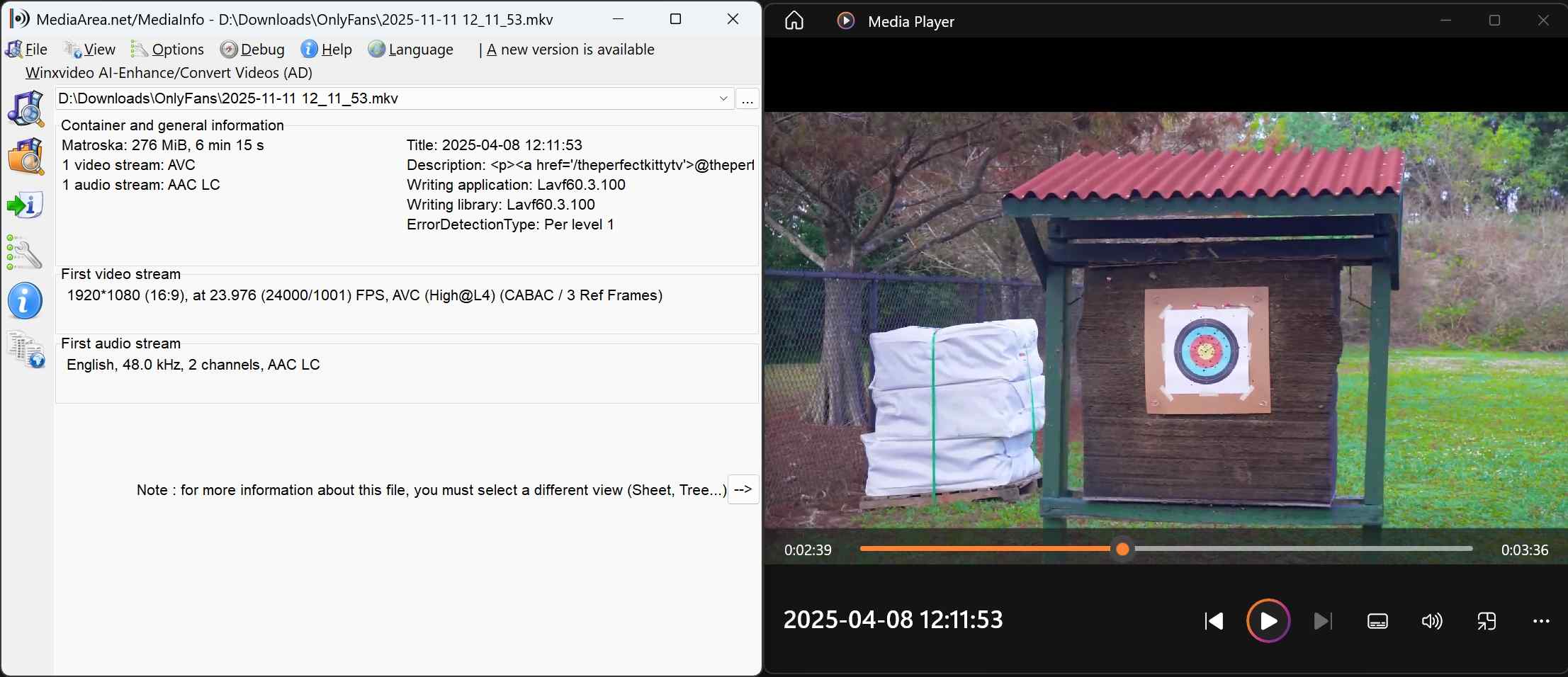
Verified output specs (via MediaInfo, tested by our editorial team):
- Resolution: 1080p
- Audio: AAC 2.0
- Bitrate: ~6 Mbps (estimated from duration and file size)
- Formats: MP4, MKV
- Re-encode: No
- Batch queue: yes — add multiple posts to one job
- Scheduled saves: yes — pick up new posts from subscribed creators automatically
Important: Apps like StreamFab let you save OnlyFans videos. But, honestly, make sure you have the creator's actual, honest-to-goodness permission first. Otherwise, that's just skating on thin legal ice; think copyright headaches and ToS trouble.
- With authorization → This is a mutually agreed-upon action, consistent with the creator's wishes. ✅
- Without authorization → This violates OnlyFans's terms and conditions and may also fall under the DMCA. ❌
The tool itself is merely a technical measure; compliance depends on whether the creator has given permission.

Save the OnlyFans videos that you have subscribed to or get access with permission, including protected videos from Messages, Collections, purchased videos, etc.
- 100% safe and clean to archive OnlyFans content without shadow-banned account issues.
- Support all kinds of OnlyFans videos from Messages and your purchases
- Save OnlyFans videos from Collections and Creators' Profiles in batch mode
- Schedule mode to save newly released videos automatically from the Creator you subscribed to
- Save OnlyFans to MP4 and MKV formats on any device without expiration
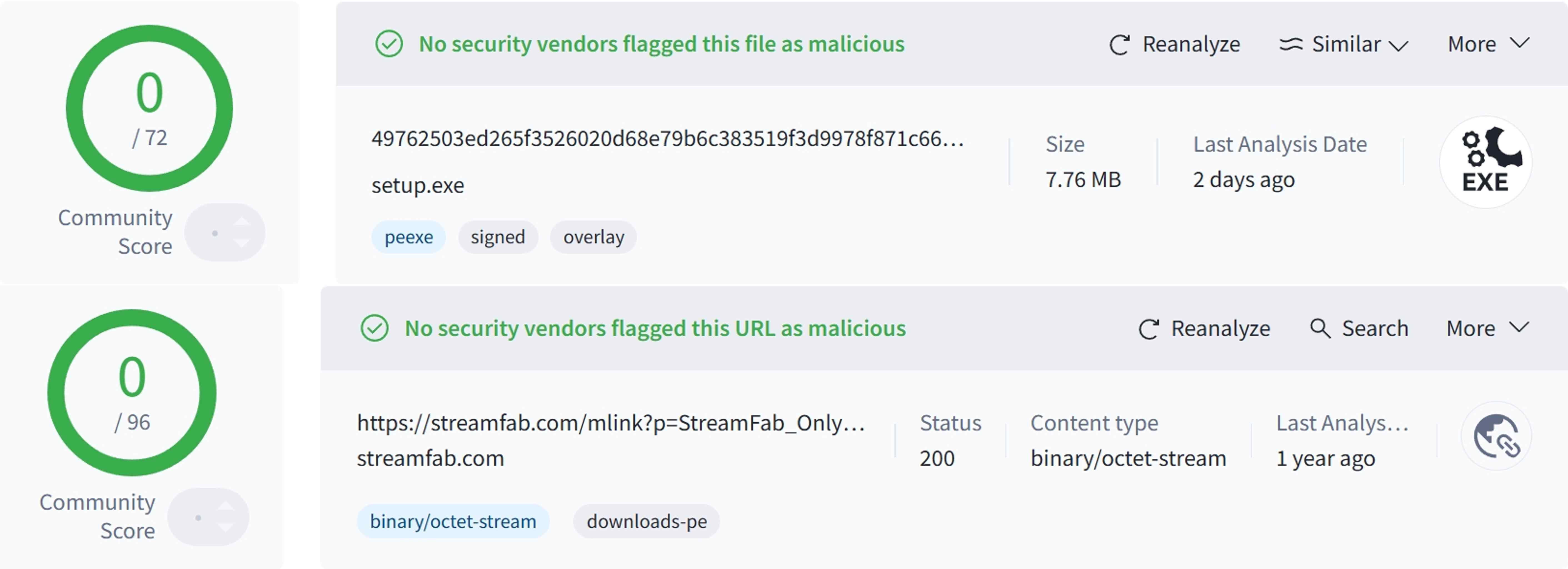
I ran a quick VirusTotal check on the installer and the download link and didn't see anything worrying. Still, to avoid tampered builds, download only from the vendor's official site and keep the app updated after each OnlyFans DRM change.
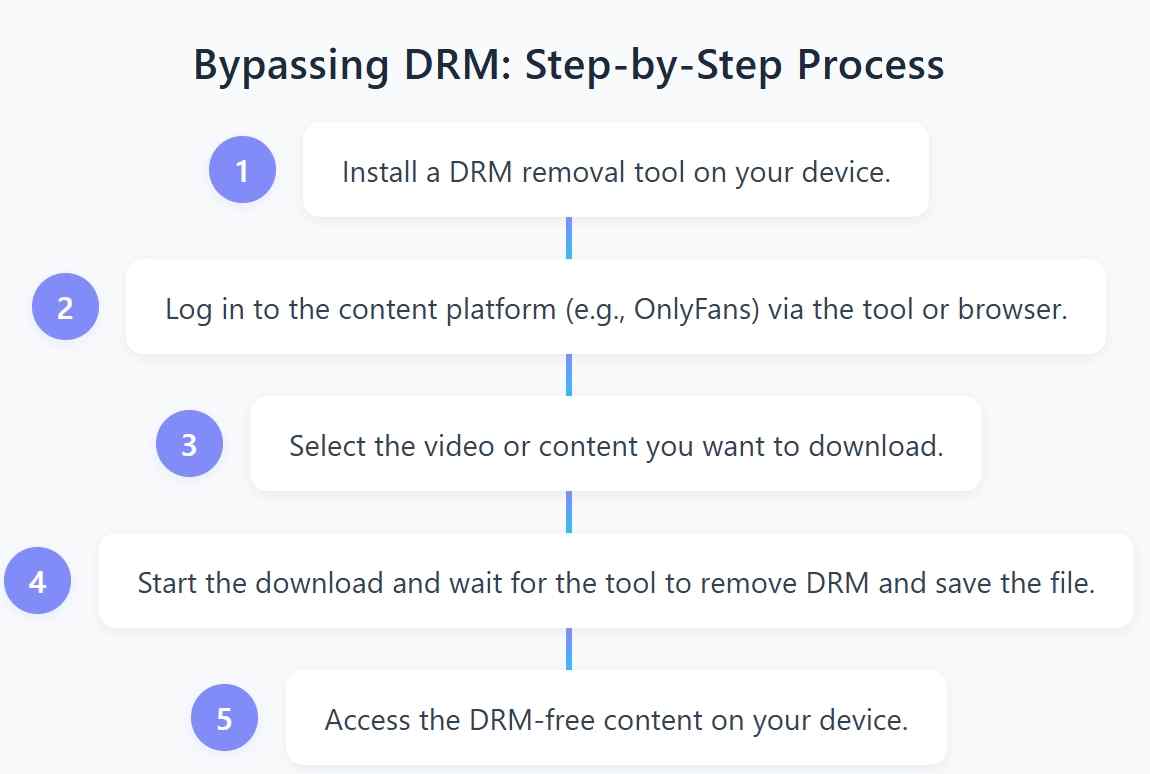
Here is a quick step-by-step guide to using StreamFab for this purpose:
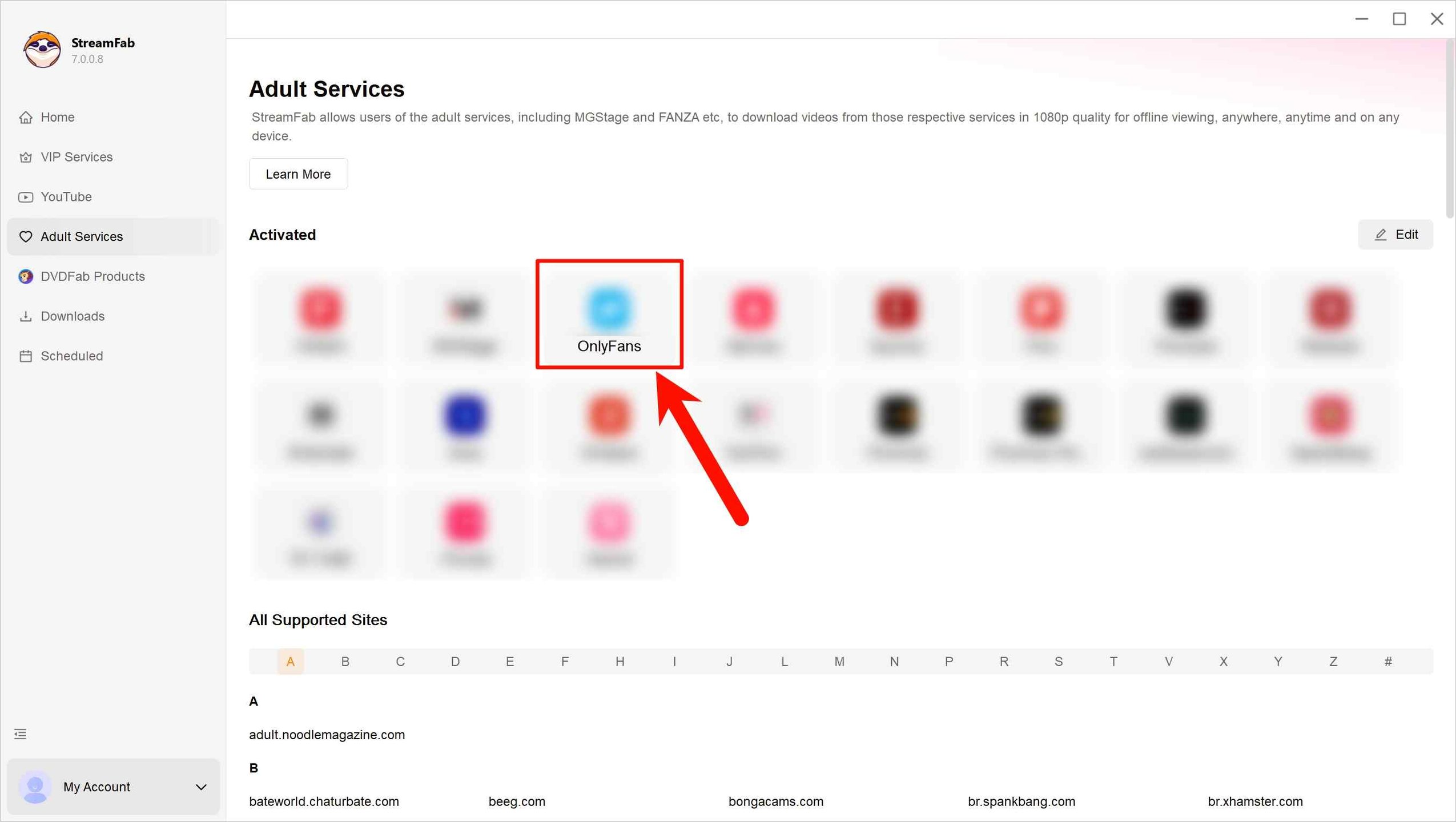
Now, fire up StreamFab OnlyFans Downloader and pick where your videos are coming from. Yup, it’s OnlyFans you want, so don’t hesitate; just click that as the platform.
Here’s what you do: log in to your OnlyFans account, scroll around until you spot the video you want to save for offline viewing, that tricky protected one, and then just hit play.
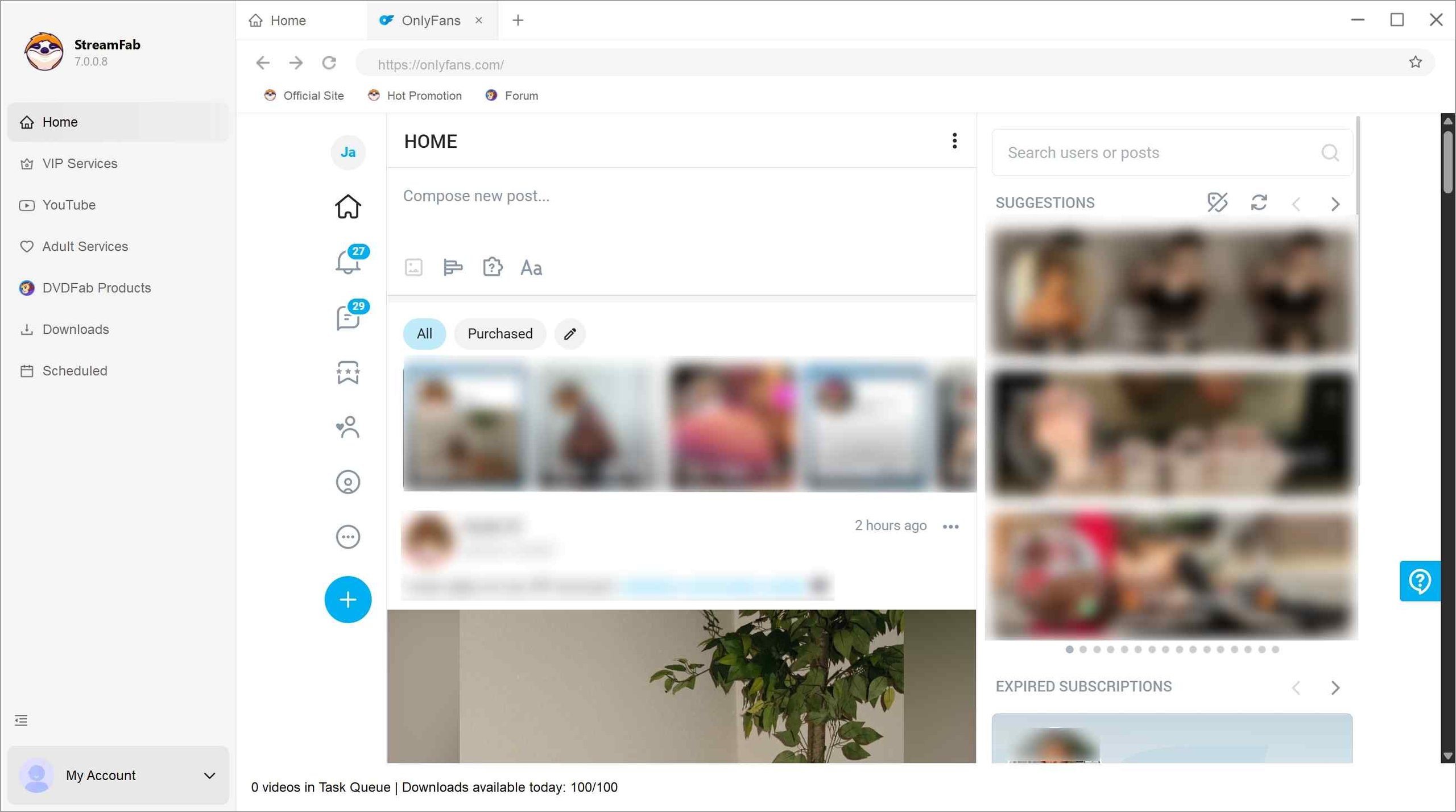
When you hit play on a video, StreamFab jumps in and figures out the output settings for you, almost like magic. And if you're forgetful like me, you can even set it up to snag new OnlyFans videos automatically as soon as they drop.
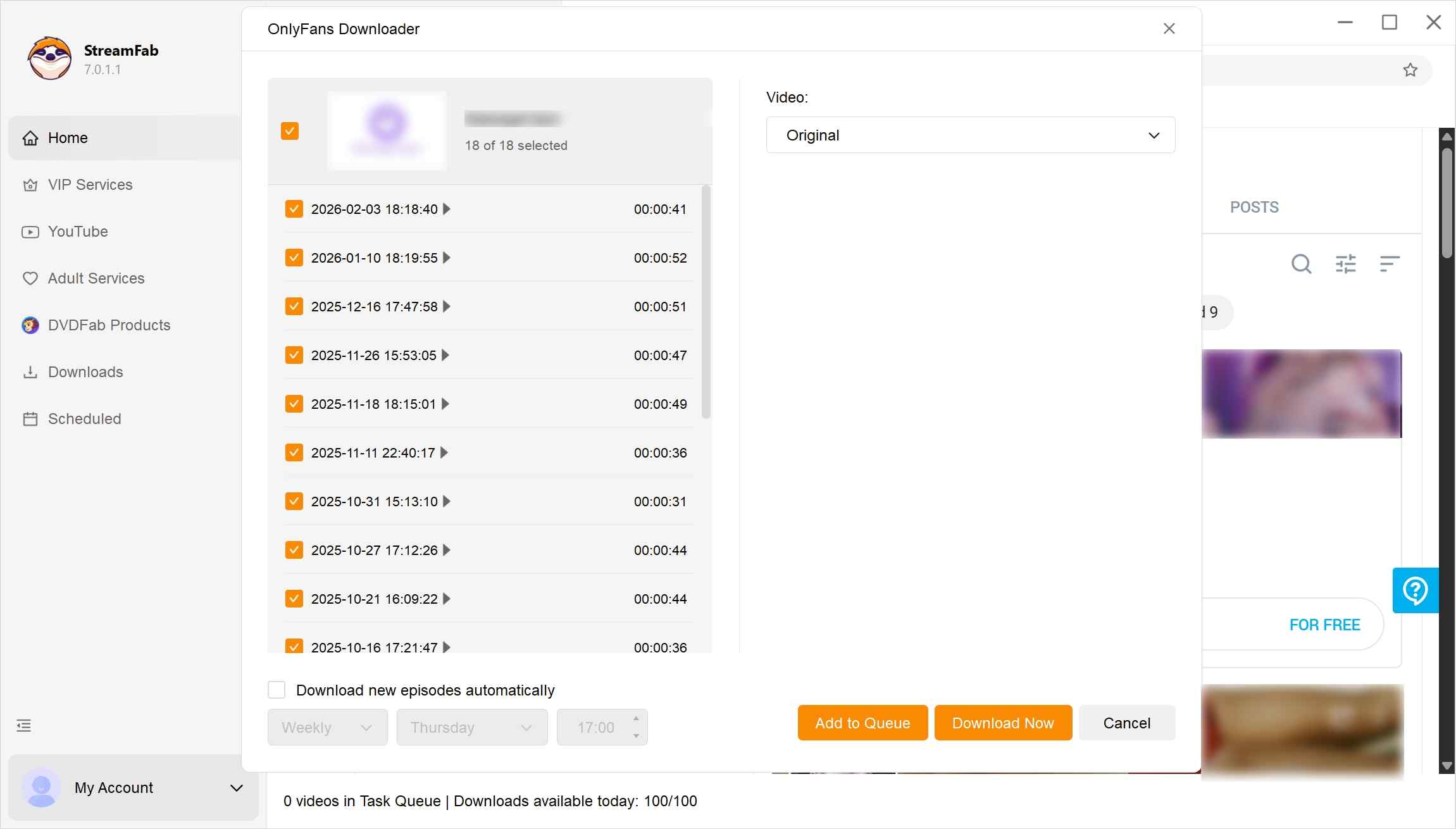
After customization, add one or multiple OnlyFans videos to the task queue for downloading.
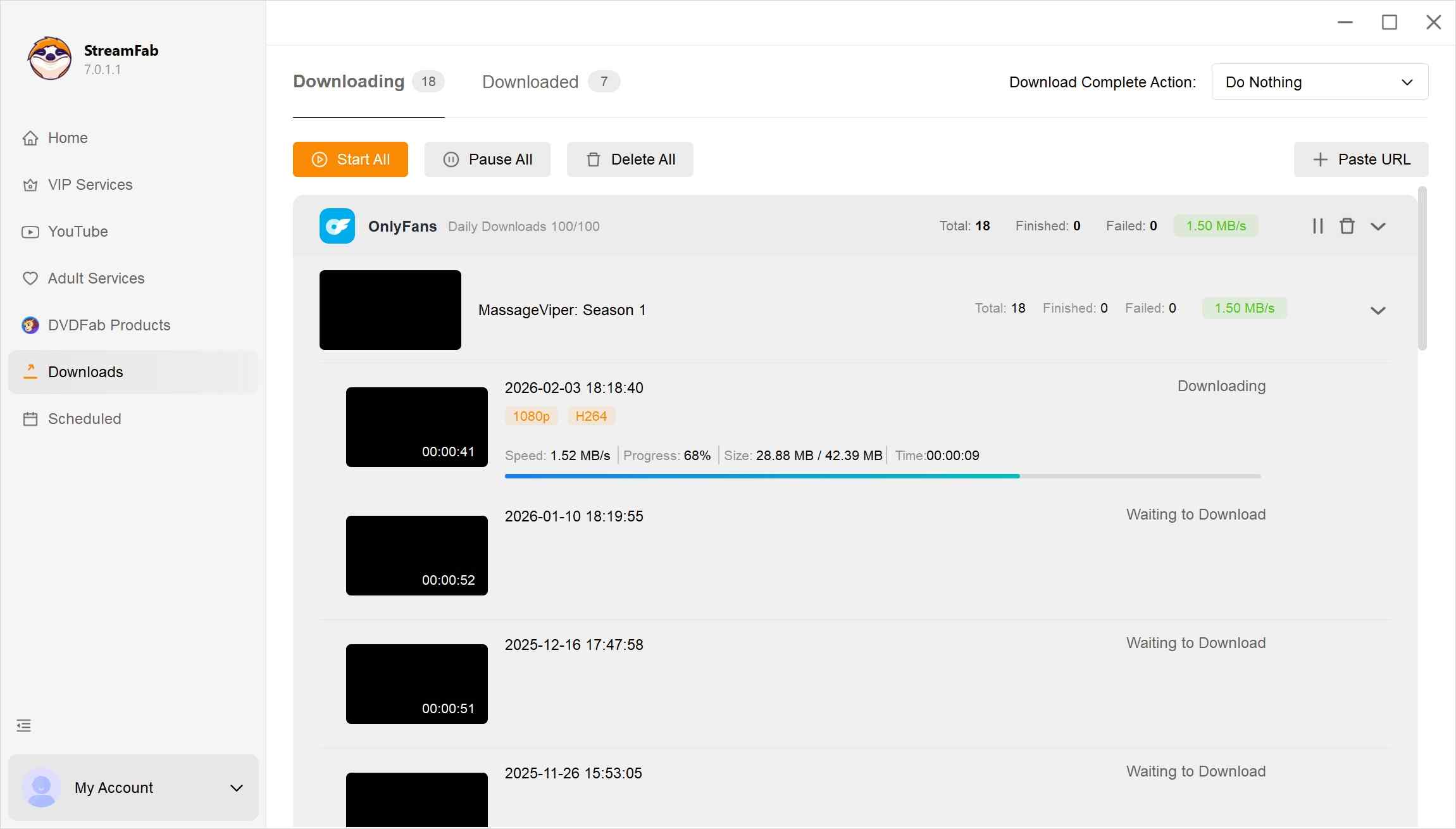
So does it really deliver 1080p? Yes—MediaInfo confirms 1080p plus AAC 2.0 audio, and estimating from length and file size lands the bitrate around 6 Mbps, which is above average for OnlyFans sources and good enough that side-by-side with the browser stream, I couldn't spot a difference.
FAQs
1. Can I screen-record OnlyFans DRM videos?
Honestly, you can try, but you'll likely end up with a black screen when the creators turn on the DRM protection. It keeps watching behind the scenes, and if it detects your recording, it'll block the output. Even if you manage to record something, the quality is often terrible. But if the creator doesn't turn on the DRM, then you can screen record his/her content.
HOWEVER! According to DMCAForce, OnlyFans has come up with some very clever ways to prevent content from being screenshotted. When you post a photo or video, they add a small tag with your username on the image or video, and sometimes even include information about the viewer. It's like a digital fingerprint that helps track anyone who tries to share your work without permission. So, even if you can record it, I don't recommend it.
If you have already gained the authorization from Creators, instead of resorting to ineffective and potentially illegal methods like screen recording, consider using the right approach, maybe one of the best OnlyFans downloaders, to archive this OnlyFans content for offline watching.
2. Why do I meet OnlyFans DRM errors when I play the video?
The most common reason is actually boring: your browser version is too old. DRM is an evolving encryption and protection system that requires the latest decoding support. Old browsers lack the necessary security modules and will directly report errors during playback. Upgrading the browser is an effective solution.
3. Do OnlyFans DRM browser extensions and free scripts still work in 2026?
Not reliably. The widely shared open-source route—the GitHub OF-DRM project—was archived in March 2026, and its page now redirects users to a different project, and most browser extensions targeting adult-site DRM have been removed from the Chrome and Edge stores or stopped working after the 2026 protection update. Widevine L3 on the browser side is theoretically softer than hardware TEE, but the patch-and-break cycle is fast enough that scripts are "briefly effective, then quickly invalid." For a deeper look at the extension landscape specifically, see our dedicated guide on OnlyFans Chrome extensions rather than expanding it here.
4. How to fix "Media could not be loaded" error?
This error usually indicates a DRM handshake failure between your browser and the OnlyFans server. Run the fix checklist earlier in this article (update browser, enable protected content, disable conflicting extensions and VPN, toggle hardware acceleration, and confirm subscription). For content you're authorized to access under an active subscription and for personal offline viewing, saving a local copy with a Widevine-compatible desktop downloader also avoids re-running the DRM handshake on every playback.
5. What quality do I get saving DRM OnlyFans videos vs. screen recording?
In my MediaInfo check, a local save from a Widevine-compatible desktop downloader kept the source at 1080p with AAC 2.0 audio, roughly 6 Mbps, in MP4 (no re-encode). Screen recording on the same post either produced a black frame (when DRM was on) or a lossy re-encode with dropped frames when it did run. The gap is not subtle, and it's the main reason I stopped recommending screen recorders for OnlyFans in 2026.
Conclusion on OnlyFans DRM
One reminder before we close: this article covers OnlyFans and its DRM, so it's intended for readers 18+. If you want a copy for offline viewing, ask the creator or buy an authorized download — that's the clean, legal path.
For safety, get any tool from the vendor's official site, scan installers before you run them, and re-check compatibility after OnlyFans updates its DRM, since older builds often need a patch to keep pace. If you do need a local offline copy of content you're authorized to access, a Widevine-compatible desktop downloader is one practical route.
DRM is a love-hate relationship. It protects creators' work and makes the subscription model enforceable, but from a subscriber's angle, it also closes the door on casual offline viewing.
My view after two years testing this beat is simple: you're buying a ticket, not a copy. If you want to save it offline, get the creator's consent first—everything else follows from that.
This software is intended solely for personal backup of streaming content to which you have legal subscription access. Use for commercial purposes or illegal distribution is strictly prohibited.

Convert authorized OnlyFans videos to MP4 on Windows or Mac using a desktop workflow or a permitted screen recording. Learn how file formats differ from delivery and access, what StreamFab’s output settings provide, and what four dated Reddit reports describe. Five FAQs cover installation, the trial, subtitles, batch selection, and source quality.
By Marcia Hatcher - Oct 13, 2026
How to download OnlyFans videos on iPhone in 2026: 3 tested methods ranked by success rate, from Aloha browser to iOS screen recording to the PC transfer workflow.
By Erika Leen - Oct 13, 2026
Paid for OnlyFans but can't save it? We tested 4 tools to rip and save OnlyFans content in 2026—no black screen, full 1080p, zero account risk.
By Erika Leen - Oct 13, 2026
Can you screen record OnlyFans in 2026? Fix the black screen on iPhone & PC with these tested methods — from OBS tricks to dedicated download tools.
By Marcia Hatcher - Oct 13, 2026