
How to Watch Gujarati Movies in the US: 6 Legal Options

Summary: Finding where to watch Gujarati movies in the US is harder than it should be because catalogs are split across free channels, subscriptions, and one-off rentals. Start with the exact title, then choose the least expensive legal route that offers the subtitles and offline access you need.
Table of Contents
My rule is simple: search the film first and subscribe second. That approach works better than memorizing a platform list, especially when Gujarati movie streaming rights move between services or a theatrical release never reaches a major US app.
Best Gujarati Movie Options in the US
The main legal Gujarati movie apps serve different needs: free discovery, deep subscription catalogs, web series, or a single rental. There is no universal winner, so match the service to the title and your viewing frequency.
YouTube Official Channels: Best Free Starting Point
Official studio and distributor channels are the easiest place to start looking for free Gujarati movies online. Full-film availability changes, but authorized uploads avoid the unstable links and unclear licensing found on unofficial portals.
- Use the channel's Movies or Playlists tab rather than broad web search results.
- Confirm that the uploader is the studio, distributor, or an established rights holder.
- Check captions on the individual video because English subtitles are not guaranteed.
I would start here before paying for another service. The tradeoff is catalog consistency: a channel can be excellent for older films yet miss the exact new release you want.
ShemarooMe: Deep Catalog, Free and Premium
ShemarooMe Gujarati movies span classics, newer films, shows, and natak through free and premium access. It is a strong fit for frequent Gujarati viewing, but a full subscription is less efficient when you need one specific title.
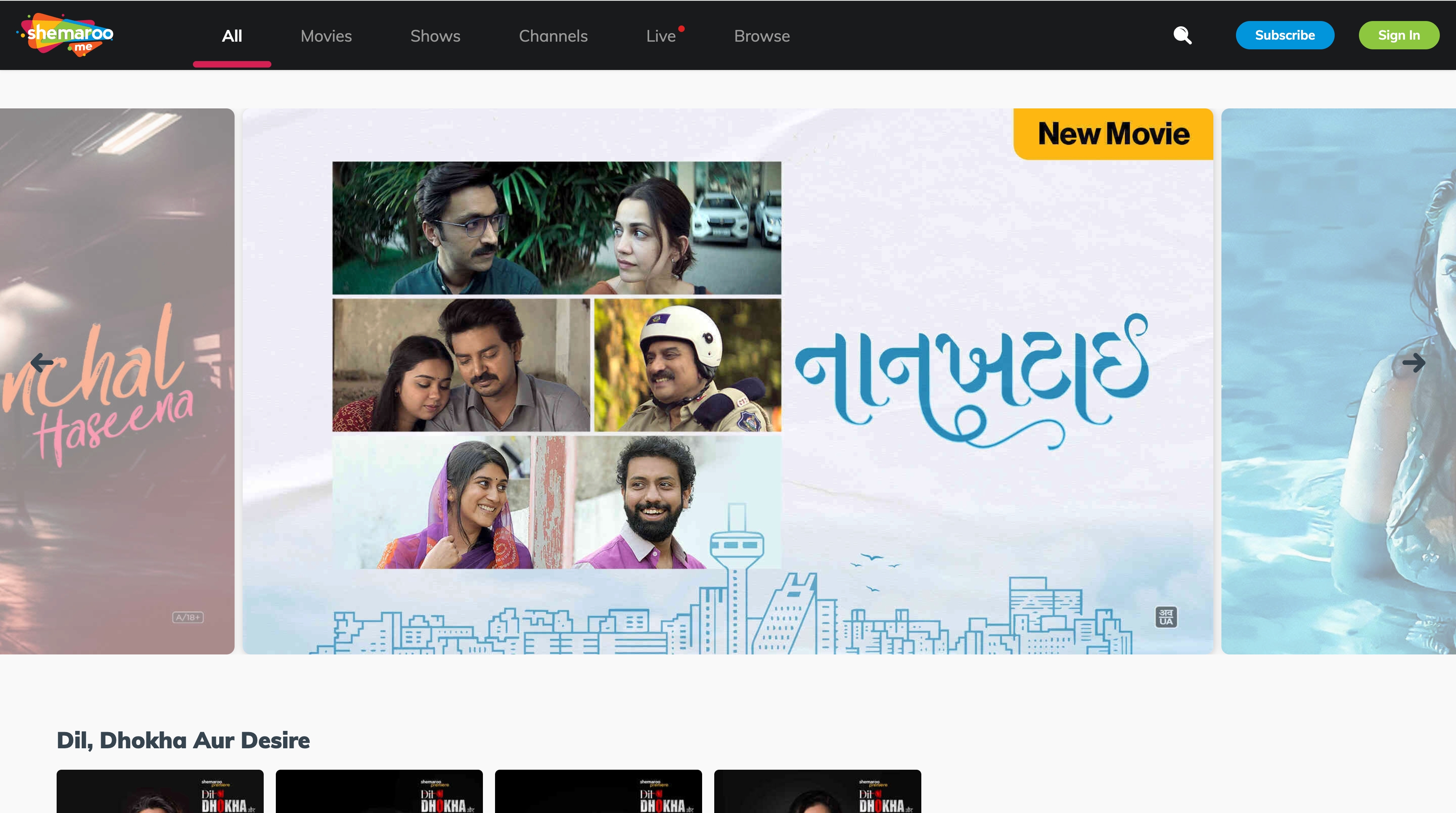
Use the US catalog and plan page rather than India pricing. The comparison component below carries the article's dated price note, while title pages remain the place to check subtitles and official offline access.
ZEE5: Gujarati Movies and Series
ZEE5 Gujarati movies and Gujarati web series make it useful for viewers who want more than feature films. US access, subtitles, and offline options remain title-specific, so keep this entry as a platform fit check rather than a promise about the whole catalog.
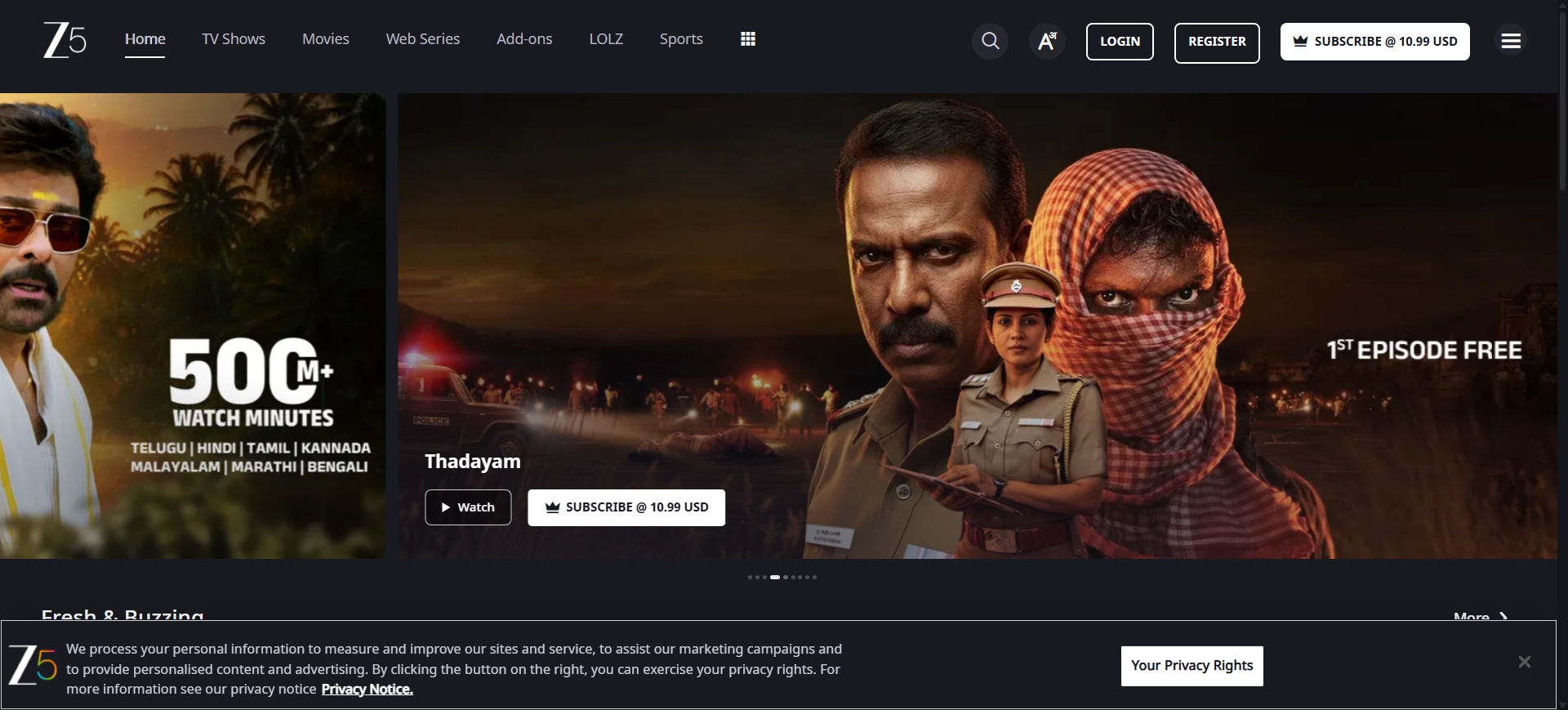
The current US title page should answer the access question; the focused ZEE5 streaming and offline options in the USA explain that service without turning this article into a ZEE5 tutorial.
JOJO: Movies, Shows, and Natak
The JOJO Gujarati app combines movies, shows, and natak in a regional catalog. Its US App Store listing presents a free app with in-app purchases, which makes it worth browsing before deciding whether a paid title or feature fits your budget.
JOJO is better suited to viewers who actively want Gujarati entertainment across formats. It is less useful as a universal answer because access can differ by title, device, and purchase option.
Prime Video: Select Titles and Rentals
Amazon Prime Gujarati movies are offered title by title rather than as one stable Gujarati library. A film may be included with Prime, available through a channel, rented, purchased, or absent from the US catalog.
Prime Video is the practical route when the exact movie is available as a one-off rental and you do not want another subscription. Check the current US title page before assuming Prime membership includes it.
JioHotstar and OHO: Current Status Notes
JioCinema and OHO should be treated as status notes, not current peer subscriptions for US readers. JioCinema combined with Disney+ Hotstar as JioHotstar in 2025, while Shemaroo acquired OHO Gujarati's content library in April 2026.
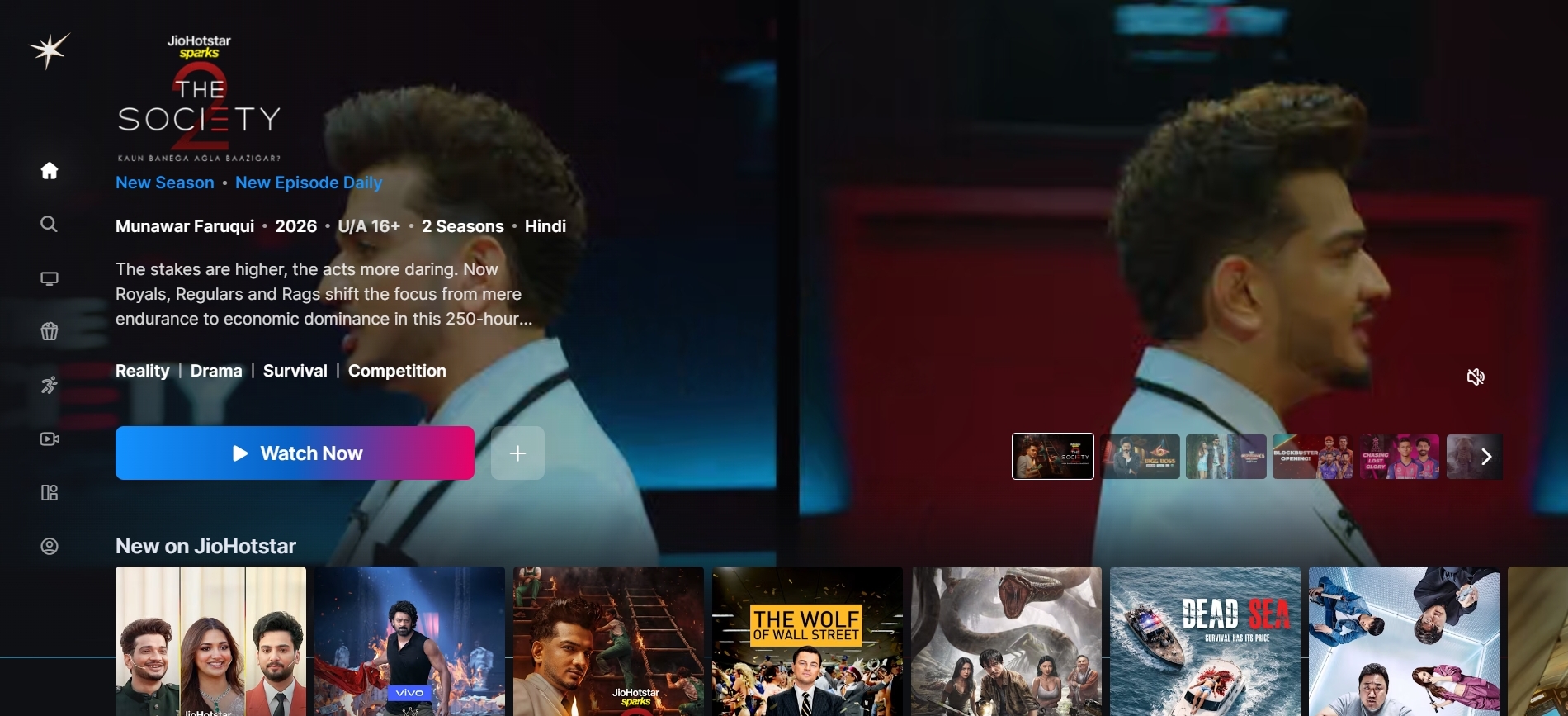
JioCinema has combined with Disney+ Hotstar as JioHotstar; US availability still depends on the title and current regional listing: How to Download Videos from Jio Cinema
The useful action is to search for the film under its current distributor. A legacy platform name in an old search result does not establish present US access.
Free, Subscription, or Rental?
Choose the cheapest access model that matches how often you watch. Free channels work for browsing, subscriptions fit frequent viewing, and rentals or purchases often make more sense for one hard-to-find film.
- Free: Start with official YouTube channels and free catalog pages.
- Subscription: Consider ShemarooMe, ZEE5, or another current service if you watch several titles each month.
- Rental or purchase: Use Prime Video or another US storefront when you want one movie without adding a recurring plan.
- No current listing: Set a watchlist or check the distributor instead of paying for unrelated catalogs.
| Option | US access and cost | Catalog focus | Subtitles and offline mode | Best fit |
|---|---|---|---|---|
| YouTube official channels | Free, ad-supported access | Studio uploads and selected full movies | Subtitles vary; offline access depends on the account and title | Free browsing before paying |
| ShemarooMe | As of July 2026, free access plus premium plans; the US annual plan is listed at $34.99 | Deep Gujarati movies and shows catalog | Subtitles and app downloads vary by title and plan | Frequent Gujarati viewing; less efficient for one title |
| ZEE5 and JOJO | Subscription or in-app purchases, depending on service and title | Gujarati movies, series, shows, and natak | Check each title for English subtitles and offline access | Viewers who want series as well as movies |
| Prime Video; JioHotstar and OHO status | Prime titles may be included, rented, or purchased; status services are not direct US peers | Select Gujarati titles; JioCinema moved into JioHotstar, and OHO's library was acquired | Subtitle and offline availability are title-specific | One-film shoppers and readers tracking moved catalogs |
The practical takeaway is not that one service wins. YouTube minimizes cost, ShemarooMe emphasizes catalog depth, ZEE5 and JOJO add series, and Prime Video can solve the single-title problem without another broad subscription.
Find Any Gujarati Movie Before Subscribing
A title-first lookup is the most reliable way to find Gujarati movies because US rights move, editions differ, and some releases never receive a clear OTT home.
Check the Title Across US Services
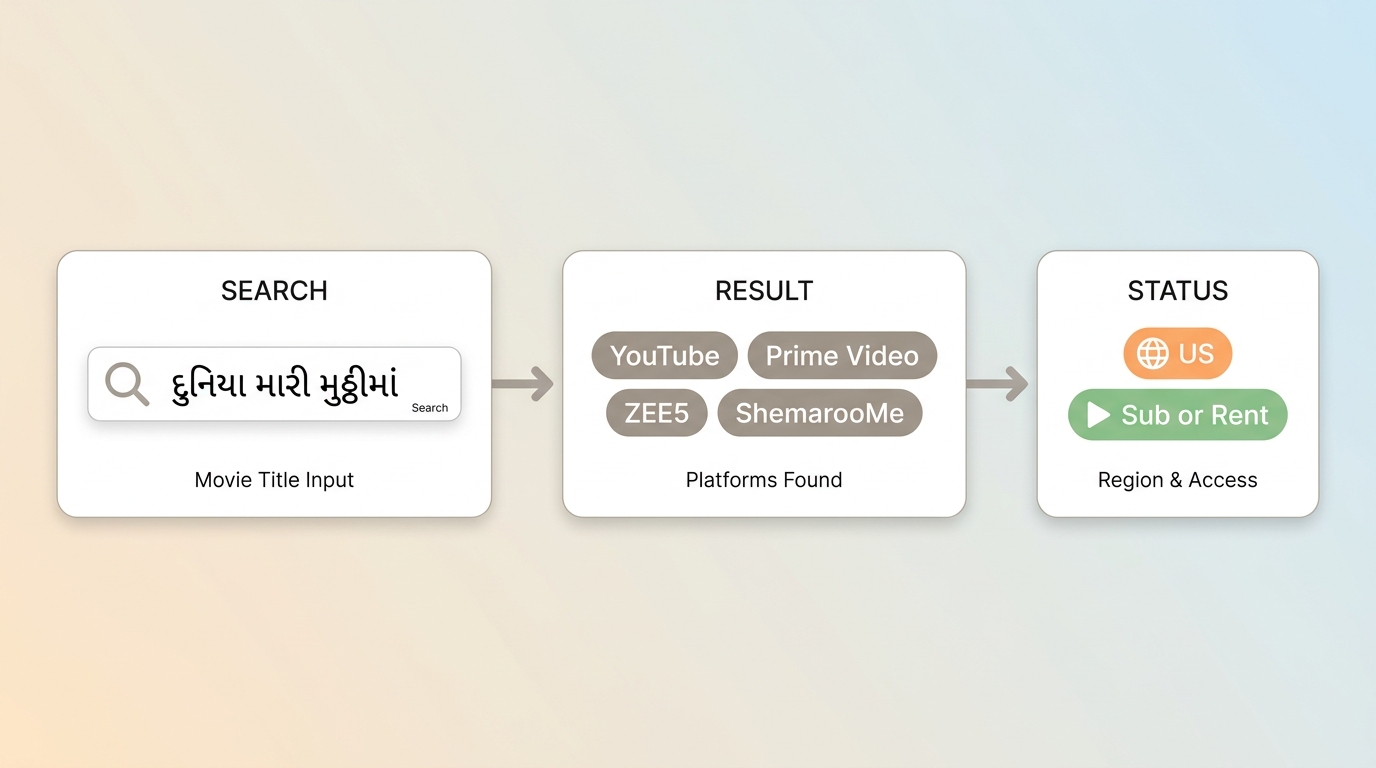
Use the exact English or transliterated film title, then confirm the year and cast. This avoids paying for a service whose Gujarati catalog looks large but does not contain the movie you actually want.
- Search the exact movie on a US provider finder.
- Open the current provider result and confirm that the region is the United States.
- Check whether access is included, subscription-based, rental, or purchase.
- Open the platform's title page to confirm the edition, subtitles, and offline option.
I use this order because it separates discovery from payment. It also catches duplicate titles and old regional pages before they turn into an unnecessary subscription.
When a Movie Has No OTT Home
Some Gujarati theatrical releases do not move quickly to major US streaming services. When a title has no current listing, check the producer or distributor's official channels, watch for a later rental release, and avoid assuming an unlicensed upload is the missing official source.
Official Downloads Are Usually App-Only
Official offline downloads generally stay inside the platform's app and account controls. They are convenient for travel, but they are not the same as ordinary computer files.
What In-App Offline Viewing Allows
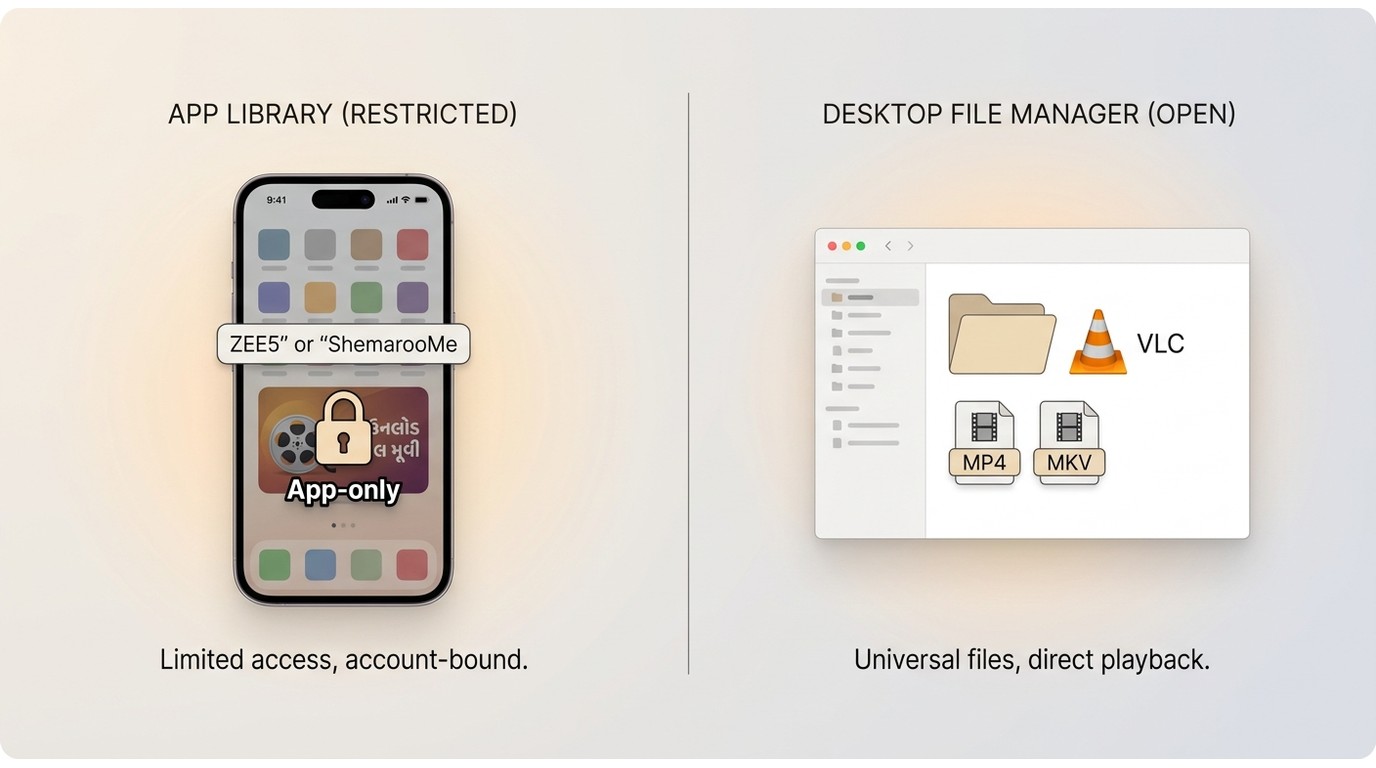
Official downloads usually let an eligible title play without a live connection inside the service's app. Availability, device rules, and viewing Windows depend on the platform, plan, and title rather than one universal policy.
The difference between downloading and recording matters here: an app-managed copy remains tied to that app, while a separately saved local file follows its own output and playback conditions.
For straightforward travel viewing, the official button is the first route I would choose. It asks less setup and keeps the viewing workflow inside the service you already use.
What a Portable File Changes
A portable file means an MP4 or MKV stored in a normal computer folder rather than an app library. Readers comparing MP4 movie downloads with movies saved as MKV files should choose by player compatibility, audio, subtitle, and library needs.
This workflow adds file organization and storage decisions. It fits authorized personal organization on a computer, not quick viewing on a phone where the official app already solves the problem.
Portable Offline Copies for Supported Services
Most readers do not need a local-file workflow. Consider one only when app-only viewing does not meet a genuine Windows or Mac organization need and the service is supported.
When a Local-File Workflow Fits
For personal offline viewing of content you're authorized to access, where permitted by platform terms and applicable law, StreamFab is a desktop recording and saving option for supported services. An active account with access to the title remains necessary.
Suitable for: Windows or Mac users who need MP4 or MKV output, subtitle choices, and local library organization. Less suitable for: someone who only wants a quick app download, uses an unsupported service, or does not want to manage files and storage.
My judgment is to use the official offline feature until it creates a real limitation. Moving to a computer workflow before that point adds work without adding value.
Verified Output and Library Features
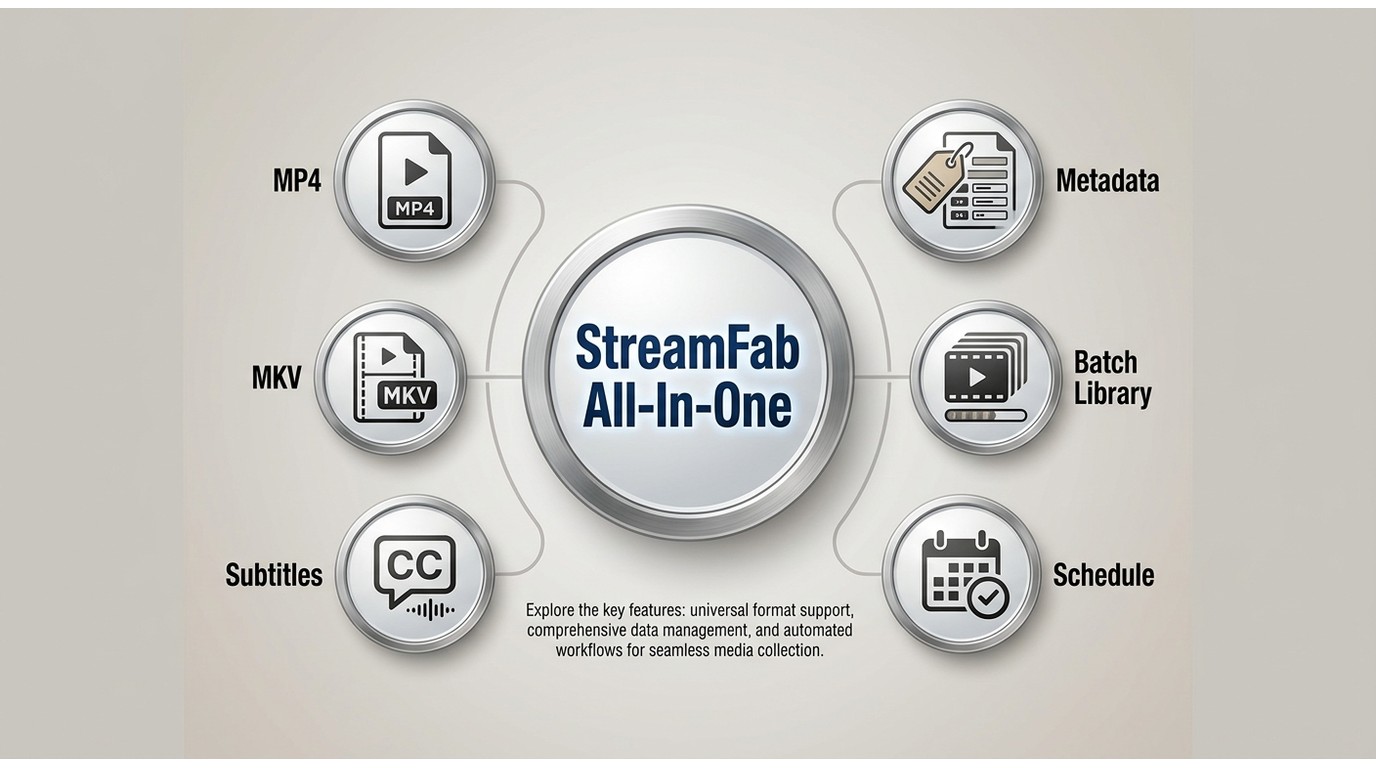
For supported services, StreamFab All-In-One can save MP4 or MKV, handle available audio and subtitle selections, write metadata, and organize batch or scheduled tasks. Resolution and audio depend on the service, title, and subscription plan.
- Save authorized titles from supported services to MP4 or MKV on Windows or Mac.
- Choose available audio and subtitle options; subtitles can be embedded or saved separately.
- Organize supported titles with metadata and batch or scheduled tasks.
- Output quality and audio depend on the service, title, and subscription plan.
Those capabilities matter for an organized movie folder, but they do not make every streaming service or title compatible. Supported services and system availability may change, so use StreamFab's official product page for the current list.
Save a Movie with StreamFab
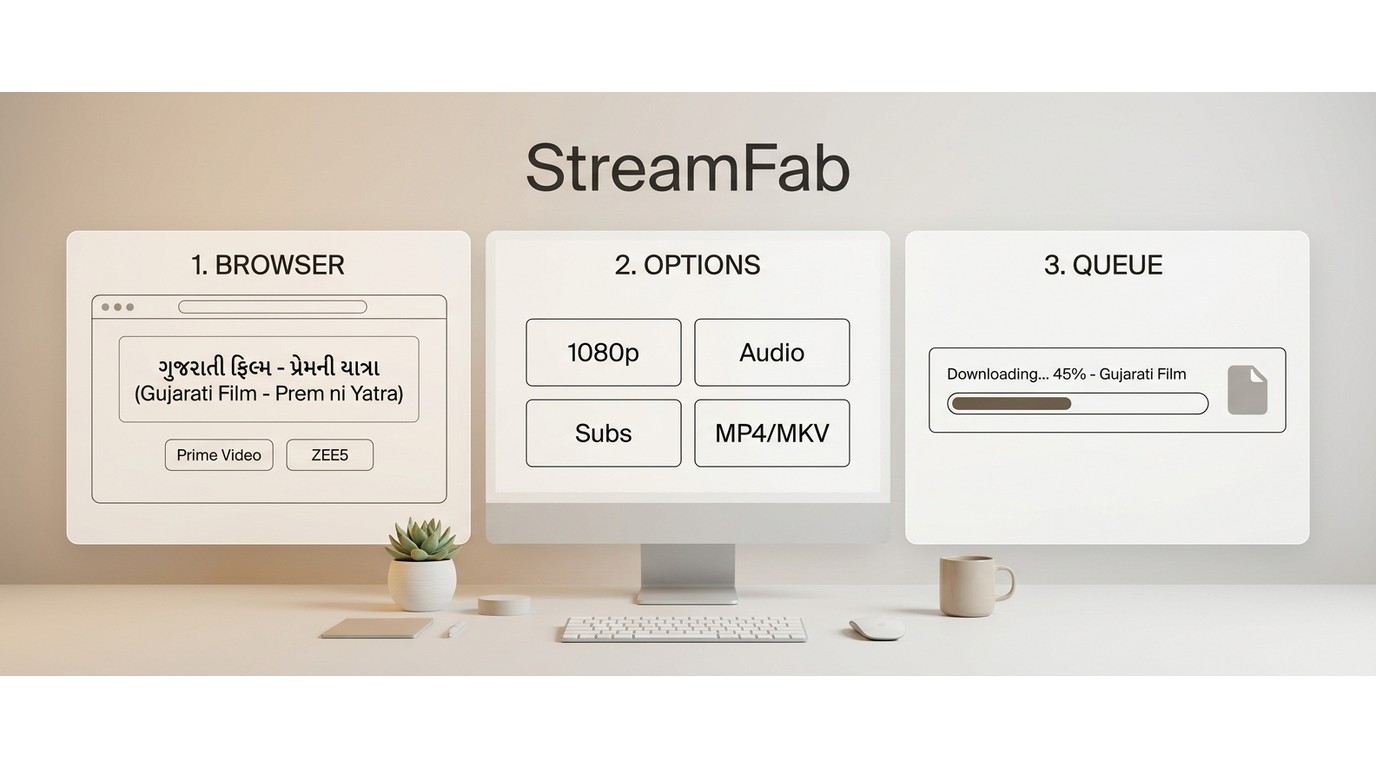
The workflow is short: open the supported service, select a title your account can play, then choose the available output settings. Keep the process tied to personal offline use.
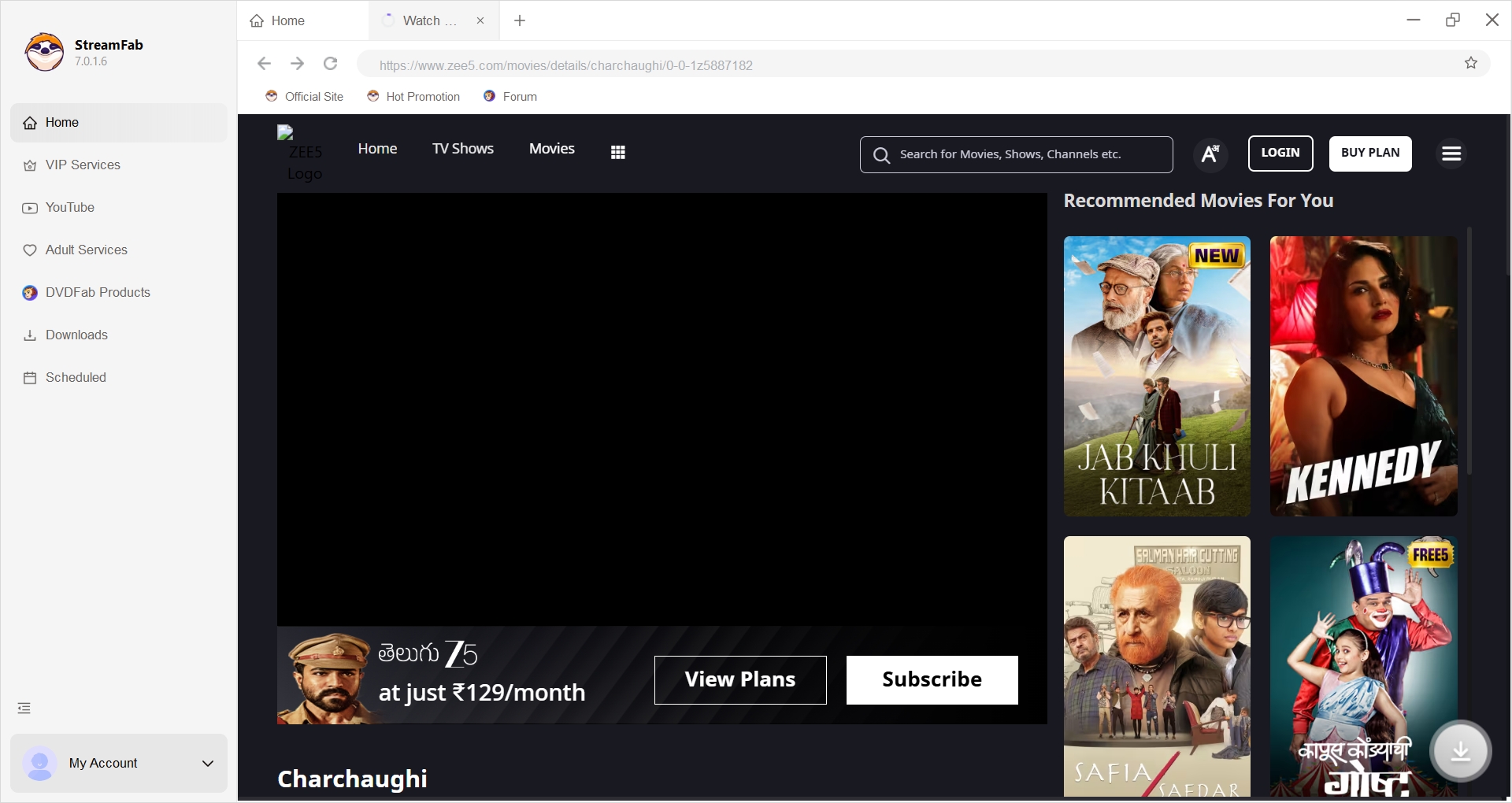
- Open the supported service in StreamFab's built-in browser.
- Sign in with an active account and select the authorized Gujarati movie.
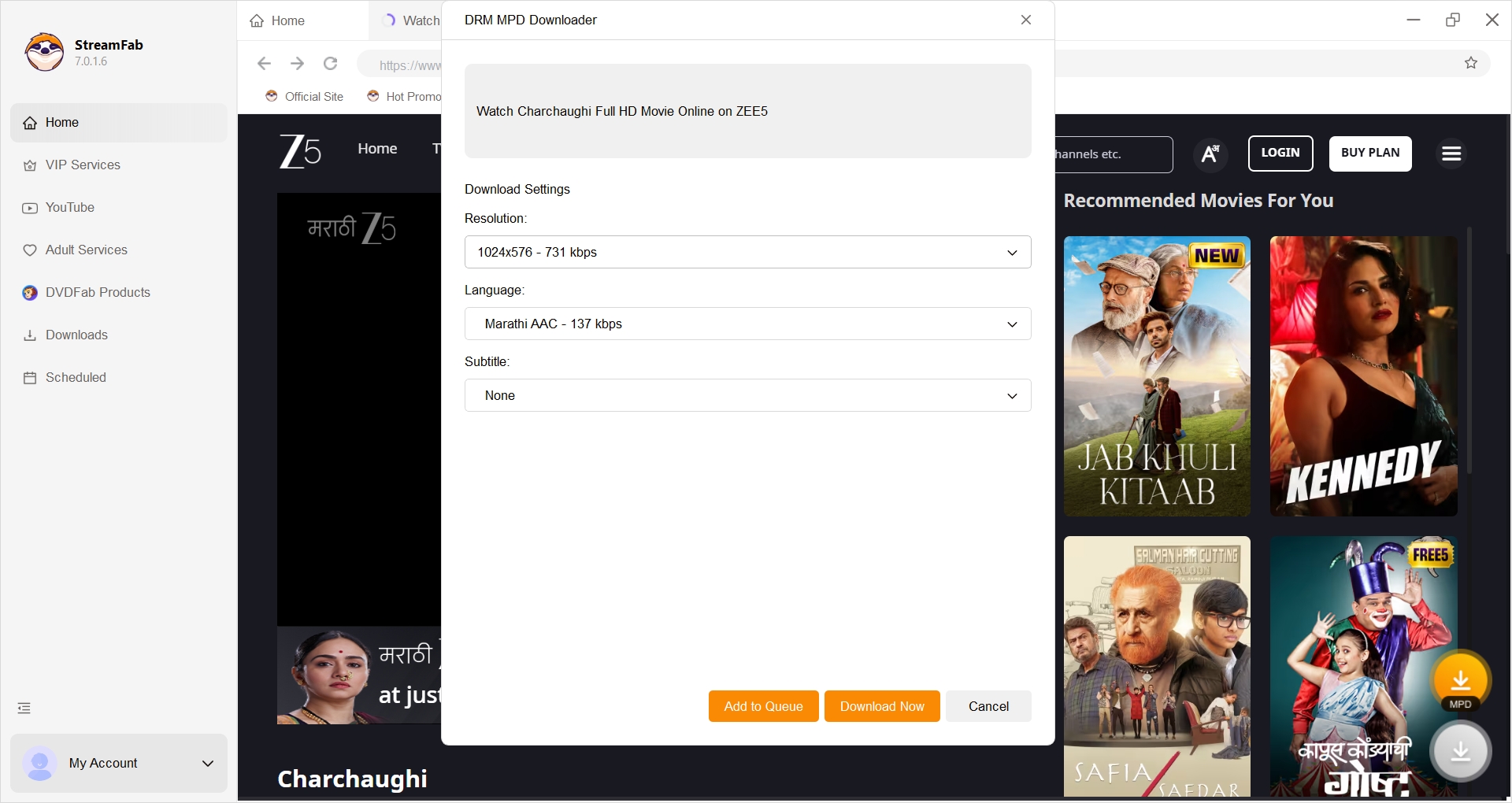
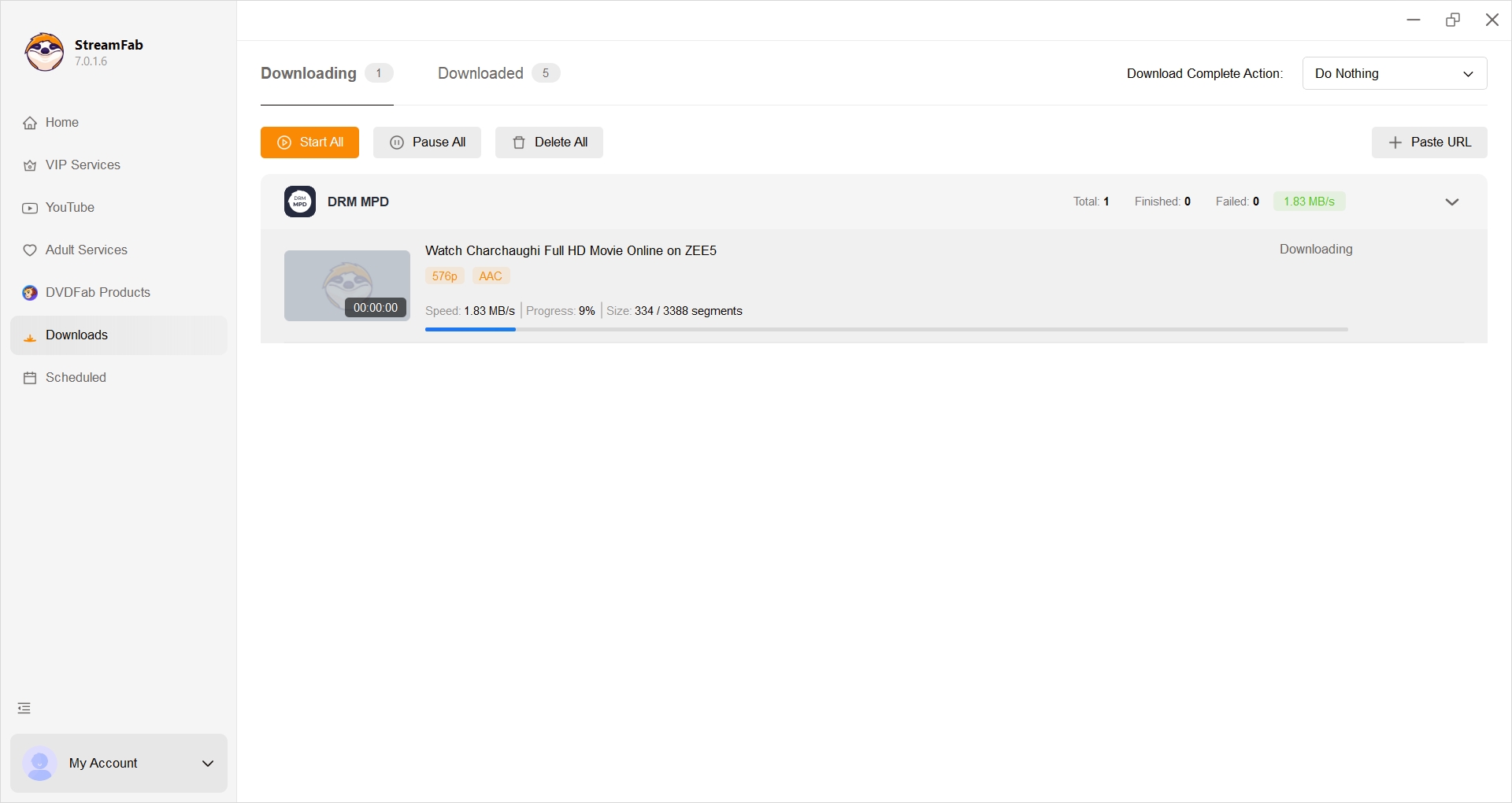
- Choose the available quality, audio, subtitle, and MP4 or MKV settings, then start the saving task.
Safety, Access, and Subtitle Limits
Legal access does not guarantee that every Gujarati film has the same US availability, subtitle track, or offline mode. Check those details at the title level.
Unauthorized Sites Add Real Risk
Unofficial streaming and download portals can bring unclear licensing, deceptive ads, unwanted software, unstable links, and poorly labeled files. A legal platform or an official studio channel is the safer first choice for free Gujarati movies.
Avoid treating a prominent download button as proof that a site has rights to the film. If the uploader, distributor, or service relationship is unclear, return to the title-first lookup instead.
Region Access Varies by Service
Gujarati movies in US catalogs can differ from the same service's India catalog. A platform name in a search result does not guarantee that the title is playable, rentable, or downloadable from a US account.
Check the provider's US title page and account region. If a movie is unavailable, look for another authorized distributor rather than trying to defeat regional controls.
Subtitle Support Varies by Title
Gujarati movies with English subtitles must be checked one title and edition at a time. A service can offer captions on one film and omit them on another, while a rental edition may differ from a subscription edition.
Before paying, inspect the language details on the title page. If local-file subtitle handling is the deciding factor, StreamFab's separate and embedded subtitle options explain that narrower workflow without changing the main task of finding a subtitled film.
Readers who rely on English or Hindi subtitles should treat missing language details as a reason to pause, not as evidence that subtitles will appear after purchase.
FAQs
These answers cover common US access questions that depend on the service or title rather than one platform-wide rule.
Is the JOJO app free or paid in the United States?
The US App Store lists JOJO as free with in-app purchases. That means browsing or installing the app may cost nothing, while particular titles, features, or access levels can still require payment.
Are Gujarati movies on Prime Video included with Prime?
It depends on the title. A Gujarati movie may be included with Prime, offered through a channel, available to rent or buy, or unavailable in the current US catalog, so read the access label on the movie page.
Which services carry Gujarati web series as well as movies?
ZEE5, JOJO, and current ShemarooMe offerings are the main places to check for Gujarati web series alongside movies. Catalogs differ by region and title, so use each service's US listing rather than assuming complete coverage.
Can I move an official offline download to Plex?
No. An ordinary official app download normally stays within that service's app and account controls. Plex organization requires a separate authorized local-file workflow for a supported service, with use limited to personal offline viewing under the applicable terms and law.
Conclusion
The right route depends on the movie, US availability, subtitle needs, budget, and whether you need app-only travel viewing or computer file organization.
- Browse at no cost: Start with official YouTube channels.
- Watch Gujarati movies regularly: Compare ShemarooMe, ZEE5, and JOJO by current US catalog fit.
- Find one specific film: Search the title first, then rent or purchase it if that costs less than a new subscription.
- Watch offline with minimal setup: Use official offline downloads when the title and plan support them.
- Organize authorized local files: Consider a supported Windows or Mac workflow only when portable MP4 downloads or MKV output solve a real need.
The strongest money-saving decision is also the least glamorous: do not subscribe until you know where the title lives. Start with the current US listing, confirm subtitles and access type, and choose the narrowest legal option that does the job.

Are you looking for the best media converter Mac software to address iTunes playback restrictions? Having a reliable video tool at hand will enable you to enjoy your iTunes movies and music for offline play flexibly. You have come to the right page. This post lists the top 5 best converters for Mac used to back up iTunes videos, audiobooks, and Apple Music on Mac easily.
By Nicole Lopez - Sep 29, 2026
Streaming video content is often protected by DRM (Digital Rights Management) technology to prevent users from downloading and recording. This article explains what DRM-protected content is and how to save videos for personal offline viewing.
By Nicole Lopez - Sep 28, 2026
This guide separates modern Apple TV video, Apple Music audio, and legacy iTunes libraries so readers can choose a realistic playback or export path. It covers MP4, M4V, and MKV compatibility, official redownload and iTunes Match eligibility, StreamFab and MusicFab workflows, hardware limits, and the boundaries for authorized personal use in the United States.
By Nicole Lopez - Sep 20, 2026
Identify protected and unprotected M4V files, use authorized Apple TV playback, convert compatible files, or choose a separate supported-streaming workflow.
By Erika Leen - Sep 8, 2026