
2026 iDownerGo Video Downloader Review: Tests & Safe Alternatives

Summary: If you have been searching for a video downloader that still works, the frustration is familiar: free web tools break every few weeks, long clips stop halfway, and every second result looks like a clone site. This iDownerGo Video Downloader review is written from that angle, not a marketing angle, and focuses on how well iDownerGo Pro actually downloads videos to MP4 in 2026 without wasting your evening or your money.
Table of Contents
- I am an editor who runs the same batch of URLs through every downloader I test, so I can compare like-for-like. Below you will find a 30-second verdict, my test setup, a verified capability matrix, safety and license notes, corrected 2026 iDownerGo price info, where iDownerGo struggles on premium streaming, and one desktop alternative worth considering for authorized offline viewing.
iDownerGo Review 2026: The Verdict in 30 Seconds
Short version from my desk: iDownerGo is a reasonable, low-cost desktop downloader for mainstream sites, playlist download tasks, and MP4 exports up to 1080p download and beyond. It is not the tool I would rely on for premium DRM streaming, and its Mac build felt less polished than the Windows one in my runs.
- Good fit for: readers who mainly grab clips from public video sites, want MP4 output, and prefer a paid app over unreliable iDownerGo free web-tool copies.
- Skip it if: your main use case is Netflix, HBO Max and similar DRM platforms, or if you work primarily on an Apple Silicon Mac and need heavy, all-day download queues.
- Top limits I hit in testing: inconsistent results on premium streaming links, a Mac build that felt less responsive on long queues, and a free tier restricted to MP4 or original video.
How We Tested iDownerGo: Setup and Pass/Fail Criteria
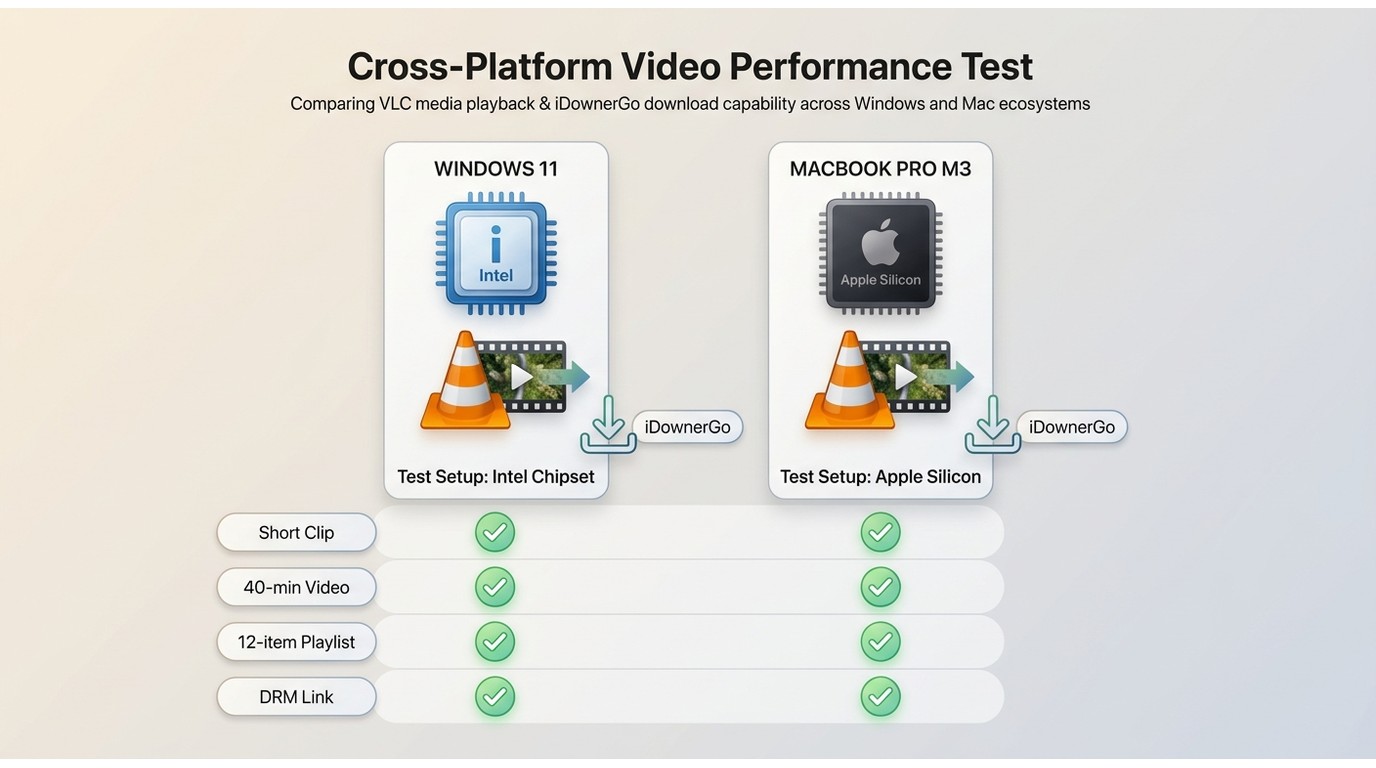
All notes below are from hands-on runs in July 2026 on two machines: a Windows 11 desktop (Intel i5, 16 GB RAM, GTX 1660) and a 14-inch MacBook Pro on Apple Silicon (M3, 16 GB RAM). I installed the current build from the official iDownerGo site, kept default output settings, and used the same sample set across tools.
- Sample URLs: a mainstream short clip, a 40-minute long-form video, a public playlist of 12 items, and a link from a major DRM streaming service.
- Output settings: MP4 at the highest available resolution, default audio track, no subtitles unless the source offered them.
- Pass/fail criteria: the file must open in VLC, play from start to finish with audio and video in sync, and match the source duration within a couple of seconds. Playlists must complete every item without a manual retry.
- What I measured: wall-clock time for the long video, playlist completion rate, and whether the free tier could deliver a usable MP4 without a prompt to upgrade.
I separate what I observed from what I would conclude. When I could not measure something reliably, I say so instead of quoting a number.
What iDownerGo Can Actually Download in 2026
The core proposition here is broad site coverage plus MP4 export. Out of the box, iDownerGo also acts as one of the best Audiomack downloaders for extracting audio to MP3. That covers most of the mainstream reader intent; the DRM story is a separate section further down.
Supported Sites, Formats and Resolutions
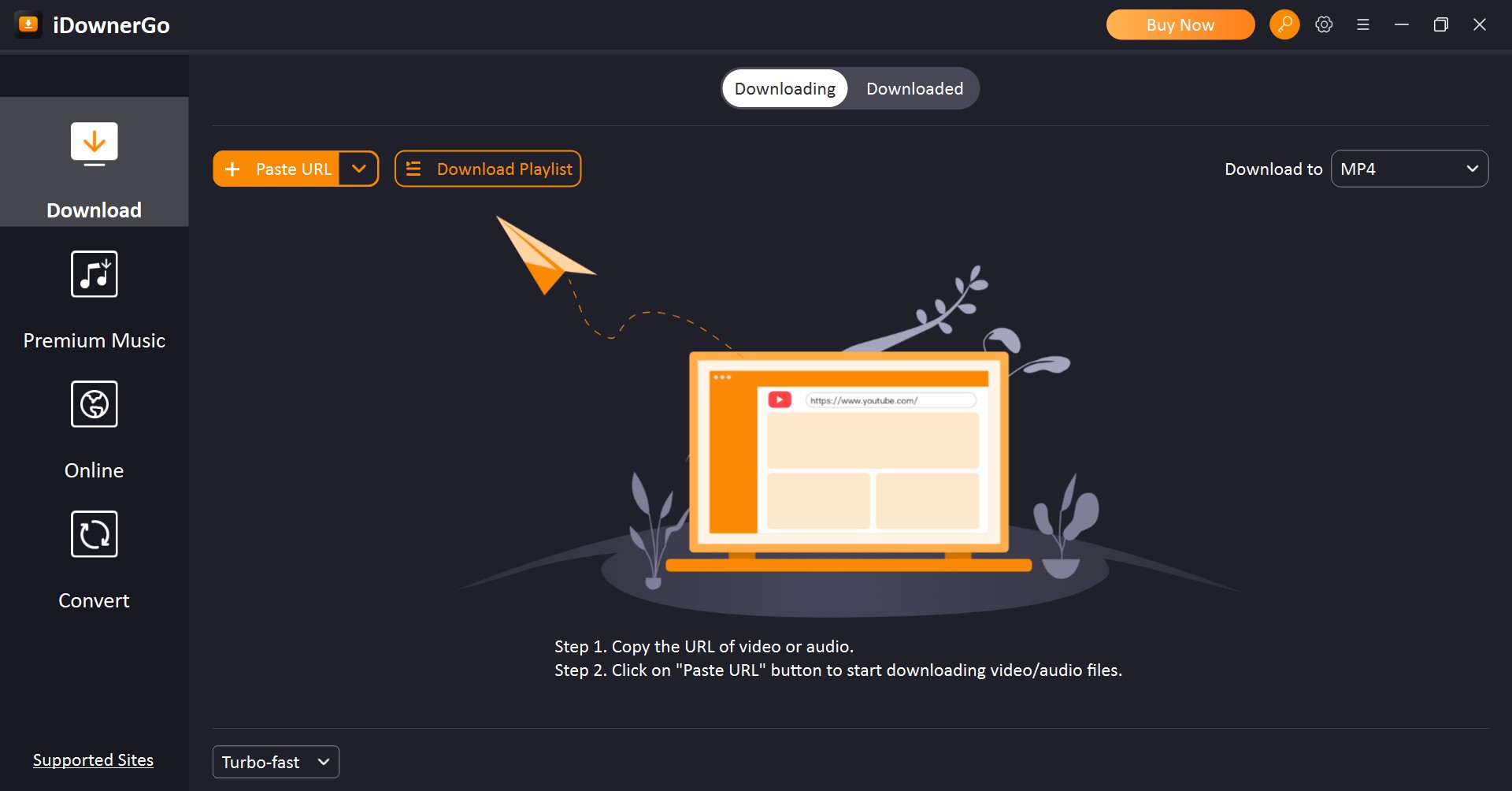
| Capability | iDownerGo Video Downloader |
|---|---|
| Supported sites | Advertised support for 10,000+ mainstream video and social sites |
| Video output formats | MP4, MOV, 3GP (original video kept as-is) |
| Audio output formats | MP3, AAC |
| Maximum resolution | Up to 8K where the source provides it |
| Playlists | Yes, batch playlist download supported |
| Subtitles | Where the source exposes them; not universal |
| Batch downloads | Yes, queue-based |
| OS support | Windows 10/11, macOS, Android |
| Free tier output | MP4 and original video only; other formats require a paid plan |
Values above are from the official iDownerGo product page as of July 2026. In my own runs the mainstream clip, the 40-minute long video and the 12-item public playlist all completed as MP4 files that opened in VLC with audio in sync.
Mac and Apple Silicon Performance
On my M3 MacBook, the Mac build worked but felt less responsive than the Windows build during long queues. The interface occasionally lagged after 20-30 minutes of continuous downloads. I could not reproduce a specific memory-leak figure, so I report this as an impression from my sessions rather than a measured result. If you plan to leave overnight batches running on a Mac, it is worth testing on the free tier first.
Is iDownerGo Safe? Installers, Licenses and Fakes
From a pure malware angle, the official installer scanned clean on VirusTotal when I checked in July 2026, with no Trojan or miner flags. In 2026 the real safety risk sits elsewhere.
Official Installer, License Keys and Fake Copies
The pattern I keep seeing across reader questions is the same: someone searches for an iDownerGo crack or a free iDownerGo license key, lands on a clone site, and installs something that is not the real app. Cracked builds and shared license keys are a well-known malware vector, and they also strip you of the official 30-day money-back guarantee that comes with a legitimate purchase.
My take: install only from the official iDownerGo site and buy a real license if you want the paid formats. It is cheaper than one bad malware incident, and it keeps the refund option on the table if the tool does not suit your workflow.
Account, Login and Legal-Use Notes
Any downloader that logs into a site on your behalf carries some account risk if you push it too hard. I did not observe account issues at normal use levels in testing, but I would still keep batch sizes modest on any site where your account matters. Only save content you are authorized to access, where permitted by the platform's terms of service and applicable law.
How to Use iDownerGo Video Downloader
Download and start the video downloader
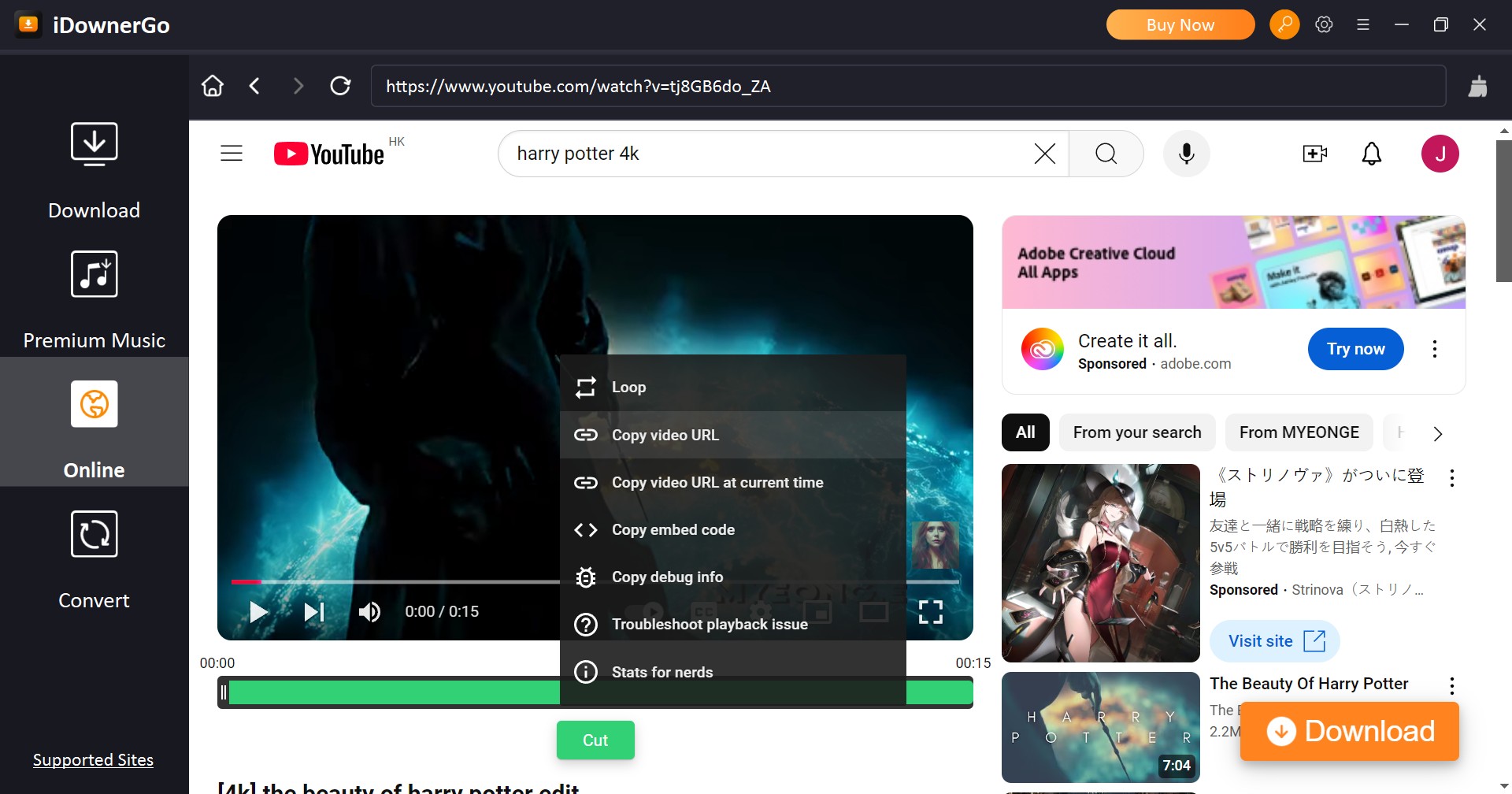
Search for the video you want with a built-in browser, then click the download button to start. Or copy and paste the video link from the address bar.
Customize the file
Set the output format and quality options in your desire. Then apply the settings to let the downloads begin.
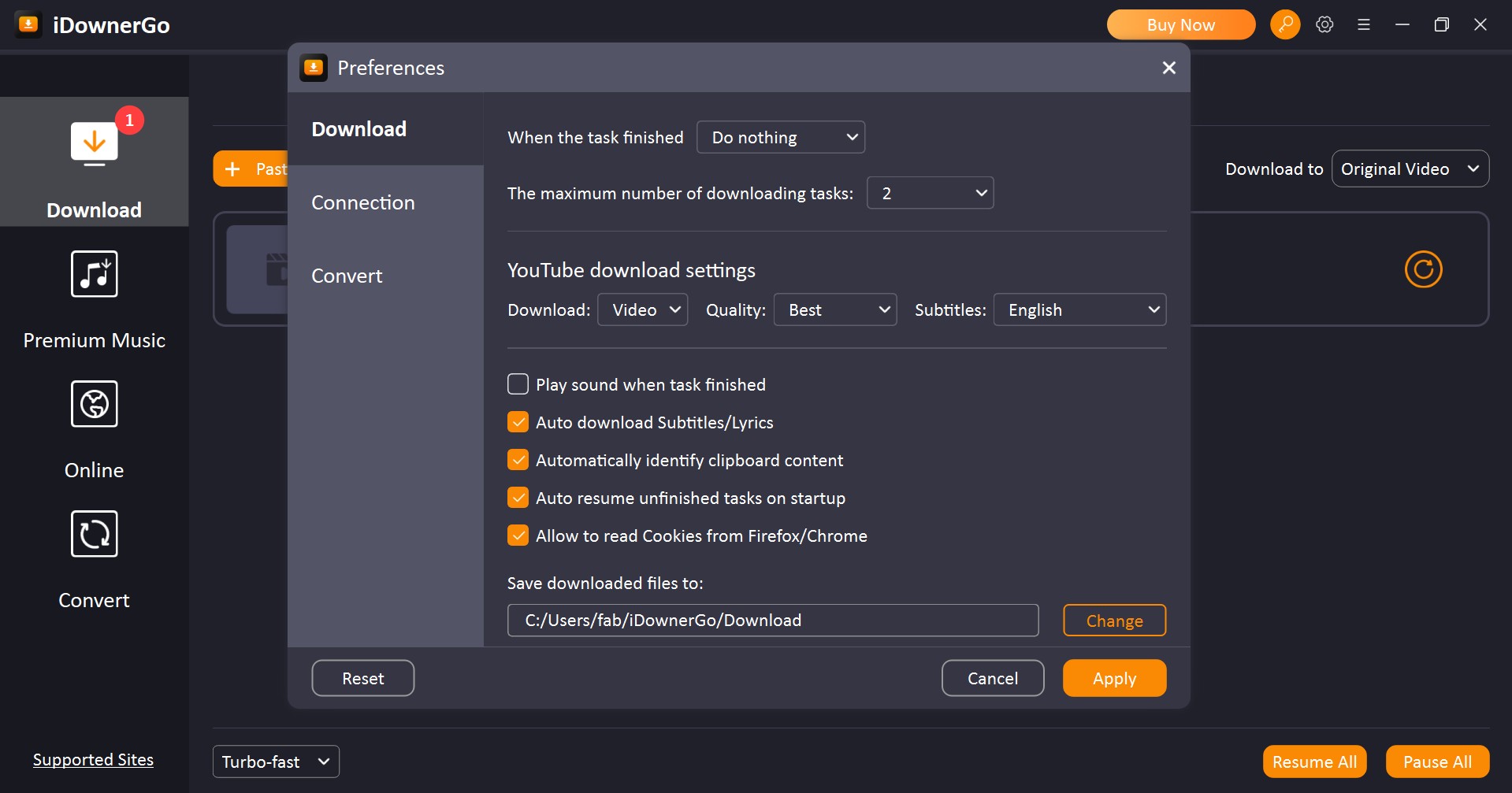
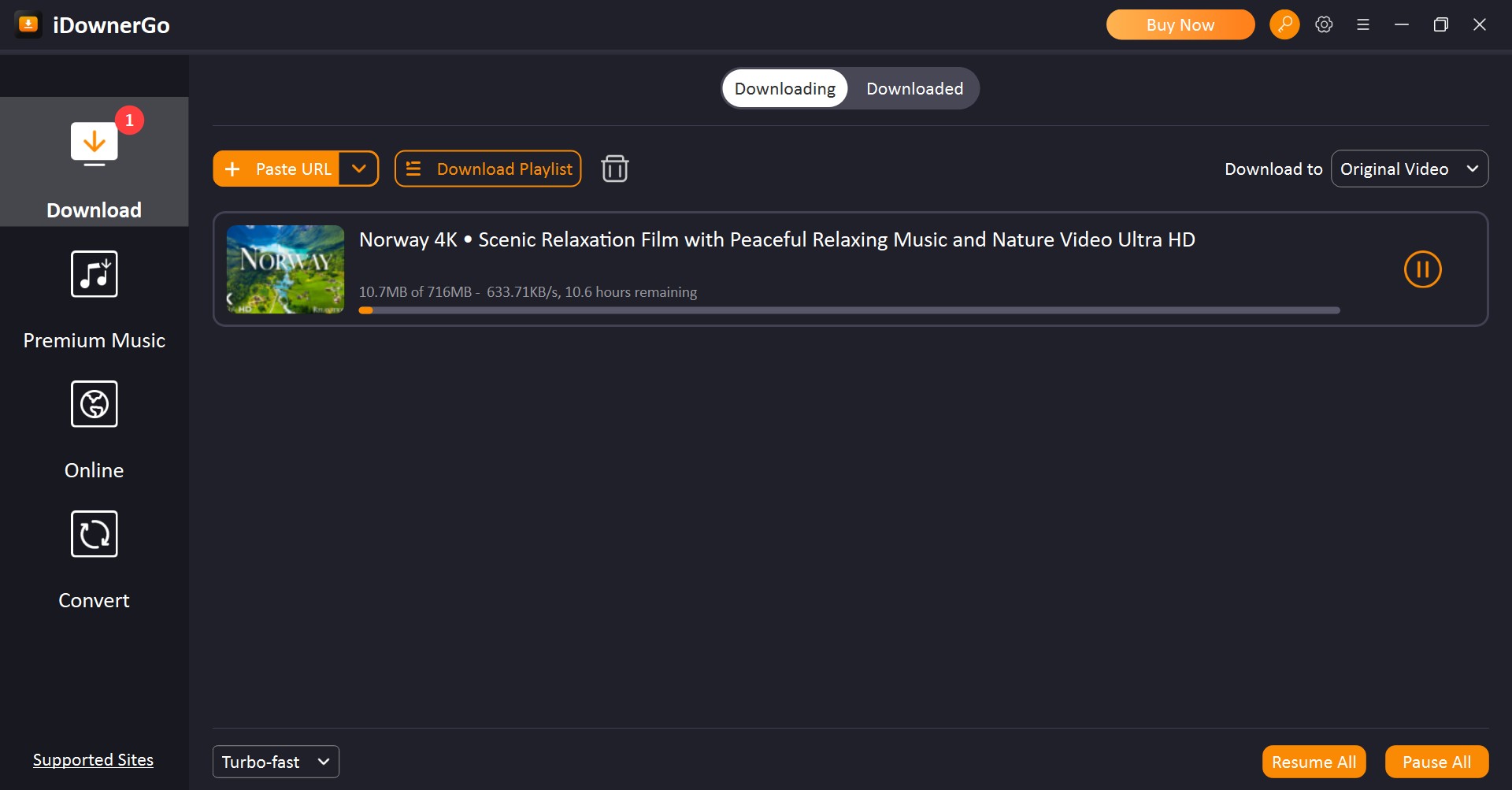
Download the video
Wait until the downloads are finished, you can watch the movies with a local player. And the movie files can be found in the downloads folder you set.
Where iDownerGo Struggles on Premium Streaming
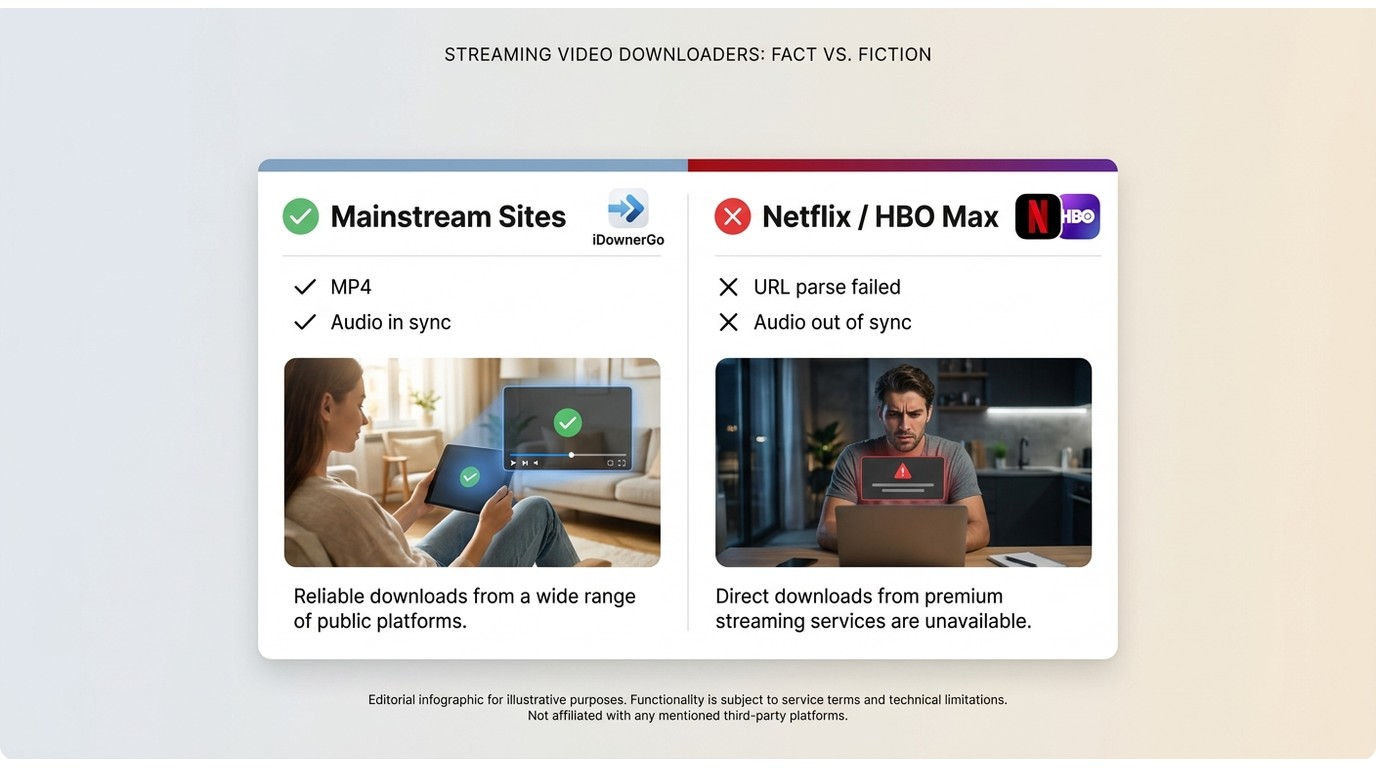
iDownerGo positions itself around mainstream sites, and that is where it belongs. When I pasted an iDownerGo Netflix video downloader-style link, results were hit-or-miss: URL parsing often failed outright, and when a file did come through the audio could arrive out of sync with the video. Similar patterns showed up with other premium platforms.
My reading is straightforward. If premium streaming is your main use case, iDownerGo is not the right pick and pushing it harder does not change the result. A purpose-built desktop tool designed for those platforms is the more reliable route for content you are authorized to keep offline. If you mainly download from public video sites, none of this affects your day-to-day.
iDownerGo Pricing and Refund Policy in 2026
iDownerGo is not free beyond the MP4/original-video tier. As of July 2026, the official store lists these US prices. Individual plans cover 1 PC; the family plan covers 2-5 PCs. Prices exclude tax, and every plan is backed by a 30-day money-back guarantee.
| Plan | 1-Month Plan | 1-Year Plan | Lifetime Plan | Family Plan |
|---|---|---|---|---|
| Price | Win$9.95 | Win$29.95 | Win$39.95 | Win/Mac $69.95 |
| Mac$12.95 | Mac$29.95 | Mac$49.95 | ||
Number of Licensed Devices | 1 | 1 | 1 | 2-5 |
Expiration Time | 1 month | 1 year | lifetime | lifetime |
Source: official iDownerGo store, as of July 2026. If a plan does not suit your workflow, the 30-day refund window is the safety net worth remembering.
StreamFab: A Desktop Alternative for Streaming Video
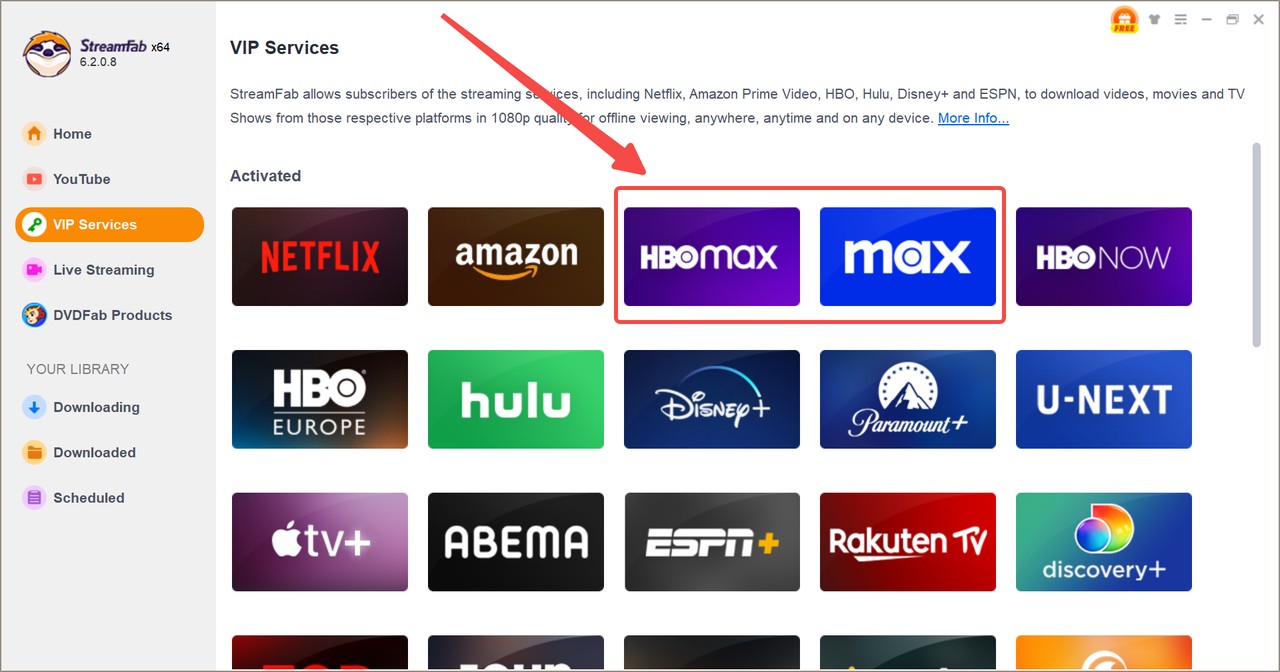
When your need shifts from mainstream MP4 grabs to keeping a local copy of a show you already pay to stream, the tool has to change too. For content you are authorized to access, where permitted by platform terms and applicable law, StreamFab All-In-One is one practical desktop option for Windows and Mac users to save a personal offline copy.
My honest fit note: StreamFab is heavier than iDownerGo and priced accordingly, so it is not the right pick if all you want is a MP4 off a public video site. It earns its place when you have a specific streaming service in mind, want a file that plays anywhere, or need dependable overnight queues. Canadian readers, for example, use it to download CTV video for authorized offline viewing.
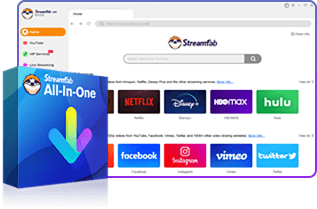
- Hardware Acceleration for 8K Quality
- Native M-Chip Mac & Win Support
- Premium EAC3/AC3 5.1 Audio Extraction
- SSAI Dynamic Ad Filtering Built-in
- Auto-Updates for 2026 Widevine CDM
iDownerGo vs StreamFab, Side by Side
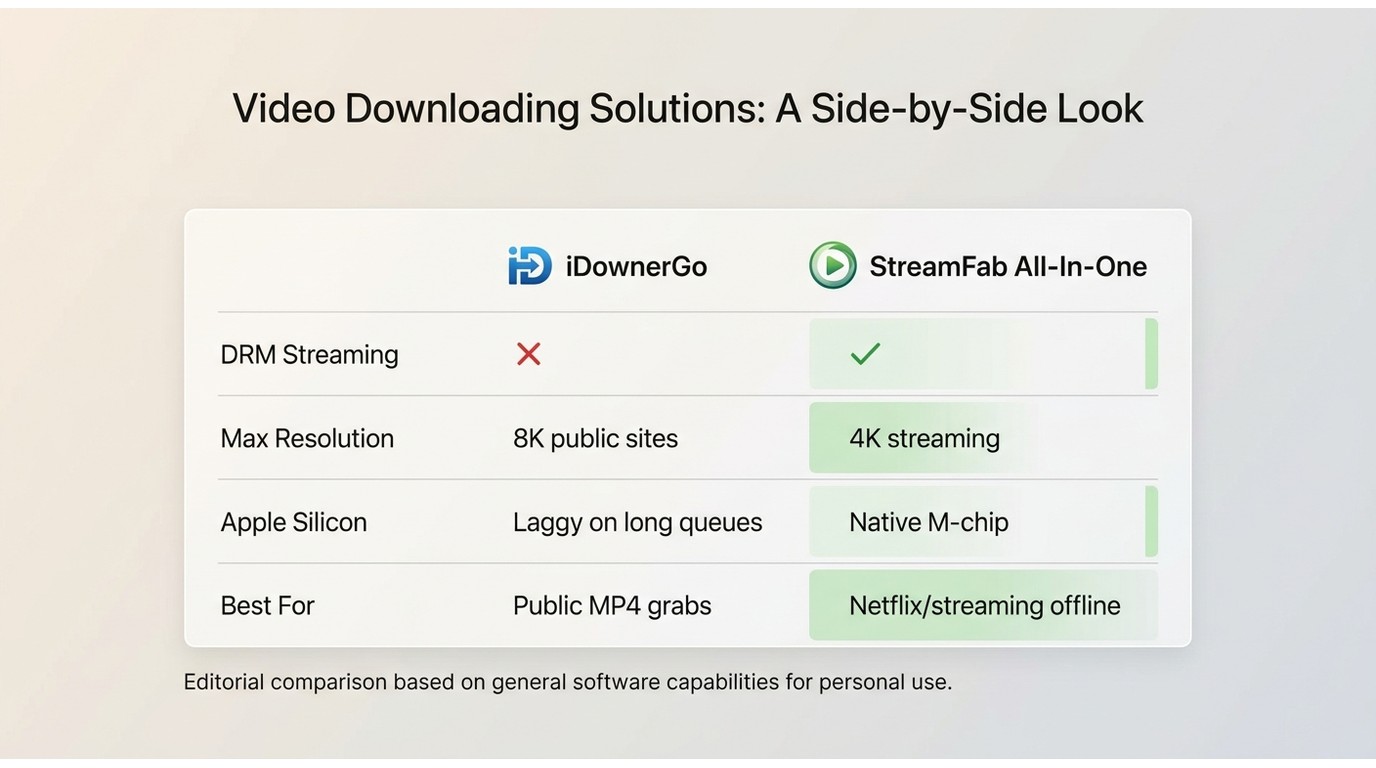
Only verifiable dimensions here. Values are drawn from each product's official page as of July 2026 and my own July 2026 test runs on Windows 11 and macOS on Apple Silicon.
| Dimension | StreamFab | iDownerGo Video Downloader |
|---|---|---|
Primary use case | Save streaming service video for authorized personal offline viewing | Save mainstream video and social site clips to MP4 |
Output formats | MP4, MKV | MP4, MOV, 3GP, plus MP3/AAC audio |
Maximum resolution | Up to platform maximum, including 4K/8K where offered Up to 8K where the source provides it | Audio and subtitles Multi-track audio and subtitle handling on supported services |
Source audio track; subtitles where the site exposes them | Batch and scheduled downloads Yes, batch plus scheduled overnight tasks | Yes, queue-based batch downloads OS support |
Windows 10/11 and macOS (Apple Silicon supported) | Windows 10/11, macOS, Android | Starting price |
Practical tip: if a streaming link refuses to parse in any downloader, clear the built-in browser cache and sign into the source site again before assuming the tool is broken. Stale session data is the most common cause of the "Video Initialization Failed" prompt in my experience.
StreamFab Workflow Guide
StreamFab runs locally and can save files at the source resolution offered by the platform, including 4K where available. For readers who care about long-video completion and playing the file anywhere without extra conversion, that is the practical draw.
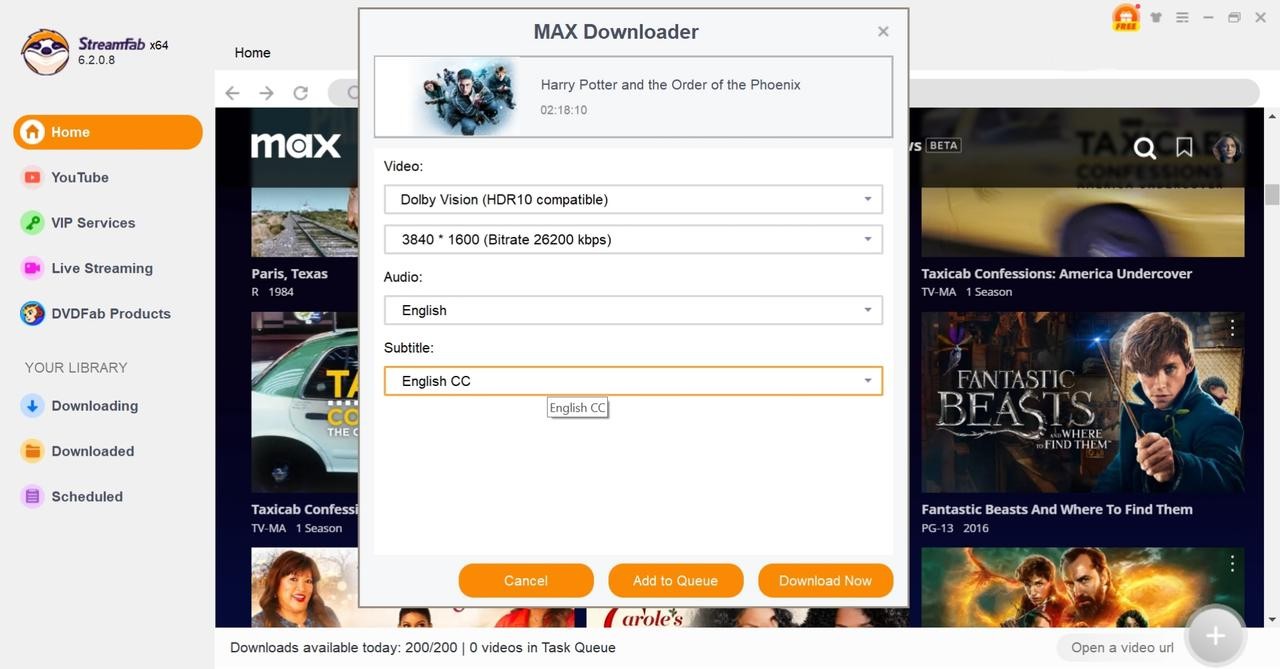
Customize the file
Set the video codec, resolution, and subtitle you want. After everything is set, click the "Download Now" button to start downloading.
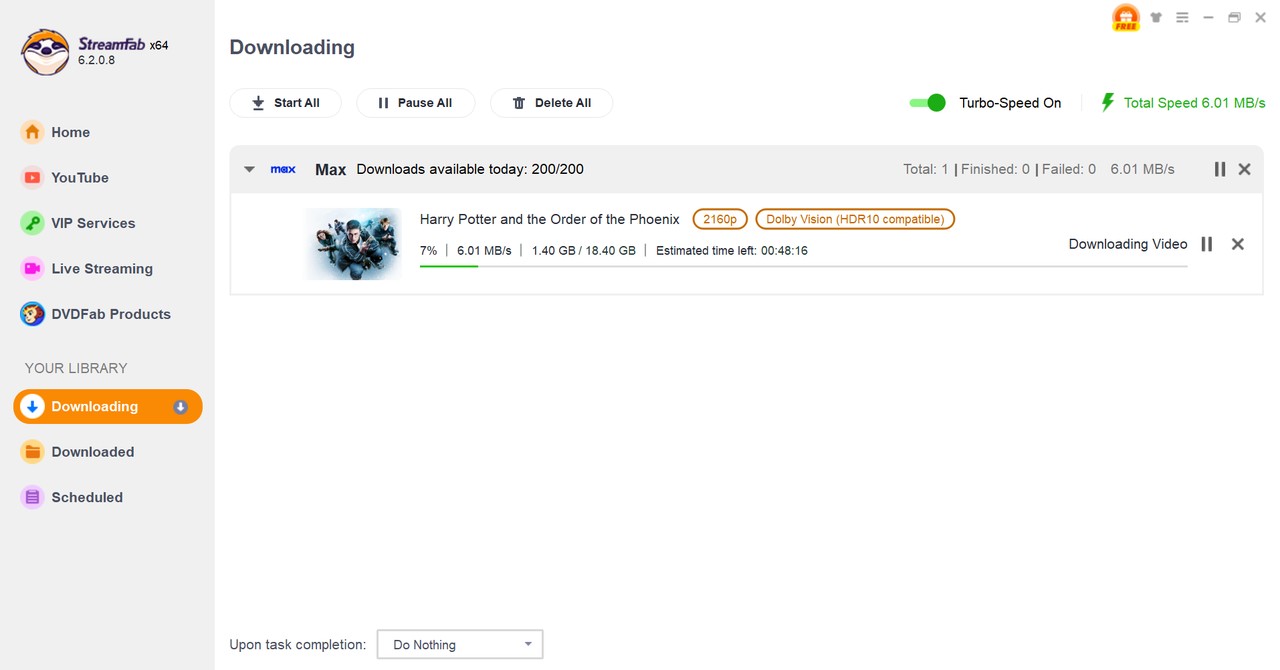
Wait until the downloads finished
Wait for several minutes till the downloads are finished and enjoy it. You can find downloaded videos in the download directory folder.
iDownerGo Review FAQ
Are cracked iDownerGo versions or free license keys safe to use?
No. Cracked builds and shared license keys are a common malware vector, and clone sites impersonating iDownerGo have been reported for years. Install only from the official iDownerGo site and buy a legitimate license, which also keeps you inside the 30-day money-back guarantee.
Can iDownerGo download Netflix or other premium streaming?
In my July 2026 tests, iDownerGo handled mainstream video sites well but was unreliable on premium platforms like Netflix. Links often failed to parse, and when a file did come through the audio could be out of sync. For those services, a purpose-built desktop tool is a better fit for authorized offline viewing.
What video formats and resolutions does iDownerGo export?
iDownerGo can save MP4, MOV, 3GP and audio formats like MP3 and AAC, and it advertises resolutions up to 8K where the source provides them. On the free tier, only MP4 and original video are available; the other formats require a paid plan.
My iDownerGo is not working. What should I check first?
Update to the latest official build, clear the built-in browser cache, sign into the source site again inside iDownerGo, and retry the link. If a single site still fails, confirm it is on the supported list before assuming the app is broken.
Conclusion
Pulling my July 2026 notes together: iDownerGo is reasonable value if you mainly grab mainstream site videos as MP4 and want a paid app that is more dependable than free web tools. It is not the pick if premium streaming services are your main target, and its Mac build lags the Windows one for heavy queues.
If your needs shift toward saving streaming service video for authorized personal offline viewing, or you care about long-video completion and files that play anywhere, StreamFab All-In-One is one practical desktop alternative to test alongside it. Pick the tool that matches your actual use case, not the one with the loudest marketing.


Evaluating the Audials One 2026 free trial? I tested its 720p caps, examined if is audials legal under Fair Use
By Erika Leen - Sep 29, 2026

Are you thinking of purchasing NoteBurner and unsure if it’s worth the investment? In this NoteBurner review, let’s delve into its product lines, particularly the NoteBurner Video Downloader’s pros and cons.
By Marcia Hatcher - Sep 28, 2026

Read our in-depth Audials review for 2026. Is Audials safe and legal for Amazon Prime? Discover actual test results, Widevine DRM fixes, and better alternatives.
By Erika Leen - Sep 28, 2026
TuneFab’s Amazon downloader suits a focused desktop routine, while VideOne covers multiple services. Compare their workflows, license structures, and output checks with StreamFab, then use the numbered setup and maintenance steps for authorized personal offline viewing.
By Erika Leen - Sep 24, 2026