
iTubeGo Review 2026: Real Tests, Free Limits & 5 Alternatives

Summary: Based on my review, iTubego remains a practical YouTube downloader for ordinary videos, MP3 extraction, and playlists, but recent parsing failures, a tightly limited trial, and premium-OTT trade-offs make iTubego a situational purchase rather than an automatic recommendation.
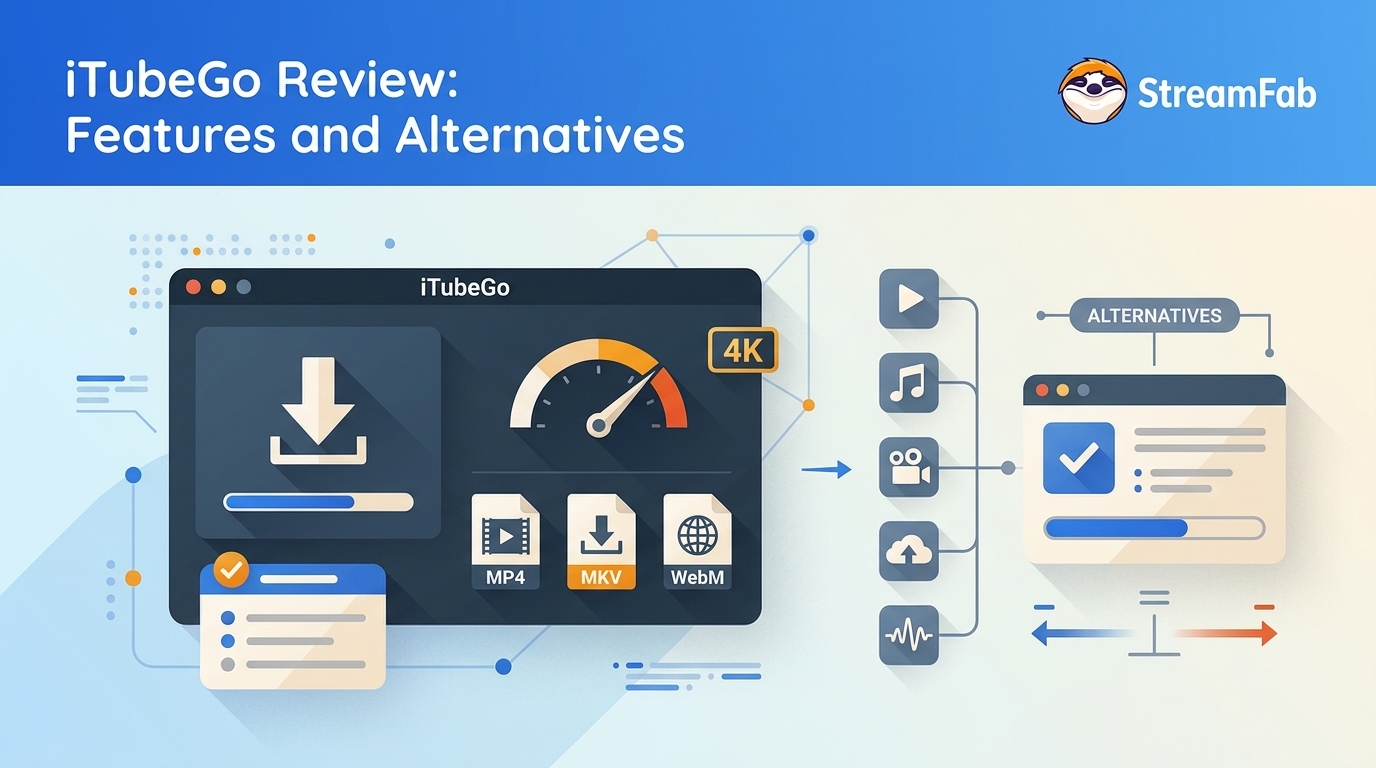
The quick takeaway: iTubeGo remains a practical YouTube downloader for ordinary videos, MP3 extraction, and playlists, but recent parsing failures, a tightly limited trial, and premium-OTT trade-offs make it a situational purchase rather than an automatic recommendation.
What Is iTubeGo Downloader?
iTubeGo is a desktop and Android video downloader centered on YouTube, social sites, playlists, channels, and audio extraction. Its appeal is straightforward: paste a URL, choose an available format and resolution, then save the result for personal offline use.
For this YouTube downloader review, the useful distinction is not the length of its feature list. It is whether iTubeGo handles the sources you use consistently and whether its license limits match your workflow.
How We Tested iTubeGo
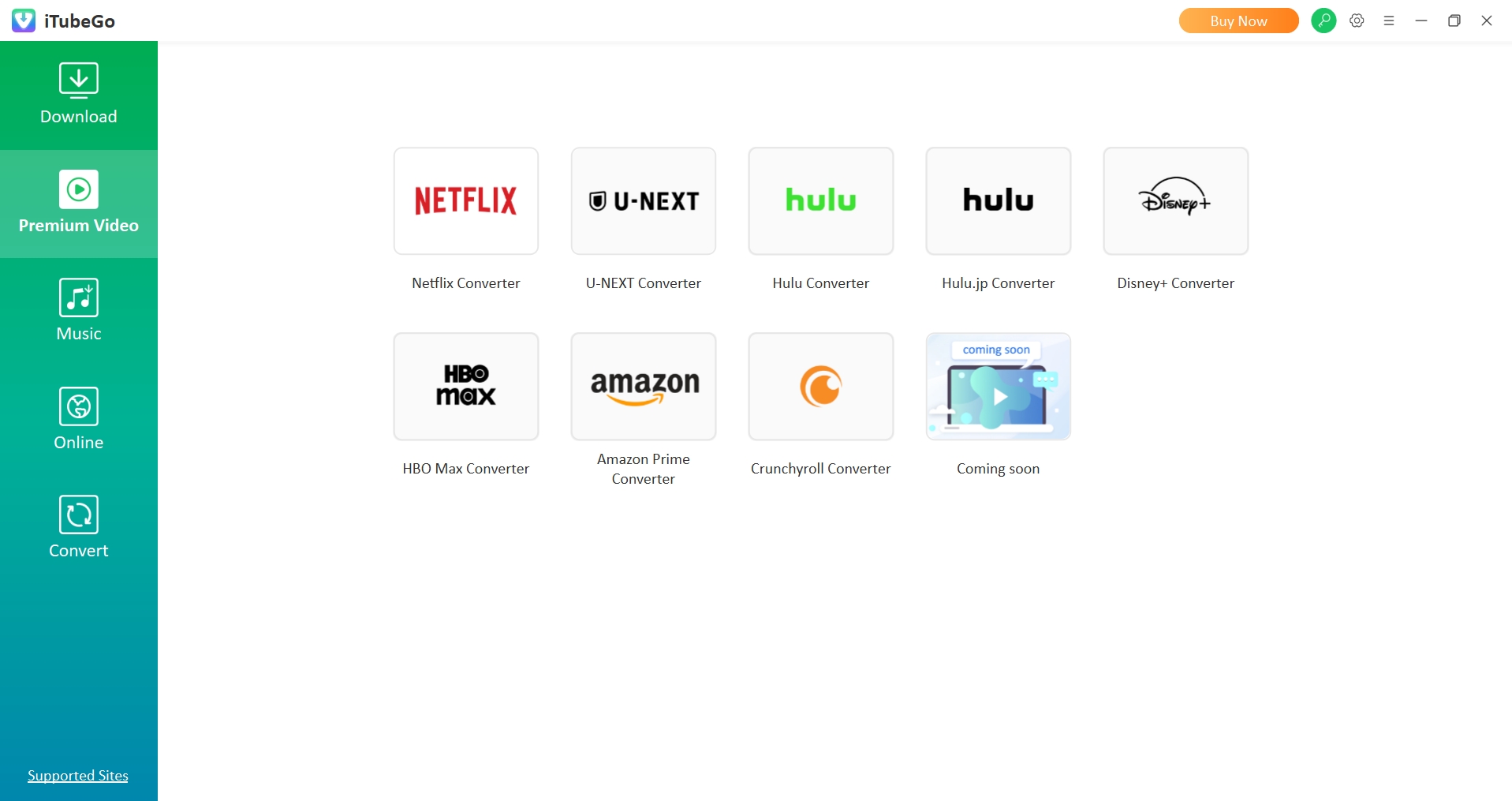
This assessment draws on hands-on checks with the latest iTubeGo desktop build on Windows 11 and macOS Sonoma over a home broadband connection.
The checks focused on ordinary YouTube video and playlist URLs, the URL-analysis stage, available format and subtitle controls, and retry behavior. That setup can reveal workflow friction, but it cannot prove uninterrupted support after every YouTube-side change.
iTubeGo Features, Formats, and Supported Sites
iTubeGo states that its Windows, macOS, and Android apps cover video, audio, playlists, channels, subtitles, and private or cookie-assisted workflows. Actual resolution and site availability remain source-dependent.
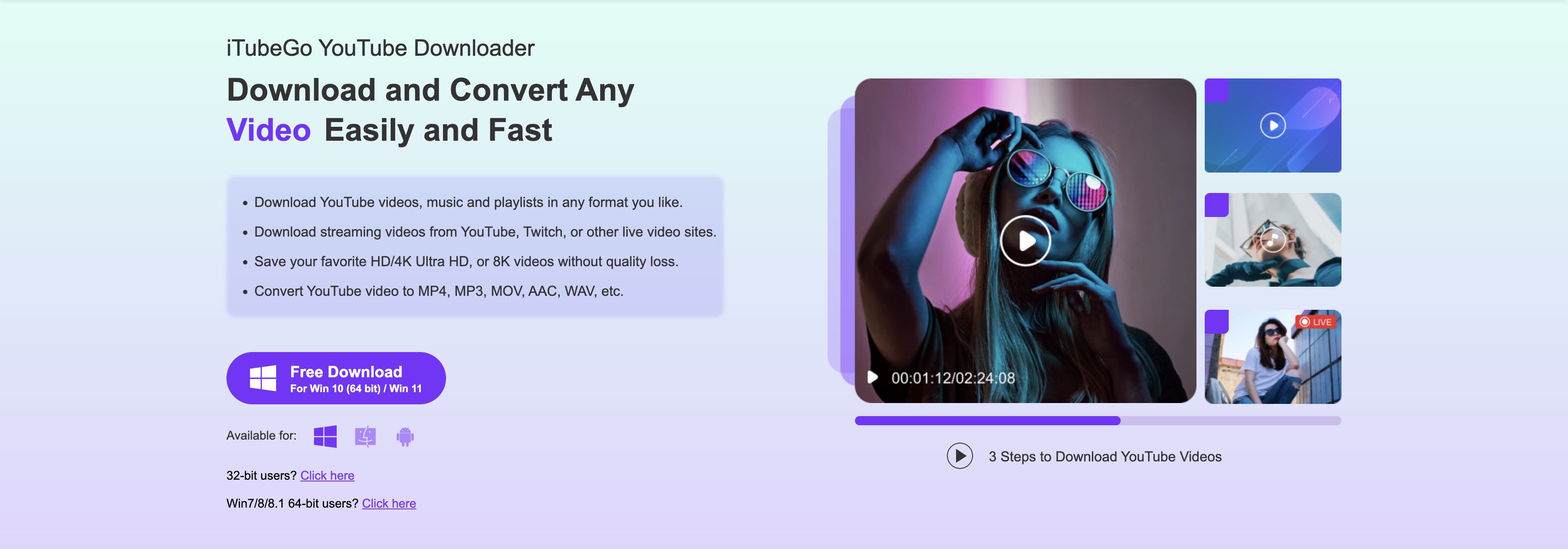
| Capability | iTubeGo stated support |
|---|---|
| Operating systems | Windows, macOS, and Android |
| Video and audio formats | MP4, MP3, MKV, and additional conversion formats |
| Resolution | Up to 8K when the source provides it |
| Audio | MP3 up to 320 kbps |
| Bulk tasks | Videos, playlists, channels, and batch queues |
| Subtitles | More than 50 stated subtitle languages |
| Private content workflow | Built-in browser, cookies where required, and a password-protected private folder |
| Editing | Built-in trimming, cutting, and cropping |
Capability details reflect iTubeGo's official product materials; availability depends on the source site and source media.
Note:Site support can change when a platform updates its pages or playback flow. Practical check: Test the exact video, playlist, subtitle, and resolution workflow you need during the trial rather than relying on the supported-site count alone.
Does iTubeGo Still Download YouTube Videos?
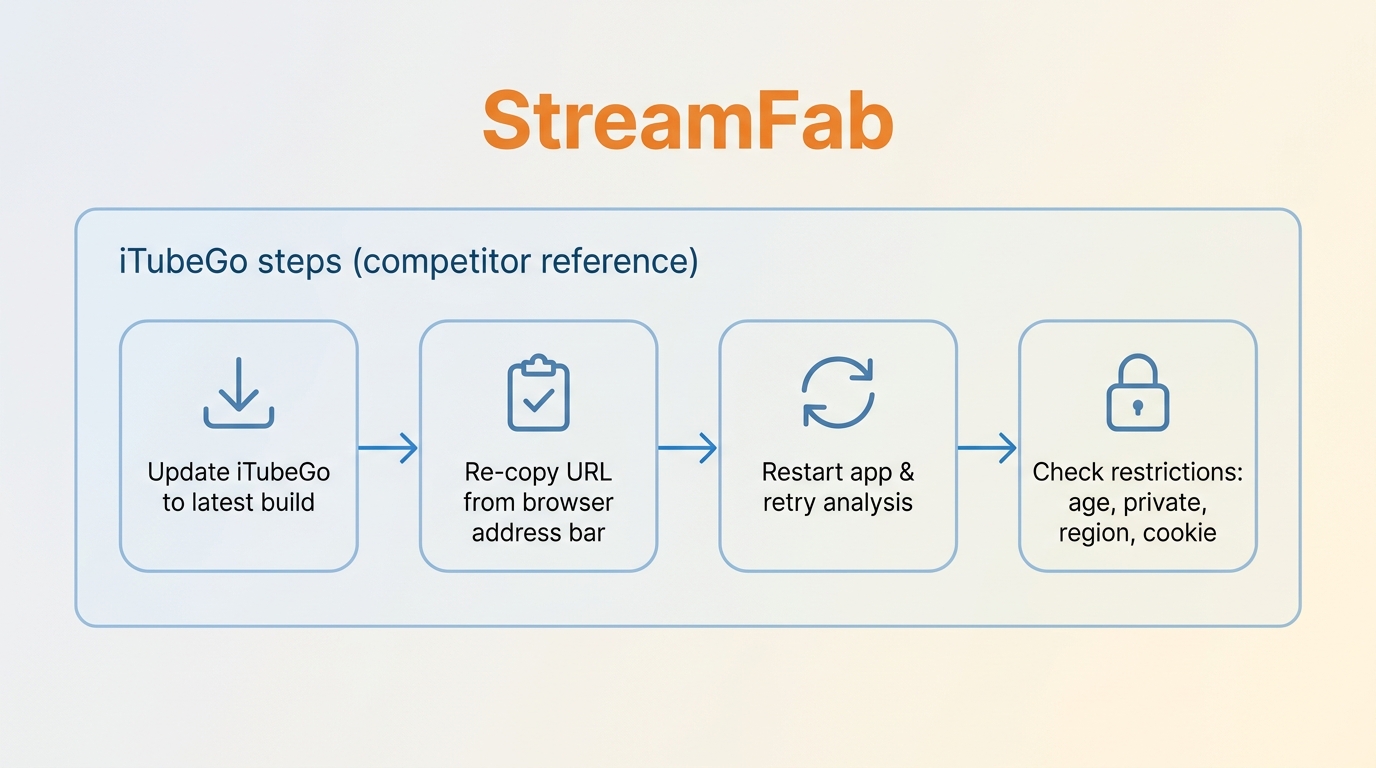
Yes, iTubeGo can still download many ordinary YouTube videos and playlists, but iTubeGo not working after a YouTube change is a recurring reliability issue rather than proof that the app is permanently broken.
- Update iTubeGo to the newest available build.
- Copy the video or playlist URL again from the browser address bar.
- Retry the analysis after restarting the app.
- Check whether the video is age-restricted, private, region-limited, or requires an account cookie.
If several ordinary public URLs fail after an update and retry, switching tools is more productive than repeating the same queue. A separate StreamFab YouTube downloader guide explains another desktop workflow for supported YouTube content.
iTubeGo Pricing and Free-Trial Limits
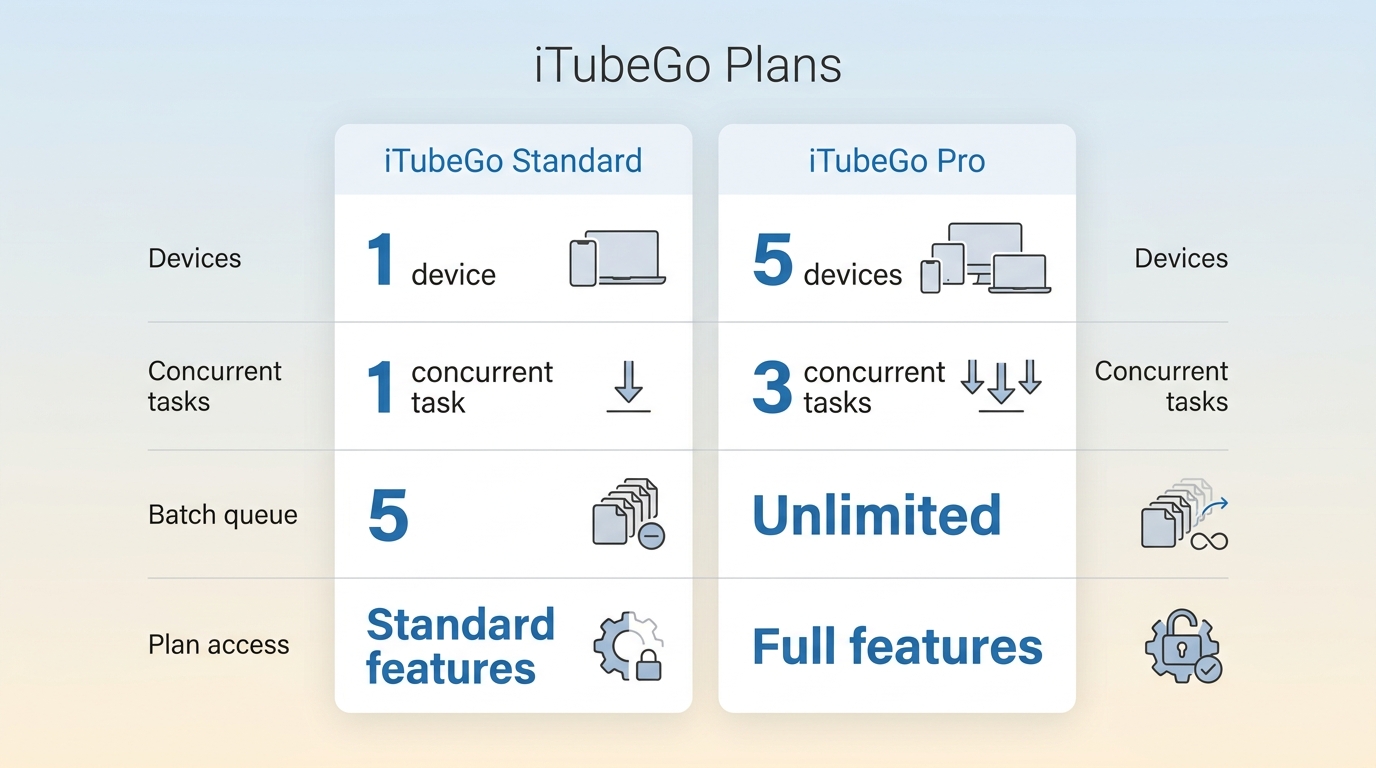
iTubeGo sells Standard and Pro tiers with monthly, yearly, lifetime, and family license framing. Exact U.S. figures should be read at checkout because the current prices did not render during the assessment, as of July 2026.
The iTubeGo free version is a limited trial: speed and file count are capped, while paid licenses introduce device activation, reinstall, transfer, and conditional-refund considerations. Pro is aimed at heavier task limits; Standard covers the core download workflow.
Is iTubeGo Safe to Install and Use?
iTubeGo is safest when the installer comes from its official site, account cookies are handled cautiously, and downloads are limited to content you are authorized to access. Safety is a layered question, not a blanket yes-or-no label.
- Installer: use the official package and scan it before installation.
- Antivirus alerts: occasional false-positive reports deserve review; disabling security software is not a sensible default response.
- Cookies and private videos: cookie-based access can expose active account sessions to the app, so use the minimum permissions needed and sign out when finished.
- Copyright and platform rules: keep use personal, noncommercial, and limited to material you may access.
The real trade-off is convenience versus account exposure. The same questions apply to any desktop downloader, and this StreamFab safety audit shows the checks worth applying to another app before installation.
What Real Users Say About iTubeGo
Mid-2026 marketplace and community discussions show a mixed pattern: users value simple URL handling and playlist support, while recent complaints focus on YouTube failures, activation friction, slow progress feedback, and confusing output folders.
- Positive themes: familiar paste-and-download workflow, playlist handling, MP3 extraction, and acceptable speed when a site is supported.
- Negative themes: parsing failures after site changes, reinstall or device-transfer friction, repeated analysis attempts, and uncertainty about where completed files were saved.
The practical signal is consistency, not the loudest individual rating. A paid license is easier to justify when the trial succeeds on the exact sources and queue sizes you use.
iTubeGo Pros and Cons
iTubeGo's strengths are format breadth and an approachable YouTube workflow; its weaknesses are reliability and licensing friction. The balance favors casual and playlist users more than people who need predictable premium-streaming jobs.
- MP4, MP3, MKV, subtitle, playlist, channel, and batch options in one interface.
- MP3 output up to 320 kbps and source-dependent video resolution.
- Windows, iTubeGo Mac, and iTubeGo Android options.
- A built-in trimmer for quick cuts before export.
- Recent YouTube parsing failures may require an update, a fresh URL, and another analysis attempt.
- A single-device license can create activation or reinstall friction; plan device changes before moving systems.
- Age-restricted and private videos may fail without an authenticated cookie workflow.
- Slow URL analysis and occasional output defects make trial testing important for larger queues.
Who Should Use iTubeGo, and Who Should Not
iTubeGo is worth considering for everyday YouTube and social downloads, especially when MP3 extraction or playlist queues matter. It is less convincing when premium OTT coverage or uninterrupted parsing after site changes is the main requirement.
Best for: casual clip savers, MP3 users, people who download YouTube playlists, and buyers whose own trial URLs complete successfully.
Not ideal for: people who expect unrestricted free use, need painless license transfers, or depend on a premium OTT workflow with scheduled episodes and multichannel audio.
Best iTubeGo Alternatives in 2026
The right video downloader in 2026 depends on the source. 4K Video Downloader Plus, SnapDownloader, and iTubeGo target YouTube and social media, while StreamFab All-In-One is aimed at authorized premium OTT offline workflows.
The 4K Video Downloader Plus review is most relevant to playlist and channel users. Our SnapDownloader review covers another multi-site desktop option. yt-dlp with Stacher suits users comfortable with a more hands-on interface, though it is outside the four-product matrix below.
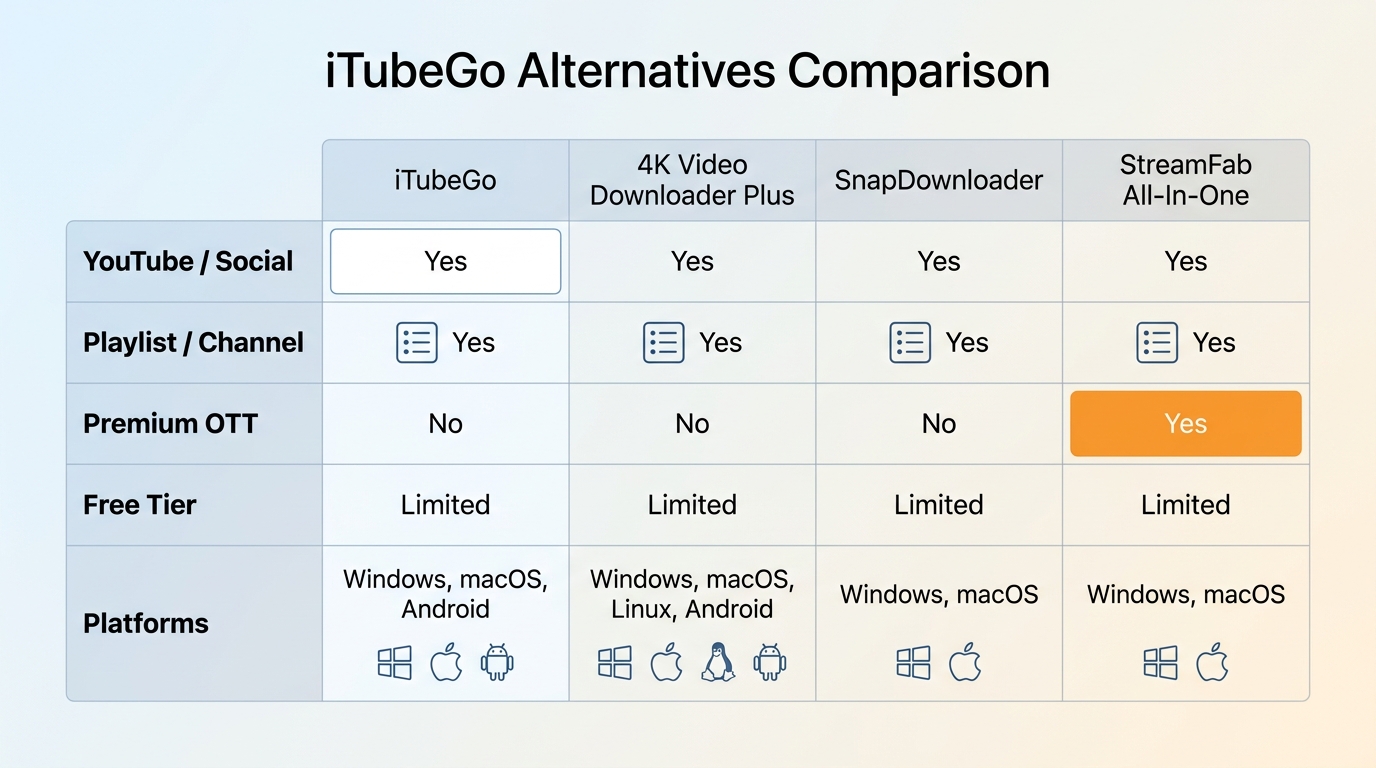
For content you're authorized to access, where permitted by platform terms and applicable law, StreamFab All-In-One is a desktop option for saving local MP4 or MKV copies from supported premium services for personal offline viewing.

Its relevant strengths here are output up to the platform and plan maximum, selectable multichannel audio, and batch or scheduled episode tasks on Windows and macOS. It is not ideal for users who only need occasional free YouTube clips.
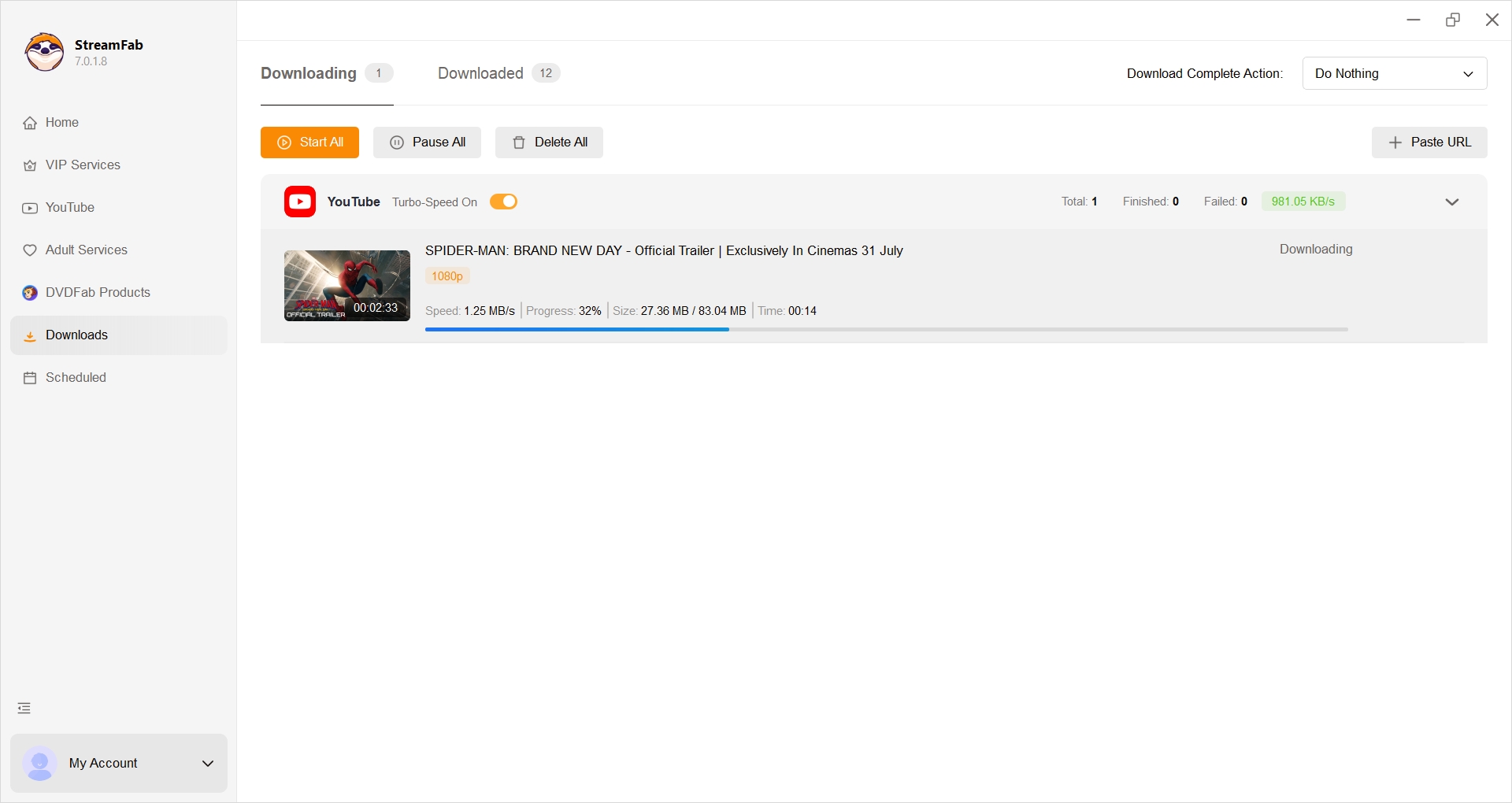
The workflow is intentionally brief: open a supported service, sign in with an active subscription, choose a title and available output options, then add it to the queue. The full guide to using StreamFab covers the interface in detail.
Step 1: Open StreamFab on Windows or macOS and select a supported service or paste the authorized video URL.
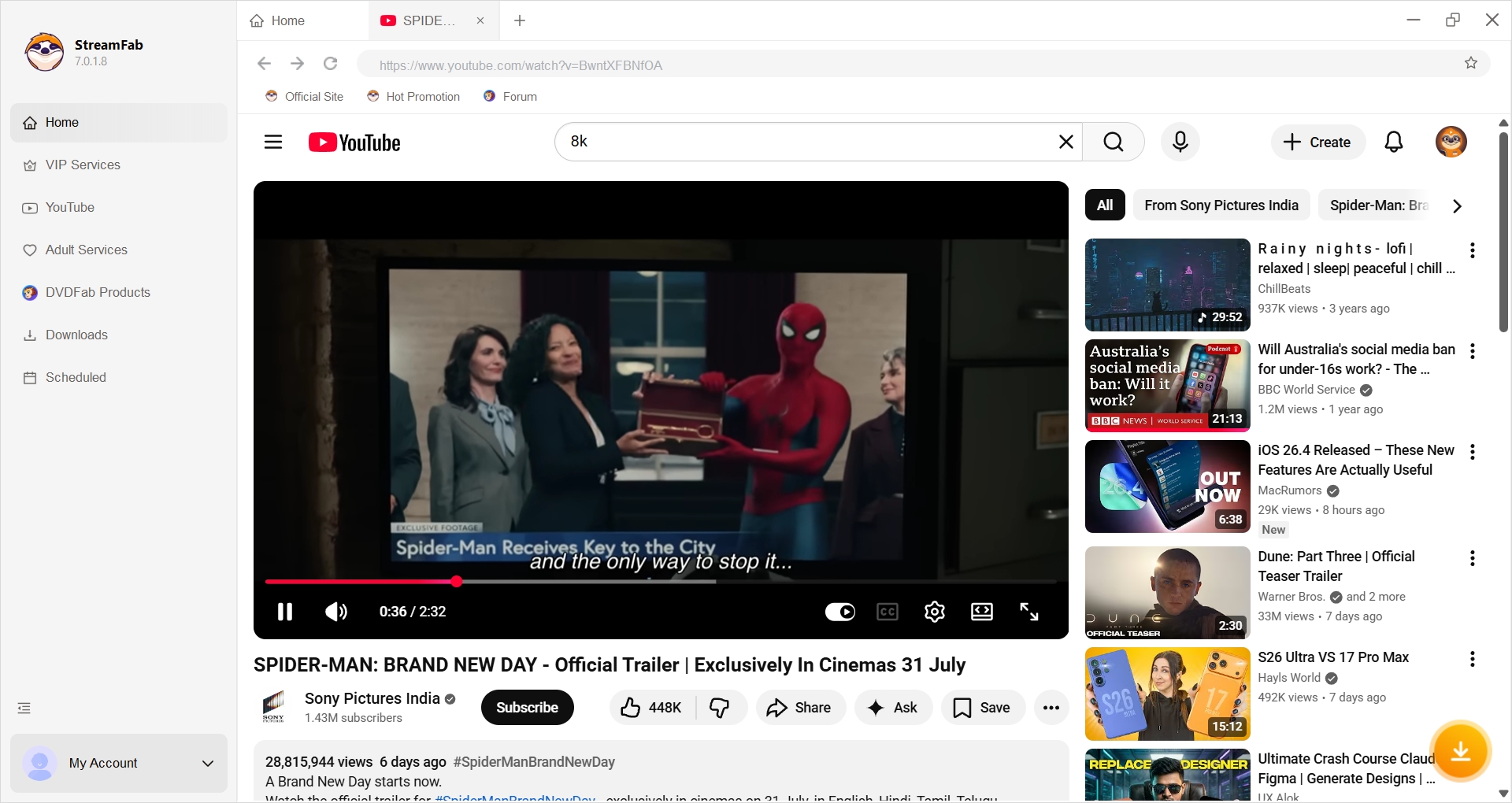
Step 2: Choose the available resolution, audio, subtitle, and MP4 or MKV options.
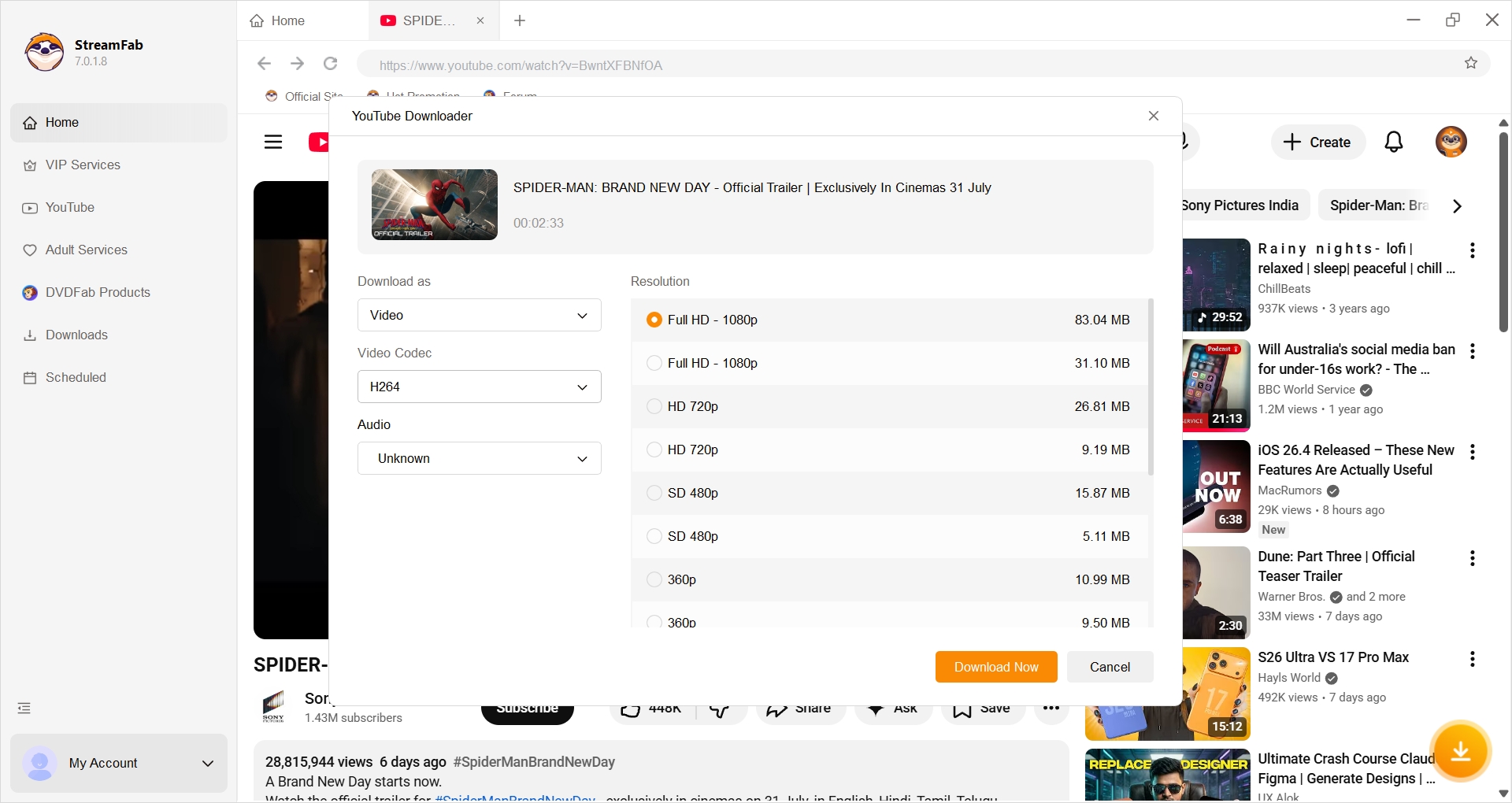
Step 3: Add the title to the queue and start the download.
iTubeGo Review FAQ
What are the main disadvantages of iTubeGo?
The biggest drawbacks are update-sensitive YouTube parsing, single-device activation friction, slow URL analysis on some jobs, restricted private videos, and a tightly capped trial. The useful shortcut is to test a normal video and a representative playlist before choosing a paid term.
Is iTubeGo safe, and does it have a useful free version?
The official installer is the sensible starting point, though antivirus false positives have been reported. The free version is a limited trial rather than an unrestricted downloader, so it is useful mainly for checking compatibility with your own URLs.
Why is iTubeGo not downloading my YouTube video?
A YouTube page change, an old app build, a stale URL, or an age/private restriction can stop analysis. Update the app, copy the URL again, restart, and retry one ordinary public video before deciding whether to switch tools.
Can iTubeGo download Netflix or Amazon Prime Video?
iTubeGo is strongest on YouTube and open social sites. Premium services may rely on browser or conversion workflows whose availability and output vary by title, which is different from a platform-specific premium OTT workflow.
Conclusion
iTubeGo is worth a trial for routine YouTube, social video, MP3, and playlist work, particularly if its simple desktop interface suits you. Paying makes less sense when your test URLs fail repeatedly or your main need is premium OTT automation.
For YouTube-first use, compare iTubeGo with 4K Video Downloader Plus and SnapDownloader. For supported premium services, StreamFab addresses a different workflow. That scenario-first distinction is more useful than naming one universal winner.

AnyStream (RedFox AnyStream) shut down in June 2024 and remains gone in 2026. I tested every major replacement — here are the 5 best anystream alternatives, including free options, ranked by real-world performance.
By Erika Leen - Oct 12, 2026

Evaluating the Audials One 2026 free trial? I tested its 720p caps, examined if is audials legal under Fair Use
By Erika Leen - Sep 29, 2026

Are you thinking of purchasing NoteBurner and unsure if it’s worth the investment? In this NoteBurner review, let’s delve into its product lines, particularly the NoteBurner Video Downloader’s pros and cons.
By Marcia Hatcher - Sep 28, 2026

Read our in-depth Audials review for 2026. Is Audials safe and legal for Amazon Prime? Discover actual test results, Widevine DRM fixes, and better alternatives.
By Erika Leen - Sep 28, 2026