
MovPilot Review 2026: Output Quality, Pricing & Safety Tested

Summary: If you're searching "movpilot" to decide whether it's worth buying, the honest answer is: it depends on which service you actually use, and reports on output quality, pricing terms, and whether MovPilot is safe are mixed. This MovPilot review walks through what the app actually delivers in 2026 across three things buyers care about most—output resolution by service, current pricing and license terms, and the safety questions around cracked builds and account risk—then compares it honestly against a desktop alternative.
Table of Contents
Disclosure: The tools discussed here are for saving personal offline copies of content you're authorized to access, where permitted by the platform's terms and applicable law.
MovPilot Review 2026: What It Is and Who It's For
MovPilot is a paid desktop downloader for Windows and macOS, aimed at users who want to save personal offline copies from streaming services including Netflix, Prime Video, and Max, plus a growing list of platform-specific apps sold separately or as an all-in-one bundle. The official installer is available from movpilot.com; there is a time-capped free trial but no permanent free version.
Balanced verdict: MovPilot works for casual offline viewing when the service and title you want are within its currently supported quality tier, and community reports treat the official build as safe from malware. Its weaker points are output resolution that varies by service and account state, a one-PC license tied tightly to a single machine, and update cadence that can lag when a platform changes something on its end.
- Best for casual viewers who mostly watch one or two services and are fine with 720p–1080p output.
- Not ideal for users who need guaranteed 1080p or 4K with original multi-channel audio across every service they subscribe to. My working judgement across this review: whether MovPilot is worth buying depends on the actual output you get for the services you use—not the maximum specs on the marketing page.
Output Resolution by Service: Netflix, Prime Video, and Max
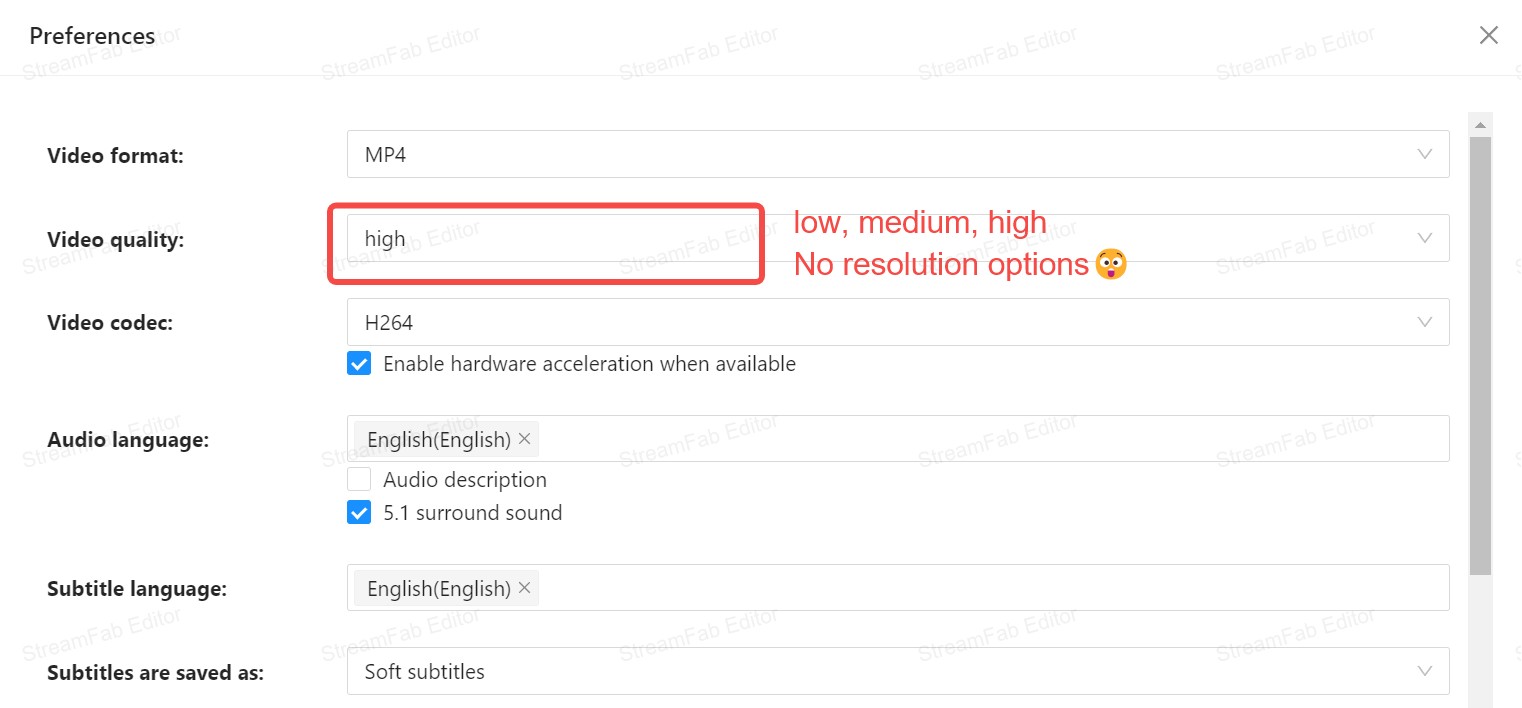
MovPilot's maximum output resolution is not a single number—it depends on the service, the title, and whether you're on the free trial or a paid license. Community reports in 2026 span a wide range: some paid Prime Video users say they get 1080p on supported titles, at least one HBO Max paid user reports being capped at 720p, and the free trial has been observed producing files as small as 960×400.
The in-app quality picker also uses generic "Low / Medium / High" labels rather than exact pixel counts, so the safest way to judge is to look at the resulting MP4/MKV metadata after a test download. For a Netflix-specific deep dive with per-title observations, see this dedicated MovPilot Netflix downloader review.
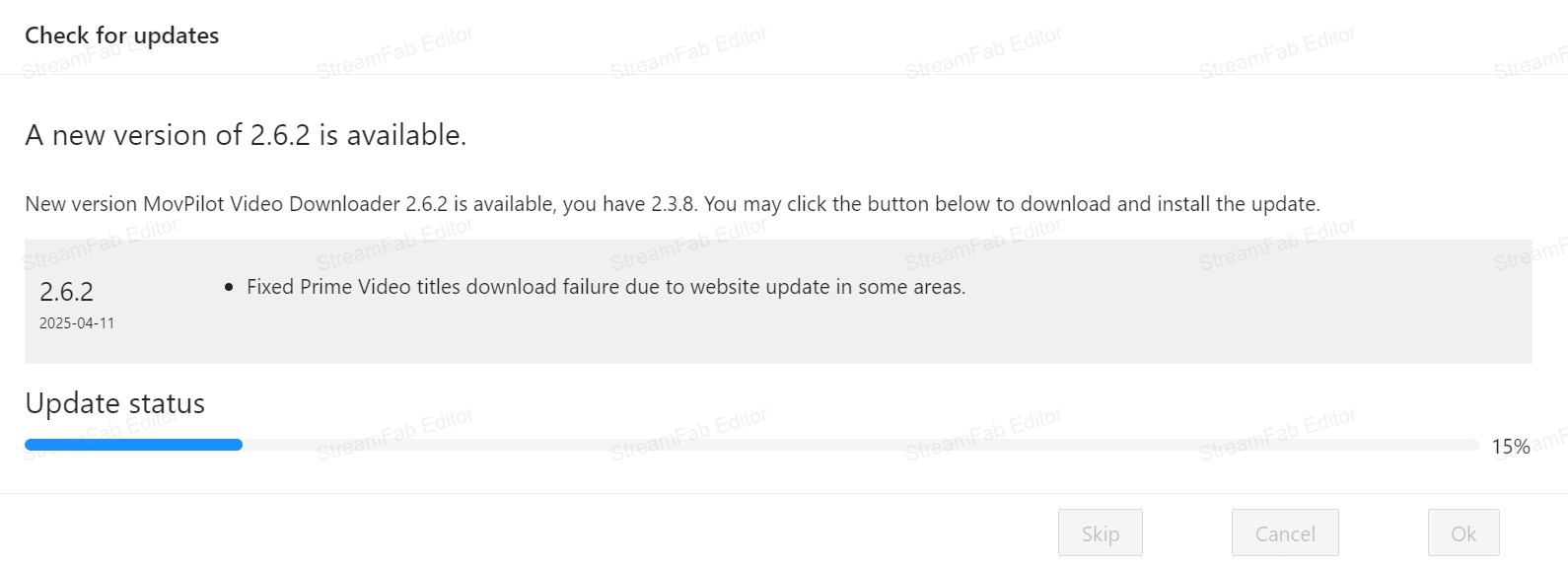
Streaming services routinely change their playback protections, and downloader tools have to catch up on their own release schedule. In 2026, some MovPilot users have reported intermittent login or session errors on specific services—for example, repeat MovPilot Amazon cannot login reports in community threads—which suggests the app doesn't always recover cleanly when a platform rotates something on its side.
MovPilot's public update cadence isn't documented as a fixed timeline, so treat any specific "fix within X hours" figures (from either vendor) as marketing context rather than a measured guarantee. As a reader you're better off checking the release notes for the exact service you care about before buying.
MP4/MKV Output, Audio Tracks, and Subtitles
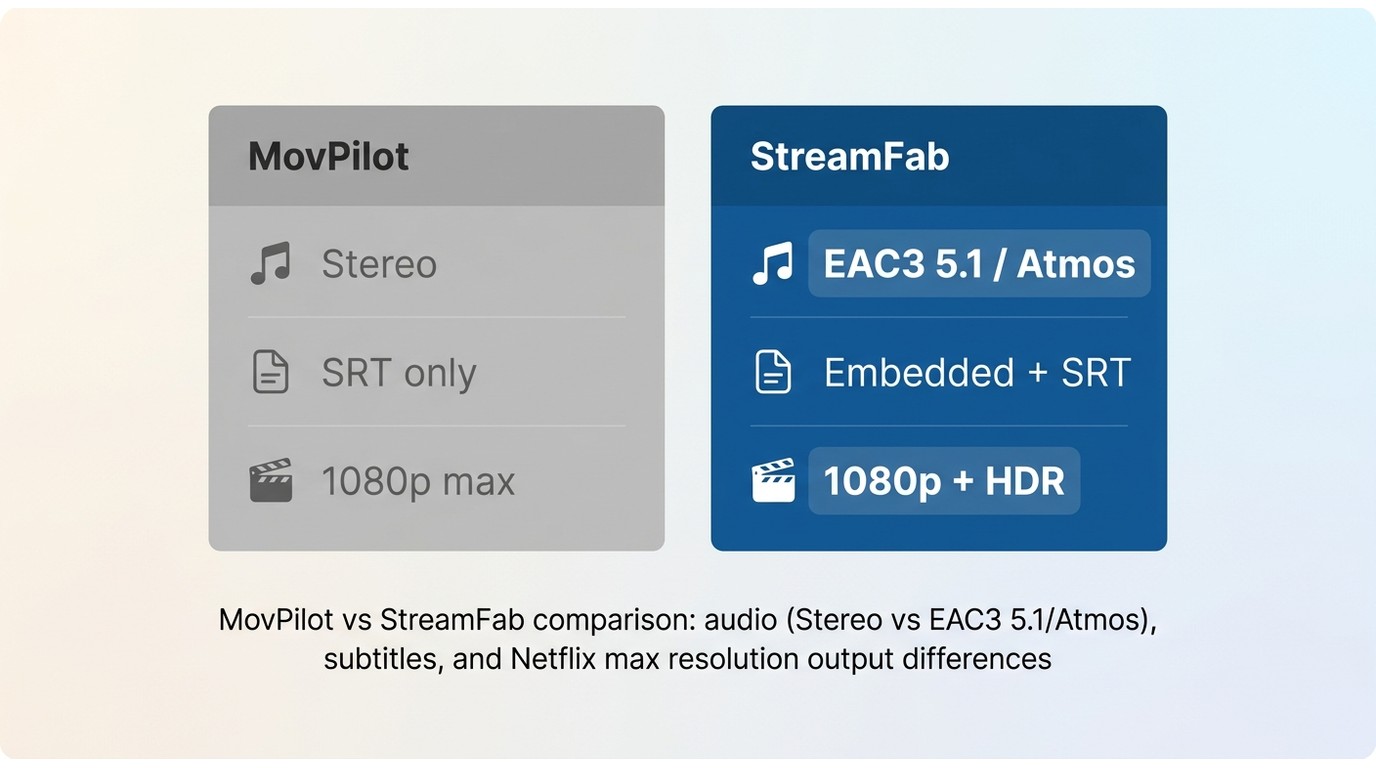
A downloader is only useful if the file it leaves on your drive actually plays where you need it. MovPilot saves finished downloads as MP4 or MKV files rather than a proprietary container, which is the right baseline—both formats play on virtually any device and slot into personal libraries like Plex or Jellyfin. Audio track and subtitle handling is where results vary: which language tracks are retained and whether subtitles come out embedded, remuxed, or as a standalone SRT depends on the service and title, so it's worth testing your priority language on the trial before committing.
StreamFab handles the same three questions more consistently across services: universal MP4/MKV output, original multi-channel audio (EAC3 5.1, and Atmos where the source supplies it) rather than a downmix, and a choice between embedded/remuxed subtitles or a standalone SRT alongside the video.
If your library standard is one language plus stereo, either tool will usually satisfy you; if you archive with original 5.1 audio and multi-language subtitles as a hard requirement, the difference matters.
Related diagnostic resources:
MovPilot Pricing, Plans, and License Terms
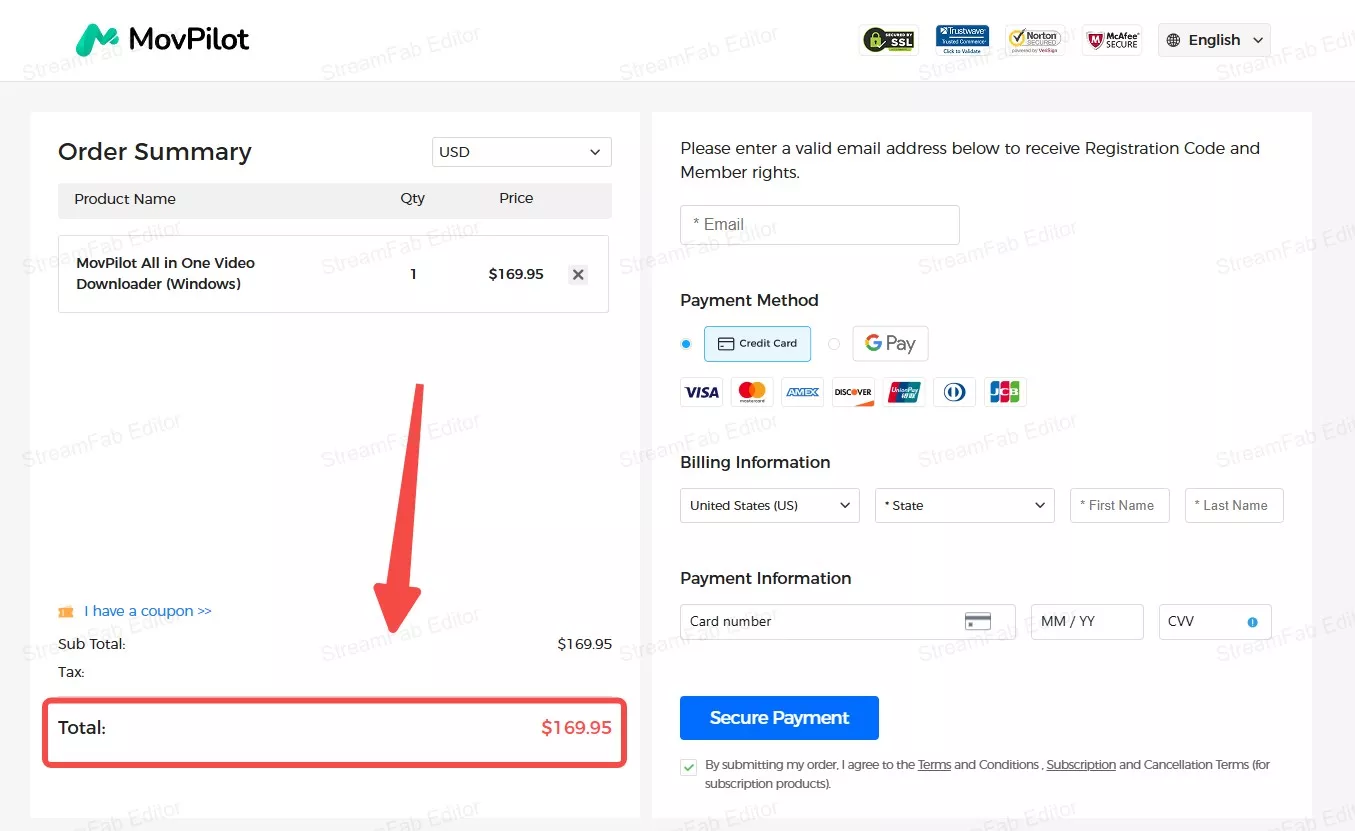
Pricing is the second question most buyers ask, and it's also the one that changes most often. Rather than quote a single dollar figure that may already be stale, this section describes the plan structure and license terms you should verify at checkout.
The Risks of Unofficial MovPilot Builds
Search results for MovPilot inevitably surface unofficial modified builds. Avoid them. The real risks are practical, not exotic: unofficial installers may bundle malware or unwanted software, they receive no security updates or vendor support when a service changes something, and using them typically violates MovPilot's terms as well as the streaming platform's.
If you want to try MovPilot, use the official installer from movpilot.com and evaluate it on the time-limited trial before paying; if the trial doesn't convince you, a licensed alternative is a safer path than a modified build.
Refunds & Subscription Cancellations
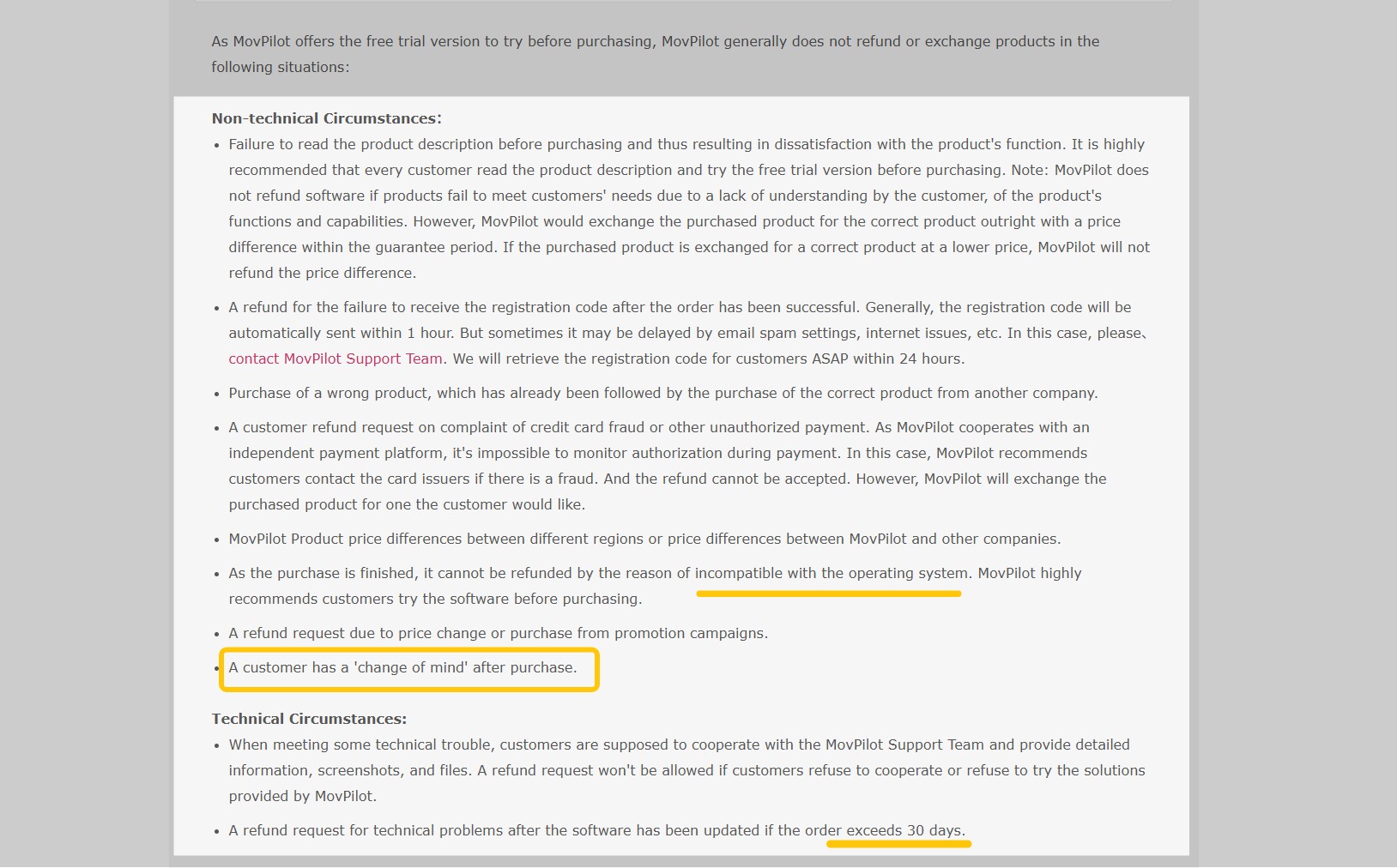
MovPilot sells monthly, yearly, and perpetual plans, with licenses tied to a single PC and subscription plans set to auto-renew by default. Refund Windows and eligibility depend on the plan you buy and the reason for the request, and technical-issue refunds are typically conditional on the vendor being given a support window to reproduce and fix the problem.
If you plan to test before committing, keep in mind the free trial caps each download at roughly six minutes — enough to confirm the app installs and produces a playable file, not enough to judge audio sync or batch behaviour on full episodes. For the current terms and to start a request, see MovPilot's official refund and cancellation pages, and the step-by-step cancel MovPilot subscription guide.
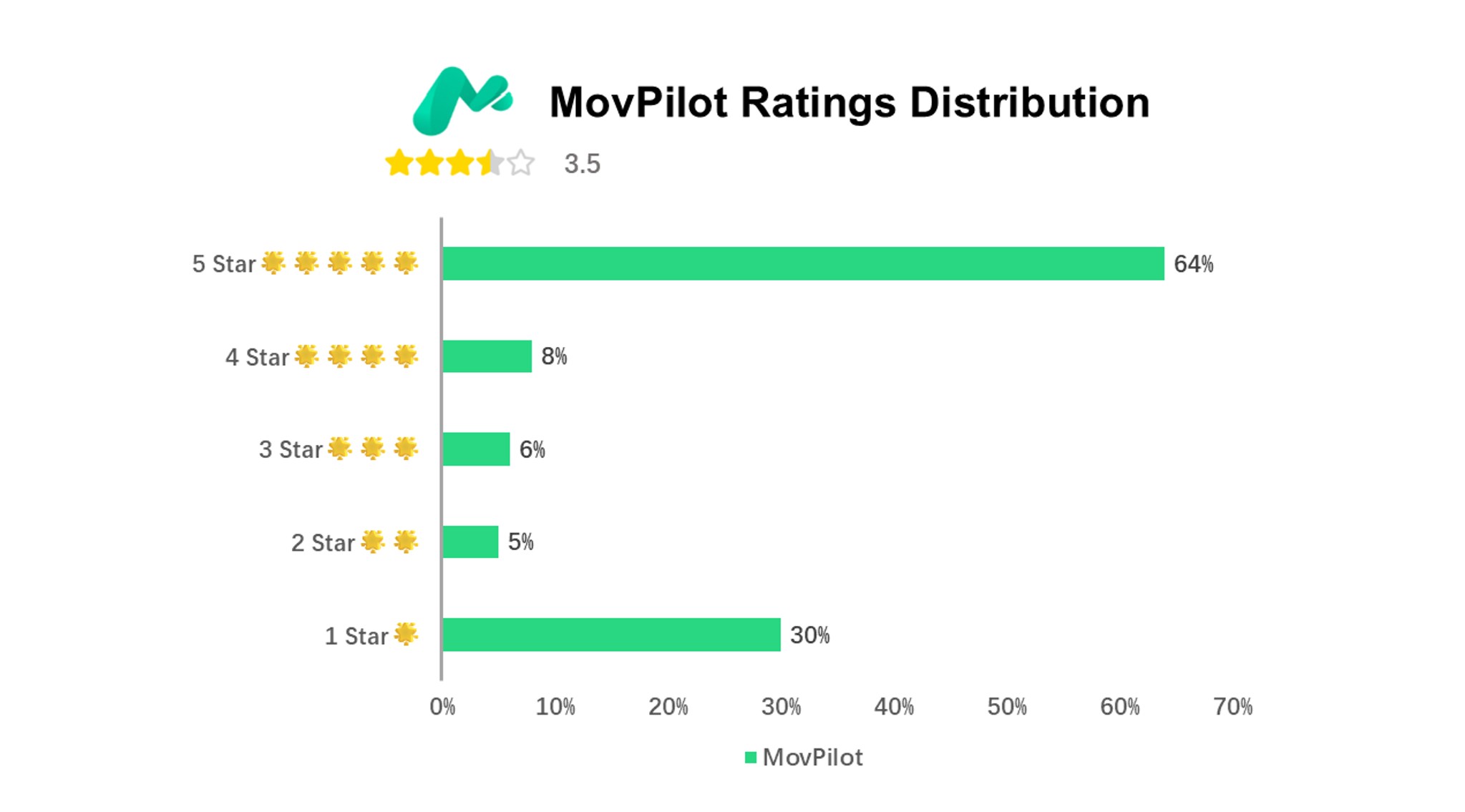
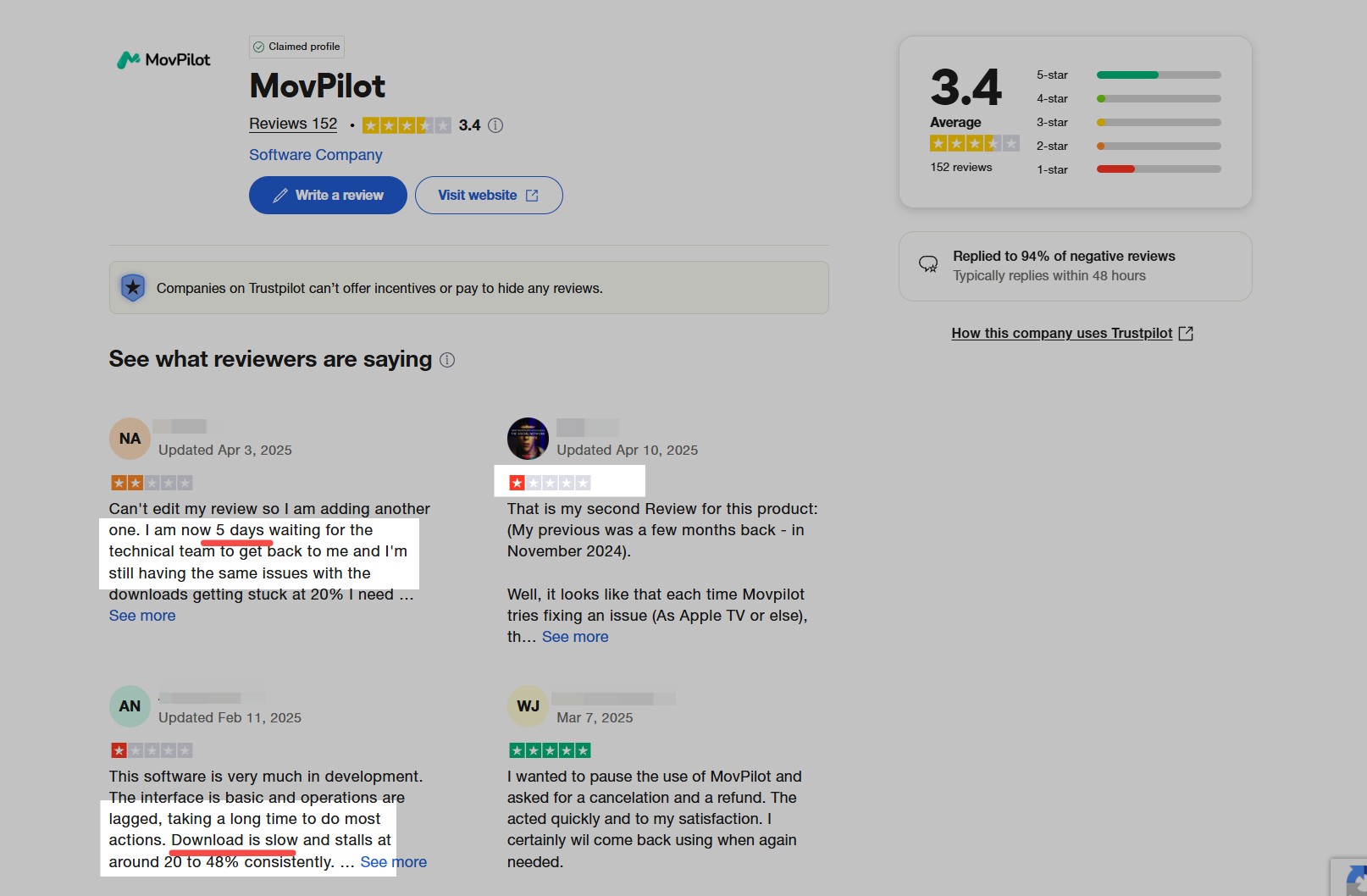
Third-party review sentiment is mixed rather than uniformly negative: MovPilot's Trustpilot page currently sits in the 4-star band (around 3.9 out of 5 from roughly 236 reviews, based on a July 2026 search snapshot), with individual complaints clustering around slow support responses and license transfers between machines.
Aggregate scores like this shift over time, so read a handful of recent reviews before drawing a conclusion.
MovPilot Compared: A Desktop Alternative for Windows and Mac
If MovPilot's output ceiling or single-PC license doesn't match how you actually watch, StreamFab is one of the more capable desktop options to consider—for content you're authorized to access, where permitted by the platform's terms and applicable law.
It runs on Windows and macOS, covers 60+ services and 1,000+ sites, saves up to each service's supported quality (Netflix and Prime Video up to 1080p, Disney+ and Hulu native 4K, YouTube up to 8K), keeps original multi-channel audio (EAC3 5.1, and Atmos where the source supplies it), and outputs universal MP4/MKV files playable on any device. Readers wanting a broader shortlist can review other MovPilot alternatives before committing.
Performance and Hardware Acceleration
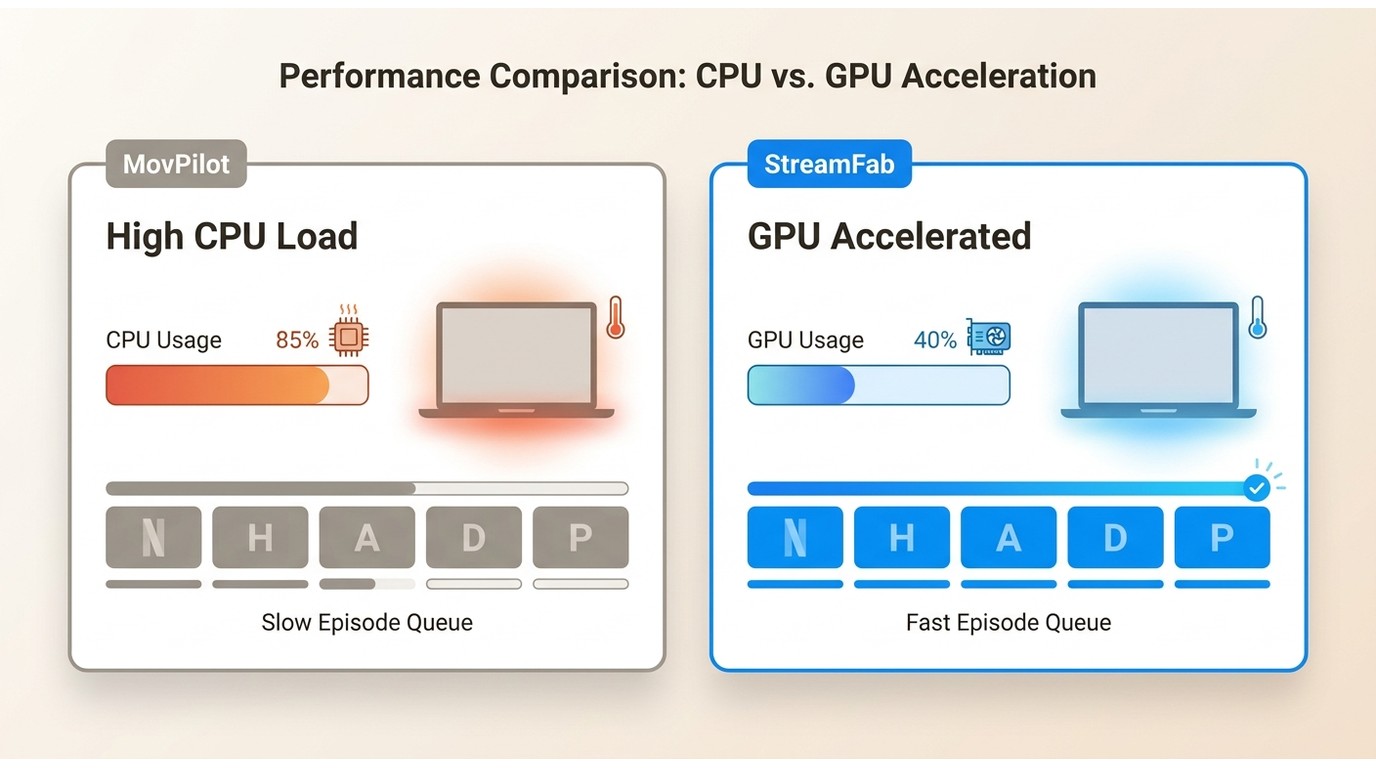
Long batch jobs—full seasons queued back-to-back—are where CPU load starts to matter. StreamFab uses GPU-accelerated processing to keep CPU strain down during multi-episode downloads, which helps stability on longer runs and on laptops that otherwise throttle under sustained load.
MovPilot leans more on the CPU during processing, so heavy batch queues can feel warmer and slower on the same hardware. This is the sort of difference you only notice if you routinely download whole seasons at once.
StreamFab intercepts native streaming APIs from 50+ OTT services, leveraging true L1 decryption modules for 1080P/4K/8K downloads. With 99% success rates against 2026 DRM updates, it remains the definitive digital archiving client.
A full feature-by-feature MovPilot vs StreamFab breakdown covers the deeper differences, and this StreamFab review goes into standalone performance detail.
| Technical Metrics (2026 Benchmark) | StreamFab Video Downloader | Movpilot Video Downloader |
|---|---|---|
| DRM Response Speed (Fixing black screens) | 24 - 48 Hours | 1 - 2 Months |
| Hardware Acceleration (GPU) | Supported (NVENC/VCE) | CPU Heavy Rendering |
| Native 1080P / HDR10 parsing | True Native 1080P / 4K | 720P Upscaled (Widevine Downgrades) |
| Batch Mode Stability | High (No Session Drop) | Low (Token expiration loops) |
How to Save a Local Copy Step by Step
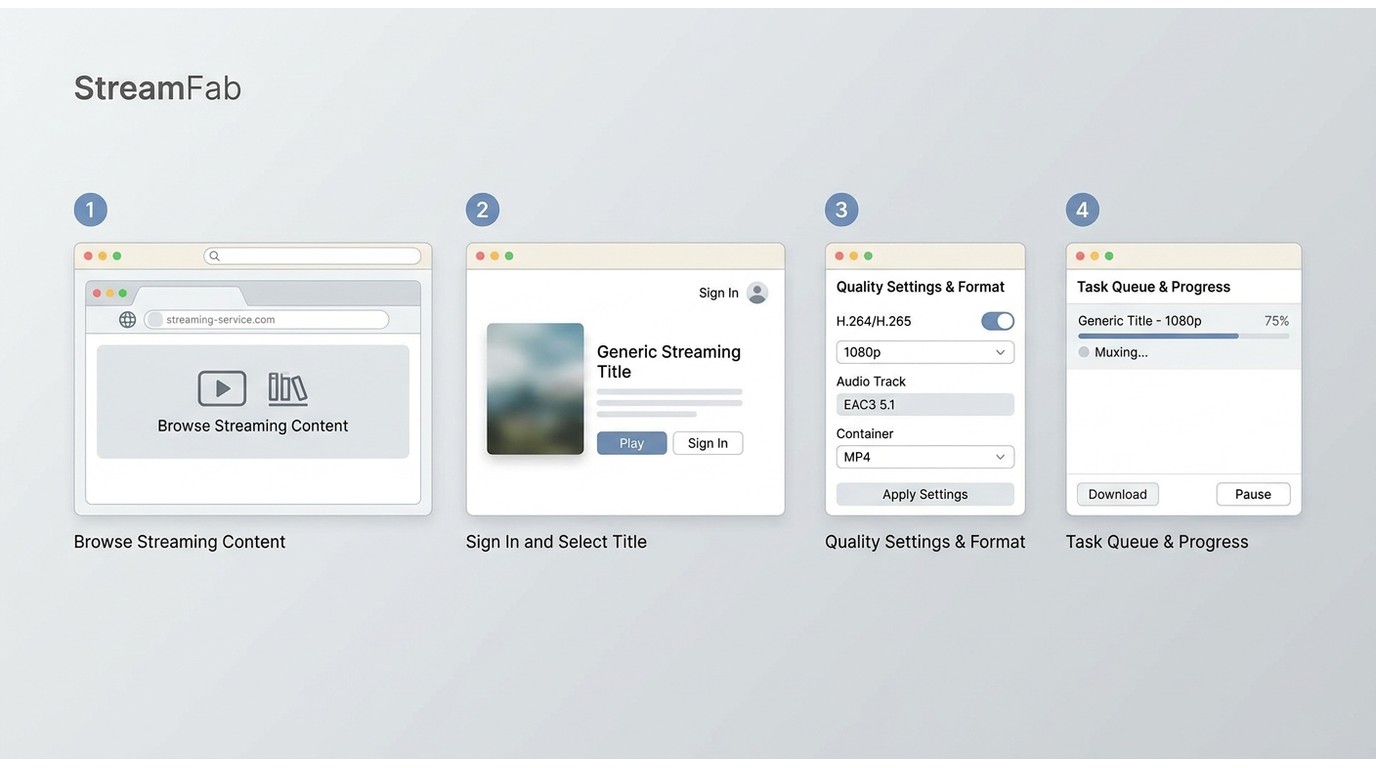
The StreamFab workflow is a normal desktop app flow—for content you're authorized to access, where permitted by the platform's terms and applicable law.
Step 1: Install StreamFab on your Windows or macOS machine and open the built-in browser to the streaming service you subscribe to.
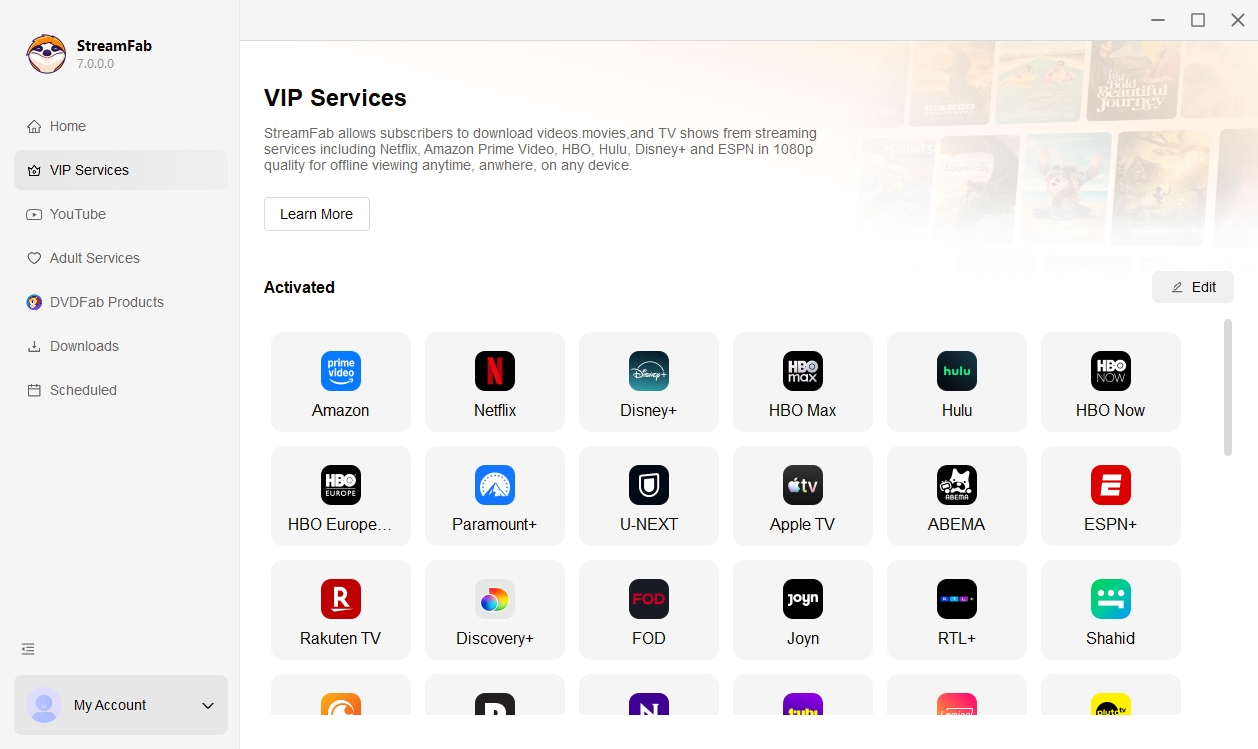
Step 2: Sign in to your own streaming account as you would in any browser, and open the title you want to save.
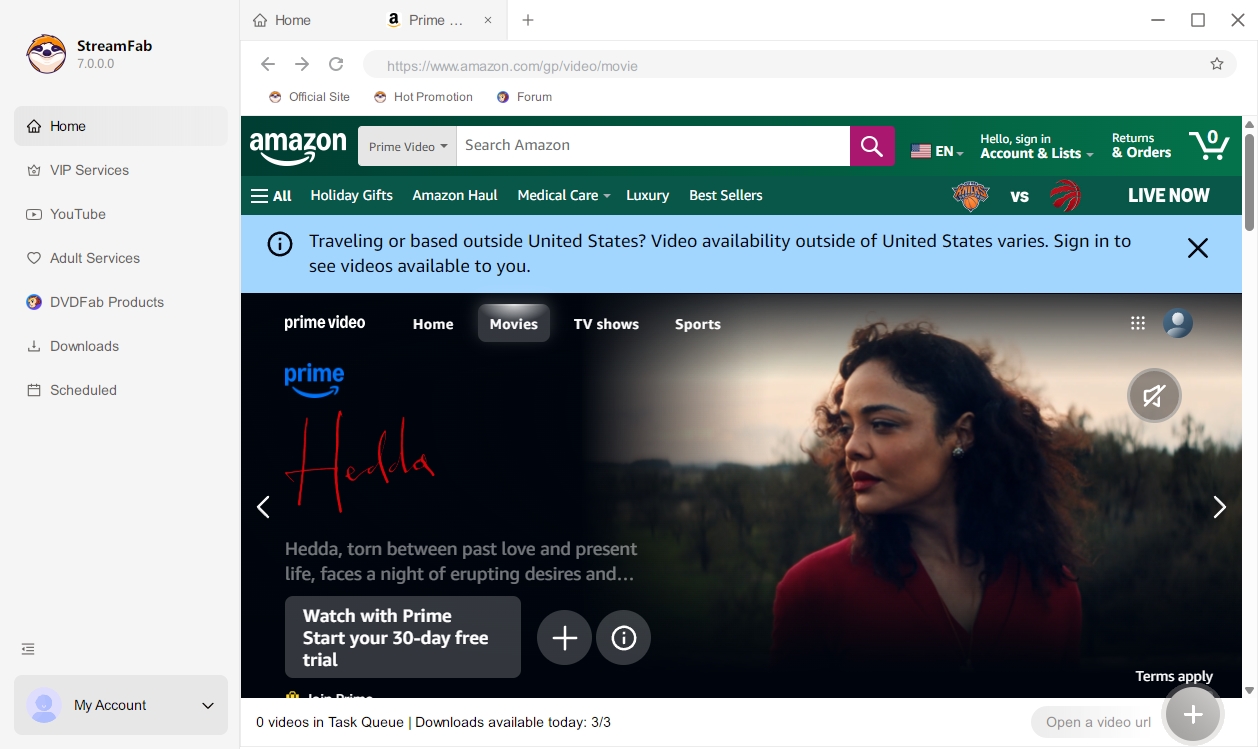
Step 3: Pick the resolution, codec (H.264 or H.265), and audio track (including EAC3 5.1 where available), then choose MP4 or MKV as the output container.
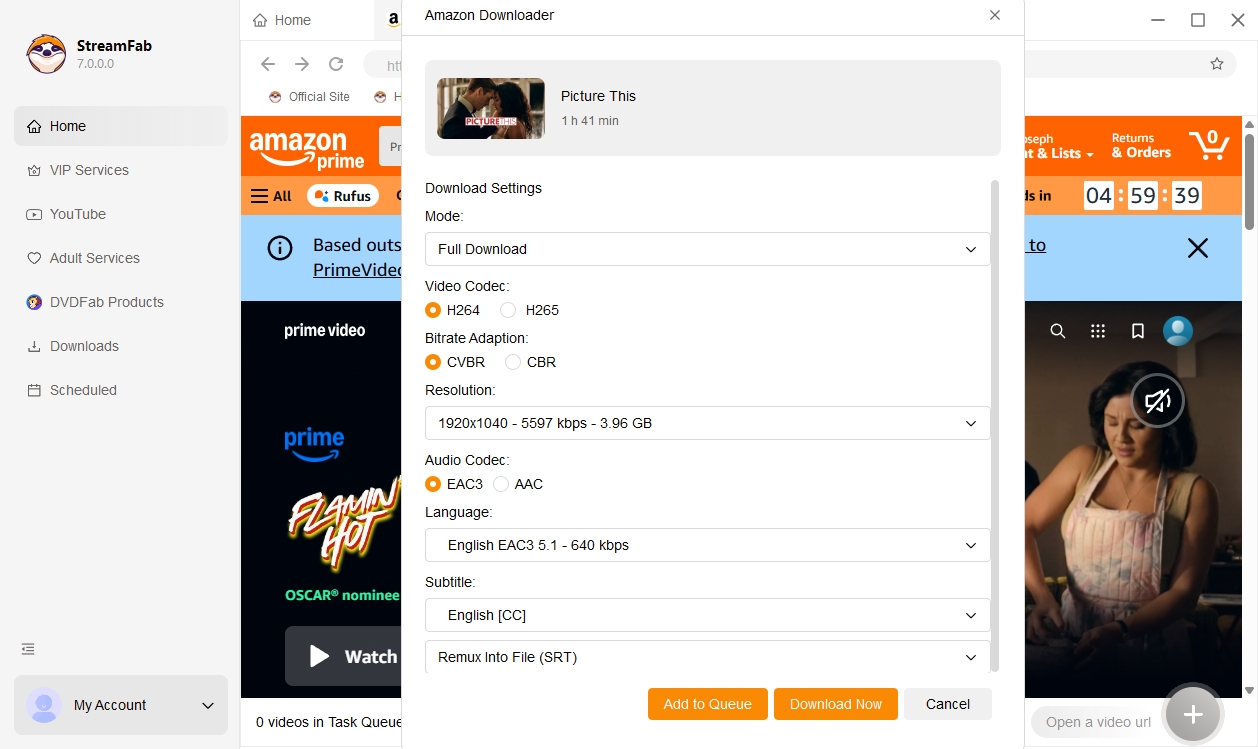
Step 4: Add the title to the task queue and start the download; StreamFab handles muxing into the MP4/MKV file automatically.
Expert Pro Tip (2026): When scraping metadata for Plex/Jellyfin libraries, pause your system's VPN briefly during the initial StreamFab DRM handshake. StreamFab requires a clean initial ping to fetch the SSIA dynamic slices; once the download starts, you can safely re-route your traffic.
MovPilot FAQ
Is MovPilot safe to download and use?
The official installer from movpilot.com is treated as safe from malware in community reports; the real safety questions are account and terms exposure (bulk downloading may violate the streaming service's terms) and modified builds circulating elsewhere, which carry the usual risks of unvetted installers. Stick to the official download and personal use.
Is there a free version of MovPilot, or only a trial?
There is no permanent free version. MovPilot offers a time-capped free trial that limits each download to roughly six minutes, which is enough to confirm the app installs and produces a playable file, but not enough to judge audio sync, batch behaviour, or full-episode quality. Plan to buy a short subscription plan if you want a real evaluation.
Can MovPilot download Netflix or Prime Video in 1080p?
Reports are mixed and service- and account-dependent. Some paid Prime Video users report 1080p on supported titles, some Max users report being capped at 720p, and free-trial downloads have been seen as low as 960 x 400. Before committing to a paid plan, use the trial on the exact service you care about and check the resulting file's metadata.
Can I move my MovPilot license to another computer?
MovPilot licenses are tied to one PC. Community reports describe difficulty deactivating an install on one machine and reactivating on another, with slow support turnaround. If you regularly switch between machines or expect to upgrade hardware, factor the single-PC restriction into your buying decision.
Conclusion
Whether MovPilot is worth buying comes down to the actual output you get for the services you actually watch, not the maximum specs on the marketing page. It's a reasonable pick for casual offline viewers whose main services produce acceptable quality in the trial, who don't mind the one-PC license, and who don't need original multi-channel audio on every download.
Readers who want a higher supported ceiling across more services (Netflix and Prime Video up to 1080p, Disney+ and Hulu native 4K, YouTube up to 8K), original multi-channel audio, universal MP4/MKV output, and reliable batch downloading will likely be better served by a desktop alternative such as StreamFab. Run the free trial on your top service first—the file it produces is the honest answer.

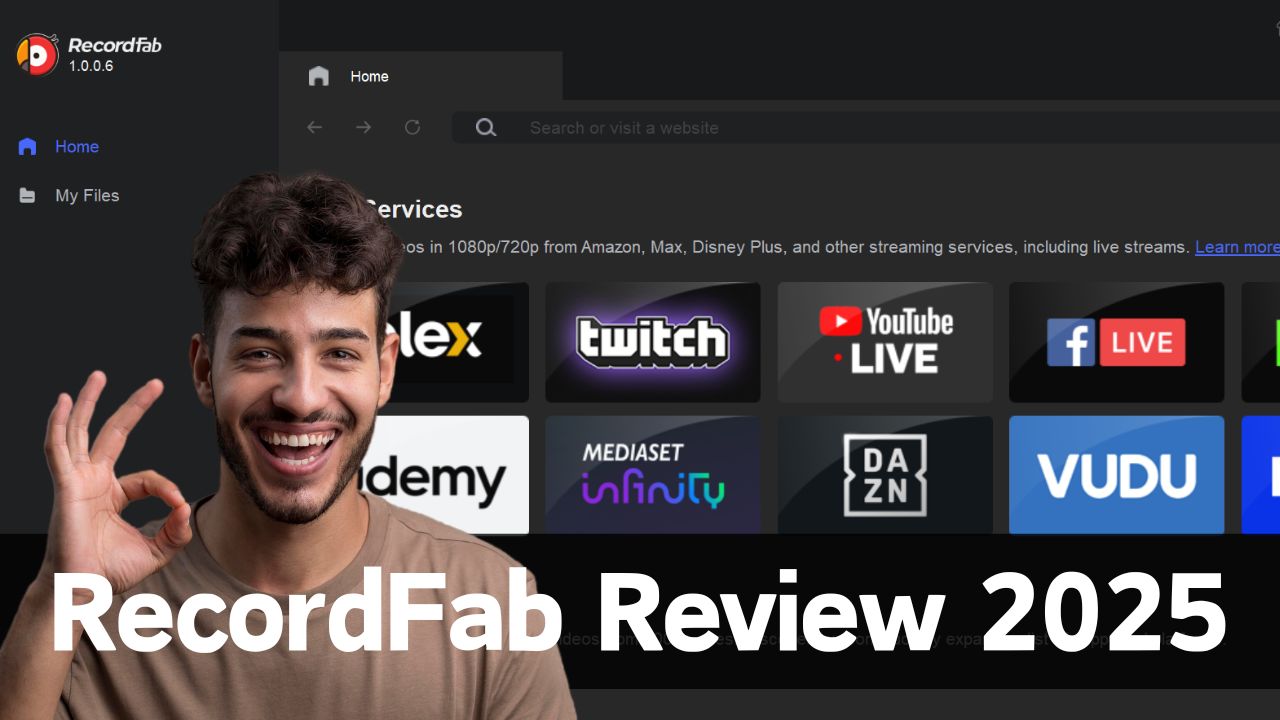
Looking for a definitive RecordFab review in 2026? We test hardware acceleration and Widevine L1 decryption to answer: if RecordFab is good for DRM video saving? Dive into our expert digital archiving guide.
By Erika Leen - Sep 8, 2026
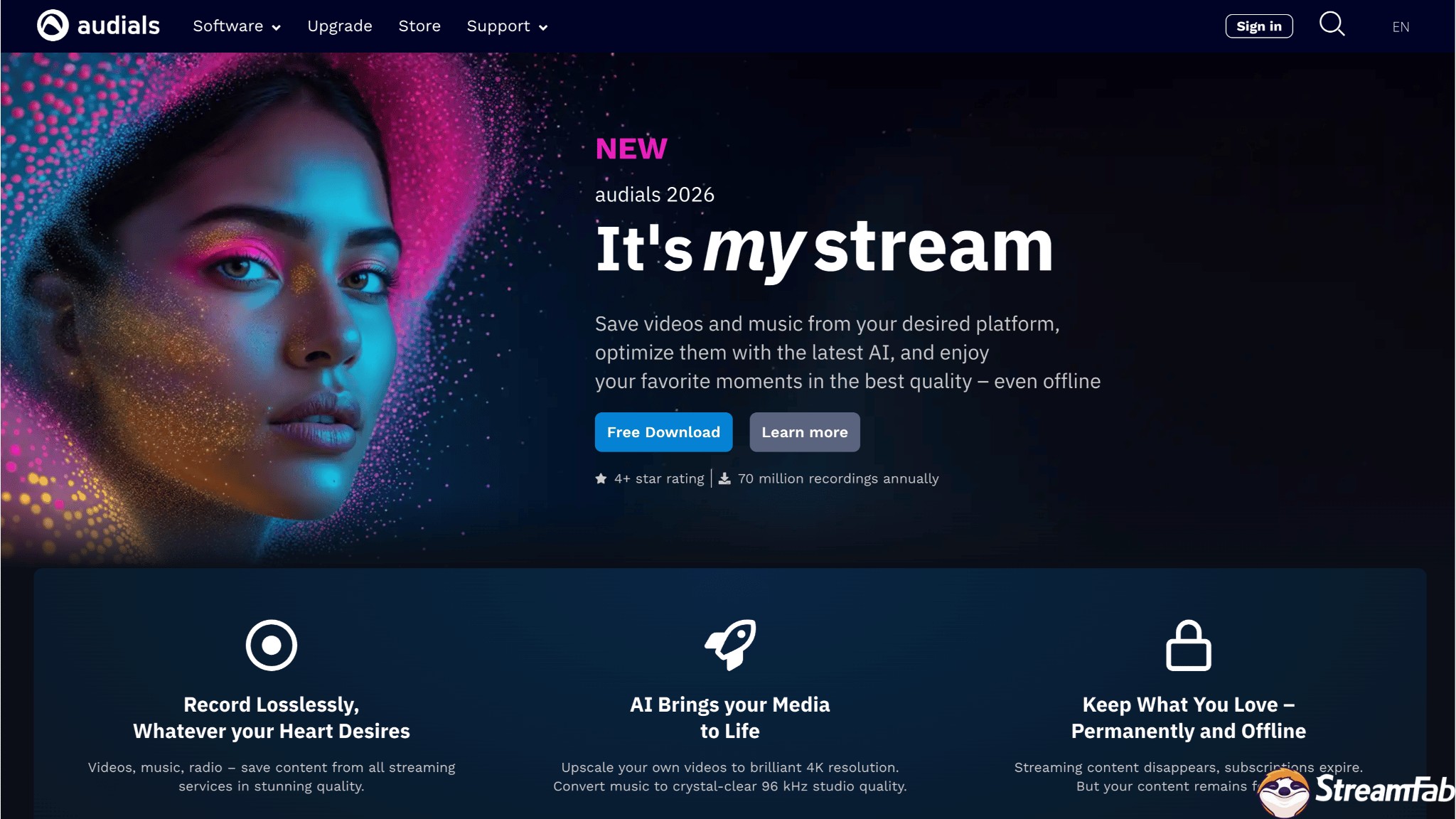
Read our in-depth Audials One 2026 premium review to see how it handles new DRM updates. We compare Audials One 2025 vs 2026, explore recording black screens, and reveal the ultimate stream downloading alternative.
By Erika Leen - Sep 8, 2026

This revised TunePat Netflix Video Downloader review separates Netflix’s official, expiring device downloads from desktop files, then checks TunePat’s Windows/macOS workflow, output, batch behavior, ad-supported plans, limits, pricing, and trial value. A compact TunePat vs StreamFab matrix closes with scenario-based fit guidance.
By Marcia Hatcher - Sep 7, 2026
Videoder now refers to multiple packages, so identity comes before any safety verdict. This guide checks the publisher, package ID, version, permissions, source, and update signals, then explains current feature limits and compares desktop, browser, Android, and authorized paid-streaming alternatives. It also clarifies why older YouTube instructions should not be treated as current.
By Nicole Lopez - Sep 4, 2026