StreamFab OnlyFans Downloader Review 2026: Is It Safe & Worth Still?

Summary: StreamFab has supported the functionality for saving videos from OnlyFans for two years. How does this service fare? Is it worthy of purchase? What advantages does it hold in comparison to other similar software? This article provides a comprehensive evaluation of the StreamFab OnlyFans Downloader for your consideration.
Basic Usage: What Can StreamFab OnlyFans Downloader Do?
Right now, OnlyFans mainly expects you to stream everything online. There is no official way to export purchased videos as MP4 or MKV files, and simple screen recording often fails or results in a black screen when protection is enabled. For users who travel frequently, have unstable internet, or follow many active creators, this means content is scattered across profiles, messages, and collections, and it becomes difficult to organize or watch offline in a convenient way.
StreamFab OnlyFans Downloader is built to help you better manage and organize the content you’ve legitimately purchased or can access on OnlyFans and to prepare it for personal offline viewing where this is allowed by the platform and local laws.
Safety Tests: Is StreamFab OnlyFans Downloader Safe to Use?
Downloading tools might come with viruses, malware, or data leaks. Thus, before you use StreamFab OnlyFans Downloader, it's important to understand how it protects your data and what potential risks still exist.
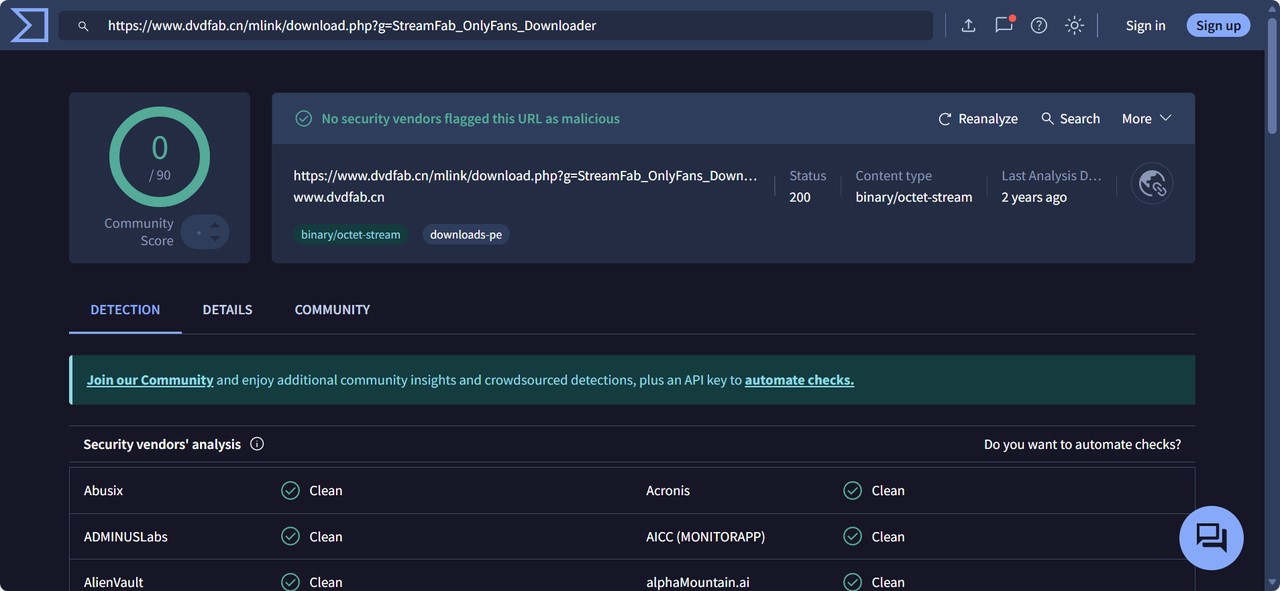
StreamFab OnlyFans Downloader is developed by an established software company. In addition, the Virustotal scan for its installer shows that it does not contain any viruses.
1. A trustworthy source with the lowest risk of viruses
When I installed it, it didn't contain any bundled adware or suspicious background processes. Having said that, like with any third-party tool, you should always download it from the official StreamFab website or other trusted platforms and use it responsibly.
While no tool can guarantee “zero risk” in every environment, using the official installer greatly reduces the chance of getting a tampered or unsafe version.
2. Protection of data and privacy
StreamFab OnlyFans Downloader does a solid job when it comes to privacy. It doesn’t ask for or store personal info while you’re downloading, and you don't have to complete payment information for the trial. Finally, everything stays on your local device, including your own account and your downloads, etc. Your data stays yours, and with its built-in browser, you will never worry about the awkwardness of browsing history leaks as when using a common browser.
3. Real Support When You Need It
Run into an error or can’t figure out a setting? StreamFab’s support team actually answers. You can check the help docs or send a quick message to customer service. They’re usually pretty quick to respond.
- Official installer only
- Regular security updates
- No adware/malware
- No personal info needed
- Files stored locally
- No cloud/third-party sharing
All downloads are processed locally and securely—full control, always.
Features Review: Is StreamFab OnlyFans Downloader Worth It in 2026?

In this review, I’m using StreamFab on a Windows 11 laptop (Intel i7, 16 GB RAM, home fiber network around 200–300 Mbps), and I’ll combine my own experience with information from reputable review websites. The creation of this content takes real testing and effort, so I kindly request that it not be plagiarized.

- Easily manage and prepare videos purchased on OnlyFans to MP4/MKV for personal offline viewing, where such use is permitted by the platform and local laws.
- Always under the condition of respecting creators’ rights and OnlyFans’ terms of service, and without any redistribution or commercial use.
| Plan | 1 Month License | Lifetime License |
|---|---|---|
| Details |
|
|
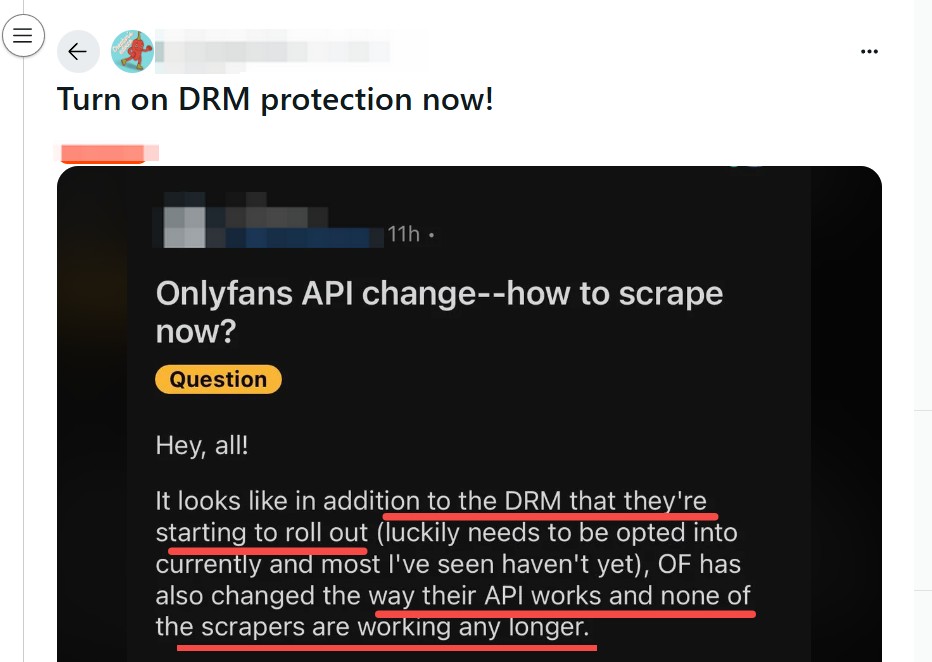
1. Compatible with Protected OnlyFans Videos and Purchases
Many creators on OnlyFans use various technologies and settings to safeguard their published content. In some cases, simple screen recording may fail or result in a black image, and many generic tools are unable to recognize or handle these streams properly, especially when you are trying to download OnlyFans purchases for personal viewing.
2. Download OnlyFans Videos from Messages and Collections
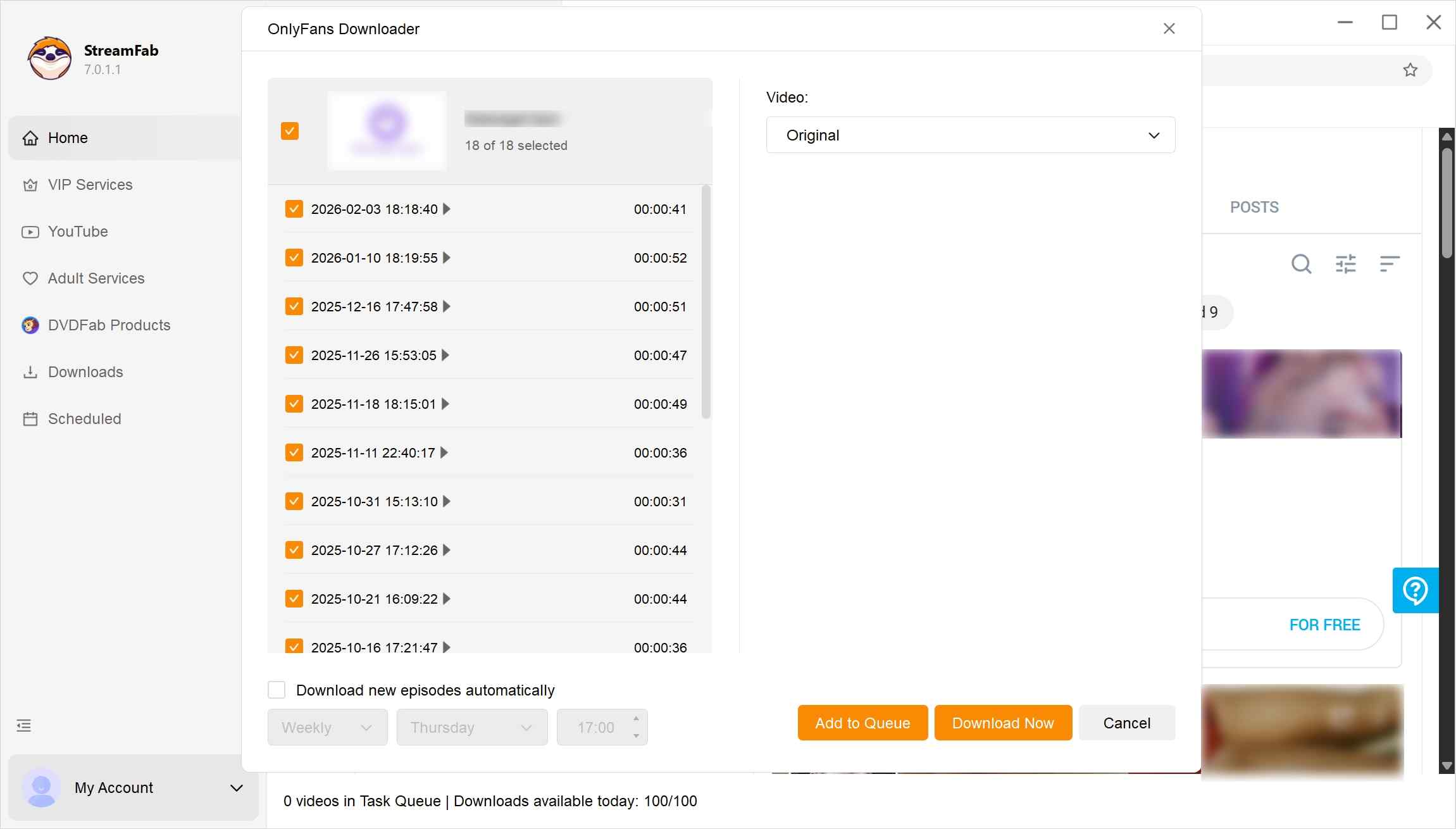
On OnlyFans, a lot of content is not just on the main feed. In addition to standard timeline videos, many creators also send exclusive videos through private messages to their subscribers. However, many tools available on the market for saving OnlyFans content only support the basic feed videos and either ignore message content or handle it in a very limited way.
StreamFab OnlyFans Downloader focuses on helping users better organize and manage videos that creators send to them via Messages, for personal offline viewing where this is allowed by the platform and local laws. The developer continues to refine how OnlyFans message videos are detected and organized.
3. Bulk Download OnlyFans Videos from Creator Profile and Collections
StreamFab, as a bulk OnlyFans video downloader, can assist you in collecting multiple videos from a creator’s profile in one operation, reducing the need to add each item manually. In addition, this feature supports organizing multiple videos from your favorites into a single task list, helping you keep your legally accessed content in one place for more convenient personal offline viewing, without any redistribution.
4. View OnlyFans Videos in High-Quality 1080p
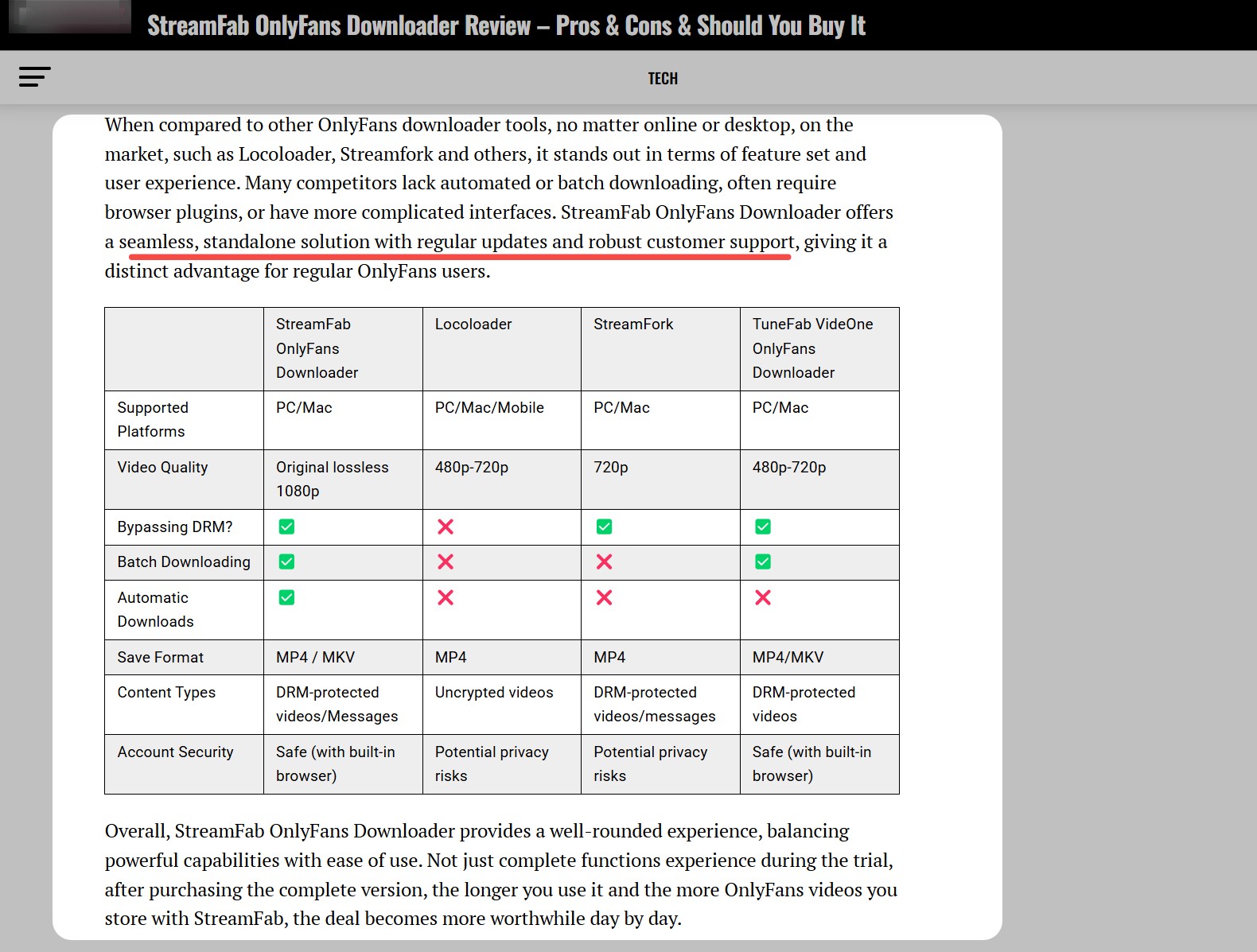
Some OnlyFans tools, such as Locoloader or StreamFork, only support video quality up to 720p. StreamFab OnlyFans Downloader, by contrast, is capable of preparing the same high-quality 1080p files as streaming online for personal offline viewing, as long as the source has a full HD resolution option.
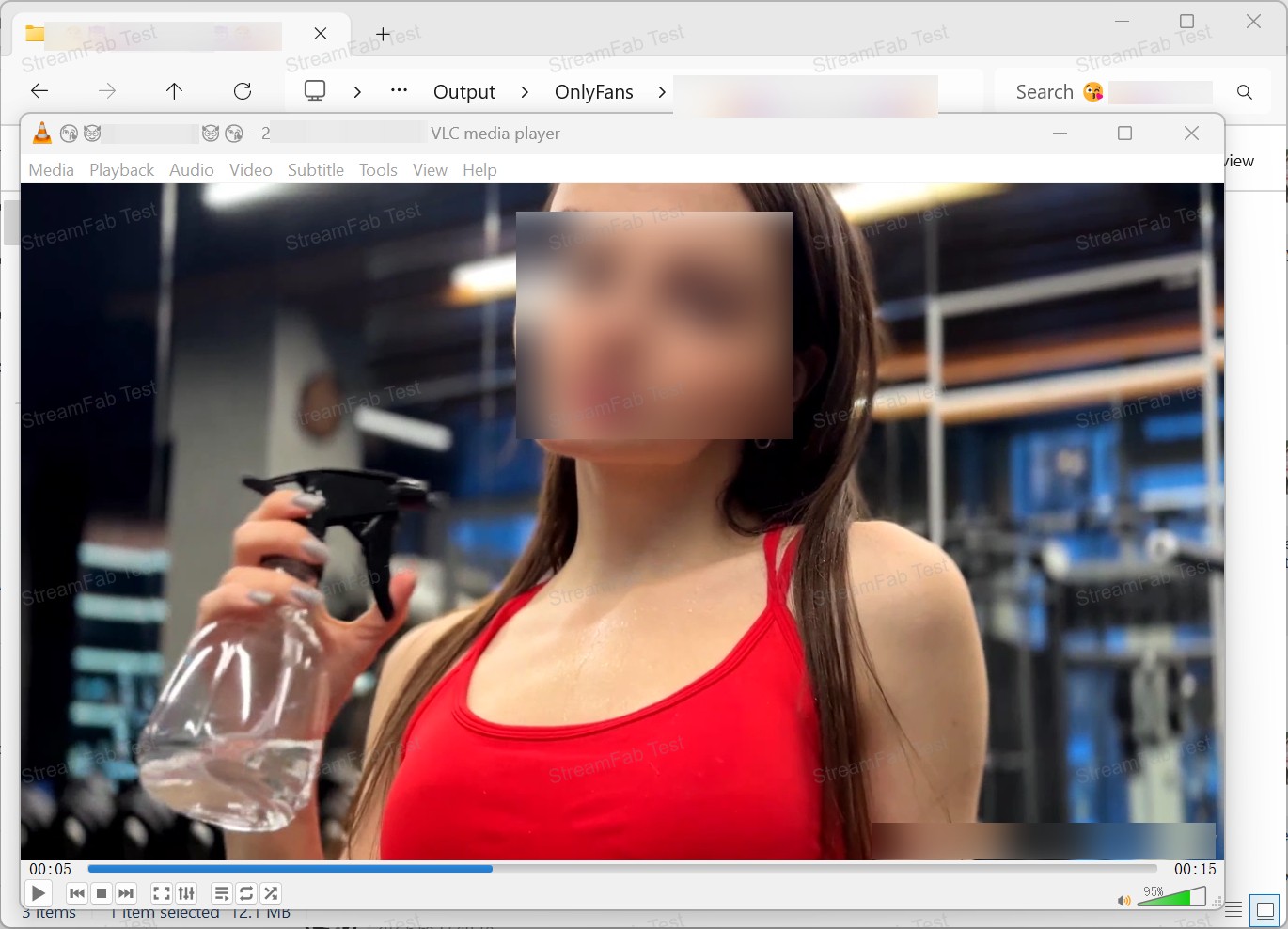
On my 24-inch monitor, the difference between 720p and 1080p was obvious: text overlays and finer details (like tattoos or background textures) looked noticeably sharper, and fast-moving scenes stayed clear instead of slightly blurred. Playback in VLC and the built-in Movies & TV app was smooth with no visible stutter. For me, this made the offline viewing experience clearly better than screen recording OnlyFans videos.
5. Schedule Mode for Handling New OnlyFans Videos Automatically
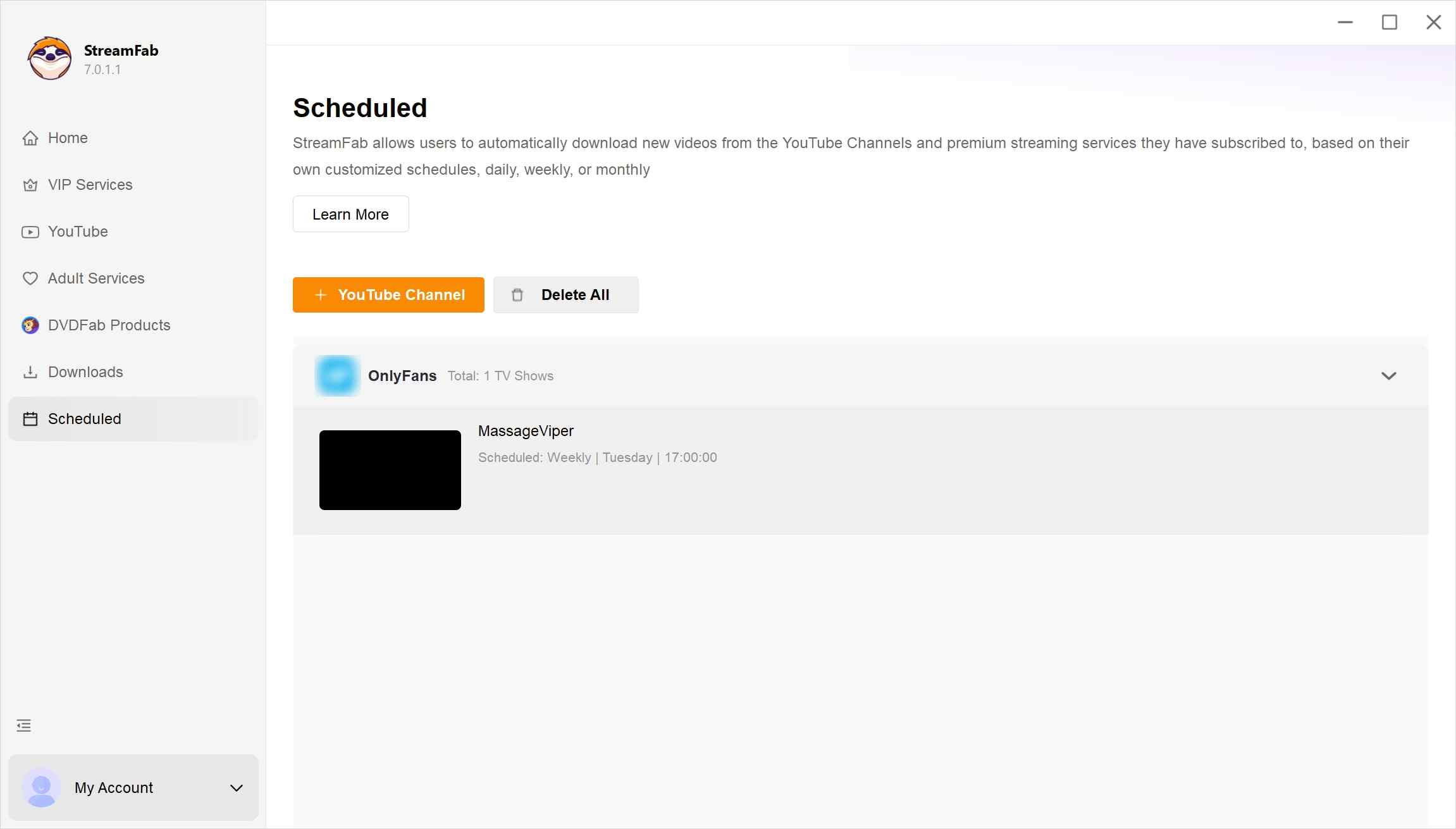
The StreamFab OnlyFans Downloader distinguishes itself from other tools with its notable feature of supporting a scheduled automatic download mode. You can designate a specific time, and if your subscribed creator releases new video content within that timeframe, the StreamFab OnlyFans Downloader will automatically save the new material. That's a lifesaver if you're like me, using it as a data hoarder.
Overall Rate: How Is StreamFab OnlyFans Downloader Reviewed by Other Users?
Focusing solely on my personal evaluation and experience with the StreamFab OnlyFans Downloader may yield a somewhat biased perspective; I have also gathered various viewpoints from other users regarding the StreamFab OnlyFans Downloader online.
According to the latest 2026 test from Techboltify, StreamFab remains the most stable tool for high-speed OnlyFans content management:
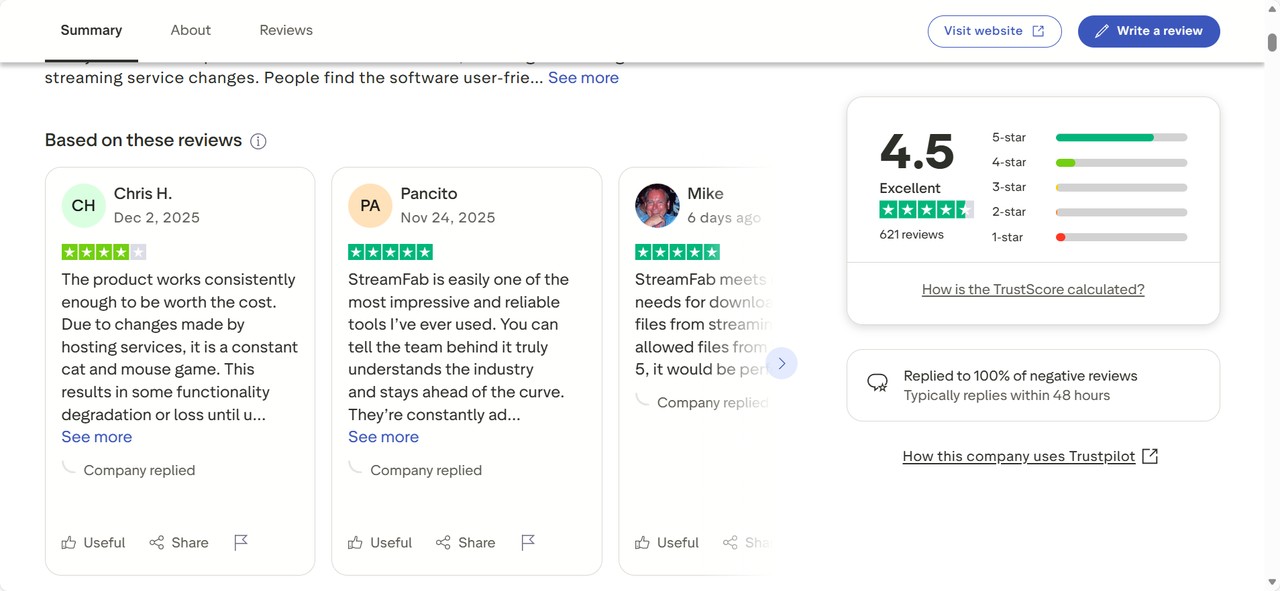
On Trustpilot, StreamFab currently holds an overall score of around 4.5/5. Many users praise successful downloads where other tools failed and responsive customer support, while a smaller number of reviews mention occasional compatibility issues after streaming platforms push updates. Overall, this external feedback broadly matches my own impression: not perfect, but clearly more capable than many lightweight alternatives.
Operation Guide: How to Use StreamFab OnlyFans Downloader
If you have reviewed the aforementioned evaluation and wish to personally experience the StreamFab OnlyFans Downloader, the detailed procedure is as follows.
Step 1: Download and install StreamFab OnlyFans Downloader on your device. Upon installation, launch the program and navigate to the OnlyFans website.
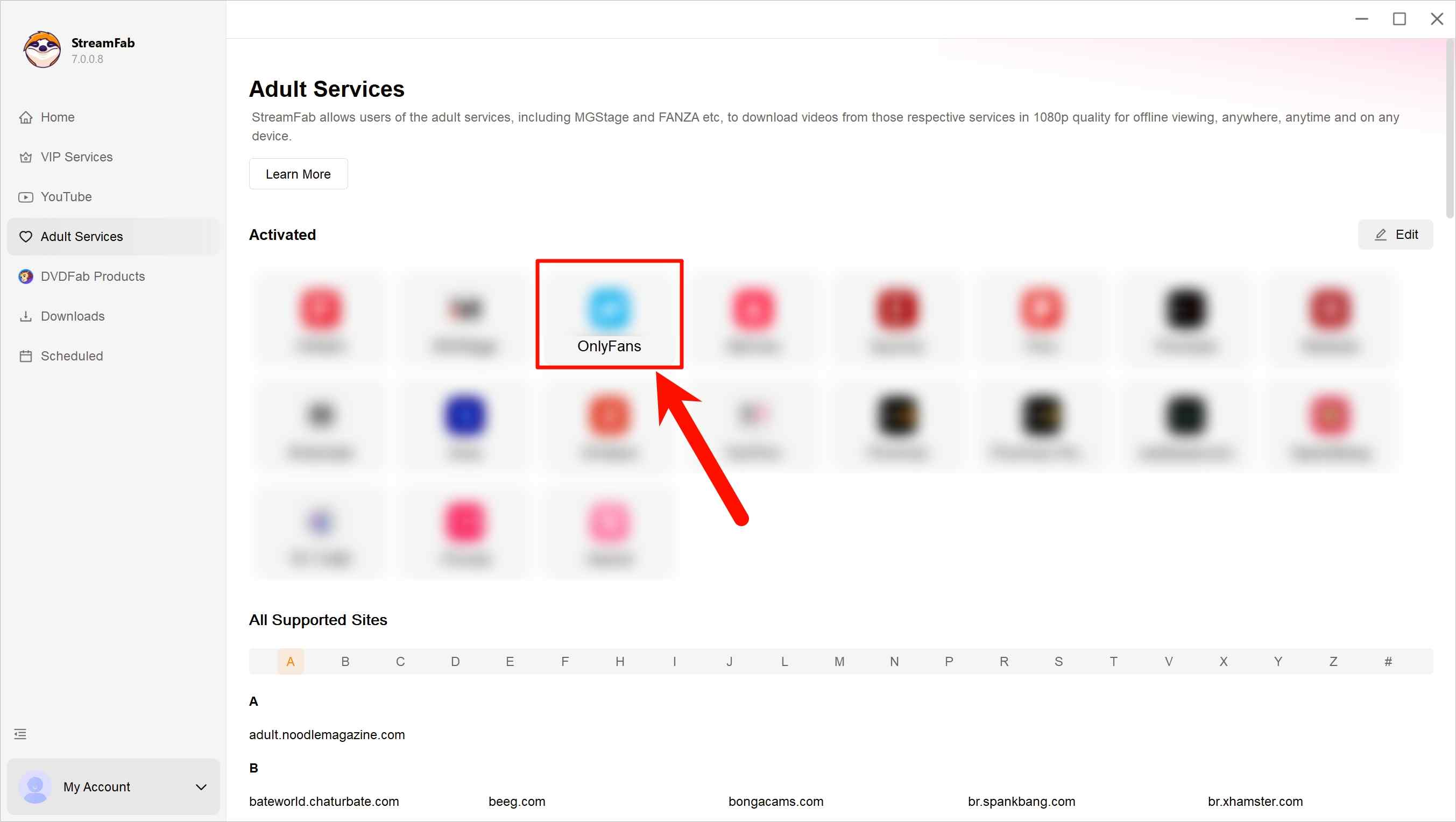
Step 2: Sign in to your OnlyFans account within the built-in interface and browse the content you are legitimately entitled to view. You can open individual videos or visit a creator’s profile to see the materials available to you.
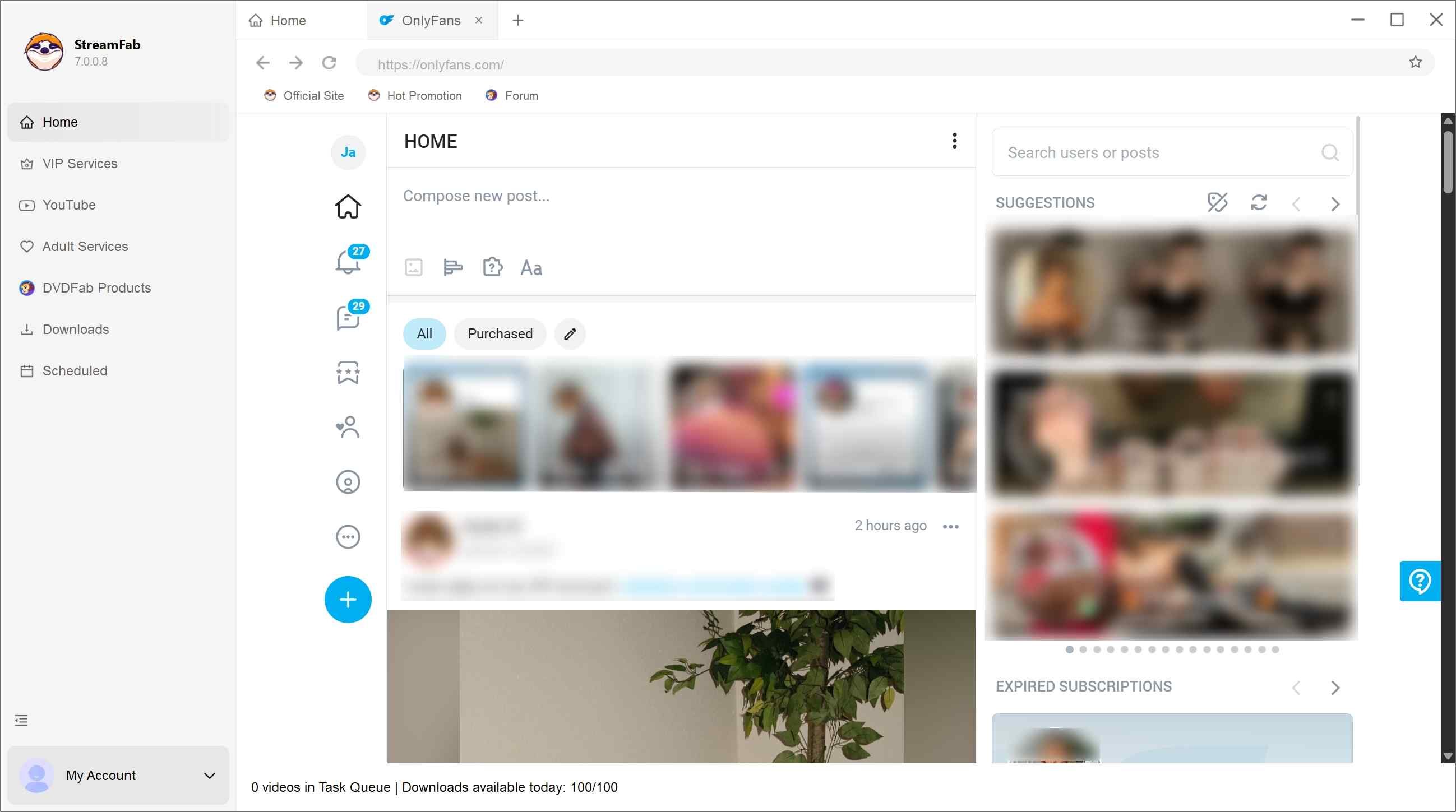
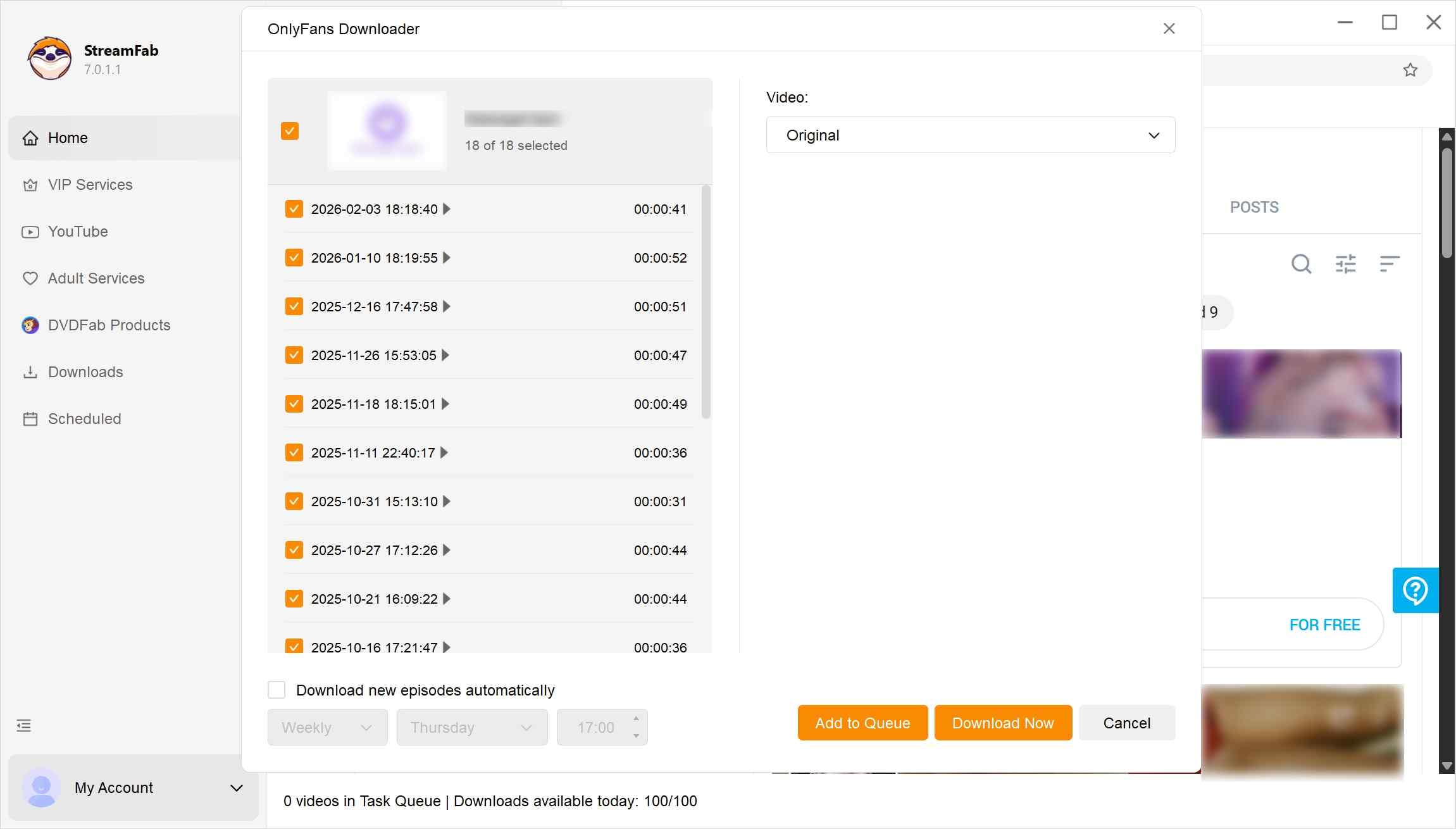
Step 3: When you are playing a video or accessing a Creator's profile, StreamFab will automatically analyze the content at lightning speed. Afterwards, a pop-up window will appear for you to customize the video output options. For format, you can save OnlyFans to MP4 or MKV.
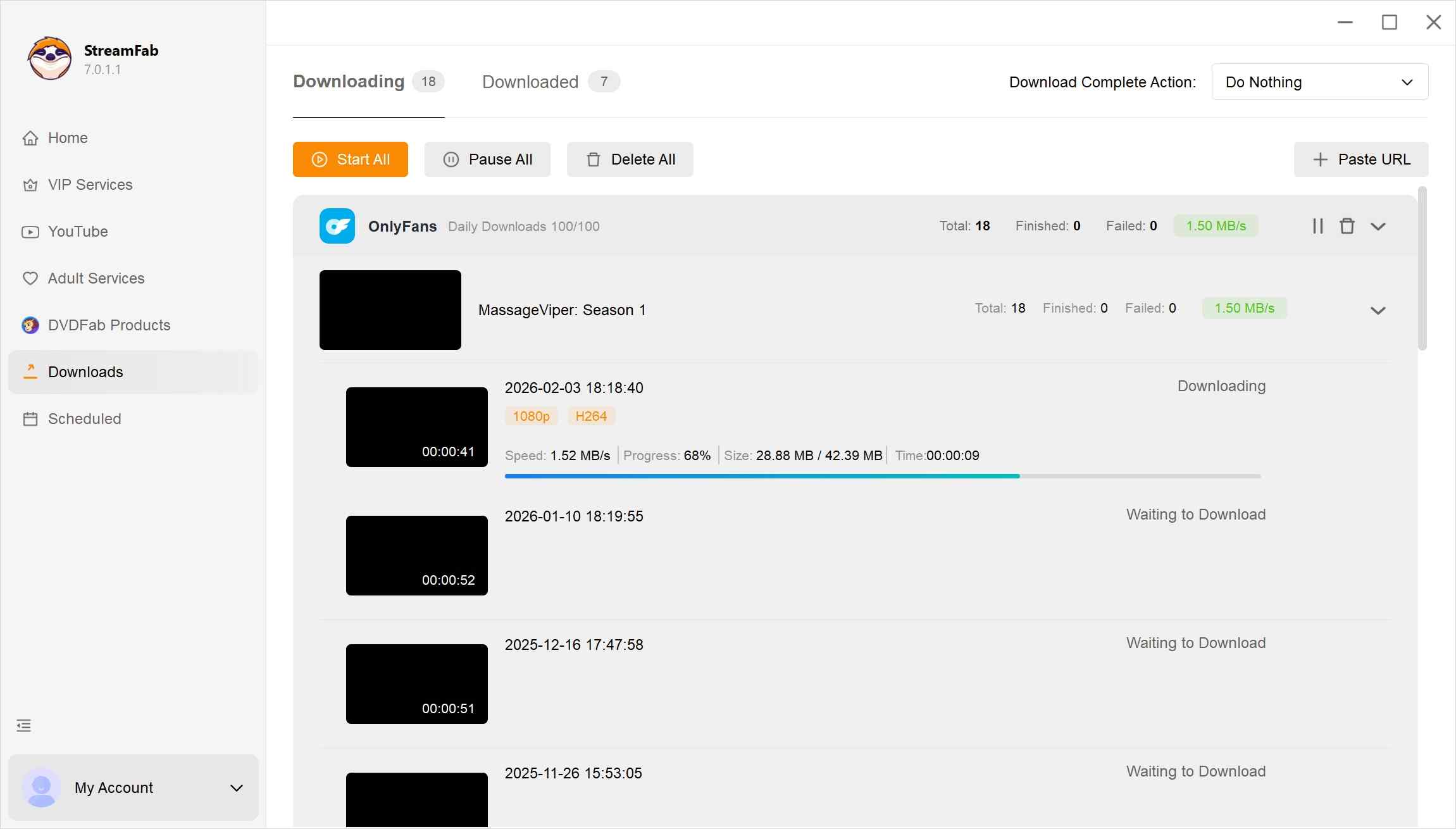
Step 4: After confirming your settings, the software will process the selected items and add them to your offline-viewing list. You can start handling them immediately or place them in a queue to be processed later. In my case, downloading a 20-minute video at 1080p took about 2 minutes on a 200–300 Mbps connection, which I consider acceptable for day-to-day use.
StreamFab OnlyFans Downloader offers 3 free OnlyFans video download trials, during which there are no restrictions on the duration or quality of downloads. Upon reaching the limit of trial usage, payment is required to continue utilizing the service.
- You regularly purchase content from multiple creators.
- You often watch on a laptop or larger screen and care about video quality.
- You value features like message downloads, bulk tasks, and scheduled auto-downloads.
- You only occasionally watch a few clips and are fine with streaming each time.
- You prefer not to install any third-party tools around your OnlyFans account.

How to save OnlyFans videos on Firefox?
OnlyFans video downloaders for Chrome
FAQs
Absolutely. One of StreamFab's strongest features is its ability to detect and download videos sent through private messages (PPV). Simply log in via the built-in browser, open your messages, and StreamFab will prompt you to download the media files automatically.
Screen recording is time-consuming and often results in black screens due to OnlyFans' DRM protection. StreamFab extracts the original video stream directly, ensuring no quality loss (up to 1080p) and saving you time by downloading a 20-minute video in just a few minutes.
Conclusion
If you are in search of an OnlyFans video downloader and find yourself deliberating whether to try the StreamFab OnlyFans Downloader, I hope this review will offer you some insightful guidance. Of course, reflection is no substitute for experience; you may as well download the software and give it a try.

Looking for OnlyFans accounts that are truly worth it? In this 2026 guide, I share the top creators, their earnings, fan insights, and categories. From rising stars to subscription tips, find the best value OnlyFans accounts that balance price, content quality, and engagement.
By Erika Leen - Jul 20, 2026
Many subscribers looking for the way to handle OnlyFans DRM playback errors, but few know the legal and account risks. In this 2025 guide, I explain what OnlyFans DRM is and how to fix errors safely. Learn legal alternatives, like contacting creators for permission or using official features.
By Erika Leen - Jul 16, 2026
I tried to re-watch a DM video from a creator I was subscribed to on my Android phone while offline — and got a black screen the entire time, no matter what I tried. Turns out OnlyFans uses DRM and playback-layer protection that blocks standard screen recording on Android. After testing three dedicated Android tools and a desktop workflow across dozens of videos I had legitimate access to, here are the methods that actually work in 2026 — with no black screen and no quality loss.
By Erika Leen - Jul 14, 2026
6 free and paid OnlyFans Chrome extensions tested for DRM support and reliability. Find which ones work in 2026—plus a desktop tool that handles protected content every time.
By Erika Leen - Jul 13, 2026