
10 YouTube Downloader Alternatives for Windows, Mac, and Mobile (2026)

Summary: If you are watching your favorite YouTube content & want to save it instantly for your later offline watch, try the best alternative to YouTube downloader.
Table of Contents
YouTube Downloader Alternatives at a Glance
Here’s the short answer: YouTube downloader alternatives differ most in reliability, operating system support, free limits, and format controls. Silent failures, surprise paywalls, unsafe installers, and tools that lag behind YouTube changes are why the best YouTube downloader software is rarely the same choice for every reader.
This comparison covers ten YouTube downloader alternatives, including desktop apps, mobile workflows, free tools, and YouTube Premium. It focuses on the trade-offs that matter before you install anything.
2026 YouTube Downloader Options Compared
The matrix below is a starting point, not a performance ranking. Free-tier details and availability can change, so the comparison reflects the landscape as of August 2026.
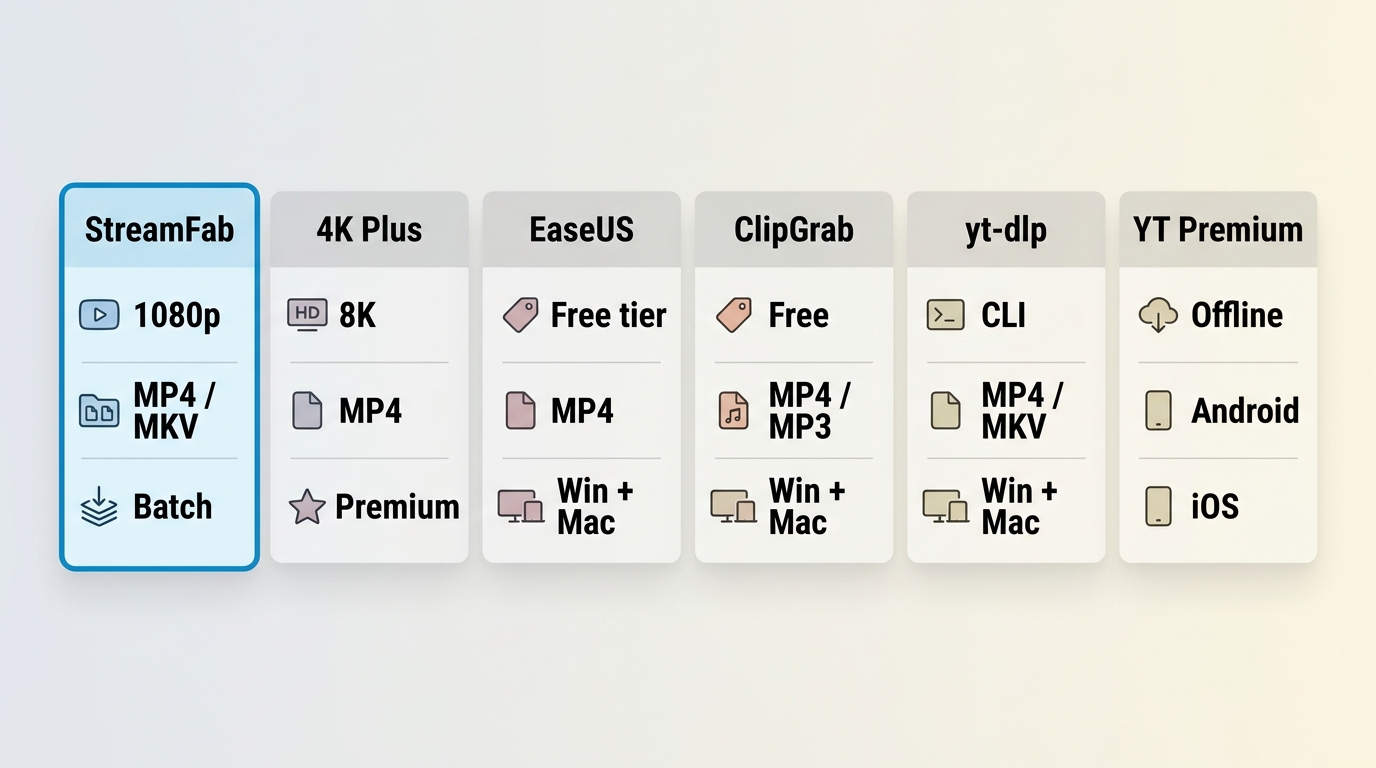
| Tool and type | Best fit and OS | Free limit | Formats and quality | Playlists and subtitles |
|---|---|---|---|---|
| StreamFab YouTube Downloader | Format control; Windows, Mac | Free trial | MP4, MKV, MP3; up to 8K | Batch playlists; SRT or embedded subtitles |
| 4K Video Downloader Plus | Desktop GUI; Windows, Mac | Free tier | Video and audio outputs; quality varies | Playlist support; subtitle options vary |
| EaseUS Video Downloader | Simple desktop use; Windows, Mac | Free tier | Video and audio outputs; quality varies | Playlist support; subtitle options vary |
| ClipGrab | Lightweight free desktop use; Windows, Mac | Free | MP4 and audio formats; quality varies | Limited playlist and subtitle controls |
| yt-dlp or maintained GUI frontend | Advanced users; Windows, Mac, Linux | Free | Available formats depend on the video | Strong playlist and subtitle flexibility |
| YouTube Premium | Official offline viewing; supported mobile devices | Paid subscription | In-app managed downloads | Platform-managed availability |
Reliability is conditional. A tool can work well for one video, operating system, or format and still need an update after YouTube changes its delivery methods. That makes current maintenance, transparent limits, and official distribution more useful selection criteria than the longest feature list.
Choose by Safety, Reliability, and Tool Type
Desktop GUI apps suit readers who want a guided workflow and file-format controls. Browser services can be convenient for occasional use, but their availability may change quickly and unofficial installers deserve extra caution. Command-line tools and maintained frontends offer flexibility for users comfortable with updates and configuration. Mobile apps are best treated as device-specific workflows, while YouTube Premium is the official choice for in-app offline viewing. For local-file workflows, use content you are authorized to access, where permitted by platform terms and applicable law. No downloader type is universally reliable for every video or platform condition.
Five YouTube Downloader Alternatives for Windows and Mac
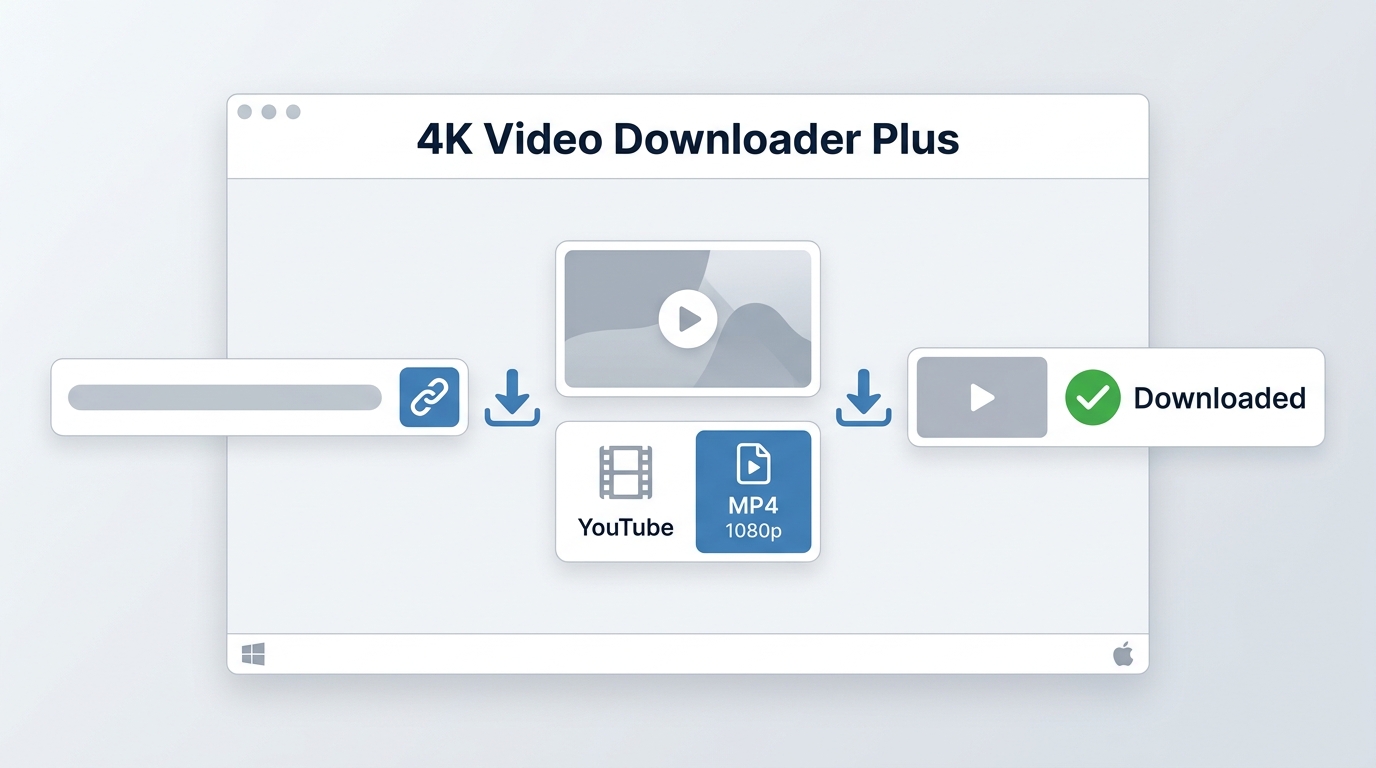
These are five representative desktop options, not a performance ranking. Mac readers who want a lightweight free tool should weigh ease of use against the possibility of update-related interruptions; readers needing step-by-step options can compare ways to download YouTube videos on Mac.
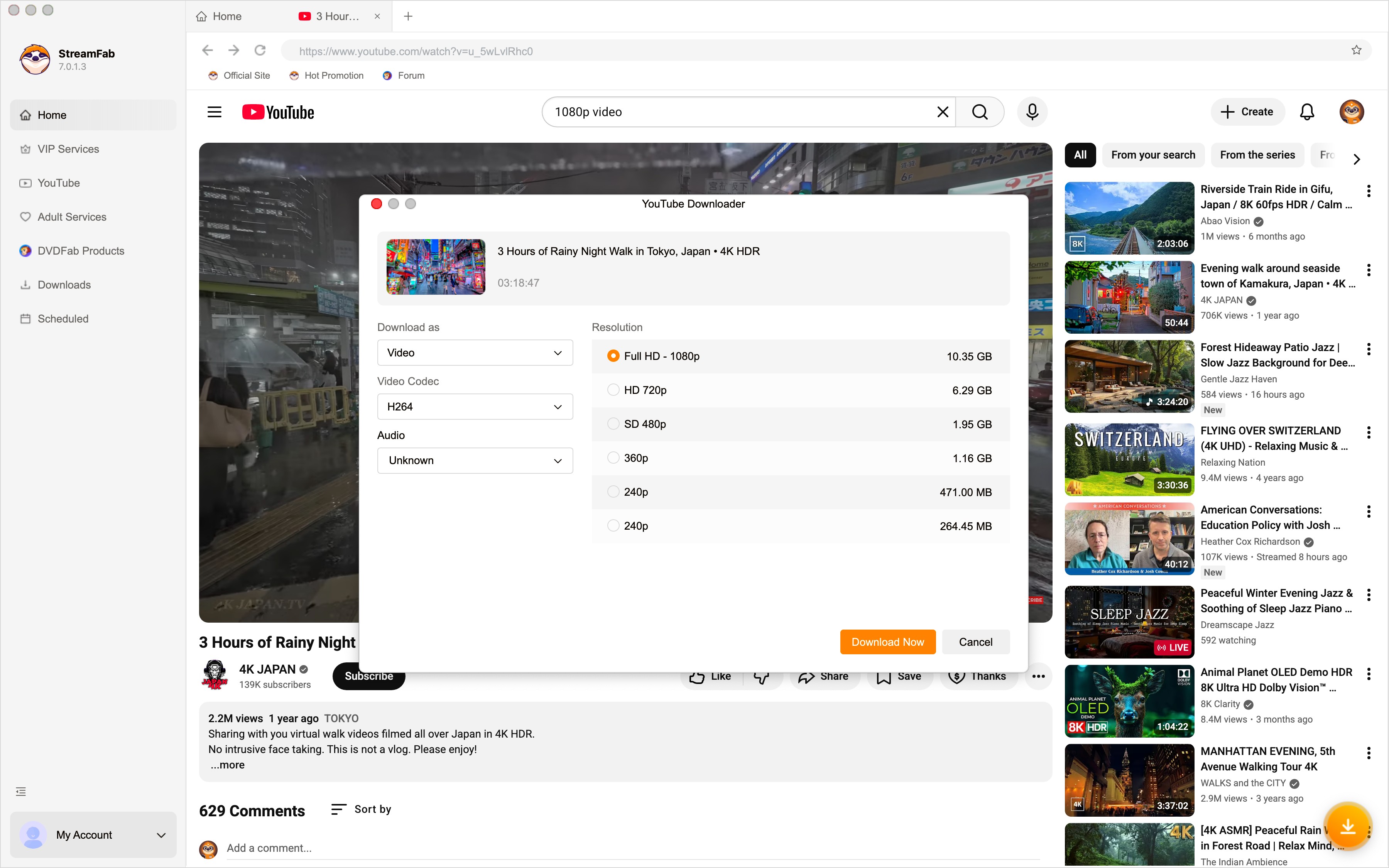
1. StreamFab YouTube Downloader: Format Control and Automation
StreamFab YouTube Downloader is a desktop option for Windows and Mac users who need more control over authorized local-file workflows. It supports selectable H.264, VP9, or AV1 codecs, separate SRT subtitles or subtitles remuxed into MKV, and batch or automatic subscribed-channel and playlist downloads. It is not ideal for readers who want a lightweight free tool or do not need advanced format control.
- Save authorized videos and music for personal offline use
- Choose a supported video or audio output for your workflow
- Save YouTube videos in MP4, MKV, or MP3 formats
- Choose H.264, VP9, or AV1 video codecs when available
- Save YouTube HDR and VR 360° videos
- The Quality up to 8K on YouTube Video Download and 320 kbps on YouTube Music Download
- Batch playlists and manage subtitle preferences for supported videos
Downloading Steps
Start with the software on your Windows/Mac computer and head to the left-side "Explore" section to select the YouTube option.

2. EaseUS Video Downloader
EaseUS Video Downloader is a desktop option for Windows and Mac users who prefer a guided interface for individual videos and playlists. Its free-tier limits, supported formats, and available quality options should be considered alongside current product details.
Downloading Steps
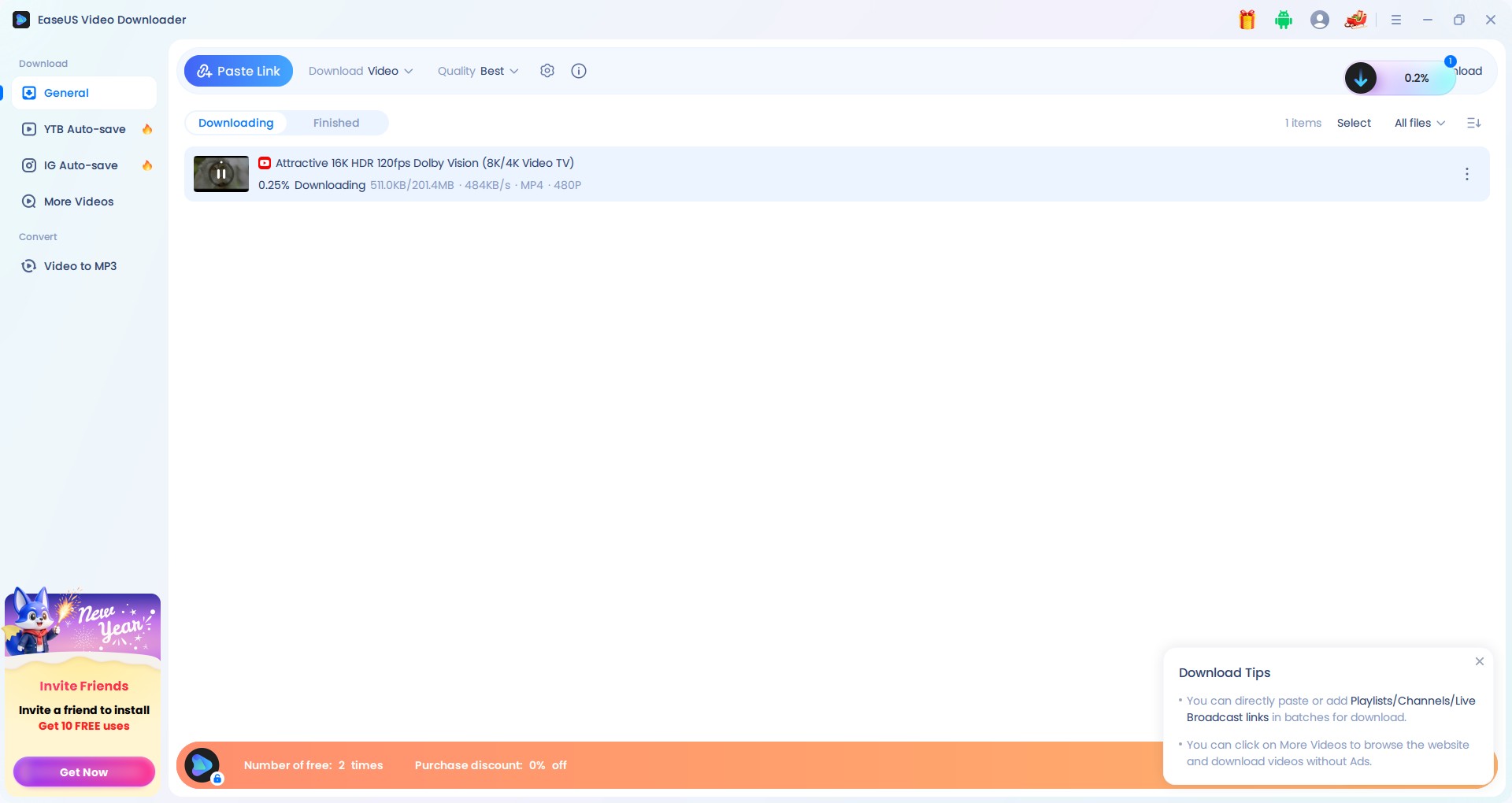
- With a 3x faster-downloading speed, you can save videos in any format from multiple formats.
- It supports video resolution from 4k to 8k.
- Enjoy batch downloading multiple videos in one go.
- It supports video to Mp3 conversion.
- It doesn't support the auto-downloading feature.
- There is no video codec selection option to customize your device's storage space.
3. 4K Video Downloader Plus
4K Video Downloader Plus is a desktop GUI option for readers who want to download YouTube videos on Mac or Windows PC without using a command line. It can be a practical fit for routine downloads, while free-tier and batch limits should be checked against its current official support information.
Downloading Steps
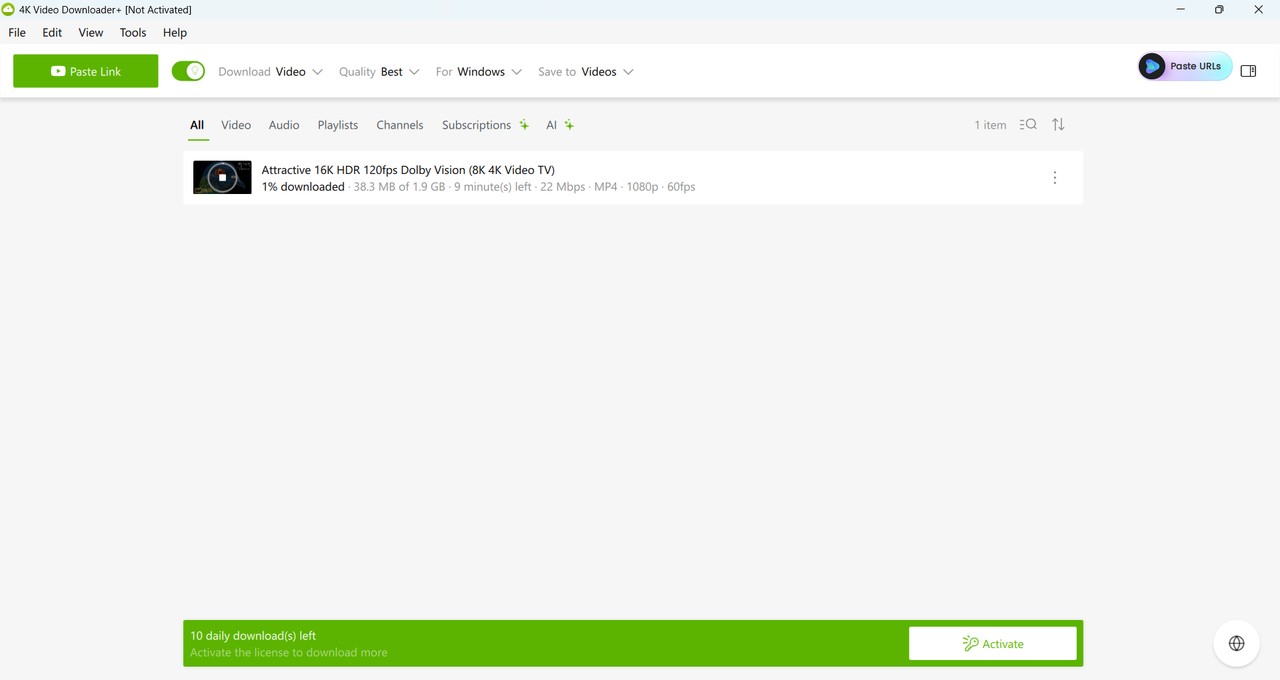
- Download HD/UHD/360°VR videos.
- You can convert video to Mp3.
- Save YouTube videos in Mp4 format.
- The automatic downloading option is available.
- The free version doesn't support unlimited downloads & batch downloading options.
- There is no audio quality selection option.
4. MovPilot All-In-One Video Downloader
MovPilot All-In-One Video Downloader is a desktop option for Windows and Mac users considering a third-party YouTube downloader with batch and conversion workflows. It may suit readers who also use several video services, but it can be more than necessary for a YouTube-only workflow.
Downloading Steps
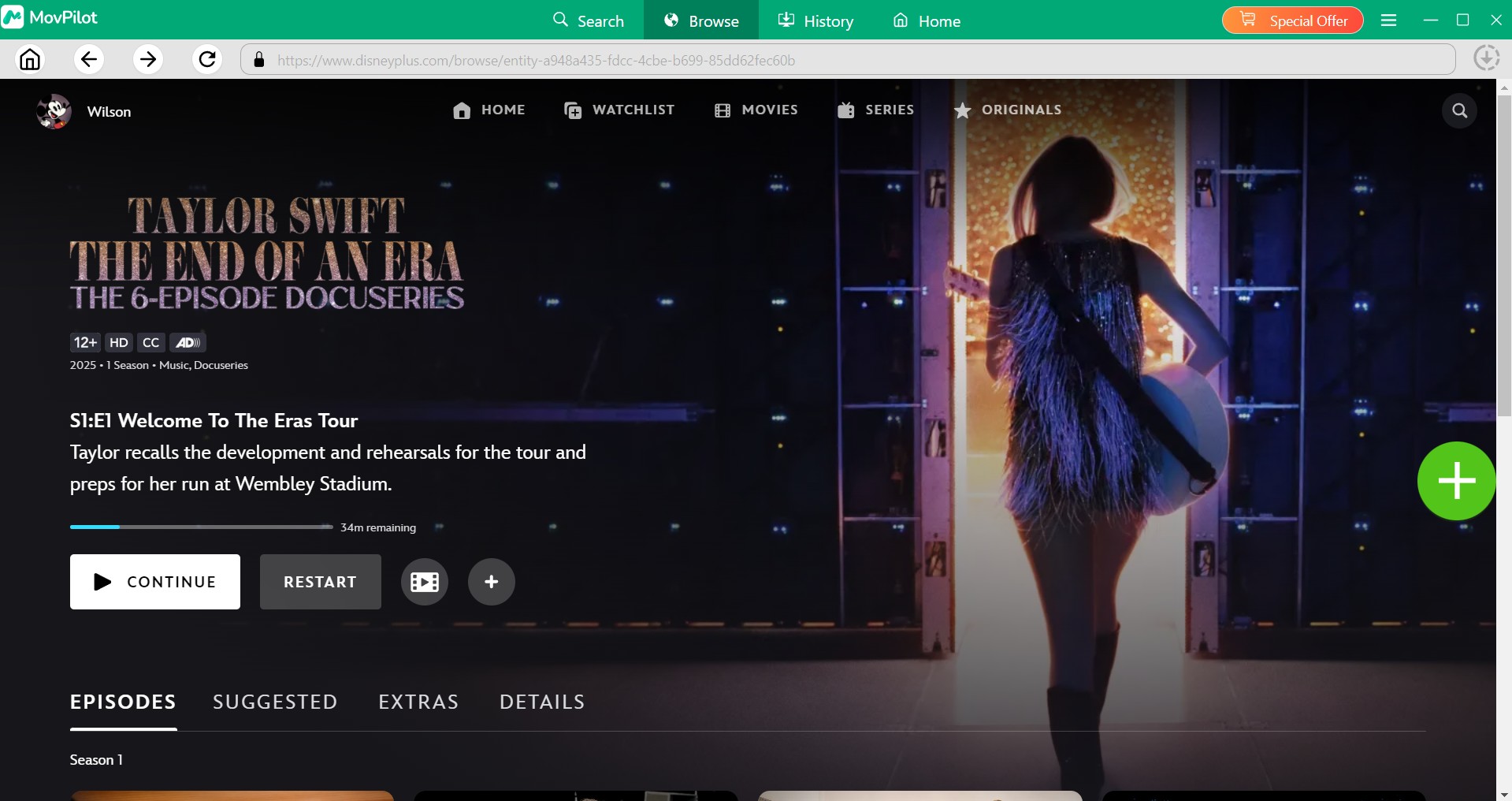
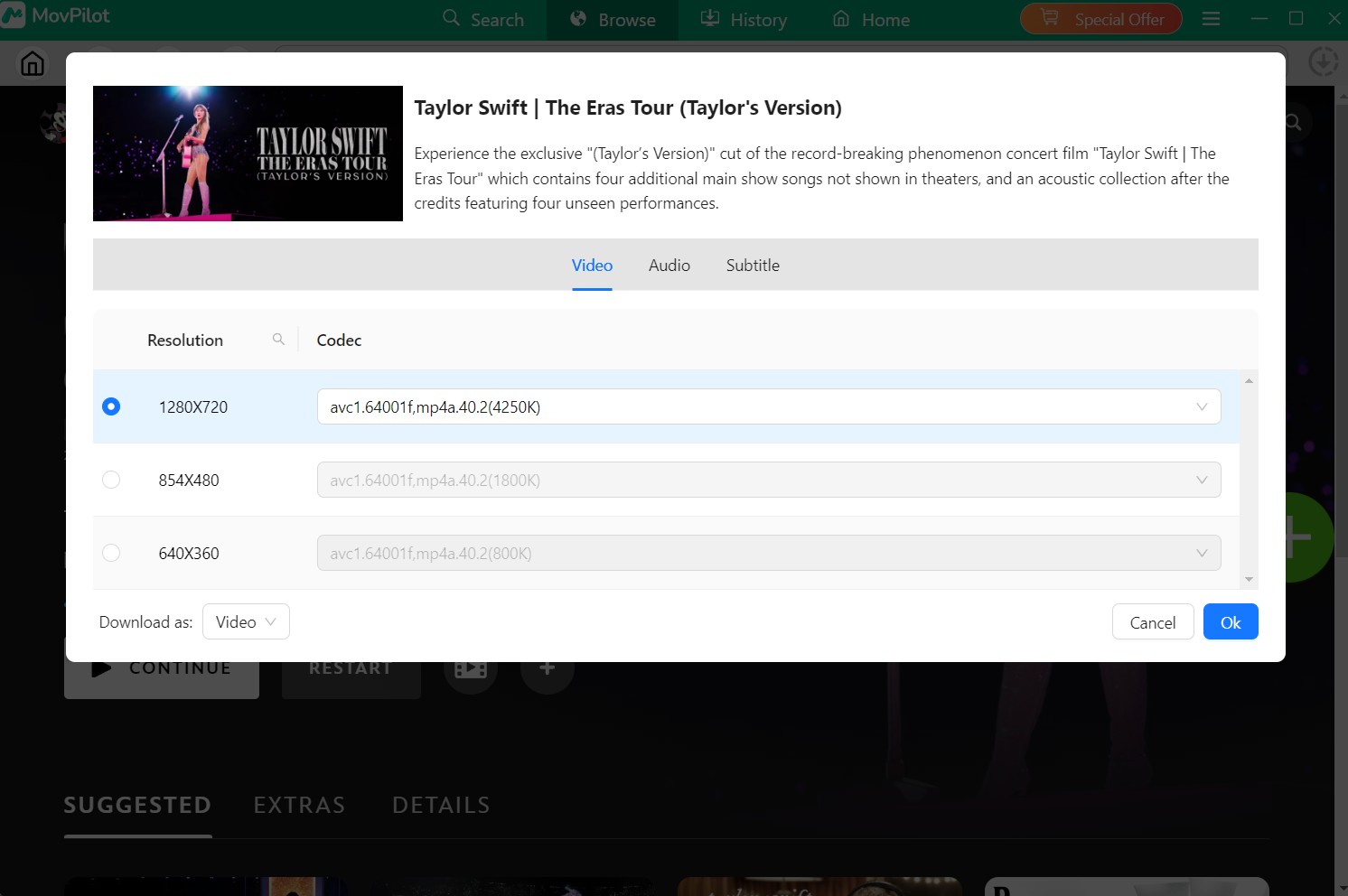
- It offers multiple video editing options like cropping, merging, etc.
- It allows you to extract audio from video.
- It supports video formats like Mp4 and MKV.
- Don't support HDR effect.
- It is comparatively expensive software, because you must pay for all services, no only one service for YouTube.
Readers comparing broader service coverage can use the MovPilot review for additional product context.
5. ClipGrab
ClipGrab is a free desktop alternative to a YouTube downloader for Windows and Mac. It remains actively maintained, but performance can vary after YouTube changes. It is best for readers who value a straightforward free option and not ideal for anyone who needs dependable batch, subtitle, or automation controls.
Downloading Steps
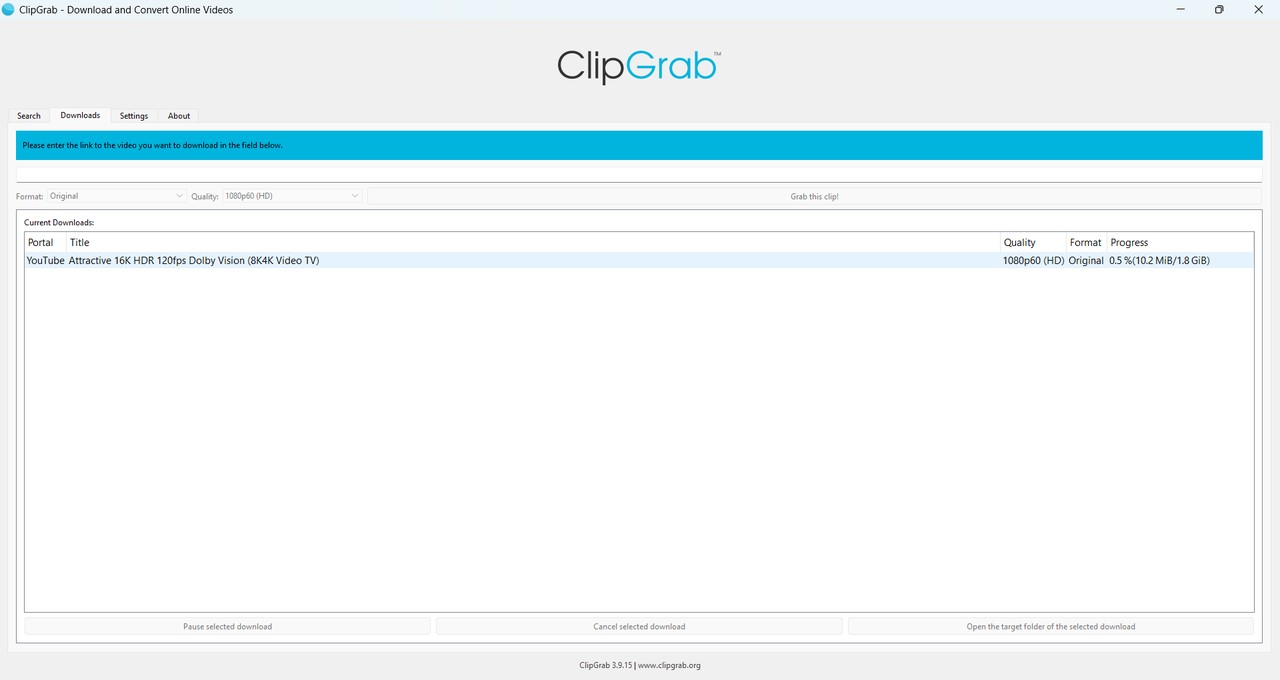
- You can download videos from multiple websites like Vimeo, Dailymotion, etc.
- It supports formats like WMV, WEMB, Mp3, OGG, etc.
- You can save content with its original HD quality.
- Convert any YouTube video to Mp3 format.
- There is no batch or auto-downloading option.
- Audio-video quality selection option is also missing.
Mobile YouTube Downloader Alternatives for Android and iOS
Android downloader apps and iOS file-management or offline-playback workflows are not equivalent tool types. On Android, readers who need setup instructions can follow the available options for how to download YouTube videos on Android; on iOS, official offline viewing and file organization are usually the clearer starting points.
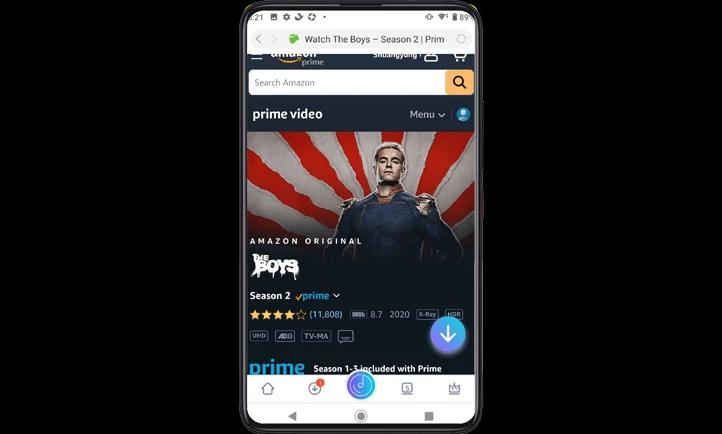
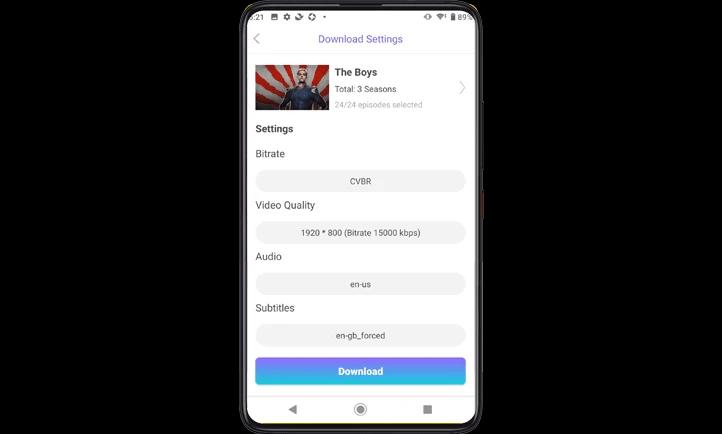
1. StreamFab for Android
StreamFab for Android is an Android app for users who want a dedicated mobile workflow for authorized content. It is more relevant to readers who need format, subtitle, and download-management options than to those who simply want official in-app offline viewing.
Readers comparing Android apps can also review video downloader options for Android by workflow and format needs.
- Save supported content with AAC 2.0 audio when available.
- Select your desired video resolution from 480p/720p/1080p quality.
- Save supported downloads in MP4 format for compatible devices.
- You can enjoy your saved content with your preferred subtitles and metadata.
- Use batch downloading for supported content.
- Explore built-in browsing options for smart searching within the software.
- It supports videos up to 8K resolution.
- Get Mp3 videos at 320 kbps.
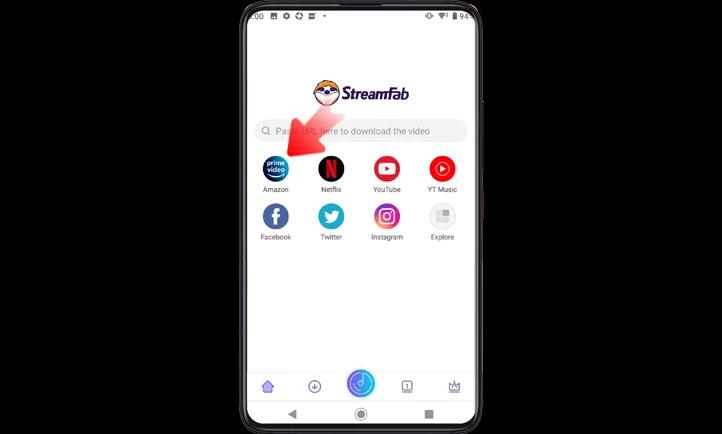
Downloading Steps
2. SnapTube
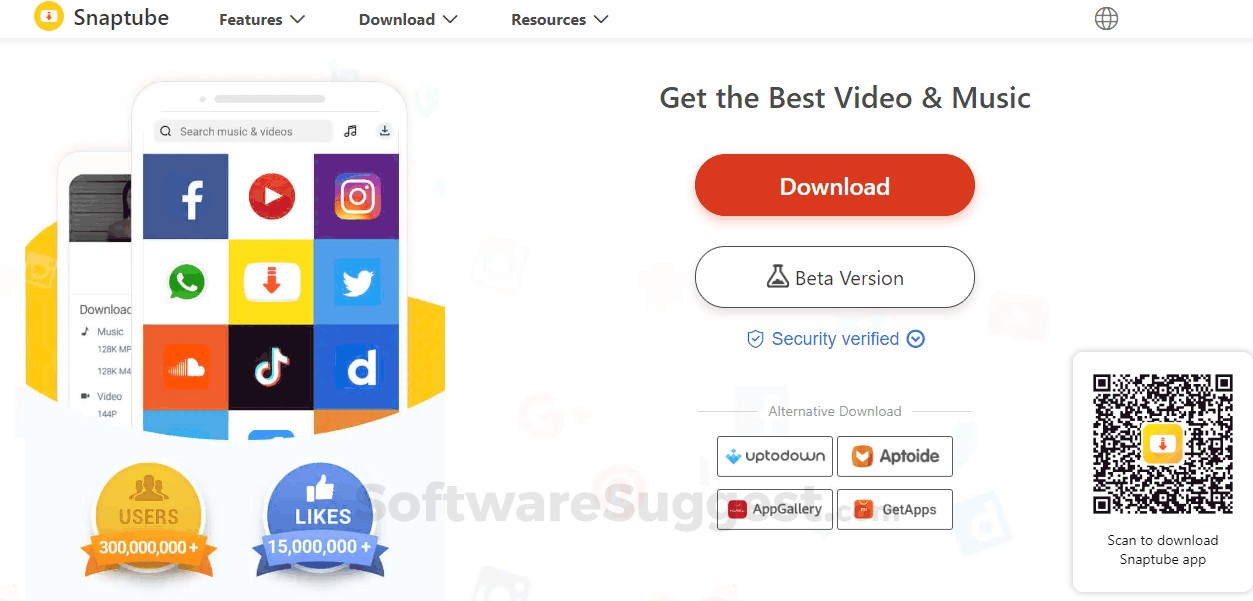
SnapTube is an Android-focused app with in-app browsing and search features. It may appeal to users who prefer a phone-first workflow, but app availability, supported sources, and reliability can change over time.

- Download video in 480p/720p/1080p to 4k resolution.
- It offers Mp4 & M4A formats.
- It supports 50+ websites to download content.
- It offers a floating video player.

- There is no batch or auto-downloading option.
- This software supports very limited websites.
3. TubeMate
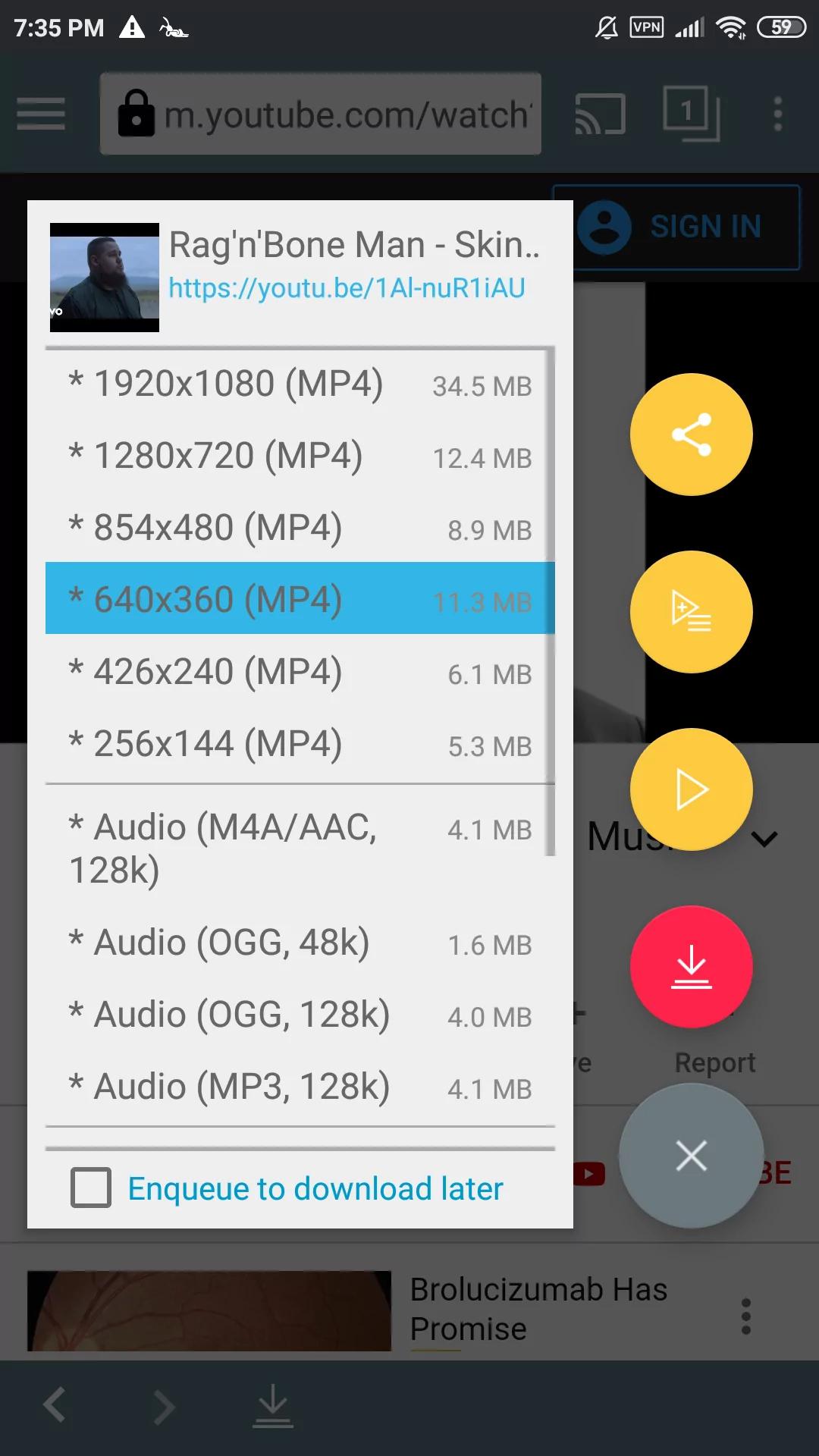
TubeMate is an Android-focused alternative to a YouTube downloader with browsing and format-selection features. It may suit users who prefer an app-based workflow, while its available sources and controls can change with updates.
- This app comes with a built-in browse option.
- It offers video quality and format selection options.
- You can watch the video inside the app while downloading.
- Download speed adjusting option is also there.
- It doesn't provide an ads-free downloading option.
- There are no customizable features like batch downloading, subtitles saving, etc.
4. Documents by Readdle: iOS File Workflow
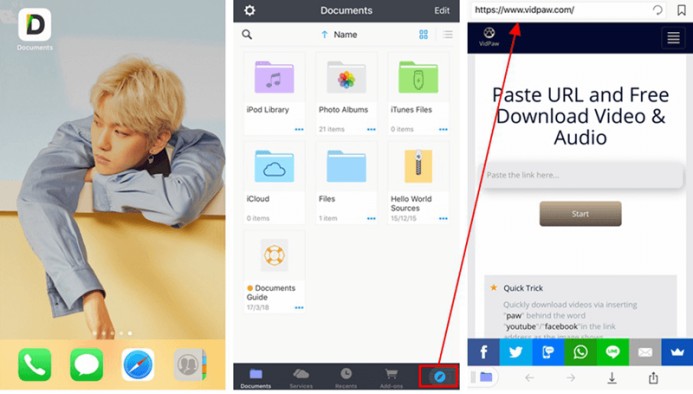
Documents by Readdle is an iOS file manager and media hub, not a dedicated YouTube downloader. It can suit readers who primarily need a browser-and-file workflow, media organization, and offline playback on an iPhone or iPad.
- It has a built-in browser to make your search convenient.
- It allows private browsing options.
- You can share files with any nearby device.
- Enjoy watching videos on this app while downloading them.
- There is no audio-video customization option.
- The paid version offers all the useful features.
5. FoxFM: Cloud Files and Offline Playback
FoxFM is positioned around cloud-file downloads, file management, and offline playback on iOS. It may fit readers organizing files from supported cloud sources, but it should not be treated as a verified direct YouTube downloader or converter.
- You can manage or extract files with this tool.
- Get audio or ringtone out of any video.
- It offers multiple file formats like Mp3, Mp4, DOC, JPG, etc.
- You can get a password-protected file.
- There are very limited customization features.
- It also supports very limited websites to download videos from.
For a deeper comparison of playlist workflows, see this best YouTube playlist downloader review.
FAQ
Can I use SnapTube on a Mac?
SnapTube does not offer an official macOS build. A native Mac desktop app is generally a better fit than relying on an emulator, but the right alternative depends on whether you need a free tool, playlist support, subtitle handling, or more detailed format controls.
Why do downloads stop halfway?
Incomplete downloads can result from a connection interruption, a platform change, an unavailable format, or a tool that has not caught up with an update. Check the file duration and playback before treating a task as complete, then update the tool and try an available output if needed.
Is yt-dlp legal to use?
There is no blanket legal answer. Authorization, the content license, intended use, platform terms, and applicable law all matter. YouTube Premium is the official option for managed offline viewing, while local-file workflows should be limited to content you are authorized to access where permitted.
What does "format not available" mean?
It usually means the requested stream, codec, or resolution is not available for that video or is not recognized by the current tool version. Update the tool first, then select one of the formats it currently lists instead of assuming every quality option is available.
Conclusion
The right YouTube downloader alternative depends on your operating system, budget, desired formats, playlist or subtitle needs, and willingness to manage updates. YouTube Premium is the clearest choice for official in-app offline viewing; ClipGrab and maintained command-line tools can suit lightweight free use; and desktop apps such as StreamFab make more sense when format control, subtitles, and playlist automation matter.
The practical editorial judgment is simple: choose the smallest tool that covers your actual workflow, and do not mistake a long feature list for lasting reliability.


This guide organizes 34 movies into verified free picks, official Hindi and Bollywood uploads, and paid genre recommendations. It also explains rentals, purchases, official mobile downloads, and when a Windows or Mac local-file workflow fits authorized offline viewing.
By Jacob Harrison - Sep 15, 2026
How to Convert YouTube Videos to MP3? This article shows you how to convert YouTube video to MP3 with online video converters and with desktop program StreamFab YouTube to MP3.
By Nicole Lopez - Sep 8, 2026
This article introduces three practical ways to download YouTube videos on Android devices: using the YouTube app, online download tools, and StreamFab YouTube Downloader for Android. It compares each method in terms of resolution, limitations, and features, helping users choose the best option for smooth offline viewing.
By Erika Leen - Aug 6, 2026
Compare three ways to download YouTube movies as MP4 files on PC. This guide reviews StreamFab, CleverGet, and RecordFab based on video quality, subtitle support, download speed, and their ability to handle common errors such as throttling, missing audio, and black screens.
By Nicole Lopez - Aug 6, 2026