
MovPilot Netflix Video Downloader Review, 2026: Safety, Trial, and Performance

Summary: Many users are considering tools like MovPilot Netflix Video Downloader to supplement Netflix's download feature. In this article, we summarize our thoughts on using MovPilot Netflix Video Downloader, including the advanced features, limitations of the free version, and detailed instructions on its usage.
Table of Contents
Netflix downloads on PC disappeared from the current Windows app, and Macs have no official download option. My recommendation: evaluate MovPilot for occasional desktop saving, but choose the official app on a supported mobile device when you simply need an episode offline.
This MovPilot Netflix Video Downloader Review, updated for 2026, covers output choices, the trial, installer safety, and StreamFab as another desktop option. As of September 2026, Netflix lists Android phones and tablets, iPhone and iPad, Amazon Fire tablets, and Google Chromebooks for official downloads. Those app-managed downloads are different from MP4 files.
MovPilot is a third-party option relative to Netflix’s official download feature. MovPilot and StreamFab can save content you are authorized to watch as a local file for personal offline viewing, where permitted by platform terms and applicable law. Keep an active Netflix subscription and do not redistribute saved content.
MovPilot 2026 Review: Features & Real Tests
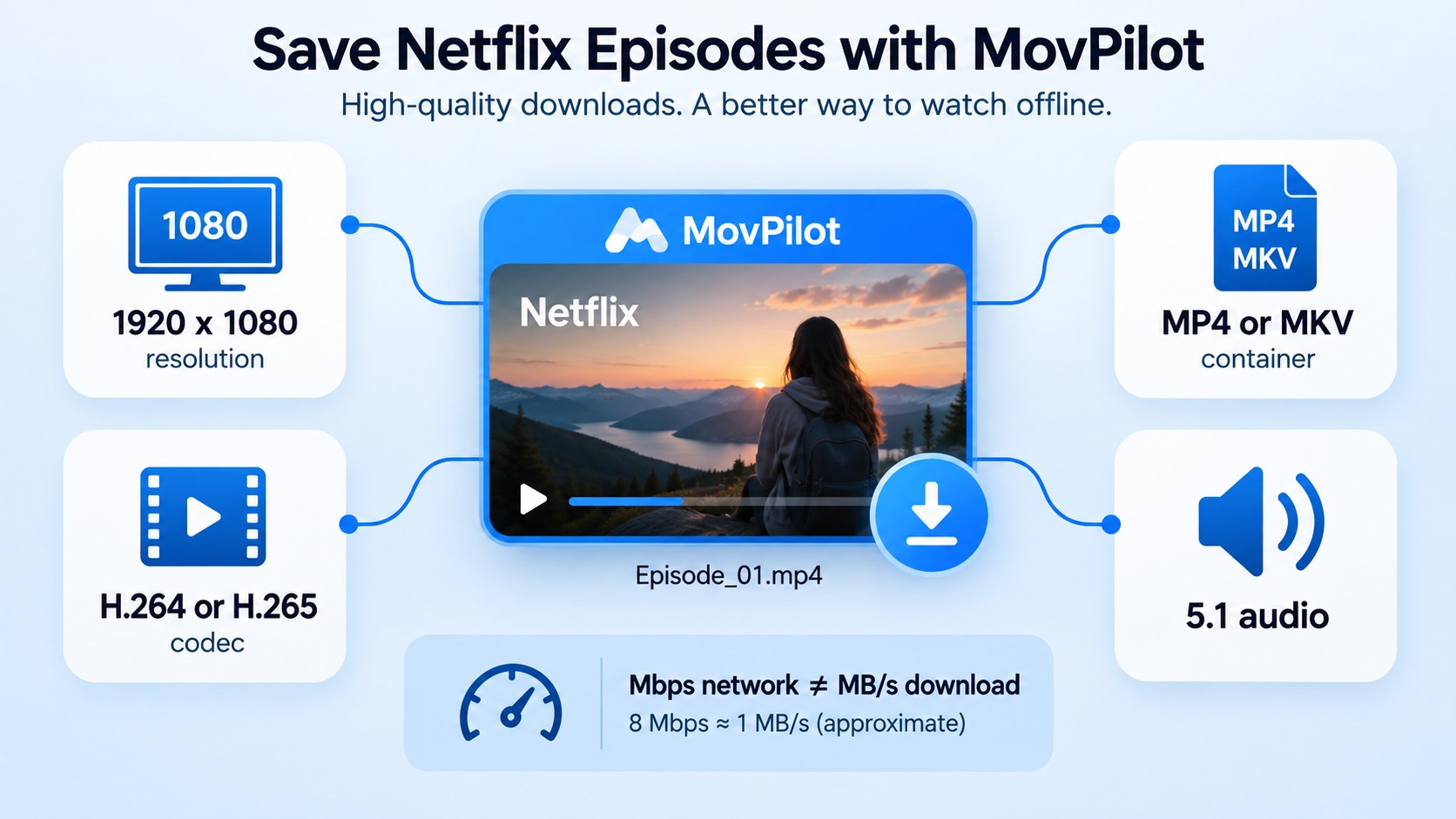
MovPilot offers desktop output choices that Netflix’s official app does not expose. The useful starting point is its format and subtitle selection. Treat MovPilot download speed and installer safety as separate questions: a supported output format says nothing about transfer time or the installer on your computer.
Scoped verdict: MovPilot suits occasional Netflix-only saving when its selectable container and subtitle workflow meets your needs.
- Documented speed scope: The 3–5 MB/s result applies to a Windows 11 system with Ryzen 7 5700U hardware, a roughly 23.75 Mbps connection, and Stranger Things S4E1.
- Strongest observed advantage: MP4/MKV output with selectable audio and subtitle options.
- Strongest constraint: The trial saves only the first six minutes of each video.
MovPilot 2026 Review: Features & Real Tests

Through reviews of MovPilot Netflix Video Downloader, you can gain insight into the product's features and more. The following reviews have been tested by our team. Reproduction without permission is strictly prohibited. Contact us before citing this MovPilot Netflix Video Downloader review.
1080p Output and Playback Checks
MovPilot advertises Netflix output up to 1080p, with H.264/H.265 choices and 5.1 audio. These are product capabilities, not a guarantee for each title. Select your episode, inspect the offered options, and check the saved file’s properties before judging picture quality.
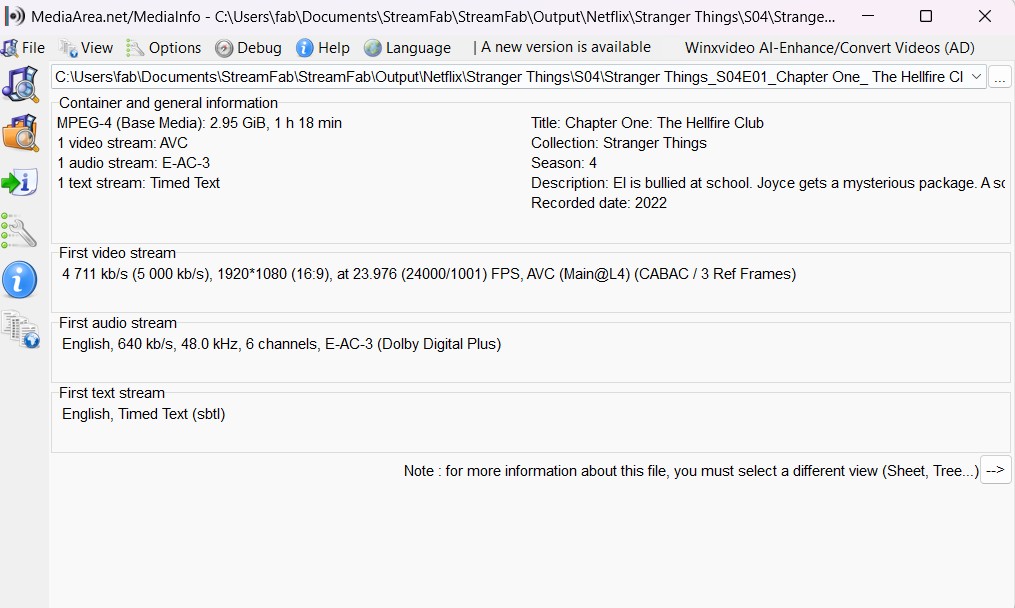
A 1080p Netflix download should report 1920 × 1080 in its file properties. MP4 and MKV describe the container, not the resolution. Play the clip in your intended player and check dialogue, subtitle timing, and the selected audio language.
Download Speed Test Results
For a useful speed check, measure the elapsed transfer time separately from the video’s running time.
Test Data (MovPilot): Use one familiar Netflix title.
- Speed check: Note the file size and elapsed transfer time separately.
- Playback check: Compare dialogue and subtitle timing in the saved clip.
- Trial limitation: Each video is limited to its first six minutes.
- Output check: Inspect the saved file’s resolution, codec, and audio channels.
Network units matter. Internet plans usually state megabits per second, while download tools often display megabytes per second. Do not read Mbps and MB/s as the same measurement or treat one transfer as a permanent speed ceiling.
Is MovPilot Safe? Security Verification
MovPilot is an active commercial product; obtain its installer through its official distribution channel. The scan screenshot below concerns an individual installer. For a MovPilot safety review, distinguish that file check from download reliability and the behavior of later software releases.
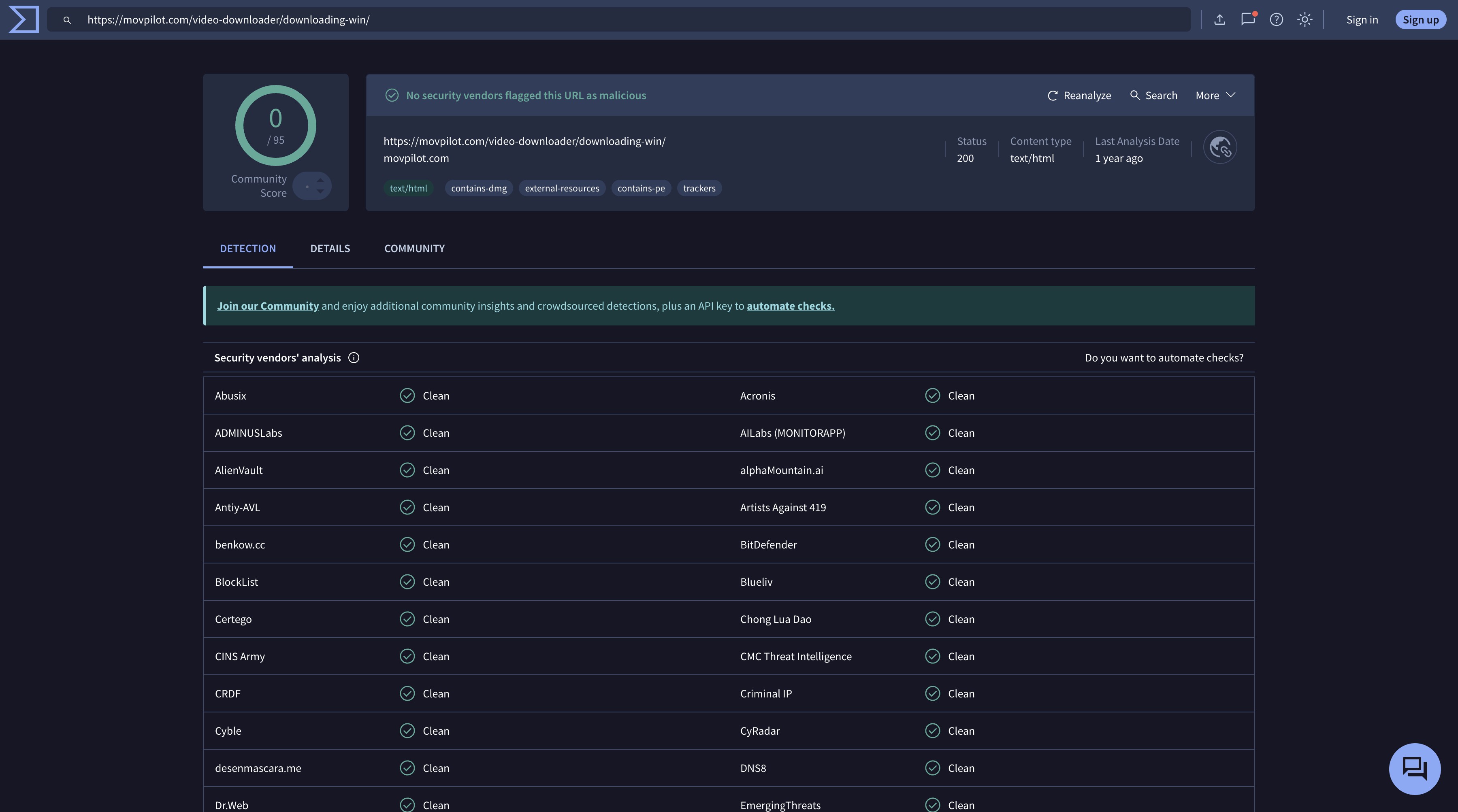
Current user reviews show mixed operational experiences. Trustpilot’s September 2026 snapshot was 4.1/5 from 248 reviews, with reports of prompt support fixes alongside freezes following platform updates. That rating is customer feedback, not a malware certification.
Use an updated installer and keep your operating system’s security checks enabled. If you encounter MovPilot download problems such as a freeze, restart the application, confirm the title plays in Netflix, and install the current official update before retrying. Save the error message for a support request if the failure repeats.
Using MovPilot Netflix Downloader
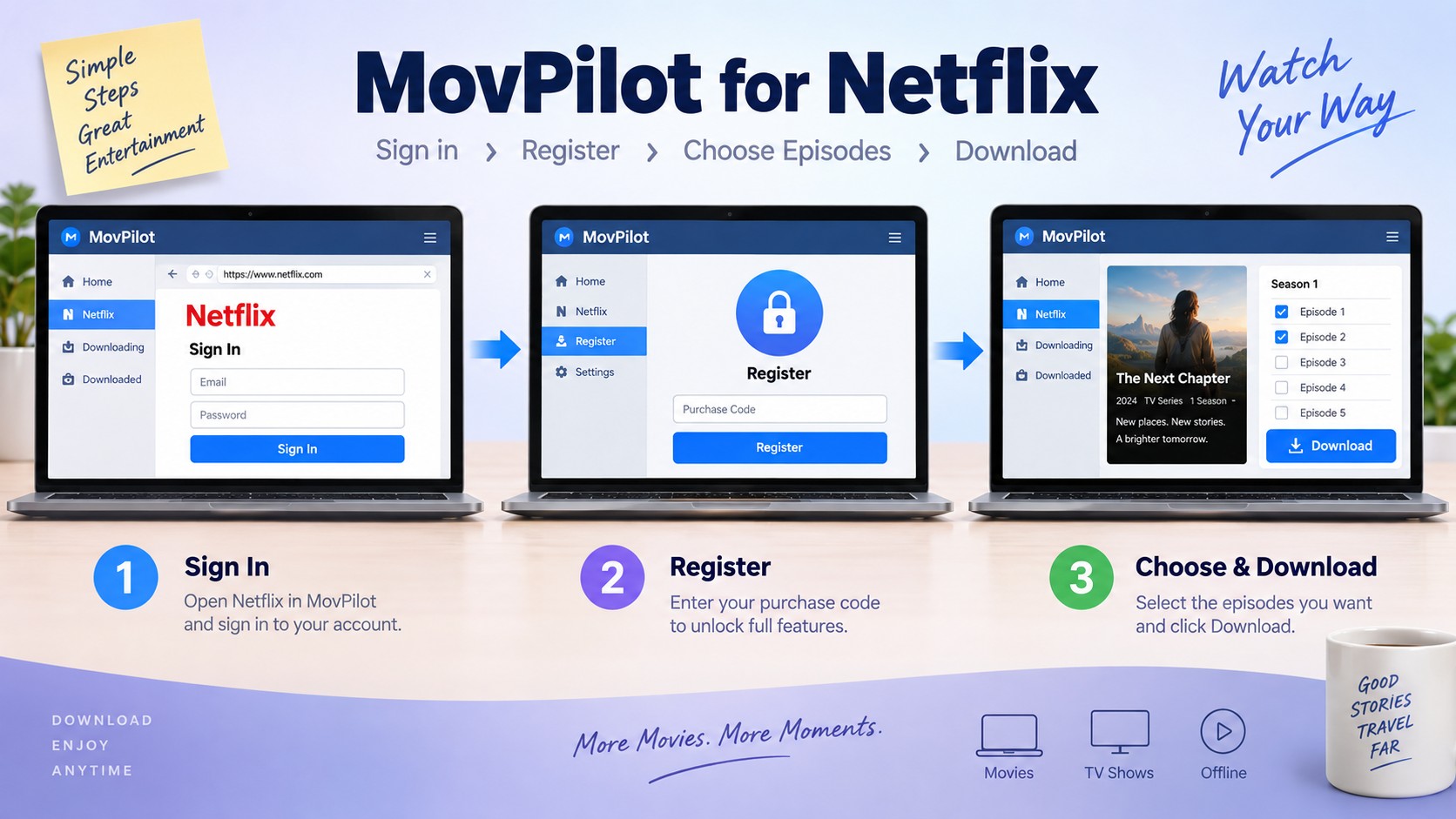
MovPilot’s desktop workflow starts with installation and Netflix sign-in, then title selection and output settings. Have a Windows PC or Mac, an active Netflix subscription, authorized access to the selected title, and enough free storage before you begin.
- Install and launch MovPilot. Open the application and sign in with your Netflix account.
- Find your purchase code. For paid activation, copy the registration code from your MovPilot order email.
Activate the license. Select the lock icon, paste your code, and click “Register.”
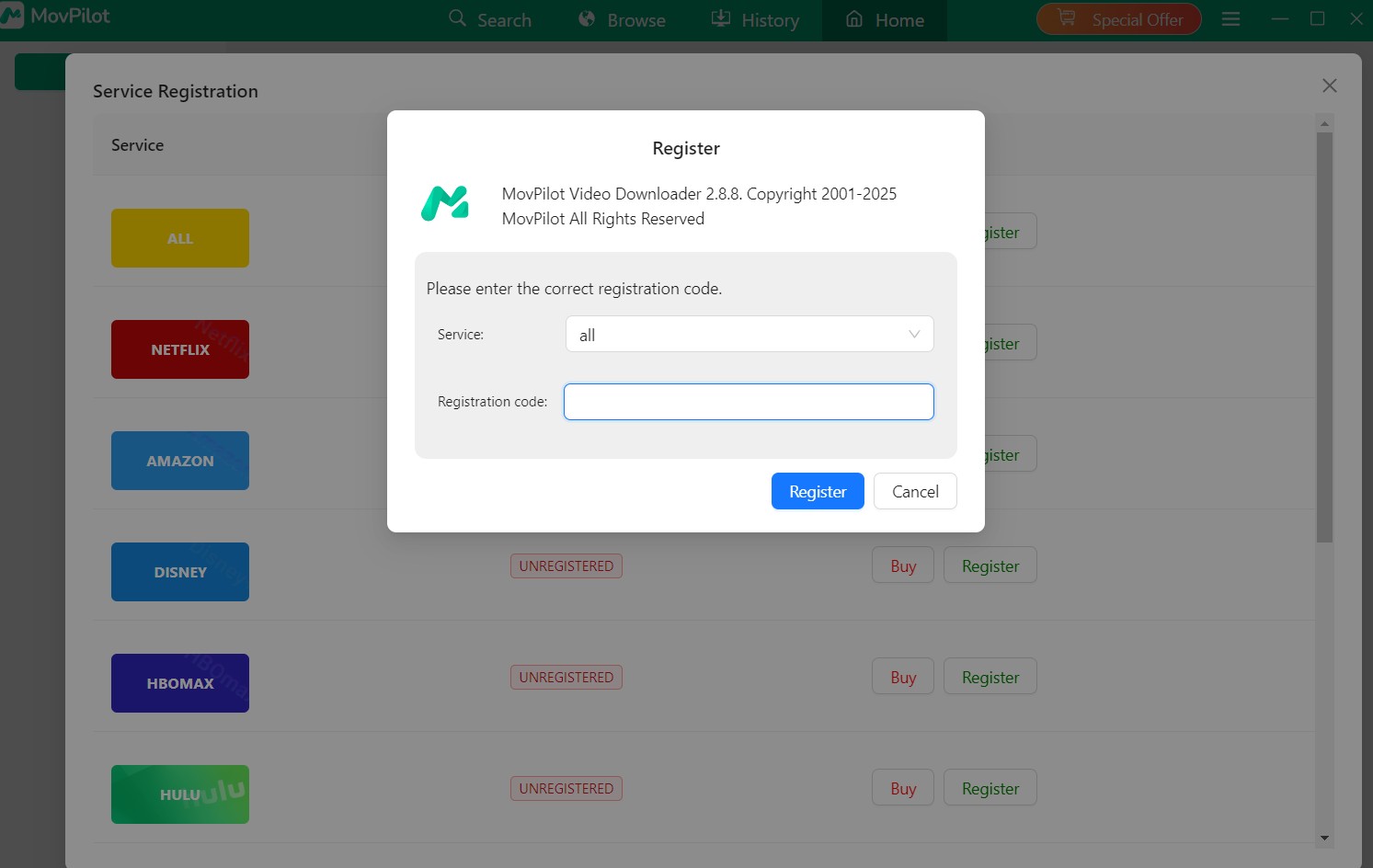
Find your title. Search in the Netflix browser window and play the movie or episode to start analysis.
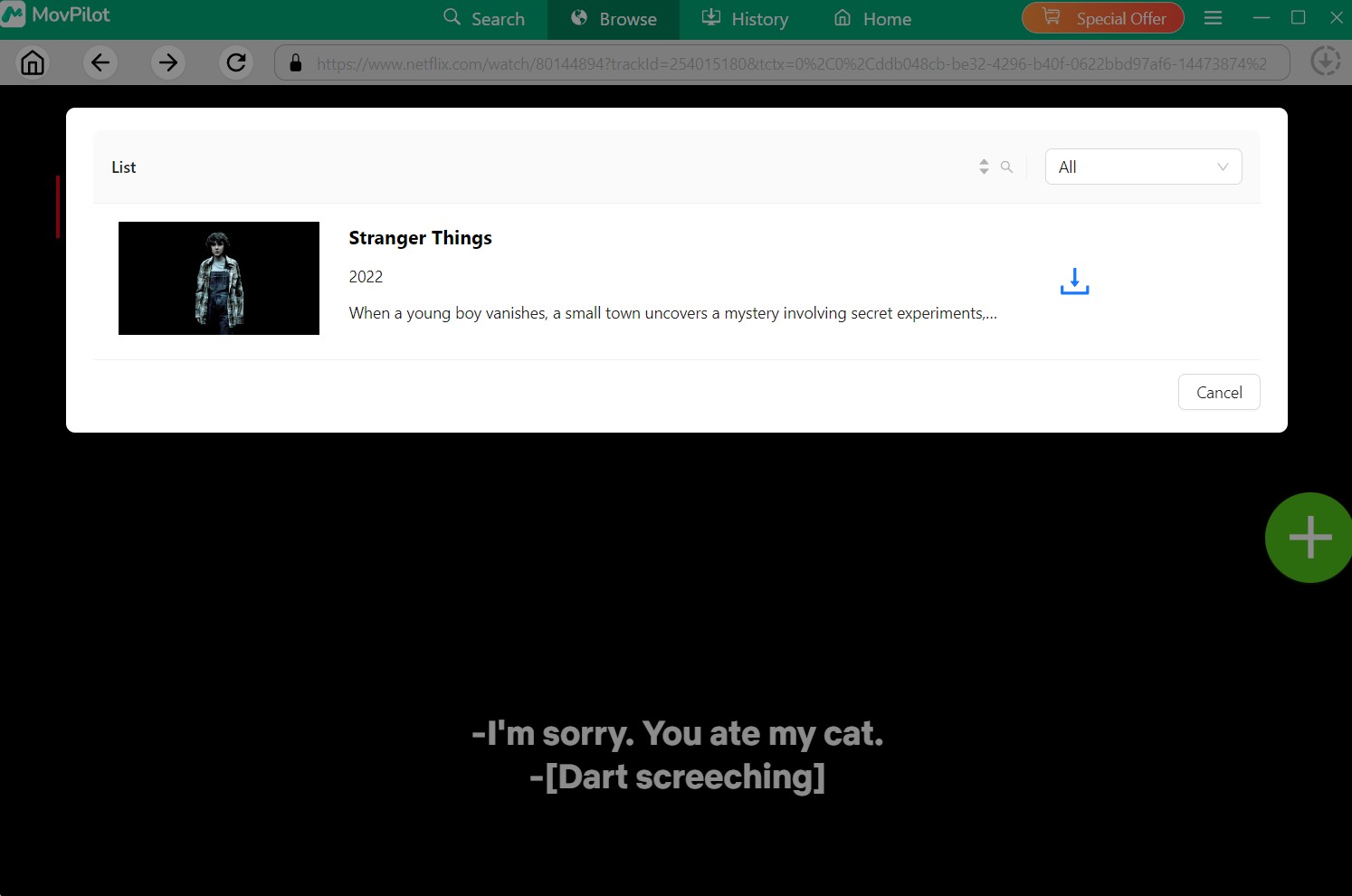
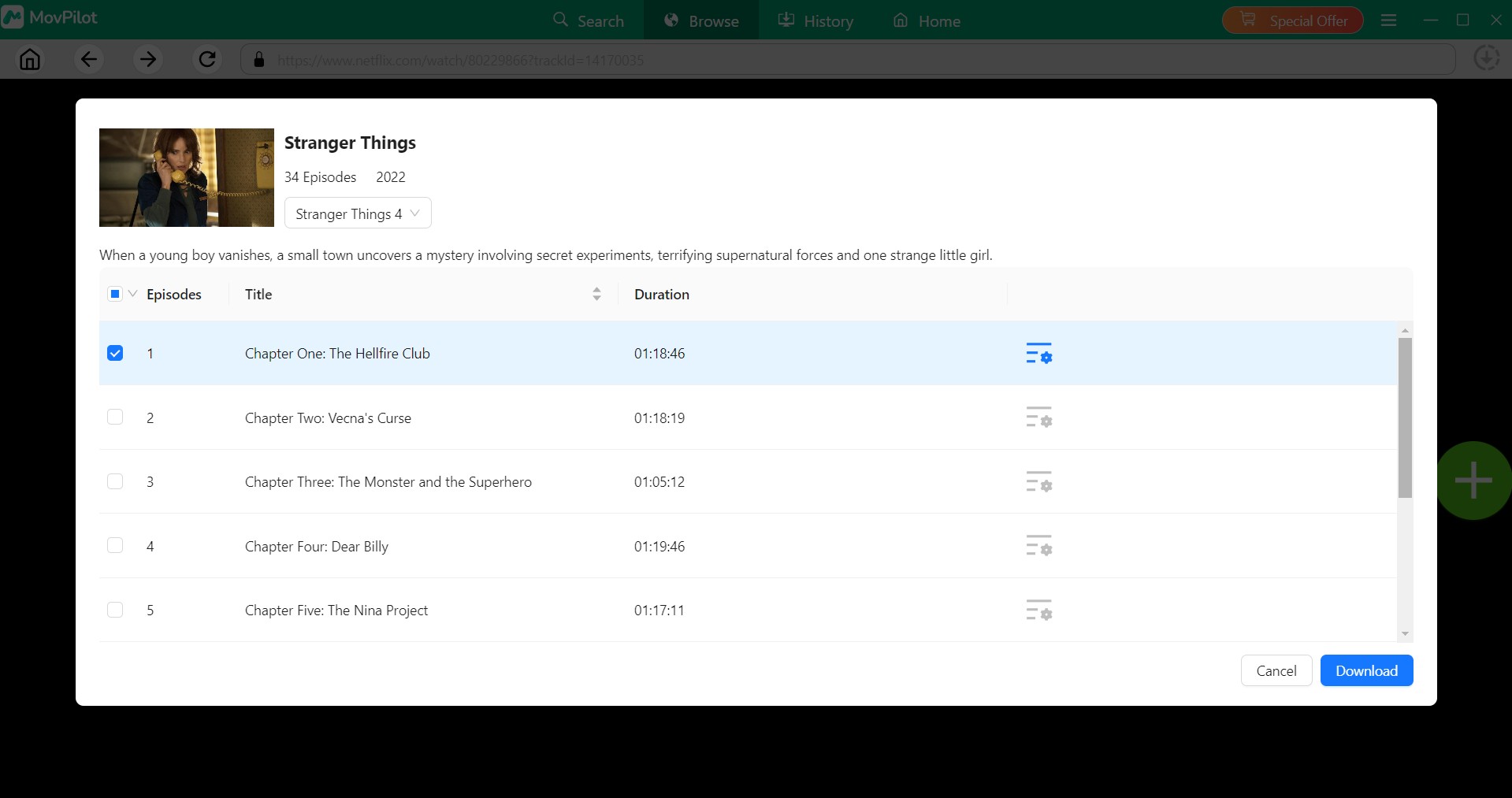
Select episodes and download. Open the download dialog, choose the episodes, and start the task.
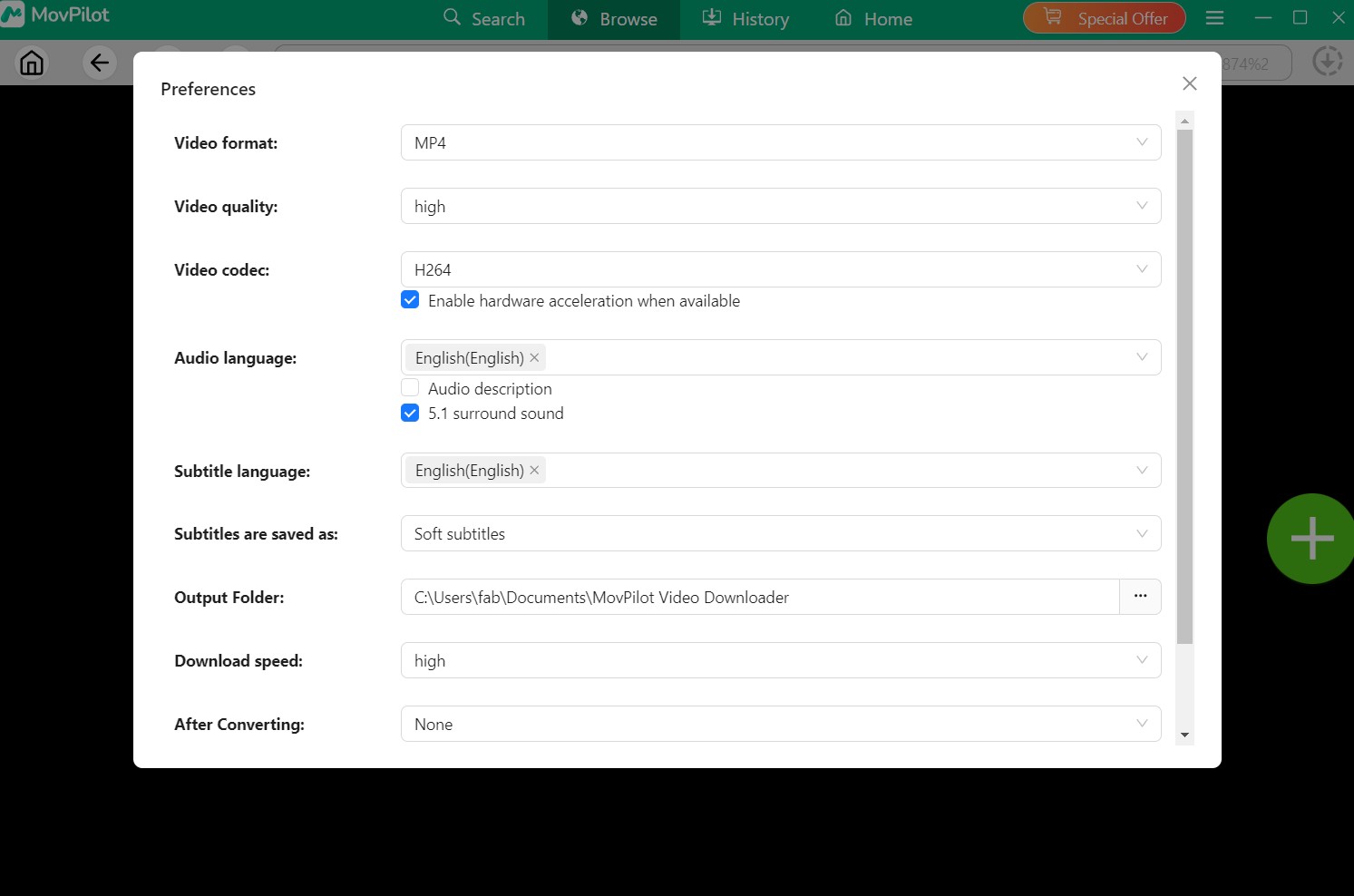
Output Settings
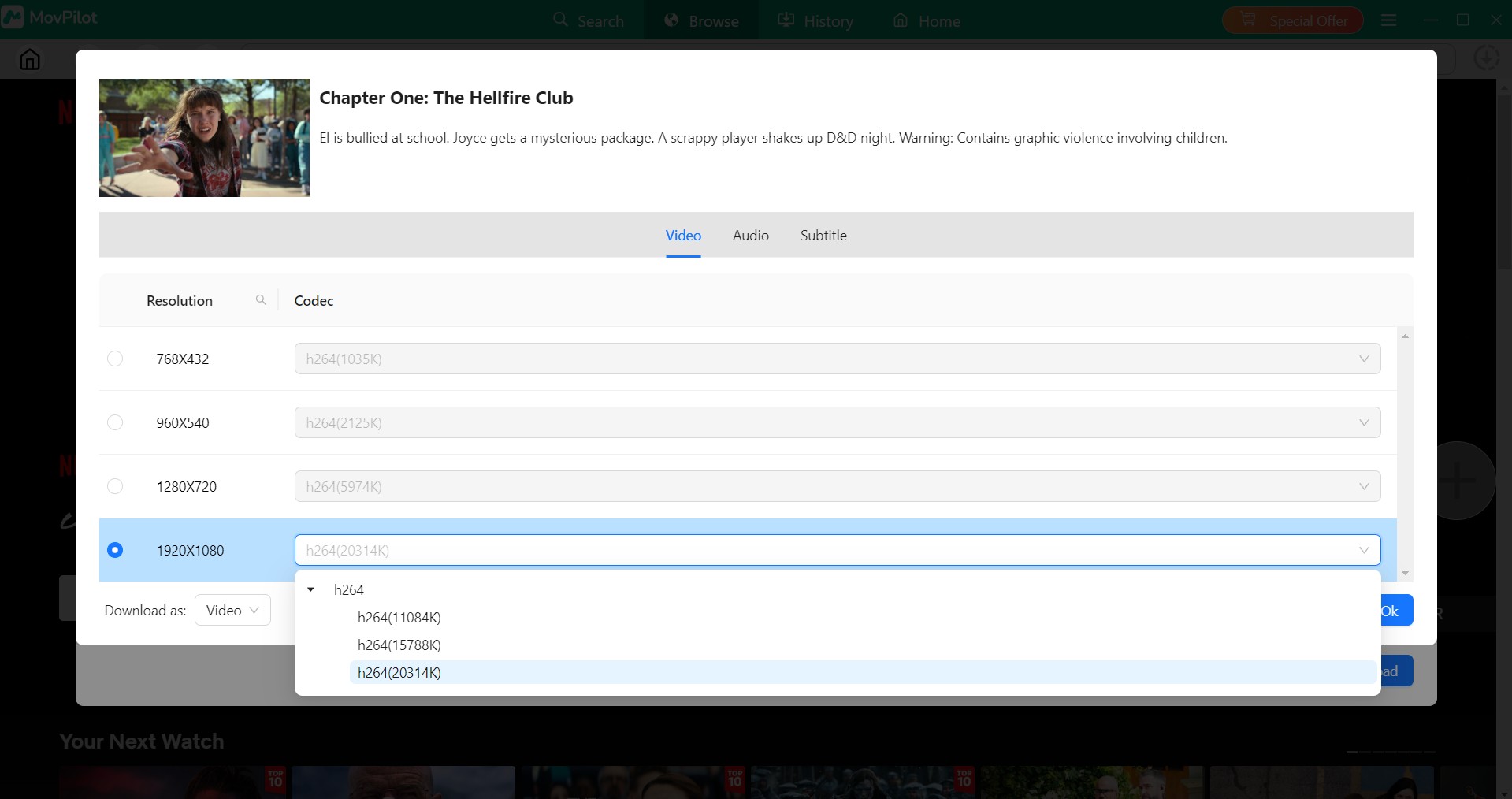
Choose your defaults in Preferences, then adjust individual titles in the download dialog. You can select MP4 or MKV and the available audio and subtitle languages. Match those settings to the player you actually use; if the defaults already work, keep them unchanged.
Open the three-line menu and select Preferences to set the default container, audio language, subtitle language, and audio options.
After title analysis, open the settings icon beside the title. Review the offered resolution, audio track, and hardcoded, internal, or external subtitle options before starting the download.
Value of MovPilot Netflix Video Downloader: Shall I Purchase It?
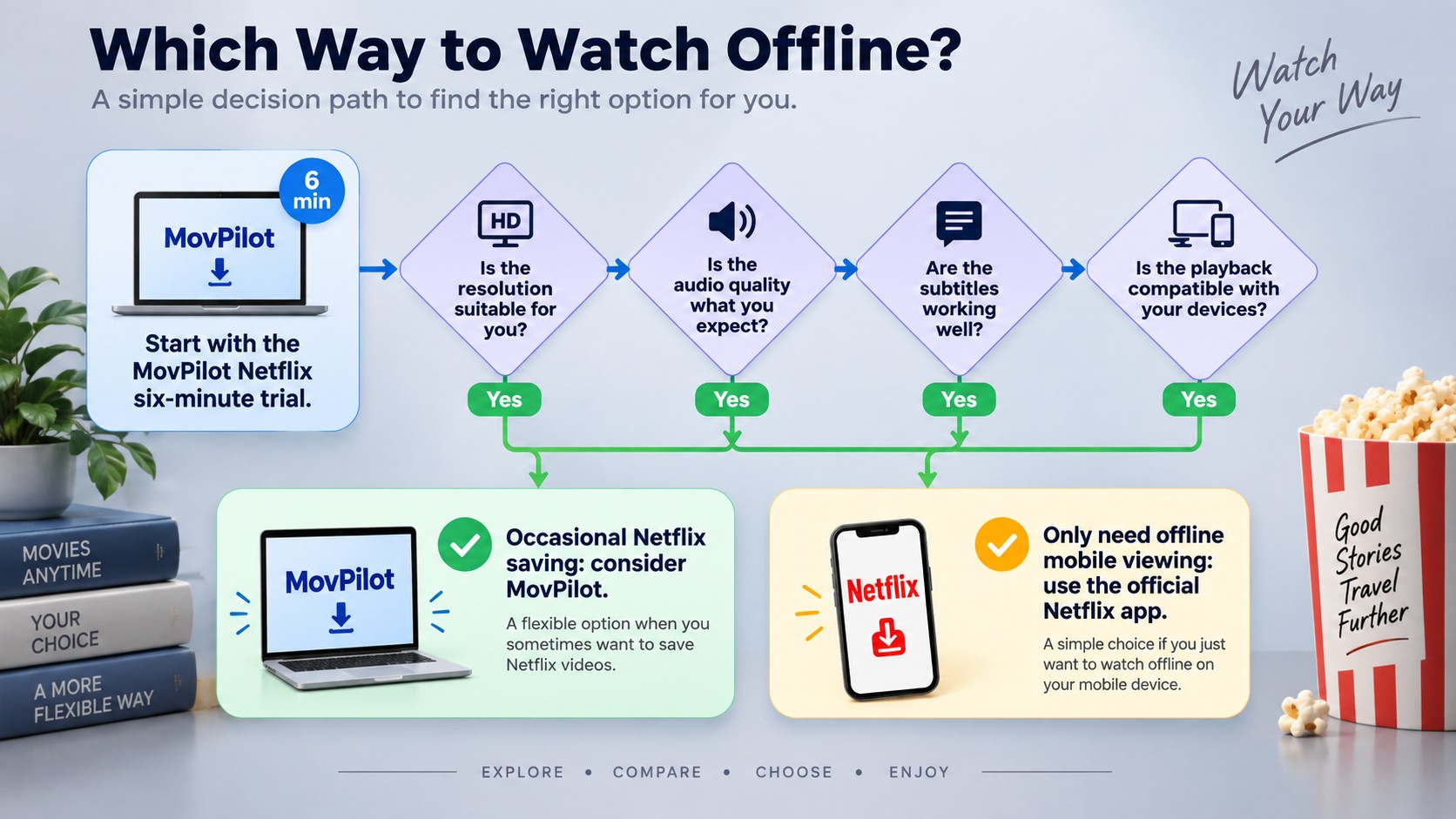
MovPilot is worth considering for occasional Netflix-only saving when you want format and subtitle controls. The purchase decision turns on your actual playback needs. Its six-minute trial is useful for checking settings, but it does not evaluate full-film completion.

Advantages of the MovPilot Netflix video downloader:
- Subtitle variety: Choose hardcoded, internal, or external subtitles.
- Resolution selection: The advertised maximum is 1080p.
- Format options: Choose MP4 or MKV for your player.
- Batch queuing: Select multiple episodes for a download queue.
- Trial access: Try the output workflow before activating a paid license.

Purchase considerations for the MovPilot Netflix video downloader:
- Short trial: The first six minutes let you inspect a clip, not a complete film.
- Transfer time: Queue size and your connection affect how long a session takes.
- Reliability: Public reviews include successful support fixes and post-update freezes.
- Episode management: Use the title picker to choose the episodes you want in the queue.
Choose the license term that matches your use. Before committing to recurring billing, read the renewal and refund terms shown at checkout and retain your receipt. A lifetime software license does not replace a Netflix subscription.
The Verdict: Look, if you just need to clip a few minutes of video and really need hardcoded subtitles, MovPilot works okay. But for power users who want to build a collection? The slow speeds and lack of automation make that premium price tag hard to swallow.
Risks of Unofficial MovPilot Installers and Registration Codes
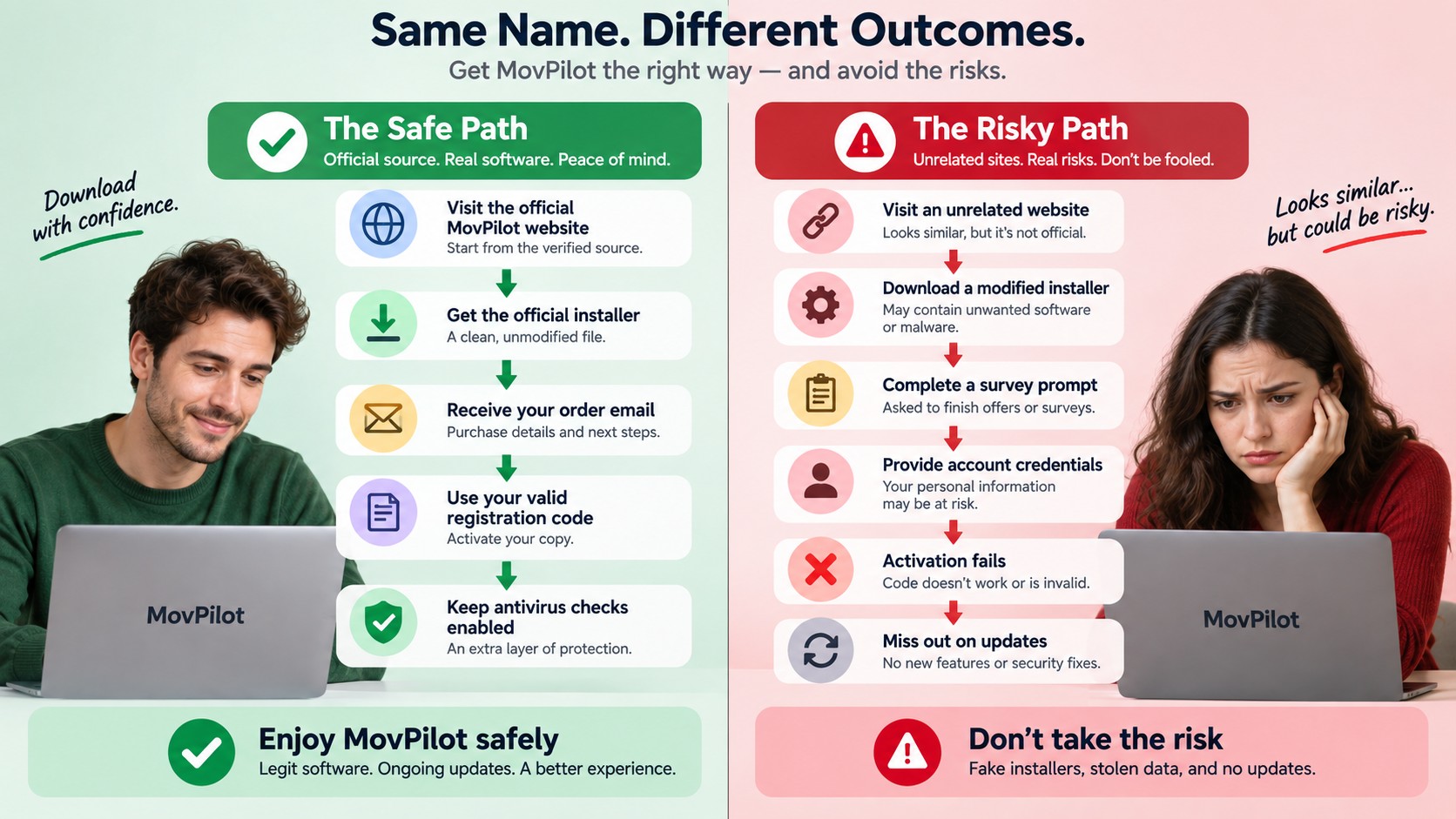
Use the official installer and your own purchase code. An unofficial “free MovPilot registration code” can fail activation, and a modified installer introduces an unknown software source. Trying to remove DRM or defeat access controls may violate applicable law and platform terms, so do not use modified software for that purpose. A software license does not guarantee permanent access to a streaming title or unlimited saving. The official trial gives you a traceable way to evaluate the application.
Modified Installers and Updates
Unofficial installers can contain unwanted changes or miss product updates. Keep security checks enabled. Do not disable antivirus protection to satisfy an installation prompt, and replace a modified copy with the official installer.
Registration-Code Offers
A code from an unrelated website is not proof of a valid license. Avoid offers that require surveys, unrelated downloads, or account credentials. If a purchased code fails, use your order receipt to resolve activation through MovPilot’s support channel.
My advice: Use MovPilot’s official installer, trial, and purchase channels so the software source and license can be traced.
MovPilot Netflix Downloader vs StreamFab: 2026 Showdown
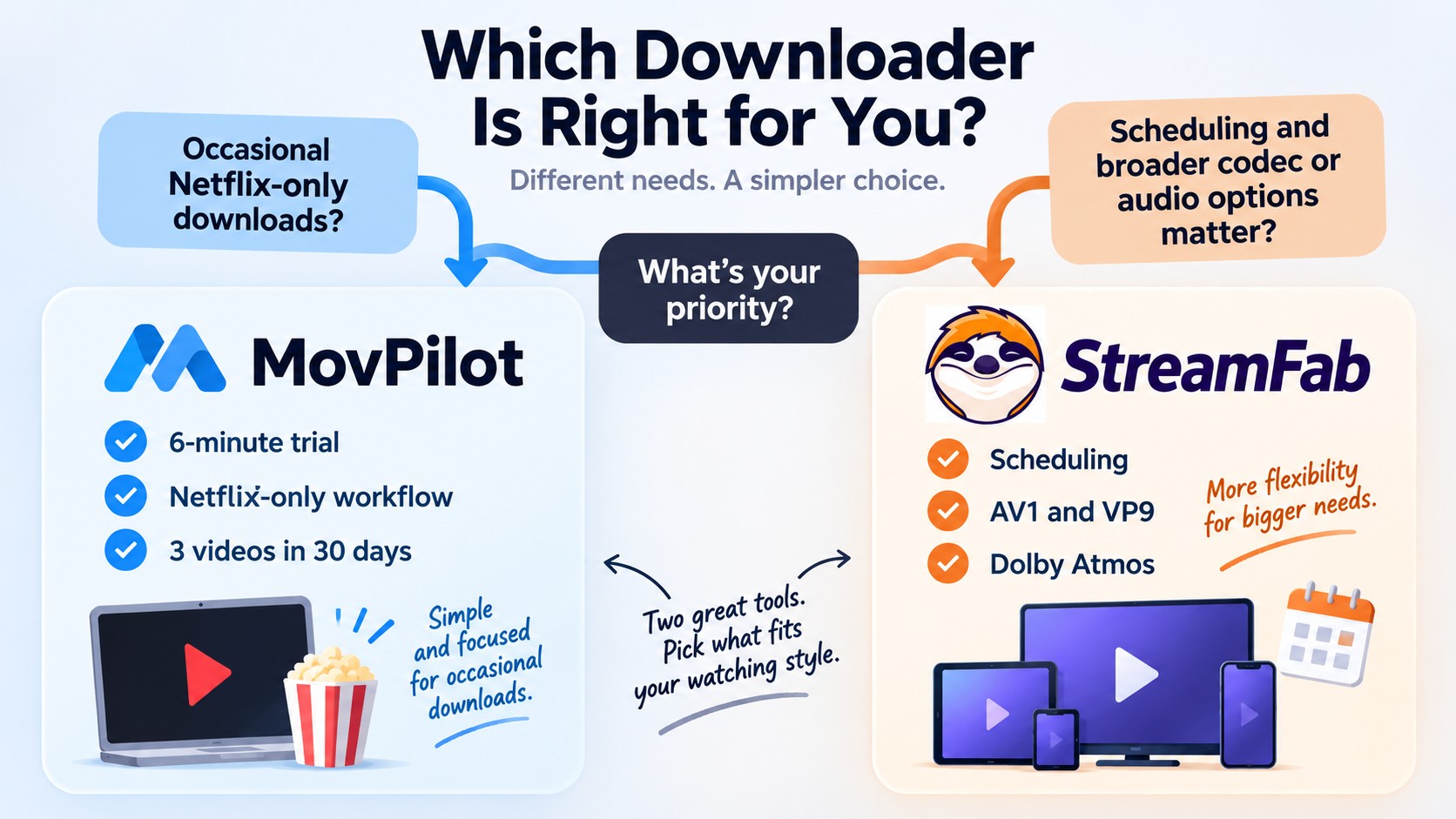
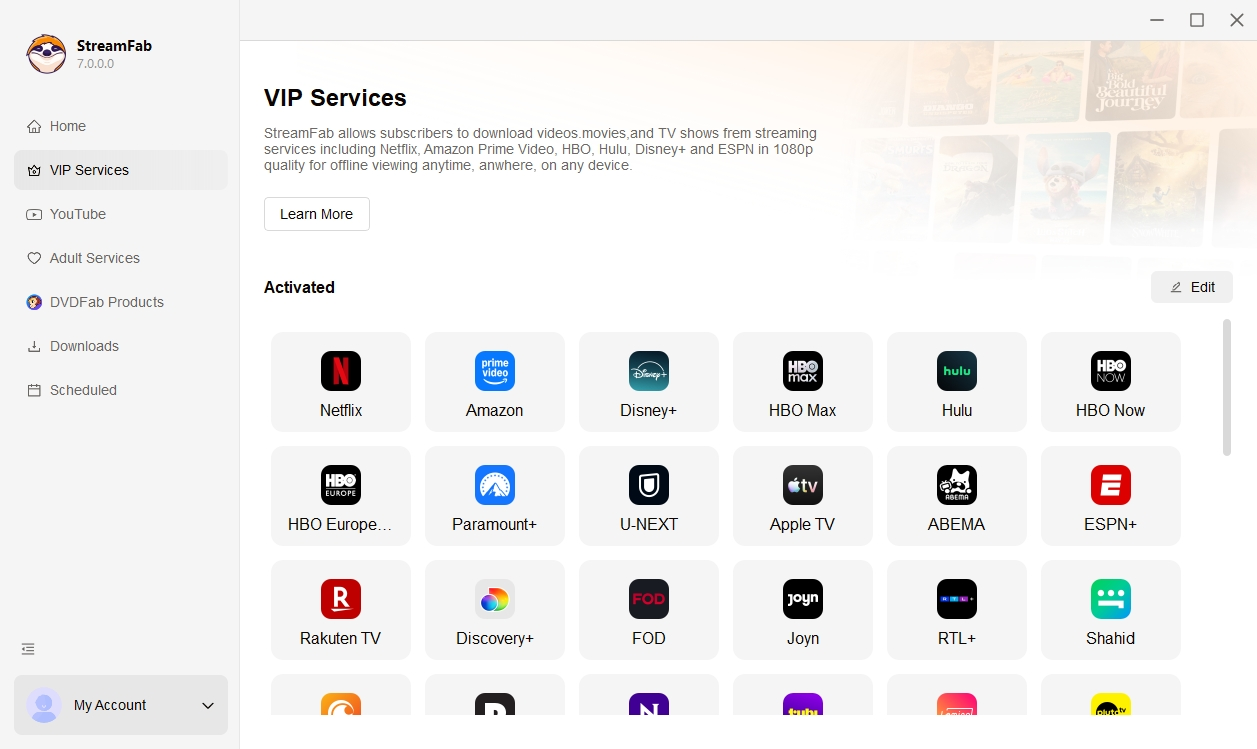
MovPilot vs StreamFab is a workflow choice: occasional Netflix saving with format controls, or scheduled episode downloads with StreamFab. Both offer MP4 and MKV. StreamFab Netflix Downloader runs on Windows 10 or later and macOS 12 or later, with Netflix output up to 1080p.
Output and Trial Comparison
MovPilot offers MP4 and MKV output, H.264 and H.265 codec choices, 5.1 audio, multiple subtitle modes, and batch downloading; observed quality and speed remain specific to the documented test setup.
| Dimension | MovPilot | StreamFab |
|---|---|---|
| Resolution and trial | Up to 1080p; first 6 minutes | Up to 1080p; 3 videos in 30 days |
| Containers | MP4, MKV | MP4, MKV |
| Video codecs | H.264, H.265 | H.264, H.265, VP9, AV1 |
| Audio | 5.1 audio | Dolby Atmos, EAC3 5.1, AAC 2.0 |
| Subtitle modes | Hardcoded, internal, external | SRT or embedded |
| Episode workflow | Batch queue | Batch and scheduling |
Trial terms shown here are as of September 2026.
I would choose by the task: MovPilot suits occasional Netflix-only use when its tested workflow meets your needs, while StreamFab suits readers prioritizing a broader local-file workflow, selectable formats, and scheduling for content they are authorized to access, where permitted by platform terms and applicable law. The StreamFab review covers its broader workflow. Keep Netflix’s subscription cost separate from either software license.
StreamFab’s schedule mode downloads new episodes automatically, reducing manual queue management for recurring Netflix viewing.
The MovPilot review covers the wider product range beyond this Netflix module, while the guide to MovPilot alternatives compares other workflow options. For Netflix itself, use a familiar title to compare the output settings you need.
StreamFab Workflow at a Glance
StreamFab brings Netflix browsing, episode selection, and output settings into one desktop workflow, with the full StreamFab setup steps covering the complete interface. Use the free trial to evaluate the workflow with a full-length title you are authorized to access.
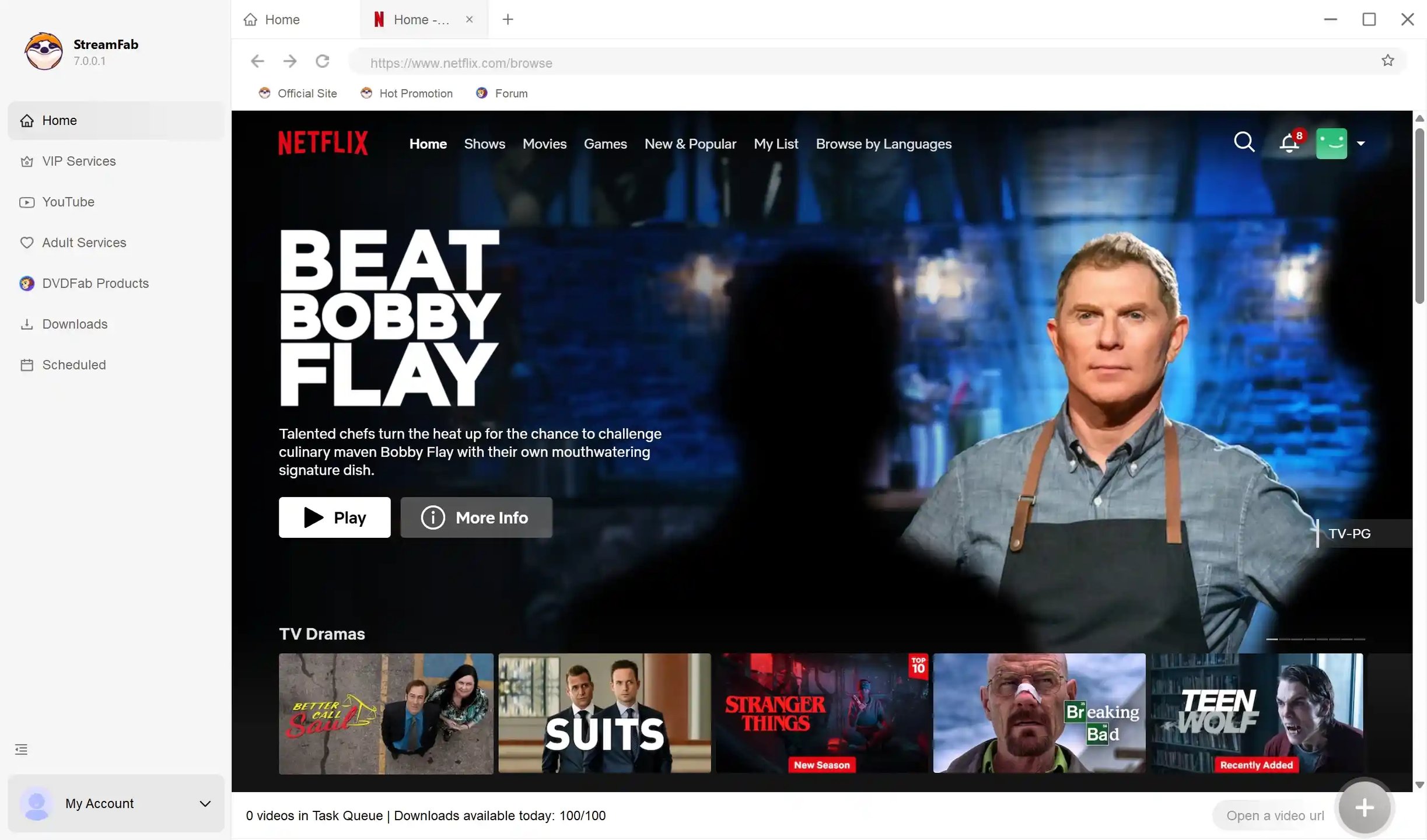
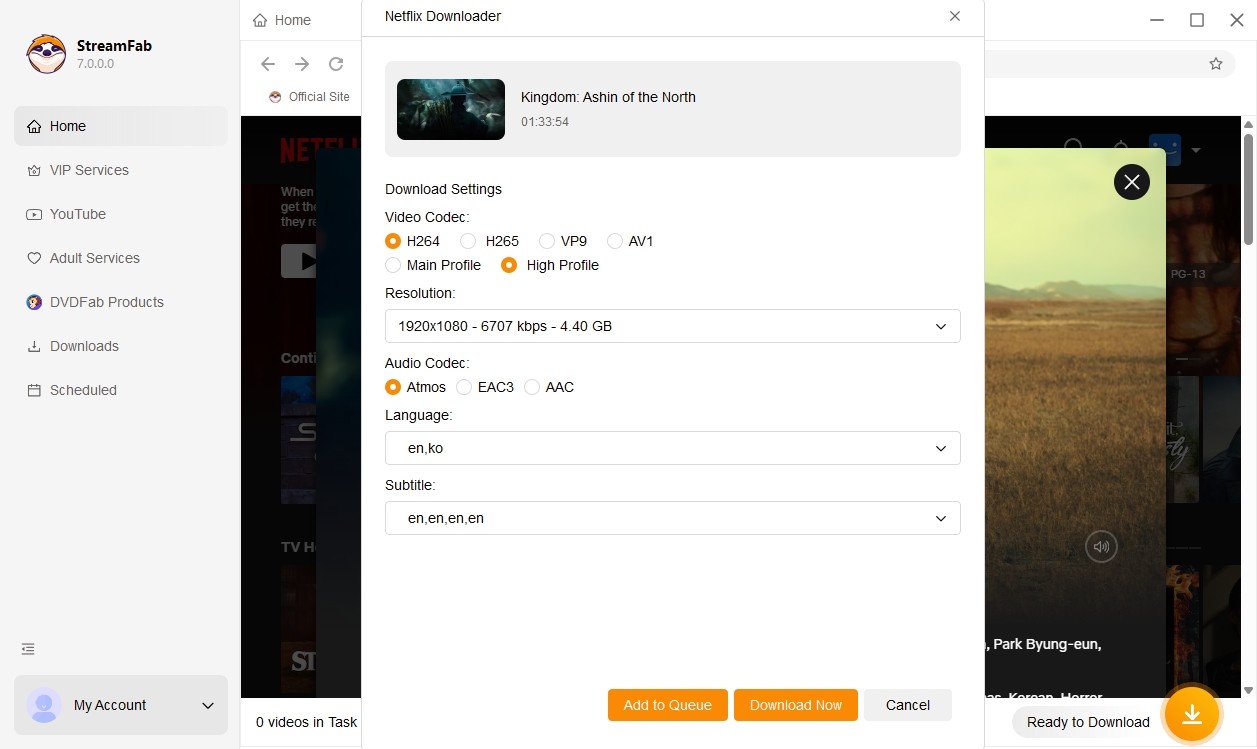
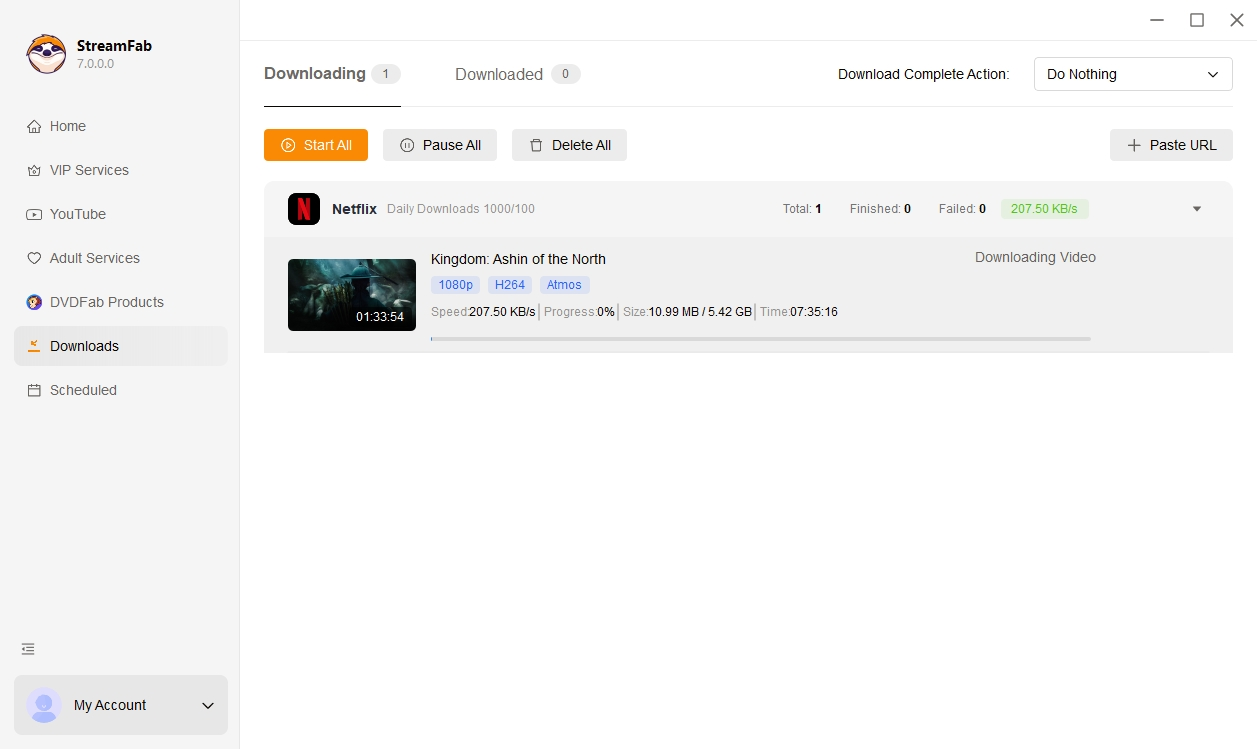
For recurring Netflix downloads, compare the episode-selection and scheduling workflow you need. Tunelf Netflix video downloader review
FAQs
How to fix MovPilot Netflix analysis failure?
An analysis failure in 2026 usually means the software's decryption key is out of sync with Netflix's latest CDM update. First, ensure you have no VPN conflicts. Second, log out and restart the internal browser. If the video still fails to parse, you have hit a DRM wall and must wait for the developers to push an over-the-air update patch.
Is MovPilot a subscription or a one-time purchase?
You actually have both choices. They offer monthly and yearly plans, but there is also a lifetime license if you want to pay once. Which one is better really just depends on how much you plan to use it.
What should I do if MovPilot fails to download a video?
Try the basics first—restart the app and check your net. If it's still failing, especially with a brand-new movie, it's probably a DRM thing. Your best bet then is to email their support and just wait for them to fix it in an update.
Do the Mac and Windows versions run differently?
I mostly tested this on Windows, but from what I've read online, the two versions are pretty much identical. The features and speed seem consistent regardless of which OS you use.
Can I use MovPilot on my Android phone? (movpilot apk)
No. MovPilot is strictly for desktop (Windows/Mac). Be super careful of sites offering "MovPilot APK" files—those are fake and likely have viruses. If you want to watch on your phone, you have to download on your PC first and then transfer the file over.
Conclusion
MovPilot offers practical format and subtitle choices for occasional Netflix saving, while post-update reliability remains a consideration when choosing a paid desktop workflow.
My recommendation is straightforward: use Netflix’s official downloads for app-based viewing on supported devices; consider MovPilot for occasional Netflix-only files; choose StreamFab when scheduled episodes and selectable MP4 or MKV output match your routine. Use either tool only for content you are authorized to access, where permitted by platform terms and applicable law.

This guide compares eight EaseUS Video Downloader alternatives across Windows and Mac support, MP4 output, premium streaming, playlists, browser use, and free or open-source access. It also explains who each option fits, how to avoid unsafe lookalike download sites, and how to troubleshoot incomplete files.
By Erika Leen - Sep 20, 2026

Recently, we have received numerous feedbacks on Movpilot not working issues and download failures. This article offers a comprehensive guide to assist you in troubleshooting the problems and errors associated with Movpilot.
By Marcia Hatcher - Sep 20, 2026

Downloading your favorite Netflix library permanently for your flexible offline watch is not a big deal anymore. Try the Pazu Netflix video downloader to enjoy Netflix streaming with ultimate customizations.
By Erika Leen - Sep 18, 2026
This review exposes the gap between Video Downloader Plus's marketing and its actual performance. Technical tests confirm the extension cannot process encrypted HLS streams found on major sites. Furthermore, the review critiques the lack of a free trial, forcing users to pay blindly for functionality that may not work on complex websites.
By Jacob Harrison - Sep 15, 2026