
MovPilot Not Working? 8 Troubleshooting Checks for 2026.

Summary: Recently, we have received numerous feedbacks on Movpilot not working issues and download failures. This article offers a comprehensive guide to assist you in troubleshooting the problems and errors associated with Movpilot.
Table of Contents
When MovPilot is not working, first determine whether the symptom comes from the six-minute trial, subscription or license status, or a technical download error. Then follow the matching check for login loops, percentage stalls, storage, security software, or MP4/MKV output.
Current MovPilot Failure Signals in 2026
When MovPilot is not working, first separate account and license limits from technical failures. The eight troubleshooting checks cover network access, entitlement, registration, hardware acceleration, updates or reinstallation, storage, security software, and support escalation. For download errors, record the service, exact message, stop percentage, and output behavior.
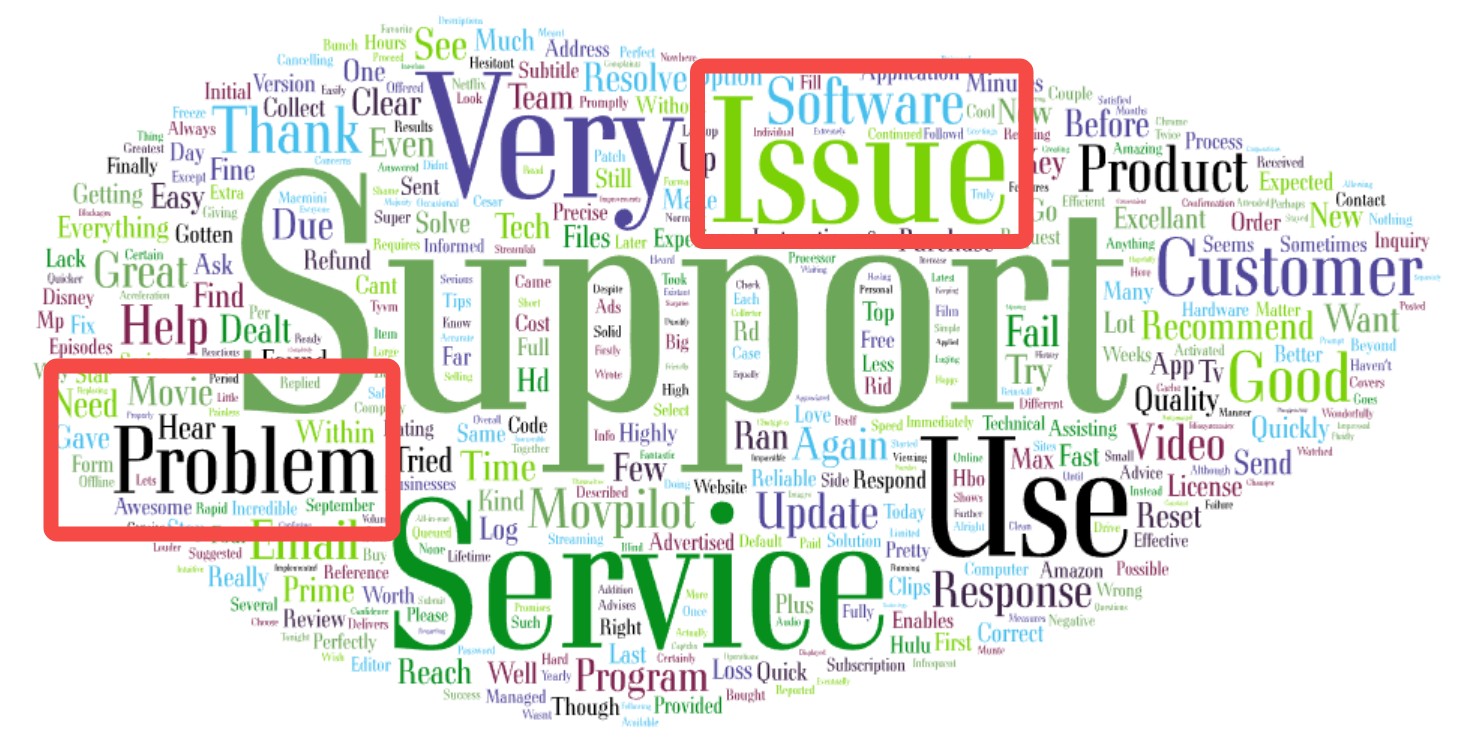
As of September 2026, Trustpilot lists MovPilot at 4.1 out of 5 based on 248 reviews. Individual complaints can illustrate login loops, download failures, or playback problems, but they are anecdotes rather than evidence of an increasing trend.
Connection termination or black-screen playback can result from a service session, application, output, or account issue. These symptoms do not identify a single technical cause on their own.
Related Topics about Movpilot:
Core Triggers for MovPilot Download Failures & Errors
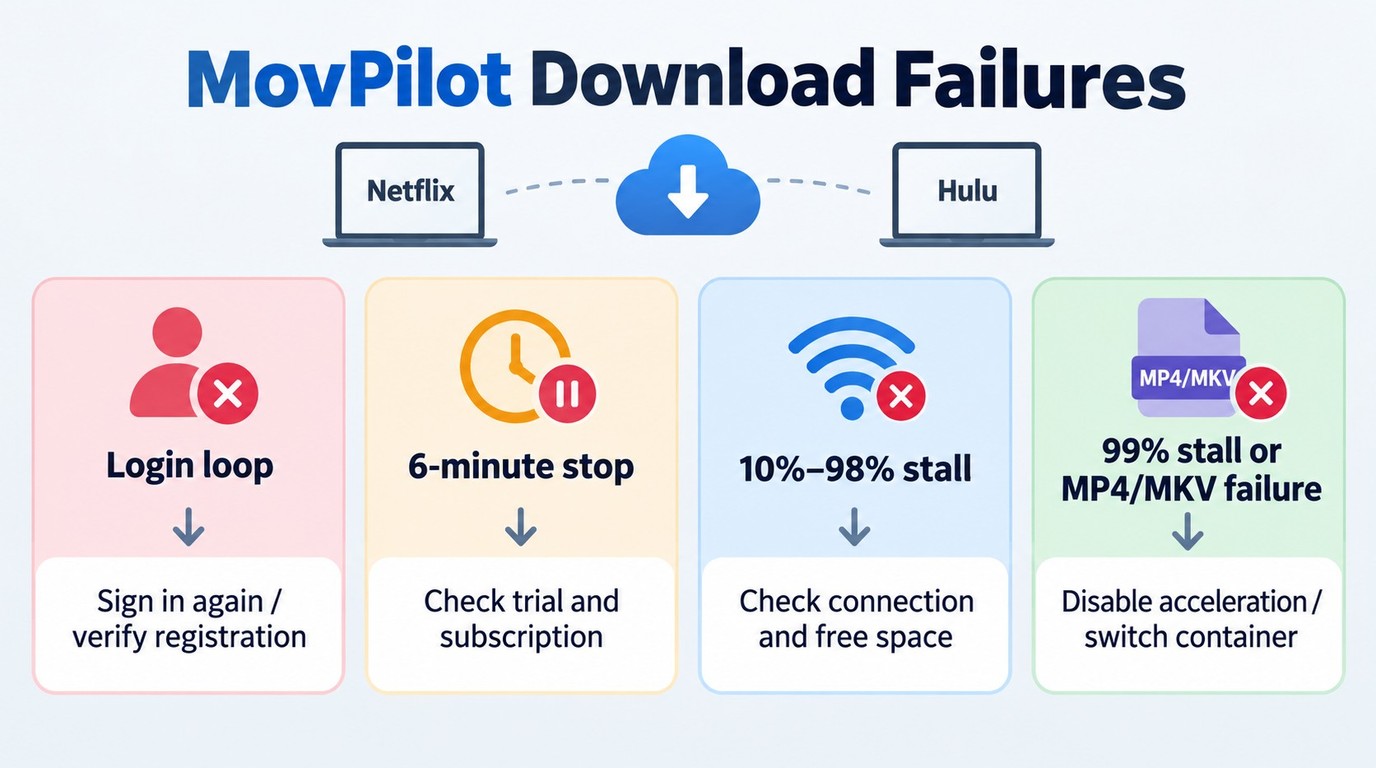
Start with the visible symptom rather than assuming one cause. Record the affected service, exact error or login state, stop percentage, output format, and any resolution limit, then use the table below to choose the first check.
| Visible symptom | Likely category | First check | Escalation point |
|---|---|---|---|
| Login loop or rejected sign-in | Session or registration | Sign in again; verify registration | Support if the same error returns |
| “Analyzing Data” freeze | Session or service issue | Update MovPilot; retry the title | Report the service and exact error |
| Stops between 10% and 98% | Network, storage, or app | Check connection and free space | Reinstall if the stall repeats |
| Six-minute stop or lower resolution | Trial, account, or quality limit | Check trial, subscription, and title | Support if paid access is active |
| 99% stall or MP4/MKV failure | Final-stage output | Disable acceleration; switch container | Support if both formats fail |
| Only one service fails | Service-specific session | Sign in again; update MovPilot | Report the service, title, and error |
Symptom-first triage is more reliable because similar failures can come from account, session, network, storage, or output issues.
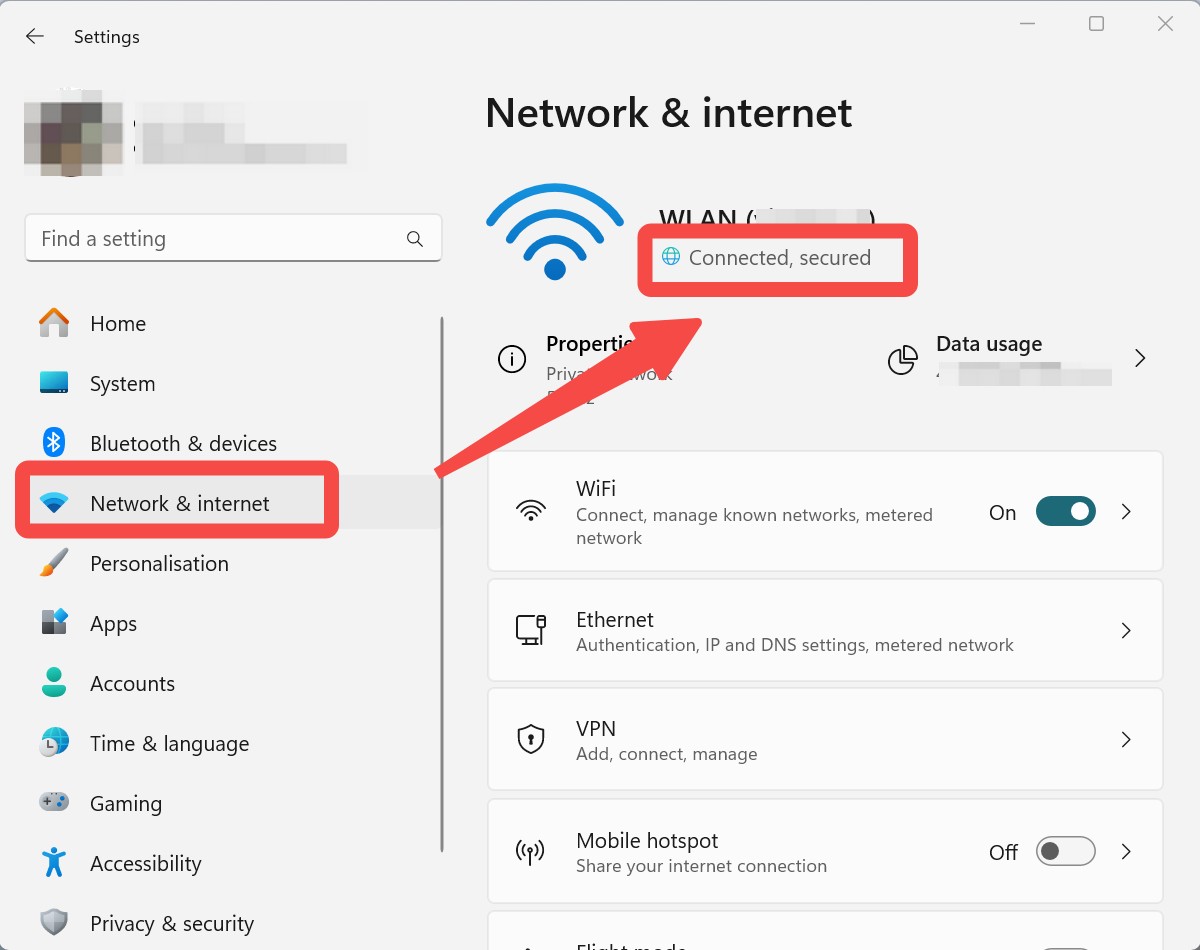
Unstable Internet Connection
An unstable internet connection may result in interruptions during the downloading process, rendering Movpilot unable to download videos.
Furthermore, confirm that the streaming service is available in your region and that your access complies with the platform's regional and account rules before attempting a download.
Netflix and Hulu Service Changes
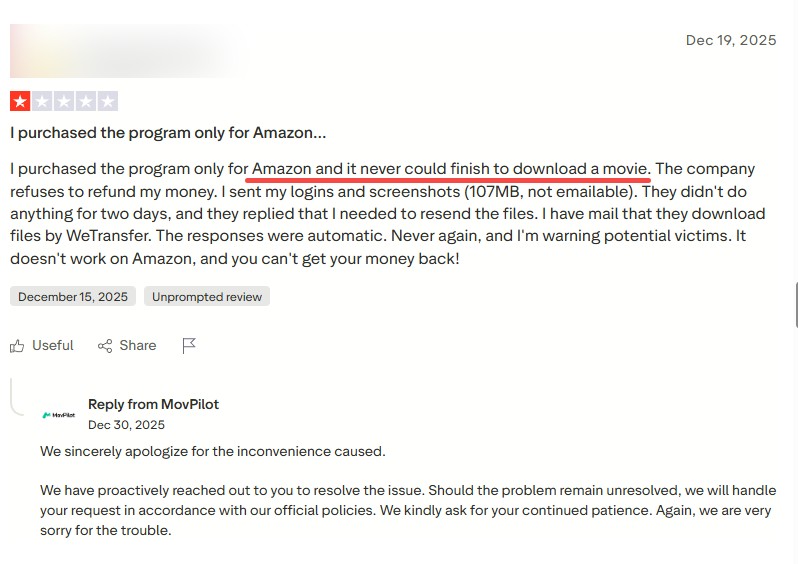
If Netflix or Hulu works in a regular browser but fails in MovPilot, record whether the app shows a login loop, analysis error, rejected download, resolution downgrade, or percentage stall. Sign in again, install the latest MovPilot update, and retry the same title before changing output settings. If only one service or title fails, report the service name, title, app version, and exact error to support. A lower-resolution result may reflect the service, account tier, title, or current application support rather than one universal platform change.
Parsing Engine and Session Failures
A session failure may leave MovPilot frozen on the “Analyzing Data” overlay or cause a download request to fail after playback begins. Sign out of the streaming service inside MovPilot, restart the app, sign in again, and install the latest available update. If the same title and error still fail after a fresh session, send the service name, title, app version, and exact error to MovPilot support.
If repeated updates and session resets do not restore downloads, customer support can confirm whether the issue requires an application fix.

Security Software
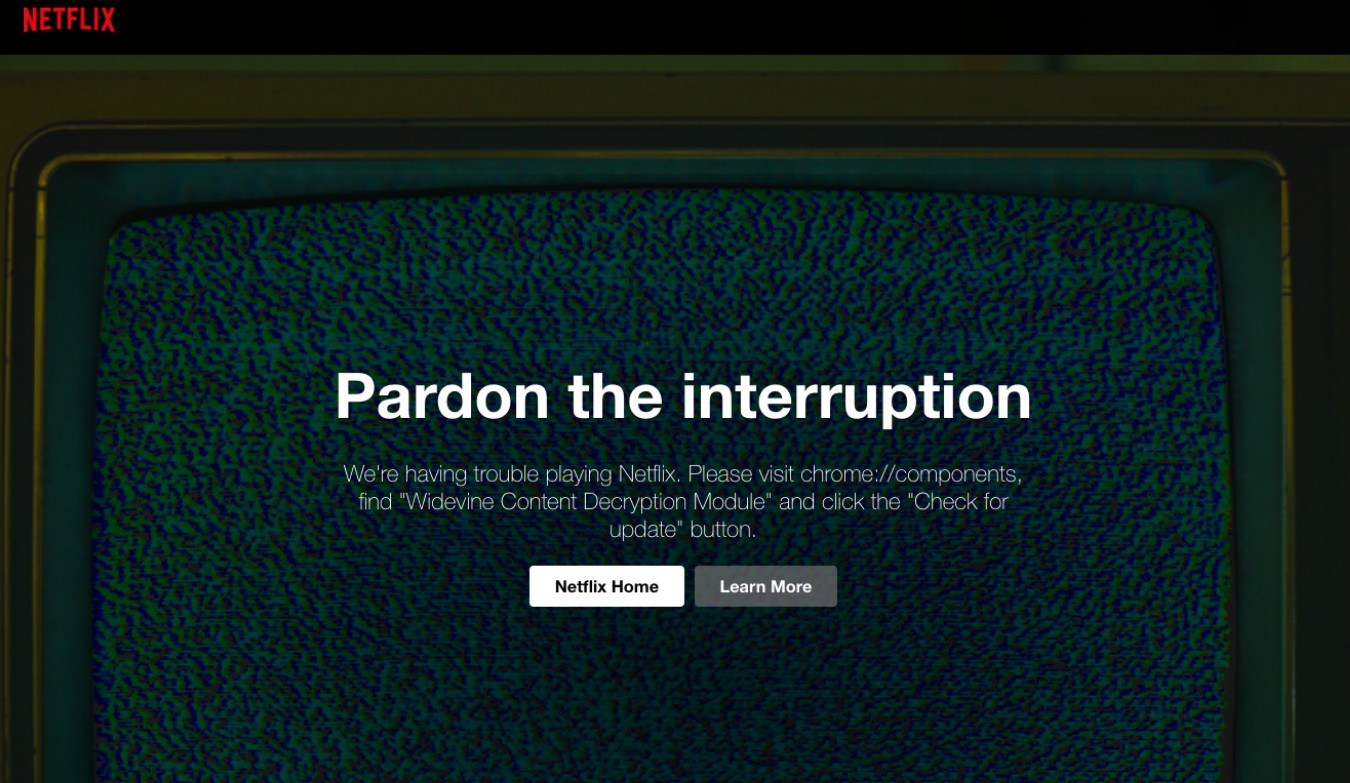
Security Software can be the main cause behind MovPilot not working properly. Security software may sometimes misidentify downloaded files as viruses and block the process.
If security software blocks the installer, app process, or output folder, use the reversible allow-list check in Solution 5 before reinstalling MovPilot.
Trial, Subscription, and License Checks
MovPilot’s free trial limits each video to six minutes, so a clean stop at that point is an entitlement signal rather than proof of a download-engine failure. A paid license, correct registration details, available device activation, and active subscriptions to MovPilot and the source streaming service are separate checks. If the download stops earlier, remains on analysis, or displays an error, continue with the technical checks in the next section.
- Trial status: The free trial limits each video to six minutes. A lower-resolution result should be checked separately against the selected title, streaming service, account access, and available quality settings.
- Subscription status: Confirm that the MovPilot plan and the source streaming-service subscription are active.
- Registration details: Re-enter the email address and license information associated with the purchase if MovPilot appears unregistered.
- Device activation: If no activation is available for the current computer, deactivate an old device or ask MovPilot support to review the license.
- Renewal or cancellation: If you recently submitted a request to cancel a MovPilot subscription, check the effective end date and current account status.
My rule here is simple: resolve a clear entitlement or registration signal before reinstalling the application. If the account checks pass but downloads still fail, treat the issue as a technical error and continue with the update, storage, security-software, and support steps.
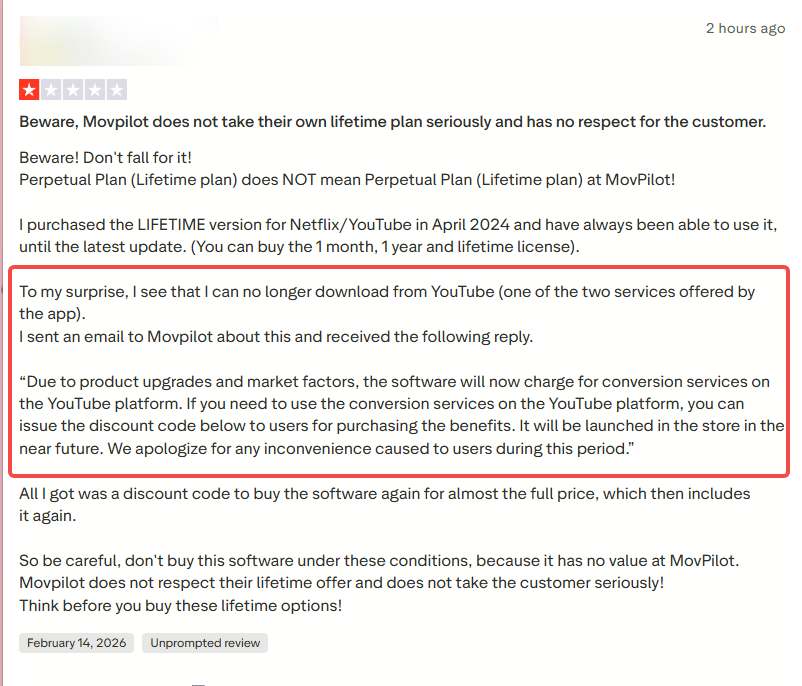
If MovPilot remains unusable after both account and technical checks, contact customer service with the exact error and ask about the available support or refund path.
Fixing 2026 MovPilot Authentication & Download Freezes
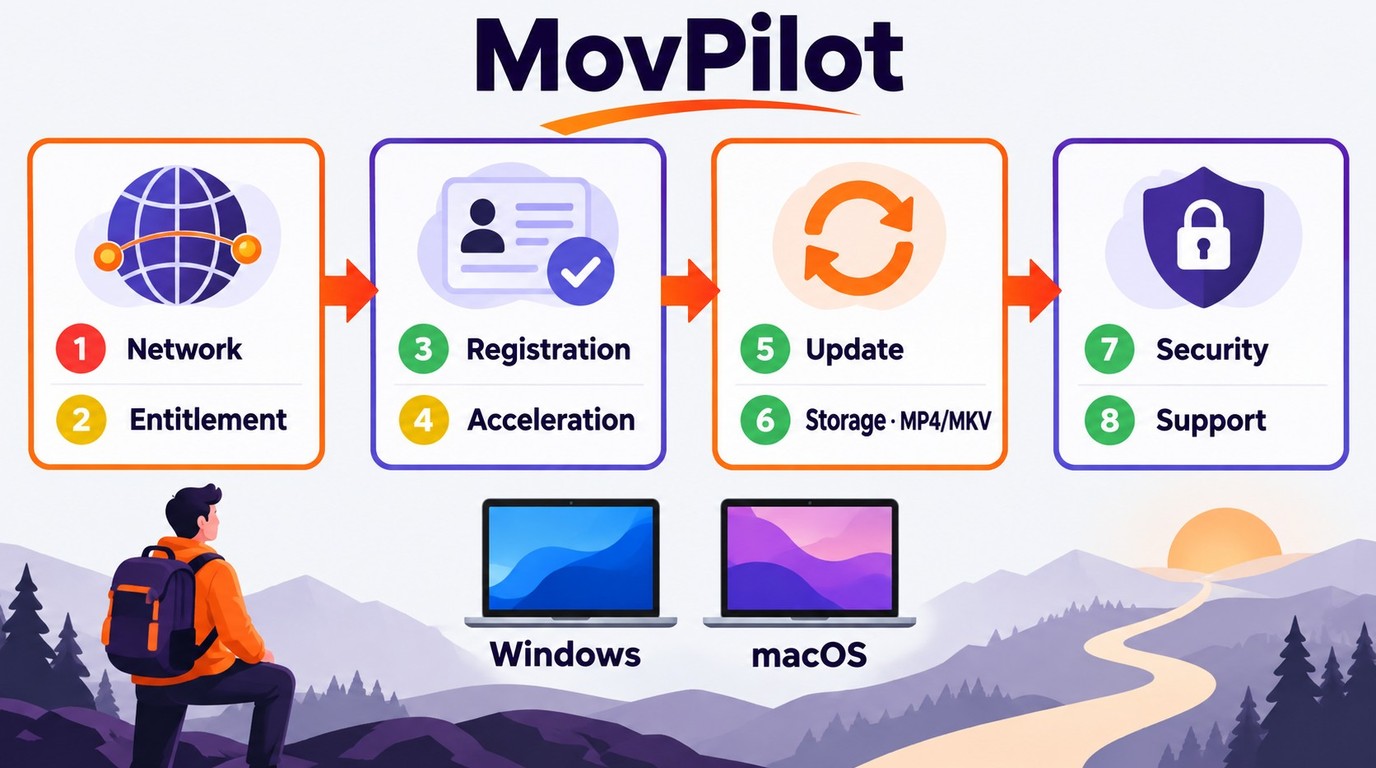
If the account and license checks pass, continue with the reversible troubleshooting steps below. Use these eight checks in order: 1) network access, 2) trial or subscription entitlement, 3) registration and device activation, 4) hardware acceleration when MovPilot crashes or freezes, 5) app updates or reinstallation, 6) storage and MP4/MKV output settings, 7) security software, and 8) support escalation.
Solution 1: Fix the Account Verification Loop
A MovPilot Amazon login failure can appear as an account verification loop even when the credentials are correct. You input the correct credentials, but the streaming site forcibly logs you out. The problem may come from stale app data, an expired service session, or registration details that MovPilot no longer recognizes.
First, sign out of MovPilot and the affected streaming service, close the app, and clear MovPilot's application cache through the available settings. Reopen the app, sign in again, and confirm that the registered email and license details are correct. If the loop continues, use MovPilot's official registration support path rather than deleting installation files manually.
Solution 2: Test MP4 or MKV at Final Stage
A stall at 99% points to a final-stage processing or output problem, but it does not identify one universal cause. When downloading a 1080p stream, the final step involves muxing the audio, video, and subtitles into a single MP4/MKV container. For a final-stage stall, first disable hardware acceleration, then update or reinstall MovPilot.
If the download still fails near completion, confirm that the output drive has enough space, then switch from MP4 to MKV or from MKV to MP4 as a controlled test. Check the completed file for the selected resolution, audio track, and subtitles. H.265 is an output option, not a confirmed universal fix.
Solution 3: Restart Your PC or Reinstall MovPilot
If MovPilot still will not fetch data, restart the computer before moving to a clean reinstall. These steps refresh local application data and reset the app's connection session.
A simple restart can clear a temporary process or session problem that causes MovPilot to lag. Restarting can rule out a temporary process or session issue before you reinstall MovPilot.
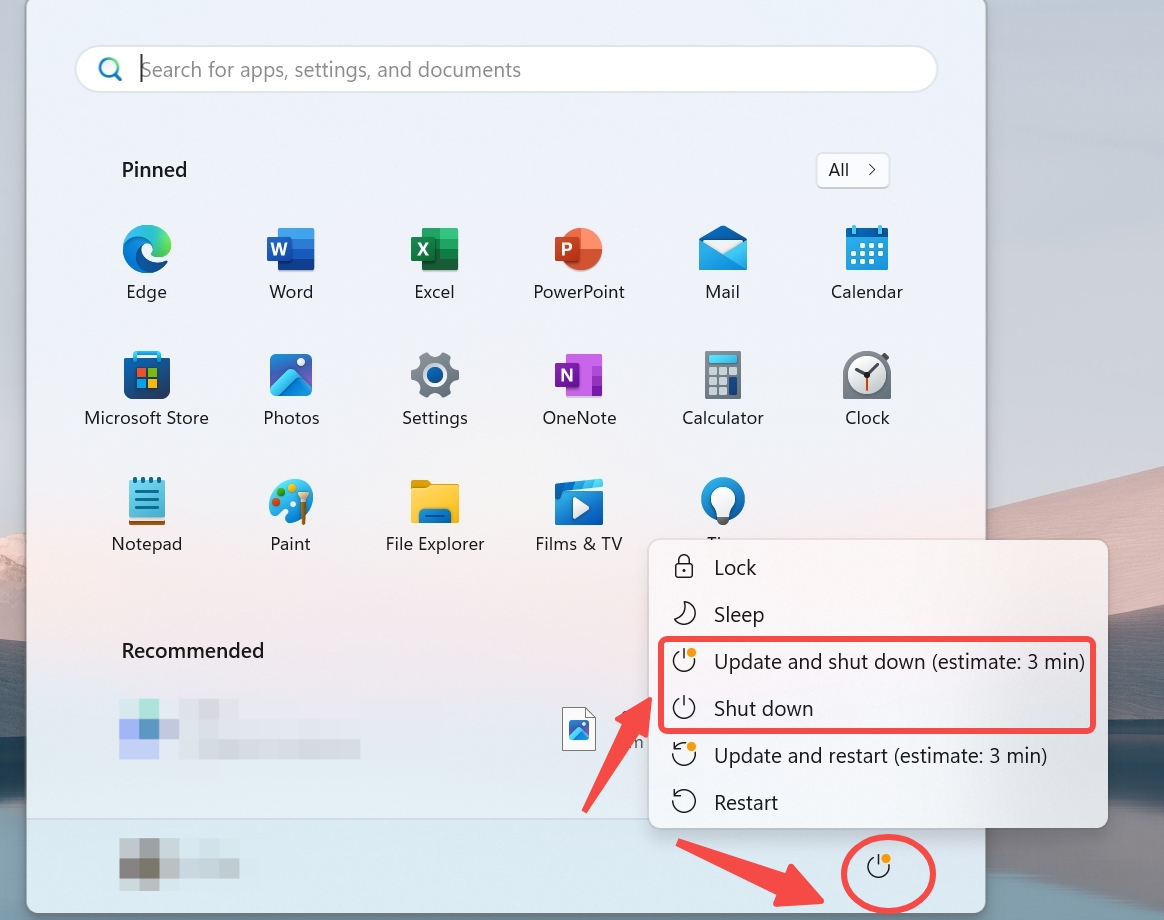
- Click the Start Button and Select the Power option.
- Choose Restart.
- The PC will restart within a few seconds, and hopefully, this will solve your issue.
If the software is buggy, your current installation may be corrupted. You must download the updated version from the official site to resolve minor bugs and access new features.
- Uninstall the program via the Control Panel.
- Download the most recent available version from the official MovPilot site.
- A fresh install can rule out damaged application files and refresh the local parsing components.
Solution 4: Check Storage and Manage Your Output Directory
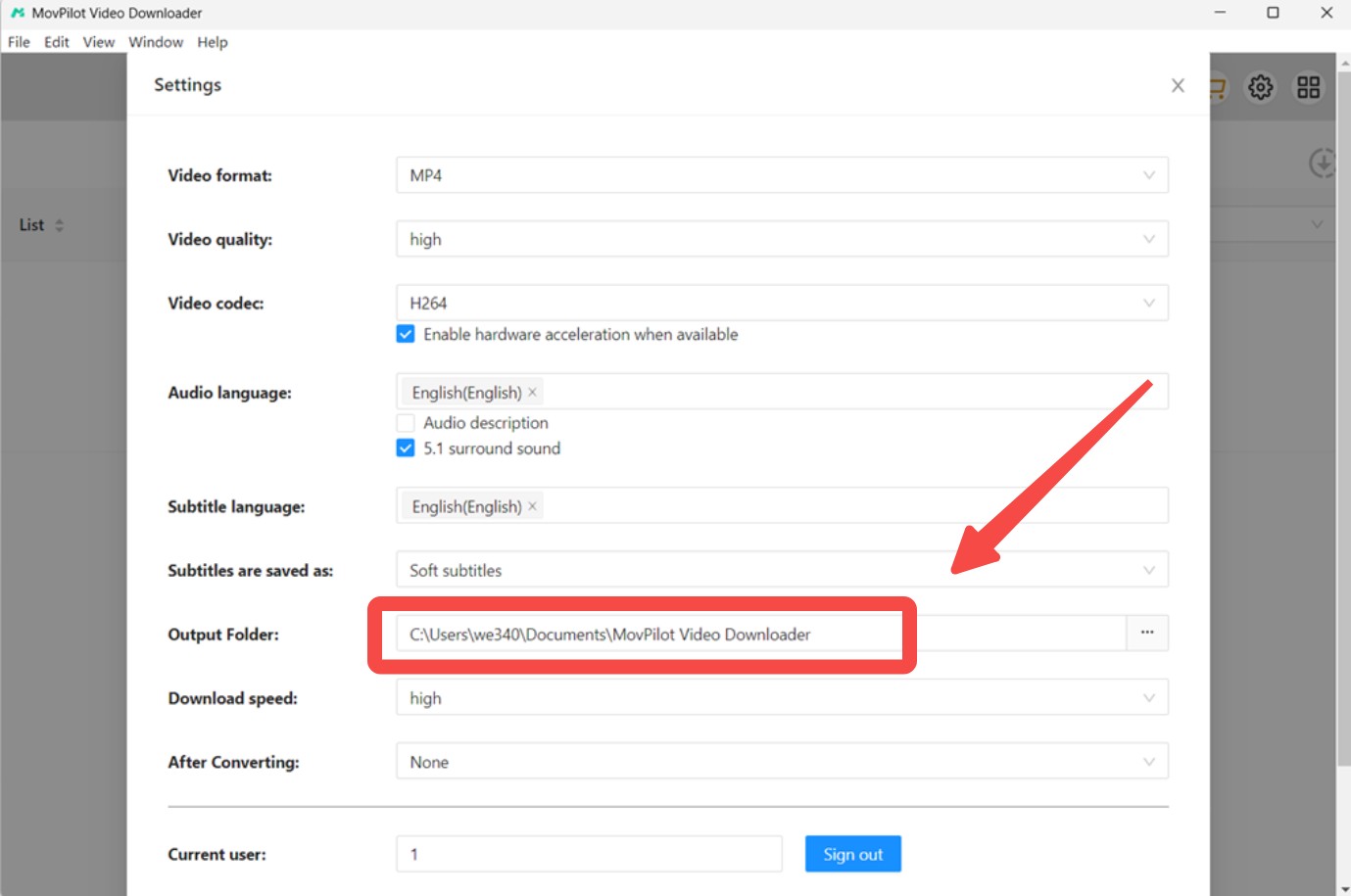
Large 1080p files fail if your drive lacks sufficient space. If the designated directory is full, MovPilot will stop the download without warning.
- Switch your output to an external SSD or a drive with at least 50GB of free space.
- Use MovPilot's adjustable resolution settings to lower the quality if you need to save space on smaller drives.
Solution 5: Check Security Software Settings
Security Software sometimes mistakenly detects video files as viruses, leading to downloading restrictions. By adjusting the security software settings, you can prevent this from happening. Register MovPilot as a trusted program in your security software so the application can run without unnecessary interruptions.
Solution 6: Contact Support
If the issue remains after the earlier checks, contact MovPilot support and include the diagnostic details listed in the FAQ below. Ask about the applicable support or refund path if the problem is not resolved.
StreamFab as a Desktop Alternative
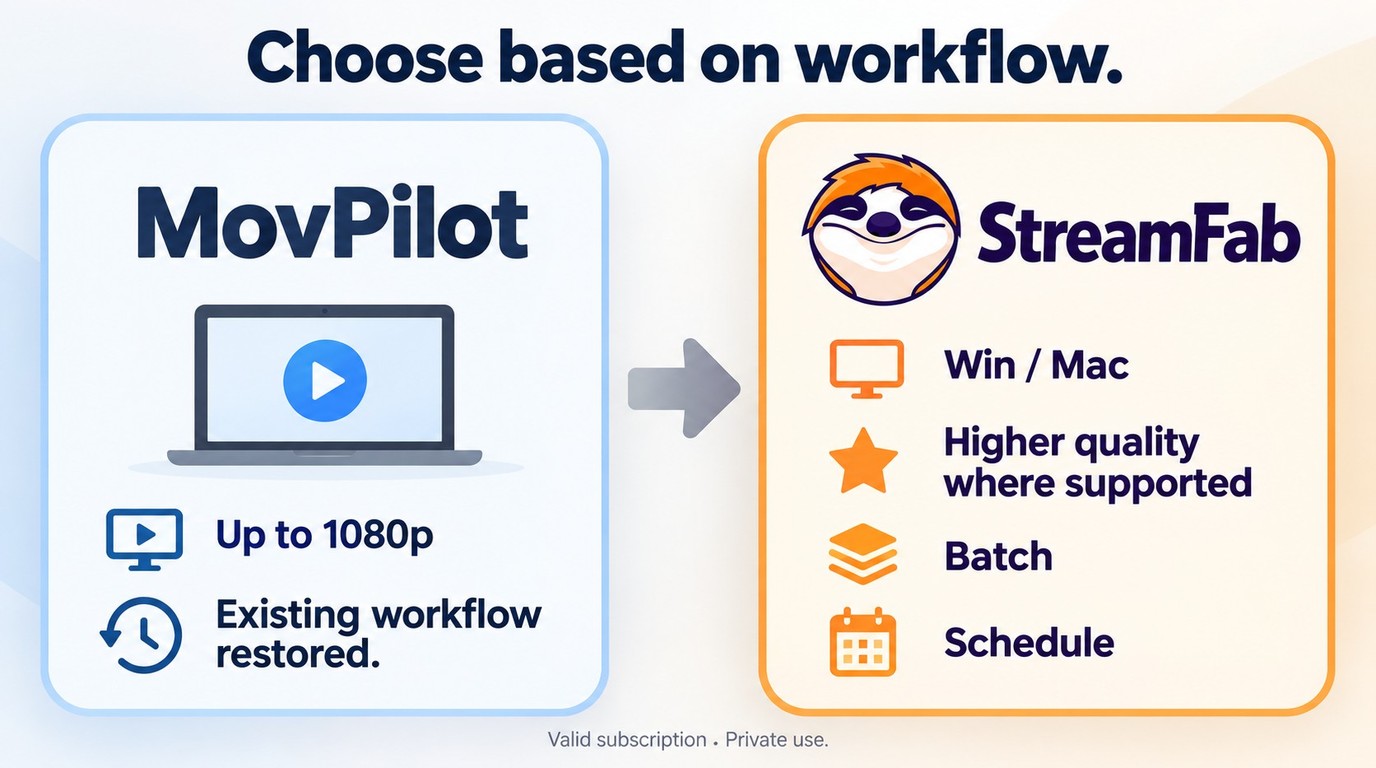
For content you’re authorized to access, where permitted by platform terms and applicable law, StreamFab offers a Windows and Mac desktop workflow for saving a local copy for personal offline viewing. It uses screen-recording and stream-recording technology and requires a valid subscription to the original streaming service. Saved files are for authorized personal offline viewing and must not be redistributed; attempts to defeat access controls or save unauthorized content may violate platform terms and applicable law. Readers comparing MovPilot alternatives after completing the entitlement, environment, update, and support checks may consider this maintained multi-service desktop workflow.
Where StreamFab Fits

StreamFab All-In-One provides a maintained Windows and Mac desktop workflow for saving authorized streaming video as local files for personal offline viewing.
The published product terms below are current as of September 2026.
| Comparison Point | StreamFab All-In-One | MovPilot |
|---|---|---|
| Trial and license | 30 days; 3 videos per service | Six minutes per trial video |
| Output containers | MP4 and MKV | MP4 and MKV |
| Published quality range | Up to 4K on supported services | Up to 1080p on supported services |
| Audio and subtitles | Selectable tracks; embedded or SRT subtitles | Selectable audio and subtitle options |
| Support path | Updates, troubleshooting, and refund policy | Updates, reinstall, and official support |
MovPilot remains active, so users can continue with its workflow when the troubleshooting checks restore normal downloads. StreamFab fits Windows and Mac users who need a maintained multi-service local-file workflow with MP4/MKV output, selectable audio or subtitles, and batch or scheduled downloads. It requires desktop installation and a paid license after the trial; the official product page provides a 30-day free trial for assessing workflow fit.
StreamFab Local-File Workflow
After confirming that this workflow fits your authorized personal offline-viewing needs, follow these steps to create the local file.
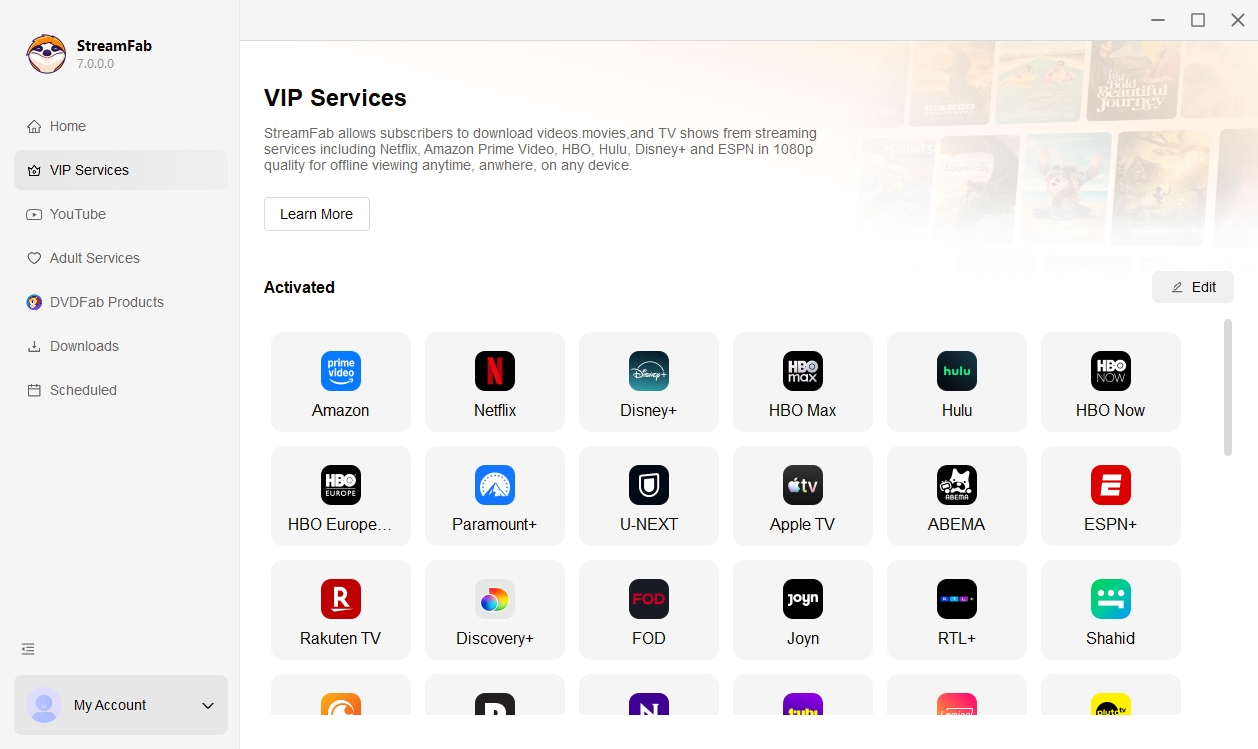
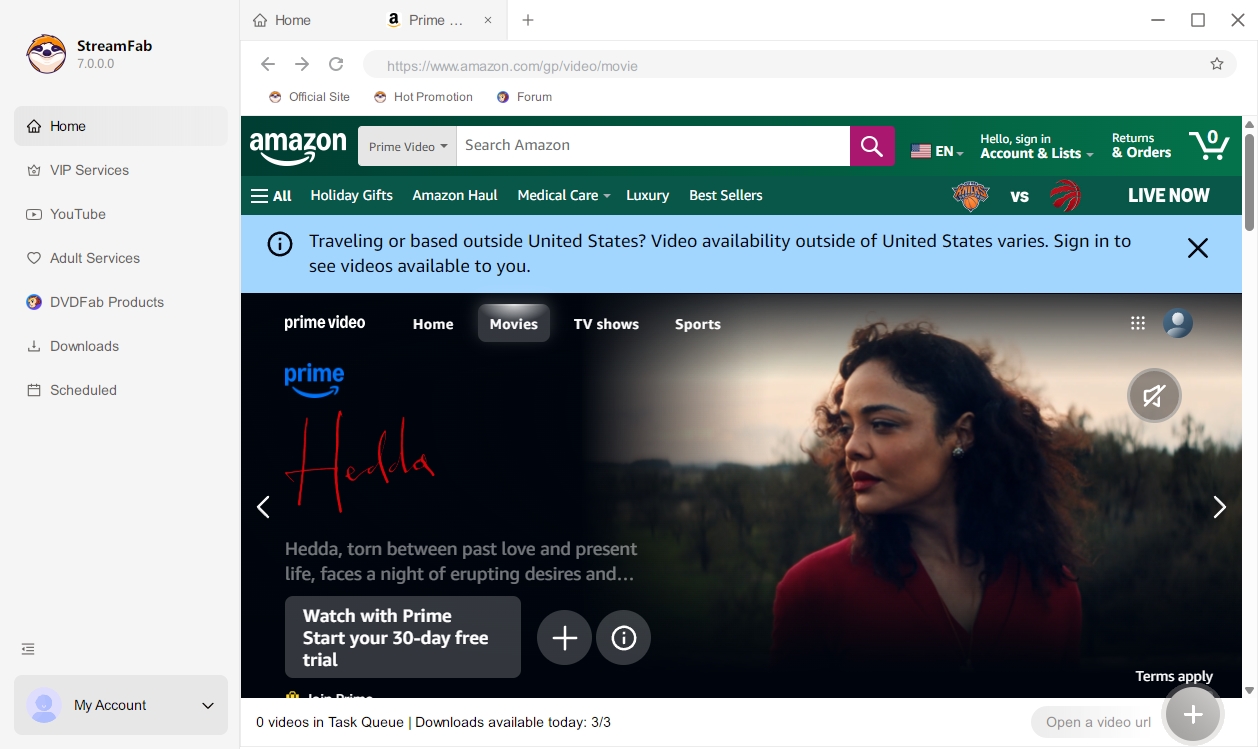
Step 1: Launch StreamFab 7. Navigate to the VIP Services tab on the left panel to access the built-in browser engine.
Step 2: Log into your preferred streaming platform (e.g., Amazon Prime) and initiate the video playback. The software will analyze the video and display the available download options.
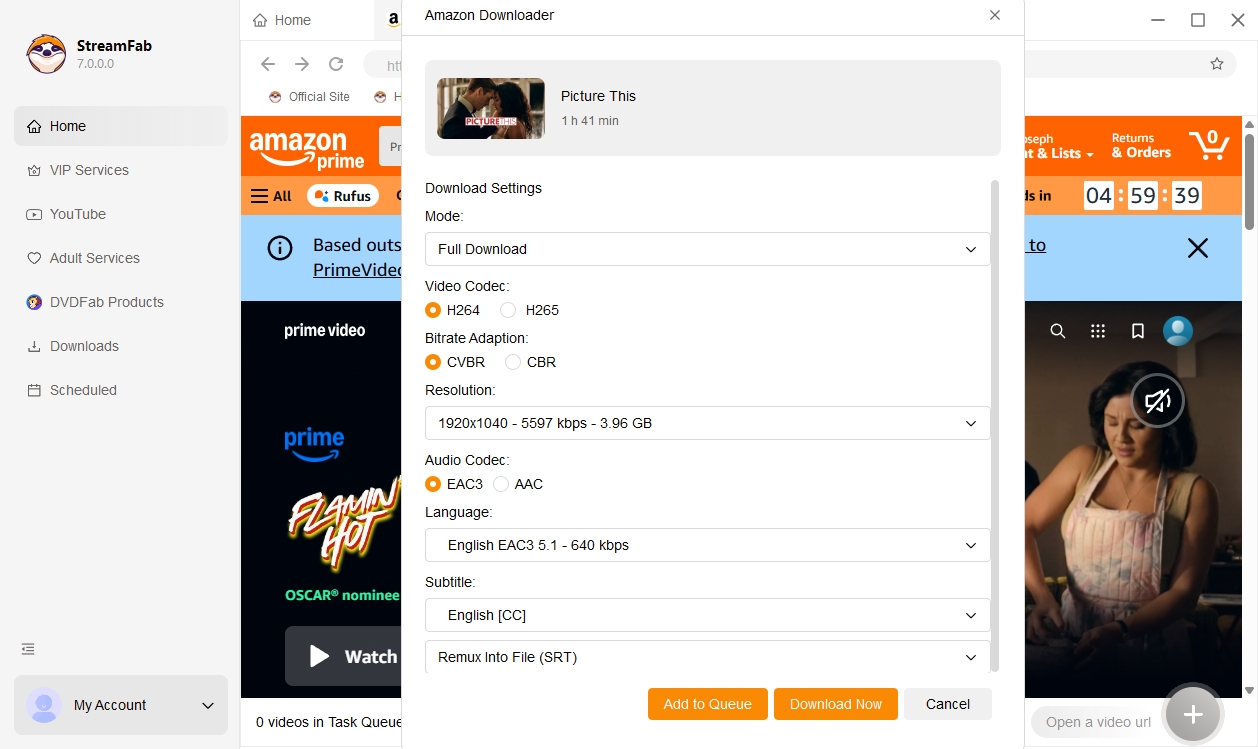
Step 3: In the prompt window, choose the available video codec and audio tracks, then set your subtitle preference to Remux or SRT.
FAQs
Why does MovPilot show a Failed to Analyze error even with a strong connection?
This error is frequently tied to regional content limits or account-specific security checks. Streaming platforms now use rolling tokens that expire quickly. If you see this error, try logging out of the streaming service within the MovPilot internal browser, clearing your history, and logging back in.
Does hardware acceleration cause MovPilot to crash during encoding?
Yes. If you are using an older GPU or have outdated drivers, the hardware acceleration feature can cause the software to shut down unexpectedly when it reaches the conversion stage. If your downloads keep failing at the very end, go to Settings and toggle off GPU Hardware Acceleration. This will use more CPU power but often stabilizes the final file creation process.
Why are my MovPilot downloads missing subtitles despite selecting them?
This often happens if you choose the External Subtitles (SRT) option and your media player is not configured to look for sidecar files. To ensure subtitles always work, select the Remux into Video or Internal Subtitles option in the download settings. This embeds the text directly into the MP4 or MKV container, making it compatible with almost any device or player.
Can I transfer my MovPilot license to a new PC if the software stops working?
If you are moving to a new PC to solve performance issues, you must first de-authorize your old machine within the account center. MovPilot typically limits the number of active devices per license. If you hit the limit, the software will refuse to log in or download, which many users mistake for a technical bug.
Why does MovPilot fail fetching Hulu bundles?
When handling hulu and netflix interconnected bundles, the authentication relies on specific API handshakes. If the downloader's user-agent isn't recognized by Hulu's updated CDN network, the server instantly drops the request, resulting in a persistent zero-byte failure.
Conclusion
MovPilot not working does not point to one universal cause. First separate trial, subscription, registration, and device-license signals from technical failures. Then check the network, login session, hardware acceleration, app version, storage, security software, and MP4 or MKV output.
If the same error remains, send MovPilot support the affected service, exact error, stop percentage, output format, and app version. A maintained desktop alternative such as StreamFab is a fallback for Windows and Mac users who need local files for authorized personal offline viewing, subject to the streaming service's terms and applicable law.
- Start by separating trial, subscription, registration, and device-license signals from technical download failures.
- • Use reversible checks first: Retry the login, disable hardware acceleration, update or reinstall the app, verify storage, and test MP4 or MKV.
- If those checks fail, document the service, exact error, stop percentage, output format, and app version before contacting support or considering an alternative workflow.


Downloading your favorite Netflix library permanently for your flexible offline watch is not a big deal anymore. Try the Pazu Netflix video downloader to enjoy Netflix streaming with ultimate customizations.
By Erika Leen - Sep 18, 2026
This review exposes the gap between Video Downloader Plus's marketing and its actual performance. Technical tests confirm the extension cannot process encrypted HLS streams found on major sites. Furthermore, the review critiques the lack of a free trial, forcing users to pay blindly for functionality that may not work on complex websites.
By Jacob Harrison - Sep 15, 2026

Explore a comprehensive list of alternative software to MovPilot. Learn about their features, pricing, and user reviews to make an informed decision based on 2026 DRM standards.
By Erika Leen - Sep 15, 2026
How to cancel PlayOn subscription? Will you get a refund after cancelling? This guide tells you everything you need to know about cancelling PlayOn subscriptions.
By Nicole Lopez - Sep 15, 2026