
4 Best CleverGet Alternatives in 2026: Tested & Compared

Summary: A hands-on comparison of four CleverGet alternatives for 2026. It explains the difference between a direct downloader that saves the source stream and a screen recorder that re-encodes playback, then maps StreamFab, MovPilot, Audials One, and PlayOn to the jobs each does best, with honest picks on quality, trials, and license terms.
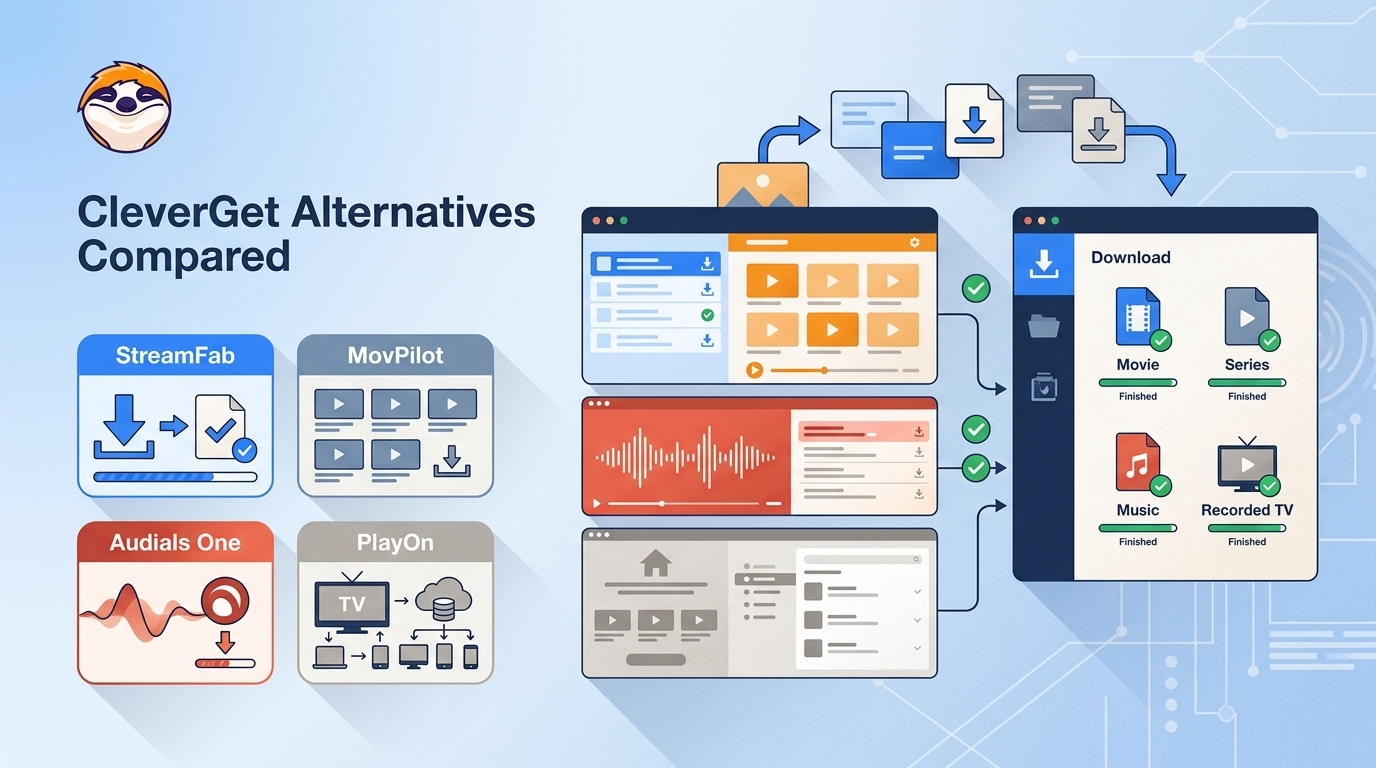
If you are hunting for a CleverGet alternative, it is almost always because the downloads stopped working: the app crashes mid-queue, the newest episodes fail after a service updates its protection, or a 4K title quietly drops to a lower resolution. The short answer is that a few maintained tools now save streaming video more reliably than a CleverGet that keeps erroring out, and the right choice depends on whether you want a source-preserving download or a screen recording. This guide tests four of them, explains the one difference that actually matters, and maps each to the job it does best.
If you are new to it, CleverGet is a modular streaming CleverGet video downloader, sold with add-ons such as the CleverGet Max downloader and the CleverGet Hulu downloader. It works, but it carries some real limitations:
- Frequent software crashes and bugs
- Limited free trials - only three videos with limited functions
- Unable to download the latest episodes and movies (due to updated DRM)
- AIO version provides 1 license for 1 PC ONLY
My focus here is desktop OTT services on Windows and Mac. If mobile saving is your priority instead, my breakdown of the videoder video downloader covers that route.

Test Method: Devices, Titles, and Success Criteria
Here is exactly how I ran this comparison, so you can reproduce it. As of July 2026, I tested each tool on two machines, a Windows 11 desktop and a macOS laptop, both on ordinary home broadband. I used active, paid accounts on Netflix, Amazon Prime Video, Disney+, and Hulu, and pulled the same reference titles on every tool: one HDR series episode, one film with a 5.1 audio track, and one YouTube clip for the case without DRM protection.
Success was not just whether a file appeared. For each download I checked three things in MediaInfo:
- the actual saved resolution against what the service was streaming;
- the video codec (H.264, H.265, or VP9);
- whether the audio was the original multichannel mix or a downmixed stereo re-encode.
That third check is what separates a real download from a recording, and it is why file size alone tells you almost nothing about quality.
Downloader vs Screen Recorder: The Key Difference
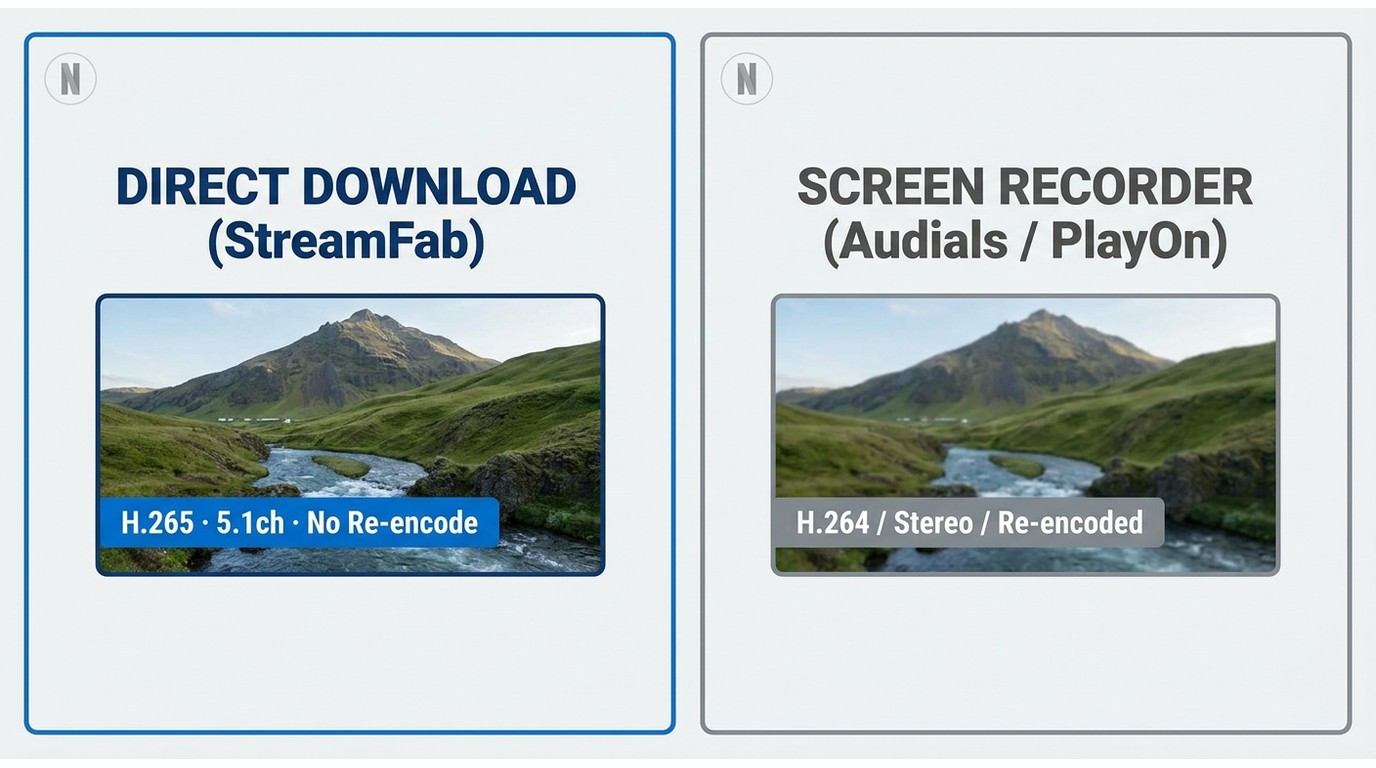
A direct downloader and a screen recorder produce very different files, and this single distinction decides which tool you want. A direct stream downloader pulls the source stream and writes it to disk without re-encoding, so the saved file keeps the original resolution, codec, and audio. A recorder plays the video back, re-captures it, and re-encodes that capture, which changes both file size and fidelity.
This is where the word "processing" trips people up. When a CleverGet recorder-style tool says it is "processing," that usually means a re-encode pass, not a lossless copy. In my testing the screen recorder vs downloader gap showed up right away: recorder output was larger yet visibly softer, while the direct downloads matched the source. If you are building a library you want to keep, source-preserving is the safer default, because every re-encode is a one-way quality loss you cannot undo later.
Top 4 CleverGet Alternatives Tested for 2026
These are the four CleverGet alternatives I tested for 2026, ordered by how cleanly they save what you ask for. The first two download the source stream; the last two record playback.
StreamFab Video Downloader
StreamFab is the one I reach for when I want a source-preserving copy rather than a recording. It is a desktop app for Windows and Mac that saves the source stream directly, with service-specific quality: YouTube up to 8K, Disney+ and Hulu up to native 4K, and Netflix and Amazon up to 1080p, with your choice of H.264 or H.265. It keeps the original multichannel audio (Dolby Atmos or 5.1) without transcoding, exports MP4 or MKV, writes subtitles as SRT or remuxes them, and can batch a whole season or schedule downloads to run overnight, for content you're authorized to access, where permitted by platform terms and applicable law.
Best for source-preserving OTT downloads on Windows and Mac when audio and codec fidelity matter. Not ideal for anyone who wants cloud storage, since everything saves locally. If you are weighing it specifically against the tool it replaces, my dedicated CleverGet vs StreamFab breakdown goes deeper than the summary here.
A robust CleverGet alternative for downloading on-demand videos from over 60+ OTTs and 1000+ online sites. Automatically analyzes and downloads ad-free videos from any online website, including the ones that are DRM-protected.
| ✅PROS |
|
|---|---|
| ❌CONS |
|
| 📑Review | StreamFab Review: Real Person Test | Objective & Comprehensive 2026 |
MovPilot
MovPilot is a straightforward, per-service downloader. It saves the source stream with no re-encode at up to 1080p, keeps multilingual subtitles, and includes a built-in browser to reach the official libraries. It is narrower than StreamFab, supporting around five services, and its free trial saves only the first six minutes of each video.
Best for simple, single-service downloads at 1080p. Not ideal for HDR, 4K, or a wide service list, and the one-license-per-PC model plus the six-minute trial make it harder to evaluate before you buy.
| ✅PROS |
|
|---|---|
| ❌CONS |
|
| 📑Review | Detailed Review for MovPilot Video Downloader 2026 |
Audials One
Audials One is a screen recorder, not a direct downloader. It captures playback by re-recording the stream, so its output is re-encoded rather than a source-preserving copy, and fidelity depends on the recording pass. It records video and audio together, converts to other formats, and can run in the background, but recorded OTT output tends to be lower resolution with weaker audio than a direct download.
Best for DVR-style capture of unprotected or casual content where an exact source file is not the goal. Not ideal when you need an untouched original, because recording re-encodes everything by design.
| ✅PROS |
|
|---|---|
| ❌CONS |
|
| 📑Review | Audials One Amazon: Is It the Best to Record Amazon 1080P? |
PlayOn
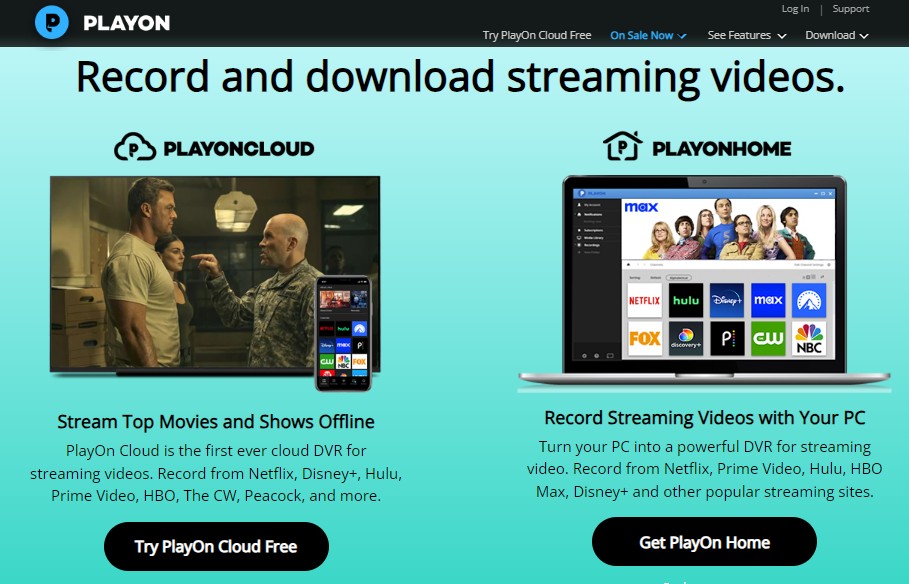
PlayOn is a DVR-style recorder. PlayOn Home turns a Windows PC into a recorder at 1080p, while PlayOn Cloud records to the cloud at 720p, so like Audials its output is re-encoded on capture rather than downloaded from the source. It can queue a full season and supports closed captioning on Cloud, but it records one title at a time in real time, which is slow and produces large files.
Best for cloud DVR convenience and set-and-forget recording across devices. Not ideal for speed, batch efficiency, or anyone who wants a source-accurate file at a predictable size.
| ✅PROS |
|
|---|---|
| ❌CONS |
|
| 📑Review | PlayOn In-Depth Reviews: Is It Worth to Try [2026 Update] |
Feature, Quality, and Codec Comparison
Here is the at-a-glance version of what I found. The matrix focuses on the four things that decide fidelity: how each tool gets the video, the realistic resolution per service, the codec, and whether the file is re-encoded.
| Software Matrix | Source Method | Max Resolution (by service) | Video Codec | Output Re-encoded? |
|---|---|---|---|---|
| StreamFab | Direct download | YouTube 8K; Disney+/Hulu 4K; Netflix/Amazon 1080p | H.264 / H.265 | No, source-preserving |
| MovPilot | Direct download | Up to 1080p | H.264 | No |
| Audials One | Screen recording | Up to 1080p (recorded) | Re-encoded on capture | Yes |
| PlayOn | DVR recording | Home 1080p / Cloud 720p | Re-encoded on capture | Yes |
Beyond that grid, a few differences matter for a keeper library. StreamFab stands out for keeping the original multichannel audio (Dolby Atmos or 5.1) and for exporting both MP4 and MKV with SRT subtitles, and it is the one that batches a full season or schedules overnight jobs. On the Windows 11 desktop it finished an overnight full-season queue with the 5.1 track intact on every episode, while the recorders needed a real-time pass per title. MovPilot also downloads the source but stays at 1080p and stereo. Audials One and PlayOn record, so their audio and subtitles come from the capture rather than the source.
Against the CleverGet baseline, which ties one all-in-one license to a single PC and has struggled with the newest episodes, the practical upshot is simple: pick a direct downloader when you care about the original file, and a recorder only when the source has no DRM protection or a recording is all you need.
Pricing, Trials, and License Terms Compared
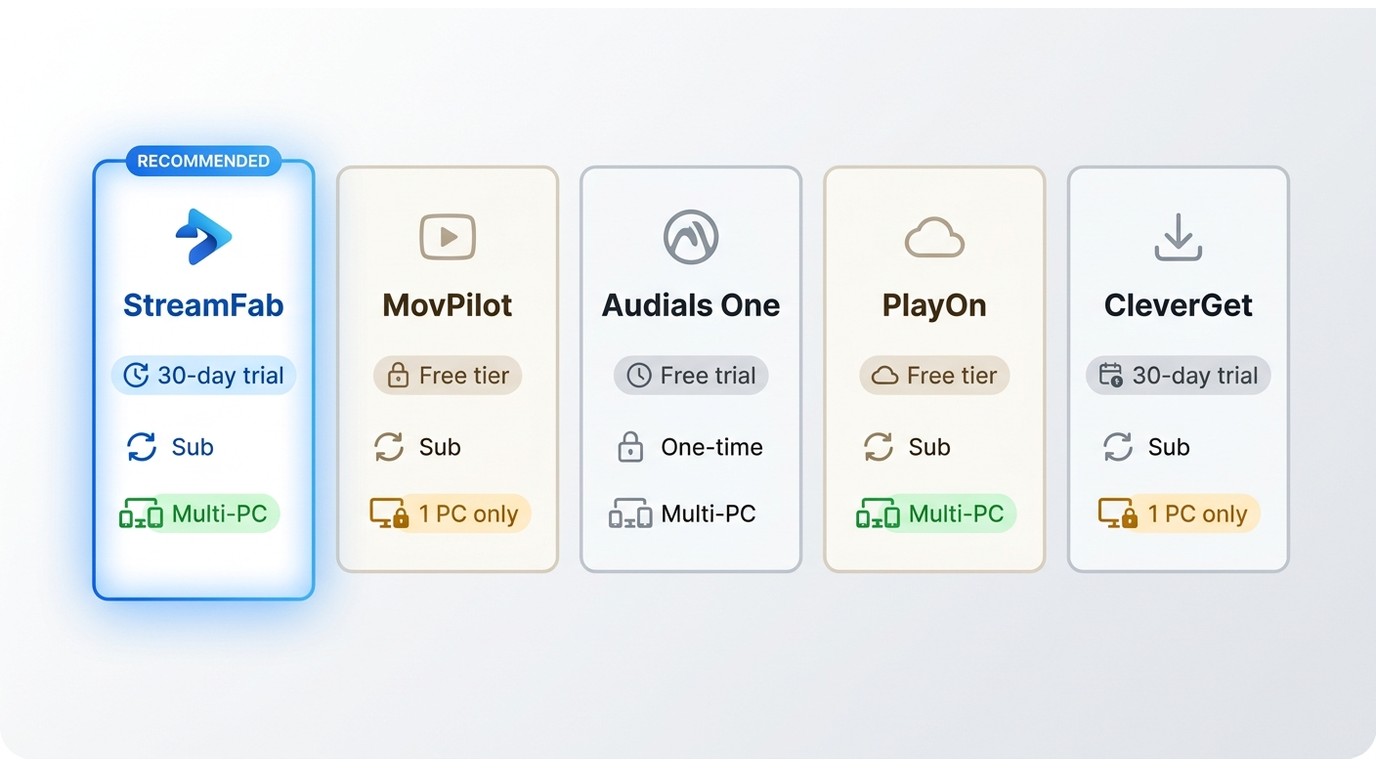
Trial and licensing terms often decide the purchase more than raw features. The big gotcha is device binding: CleverGet All-in-One ties one license to one PC, so a motherboard swap or a new laptop usually means a support ticket. Weigh cross-device flexibility as a real buying criterion.
| Tool | Free trial | Purchase / license model | Device binding |
|---|---|---|---|
| StreamFab Video Downloader | 30-day trial per service, three downloads per service; YouTube 720p downloads stay free and do not use the quota | Subscription or lifetime plans | Windows and Mac; multi-device plans available |
| MovPilot | First six minutes of each video | Per-service or all-in-one purchase | One license per PC |
| Audials One | Trial available; 14-day money-back window | One-time purchase | Per PC |
| PlayOn | Free trial credits | Home (one-time) or Cloud (recording credits) | Home runs on Windows; Cloud is device-agnostic |
| CleverGet All-in-One | Three videos, limited functions | Modular or all-in-one purchase | One license per PC |
Trial and license terms are current as of July 2026; pricing figures live on each tool's official product page.
Free CleverGet Alternatives and Their Limits
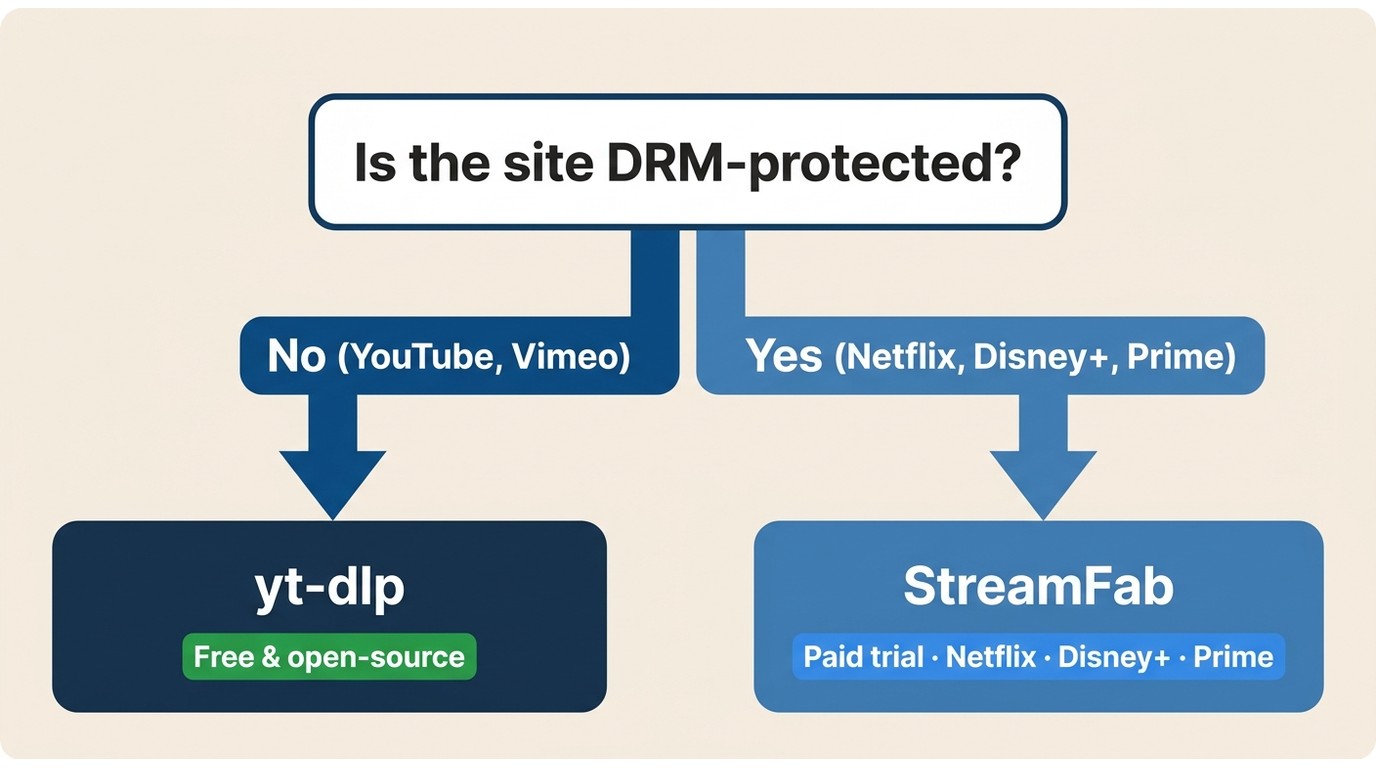
Yes, there are genuinely free options, but they split cleanly by what the site protects. For sites without DRM protection, like YouTube, open-source tools such as yt-dlp are free and work well. For premium OTT services (Netflix, Prime, Disney+), you need a maintained paid tool, and "CleverGet free" really means a limited trial, not an unlimited free version. A so-called free crack is not a working option, as the next section explains.
My advice: start with a trial before you pay. Almost every paid alternative, including StreamFab Video Downloader, offers a trial so you can confirm quality on your own titles first. CleverGet's own modules, like the CleverGet Hulu downloader, follow the same trial-then-buy pattern.
If you go the trial route, here are the basic steps:
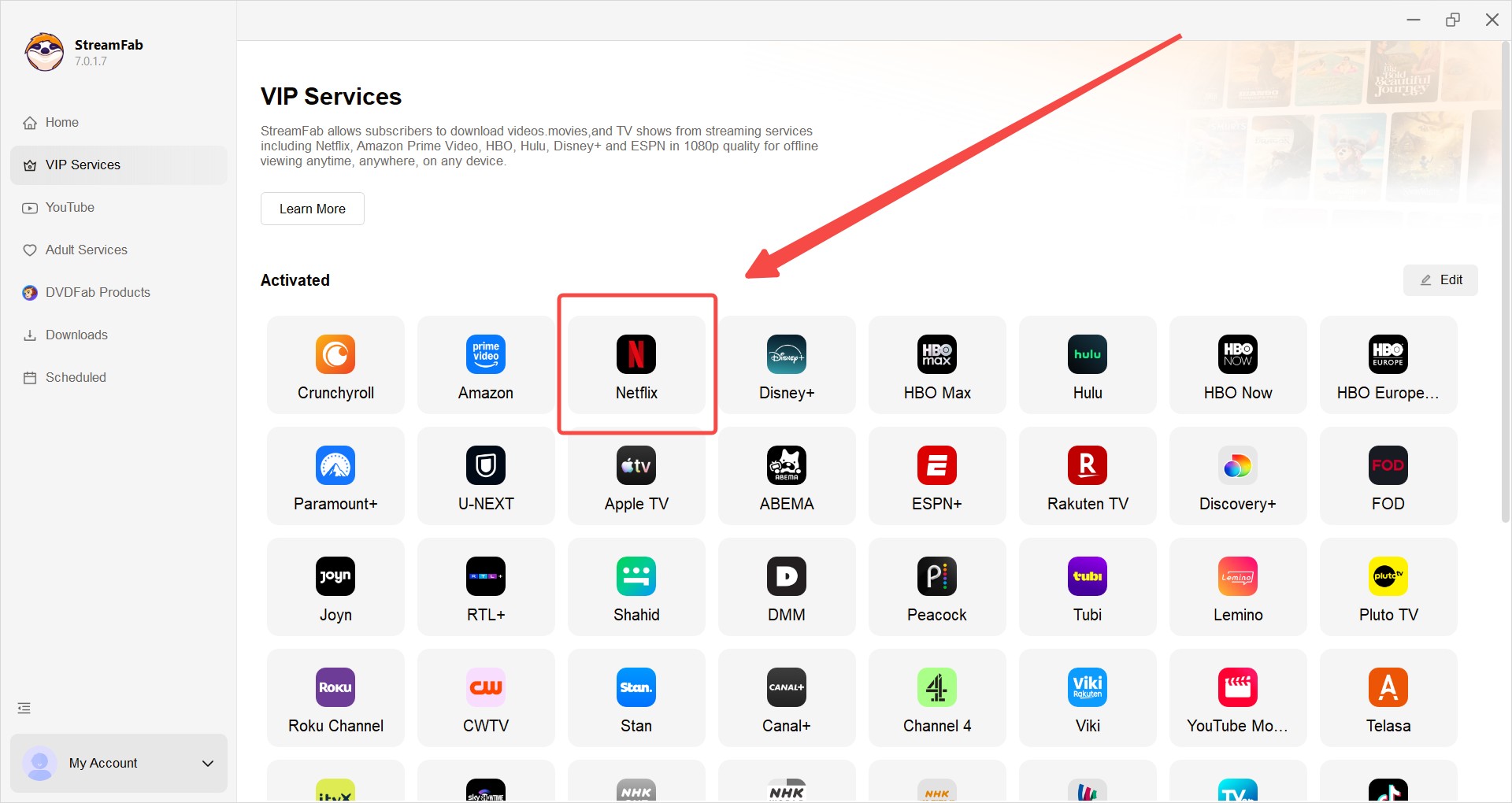
Choose the streaming service
Tap the VIP Services or the YouTube icon on the left channel to find the streaming website you want. For example, Netflix. You can also copy and paste your video URL directly into the address bar on the Homepage.
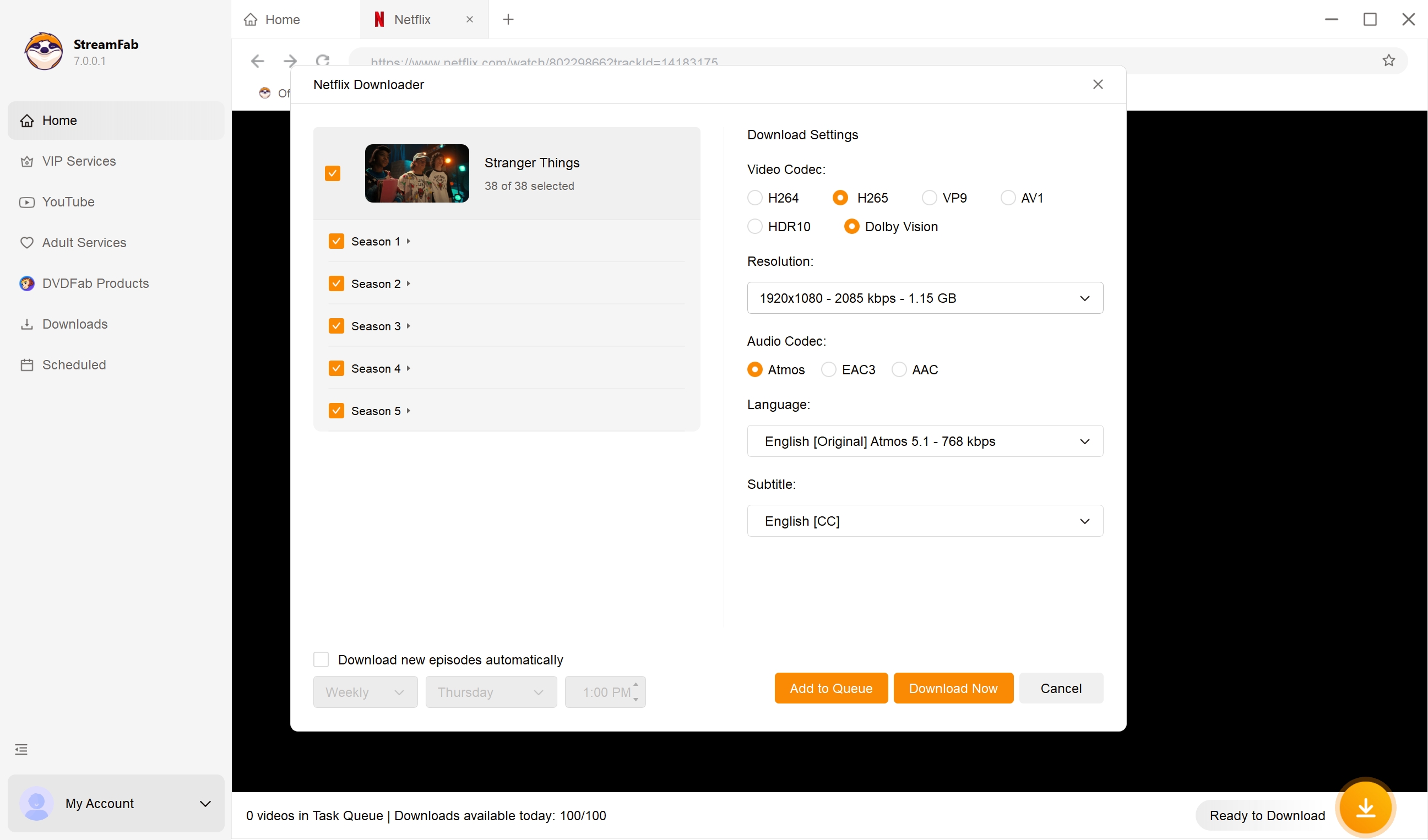
Customize the file
Search for the video and play it, then a pop-up window will ask for your video options. You can choose the audio and subtitle language.
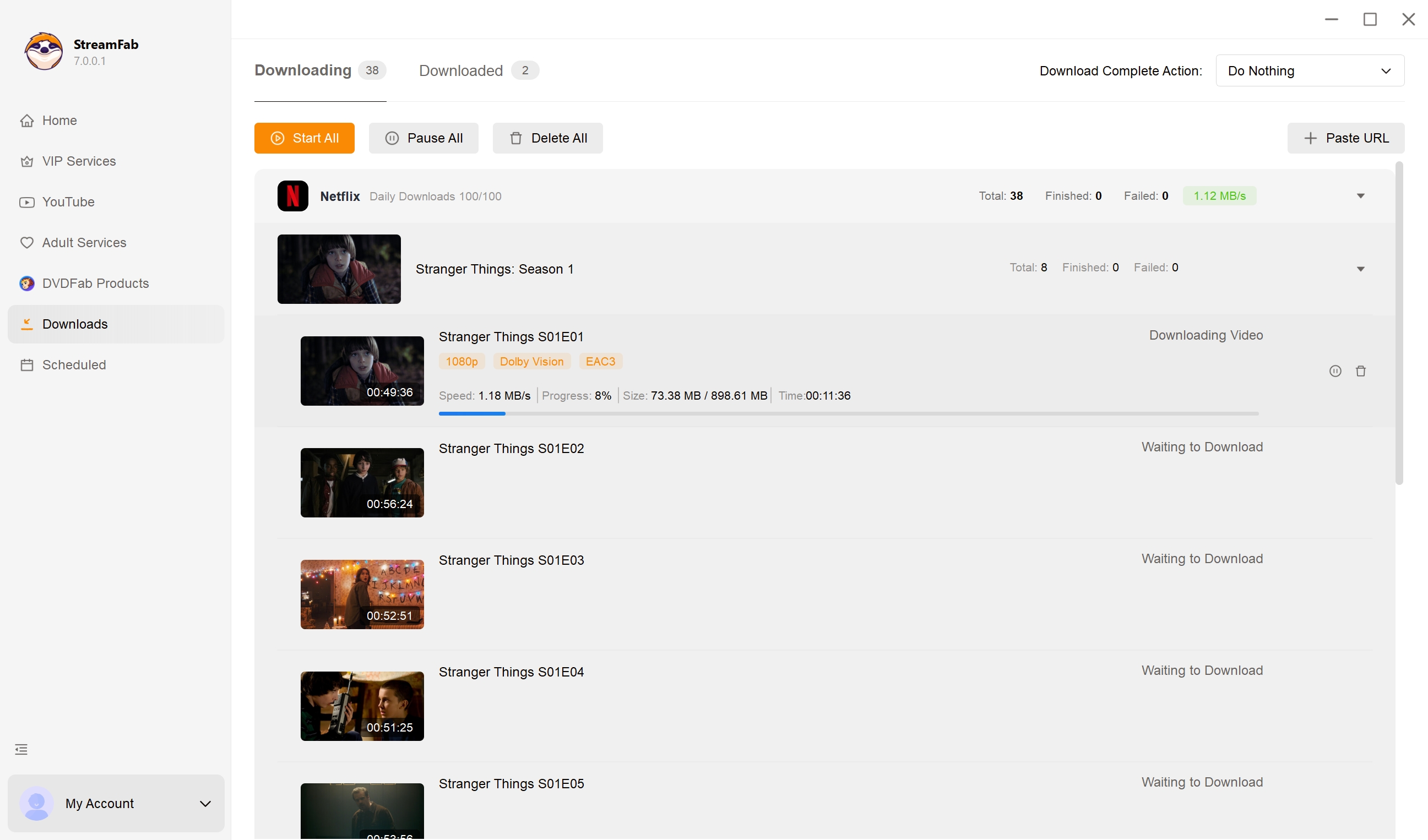
Click the download button
After customization, you can download it right now or add it to the queue.
CleverGet Crack and Key Sites: Safety Warning
Note:saving streaming content is intended for personal, offline use of titles you are authorized to access. Sharing or redistributing copyrighted material breaks platform terms and local law.
There is heavy search demand for a CleverGet crack, a CleverGet key, or a CleverGet activation key file, so let me be blunt about why they are a bad bet. Streaming services frequently update their server-side content protection, so an offline cracked build cannot receive those updates and stops working within days. On top of that, files advertised as a "lifetime key" routinely carry malware. A short trial of a maintained tool costs less than a wiped drive, and it actually keeps working.
FAQs: CleverGet Alternatives Answered
Which CleverGet alternative downloads the stream instead of screen recording it?
StreamFab and MovPilot save the source stream directly, with no re-encode. Audials One and PlayOn record playback, so their files are re-encoded and differ from the original. If you want the untouched source, choose a direct downloader.
Are there any genuinely free CleverGet alternatives in 2026?
For sites without DRM protection, like YouTube, open-source tools such as yt-dlp are free and work well. Premium services need paid tools that offer limited trial quotas. Free "cracks" are not a working option.
Is there a reliable CleverGet alternative for Mac, and what is the best MP4 downloader for Mac?
StreamFab, MovPilot, and Audials all ship macOS builds that export MP4. For a source-preserving MP4 download on Mac, StreamFab is my pick; PlayOn Home is Windows-only, with PlayOn Cloud covering other devices.
Do these alternatives re-encode or compress the downloads?
Direct downloaders preserve the source video and audio with no re-encode. Recorders re-encode during capture, which can mean larger files at lower fidelity, so file size alone is a poor quality signal.
Can I move a CleverGet All-in-One license to a new PC?
CleverGet All-in-One binds one license to one PC, so a motherboard or laptop change usually means contacting support. If you switch machines often, treat cross-device flexibility as a buying criterion.
Conclusion
There is no single best CleverGet alternative, just the right tool for your use-case. If you want a source-preserving OTT download on Windows or Mac with the original audio and codec intact, StreamFab is the strongest option I tested. If you mainly grab unprotected or casual content and do not need an exact source file, Audials One is a capable recorder. If you want hands-off cloud DVR across devices, PlayOn Cloud fits, and for simple single-service 1080p downloads, MovPilot does the job.
My rule of thumb: decide first whether you need a download or a recording, then match the service and quality you actually care about. That one call saves more grief than chasing the longest feature list.

Evaluating the Audials One 2026 free trial? I tested its 720p caps, examined if is audials legal under Fair Use
By Erika Leen - Sep 29, 2026
Are you thinking of purchasing NoteBurner and unsure if it’s worth the investment? In this NoteBurner review, let’s delve into its product lines, particularly the NoteBurner Video Downloader’s pros and cons.
By Marcia Hatcher - Sep 28, 2026
Read our in-depth Audials review for 2026. Is Audials safe and legal for Amazon Prime? Discover actual test results, Widevine DRM fixes, and better alternatives.
By Erika Leen - Sep 28, 2026
TuneFab’s Amazon downloader suits a focused desktop routine, while VideOne covers multiple services. Compare their workflows, license structures, and output checks with StreamFab, then use the numbered setup and maintenance steps for authorized personal offline viewing.
By Erika Leen - Sep 24, 2026