
CleverGet vs StreamFab (2026): Speed, Resolution and Format Tested

Summary: CleverGet and StreamFab are two separate downloaders from different companies, not clones. This 2026 comparison settles the clone question, shows the resolution you actually get on Netflix and Amazon versus regular sites, compares MP4/MKV output, H.265 vs H.264 codecs and audio, and weighs license value and free trials so you can pick the right tool.
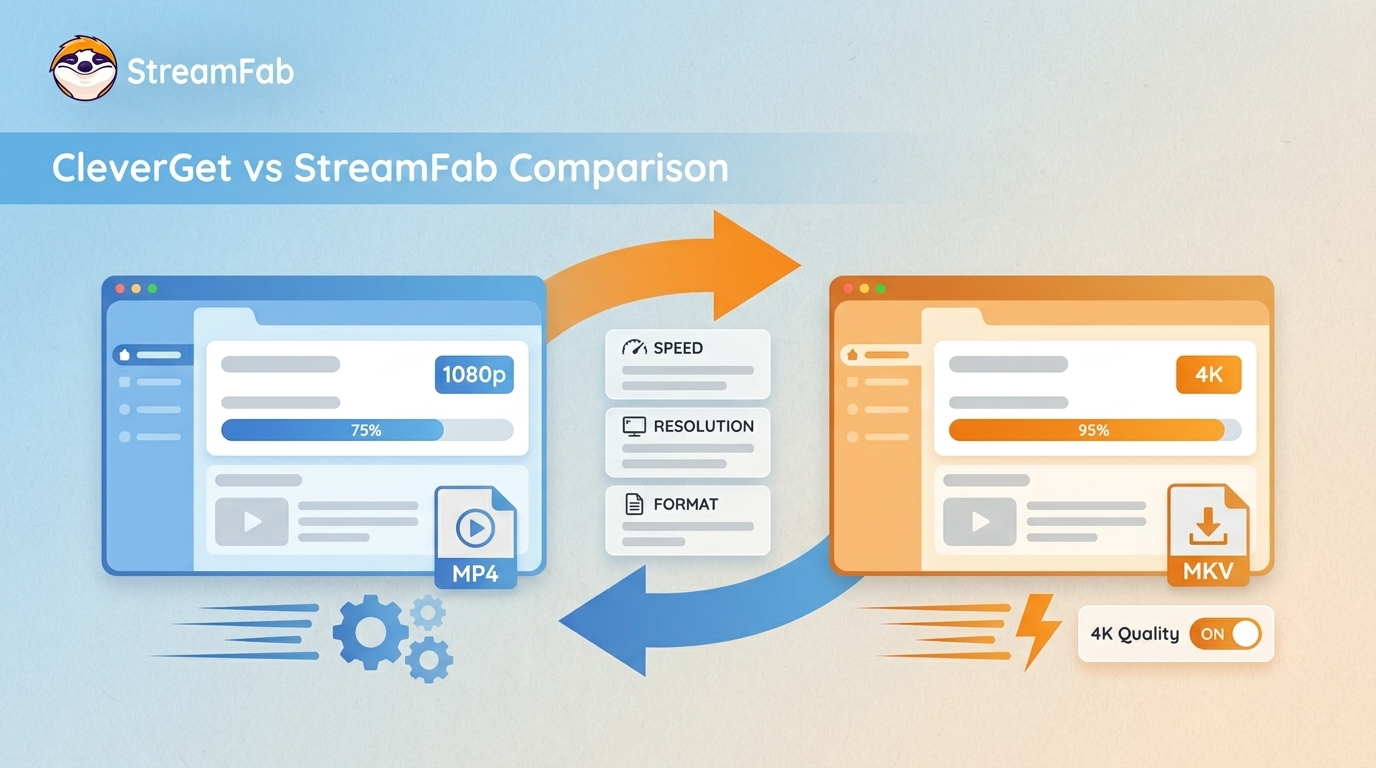
If you're weighing cleverget vs StreamFab, you've probably hit the same two doubts everyone does: is CleverGet just one of the StreamFab clones with a different skin, and can either one actually pull real Netflix or Amazon quality instead of a soft 720p file?
The short answer is that they're separate tools from separate companies, and the resolution you get depends entirely on whether you're saving from a regular site or a DRM-protected service. I've spent the last few years pulling apart how streaming downloaders behave, so this guide settles the clone question, shows what resolution you really get, compares MP4 output and codecs, and weighs license value.

CleverGet vs StreamFab: The Quick Verdict
Here's the short version: CleverGet and StreamFab are two different tools built by two different companies, not clones of each other. StreamFab holds the Edge on DRM-protected streaming, with a higher true-OTT resolution ceiling, direct-stream capture that skips a second re-encode, and overnight batch downloads.
CleverGet is a capable single-PC option built around modular per-site downloaders. Which one fits comes down to how many devices you cover and whether top-end Netflix and Amazon quality matters to you.
Are CleverGet and StreamFab the Same Software?
No. This is the question that fills every cleverget reddit thread, so let's answer it directly: CleverGet is not one of the StreamFab clones. The confusion is understandable, since both apps use a similar built-in browser to sign in to a service and grab a title, and users on the StreamFab forum and Reddit often assume they share code.
They don't. They're developed by different companies, run on different engines, and behave differently under load. StreamFab records the stream directly and saves a local copy; CleverGet works more like a per-site modular wrapper.

To be clear: CleverGet and StreamFab are two separate programs from two different companies, with no shared ownership. So many readers mix them up that it's worth stating plainly, which is why this comparison exists.
2026 Benchmark Comparison: Speed, Resolution and Value
Across the metrics that matter for a 2026 comparison, StreamFab leads on DRM-heavy workflows while CleverGet stays competitive for lighter, single-machine use. The table below lays out where each tool lands.
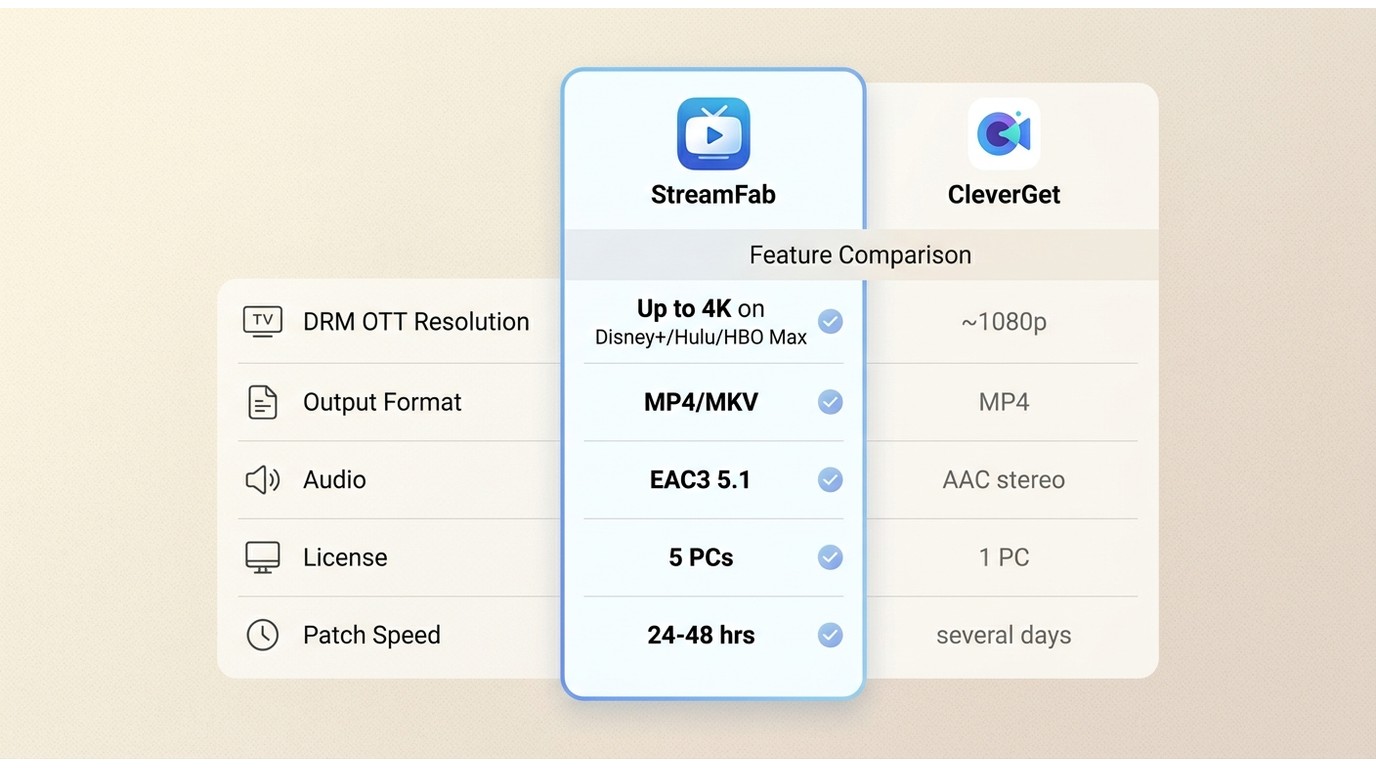
| 2026 metric | StreamFab | CleverGet |
|---|---|---|
| Regular / online-site resolution | Up to 8K | Up to 8K |
| DRM OTT resolution (Netflix / Amazon) | Around 1080p on Netflix and Amazon; up to 4K on Disney+, Hulu, HBO Max, Apple TV+, Paramount+ | Around 1080p |
| Output format | MP4 / MKV | MP4 (module-dependent) |
| Video codec | H.264 / H.265 (HEVC) | H.264-based |
| Audio | EAC3 5.1 and AAC 2.0, with audio-track selection | AAC stereo (varies by module) |
| Subtitles / multi-audio | SRT export or embedded; pick a specific audio track | Subtitle download, module-dependent |
| Update / patch cadence | Usually within 24-48 hours | Often several days |
| Processing speed (2-hour title) | Hardware-accelerated; faster on long titles | Slower on long titles |
| Supported services | Broad OTT coverage folded into unified modules | 40+ modules; v25.0.0 (January 2026) added 4 modules and 10 services |
| License | Lifetime, multi-device (up to 5 PCs) | Lifetime, single PC |
| Price | Current tiers on StreamFab's official pricing page | About $239.95 (as of July 2026) |
| Free trial | 30-day trial, 3 sample downloads per service | Free trial with download limits |
| Bonus | Amazon gift-card promotion | None |
Source: StreamFab's official supported-sites list.
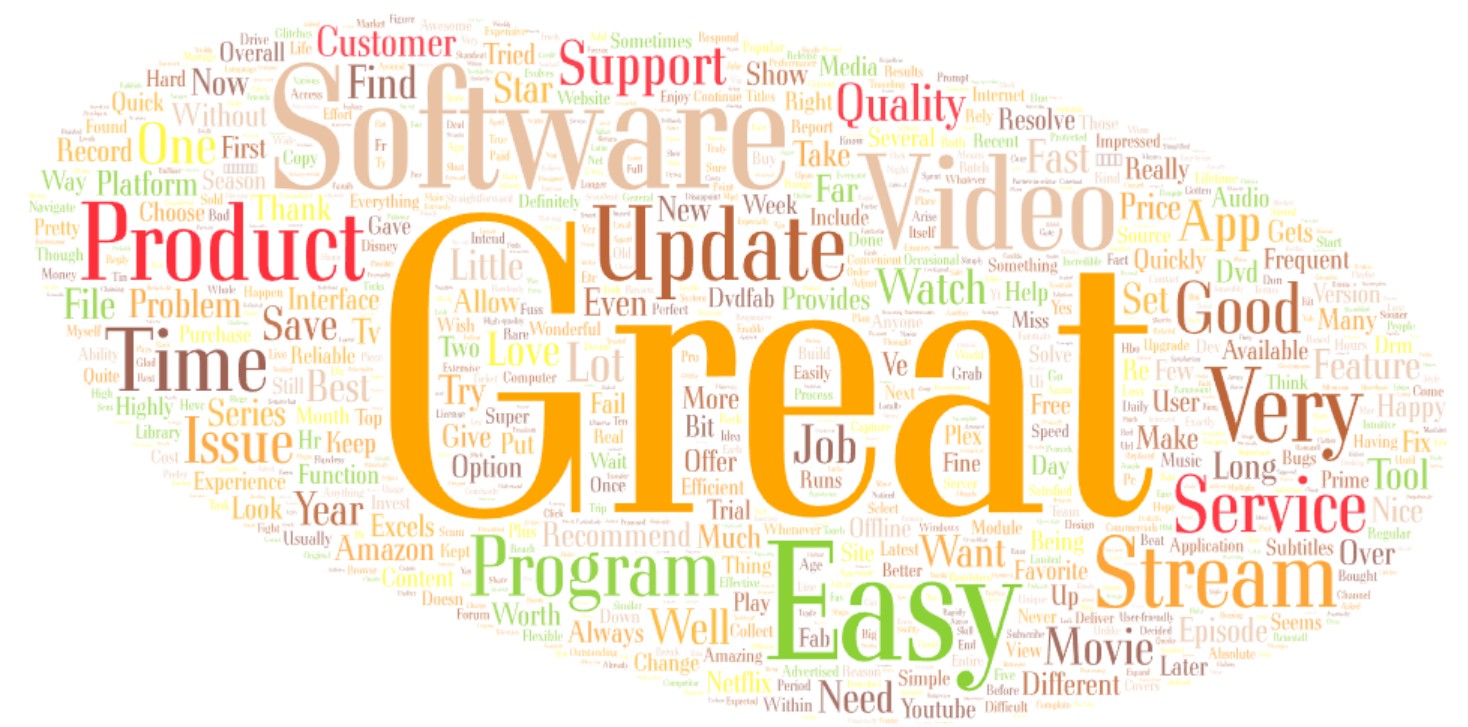
User feedback leans the same way. Ease-of-use and download-quality comments show up far more often for StreamFab than for CleverGet, and high-quality 1080p and 4K downloads are a recurring highlight in cleverget reviews and StreamFab reviews alike.
I'd treat review-word tallies as a rough signal rather than gospel, since sentiment mining is noisy. Best for people who download regularly across several services; not ideal for someone who grabs one clip a month, where a single-PC tool or a free option is plenty.
| StreamFab | CleverGet | |
|---|---|---|
| Ease of Use | Words like 'easy,' 'simple,' 'intuitive,' etc. came up very frequently. That was the most common thing people talked about in reviews. | The phrase 'easy to use' showed up only occasionally. It didn't seem to be a major point for users. |
| Download Quality | Positive quality words ('great,' 'good,' 'excellent,' etc.) were mentioned often, among the most common themes. People specifically highlighted getting high-quality 1080p and 4K downloads. | Someone mentioned 'good' quality only occasionally. Not a frequent comment. |
| Speed | Terms about speed ('fast,' 'quick,' 'efficient') came up fairly often, ranking among the more common themes in review mentions. | 'Fast' or 'quick' came up only a few times. Not mentioned very often. |

Netflix and Amazon Resolution: What You Actually Get
So what resolution do you actually get? On regular online sites, both tools reach up to 8K. The gap opens on DRM-protected OTT. CleverGet is effectively capped around 1080p on services like Netflix and Amazon, which is the root of the cleverget DRM resolution debate.
StreamFab also lands near 1080p on Netflix and Amazon specifically, but reaches up to 4K on several other protected services (Disney+, Hulu, HBO Max, Apple TV+, Paramount+) and keeps HDR and multichannel audio intact instead of flattening them.
If your priority is Amazon Prime downloads, that head-to-head goes deeper on the service-specific behavior. The practical upshot: don't expect 4K from Netflix on either tool, because that ceiling is set by the service, not the downloader.
Output Format, Codec and Audio Tracks Compared
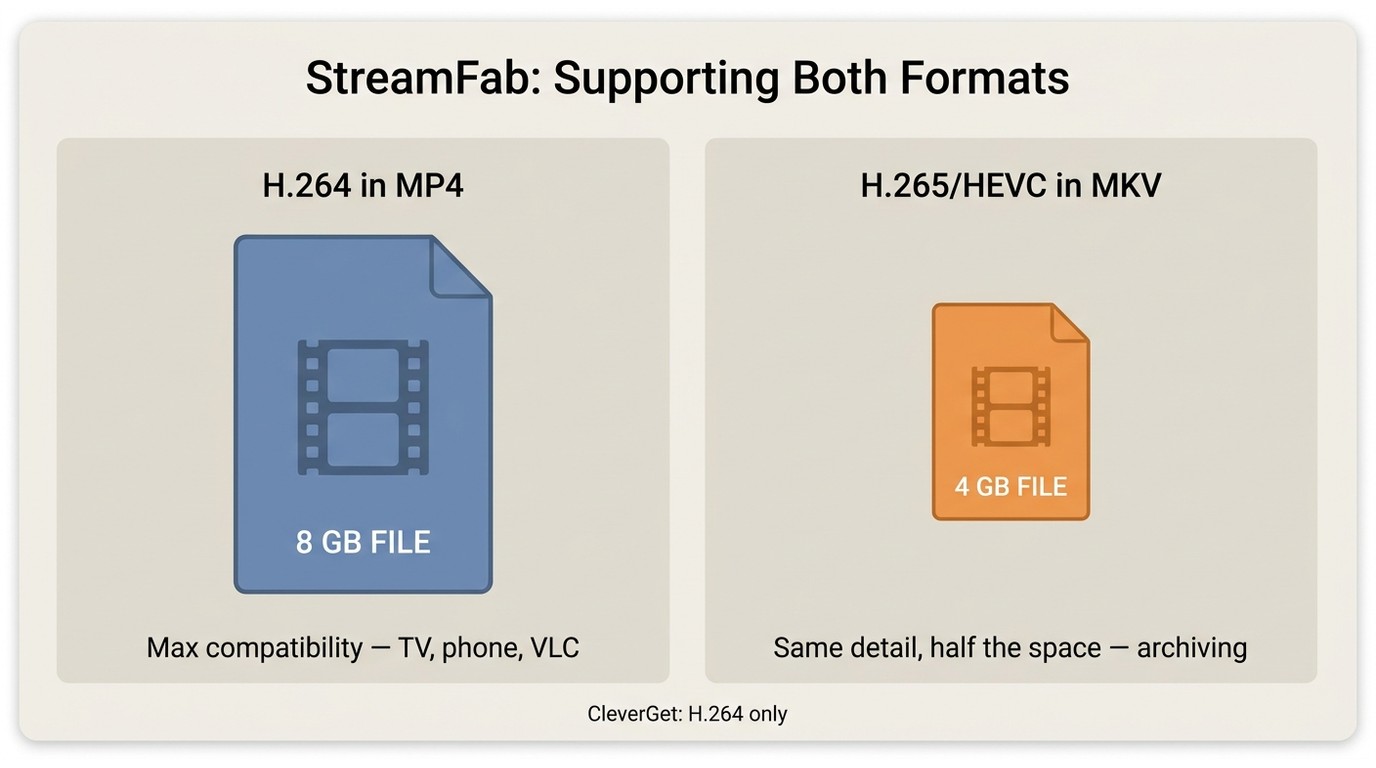
Format is where a lot of the Reddit confusion lives. StreamFab saves to MP4 or MKV; CleverGet outputs MP4 in most modules. On codecs, you'll see H.265 vs H.264 come up constantly, and here's the myth to bust: a smaller H.265 (HEVC) file is not automatically lower quality.
H.265 is simply more efficient, so it stores comparable detail in less space. For maximum player compatibility, H.264 in an MP4 is the safe pick; for archiving to save disk, H.265 makes sense. For a personal offline library I lean toward MP4 output format with H.264 for anything I'll play on a TV or phone, and MKV with H.265 for long-term keeps, since MKV holds several audio and subtitle tracks in one file.
StreamFab's on-brand strength here is a direct-stream workflow that saves a local copy without a second re-encode, keeping the source quality along with Dolby Vision metadata and EAC3 5.1 / Atmos audio where the source provides it. That is exactly the '1080p without re-encoding' outcome people keep asking for.
StreamFab is a desktop tool that saves a local copy for personal offline viewing of content you're authorized to access, where the platform's terms and applicable law allow. In one sentence: it saves Netflix and Amazon streams as MP4 or MKV in H.264 or H.265 with EAC3 5.1 audio and selectable subtitle tracks, up to 8K on regular sites and around 1080p on those two services. Best for anyone who wants the source quality preserved; not ideal if you only need a quick throwaway clip.
Subtitles and Multi-Audio Track Selection
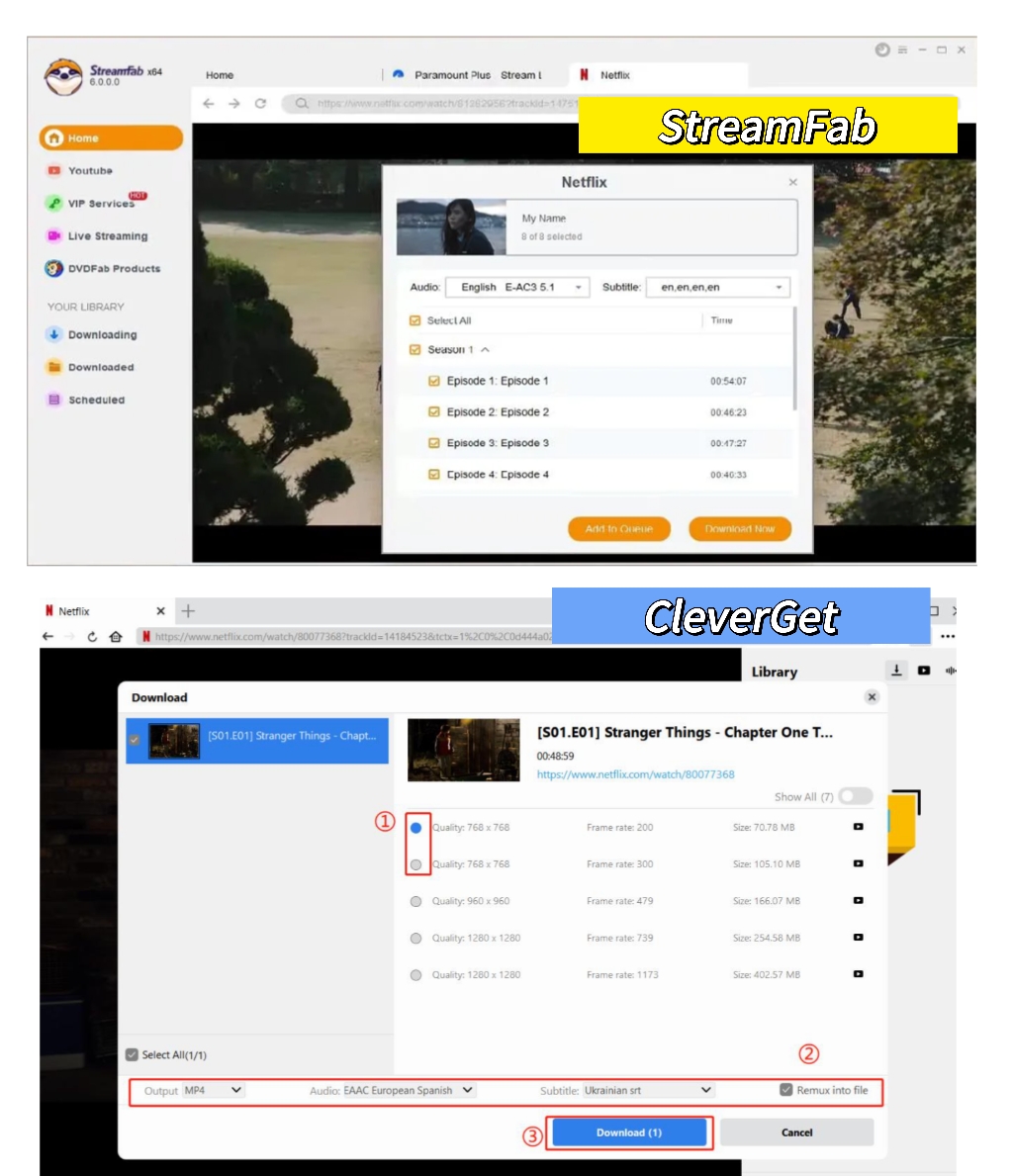
Both tools can pull subtitles, but handling differs. StreamFab exports subtitles as external SRT files or embeds them, and lets you choose a specific audio track, which is useful when you want the original-language dub instead of the English one.
Selecting a non-English audio track and exporting a subtitle for personal offline viewing is straightforward, as long as you keep it to content you're authorized to access. CleverGet's subtitle export varies by module.
Supported Services and Module Coverage
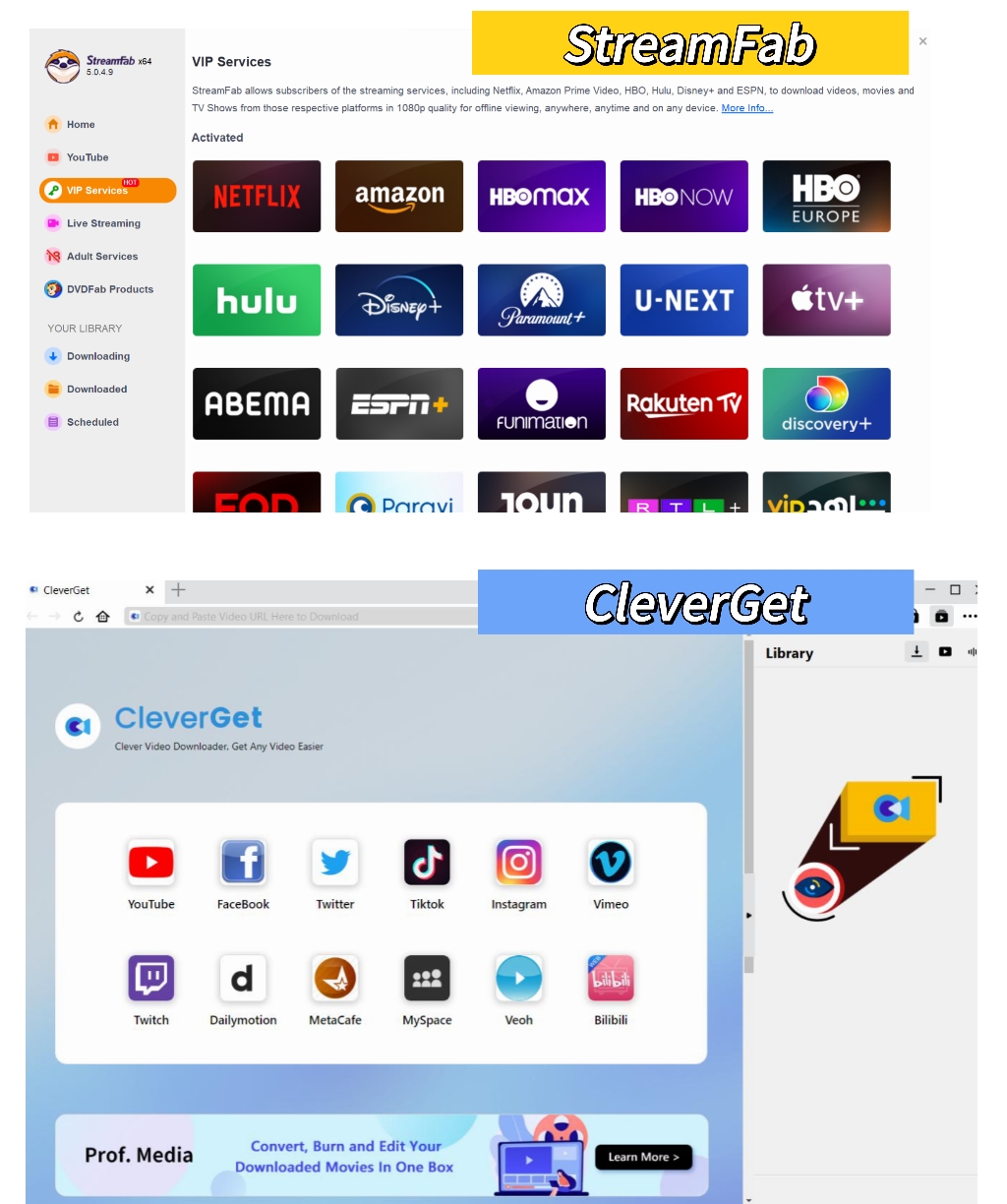
Both tools cover the major services, so coverage alone rarely decides it. CleverGet works as a modular system where you add per-site downloaders, and CleverGet for Mac v25.0.0, released in January 2026, added 4 new modules and 10 more streaming services. Any 'StreamFab covers more' point only holds on a current, dated basis rather than an older 40-module count. StreamFab folds much of that coverage into a smaller set of unified modules, which is why several standalone CleverGet modules (Raiplay, ZDF, ARD and others) map onto one or two StreamFab modules.
Patch speed matters more than raw module count. When a service rotates its keys and downloads start failing, StreamFab's team usually ships a server-side update within 24-48 hours, while CleverGet fixes can take several days. For a cleverget Netflix downloader workflow specifically, that turnaround is the difference between a quiet evening and a week of black screens.
Pricing, License Value and Free Trials
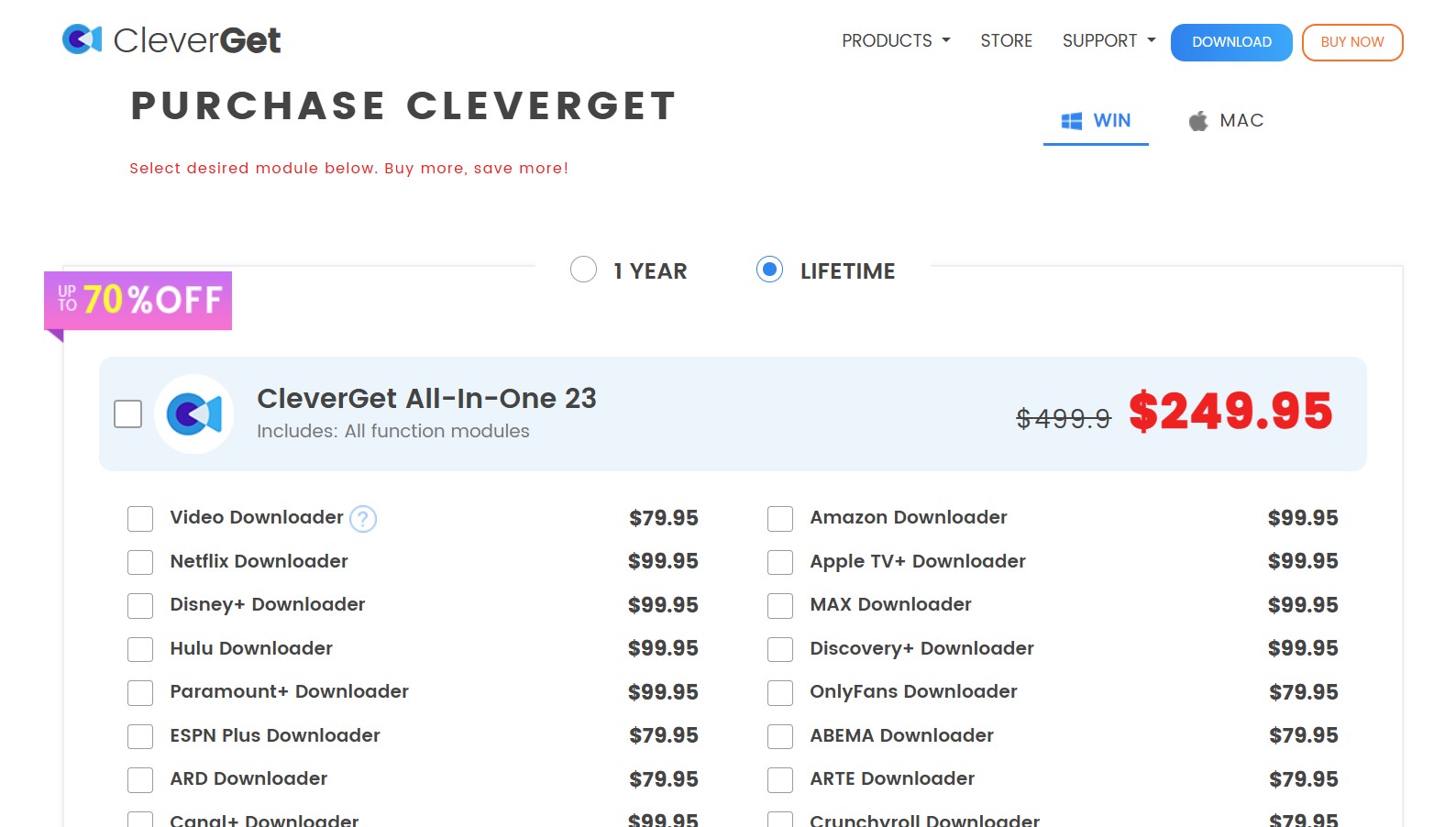
Sticker price isn't the whole story; license coverage is. CleverGet's lifetime license covers a single PC, about $239.95. StreamFab sells a multi-device lifetime license covering up to 5 PCs, so if you run a desktop and a laptop the cost spreads across machines instead of forcing a second purchase, and there's an Amazon gift-card promotion on top.
Best for multi-device households; a single-PC user who only needs one seat won't benefit from the extra machines.
What Each Free Trial Actually Unlocks
Trials decide more purchases than spec sheets do. StreamFab's free trial runs 30 days and unlocks the full feature set at each service's quality ceiling, but caps you at 3 sample downloads per streaming service (the browser-extension mode allows 5), and that count is stored server-side, so reinstalling won't reset it. YouTube downloads at 720p stay free and don't use trial credits. CleverGet also offers a free trial with download limits before you commit. My take: run both trials on the services you actually use before paying, since that's the test that reflects your real library.
Crack Versions and Safety Risks
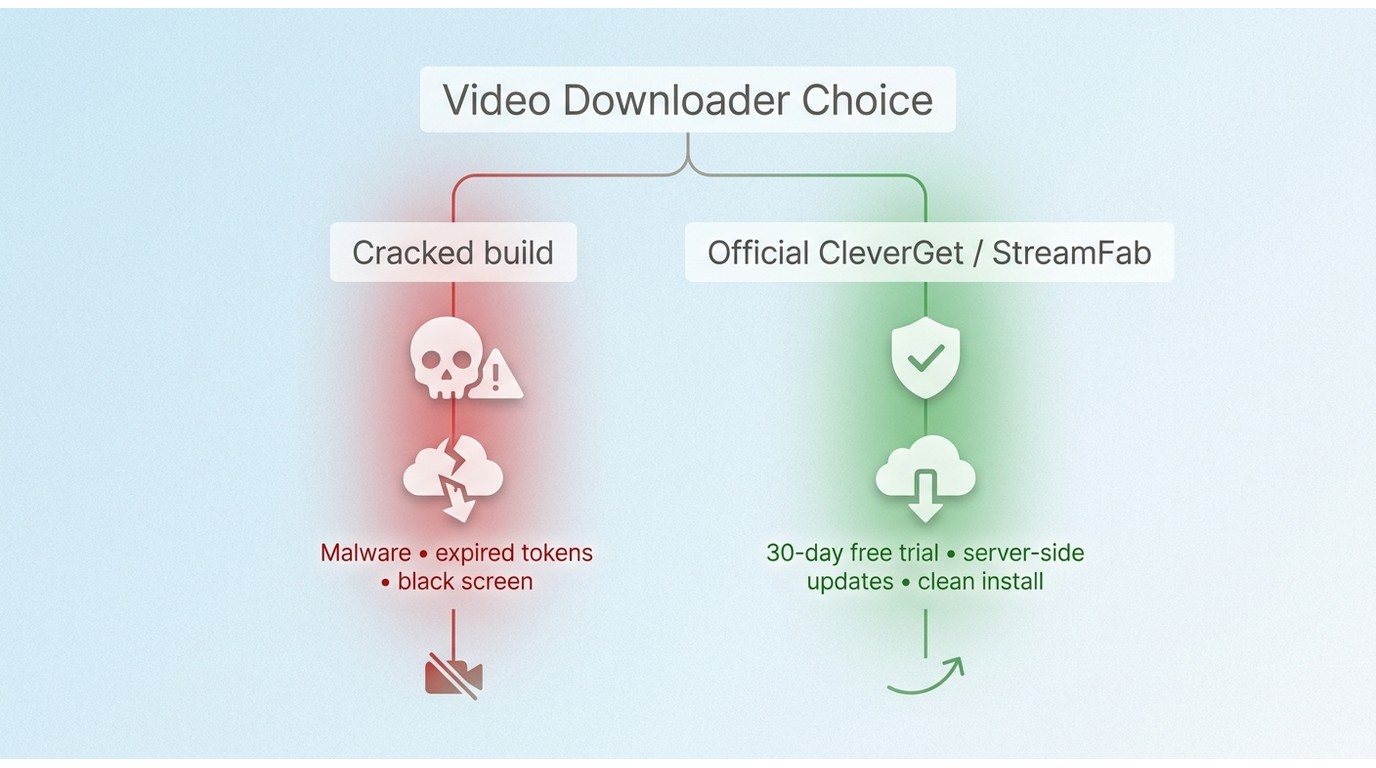
Search 'cleverget crack' and you'll find plenty of offers to skip the license fee. Skip them instead. Cracked builds are a well-known malware vector, and they don't even work: streaming services rotate their security tokens constantly, and a cracked copy can't sync the vendor's server-side updates, so you end up with endless loading screens rather than a finished file.
Worse, these executables are known to harvest browser sessions and streaming cookies. The legitimate path is simple: install the official build, use the free trial, and save a local copy for personal offline viewing of content you're authorized to access, where the platform's terms and local law allow.
Is CleverGet Safe and Legal to Use?
Yes. The official CleverGet build is clean and behaves like a browser wrapper; antivirus false positives can happen because of how it intercepts network traffic, but that isn't malware. The real risk is the cracked versions above.
On the legal side, saving a personal copy of content you're authorized to access, for offline viewing, is generally fine, while sharing or commercial use is not. If you're also checking whether StreamFab is safe, the deeper breakdown lives on its own page.
Download Steps in StreamFab and CleverGet
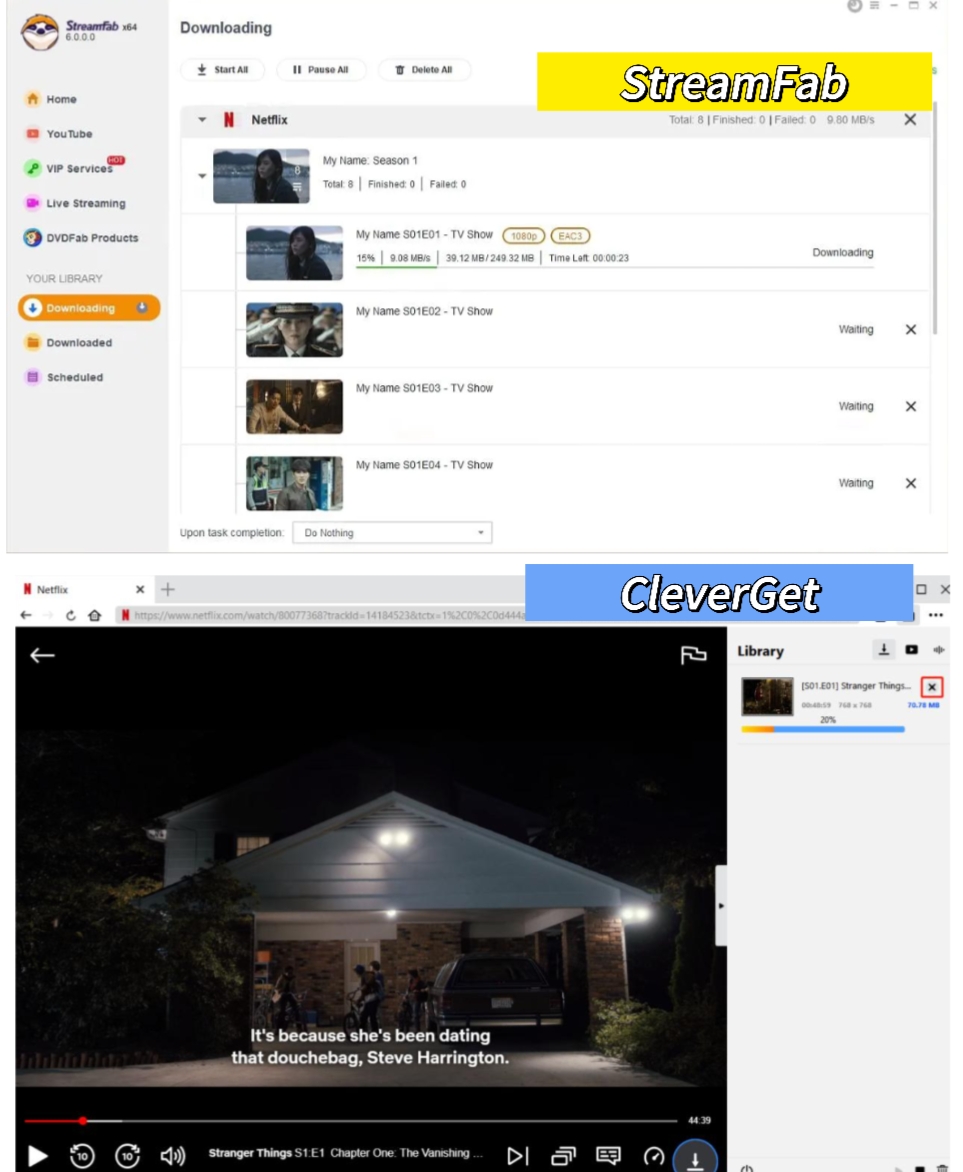
The day-to-day flow is nearly identical in both apps: sign in to the service through the built-in browser, open the title, choose your resolution, audio track and subtitles, then start the download. Neither one makes you fiddle with settings to get a watchable file. The comparison images below walk through each step.
FAQs
Is CleverGet stuck at 720p on Netflix and Amazon?
Not exactly. On regular sites CleverGet reaches up to 8K, but on DRM-protected services like Netflix and Amazon it's effectively around 1080p. StreamFab is also near 1080p on those two specifically, with a higher ceiling of up to 4K on several other protected services.
Can I download non-English audio tracks or subtitles?
Yes. StreamFab lets you select a specific audio track, such as the original-language dub, and export subtitles as SRT or embed them, for personal offline viewing of content you're authorized to access. It's handy when the default English track isn't what you want.
Are cracked versions of CleverGet safe to use?
No. Official downloads are the safe route. Cracked builds are common malware carriers and can't sync the server-side updates the tools rely on, so they fail on protected services anyway.
What should I do when a streaming service changes its DRM and downloads fail?
Wait for the vendor's server-side update and keep the app current, because a failed download right after a service change is almost always a patch-timing issue rather than your setup. In my experience StreamFab's patch cadence tends to be quicker, which is worth factoring in if reliability matters to you.
Conclusion
So, cleverget vs StreamFab, which one? There's no single best downloader for everyone. Pick StreamFab if you cover multiple devices, want the highest realistic OTT resolution with HDR and multichannel audio intact, and value direct-stream capture and overnight batch downloads for a personal offline library. It's not ideal for a single-PC user who downloads only occasionally, since you'd be paying for machines you won't use. Pick CleverGet if you want a modular, single-PC setup and mostly save from regular sites.
If neither quite fits, it's worth comparing tested CleverGet alternatives, and readers who like the ecosystem but want a different tier can look at the best StreamFab alternatives for 2026 in our roundup of other StreamFab alternatives. Either way, keep downloads to content you're authorized to access, for personal, offline use.
Disclaimer: the tools discussed here are meant for personal, offline viewing of content you're authorized to access. Sharing, redistribution or commercial use is not supported.

Choosing between CleverGet Amazon Downloader and StreamFab comes down less to their 1080p labels than to whether they complete the Amazon titles, queues, and audio/subtitle options you need. This comparison separates verified specifications from claims that need a current matched test.
By Erika Leen - Oct 27, 2026
Staring at an error code and wondering what StreamFab is actually telling you? In July 2026, I mapped every code against the real failure it represents — here's the reference guide that skips the corporate jargon and tells you exactly what to do in under 2 minutes.
By Erika Leen - Oct 12, 2026
StreamFab 7 marks the first major update in nearly three years. This review looks beyond surface-level changes and examines what actually matters in everyday use based on real testing, community feedback
By Erika Leen - Sep 28, 2026
Choose between StreamFab’s local file workflow, Audials’ Windows recording and editing, and PlayOn’s local or cloud recording. Compare queue behavior, picture quality, audio and subtitles, and recurring costs, with a repeatable way to check one authorized title before building an offline library.
By Marcia Hatcher - Sep 28, 2026